Characteristics of
Rational
Functions
Table of contents
01
Intro to the parent
function
02
Important terms you
need to know
01
Intro to the
parent function
A simple intro to
rational functions!
Welcome to the wonderful world of
rational functions!
So far, you might have heard of linear,
quadratic, or exponential functions, but
rational is a whole new ball game. Let’s
get right into it
A rational function is any function
that is a RATIO of 2 polynomials
A ratio can be written like a fraction,
with a polynomial in the numerator
and a polynomial in the denominator
However, the denominator cannot
equal zero
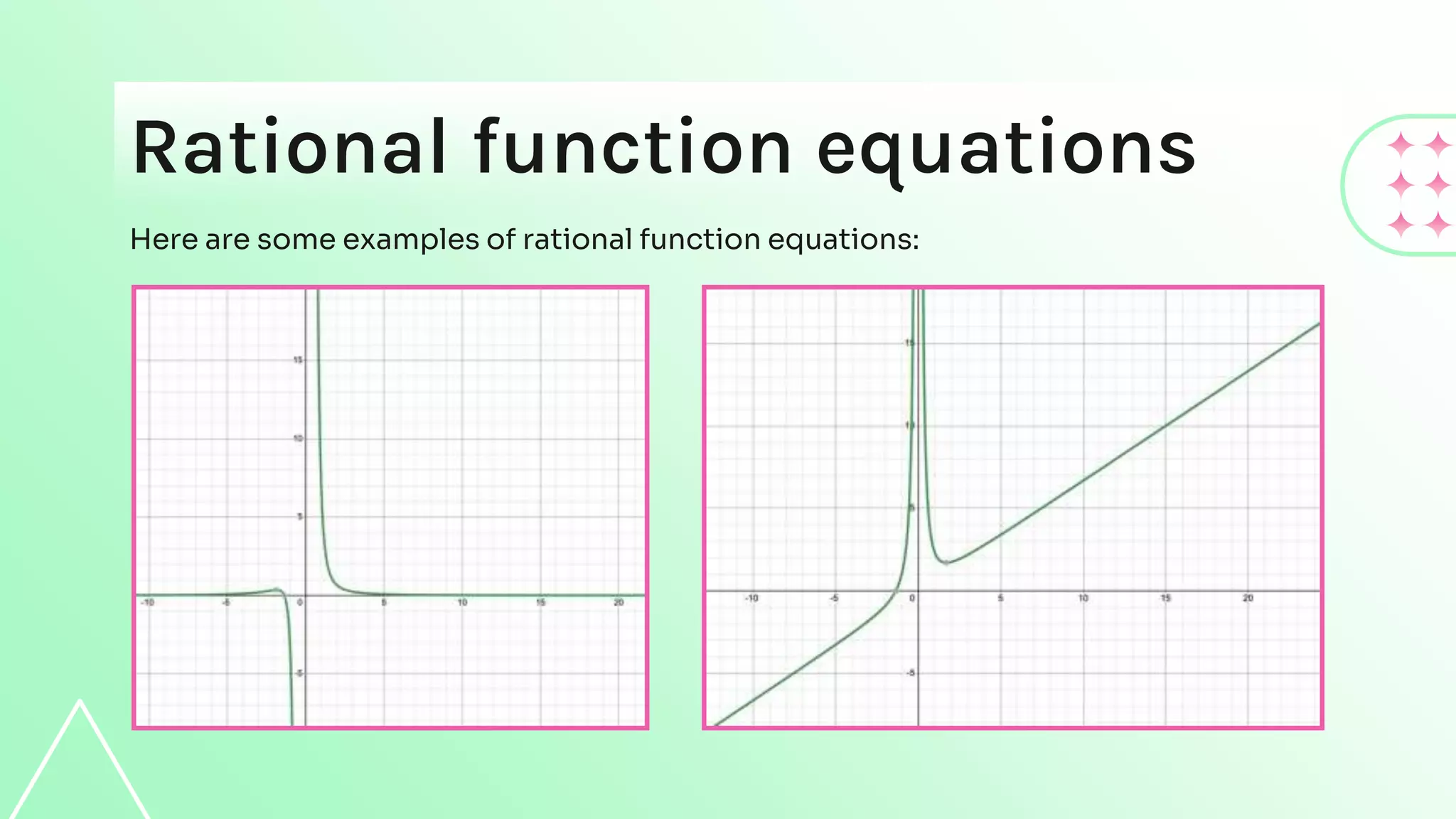
Rational function equations
Here are some examples of rational function equations:
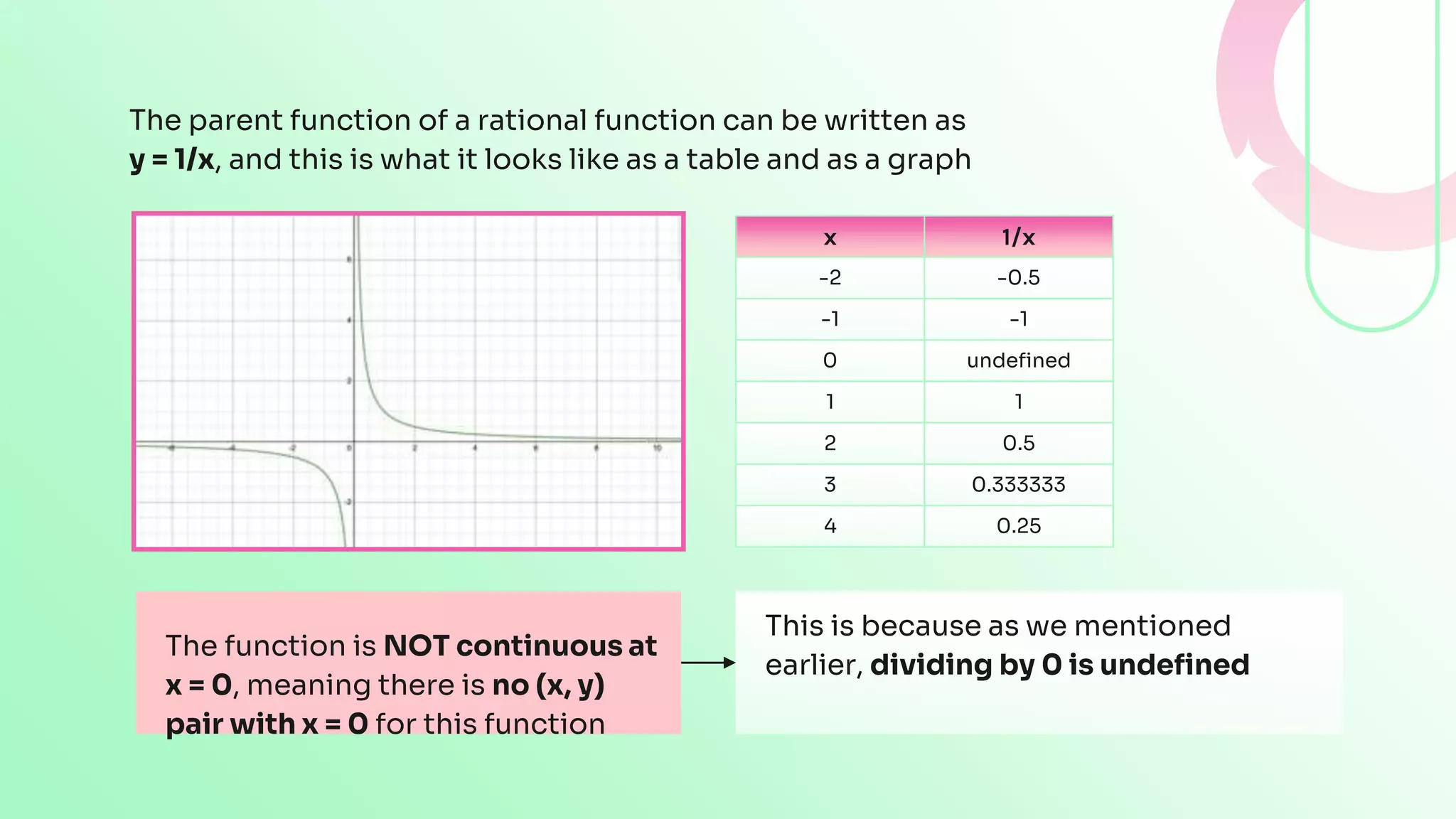
The parent function of a rational function can be written as
y = 1/x, and this is what it looks like as a table and as a graph
x 1/x
-2 -0.5
-1 -1
0 undefined
1 1
2 0.5
3 0.333333
4 0.25
The function is NOT continuous at
x = 0, meaning there is no (x, y)
pair with x = 0 for this function
This is because as we mentioned
earlier, dividing by 0 is undefined
The function is approaching x = 0, and it is getting closer
and closer and closer, but never quite reaches it
Why?
Try plugging in:
● x values slightly larger than 0
● Values slightly smaller than 0
See what happens to the y value of your coordinate pair
The values either skyrocket to:
● Positive infinity
● Negative infinity in the opposite case
The function approaches y = 0 but never quite reaches that line
Why?
● Because the denominator increases a lot faster than the numerator
● As the value we plug in for x increases, the denominator gets larger so the
fraction gets smaller and smaller
● No matter how small our value is, it will never become zero
● If you plug in smaller values for x, you will end up getting super large values
because the numerator is higher now. Either way you do not reach y = 0
There’s actually a special name for this phenomenon happening with the x and y
values that we cannot reach. This will be covered in the “Important Terms” section
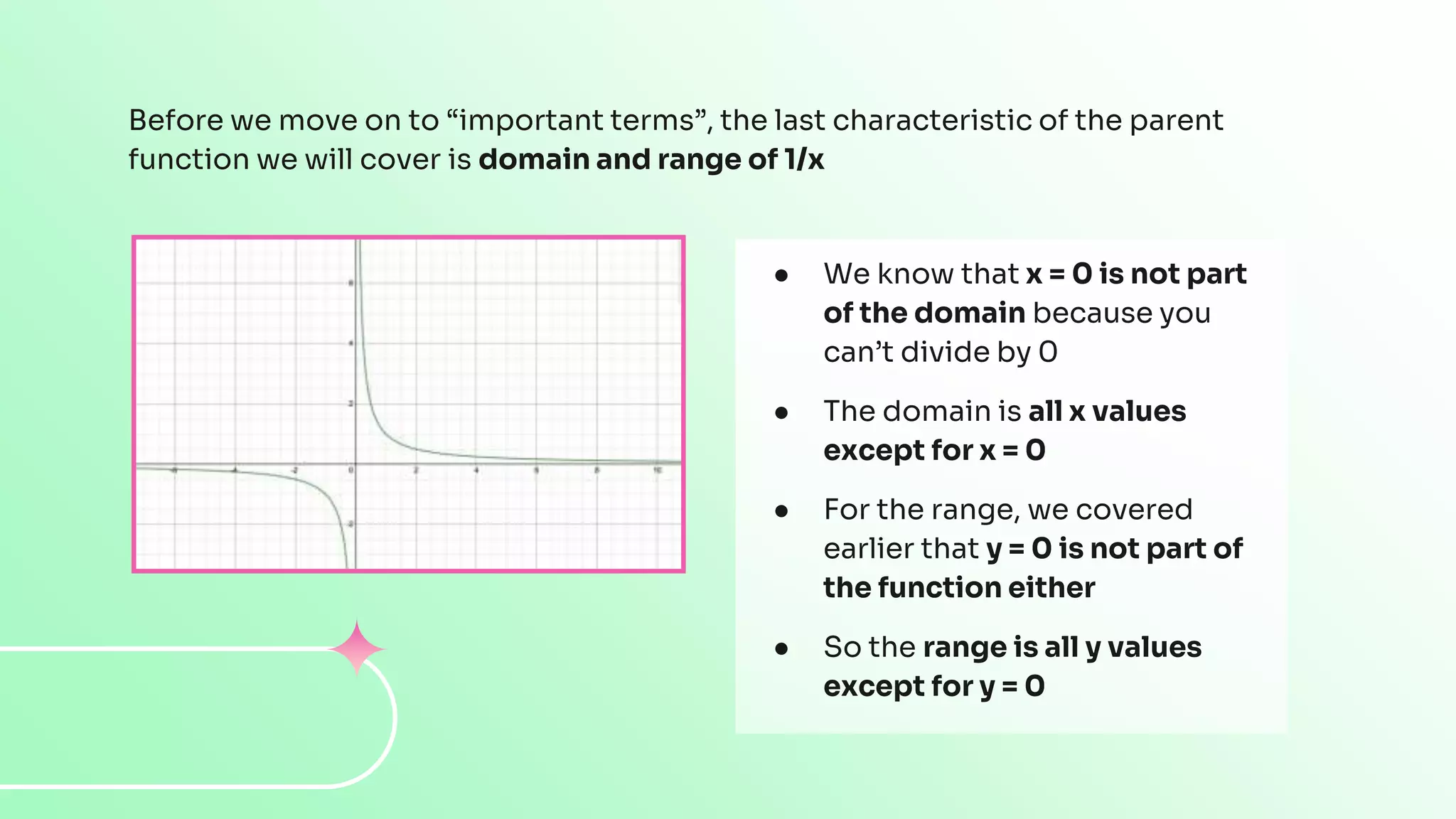
Before we move on to “important terms”, the last characteristic of the parent
function we will cover is domain and range of 1/x
● We know that x = 0 is not part
of the domain because you
can’t divide by 0
● The domain is all x values
except for x = 0
● For the range, we covered
earlier that y = 0 is not part of
the function either
● So the range is all y values
except for y = 0
02
Important terms you
need to know
Pay very close attention to
the upcoming terms
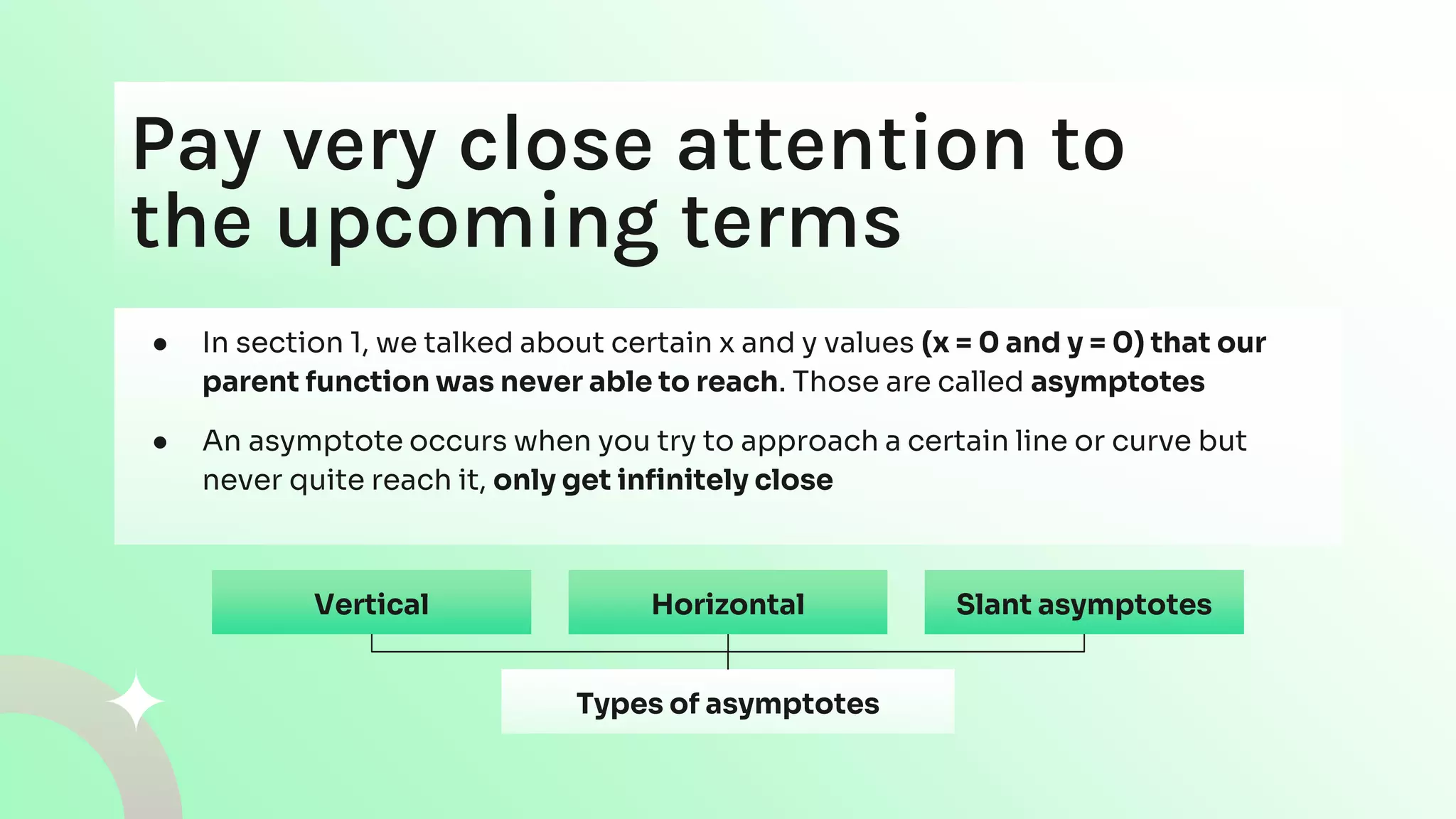
● In section 1, we talked about certain x and y values (x = 0 and y = 0) that our
parent function was never able to reach. Those are called asymptotes
● An asymptote occurs when you try to approach a certain line or curve but
never quite reach it, only get infinitely close
Types of asymptotes
Vertical Horizontal Slant asymptotes
Vertical
● Occurs at an x value that causes the denominator to equal 0
● The numerator cannot also be zero for this x value. For our parent function,
this was x = 0
● If we take another example, 1/(x – 3), the vertical asymptote would be x= 3,
because if you plug 3 into the function, you get 0 for the denominator
Horizontal Slant asymptotes
Horizontal
● Occurs at a y value that the function gets close to but never reaches
● If the denominator polynomial has a higher degree than the numerator, like y
= x/(x^2 + 5), the horizontal asymptote is ALWAYS 0
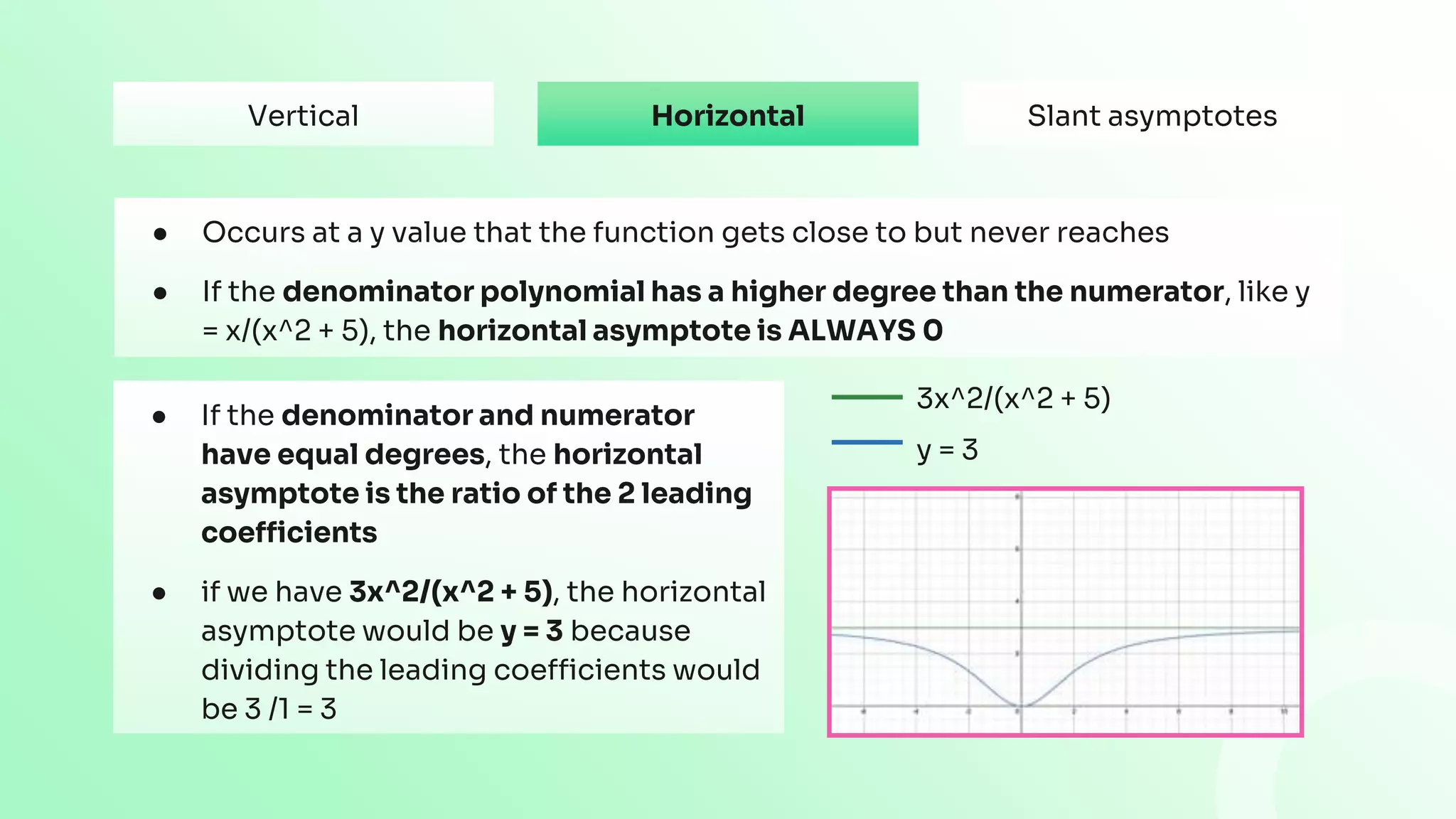
● If the denominator and numerator
have equal degrees, the horizontal
asymptote is the ratio of the 2 leading
coefficients
● if we have 3x^2/(x^2 + 5), the horizontal
asymptote would be y = 3 because
dividing the leading coefficients would
be 3 /1 = 3
3x^2/(x^2 + 5)
y = 3
Vertical Slant asymptotes
Slant asymptotes
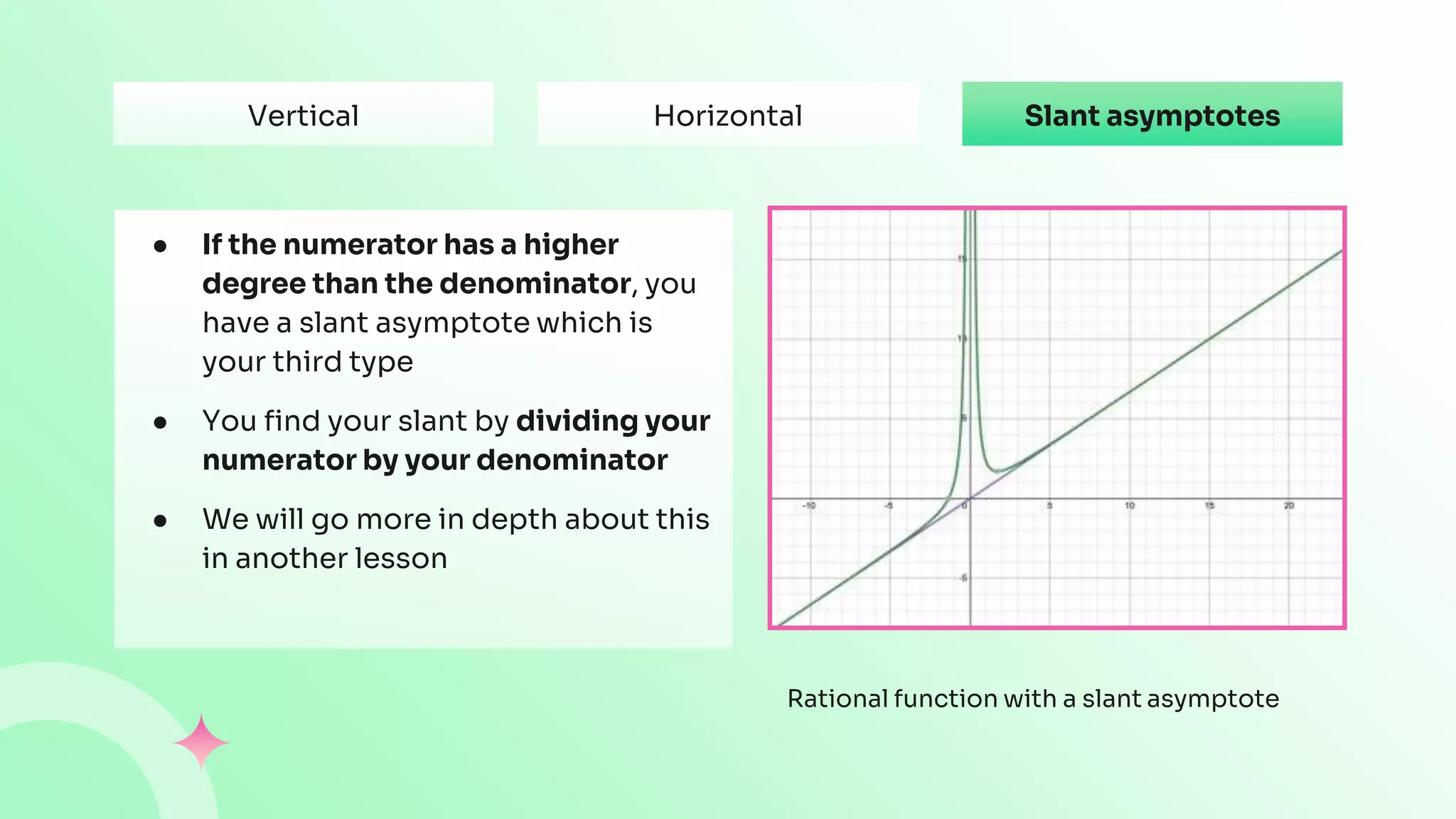
● If the numerator has a higher
degree than the denominator, you
have a slant asymptote which is
your third type
● You find your slant by dividing your
numerator by your denominator
● We will go more in depth about this
in another lesson
Rational function with a slant asymptote
Vertical Horizontal
CREDITS: This presentation template was created by Slidesgo, and includes icons by
Flaticon, infographics & images by Freepik and content by Swetha Tandri
Thanks
Do you have any questions?
youremail@freepik.com
+91 620 421 838
yourwebsite.com
Please keep this slide for attribution
Alternative resources
Here’s an assortment of alternative resources whose style fits that of this template:
Vectors:
● Gradient pink and green background
Resources
Did you like the resources in this template? Get them for free at our other websites:
Vectors:
● Gradient pink and green background
Instructions for use
If you have a free account, in order to use this template, you must credit Slidesgo by keeping the Thanks slide. Please
refer to the next slide to read the instructions for premium users.
As a Free user, you are allowed to:
● Modify this template.
● Use it for both personal and commercial projects.
You are not allowed to:
● Sublicense, sell or rent any of Slidesgo Content (or a modified version of Slidesgo Content).
● Distribute Slidesgo Content unless it has been expressly authorized by Slidesgo.
● Include Slidesgo Content in an online or offline database or file.
● Offer Slidesgo templates (or modified versions of Slidesgo templates) for download.
● Acquire the copyright of Slidesgo Content.
For more information about editing slides, please read our FAQs or visit our blog:
https://slidesgo.com/faqs and https://slidesgo.com/slidesgo-school
As a Premium user, you can use this template without attributing Slidesgo or keeping the Thanks slide.
You are allowed to:
● Modify this template.
● Use it for both personal and commercial purposes.
● Hide or delete the “Thanks” slide and the mention to Slidesgo in the credits.
● Share this template in an editable format with people who are not part of your team.
You are not allowed to:
● Sublicense, sell or rent this Slidesgo Template (or a modified version of this Slidesgo Template).
● Distribute this Slidesgo Template (or a modified version of this Slidesgo Template) or include it in a database or in
any other product or service that offers downloadable images, icons or presentations that may be subject to
distribution or resale.
● Use any of the elements that are part of this Slidesgo Template in an isolated and separated way from this
Template.
● Register any of the elements that are part of this template as a trademark or logo, or register it as a work in an
intellectual property registry or similar.
For more information about editing slides, please read our FAQs or visit our blog:
https://slidesgo.com/faqs and https://slidesgo.com/slidesgo-school
Instructions for use (premium users)
This presentation has been made using the following fonts:
Karla
(https://fonts.google.com/specimen/Karla)
Sora
(https://fonts.google.com/specimen/Sora)
Fonts & colors used
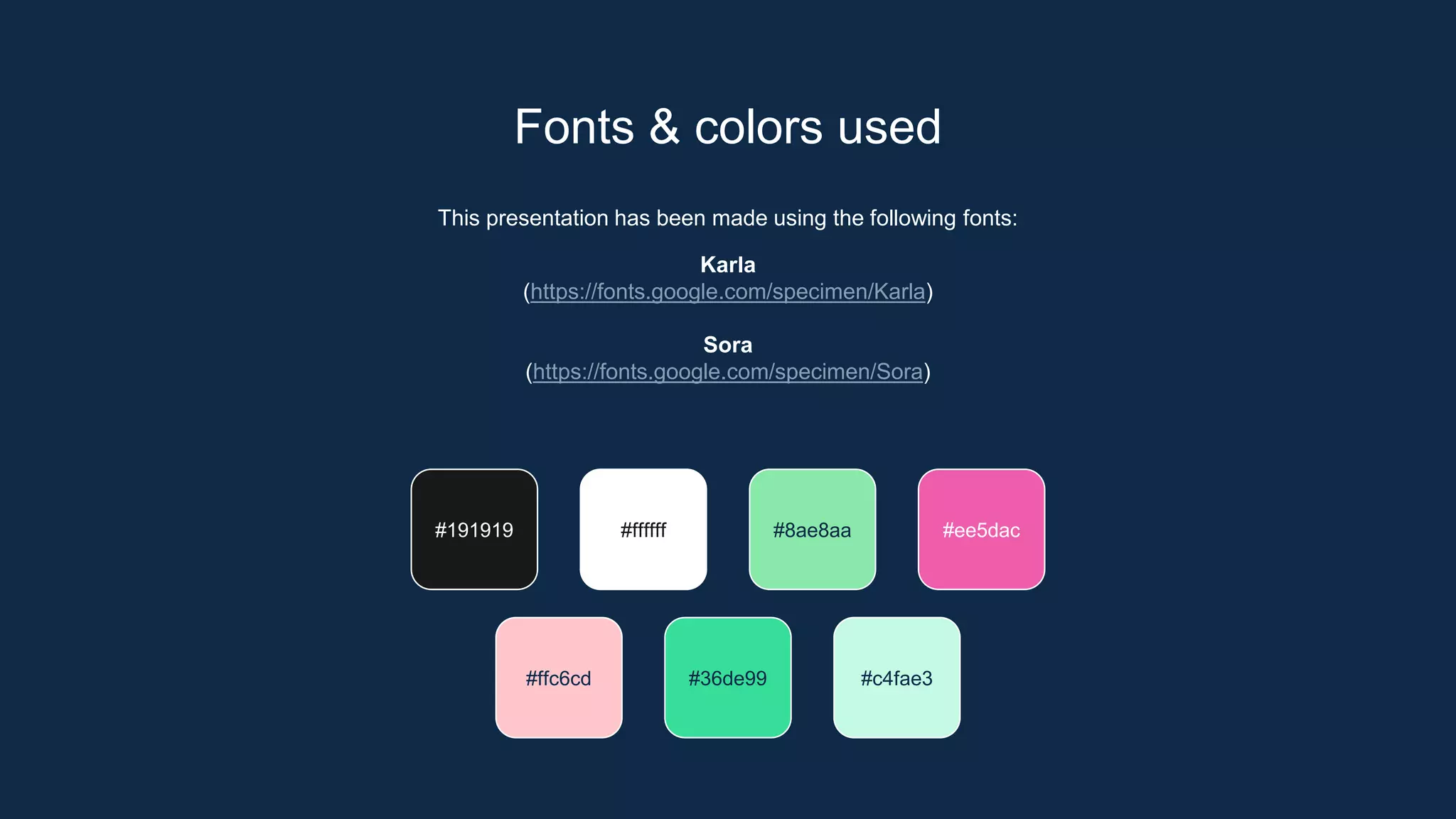
#191919 #ffffff #8ae8aa #ee5dac
#36de99 #c4fae3
#ffc6cd
Create your Story with our illustrated concepts. Choose the style you like the most, edit its colors, pick
the background and layers you want to show and bring them to life with the animator panel! It will
boost your presentation. Check out how it works.
Storyset
Pana Amico Bro Rafiki Cuate
You can easily resize these resources without losing quality. To change the color, just ungroup the resource and click
on the object you want to change. Then, click on the paint bucket and select the color you want. Group the resource again
when you’re done. You can also look for more infographics on Slidesgo.
Use our editable graphic resources...
JANUARY FEBRUARY MARCH APRIL MAY JUNE
PHASE 1
PHASE 2
Task 1
Task 2
Task 1
Task 2
JANUARY FEBRUARY MARCH APRIL
PHASE 1
Task 1
Task 2
You can resize these icons without losing quality.
You can change the stroke and fill color; just select the icon and click on the paint bucket/pen.
In Google Slides, you can also use Flaticon’s extension, allowing you to customize and add even more icons.
...and our sets of editable icons
Educational Icons Medical Icons
Business Icons Teamwork Icons
Help & Support Icons Avatar Icons
Creative Process Icons Performing Arts Icons
Nature Icons
SEO & Marketing Icons
EN Characteristics of Rational Functions by Slidesgo.pptx

EN Characteristics of Rational Functions by Slidesgo.pptx

  • 1.
  • 2.
    Table of contents 01 Introto the parent function 02 Important terms you need to know
  • 3.
  • 4.
    A simple introto rational functions! Welcome to the wonderful world of rational functions! So far, you might have heard of linear, quadratic, or exponential functions, but rational is a whole new ball game. Let’s get right into it A rational function is any function that is a RATIO of 2 polynomials A ratio can be written like a fraction, with a polynomial in the numerator and a polynomial in the denominator However, the denominator cannot equal zero
  • 5.
    Rational function equations Hereare some examples of rational function equations:
  • 6.
    The parent functionof a rational function can be written as y = 1/x, and this is what it looks like as a table and as a graph x 1/x -2 -0.5 -1 -1 0 undefined 1 1 2 0.5 3 0.333333 4 0.25 The function is NOT continuous at x = 0, meaning there is no (x, y) pair with x = 0 for this function This is because as we mentioned earlier, dividing by 0 is undefined
  • 7.
    The function isapproaching x = 0, and it is getting closer and closer and closer, but never quite reaches it Why? Try plugging in: ● x values slightly larger than 0 ● Values slightly smaller than 0 See what happens to the y value of your coordinate pair The values either skyrocket to: ● Positive infinity ● Negative infinity in the opposite case
  • 8.
    The function approachesy = 0 but never quite reaches that line Why? ● Because the denominator increases a lot faster than the numerator ● As the value we plug in for x increases, the denominator gets larger so the fraction gets smaller and smaller ● No matter how small our value is, it will never become zero ● If you plug in smaller values for x, you will end up getting super large values because the numerator is higher now. Either way you do not reach y = 0 There’s actually a special name for this phenomenon happening with the x and y values that we cannot reach. This will be covered in the “Important Terms” section
  • 9.
    Before we moveon to “important terms”, the last characteristic of the parent function we will cover is domain and range of 1/x ● We know that x = 0 is not part of the domain because you can’t divide by 0 ● The domain is all x values except for x = 0 ● For the range, we covered earlier that y = 0 is not part of the function either ● So the range is all y values except for y = 0
  • 10.
  • 11.
    Pay very closeattention to the upcoming terms ● In section 1, we talked about certain x and y values (x = 0 and y = 0) that our parent function was never able to reach. Those are called asymptotes ● An asymptote occurs when you try to approach a certain line or curve but never quite reach it, only get infinitely close Types of asymptotes Vertical Horizontal Slant asymptotes
  • 12.
    Vertical ● Occurs atan x value that causes the denominator to equal 0 ● The numerator cannot also be zero for this x value. For our parent function, this was x = 0 ● If we take another example, 1/(x – 3), the vertical asymptote would be x= 3, because if you plug 3 into the function, you get 0 for the denominator Horizontal Slant asymptotes
  • 13.
    Horizontal ● Occurs ata y value that the function gets close to but never reaches ● If the denominator polynomial has a higher degree than the numerator, like y = x/(x^2 + 5), the horizontal asymptote is ALWAYS 0 ● If the denominator and numerator have equal degrees, the horizontal asymptote is the ratio of the 2 leading coefficients ● if we have 3x^2/(x^2 + 5), the horizontal asymptote would be y = 3 because dividing the leading coefficients would be 3 /1 = 3 3x^2/(x^2 + 5) y = 3 Vertical Slant asymptotes
  • 14.
    Slant asymptotes ● Ifthe numerator has a higher degree than the denominator, you have a slant asymptote which is your third type ● You find your slant by dividing your numerator by your denominator ● We will go more in depth about this in another lesson Rational function with a slant asymptote Vertical Horizontal
  • 15.
    CREDITS: This presentationtemplate was created by Slidesgo, and includes icons by Flaticon, infographics & images by Freepik and content by Swetha Tandri Thanks Do you have any questions? youremail@freepik.com +91 620 421 838 yourwebsite.com Please keep this slide for attribution
  • 16.
    Alternative resources Here’s anassortment of alternative resources whose style fits that of this template: Vectors: ● Gradient pink and green background
  • 17.
    Resources Did you likethe resources in this template? Get them for free at our other websites: Vectors: ● Gradient pink and green background
  • 18.
    Instructions for use Ifyou have a free account, in order to use this template, you must credit Slidesgo by keeping the Thanks slide. Please refer to the next slide to read the instructions for premium users. As a Free user, you are allowed to: ● Modify this template. ● Use it for both personal and commercial projects. You are not allowed to: ● Sublicense, sell or rent any of Slidesgo Content (or a modified version of Slidesgo Content). ● Distribute Slidesgo Content unless it has been expressly authorized by Slidesgo. ● Include Slidesgo Content in an online or offline database or file. ● Offer Slidesgo templates (or modified versions of Slidesgo templates) for download. ● Acquire the copyright of Slidesgo Content. For more information about editing slides, please read our FAQs or visit our blog: https://slidesgo.com/faqs and https://slidesgo.com/slidesgo-school
  • 19.
    As a Premiumuser, you can use this template without attributing Slidesgo or keeping the Thanks slide. You are allowed to: ● Modify this template. ● Use it for both personal and commercial purposes. ● Hide or delete the “Thanks” slide and the mention to Slidesgo in the credits. ● Share this template in an editable format with people who are not part of your team. You are not allowed to: ● Sublicense, sell or rent this Slidesgo Template (or a modified version of this Slidesgo Template). ● Distribute this Slidesgo Template (or a modified version of this Slidesgo Template) or include it in a database or in any other product or service that offers downloadable images, icons or presentations that may be subject to distribution or resale. ● Use any of the elements that are part of this Slidesgo Template in an isolated and separated way from this Template. ● Register any of the elements that are part of this template as a trademark or logo, or register it as a work in an intellectual property registry or similar. For more information about editing slides, please read our FAQs or visit our blog: https://slidesgo.com/faqs and https://slidesgo.com/slidesgo-school Instructions for use (premium users)


  • 20.
    This presentation hasbeen made using the following fonts: Karla (https://fonts.google.com/specimen/Karla) Sora (https://fonts.google.com/specimen/Sora) Fonts & colors used #191919 #ffffff #8ae8aa #ee5dac #36de99 #c4fae3 #ffc6cd
  • 21.
    Create your Storywith our illustrated concepts. Choose the style you like the most, edit its colors, pick the background and layers you want to show and bring them to life with the animator panel! It will boost your presentation. Check out how it works. Storyset Pana Amico Bro Rafiki Cuate
  • 22.
    You can easilyresize these resources without losing quality. To change the color, just ungroup the resource and click on the object you want to change. Then, click on the paint bucket and select the color you want. Group the resource again when you’re done. You can also look for more infographics on Slidesgo. Use our editable graphic resources...
  • 25.
    JANUARY FEBRUARY MARCHAPRIL MAY JUNE PHASE 1 PHASE 2 Task 1 Task 2 Task 1 Task 2 JANUARY FEBRUARY MARCH APRIL PHASE 1 Task 1 Task 2
  • 28.
    You can resizethese icons without losing quality. You can change the stroke and fill color; just select the icon and click on the paint bucket/pen. In Google Slides, you can also use Flaticon’s extension, allowing you to customize and add even more icons. ...and our sets of editable icons
  • 29.
  • 30.
  • 31.
    Help & SupportIcons Avatar Icons
  • 32.
    Creative Process IconsPerforming Arts Icons
  • 33.
  • 34.