Add company name here
EMPOWERING
EXCELLENCE:
VALUES
DEVELOPMENT
TRAINING
A development course to set you up
for success at work
HOW DO YOU FEEL TODAY?
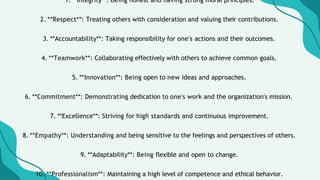
1. **Integrity**: Being honest and having strong moral principles.
2. **Respect**: Treating others with consideration and valuing their contributions.
3. **Accountability**: Taking responsibility for one's actions and their outcomes.
4. **Teamwork**: Collaborating effectively with others to achieve common goals.
5. **Innovation**: Being open to new ideas and approaches.
6. **Commitment**: Demonstrating dedication to one's work and the organization's mission.
7. **Excellence**: Striving for high standards and continuous improvement.
8. **Empathy**: Understanding and being sensitive to the feelings and perspectives of others.
9. **Adaptability**: Being flexible and open to change.
10. **Professionalism**: Maintaining a high level of competence and ethical behavior.
1. Integrity
Being honest and having strong
moral principles.
2. Respect:
Treating others with consideration
and valuing their contributions.
one's
3. Accountability
Taking responsibility for
actions and their outcomes.
6. Commitment
Demonstrating dedication to one's
work and the organization's
mission.
5. Innovation
Being open to new ideas and
approaches.
6. Commitment
Demonstrating dedication to one's
work and the organization's
mission.
7. Excellence
Striving for high standards and
continuous improvement.
8. Empathy
Understanding and being sensitive
to the feelings and perspectives of
others.
9. Adaptability
Being flexible and open to change.
10.Professionalism
Maintaining a high level
of competence and
ethicalbehavior.
Since onboarding documents are generally timeless, try recording this presentation so it can live for as long as you need! To record,
click "Present and Record" in the upper right corner and proceed or refer to this presentation's last resource page for more detailed
instructions.
HELLO EVERYONE!
Introduce the speaker who will lead the
training.
Write another piece of information about the
speaker.
Write another piece of information about the
speaker.
OUR TRAINING
OBJECTIVE
Introduce here the main concept that this
training course is aiming to impart to the
audience. Share how it will help them in their
role and responsibilities within the company.
TRAINING BENEFITS
Write a benefit or the significant impact of the training
that can either be for the audience or the whole of the
company.
Write another benefit or positive impact.
TOPICS COVERED
WRITE THE 1ST TOPIC
AREA UNDER THE MAIN
CONCEPT.
WRITE THE 2ND TOPIC
AREA UNDER THE MAIN
CONCEPT.
WRITE THE 3RD TOPIC
AREA UNDER THE MAIN
CONCEPT.
List the associated skill.
TOPIC AREA ONE
Further, discuss the first topic area here.
WRITE A SUBTOPIC.
Briefly elaborate on what the subtopic is all about.
WRITE A SUBTOPIC.
Briefly elaborate on what the subtopic is all about.
WRITE A SUBTOPIC.
Briefly elaborate on what the subtopic is all about.
TOPIC AREA TWO
Further, discuss the second topic area here.
WRITE A SUBTOPIC.
Briefly elaborate on what the subtopic is all about.
WRITE A SUBTOPIC.
Briefly elaborate on what the subtopic is all about.
WRITE A SUBTOPIC.
Briefly elaborate on what the subtopic is all about.
TOPIC AREA THREE
Further, discuss the third topic area here.
WRITE A SUBTOPIC.
Briefly elaborate on what the subtopic is all about.
WRITE A SUBTOPIC.
Briefly elaborate on what the subtopic is all about.
WRITE A SUBTOPIC.
Briefly elaborate on what the subtopic is all about.
SUMMARY OF KEY LEARNINGS
TRAINING COURSE OBJECTIVE:
Write the objective of the training course here.
SKILLS ACQUIRED:
Write here.
Write here.
Write here.
TOPIC AREAS DISCUSSED:
Write the topic area.
KEY TAKEAWAYS:
Write here.
Write here.
Write here.
CHECKING FOR
UNDERSTANDING
At the end of the training course, check the
audience's understanding of the topics discussed.
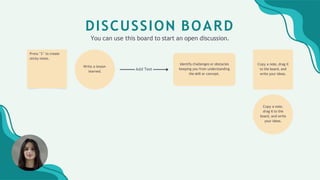
Copy a note, drag it
to the board, and
write your ideas.
Write a lesson
learned.
Copy a note,
drag it to the
board, and write
your ideas.
Identify challenges or obstacles
keeping you from understanding
the skill or concept.
Press "S" to create
sticky notes.
Add Text
DISCUSSION BOARD
You can use this board to start an open discussion.
THANK YOU FOR LISTENING!
REACH OUT FOR ANY QUESTIONS.
WEBSITE
reallygreatsite.com
EMAIL ADDRESS
hello@reallygreatsite.com
SOCIAL MEDIA
@reallygreatsite
RESOURCE PAGE
Use these design resources in your Canva Presentation.
Happy designing! Delete or hide this page before presenting.
RESOURCE PAGE
Use these design resources in your Canva Presentation.
Happy designing! Delete or hide this page before presenting.
RESOURCE PAGE
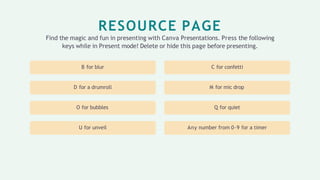
Find the magic and fun in presenting with Canva Presentations. Press the following
keys while in Present mode! Delete or hide this page before presenting.
Any number from 0-9 for a timer
Q for quiet
M for mic drop
C for confetti
U for unveil
O for bubbles
D for a drumroll
B for blur
RESOURCE PAGE
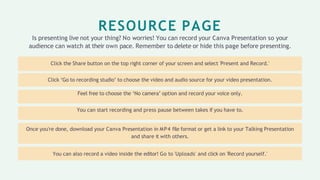
Is presenting live not your thing? No worries! You can record your Canva Presentation so your
audience can watch at their own pace. Remember to delete or hide this page before presenting.
Click the Share button on the top right corner of your screen and select 'Present and Record.'
Click ‘Go to recording studio’ to choose the video and audio source for your video presentation.
Feel free to choose the ‘No camera’ option and record your voice only.
You can start recording and press pause between takes if you have to.
Once you're done, download your Canva Presentation in MP4 file format or get a link to your Talking Presentation
and share it with others.
You can also record a video inside the editor! Go to 'Uploads' and click on 'Record yourself.'

EMPOWERING EXCELLENCE Values Development Seminar.pptx

  • 1.
    Add company namehere EMPOWERING EXCELLENCE: VALUES DEVELOPMENT TRAINING A development course to set you up for success at work
  • 2.
    HOW DO YOUFEEL TODAY?
  • 4.
    1. **Integrity**: Beinghonest and having strong moral principles. 2. **Respect**: Treating others with consideration and valuing their contributions. 3. **Accountability**: Taking responsibility for one's actions and their outcomes. 4. **Teamwork**: Collaborating effectively with others to achieve common goals. 5. **Innovation**: Being open to new ideas and approaches. 6. **Commitment**: Demonstrating dedication to one's work and the organization's mission. 7. **Excellence**: Striving for high standards and continuous improvement. 8. **Empathy**: Understanding and being sensitive to the feelings and perspectives of others. 9. **Adaptability**: Being flexible and open to change. 10. **Professionalism**: Maintaining a high level of competence and ethical behavior.
  • 5.
    1. Integrity Being honestand having strong moral principles.
  • 6.
    2. Respect: Treating otherswith consideration and valuing their contributions.
  • 7.
    one's 3. Accountability Taking responsibilityfor actions and their outcomes.
  • 8.
    6. Commitment Demonstrating dedicationto one's work and the organization's mission.
  • 9.
    5. Innovation Being opento new ideas and approaches.
  • 10.
    6. Commitment Demonstrating dedicationto one's work and the organization's mission.
  • 11.
    7. Excellence Striving forhigh standards and continuous improvement.
  • 12.
    8. Empathy Understanding andbeing sensitive to the feelings and perspectives of others.
  • 13.
    9. Adaptability Being flexibleand open to change.
  • 14.
    10.Professionalism Maintaining a highlevel of competence and ethicalbehavior.
  • 15.
    Since onboarding documentsare generally timeless, try recording this presentation so it can live for as long as you need! To record, click "Present and Record" in the upper right corner and proceed or refer to this presentation's last resource page for more detailed instructions.
  • 16.
    HELLO EVERYONE! Introduce thespeaker who will lead the training. Write another piece of information about the speaker. Write another piece of information about the speaker.
  • 17.
    OUR TRAINING OBJECTIVE Introduce herethe main concept that this training course is aiming to impart to the audience. Share how it will help them in their role and responsibilities within the company.
  • 18.
    TRAINING BENEFITS Write abenefit or the significant impact of the training that can either be for the audience or the whole of the company. Write another benefit or positive impact. Write another benefit or positive impact. Write another benefit or positive impact. Write another benefit or positive impact.
  • 19.
    TOPICS COVERED WRITE THE1ST TOPIC AREA UNDER THE MAIN CONCEPT. WRITE THE 2ND TOPIC AREA UNDER THE MAIN CONCEPT. WRITE THE 3RD TOPIC AREA UNDER THE MAIN CONCEPT. List the associated skill. List the associated skill. List the associated skill. List the associated skill. List the associated skill. List the associated skill. List the associated skill. List the associated skill. List the associated skill.
  • 20.
    TOPIC AREA ONE Further,discuss the first topic area here. WRITE A SUBTOPIC. Briefly elaborate on what the subtopic is all about. WRITE A SUBTOPIC. Briefly elaborate on what the subtopic is all about. WRITE A SUBTOPIC. Briefly elaborate on what the subtopic is all about.
  • 21.
    TOPIC AREA TWO Further,discuss the second topic area here. WRITE A SUBTOPIC. Briefly elaborate on what the subtopic is all about. WRITE A SUBTOPIC. Briefly elaborate on what the subtopic is all about. WRITE A SUBTOPIC. Briefly elaborate on what the subtopic is all about.
  • 22.
    TOPIC AREA THREE Further,discuss the third topic area here. WRITE A SUBTOPIC. Briefly elaborate on what the subtopic is all about. WRITE A SUBTOPIC. Briefly elaborate on what the subtopic is all about. WRITE A SUBTOPIC. Briefly elaborate on what the subtopic is all about.
  • 23.
    SUMMARY OF KEYLEARNINGS TRAINING COURSE OBJECTIVE: Write the objective of the training course here. SKILLS ACQUIRED: Write here. Write here. Write here. TOPIC AREAS DISCUSSED: Write the topic area. Write the topic area. Write the topic area. KEY TAKEAWAYS: Write here. Write here. Write here.
  • 24.
    CHECKING FOR UNDERSTANDING At theend of the training course, check the audience's understanding of the topics discussed.
  • 25.
    Copy a note,drag it to the board, and write your ideas. Write a lesson learned. Copy a note, drag it to the board, and write your ideas. Identify challenges or obstacles keeping you from understanding the skill or concept. Press "S" to create sticky notes. Add Text DISCUSSION BOARD You can use this board to start an open discussion.
  • 26.
    THANK YOU FORLISTENING! REACH OUT FOR ANY QUESTIONS. WEBSITE reallygreatsite.com EMAIL ADDRESS hello@reallygreatsite.com SOCIAL MEDIA @reallygreatsite
  • 27.
    RESOURCE PAGE Use thesedesign resources in your Canva Presentation. Happy designing! Delete or hide this page before presenting.
  • 28.
    RESOURCE PAGE Use thesedesign resources in your Canva Presentation. Happy designing! Delete or hide this page before presenting.
  • 29.
    RESOURCE PAGE Find themagic and fun in presenting with Canva Presentations. Press the following keys while in Present mode! Delete or hide this page before presenting. Any number from 0-9 for a timer Q for quiet M for mic drop C for confetti U for unveil O for bubbles D for a drumroll B for blur
  • 30.
    RESOURCE PAGE Is presentinglive not your thing? No worries! You can record your Canva Presentation so your audience can watch at their own pace. Remember to delete or hide this page before presenting. Click the Share button on the top right corner of your screen and select 'Present and Record.' Click ‘Go to recording studio’ to choose the video and audio source for your video presentation. Feel free to choose the ‘No camera’ option and record your voice only. You can start recording and press pause between takes if you have to. Once you're done, download your Canva Presentation in MP4 file format or get a link to your Talking Presentation and share it with others. You can also record a video inside the editor! Go to 'Uploads' and click on 'Record yourself.'