
Top 10 Mendix native lessons learned
Mendix meetup
Naarden 11 april 2024
Introduction
• What Emixa? What?
• The power of 2 Mendix expert
organizations Magnus and Appronto
together with successful Integration,
Analytics , Siemens and SAP businesses.
About Emixa
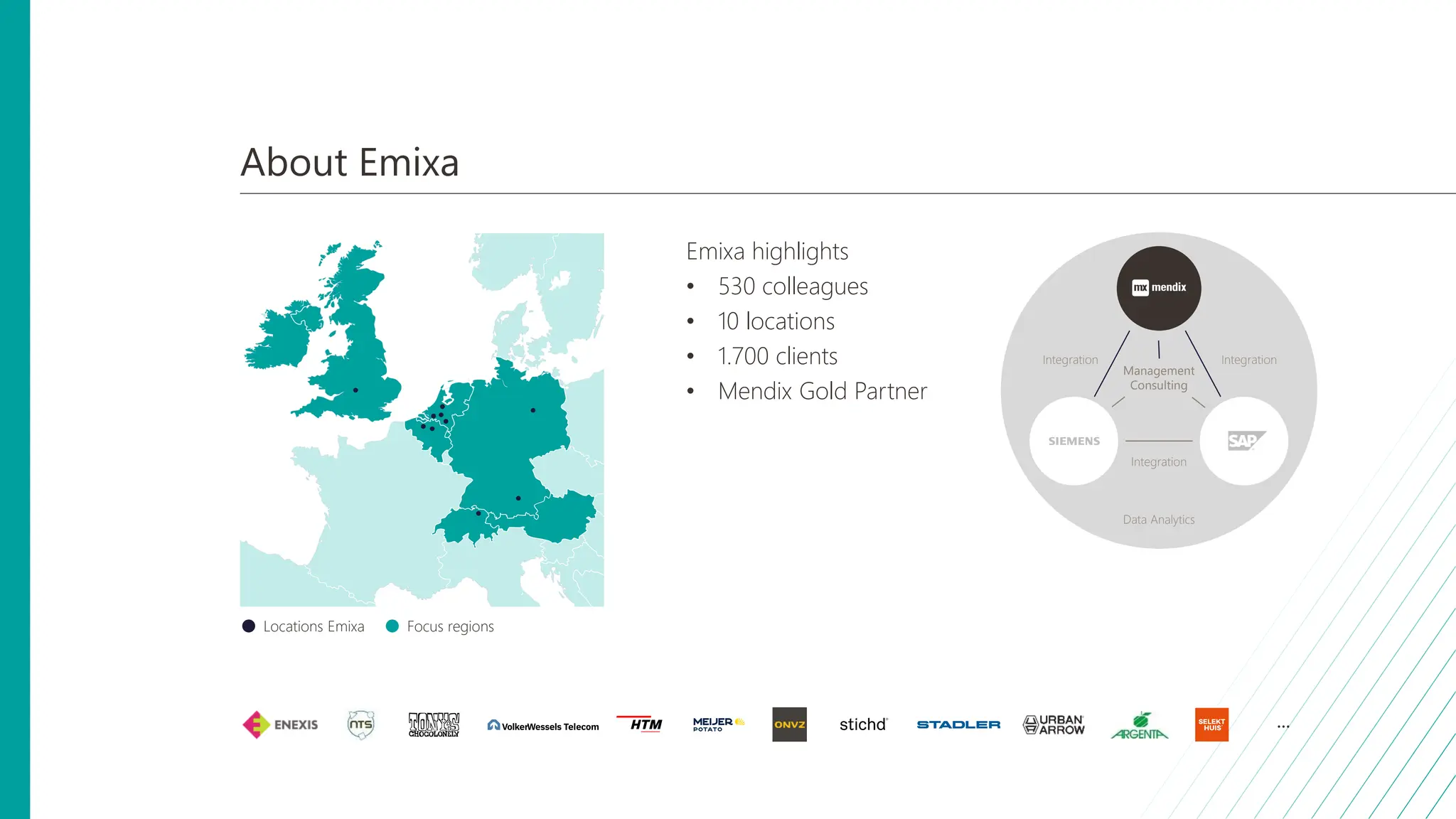
Emixa highlights
• 530 colleagues
• 10 locations
• 1.700 clients
• Mendix Gold Partner
Focus regions
Locations Emixa
Management
Consulting
Data Analytics
Integration Integration
Integration
...
Setting the scene for tonight
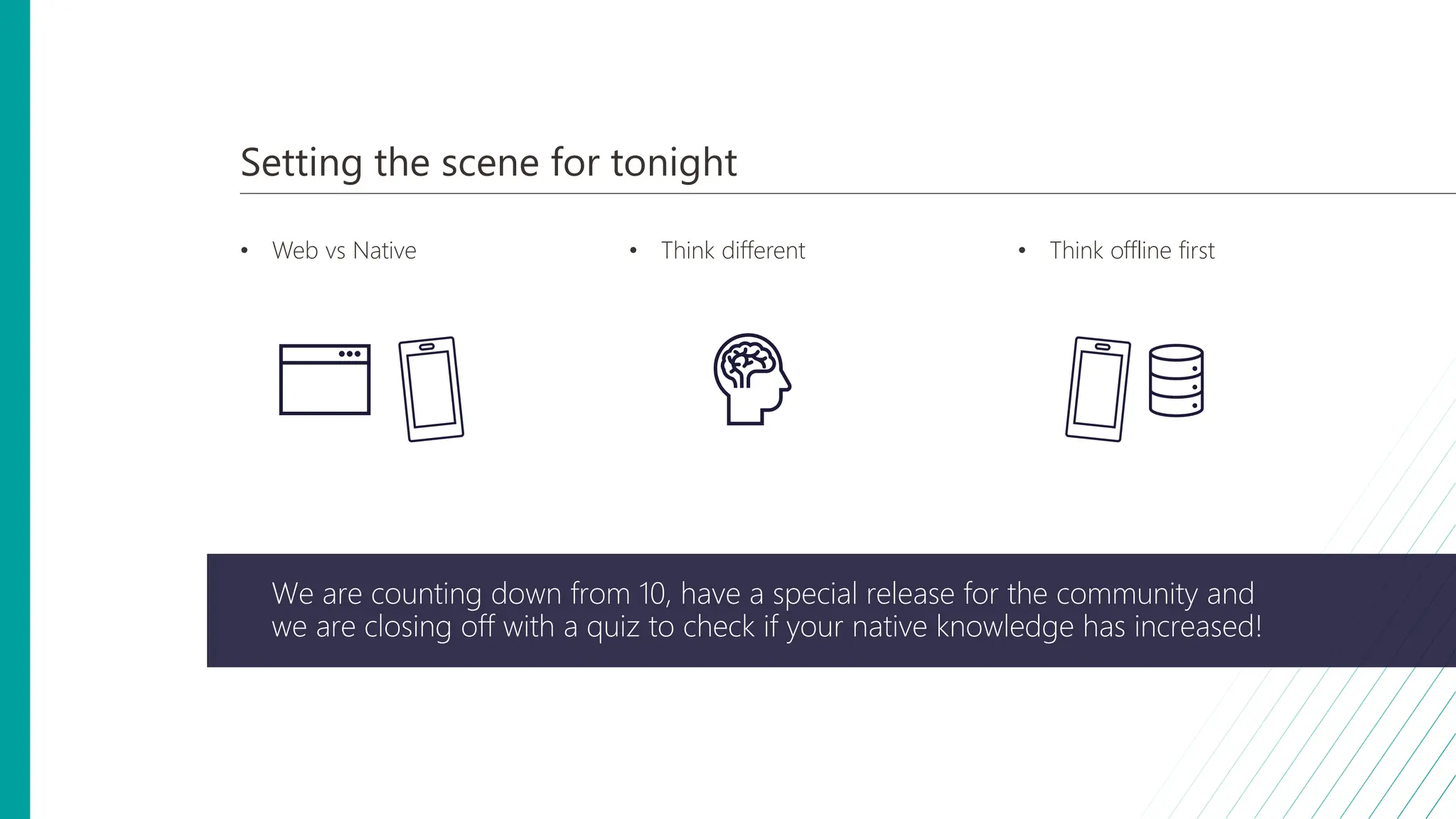
• Web vs Native • Think different • Think offline first
We are counting down from 10, have a special release for the community and
we are closing off with a quiz to check if your native knowledge has increased!
10 9 8 6 5 4 3 1
7 2
Top 10 Mendix native lessons learned
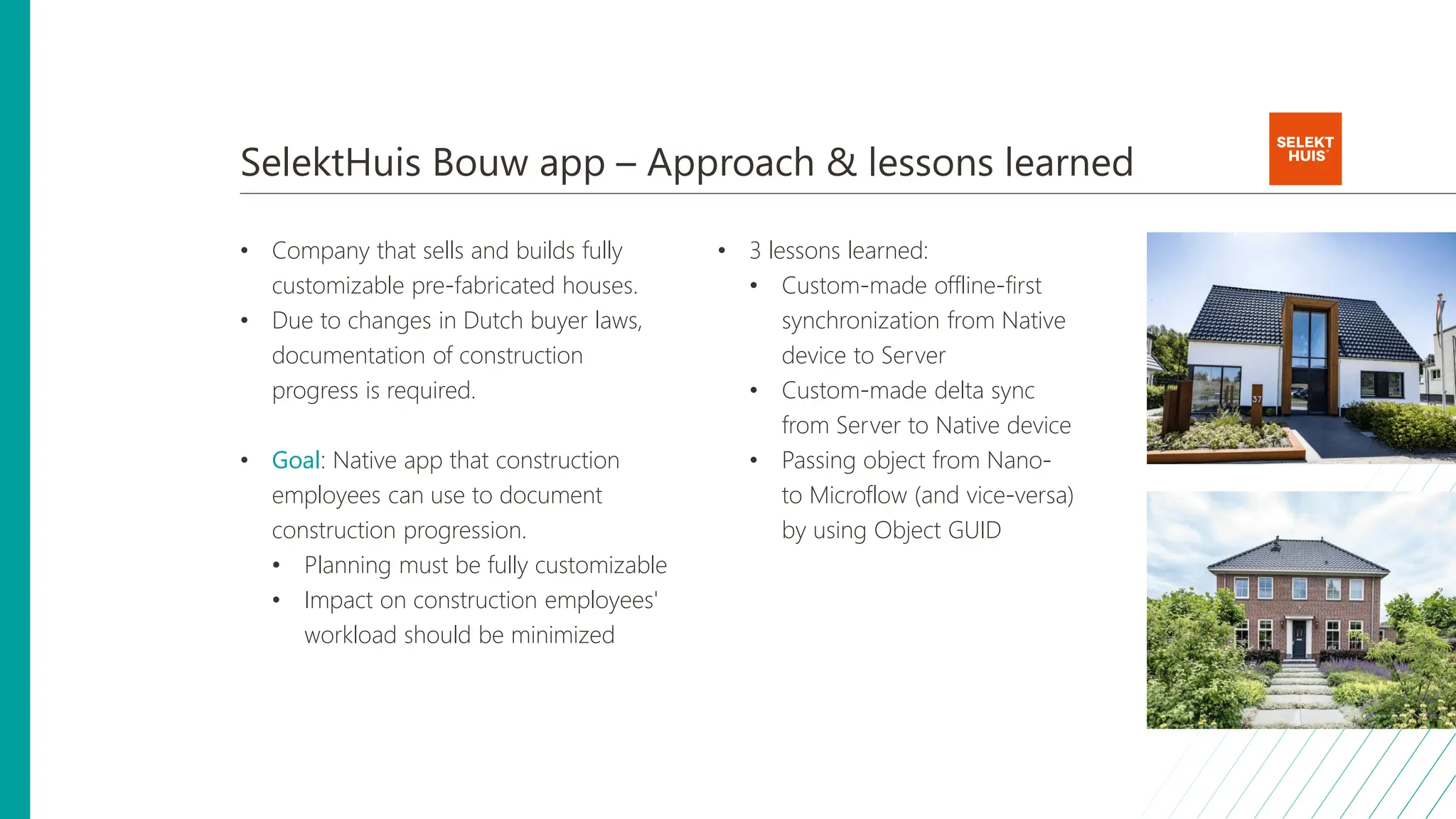
SelektHuis Bouw app – Approach & lessons learned
• Company that sells and builds fully
customizable pre-fabricated houses.
• Due to changes in Dutch buyer laws,
documentation of construction
progress is required.
• Goal: Native app that construction
employees can use to document
construction progression.
• Planning must be fully customizable
• Impact on construction employees'
workload should be minimized
• 3 lessons learned:
• Custom-made offline-first
synchronization from Native
device to Server
• Custom-made delta sync
from Server to Native device
• Passing object from Nano-
to Microflow (and vice-versa)
by using Object GUID
10. Custom offline-first sync from Native device to Server
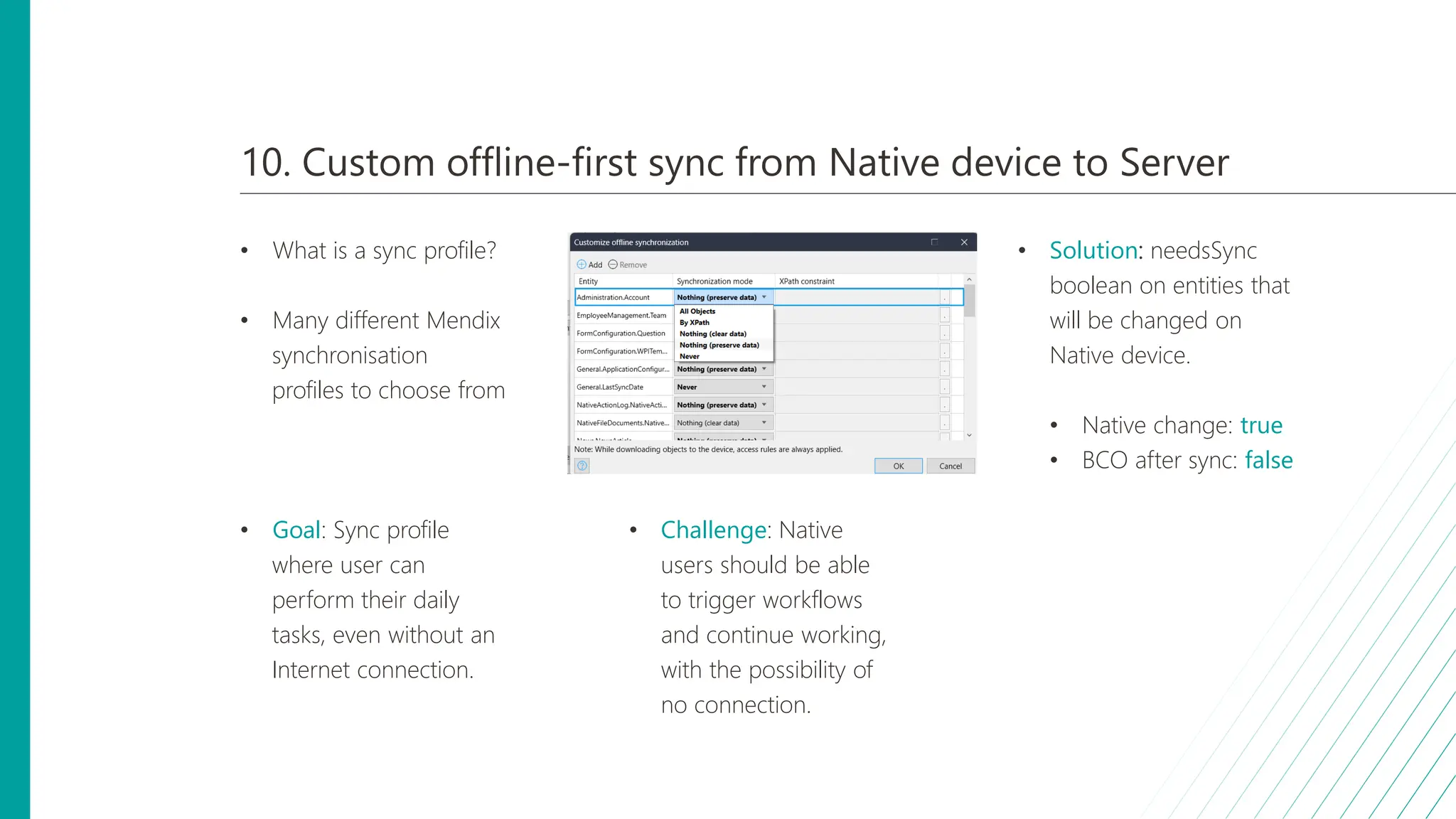
• What is a sync profile?
• Many different Mendix
synchronisation
profiles to choose from
• Goal: Sync profile
where user can
perform their daily
tasks, even without an
Internet connection.
• Challenge: Native
users should be able
to trigger workflows
and continue working,
with the possibility of
no connection.
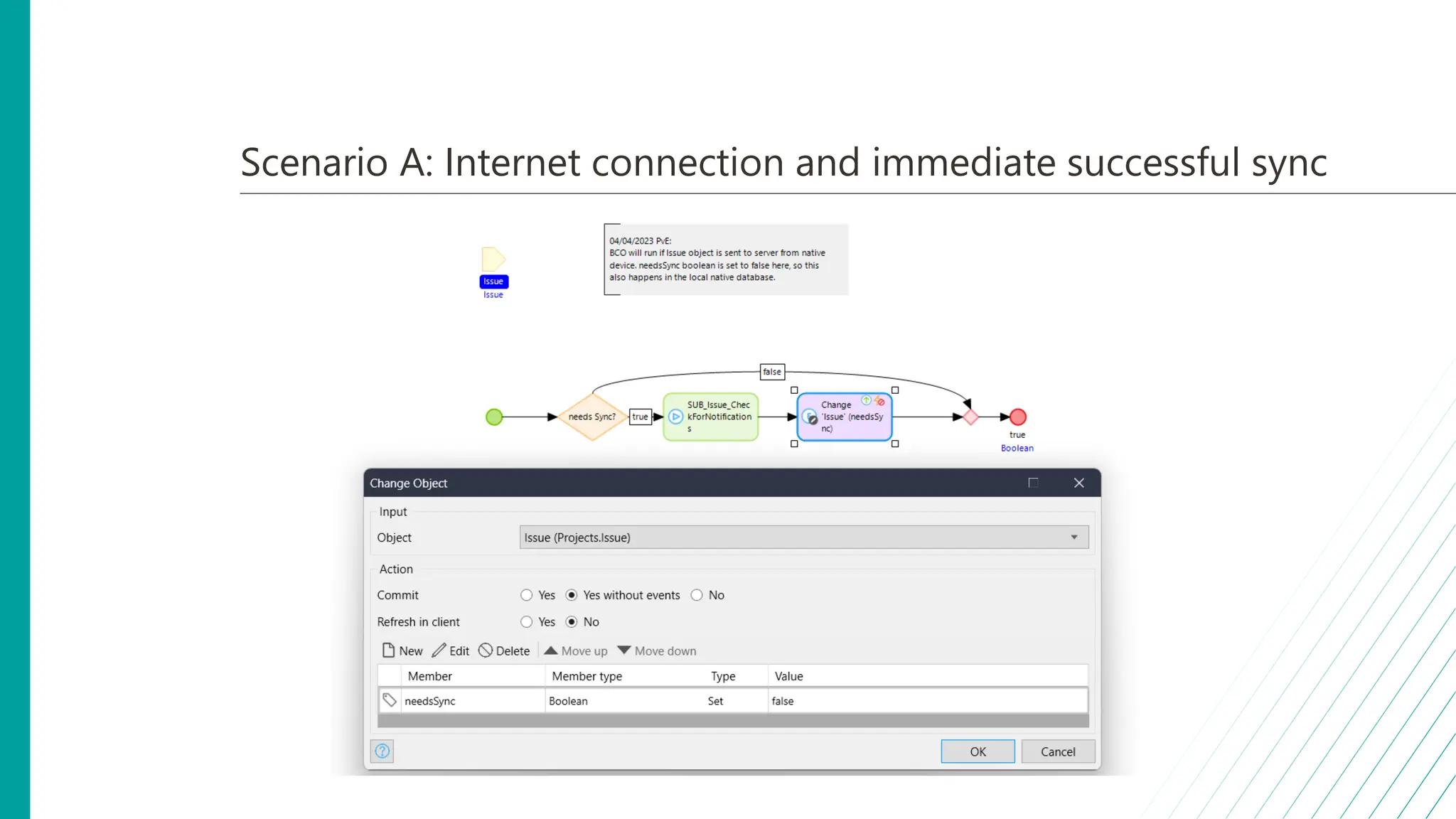
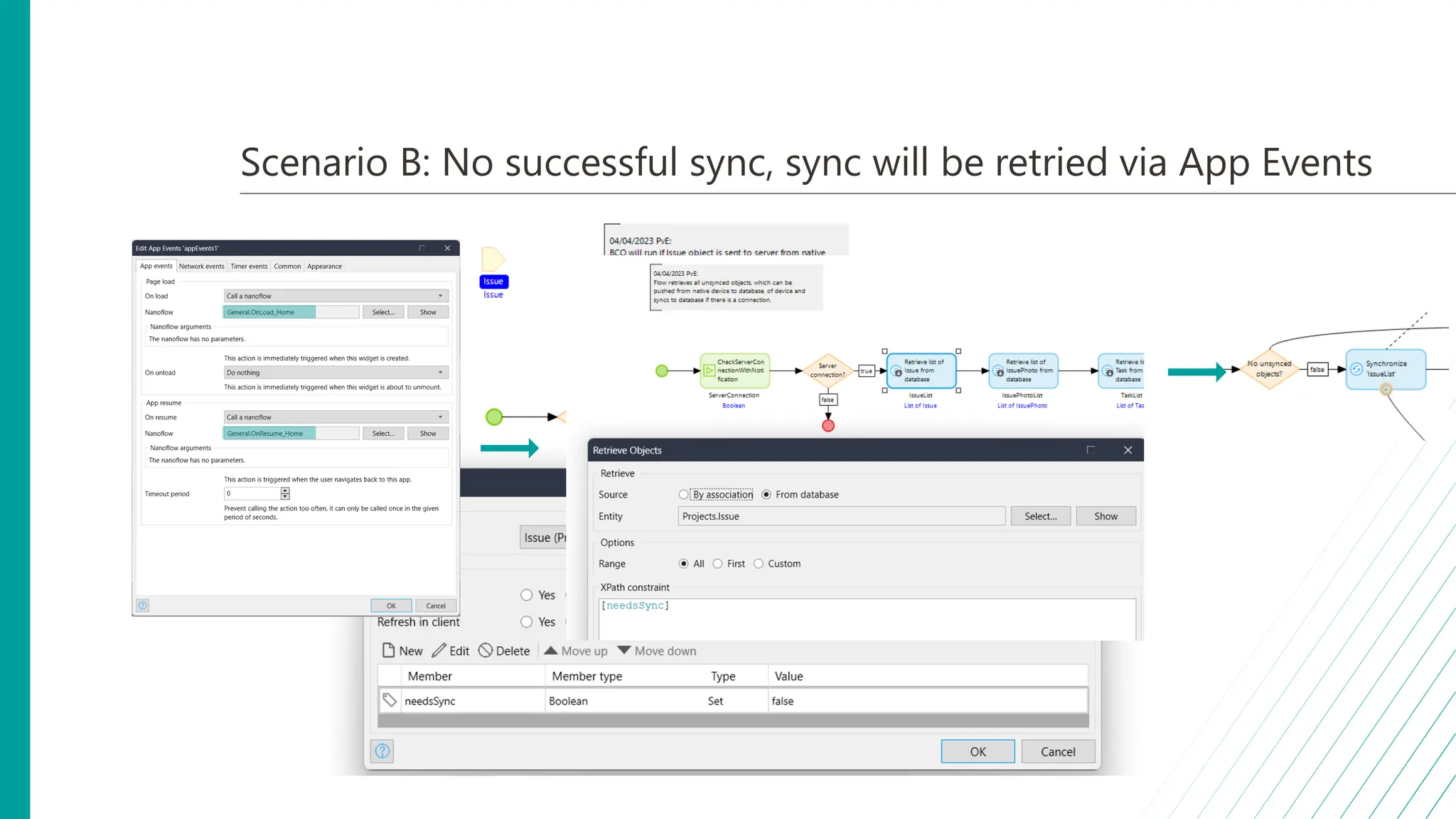
• Solution: needsSync
boolean on entities that
will be changed on
Native device.
• Native change: true
• BCO after sync: false
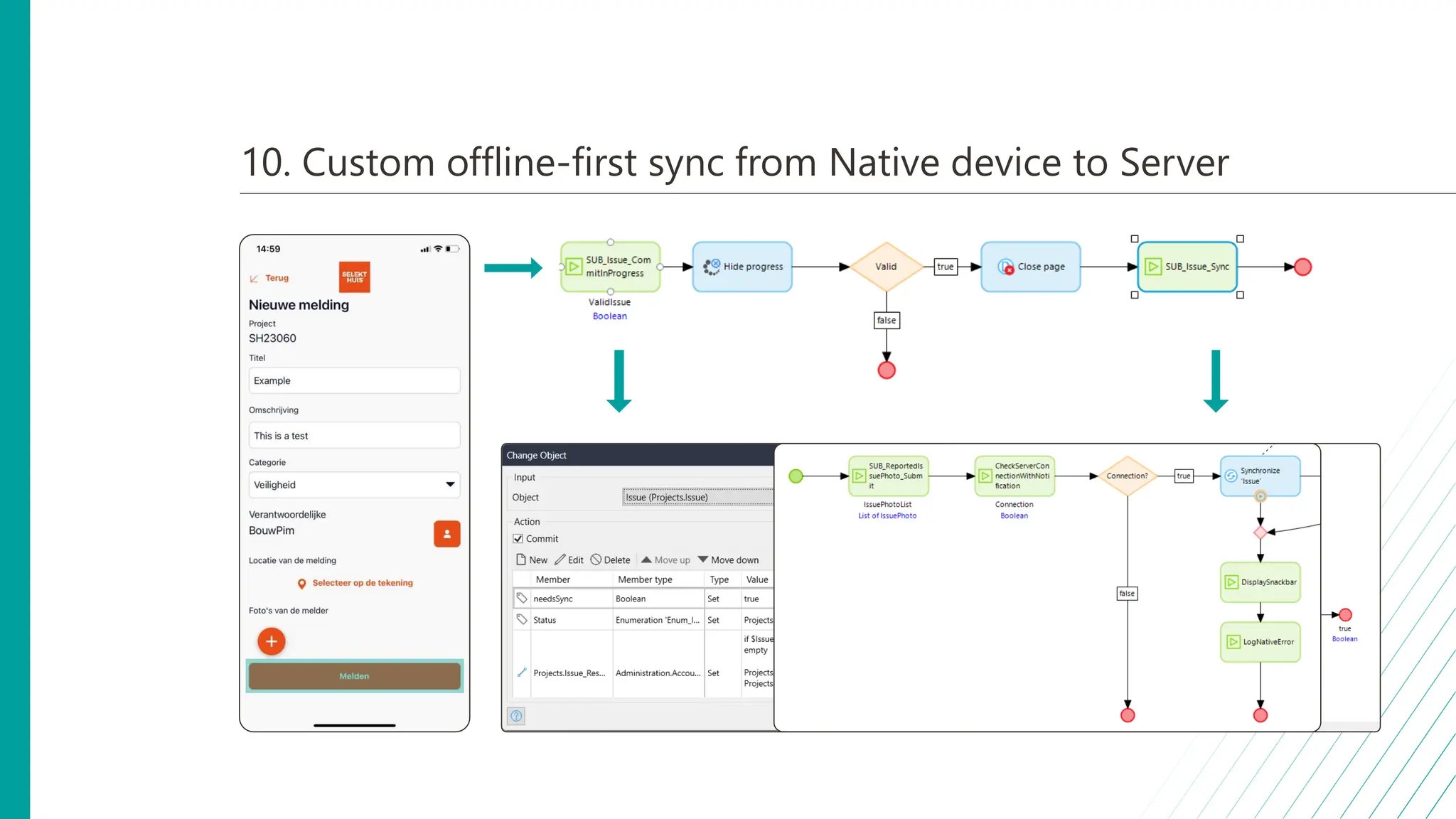
10. Custom offline-first sync from Native device to Server
Scenario A: Internet connection and immediate successful sync
Scenario B: No successful sync, sync will be retried via App Events
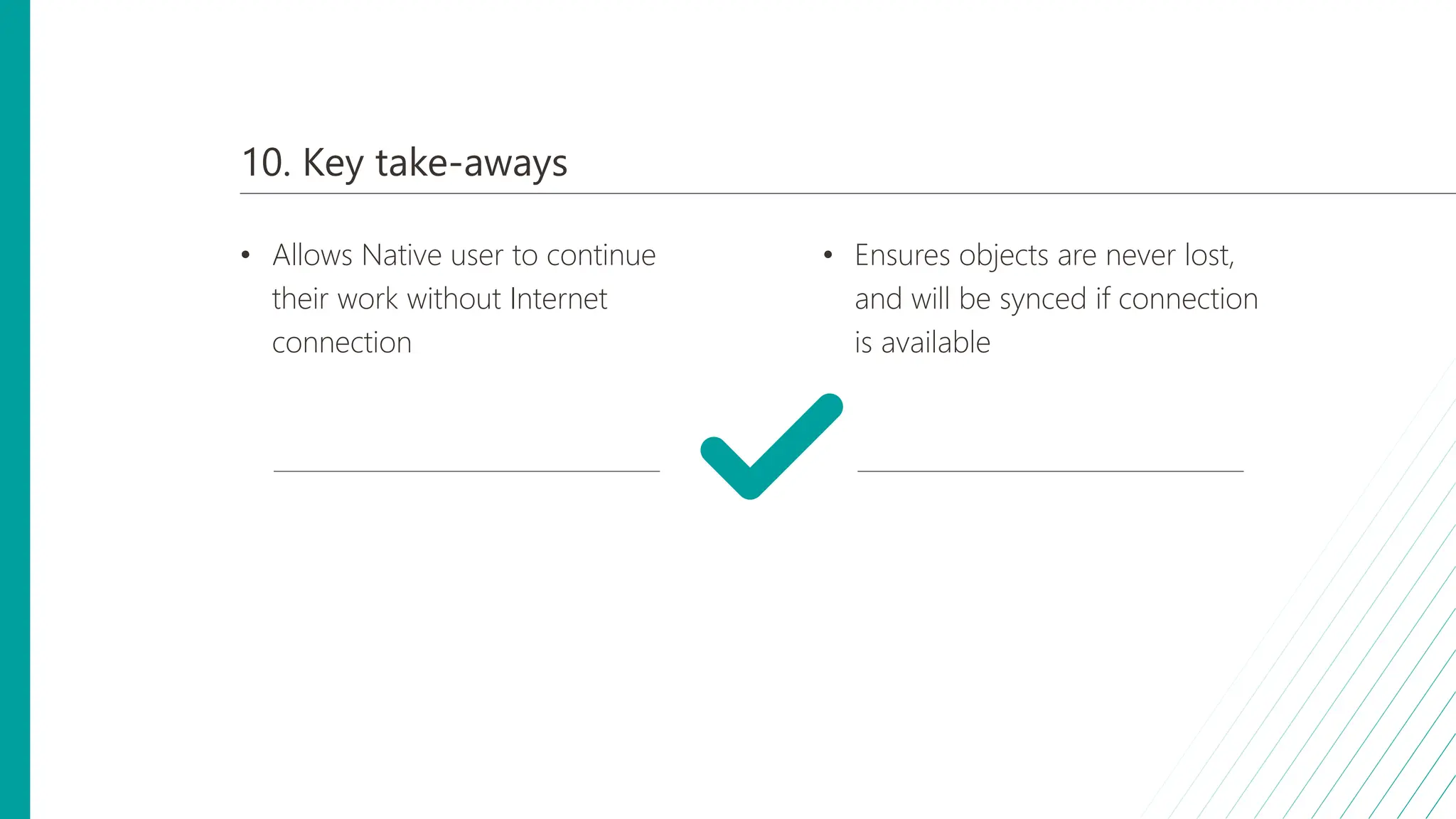
10. Key take-aways
• Allows Native user to continue
their work without Internet
connection
• Ensures objects are never lost,
and will be synced if connection
is available
10 9 8 6 5 4 3 1
7 2
Top 10 Mendix native lessons learned
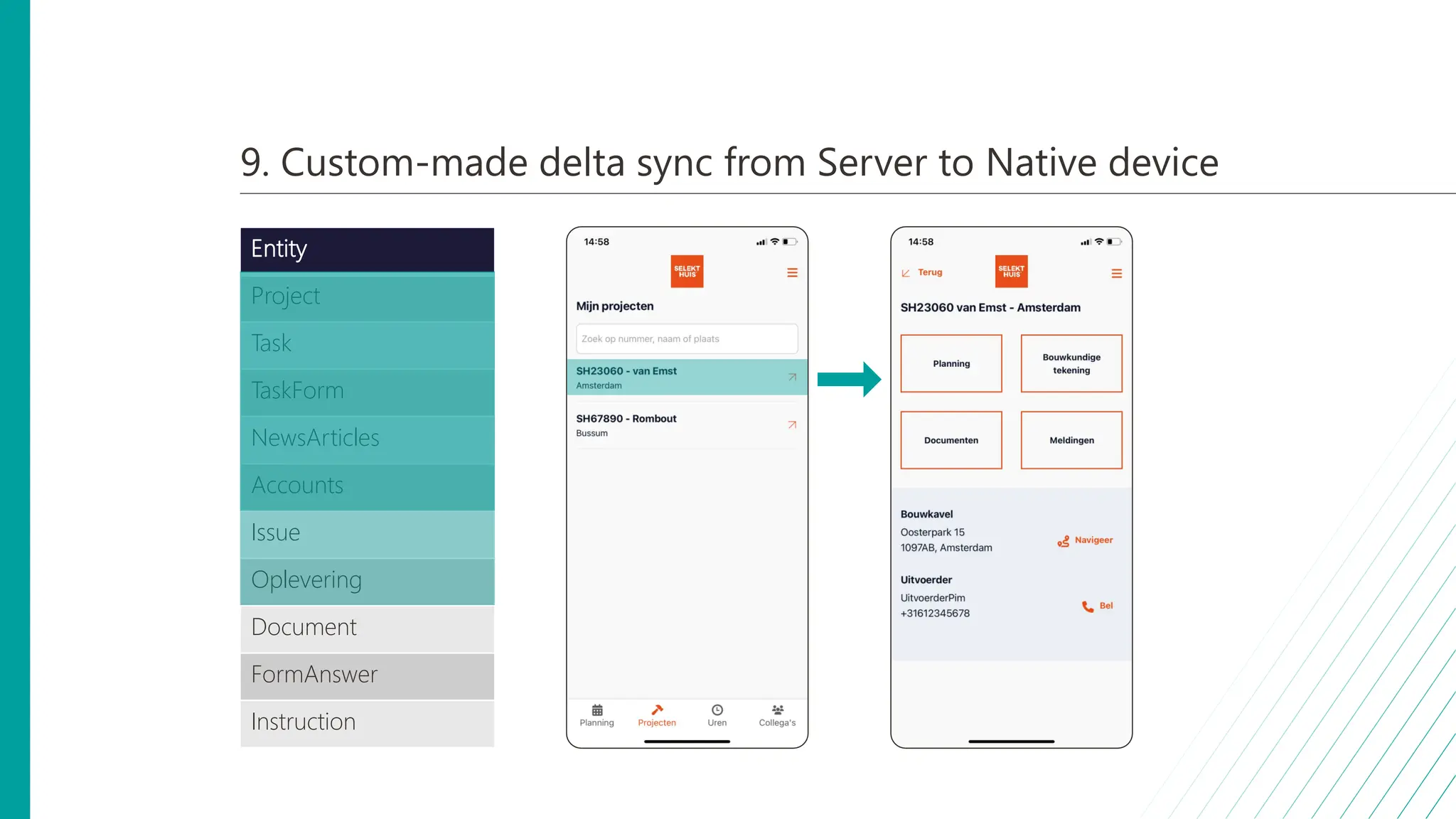
9. Custom-made delta sync from Server to Native device
• Next to syncing from
device to server, this
also goes vice-versa
• Goal: Always having
necessary objects
available on Native
device, whilst
minimizing impact on
performance.
• Challenge: Objects are
changed often, which
requires lots of syncing
to device.
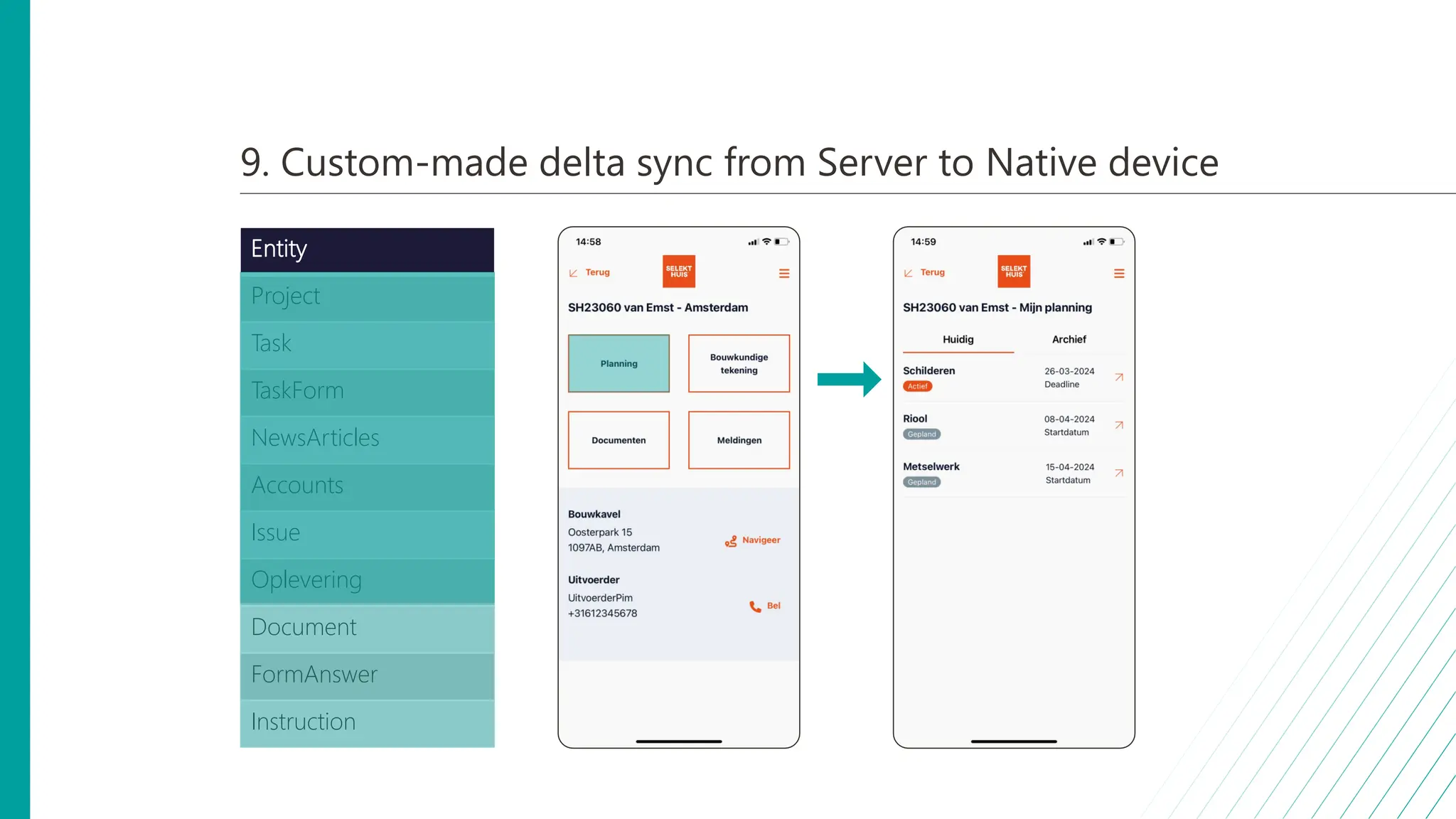
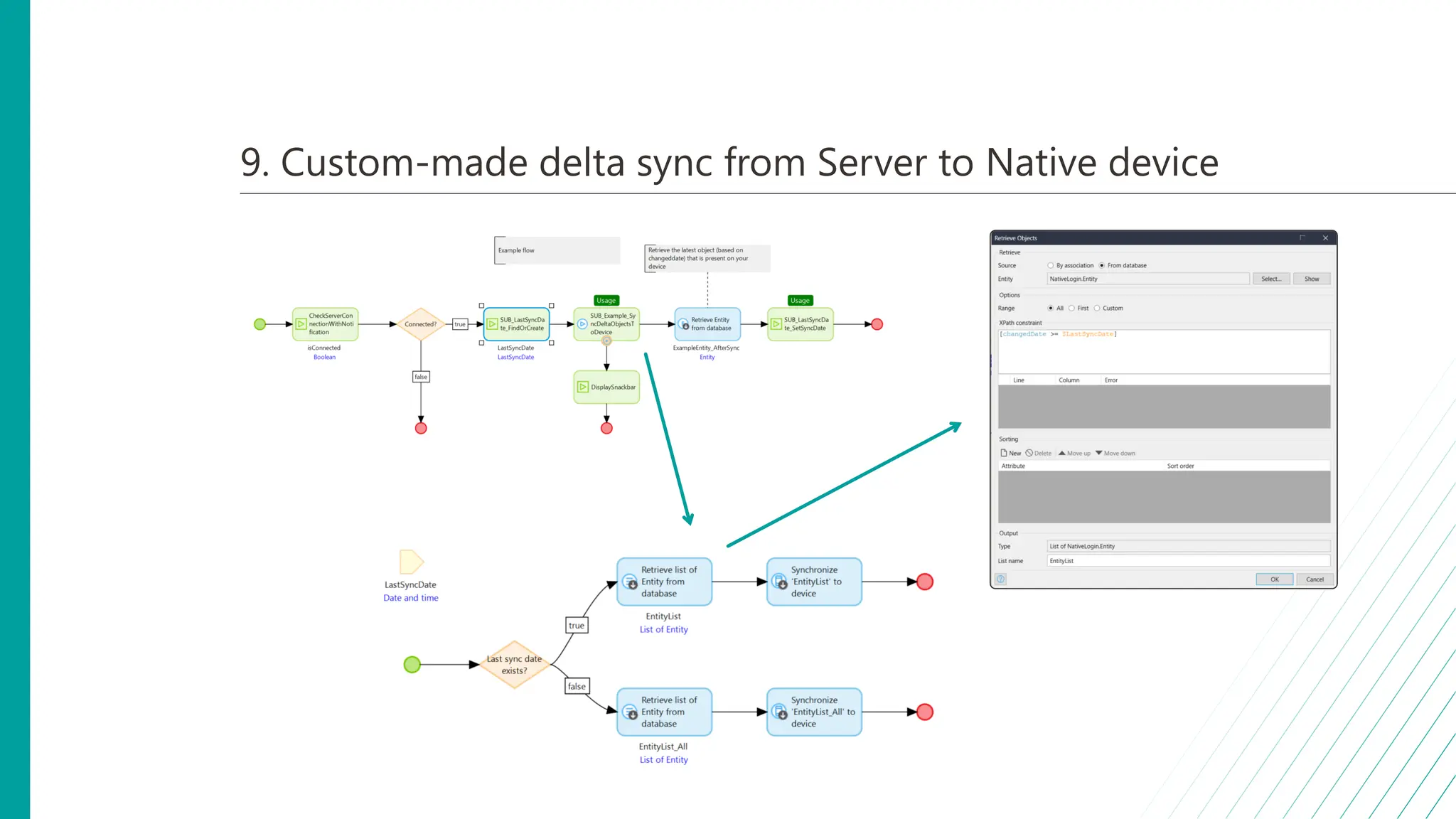
• Solution: Delta-syncing
only necessary entities
via App Events on
different Native pages
• Only sync entities
that can be
accessed from that
page -> Divide
work load
9. Custom-made delta sync from Server to Native device
Entity
Project
Task
TaskForm
NewsArticles
Accounts
Issue
Oplevering
Document
FormAnswer
Instruction
9. Custom-made delta sync from Server to Native device
Entity
Project
Task
TaskForm
NewsArticles
Accounts
Issue
Oplevering
Document
FormAnswer
Instruction
9. Custom-made delta sync from Server to Native device
9. Key take-aways
• Native user always has objects
when he/she needs them
• Divides the workload of syncing
to device for better UX
10 9 8 6 5 4 3 1
7 2
Top 10 Mendix native lessons learned
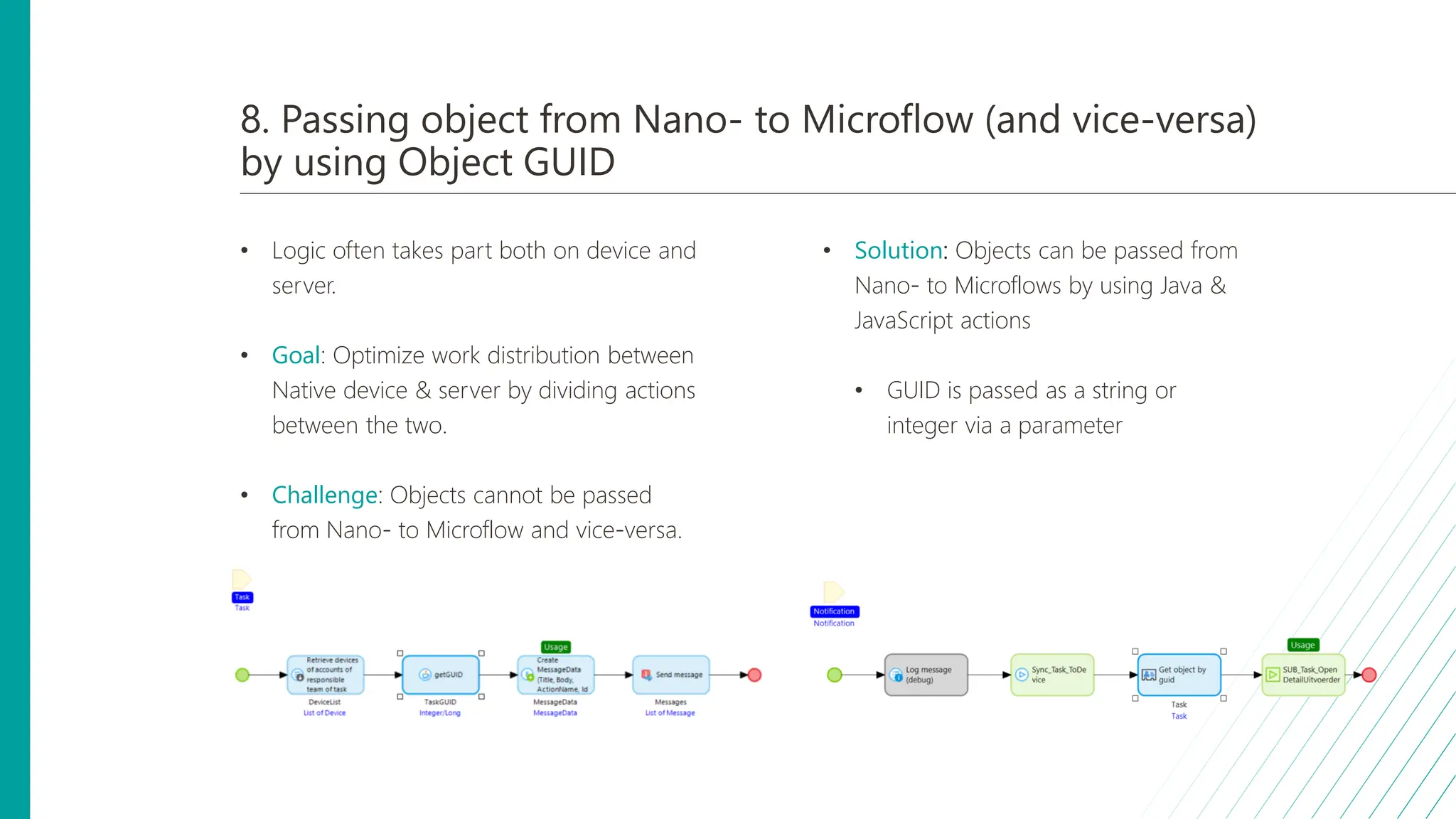
8. Passing object from Nano- to Microflow (and vice-versa)
by using Object GUID
• Logic often takes part both on device and
server.
• Goal: Optimize work distribution between
Native device & server by dividing actions
between the two.
• Challenge: Objects cannot be passed
from Nano- to Microflow and vice-versa.
• Solution: Objects can be passed from
Nano- to Microflows by using Java &
JavaScript actions
• GUID is passed as a string or
integer via a parameter
10 9 8 6 5 4 3 1
7 2
Top 10 Mendix native lessons learned
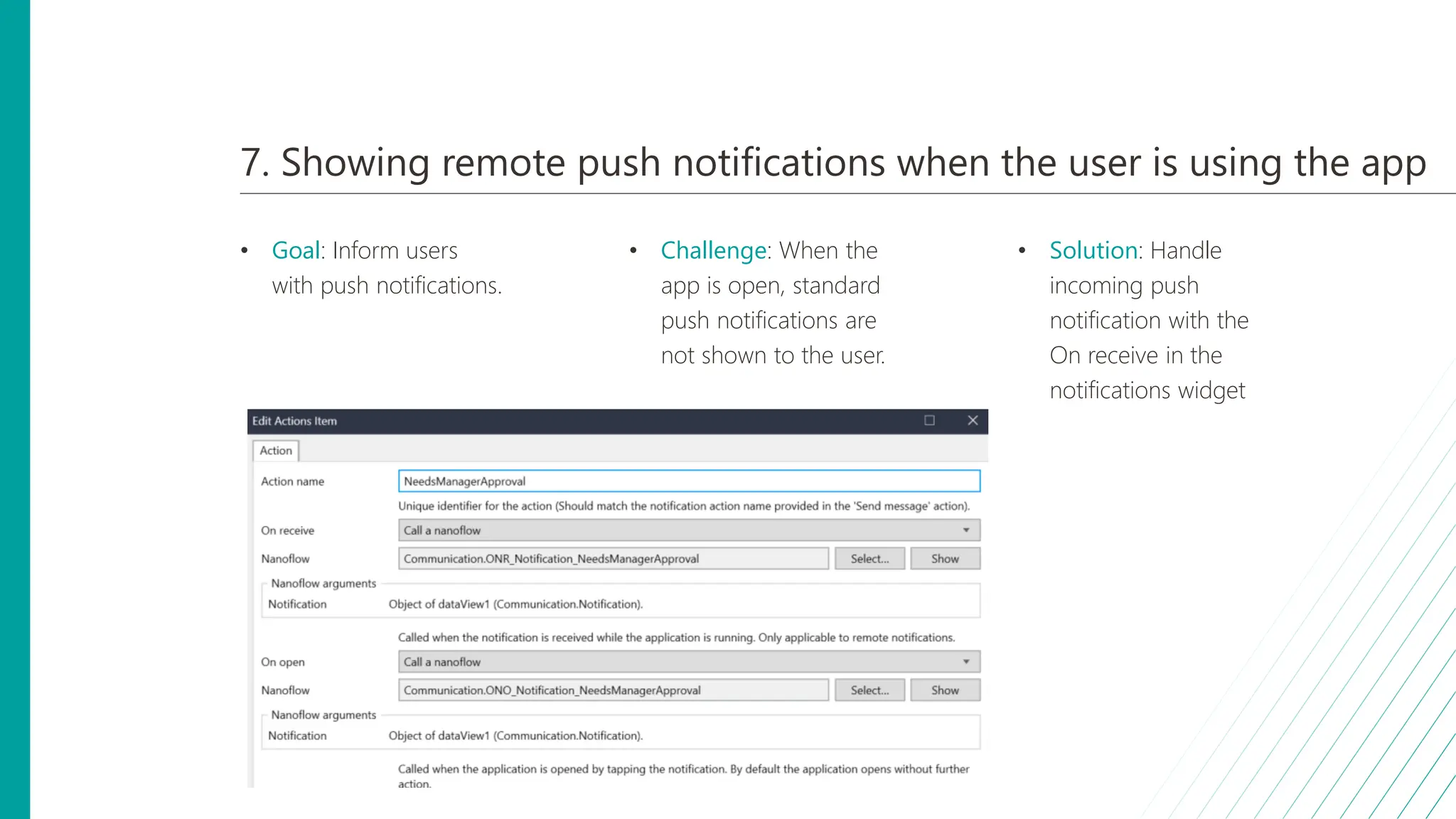
7. Showing remote push notifications when the user is using the app
• Goal: Inform users
with push notifications.
• Challenge: When the
app is open, standard
push notifications are
not shown to the user.
• Solution: Handle
incoming push
notification with the
On receive in the
notifications widget
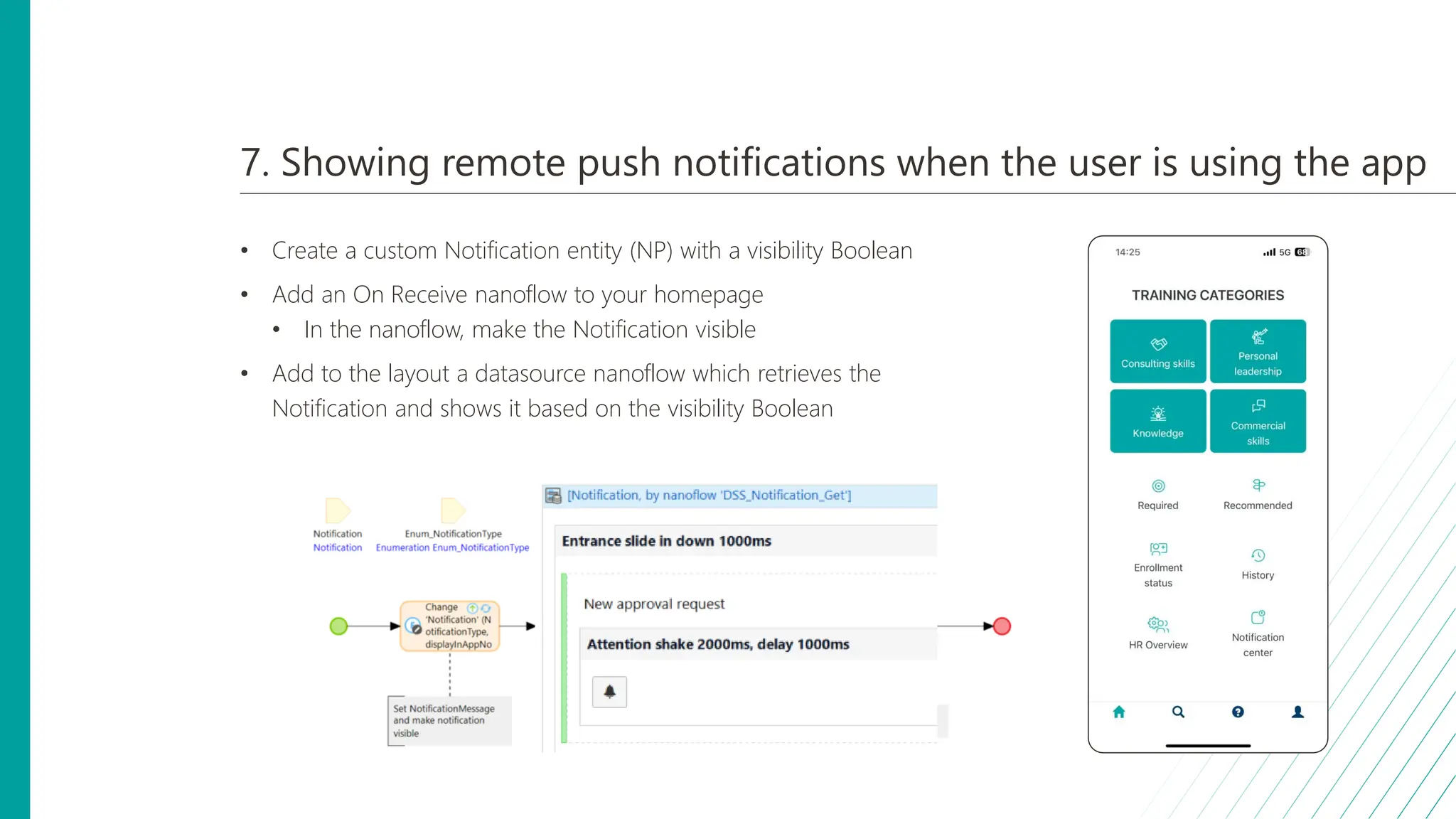
7. Showing remote push notifications when the user is using the app
• Create a custom Notification entity (NP) with a visibility Boolean
• Add an On Receive nanoflow to your homepage
• In the nanoflow, make the Notification visible
• Add to the layout a datasource nanoflow which retrieves the
Notification and shows it based on the visibility Boolean
10 9 8 6 5 4 3 1
7 2
Top 10 Mendix native lessons learned
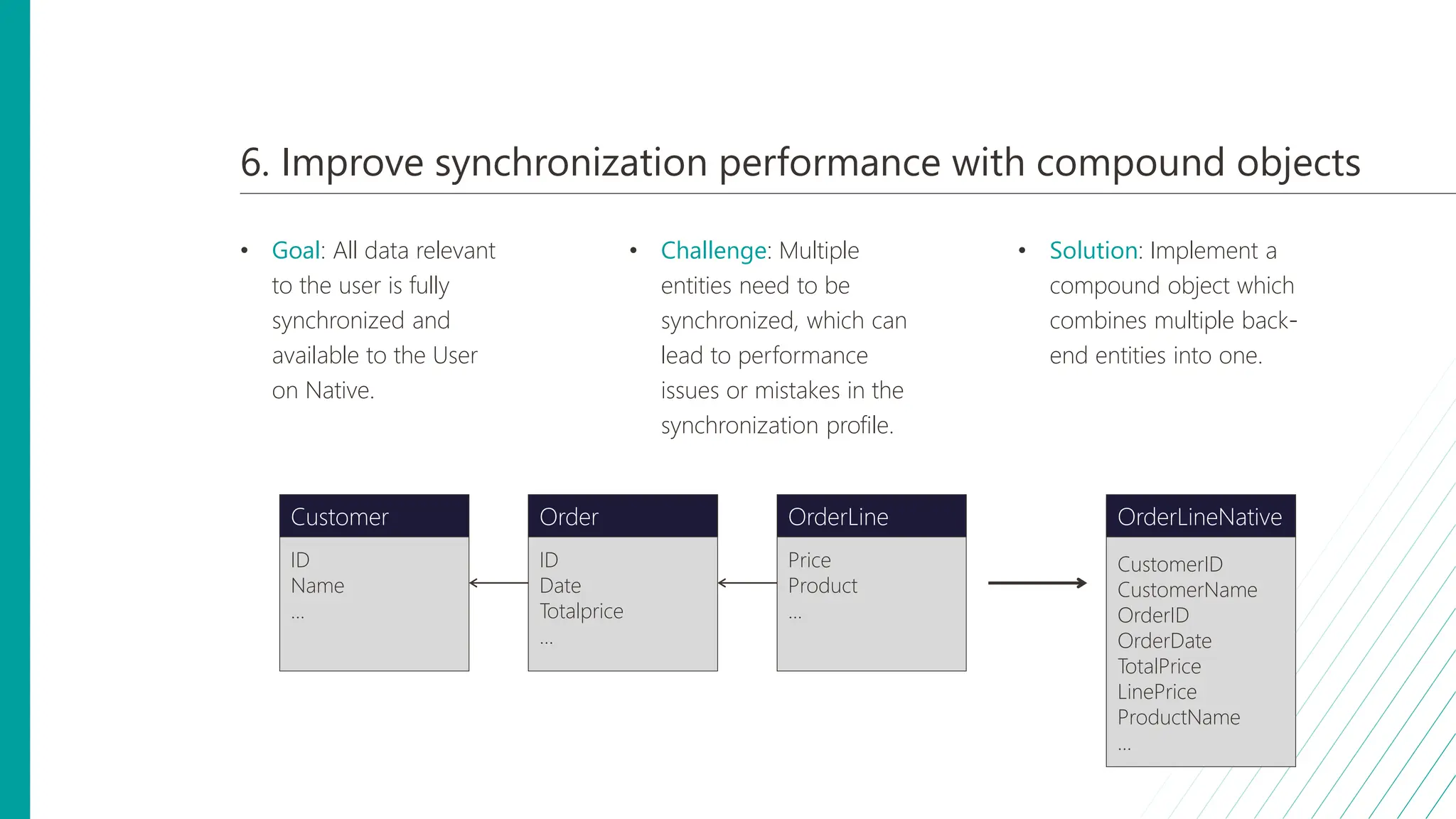
6. Improve synchronization performance with compound objects
• Goal: All data relevant
to the user is fully
synchronized and
available to the User
on Native.
• Challenge: Multiple
entities need to be
synchronized, which can
lead to performance
issues or mistakes in the
synchronization profile.
• Solution: Implement a
compound object which
combines multiple back-
end entities into one.
Price
Product
...
OrderLine
ID
Name
...
Customer
ID
Date
Totalprice
...
Order
CustomerID
CustomerName
OrderID
OrderDate
TotalPrice
LinePrice
ProductName
...
OrderLineNative
6. Improve synchronization performance with compound objects
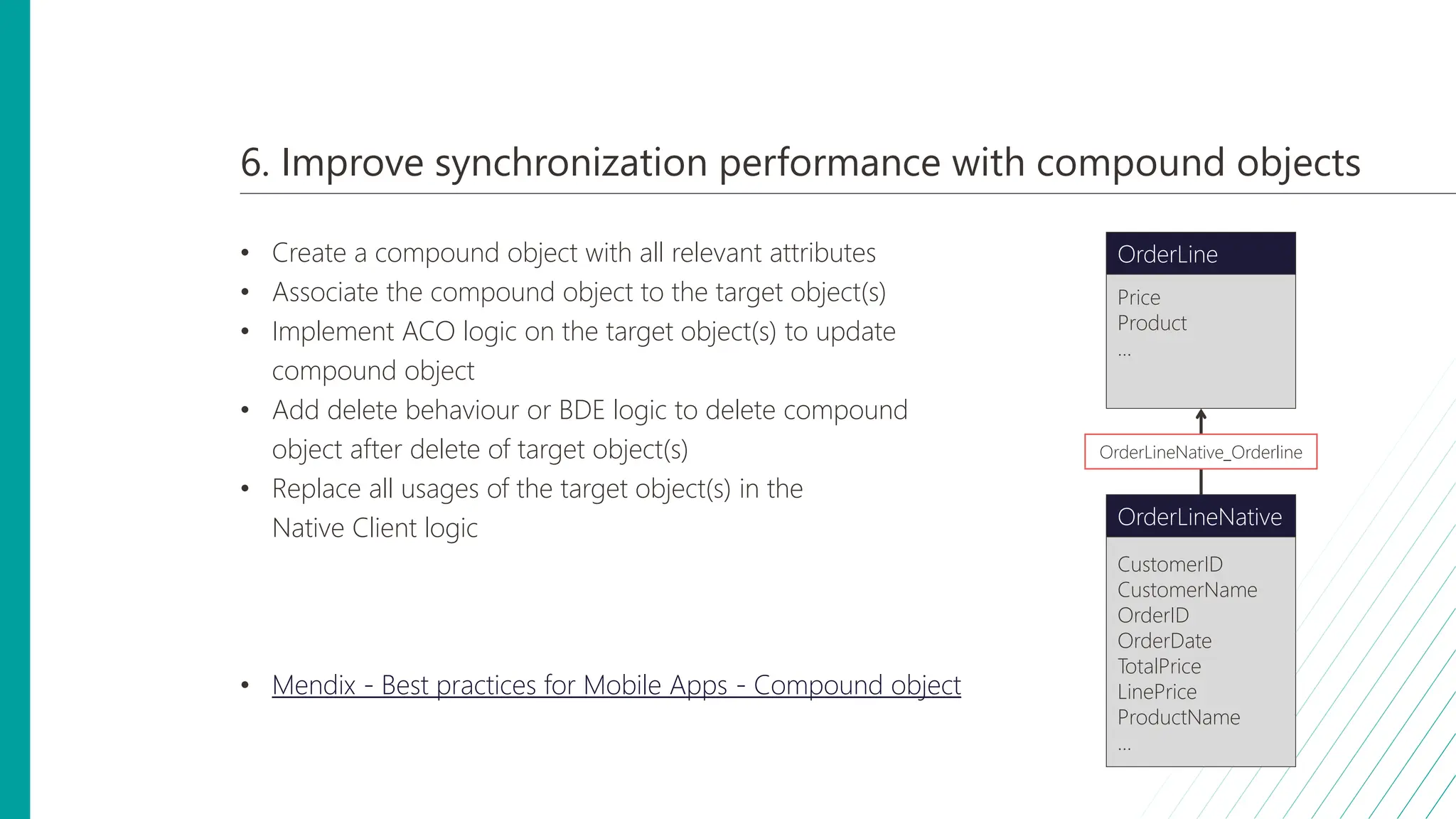
• Create a compound object with all relevant attributes
• Associate the compound object to the target object(s)
• Implement ACO logic on the target object(s) to update
compound object
• Add delete behaviour or BDE logic to delete compound
object after delete of target object(s)
• Replace all usages of the target object(s) in the
Native Client logic
• Mendix - Best practices for Mobile Apps - Compound object
Price
Product
...
OrderLine
CustomerID
CustomerName
OrderID
OrderDate
TotalPrice
LinePrice
ProductName
...
OrderLineNative
OrderLineNative_Orderline
ONVZ – Lessons learned
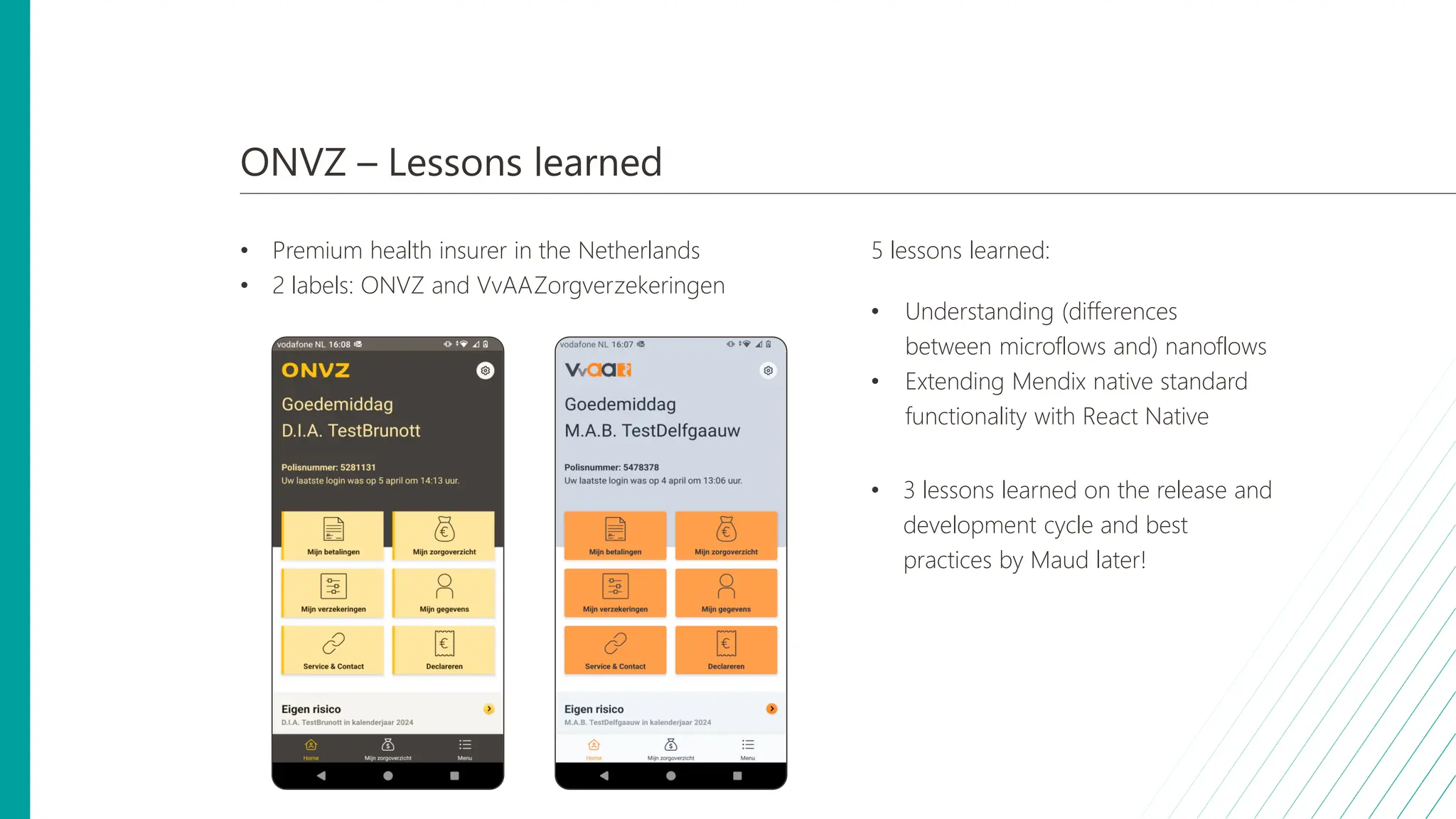
• Premium health insurer in the Netherlands
• 2 labels: ONVZ and VvAAZorgverzekeringen
5 lessons learned:
• Understanding (differences
between microflows and) nanoflows
• Extending Mendix native standard
functionality with React Native
• 3 lessons learned on the release and
development cycle and best
practices by Maud later!
10 9 8 6 5 4 3 1
7 2
Top 10 Mendix native lessons learned
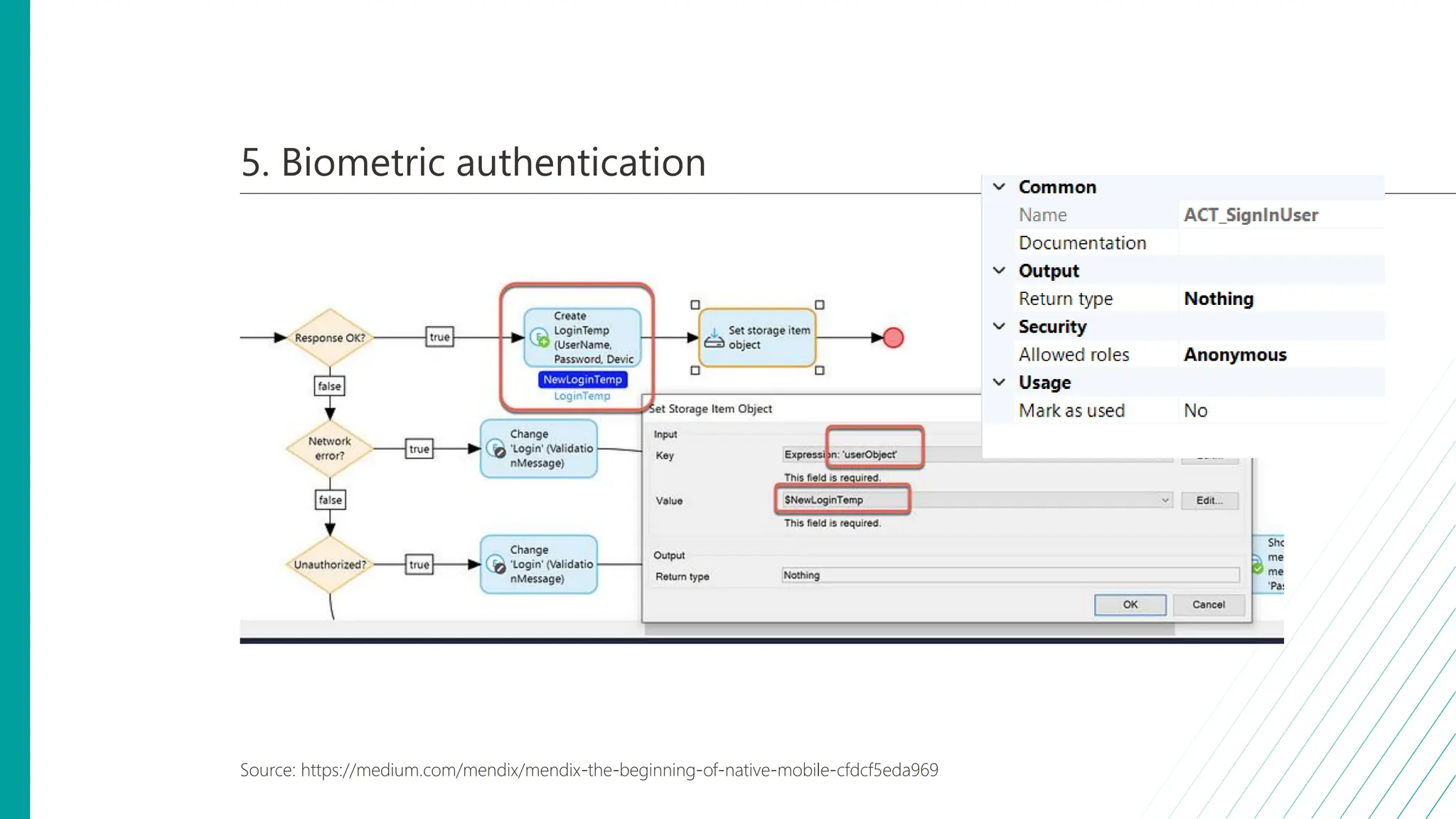
5. Biometric authentication
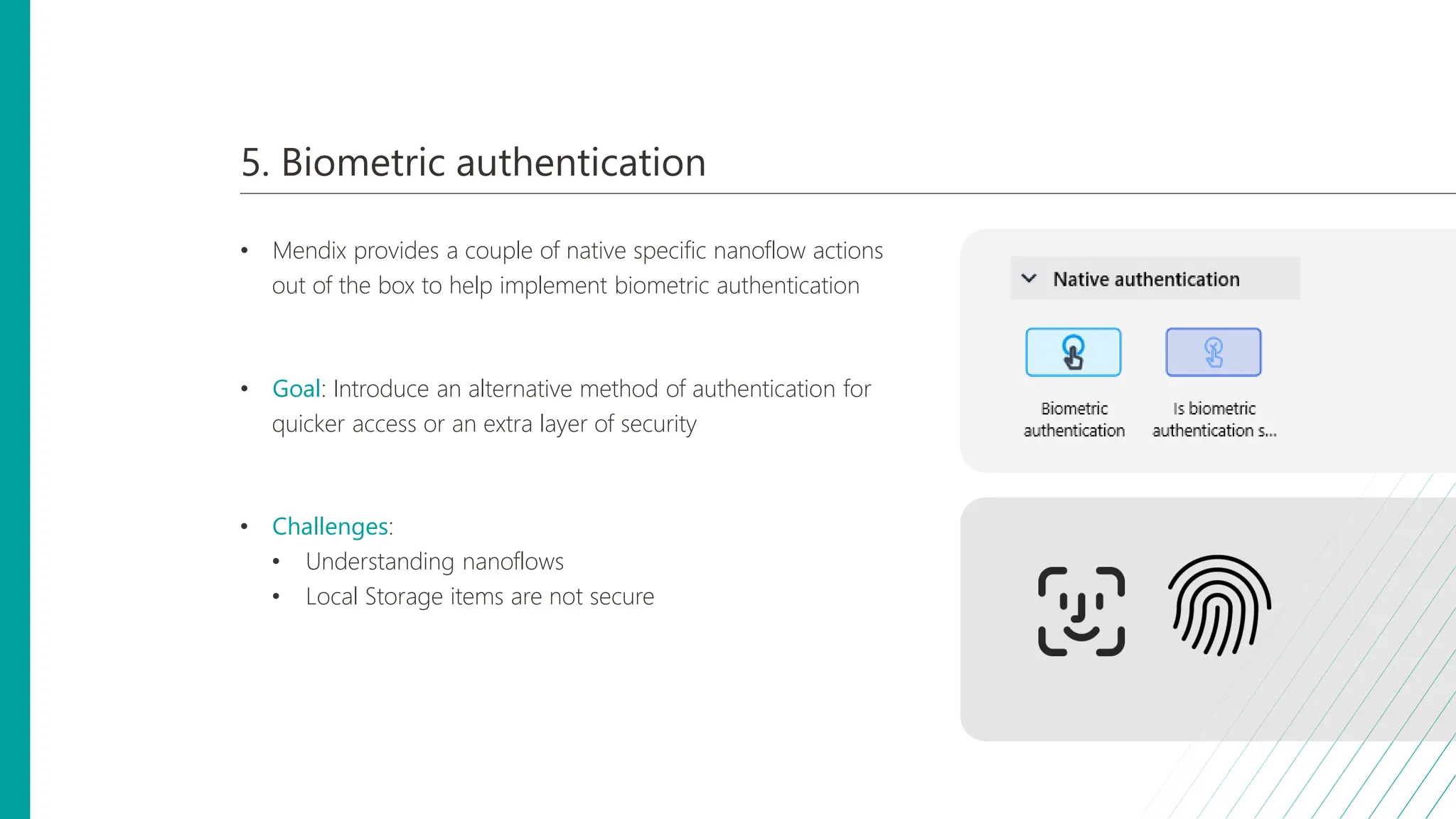
• Mendix provides a couple of native specific nanoflow actions
out of the box to help implement biometric authentication
• Goal: Introduce an alternative method of authentication for
quicker access or an extra layer of security
• Challenges:
• Understanding nanoflows
• Local Storage items are not secure
5. Understanding nanoflows
• Activities in nanoflows are
executed immediately
• Nanoflow actions are always
executed with security applied
5. Biometric authentication
Source: https://medium.com/mendix/mendix-the-beginning-of-native-mobile-cfdcf5eda969
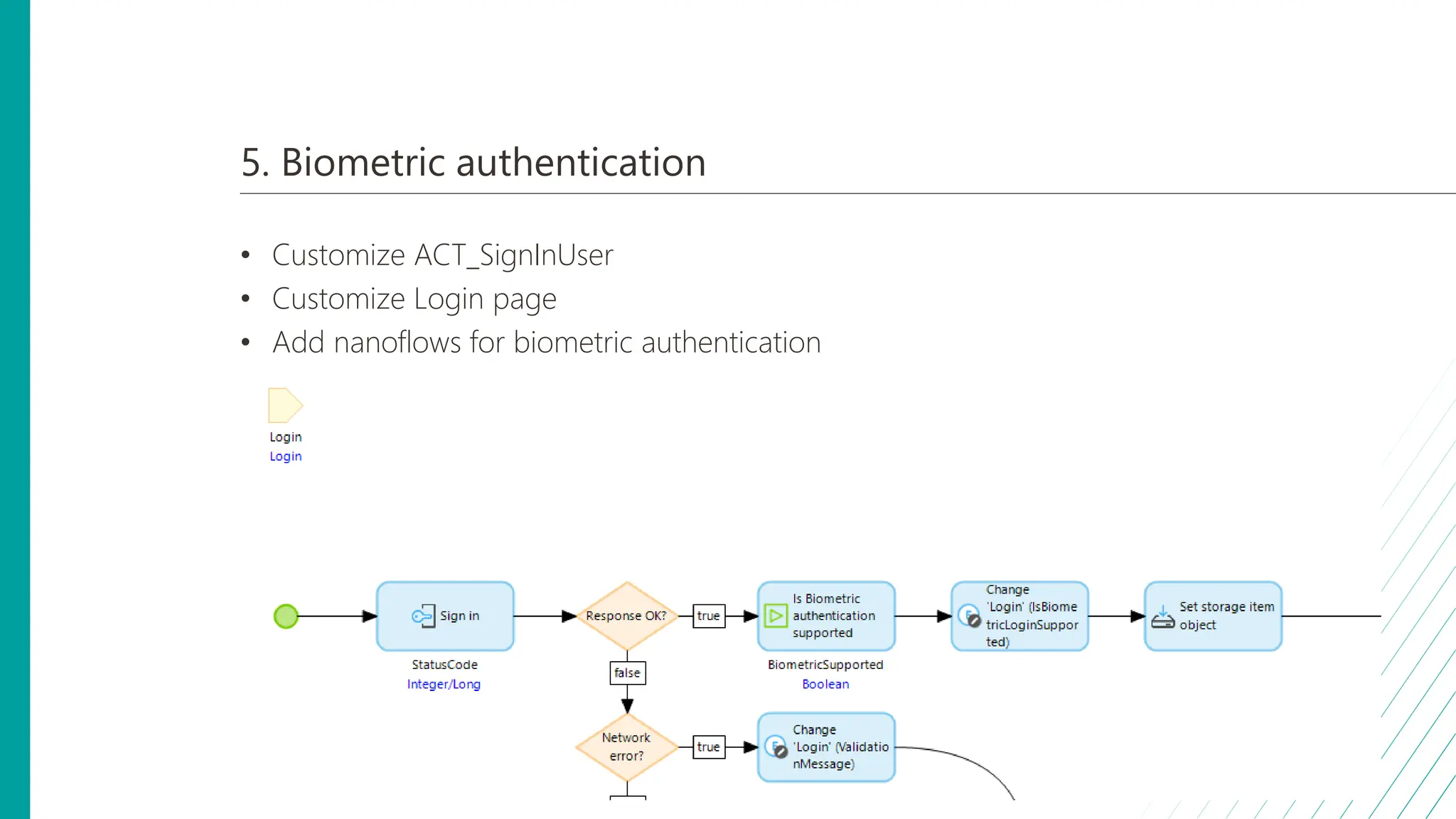
5. Biometric authentication
• Customize ACT_SignInUser
• Customize Login page
• Add nanoflows for biometric authentication
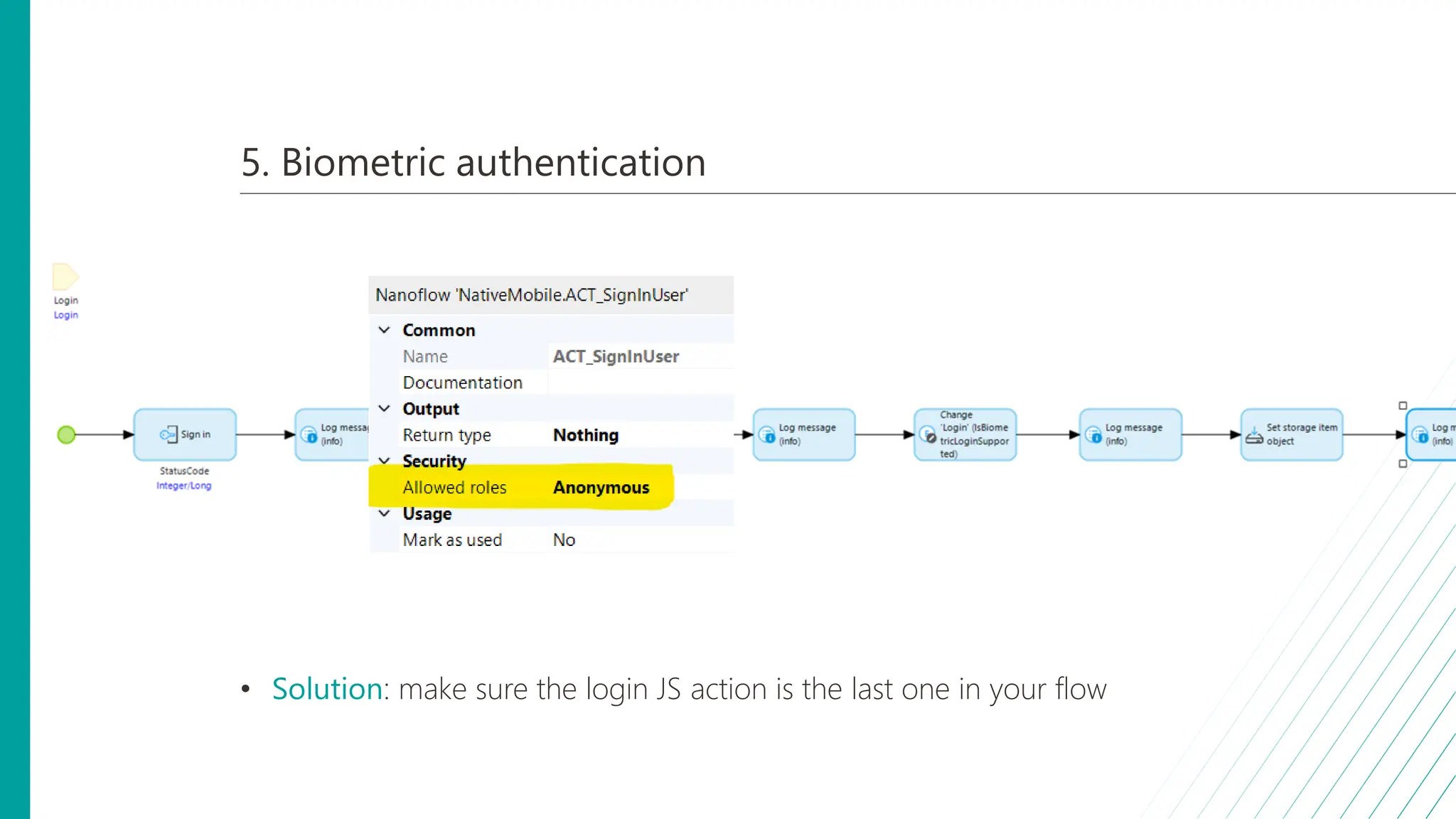
5. Biometric authentication
• Solution: make sure the login JS action is the last one in your flow
10 9 8 6 5 4 3 1
7 2
Top 10 Mendix native lessons learned
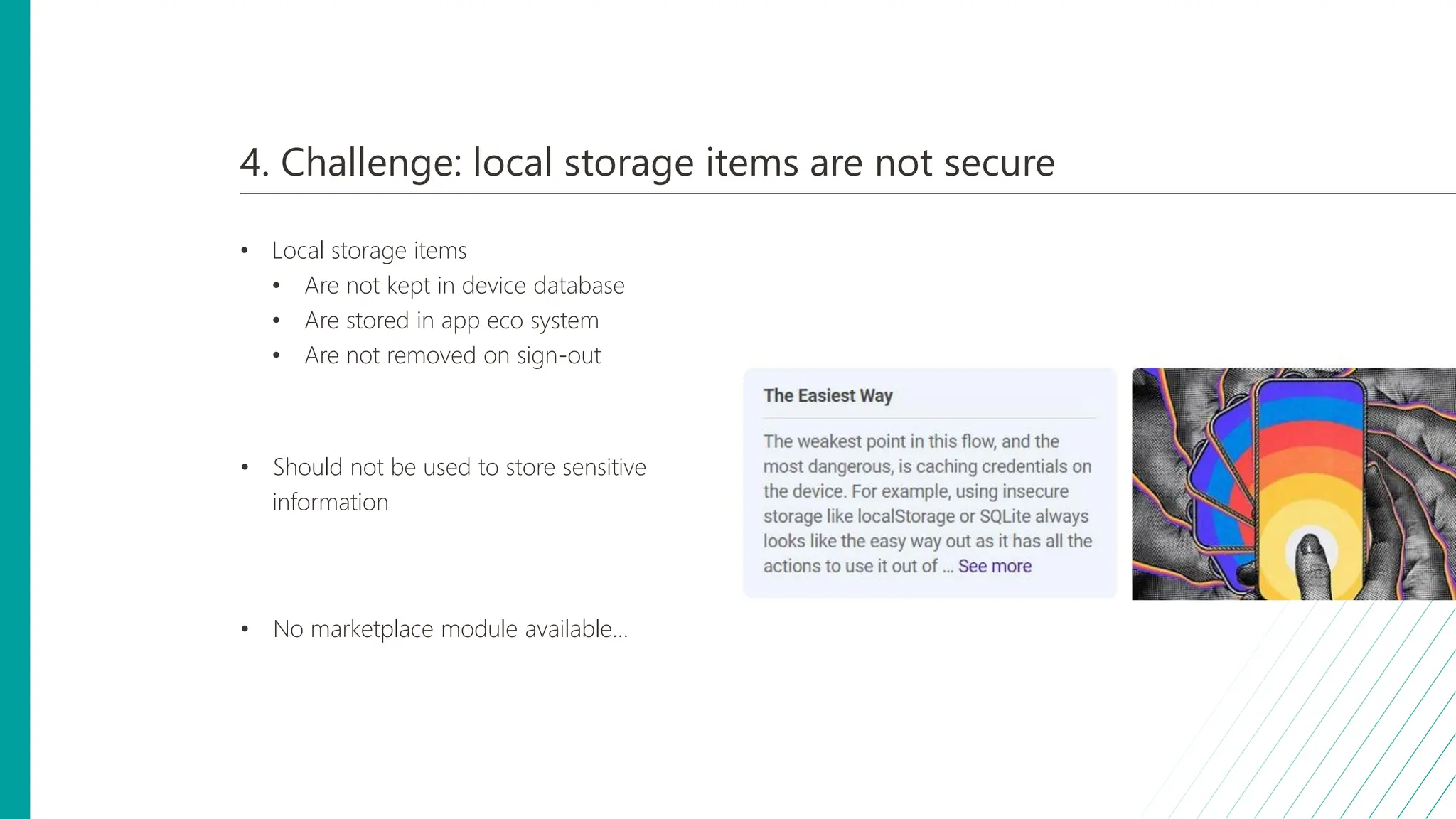
4. Challenge: local storage items are not secure
• Local storage items
• Are not kept in device database
• Are stored in app eco system
• Are not removed on sign-out
• Should not be used to store sensitive
information
• No marketplace module available...
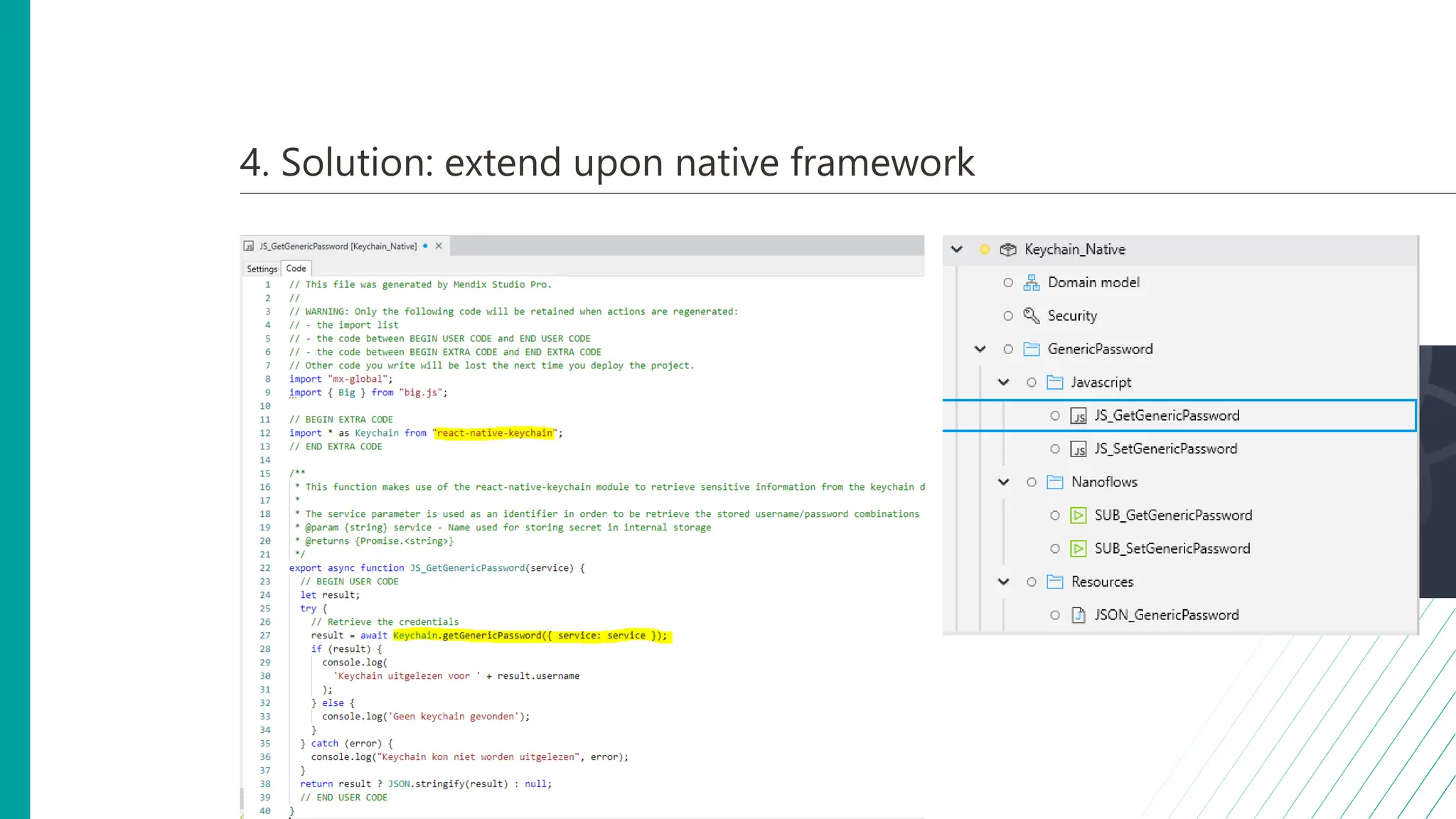
4. Solution: extend upon native framework
• React Native
• Native equivalent of Java actions
• Required: NodeJS
• Npm or Yarn to install required react native library
• Create your own JS actions
• Considerations:
• Build dependency
• Maintainability
• Native OS support
• React Native Keychain
10 9 8 6 5 4 3 1
7 2
Top 10 Mendix native lessons learned
3. How to build and distribute 6 apps in a structured way?
• Use case: Build and distribute
6 apps
(test, acceptance, production)
• Challenge:
• Many configurations
• Time consuming
• Consequences for users
• Release process not forgiving
• Goal: Structured
release strategy
3. How to build and distribute 6 apps in a structured way?
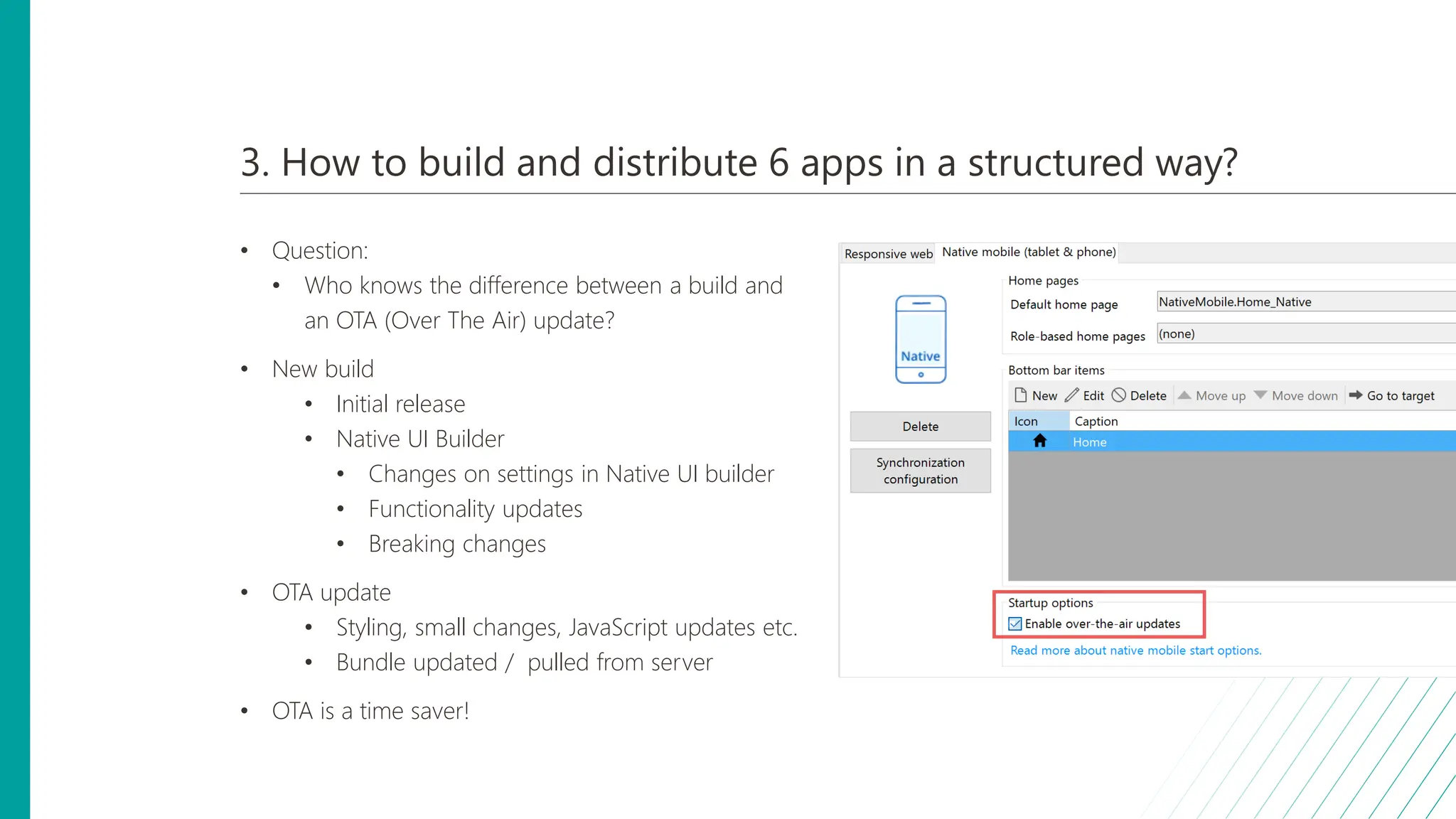
• Question:
• Who knows the difference between a build and
an OTA (Over The Air) update?
• New build
• Initial release
• Native UI Builder
• Changes on settings in Native UI builder
• Functionality updates
• Breaking changes
• OTA update
• Styling, small changes, JavaScript updates etc.
• Bundle updated / pulled from server
• OTA is a time saver!
3. Best practices
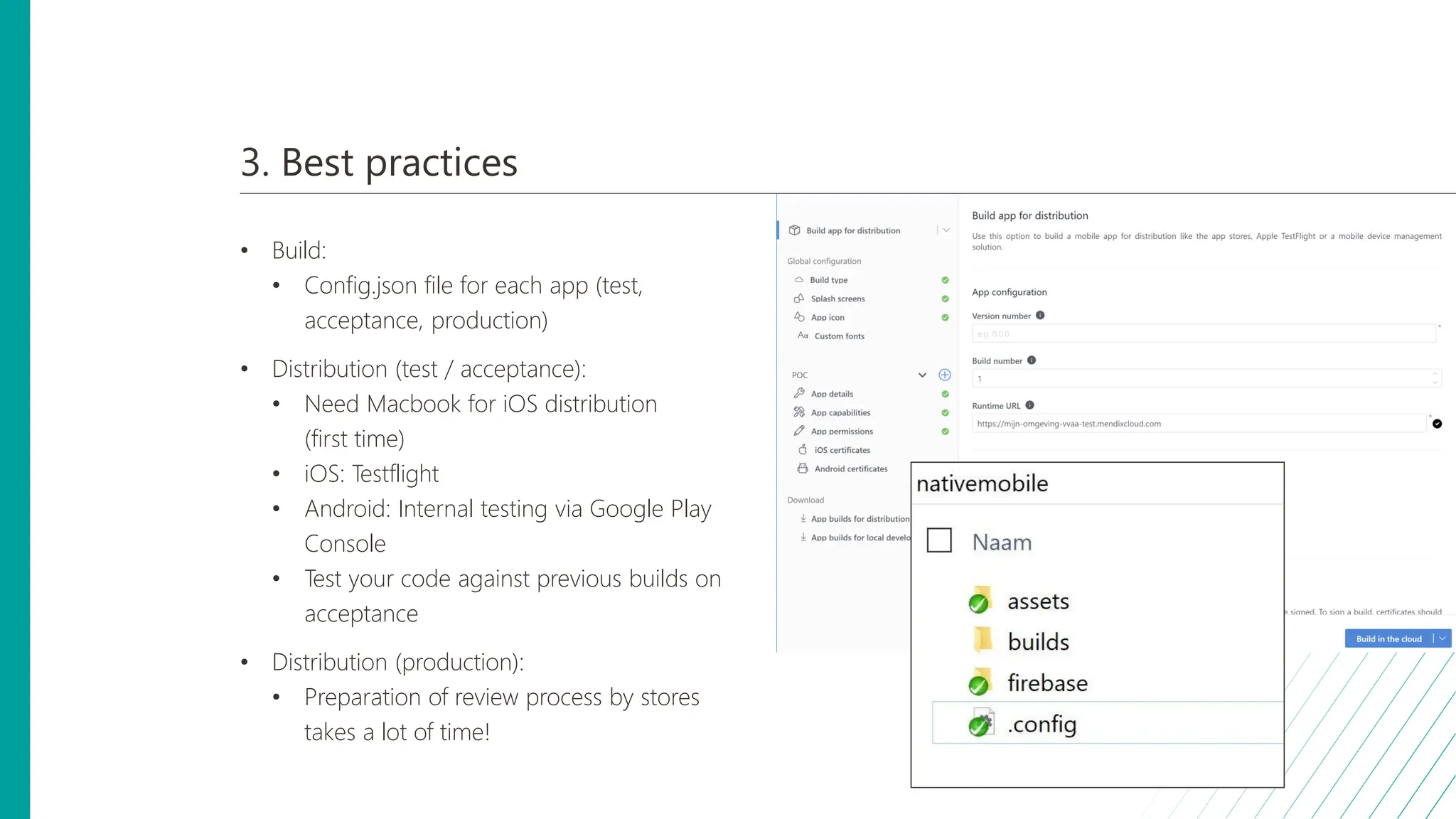
• Build:
• Config.json file for each app (test,
acceptance, production)
• Distribution (test / acceptance):
• Need Macbook for iOS distribution
(first time)
• iOS: Testflight
• Android: Internal testing via Google Play
Console
• Test your code against previous builds on
acceptance
• Distribution (production):
• Preparation of review process by stores
takes a lot of time!
10 9 8 6 5 4 3 1
7 2
Top 10 Mendix native lessons learned
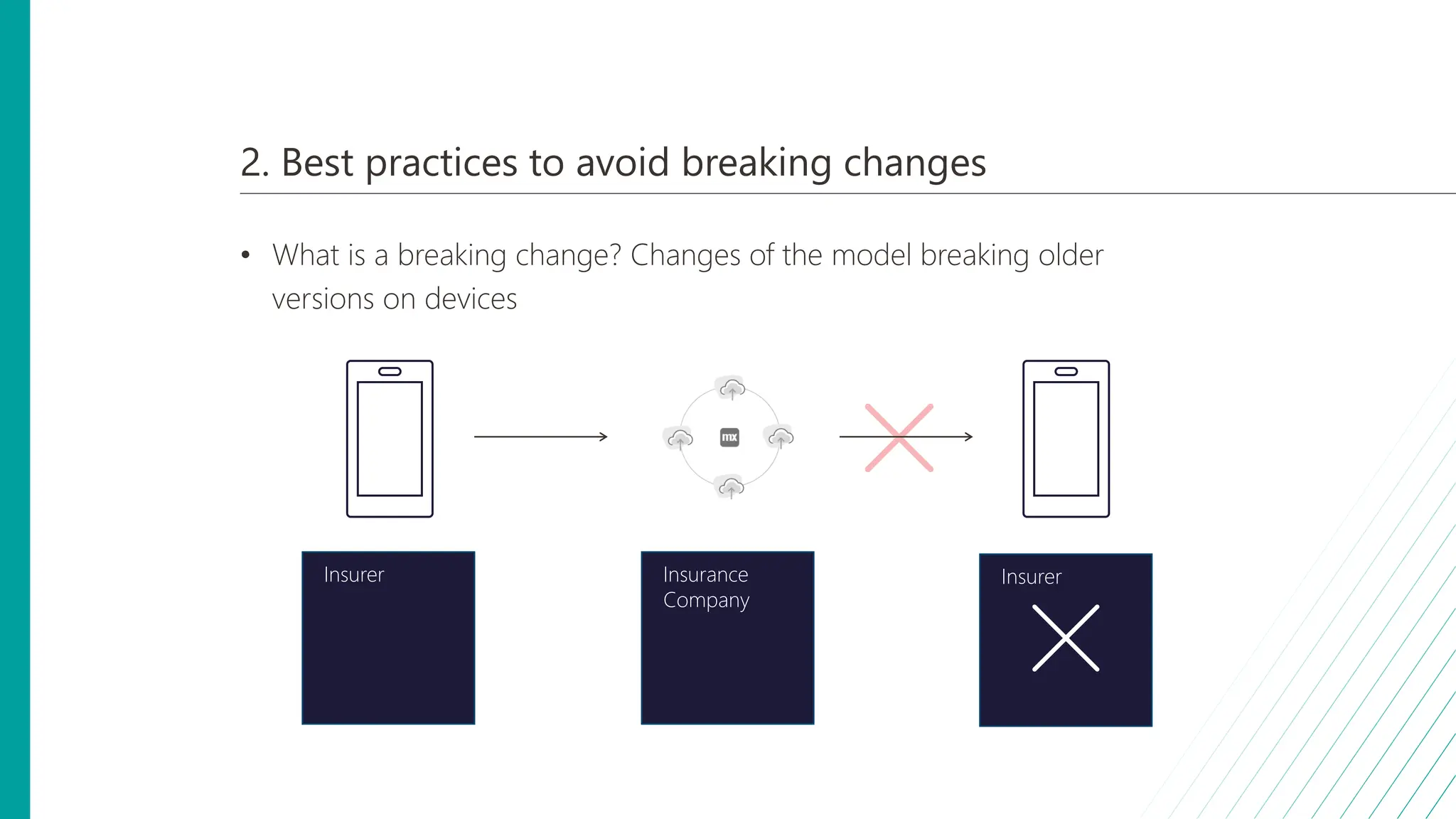
2. Best practices to avoid breaking changes
• What is a breaking change? Changes of the model breaking older
versions on devices
Insurer Insurance
Company
Insurer
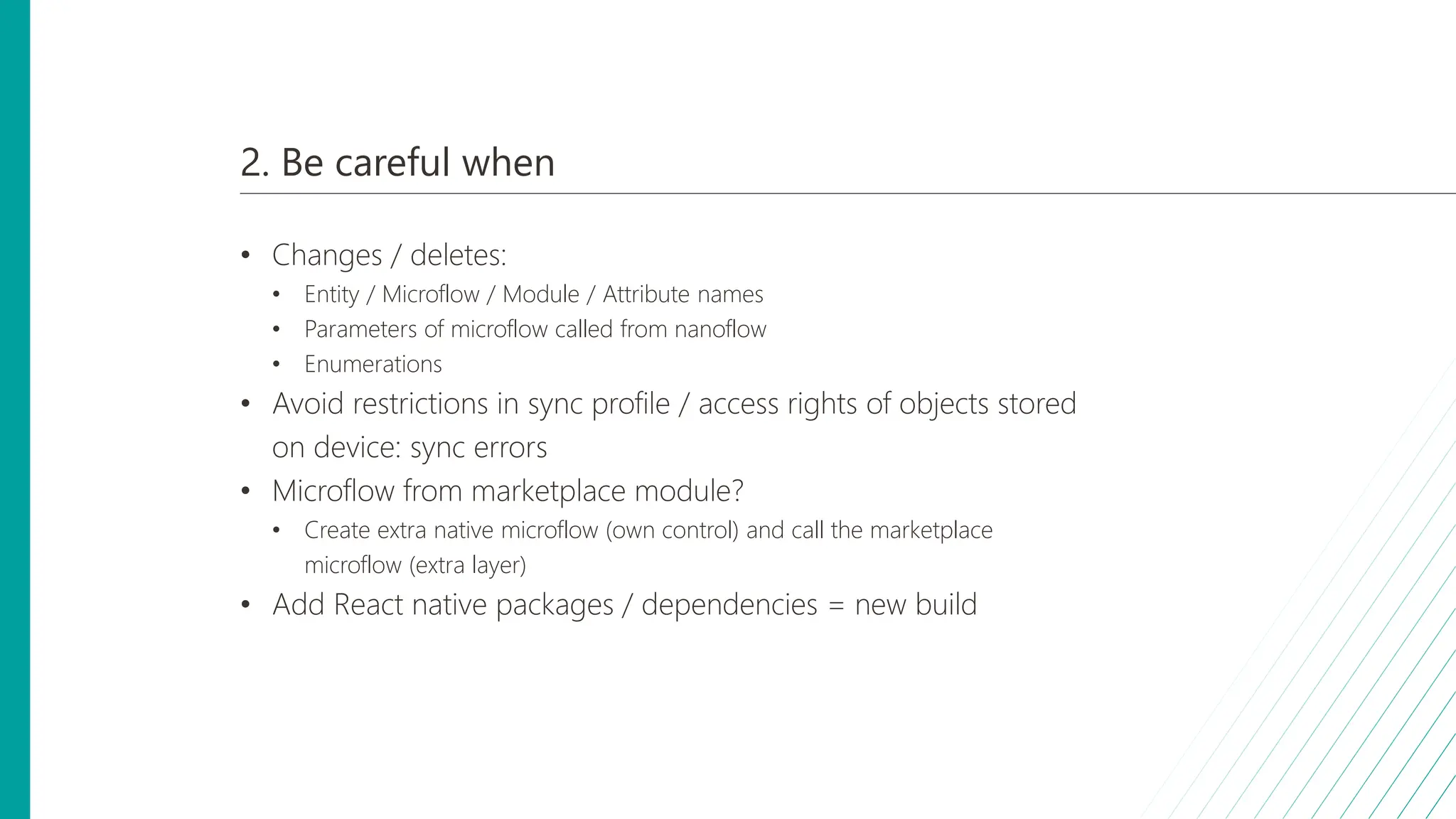
2. Be careful when
• Changes / deletes:
• Entity / Microflow / Module / Attribute names
• Parameters of microflow called from nanoflow
• Enumerations
• Avoid restrictions in sync profile / access rights of objects stored
on device: sync errors
• Microflow from marketplace module?
• Create extra native microflow (own control) and call the marketplace
microflow (extra layer)
• Add React native packages / dependencies = new build
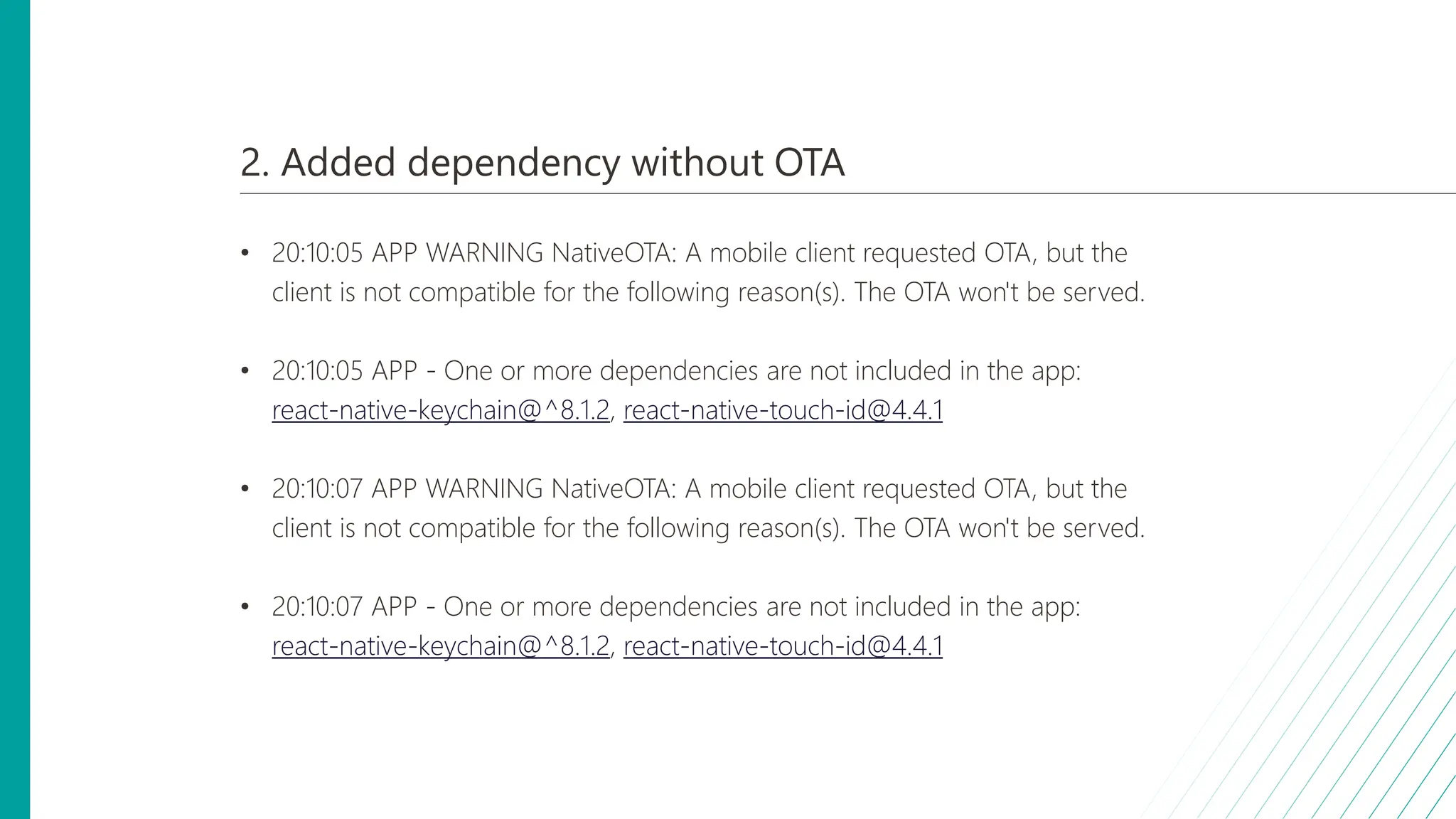
2. Added dependency without OTA
• 20:10:05 APP WARNING NativeOTA: A mobile client requested OTA, but the
client is not compatible for the following reason(s). The OTA won't be served.
• 20:10:05 APP - One or more dependencies are not included in the app:
react-native-keychain@^8.1.2, react-native-touch-id@4.4.1
• 20:10:07 APP WARNING NativeOTA: A mobile client requested OTA, but the
client is not compatible for the following reason(s). The OTA won't be served.
• 20:10:07 APP - One or more dependencies are not included in the app:
react-native-keychain@^8.1.2, react-native-touch-id@4.4.1
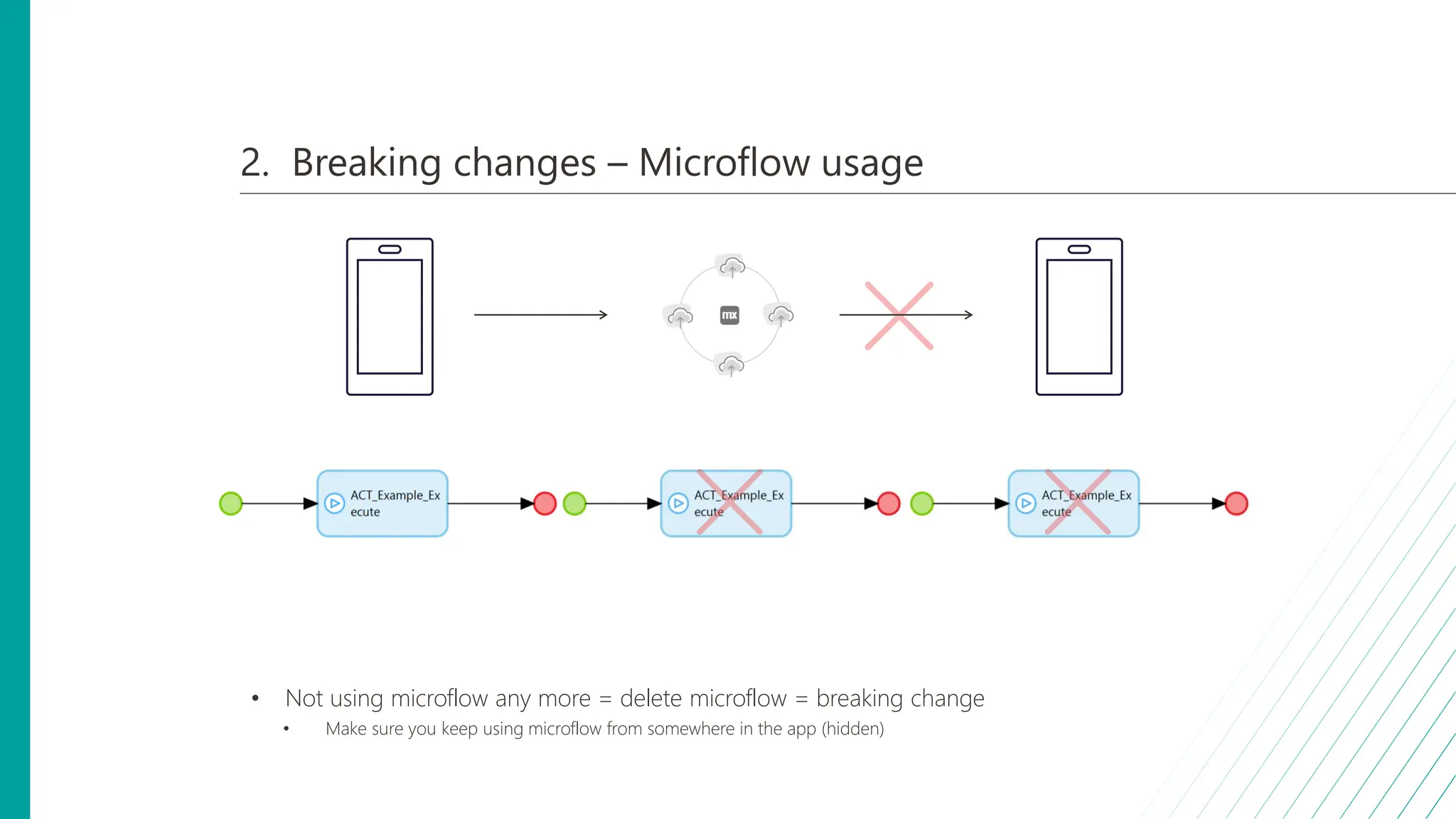
2. Breaking changes – Microflow usage
• Not using microflow any more = delete microflow = breaking change
• Make sure you keep using microflow from somewhere in the app (hidden)
10 9 8 6 5 4 3 1
7 2
Top 10 Mendix native lessons learned
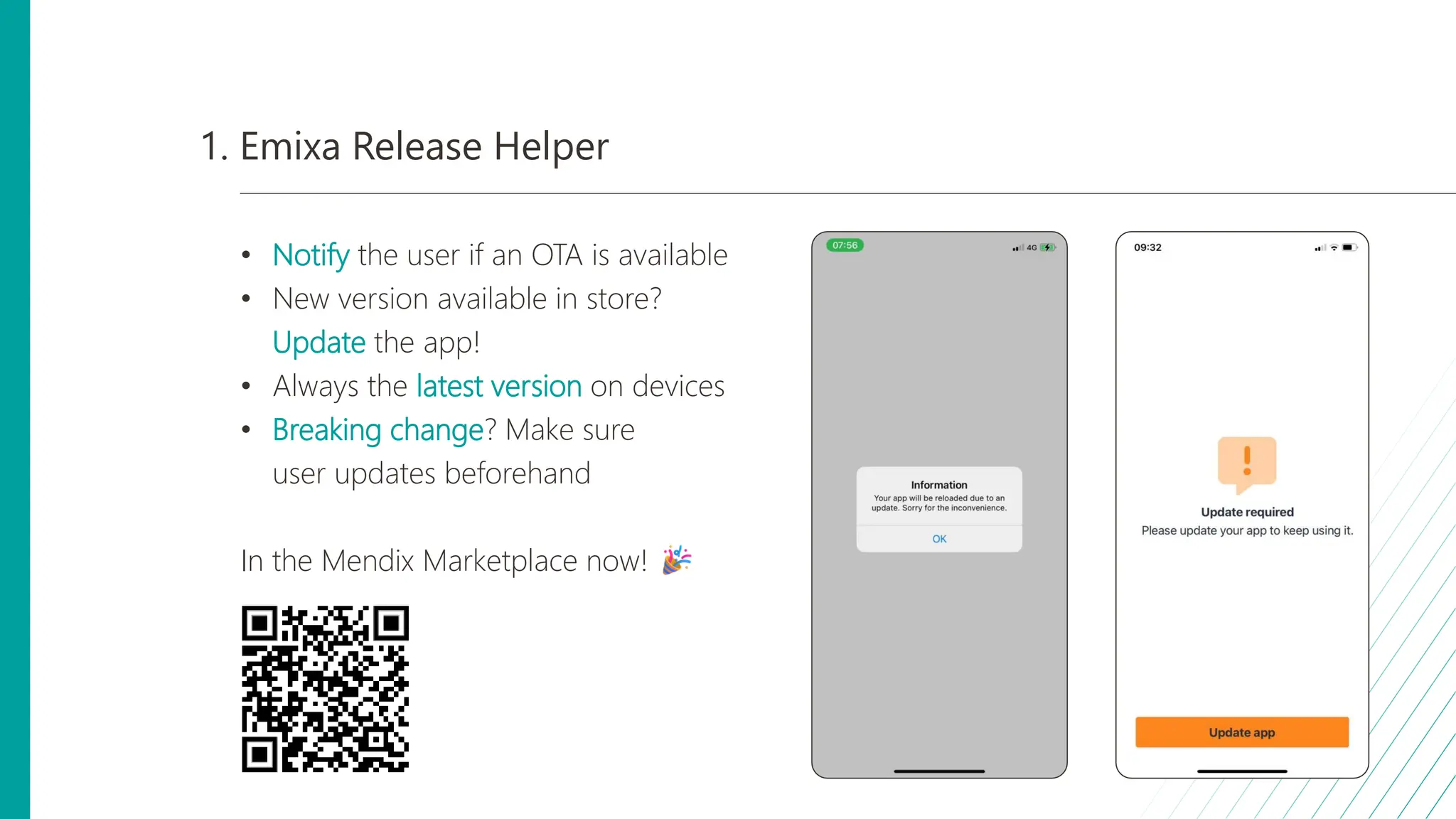
1. Emixa Release Helper
• Notify the user if an OTA is available
• New version available in store?
Update the app!
• Always the latest version on devices
• Breaking change? Make sure
user updates beforehand
In the Mendix Marketplace now!
Emixa Mendix Meetup 11 April 2024 about Mendix Native development

Emixa Mendix Meetup 11 April 2024 about Mendix Native development

  • 1.
    Top 10 Mendixnative lessons learned Mendix meetup Naarden 11 april 2024
  • 2.
    Introduction • What Emixa?What? • The power of 2 Mendix expert organizations Magnus and Appronto together with successful Integration, Analytics , Siemens and SAP businesses.
  • 3.
    About Emixa Emixa highlights •530 colleagues • 10 locations • 1.700 clients • Mendix Gold Partner Focus regions Locations Emixa Management Consulting Data Analytics Integration Integration Integration ...
  • 4.
    Setting the scenefor tonight • Web vs Native • Think different • Think offline first We are counting down from 10, have a special release for the community and we are closing off with a quiz to check if your native knowledge has increased!
  • 5.
    10 9 86 5 4 3 1 7 2 Top 10 Mendix native lessons learned
  • 6.
    SelektHuis Bouw app– Approach & lessons learned • Company that sells and builds fully customizable pre-fabricated houses. • Due to changes in Dutch buyer laws, documentation of construction progress is required. • Goal: Native app that construction employees can use to document construction progression. • Planning must be fully customizable • Impact on construction employees' workload should be minimized • 3 lessons learned: • Custom-made offline-first synchronization from Native device to Server • Custom-made delta sync from Server to Native device • Passing object from Nano- to Microflow (and vice-versa) by using Object GUID
  • 7.
    10. Custom offline-firstsync from Native device to Server • What is a sync profile? • Many different Mendix synchronisation profiles to choose from • Goal: Sync profile where user can perform their daily tasks, even without an Internet connection. • Challenge: Native users should be able to trigger workflows and continue working, with the possibility of no connection. • Solution: needsSync boolean on entities that will be changed on Native device. • Native change: true • BCO after sync: false
  • 8.
    10. Custom offline-firstsync from Native device to Server
  • 9.
    Scenario A: Internetconnection and immediate successful sync
  • 10.
    Scenario B: Nosuccessful sync, sync will be retried via App Events
  • 11.
    10. Key take-aways •Allows Native user to continue their work without Internet connection • Ensures objects are never lost, and will be synced if connection is available
  • 12.
    10 9 86 5 4 3 1 7 2 Top 10 Mendix native lessons learned
  • 13.
    9. Custom-made deltasync from Server to Native device • Next to syncing from device to server, this also goes vice-versa • Goal: Always having necessary objects available on Native device, whilst minimizing impact on performance. • Challenge: Objects are changed often, which requires lots of syncing to device. • Solution: Delta-syncing only necessary entities via App Events on different Native pages • Only sync entities that can be accessed from that page -> Divide work load
  • 14.
    9. Custom-made deltasync from Server to Native device Entity Project Task TaskForm NewsArticles Accounts Issue Oplevering Document FormAnswer Instruction
  • 15.
    9. Custom-made deltasync from Server to Native device Entity Project Task TaskForm NewsArticles Accounts Issue Oplevering Document FormAnswer Instruction
  • 16.
    9. Custom-made deltasync from Server to Native device
  • 17.
    9. Key take-aways •Native user always has objects when he/she needs them • Divides the workload of syncing to device for better UX
  • 18.
    10 9 86 5 4 3 1 7 2 Top 10 Mendix native lessons learned
  • 19.
    8. Passing objectfrom Nano- to Microflow (and vice-versa) by using Object GUID • Logic often takes part both on device and server. • Goal: Optimize work distribution between Native device & server by dividing actions between the two. • Challenge: Objects cannot be passed from Nano- to Microflow and vice-versa. • Solution: Objects can be passed from Nano- to Microflows by using Java & JavaScript actions • GUID is passed as a string or integer via a parameter
  • 20.
    10 9 86 5 4 3 1 7 2 Top 10 Mendix native lessons learned
  • 21.
    7. Showing remotepush notifications when the user is using the app • Goal: Inform users with push notifications. • Challenge: When the app is open, standard push notifications are not shown to the user. • Solution: Handle incoming push notification with the On receive in the notifications widget
  • 22.
    7. Showing remotepush notifications when the user is using the app • Create a custom Notification entity (NP) with a visibility Boolean • Add an On Receive nanoflow to your homepage • In the nanoflow, make the Notification visible • Add to the layout a datasource nanoflow which retrieves the Notification and shows it based on the visibility Boolean
  • 23.
    10 9 86 5 4 3 1 7 2 Top 10 Mendix native lessons learned
  • 24.
    6. Improve synchronizationperformance with compound objects • Goal: All data relevant to the user is fully synchronized and available to the User on Native. • Challenge: Multiple entities need to be synchronized, which can lead to performance issues or mistakes in the synchronization profile. • Solution: Implement a compound object which combines multiple back- end entities into one. Price Product ... OrderLine ID Name ... Customer ID Date Totalprice ... Order CustomerID CustomerName OrderID OrderDate TotalPrice LinePrice ProductName ... OrderLineNative
  • 25.
    6. Improve synchronizationperformance with compound objects • Create a compound object with all relevant attributes • Associate the compound object to the target object(s) • Implement ACO logic on the target object(s) to update compound object • Add delete behaviour or BDE logic to delete compound object after delete of target object(s) • Replace all usages of the target object(s) in the Native Client logic • Mendix - Best practices for Mobile Apps - Compound object Price Product ... OrderLine CustomerID CustomerName OrderID OrderDate TotalPrice LinePrice ProductName ... OrderLineNative OrderLineNative_Orderline
  • 26.
    ONVZ – Lessonslearned • Premium health insurer in the Netherlands • 2 labels: ONVZ and VvAAZorgverzekeringen 5 lessons learned: • Understanding (differences between microflows and) nanoflows • Extending Mendix native standard functionality with React Native • 3 lessons learned on the release and development cycle and best practices by Maud later!
  • 27.
    10 9 86 5 4 3 1 7 2 Top 10 Mendix native lessons learned
  • 28.
    5. Biometric authentication •Mendix provides a couple of native specific nanoflow actions out of the box to help implement biometric authentication • Goal: Introduce an alternative method of authentication for quicker access or an extra layer of security • Challenges: • Understanding nanoflows • Local Storage items are not secure
  • 29.
    5. Understanding nanoflows •Activities in nanoflows are executed immediately • Nanoflow actions are always executed with security applied
  • 30.
    5. Biometric authentication Source:https://medium.com/mendix/mendix-the-beginning-of-native-mobile-cfdcf5eda969
  • 31.
    5. Biometric authentication •Customize ACT_SignInUser • Customize Login page • Add nanoflows for biometric authentication
  • 32.
    5. Biometric authentication •Solution: make sure the login JS action is the last one in your flow
  • 33.
    10 9 86 5 4 3 1 7 2 Top 10 Mendix native lessons learned
  • 34.
    4. Challenge: localstorage items are not secure • Local storage items • Are not kept in device database • Are stored in app eco system • Are not removed on sign-out • Should not be used to store sensitive information • No marketplace module available...
  • 35.
    4. Solution: extendupon native framework • React Native • Native equivalent of Java actions • Required: NodeJS • Npm or Yarn to install required react native library • Create your own JS actions • Considerations: • Build dependency • Maintainability • Native OS support • React Native Keychain
  • 36.
    10 9 86 5 4 3 1 7 2 Top 10 Mendix native lessons learned
  • 37.
    3. How tobuild and distribute 6 apps in a structured way? • Use case: Build and distribute 6 apps (test, acceptance, production) • Challenge: • Many configurations • Time consuming • Consequences for users • Release process not forgiving • Goal: Structured release strategy
  • 38.
    3. How tobuild and distribute 6 apps in a structured way? • Question: • Who knows the difference between a build and an OTA (Over The Air) update? • New build • Initial release • Native UI Builder • Changes on settings in Native UI builder • Functionality updates • Breaking changes • OTA update • Styling, small changes, JavaScript updates etc. • Bundle updated / pulled from server • OTA is a time saver!
  • 39.
    3. Best practices •Build: • Config.json file for each app (test, acceptance, production) • Distribution (test / acceptance): • Need Macbook for iOS distribution (first time) • iOS: Testflight • Android: Internal testing via Google Play Console • Test your code against previous builds on acceptance • Distribution (production): • Preparation of review process by stores takes a lot of time!
  • 40.
    10 9 86 5 4 3 1 7 2 Top 10 Mendix native lessons learned
  • 41.
    2. Best practicesto avoid breaking changes • What is a breaking change? Changes of the model breaking older versions on devices Insurer Insurance Company Insurer
  • 42.
    2. Be carefulwhen • Changes / deletes: • Entity / Microflow / Module / Attribute names • Parameters of microflow called from nanoflow • Enumerations • Avoid restrictions in sync profile / access rights of objects stored on device: sync errors • Microflow from marketplace module? • Create extra native microflow (own control) and call the marketplace microflow (extra layer) • Add React native packages / dependencies = new build
  • 43.
    2. Added dependencywithout OTA • 20:10:05 APP WARNING NativeOTA: A mobile client requested OTA, but the client is not compatible for the following reason(s). The OTA won't be served. • 20:10:05 APP - One or more dependencies are not included in the app: react-native-keychain@^8.1.2, react-native-touch-id@4.4.1 • 20:10:07 APP WARNING NativeOTA: A mobile client requested OTA, but the client is not compatible for the following reason(s). The OTA won't be served. • 20:10:07 APP - One or more dependencies are not included in the app: react-native-keychain@^8.1.2, react-native-touch-id@4.4.1
  • 44.
    2. Breaking changes– Microflow usage • Not using microflow any more = delete microflow = breaking change • Make sure you keep using microflow from somewhere in the app (hidden)
  • 45.
    10 9 86 5 4 3 1 7 2 Top 10 Mendix native lessons learned
  • 46.
    1. Emixa ReleaseHelper • Notify the user if an OTA is available • New version available in store? Update the app! • Always the latest version on devices • Breaking change? Make sure user updates beforehand In the Mendix Marketplace now!