1
EL3011 Arsitektur Sistem Komputer
STEI - Institut Teknologi Bandung
Modul 1
Course Introduction
and a Tour of Computer System
2
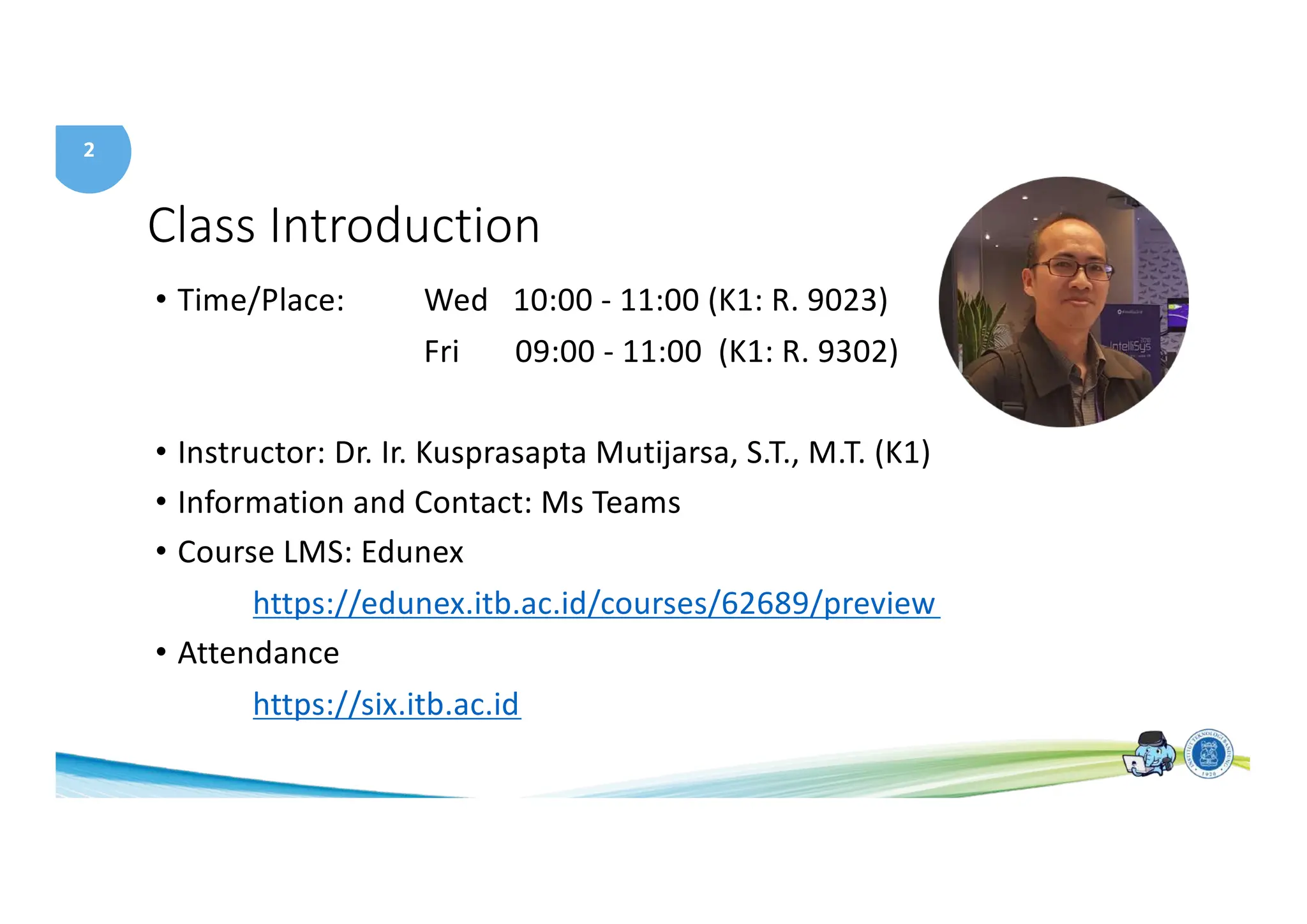
Class Introduction
• Time/Place: Wed 10:00 - 11:00 (K1: R. 9023)
Fri 09:00 - 11:00 (K1: R. 9302)
• Instructor: Dr. Ir. Kusprasapta Mutijarsa, S.T., M.T. (K1)
• Information and Contact: Ms Teams
• Course LMS: Edunex
https://edunex.itb.ac.id/courses/62689/preview
• Attendance
https://six.itb.ac.id
3
Requisite
• Prerequisite
• EL2002 Digital System
• EL2008 Problem Solving with Programming
• Corequisite
• Computer Architecture Laboratory
4
Arsitektur Sistem Komputer
5
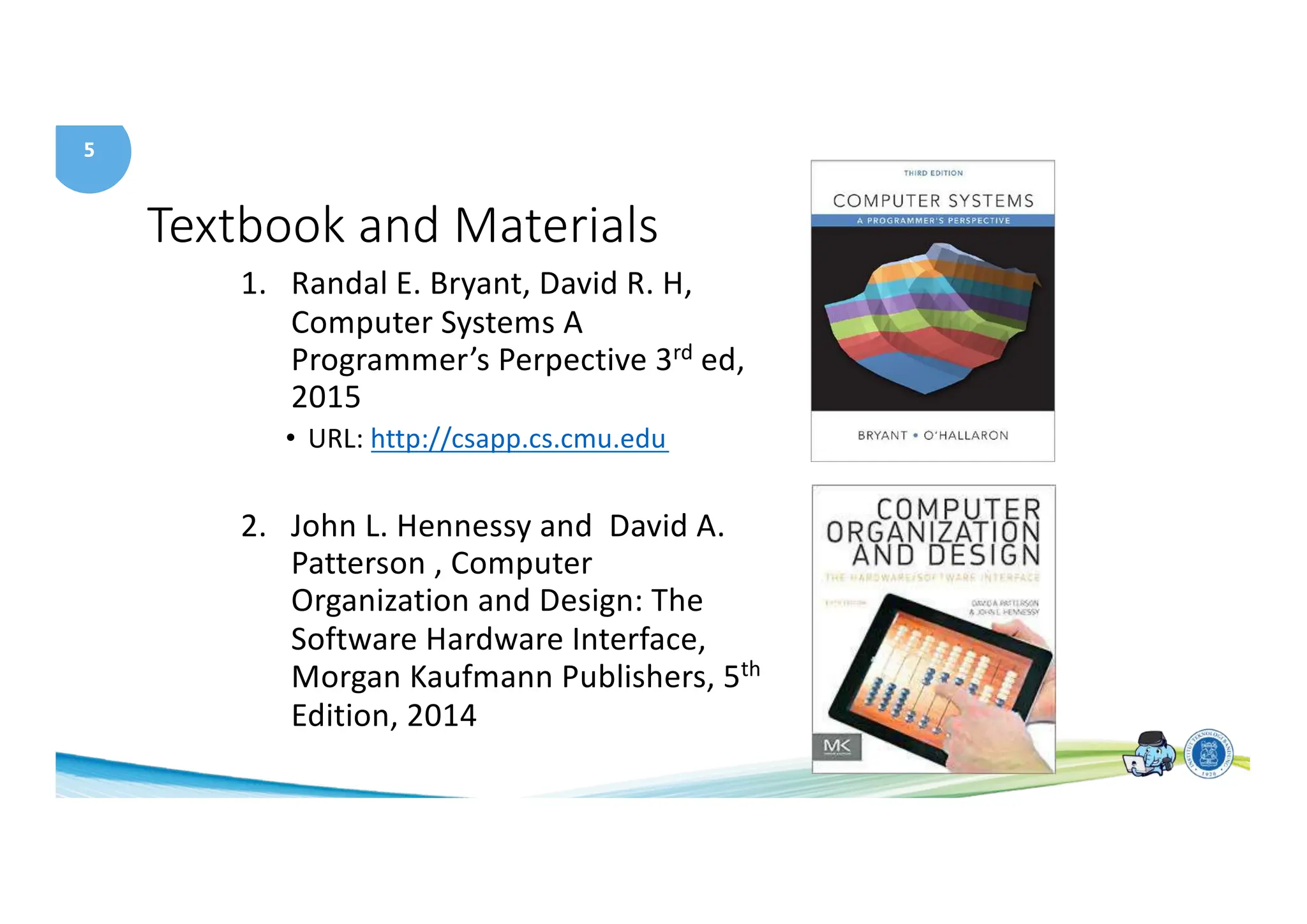
Textbook and Materials
1. Randal E. Bryant, David R. H,
Computer Systems A
Programmer’s Perpective 3rd ed,
2015
• URL: http://csapp.cs.cmu.edu
2. John L. Hennessy and David A.
Patterson , Computer
Organization and Design: The
Software Hardware Interface,
Morgan Kaufmann Publishers, 5th
Edition, 2014
6
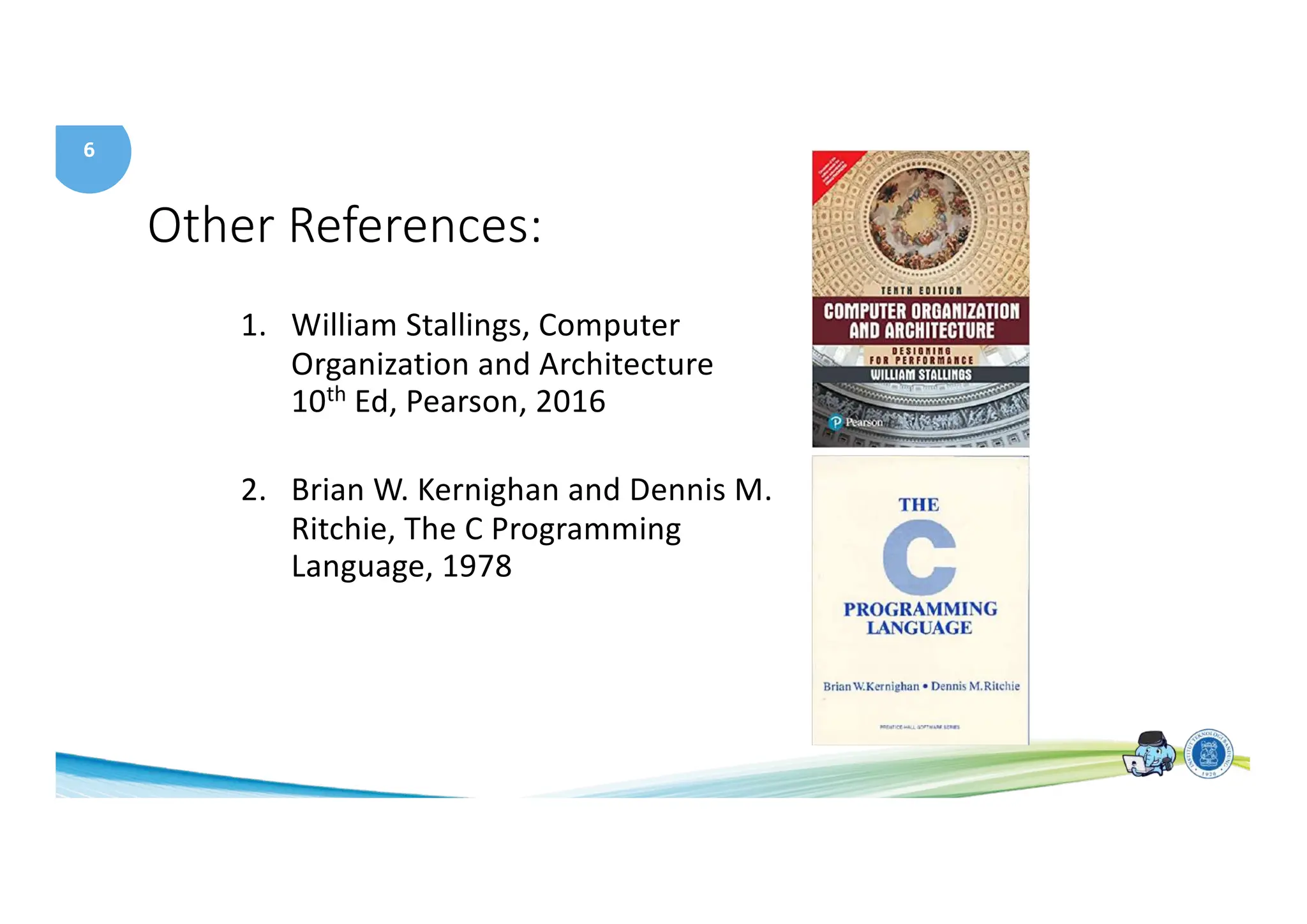
Other References:
1. William Stallings, Computer
Organization and Architecture
10th Ed, Pearson, 2016
2. Brian W. Kernighan and Dennis M.
Ritchie, The C Programming
Language, 1978
7
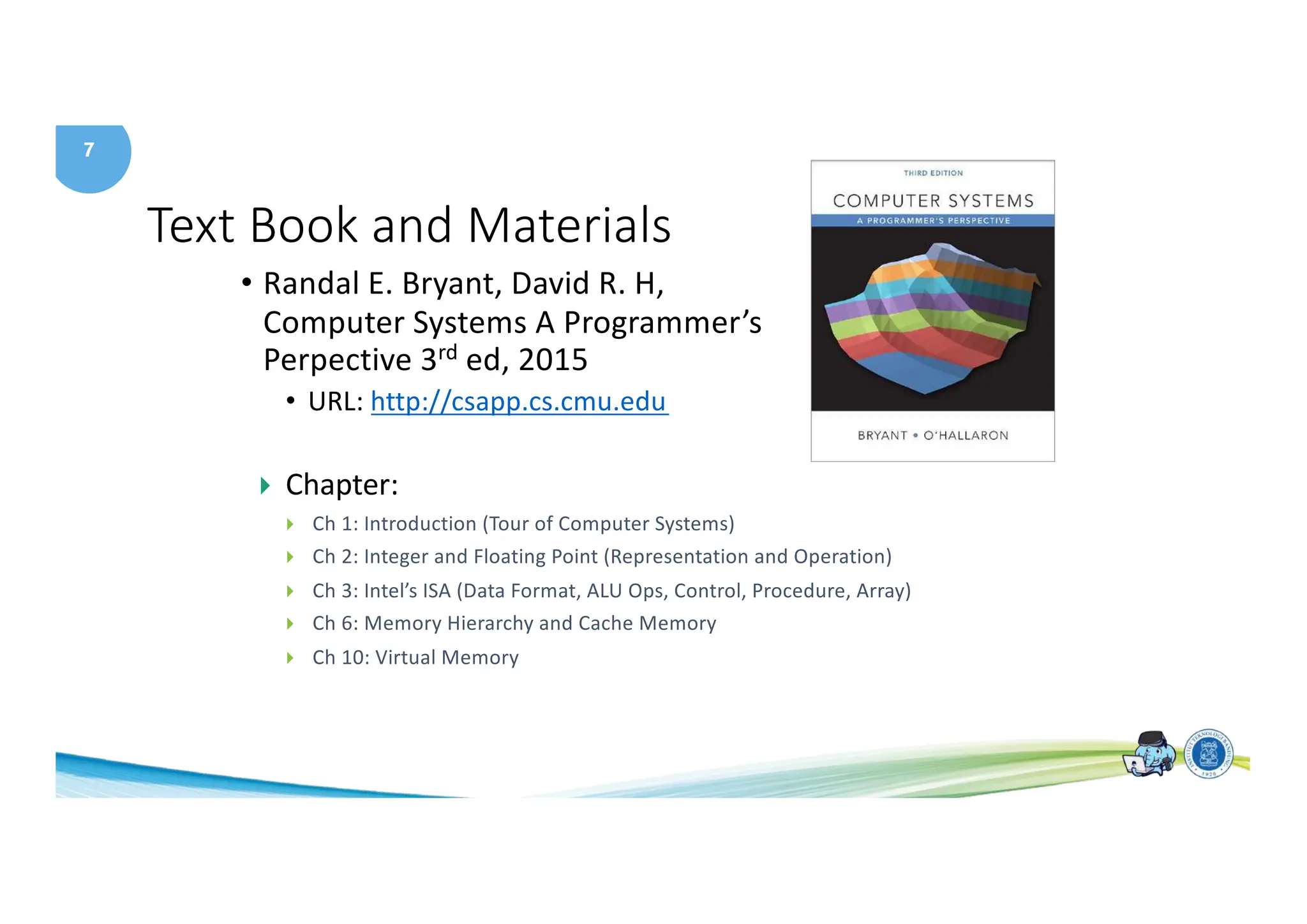
Text Book and Materials
• Randal E. Bryant, David R. H,
Computer Systems A Programmer’s
Perpective 3rd ed, 2015
• URL: http://csapp.cs.cmu.edu
} Chapter:
} Ch 1: Introduction (Tour of Computer Systems)
} Ch 2: Integer and Floating Point (Representation and Operation)
} Ch 3: Intel’s ISA (Data Format, ALU Ops, Control, Procedure, Array)
} Ch 6: Memory Hierarchy and Cache Memory
} Ch 10: Virtual Memory
8
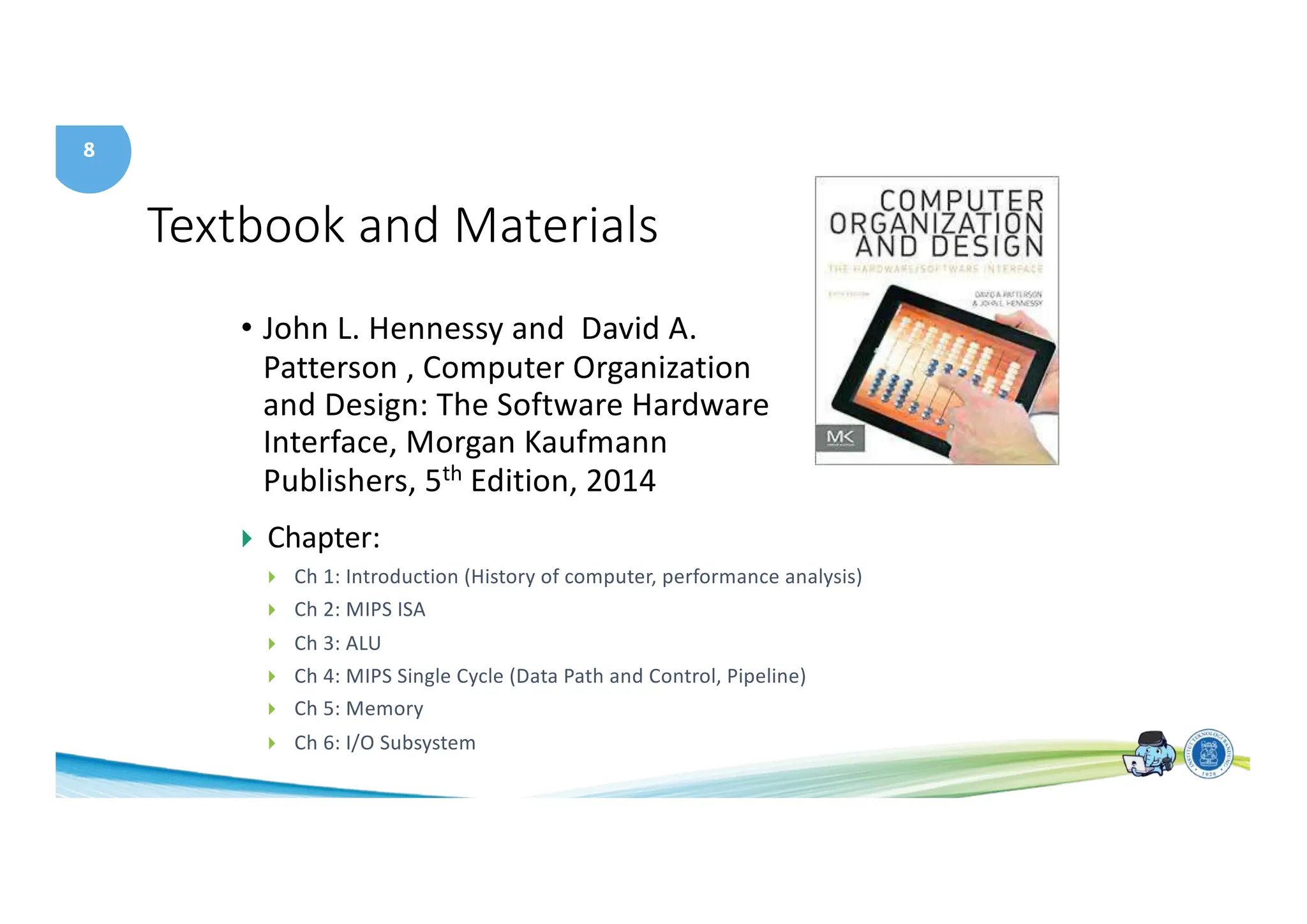
Textbook and Materials
• John L. Hennessy and David A.
Patterson , Computer Organization
and Design: The Software Hardware
Interface, Morgan Kaufmann
Publishers, 5th Edition, 2014
} Chapter:
} Ch 1: Introduction (History of computer, performance analysis)
} Ch 2: MIPS ISA
} Ch 3: ALU
} Ch 4: MIPS Single Cycle (Data Path and Control, Pipeline)
} Ch 5: Memory
} Ch 6: I/O Subsystem
9
Course Objectives
• This course will give you an in-depth understanding of the
inner-workings of modern digital computer systems and
tradeoffs present at the hardware-software interface.
• You will get an understanding of the design process in the
context of a complex hardware system and practical
experience with computer-aided design tools.
• Topics include Instruction set design, computer arithmetic,
controller and datapath design, memory systems, input-
output systems, network interrupts and exceptions,
pipelining, performance and cost analysis, computer
architecture history, and a survey of advanced architectures.
10
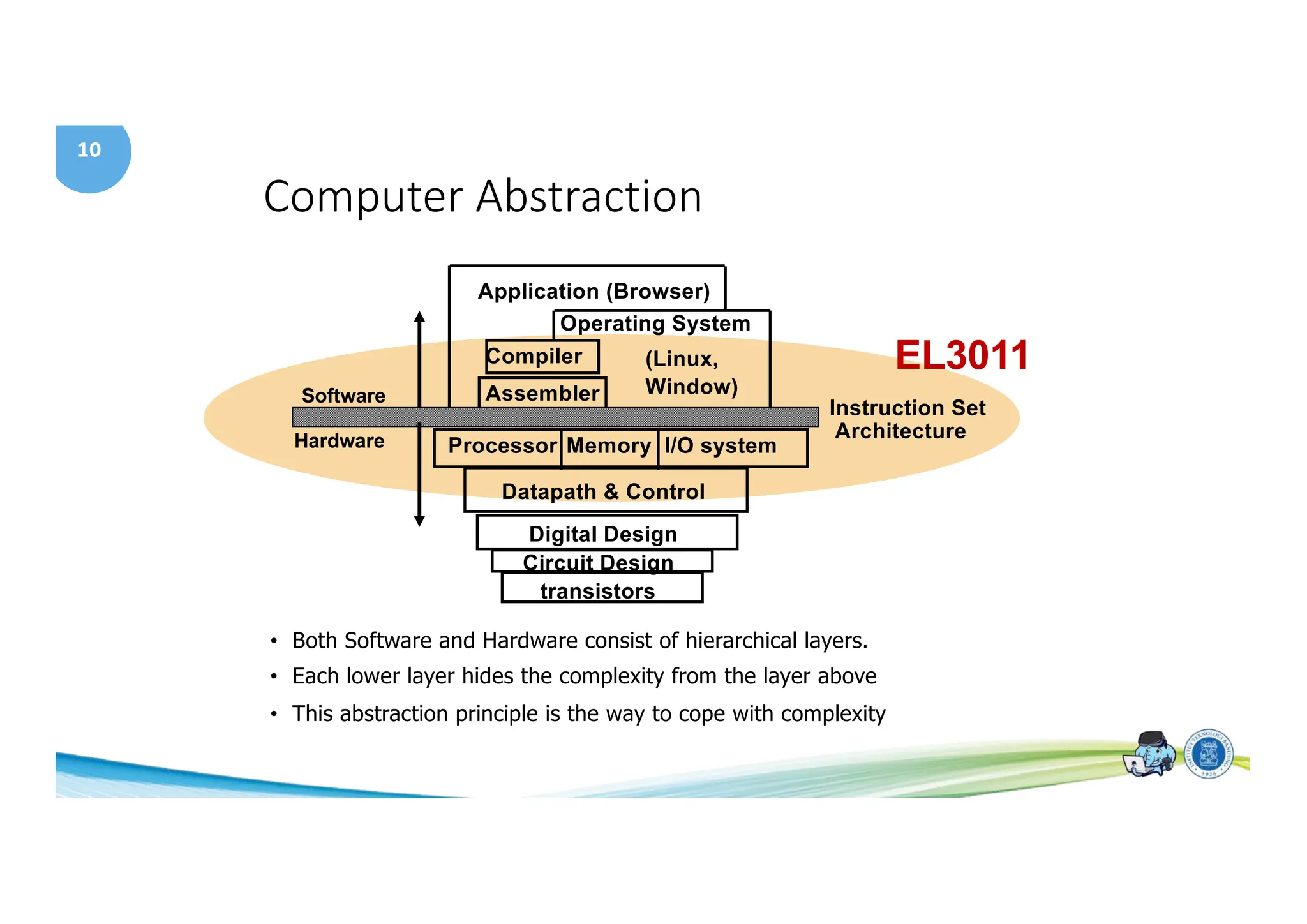
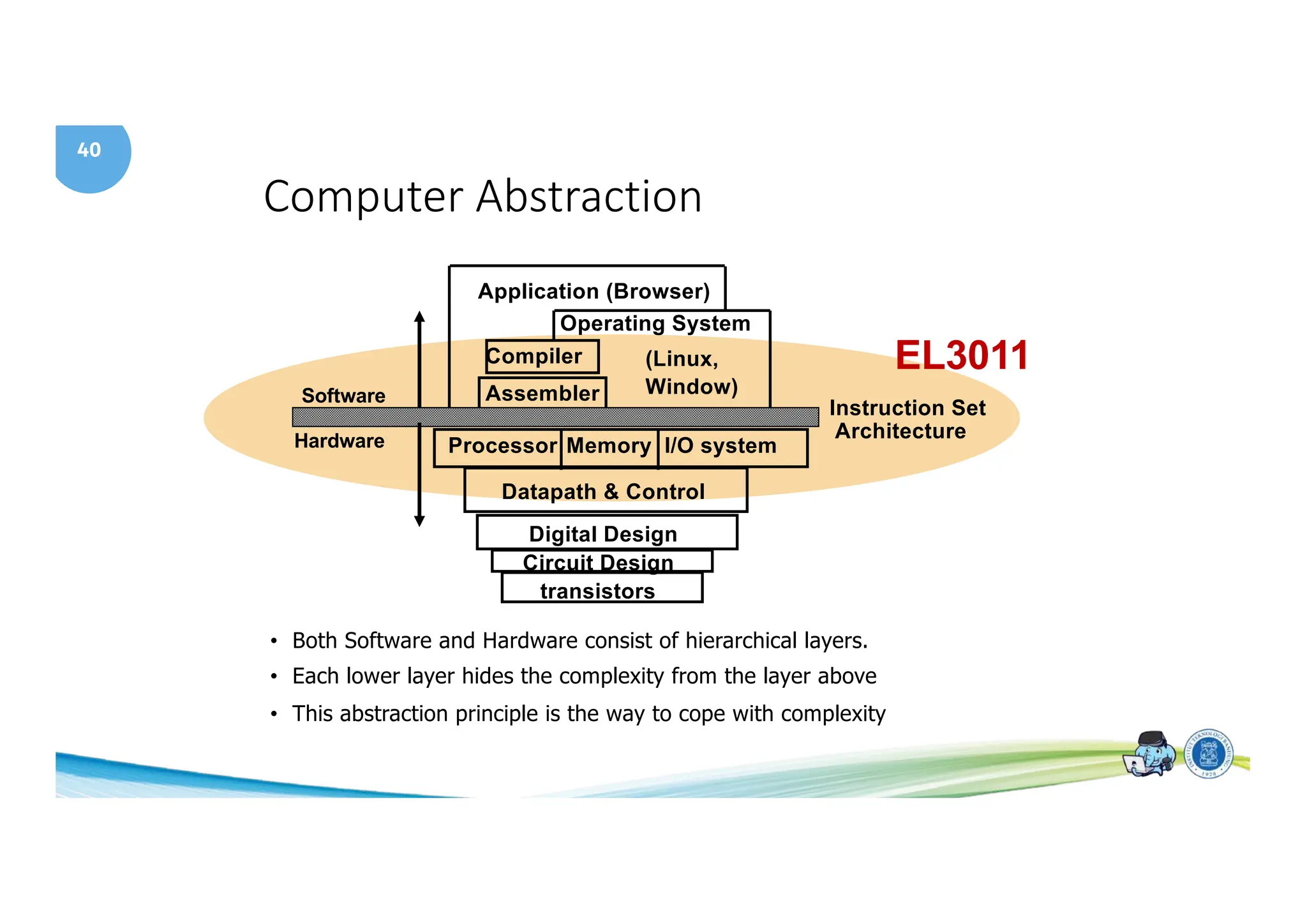
Computer Abstraction
I/O system
Processor
Compiler
Operating System
(Linux,
Window)
Application (Browser)
Digital Design
Circuit Design
Instruction Set
Architecture
• Both Software and Hardware consist of hierarchical layers.
• Each lower layer hides the complexity from the layer above
• This abstraction principle is the way to cope with complexity
Datapath & Control
transistors
Memory
Hardware
Software Assembler
EL3011
11
Course
schedule
Week Topics Reference
1 Course Introduction, Tour of Computer System [CSAP] Ch1, [P&H] Ch1
2 Bit Representation and Operations [CSAP] Ch2
3 Integer Representation and Operations [CSAP] Ch2
4 Floating Point Representation [CSAP] Ch2
5 Intel Processor – Assembly Language [CSAP] Ch3
6 Intel Processor – Control, Stack and Procedure [CSAP] Ch3
7 MIPS Instruction Set Architecture [P&H] Ch3
8 Mid Term Exam
9 MIPS Instruction Set Architecture [P&H] Ch3
10 MIPS Arithmetic [P&H] Ch3
11 MIPS Data Path and Control [P&H] Ch3
12 MIPS Single Cycle Instruction [P&H] Ch3
13 Pipeline [P&H] Ch4
14 Memory Hierarchy [CSAP] Ch 6
15 Cache Memory [CSAP] Ch 6
16 Final Exam
12
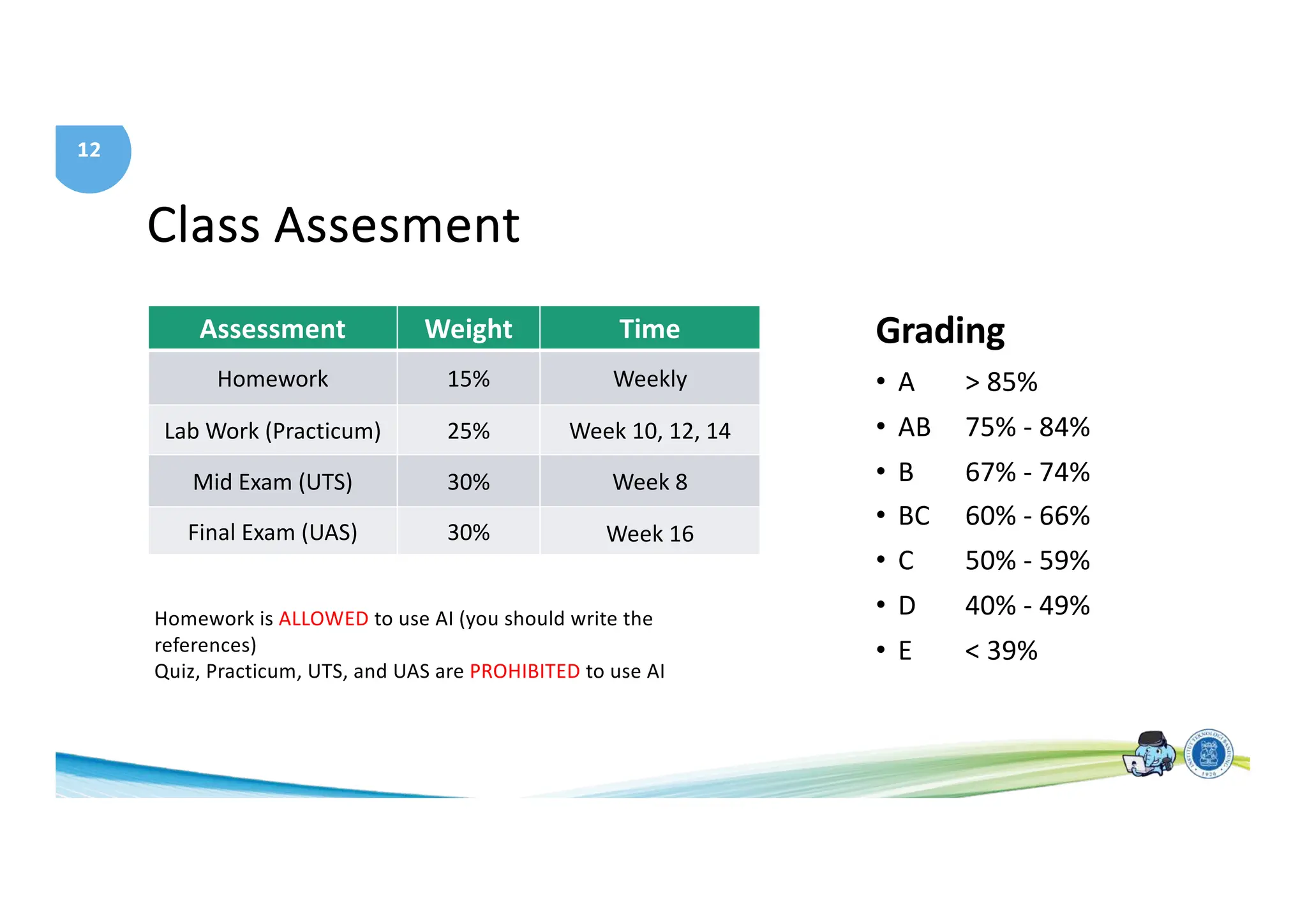
Class Assesment
Assessment Weight Time
Homework 15% Weekly
Lab Work (Practicum) 25% Week 10, 12, 14
Mid Exam (UTS) 30% Week 8
Final Exam (UAS) 30% Week 16
Grading
• A > 85%
• AB 75% - 84%
• B 67% - 74%
• BC 60% - 66%
• C 50% - 59%
• D 40% - 49%
• E < 39%
Homework is ALLOWED to use AI (you should write the
references)
Quiz, Practicum, UTS, and UAS are PROHIBITED to use AI
13
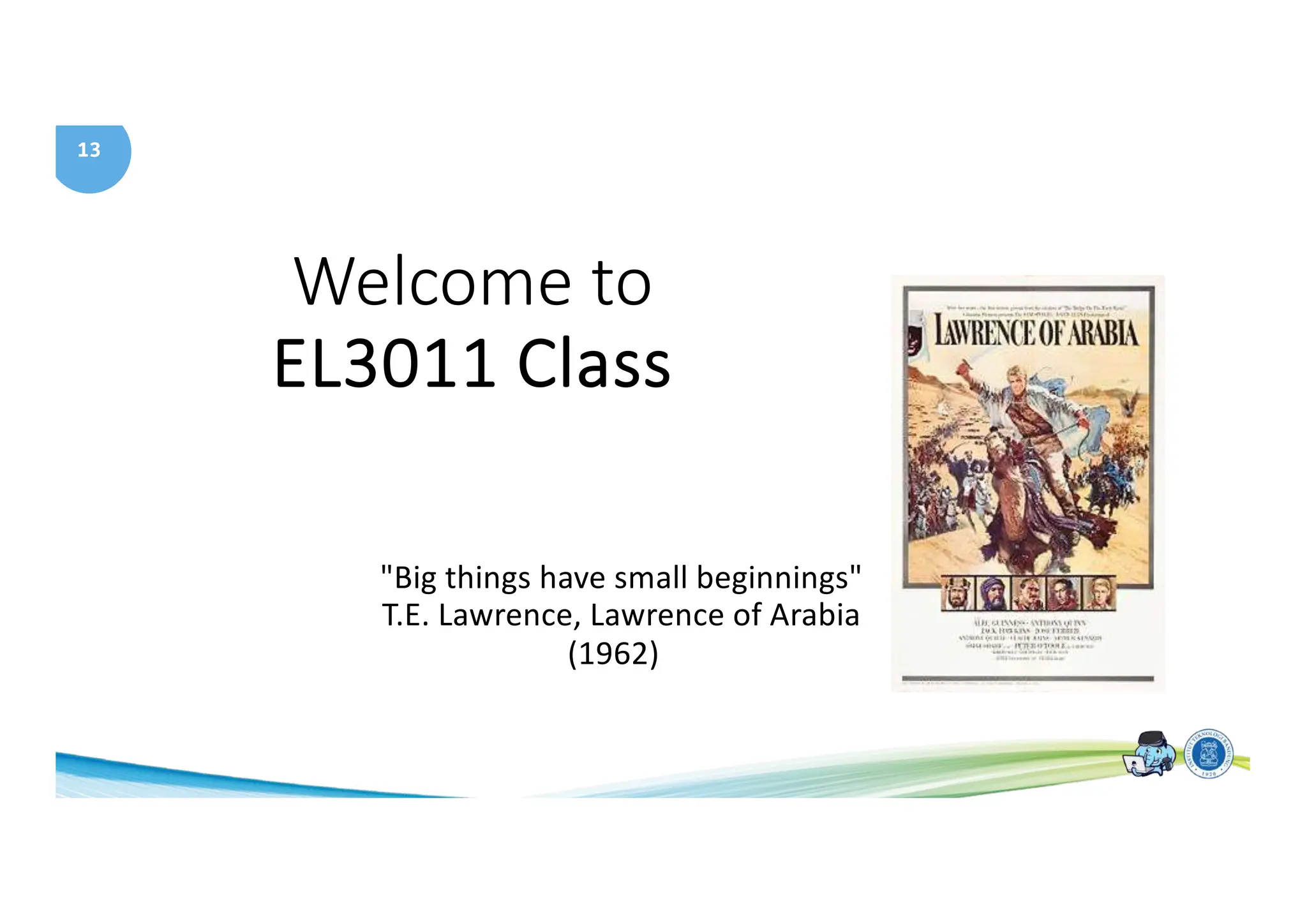
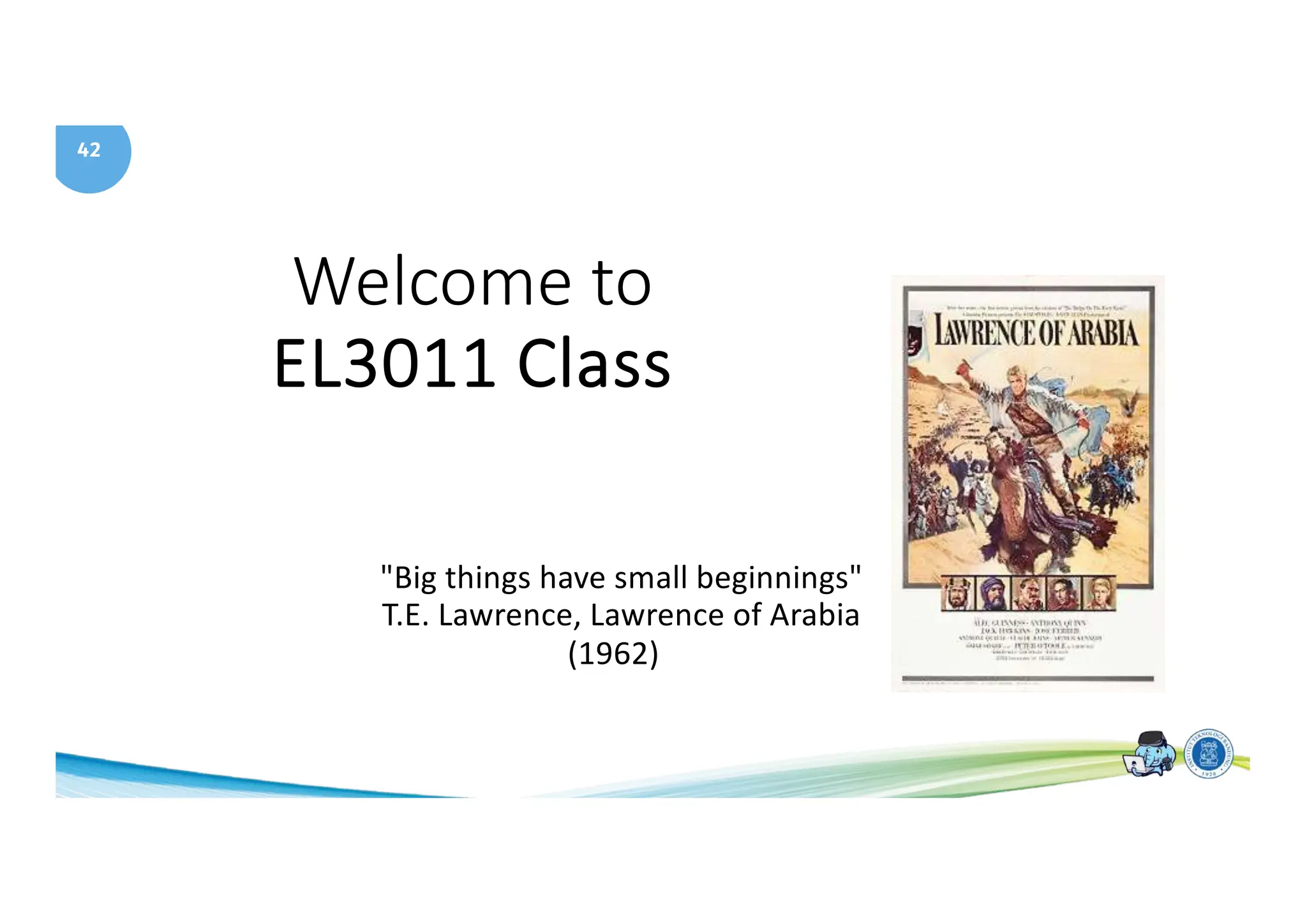
Welcome to
EL3011 Class
"Big things have small beginnings"
T.E. Lawrence, Lawrence of Arabia
(1962)
14
A Tour of Computer Systems
15
Topics
• Understanding of computer system
• Compiler System
• Hardware Organizations
• Bus, I/O Device, Memory, Processor
• Cache memory
• Operating System
• Virtual memory
16
Computer System
• Hardware and Operating system works together to
execute an application.
• Implementation of a computer can change but not
the concept
17
Why you should be in this class?
• To become knowledgeable about the interaction
between software and hardware.
• Learn to avoid numeric error
• Learn to exploit the underlying hardware
• Learn the details of designing a processor (MIPS)
18
Program hello
• Classic first program
• hello program is created using a text editor and
saved as hello.c
• Source program is a sequence of bits, each with a value 0
or 1, organized into 8 bits called byte
• Each byte represents a character
• hello.c is stored in a file as a sequence of bytes.
19
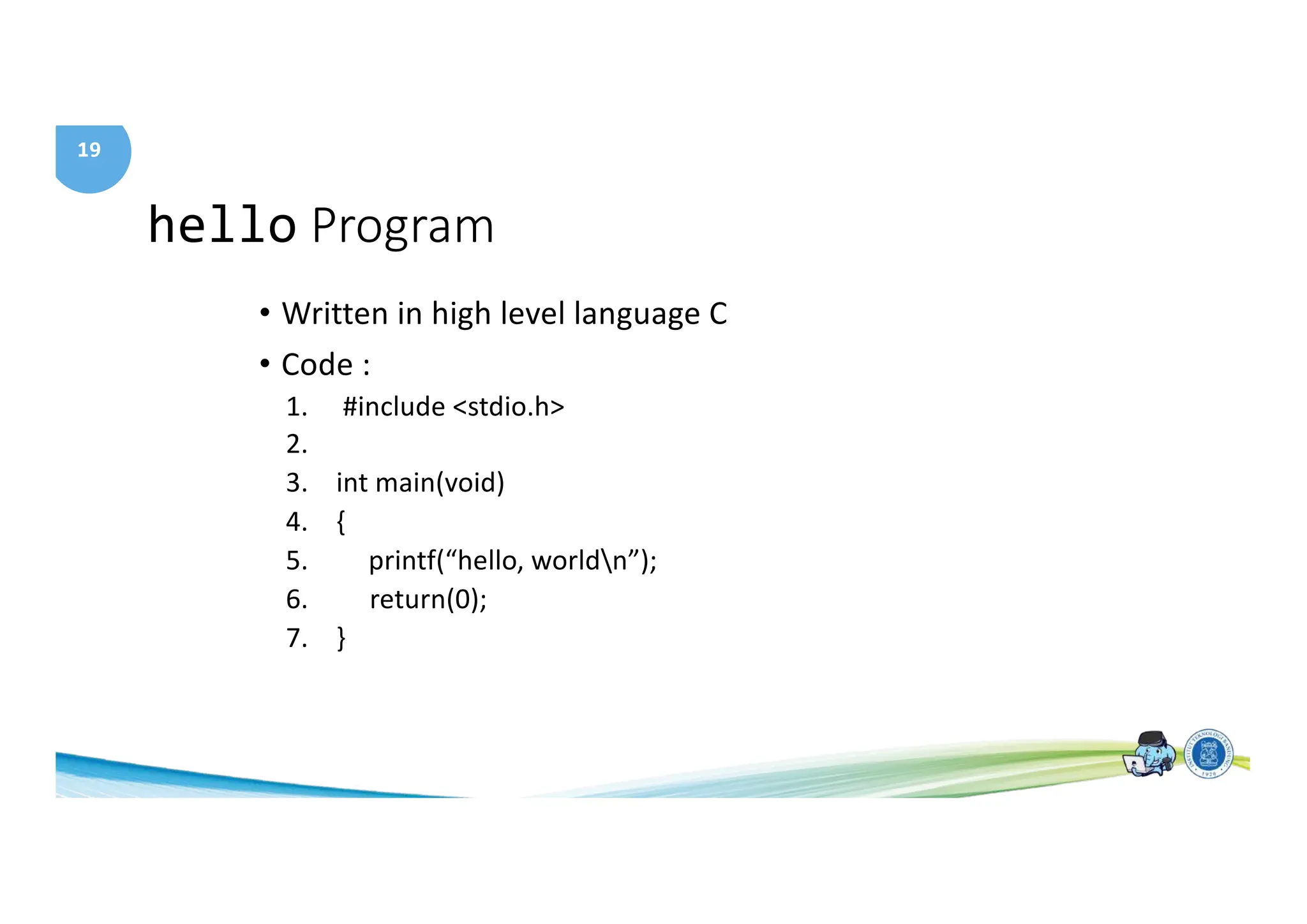
hello Program
• Written in high level language C
• Code :
1. #include <stdio.h>
2.
3. int main(void)
4. {
5. printf(“hello, worldn”);
6. return(0);
7. }
20
hello Program
• Every C statement must be translated to machine
instructions (in binary)
• These insstructions are then packaged into an
executable object program and stored in a binary file
• Translation process is performed by a compiler
21
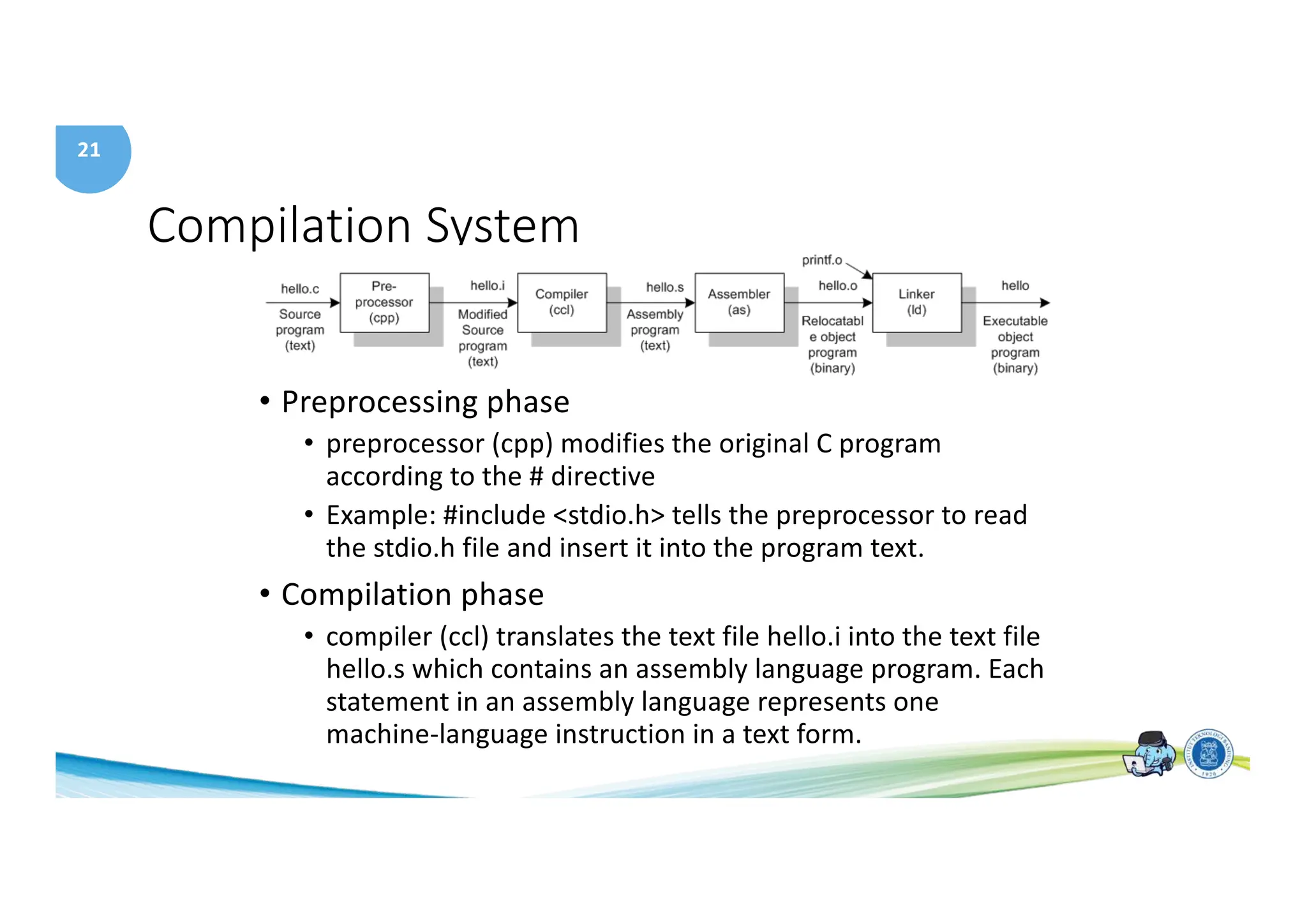
Compilation System
• Preprocessing phase
• preprocessor (cpp) modifies the original C program
according to the # directive
• Example: #include <stdio.h> tells the preprocessor to read
the stdio.h file and insert it into the program text.
• Compilation phase
• compiler (ccl) translates the text file hello.i into the text file
hello.s which contains an assembly language program. Each
statement in an assembly language represents one
machine-language instruction in a text form.
22
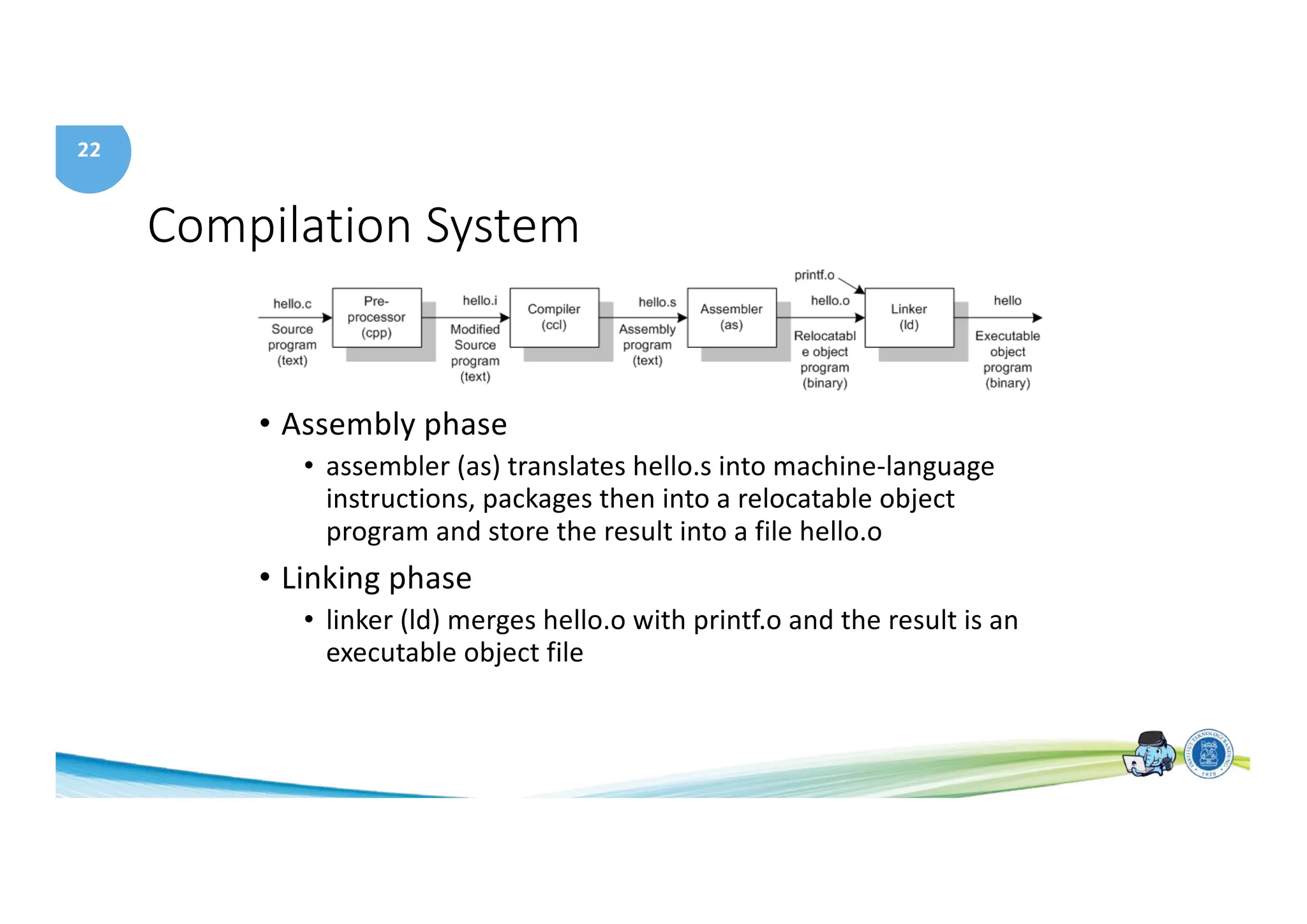
Compilation System
• Assembly phase
• assembler (as) translates hello.s into machine-language
instructions, packages then into a relocatable object
program and store the result into a file hello.o
• Linking phase
• linker (ld) merges hello.o with printf.o and the result is an
executable object file
23
Understand how compilation system works
• Optimizing program performance
• Example :
• Which one more efficient?
• switch or if-then-else ?
• while or do ?
• Using pointer or array indexes?
• Which is faster local variable or passed by reference?
• Understanding link time error
• What is link error?
• What is static or dynamic library?
• Avoid security holes
• Buffer overflow bugs
24
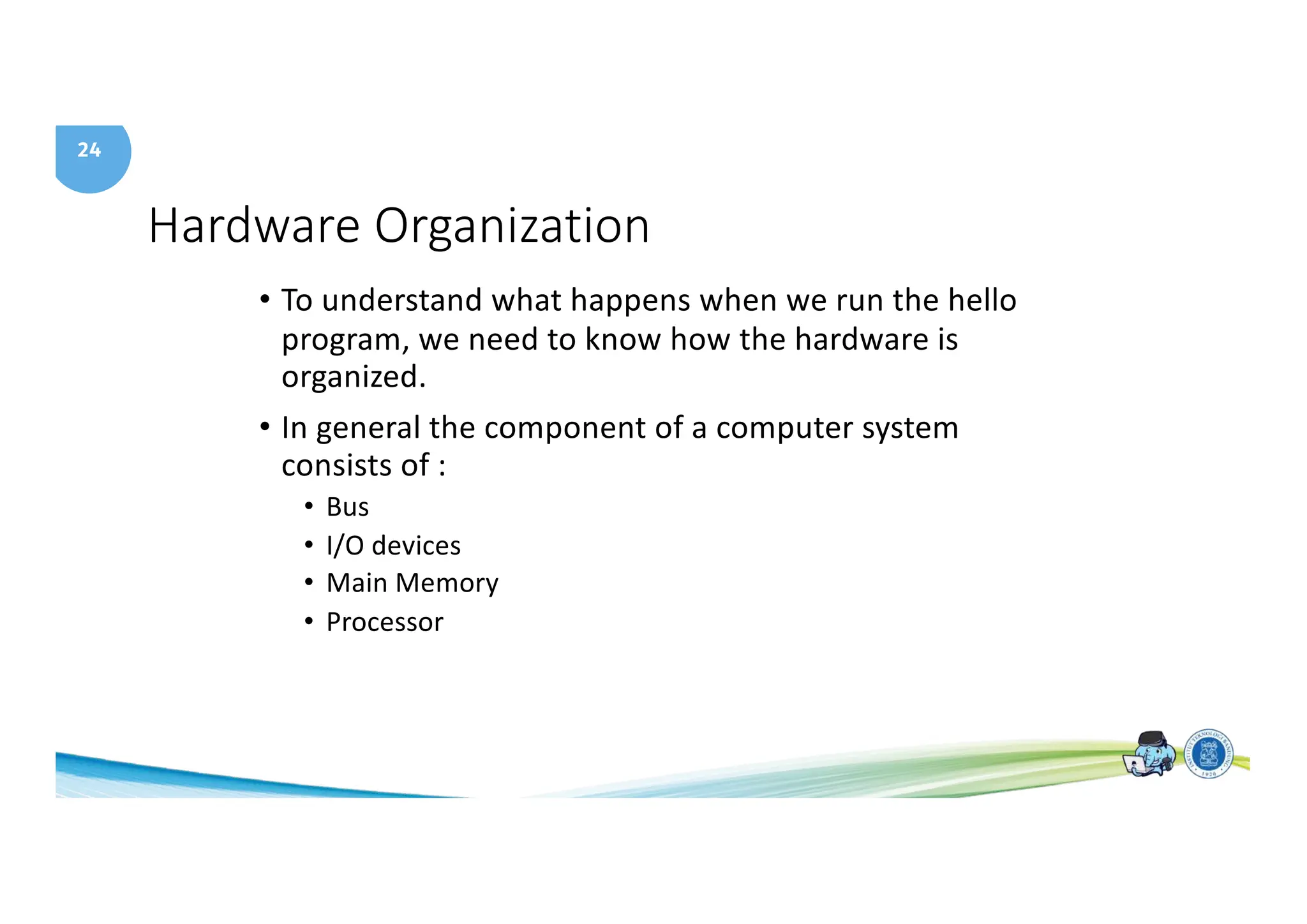
Hardware Organization
• To understand what happens when we run the hello
program, we need to know how the hardware is
organized.
• In general the component of a computer system
consists of :
• Bus
• I/O devices
• Main Memory
• Processor
25
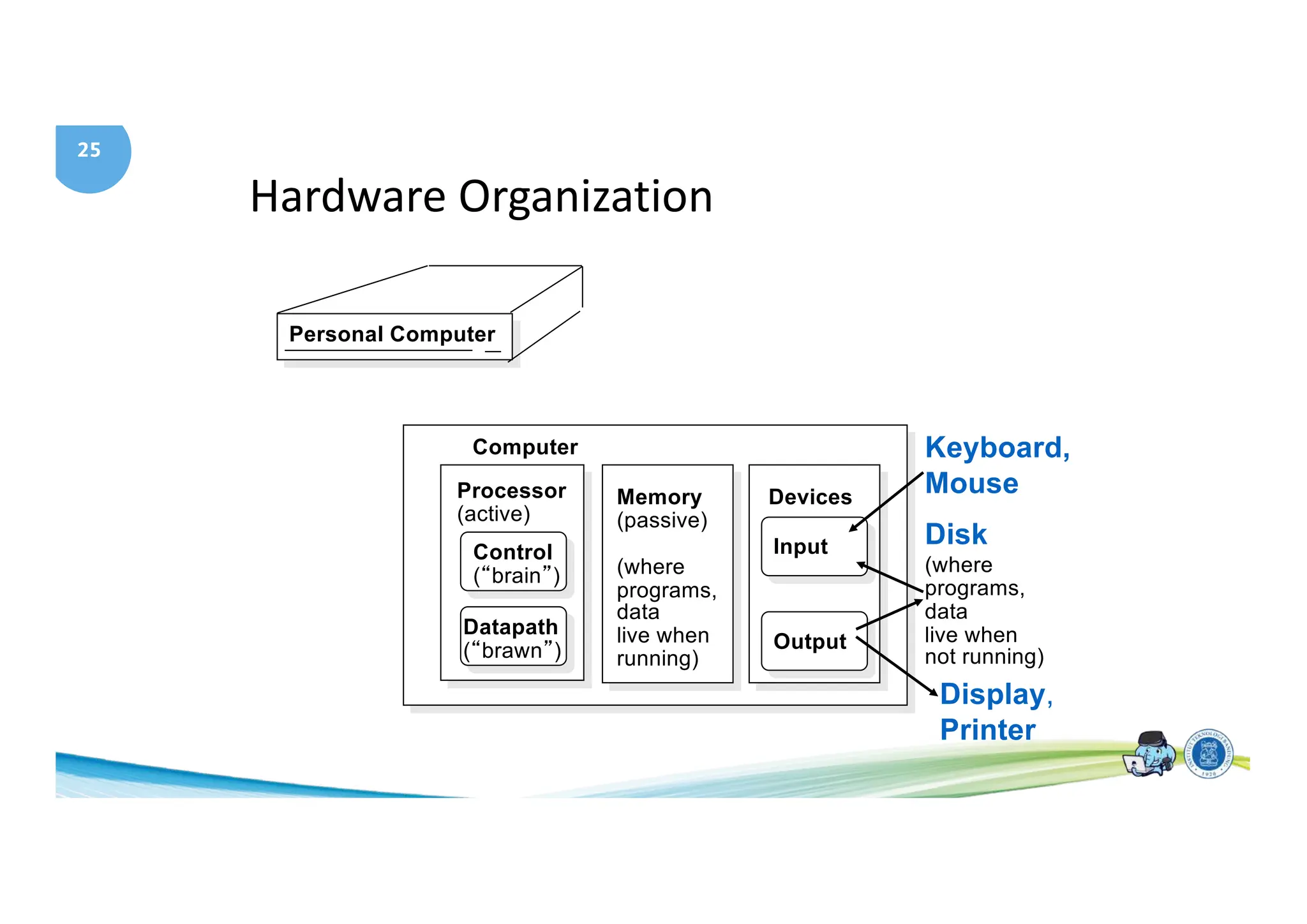
Hardware Organization
Personal Computer
Processor
(active)
Computer
Control
(“brain”)
Datapath
(“brawn”)
Memory
(passive)
(where
programs,
data
live when
running)
Devices
Input
Output
Keyboard,
Mouse
Display,
Printer
Disk
(where
programs,
data
live when
not running)
26
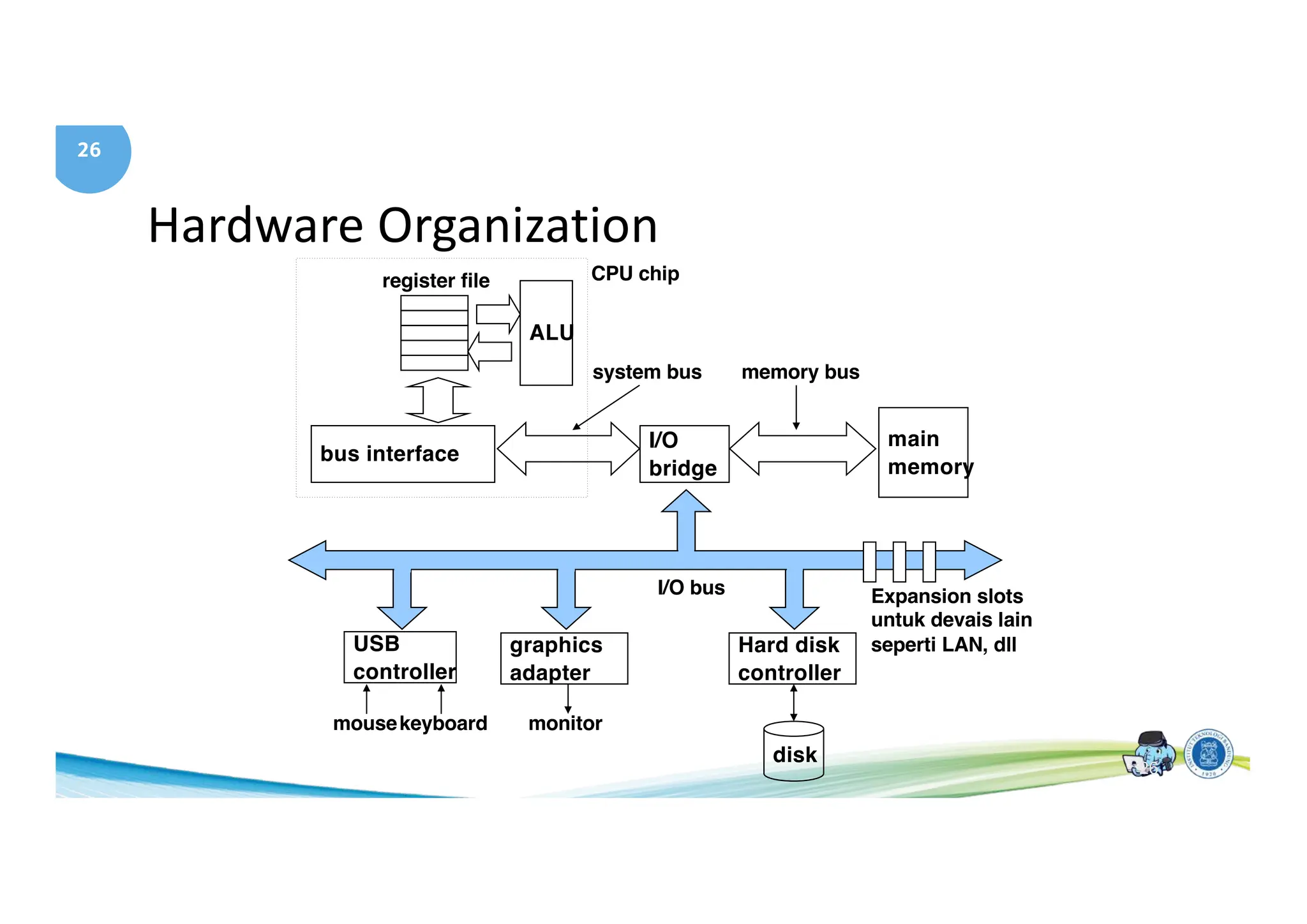
Hardware Organization
main
memory
I/O
bridge
bus interface
ALU
register file CPU chip
system bus memory bus
Hard disk
controller
graphics
adapter
USB
controller
mousekeyboard monitor
disk
I/O bus Expansion slots
untuk devais lain
seperti LAN, dll
26
27
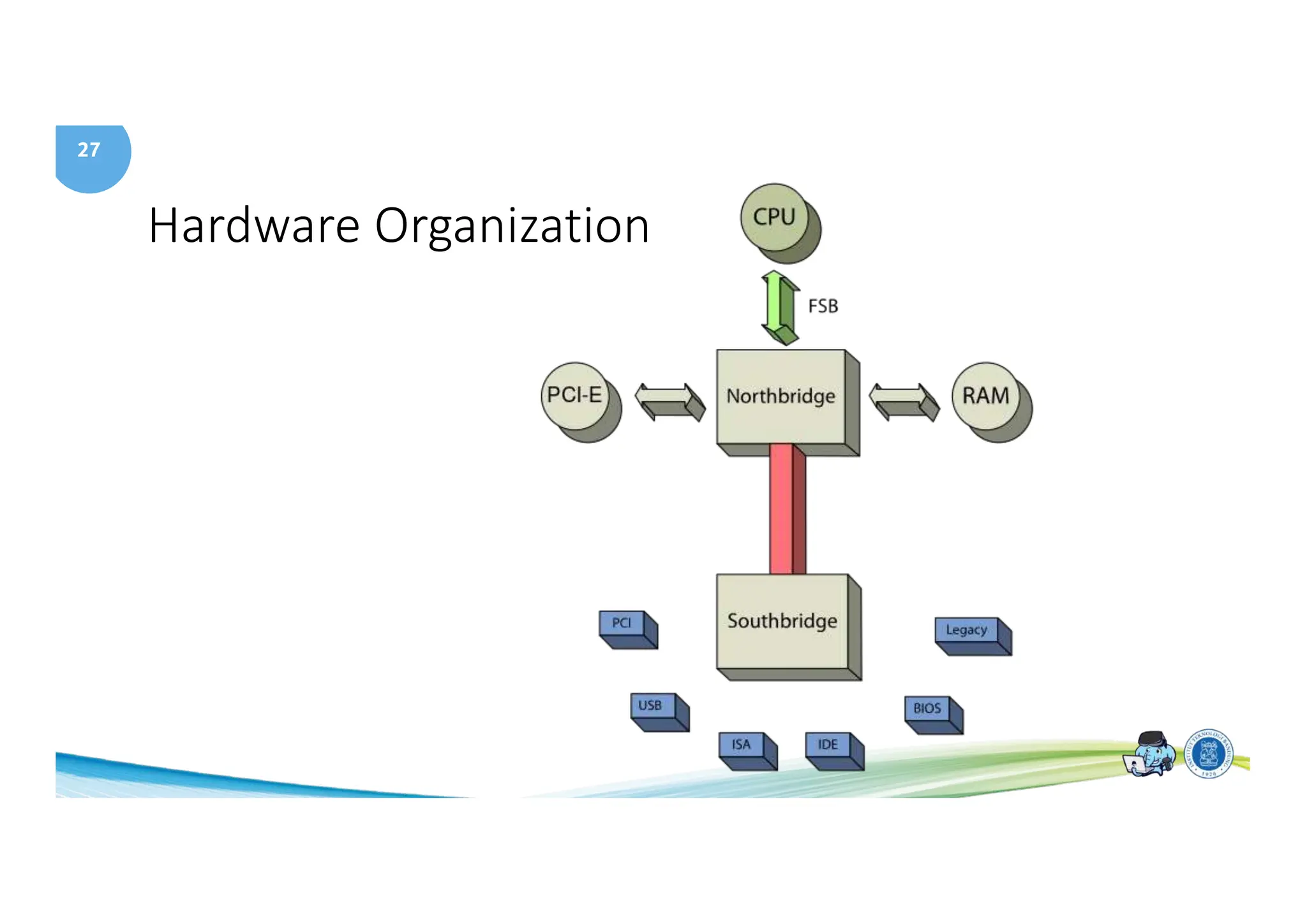
Hardware Organization
28
Hardware Organization
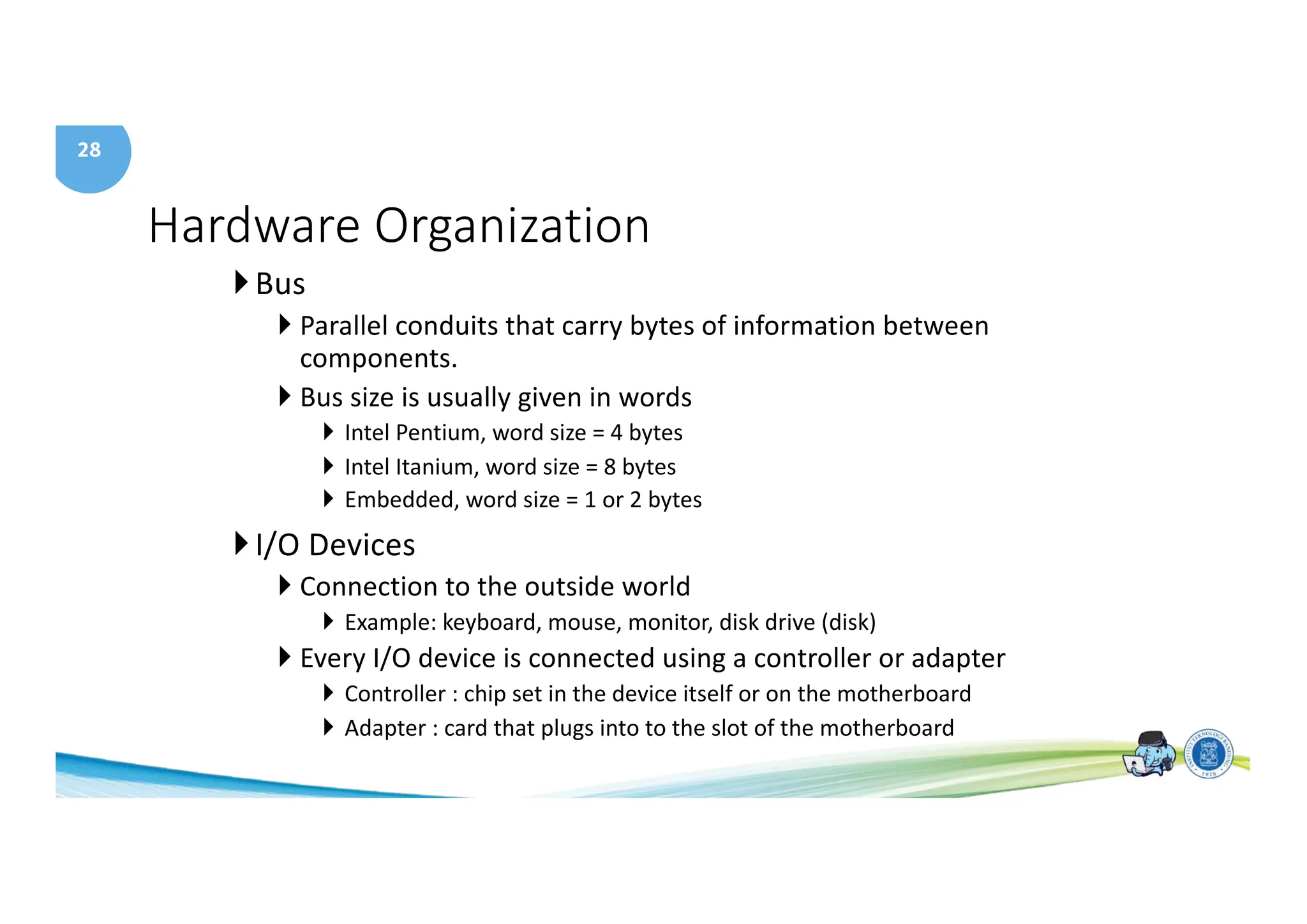
}Bus
} Parallel conduits that carry bytes of information between
components.
} Bus size is usually given in words
} Intel Pentium, word size = 4 bytes
} Intel Itanium, word size = 8 bytes
} Embedded, word size = 1 or 2 bytes
}I/O Devices
} Connection to the outside world
} Example: keyboard, mouse, monitor, disk drive (disk)
} Every I/O device is connected using a controller or adapter
} Controller : chip set in the device itself or on the motherboard
} Adapter : card that plugs into to the slot of the motherboard
29
Hardware Organization
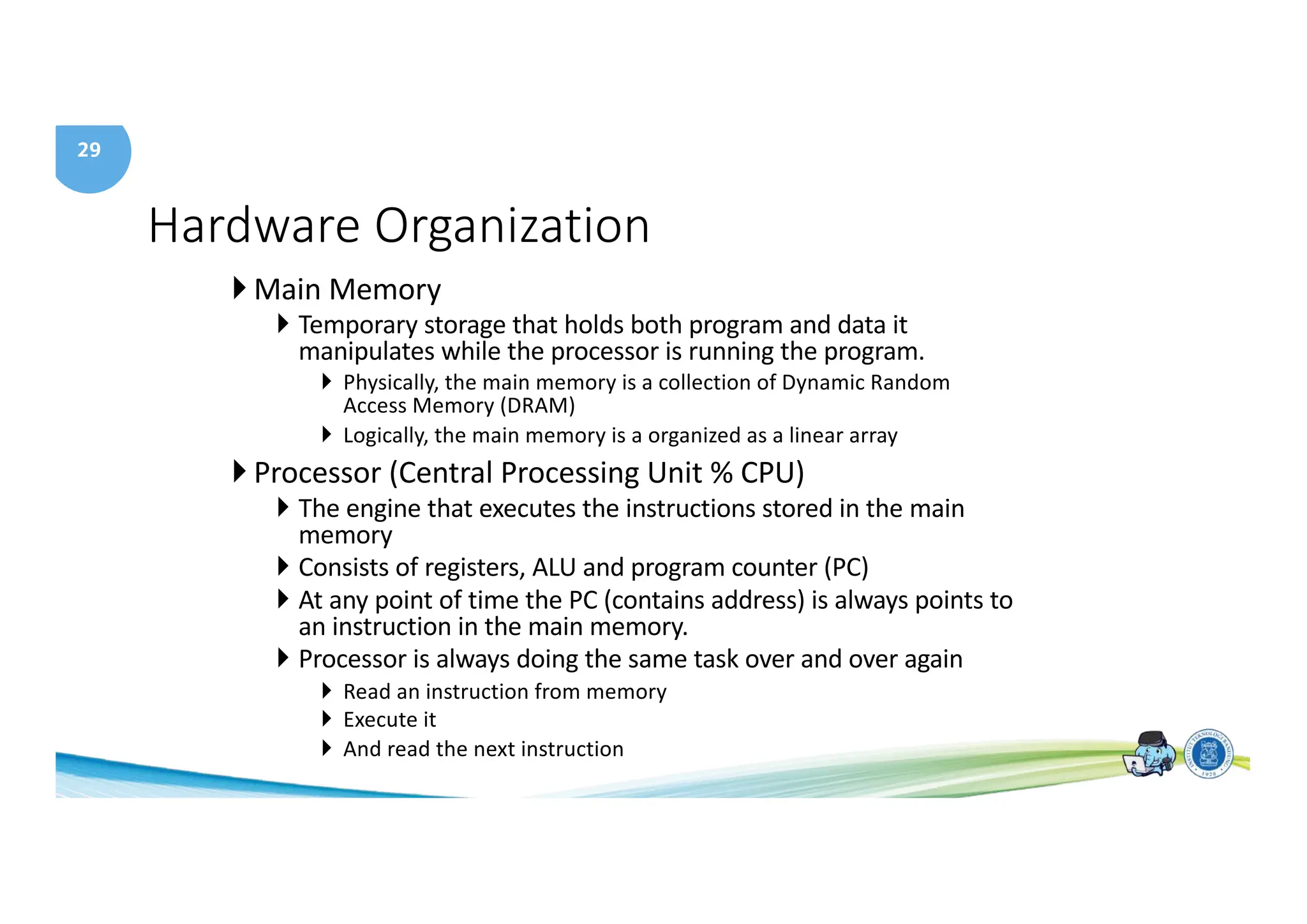
} Main Memory
} Temporary storage that holds both program and data it
manipulates while the processor is running the program.
} Physically, the main memory is a collection of Dynamic Random
Access Memory (DRAM)
} Logically, the main memory is a organized as a linear array
} Processor (Central Processing Unit % CPU)
} The engine that executes the instructions stored in the main
memory
} Consists of registers, ALU and program counter (PC)
} At any point of time the PC (contains address) is always points to
an instruction in the main memory.
} Processor is always doing the same task over and over again
} Read an instruction from memory
} Execute it
} And read the next instruction
30
Hardware Organization
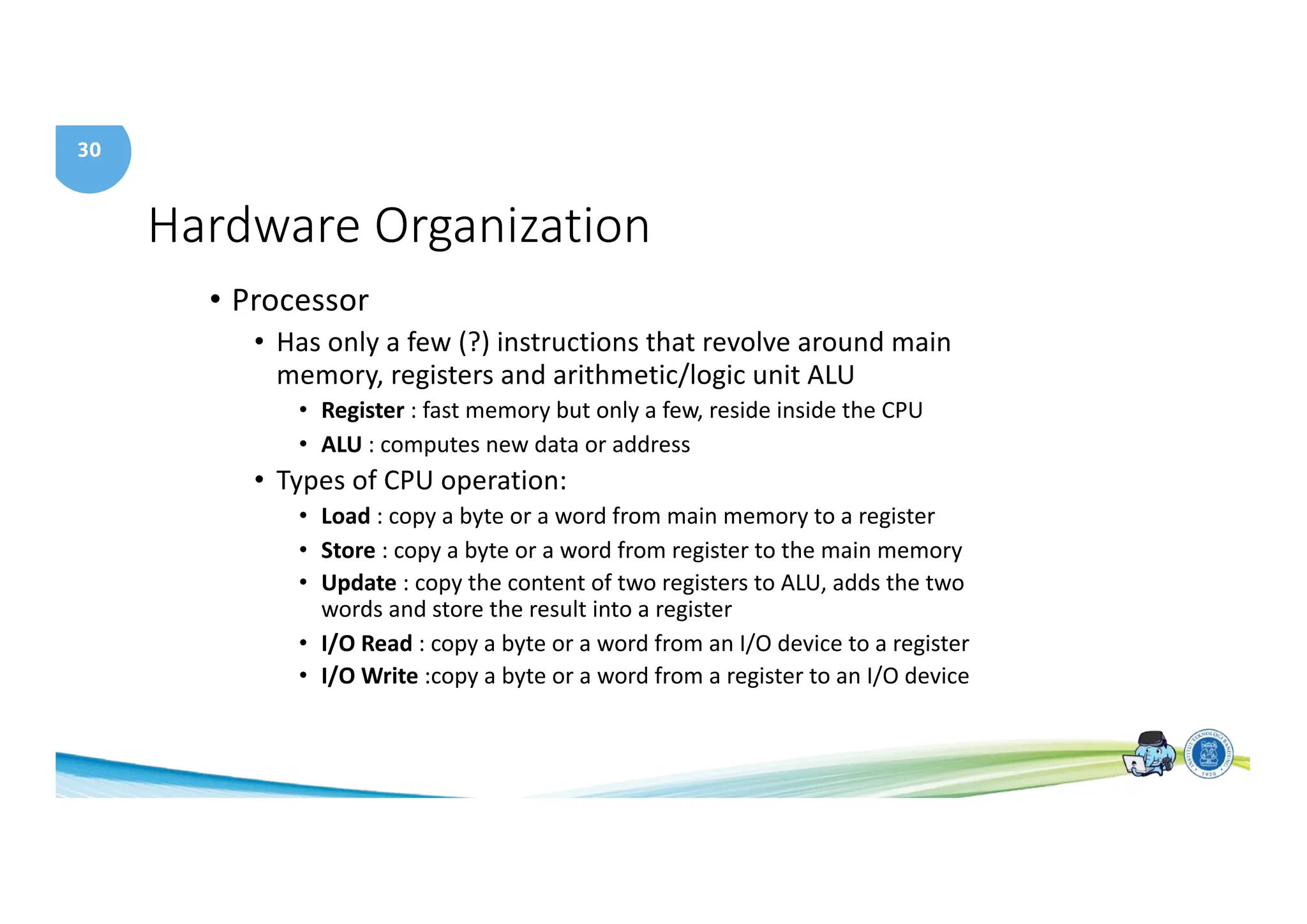
• Processor
• Has only a few (?) instructions that revolve around main
memory, registers and arithmetic/logic unit ALU
• Register : fast memory but only a few, reside inside the CPU
• ALU : computes new data or address
• Types of CPU operation:
• Load : copy a byte or a word from main memory to a register
• Store : copy a byte or a word from register to the main memory
• Update : copy the content of two registers to ALU, adds the two
words and store the result into a register
• I/O Read : copy a byte or a word from an I/O device to a register
• I/O Write :copy a byte or a word from a register to an I/O device
31
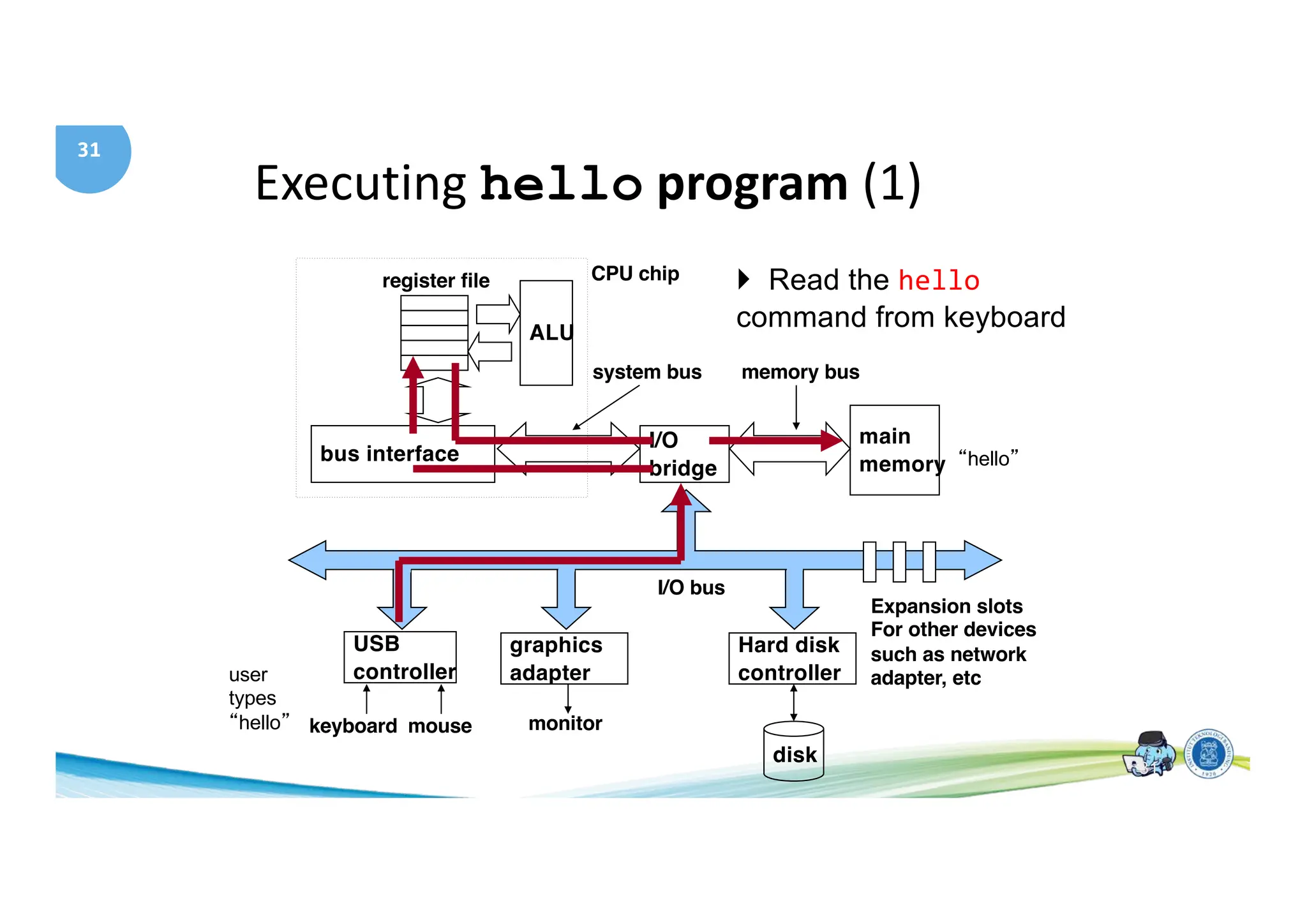
Executing hello program (1)
main
memory
I/O
bridge
bus interface
ALU
register file CPU chip
system bus memory bus
Hard disk
controller
graphics
adapter
USB
controller
mouse
keyboard monitor
disk
I/O bus
Expansion slots
For other devices
such as network
adapter, etc
} Read the hello
command from keyboard
“hello”
user
types
“hello”
31
32
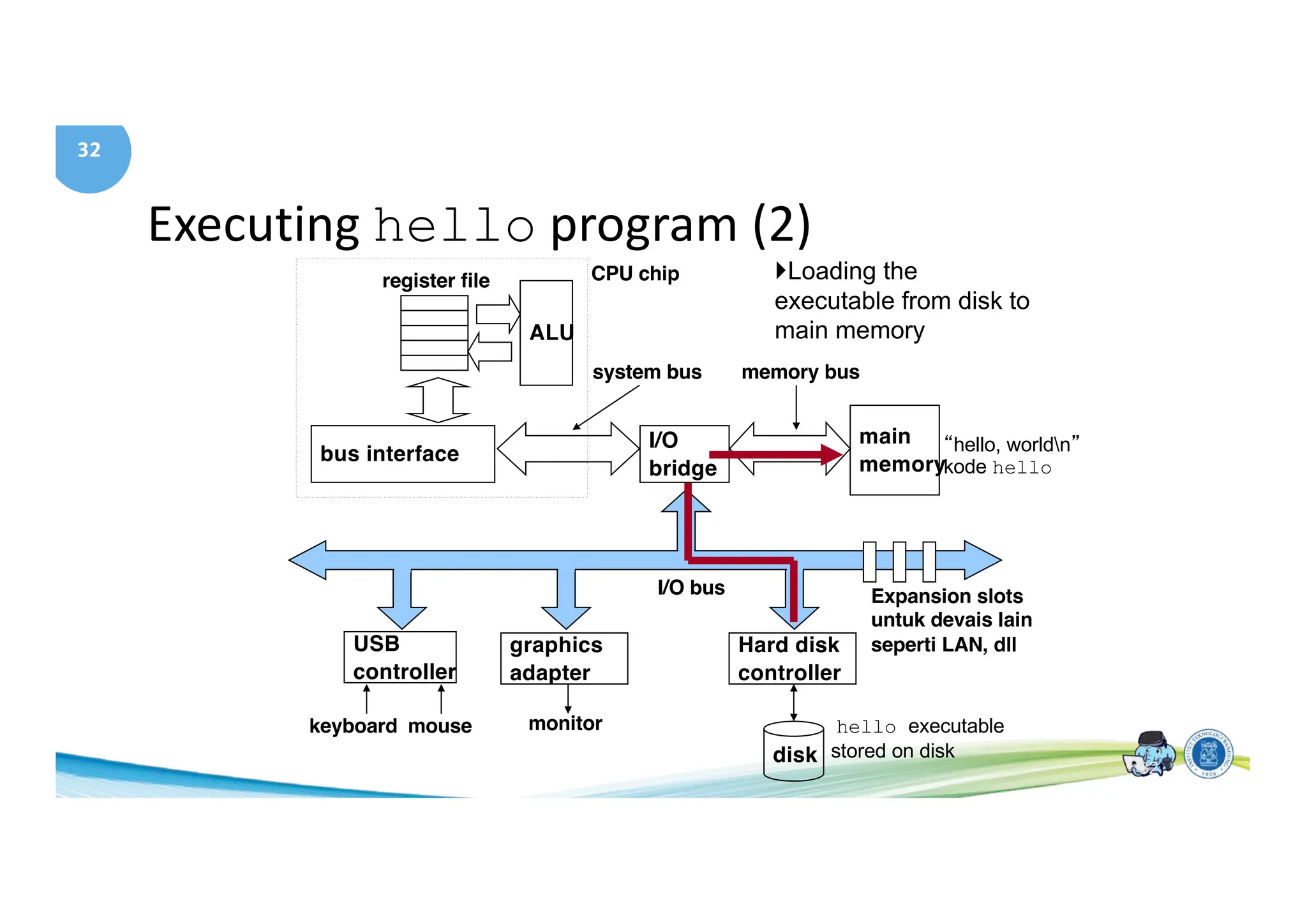
Executing hello program (2)
main
memory
I/O
bridge
bus interface
ALU
register file CPU chip
system bus memory bus
Hard disk
controller
graphics
adapter
USB
controller
mouse
keyboard monitor
disk
I/O bus Expansion slots
untuk devais lain
seperti LAN, dll
}Loading the
executable from disk to
main memory
hello executable
stored on disk
“hello, worldn”
kode hello
32
33
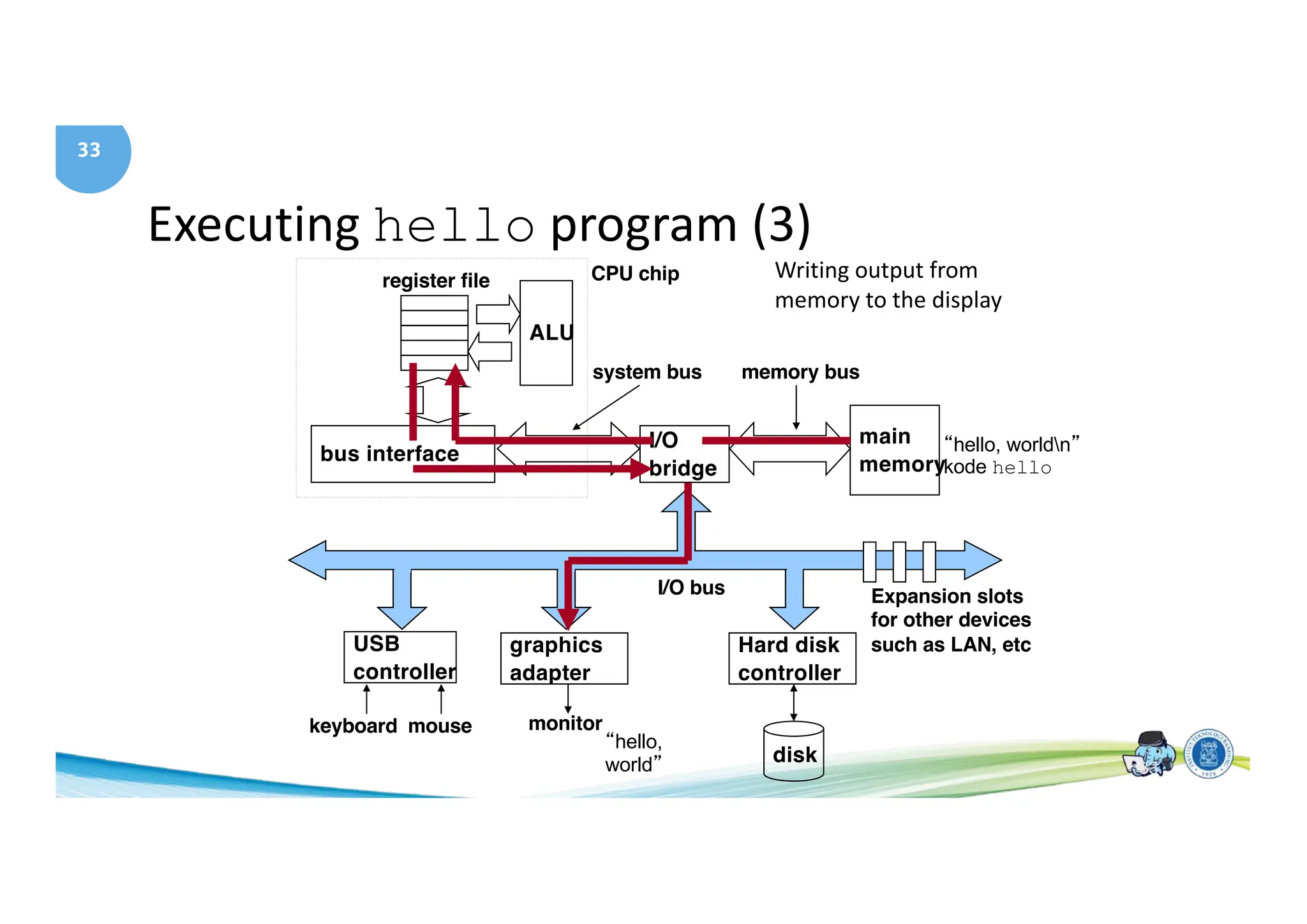
Executing hello program (3)
main
memory
I/O
bridge
bus interface
ALU
register file CPU chip
system bus memory bus
Hard disk
controller
graphics
adapter
USB
controller
mouse
keyboard monitor
disk
I/O bus Expansion slots
for other devices
such as LAN, etc
Writing output from
memory to the display
“hello, worldn”
kode hello
“hello,
world” 33
34
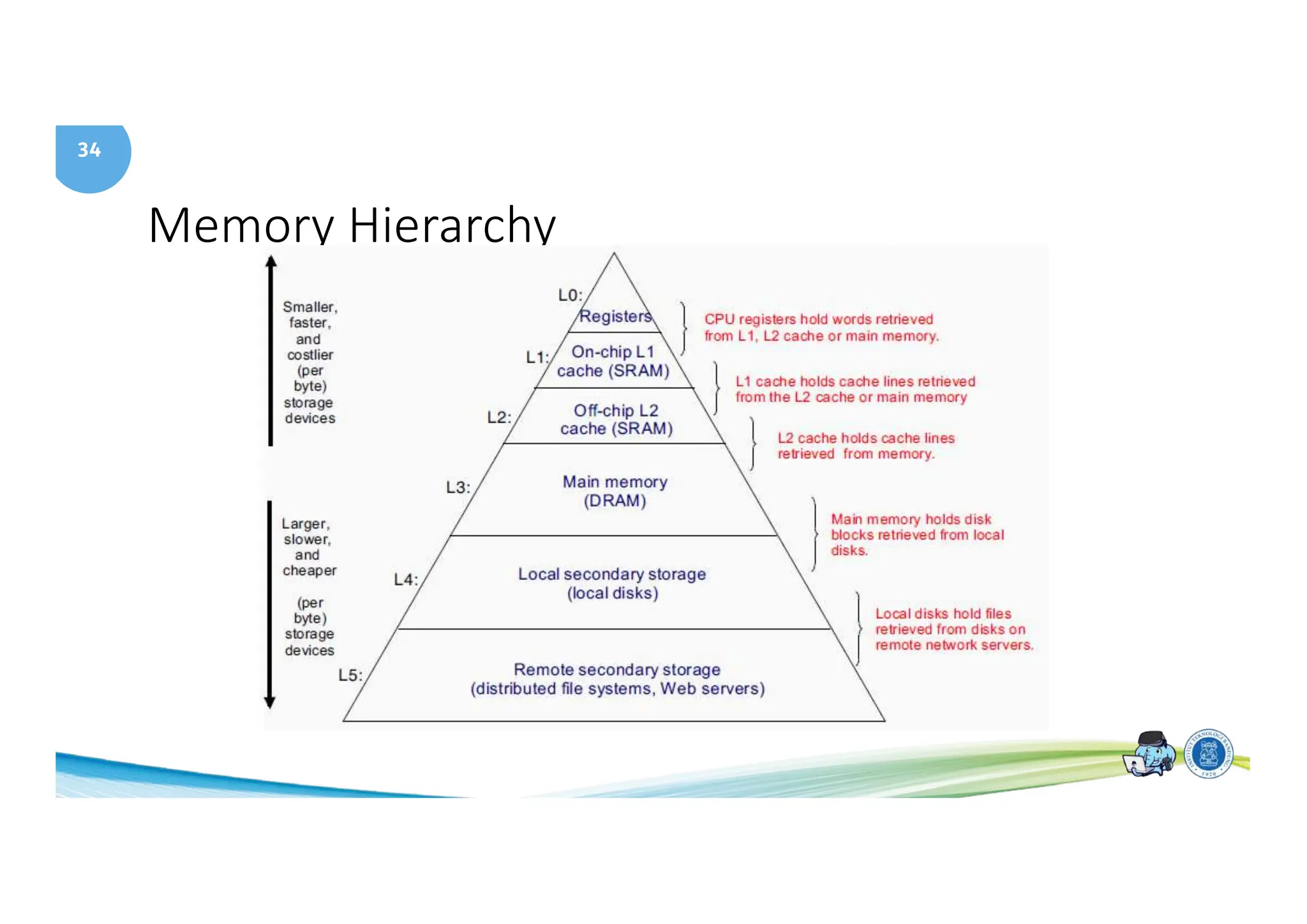
Memory Hierarchy
35
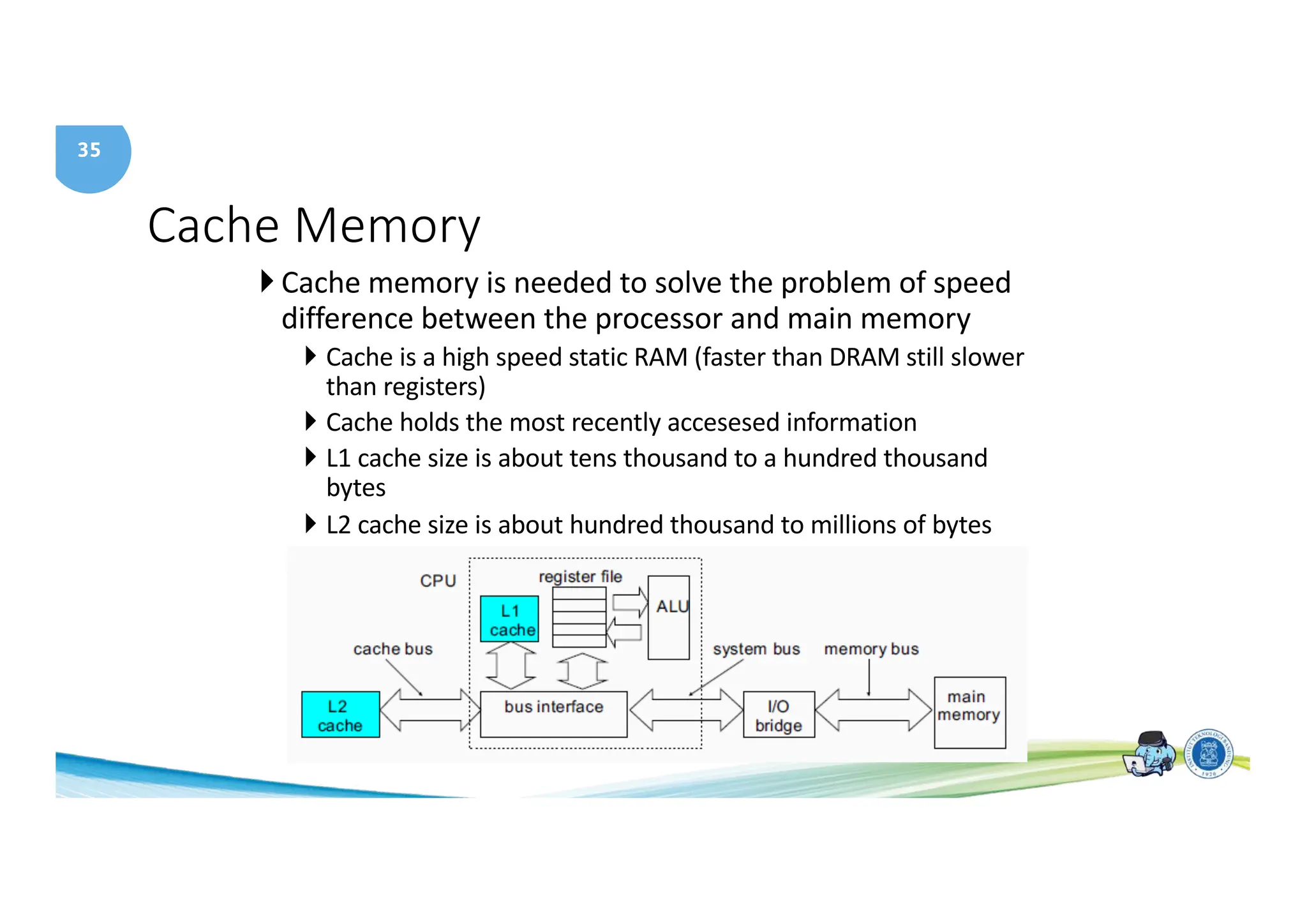
Cache Memory
} Cache memory is needed to solve the problem of speed
difference between the processor and main memory
} Cache is a high speed static RAM (faster than DRAM still slower
than registers)
} Cache holds the most recently accesesed information
} L1 cache size is about tens thousand to a hundred thousand
bytes
} L2 cache size is about hundred thousand to millions of bytes
36
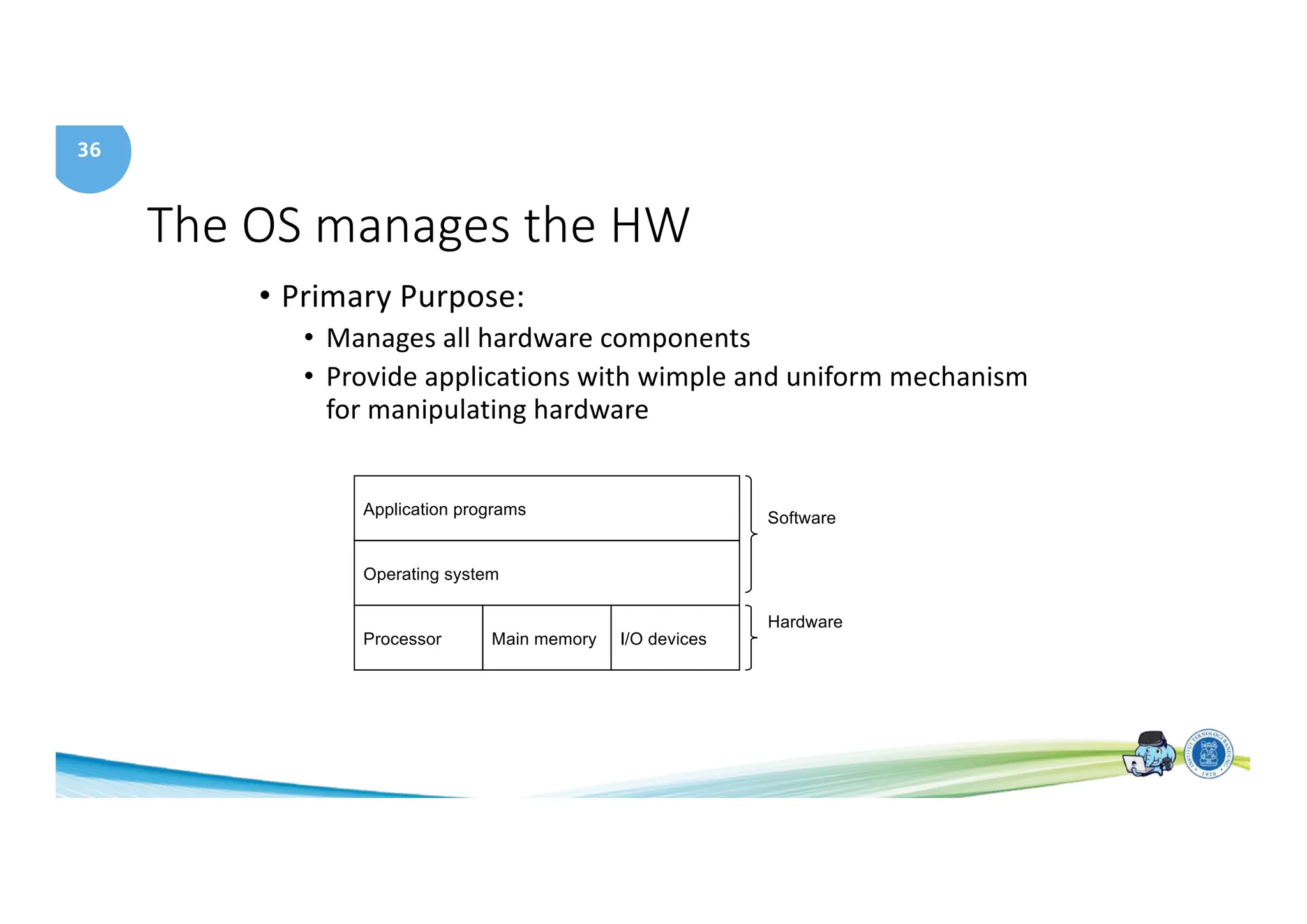
The OS manages the HW
• Primary Purpose:
• Manages all hardware components
• Provide applications with wimple and uniform mechanism
for manipulating hardware
Application programs
Processor Main memory I/O devices
Operating system
Software
Hardware
37
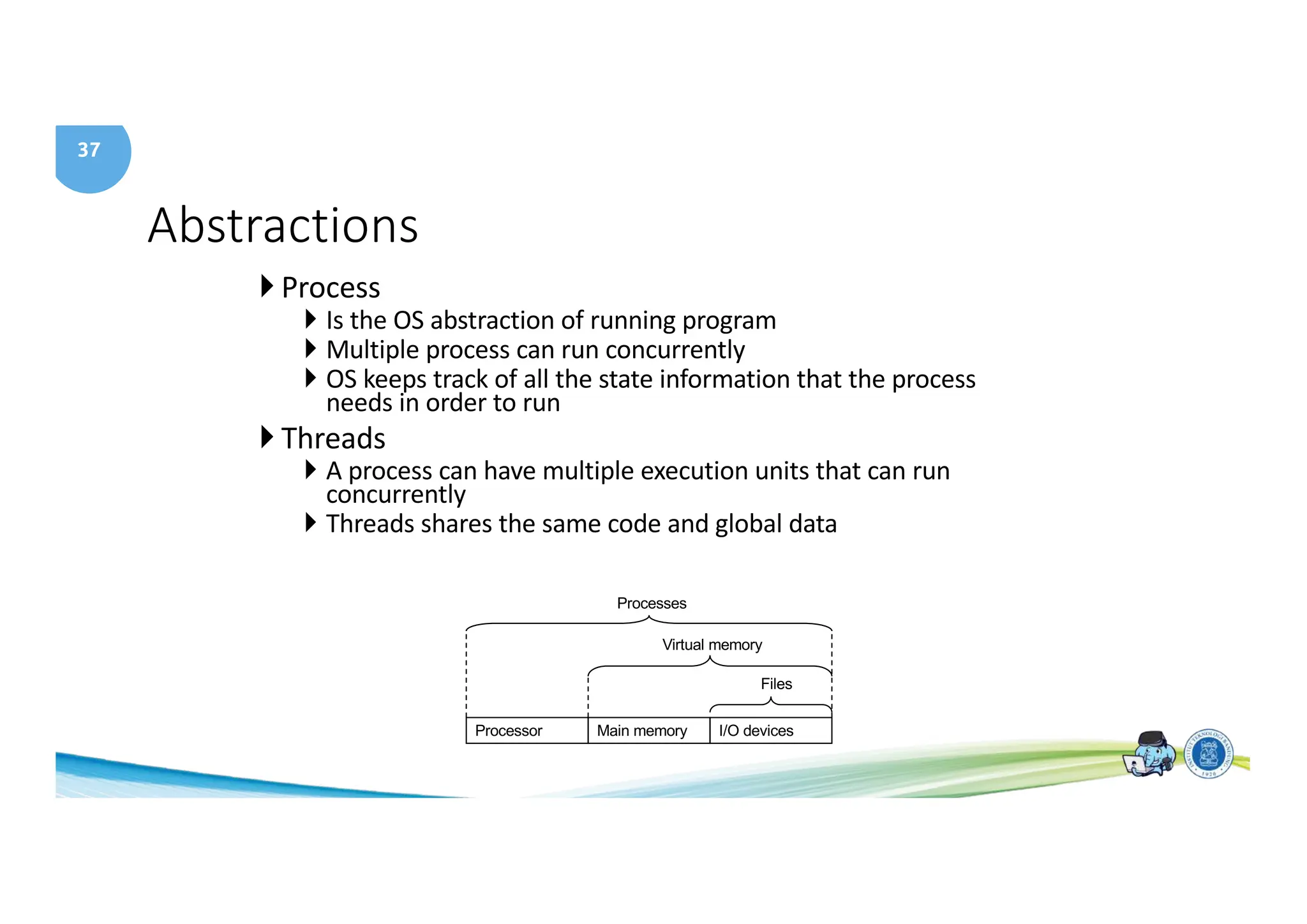
Abstractions
} Process
} Is the OS abstraction of running program
} Multiple process can run concurrently
} OS keeps track of all the state information that the process
needs in order to run
} Threads
} A process can have multiple execution units that can run
concurrently
} Threads shares the same code and global data
Processor Main memory I/O devices
Processes
Files
Virtual memory
38
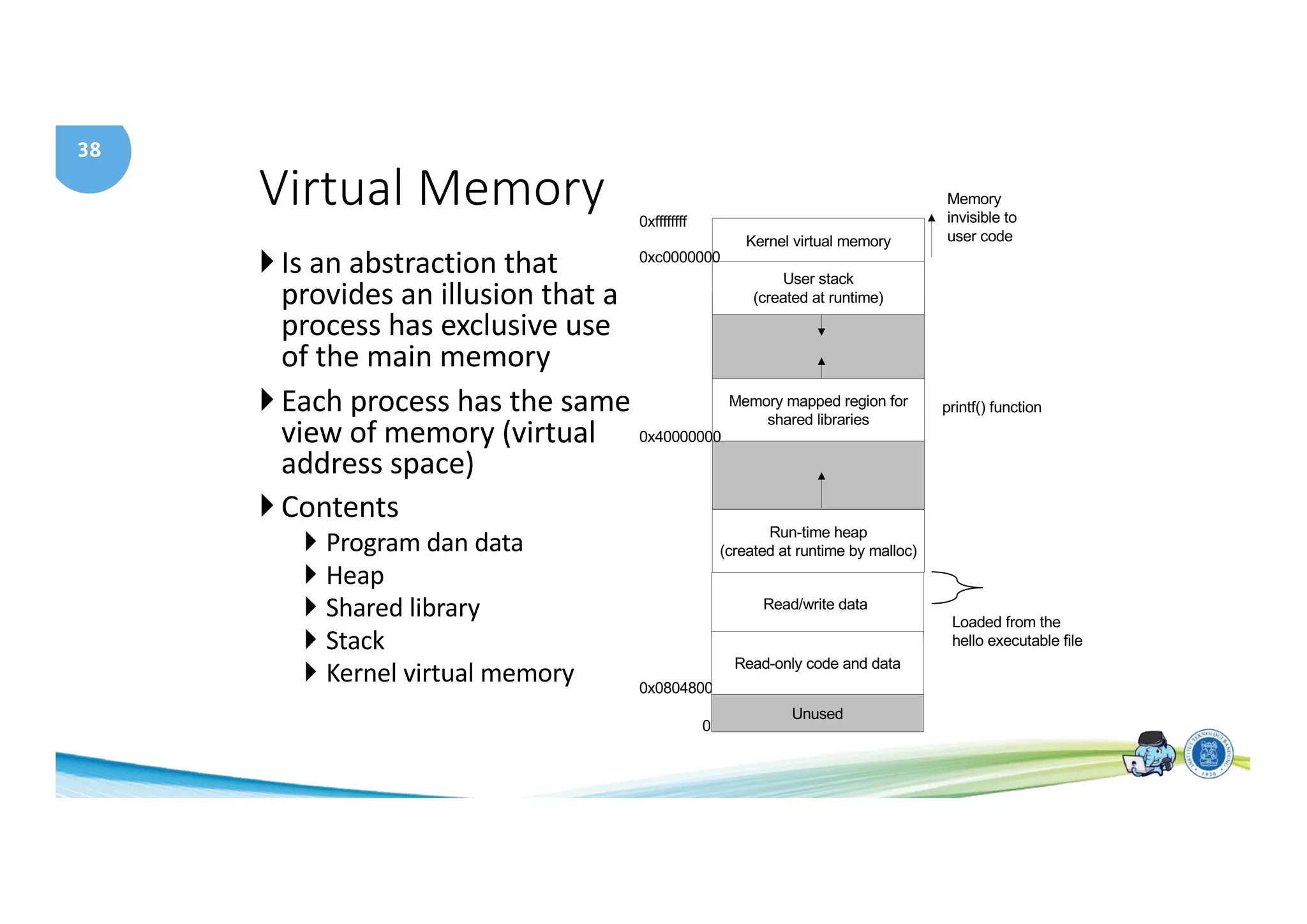
Virtual Memory
} Is an abstraction that
provides an illusion that a
process has exclusive use
of the main memory
} Each process has the same
view of memory (virtual
address space)
} Contents
} Program dan data
} Heap
} Shared library
} Stack
} Kernel virtual memory
Kernel virtual memory
Memory mapped region for
shared libraries
Run-time heap
(created at runtime by malloc)
User stack
(created at runtime)
Unused
0
Memory
invisible to
user code
0xc0000000
0x08048000
0x40000000
Read/write data
Read-only code and data
Loaded from the
hello executable file
printf() function
0xffffffff
39
Files
• A sequence of bytes
• Every I/O device is modeled as a file
• All input and output is performed by reading and
writing files (Unix I/O)
40
Computer Abstraction
I/O system
Processor
Compiler
Operating System
(Linux,
Window)
Application (Browser)
Digital Design
Circuit Design
Instruction Set
Architecture
• Both Software and Hardware consist of hierarchical layers.
• Each lower layer hides the complexity from the layer above
• This abstraction principle is the way to cope with complexity
Datapath & Control
transistors
Memory
Hardware
Software Assembler
EL3011
41
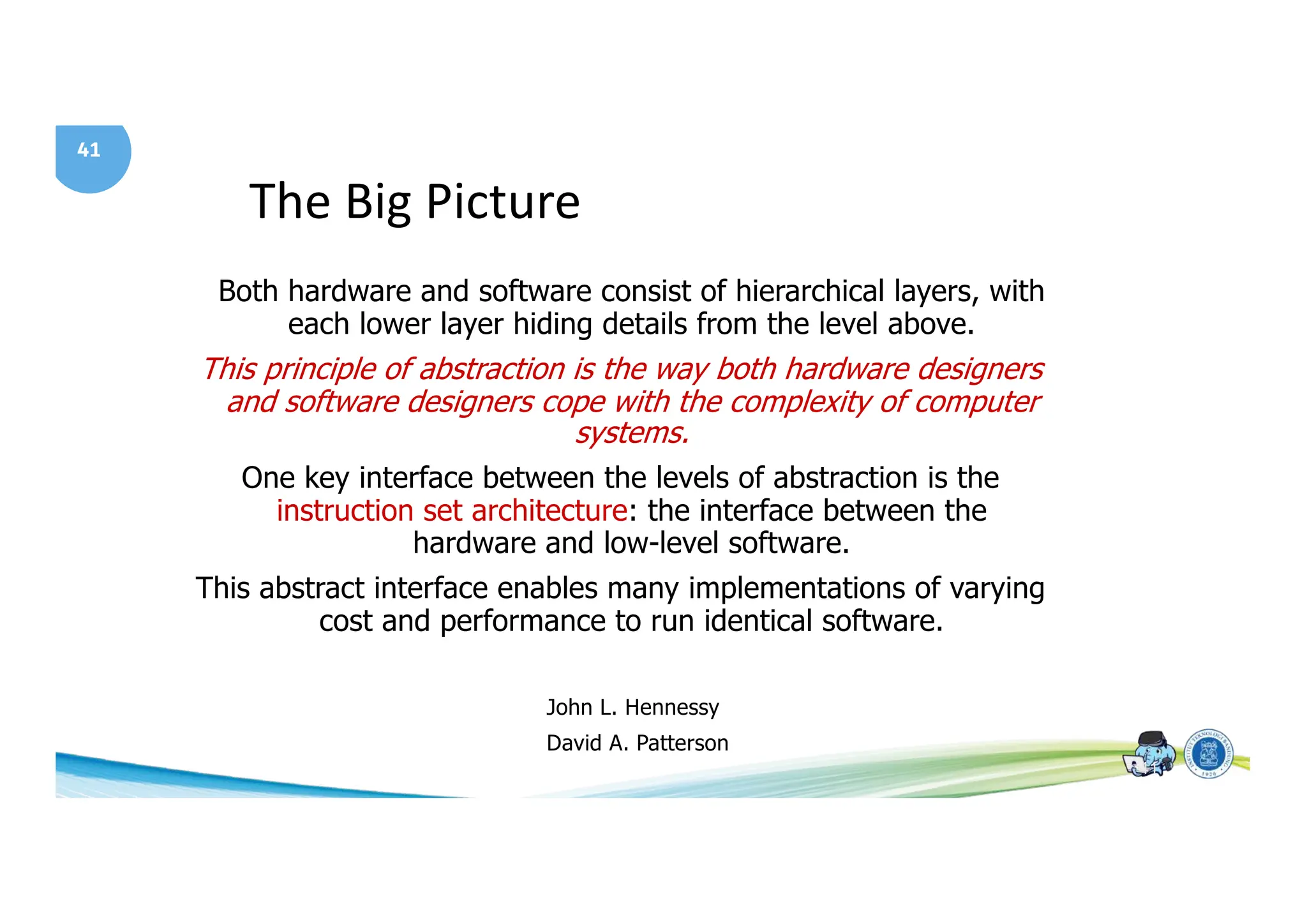
The Big Picture
41
Both hardware and software consist of hierarchical layers, with
each lower layer hiding details from the level above.
This principle of abstraction is the way both hardware designers
and software designers cope with the complexity of computer
systems.
One key interface between the levels of abstraction is the
instruction set architecture: the interface between the
hardware and low-level software.
This abstract interface enables many implementations of varying
cost and performance to run identical software.
John L. Hennessy
David A. Patterson
42
Welcome to
EL3011 Class
"Big things have small beginnings"
T.E. Lawrence, Lawrence of Arabia
(1962)

EL3011 1-Course-Introduction for Architecture of Computer.pdf

  • 1.
    1 EL3011 Arsitektur SistemKomputer STEI - Institut Teknologi Bandung Modul 1 Course Introduction and a Tour of Computer System
  • 2.
    2 Class Introduction • Time/Place:Wed 10:00 - 11:00 (K1: R. 9023) Fri 09:00 - 11:00 (K1: R. 9302) • Instructor: Dr. Ir. Kusprasapta Mutijarsa, S.T., M.T. (K1) • Information and Contact: Ms Teams • Course LMS: Edunex https://edunex.itb.ac.id/courses/62689/preview • Attendance https://six.itb.ac.id
  • 3.
    3 Requisite • Prerequisite • EL2002Digital System • EL2008 Problem Solving with Programming • Corequisite • Computer Architecture Laboratory
  • 4.
  • 5.
    5 Textbook and Materials 1.Randal E. Bryant, David R. H, Computer Systems A Programmer’s Perpective 3rd ed, 2015 • URL: http://csapp.cs.cmu.edu 2. John L. Hennessy and David A. Patterson , Computer Organization and Design: The Software Hardware Interface, Morgan Kaufmann Publishers, 5th Edition, 2014
  • 6.
    6 Other References: 1. WilliamStallings, Computer Organization and Architecture 10th Ed, Pearson, 2016 2. Brian W. Kernighan and Dennis M. Ritchie, The C Programming Language, 1978
  • 7.
    7 Text Book andMaterials • Randal E. Bryant, David R. H, Computer Systems A Programmer’s Perpective 3rd ed, 2015 • URL: http://csapp.cs.cmu.edu } Chapter: } Ch 1: Introduction (Tour of Computer Systems) } Ch 2: Integer and Floating Point (Representation and Operation) } Ch 3: Intel’s ISA (Data Format, ALU Ops, Control, Procedure, Array) } Ch 6: Memory Hierarchy and Cache Memory } Ch 10: Virtual Memory
  • 8.
    8 Textbook and Materials •John L. Hennessy and David A. Patterson , Computer Organization and Design: The Software Hardware Interface, Morgan Kaufmann Publishers, 5th Edition, 2014 } Chapter: } Ch 1: Introduction (History of computer, performance analysis) } Ch 2: MIPS ISA } Ch 3: ALU } Ch 4: MIPS Single Cycle (Data Path and Control, Pipeline) } Ch 5: Memory } Ch 6: I/O Subsystem
  • 9.
    9 Course Objectives • Thiscourse will give you an in-depth understanding of the inner-workings of modern digital computer systems and tradeoffs present at the hardware-software interface. • You will get an understanding of the design process in the context of a complex hardware system and practical experience with computer-aided design tools. • Topics include Instruction set design, computer arithmetic, controller and datapath design, memory systems, input- output systems, network interrupts and exceptions, pipelining, performance and cost analysis, computer architecture history, and a survey of advanced architectures.
  • 10.
    10 Computer Abstraction I/O system Processor Compiler OperatingSystem (Linux, Window) Application (Browser) Digital Design Circuit Design Instruction Set Architecture • Both Software and Hardware consist of hierarchical layers. • Each lower layer hides the complexity from the layer above • This abstraction principle is the way to cope with complexity Datapath & Control transistors Memory Hardware Software Assembler EL3011
  • 11.
    11 Course schedule Week Topics Reference 1Course Introduction, Tour of Computer System [CSAP] Ch1, [P&H] Ch1 2 Bit Representation and Operations [CSAP] Ch2 3 Integer Representation and Operations [CSAP] Ch2 4 Floating Point Representation [CSAP] Ch2 5 Intel Processor – Assembly Language [CSAP] Ch3 6 Intel Processor – Control, Stack and Procedure [CSAP] Ch3 7 MIPS Instruction Set Architecture [P&H] Ch3 8 Mid Term Exam 9 MIPS Instruction Set Architecture [P&H] Ch3 10 MIPS Arithmetic [P&H] Ch3 11 MIPS Data Path and Control [P&H] Ch3 12 MIPS Single Cycle Instruction [P&H] Ch3 13 Pipeline [P&H] Ch4 14 Memory Hierarchy [CSAP] Ch 6 15 Cache Memory [CSAP] Ch 6 16 Final Exam
  • 12.
    12 Class Assesment Assessment WeightTime Homework 15% Weekly Lab Work (Practicum) 25% Week 10, 12, 14 Mid Exam (UTS) 30% Week 8 Final Exam (UAS) 30% Week 16 Grading • A > 85% • AB 75% - 84% • B 67% - 74% • BC 60% - 66% • C 50% - 59% • D 40% - 49% • E < 39% Homework is ALLOWED to use AI (you should write the references) Quiz, Practicum, UTS, and UAS are PROHIBITED to use AI
  • 13.
    13 Welcome to EL3011 Class "Bigthings have small beginnings" T.E. Lawrence, Lawrence of Arabia (1962)
  • 14.
    14 A Tour ofComputer Systems
  • 15.
    15 Topics • Understanding ofcomputer system • Compiler System • Hardware Organizations • Bus, I/O Device, Memory, Processor • Cache memory • Operating System • Virtual memory
  • 16.
    16 Computer System • Hardwareand Operating system works together to execute an application. • Implementation of a computer can change but not the concept
  • 17.
    17 Why you shouldbe in this class? • To become knowledgeable about the interaction between software and hardware. • Learn to avoid numeric error • Learn to exploit the underlying hardware • Learn the details of designing a processor (MIPS)
  • 18.
    18 Program hello • Classicfirst program • hello program is created using a text editor and saved as hello.c • Source program is a sequence of bits, each with a value 0 or 1, organized into 8 bits called byte • Each byte represents a character • hello.c is stored in a file as a sequence of bytes.
  • 19.
    19 hello Program • Writtenin high level language C • Code : 1. #include <stdio.h> 2. 3. int main(void) 4. { 5. printf(“hello, worldn”); 6. return(0); 7. }
  • 20.
    20 hello Program • EveryC statement must be translated to machine instructions (in binary) • These insstructions are then packaged into an executable object program and stored in a binary file • Translation process is performed by a compiler
  • 21.
    21 Compilation System • Preprocessingphase • preprocessor (cpp) modifies the original C program according to the # directive • Example: #include <stdio.h> tells the preprocessor to read the stdio.h file and insert it into the program text. • Compilation phase • compiler (ccl) translates the text file hello.i into the text file hello.s which contains an assembly language program. Each statement in an assembly language represents one machine-language instruction in a text form.
  • 22.
    22 Compilation System • Assemblyphase • assembler (as) translates hello.s into machine-language instructions, packages then into a relocatable object program and store the result into a file hello.o • Linking phase • linker (ld) merges hello.o with printf.o and the result is an executable object file
  • 23.
    23 Understand how compilationsystem works • Optimizing program performance • Example : • Which one more efficient? • switch or if-then-else ? • while or do ? • Using pointer or array indexes? • Which is faster local variable or passed by reference? • Understanding link time error • What is link error? • What is static or dynamic library? • Avoid security holes • Buffer overflow bugs
  • 24.
    24 Hardware Organization • Tounderstand what happens when we run the hello program, we need to know how the hardware is organized. • In general the component of a computer system consists of : • Bus • I/O devices • Main Memory • Processor
  • 25.
    25 Hardware Organization Personal Computer Processor (active) Computer Control (“brain”) Datapath (“brawn”) Memory (passive) (where programs, data livewhen running) Devices Input Output Keyboard, Mouse Display, Printer Disk (where programs, data live when not running)
  • 26.
    26 Hardware Organization main memory I/O bridge bus interface ALU registerfile CPU chip system bus memory bus Hard disk controller graphics adapter USB controller mousekeyboard monitor disk I/O bus Expansion slots untuk devais lain seperti LAN, dll 26
  • 27.
  • 28.
    28 Hardware Organization }Bus } Parallelconduits that carry bytes of information between components. } Bus size is usually given in words } Intel Pentium, word size = 4 bytes } Intel Itanium, word size = 8 bytes } Embedded, word size = 1 or 2 bytes }I/O Devices } Connection to the outside world } Example: keyboard, mouse, monitor, disk drive (disk) } Every I/O device is connected using a controller or adapter } Controller : chip set in the device itself or on the motherboard } Adapter : card that plugs into to the slot of the motherboard
  • 29.
    29 Hardware Organization } MainMemory } Temporary storage that holds both program and data it manipulates while the processor is running the program. } Physically, the main memory is a collection of Dynamic Random Access Memory (DRAM) } Logically, the main memory is a organized as a linear array } Processor (Central Processing Unit % CPU) } The engine that executes the instructions stored in the main memory } Consists of registers, ALU and program counter (PC) } At any point of time the PC (contains address) is always points to an instruction in the main memory. } Processor is always doing the same task over and over again } Read an instruction from memory } Execute it } And read the next instruction
  • 30.
    30 Hardware Organization • Processor •Has only a few (?) instructions that revolve around main memory, registers and arithmetic/logic unit ALU • Register : fast memory but only a few, reside inside the CPU • ALU : computes new data or address • Types of CPU operation: • Load : copy a byte or a word from main memory to a register • Store : copy a byte or a word from register to the main memory • Update : copy the content of two registers to ALU, adds the two words and store the result into a register • I/O Read : copy a byte or a word from an I/O device to a register • I/O Write :copy a byte or a word from a register to an I/O device
  • 31.
    31 Executing hello program(1) main memory I/O bridge bus interface ALU register file CPU chip system bus memory bus Hard disk controller graphics adapter USB controller mouse keyboard monitor disk I/O bus Expansion slots For other devices such as network adapter, etc } Read the hello command from keyboard “hello” user types “hello” 31
  • 32.
    32 Executing hello program(2) main memory I/O bridge bus interface ALU register file CPU chip system bus memory bus Hard disk controller graphics adapter USB controller mouse keyboard monitor disk I/O bus Expansion slots untuk devais lain seperti LAN, dll }Loading the executable from disk to main memory hello executable stored on disk “hello, worldn” kode hello 32
  • 33.
    33 Executing hello program(3) main memory I/O bridge bus interface ALU register file CPU chip system bus memory bus Hard disk controller graphics adapter USB controller mouse keyboard monitor disk I/O bus Expansion slots for other devices such as LAN, etc Writing output from memory to the display “hello, worldn” kode hello “hello, world” 33
  • 34.
  • 35.
    35 Cache Memory } Cachememory is needed to solve the problem of speed difference between the processor and main memory } Cache is a high speed static RAM (faster than DRAM still slower than registers) } Cache holds the most recently accesesed information } L1 cache size is about tens thousand to a hundred thousand bytes } L2 cache size is about hundred thousand to millions of bytes
  • 36.
    36 The OS managesthe HW • Primary Purpose: • Manages all hardware components • Provide applications with wimple and uniform mechanism for manipulating hardware Application programs Processor Main memory I/O devices Operating system Software Hardware
  • 37.
    37 Abstractions } Process } Isthe OS abstraction of running program } Multiple process can run concurrently } OS keeps track of all the state information that the process needs in order to run } Threads } A process can have multiple execution units that can run concurrently } Threads shares the same code and global data Processor Main memory I/O devices Processes Files Virtual memory
  • 38.
    38 Virtual Memory } Isan abstraction that provides an illusion that a process has exclusive use of the main memory } Each process has the same view of memory (virtual address space) } Contents } Program dan data } Heap } Shared library } Stack } Kernel virtual memory Kernel virtual memory Memory mapped region for shared libraries Run-time heap (created at runtime by malloc) User stack (created at runtime) Unused 0 Memory invisible to user code 0xc0000000 0x08048000 0x40000000 Read/write data Read-only code and data Loaded from the hello executable file printf() function 0xffffffff
  • 39.
    39 Files • A sequenceof bytes • Every I/O device is modeled as a file • All input and output is performed by reading and writing files (Unix I/O)
  • 40.
    40 Computer Abstraction I/O system Processor Compiler OperatingSystem (Linux, Window) Application (Browser) Digital Design Circuit Design Instruction Set Architecture • Both Software and Hardware consist of hierarchical layers. • Each lower layer hides the complexity from the layer above • This abstraction principle is the way to cope with complexity Datapath & Control transistors Memory Hardware Software Assembler EL3011
  • 41.
    41 The Big Picture 41 Bothhardware and software consist of hierarchical layers, with each lower layer hiding details from the level above. This principle of abstraction is the way both hardware designers and software designers cope with the complexity of computer systems. One key interface between the levels of abstraction is the instruction set architecture: the interface between the hardware and low-level software. This abstract interface enables many implementations of varying cost and performance to run identical software. John L. Hennessy David A. Patterson
  • 42.
    42 Welcome to EL3011 Class "Bigthings have small beginnings" T.E. Lawrence, Lawrence of Arabia (1962)