
compress
to impressafandia@uthm.edu.my
…for this….
…forth is….
JEC, FKEE • afandia@uthm.edu.my© Effective Presentation • 16 May 2014
Outcomes
3
At the end of this session, participants should be able:
1. to elaborate the required items to deliver an efficient presentation;
2. to design a complete template for an efficient presentation; and
3. to evaluate the do’s and the don’t for an efficient presentation.
JEC, FKEE • afandia@uthm.edu.my© Effective Presentation • 16 May 2014 4
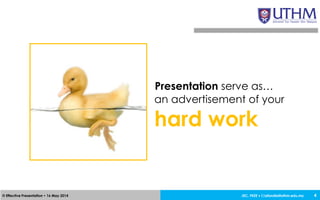
Presentation serve as…
an advertisement of your
hard work
Technical Presentation
JEC, FKEE • afandia@uthm.edu.my© Effective Presentation • 16 May 2014 6
Disclaimer
Campurisation
Microsoft Power Point
JEC, FKEE • afandia@uthm.edu.my© Effective Presentation • 16 May 2014 7
Nervousness Vs
Opportunities?
JEC, FKEE • afandia@uthm.edu.my© Effective Presentation • 16 May 2014 8
Why?
JEC, FKEE • afandia@uthm.edu.my© Effective Presentation • 16 May 2014 9
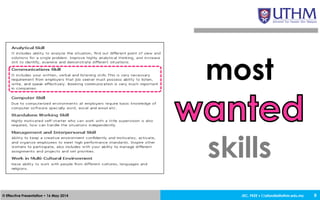
most
skills
JEC, FKEE • afandia@uthm.edu.my© Effective Presentation • 16 May 2014 10
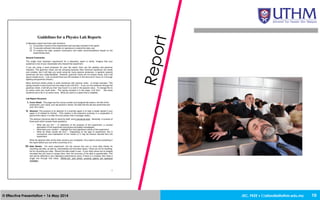
JEC, FKEE • afandia@uthm.edu.my© Effective Presentation • 16 May 2014 11
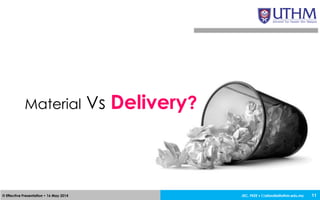
Material Vs Delivery?
JEC, FKEE • afandia@uthm.edu.my© Effective Presentation • 16 May 2014
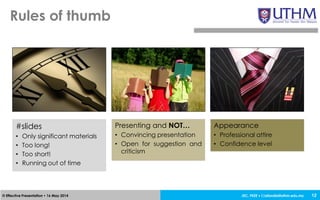
Rules of thumb
12
#slides
• Only significant materials
• Too long!
• Too short!
• Running out of time
Presenting and NOT…
• Convincing presentation
• Open for suggestion and
criticism
Appearance
• Professional attire
• Confidence level
JEC, FKEE • afandia@uthm.edu.my© Effective Presentation • 16 May 2014 13
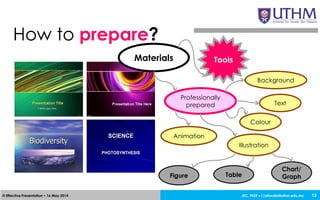
How to prepare?
Materials
Professionally
prepared
Background
Text
Colour
Animation
Illustration
Figure Table
Chart/
Graph
Tools
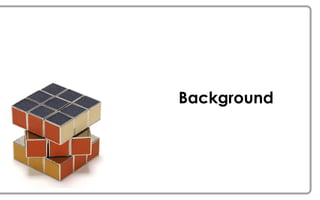
Background
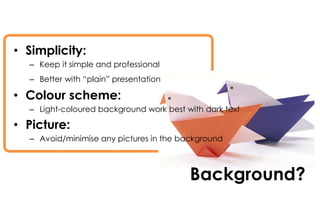
Background?
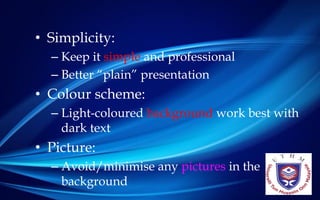
• Simplicity:
– Keep it simple and professional
– Better with “plain” presentation
• Colour scheme:
– Light-coloured background work best with dark text
• Picture:
– Avoid/minimise any pictures in the background
JEC, FKEE • afandia@uthm.edu.my© Effective Presentation • 16 May 2014
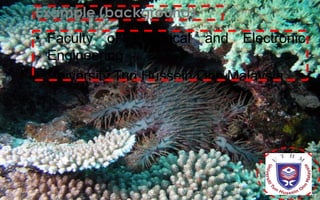
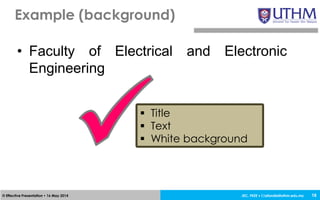
• Faculty of Electrical and Electronic
Engineering
• University Tun Hussein Onn Malaysia
Example (background)
16
JEC, FKEE • afandia@uthm.edu.my© Effective Presentation • 16 May 2014 17
• Simplicity:
– Keep it simple and professional
– Better “plain” presentation
• Colour scheme:
– Light-coloured background work best with
dark text
• Picture:
– Avoid/minimise any pictures in the
background
JEC, FKEE • afandia@uthm.edu.my© Effective Presentation • 16 May 2014
• Faculty of Electrical and Electronic
Engineering
Example (background)
18
 Title
 Text
 White background
JEC, FKEE • afandia@uthm.edu.my© Effective Presentation • 16 May 2014
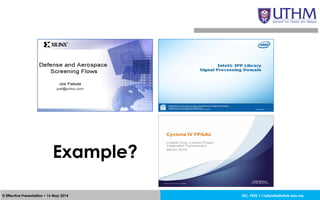
Example?
Text
JEC, FKEE • afandia@uthm.edu.my© Effective Presentation • 16 May 2014 21
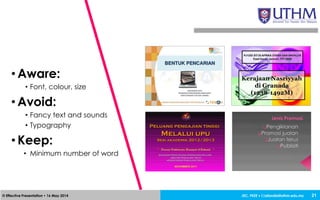
• Aware:
• Font, colour, size
• Avoid:
• Fancy text and sounds
• Typography
• Keep:
• Minimum number of word
JEC, FKEE • afandia@uthm.edu.my© Effective Presentation • 16 May 2014
• Final year project [Arial – 24]
• Final year project [Arial – 36]
• Final year project [Century Gothic – 24]
• Final year project (Century Gothic – 36)
• Final year project [Times New Roman – 24]
• Final year project [Times New Roman – 36]
Font, colour and size
22
JEC, FKEE • afandia@uthm.edu.my© Effective Presentation • 16 May 2014 23
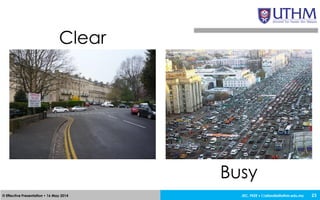
Clear
Busy
JEC, FKEE • afandia@uthm.edu.my© Effective Presentation • 16 May 2014 24
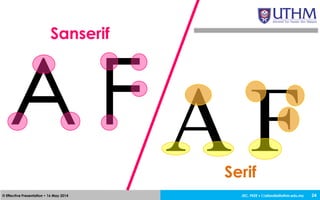
Sanserif
A F A FSerif
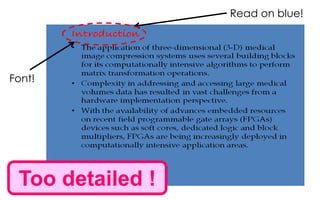
Too detailed !
Read on blue!
Font!
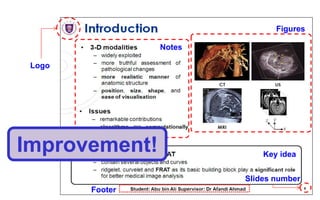
Figures
Notes
Key idea
Footer
Slides number
Logo
Improvement!
Animation
JEC, FKEE • afandia@uthm.edu.my© Effective Presentation • 16 May 2014
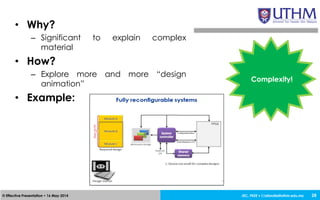
• Why?
– Significant to explain complex
material
• How?
– Explore more and more “design
animation”
• Example:
28
Complexity!
Colour
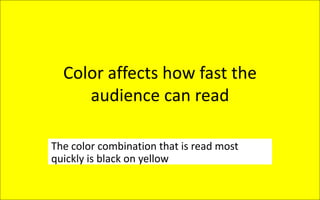
Color affects how fast the
audience can read
The color combination that is read most
quickly is black on yellow
Color affects how fast the
audience can read
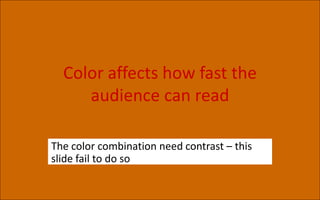
The color combination need contrast – this
slide fail to do so
Color affects how fast the
audience can read
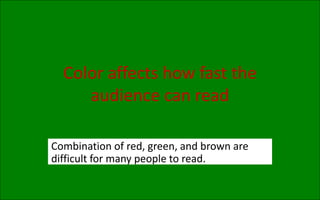
Combination of red, green, and brown are
difficult for many people to read.
Color affects how fast the
audience can read
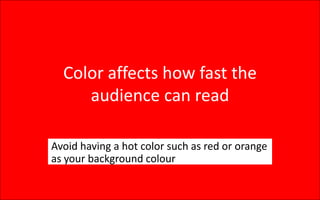
Avoid having a hot color such as red or orange
as your background colour
Color affects how fast the
audience can read
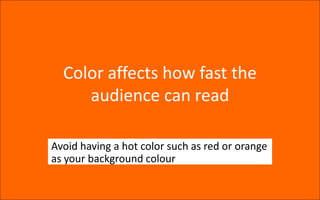
Avoid having a hot color such as red or orange
as your background colour
Illustration
JEC, FKEE • afandia@uthm.edu.my© Effective Presentation • 16 May 2014
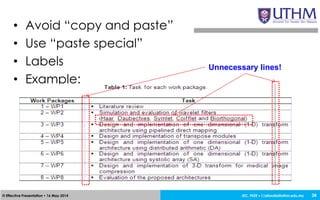
• Avoid “copy and paste”
• Use “paste special”
• Labels
• Example:
36
Unnecessary lines!
JEC, FKEE • afandia@uthm.edu.my© Effective Presentation • 16 May 2014
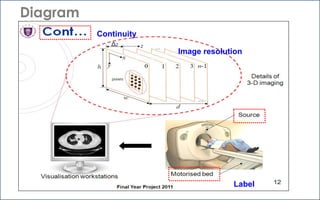
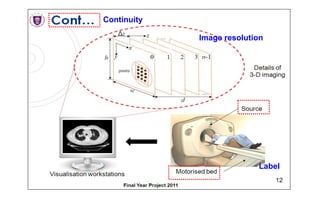
Diagram
37
Continuity
Image resolution
Label
JEC, FKEE • afandia@uthm.edu.my© Effective Presentation • 16 May 2014 38
Any problem?
Continuity
Image resolution
Label
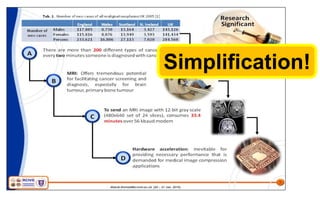
Simplification!
JEC, FKEE • afandia@uthm.edu.my© Effective Presentation • 16 May 2014
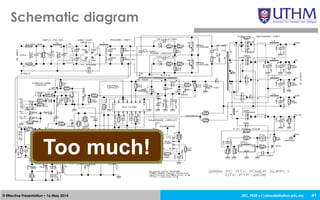
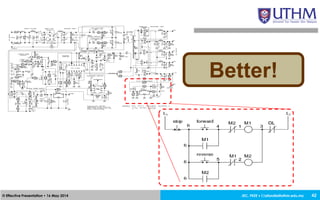
Schematic diagram
41
Too much!
JEC, FKEE • afandia@uthm.edu.my© Effective Presentation • 16 May 2014 42
Better!
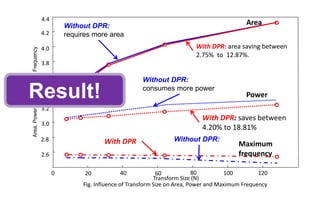
0
Transform Size (N)
Fig. Influence of Transform Size on Area, Power and Maximum Frequency
20 40 60 80 100 120
Area,PowerandMaximumFrequency
2.6
2.8
3.0
3.2
3.4
3.6
3.8
4.0
4.2
4.4
Area
Power
Maximum
frequency
With DPR: area saving between
2.75% to 12.87%.
Without DPR:
requires more area
With DPR: saves between
4.20% to 18.81%
Without DPR:
consumes more power
Without DPR:With DPR
Result!
JEC, FKEE • afandia@uthm.edu.my© Effective Presentation • 16 May 2014
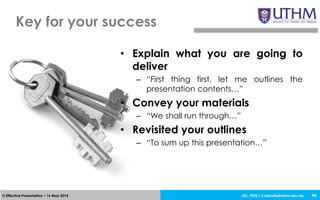
• Explain what you are going to
deliver
– “First thing first, let me outlines the
presentation contents…”
• Convey your materials
– “We shall run through…”
• Revisited your outlines
– “To sum up this presentation…”
Key for your success
44
JEC, FKEE • afandia@uthm.edu.my© Effective Presentation • 16 May 2014
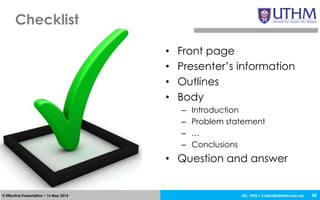
Checklist
45
• Front page
• Presenter’s information
• Outlines
• Body
– Introduction
– Problem statement
– …
– Conclusions
• Question and answer
JEC, FKEE • afandia@uthm.edu.my© Effective Presentation • 16 May 2014
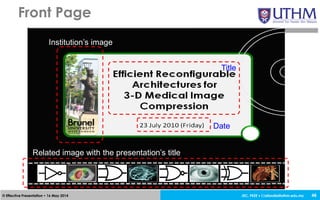
Front Page
46
Institution’s image
Title
Date
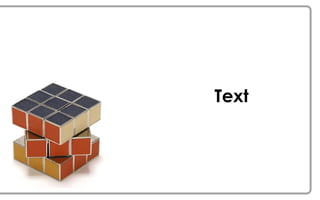
Related image with the presentation’s title
JEC, FKEE • afandia@uthm.edu.my© Effective Presentation • 16 May 2014
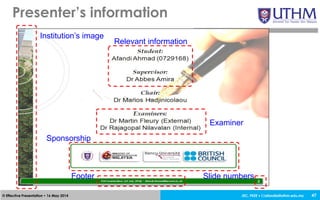
Presenter’s information
47
Institution’s image
Relevant information
Examiner
Sponsorship
Footer Slide numbers
JEC, FKEE • afandia@uthm.edu.my© Effective Presentation • 16 May 2014
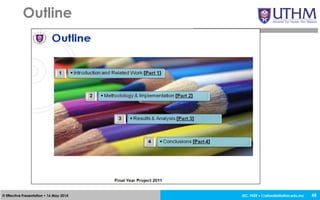
Outline
48
JEC, FKEE • afandia@uthm.edu.my© Effective Presentation • 16 May 2014
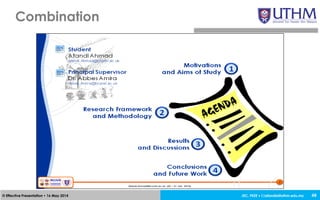
Combination
49
JEC, FKEE • afandia@uthm.edu.my© Effective Presentation • 16 May 2014 50
@#&%!@#$, I have 12 hours to throw
this thing together and get it presented!
Practical Session
JEC, FKEE • afandia@uthm.edu.my© Effective Presentation • 16 May 2014
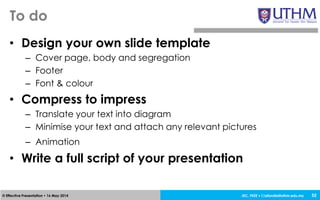
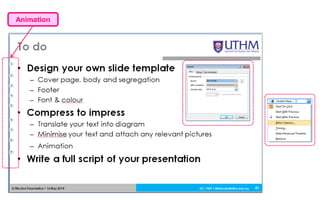
• Design your own slide template
– Cover page, body and segregation
– Footer
– Font & colour
• Compress to impress
– Translate your text into diagram
– Minimise your text and attach any relevant pictures
– Animation
• Write a full script of your presentation
To do
52
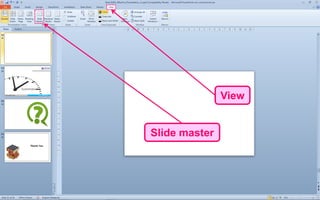
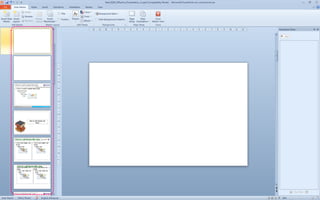
Slide master
View
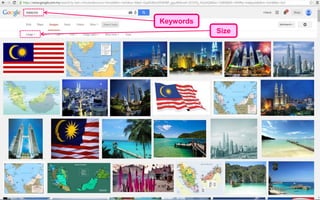
Keywords
Size
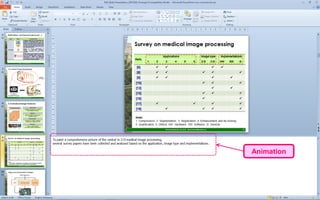
Animation
Animation
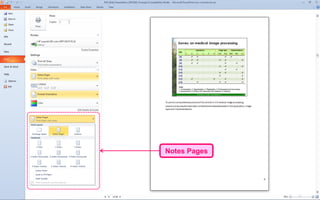
Notes Pages
JEC, FKEE • afandia@uthm.edu.my© Effective Presentation • 16 May 2014 59
Summary
Thank You

Effective presentation

  • 1.
  • 2.
  • 3.
    JEC, FKEE •afandia@uthm.edu.my© Effective Presentation • 16 May 2014 Outcomes 3 At the end of this session, participants should be able: 1. to elaborate the required items to deliver an efficient presentation; 2. to design a complete template for an efficient presentation; and 3. to evaluate the do’s and the don’t for an efficient presentation.
  • 4.
    JEC, FKEE •afandia@uthm.edu.my© Effective Presentation • 16 May 2014 4 Presentation serve as… an advertisement of your hard work
  • 5.
  • 6.
    JEC, FKEE •afandia@uthm.edu.my© Effective Presentation • 16 May 2014 6 Disclaimer Campurisation Microsoft Power Point
  • 7.
    JEC, FKEE •afandia@uthm.edu.my© Effective Presentation • 16 May 2014 7 Nervousness Vs Opportunities?
  • 8.
    JEC, FKEE •afandia@uthm.edu.my© Effective Presentation • 16 May 2014 8 Why?
  • 9.
    JEC, FKEE •afandia@uthm.edu.my© Effective Presentation • 16 May 2014 9 most skills
  • 10.
    JEC, FKEE •afandia@uthm.edu.my© Effective Presentation • 16 May 2014 10
  • 11.
    JEC, FKEE •afandia@uthm.edu.my© Effective Presentation • 16 May 2014 11 Material Vs Delivery?
  • 12.
    JEC, FKEE •afandia@uthm.edu.my© Effective Presentation • 16 May 2014 Rules of thumb 12 #slides • Only significant materials • Too long! • Too short! • Running out of time Presenting and NOT… • Convincing presentation • Open for suggestion and criticism Appearance • Professional attire • Confidence level
  • 13.
    JEC, FKEE •afandia@uthm.edu.my© Effective Presentation • 16 May 2014 13 How to prepare? Materials Professionally prepared Background Text Colour Animation Illustration Figure Table Chart/ Graph Tools
  • 14.
  • 15.
    Background? • Simplicity: – Keepit simple and professional – Better with “plain” presentation • Colour scheme: – Light-coloured background work best with dark text • Picture: – Avoid/minimise any pictures in the background
  • 16.
    JEC, FKEE •afandia@uthm.edu.my© Effective Presentation • 16 May 2014 • Faculty of Electrical and Electronic Engineering • University Tun Hussein Onn Malaysia Example (background) 16
  • 17.
    JEC, FKEE •afandia@uthm.edu.my© Effective Presentation • 16 May 2014 17 • Simplicity: – Keep it simple and professional – Better “plain” presentation • Colour scheme: – Light-coloured background work best with dark text • Picture: – Avoid/minimise any pictures in the background
  • 18.
    JEC, FKEE •afandia@uthm.edu.my© Effective Presentation • 16 May 2014 • Faculty of Electrical and Electronic Engineering Example (background) 18  Title  Text  White background
  • 19.
    JEC, FKEE •afandia@uthm.edu.my© Effective Presentation • 16 May 2014 Example?
  • 20.
  • 21.
    JEC, FKEE •afandia@uthm.edu.my© Effective Presentation • 16 May 2014 21 • Aware: • Font, colour, size • Avoid: • Fancy text and sounds • Typography • Keep: • Minimum number of word
  • 22.
    JEC, FKEE •afandia@uthm.edu.my© Effective Presentation • 16 May 2014 • Final year project [Arial – 24] • Final year project [Arial – 36] • Final year project [Century Gothic – 24] • Final year project (Century Gothic – 36) • Final year project [Times New Roman – 24] • Final year project [Times New Roman – 36] Font, colour and size 22
  • 23.
    JEC, FKEE •afandia@uthm.edu.my© Effective Presentation • 16 May 2014 23 Clear Busy
  • 24.
    JEC, FKEE •afandia@uthm.edu.my© Effective Presentation • 16 May 2014 24 Sanserif A F A FSerif
  • 25.
    Too detailed ! Readon blue! Font!
  • 26.
  • 27.
  • 28.
    JEC, FKEE •afandia@uthm.edu.my© Effective Presentation • 16 May 2014 • Why? – Significant to explain complex material • How? – Explore more and more “design animation” • Example: 28 Complexity!
  • 29.
  • 30.
    Color affects howfast the audience can read The color combination that is read most quickly is black on yellow
  • 31.
    Color affects howfast the audience can read The color combination need contrast – this slide fail to do so
  • 32.
    Color affects howfast the audience can read Combination of red, green, and brown are difficult for many people to read.
  • 33.
    Color affects howfast the audience can read Avoid having a hot color such as red or orange as your background colour
  • 34.
    Color affects howfast the audience can read Avoid having a hot color such as red or orange as your background colour
  • 35.
  • 36.
    JEC, FKEE •afandia@uthm.edu.my© Effective Presentation • 16 May 2014 • Avoid “copy and paste” • Use “paste special” • Labels • Example: 36 Unnecessary lines!
  • 37.
    JEC, FKEE •afandia@uthm.edu.my© Effective Presentation • 16 May 2014 Diagram 37 Continuity Image resolution Label
  • 38.
    JEC, FKEE •afandia@uthm.edu.my© Effective Presentation • 16 May 2014 38 Any problem?
  • 39.
  • 40.
  • 41.
    JEC, FKEE •afandia@uthm.edu.my© Effective Presentation • 16 May 2014 Schematic diagram 41 Too much!
  • 42.
    JEC, FKEE •afandia@uthm.edu.my© Effective Presentation • 16 May 2014 42 Better!
  • 43.
    0 Transform Size (N) Fig.Influence of Transform Size on Area, Power and Maximum Frequency 20 40 60 80 100 120 Area,PowerandMaximumFrequency 2.6 2.8 3.0 3.2 3.4 3.6 3.8 4.0 4.2 4.4 Area Power Maximum frequency With DPR: area saving between 2.75% to 12.87%. Without DPR: requires more area With DPR: saves between 4.20% to 18.81% Without DPR: consumes more power Without DPR:With DPR Result!
  • 44.
    JEC, FKEE •afandia@uthm.edu.my© Effective Presentation • 16 May 2014 • Explain what you are going to deliver – “First thing first, let me outlines the presentation contents…” • Convey your materials – “We shall run through…” • Revisited your outlines – “To sum up this presentation…” Key for your success 44
  • 45.
    JEC, FKEE •afandia@uthm.edu.my© Effective Presentation • 16 May 2014 Checklist 45 • Front page • Presenter’s information • Outlines • Body – Introduction – Problem statement – … – Conclusions • Question and answer
  • 46.
    JEC, FKEE •afandia@uthm.edu.my© Effective Presentation • 16 May 2014 Front Page 46 Institution’s image Title Date Related image with the presentation’s title
  • 47.
    JEC, FKEE •afandia@uthm.edu.my© Effective Presentation • 16 May 2014 Presenter’s information 47 Institution’s image Relevant information Examiner Sponsorship Footer Slide numbers
  • 48.
    JEC, FKEE •afandia@uthm.edu.my© Effective Presentation • 16 May 2014 Outline 48
  • 49.
    JEC, FKEE •afandia@uthm.edu.my© Effective Presentation • 16 May 2014 Combination 49
  • 50.
    JEC, FKEE •afandia@uthm.edu.my© Effective Presentation • 16 May 2014 50 @#&%!@#$, I have 12 hours to throw this thing together and get it presented!
  • 51.
  • 52.
    JEC, FKEE •afandia@uthm.edu.my© Effective Presentation • 16 May 2014 • Design your own slide template – Cover page, body and segregation – Footer – Font & colour • Compress to impress – Translate your text into diagram – Minimise your text and attach any relevant pictures – Animation • Write a full script of your presentation To do 52
  • 53.
  • 55.
  • 56.
  • 57.
  • 58.
  • 59.
    JEC, FKEE •afandia@uthm.edu.my© Effective Presentation • 16 May 2014 59 Summary
  • 61.