Kalyani Govt. Engg. College
EE/6th
Sem/OOP-LAB (EE-694(c))/Assignment - 4
Due Date:- 30-04-2013
Packages
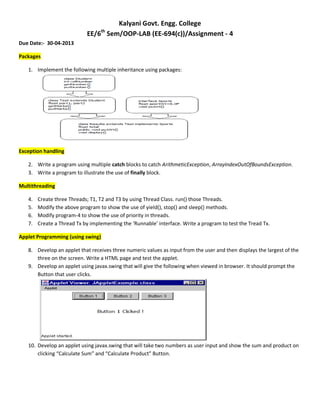
1. Implement the following multiple inheritance using packages:
Exception handling
2. Write a program using multiple catch blocks to catch ArithmeticException, ArrayIndexOutOfBoundsException.
3. Write a program to illustrate the use of finally block.
Multithreading
4. Create three Threads; T1, T2 and T3 by using Thread Class. run() those Threads.
5. Modify the above program to show the use of yield(), stop() and sleep() methods.
6. Modify program-4 to show the use of priority in threads.
7. Create a Thread Tx by implementing the ‘Runnable’ interface. Write a program to test the Tread Tx.
Applet Programming (using swing)
8. Develop an applet that receives three numeric values as input from the user and then displays the largest of the
three on the screen. Write a HTML page and test the applet.
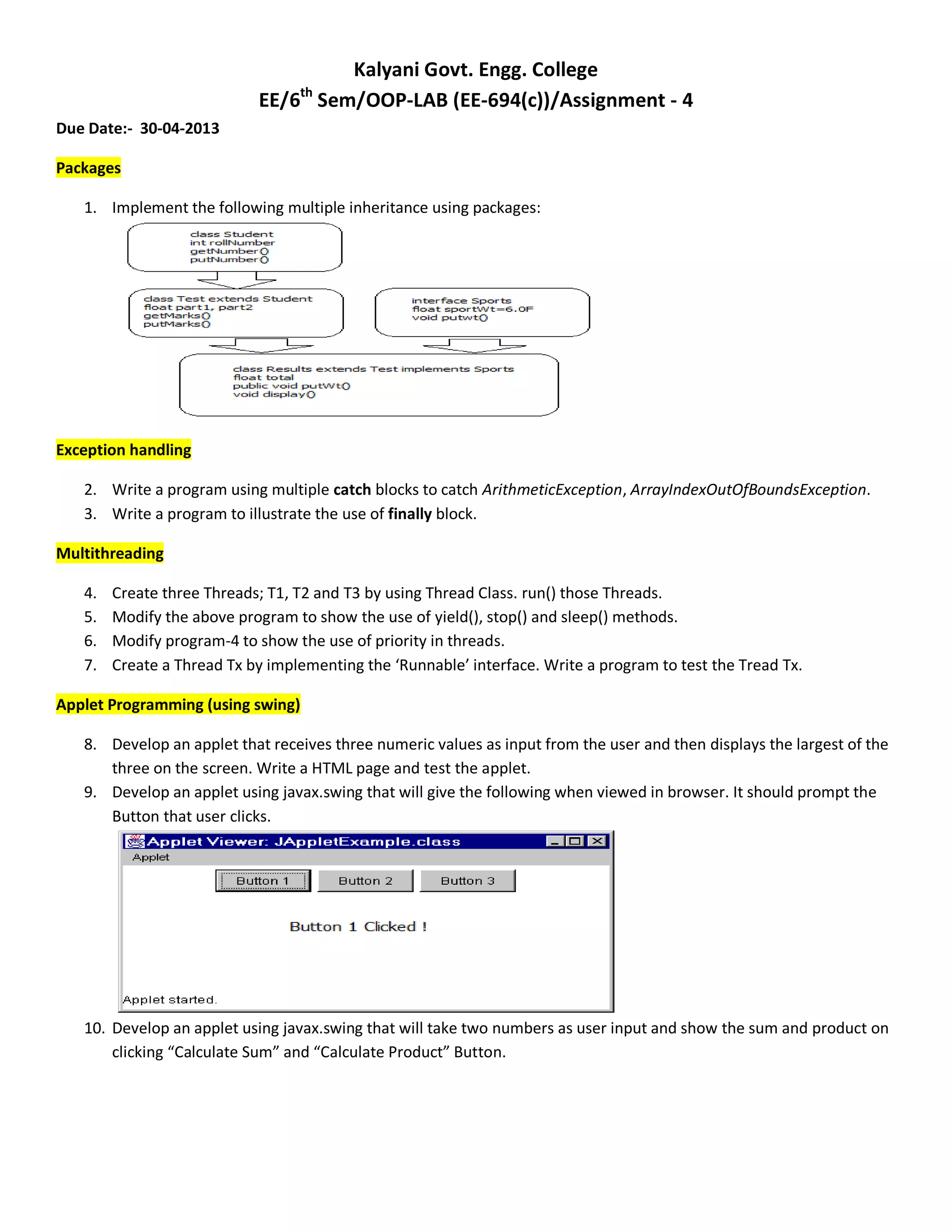
9. Develop an applet using javax.swing that will give the following when viewed in browser. It should prompt the
Button that user clicks.
10. Develop an applet using javax.swing that will take two numbers as user input and show the sum and product on
clicking “Calculate Sum” and “Calculate Product” Button.

Ee java lab assignment 4

  • 1.
    Kalyani Govt. Engg.College EE/6th Sem/OOP-LAB (EE-694(c))/Assignment - 4 Due Date:- 30-04-2013 Packages 1. Implement the following multiple inheritance using packages: Exception handling 2. Write a program using multiple catch blocks to catch ArithmeticException, ArrayIndexOutOfBoundsException. 3. Write a program to illustrate the use of finally block. Multithreading 4. Create three Threads; T1, T2 and T3 by using Thread Class. run() those Threads. 5. Modify the above program to show the use of yield(), stop() and sleep() methods. 6. Modify program-4 to show the use of priority in threads. 7. Create a Thread Tx by implementing the ‘Runnable’ interface. Write a program to test the Tread Tx. Applet Programming (using swing) 8. Develop an applet that receives three numeric values as input from the user and then displays the largest of the three on the screen. Write a HTML page and test the applet. 9. Develop an applet using javax.swing that will give the following when viewed in browser. It should prompt the Button that user clicks. 10. Develop an applet using javax.swing that will take two numbers as user input and show the sum and product on clicking “Calculate Sum” and “Calculate Product” Button.