







Ecosystem Tools for Administrators


Matt Ryall
Team Lead, Atlassian Confluence

                                     2
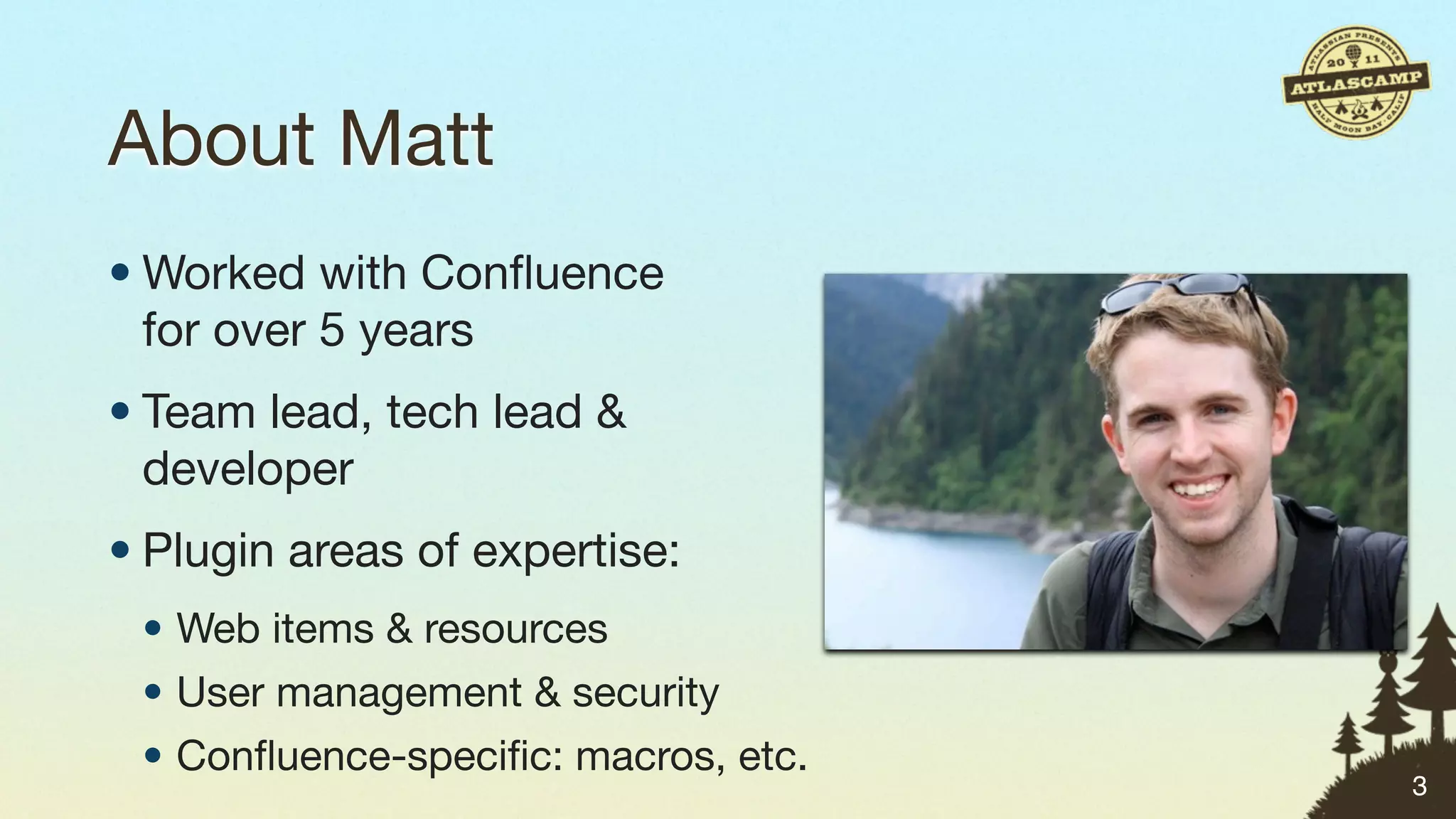
About Matt
• Worked with Confluence
  for over 5 years


                          3
About Matt
• Worked with Confluence
  for over 5 years
• Team lead, tech lead &
  developer


                           3
About Matt
• Worked with Confluence
  for over 5 years
• Team lead, tech lead &
  developer
• Plugin areas of expertise:
 • Web items & resources
 • User management & security
 • Confluence-specific: macros, etc.
                                     3
Who are you?


               4
Who are you?
• You run a JIRA/Confluence/Bamboo/
  FishEye server for your organisation


                                         4
Who are you?
• You run a JIRA/Confluence/Bamboo/
  FishEye server for your organisation
• You’re responsible for keeping the
  system up


                                         4
Who are you?
• You run a JIRA/Confluence/Bamboo/
  FishEye server for your organisation
• You’re responsible for keeping the
  system up
• You’re responsible for keeping the
  data safe

                                         4
Who are you?
• You run a JIRA/Confluence/Bamboo/
  FishEye server for your organisation
• You’re responsible for keeping the
  system up
• You’re responsible for keeping the
  data safe
• You need to get stuff done.
                                         4
What you want in Atlassian products


                                      5
What you want in Atlassian products

• Easier upgrades


                                      5
What you want in Atlassian products

• Easier upgrades
• More bulk operations


                                      5
What you want in Atlassian products

• Easier upgrades
• More bulk operations
• Offline operations


                                      5
What you want in Atlassian products

• Easier upgrades
• More bulk operations
• Offline operations
• Easier administration


                                      5
What you want in Atlassian products

• Easier upgrades
• More bulk operations
• Offline operations
• Easier administration


                                      5
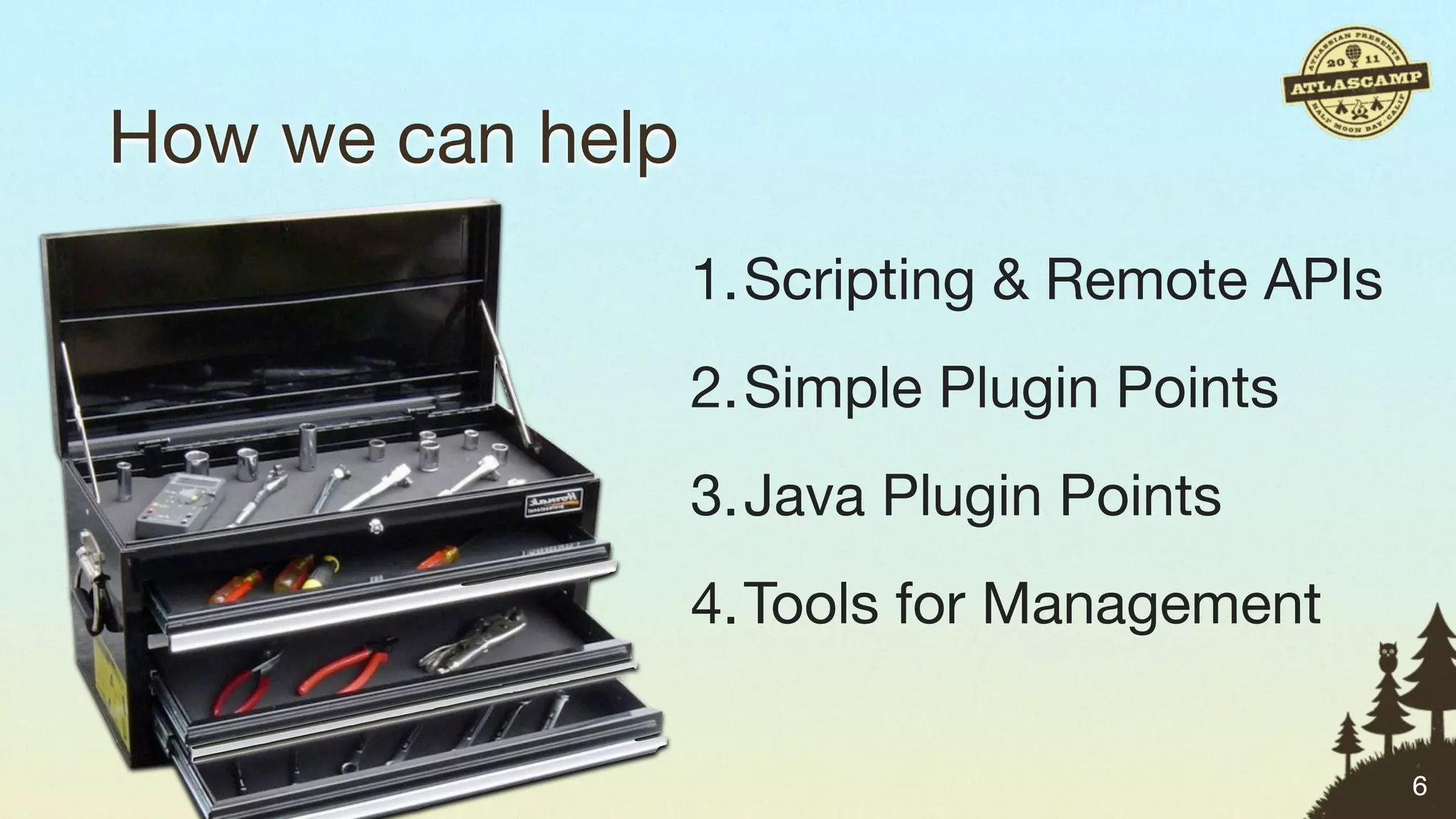
How we can help


                  6
How we can help
                  1.Scripting & Remote APIs


                                              6
How we can help
                  1.Scripting & Remote APIs
                  2.Simple Plugin Points


                                              6
How we can help
                  1.Scripting & Remote APIs
                  2.Simple Plugin Points
                  3.Java Plugin Points


                                              6
How we can help
                  1.Scripting & Remote APIs
                  2.Simple Plugin Points
                  3.Java Plugin Points
                  4.Tools for Management

                                              6
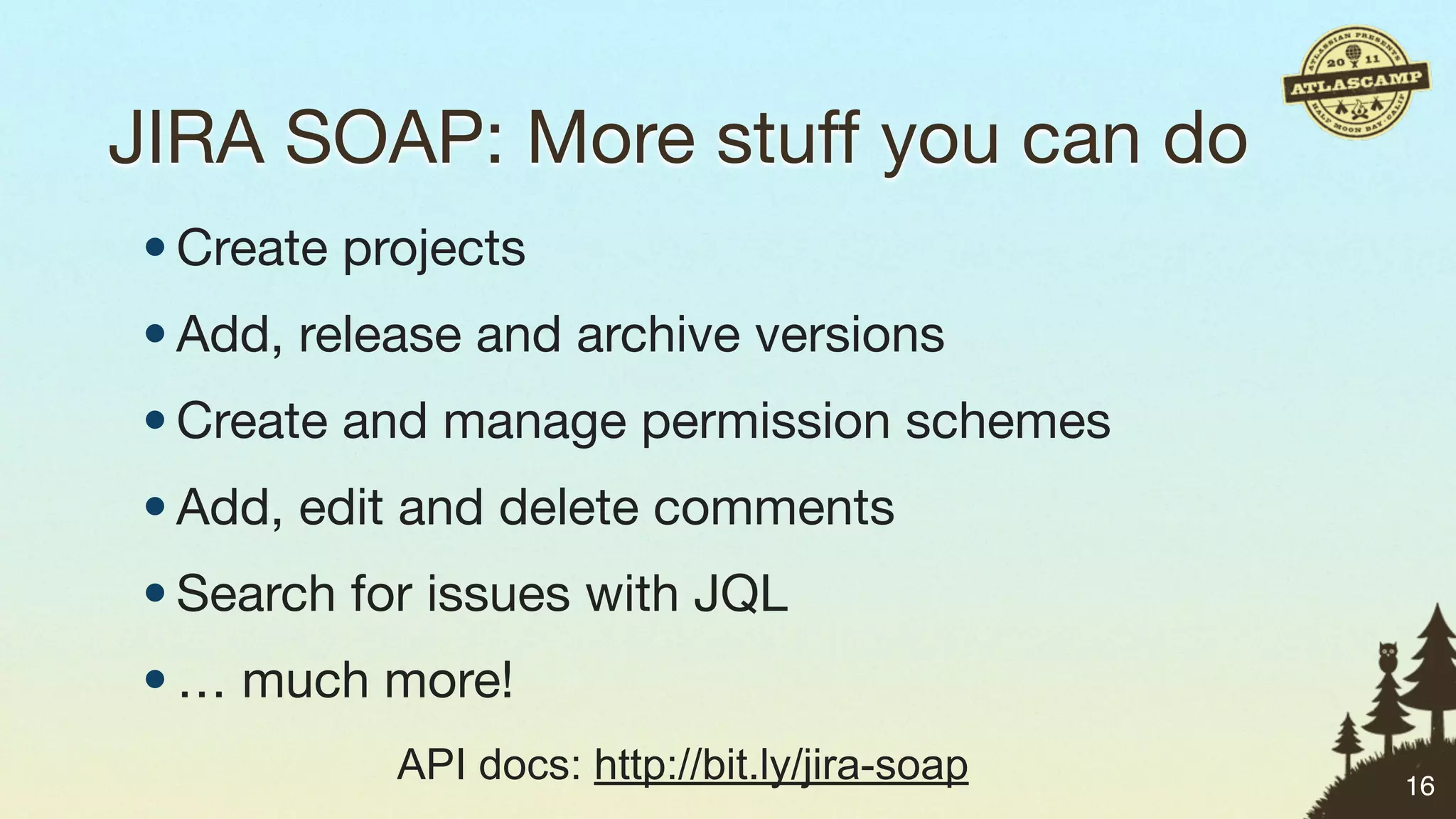
Scripting & Remote APIs
a.k.a. Acronym Soup


                          7
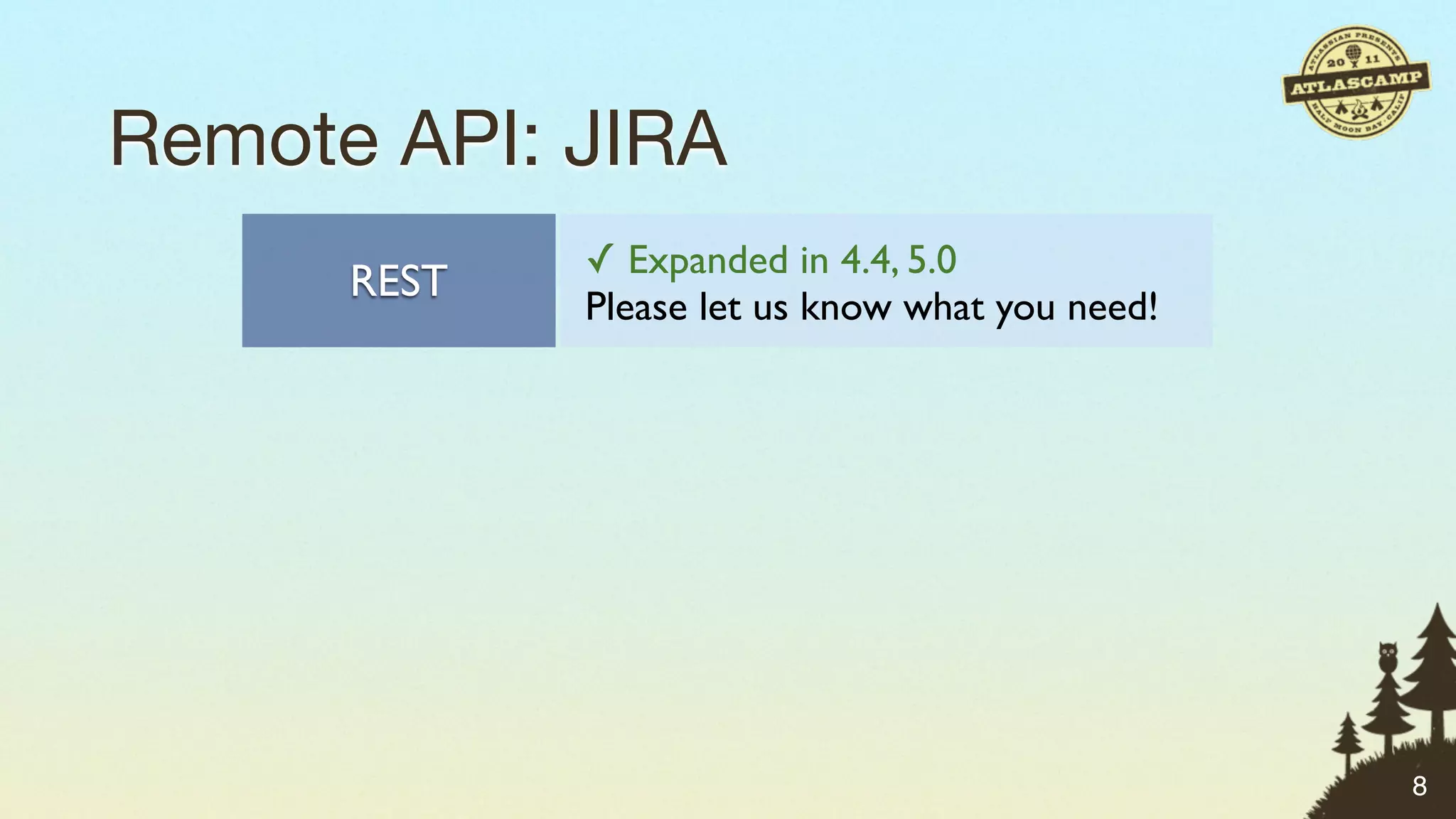
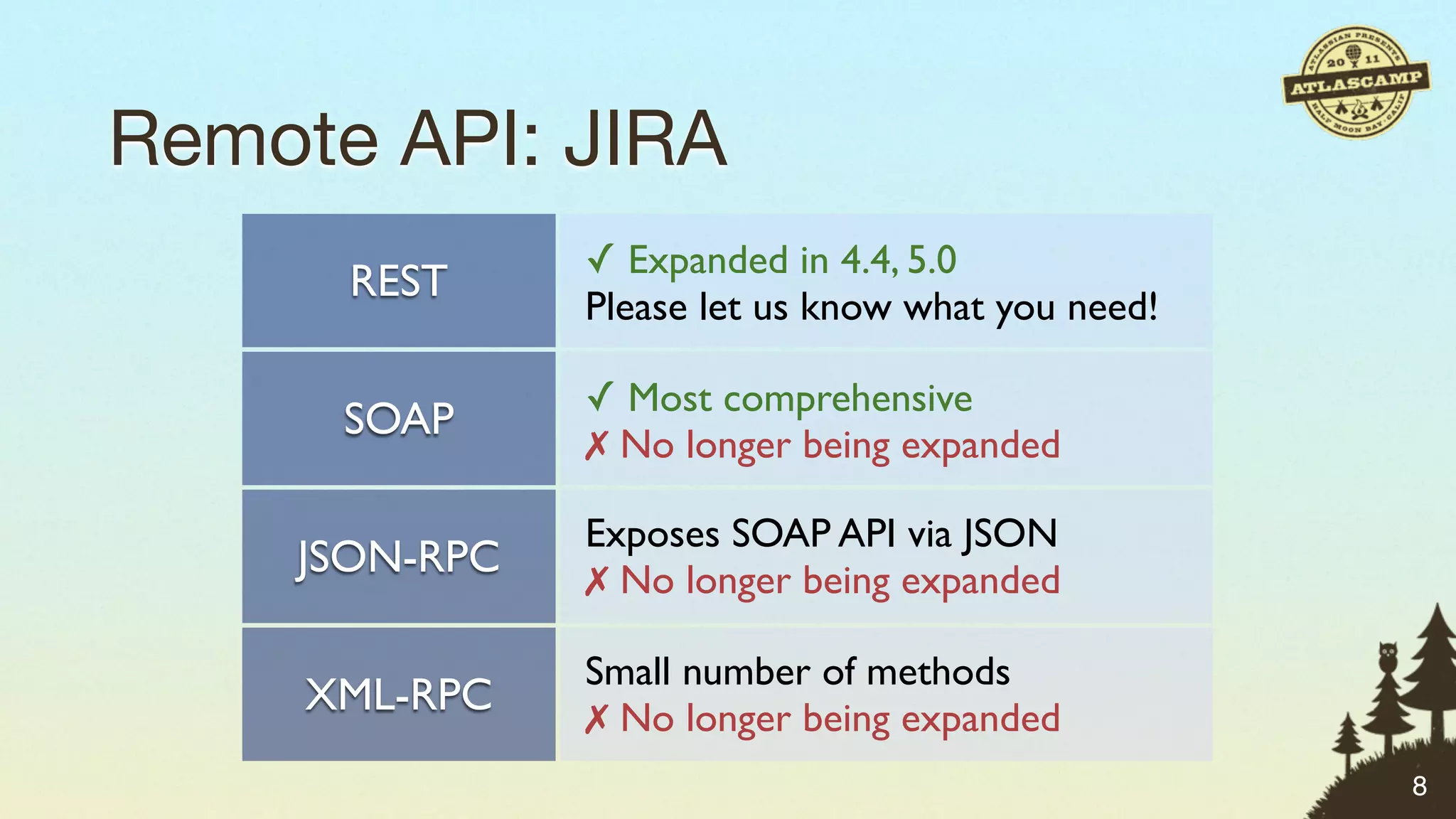
Remote API: JIRA


                   8
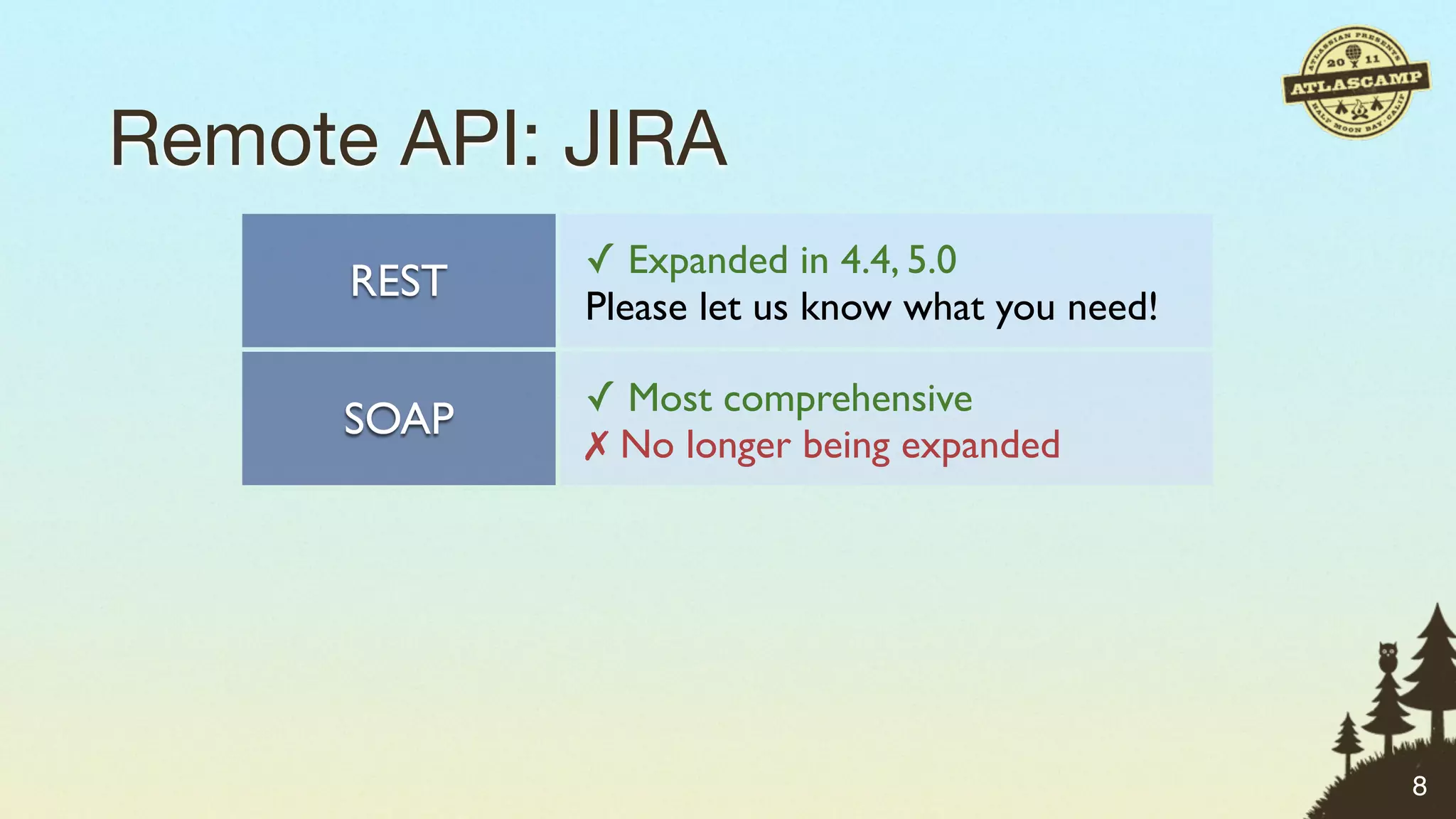
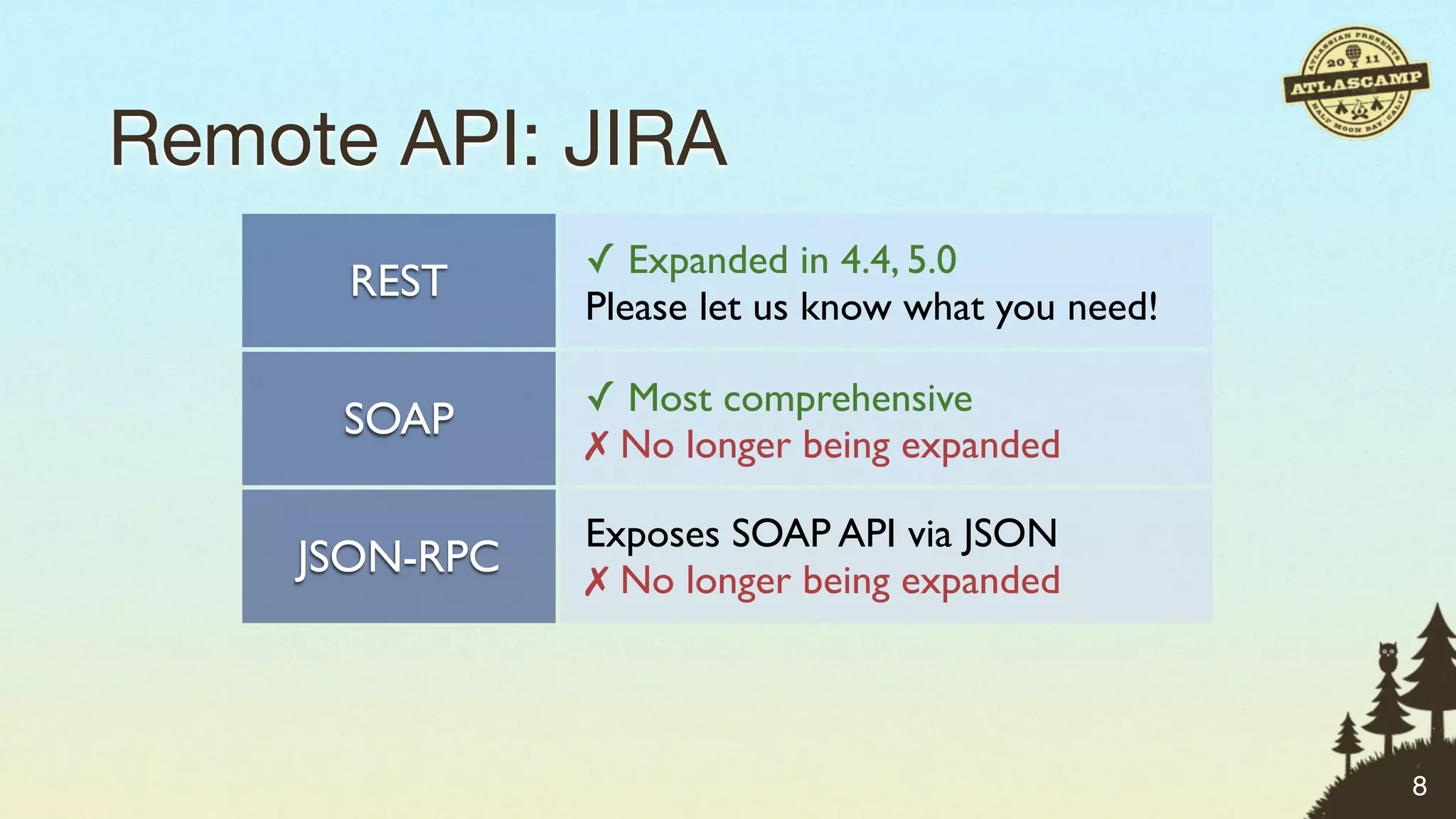
Remote API: JIRA
               ✓ Expanded in 4.4, 5.0
      REST
               Please let us know what you need!

               ✓ Most comprehensive
      SOAP
               ✗ No longer being expanded

               Exposes SOAP API via JSON
    JSON-RPC   ✗ No longer being expanded

               Small number of methods
     XML-RPC   ✗ No longer being expanded
                                                   8
Remote API: JIRA
               ✓ Expanded in 4.4, 5.0
      REST
               Please let us know what you need!

               ✓ Most comprehensive
      SOAP
               ✗ No longer being expanded

               Exposes SOAP API via JSON
    JSON-RPC   ✗ No longer being expanded

               Small number of methods
     XML-RPC   ✗ No longer being expanded
                                                   8
Remote API: JIRA
               ✓ Expanded in 4.4, 5.0
      REST
               Please let us know what you need!

               ✓ Most comprehensive
      SOAP
               ✗ No longer being expanded

               Exposes SOAP API via JSON
    JSON-RPC   ✗ No longer being expanded

               Small number of methods
     XML-RPC   ✗ No longer being expanded
                                                   8
Remote API: JIRA
               ✓ Expanded in 4.4, 5.0
      REST
               Please let us know what you need!

               ✓ Most comprehensive
      SOAP
               ✗ No longer being expanded

               Exposes SOAP API via JSON
    JSON-RPC   ✗ No longer being expanded

               Small number of methods
     XML-RPC   ✗ No longer being expanded
                                                   8
Remote API: language agnostic


                                9
Remote API: language agnostic


                                9
Remote API: language agnostic


                                9
Remote API: language agnostic


                                9
Remote API: language agnostic


                                9
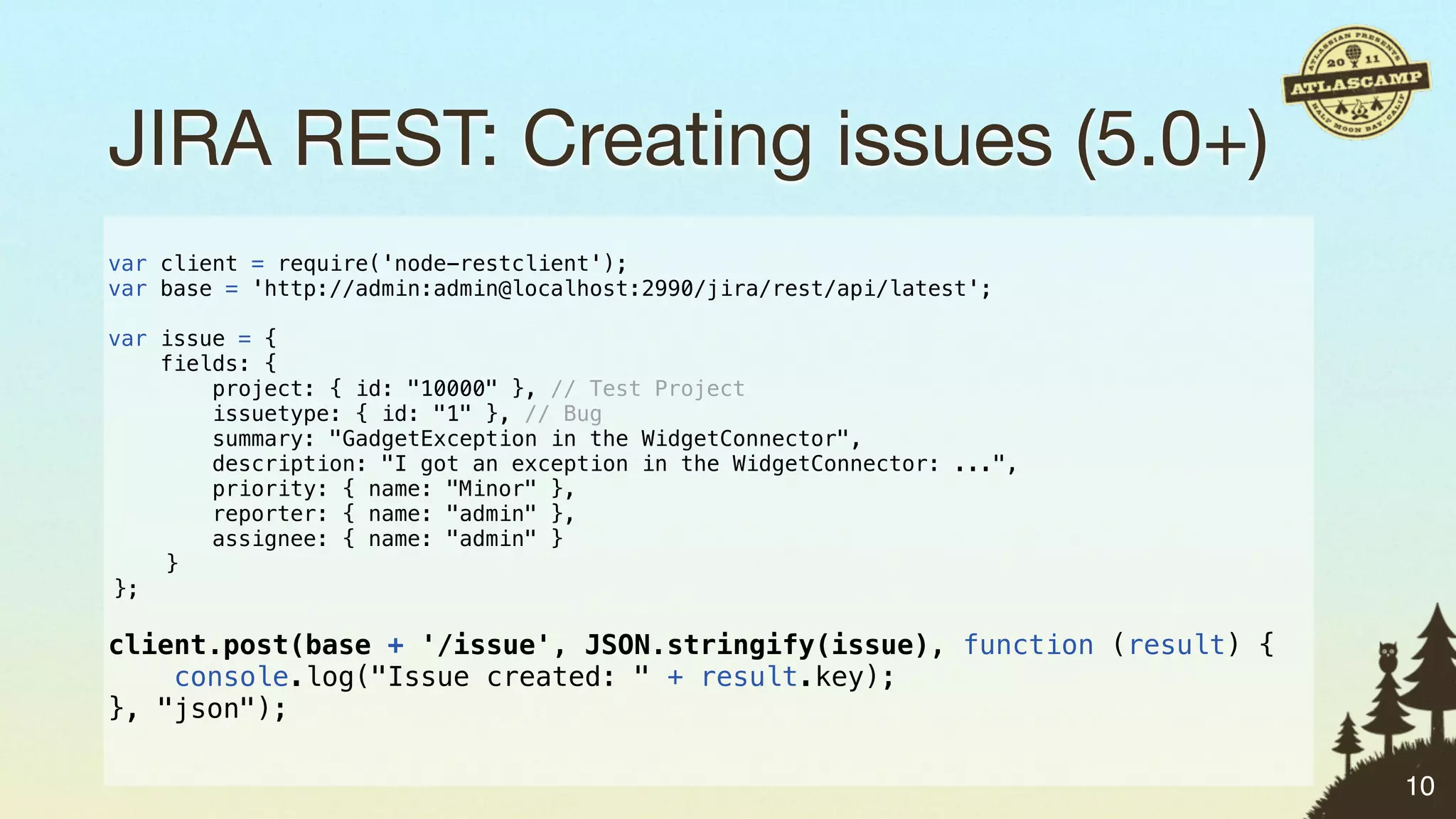
JIRA REST: Creating issues (5.0+)
var client = require('node-restclient');
var base = 'http://admin:admin@localhost:2990/jira/rest/api/latest';

var issue = {
    fields: {
        project: { id: "10000" }, // Test Project
        issuetype: { id: "1" }, // Bug
        summary: "GadgetException in the WidgetConnector",
        description: "I got an exception in the WidgetConnector: ...",
        priority: { name: "Minor" },
        reporter: { name: "admin" },
        assignee: { name: "admin" }
    }
};

client.post(base + '/issue', JSON.stringify(issue), function (result) {
    console.log("Issue created: " + result.key);
}, "json");

                                                                          10
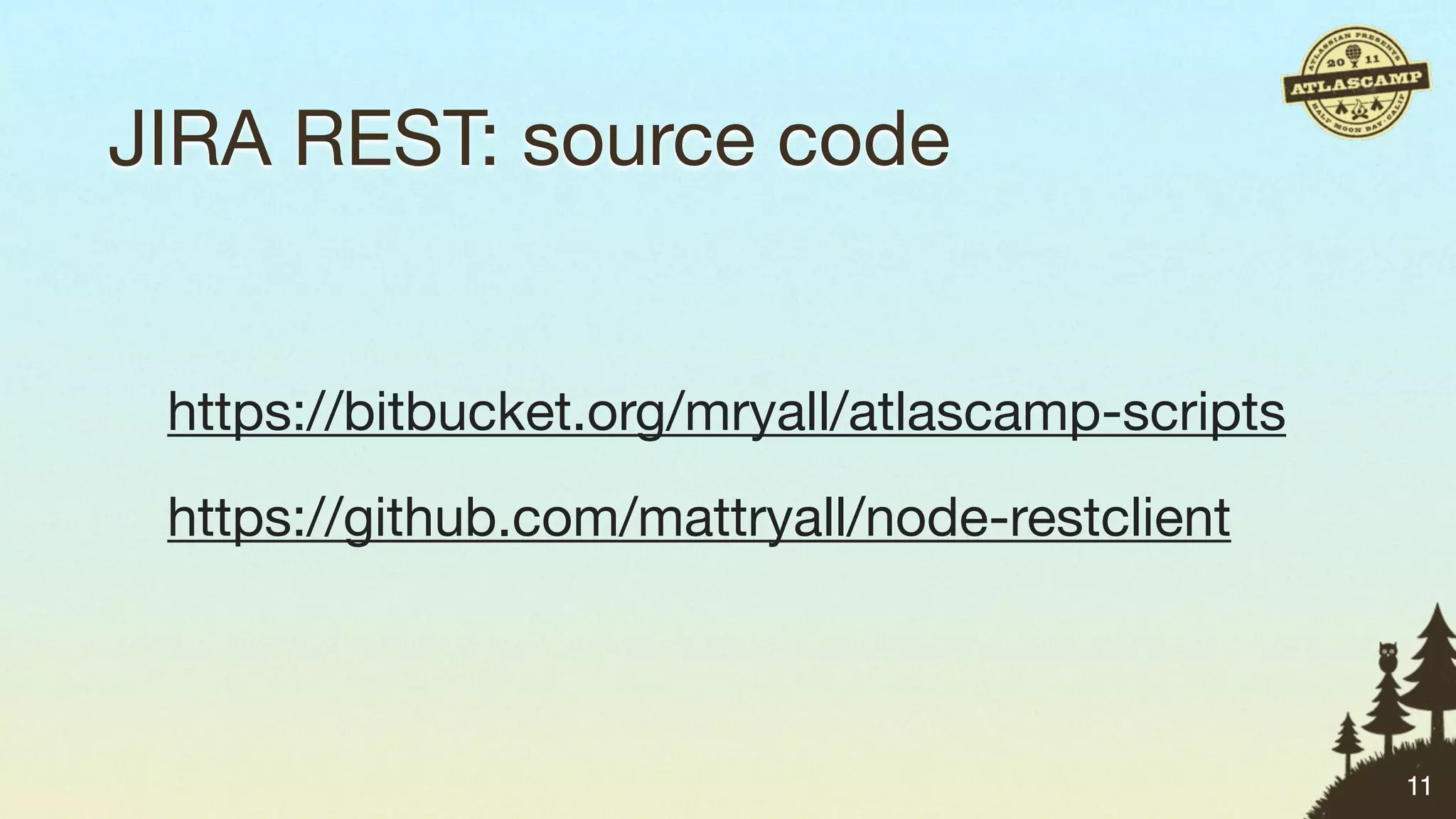
JIRA REST: source code


 https://bitbucket.org/mryall/atlascamp-scripts
 https://github.com/mattryall/node-restclient


                                                  11
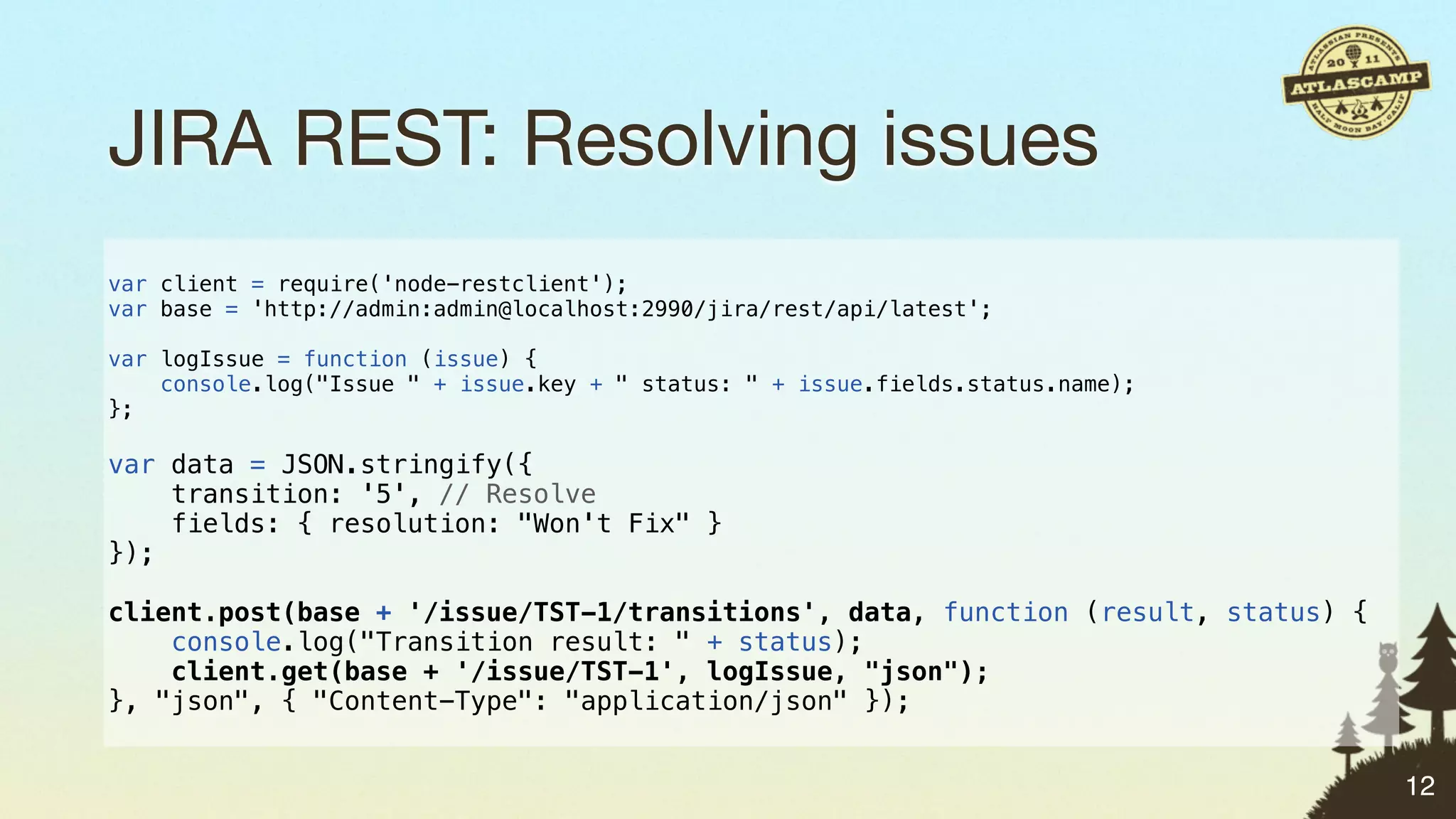
JIRA REST: Resolving issues
var client = require('node-restclient');
var base = 'http://admin:admin@localhost:2990/jira/rest/api/latest';

var logIssue = function (issue) {
    console.log("Issue " + issue.key + " status: " + issue.fields.status.name);
};

var data = JSON.stringify({
    transition: '5', // Resolve
    fields: { resolution: "Won't Fix" }
});

client.post(base + '/issue/TST-1/transitions', data, function (result, status) {
    console.log("Transition result: " + status);
    client.get(base + '/issue/TST-1', logIssue, "json");
}, "json", { "Content-Type": "application/json" });


                                                                                   12
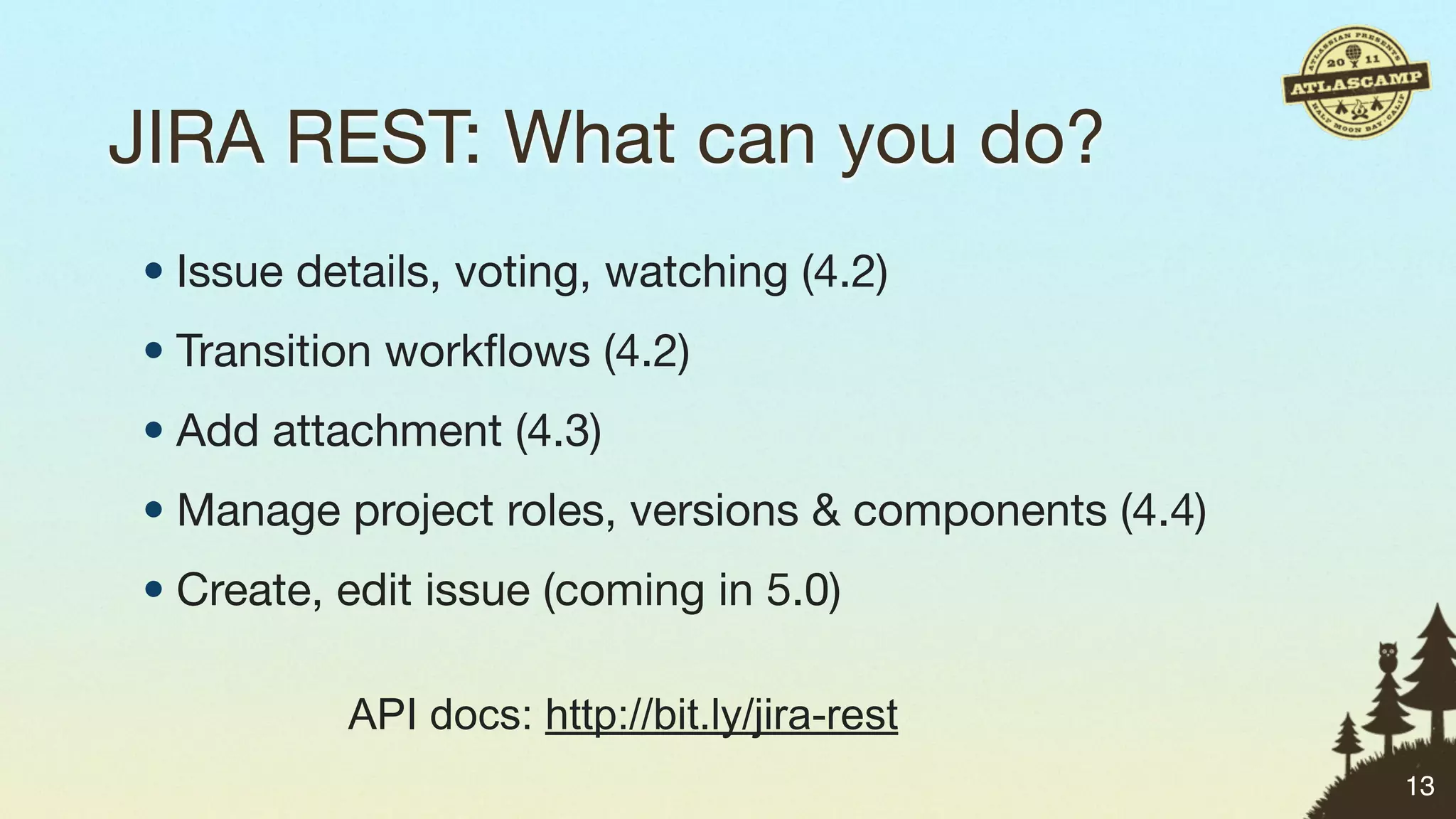
JIRA REST: What can you do?
• Issue details, voting, watching (4.2)
• Transition workflows (4.2)
• Add attachment (4.3)
• Manage project roles, versions & components (4.4)
• Create, edit issue (coming in 5.0)

          API docs: http://bit.ly/jira-rest
                                                      13
JIRA SOAP: Creating issues
from suds.client import Client
import datetime

client = Client('https://jira/rpc/soap/jirasoapservice-v2?wsdl')
token = client.service.login('username', 'password')
issue = {
    'project': 'TST',
    'summary': 'Test issue created from SOAP',
    'type': '3', # Task
    'description': 'Please ignore this issue',
    'duedate': datetime.datetime(2011, 10, 5),
    'affectsVersions': [{ 'id': '10331' }],
    'fixVersions': [{ 'id': '10331' }],
}
issue = client.service.createIssue(token, issue)

print 'New issue created: %s' % issue.key
                                                                   14
JIRA SOAP: Resolving issues
from suds.client import Client

client = Client('https://jira/rpc/soap/jirasoapservice-v2?wsdl')
token = client.service.login('username', 'password')

action = '5' # Resolve
params = [{ 'id': 'resolution', 'values': [ '2' ] }] # Won't Fix
issue = client.service.progressWorkflowAction(token,
    'TST-29258', action, params)

print 'Issue %s updated, new status: %s' % (issue.key, issue.status)


                                                                       15
JIRA SOAP: More stuff you can do
• Create projects
• Add, release and archive versions
• Create and manage permission schemes
• Add, edit and delete comments
• Search for issues with JQL
• … much more!
           API docs: http://bit.ly/jira-soap   16
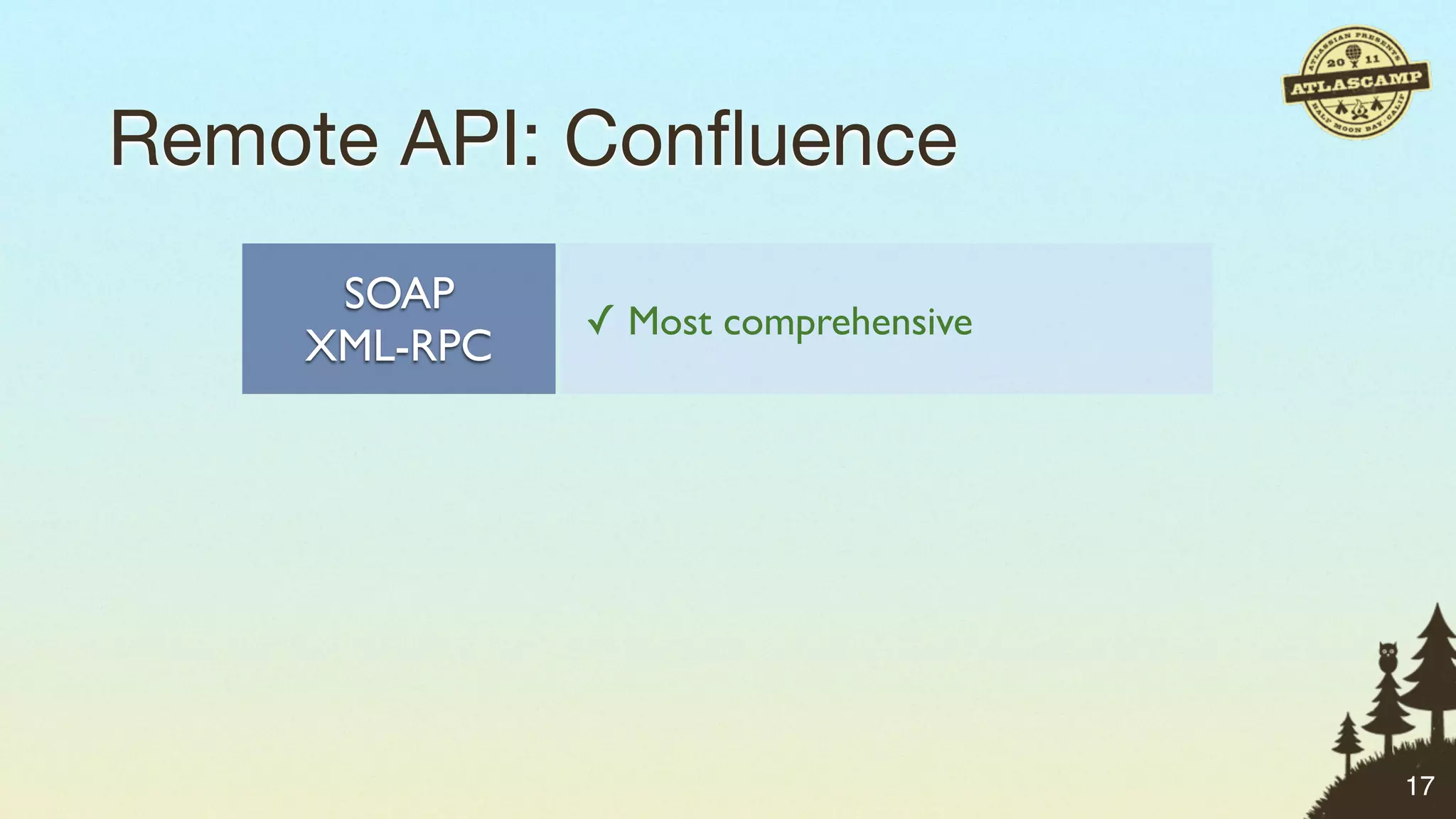
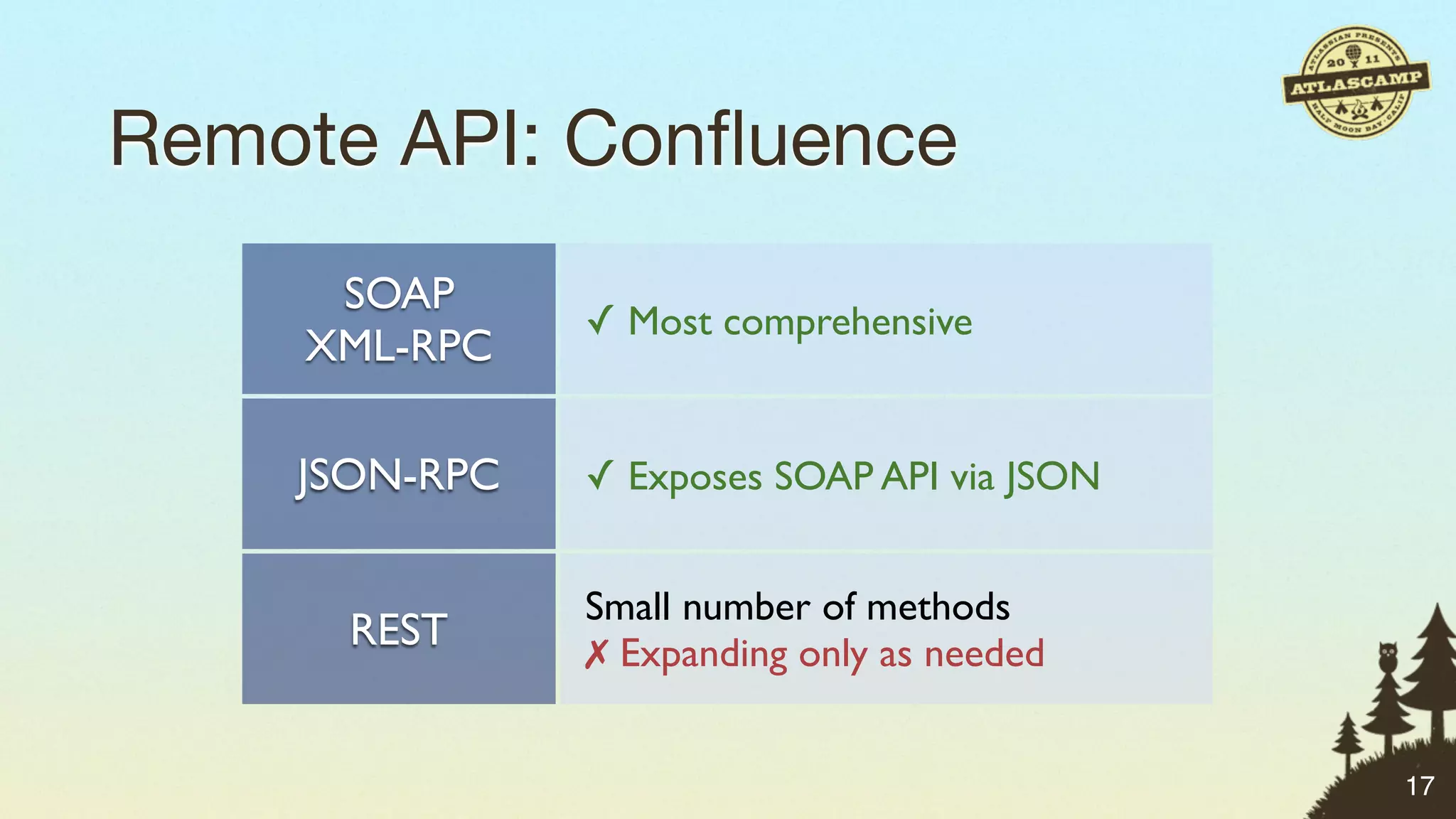
Remote API: Confluence


                        17
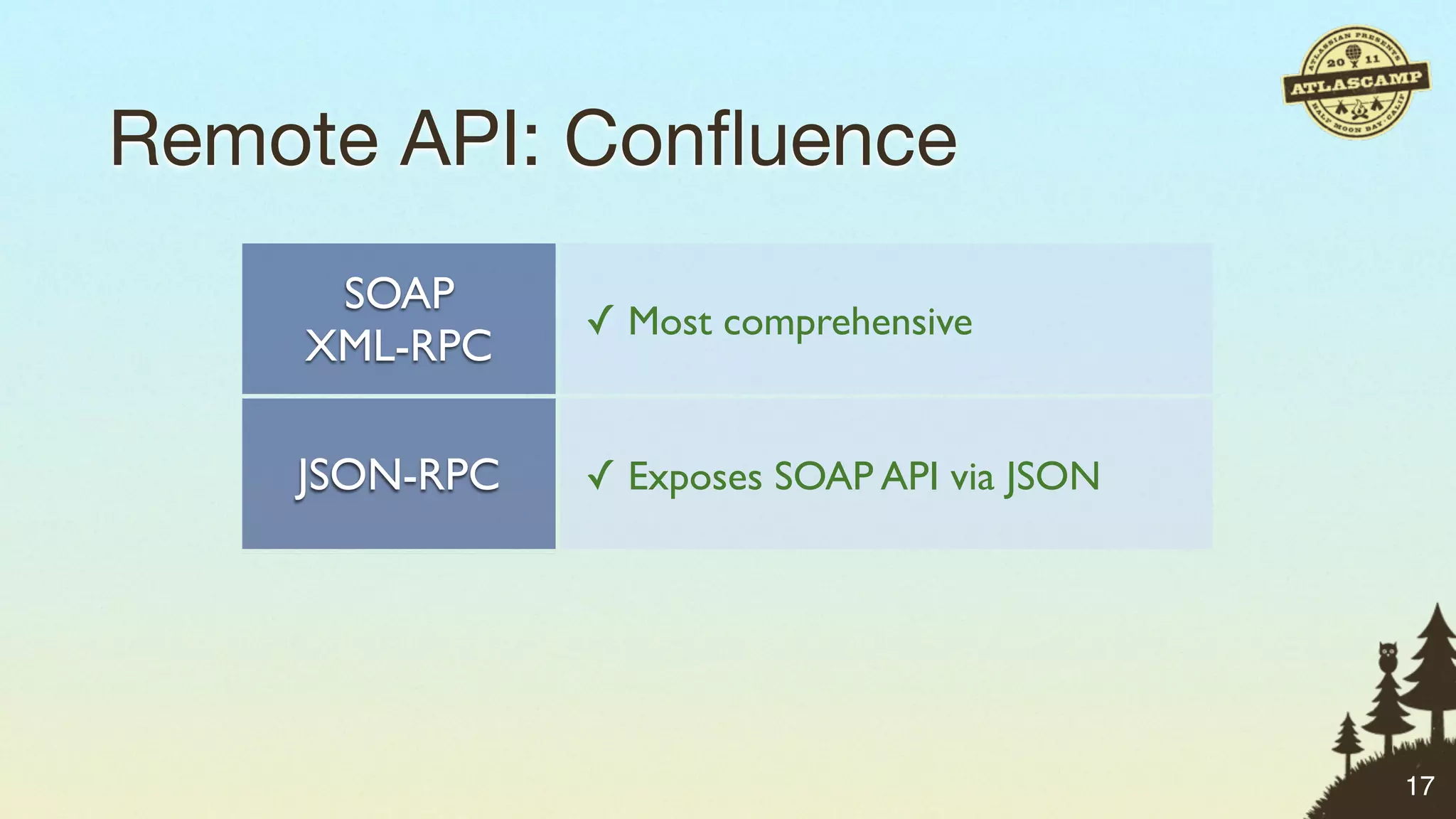
Remote API: Confluence
     SOAP
               ✓ Most comprehensive
    XML-RPC

    JSON-RPC   ✓ Exposes SOAP API via JSON


               Small number of methods
      REST     ✗ Expanding only as needed


                                             17
Remote API: Confluence
     SOAP
               ✓ Most comprehensive
    XML-RPC

    JSON-RPC   ✓ Exposes SOAP API via JSON


               Small number of methods
      REST     ✗ Expanding only as needed


                                             17
Remote API: Confluence
     SOAP
               ✓ Most comprehensive
    XML-RPC

    JSON-RPC   ✓ Exposes SOAP API via JSON


               Small number of methods
      REST     ✗ Expanding only as needed


                                             17
JSON-RPC: What is it?


                        18
JSON-RPC: What is it?

•Provides JSON-based access to existing
 SOAP APIs in JIRA and Confluence


                                          18
JSON-RPC: What is it?

•Provides JSON-based access to existing
 SOAP APIs in JIRA and Confluence

•Useful in front-end JavaScript code


                                          18
JSON-RPC: What is it?

•Provides JSON-based access to existing
 SOAP APIs in JIRA and Confluence

•Useful in front-end JavaScript code

•Why? To facilitate reuse of existing APIs.

                                              18
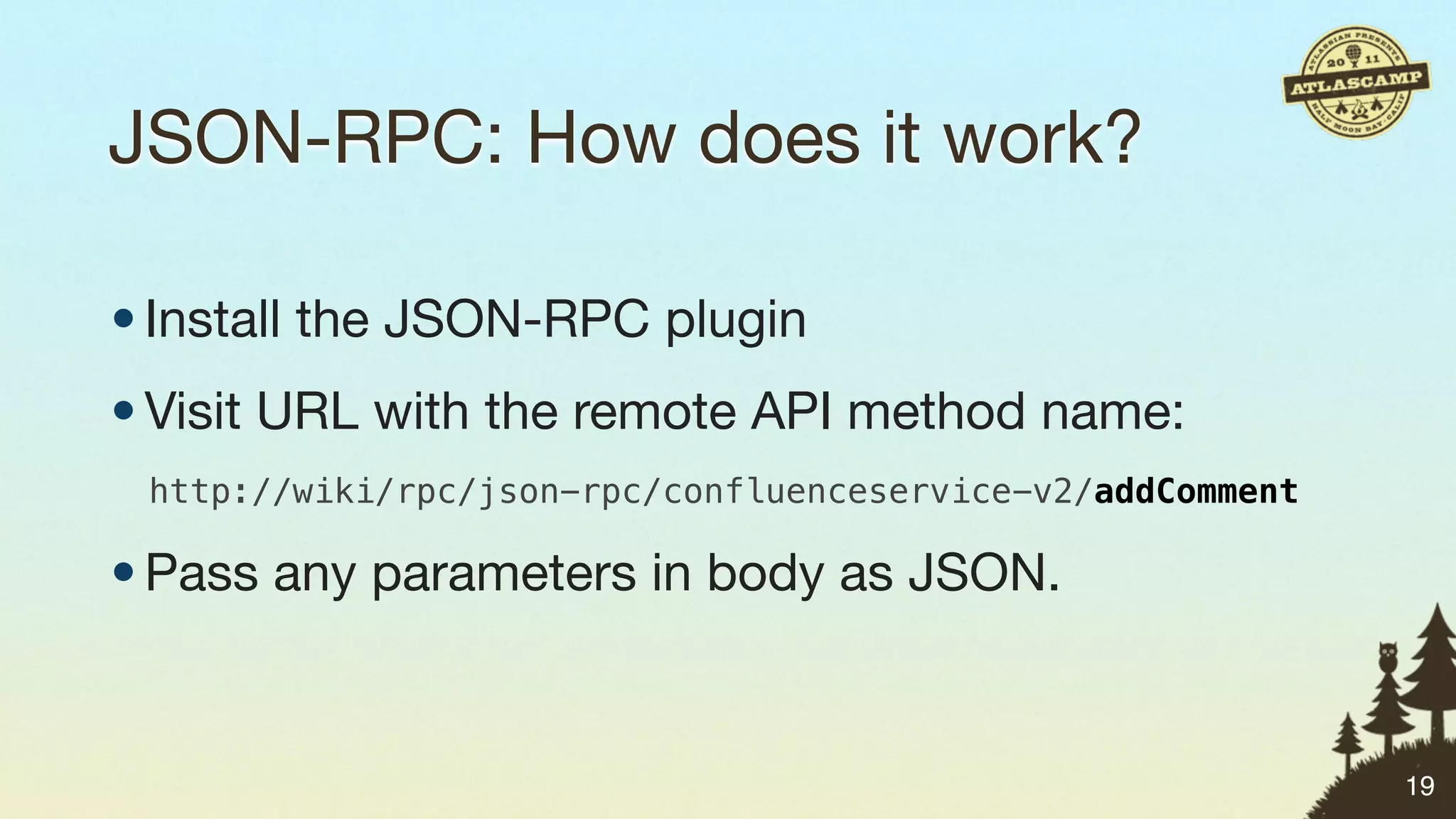
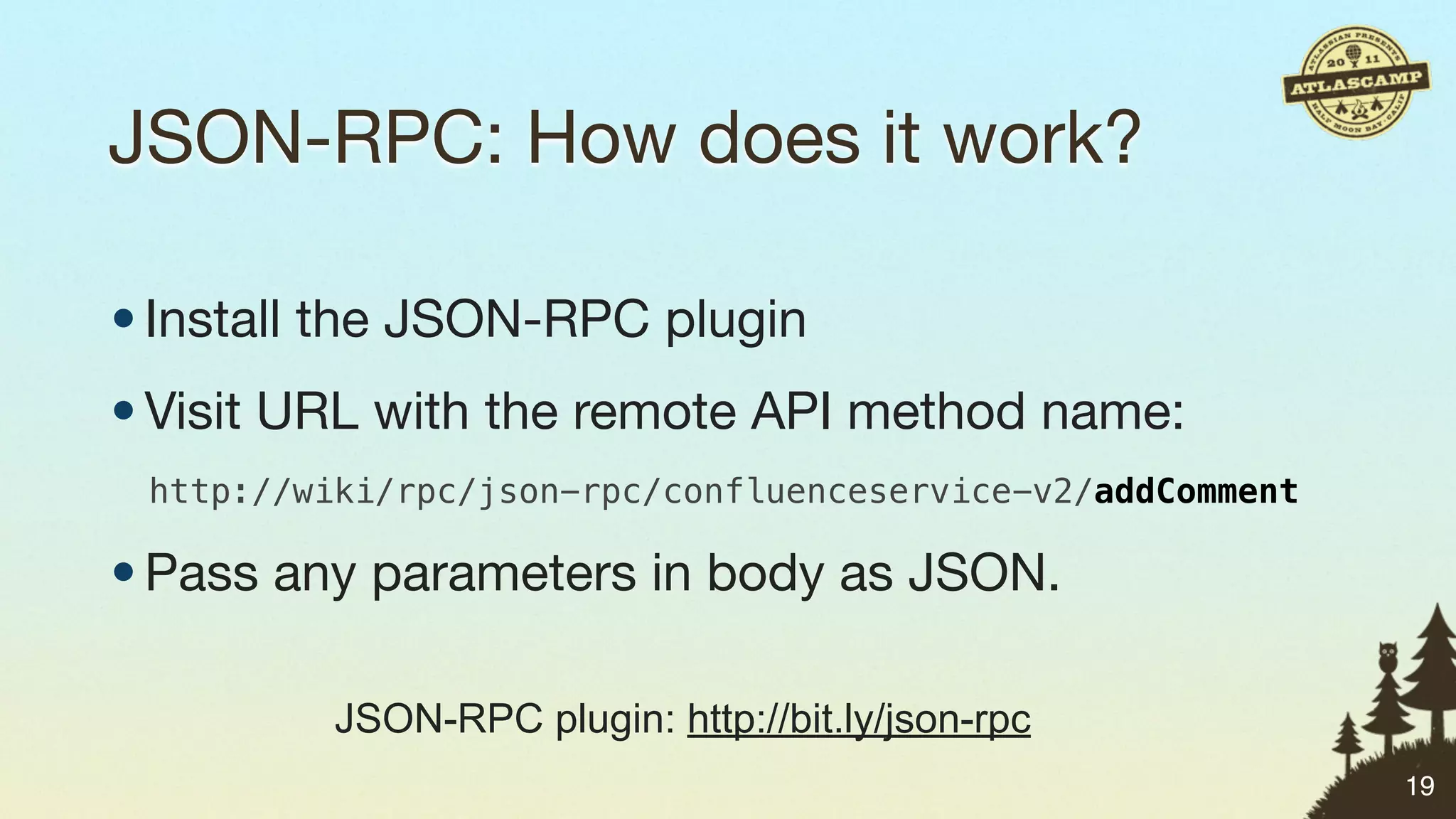
JSON-RPC: How does it work?


                              19
JSON-RPC: How does it work?

• Install the JSON-RPC plugin


                                19
JSON-RPC: How does it work?

• Install the JSON-RPC plugin
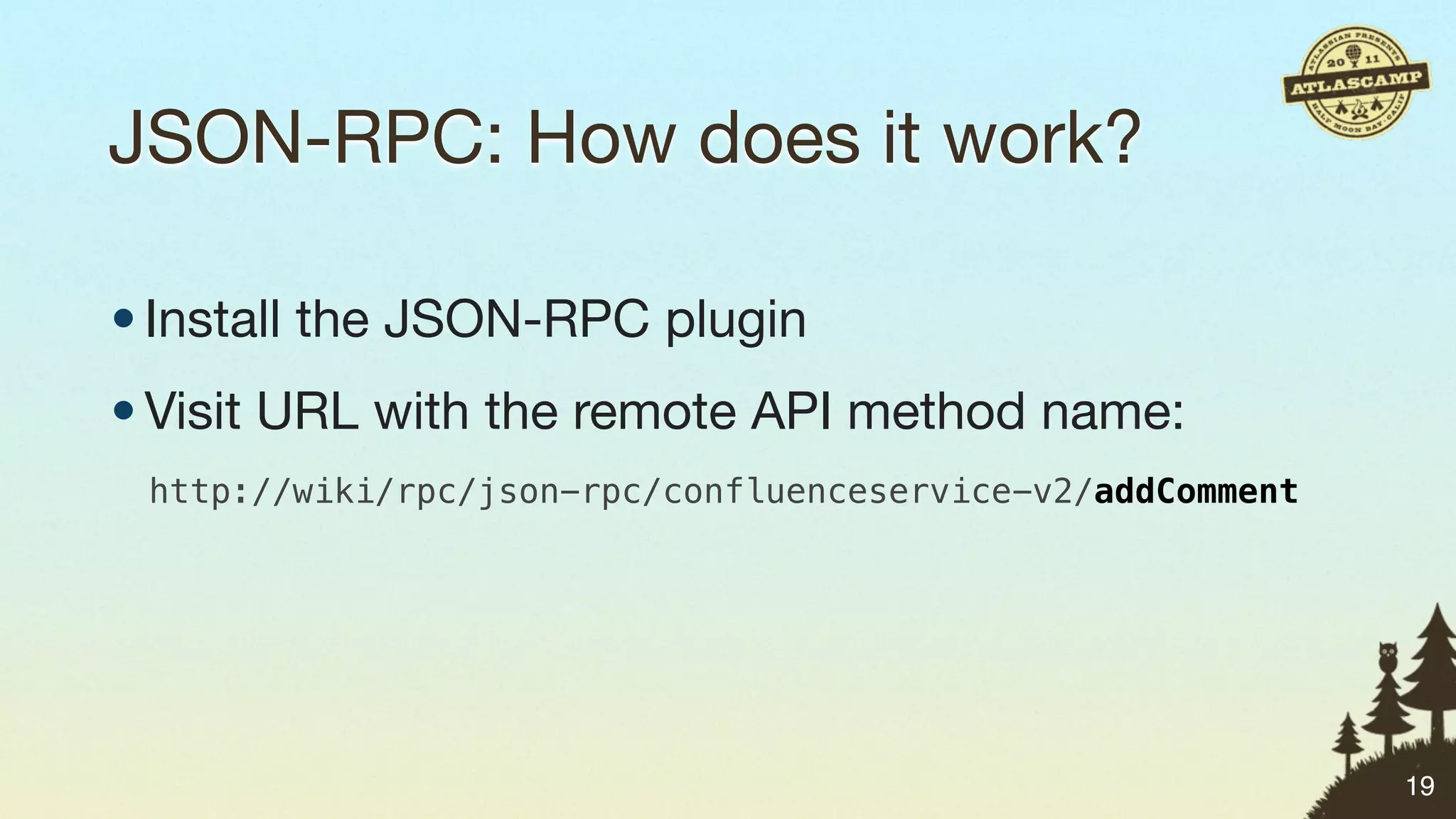
• Visit URL with the remote API method name:


                                               19
JSON-RPC: How does it work?

• Install the JSON-RPC plugin
• Visit URL with the remote API method name:
 http://wiki/rpc/json-rpc/confluenceservice-v2/addComment


                                                            19
JSON-RPC: How does it work?

• Install the JSON-RPC plugin
• Visit URL with the remote API method name:
 http://wiki/rpc/json-rpc/confluenceservice-v2/addComment

• Pass any parameters in body as JSON.


                                                            19
JSON-RPC: How does it work?

• Install the JSON-RPC plugin
• Visit URL with the remote API method name:
 http://wiki/rpc/json-rpc/confluenceservice-v2/addComment

• Pass any parameters in body as JSON.

          JSON-RPC plugin: http://bit.ly/json-rpc
                                                            19
JSON-RPC: Deleting spam comments
function jsonRpc(method, params, success, error) {
    jQuery.ajax("https://wiki/rpc/json-rpc/confluenceservice-v2/" + method, {
        dataType: "json",
        type: "POST",
        contentType: "application/json",
        data: JSON.stringify(params),
        success: success,
        error: error
    });
}

jsonRpc("getComments", [ AJS.params.pageId ], function (comments) {
    jQuery.each(comments, function (i, comment) {
        if (comment.creator == "mquail") {
            jsonRpc("removeComment", [ comment.id ], function () {
                console.log("Comment removed: " + comment.id);
            });
        }
    });
});                                                                             20
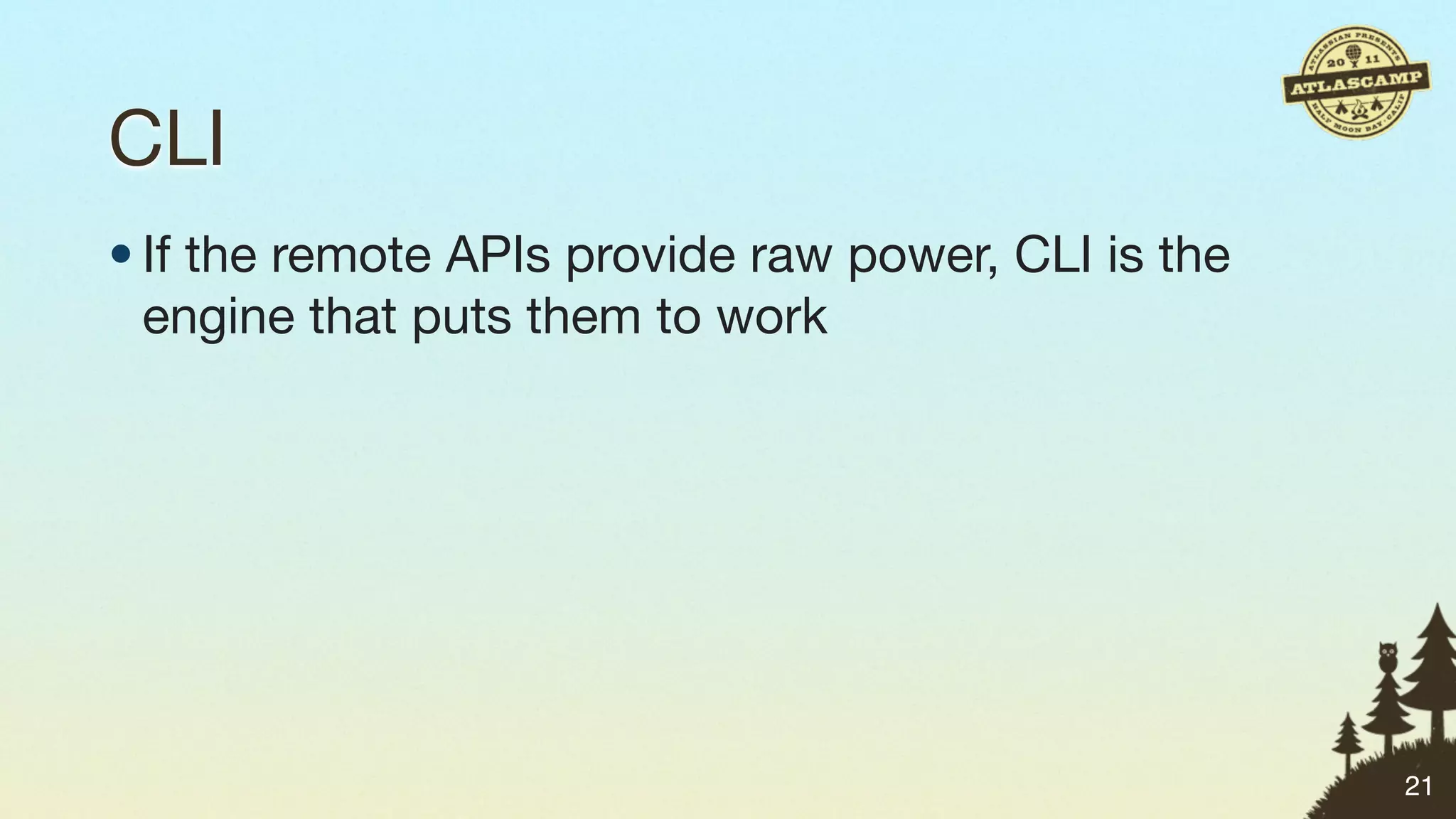
CLI


      21
CLI
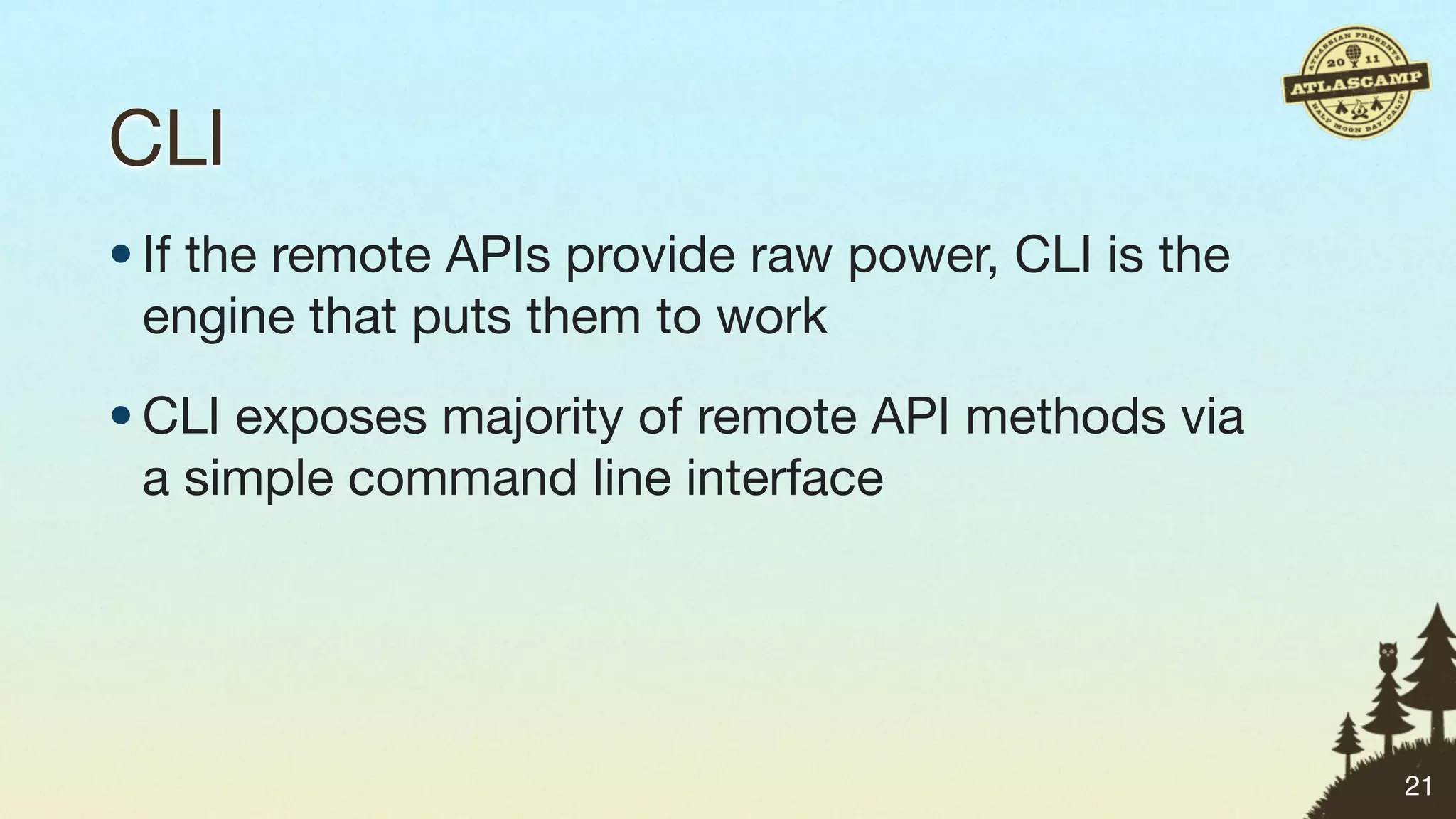
• If the remote APIs provide raw power, CLI is the
  engine that puts them to work


                                                     21
CLI
• If the remote APIs provide raw power, CLI is the
  engine that puts them to work
• CLI exposes majority of remote API methods via
  a simple command line interface


                                                     21
CLI
• If the remote APIs provide raw power, CLI is the
  engine that puts them to work
• CLI exposes majority of remote API methods via
  a simple command line interface
• Open source, maintained by Bob Swift


                                                     21
CLI
• If the remote APIs provide raw power, CLI is the
  engine that puts them to work
• CLI exposes majority of remote API methods via
  a simple command line interface
• Open source, maintained by Bob Swift
• Don’t bother writing code, use a shell script
                                                     21
CLI
$ ./jira.sh
Usage:
  jira [--help] (-a|--action) <action> [(-f|--file) <file>] [--encoding <encoding>] [--debug] [-v|--verbose] [--quiet] [--outputFormat
  <outputFormat>] [--sql <sql>] [--driver <driver>] [--url <url>] [--host <host>] [--port <port>] [--database <database>] [--dbUser
  <dbUser>] [--dbPassword <dbPassword>] [--propertyFile <propertyFile>] [--common <common>] [--continue] [--simulate] (-s|--server)
  <server> (-u|--user) <user> (-p|--password) <password> [--login <login>] [--service <service>] [-l|--loginFromStandardInput]
  [--project <project>] [--toProject <toProject>] [--name <name>] [--description <description>] [--lead <lead>] [--after <after>]
  [--issue <issue>] [--toIssue <toIssue>] [--parent <parent>] [--summary <summary>] [--priority <priority>] [--reporter <reporter>]
  [--assignee <assignee>] [--security <security>] [--environment <environment>] [--component <component>] [--toComponent
  <toComponent>] [--components <components>] [--version <version>] [--affectsVersions <affectsVersions>] [--fixVersions <fixVersions>]
  [--custom <custom>] [--field <field>] [--field2 <field2>] [--date <date>] [--dateFormat <dateFormat>] [--type <type>] [--resolution
  <resolution>] [--step <step>] [--comment <comment>] [--filter <filter>] [--search <search>] [--link <link>] [--values <values>]
  [--values2 <values2>] [--timeSpent <timeSpent>] [--propertyPrefix <propertyPrefix>] [--count <count>] [--api <api>] [--plugin
  <plugin>] [--role <role>] [--group <group>] [--defaultGroup <defaultGroup>] [--userId <userId>] [--userFullName <userFullName>]
  [--userEmail <userEmail>] [--userPassword <userPassword>] [--permissionScheme <permissionScheme>] [--notificationScheme
  <notificationScheme>] [--issueSecurityScheme <issueSecurityScheme>] [--findReplace <findReplace>] [--autoVersion] [--autoComponent]
  [--autoGroup] [--asVersion] [--asComponent] [--asCascadeSelect] [--append] [--appendText] [--copyLinks] [--copyAttachments]
  [--copyComments] [--copyWatchers] [--copySubtasks] [--copySubtaskEstimates] [--useParentVersions] [--cloneIssues] [--copyVersions]
  [--copyComponents] [--copyRoleActors] [--replace]


!      Provides capability to make requests to a remote server.
!      Required parameters: action, server, password.
!      Optional parameters: user (likely required for your installation).
!      Other required and optional parameters depending on action requested.


    [--help]
          Prints this help message.

    (-a|--action) <action>
          Requested operation to perform. Valid actions (not case sensitive) are:                                                        22
CLI


      … And that’s just JIRA!


                                22
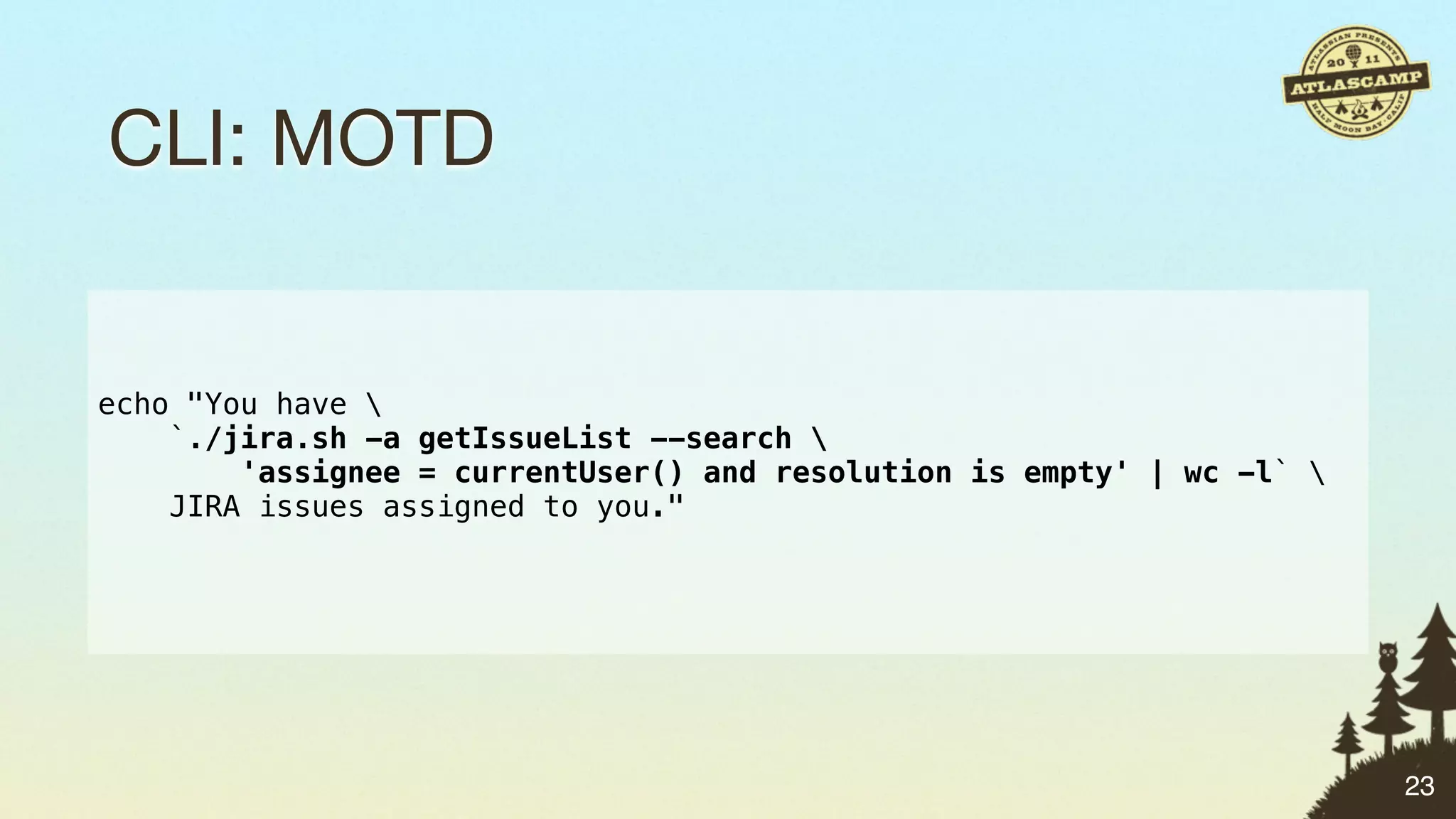
CLI: MOTD


echo "You have 
    `./jira.sh -a getIssueList --search 
        'assignee = currentUser() and resolution is empty' | wc -l` 
    JIRA issues assigned to you."


                                                                        23
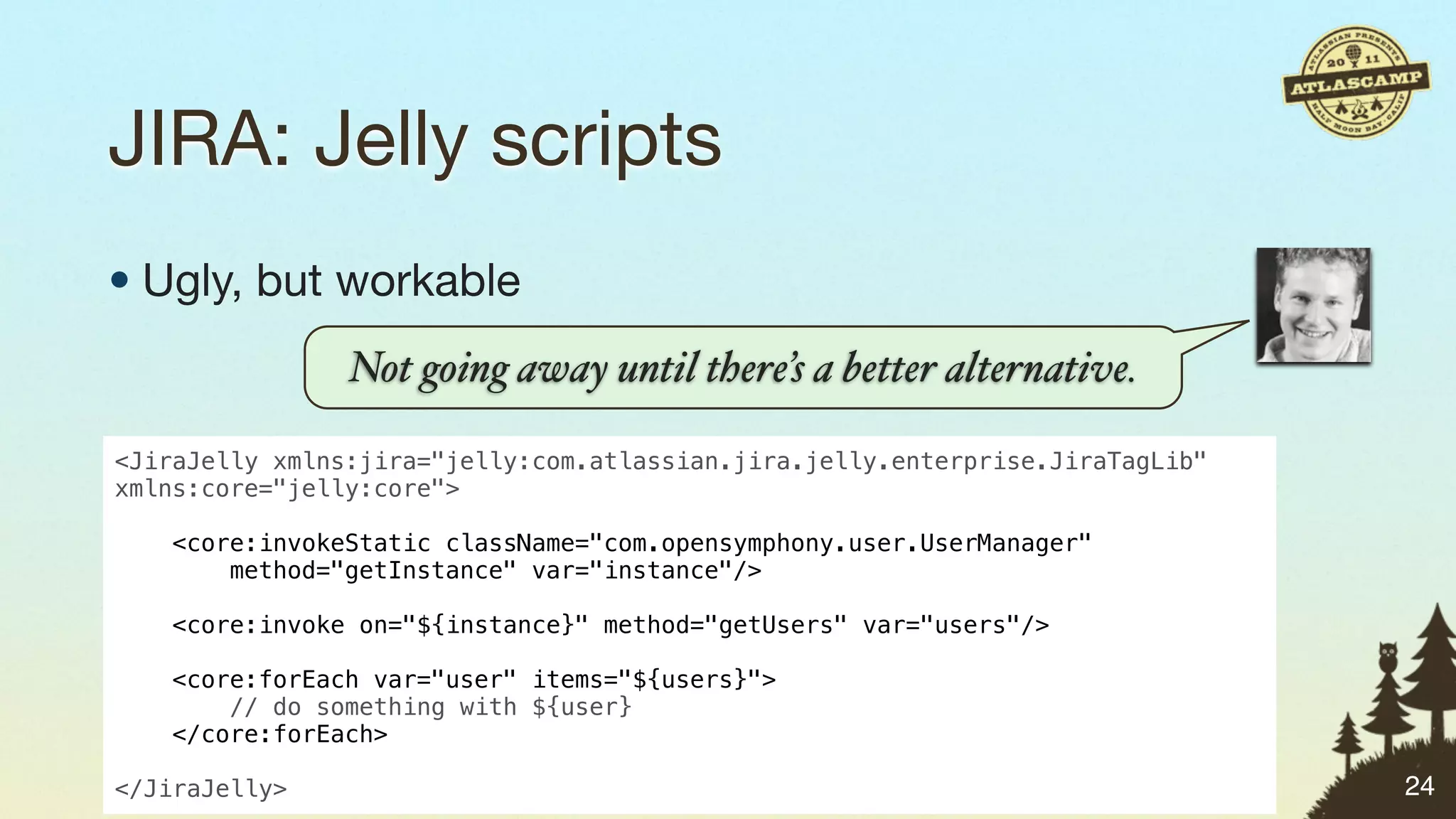
JIRA: Jelly scripts
• Ugly, but workable


                       24
JIRA: Jelly scripts
• Ugly, but workable
           Not going away until there’s a better alternative.


                                                                24
JIRA: Jelly scripts
• Ugly, but workable
                Not going away until there’s a better alternative.

<JiraJelly xmlns:jira="jelly:com.atlassian.jira.jelly.enterprise.JiraTagLib"
xmlns:core="jelly:core">
 
    <core:invokeStatic className="com.opensymphony.user.UserManager"
        method="getInstance" var="instance"/>

    <core:invoke on="${instance}" method="getUsers" var="users"/>

    <core:forEach var="user" items="${users}">
        // do something with ${user}
    </core:forEach>

</JiraJelly>                                                                   24
JIRA: Script Runner plugin


                             25
JIRA: Script Runner plugin

• Runs scripts found on the file system


                                         25
JIRA: Script Runner plugin

• Runs scripts found on the file system
• Integrates into workflow validators and post-
  functions


                                                 25
JIRA: Script Runner plugin

• Runs scripts found on the file system
• Integrates into workflow validators and post-
  functions
• Supports several languages: Groovy, JavaScript


                                                   25
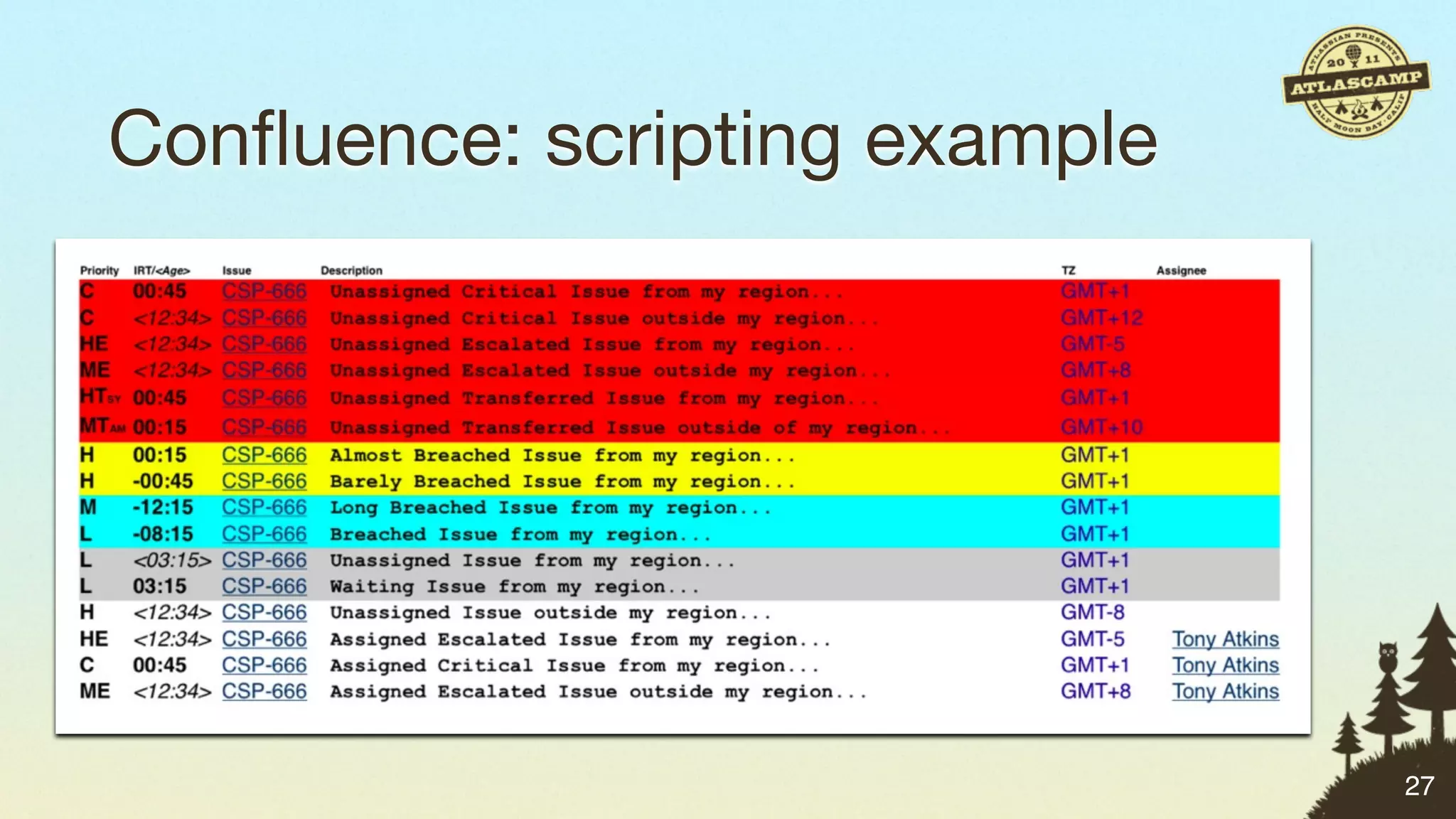
Confluence: Scripting macros


                              26
Confluence: Scripting macros

• Embed scripts in Confluence pages


                                     26
Confluence: Scripting macros

• Embed scripts in Confluence pages
• Ugly, but workable


                                     26
Confluence: Scripting macros

• Embed scripts in Confluence pages
• Ugly, but workable
• Supports Beanshell, Jython and more


                                        26
Confluence: scripting example


                               27
Matt’s Scripts & Remote API Challenge


“   Use your product’s scripting or remote APIs to
       automate one task in your workflow … tomorrow!
                                                       ”
     #atlascamp


                                                           28
Simple Plugin Points
No compilers a!owed.


                       29
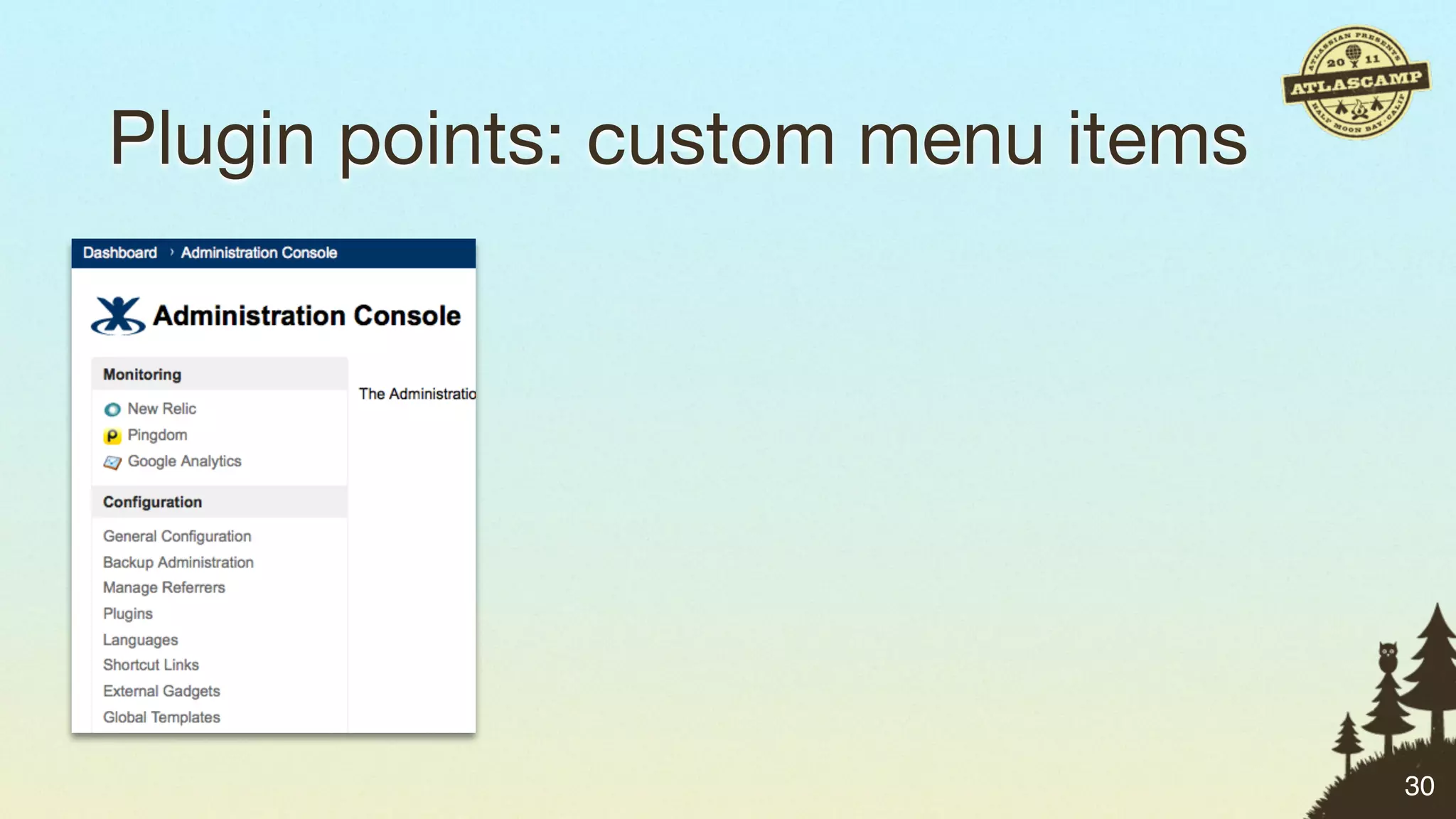
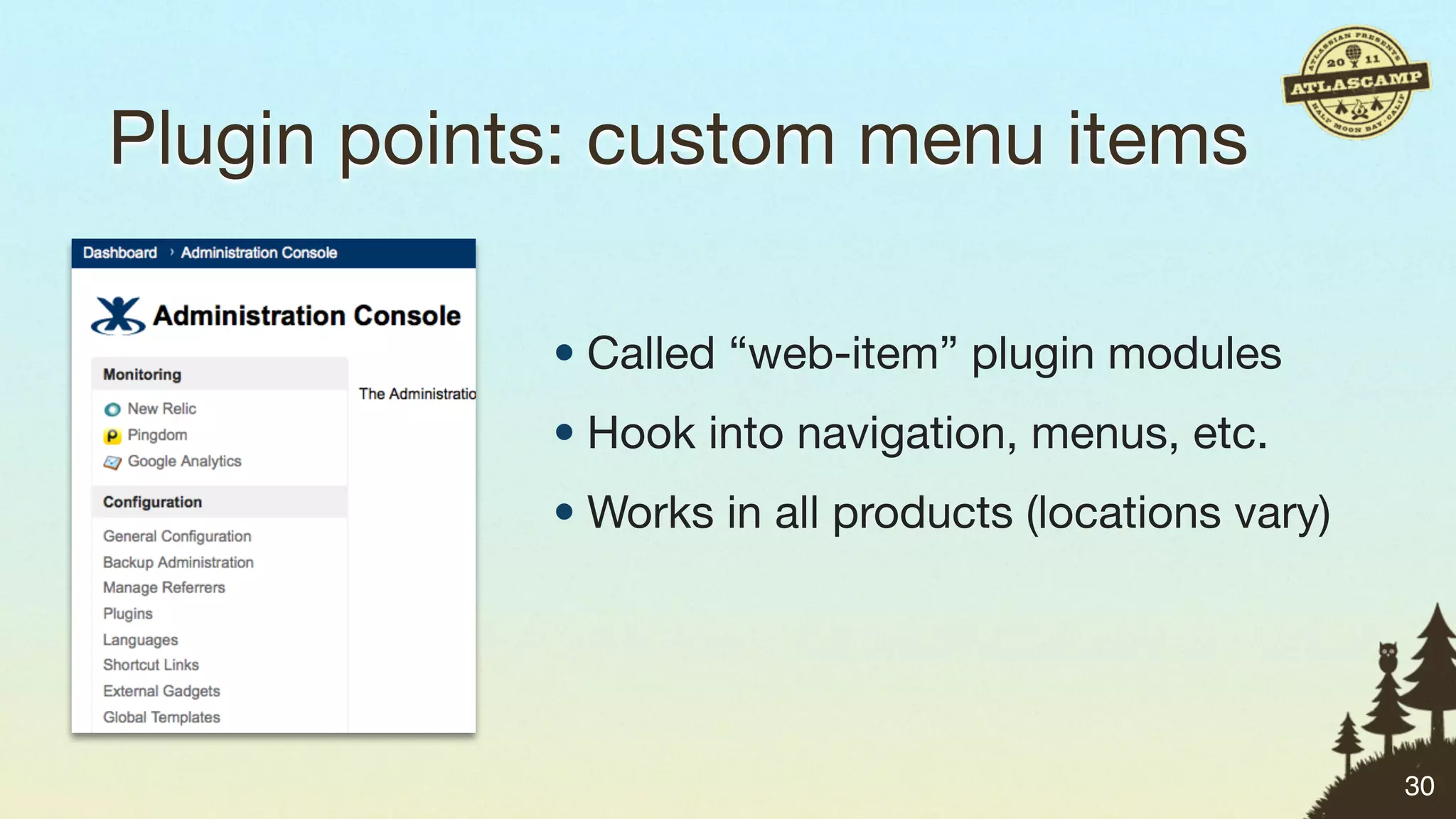
Plugin points: custom menu items


                                   30
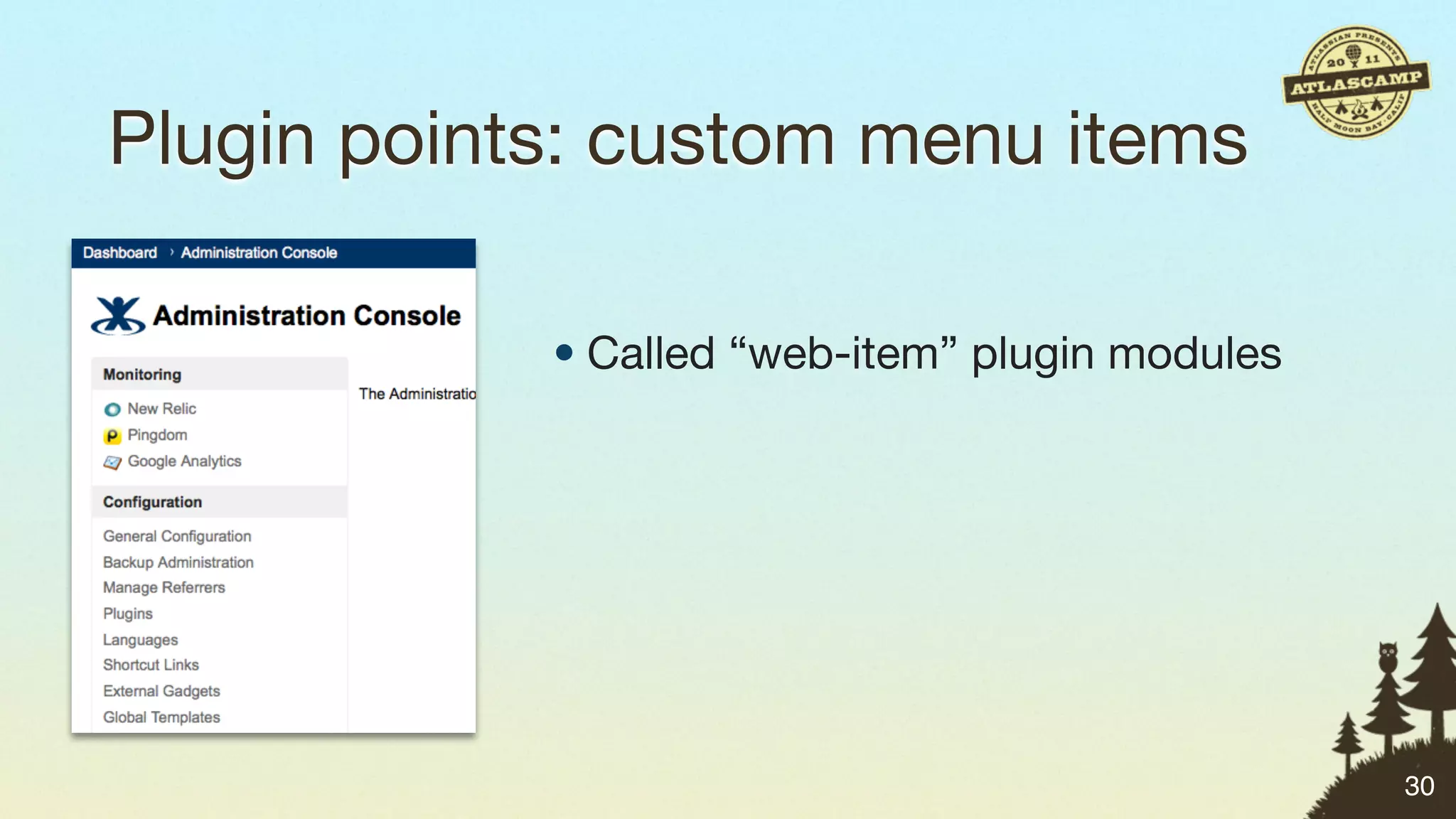
Plugin points: custom menu items

            • Called “web-item” plugin modules


                                                 30
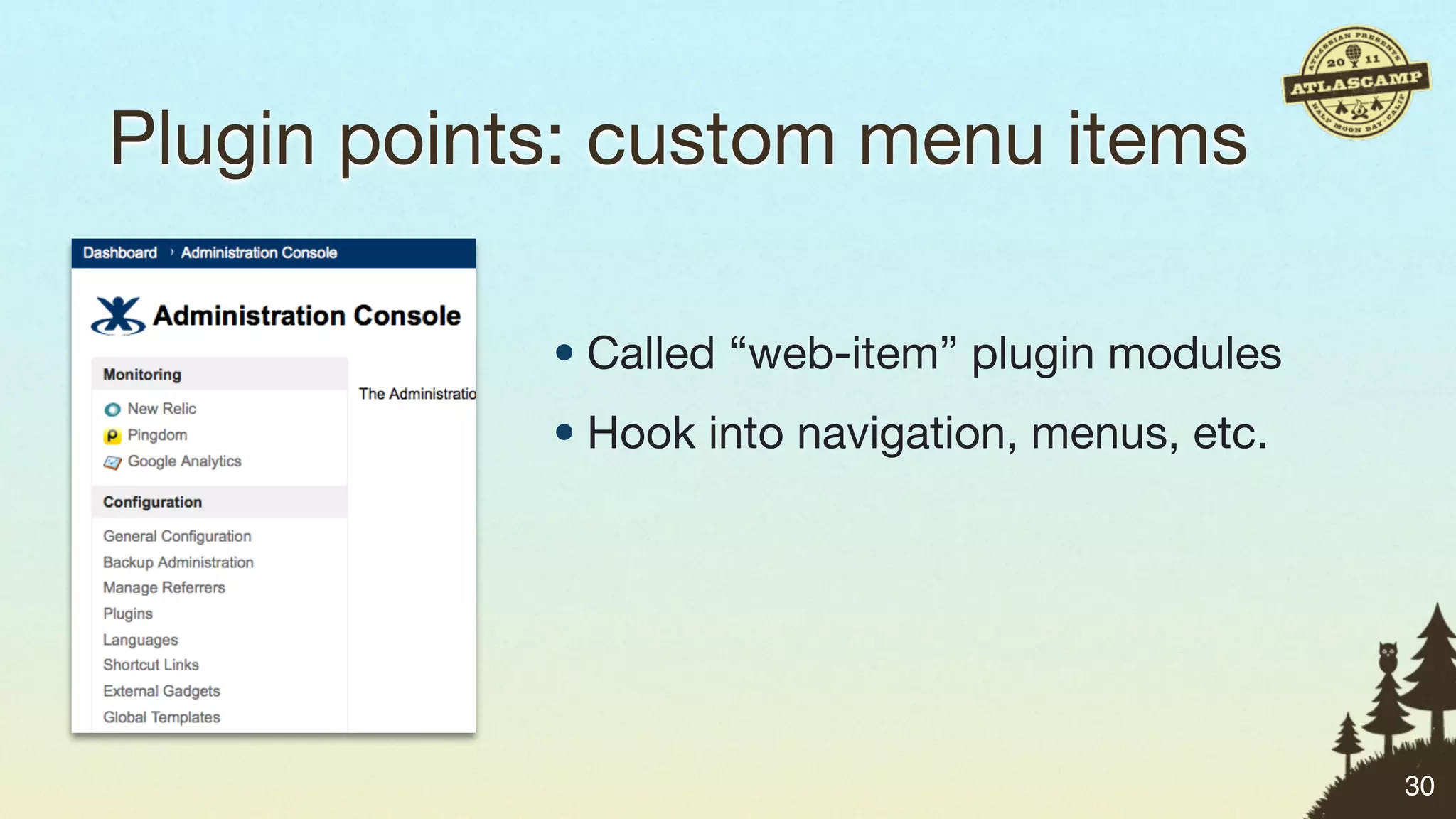
Plugin points: custom menu items

            • Called “web-item” plugin modules
            • Hook into navigation, menus, etc.


                                                  30
Plugin points: custom menu items

            • Called “web-item” plugin modules
            • Hook into navigation, menus, etc.
            • Works in all products (locations vary)


                                                       30
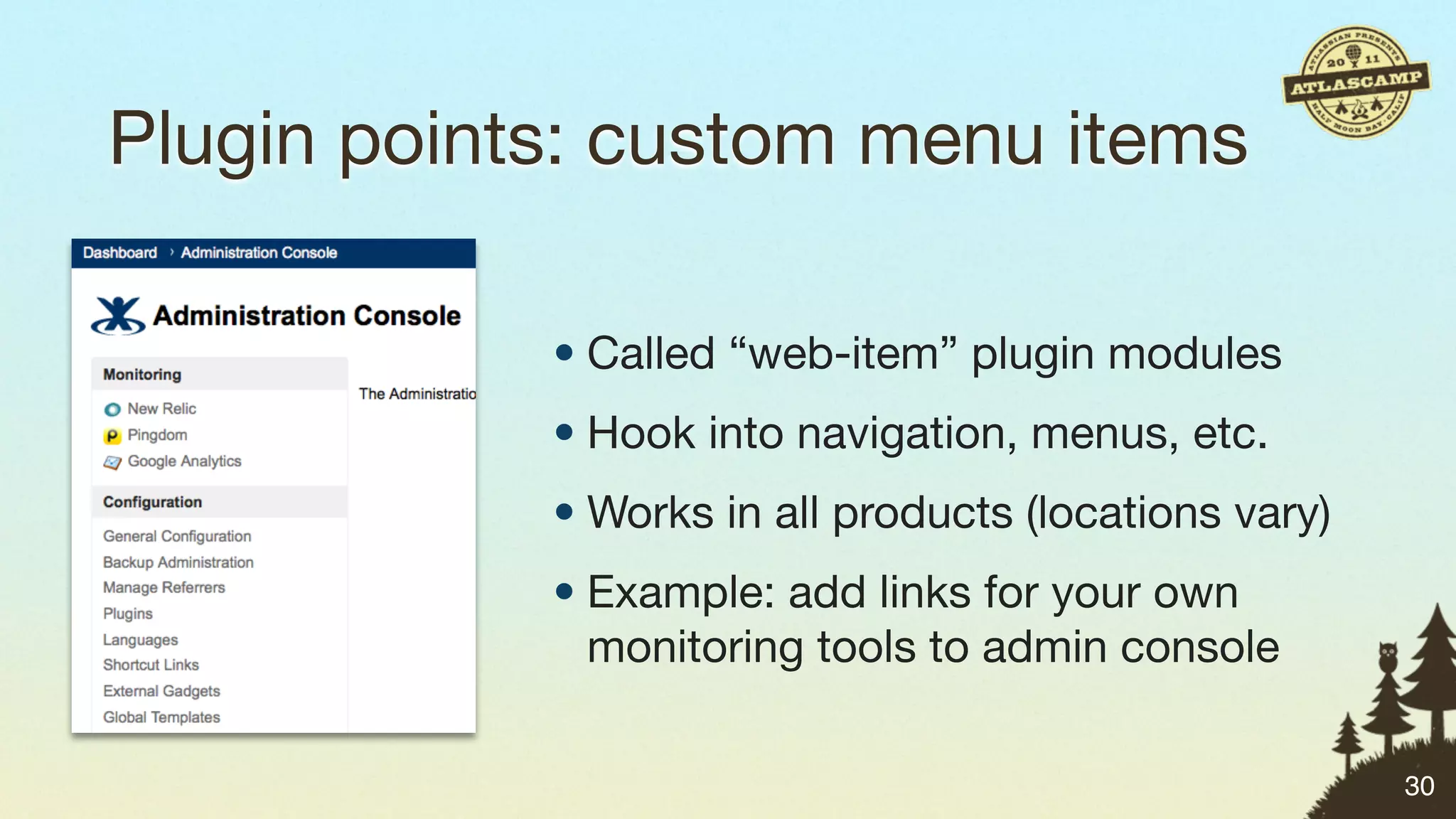
Plugin points: custom menu items

            • Called “web-item” plugin modules
            • Hook into navigation, menus, etc.
            • Works in all products (locations vary)
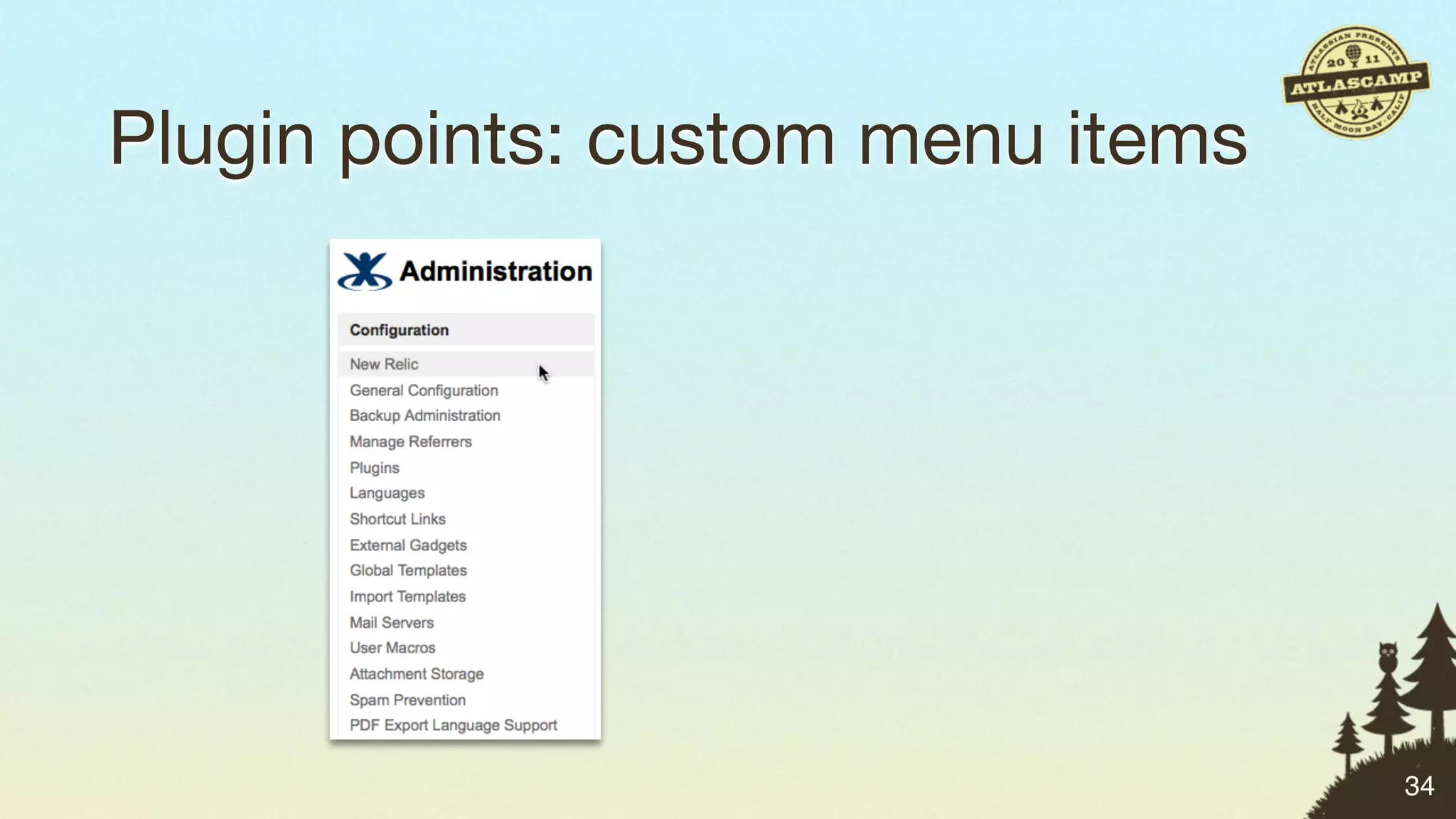
            • Example: add links for your own
              monitoring tools to admin console

                                                       30
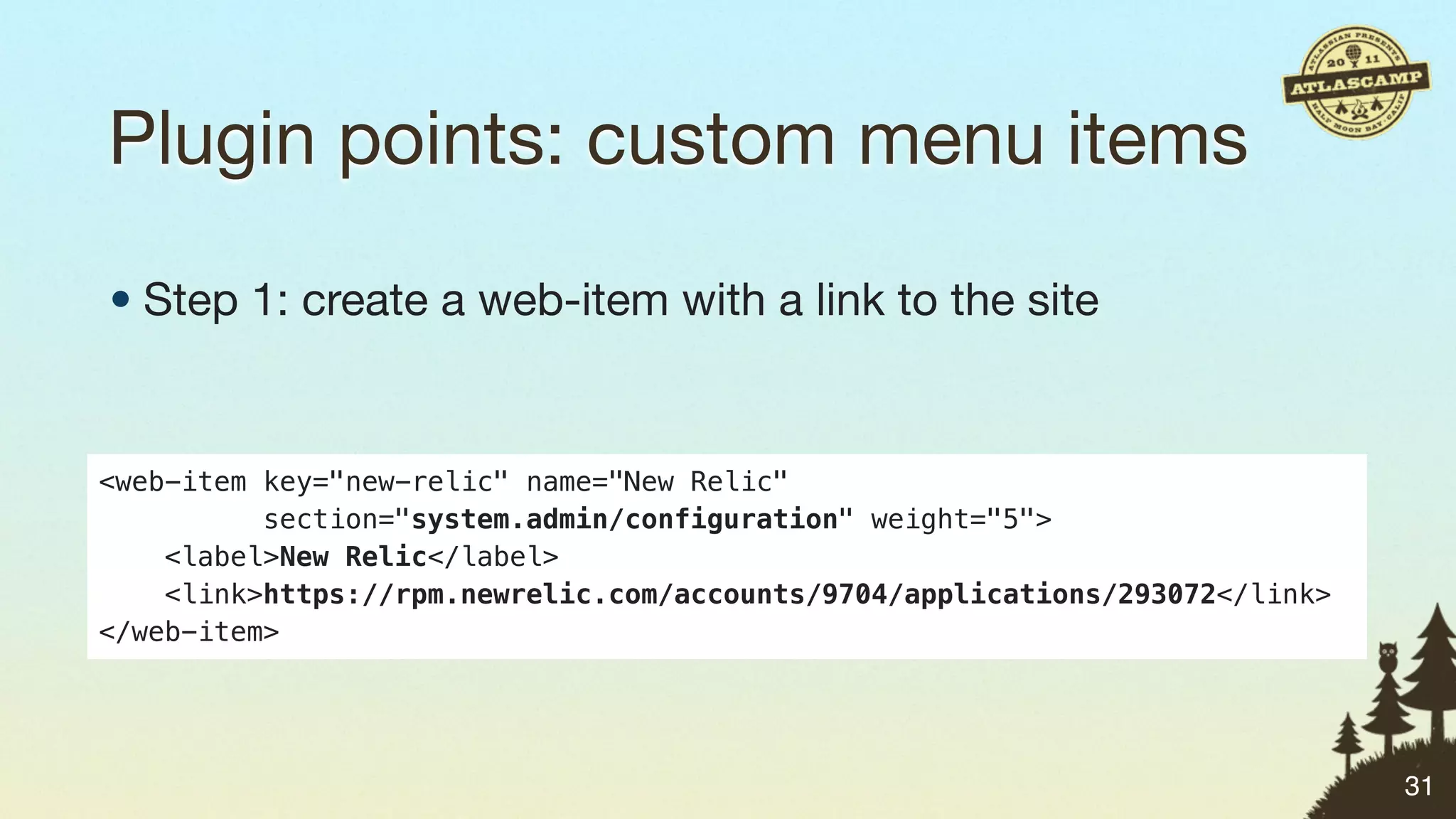
Plugin points: custom menu items

• Step 1: create a web-item with a link to the site


<web-item key="new-relic" name="New Relic"
          section="system.admin/configuration" weight="5">
    <label>New Relic</label>
    <link>https://rpm.newrelic.com/accounts/9704/applications/293072</link>
</web-item>


                                                                              31
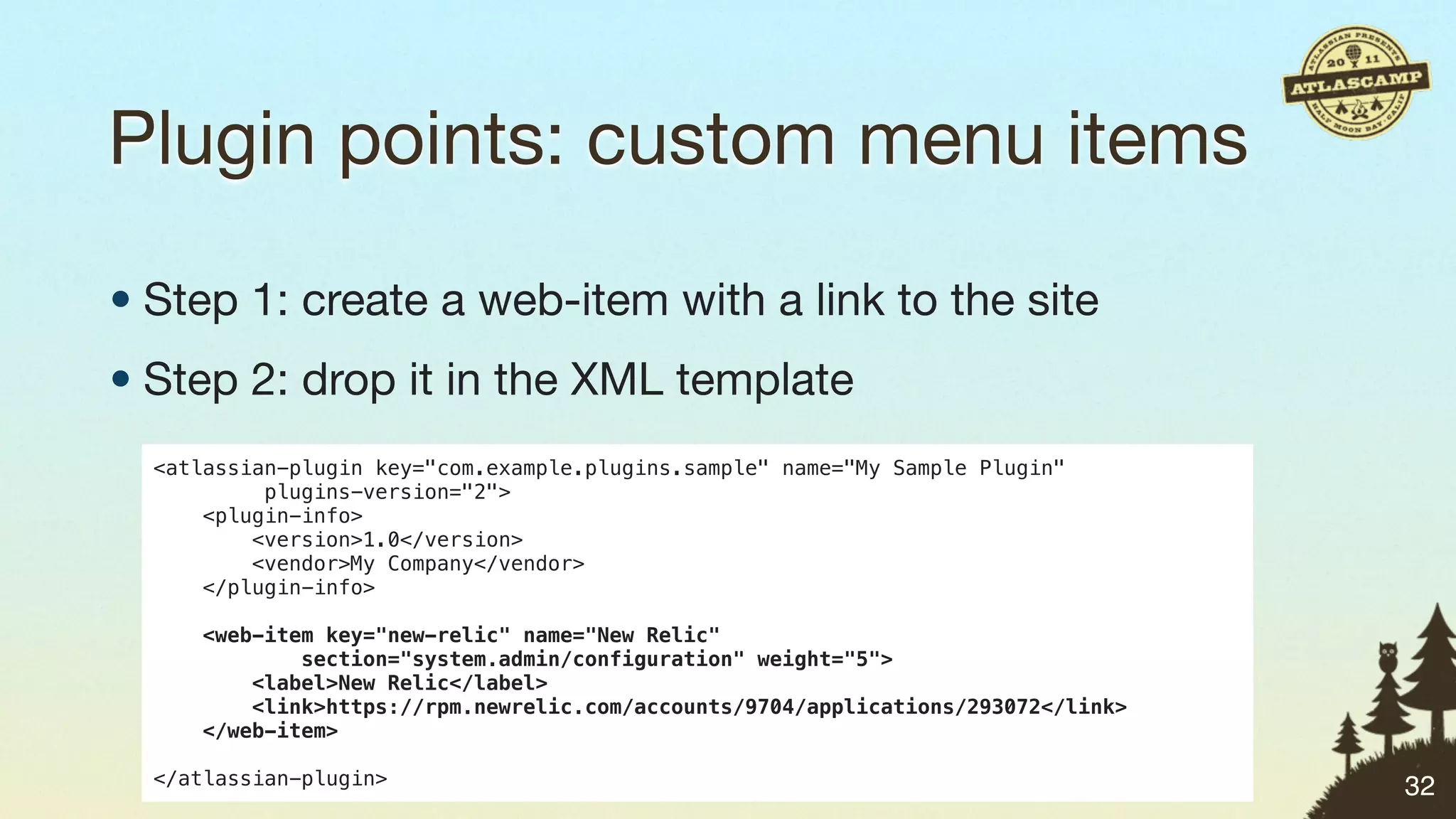
Plugin points: custom menu items

• Step 1: create a web-item with a link to the site
• Step 2: drop it in the XML template
  <atlassian-plugin key="com.example.plugins.sample" name="My Sample Plugin"
           plugins-version="2">
      <plugin-info>
          <version>1.0</version>
          <vendor>My Company</vendor>
      </plugin-info>

     <web-item key="new-relic" name="New Relic"
             section="system.admin/configuration" weight="5">
         <label>New Relic</label>
         <link>https://rpm.newrelic.com/accounts/9704/applications/293072</link>
     </web-item>

  </atlassian-plugin>                                                              32
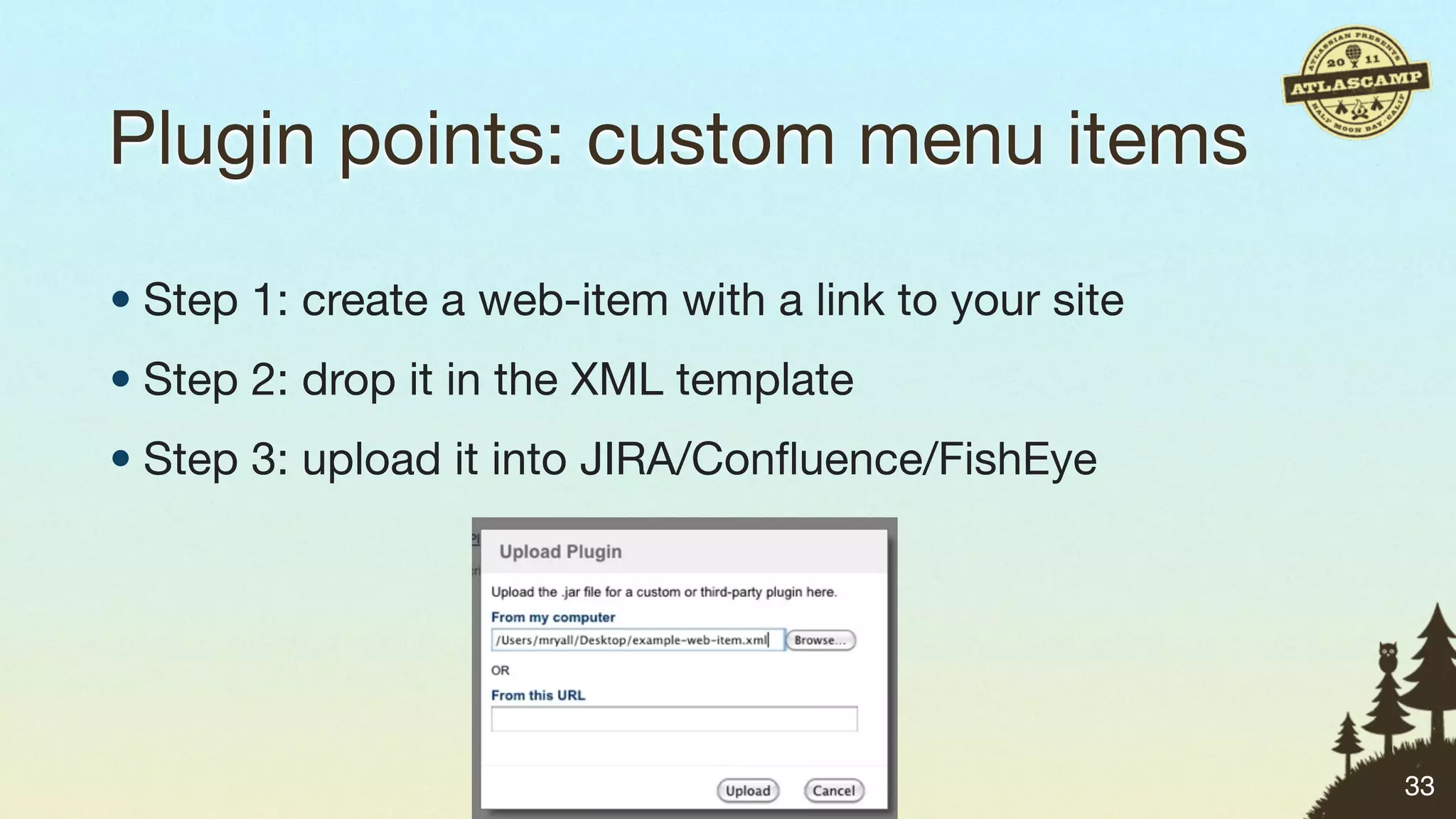
Plugin points: custom menu items

• Step 1: create a web-item with a link to your site
• Step 2: drop it in the XML template
• Step 3: upload it into JIRA/Confluence/FishEye


                                                       33
Plugin points: custom menu items


                                   34
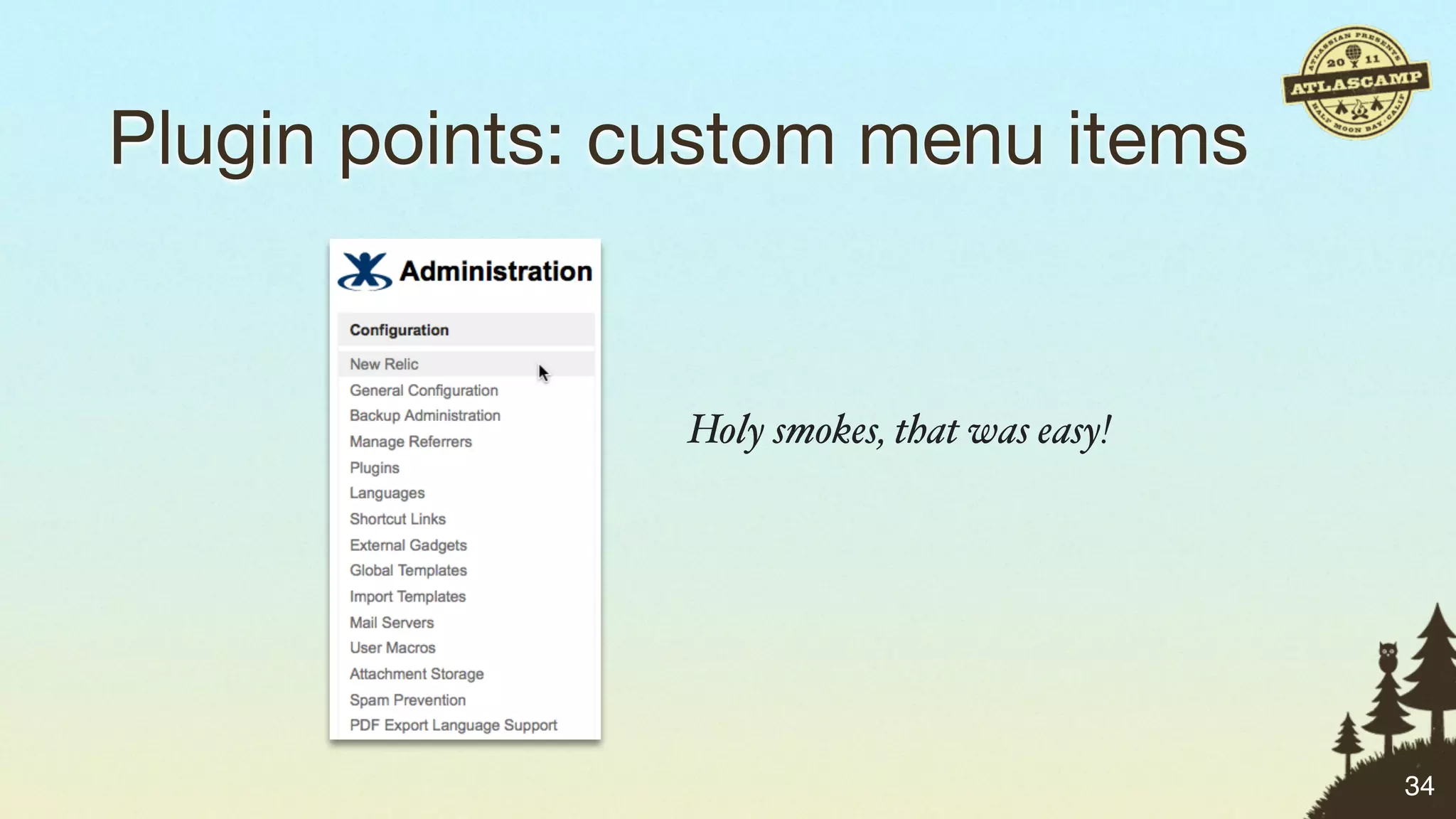
Plugin points: custom menu items


                Holy smokes, that was easy!


                                              34
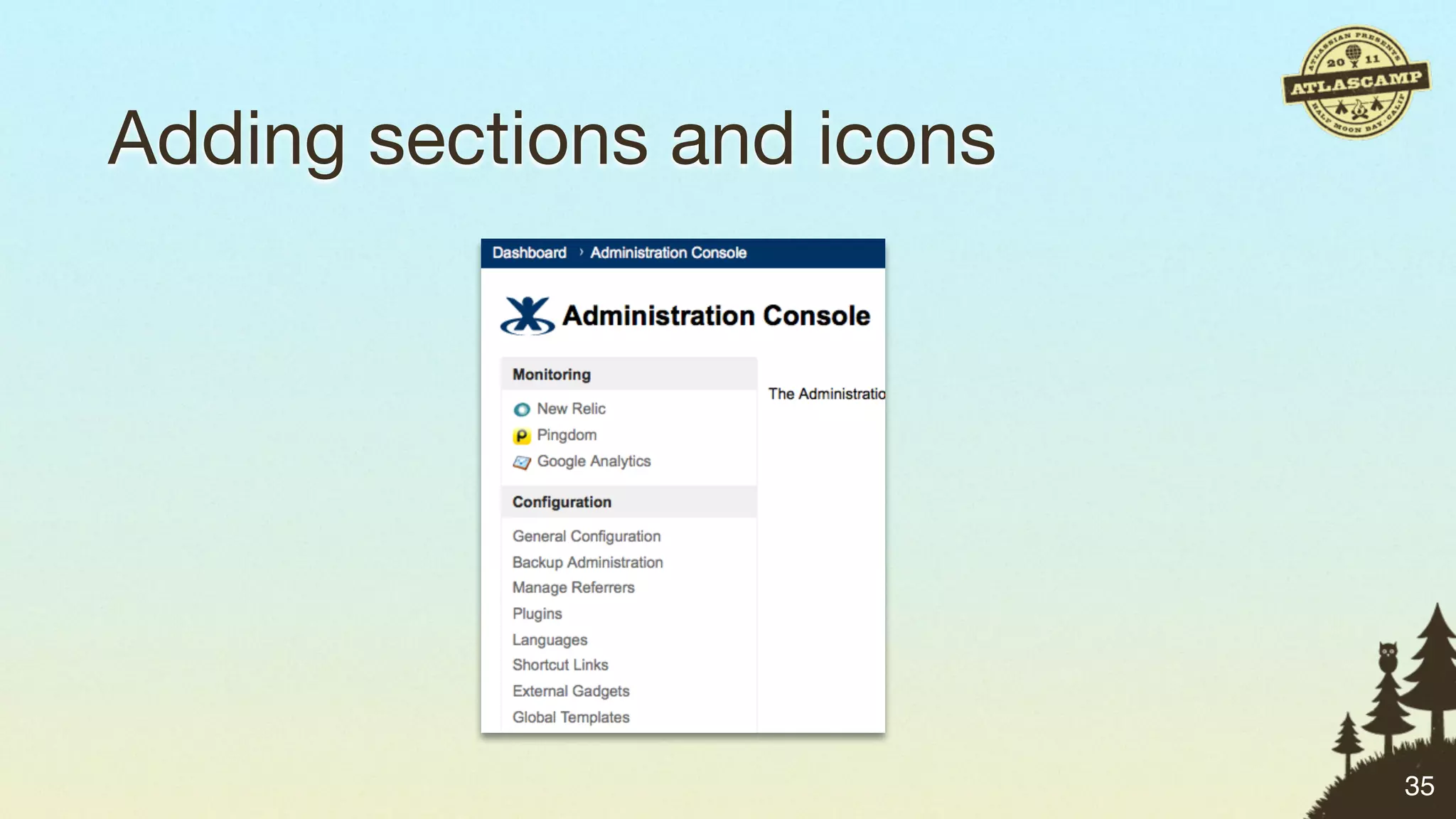
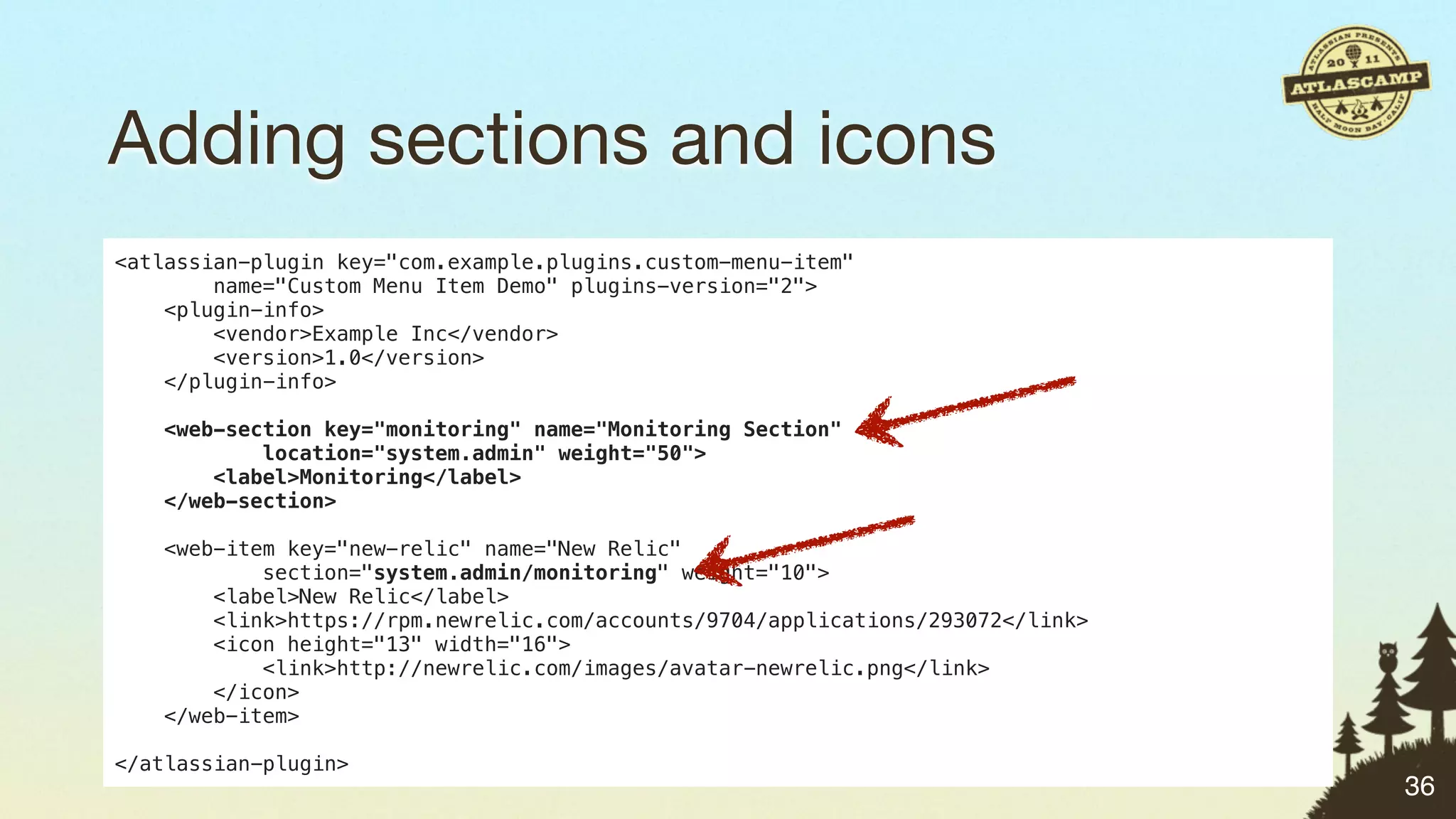
Adding sections and icons


                            35
Adding sections and icons
<atlassian-plugin key="com.example.plugins.custom-menu-item"
        name="Custom Menu Item Demo" plugins-version="2">
    <plugin-info>
        <vendor>Example Inc</vendor>
        <version>1.0</version>
    </plugin-info>

   <web-section key="monitoring" name="Monitoring Section"
           location="system.admin" weight="50">
       <label>Monitoring</label>
   </web-section>

    <web-item key="new-relic" name="New Relic"
            section="system.admin/monitoring" weight="10">
        <label>New Relic</label>
        <link>https://rpm.newrelic.com/accounts/9704/applications/293072</link>
        <icon height="13" width="16">
            <link>http://newrelic.com/images/avatar-newrelic.png</link>
        </icon>
    </web-item>

</atlassian-plugin>
                                                                                  36
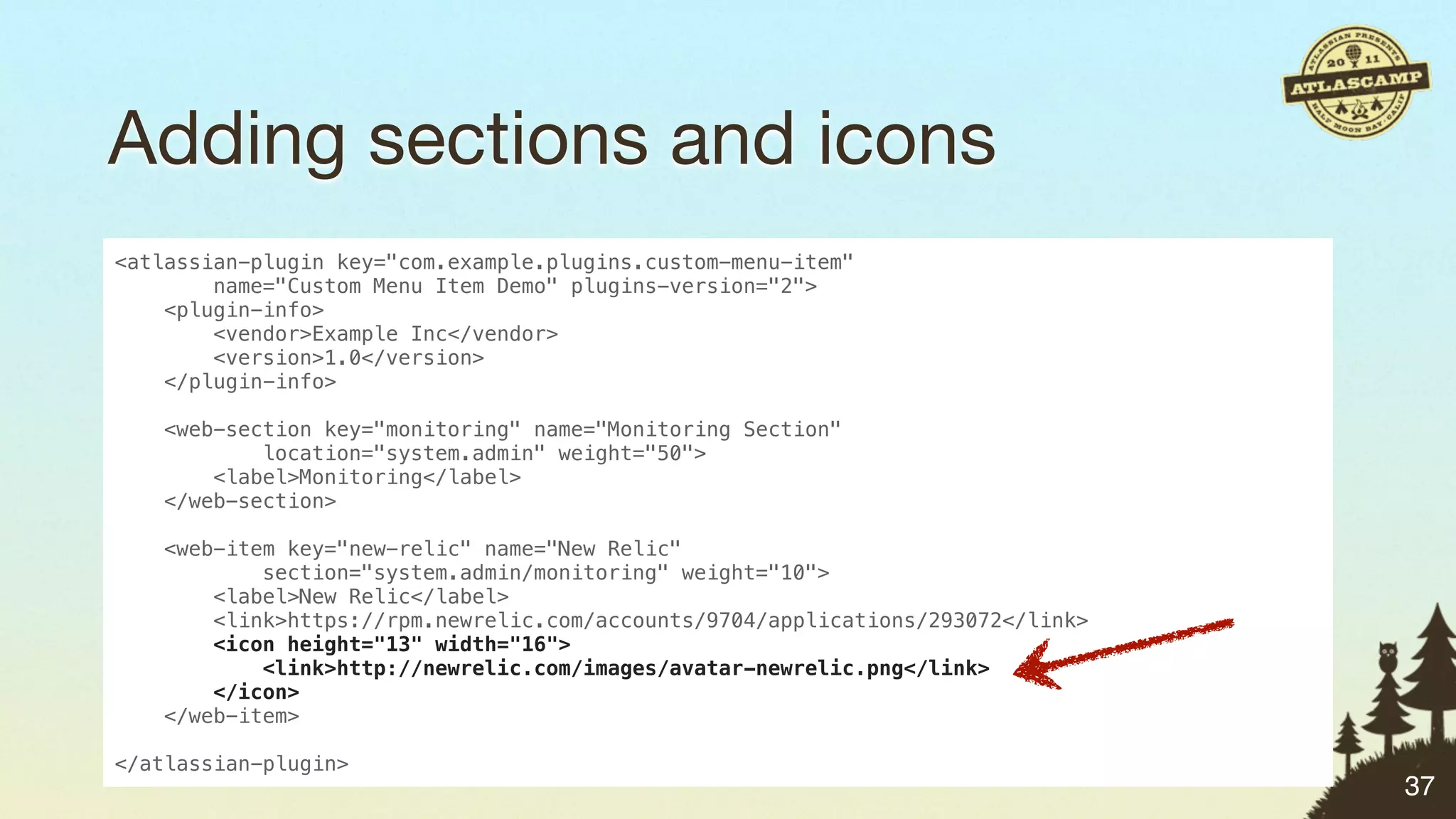
Adding sections and icons
<atlassian-plugin key="com.example.plugins.custom-menu-item"
        name="Custom Menu Item Demo" plugins-version="2">
    <plugin-info>
        <vendor>Example Inc</vendor>
        <version>1.0</version>
    </plugin-info>

    <web-section key="monitoring" name="Monitoring Section"
            location="system.admin" weight="50">
        <label>Monitoring</label>
    </web-section>

   <web-item key="new-relic" name="New Relic"
           section="system.admin/monitoring" weight="10">
       <label>New Relic</label>
       <link>https://rpm.newrelic.com/accounts/9704/applications/293072</link>
       <icon height="13" width="16">
           <link>http://newrelic.com/images/avatar-newrelic.png</link>
       </icon>
   </web-item>

</atlassian-plugin>
                                                                                 37
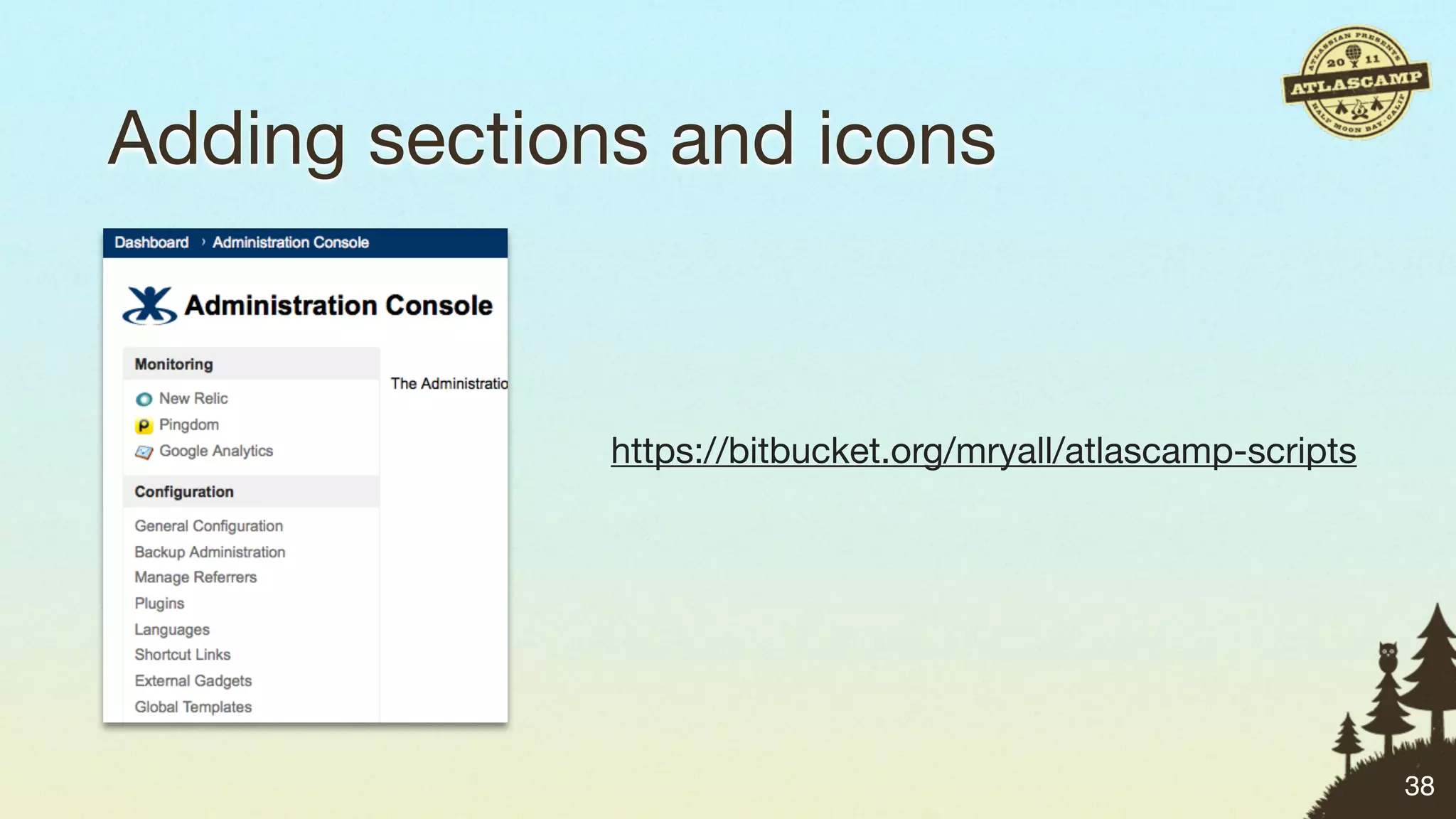
Adding sections and icons


              https://bitbucket.org/mryall/atlascamp-scripts


                                                               38
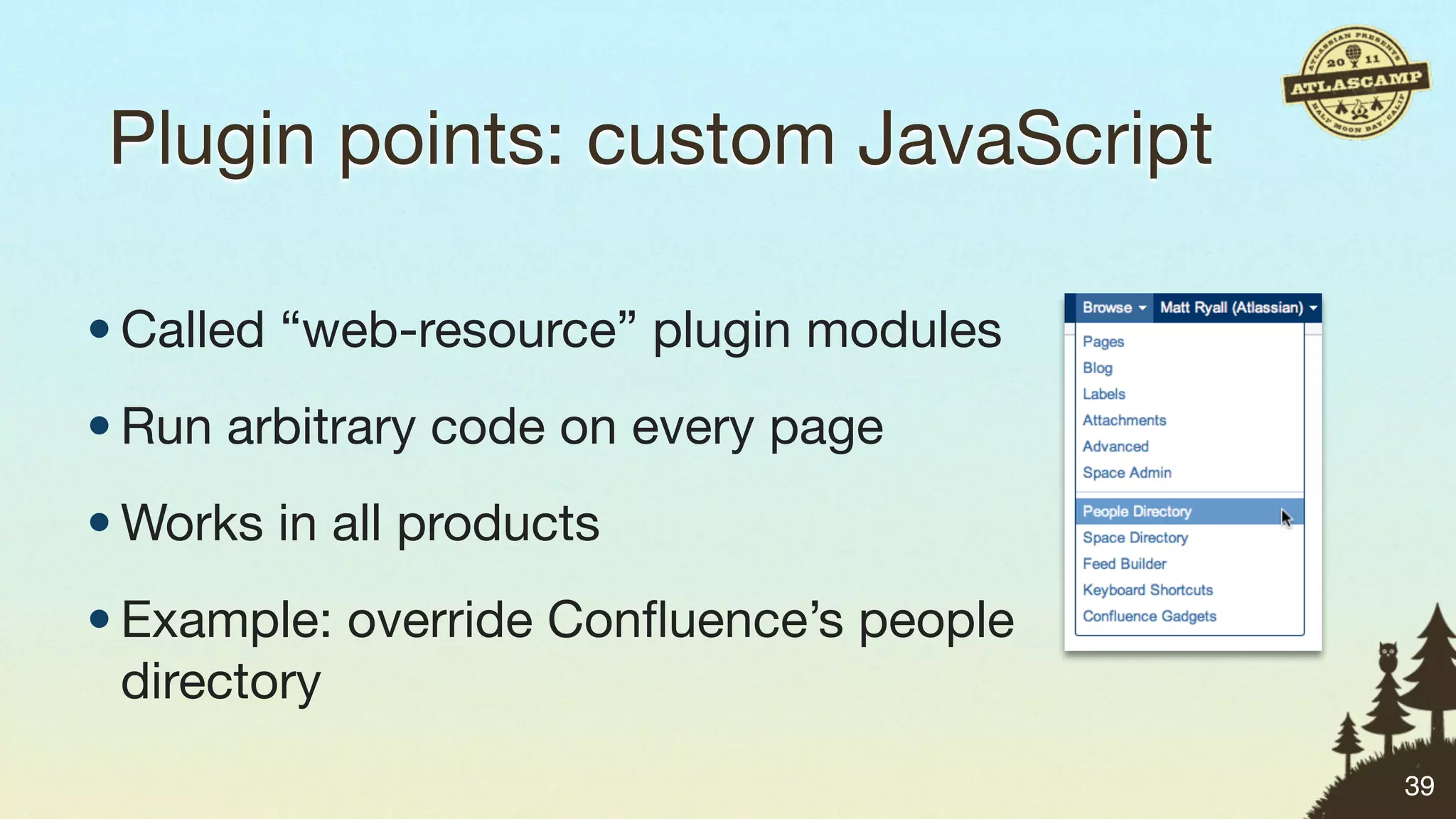
Plugin points: custom JavaScript


                                   39
Plugin points: custom JavaScript

• Called “web-resource” plugin modules


                                         39
Plugin points: custom JavaScript

• Called “web-resource” plugin modules
• Run arbitrary code on every page


                                         39
Plugin points: custom JavaScript

• Called “web-resource” plugin modules
• Run arbitrary code on every page
• Works in all products


                                         39
Plugin points: custom JavaScript

• Called “web-resource” plugin modules
• Run arbitrary code on every page
• Works in all products
• Example: override Confluence’s people
  directory
                                         39
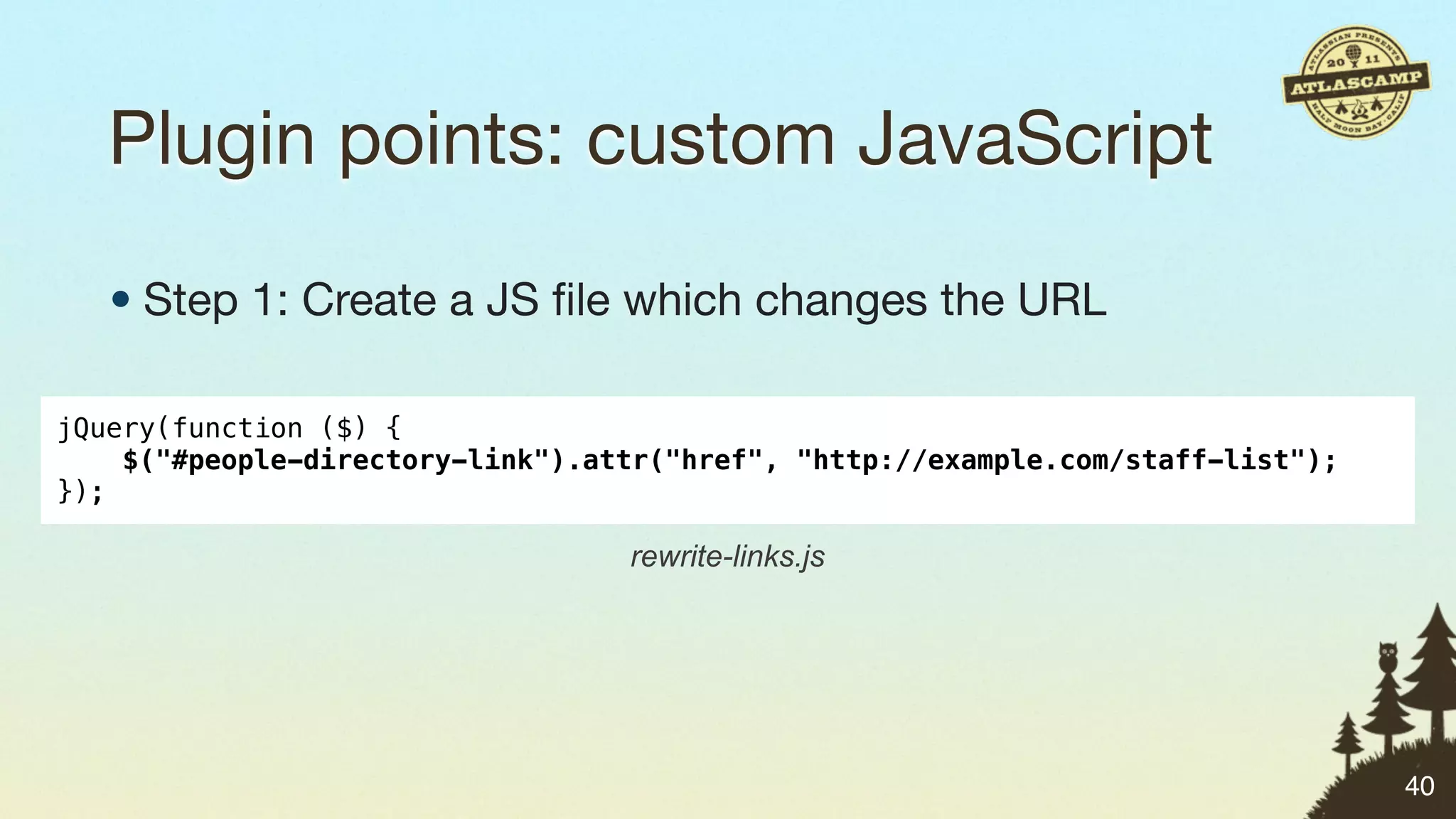
Plugin points: custom JavaScript

   • Step 1: Create a JS file which changes the URL

jQuery(function ($) {
    $("#people-directory-link").attr("href", "http://example.com/staff-list");
});

                                  rewrite-links.js


                                                                                 40
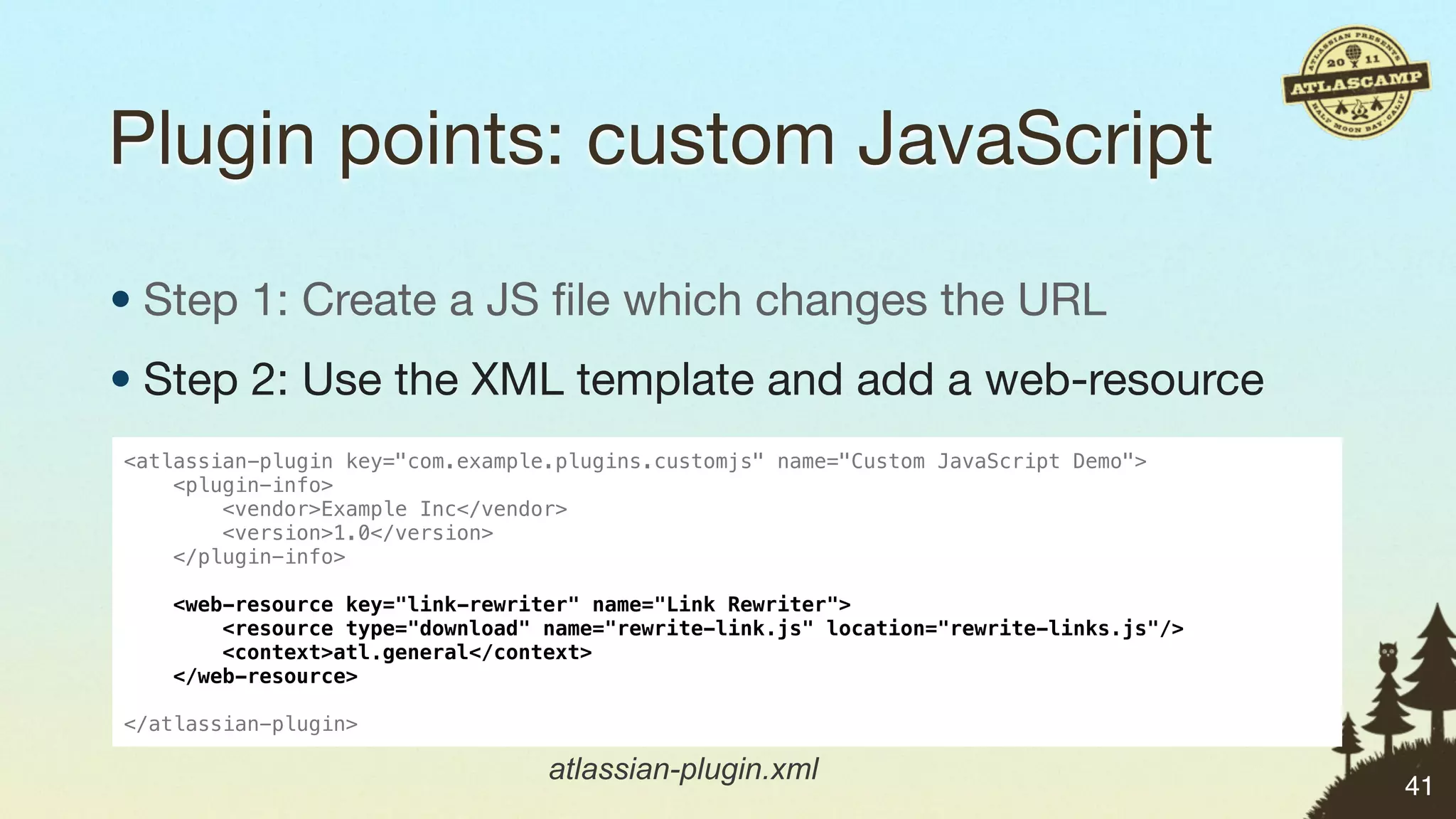
Plugin points: custom JavaScript

• Step 1: Create a JS file which changes the URL
• Step 2: Use the XML template and add a web-resource
<atlassian-plugin key="com.example.plugins.customjs" name="Custom JavaScript Demo">
    <plugin-info>
        <vendor>Example Inc</vendor>
        <version>1.0</version>
    </plugin-info>

   <web-resource key="link-rewriter" name="Link Rewriter">
       <resource type="download" name="rewrite-link.js" location="rewrite-links.js"/>
       <context>atl.general</context>
   </web-resource>

</atlassian-plugin>

                                  atlassian-plugin.xml
                                                                                        41
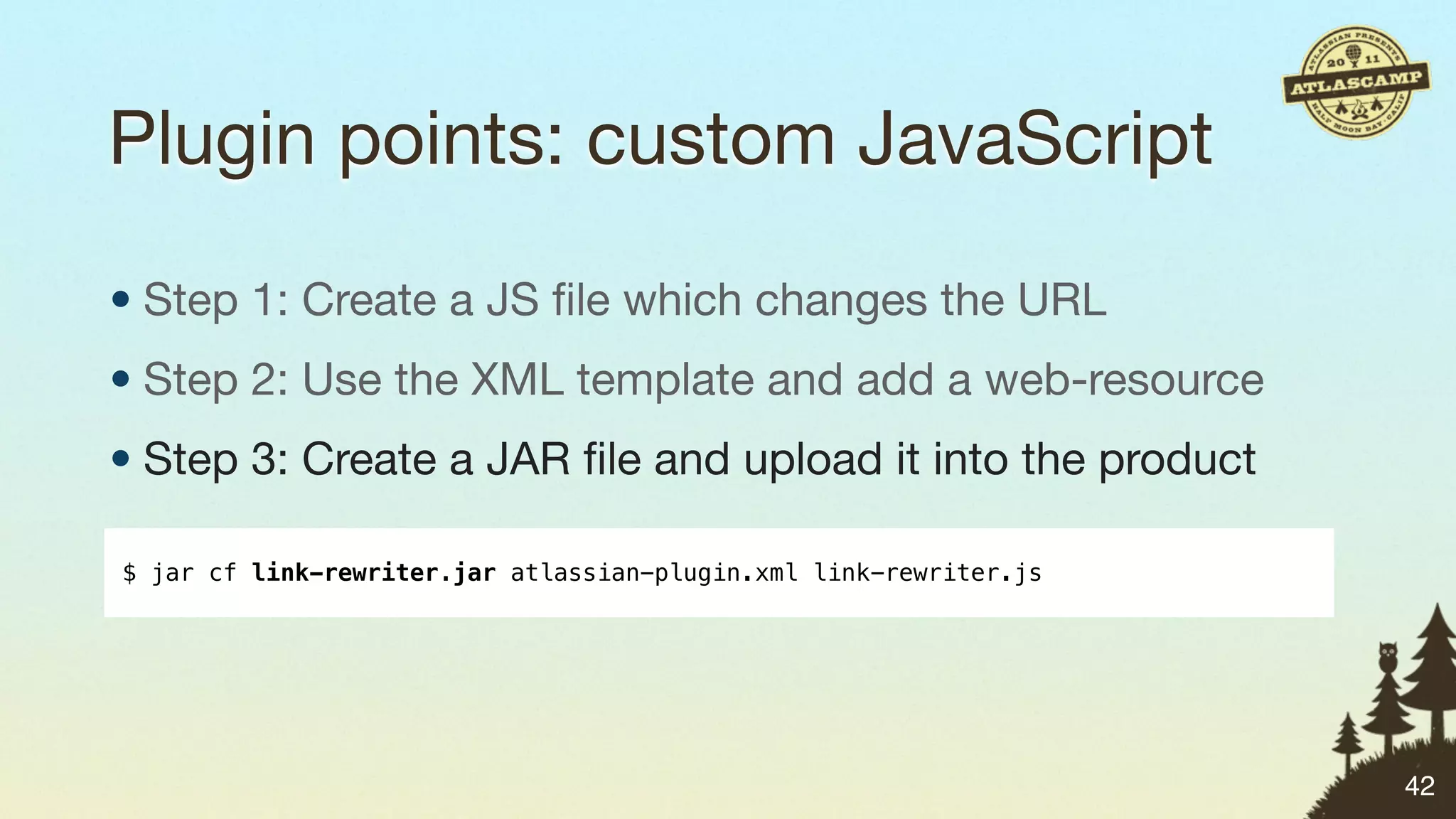
Plugin points: custom JavaScript

• Step 1: Create a JS file which changes the URL
• Step 2: Use the XML template and add a web-resource
• Step 3: Create a JAR file and upload it into the product

$ jar cf link-rewriter.jar atlassian-plugin.xml link-rewriter.js


                                                                   42
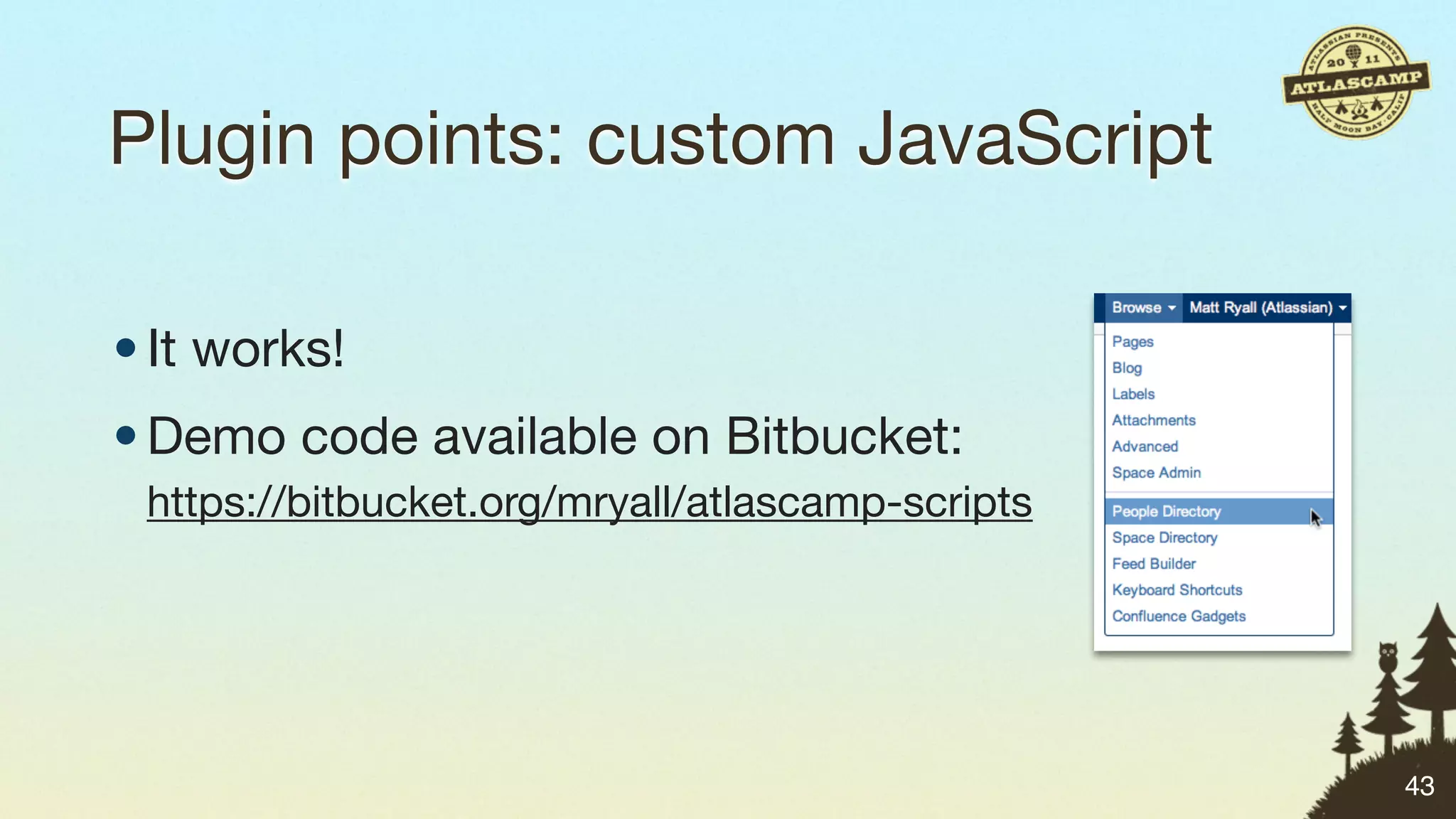
Plugin points: custom JavaScript

• It works!
• Demo code available on Bitbucket:
 https://bitbucket.org/mryall/atlascamp-scripts


                                                  43
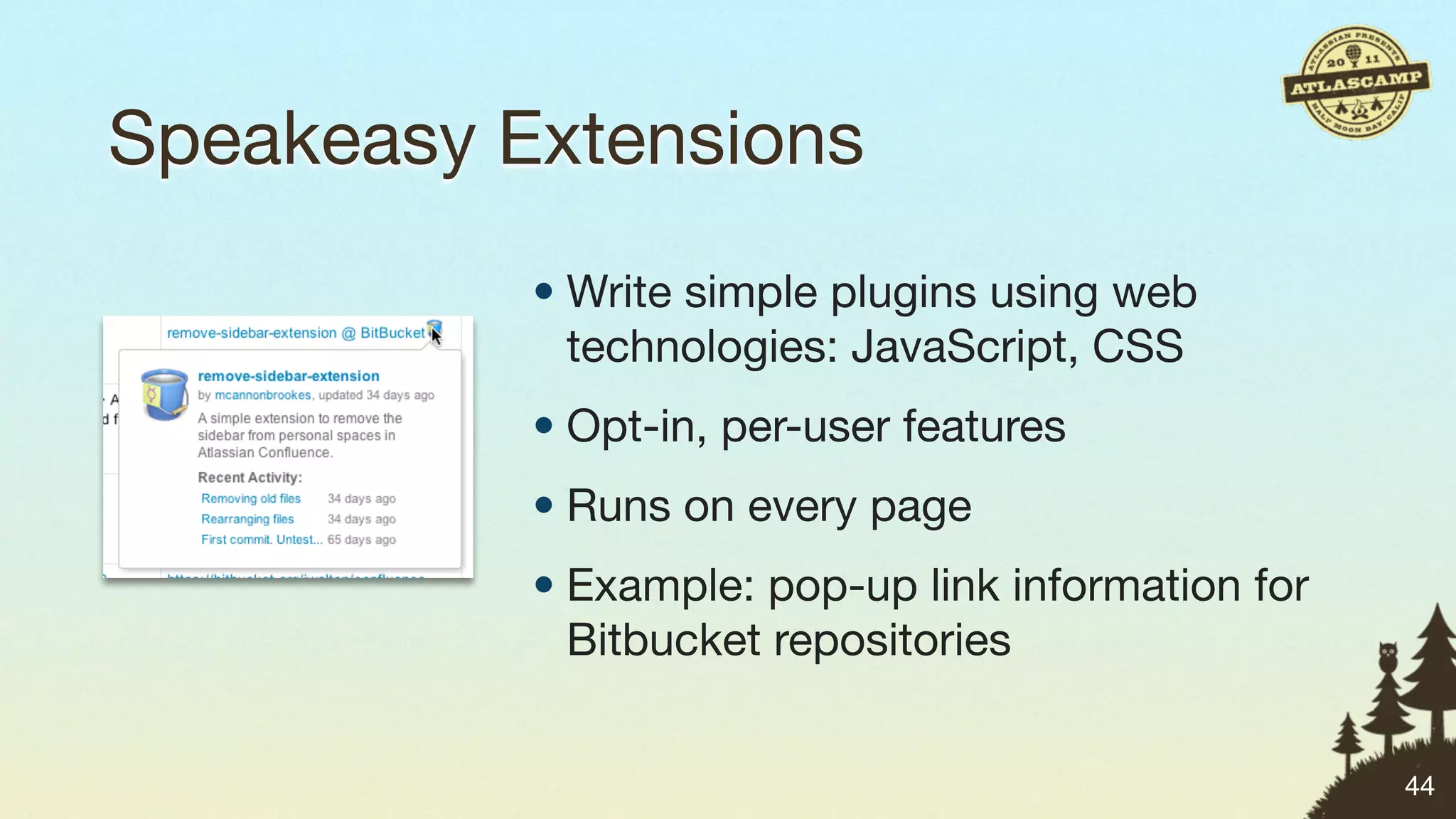
Speakeasy Extensions
           • Write simple plugins using web
             technologies: JavaScript, CSS
           • Opt-in, per-user features
           • Runs on every page
           • Example: pop-up link information for
             Bitbucket repositories


                                                    44
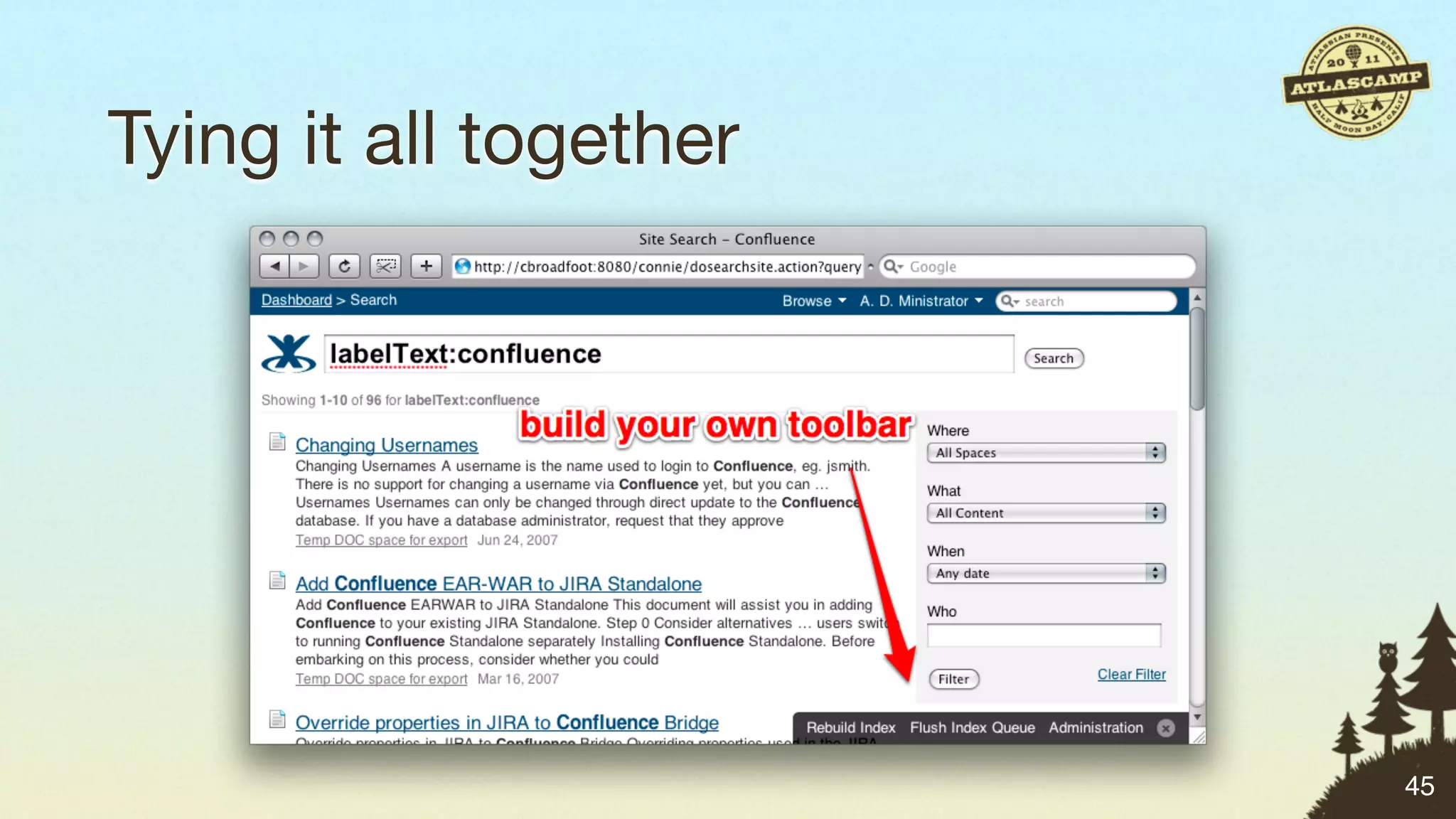
Tying it all together


                        45
Matt’s Simple Plugin Points Challenge


“    Write a simple plugin or Speakeasy extension to add
            quick links for tasks you do a! the time.
                                                        ”
    #atlascamp


                                                            46
Java Plugin Points
…which are useful for admins.


                                47
Event listener plugins


                         48
Event listener plugins
• Capture information about activity in the system


                                                     48
Event listener plugins
• Capture information about activity in the system
• Example events:
 • When a user logs in
 • When settings are changed


                                                     48
Event listener plugins
• Capture information about activity in the system
• Example events:
 • When a user logs in
 • When settings are changed

• Possibilities:
 • Audit logging
 • Trigger additional behaviour
                                                     48
Filter plugins


                 49
Filter plugins
• Intercept requests hitting the system


                                          49
Filter plugins
• Intercept requests hitting the system
• Example filters:
 • Match ‘/secure/admin/*’ to intercept admin changes in JIRA
 • Match ‘/browsepeople.action’ to intercept people directory in
   Confluence


                                                                   49
Filter plugins
• Intercept requests hitting the system
• Example filters:
 • Match ‘/secure/admin/*’ to intercept admin changes in JIRA
 • Match ‘/browsepeople.action’ to intercept people directory in
   Confluence

• Possibilities:
 • Additional access control
 • Modify or record request parameters
                                                                   49
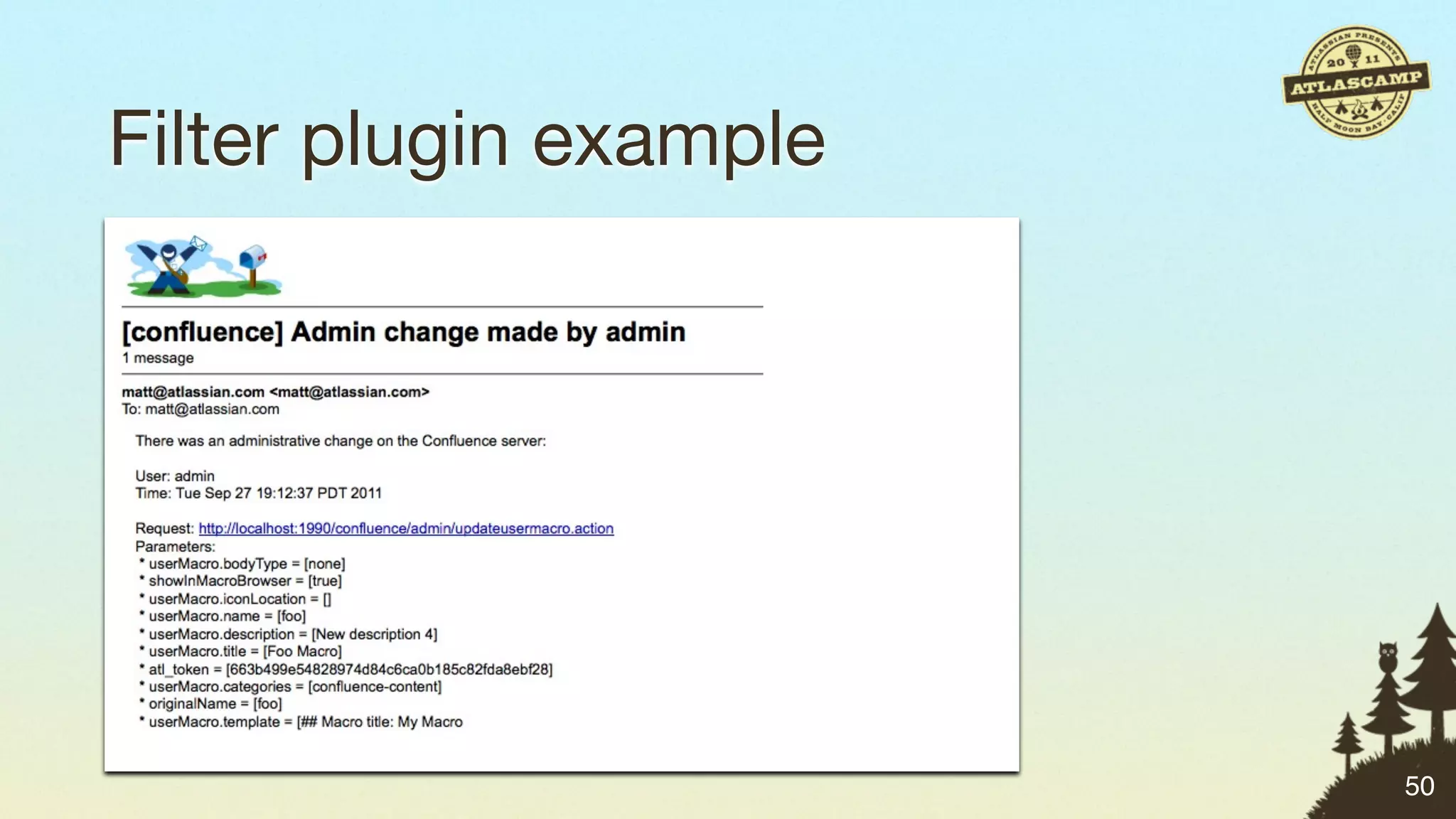
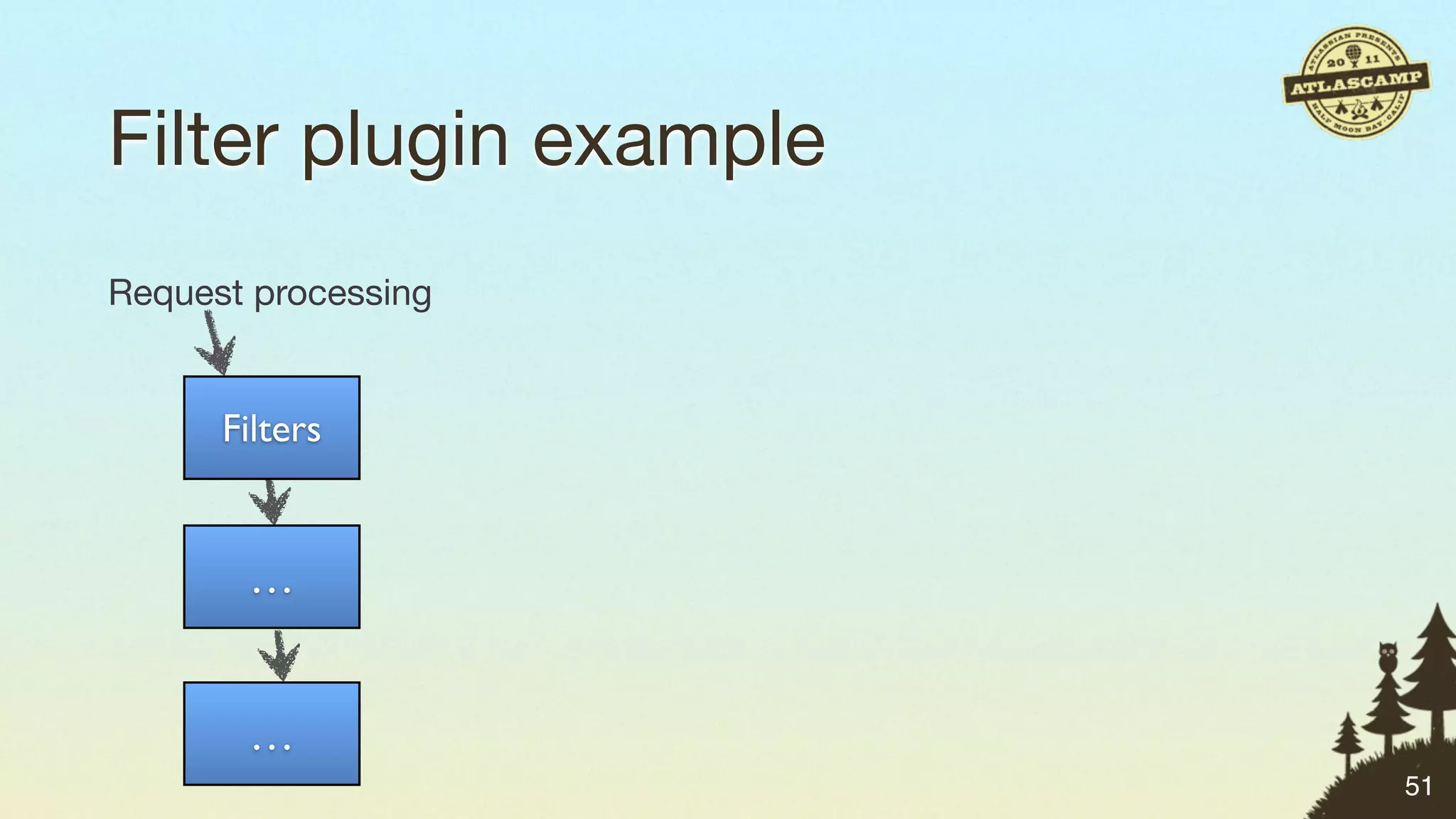
Filter plugin example


                        50
Filter plugin example
Request processing


      Filters


       …


       …
                        51
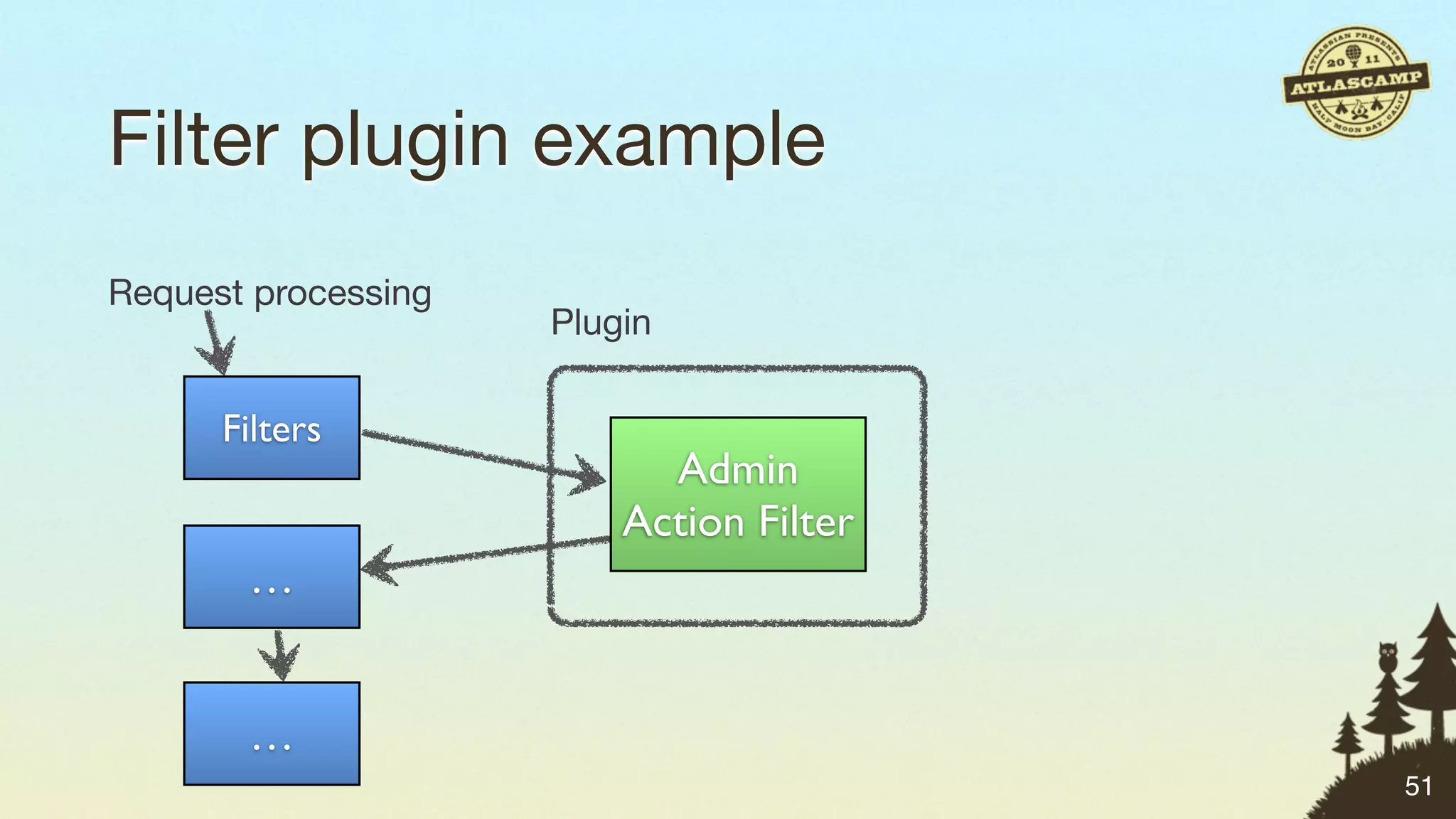
Filter plugin example
Request processing
                     Plugin

      Filters
                           Admin
                         Action Filter
       …


       …
                                         51
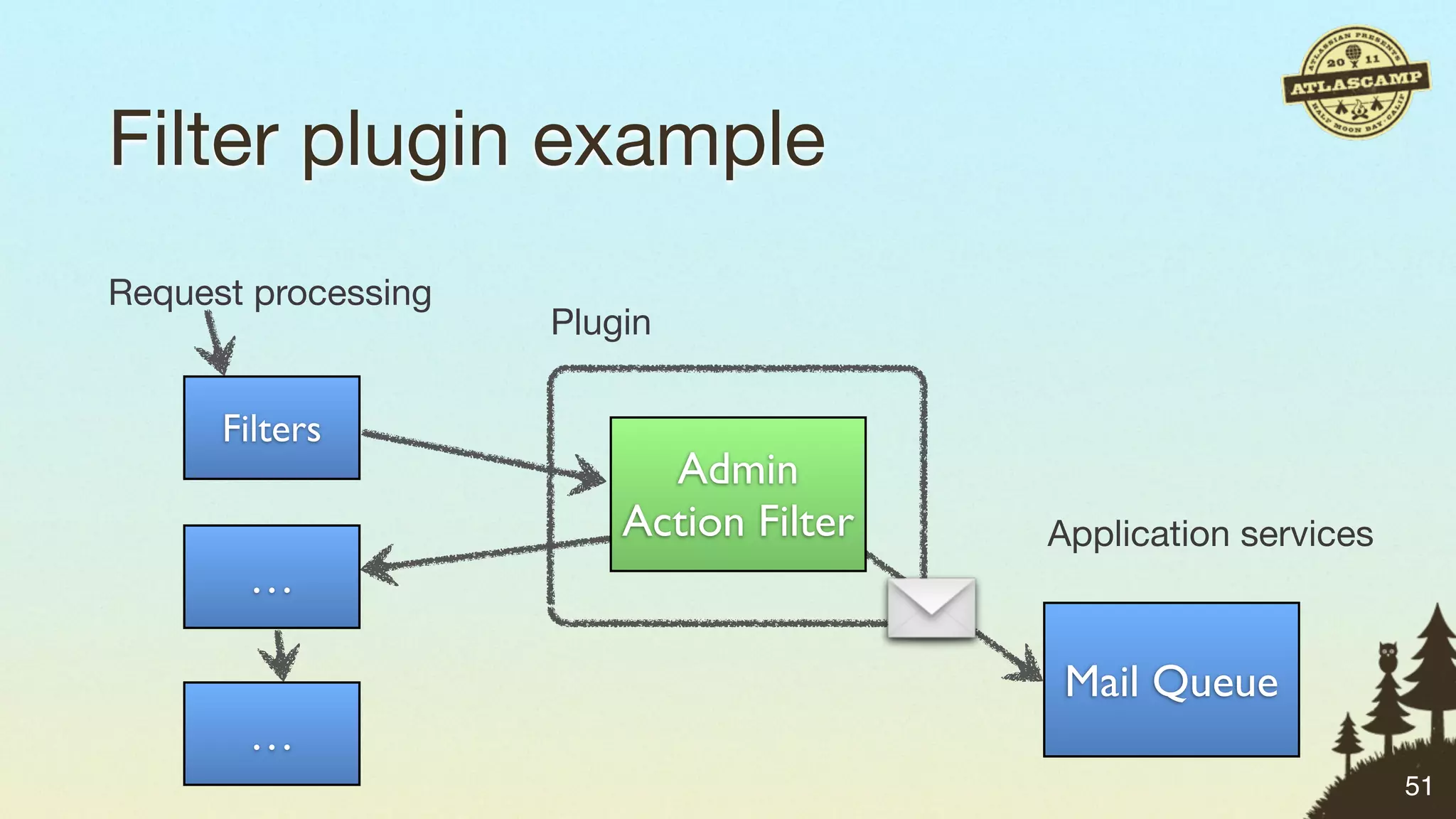
Filter plugin example
Request processing
                     Plugin

      Filters
                           Admin
                         Action Filter   Application services
       …

                                          Mail Queue
       …
                                                                51
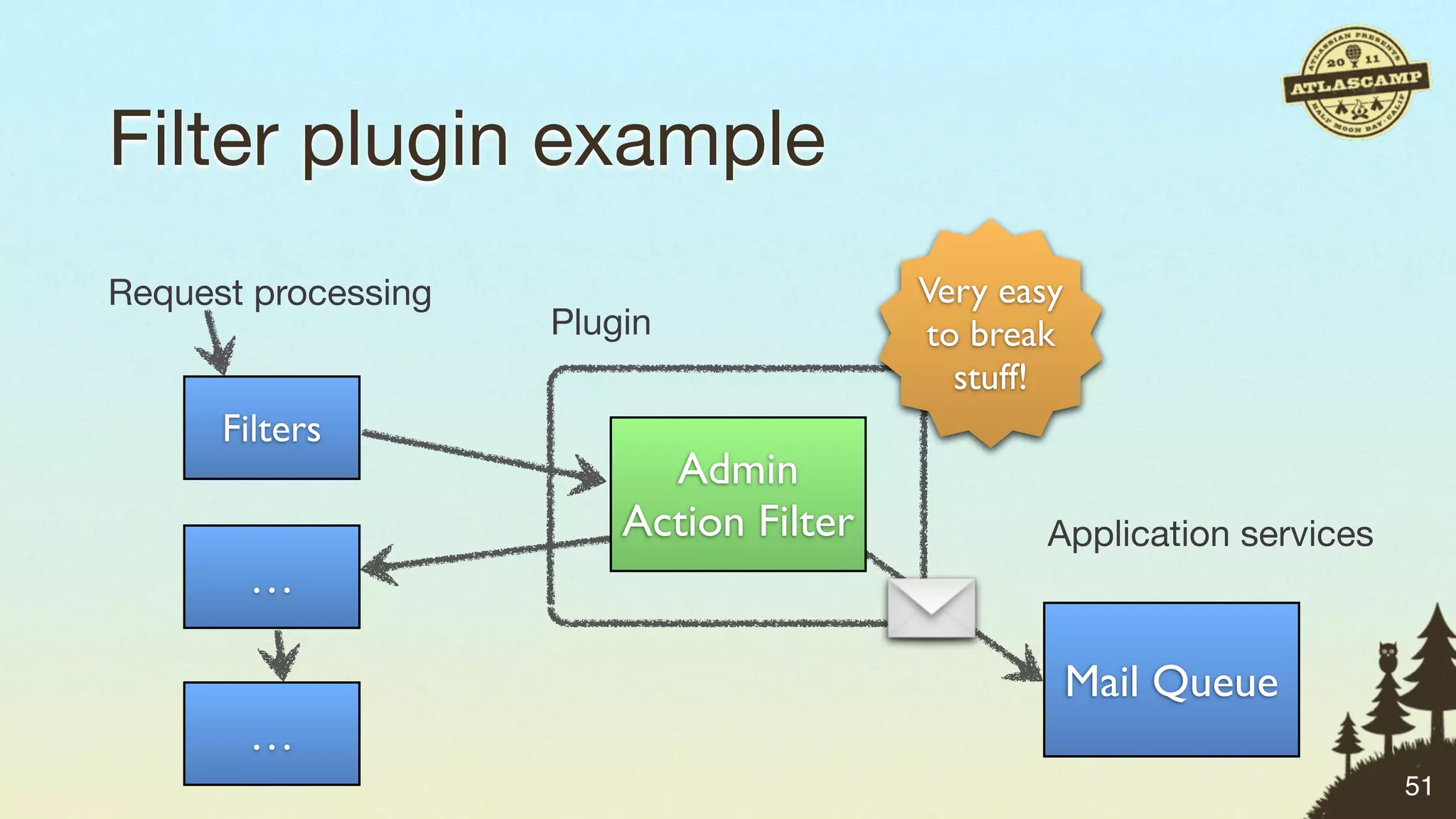
Filter plugin example
Request processing                       Very easy
                     Plugin              to break
                                           stuff!
      Filters
                           Admin
                         Action Filter           Application services
       …

                                                     Mail Queue
       …
                                                                        51
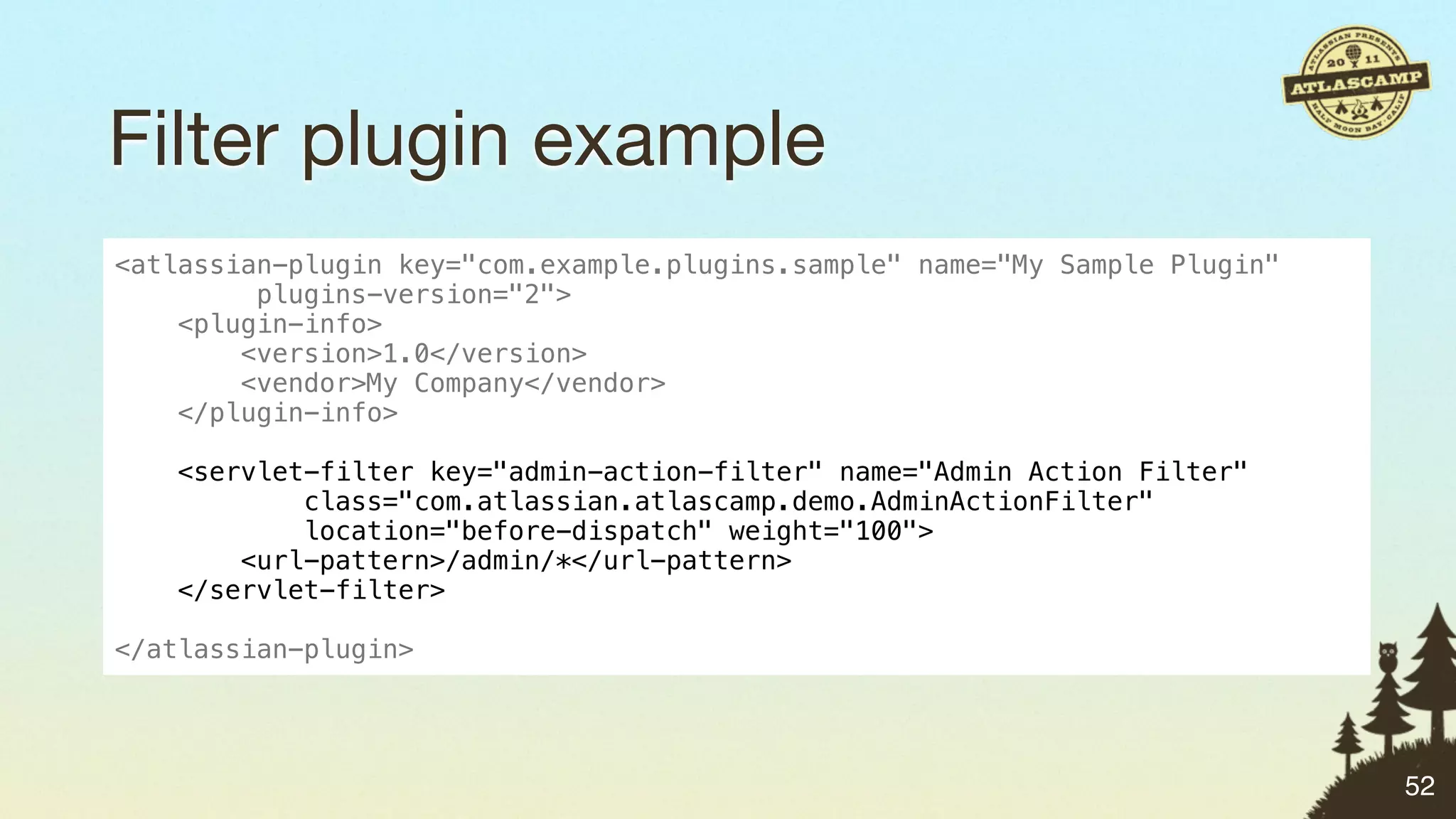
Filter plugin example
<atlassian-plugin key="com.example.plugins.sample" name="My Sample Plugin"
         plugins-version="2">
    <plugin-info>
        <version>1.0</version>
        <vendor>My Company</vendor>
    </plugin-info>

   <servlet-filter key="admin-action-filter" name="Admin Action Filter"
           class="com.atlassian.atlascamp.demo.AdminActionFilter"
           location="before-dispatch" weight="100">
       <url-pattern>/admin/*</url-pattern>
   </servlet-filter>

</atlassian-plugin>


                                                                             52
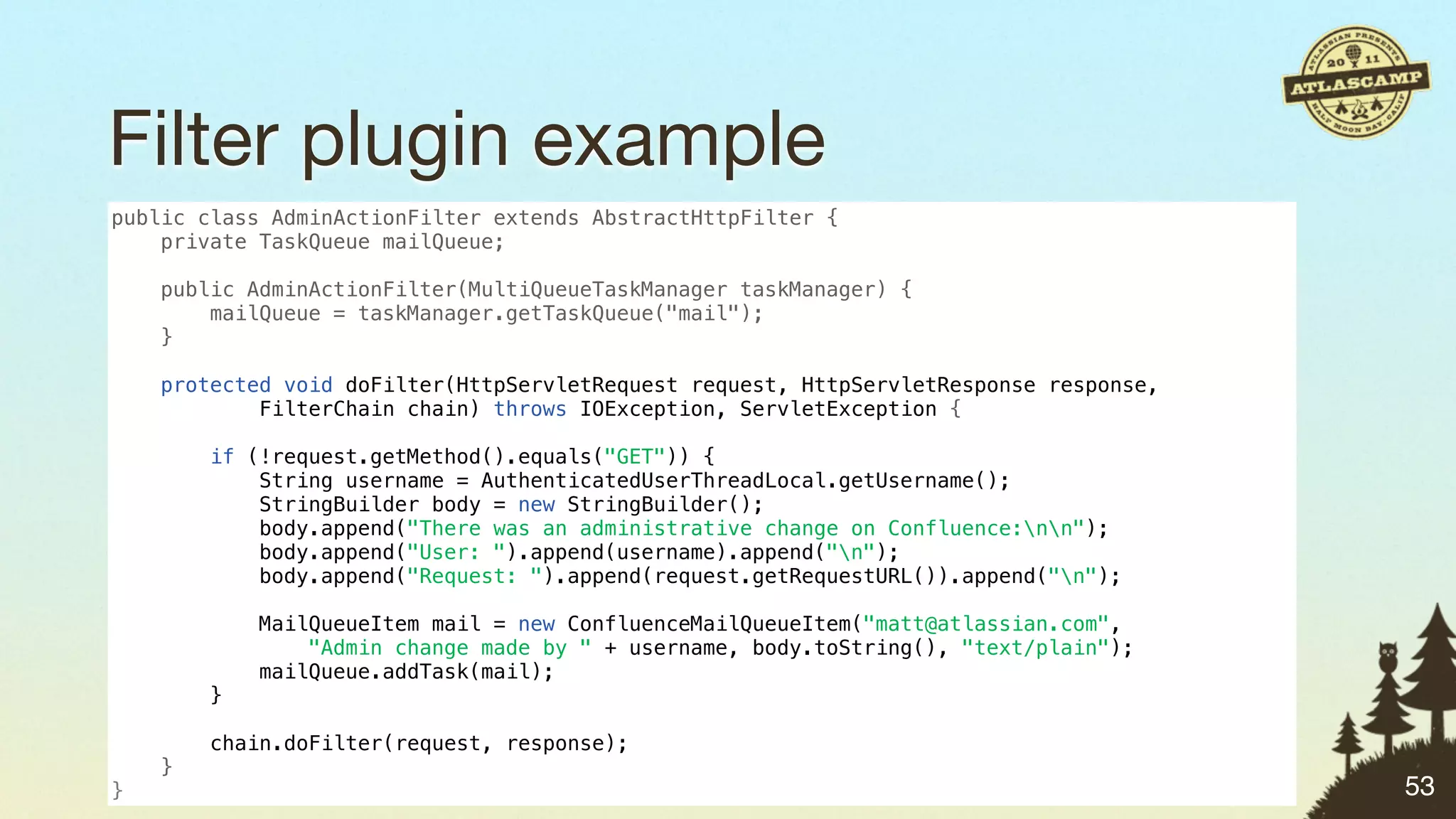
Filter plugin example
public class AdminActionFilter extends AbstractHttpFilter {
    private TaskQueue mailQueue;

    public AdminActionFilter(MultiQueueTaskManager taskManager) {
        mailQueue = taskManager.getTaskQueue("mail");
    }

    protected void doFilter(HttpServletRequest request, HttpServletResponse response,
            FilterChain chain) throws IOException, ServletException {

        if (!request.getMethod().equals("GET")) {
            String username = AuthenticatedUserThreadLocal.getUsername();
            StringBuilder body = new StringBuilder();
            body.append("There was an administrative change on Confluence:nn");
            body.append("User: ").append(username).append("n");
            body.append("Request: ").append(request.getRequestURL()).append("n");

            MailQueueItem mail = new ConfluenceMailQueueItem("matt@atlassian.com",
                "Admin change made by " + username, body.toString(), "text/plain");
            mailQueue.addTask(mail);
        }

        chain.doFilter(request, response);
    }
}                                                                                       53
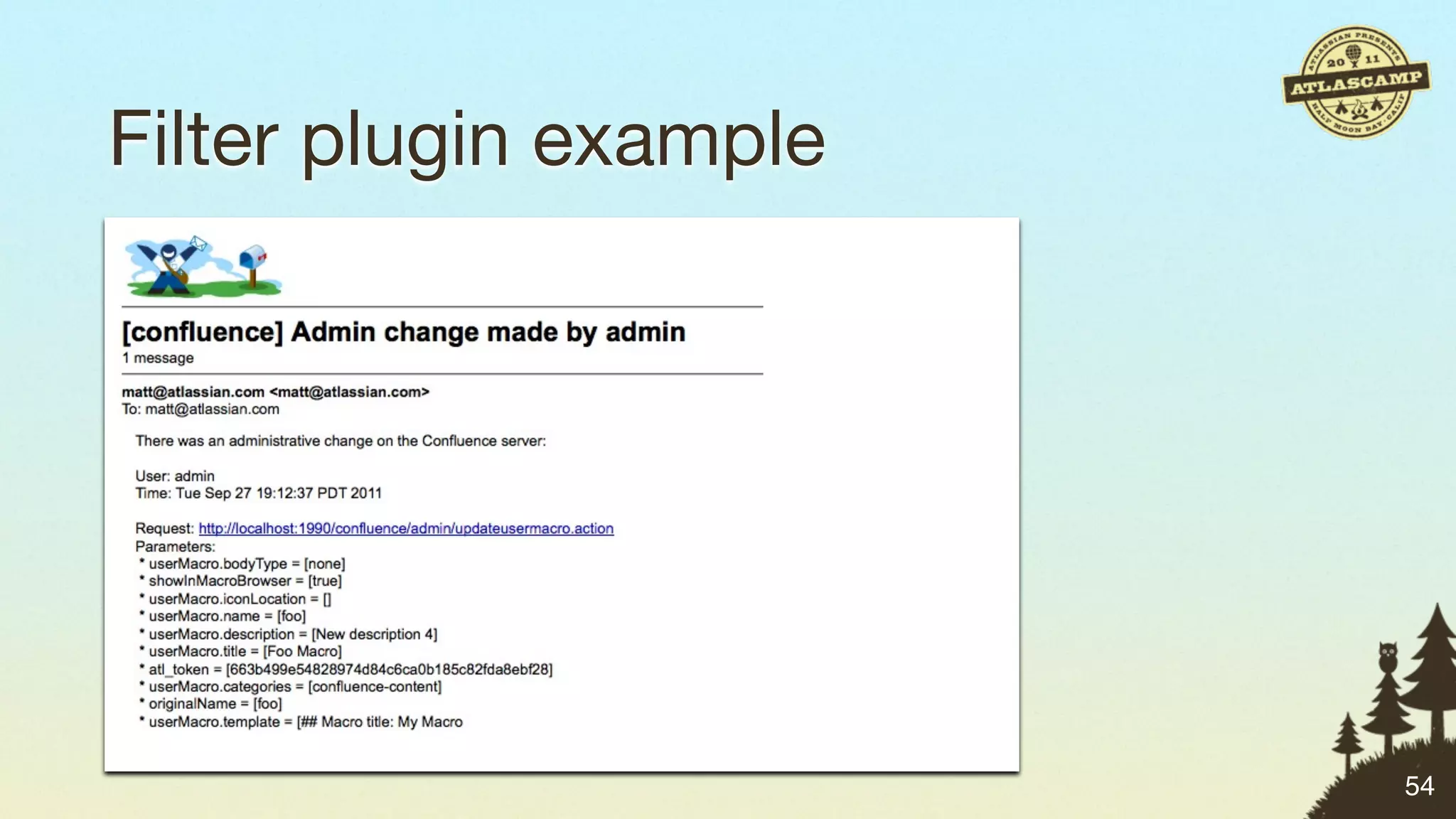
Filter plugin example


                        54
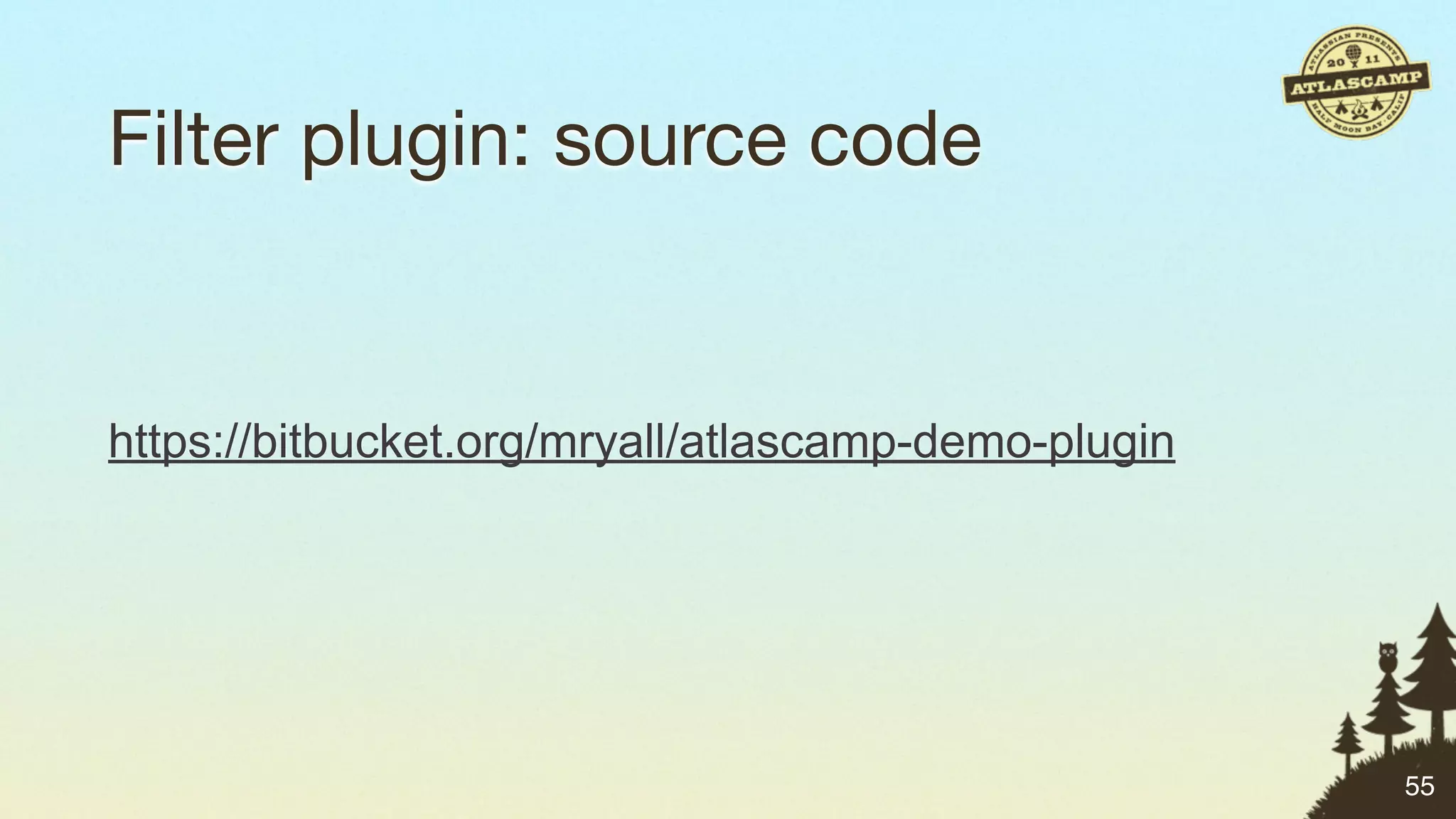
Filter plugin: source code


https://bitbucket.org/mryall/atlascamp-demo-plugin


                                                     55
Scheduled job plugins


                        56
Scheduled job plugins

• Execute periodic background tasks


                                      56
Scheduled job plugins

• Execute periodic background tasks
• Schedule routine tasks


                                      56
Scheduled job plugins

• Execute periodic background tasks
• Schedule routine tasks
• Possibilities:
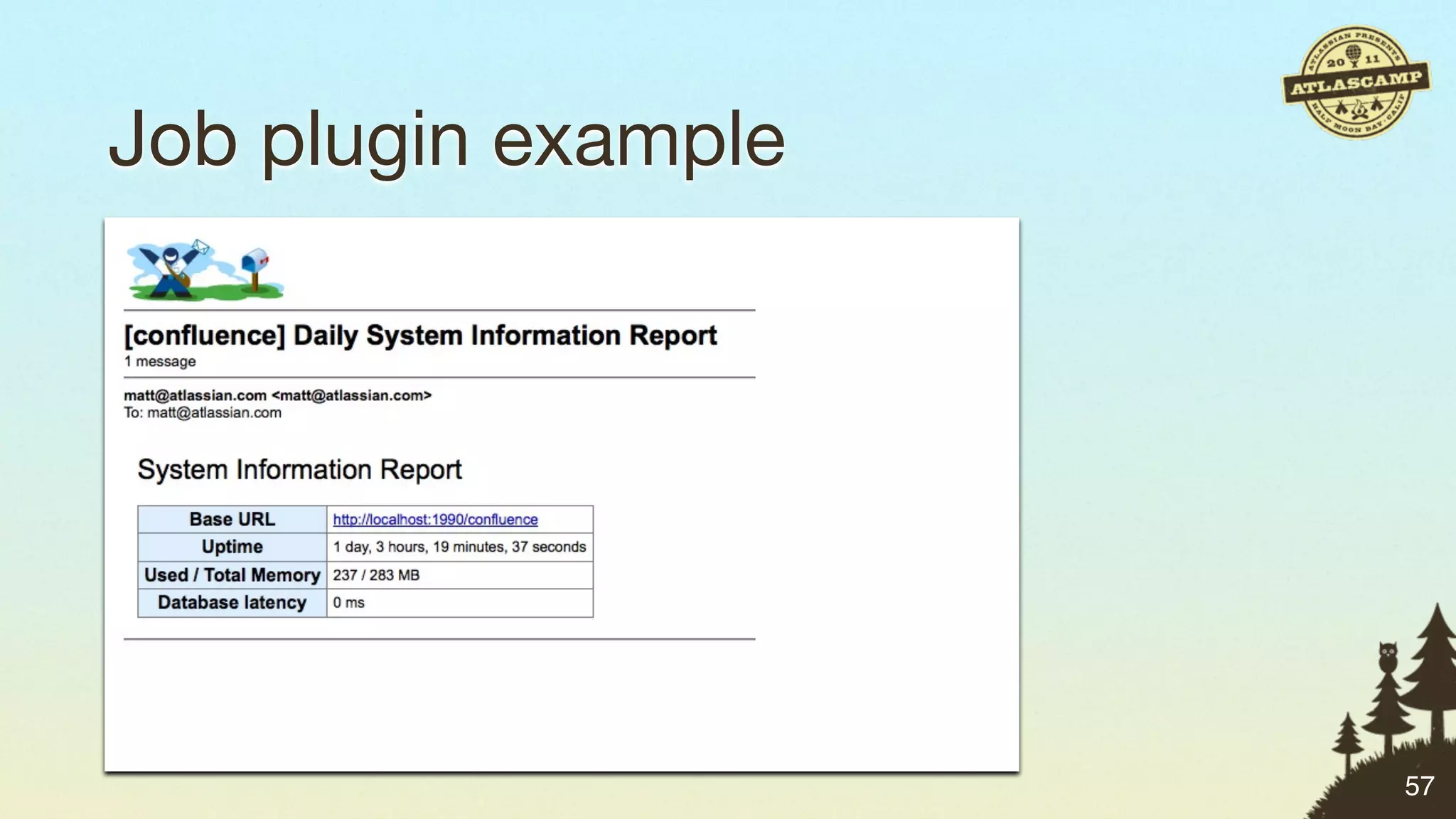
 • Report: daily system status
 • Report: list of users with admin permissions
 • Process requests from JIRA: add new users, groups

                                                       56
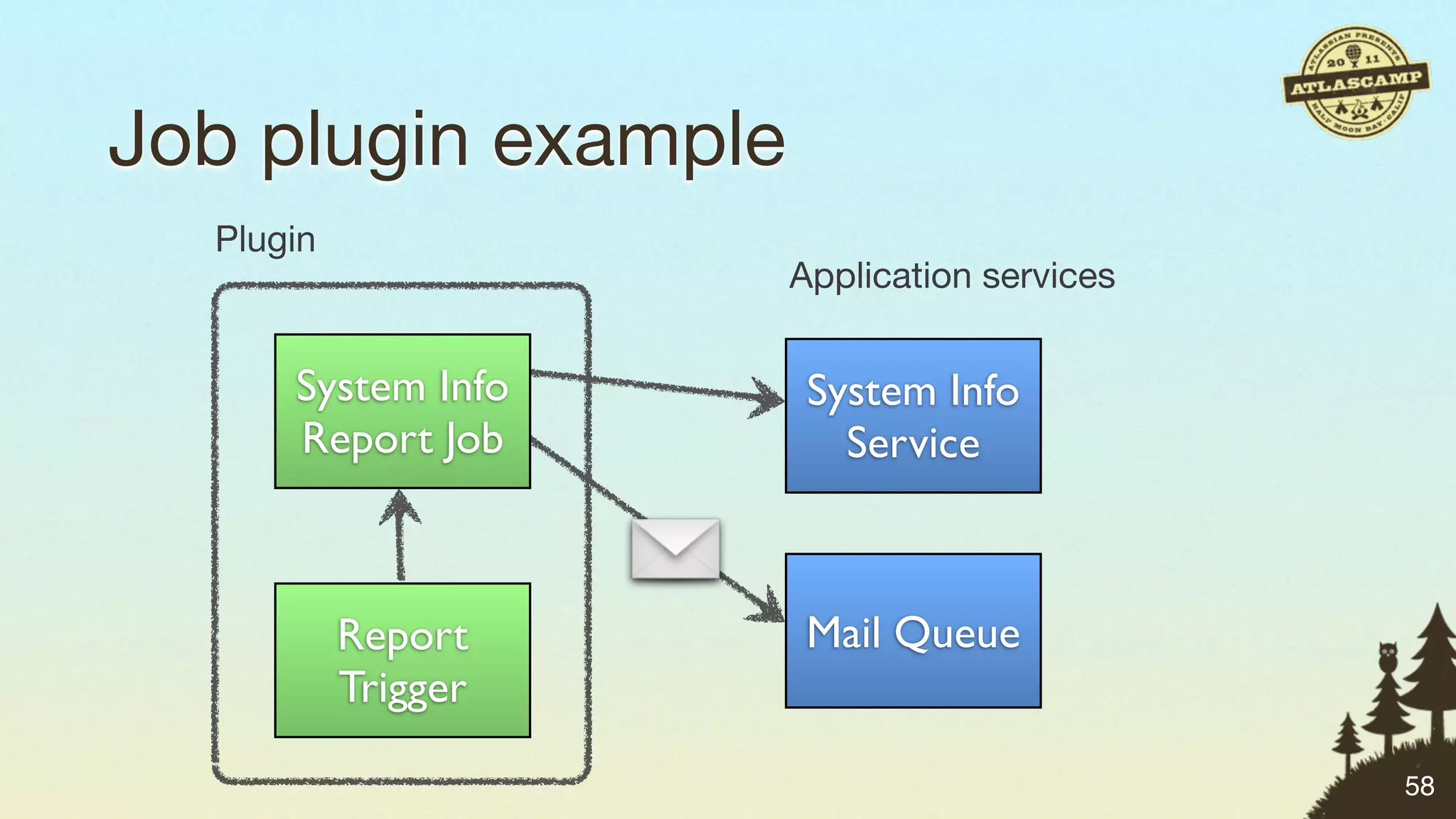
Job plugin example


                     57
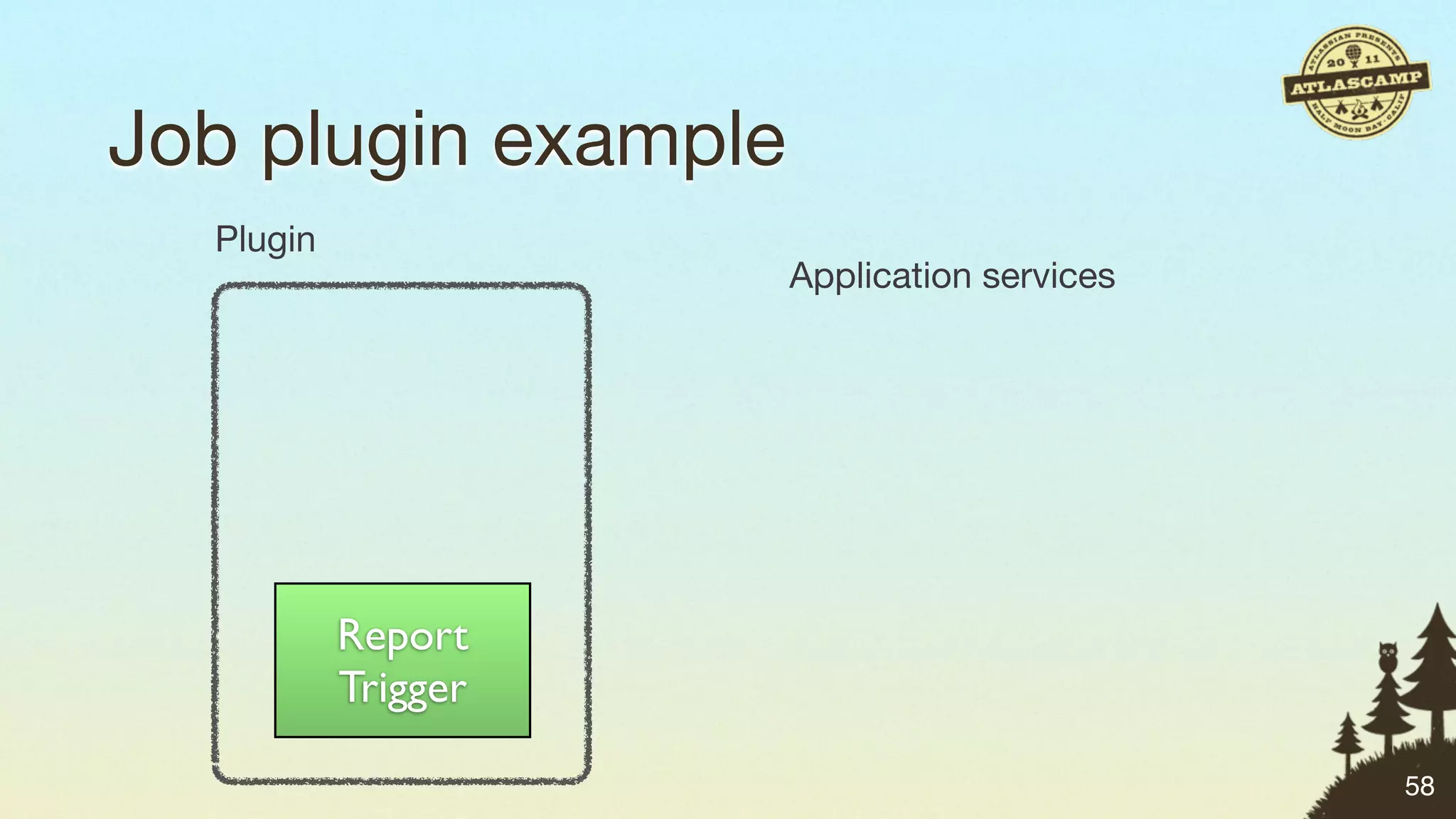
Job plugin example
  Plugin
                     Application services


           Report
           Trigger

                                            58
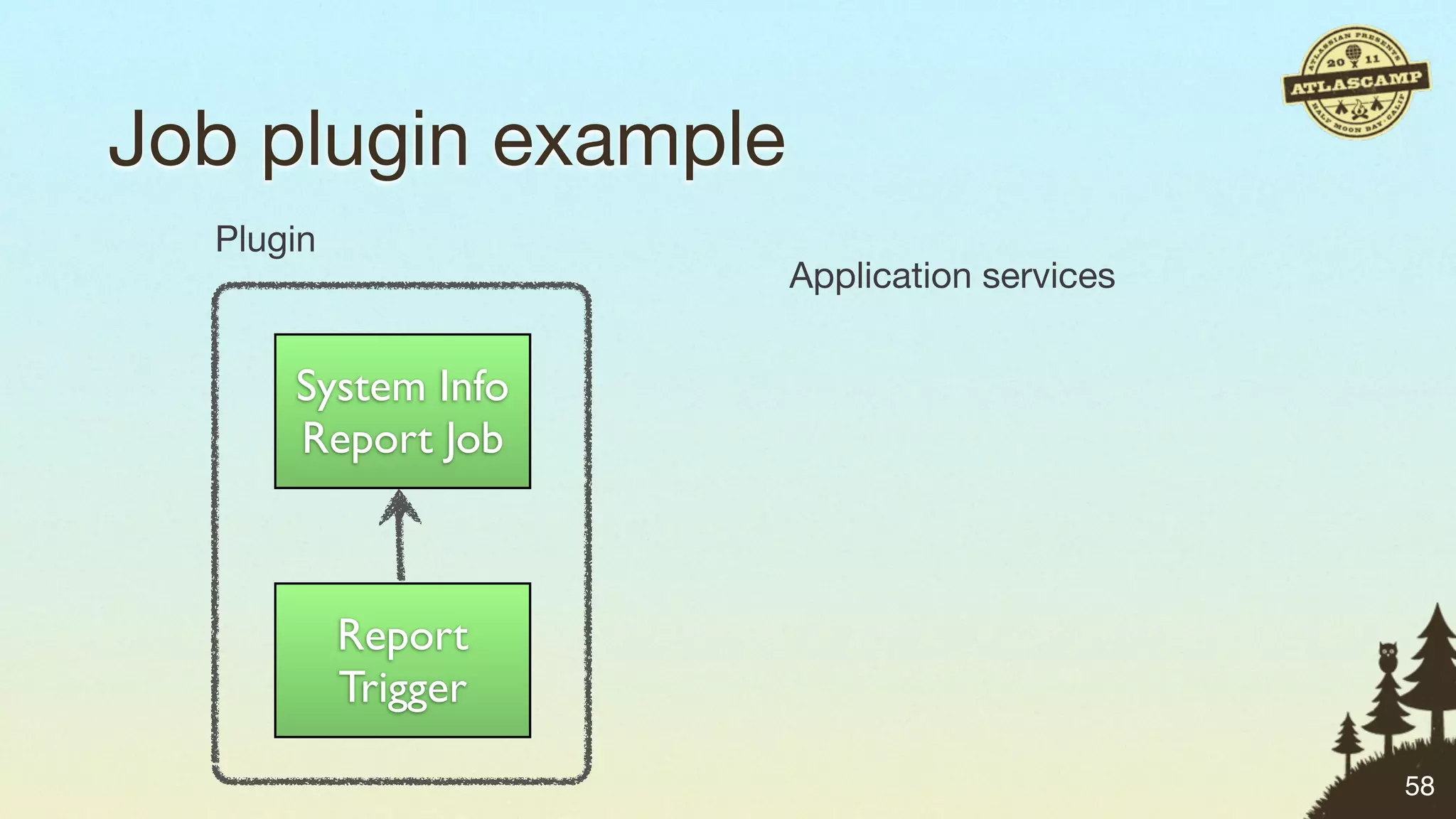
Job plugin example
  Plugin
                     Application services


      System Info
      Report Job


           Report
           Trigger

                                            58
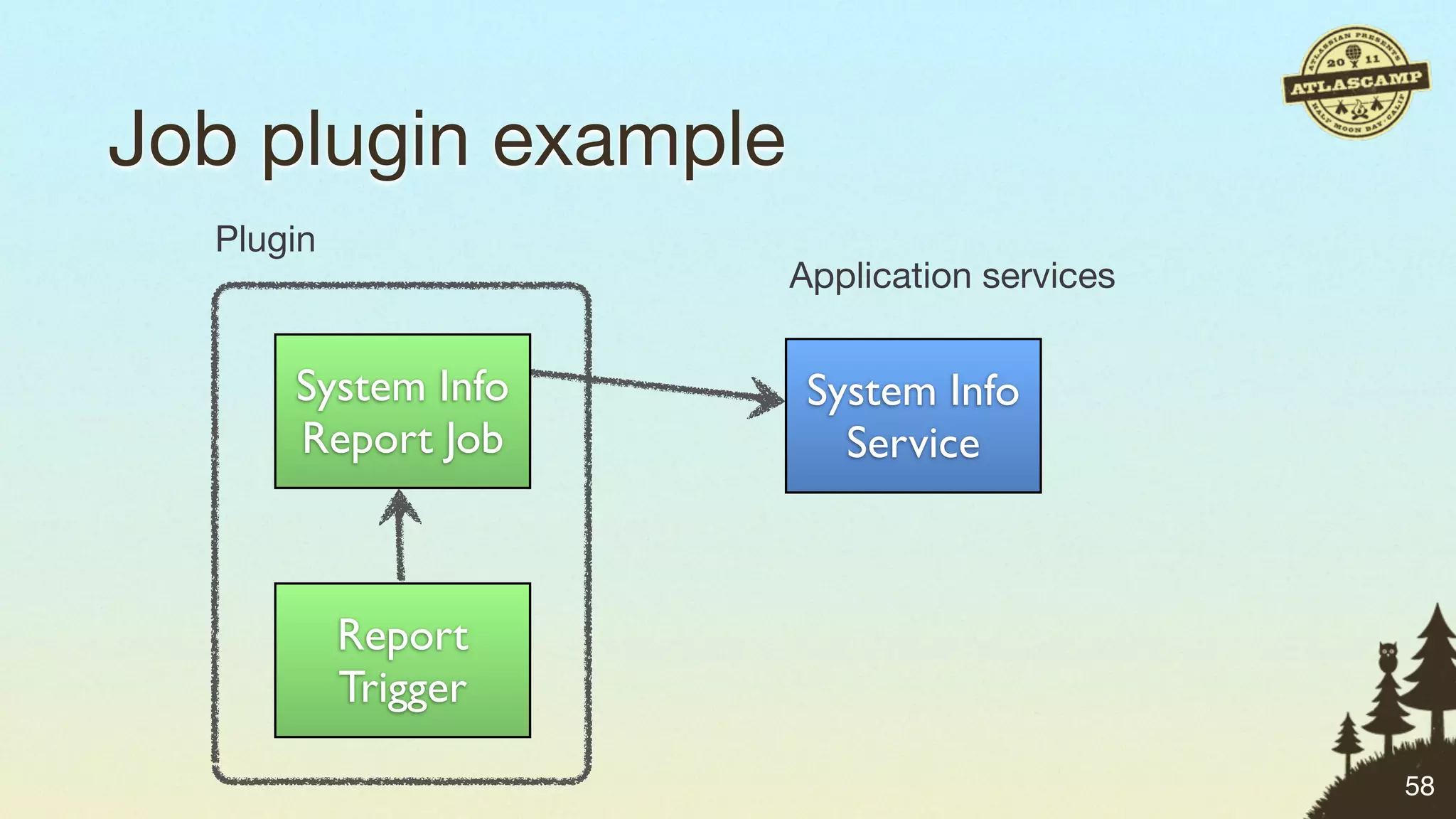
Job plugin example
  Plugin
                     Application services


      System Info     System Info
      Report Job        Service


           Report
           Trigger

                                            58
Job plugin example
  Plugin
                     Application services


      System Info     System Info
      Report Job        Service


           Report     Mail Queue
           Trigger

                                            58
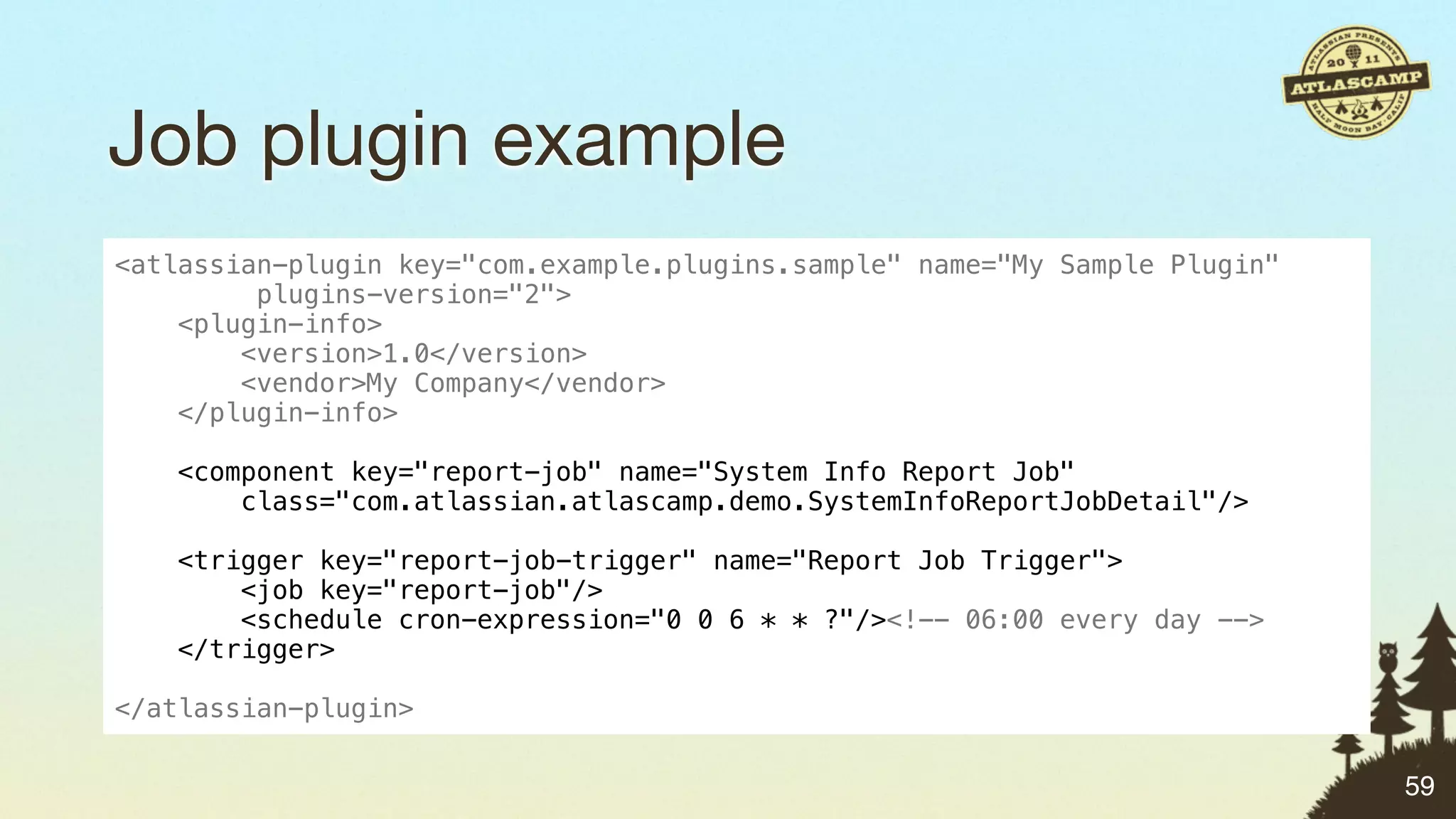
Job plugin example
<atlassian-plugin key="com.example.plugins.sample" name="My Sample Plugin"
         plugins-version="2">
    <plugin-info>
        <version>1.0</version>
        <vendor>My Company</vendor>
    </plugin-info>

   <component key="report-job" name="System Info Report Job"
       class="com.atlassian.atlascamp.demo.SystemInfoReportJobDetail"/>

    <trigger key="report-job-trigger" name="Report Job Trigger">
        <job key="report-job"/>
        <schedule cron-expression="0 0 6 * * ?"/><!-- 06:00 every day -->
    </trigger>

</atlassian-plugin>

                                                                             59
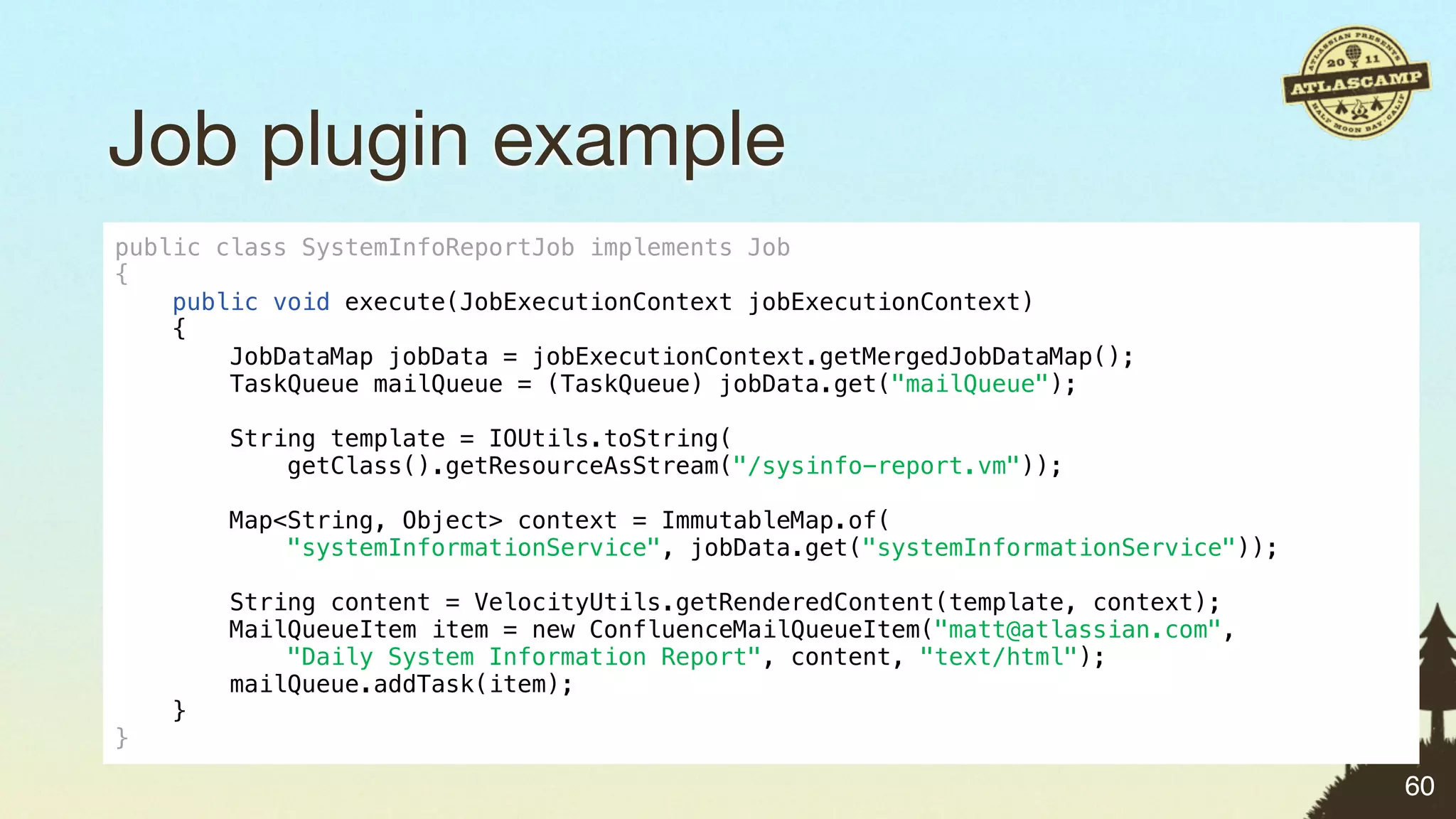
Job plugin example
public class SystemInfoReportJob implements Job
{
    public void execute(JobExecutionContext jobExecutionContext)
    {
        JobDataMap jobData = jobExecutionContext.getMergedJobDataMap();
        TaskQueue mailQueue = (TaskQueue) jobData.get("mailQueue");

        String template = IOUtils.toString(
            getClass().getResourceAsStream("/sysinfo-report.vm"));

        Map<String, Object> context = ImmutableMap.of(
            "systemInformationService", jobData.get("systemInformationService"));

        String content = VelocityUtils.getRenderedContent(template, context);
        MailQueueItem item = new ConfluenceMailQueueItem("matt@atlassian.com",
            "Daily System Information Report", content, "text/html");
        mailQueue.addTask(item);
    }
}

                                                                                    60
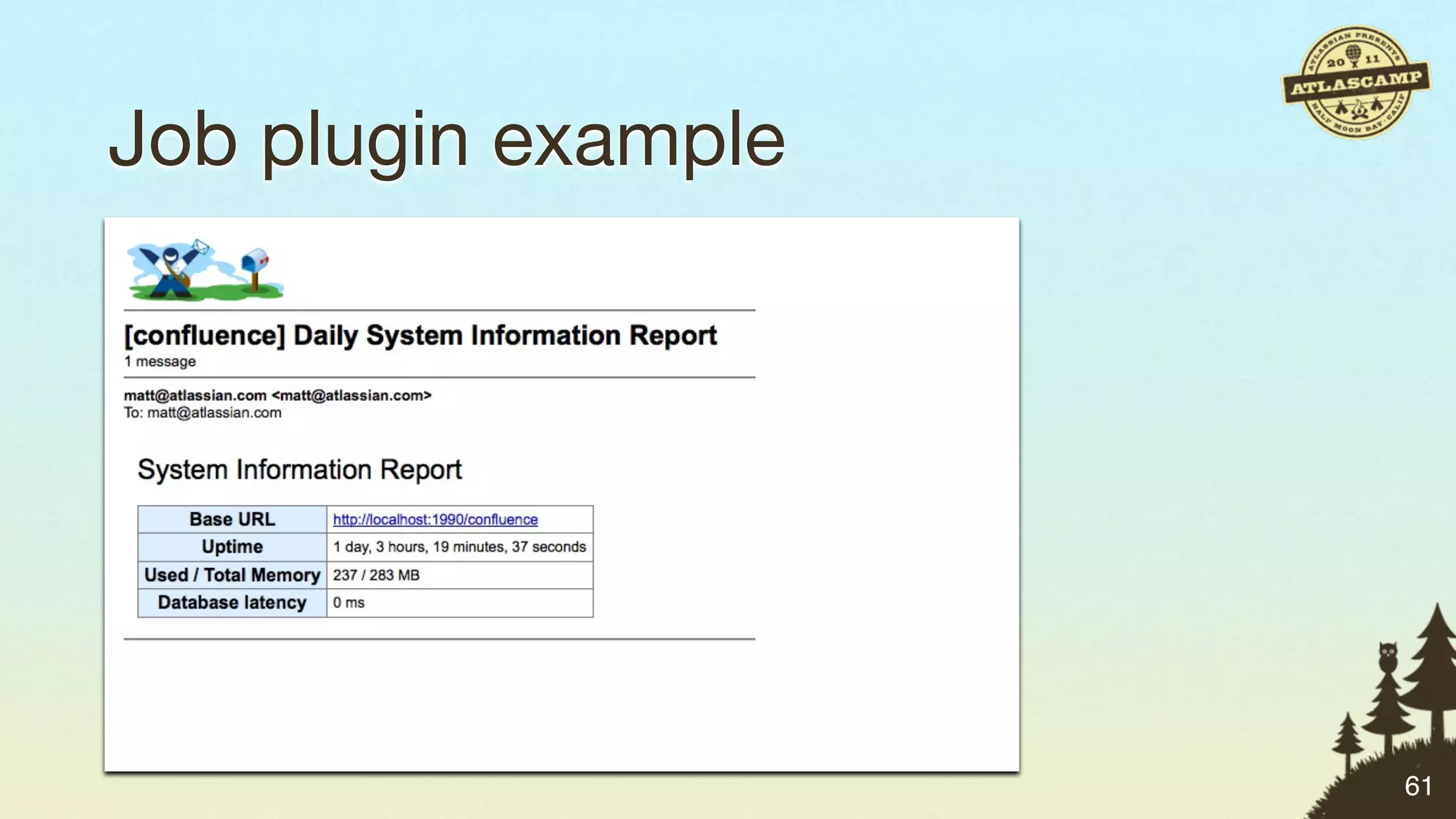
Job plugin example


                     61
Job plugin: source code


https://bitbucket.org/mryall/atlascamp-demo-plugin


                                                     62
Going further with scheduling


                                63
Going further with scheduling

• Try out Bamboo


                                63
Going further with scheduling

• Try out Bamboo
• It’s like at or cron on steroids


                                     63
Going further with scheduling

• Try out Bamboo
• It’s like at or cron on steroids
• Use Task plugins to add functionality


 https://developer.atlassian.com/display/BAMBOODEV/Bamboo+Tasks+API

                                                                      63
Matt’s Java Plugin Points Challenge


“    Write a plugin that lets you know when
            something important changes on your system.
                                                          ”
    #atlascamp


                                                              64
Tools for Management
“Nothing a little percussive maintenance can’t fix.”


                                                      65
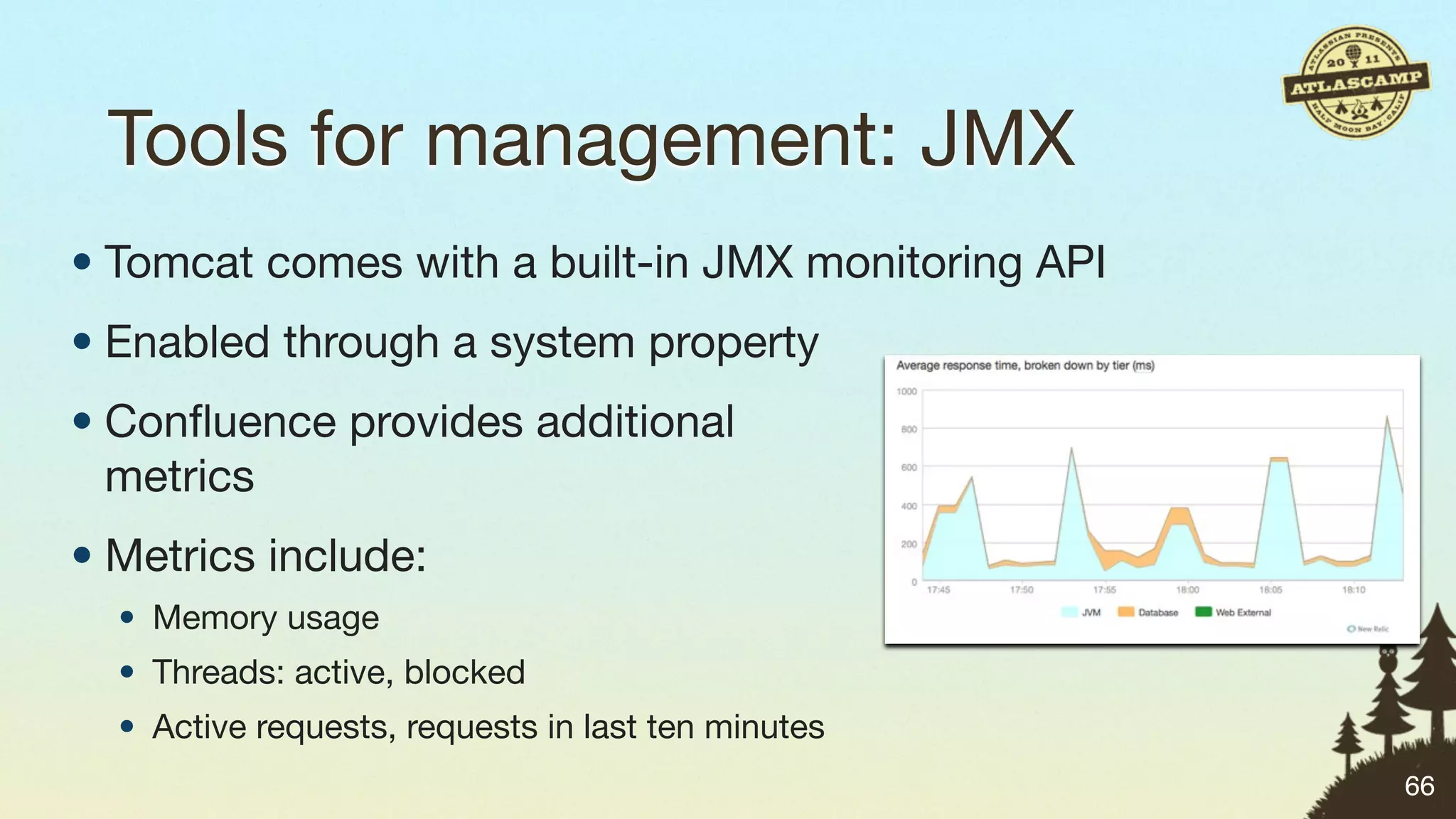
Tools for management: JMX
• Tomcat comes with a built-in JMX monitoring API
• Enabled through a system property
• Confluence provides additional
  metrics
• Metrics include:
  • Memory usage
  • Threads: active, blocked
  • Active requests, requests in last ten minutes
                                                    66
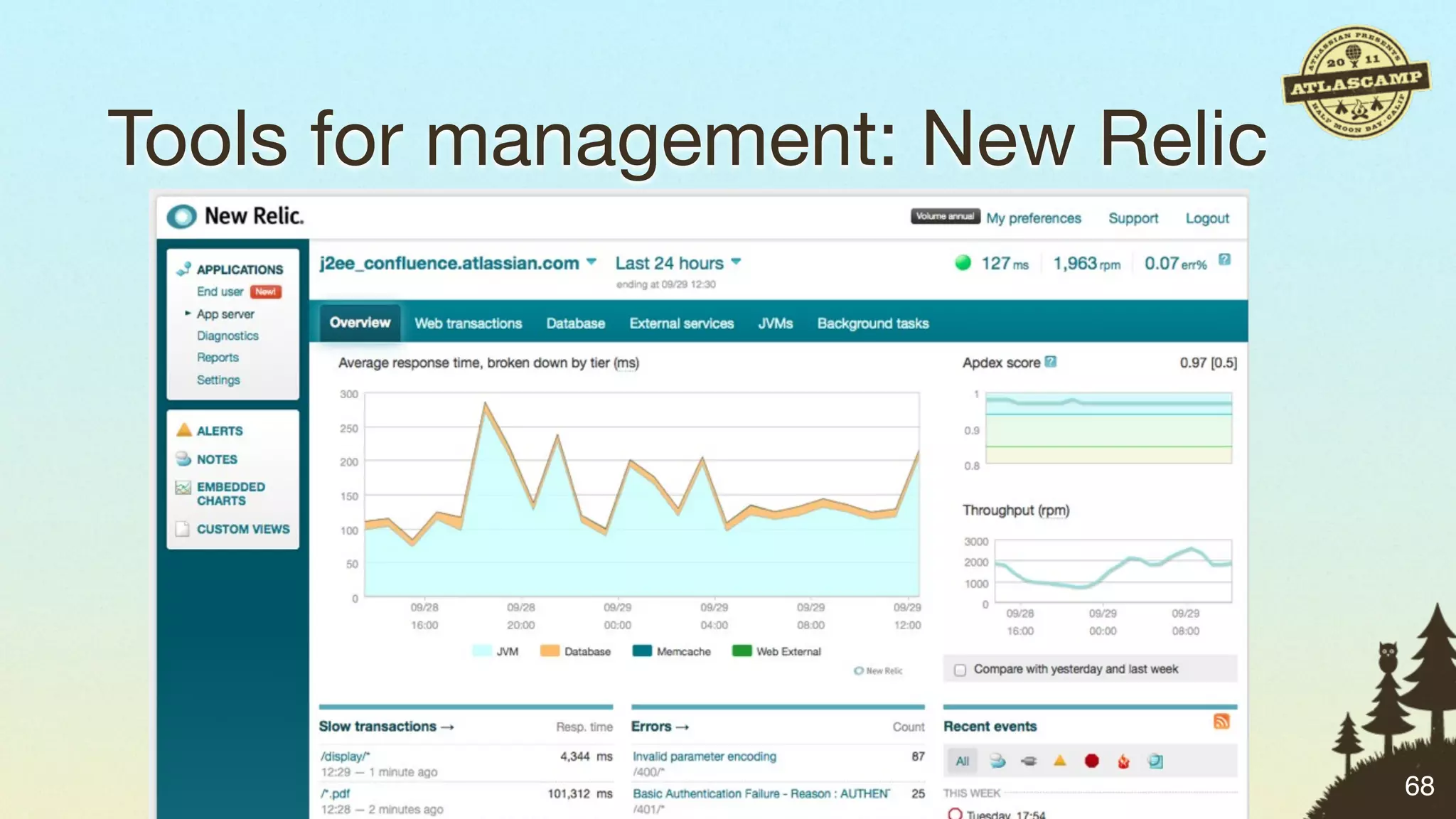
Tools for management: New Relic
• Commercial hosted monitoring service
• Uses a VM agent
• Masses of information about Java applications:
  • Slow requests
  • Slow database queries
  • Comparison between today/last week/last month
  • Custom metrics

                                                    67
Tools for management: New Relic


                                  68
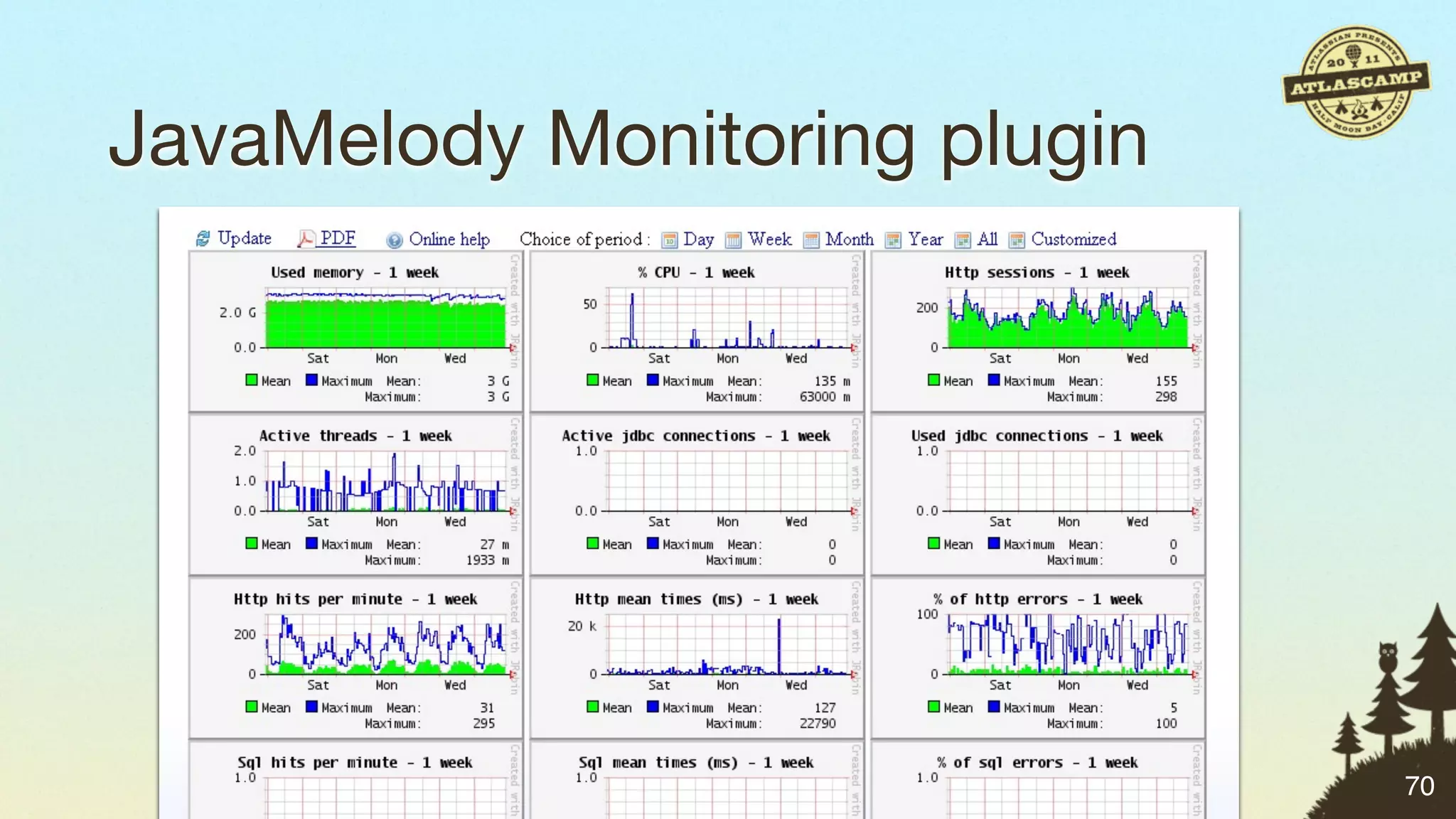
JavaMelody Monitoring plugin

• Open source Java monitoring package
• Free plugin for JIRA, Confluence, Bamboo
• Captures statistics inside the application
• https://plugins.atlassian.com/plugin/details/20909


                                                       69
JavaMelody Monitoring plugin


                               70
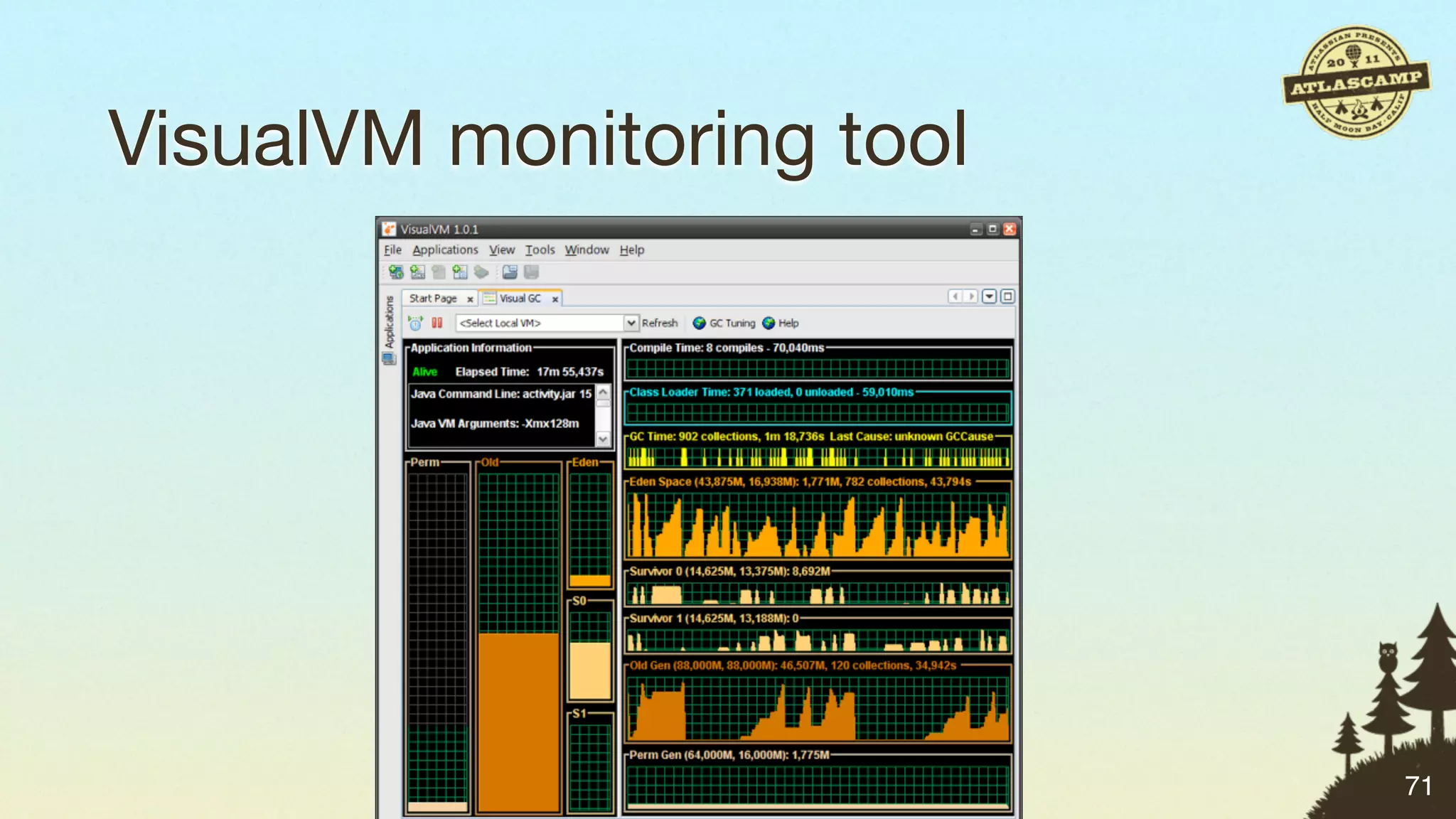
VisualVM monitoring tool


                           71
Tools for management: access logging


                                       72
Tools for management: access logging

• Application access logs provide user and memory information,
  in addition to request URL, time taken, etc.


                                                                 72
Tools for management: access logging

• Application access logs provide user and memory information,
  in addition to request URL, time taken, etc.
• Can diagnose problems with certain requests or usage patterns


                                                                  72
Tools for management: access logging

• Application access logs provide user and memory information,
  in addition to request URL, time taken, etc.
• Can diagnose problems with certain requests or usage patterns
• Can provide audit trail for user actions


                                                                  72
Tools for management: access logging

• Application access logs provide user and memory information,
  in addition to request URL, time taken, etc.
• Can diagnose problems with certain requests or usage patterns
• Can provide audit trail for user actions
• To enable application access logging:
  • JIRA: in the UI, or in log4j.properties
  • Confluence: enable filter in web.xml


                                                                  72
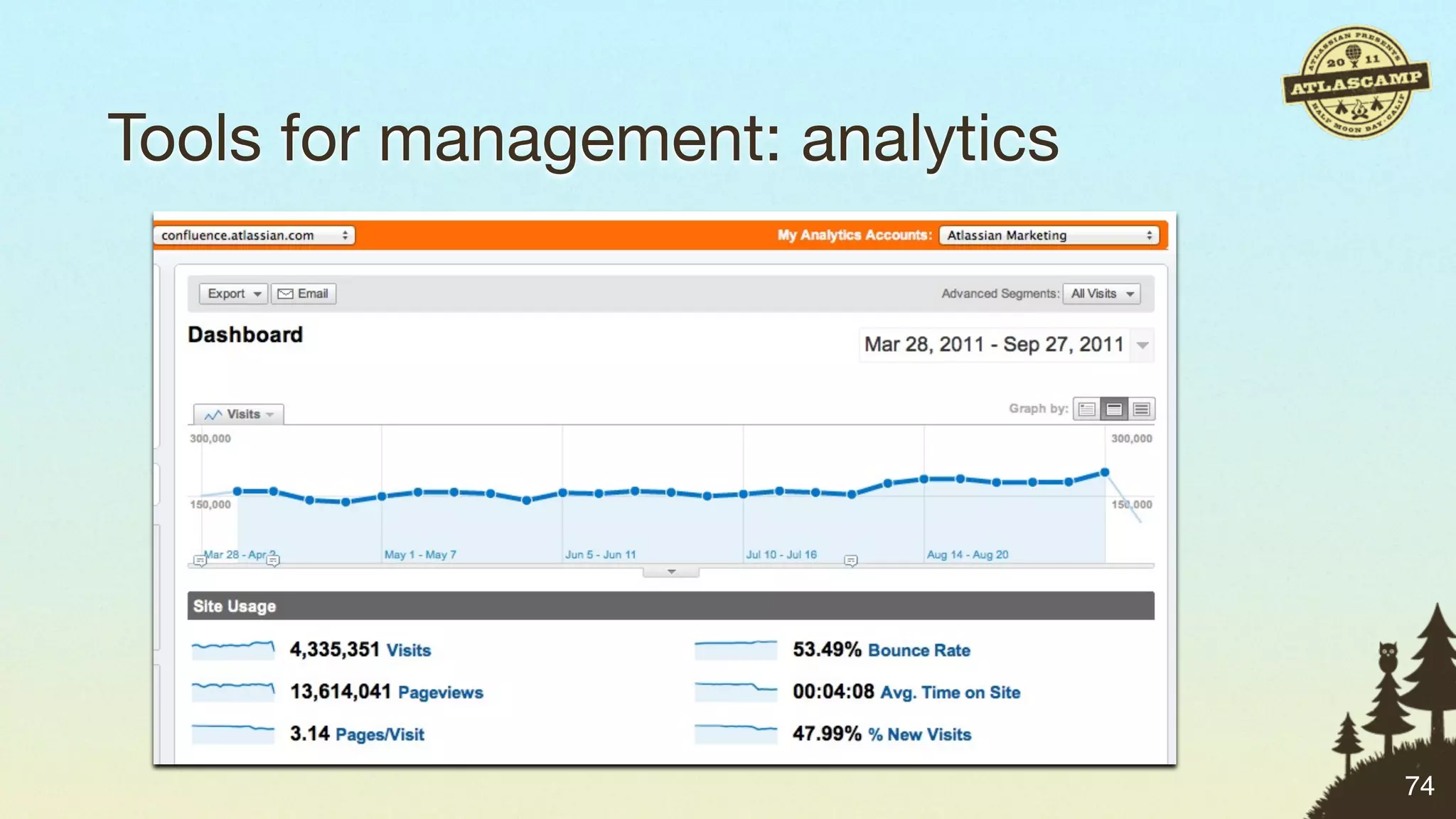
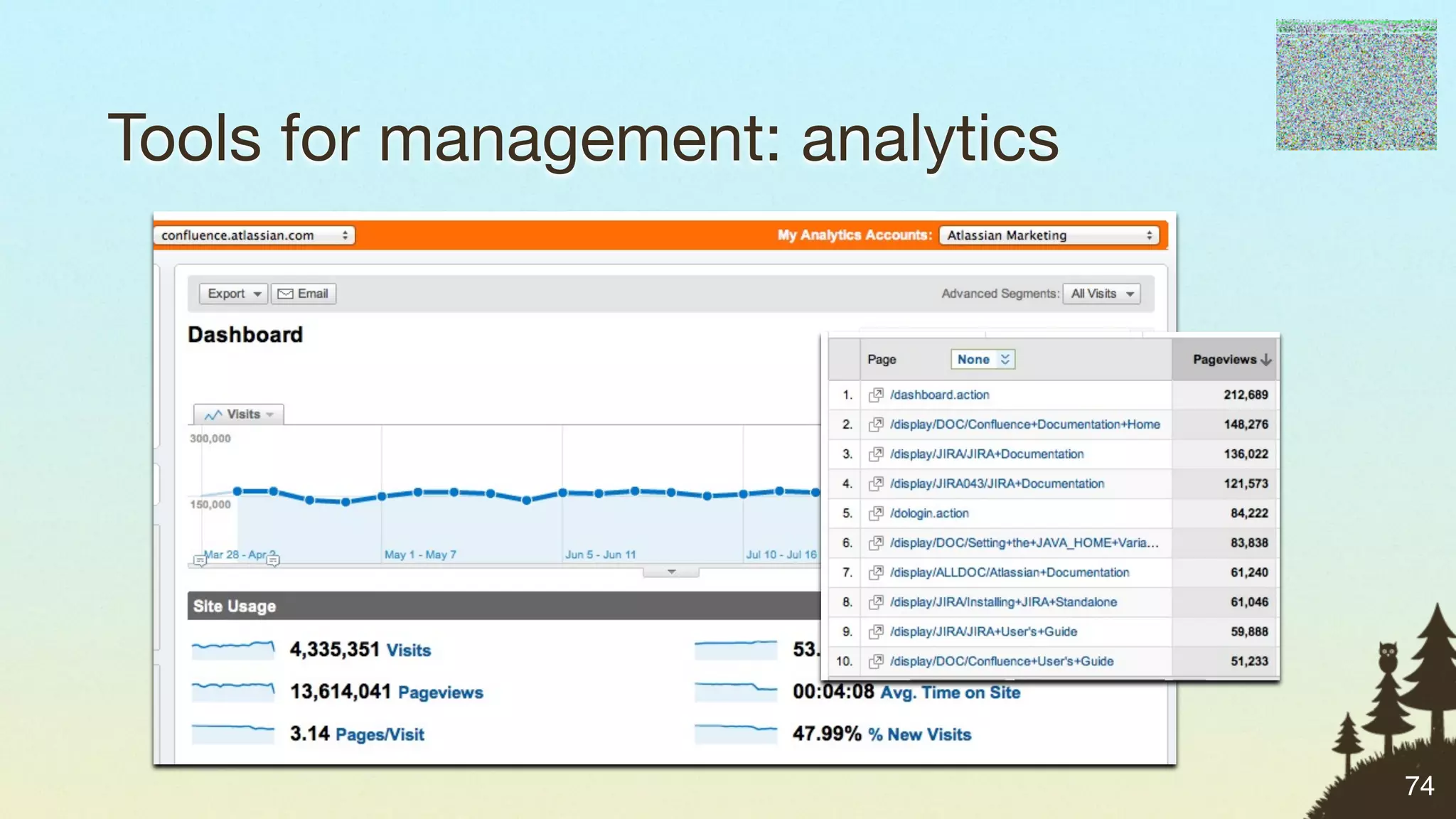
Tools for management: analytics

• Get some free, lightweight tracking for your site
• See what content is most frequently accessed
• Track browser and platform usage
• To add the analytics JavaScript code to the
  header:
  • JIRA: edit header.jsp to add it
  • Confluence: add via Custom HTML in UI


                                                      73
Tools for management: analytics


                                  74
Tools for management: analytics


                                  74
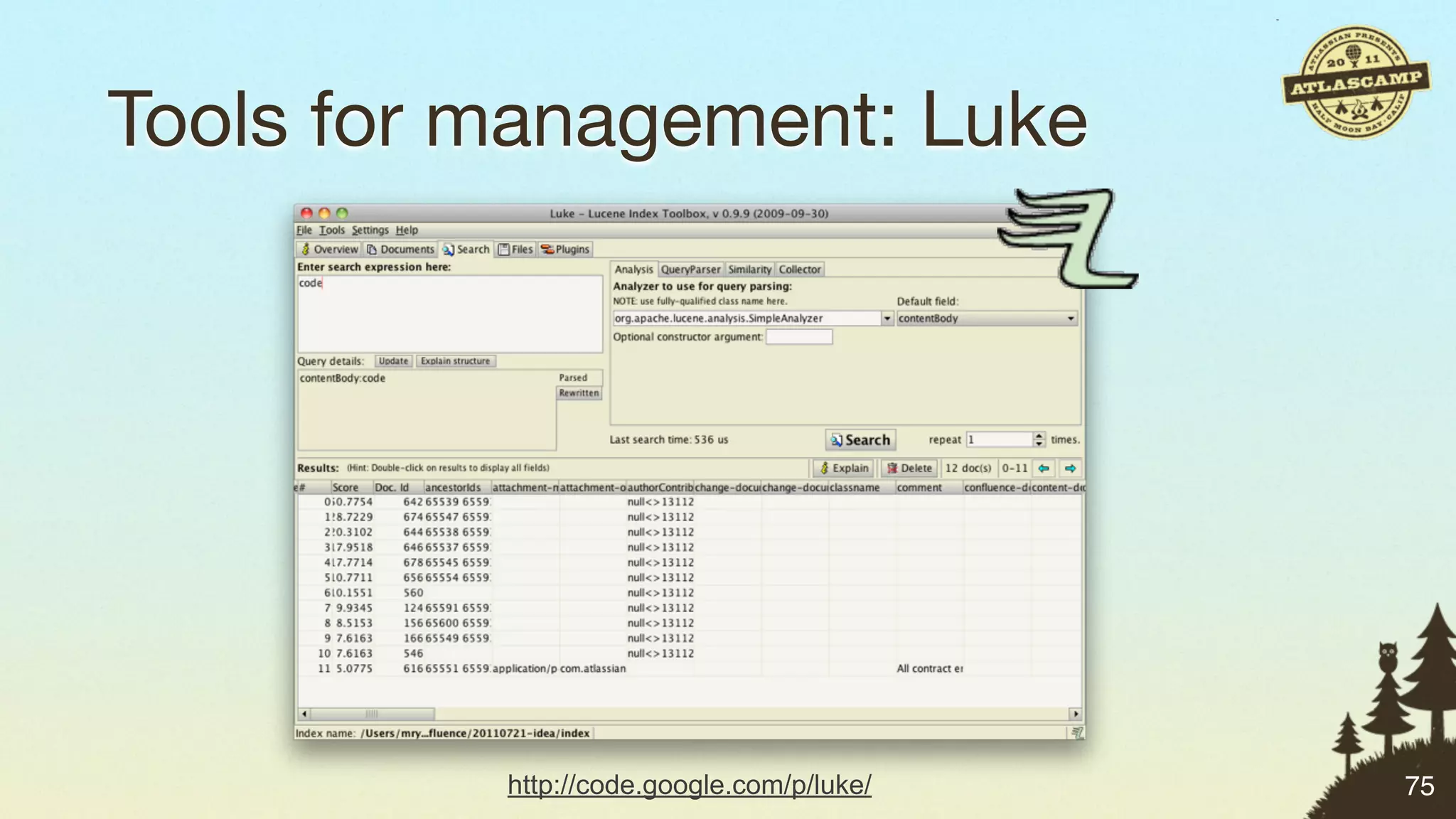
Tools for management: Luke


          http://code.google.com/p/luke/   75
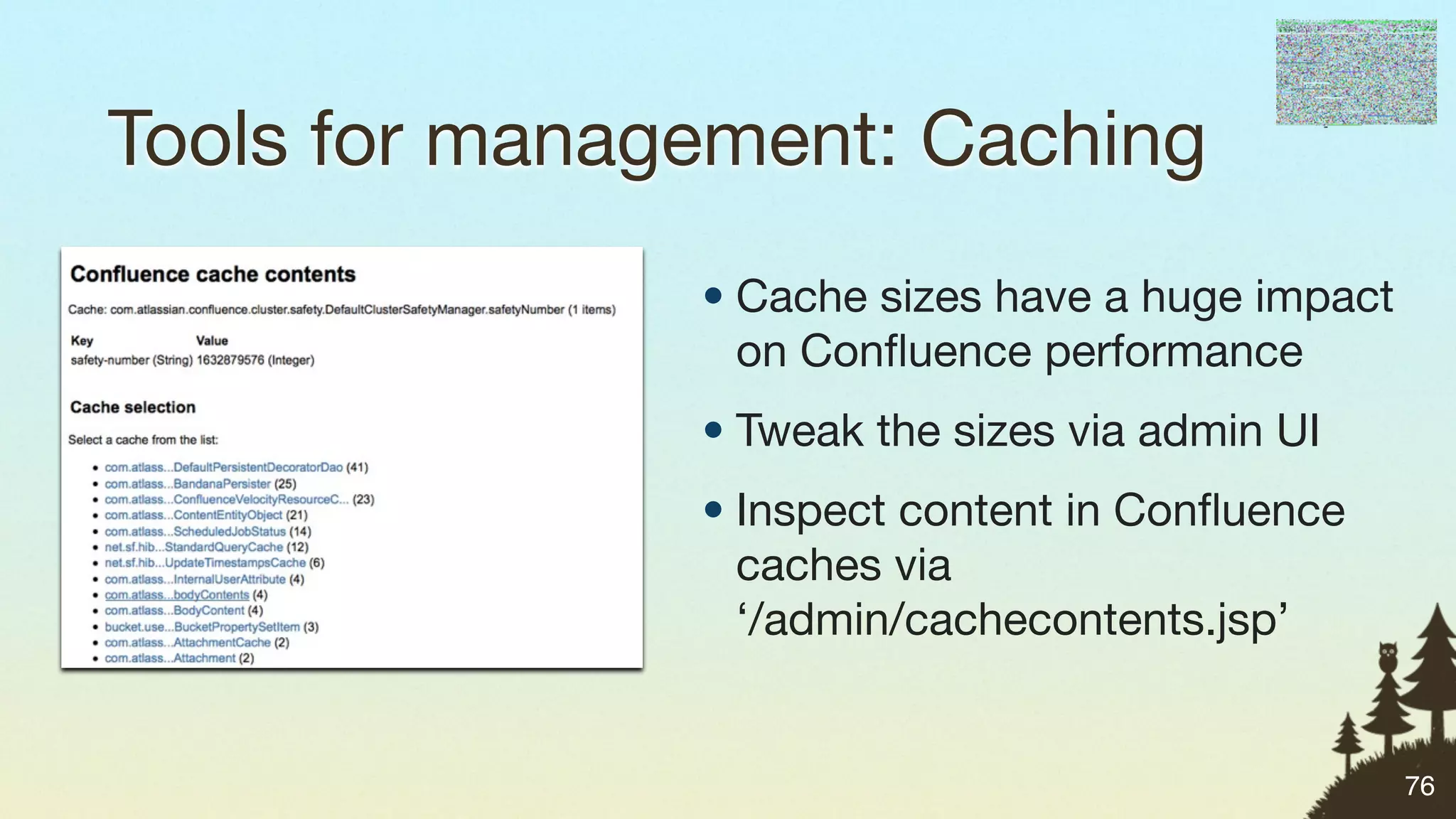
Tools for management: Caching
               • Cache sizes have a huge impact
                 on Confluence performance
               • Tweak the sizes via admin UI
               • Inspect content in Confluence
                 caches via
                 ‘/admin/cachecontents.jsp’


                                                  76
Matt’s Management Tools Challenge


“    Use monitoring or analytics to improve your
            knowledge of what your system is doing.
                                                      ”
    #atlascamp


                                                          77
Where we’ve been


                   78
Where we’ve been

1.Scripting & Remote APIs


                            78
Where we’ve been

1.Scripting & Remote APIs
2.Simple Plugin Points


                            78
Where we’ve been

1.Scripting & Remote APIs
2.Simple Plugin Points
3.Java Plugin Points


                            78
Where we’ve been

1.Scripting & Remote APIs
2.Simple Plugin Points
3.Java Plugin Points
4.Tools for Management

                            78
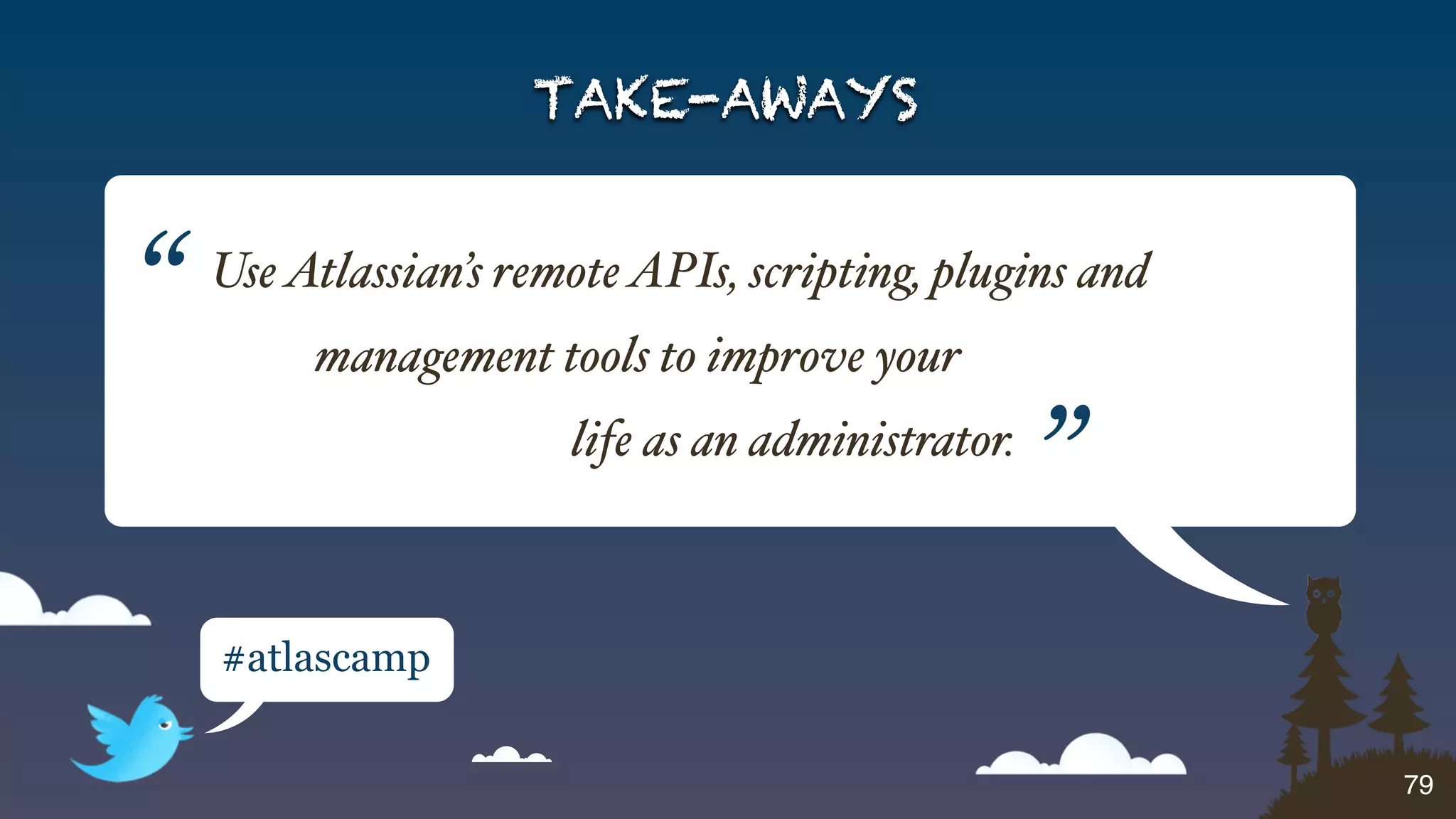
TAKE-AWAYS


“   Use Atlassian’s remote APIs, scripting, plugins and
         management tools to improve your
                       life as an administrator.
                                                   ”
    #atlascamp


                                                          79
Share your knowledge!


              Answers

                        80
Get in touch

• @mryall
• matt@atlassian.com
• http://mattryall.net
• http://bitbucket.org/mryall


                                81
Photo credits
• Smiley feet
  http://www.flickr.com/photos/meddygarnet/3392686660
• Toolbox
  http://www.milbinoc.com/toolbox/4_top_openbg.jpg
• Alphabet soup
  http://www.flickr.com/photos/loozrboy/5878852200/
• Thumbs up
  http://www.flickr.com/photos/sarahreido/3120877348/

                                                       82
Thank you!

EcoSystem Tools for Admins - AtlasCamp 2011

  • 2.
    Ecosystem Tools forAdministrators Matt Ryall Team Lead, Atlassian Confluence 2
  • 3.
    About Matt • Workedwith Confluence for over 5 years 3
  • 4.
    About Matt • Workedwith Confluence for over 5 years • Team lead, tech lead & developer 3
  • 5.
    About Matt • Workedwith Confluence for over 5 years • Team lead, tech lead & developer • Plugin areas of expertise: • Web items & resources • User management & security • Confluence-specific: macros, etc. 3
  • 6.
  • 7.
    Who are you? •You run a JIRA/Confluence/Bamboo/ FishEye server for your organisation 4
  • 8.
    Who are you? •You run a JIRA/Confluence/Bamboo/ FishEye server for your organisation • You’re responsible for keeping the system up 4
  • 9.
    Who are you? •You run a JIRA/Confluence/Bamboo/ FishEye server for your organisation • You’re responsible for keeping the system up • You’re responsible for keeping the data safe 4
  • 10.
    Who are you? •You run a JIRA/Confluence/Bamboo/ FishEye server for your organisation • You’re responsible for keeping the system up • You’re responsible for keeping the data safe • You need to get stuff done. 4
  • 11.
    What you wantin Atlassian products 5
  • 12.
    What you wantin Atlassian products • Easier upgrades 5
  • 13.
    What you wantin Atlassian products • Easier upgrades • More bulk operations 5
  • 14.
    What you wantin Atlassian products • Easier upgrades • More bulk operations • Offline operations 5
  • 15.
    What you wantin Atlassian products • Easier upgrades • More bulk operations • Offline operations • Easier administration 5
  • 16.
    What you wantin Atlassian products • Easier upgrades • More bulk operations • Offline operations • Easier administration 5
  • 17.
    How we canhelp 6
  • 18.
    How we canhelp 1.Scripting & Remote APIs 6
  • 19.
    How we canhelp 1.Scripting & Remote APIs 2.Simple Plugin Points 6
  • 20.
    How we canhelp 1.Scripting & Remote APIs 2.Simple Plugin Points 3.Java Plugin Points 6
  • 21.
    How we canhelp 1.Scripting & Remote APIs 2.Simple Plugin Points 3.Java Plugin Points 4.Tools for Management 6
  • 22.
    Scripting & RemoteAPIs a.k.a. Acronym Soup 7
  • 23.
  • 24.
    Remote API: JIRA ✓ Expanded in 4.4, 5.0 REST Please let us know what you need! ✓ Most comprehensive SOAP ✗ No longer being expanded Exposes SOAP API via JSON JSON-RPC ✗ No longer being expanded Small number of methods XML-RPC ✗ No longer being expanded 8
  • 25.
    Remote API: JIRA ✓ Expanded in 4.4, 5.0 REST Please let us know what you need! ✓ Most comprehensive SOAP ✗ No longer being expanded Exposes SOAP API via JSON JSON-RPC ✗ No longer being expanded Small number of methods XML-RPC ✗ No longer being expanded 8
  • 26.
    Remote API: JIRA ✓ Expanded in 4.4, 5.0 REST Please let us know what you need! ✓ Most comprehensive SOAP ✗ No longer being expanded Exposes SOAP API via JSON JSON-RPC ✗ No longer being expanded Small number of methods XML-RPC ✗ No longer being expanded 8
  • 27.
    Remote API: JIRA ✓ Expanded in 4.4, 5.0 REST Please let us know what you need! ✓ Most comprehensive SOAP ✗ No longer being expanded Exposes SOAP API via JSON JSON-RPC ✗ No longer being expanded Small number of methods XML-RPC ✗ No longer being expanded 8
  • 28.
  • 29.
  • 30.
  • 31.
  • 32.
  • 33.
    JIRA REST: Creatingissues (5.0+) var client = require('node-restclient'); var base = 'http://admin:admin@localhost:2990/jira/rest/api/latest'; var issue = { fields: { project: { id: "10000" }, // Test Project issuetype: { id: "1" }, // Bug summary: "GadgetException in the WidgetConnector", description: "I got an exception in the WidgetConnector: ...", priority: { name: "Minor" }, reporter: { name: "admin" }, assignee: { name: "admin" } } }; client.post(base + '/issue', JSON.stringify(issue), function (result) { console.log("Issue created: " + result.key); }, "json"); 10
  • 34.
    JIRA REST: sourcecode https://bitbucket.org/mryall/atlascamp-scripts https://github.com/mattryall/node-restclient 11
  • 35.
    JIRA REST: Resolvingissues var client = require('node-restclient'); var base = 'http://admin:admin@localhost:2990/jira/rest/api/latest'; var logIssue = function (issue) { console.log("Issue " + issue.key + " status: " + issue.fields.status.name); }; var data = JSON.stringify({ transition: '5', // Resolve fields: { resolution: "Won't Fix" } }); client.post(base + '/issue/TST-1/transitions', data, function (result, status) { console.log("Transition result: " + status); client.get(base + '/issue/TST-1', logIssue, "json"); }, "json", { "Content-Type": "application/json" }); 12
  • 36.
    JIRA REST: Whatcan you do? • Issue details, voting, watching (4.2) • Transition workflows (4.2) • Add attachment (4.3) • Manage project roles, versions & components (4.4) • Create, edit issue (coming in 5.0) API docs: http://bit.ly/jira-rest 13
  • 37.
    JIRA SOAP: Creatingissues from suds.client import Client import datetime client = Client('https://jira/rpc/soap/jirasoapservice-v2?wsdl') token = client.service.login('username', 'password') issue = { 'project': 'TST', 'summary': 'Test issue created from SOAP', 'type': '3', # Task 'description': 'Please ignore this issue', 'duedate': datetime.datetime(2011, 10, 5), 'affectsVersions': [{ 'id': '10331' }], 'fixVersions': [{ 'id': '10331' }], } issue = client.service.createIssue(token, issue) print 'New issue created: %s' % issue.key 14
  • 38.
    JIRA SOAP: Resolvingissues from suds.client import Client client = Client('https://jira/rpc/soap/jirasoapservice-v2?wsdl') token = client.service.login('username', 'password') action = '5' # Resolve params = [{ 'id': 'resolution', 'values': [ '2' ] }] # Won't Fix issue = client.service.progressWorkflowAction(token, 'TST-29258', action, params) print 'Issue %s updated, new status: %s' % (issue.key, issue.status) 15
  • 39.
    JIRA SOAP: Morestuff you can do • Create projects • Add, release and archive versions • Create and manage permission schemes • Add, edit and delete comments • Search for issues with JQL • … much more! API docs: http://bit.ly/jira-soap 16
  • 40.
  • 41.
    Remote API: Confluence SOAP ✓ Most comprehensive XML-RPC JSON-RPC ✓ Exposes SOAP API via JSON Small number of methods REST ✗ Expanding only as needed 17
  • 42.
    Remote API: Confluence SOAP ✓ Most comprehensive XML-RPC JSON-RPC ✓ Exposes SOAP API via JSON Small number of methods REST ✗ Expanding only as needed 17
  • 43.
    Remote API: Confluence SOAP ✓ Most comprehensive XML-RPC JSON-RPC ✓ Exposes SOAP API via JSON Small number of methods REST ✗ Expanding only as needed 17
  • 44.
  • 45.
    JSON-RPC: What isit? •Provides JSON-based access to existing SOAP APIs in JIRA and Confluence 18
  • 46.
    JSON-RPC: What isit? •Provides JSON-based access to existing SOAP APIs in JIRA and Confluence •Useful in front-end JavaScript code 18
  • 47.
    JSON-RPC: What isit? •Provides JSON-based access to existing SOAP APIs in JIRA and Confluence •Useful in front-end JavaScript code •Why? To facilitate reuse of existing APIs. 18
  • 48.
    JSON-RPC: How doesit work? 19
  • 49.
    JSON-RPC: How doesit work? • Install the JSON-RPC plugin 19
  • 50.
    JSON-RPC: How doesit work? • Install the JSON-RPC plugin • Visit URL with the remote API method name: 19
  • 51.
    JSON-RPC: How doesit work? • Install the JSON-RPC plugin • Visit URL with the remote API method name: http://wiki/rpc/json-rpc/confluenceservice-v2/addComment 19
  • 52.
    JSON-RPC: How doesit work? • Install the JSON-RPC plugin • Visit URL with the remote API method name: http://wiki/rpc/json-rpc/confluenceservice-v2/addComment • Pass any parameters in body as JSON. 19
  • 53.
    JSON-RPC: How doesit work? • Install the JSON-RPC plugin • Visit URL with the remote API method name: http://wiki/rpc/json-rpc/confluenceservice-v2/addComment • Pass any parameters in body as JSON. JSON-RPC plugin: http://bit.ly/json-rpc 19
  • 54.
    JSON-RPC: Deleting spamcomments function jsonRpc(method, params, success, error) { jQuery.ajax("https://wiki/rpc/json-rpc/confluenceservice-v2/" + method, { dataType: "json", type: "POST", contentType: "application/json", data: JSON.stringify(params), success: success, error: error }); } jsonRpc("getComments", [ AJS.params.pageId ], function (comments) { jQuery.each(comments, function (i, comment) { if (comment.creator == "mquail") { jsonRpc("removeComment", [ comment.id ], function () { console.log("Comment removed: " + comment.id); }); } }); }); 20
  • 55.
    CLI 21
  • 56.
    CLI • If theremote APIs provide raw power, CLI is the engine that puts them to work 21
  • 57.
    CLI • If theremote APIs provide raw power, CLI is the engine that puts them to work • CLI exposes majority of remote API methods via a simple command line interface 21
  • 58.
    CLI • If theremote APIs provide raw power, CLI is the engine that puts them to work • CLI exposes majority of remote API methods via a simple command line interface • Open source, maintained by Bob Swift 21
  • 59.
    CLI • If theremote APIs provide raw power, CLI is the engine that puts them to work • CLI exposes majority of remote API methods via a simple command line interface • Open source, maintained by Bob Swift • Don’t bother writing code, use a shell script 21
  • 60.
    CLI $ ./jira.sh Usage: jira [--help] (-a|--action) <action> [(-f|--file) <file>] [--encoding <encoding>] [--debug] [-v|--verbose] [--quiet] [--outputFormat <outputFormat>] [--sql <sql>] [--driver <driver>] [--url <url>] [--host <host>] [--port <port>] [--database <database>] [--dbUser <dbUser>] [--dbPassword <dbPassword>] [--propertyFile <propertyFile>] [--common <common>] [--continue] [--simulate] (-s|--server) <server> (-u|--user) <user> (-p|--password) <password> [--login <login>] [--service <service>] [-l|--loginFromStandardInput] [--project <project>] [--toProject <toProject>] [--name <name>] [--description <description>] [--lead <lead>] [--after <after>] [--issue <issue>] [--toIssue <toIssue>] [--parent <parent>] [--summary <summary>] [--priority <priority>] [--reporter <reporter>] [--assignee <assignee>] [--security <security>] [--environment <environment>] [--component <component>] [--toComponent <toComponent>] [--components <components>] [--version <version>] [--affectsVersions <affectsVersions>] [--fixVersions <fixVersions>] [--custom <custom>] [--field <field>] [--field2 <field2>] [--date <date>] [--dateFormat <dateFormat>] [--type <type>] [--resolution <resolution>] [--step <step>] [--comment <comment>] [--filter <filter>] [--search <search>] [--link <link>] [--values <values>] [--values2 <values2>] [--timeSpent <timeSpent>] [--propertyPrefix <propertyPrefix>] [--count <count>] [--api <api>] [--plugin <plugin>] [--role <role>] [--group <group>] [--defaultGroup <defaultGroup>] [--userId <userId>] [--userFullName <userFullName>] [--userEmail <userEmail>] [--userPassword <userPassword>] [--permissionScheme <permissionScheme>] [--notificationScheme <notificationScheme>] [--issueSecurityScheme <issueSecurityScheme>] [--findReplace <findReplace>] [--autoVersion] [--autoComponent] [--autoGroup] [--asVersion] [--asComponent] [--asCascadeSelect] [--append] [--appendText] [--copyLinks] [--copyAttachments] [--copyComments] [--copyWatchers] [--copySubtasks] [--copySubtaskEstimates] [--useParentVersions] [--cloneIssues] [--copyVersions] [--copyComponents] [--copyRoleActors] [--replace] ! Provides capability to make requests to a remote server. ! Required parameters: action, server, password. ! Optional parameters: user (likely required for your installation). ! Other required and optional parameters depending on action requested. [--help] Prints this help message. (-a|--action) <action> Requested operation to perform. Valid actions (not case sensitive) are: 22
  • 61.
    CLI … And that’s just JIRA! 22
  • 62.
    CLI: MOTD echo "Youhave `./jira.sh -a getIssueList --search 'assignee = currentUser() and resolution is empty' | wc -l` JIRA issues assigned to you." 23
  • 63.
    JIRA: Jelly scripts •Ugly, but workable 24
  • 64.
    JIRA: Jelly scripts •Ugly, but workable Not going away until there’s a better alternative. 24
  • 65.
    JIRA: Jelly scripts •Ugly, but workable Not going away until there’s a better alternative. <JiraJelly xmlns:jira="jelly:com.atlassian.jira.jelly.enterprise.JiraTagLib" xmlns:core="jelly:core">   <core:invokeStatic className="com.opensymphony.user.UserManager" method="getInstance" var="instance"/> <core:invoke on="${instance}" method="getUsers" var="users"/> <core:forEach var="user" items="${users}"> // do something with ${user} </core:forEach> </JiraJelly> 24
  • 66.
  • 67.
    JIRA: Script Runnerplugin • Runs scripts found on the file system 25
  • 68.
    JIRA: Script Runnerplugin • Runs scripts found on the file system • Integrates into workflow validators and post- functions 25
  • 69.
    JIRA: Script Runnerplugin • Runs scripts found on the file system • Integrates into workflow validators and post- functions • Supports several languages: Groovy, JavaScript 25
  • 70.
  • 71.
    Confluence: Scripting macros •Embed scripts in Confluence pages 26
  • 72.
    Confluence: Scripting macros •Embed scripts in Confluence pages • Ugly, but workable 26
  • 73.
    Confluence: Scripting macros •Embed scripts in Confluence pages • Ugly, but workable • Supports Beanshell, Jython and more 26
  • 74.
  • 75.
    Matt’s Scripts &Remote API Challenge “ Use your product’s scripting or remote APIs to automate one task in your workflow … tomorrow! ” #atlascamp 28
  • 76.
    Simple Plugin Points Nocompilers a!owed. 29
  • 77.
    Plugin points: custommenu items 30
  • 78.
    Plugin points: custommenu items • Called “web-item” plugin modules 30
  • 79.
    Plugin points: custommenu items • Called “web-item” plugin modules • Hook into navigation, menus, etc. 30
  • 80.
    Plugin points: custommenu items • Called “web-item” plugin modules • Hook into navigation, menus, etc. • Works in all products (locations vary) 30
  • 81.
    Plugin points: custommenu items • Called “web-item” plugin modules • Hook into navigation, menus, etc. • Works in all products (locations vary) • Example: add links for your own monitoring tools to admin console 30
  • 82.
    Plugin points: custommenu items • Step 1: create a web-item with a link to the site <web-item key="new-relic" name="New Relic" section="system.admin/configuration" weight="5"> <label>New Relic</label> <link>https://rpm.newrelic.com/accounts/9704/applications/293072</link> </web-item> 31
  • 83.
    Plugin points: custommenu items • Step 1: create a web-item with a link to the site • Step 2: drop it in the XML template <atlassian-plugin key="com.example.plugins.sample" name="My Sample Plugin" plugins-version="2"> <plugin-info> <version>1.0</version> <vendor>My Company</vendor> </plugin-info> <web-item key="new-relic" name="New Relic" section="system.admin/configuration" weight="5"> <label>New Relic</label> <link>https://rpm.newrelic.com/accounts/9704/applications/293072</link> </web-item> </atlassian-plugin> 32
  • 84.
    Plugin points: custommenu items • Step 1: create a web-item with a link to your site • Step 2: drop it in the XML template • Step 3: upload it into JIRA/Confluence/FishEye 33
  • 85.
    Plugin points: custommenu items 34
  • 86.
    Plugin points: custommenu items Holy smokes, that was easy! 34
  • 87.
  • 88.
    Adding sections andicons <atlassian-plugin key="com.example.plugins.custom-menu-item" name="Custom Menu Item Demo" plugins-version="2"> <plugin-info> <vendor>Example Inc</vendor> <version>1.0</version> </plugin-info> <web-section key="monitoring" name="Monitoring Section" location="system.admin" weight="50"> <label>Monitoring</label> </web-section> <web-item key="new-relic" name="New Relic" section="system.admin/monitoring" weight="10"> <label>New Relic</label> <link>https://rpm.newrelic.com/accounts/9704/applications/293072</link> <icon height="13" width="16"> <link>http://newrelic.com/images/avatar-newrelic.png</link> </icon> </web-item> </atlassian-plugin> 36
  • 89.
    Adding sections andicons <atlassian-plugin key="com.example.plugins.custom-menu-item" name="Custom Menu Item Demo" plugins-version="2"> <plugin-info> <vendor>Example Inc</vendor> <version>1.0</version> </plugin-info> <web-section key="monitoring" name="Monitoring Section" location="system.admin" weight="50"> <label>Monitoring</label> </web-section> <web-item key="new-relic" name="New Relic" section="system.admin/monitoring" weight="10"> <label>New Relic</label> <link>https://rpm.newrelic.com/accounts/9704/applications/293072</link> <icon height="13" width="16"> <link>http://newrelic.com/images/avatar-newrelic.png</link> </icon> </web-item> </atlassian-plugin> 37
  • 90.
    Adding sections andicons https://bitbucket.org/mryall/atlascamp-scripts 38
  • 91.
    Plugin points: customJavaScript 39
  • 92.
    Plugin points: customJavaScript • Called “web-resource” plugin modules 39
  • 93.
    Plugin points: customJavaScript • Called “web-resource” plugin modules • Run arbitrary code on every page 39
  • 94.
    Plugin points: customJavaScript • Called “web-resource” plugin modules • Run arbitrary code on every page • Works in all products 39
  • 95.
    Plugin points: customJavaScript • Called “web-resource” plugin modules • Run arbitrary code on every page • Works in all products • Example: override Confluence’s people directory 39
  • 96.
    Plugin points: customJavaScript • Step 1: Create a JS file which changes the URL jQuery(function ($) { $("#people-directory-link").attr("href", "http://example.com/staff-list"); }); rewrite-links.js 40
  • 97.
    Plugin points: customJavaScript • Step 1: Create a JS file which changes the URL • Step 2: Use the XML template and add a web-resource <atlassian-plugin key="com.example.plugins.customjs" name="Custom JavaScript Demo"> <plugin-info> <vendor>Example Inc</vendor> <version>1.0</version> </plugin-info> <web-resource key="link-rewriter" name="Link Rewriter"> <resource type="download" name="rewrite-link.js" location="rewrite-links.js"/> <context>atl.general</context> </web-resource> </atlassian-plugin> atlassian-plugin.xml 41
  • 98.
    Plugin points: customJavaScript • Step 1: Create a JS file which changes the URL • Step 2: Use the XML template and add a web-resource • Step 3: Create a JAR file and upload it into the product $ jar cf link-rewriter.jar atlassian-plugin.xml link-rewriter.js 42
  • 99.
    Plugin points: customJavaScript • It works! • Demo code available on Bitbucket: https://bitbucket.org/mryall/atlascamp-scripts 43
  • 100.
    Speakeasy Extensions • Write simple plugins using web technologies: JavaScript, CSS • Opt-in, per-user features • Runs on every page • Example: pop-up link information for Bitbucket repositories 44
  • 101.
    Tying it alltogether 45
  • 102.
    Matt’s Simple PluginPoints Challenge “ Write a simple plugin or Speakeasy extension to add quick links for tasks you do a! the time. ” #atlascamp 46
  • 103.
    Java Plugin Points …whichare useful for admins. 47
  • 104.
  • 105.
    Event listener plugins •Capture information about activity in the system 48
  • 106.
    Event listener plugins •Capture information about activity in the system • Example events: • When a user logs in • When settings are changed 48
  • 107.
    Event listener plugins •Capture information about activity in the system • Example events: • When a user logs in • When settings are changed • Possibilities: • Audit logging • Trigger additional behaviour 48
  • 108.
  • 109.
    Filter plugins • Interceptrequests hitting the system 49
  • 110.
    Filter plugins • Interceptrequests hitting the system • Example filters: • Match ‘/secure/admin/*’ to intercept admin changes in JIRA • Match ‘/browsepeople.action’ to intercept people directory in Confluence 49
  • 111.
    Filter plugins • Interceptrequests hitting the system • Example filters: • Match ‘/secure/admin/*’ to intercept admin changes in JIRA • Match ‘/browsepeople.action’ to intercept people directory in Confluence • Possibilities: • Additional access control • Modify or record request parameters 49
  • 112.
  • 113.
    Filter plugin example Requestprocessing Filters … … 51
  • 114.
    Filter plugin example Requestprocessing Plugin Filters Admin Action Filter … … 51
  • 115.
    Filter plugin example Requestprocessing Plugin Filters Admin Action Filter Application services … Mail Queue … 51
  • 116.
    Filter plugin example Requestprocessing Very easy Plugin to break stuff! Filters Admin Action Filter Application services … Mail Queue … 51
  • 117.
    Filter plugin example <atlassian-pluginkey="com.example.plugins.sample" name="My Sample Plugin" plugins-version="2"> <plugin-info> <version>1.0</version> <vendor>My Company</vendor> </plugin-info> <servlet-filter key="admin-action-filter" name="Admin Action Filter" class="com.atlassian.atlascamp.demo.AdminActionFilter" location="before-dispatch" weight="100"> <url-pattern>/admin/*</url-pattern> </servlet-filter> </atlassian-plugin> 52
  • 118.
    Filter plugin example publicclass AdminActionFilter extends AbstractHttpFilter { private TaskQueue mailQueue; public AdminActionFilter(MultiQueueTaskManager taskManager) { mailQueue = taskManager.getTaskQueue("mail"); } protected void doFilter(HttpServletRequest request, HttpServletResponse response, FilterChain chain) throws IOException, ServletException { if (!request.getMethod().equals("GET")) { String username = AuthenticatedUserThreadLocal.getUsername(); StringBuilder body = new StringBuilder(); body.append("There was an administrative change on Confluence:nn"); body.append("User: ").append(username).append("n"); body.append("Request: ").append(request.getRequestURL()).append("n"); MailQueueItem mail = new ConfluenceMailQueueItem("matt@atlassian.com", "Admin change made by " + username, body.toString(), "text/plain"); mailQueue.addTask(mail); } chain.doFilter(request, response); } } 53
  • 119.
  • 120.
    Filter plugin: sourcecode https://bitbucket.org/mryall/atlascamp-demo-plugin 55
  • 121.
  • 122.
    Scheduled job plugins •Execute periodic background tasks 56
  • 123.
    Scheduled job plugins •Execute periodic background tasks • Schedule routine tasks 56
  • 124.
    Scheduled job plugins •Execute periodic background tasks • Schedule routine tasks • Possibilities: • Report: daily system status • Report: list of users with admin permissions • Process requests from JIRA: add new users, groups 56
  • 125.
  • 126.
    Job plugin example Plugin Application services Report Trigger 58
  • 127.
    Job plugin example Plugin Application services System Info Report Job Report Trigger 58
  • 128.
    Job plugin example Plugin Application services System Info System Info Report Job Service Report Trigger 58
  • 129.
    Job plugin example Plugin Application services System Info System Info Report Job Service Report Mail Queue Trigger 58
  • 130.
    Job plugin example <atlassian-pluginkey="com.example.plugins.sample" name="My Sample Plugin" plugins-version="2"> <plugin-info> <version>1.0</version> <vendor>My Company</vendor> </plugin-info> <component key="report-job" name="System Info Report Job" class="com.atlassian.atlascamp.demo.SystemInfoReportJobDetail"/> <trigger key="report-job-trigger" name="Report Job Trigger"> <job key="report-job"/> <schedule cron-expression="0 0 6 * * ?"/><!-- 06:00 every day --> </trigger> </atlassian-plugin> 59
  • 131.
    Job plugin example publicclass SystemInfoReportJob implements Job { public void execute(JobExecutionContext jobExecutionContext) { JobDataMap jobData = jobExecutionContext.getMergedJobDataMap(); TaskQueue mailQueue = (TaskQueue) jobData.get("mailQueue"); String template = IOUtils.toString( getClass().getResourceAsStream("/sysinfo-report.vm")); Map<String, Object> context = ImmutableMap.of( "systemInformationService", jobData.get("systemInformationService")); String content = VelocityUtils.getRenderedContent(template, context); MailQueueItem item = new ConfluenceMailQueueItem("matt@atlassian.com", "Daily System Information Report", content, "text/html"); mailQueue.addTask(item); } } 60
  • 132.
  • 133.
    Job plugin: sourcecode https://bitbucket.org/mryall/atlascamp-demo-plugin 62
  • 134.
    Going further withscheduling 63
  • 135.
    Going further withscheduling • Try out Bamboo 63
  • 136.
    Going further withscheduling • Try out Bamboo • It’s like at or cron on steroids 63
  • 137.
    Going further withscheduling • Try out Bamboo • It’s like at or cron on steroids • Use Task plugins to add functionality https://developer.atlassian.com/display/BAMBOODEV/Bamboo+Tasks+API 63
  • 138.
    Matt’s Java PluginPoints Challenge “ Write a plugin that lets you know when something important changes on your system. ” #atlascamp 64
  • 139.
    Tools for Management “Nothinga little percussive maintenance can’t fix.” 65
  • 140.
    Tools for management:JMX • Tomcat comes with a built-in JMX monitoring API • Enabled through a system property • Confluence provides additional metrics • Metrics include: • Memory usage • Threads: active, blocked • Active requests, requests in last ten minutes 66
  • 141.
    Tools for management:New Relic • Commercial hosted monitoring service • Uses a VM agent • Masses of information about Java applications: • Slow requests • Slow database queries • Comparison between today/last week/last month • Custom metrics 67
  • 142.
  • 143.
    JavaMelody Monitoring plugin •Open source Java monitoring package • Free plugin for JIRA, Confluence, Bamboo • Captures statistics inside the application • https://plugins.atlassian.com/plugin/details/20909 69
  • 144.
  • 145.
  • 146.
    Tools for management:access logging 72
  • 147.
    Tools for management:access logging • Application access logs provide user and memory information, in addition to request URL, time taken, etc. 72
  • 148.
    Tools for management:access logging • Application access logs provide user and memory information, in addition to request URL, time taken, etc. • Can diagnose problems with certain requests or usage patterns 72
  • 149.
    Tools for management:access logging • Application access logs provide user and memory information, in addition to request URL, time taken, etc. • Can diagnose problems with certain requests or usage patterns • Can provide audit trail for user actions 72
  • 150.
    Tools for management:access logging • Application access logs provide user and memory information, in addition to request URL, time taken, etc. • Can diagnose problems with certain requests or usage patterns • Can provide audit trail for user actions • To enable application access logging: • JIRA: in the UI, or in log4j.properties • Confluence: enable filter in web.xml 72
  • 151.
    Tools for management:analytics • Get some free, lightweight tracking for your site • See what content is most frequently accessed • Track browser and platform usage • To add the analytics JavaScript code to the header: • JIRA: edit header.jsp to add it • Confluence: add via Custom HTML in UI 73
  • 152.
  • 153.
  • 154.
    Tools for management:Luke http://code.google.com/p/luke/ 75
  • 155.
    Tools for management:Caching • Cache sizes have a huge impact on Confluence performance • Tweak the sizes via admin UI • Inspect content in Confluence caches via ‘/admin/cachecontents.jsp’ 76
  • 156.
    Matt’s Management ToolsChallenge “ Use monitoring or analytics to improve your knowledge of what your system is doing. ” #atlascamp 77
  • 157.
  • 158.
  • 159.
    Where we’ve been 1.Scripting& Remote APIs 2.Simple Plugin Points 78
  • 160.
    Where we’ve been 1.Scripting& Remote APIs 2.Simple Plugin Points 3.Java Plugin Points 78
  • 161.
    Where we’ve been 1.Scripting& Remote APIs 2.Simple Plugin Points 3.Java Plugin Points 4.Tools for Management 78
  • 162.
    TAKE-AWAYS “ Use Atlassian’s remote APIs, scripting, plugins and management tools to improve your life as an administrator. ” #atlascamp 79
  • 163.
  • 164.
    Get in touch •@mryall • matt@atlassian.com • http://mattryall.net • http://bitbucket.org/mryall 81
  • 165.
    Photo credits • Smileyfeet http://www.flickr.com/photos/meddygarnet/3392686660 • Toolbox http://www.milbinoc.com/toolbox/4_top_openbg.jpg • Alphabet soup http://www.flickr.com/photos/loozrboy/5878852200/ • Thumbs up http://www.flickr.com/photos/sarahreido/3120877348/ 82
  • 166.