Download to read offline
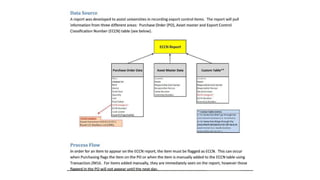
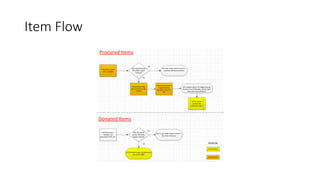
A report was developed to help universities track export-controlled items by pulling information from purchase orders, asset records, and an Export Control Classification Number (ECCN) table. For an item to appear on the ECCN report, it must be flagged as ECCN when added to a purchase order or manually added to the ECCN table. Items manually added will appear immediately, while those flagged in purchase orders will not show up until the following day.


