Dynamic Workspaces
Demystified: Your Path to
Streamlined Data
Management
Dan
Minney
Customer Solutions Specialist
Chris
Berger
Customer Solutions Team Lead
Meet the Team
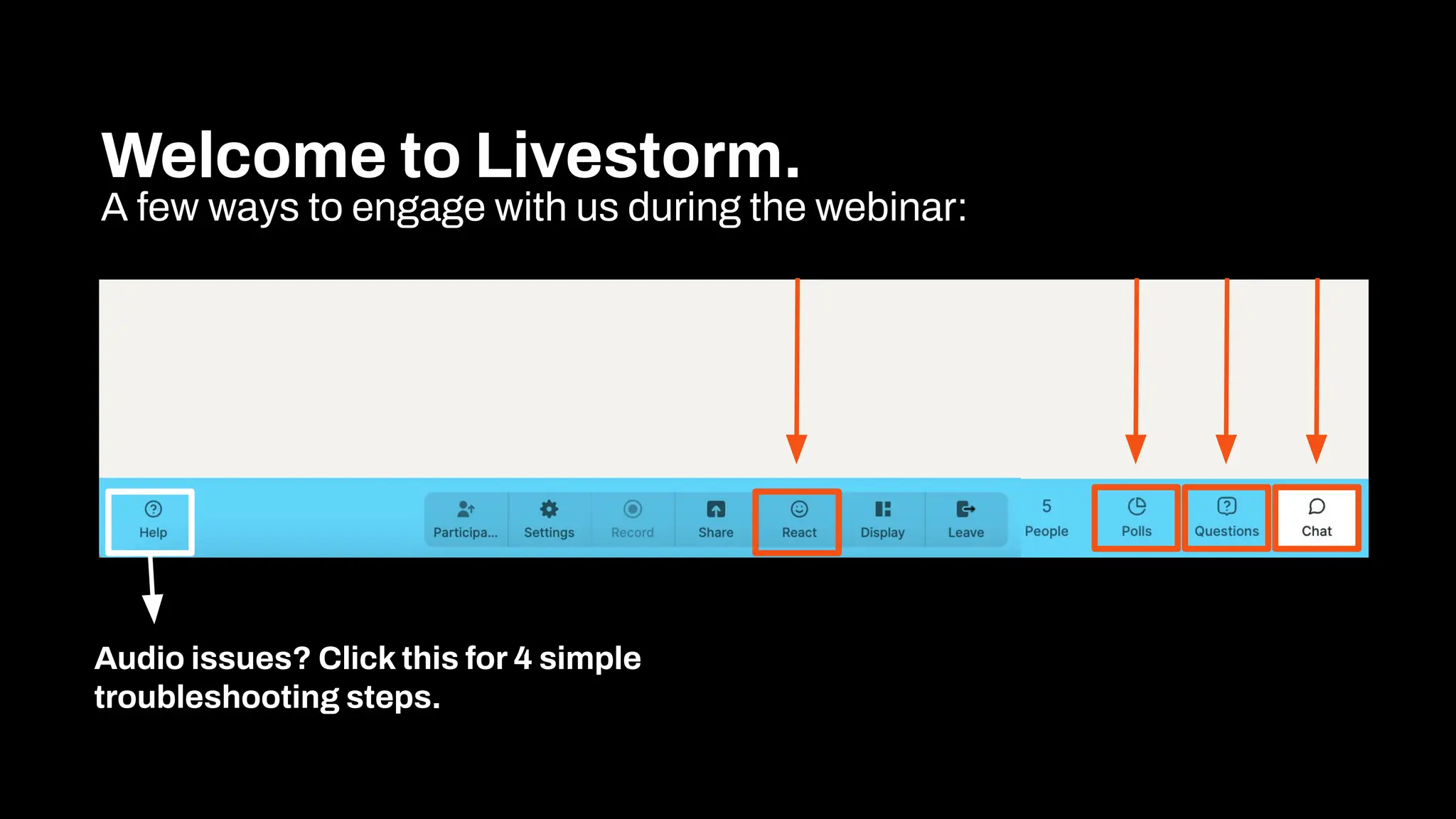
Welcome to Livestorm.
A few ways to engage with us during the webinar:
Audio issues? Click this for 4 simple
troubleshooting steps.
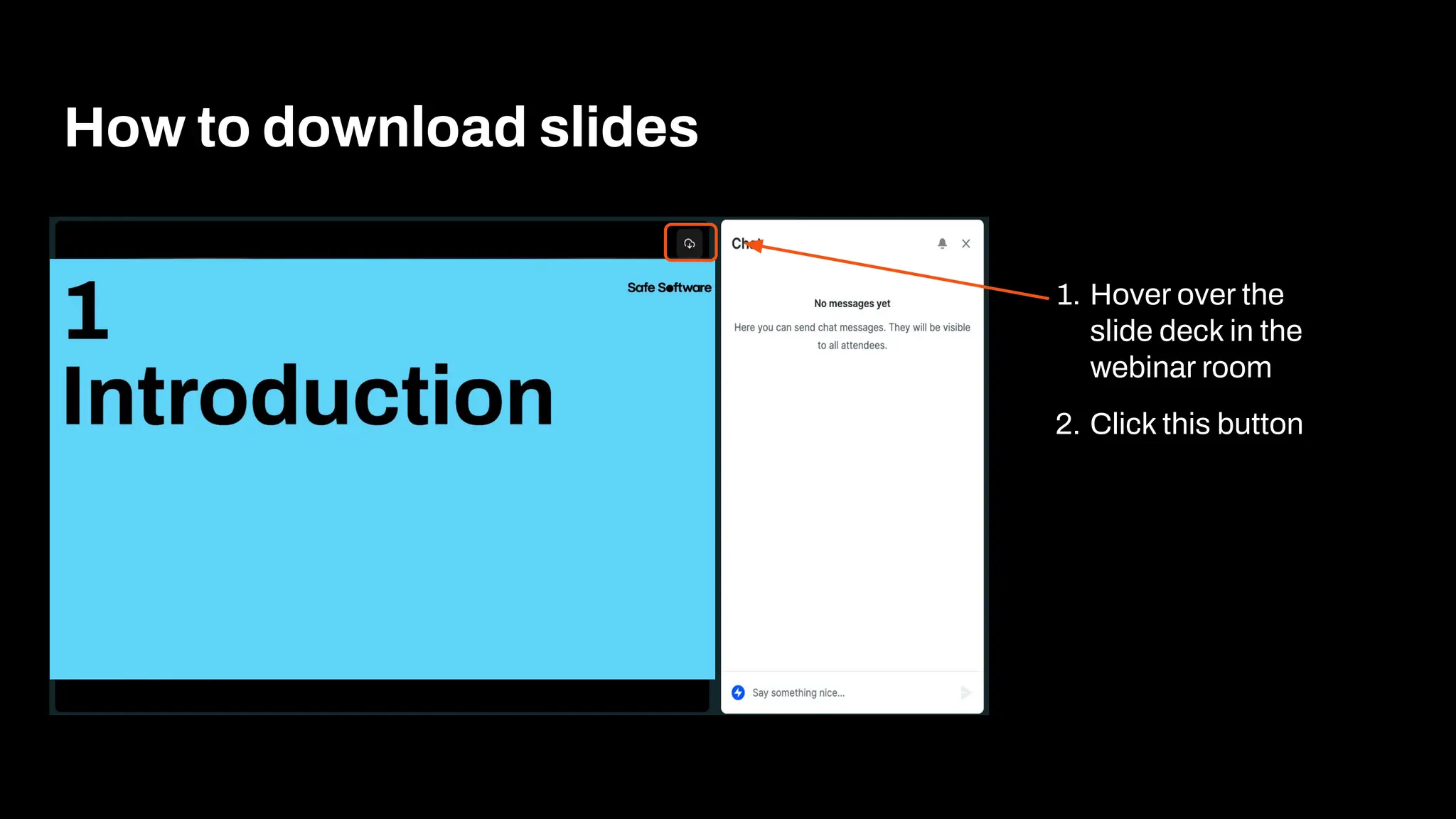
How to download slides
1. Hover over the
slide deck in the
webinar room
2. Click this button
Agenda
1 Introduction & Components of a Dynamic Workspace
2 Use cases & demos
3 The SchemaScanner Transformer
4 Advanced Dynamic Workflow
5 Conclusion
7 Resources and Q&A
Poll:
How many hours do you
use FME weekly?
1
Introduction
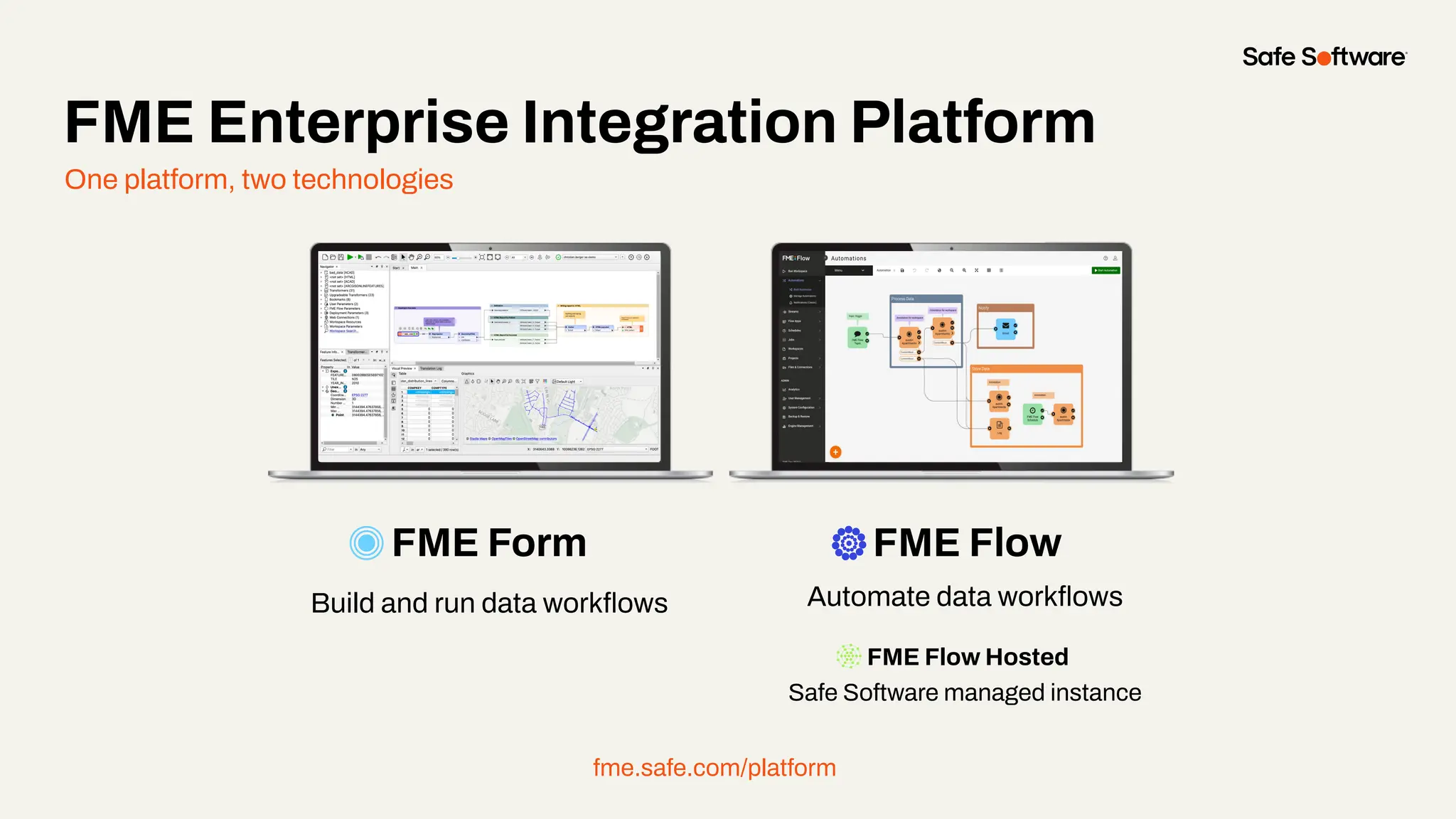
One platform, two technologies
FME Form FME Flow
Build and run data workflows Automate data workflows
FME Flow Hosted
Safe Software managed instance
fme.safe.com/platform
FME Enterprise Integration Platform
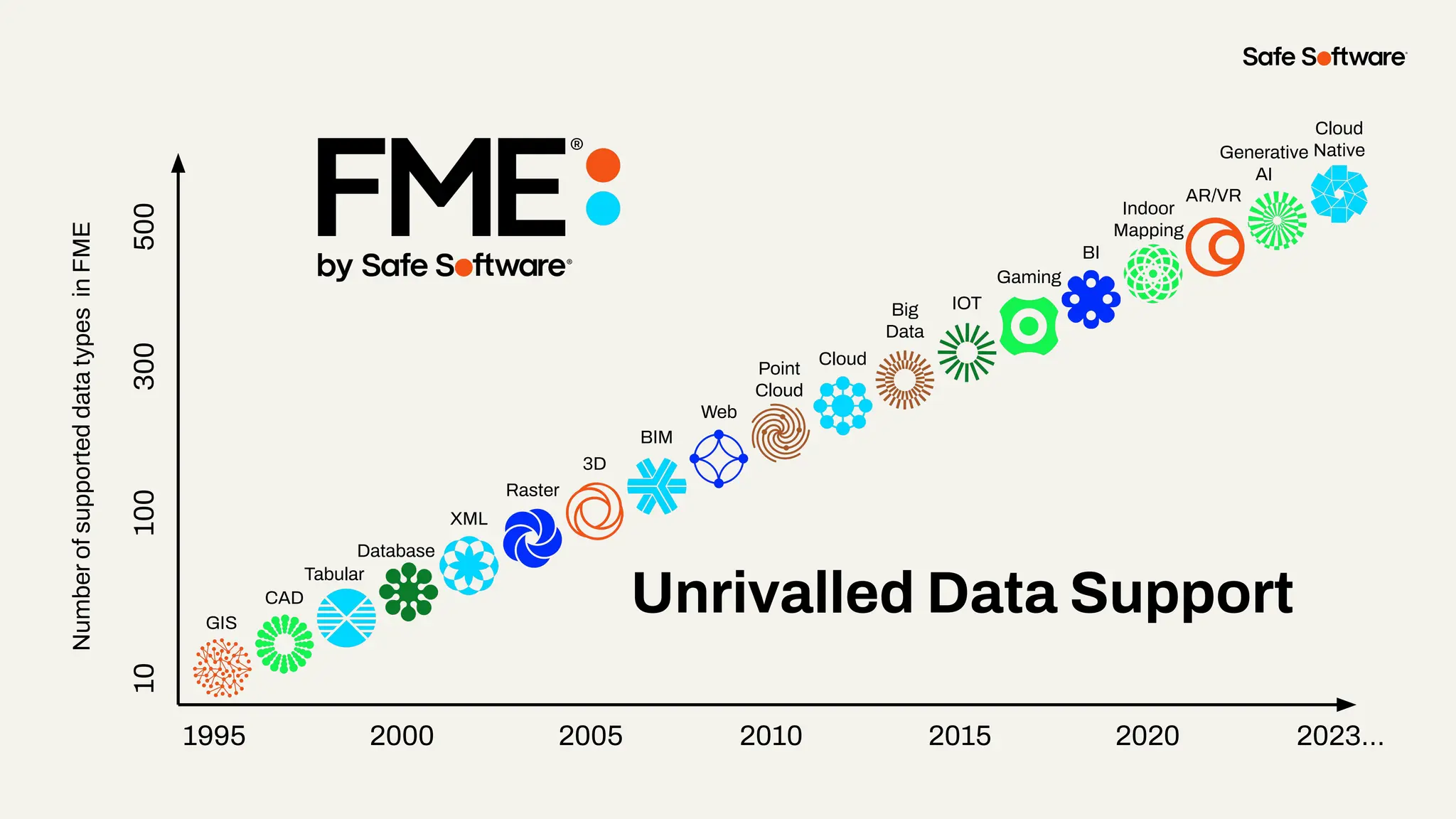
Number
of
supported
data
types
in
FME
1995 2000 2005 2010 2015 2020 2023…
10
100
300
500
GIS
CAD
Database
XML
Raster
3D
BIM
Web
Point
Cloud
Cloud
Big
Data
IOT
Gaming
BI
Indoor
Mapping
AR/VR
Generative
AI
Cloud
Native
Tabular
Unrivalled Data Support
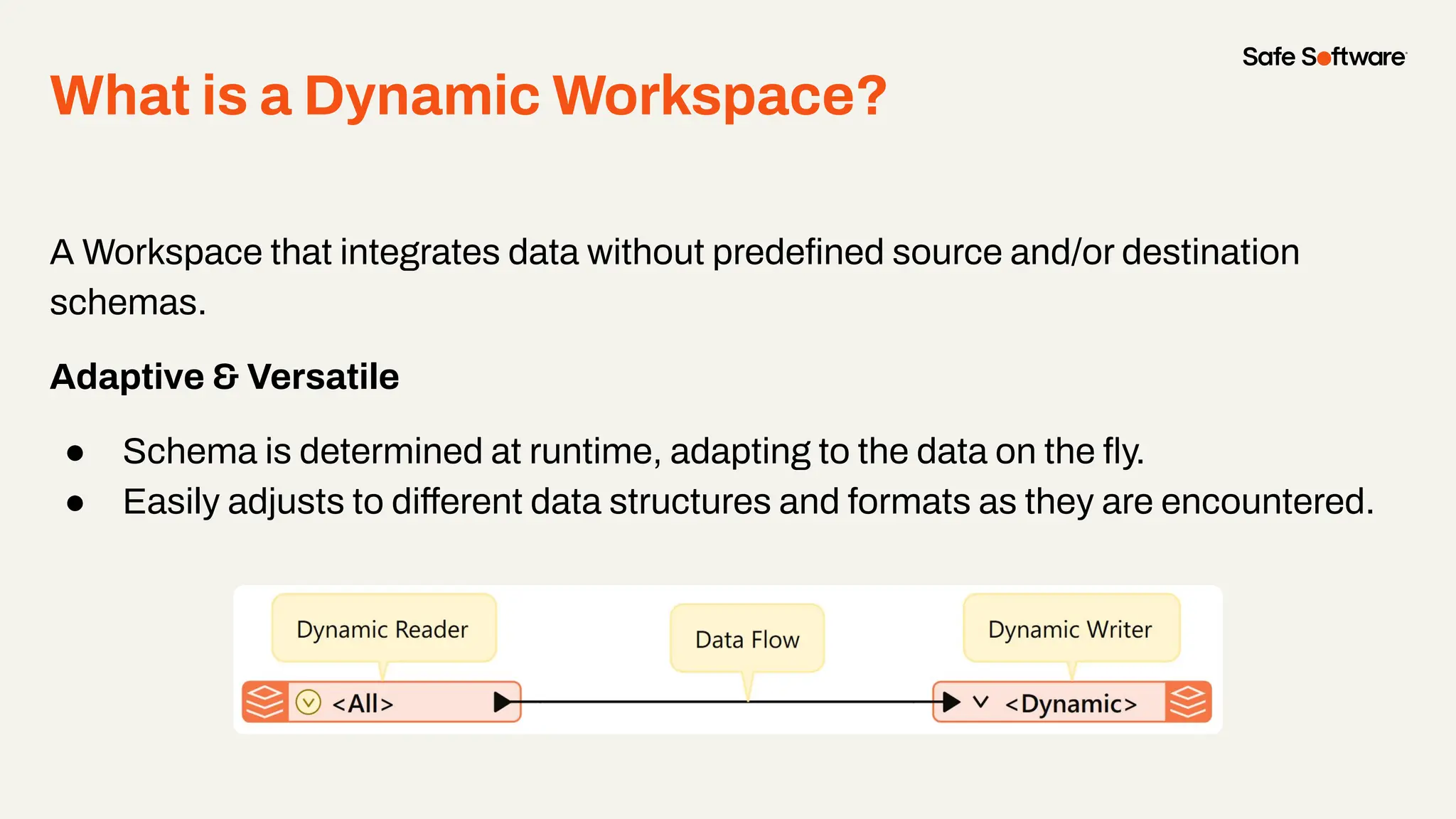
What is a Dynamic Workspace?
A Workspace that integrates data without predefined source and/or destination
schemas.
Adaptive & Versatile
● Schema is determined at runtime, adapting to the data on the fly.
● Easily adjusts to different data structures and formats as they are encountered.
Why use a Dynamic Workspace?
Schema independent workspaces are beneficial because they can handle varying
inputs, whether that be changing data types, attributes, formats or feature types
● Minimal long-term maintenance
● Can handle varying output formats
● Better suited for un-predictable source datasets
When to use one?
● Best used for simple translations between formats
● Helpful if the structure of the source data might change
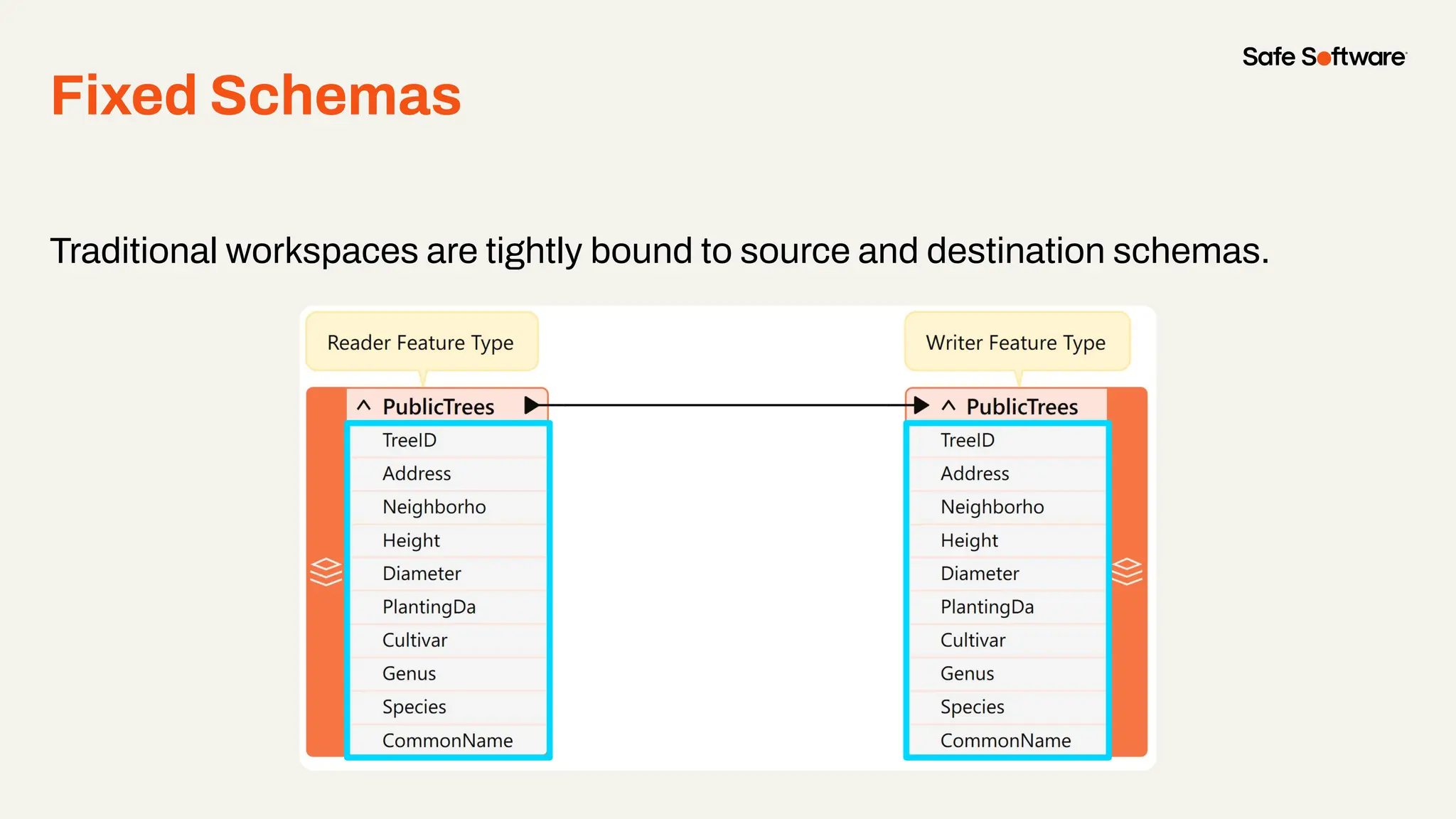
Fixed Schemas
Traditional workspaces are tightly bound to source and destination schemas.
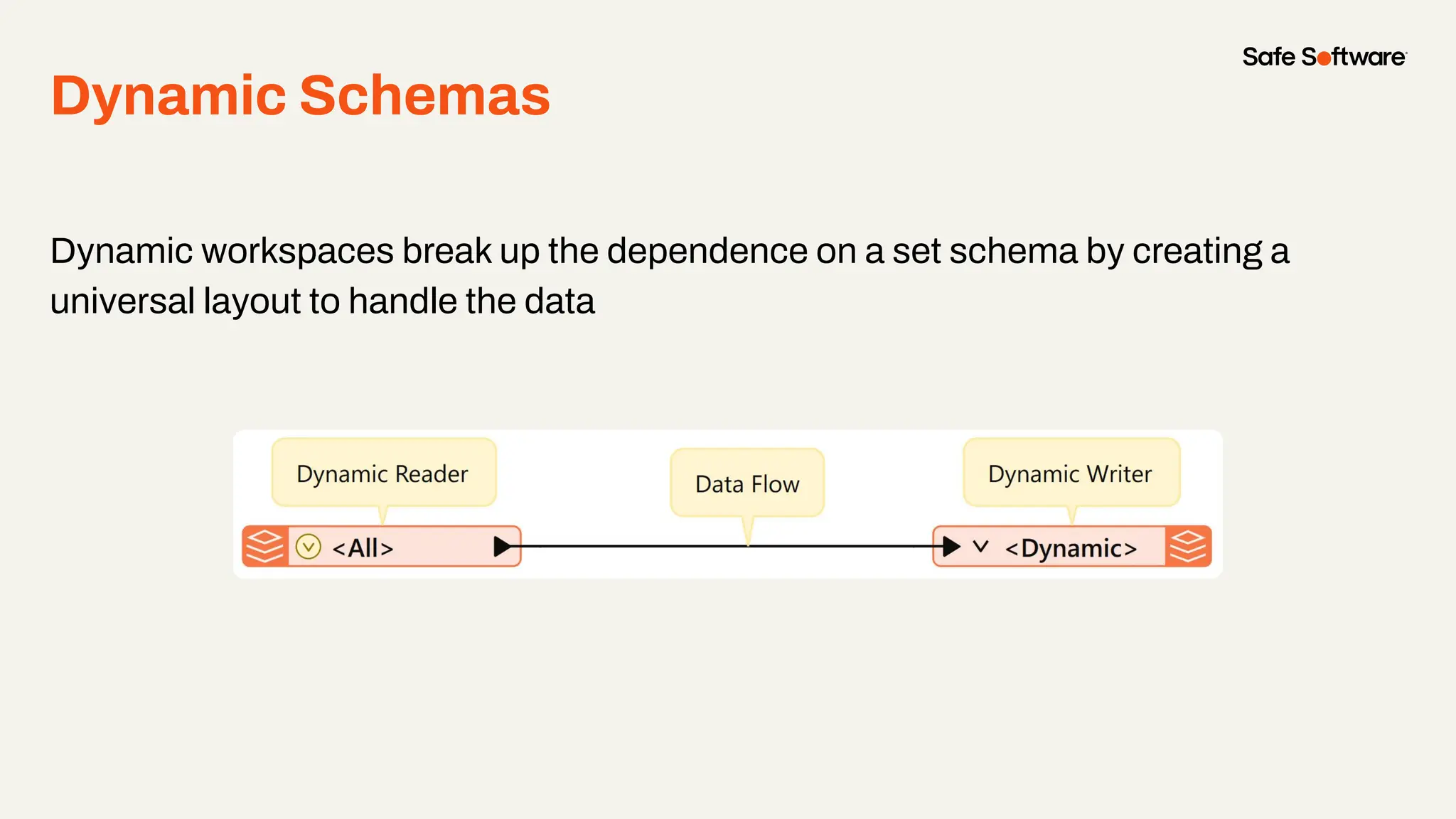
Dynamic Schemas
Dynamic workspaces break up the dependence on a set schema by creating a
universal layout to handle the data
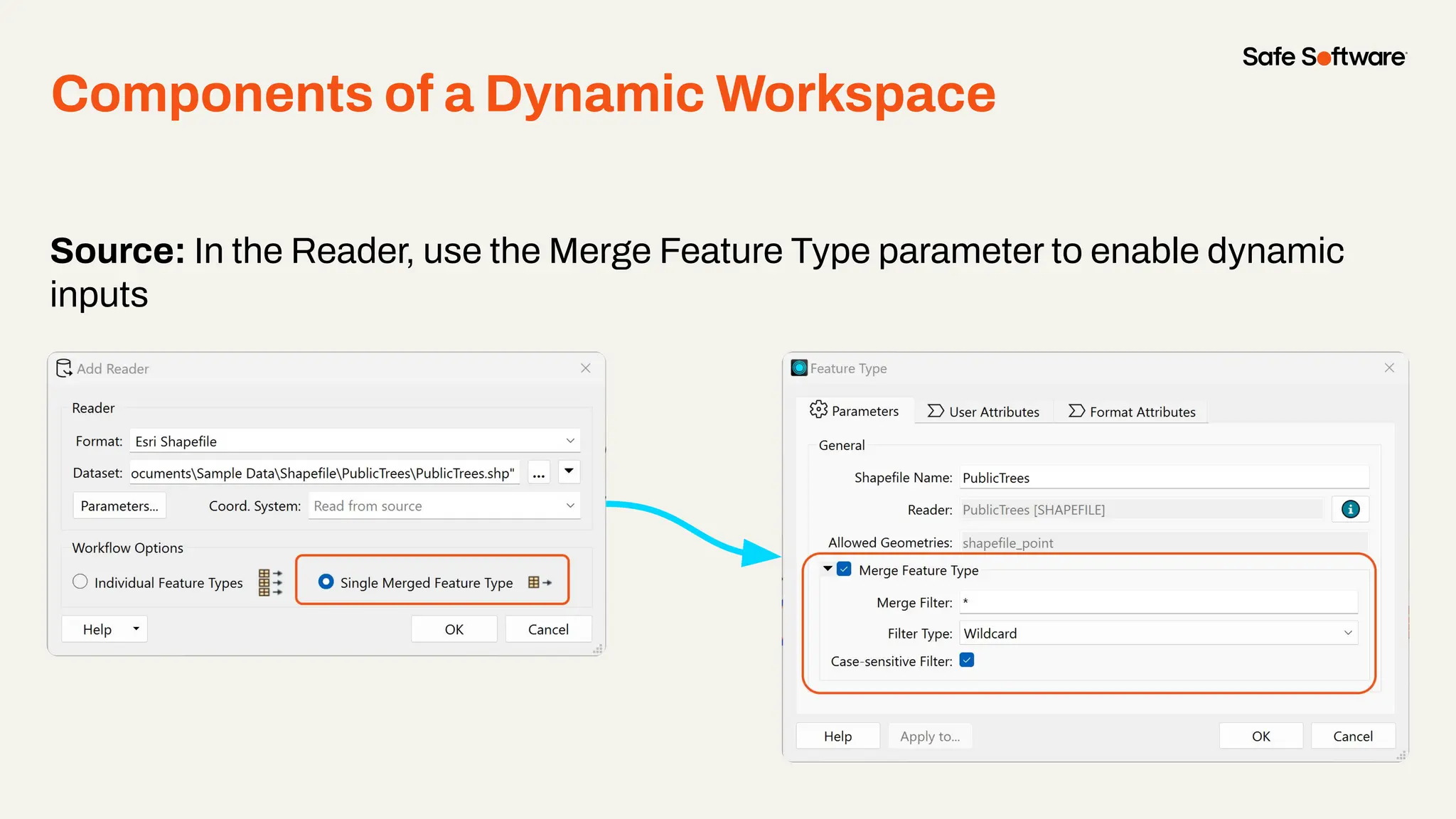
Source: In the Reader, use the Merge Feature Type parameter to enable dynamic
inputs
Components of a Dynamic Workspace
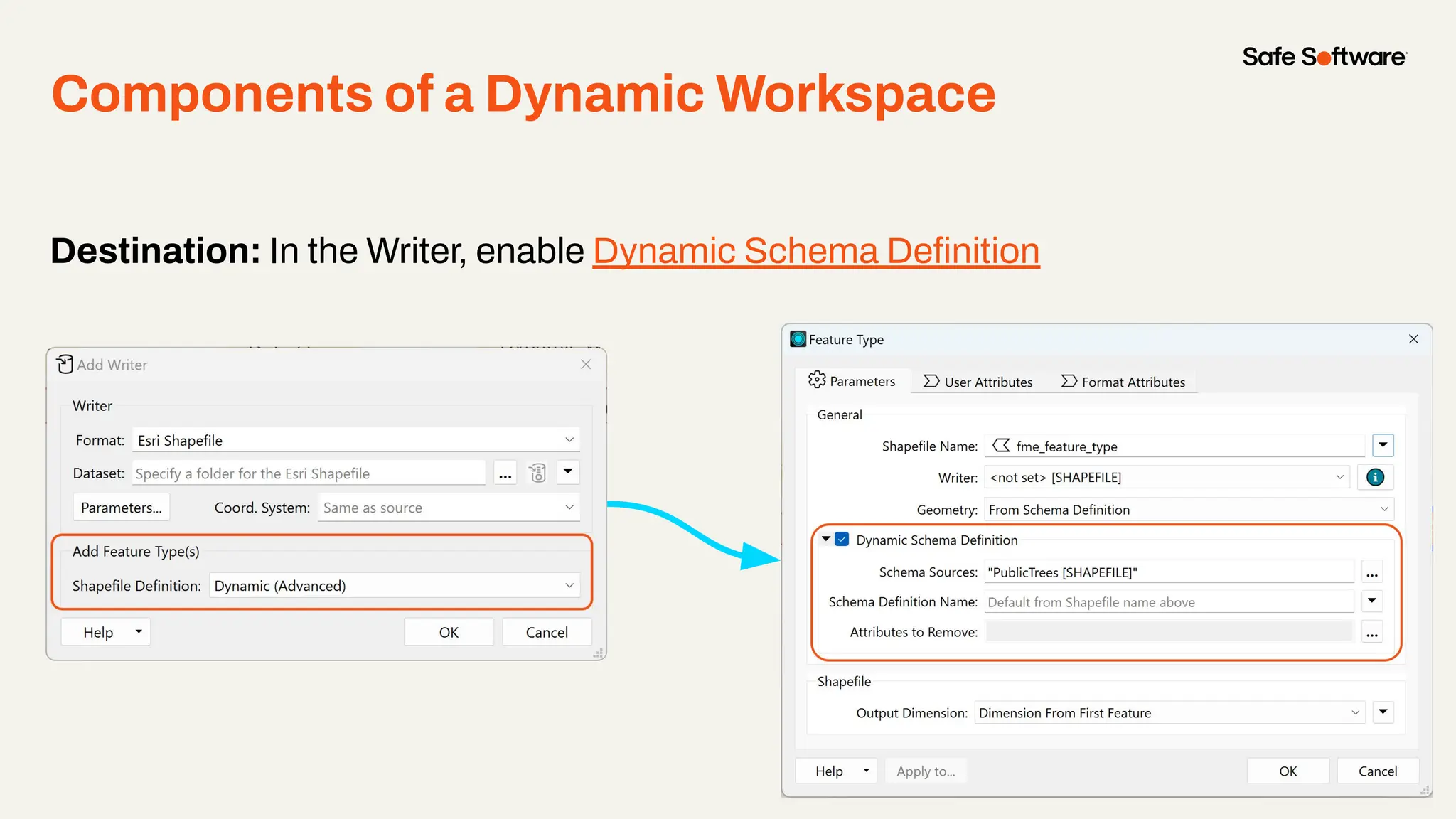
Destination: In the Writer, enable Dynamic Schema Definition
Components of a Dynamic Workspace
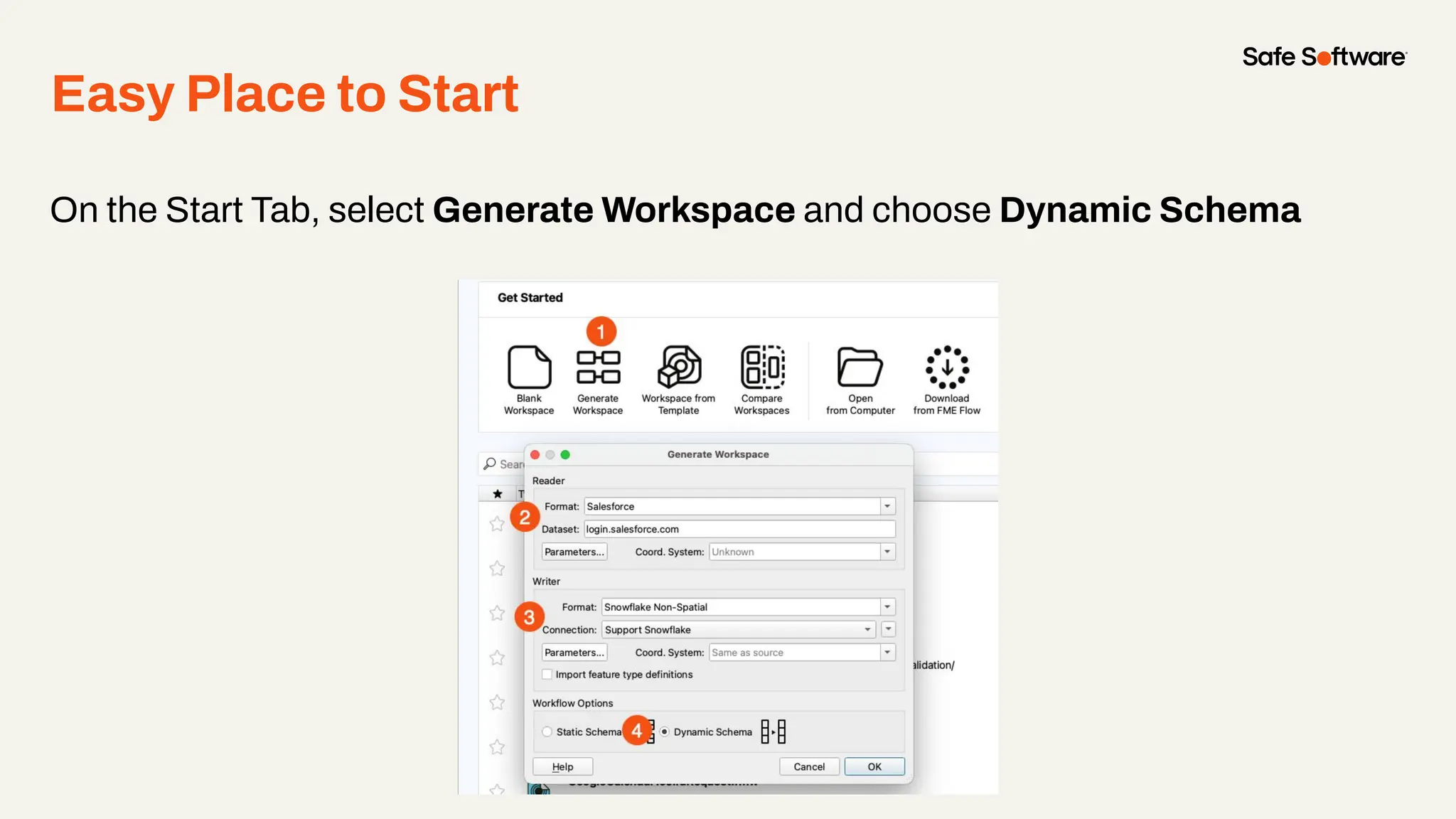
On the Start Tab, select Generate Workspace and choose Dynamic Schema
Easy Place to Start
Automating Dynamic
Workspaces
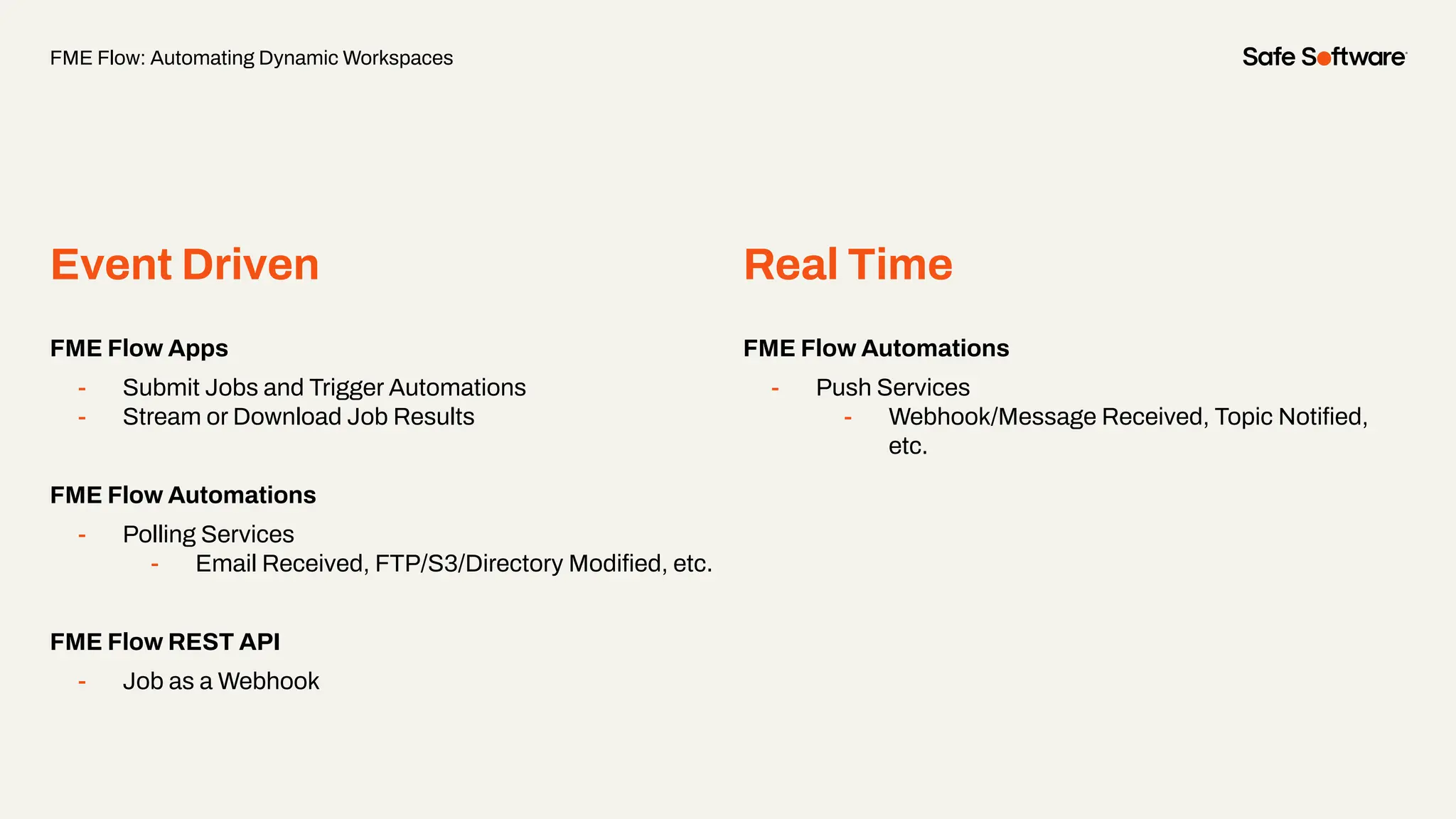
Event Driven Real Time
FME Flow Apps
- Submit Jobs and Trigger Automations
- Stream or Download Job Results
FME Flow Automations
- Polling Services
- Email Received, FTP/S3/Directory Modified, etc.
FME Flow REST API
- Job as a Webhook
FME Flow Automations
- Push Services
- Webhook/Message Received, Topic Notified,
etc.
FME Flow: Automating Dynamic Workspaces
Form & Flow: Dynamic Workspaces Concepts
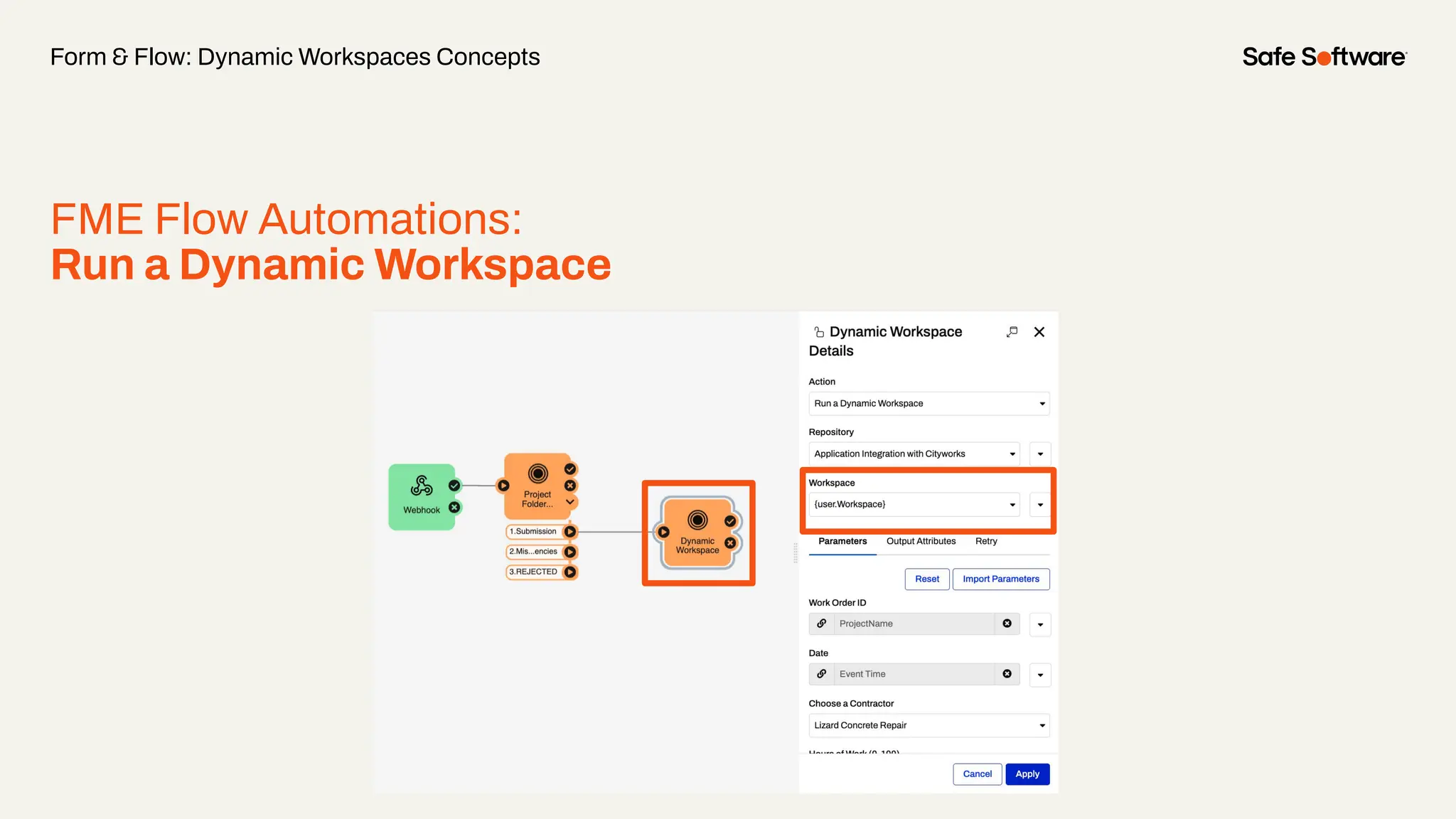
FME Flow Automations:
Run a Dynamic Workspace
FME Form Authoring:
Dynamic Workspaces
● Data-driven data integration that is
adaptable to various input types,
schemas, geometries, and outputs.
● Authored in FME Form and Published to
FME Flow
Form & Flow: Dynamic Workspaces Concepts
FME Flow Automations:
Run a Dynamic Workspace
● Enables organizations to specify the
workspace that is to be executed at
run-time rather than at “author time”.
● Users can invoke any workspace that
matches a template workspace without
having to stop the FME Flow Automation.
Poll:
Would you find value in and
attend a webinar on building
Dynamic Automations?
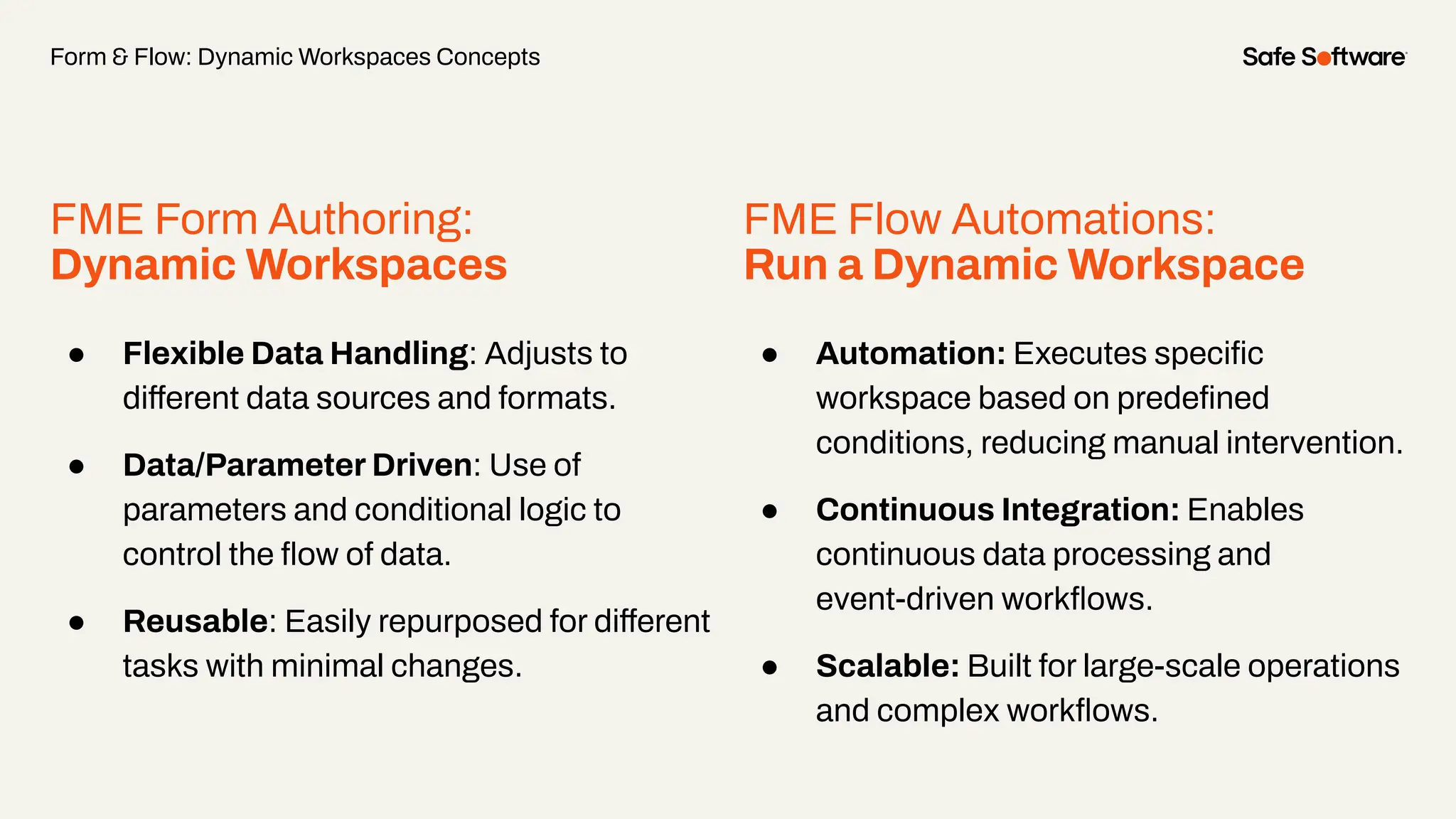
FME Form Authoring:
Dynamic Workspaces
● Flexible Data Handling: Adjusts to
different data sources and formats.
● Data/Parameter Driven: Use of
parameters and conditional logic to
control the flow of data.
● Reusable: Easily repurposed for different
tasks with minimal changes.
Form & Flow: Dynamic Workspaces Concepts
FME Flow Automations:
Run a Dynamic Workspace
● Automation: Executes specific
workspace based on predefined
conditions, reducing manual intervention.
● Continuous Integration: Enables
continuous data processing and
event-driven workflows.
● Scalable: Built for large-scale operations
and complex workflows.
2
Use Cases &
Demos
Demo
Destination Schema as Mirror Image of
Source Data
● Maximum flexibility, simple setup
● Accepts any dataset in chosen format
○ Ex: Convert File Geodatabase table to CityGML, preserving schema
● Source dataset changeable, translation remains effective
● No workspace changes needed; select source dataset and run
Destination Schema is Derived from an
External Dataset
● Workspace reads data, copies schema to destination writer
● Output mirrors input dataset
● Map source data to new schema dynamically
● Useful for strict or pre-existing output schemas
● Use any format as template with a Resource Reader
Chat Storm:
What are you currently using your
dynamic workspaces for?
3
SchemaScanner
Transformer
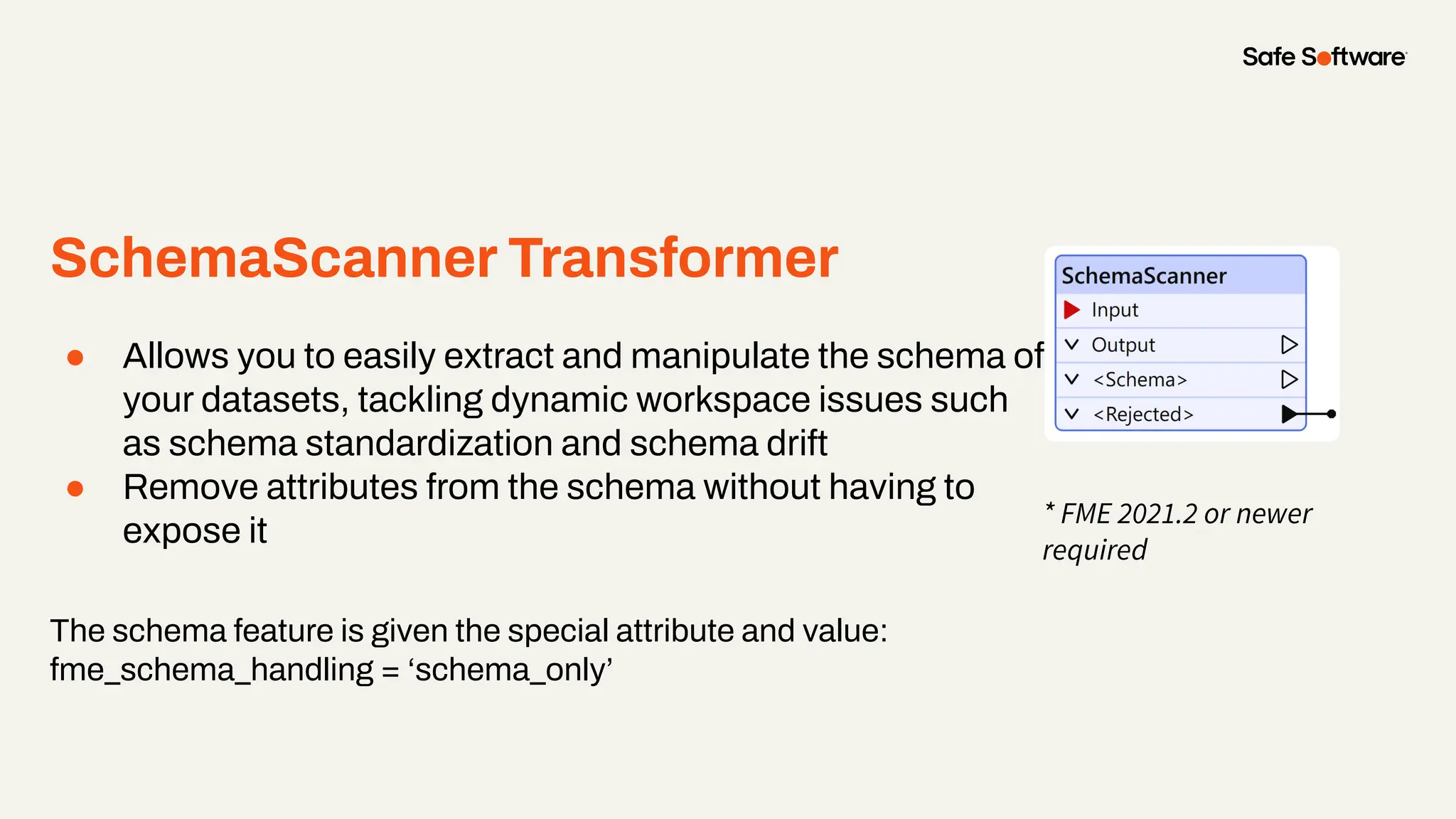
SchemaScanner Transformer
● Allows you to easily extract and manipulate the schema of
your datasets, tackling dynamic workspace issues such
as schema standardization and schema drift
● Remove attributes from the schema without having to
expose it
The schema feature is given the special attribute and value:
fme_schema_handling = ‘schema_only’
* FME 2021.2 or newer
required
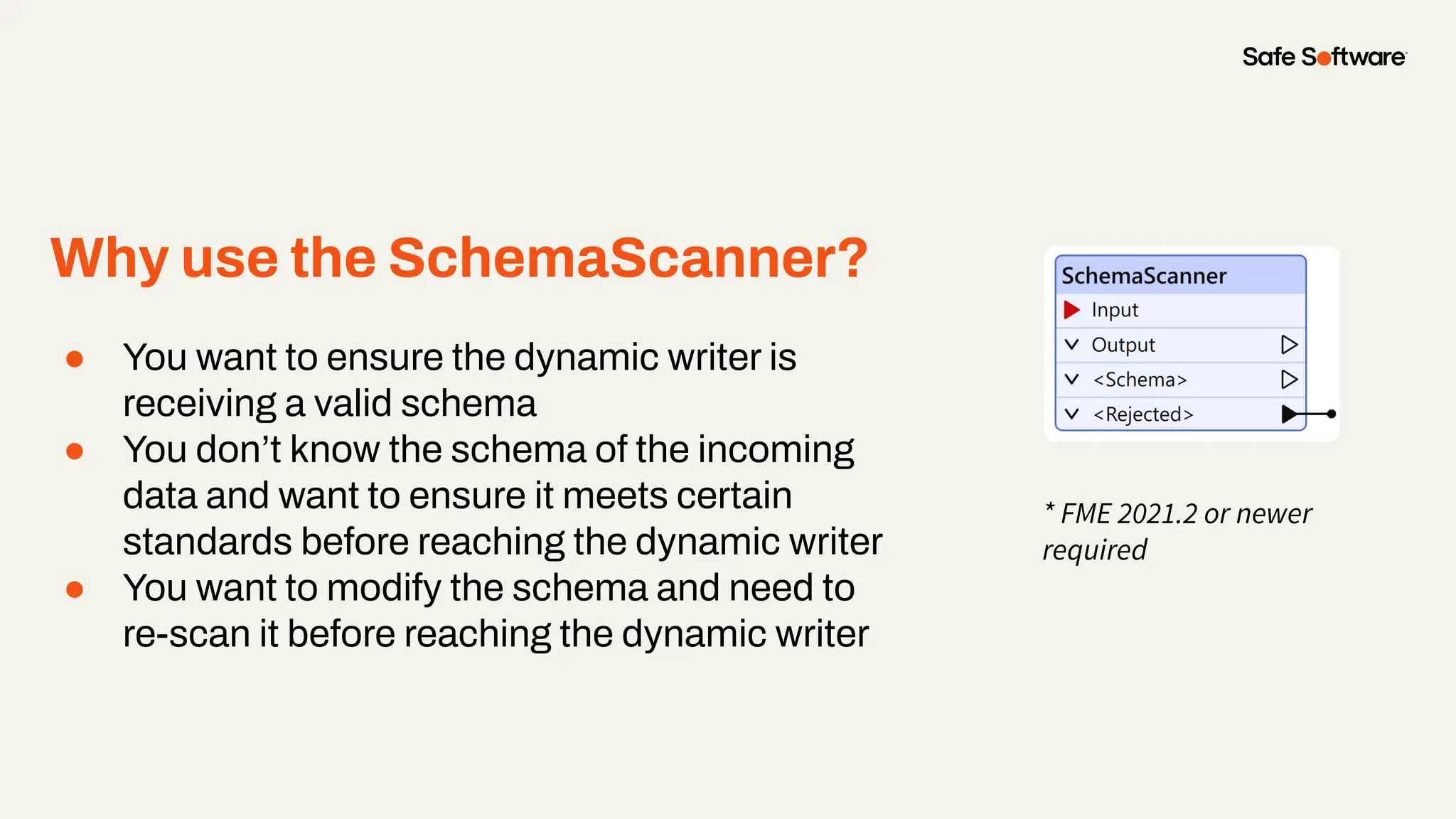
Why use the SchemaScanner?
● You want to ensure the dynamic writer is
receiving a valid schema
● You don’t know the schema of the incoming
data and want to ensure it meets certain
standards before reaching the dynamic writer
● You want to modify the schema and need to
re-scan it before reaching the dynamic writer
* FME 2021.2 or newer
required
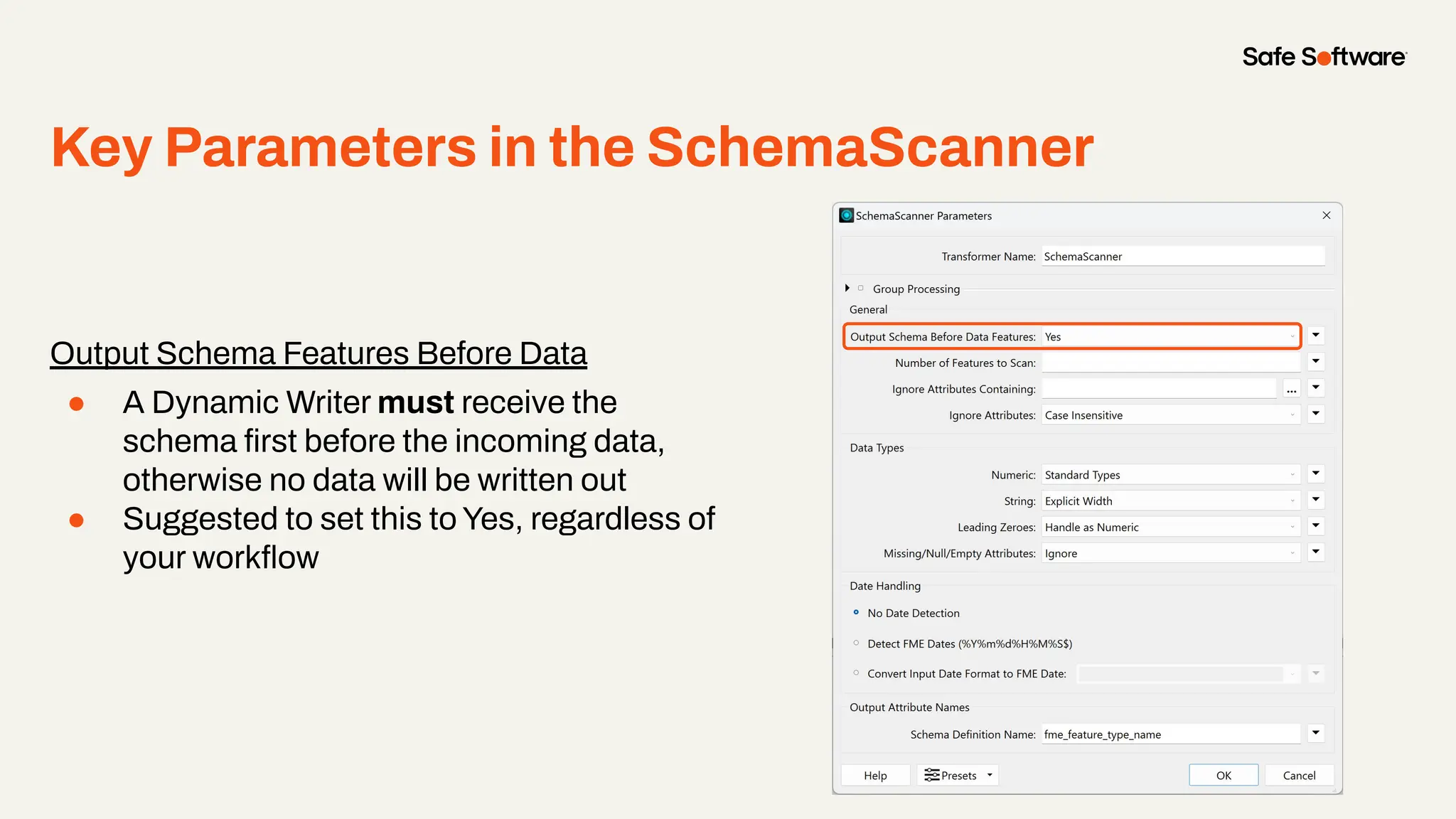
Key Parameters in the SchemaScanner
Output Schema Features Before Data
● A Dynamic Writer must receive the
schema first before the incoming data,
otherwise no data will be written out
● Suggested to set this to Yes, regardless of
your workflow
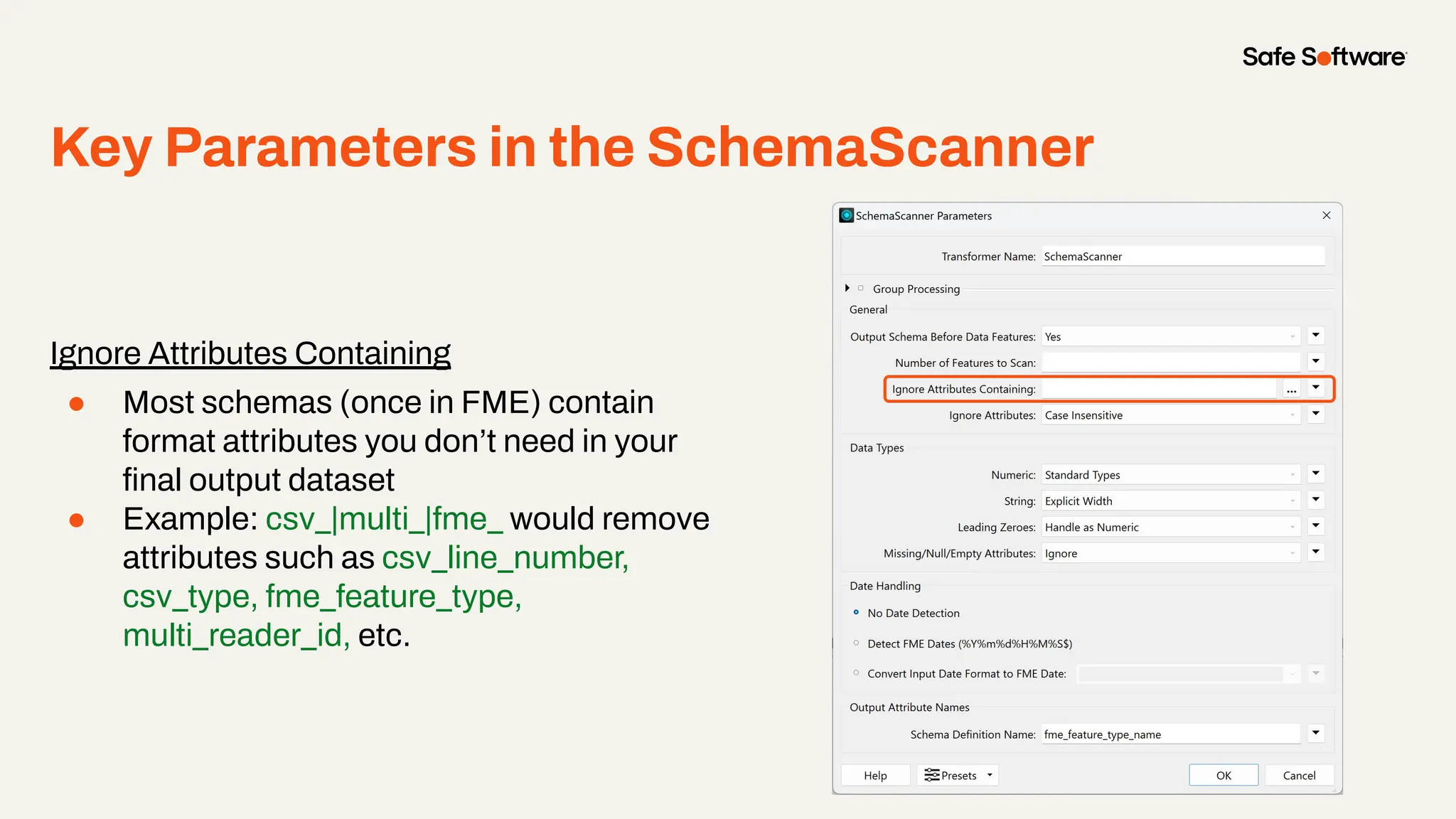
Key Parameters in the SchemaScanner
Ignore Attributes Containing
● Most schemas (once in FME) contain
format attributes you don’t need in your
final output dataset
● Example: csv_|multi_|fme_ would remove
attributes such as csv_line_number,
csv_type, fme_feature_type,
multi_reader_id, etc.
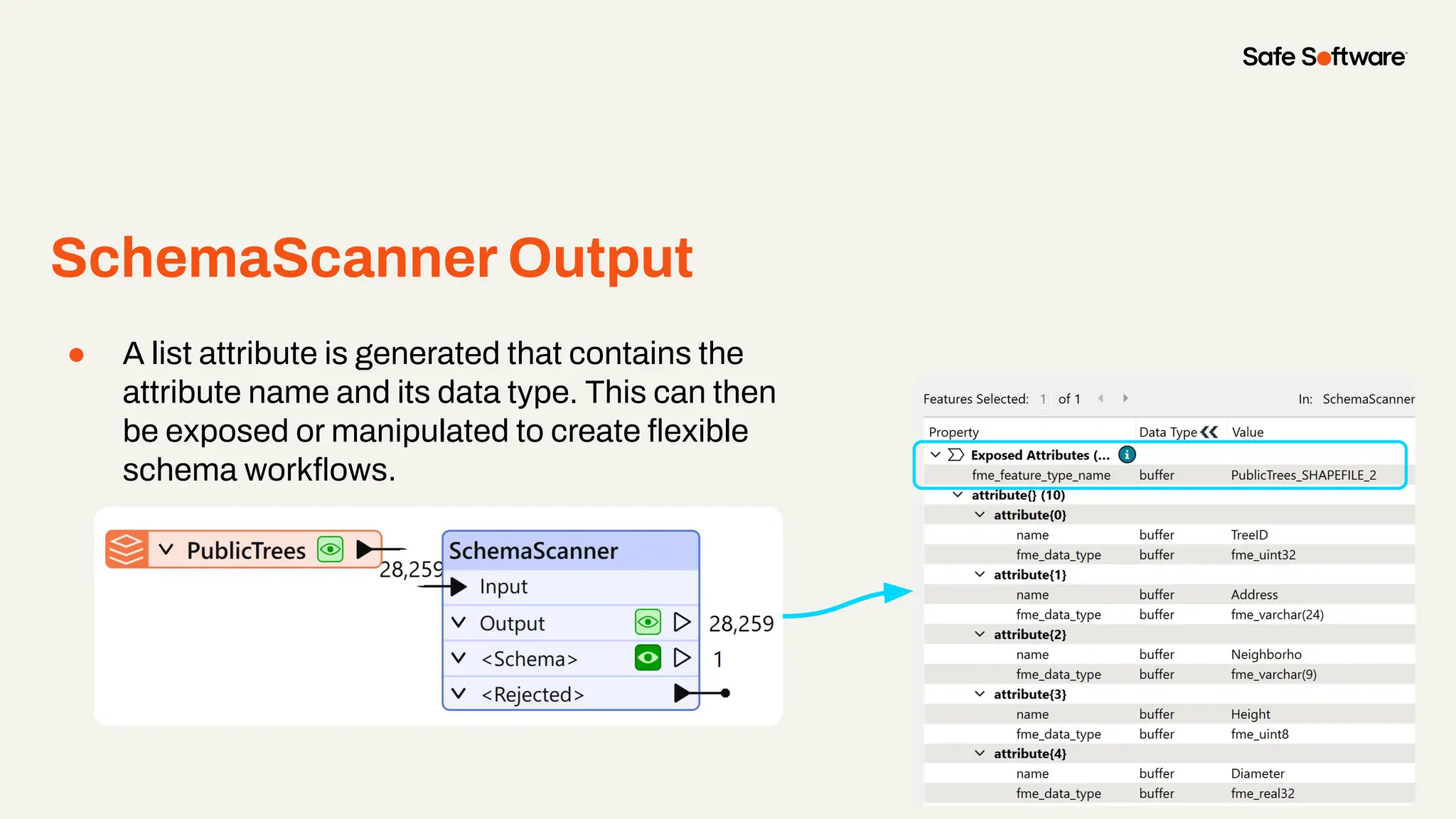
SchemaScanner Output
● A list attribute is generated that contains the
attribute name and its data type. This can then
be exposed or manipulated to create flexible
schema workflows.
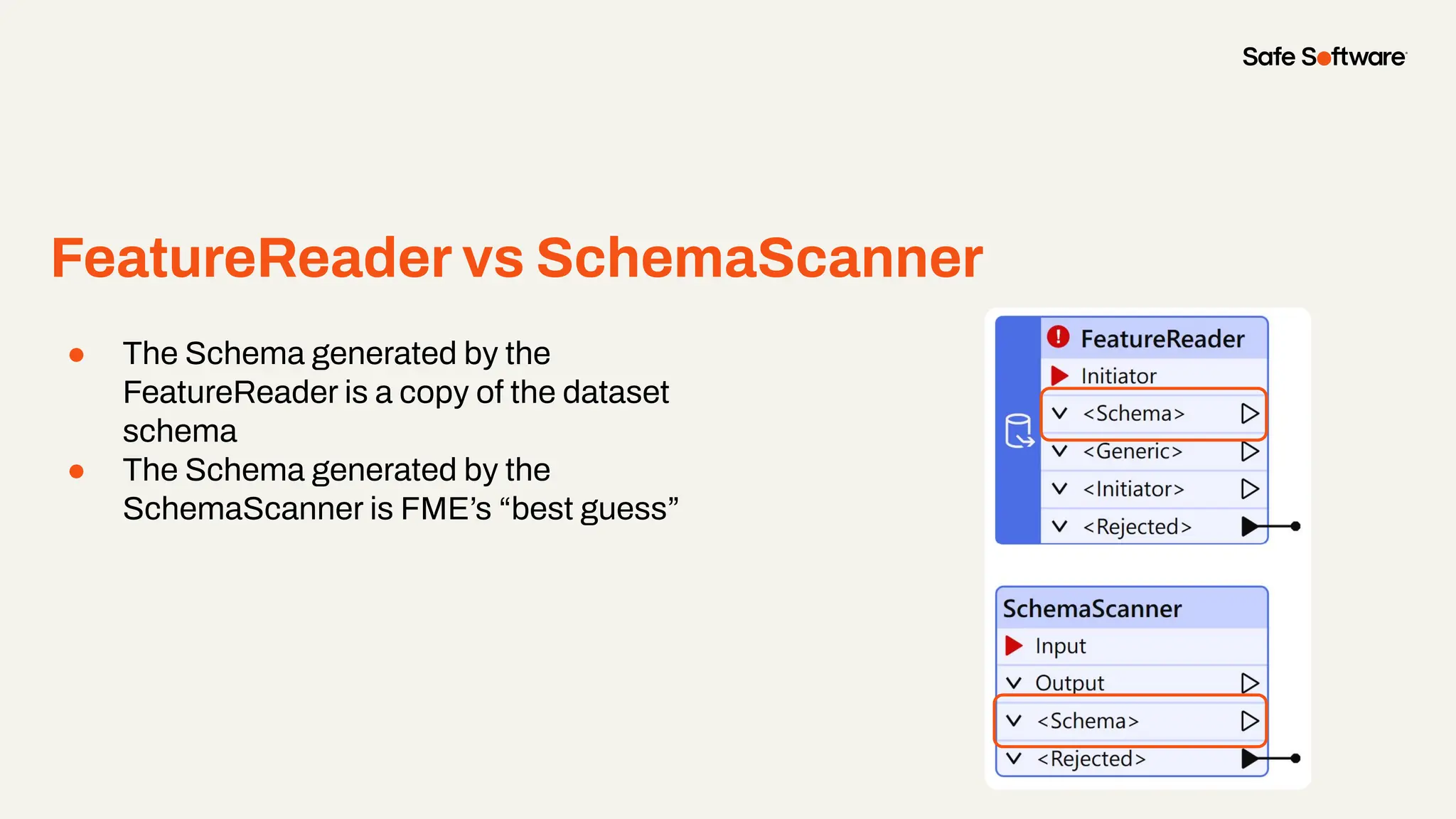
FeatureReader vs SchemaScanner
● The Schema generated by the
FeatureReader is a copy of the dataset
schema
● The Schema generated by the
SchemaScanner is FME’s “best guess”
Slide Title
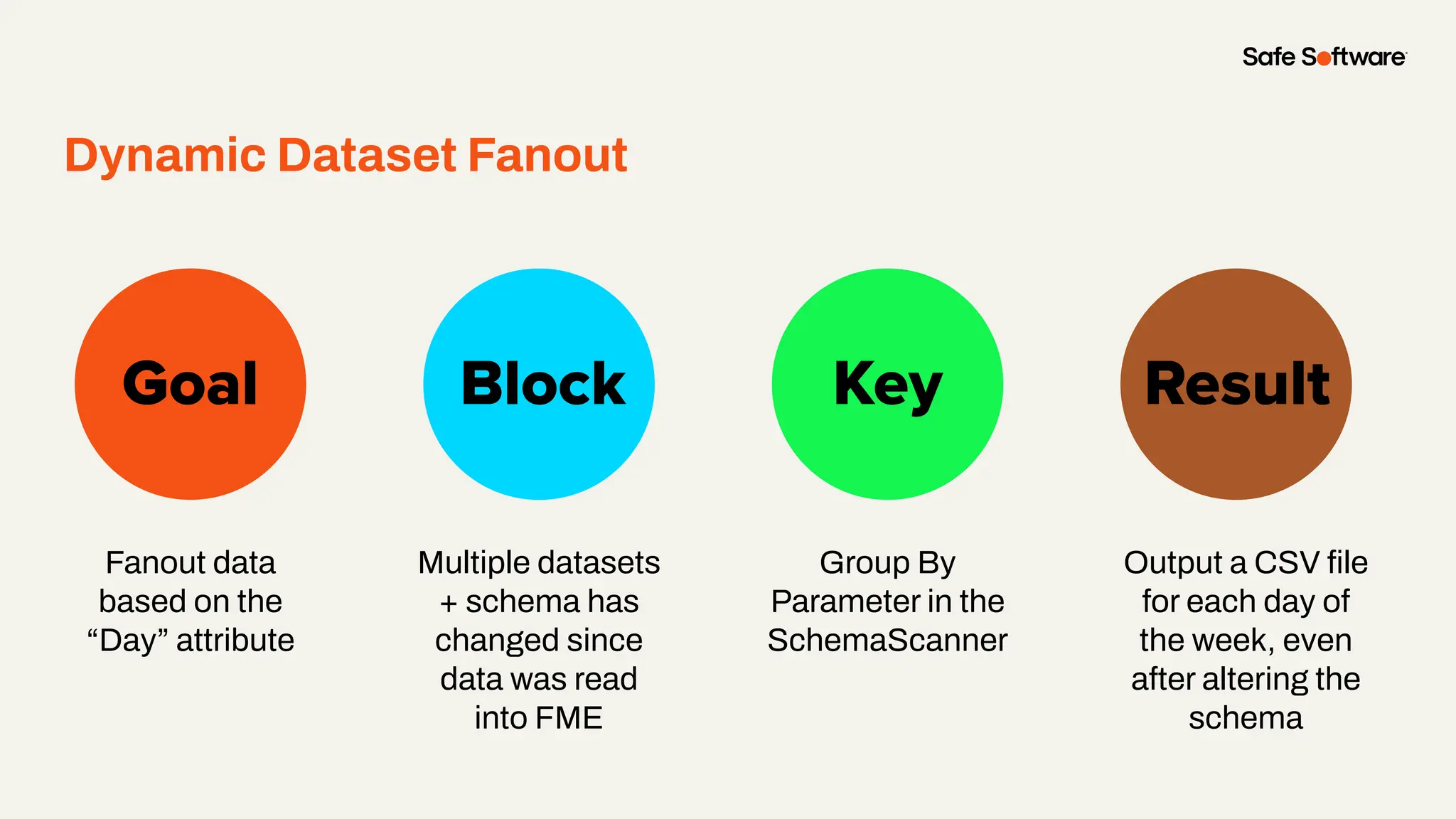
Fanout data
based on the
“Day” attribute
Goal Block Key
Dynamic Dataset Fanout
Result
Multiple datasets
+ schema has
changed since
data was read
into FME
Group By
Parameter in the
SchemaScanner
Output a CSV file
for each day of
the week, even
after altering the
schema
Demo
4
Advanced
Dynamic
Workflow
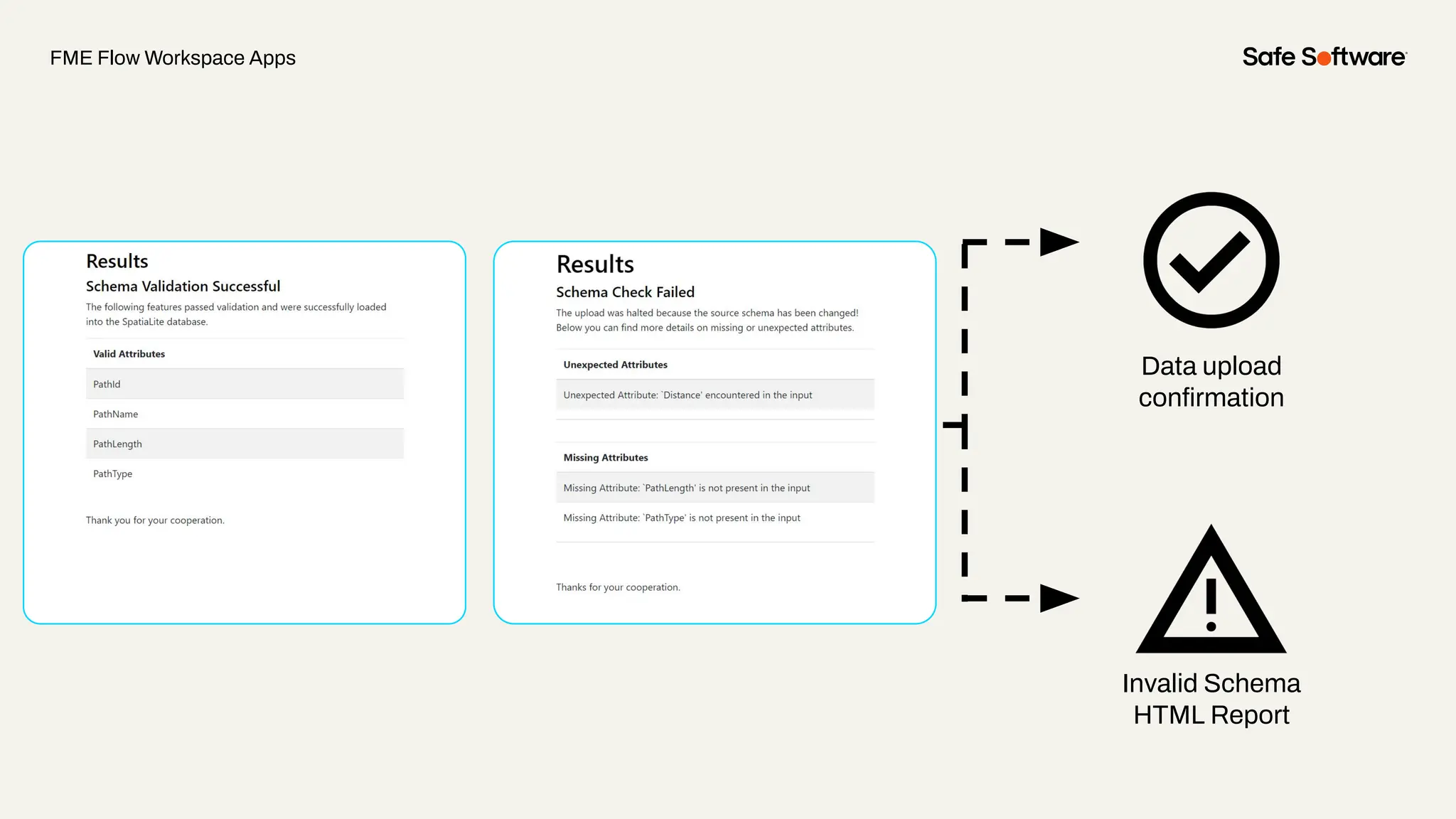
● Identify and respond to changes in the schema of incoming data
● Scenario
○ If there is a mismatch between the existing schema and the data
submitted by the user, then the user will be alerted of the schema
mismatch and be required to resolve it accordingly
● FME can automatically identify, flag, and address the schema
mismatch
● Eliminates downstream processes from being disrupted
Schema Validation App
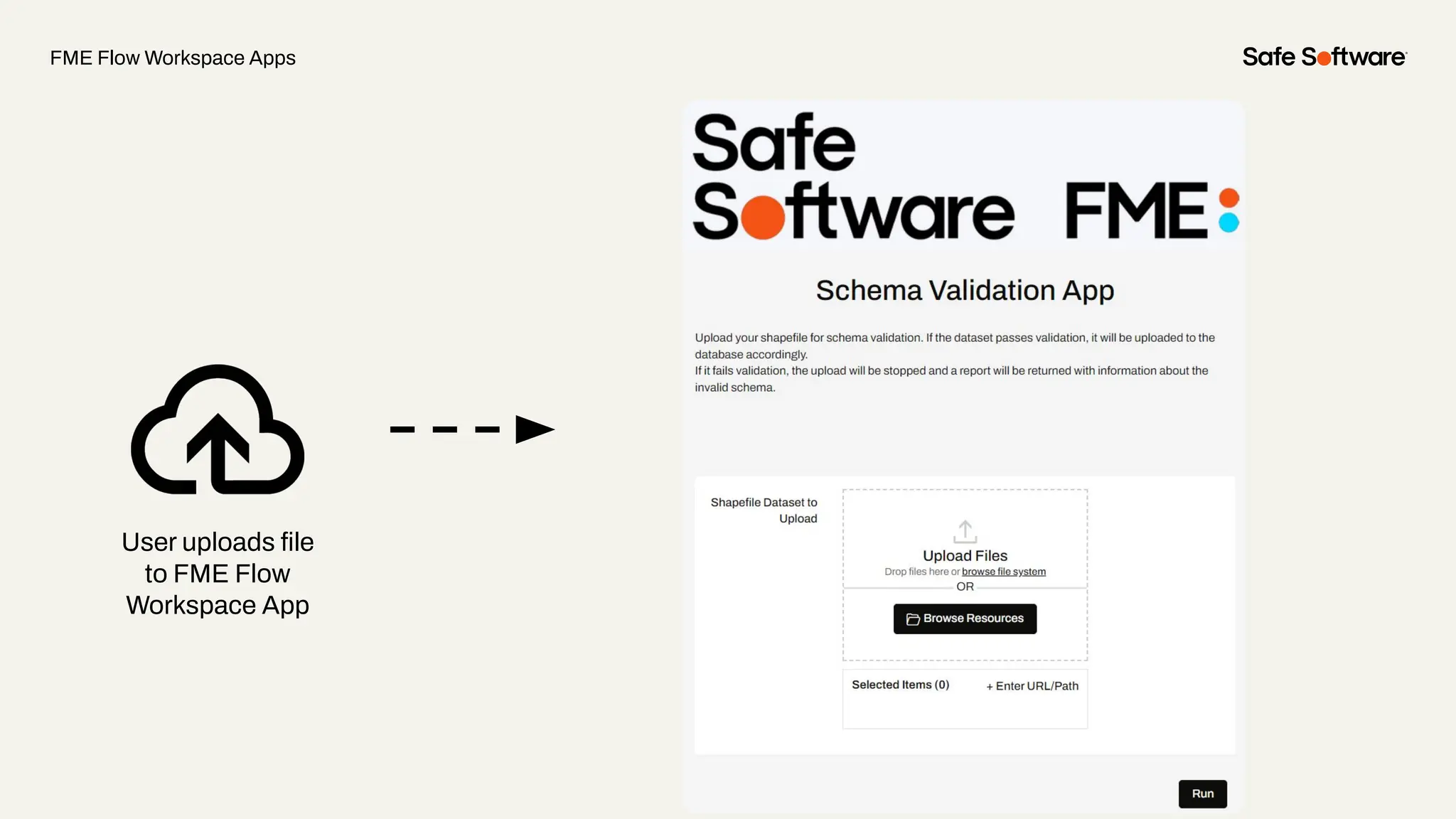
FME Flow Workspace Apps
User uploads file
to FME Flow
Workspace App
Invalid Schema
HTML Report
Data upload
confirmation
FME Flow Workspace Apps
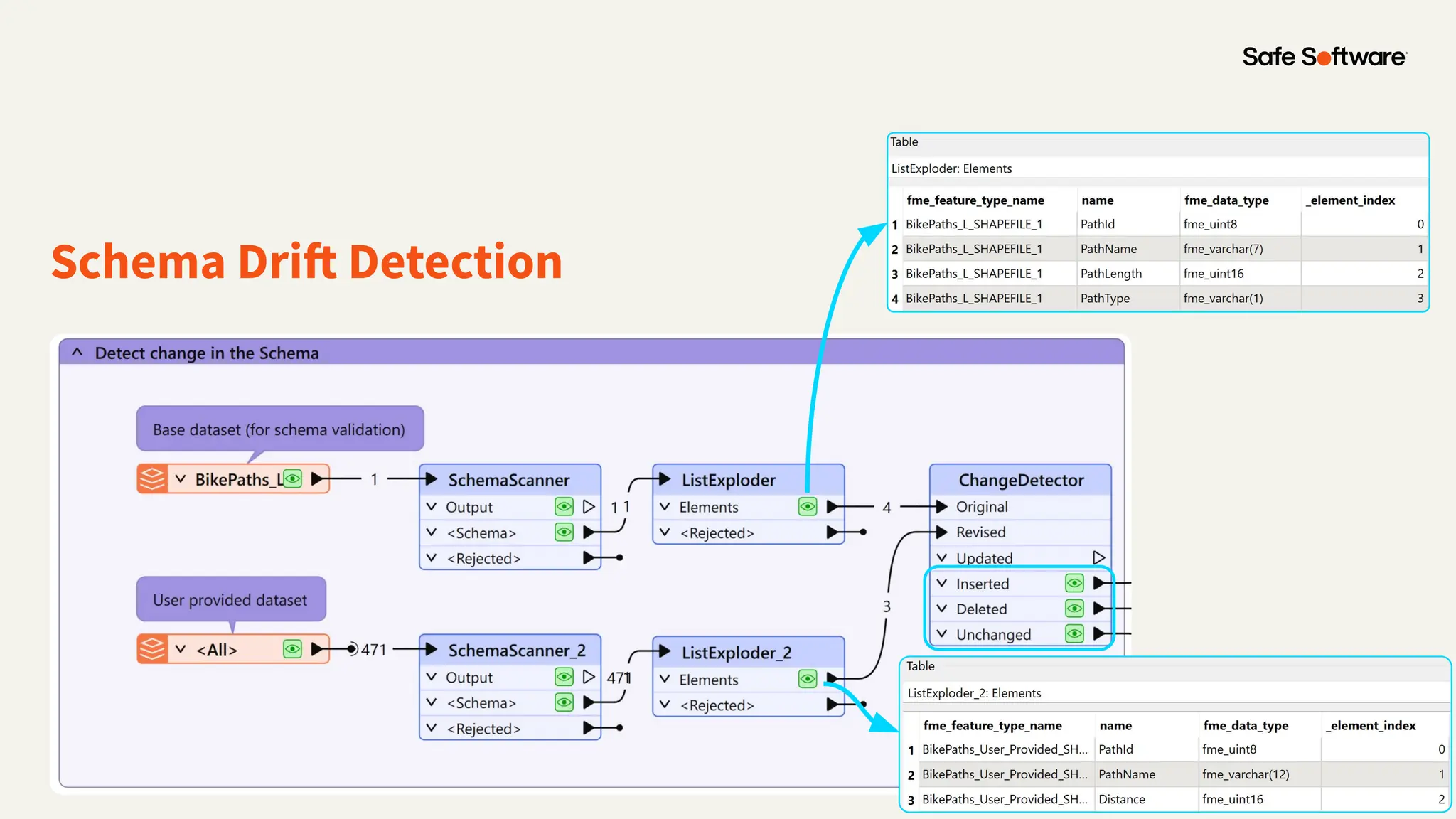
Schema Drift Detection
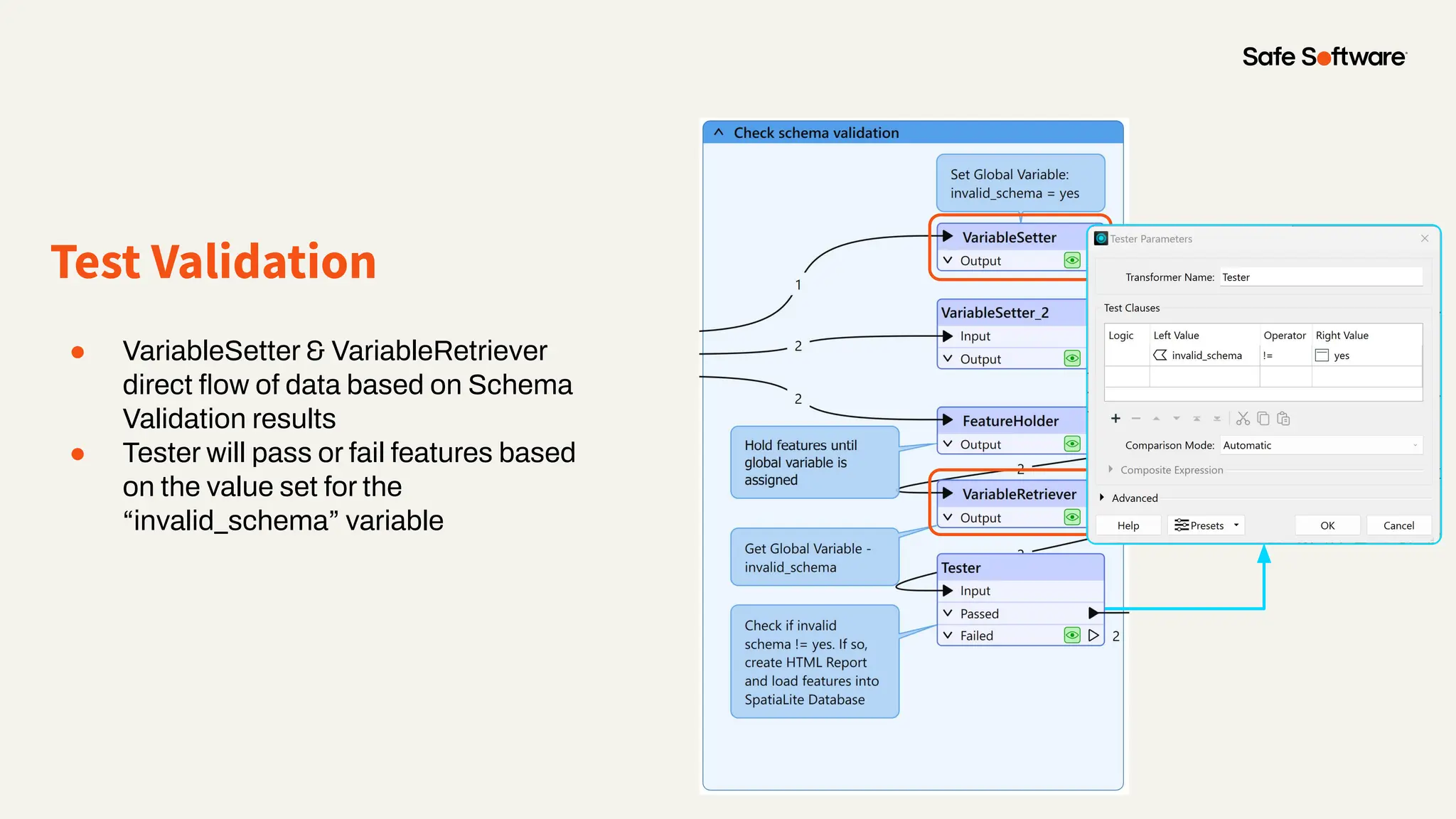
Test Validation
● VariableSetter & VariableRetriever
direct flow of data based on Schema
Validation results
● Tester will pass or fail features based
on the value set for the
“invalid_schema” variable
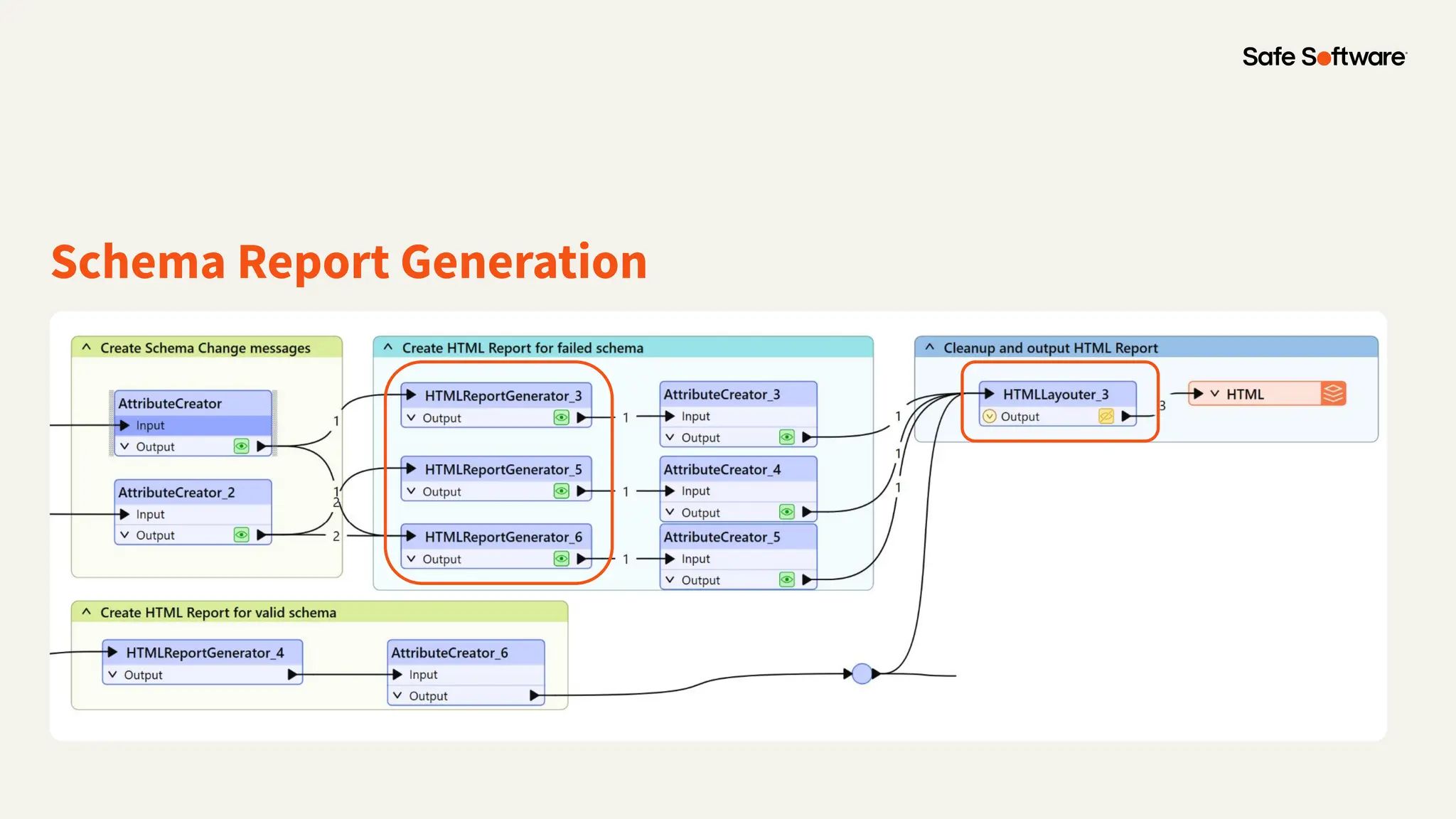
Schema Report Generation
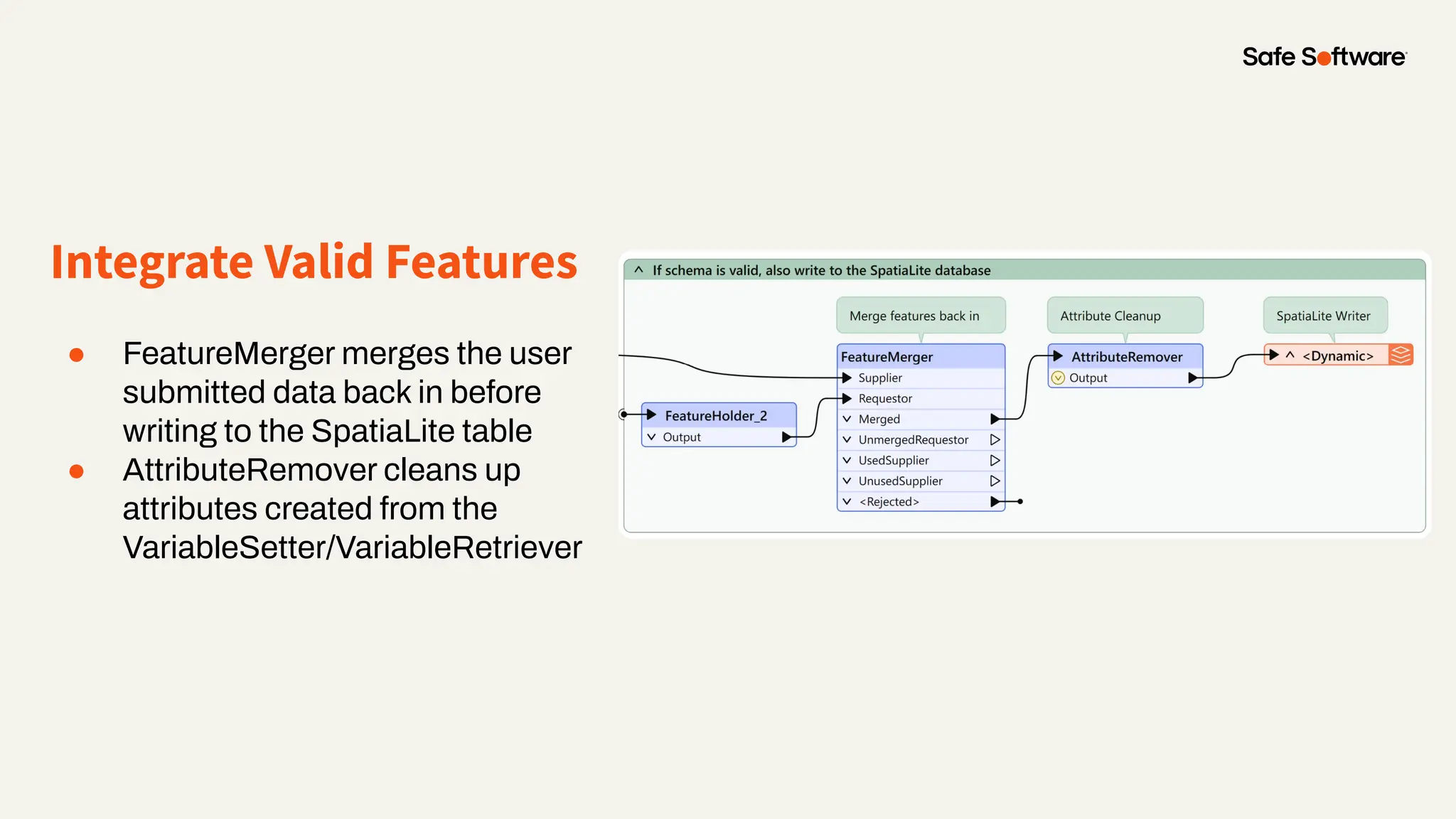
Integrate Valid Features
● FeatureMerger merges the user
submitted data back in before
writing to the SpatiaLite table
● AttributeRemover cleans up
attributes created from the
VariableSetter/VariableRetriever
Demo
Poll:
Have you used the
SchemaScanner?
5
Conclusion
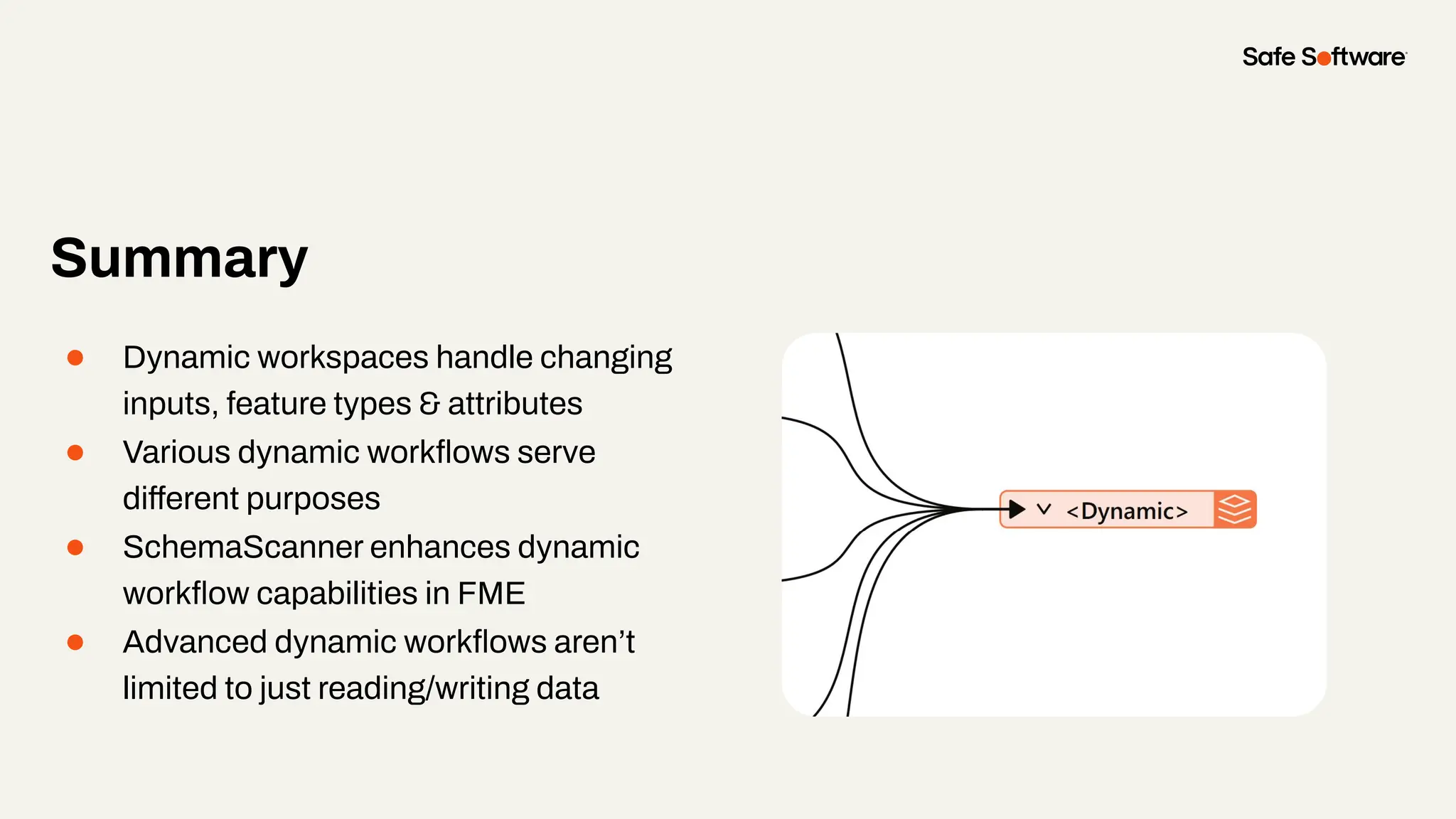
Summary
● Dynamic workspaces handle changing
inputs, feature types & attributes
● Various dynamic workflows serve
different purposes
● SchemaScanner enhances dynamic
workflow capabilities in FME
● Advanced dynamic workflows aren’t
limited to just reading/writing data
6
Safe
Software
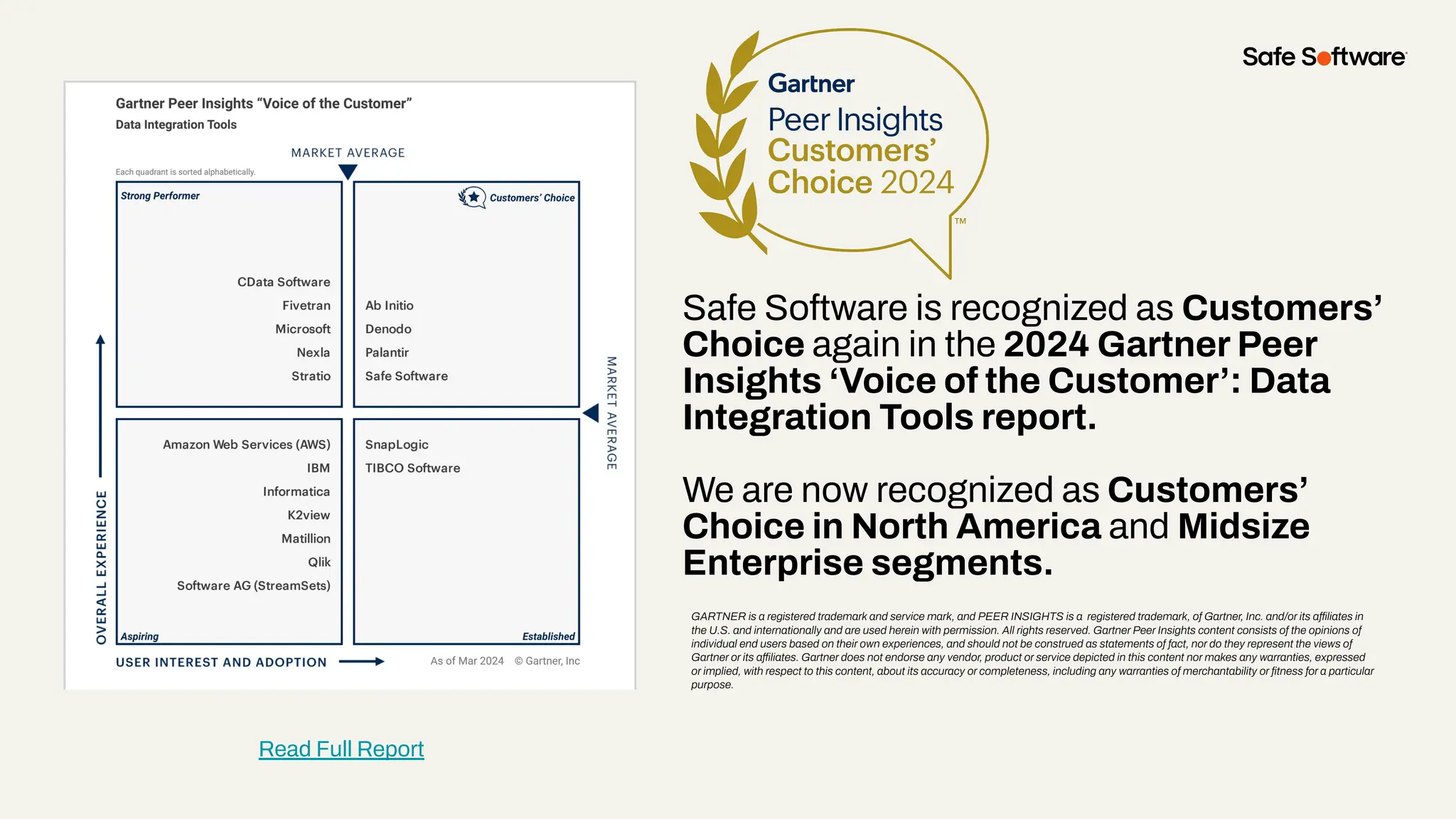
Safe Software is recognized as Customers’
Choice again in the 2024 Gartner Peer
Insights ‘Voice of the Customer’: Data
Integration Tools report.
We are now recognized as Customers’
Choice in North America and Midsize
Enterprise segments.
GARTNER is a registered trademark and service mark, and PEER INSIGHTS is a registered trademark, of Gartner, Inc. and/or its affiliates in
the U.S. and internationally and are used herein with permission. All rights reserved. Gartner Peer Insights content consists of the opinions of
individual end users based on their own experiences, and should not be construed as statements of fact, nor do they represent the views of
Gartner or its affiliates. Gartner does not endorse any vendor, product or service depicted in this content nor makes any warranties, expressed
or implied, with respect to this content, about its accuracy or completeness, including any warranties of merchantability or fitness for a particular
purpose.
Read Full Report
29+
27K+
128
190
20K+
years of solving data
challenges
FME Community
members
countries with
FME customers
organizations worldwide
global partners with
FME services
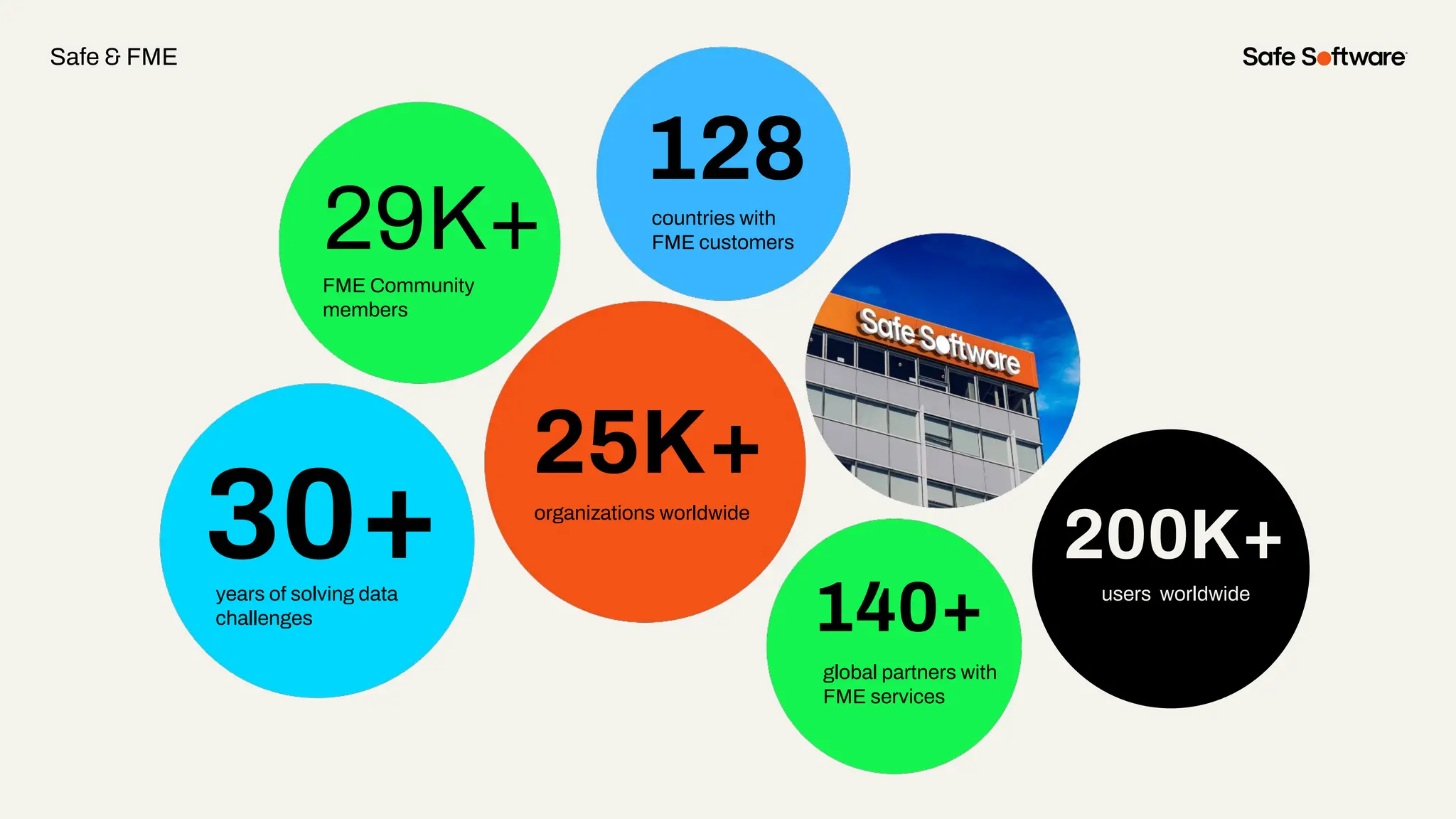
30+
29K+
128
140+
25K+
years of solving data
challenges
FME Community
members
countries with
FME customers
organizations worldwide
global partners with
FME services
200K+
users worldwide
Safe & FME
7
Resources
Resources
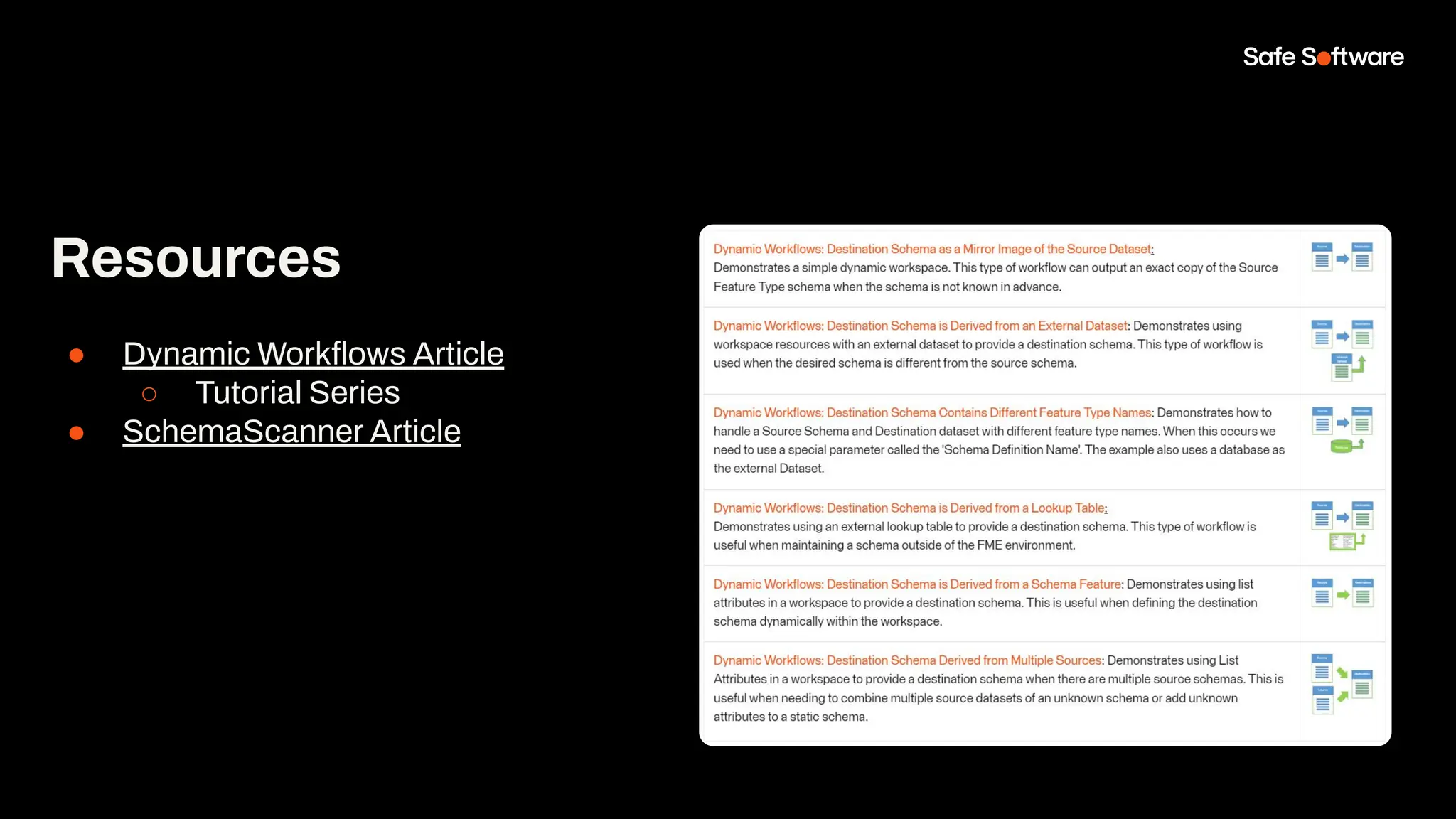
● Dynamic Workflows Article
○ Tutorial Series
● SchemaScanner Article
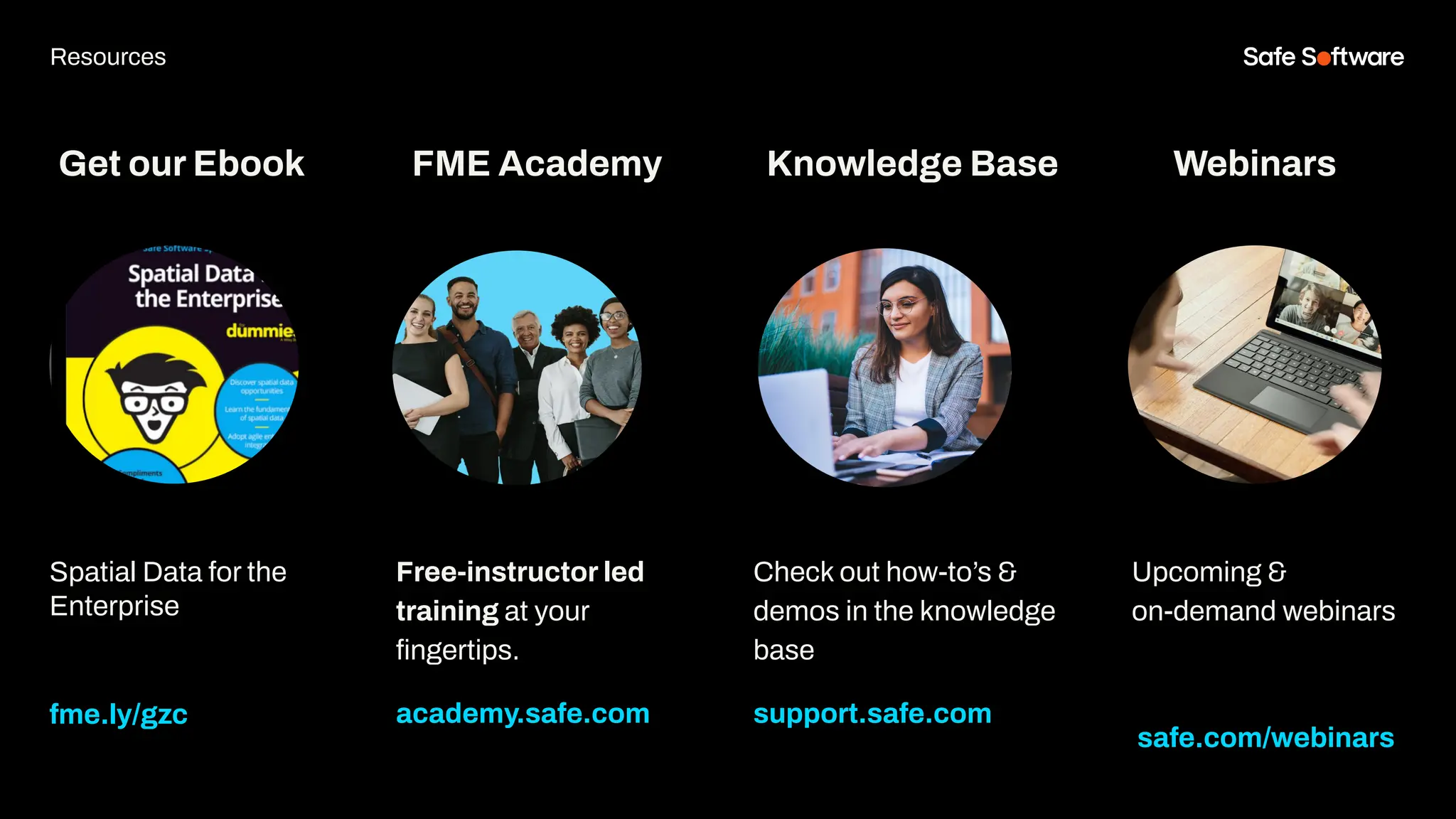
Get our Ebook
Spatial Data for the
Enterprise
fme.ly/gzc
Free-instructor led
training at your
fingertips.
academy.safe.com
FME Academy
Resources
Check out how-to’s &
demos in the knowledge
base
support.safe.com
Knowledge Base Webinars
Upcoming &
on-demand webinars
safe.com/webinars
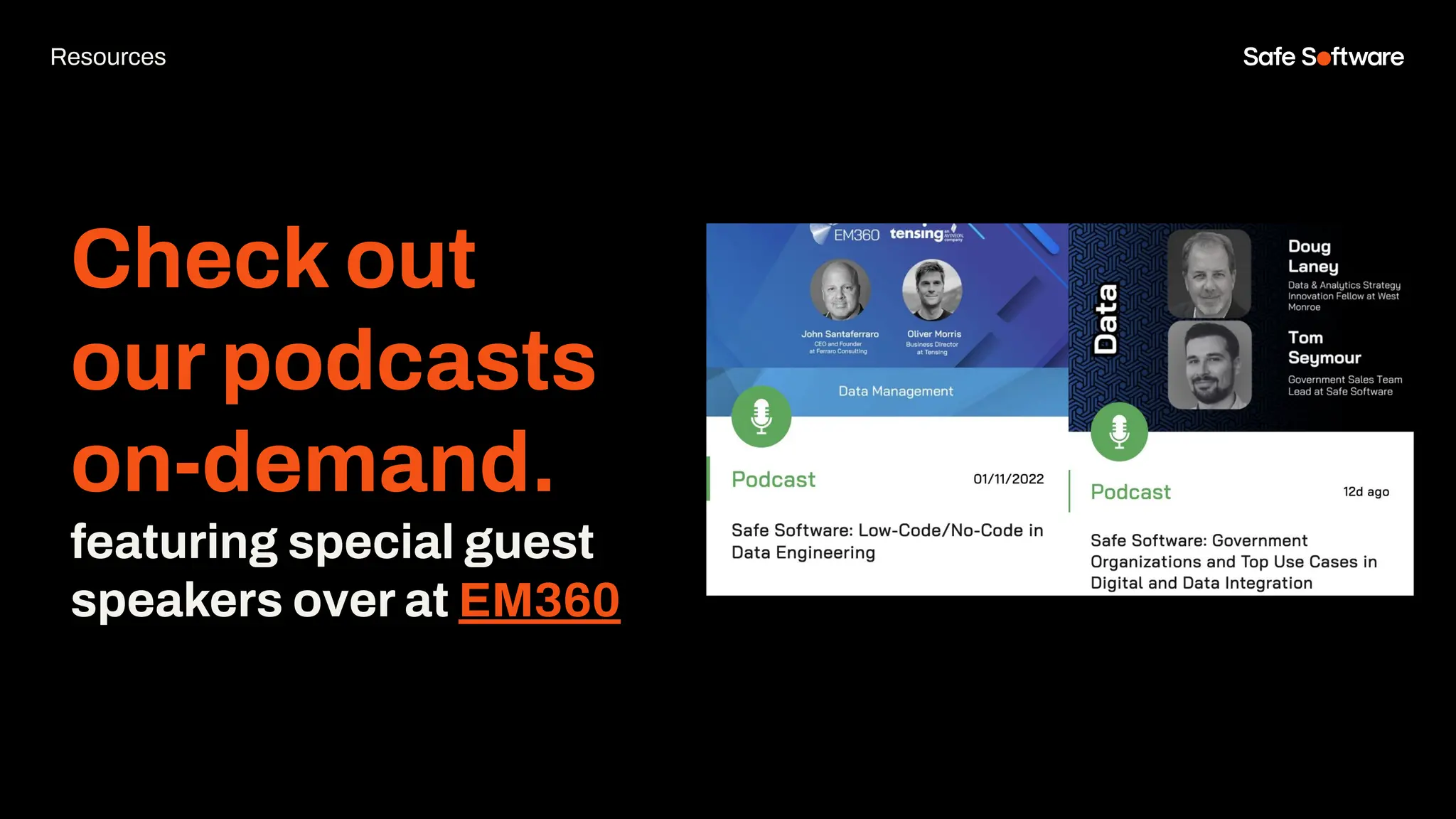
Check out
our podcasts
on-demand.
featuring special guest
speakers over at EM360
Resources
8
Next Steps
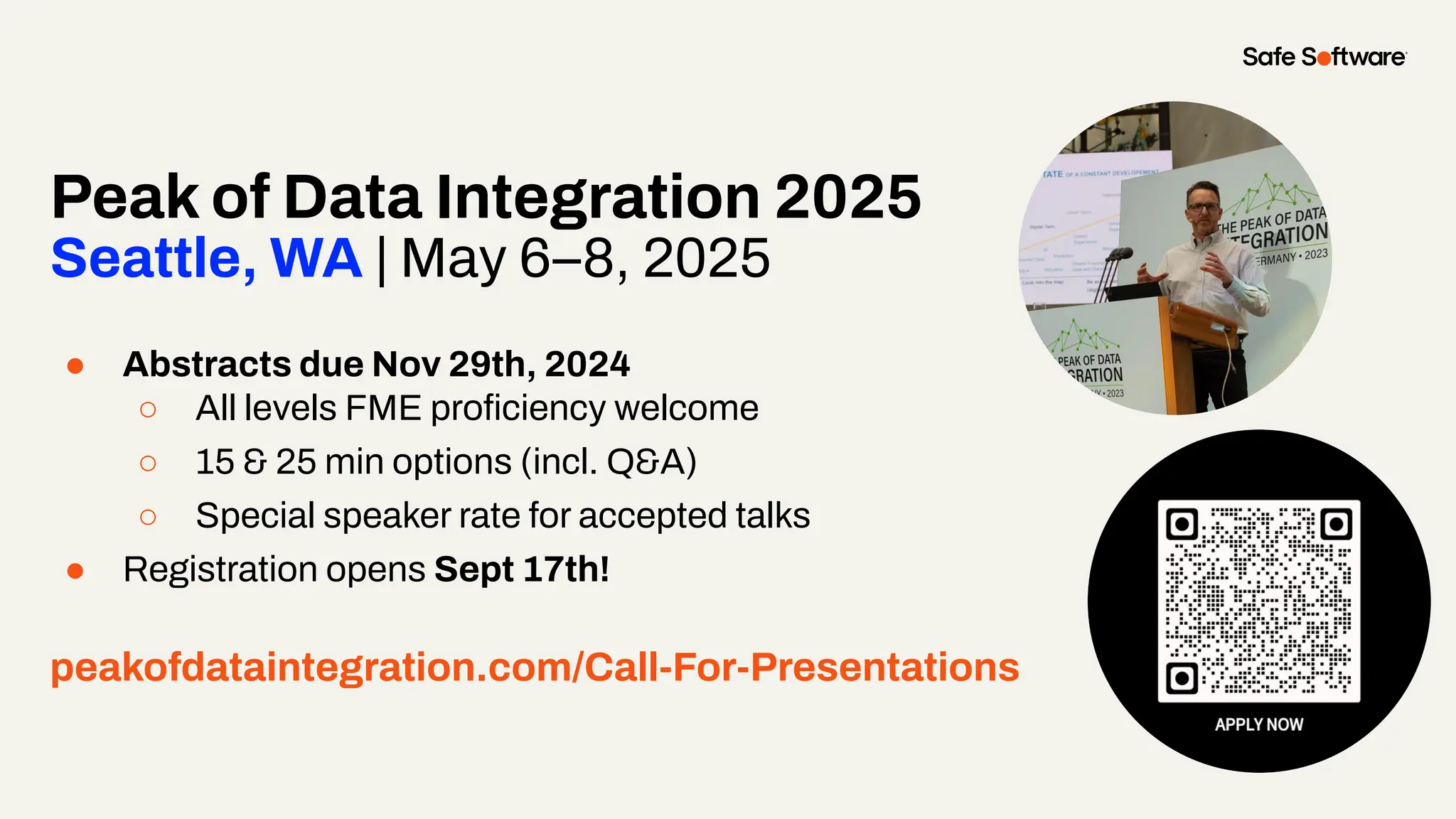
Peak of Data Integration 2025
Seattle, WA | May 6–8, 2025
● Abstracts due Nov 29th, 2024
○ All levels FME proficiency welcome
○ 15 & 25 min options (incl. Q&A)
○ Special speaker rate for accepted talks
● Registration opens Sept 17th!
peakofdataintegration.com/Call-For-Presentations
We’d love to help you get
started.
Get in touch with us at
info@safe.com
Experience the
FME Accelerator
Contact Us
A world where data is not just a
commodity but a catalyst for
real change.
fme.safe.com/accelerator
Next Steps
ClaimYour Community Badge &
Dive into the new Community!
● Get community badges for watching
webinars
● community.safe.com
● Today’s code: HXK4GB
Join the Community today!
Next Steps
9
Q&A
ThankYou
Recap of Next Steps
1 Join the FME Community
2 Contact us
3 Experience the FME Accelerator
Please fill out our
webinar survey

Dynamic Workspaces Demystified: Your Path to Streamlined Data Management

  • 1.
    Dynamic Workspaces Demystified: YourPath to Streamlined Data Management
  • 2.
  • 3.
    Welcome to Livestorm. Afew ways to engage with us during the webinar: Audio issues? Click this for 4 simple troubleshooting steps.
  • 4.
    How to downloadslides 1. Hover over the slide deck in the webinar room 2. Click this button
  • 5.
    Agenda 1 Introduction &Components of a Dynamic Workspace 2 Use cases & demos 3 The SchemaScanner Transformer 4 Advanced Dynamic Workflow 5 Conclusion 7 Resources and Q&A
  • 6.
    Poll: How many hoursdo you use FME weekly?
  • 7.
  • 8.
    One platform, twotechnologies FME Form FME Flow Build and run data workflows Automate data workflows FME Flow Hosted Safe Software managed instance fme.safe.com/platform FME Enterprise Integration Platform
  • 9.
    Number of supported data types in FME 1995 2000 20052010 2015 2020 2023… 10 100 300 500 GIS CAD Database XML Raster 3D BIM Web Point Cloud Cloud Big Data IOT Gaming BI Indoor Mapping AR/VR Generative AI Cloud Native Tabular Unrivalled Data Support
  • 10.
    What is aDynamic Workspace? A Workspace that integrates data without predefined source and/or destination schemas. Adaptive & Versatile ● Schema is determined at runtime, adapting to the data on the fly. ● Easily adjusts to different data structures and formats as they are encountered.
  • 11.
    Why use aDynamic Workspace? Schema independent workspaces are beneficial because they can handle varying inputs, whether that be changing data types, attributes, formats or feature types ● Minimal long-term maintenance ● Can handle varying output formats ● Better suited for un-predictable source datasets When to use one? ● Best used for simple translations between formats ● Helpful if the structure of the source data might change
  • 12.
    Fixed Schemas Traditional workspacesare tightly bound to source and destination schemas.
  • 13.
    Dynamic Schemas Dynamic workspacesbreak up the dependence on a set schema by creating a universal layout to handle the data
  • 14.
    Source: In theReader, use the Merge Feature Type parameter to enable dynamic inputs Components of a Dynamic Workspace
  • 15.
    Destination: In theWriter, enable Dynamic Schema Definition Components of a Dynamic Workspace
  • 16.
    On the StartTab, select Generate Workspace and choose Dynamic Schema Easy Place to Start
  • 17.
  • 18.
    Event Driven RealTime FME Flow Apps - Submit Jobs and Trigger Automations - Stream or Download Job Results FME Flow Automations - Polling Services - Email Received, FTP/S3/Directory Modified, etc. FME Flow REST API - Job as a Webhook FME Flow Automations - Push Services - Webhook/Message Received, Topic Notified, etc. FME Flow: Automating Dynamic Workspaces
  • 19.
    Form & Flow:Dynamic Workspaces Concepts FME Flow Automations: Run a Dynamic Workspace
  • 20.
    FME Form Authoring: DynamicWorkspaces ● Data-driven data integration that is adaptable to various input types, schemas, geometries, and outputs. ● Authored in FME Form and Published to FME Flow Form & Flow: Dynamic Workspaces Concepts FME Flow Automations: Run a Dynamic Workspace ● Enables organizations to specify the workspace that is to be executed at run-time rather than at “author time”. ● Users can invoke any workspace that matches a template workspace without having to stop the FME Flow Automation.
  • 21.
    Poll: Would you findvalue in and attend a webinar on building Dynamic Automations?
  • 22.
    FME Form Authoring: DynamicWorkspaces ● Flexible Data Handling: Adjusts to different data sources and formats. ● Data/Parameter Driven: Use of parameters and conditional logic to control the flow of data. ● Reusable: Easily repurposed for different tasks with minimal changes. Form & Flow: Dynamic Workspaces Concepts FME Flow Automations: Run a Dynamic Workspace ● Automation: Executes specific workspace based on predefined conditions, reducing manual intervention. ● Continuous Integration: Enables continuous data processing and event-driven workflows. ● Scalable: Built for large-scale operations and complex workflows.
  • 23.
  • 24.
  • 25.
    Destination Schema asMirror Image of Source Data ● Maximum flexibility, simple setup ● Accepts any dataset in chosen format ○ Ex: Convert File Geodatabase table to CityGML, preserving schema ● Source dataset changeable, translation remains effective ● No workspace changes needed; select source dataset and run
  • 26.
    Destination Schema isDerived from an External Dataset ● Workspace reads data, copies schema to destination writer ● Output mirrors input dataset ● Map source data to new schema dynamically ● Useful for strict or pre-existing output schemas ● Use any format as template with a Resource Reader
  • 27.
    Chat Storm: What areyou currently using your dynamic workspaces for?
  • 28.
  • 29.
    SchemaScanner Transformer ● Allowsyou to easily extract and manipulate the schema of your datasets, tackling dynamic workspace issues such as schema standardization and schema drift ● Remove attributes from the schema without having to expose it The schema feature is given the special attribute and value: fme_schema_handling = ‘schema_only’ * FME 2021.2 or newer required
  • 30.
    Why use theSchemaScanner? ● You want to ensure the dynamic writer is receiving a valid schema ● You don’t know the schema of the incoming data and want to ensure it meets certain standards before reaching the dynamic writer ● You want to modify the schema and need to re-scan it before reaching the dynamic writer * FME 2021.2 or newer required
  • 31.
    Key Parameters inthe SchemaScanner Output Schema Features Before Data ● A Dynamic Writer must receive the schema first before the incoming data, otherwise no data will be written out ● Suggested to set this to Yes, regardless of your workflow
  • 32.
    Key Parameters inthe SchemaScanner Ignore Attributes Containing ● Most schemas (once in FME) contain format attributes you don’t need in your final output dataset ● Example: csv_|multi_|fme_ would remove attributes such as csv_line_number, csv_type, fme_feature_type, multi_reader_id, etc.
  • 33.
    SchemaScanner Output ● Alist attribute is generated that contains the attribute name and its data type. This can then be exposed or manipulated to create flexible schema workflows.
  • 34.
    FeatureReader vs SchemaScanner ●The Schema generated by the FeatureReader is a copy of the dataset schema ● The Schema generated by the SchemaScanner is FME’s “best guess”
  • 35.
    Slide Title Fanout data basedon the “Day” attribute Goal Block Key Dynamic Dataset Fanout Result Multiple datasets + schema has changed since data was read into FME Group By Parameter in the SchemaScanner Output a CSV file for each day of the week, even after altering the schema
  • 36.
  • 37.
  • 38.
    ● Identify andrespond to changes in the schema of incoming data ● Scenario ○ If there is a mismatch between the existing schema and the data submitted by the user, then the user will be alerted of the schema mismatch and be required to resolve it accordingly ● FME can automatically identify, flag, and address the schema mismatch ● Eliminates downstream processes from being disrupted Schema Validation App
  • 39.
    FME Flow WorkspaceApps User uploads file to FME Flow Workspace App
  • 40.
    Invalid Schema HTML Report Dataupload confirmation FME Flow Workspace Apps
  • 41.
  • 42.
    Test Validation ● VariableSetter& VariableRetriever direct flow of data based on Schema Validation results ● Tester will pass or fail features based on the value set for the “invalid_schema” variable
  • 43.
  • 44.
    Integrate Valid Features ●FeatureMerger merges the user submitted data back in before writing to the SpatiaLite table ● AttributeRemover cleans up attributes created from the VariableSetter/VariableRetriever
  • 45.
  • 46.
    Poll: Have you usedthe SchemaScanner?
  • 47.
  • 48.
    Summary ● Dynamic workspaceshandle changing inputs, feature types & attributes ● Various dynamic workflows serve different purposes ● SchemaScanner enhances dynamic workflow capabilities in FME ● Advanced dynamic workflows aren’t limited to just reading/writing data
  • 49.
  • 50.
    Safe Software isrecognized as Customers’ Choice again in the 2024 Gartner Peer Insights ‘Voice of the Customer’: Data Integration Tools report. We are now recognized as Customers’ Choice in North America and Midsize Enterprise segments. GARTNER is a registered trademark and service mark, and PEER INSIGHTS is a registered trademark, of Gartner, Inc. and/or its affiliates in the U.S. and internationally and are used herein with permission. All rights reserved. Gartner Peer Insights content consists of the opinions of individual end users based on their own experiences, and should not be construed as statements of fact, nor do they represent the views of Gartner or its affiliates. Gartner does not endorse any vendor, product or service depicted in this content nor makes any warranties, expressed or implied, with respect to this content, about its accuracy or completeness, including any warranties of merchantability or fitness for a particular purpose. Read Full Report
  • 51.
    29+ 27K+ 128 190 20K+ years of solvingdata challenges FME Community members countries with FME customers organizations worldwide global partners with FME services 30+ 29K+ 128 140+ 25K+ years of solving data challenges FME Community members countries with FME customers organizations worldwide global partners with FME services 200K+ users worldwide Safe & FME
  • 52.
  • 53.
    Resources ● Dynamic WorkflowsArticle ○ Tutorial Series ● SchemaScanner Article
  • 54.
    Get our Ebook SpatialData for the Enterprise fme.ly/gzc Free-instructor led training at your fingertips. academy.safe.com FME Academy Resources Check out how-to’s & demos in the knowledge base support.safe.com Knowledge Base Webinars Upcoming & on-demand webinars safe.com/webinars
  • 55.
    Check out our podcasts on-demand. featuringspecial guest speakers over at EM360 Resources
  • 56.
  • 57.
    Peak of DataIntegration 2025 Seattle, WA | May 6–8, 2025 ● Abstracts due Nov 29th, 2024 ○ All levels FME proficiency welcome ○ 15 & 25 min options (incl. Q&A) ○ Special speaker rate for accepted talks ● Registration opens Sept 17th! peakofdataintegration.com/Call-For-Presentations
  • 58.
    We’d love tohelp you get started. Get in touch with us at info@safe.com Experience the FME Accelerator Contact Us A world where data is not just a commodity but a catalyst for real change. fme.safe.com/accelerator Next Steps
  • 59.
    ClaimYour Community Badge& Dive into the new Community! ● Get community badges for watching webinars ● community.safe.com ● Today’s code: HXK4GB Join the Community today! Next Steps
  • 60.
  • 61.
    ThankYou Recap of NextSteps 1 Join the FME Community 2 Contact us 3 Experience the FME Accelerator Please fill out our webinar survey