COLLECTION
FRAMEWORK
www.blog.cpd-india.com
Call Us: 011-65164822
CPD TECHNOLOGIES
Add:- Block C 9/8, Sector -7, Rohini , Delhi-110085, India
www.cpd-india.com
COLLECTION
FRAMEWORK
The collections framework is a unified architecture for
representing and manipulating collections, enabling
them to be manipulated independently of the details
of their representation. It reduces programming effort
while increasing performance. It enables
interoperability among unrelated APIs, reduces effort
in designing and learning new APIs, and fosters
software reuse. The framework is based on more than
a dozen collection interfaces. It includes
implementations of these interfaces and algorithms to
manipulate them.
CONTENTS
 What is Collection?
 Collections Framework
 Collections Hierarchy
 Collections Implementations
Set
List
Map
OBJECTIVES
 Define a collection
 Describe the collections framework
 Describe the collections hierarchy
 Demonstrate each collection implementation
WHAT IS A COLLECTION?
 A Collection (also known as container) is an object that contains a
group of objects treated as a single unit.
 Any type of objects can be stored, retrieved and manipulated as
elements of collections.
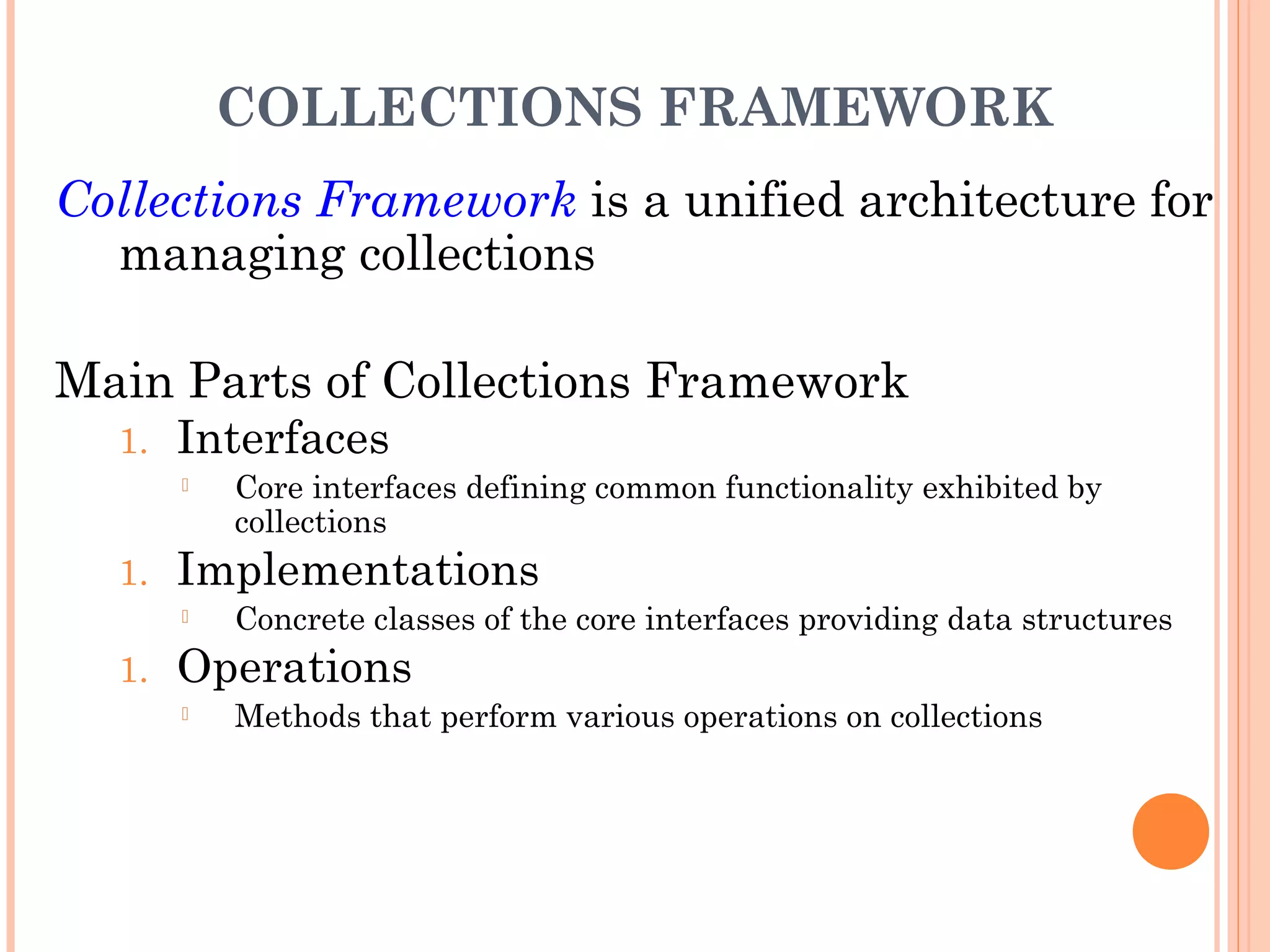
COLLECTIONS FRAMEWORK
Collections Framework is a unified architecture for
managing collections
Main Parts of Collections Framework
1. Interfaces
 Core interfaces defining common functionality exhibited by
collections
1. Implementations
 Concrete classes of the core interfaces providing data structures
1. Operations
 Methods that perform various operations on collections
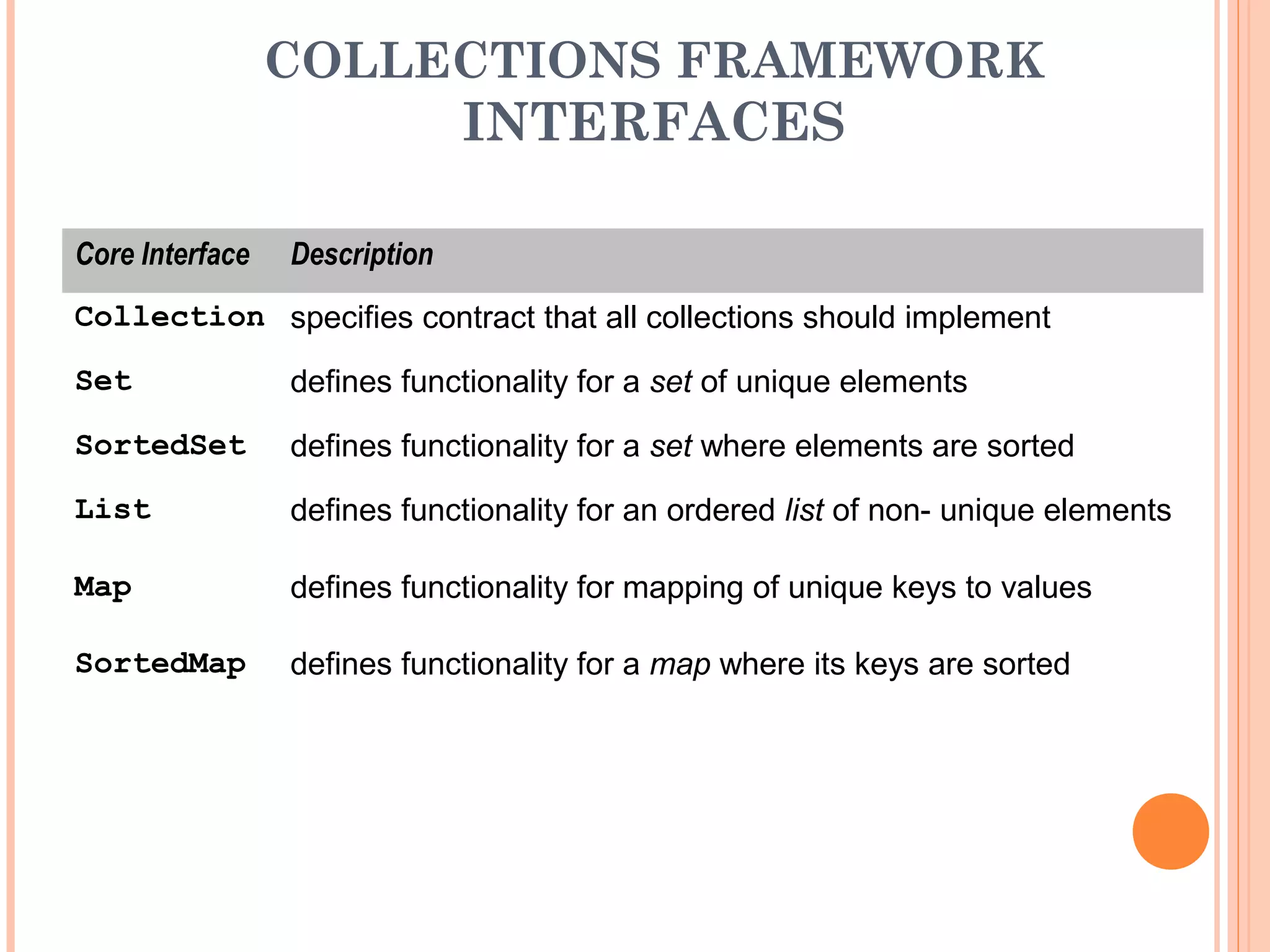
COLLECTIONS FRAMEWORK
INTERFACES
Core Interface Description
Collection specifies contract that all collections should implement
Set defines functionality for a set of unique elements
SortedSet defines functionality for a set where elements are sorted
List defines functionality for an ordered list of non- unique elements
Map defines functionality for mapping of unique keys to values
SortedMap defines functionality for a map where its keys are sorted
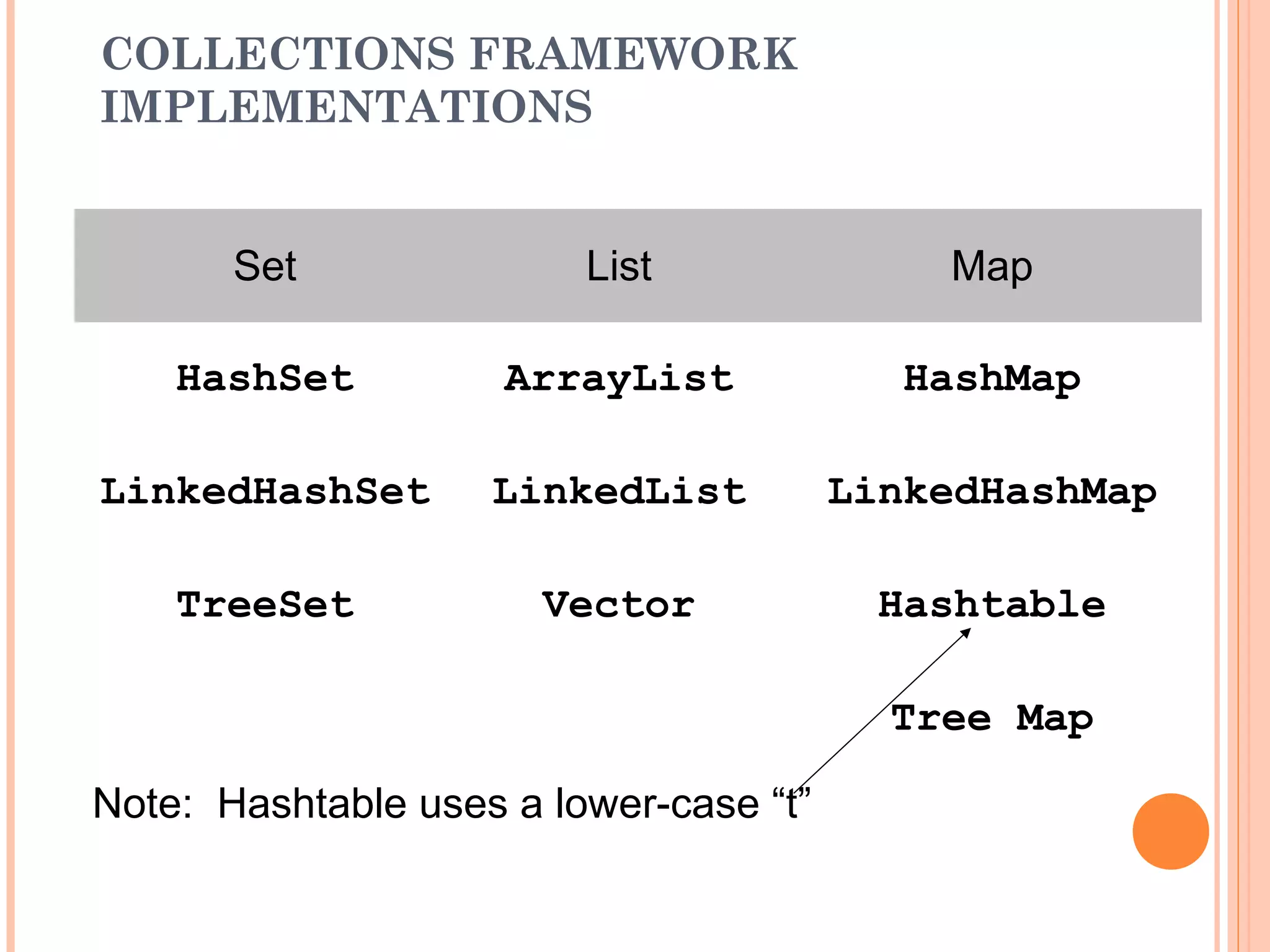
COLLECTIONS FRAMEWORK
IMPLEMENTATIONS
Set List Map
HashSet ArrayList HashMap
LinkedHashSet LinkedList LinkedHashMap
TreeSet Vector Hashtable
Tree Map
Note: Hashtable uses a lower-case “t”
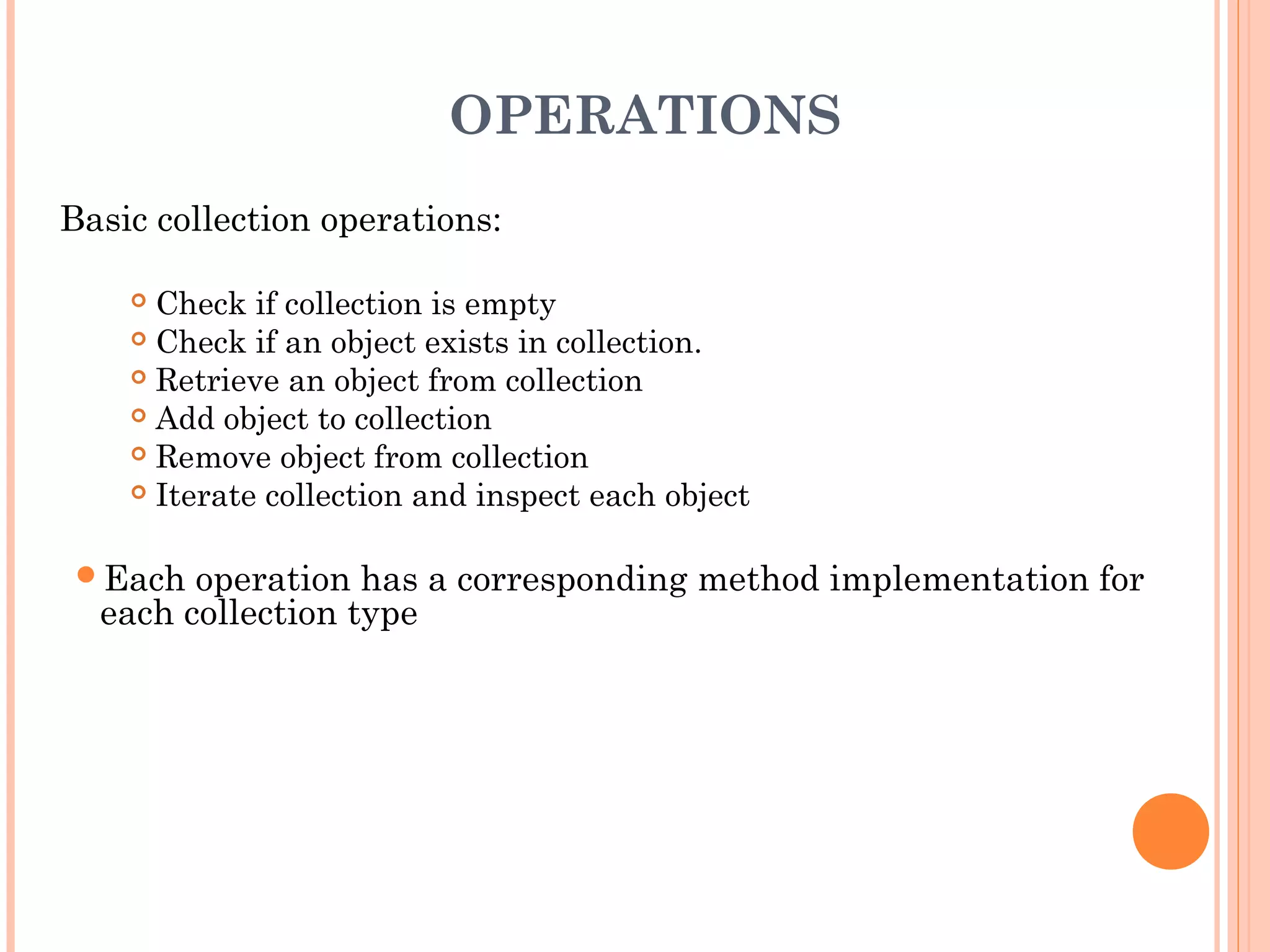
OPERATIONS
Basic collection operations:
 Check if collection is empty
 Check if an object exists in collection.
 Retrieve an object from collection
 Add object to collection
 Remove object from collection
 Iterate collection and inspect each object
Each operation has a corresponding method implementation for
each collection type
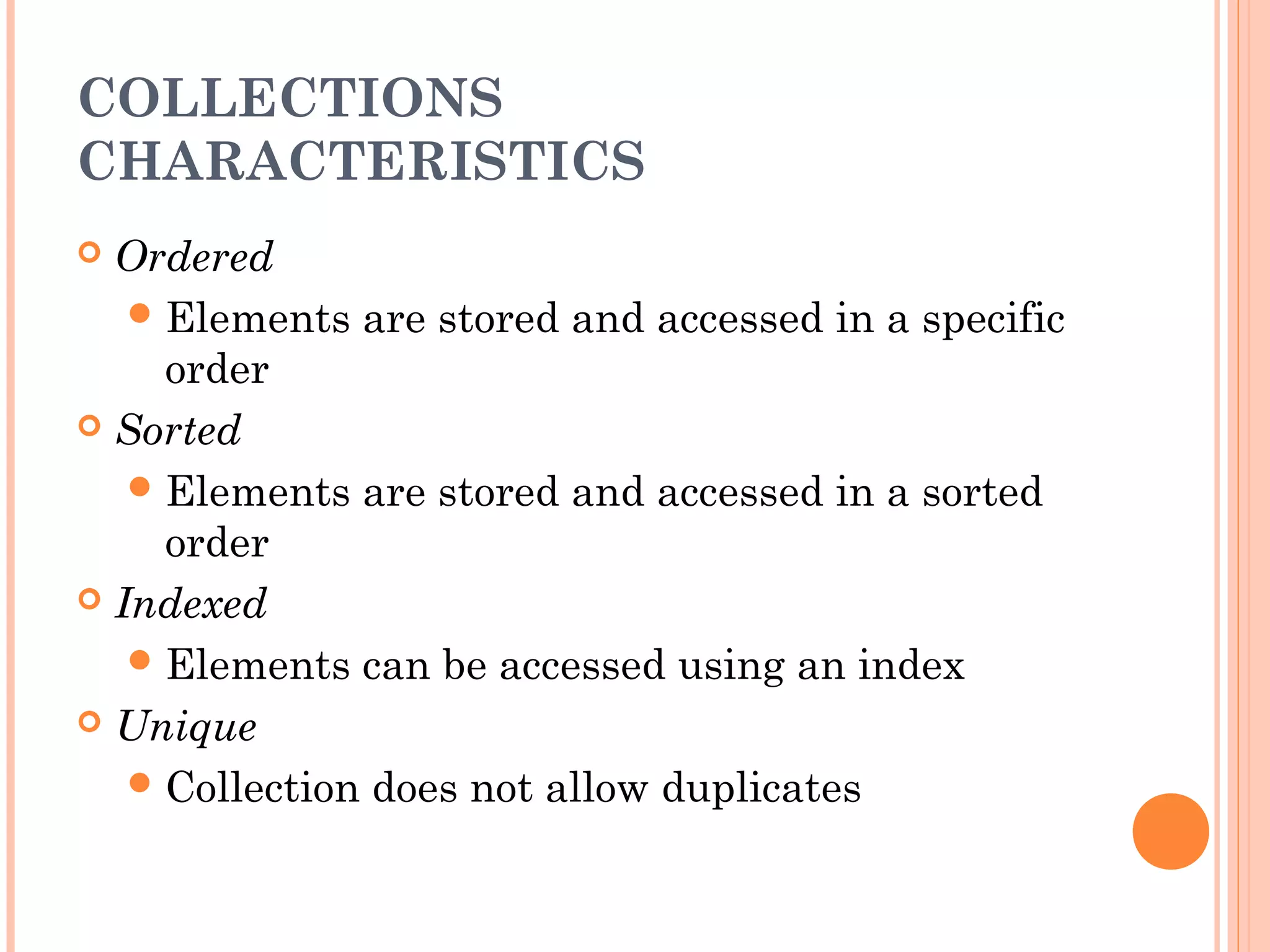
COLLECTIONS
CHARACTERISTICS
 Ordered
Elements are stored and accessed in a specific
order
 Sorted
Elements are stored and accessed in a sorted
order
 Indexed
Elements can be accessed using an index
 Unique
Collection does not allow duplicates
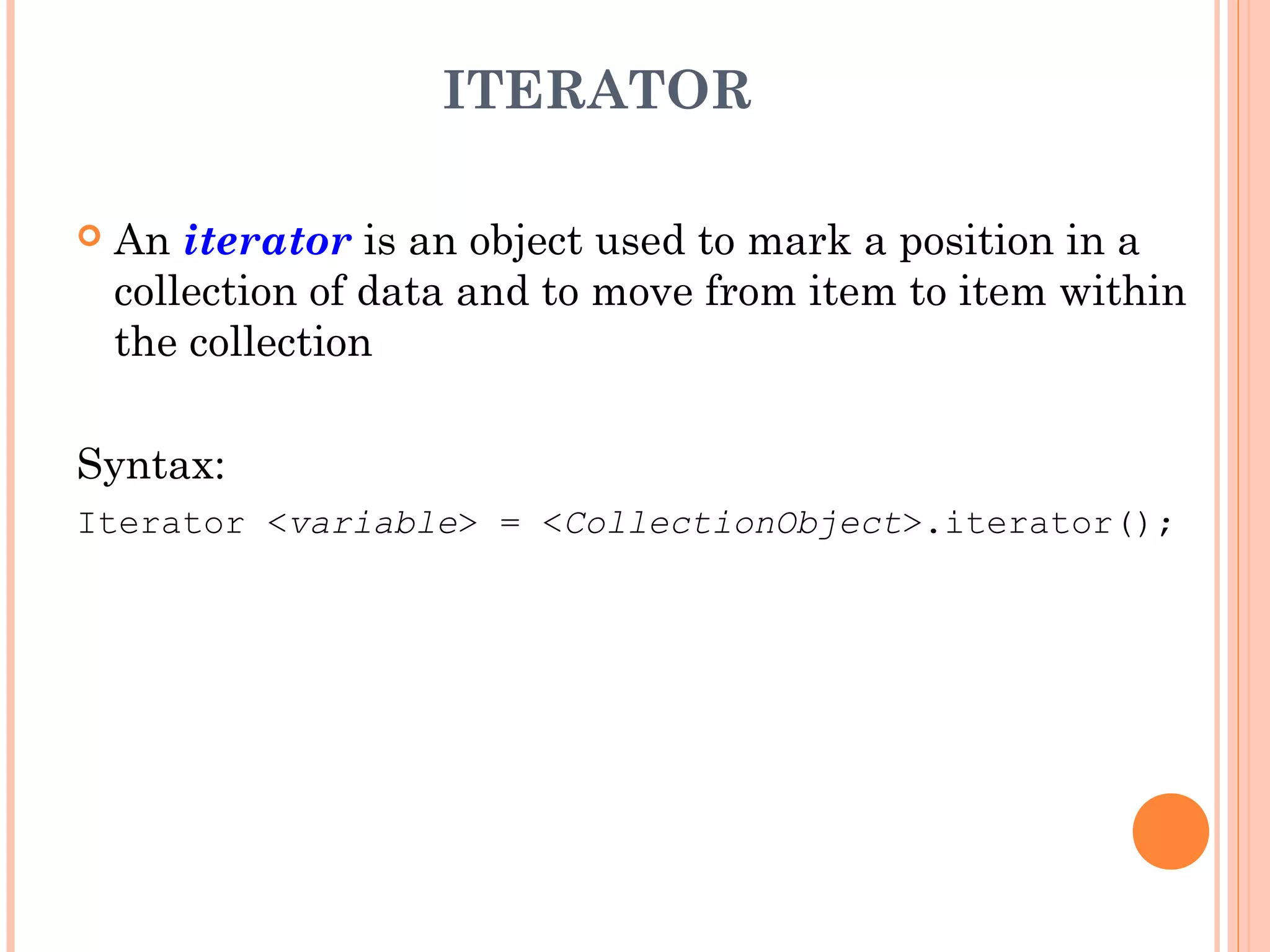
ITERATOR
 An iterator is an object used to mark a position in a
collection of data and to move from item to item within
the collection
Syntax:
Iterator <variable> = <CollectionObject>.iterator();
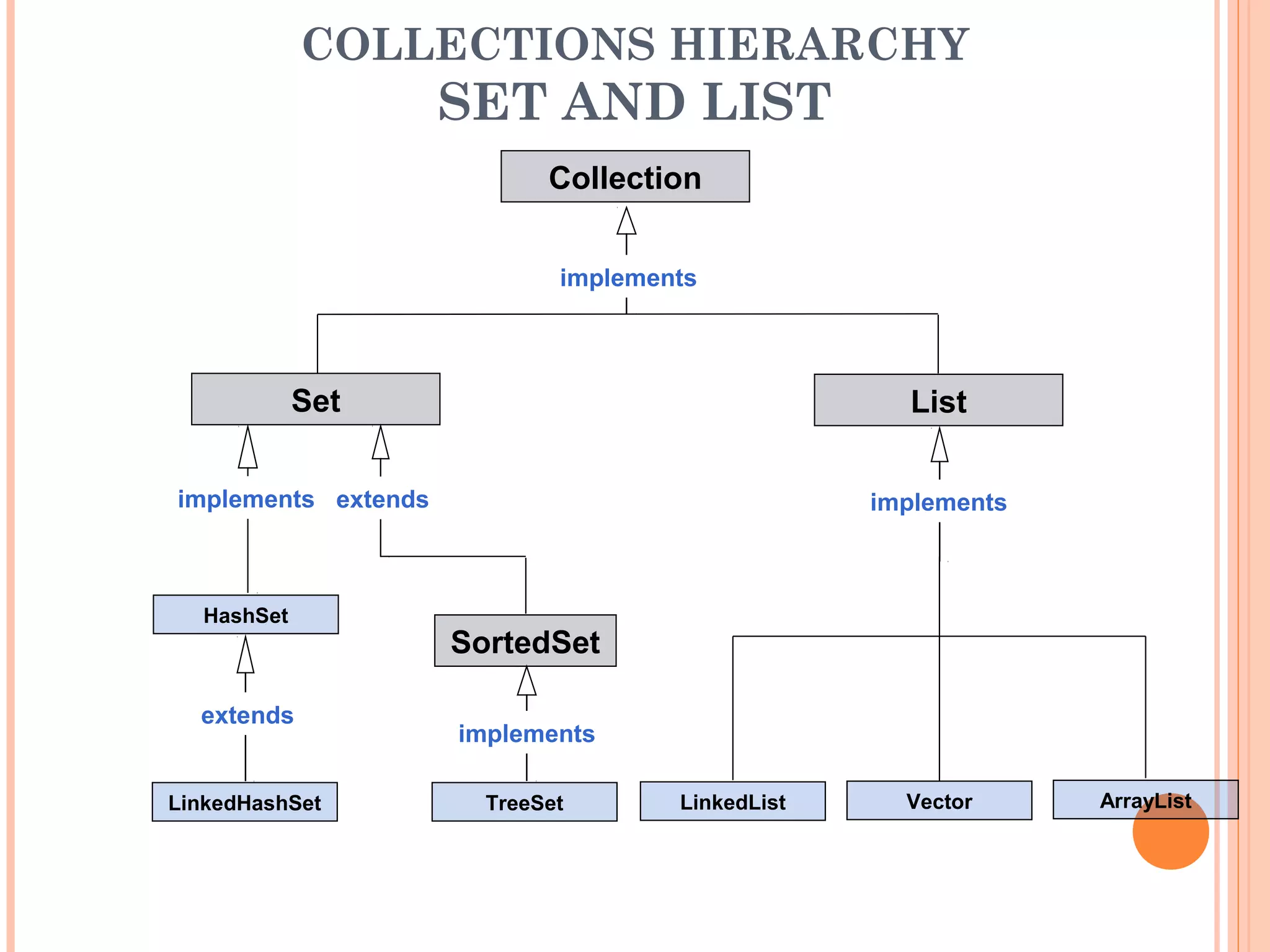
COLLECTIONS HIERARCHY
SET AND LIST
HashSet
Collection
SortedSet
List
Set
LinkedHashSet TreeSet LinkedList Vector ArrayList
implements
implements
implements
implements extends
extends
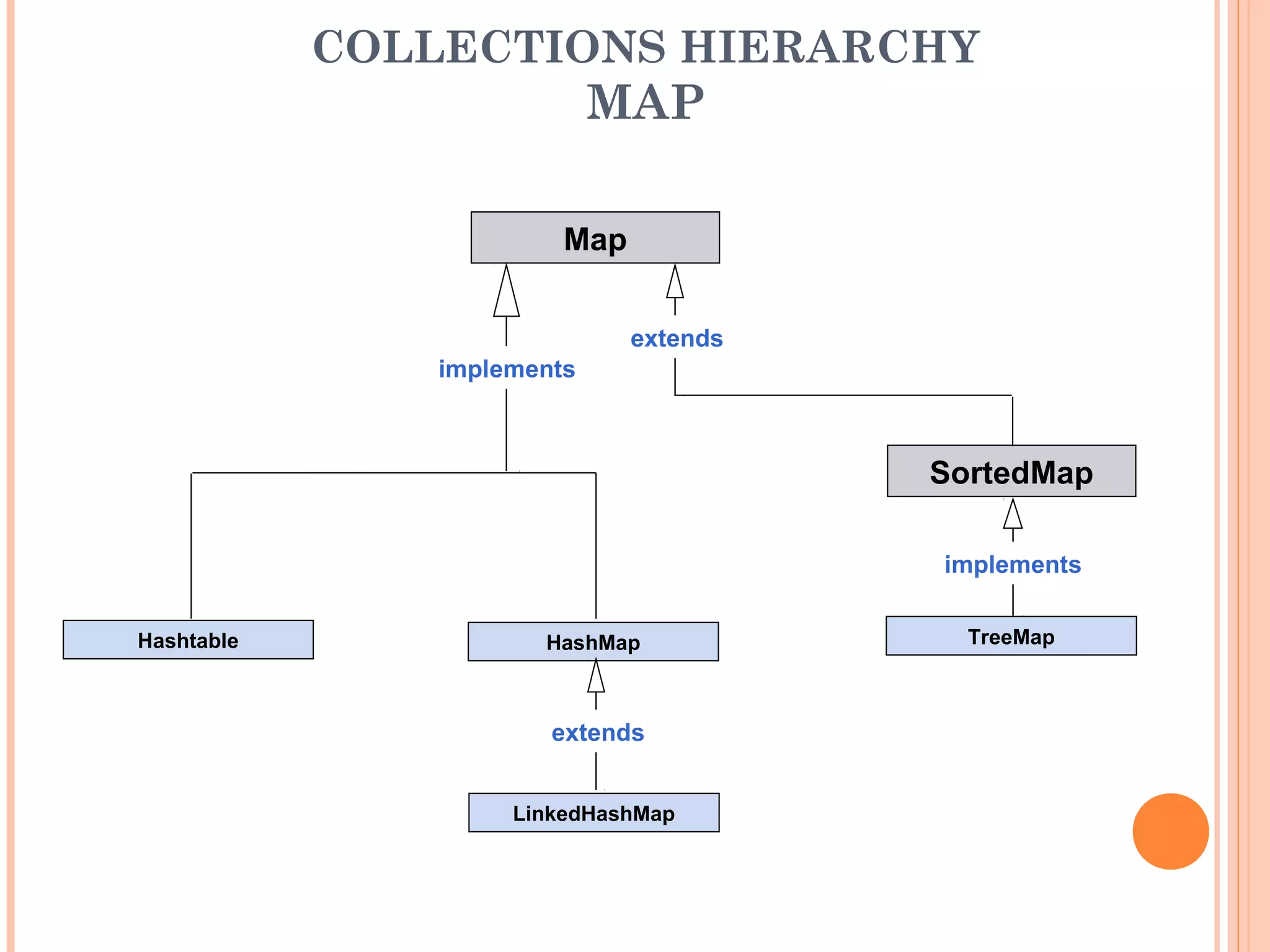
COLLECTIONS HIERARCHY
MAP
Map
SortedMap
Hashtable
LinkedHashMap
HashMap TreeMap
implements
implements
extends
extends
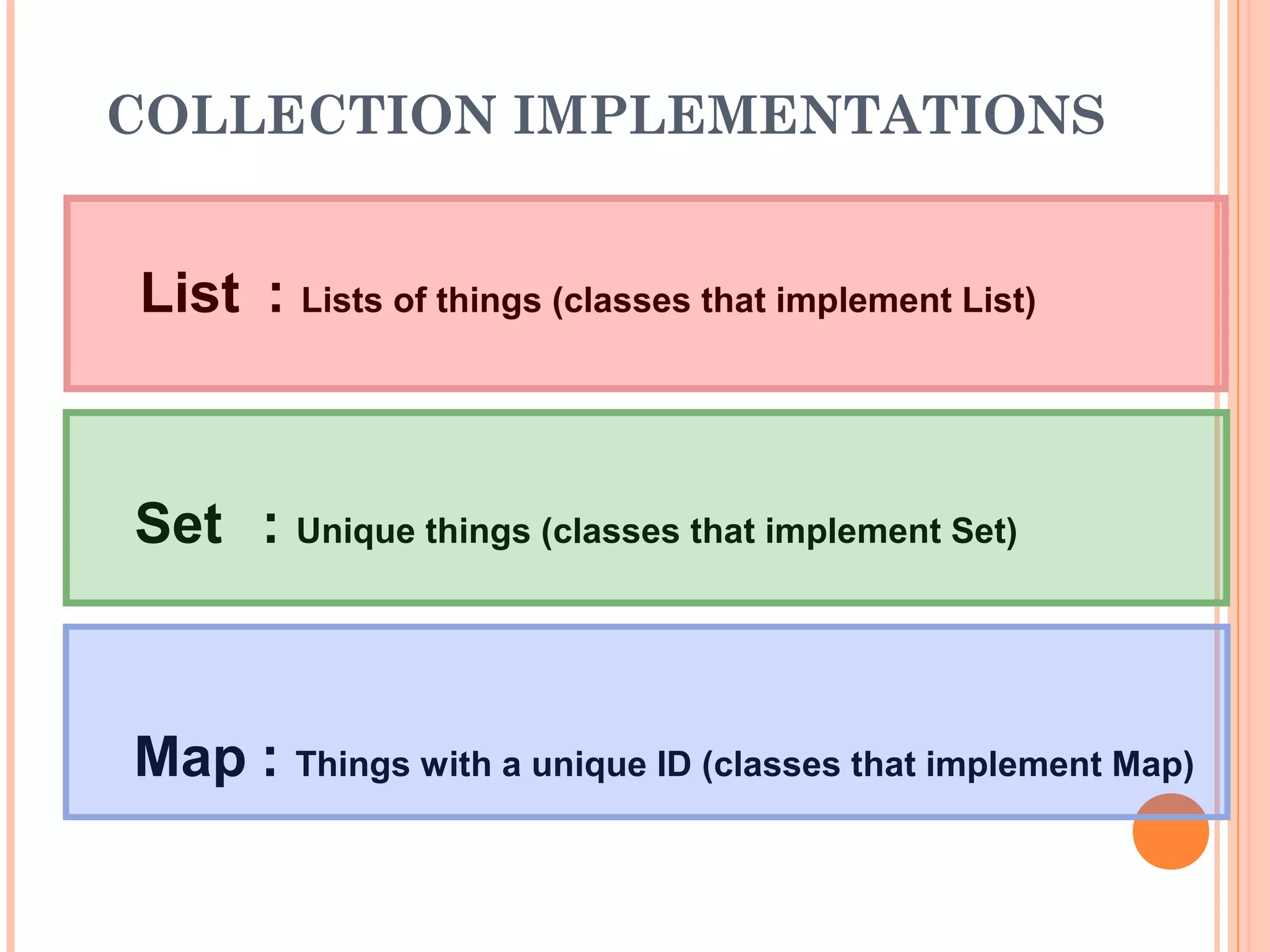
COLLECTION IMPLEMENTATIONS
Set : Unique things (classes that implement Set)
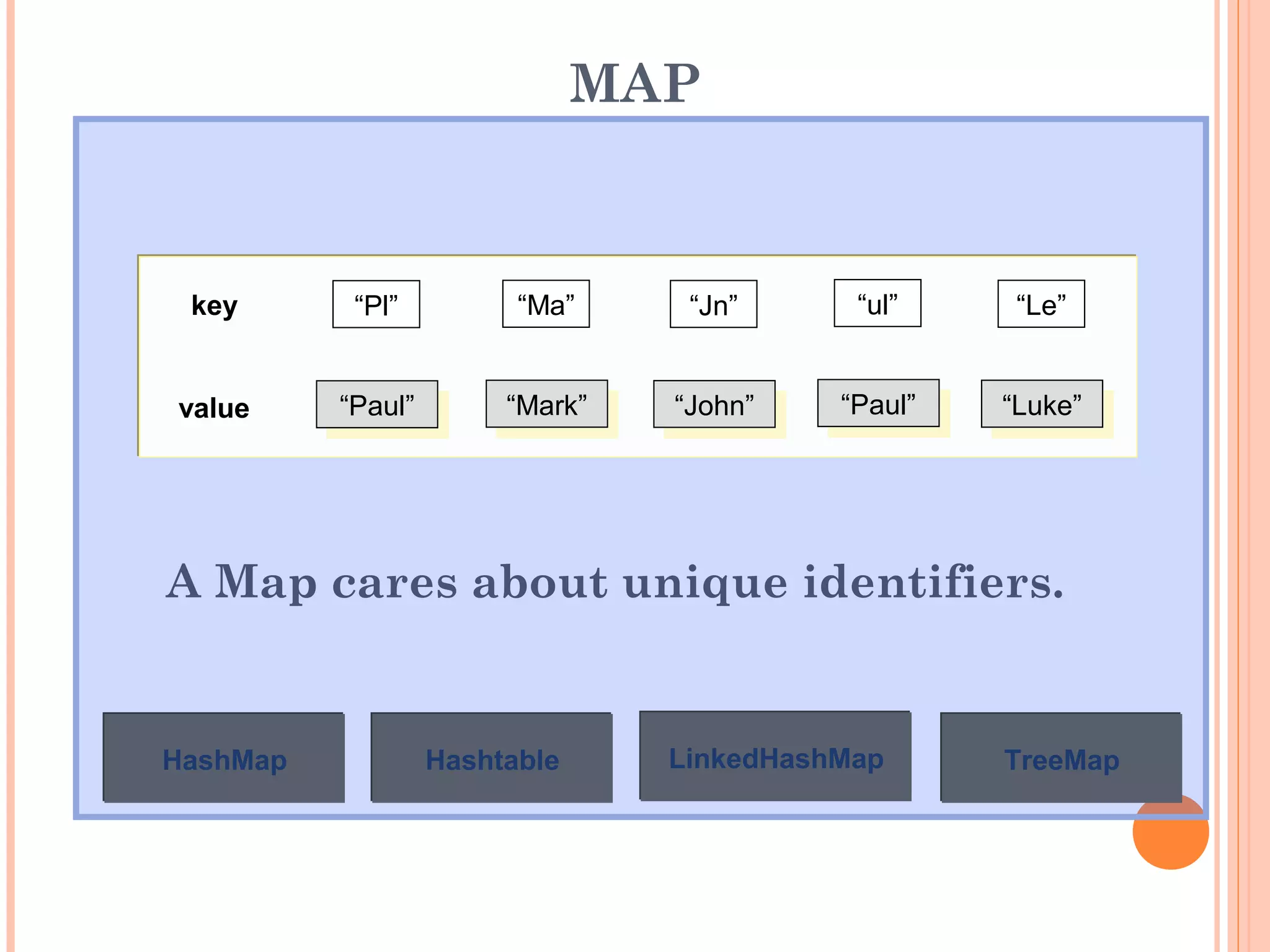
Map : Things with a unique ID (classes that implement Map)
List : Lists of things (classes that implement List)
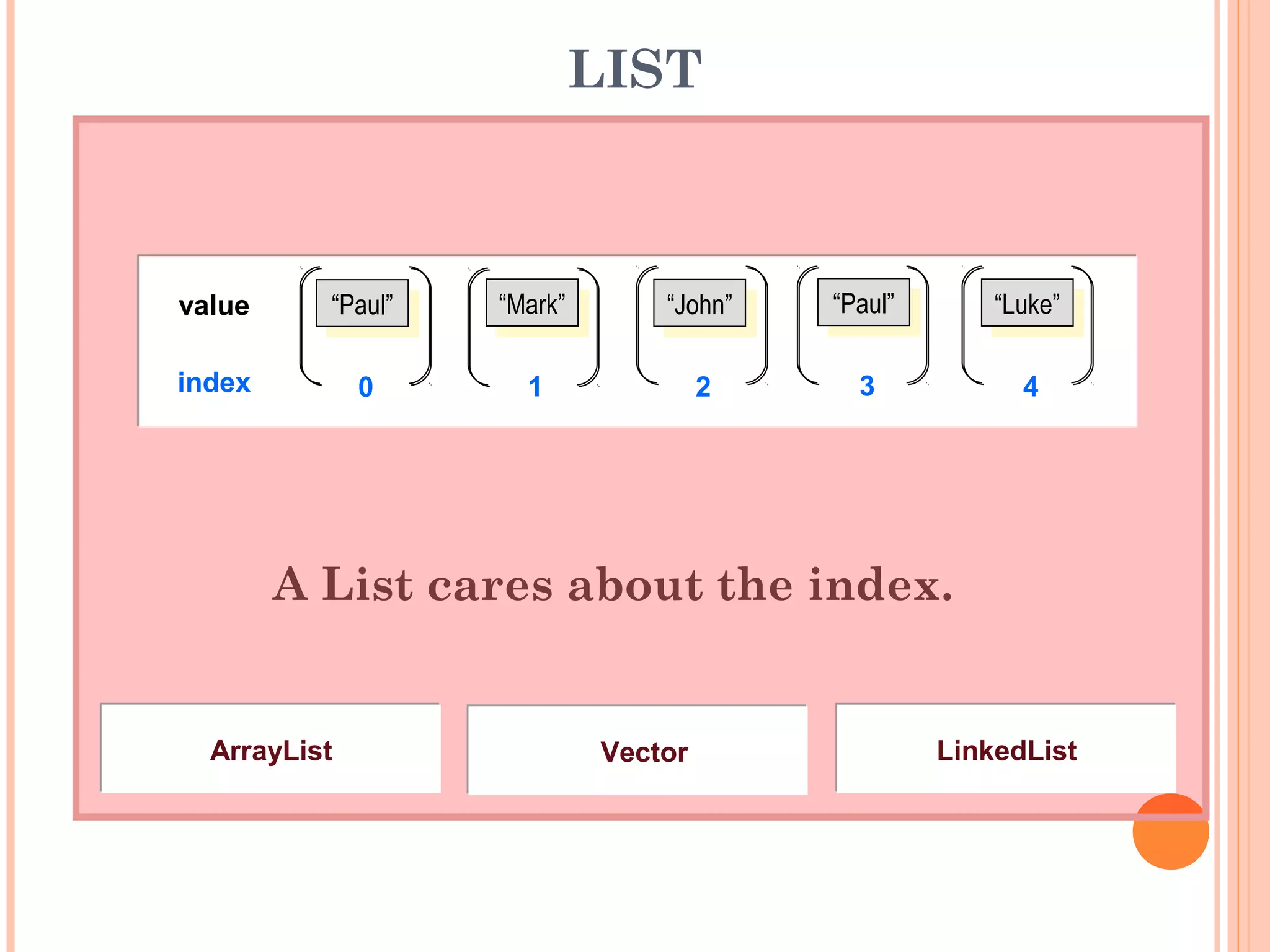
LIST
A List cares about the index.
“Paul”
“Paul” “Mark”
“Mark” “John”
“John” “Paul”
“Paul” “Luke”
“Luke”
value
index 0 1 2 3 4
LinkedList
LinkedList
Vector
Vector
ArrayList
ArrayList
LIST IMPLEMENTATIONS
ARRAY LIST
import java.util.ArrayList;
public class MyArrayList {
public static void main(String args[ ]) {
ArrayList alist = new ArrayList( );
alist.add(new String("One"));
alist.add(new String("Two"));
alist.add(new String("Three"));
System.out.println(alist.get(0));
System.out.println(alist.get(1));
System.out.println(alist.get(2));
}
}
One
Two
Three
LIST IMPLEMENTATIONS
VECTOR
import java.util.Vector;
public class MyVector {
public static void main(String args[ ]) {
Vector vecky = new Vector( );
vecky.add(new Integer(1));
vecky.add(new Integer(2));
vecky.add(new Integer(3));
for(int x=0; x<3; x++) {
System.out.println(vecky.get(x));
}
}
}
1
2
3
LIST IMPLEMENTATIONS
LINKED LIST
import java.util.LinkedList;
public class MyLinkedList {
public static void main(String args[ ]) {
LinkedList link = new LinkedList( );
link.add(new Double(2.0));
link.addLast(new Double(3.0));
link.addFirst(new Double(1.0));
Object array[ ] = link.toArray( );
for(int x=0; x<3; x++) {
System.out.println(array[x]);
}
}
}
1.0
2.0
3.0
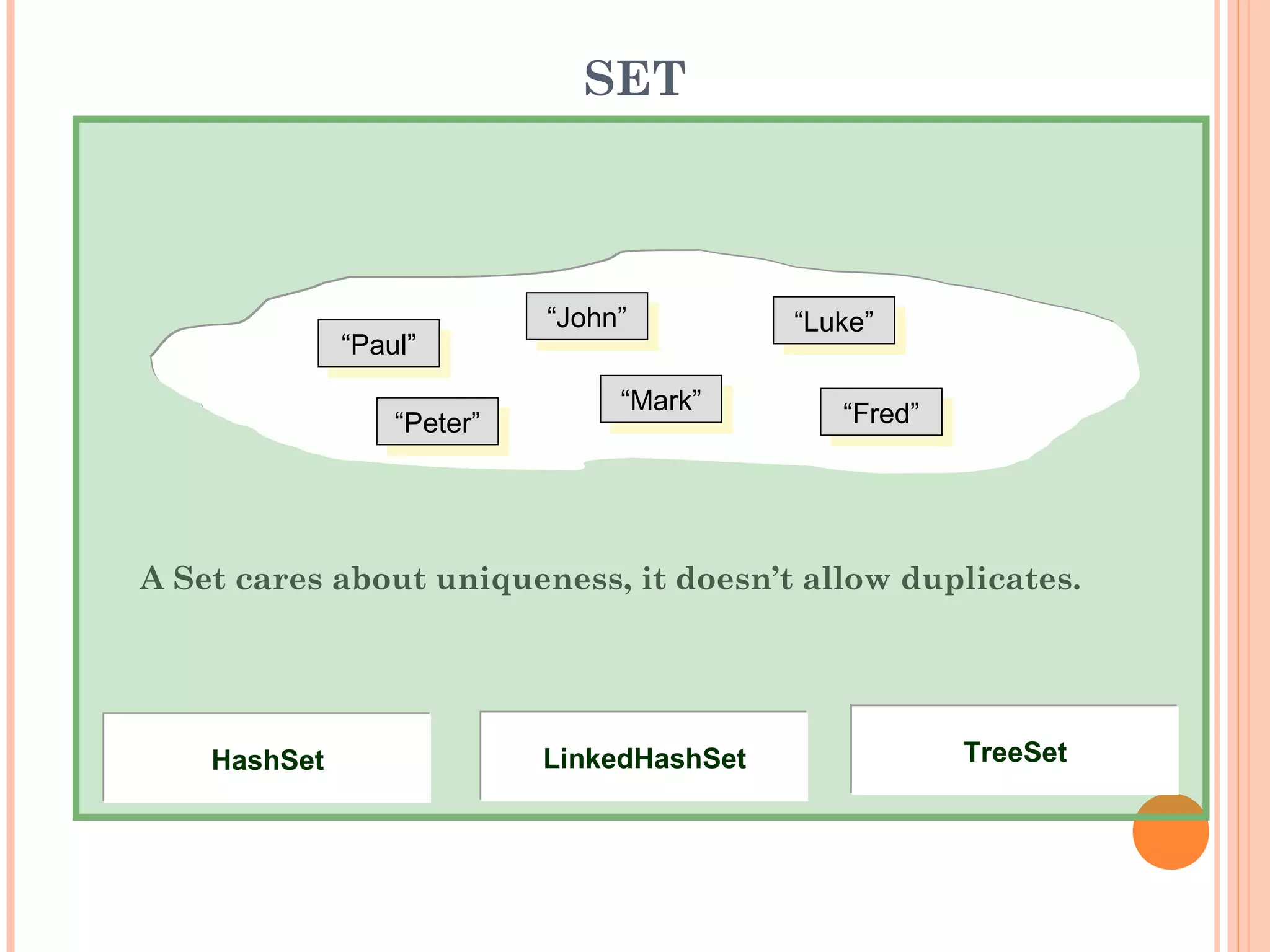
SET
A Set cares about uniqueness, it doesn’t allow duplicates.
“Paul”
“Paul”
“Mark”
“Mark”
“John”
“John”
“Luke”
“Luke”
“Fred”
“Fred”
“Peter”
“Peter”
TreeSet
TreeSet
LinkedHashSet
LinkedHashSet
HashSet
HashSet
SET IMPLEMENTATIONS
HASH SET
import java.util.*;
public class MyHashSet {
public static void main(String args[ ]) {
HashSet hash = new HashSet( );
hash.add("a");
hash.add("b");
hash.add("c");
hash.add("d");
Iterator iterator = hash.iterator( );
while(iterator.hasNext( )) {
System.out.println(iterator.next( ));
}
}
}
d
a
c
b
SET IMPLEMENTATIONS
LINKED HASH SET
import java.util.LinkedHashSet;
public class MyLinkedHashSet {
public static void main(String args[ ]) {
LinkedHashSet lhs = new LinkedHashSet();
lhs.add(new String("One"));
lhs.add(new String("Two"));
lhs.add(new String("Three"));
Object array[] = lhs.toArray( );
for(int x=0; x<3; x++) {
System.out.println(array[x]);
}
}
}
One
Two
Three
SET IMPLEMENTATIONS
TREE SET
import java.util.TreeSet;
import java.util.Iterator;
public class MyTreeSet {
public static void main(String args[ ]) {
TreeSet tree = new TreeSet();
tree.add("Jody");
tree.add("Remiel");
tree.add("Reggie");
tree.add("Philippe");
Iterator iterator = tree.iterator( );
while(iterator.hasNext( )) {
System.out.println(iterator.next( ).toString( ));
}
}
}
Jody
Philippe
Reggie
Remiel
MAP
A Map cares about unique identifiers.
“Paul”
“Paul” “Mark”
“Mark” “John”
“John” “Paul”
“Paul” “Luke”
“Luke”
key
value
“Pl” “Ma” “Jn” “ul” “Le”
LinkedHashMap
LinkedHashMap TreeMap
TreeMap
Hashtable
Hashtable
HashMap
HashMap
MAP IMPLEMENTATIONS
HASH MAP
import java.util.HashMap;
public class MyHashMap {
public static void main(String args[ ]) {
HashMap map = new HashMap( );
map.put("name", "Jody");
map.put("id", new Integer(446));
map.put("address", "Manila");
System.out.println("Name: " + map.get("name"));
System.out.println("ID: " + map.get("id"));
System.out.println("Address: " + map.get("address"));
}
}
Name: Jody
ID: 446
Address: Manila
MAP IMPLEMENTATIONS
HASH TABLE
import java.util.Hashtable;
public class MyHashtable {
public static void main(String args[ ]) {
Hashtable table = new Hashtable( );
table.put("name", "Jody");
table.put("id", new Integer(1001));
table.put("address", new String("Manila"));
System.out.println("Table of Contents:" + table);
}
}
Table of Contents:
{address=Manila, name=Jody, id=1001}
MAP IMPLEMENTATIONS
LINKED HASH MAP
import java.util.*;
public class MyLinkedHashMap {
public static void main(String args[ ]) {
int iNum = 0;
LinkedHashMap myMap = new LinkedHashMap( );
myMap.put("name", "Jody");
myMap.put("id", new Integer(446));
myMap.put("address", "Manila");
myMap.put("type", "Savings");
Collection values = myMap.values( );
Iterator iterator = values.iterator( );
while(iterator.hasNext()) {
System.out.println(iterator.next( ));
}
}
}
Jody
446
Manila
Savings
MAP IMPLEMENTATIONS
TREE MAP
import java.util.*;
public class MyTreeMap {
public static void main(String args[]) {
TreeMap treeMap = new TreeMap( );
treeMap.put("name", "Jody");
treeMap.put("id", new Integer(446));
treeMap.put("address", "Manila");
Collection values = treeMap.values()
Iterator iterator = values.iterator( );
System.out.println("Printing the VALUES....");
while (iterator.hasNext()) {
System.out.println(iterator.next( ));
}
}
}
Printing the VALUES....
Manila
446
Jody
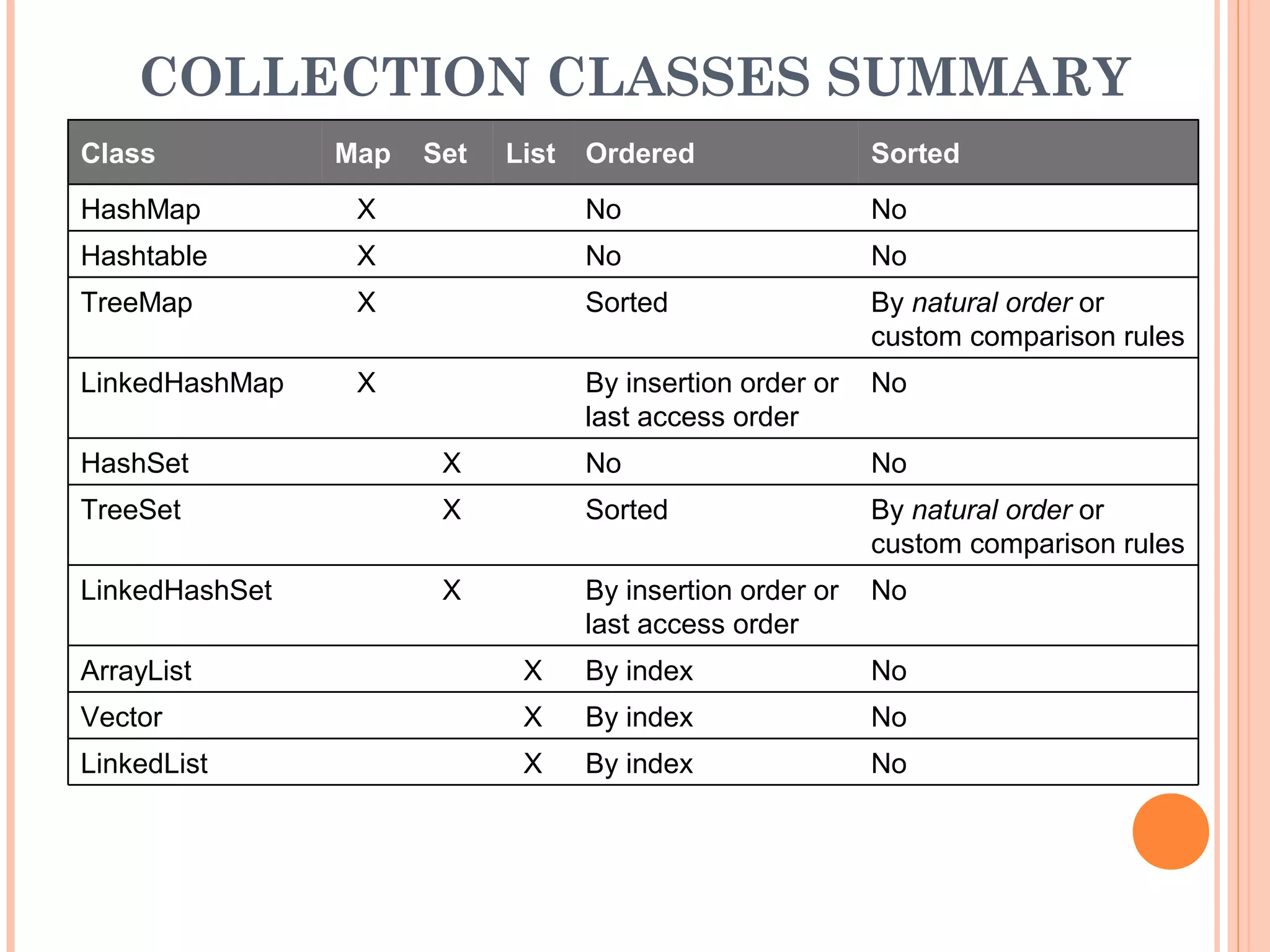
COLLECTION CLASSES SUMMARY
No
By index
X
LinkedList
No
By index
X
Vector
No
By index
X
ArrayList
No
By insertion order or
last access order
X
LinkedHashSet
By natural order or
custom comparison rules
Sorted
X
TreeSet
No
No
X
HashSet
No
By insertion order or
last access order
X
LinkedHashMap
By natural order or
custom comparison rules
Sorted
X
TreeMap
No
No
X
Hashtable
No
No
X
HashMap
Sorted
Ordered
List
Set
Map
Class
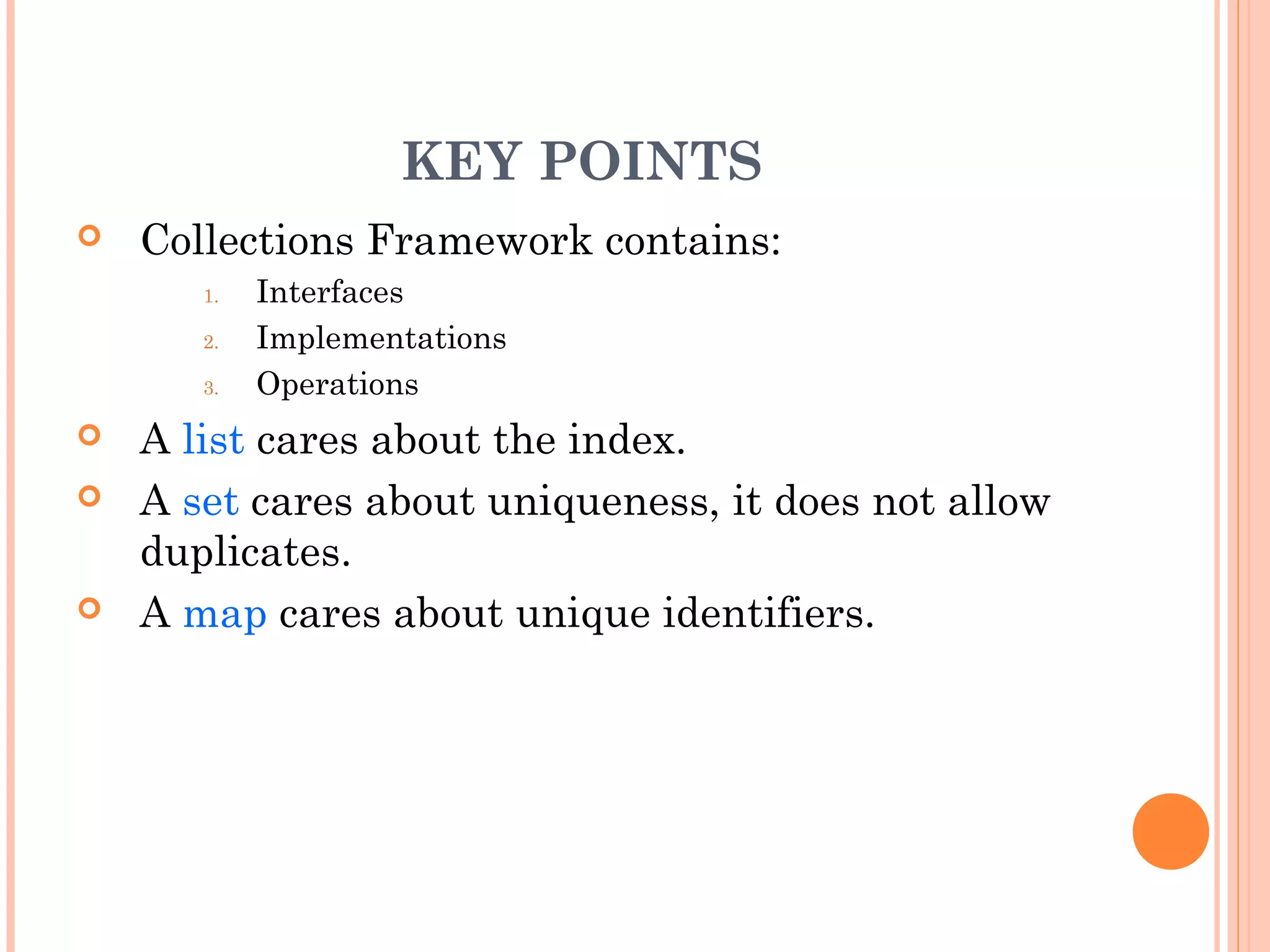
KEY POINTS
 Collections Framework contains:
1. Interfaces
2. Implementations
3. Operations
 A list cares about the index.
 A set cares about uniqueness, it does not allow
duplicates.
 A map cares about unique identifiers.
THANK YOU
CPD TECHNOLOGIES
Block C 9/8, Sector -7, Rohini, Delhi-110085, India
Landmark: Near Rohini East Metro Station, Opposite
Metro Pillar No-397
Telephone: 011-65164822
Mobile: +91- 8860352748
Email: support@cpd-india.com

DSJ_Unit III_Collection framework.pdf

  • 1.
    COLLECTION FRAMEWORK www.blog.cpd-india.com Call Us: 011-65164822 CPDTECHNOLOGIES Add:- Block C 9/8, Sector -7, Rohini , Delhi-110085, India www.cpd-india.com
  • 2.
    COLLECTION FRAMEWORK The collections frameworkis a unified architecture for representing and manipulating collections, enabling them to be manipulated independently of the details of their representation. It reduces programming effort while increasing performance. It enables interoperability among unrelated APIs, reduces effort in designing and learning new APIs, and fosters software reuse. The framework is based on more than a dozen collection interfaces. It includes implementations of these interfaces and algorithms to manipulate them.
  • 3.
    CONTENTS  What isCollection?  Collections Framework  Collections Hierarchy  Collections Implementations Set List Map
  • 4.
    OBJECTIVES  Define acollection  Describe the collections framework  Describe the collections hierarchy  Demonstrate each collection implementation
  • 5.
    WHAT IS ACOLLECTION?  A Collection (also known as container) is an object that contains a group of objects treated as a single unit.  Any type of objects can be stored, retrieved and manipulated as elements of collections.
  • 6.
    COLLECTIONS FRAMEWORK Collections Frameworkis a unified architecture for managing collections Main Parts of Collections Framework 1. Interfaces  Core interfaces defining common functionality exhibited by collections 1. Implementations  Concrete classes of the core interfaces providing data structures 1. Operations  Methods that perform various operations on collections
  • 7.
    COLLECTIONS FRAMEWORK INTERFACES Core InterfaceDescription Collection specifies contract that all collections should implement Set defines functionality for a set of unique elements SortedSet defines functionality for a set where elements are sorted List defines functionality for an ordered list of non- unique elements Map defines functionality for mapping of unique keys to values SortedMap defines functionality for a map where its keys are sorted
  • 8.
    COLLECTIONS FRAMEWORK IMPLEMENTATIONS Set ListMap HashSet ArrayList HashMap LinkedHashSet LinkedList LinkedHashMap TreeSet Vector Hashtable Tree Map Note: Hashtable uses a lower-case “t”
  • 9.
    OPERATIONS Basic collection operations: Check if collection is empty  Check if an object exists in collection.  Retrieve an object from collection  Add object to collection  Remove object from collection  Iterate collection and inspect each object Each operation has a corresponding method implementation for each collection type
  • 10.
    COLLECTIONS CHARACTERISTICS  Ordered Elements arestored and accessed in a specific order  Sorted Elements are stored and accessed in a sorted order  Indexed Elements can be accessed using an index  Unique Collection does not allow duplicates
  • 11.
    ITERATOR  An iteratoris an object used to mark a position in a collection of data and to move from item to item within the collection Syntax: Iterator <variable> = <CollectionObject>.iterator();
  • 12.
    COLLECTIONS HIERARCHY SET ANDLIST HashSet Collection SortedSet List Set LinkedHashSet TreeSet LinkedList Vector ArrayList implements implements implements implements extends extends
  • 13.
  • 14.
    COLLECTION IMPLEMENTATIONS Set :Unique things (classes that implement Set) Map : Things with a unique ID (classes that implement Map) List : Lists of things (classes that implement List)
  • 15.
    LIST A List caresabout the index. “Paul” “Paul” “Mark” “Mark” “John” “John” “Paul” “Paul” “Luke” “Luke” value index 0 1 2 3 4 LinkedList LinkedList Vector Vector ArrayList ArrayList
  • 16.
    LIST IMPLEMENTATIONS ARRAY LIST importjava.util.ArrayList; public class MyArrayList { public static void main(String args[ ]) { ArrayList alist = new ArrayList( ); alist.add(new String("One")); alist.add(new String("Two")); alist.add(new String("Three")); System.out.println(alist.get(0)); System.out.println(alist.get(1)); System.out.println(alist.get(2)); } } One Two Three
  • 17.
    LIST IMPLEMENTATIONS VECTOR import java.util.Vector; publicclass MyVector { public static void main(String args[ ]) { Vector vecky = new Vector( ); vecky.add(new Integer(1)); vecky.add(new Integer(2)); vecky.add(new Integer(3)); for(int x=0; x<3; x++) { System.out.println(vecky.get(x)); } } } 1 2 3
  • 18.
    LIST IMPLEMENTATIONS LINKED LIST importjava.util.LinkedList; public class MyLinkedList { public static void main(String args[ ]) { LinkedList link = new LinkedList( ); link.add(new Double(2.0)); link.addLast(new Double(3.0)); link.addFirst(new Double(1.0)); Object array[ ] = link.toArray( ); for(int x=0; x<3; x++) { System.out.println(array[x]); } } } 1.0 2.0 3.0
  • 19.
    SET A Set caresabout uniqueness, it doesn’t allow duplicates. “Paul” “Paul” “Mark” “Mark” “John” “John” “Luke” “Luke” “Fred” “Fred” “Peter” “Peter” TreeSet TreeSet LinkedHashSet LinkedHashSet HashSet HashSet
  • 20.
    SET IMPLEMENTATIONS HASH SET importjava.util.*; public class MyHashSet { public static void main(String args[ ]) { HashSet hash = new HashSet( ); hash.add("a"); hash.add("b"); hash.add("c"); hash.add("d"); Iterator iterator = hash.iterator( ); while(iterator.hasNext( )) { System.out.println(iterator.next( )); } } } d a c b
  • 21.
    SET IMPLEMENTATIONS LINKED HASHSET import java.util.LinkedHashSet; public class MyLinkedHashSet { public static void main(String args[ ]) { LinkedHashSet lhs = new LinkedHashSet(); lhs.add(new String("One")); lhs.add(new String("Two")); lhs.add(new String("Three")); Object array[] = lhs.toArray( ); for(int x=0; x<3; x++) { System.out.println(array[x]); } } } One Two Three
  • 22.
    SET IMPLEMENTATIONS TREE SET importjava.util.TreeSet; import java.util.Iterator; public class MyTreeSet { public static void main(String args[ ]) { TreeSet tree = new TreeSet(); tree.add("Jody"); tree.add("Remiel"); tree.add("Reggie"); tree.add("Philippe"); Iterator iterator = tree.iterator( ); while(iterator.hasNext( )) { System.out.println(iterator.next( ).toString( )); } } } Jody Philippe Reggie Remiel
  • 23.
    MAP A Map caresabout unique identifiers. “Paul” “Paul” “Mark” “Mark” “John” “John” “Paul” “Paul” “Luke” “Luke” key value “Pl” “Ma” “Jn” “ul” “Le” LinkedHashMap LinkedHashMap TreeMap TreeMap Hashtable Hashtable HashMap HashMap
  • 24.
    MAP IMPLEMENTATIONS HASH MAP importjava.util.HashMap; public class MyHashMap { public static void main(String args[ ]) { HashMap map = new HashMap( ); map.put("name", "Jody"); map.put("id", new Integer(446)); map.put("address", "Manila"); System.out.println("Name: " + map.get("name")); System.out.println("ID: " + map.get("id")); System.out.println("Address: " + map.get("address")); } } Name: Jody ID: 446 Address: Manila
  • 25.
    MAP IMPLEMENTATIONS HASH TABLE importjava.util.Hashtable; public class MyHashtable { public static void main(String args[ ]) { Hashtable table = new Hashtable( ); table.put("name", "Jody"); table.put("id", new Integer(1001)); table.put("address", new String("Manila")); System.out.println("Table of Contents:" + table); } } Table of Contents: {address=Manila, name=Jody, id=1001}
  • 26.
    MAP IMPLEMENTATIONS LINKED HASHMAP import java.util.*; public class MyLinkedHashMap { public static void main(String args[ ]) { int iNum = 0; LinkedHashMap myMap = new LinkedHashMap( ); myMap.put("name", "Jody"); myMap.put("id", new Integer(446)); myMap.put("address", "Manila"); myMap.put("type", "Savings"); Collection values = myMap.values( ); Iterator iterator = values.iterator( ); while(iterator.hasNext()) { System.out.println(iterator.next( )); } } } Jody 446 Manila Savings
  • 27.
    MAP IMPLEMENTATIONS TREE MAP importjava.util.*; public class MyTreeMap { public static void main(String args[]) { TreeMap treeMap = new TreeMap( ); treeMap.put("name", "Jody"); treeMap.put("id", new Integer(446)); treeMap.put("address", "Manila"); Collection values = treeMap.values() Iterator iterator = values.iterator( ); System.out.println("Printing the VALUES...."); while (iterator.hasNext()) { System.out.println(iterator.next( )); } } } Printing the VALUES.... Manila 446 Jody
  • 28.
    COLLECTION CLASSES SUMMARY No Byindex X LinkedList No By index X Vector No By index X ArrayList No By insertion order or last access order X LinkedHashSet By natural order or custom comparison rules Sorted X TreeSet No No X HashSet No By insertion order or last access order X LinkedHashMap By natural order or custom comparison rules Sorted X TreeMap No No X Hashtable No No X HashMap Sorted Ordered List Set Map Class
  • 29.
    KEY POINTS  CollectionsFramework contains: 1. Interfaces 2. Implementations 3. Operations  A list cares about the index.  A set cares about uniqueness, it does not allow duplicates.  A map cares about unique identifiers.
  • 30.
    THANK YOU CPD TECHNOLOGIES BlockC 9/8, Sector -7, Rohini, Delhi-110085, India Landmark: Near Rohini East Metro Station, Opposite Metro Pillar No-397 Telephone: 011-65164822 Mobile: +91- 8860352748 Email: support@cpd-india.com