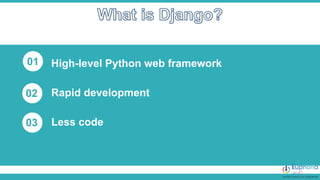
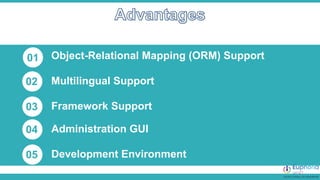
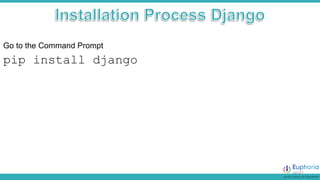
This document provides an introduction to Django, a high-level Python web framework that supports rapid development with features such as ORM and multilingual support. It outlines steps for installing Django, creating a project, and setting up applications with URL configurations, views, and static files. Additionally, it describes how to serve HTML files and static content effectively within a Django project.






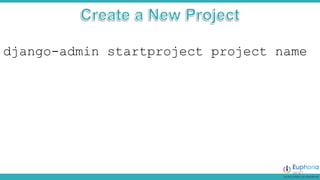
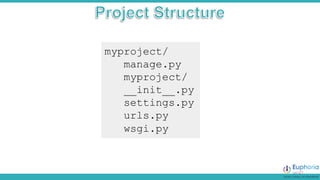
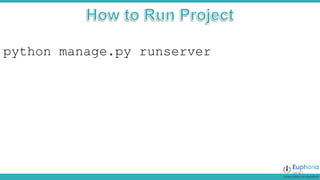
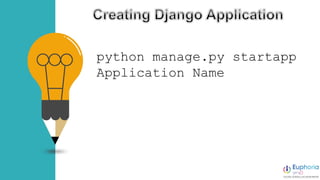
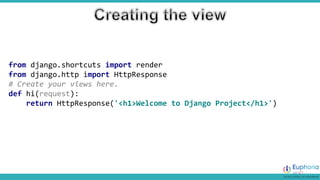
![At first you have to be create a urls.py file in your app
from django.urls import path
from . import views #import the view
urlpatterns = [
path('', views.hi,name='Home-page'),
path(‘about', views.about,name=‘About-page'),
]](https://image.slidesharecdn.com/django2-240215164929-8c0c810c/85/Django-is-a-high-level-Python-web-framework-that-enables-rapid-development-of-secure-and-scalable-web-applications-23-320.jpg)
![Add your app url in your project
from django.contrib import admin
from django.urls import path, include
urlpatterns = [
path('admin/', admin.site.urls),
path('', include('myapp.urls'))
]](https://image.slidesharecdn.com/django2-240215164929-8c0c810c/85/Django-is-a-high-level-Python-web-framework-that-enables-rapid-development-of-secure-and-scalable-web-applications-24-320.jpg)

![1. Open settings.py
2. Install the apps
INSTALLED_APPS = [
'myapp.apps.MyappConfig',
]](https://image.slidesharecdn.com/django2-240215164929-8c0c810c/85/Django-is-a-high-level-Python-web-framework-that-enables-rapid-development-of-secure-and-scalable-web-applications-28-320.jpg)




![Getting Started with Apache Spark: Big Data Made Simple [Free Meetup]](https://cdn.slidesharecdn.com/ss_thumbnails/apachesparkgettingstarted-260203175547-8361bcc3-thumbnail.jpg?width=640&height=640&fit=bounds)


