Dr. Harish Kumar B T, Dept of CSE, BIT, Bangalore
Chapter 9
Dictionaries
Dr. Harish Kumar B T, Dept of CSE, BIT, Bangalore
Dictionaries
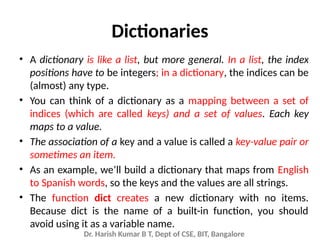
• A dictionary is like a list, but more general. In a list, the index
positions have to be integers; in a dictionary, the indices can be
(almost) any type.
• You can think of a dictionary as a mapping between a set of
indices (which are called keys) and a set of values. Each key
maps to a value.
• The association of a key and a value is called a key-value pair or
sometimes an item.
• As an example, we’ll build a dictionary that maps from English
to Spanish words, so the keys and the values are all strings.
• The function dict creates a new dictionary with no items.
Because dict is the name of a built-in function, you should
avoid using it as a variable name.
Dr. Harish Kumar B T, Dept of CSE, BIT, Bangalore
>>> eng2sp = dict()
>>> print(eng2sp)
{}
• The curly brackets, {}, represent an empty dictionary. To
add items to the dictionary, you can use square
brackets:
>>> eng2sp['one'] = 'uno'
• This line creates an item that maps from the key ’one’ to
the value “uno”. If we print the dictionary again, we see
a key-value pair with a colon between the key and
value:
>>> print(eng2sp)
{'one': 'uno'}
Dr. Harish Kumar B T, Dept of CSE, BIT, Bangalore
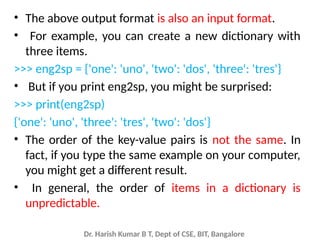
• The above output format is also an input format.
• For example, you can create a new dictionary with
three items.
>>> eng2sp = {'one': 'uno', 'two': 'dos', 'three': 'tres'}
• But if you print eng2sp, you might be surprised:
>>> print(eng2sp)
{'one': 'uno', 'three': 'tres', 'two': 'dos'}
• The order of the key-value pairs is not the same. In
fact, if you type the same example on your computer,
you might get a different result.
• In general, the order of items in a dictionary is
unpredictable.
Dr. Harish Kumar B T, Dept of CSE, BIT, Bangalore
• You use the keys to look up the corresponding
values:
>>> print(eng2sp['two'])
'dos’
• The key ’two’ always maps to the value “dos” so
the order of the items doesn’t matter.
• If the key isn’t in the dictionary, you get an
exception:
>>> print(eng2sp['four'])
KeyError: 'four'
Dr. Harish Kumar B T, Dept of CSE, BIT, Bangalore
• The len function works on dictionaries; it returns
the number of key-value pairs:
>>> len(eng2sp)
3
• The in operator works on dictionaries; by default it
tells you whether something appears as a key in the
dictionary (appearing as a value is not by default).
>>> 'one' in eng2sp
True
>>> 'uno' in eng2sp
False
Dr. Harish Kumar B T, Dept of CSE, BIT, Bangalore
• To see whether something appears as a value
in a dictionary, you can use the method values,
which returns the values as a list, and then use
the in operator:
>>> vals = list(eng2sp.values())
>>> 'uno' in vals
True
Dr. Harish Kumar B T, Dept of CSE, BIT, Bangalore
In operator
• The in operator uses different algorithms for lists
and dictionaries.
• For lists, it uses a linear search algorithm. As the
list gets longer, the search time gets longer in
direct proportion to the length of the list.
• For dictionaries, Python uses an algorithm called a
hash table that has a remarkable property: the in
operator takes about the same amount of time no
matter how many items there are in a dictionary.
Dr. Harish Kumar B T, Dept of CSE, BIT, Bangalore
sorted() function
• sorted(iterable, key, reverse)
• sorted() takes two three parameters:
• iterable - sequence (string, tuple, list) or collection (set, dictionary,
frozen set) or any iterator
• reverse (Optional) - If true, the sorted list is reversed (or sorted in
ASC order)
• key (Optional) - function that serves as a key for the sort comparison.
pyList = ['e', 'a', 'u', 'o', 'i']
print(sorted(pyList))
['a', 'e', 'i', 'o', 'u']
print(sorted(pyList,reverse=True))
['u', 'o', 'i', 'e', 'a']
Dr. Harish Kumar B T, Dept of CSE, BIT, Bangalore
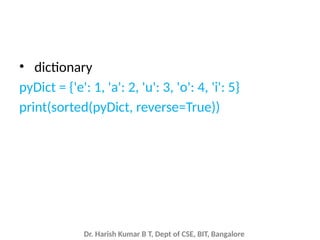
• dictionary
pyDict = {'e': 1, 'a': 2, 'u': 3, 'o': 4, 'i': 5}
print(sorted(pyDict, reverse=True))
Dr. Harish Kumar B T, Dept of CSE, BIT, Bangalore
Custom Sorting using the key parameter
• sorted() function has an optional parameter
called ‘key’ which takes a function as its value.
This key function transforms each element
before sorting, it takes the value and returns 1
value which is then used within sort instead of
the original value.
Dr. Harish Kumar B T, Dept of CSE, BIT, Bangalore
Example
• For example, if we pass a list of strings in
sorted(), it gets sorted alphabetically .
• But if we specify key = len, i.e. give len
function as key, then the strings would be
passed to len, and the value it returns, i.e. the
length of strings will be sorted.
• Which means that the strings would be sorted
based on their lengths instead
Dr. Harish Kumar B T, Dept of CSE, BIT, Bangalore
L = ["cccc", "b", "dd", "aaa"]
Print(“Normal sort :", sorted(L))
print ("Sort with len :", sorted(L, key = len))
Output :
Normal sort : ['aaa', 'b', 'cccc', 'dd']
Sort with len : ['b', 'dd', 'aaa', 'cccc']
Dr. Harish Kumar B T, Dept of CSE, BIT, Bangalore
• Key also takes user-defined functions as its value
for the basis of sorting.
# Sort a list of integers based on
# their remainder on dividing from 7
def func(x):
return x % 7
L = [15, 3, 11, 7]
print "Normal sort :", sorted(L)
print "Sorted with key:", sorted(L, key = func)
Output :
Normal sort : [3, 7, 11, 15]
Sorted with key: [7, 15, 3, 11]
Dr. Harish Kumar B T, Dept of CSE, BIT, Bangalore
Example: Sorting based on more than one
value.
a = []
def fun(v):
return (v[1],v[2])
# create the table (name, age, job)
a.append(["Nick", 30, "Doctor"])
a.append(["John", 8, "Student"])
a.append(["Paul", 8,"Car Dealer"])
a.append(["Mark", 66, "Retired"])
a.sort(key=fun)
print(a)
Output:
[['Paul', 8, 'Car Dealer'], ['John', 8, 'Student'], ['Nick', 30, 'Doctor'], ['Mark', 66, 'Retired']]
Dr. Harish Kumar B T, Dept of CSE, BIT, Bangalore
Sort() vs sorted()
• sorted() returns a new sorted list, leaving the original list unaffected.
• sort() sorts the list in-place, mutating the list indices, and
returns None (like all in-place operations).
• Sort() works only with the lists.
• sorted() works on any iterable, not just lists. Works on Strings, tuples,
dictionaries etc and returns a list containing all elements, sorted.
• Use list.sort() when you want to mutate the list, sorted() when you
want a new sorted object back and iterable is not list.
• For lists, list.sort() is faster than sorted() because it doesn't have to
create a copy. For any other iterable, you have no choice.
• You cannot retrieve the original positions. Once you
called list.sort() the original order is gone.
• You can retrieve the original positions after the call to sorted() using
the original object.
Dr. Harish Kumar B T, Dept of CSE, BIT, Bangalore
Operator module
• Operator is a built-in module providing a set of
convenient operators.
• The function operator.itemgetter(n) constructs
a callable that assumes an iterable object (e.g.
list, tuple, set) as input, and fetches the n-th
element out of it.
Dr. Harish Kumar B T, Dept of CSE, BIT, Bangalore
Example:
a = []
# create the table (name, age, job)
a.append(["Nick", 30, "Doctor"])
a.append(["John", 8, "Student"])
a.append(["Paul", 22, "Car Dealer"])
a.append(["Mark", 66, "Retired"])
# sort the table by age
import operator
a.sort(key=operator.itemgetter(1))
# print the table
print(a)
Output:
[['John', 8, 'Student'], ['Paul', 22, 'Car Dealer'], ['Nick', 30, 'Doctor'], ['Mark',
66, 'Retired']]
Dr. Harish Kumar B T, Dept of CSE, BIT, Bangalore
Example 1.py
• Write a Python program to sort (ascending
and descending) a dictionary by value.
Dr. Harish Kumar B T, Dept of CSE, BIT, Bangalore
1.py
import operator
d = {'1': 2, '3': 4, '4': 3, '2': 1, '0': 0}
print('Original dictionary : ',d)
sorted_d = sorted(d.items(), key=operator.itemgetter(1))
print('Dictionary in ascending order by value : ',sorted_d)
sorted_d = sorted(d.items(), key=operator.itemgetter(1),reverse=True)
print('Dictionary in descending order by value : ',sorted_d)
Dr. Harish Kumar B T, Dept of CSE, BIT, Bangalore
Dictionary Methods
• Update()
• Keys()
• Values()
• Items()
• Has_key()
• Clear()
• Copy()
Dr. Harish Kumar B T, Dept of CSE, BIT, Bangalore
Update()
• The update() method updates the dictionary
with the elements from the another dictionary
object or from an iterable of key/value pairs.
• The update() method adds element(s) to the
dictionary if the key is not in the dictionary. If the
key is in the dictionary, it updates the key with
the new value.
The syntax of update() is:
dict.update([other])
Dr. Harish Kumar B T, Dept of CSE, BIT, Bangalore
update() Parameters
• The update() method takes either a dictionary
or an iterable object of key/value pairs
(generally tuples).
• If update() is called without passing
parameters, the dictionary remains
unchanged.
Dr. Harish Kumar B T, Dept of CSE, BIT, Bangalore
Return Value from update()
• The update() method updates the dictionary
with elements from a dictionary object or an
iterable object of key/value pairs.
• It doesn't return any value (returns None).
Dr. Harish Kumar B T, Dept of CSE, BIT, Bangalore
Example-1
d = {1: "one", 3: "three"}
d1 = {2: "two"}
# updates the value of key 2
d.update(d1)
print(d)
d1 = {3: "three"}
# adds element with key 3
d.update(d1)
print(d)
OutPut:
{1: 'one', 2: 'two'}
{1: 'one', 2: 'two', 3: 'three'}
Dr. Harish Kumar B T, Dept of CSE, BIT, Bangalore
Example-2
d = {'x': 2}
d.update(y = 3, z = 0)
print(d)
Output:
{'x': 2, 'y': 3, 'z': 0}
Dr. Harish Kumar B T, Dept of CSE, BIT, Bangalore
Keys()
• keys method takes a dictionary and returns a list of the keys that
appear, but instead of the function syntax keys(eng2sp), we use
the method syntax eng2sp.keys().
keys() Parameters
• The keys() doesn't take any parameters.
>>> eng2sp.keys()
['one', 'three', 'two']
• A method call is called an invocation; in this case, we say that we
are invoking methods keys on the object eng2sp.
Dr. Harish Kumar B T, Dept of CSE, BIT, Bangalore
Keys(): Example-1
person = {'name': 'Phill', 'age': 22, 'salary': 3500.0}
print(person.keys())
empty_dict = {}
print(empty_dict.keys())
Output:
dict_keys(['name', 'age', 'salary'])
dict_keys([])
Dr. Harish Kumar B T, Dept of CSE, BIT, Bangalore
Keys(): Example-2
How keys() works when dictionary is updated?
person = {'name': 'Phill', 'age': 22, }
print('Before dictionary is updated')
keys = person.keys()
print(keys)
# adding an element to the dictionary
person.update({'salary': 3500.0})
print('nAfter dictionary is updated')
print(keys)
Output:
Before dictionary is updated
dict_keys(['name', 'age'])
After dictionary is updated
dict_keys(['name', 'age', 'salary'])
Dr. Harish Kumar B T, Dept of CSE, BIT, Bangalore
Values()
• The values method is similar; it returns a list of
the values in the dictionary:
>>> eng2sp.values()
['uno', 'tres', 'dos']
values() Parameters
• The values() method doesn't take any parameters.
Return value from values()
• The values() method returns a view object that
displays a list of all values in a given dictionary.
Dr. Harish Kumar B T, Dept of CSE, BIT, Bangalore
Example 1: Get all values from the dictionary
# random sales dictionary
sales = { 'apple': 2, 'orange': 3, 'grapes': 4 }
print(sales.values())
Output:
dict_values([2, 3, 4])
Dr. Harish Kumar B T, Dept of CSE, BIT, Bangalore
Example 2: How values() works when dictionary is modified?
# random sales dictionary
sales = { 'apple': 2, 'orange': 3, 'grapes': 4 }
values = sales.values()
print('Original items:', values)
# delete an item from dictionary
del[sales['apple']]
print('Updated items:', values)
Output:
Original items: dict_values([2, 3, 4])
Updated items: dict_values([3, 4])
Dr. Harish Kumar B T, Dept of CSE, BIT, Bangalore
Items()
• The items() method returns a view object that
displays a list of dictionary's (key, value) tuple pairs.
• The items() method is similar to
dictionary's viewitems() method in Python 2.7
items() Parameters
• The items() method doesn't take any parameters.
Return value from items()
• The items() method returns a view object that displays
a list of a given dictionary's (key, value) tuple pair.
>>> eng2sp.items()
[('one','uno'), ('three', 'tres'), ('two', 'dos')]
Dr. Harish Kumar B T, Dept of CSE, BIT, Bangalore
Example 1: Get all items of a dictionary with items()
# random sales dictionary
sales = { 'apple': 2, 'orange': 3, 'grapes': 4 }
print(sales.items())
Output:
dict_items([('apple', 2), ('orange', 3), ('grapes',
4)])
Dr. Harish Kumar B T, Dept of CSE, BIT, Bangalore
Example 2: How items() works when a dictionary is modified?
# random sales dictionary
sales = { 'apple': 2, 'orange': 3, 'grapes': 4 }
items = sales.items()
print('Original items:', items)
# delete an item from dictionary
del[sales['apple']]
print('Updated items:', items)
Output:
Original items: dict_items([('apple', 2), ('orange', 3), ('grapes', 4)])
Updated items: dict_items([('orange', 3), ('grapes', 4)])
Dr. Harish Kumar B T, Dept of CSE, BIT, Bangalore
has_key()
• The method has_key() returns true if a given key is available in the
dictionary, otherwise it returns a false.
Syntax
• Following is the syntax for has_key() method −
dict.has_key(key)
Parameters
• key − This is the Key to be searched in the dictionary.
Return Value
• This method return true if a given key is available in the dictionary,
otherwise it returns a false.
NOTE: has_key is removed in python 3.x and was present in python
versions earlier than 2.3
Dr. Harish Kumar B T, Dept of CSE, BIT, Bangalore
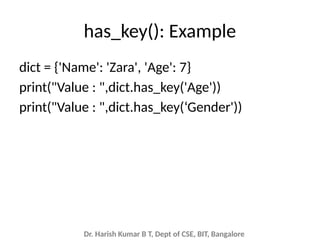
has_key(): Example
dict = {'Name': 'Zara', 'Age': 7}
print("Value : ",dict.has_key('Age'))
print("Value : ",dict.has_key(‘Gender'))
Dr. Harish Kumar B T, Dept of CSE, BIT, Bangalore
Clear()
• The clear() method removes all items from
the dictionary.
The syntax of clear() is:
dict.clear()
• clear() Parameters
The clear() method doesn't take any parameters.
• Return Value from clear()
The clear() method doesn't return any value
(returns None).
Dr. Harish Kumar B T, Dept of CSE, BIT, Bangalore
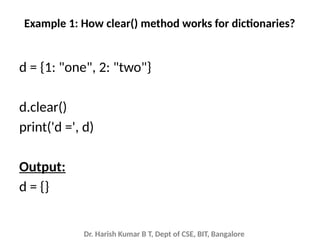
Example 1: How clear() method works for dictionaries?
d = {1: "one", 2: "two"}
d.clear()
print('d =', d)
Output:
d = {}
Dr. Harish Kumar B T, Dept of CSE, BIT, Bangalore
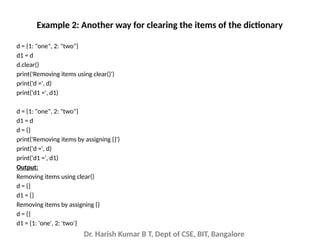
Example 2: Another way for clearing the items of the dictionary
• You can also remove all elements from the
dictionary by assigning empty dictionary {}.
• However, there is a difference between
calling clear() and assigning {} if there is
another variable referencing the dictionary.
Dr. Harish Kumar B T, Dept of CSE, BIT, Bangalore
d = {1: "one", 2: "two"}
d1 = d
d.clear()
print('Removing items using clear()')
print('d =', d)
print('d1 =', d1)
d = {1: "one", 2: "two"}
d1 = d
d = {}
print('Removing items by assigning {}')
print('d =', d)
print('d1 =', d1)
Output:
Removing items using clear()
d = {}
d1 = {}
Removing items by assigning {}
d = {}
d1 = {1: 'one', 2: 'two'}
Example 2: Another way for clearing the items of the dictionary
Dr. Harish Kumar B T, Dept of CSE, BIT, Bangalore
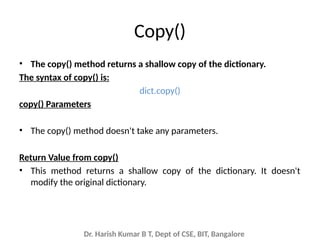
Copy()
• The copy() method returns a shallow copy of the dictionary.
The syntax of copy() is:
dict.copy()
copy() Parameters
• The copy() method doesn't take any parameters.
Return Value from copy()
• This method returns a shallow copy of the dictionary. It doesn't
modify the original dictionary.
Dr. Harish Kumar B T, Dept of CSE, BIT, Bangalore
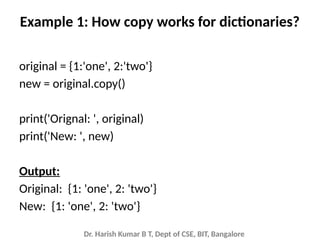
Example 1: How copy works for dictionaries?
original = {1:'one', 2:'two'}
new = original.copy()
print('Orignal: ', original)
print('New: ', new)
Output:
Original: {1: 'one', 2: 'two'}
New: {1: 'one', 2: 'two'}
Dr. Harish Kumar B T, Dept of CSE, BIT, Bangalore
Difference in Using copy() method, and = Operator to Copy
Dictionaries
• When copy() method is used, a new dictionary
is created which is filled with a copy of the
references from the original dictionary.
• When = operator is used, a new reference to
the original dictionary is created.
Dr. Harish Kumar B T, Dept of CSE, BIT, Bangalore
Example 2: Using = Operator to Copy Dictionaries
original = {1:'one', 2:'two'}
new = original
# removing all elements from the list
new.clear()
print('new: ', new)
print('original: ', original)
Output:
new: {}
original: {}
Note: Here, when the new dictionary is cleared, the original dictionary is also
cleared.
Dr. Harish Kumar B T, Dept of CSE, BIT, Bangalore
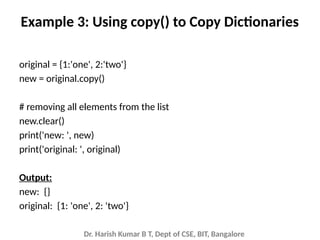
Example 3: Using copy() to Copy Dictionaries
original = {1:'one', 2:'two'}
new = original.copy()
# removing all elements from the list
new.clear()
print('new: ', new)
print('original: ', original)
Output:
new: {}
original: {1: 'one', 2: 'two'}
Dr. Harish Kumar B T, Dept of CSE, BIT, Bangalore
Copy() and deepcopy() in copy module
• copy()  shallow copy
• deepcopy() deep copy
Dr. Harish Kumar B T, Dept of CSE, BIT, Bangalore
Copy an Object in Python
• In Python, we use = operator to create a copy
of an object. You may think that this creates a
new object; it doesn't. It only creates a new
variable that shares the reference of the
original object.
• Let's take an example where we create a list
named old_list and pass an object reference
to new_list using = operator.
Dr. Harish Kumar B T, Dept of CSE, BIT, Bangalore
Example 1: Copy using = operator
old_list = [[1, 2, 3], [4, 5, 6], [7, 8, 'a']]
new_list = old_list
new_list[2][2] = 9
print('Old List:', old_list)
print('ID of Old List:', id(old_list))
print('New List:', new_list)
print('ID of New List:', id(new_list))
Output:
Old List: [[1, 2, 3], [4, 5, 6], [7, 8, 9]]
ID of Old List: 983119760520
New List: [[1, 2, 3], [4, 5, 6], [7, 8, 9]]
ID of New List: 983119760520
Dr. Harish Kumar B T, Dept of CSE, BIT, Bangalore
Copy Module
• Essentially, sometimes you may want to have
the original values unchanged and only modify
the new values or vice versa. In Python, there
are two ways to create copies:
• Shallow Copy
• Deep Copy
• To make these copy work, we use
the copy module.
Dr. Harish Kumar B T, Dept of CSE, BIT, Bangalore
Shallow Copy
• A shallow copy creates a new object which
stores the reference of the original elements.
• So, a shallow copy doesn't create a copy of
nested objects, instead it just copies the
reference of nested objects. This means, a
copy process does not recurse or create copies
of nested objects itself.
Dr. Harish Kumar B T, Dept of CSE, BIT, Bangalore
Example 2: Create a copy using shallow copy
import copy
old_list = [[1, 2, 3], [4, 5, 6], [7, 8, 9]]
new_list = copy.copy(old_list)
print("Old list:", old_list)
print("New list:", new_list)
Output:
Old list: [[1, 2, 3], [4, 5, 6], [7, 8, 9]]
New list: [[1, 2, 3], [4, 5, 6], [7, 8, 9]]
Dr. Harish Kumar B T, Dept of CSE, BIT, Bangalore
Example 3: Adding [4, 4, 4] to old_list, using shallow copy
import copy
old_list = [[1, 1, 1], [2, 2, 2], [3, 3, 3]]
new_list = copy.copy(old_list)
old_list.append([4, 4, 4])
print("Old list:", old_list)
print("New list:", new_list)
Output:
Old list: [[1, 1, 1], [2, 2, 2], [3, 3, 3], [4, 4, 4]]
New list: [[1, 1, 1], [2, 2, 2], [3, 3, 3]]
Dr. Harish Kumar B T, Dept of CSE, BIT, Bangalore
Example 4: Adding new nested object using Shallow copy
import copy
old_list = [[1, 1, 1], [2, 2, 2], [3, 3, 3]]
new_list = copy.copy(old_list)
old_list[1][1] = 'AA'
print("Old list:", old_list)
print("New list:", new_list)
Output:
Old list: [[1, 1, 1], [2, 'AA', 2], [3, 3, 3]]
New list: [[1, 1, 1], [2, 'AA', 2], [3, 3, 3]]
Dr. Harish Kumar B T, Dept of CSE, BIT, Bangalore
Deep Copy
• A deep copy creates a new object and
recursively adds the copies of nested objects
present in the orig
• The deep copy creates independent copy of
original object and all its nested objects.
Dr. Harish Kumar B T, Dept of CSE, BIT, Bangalore
Example 5: Copying a list using deepcopy()
import copy
old_list = [[1, 1, 1], [2, 2, 2], [3, 3, 3]]
new_list = copy.deepcopy(old_list)
print("Old list:", old_list)
print("New list:", new_list)
Output:
Old list: [[1, 1, 1], [2, 2, 2], [3, 3, 3]]
New list: [[1, 1, 1], [2, 2, 2], [3, 3, 3]]
Dr. Harish Kumar B T, Dept of CSE, BIT, Bangalore
Example 6: Adding a new nested object in the list using Deep copy
import copy
old_list = [[1, 1, 1], [2, 2, 2], [3, 3, 3]]
new_list = copy.deepcopy(old_list)
old_list[1][0] = 'BB'
print("Old list:", old_list)
print("New list:", new_list)
Output:
Old list: [[1, 1, 1], ['BB', 2, 2], [3, 3, 3]]
New list: [[1, 1, 1], [2, 2, 2], [3, 3, 3]]
Dr. Harish Kumar B T, Dept of CSE, BIT, Bangalore
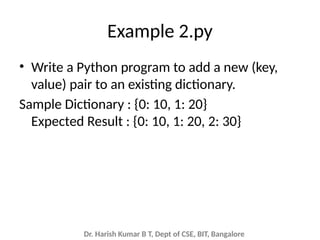
Example 2.py
• Write a Python program to add a new (key,
value) pair to an existing dictionary.
Sample Dictionary : {0: 10, 1: 20}
Expected Result : {0: 10, 1: 20, 2: 30}
Dr. Harish Kumar B T, Dept of CSE, BIT, Bangalore
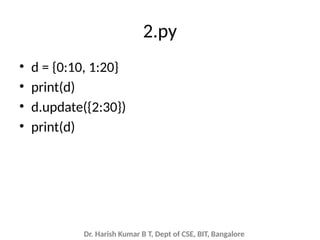
2.py
• d = {0:10, 1:20}
• print(d)
• d.update({2:30})
• print(d)
Dr. Harish Kumar B T, Dept of CSE, BIT, Bangalore
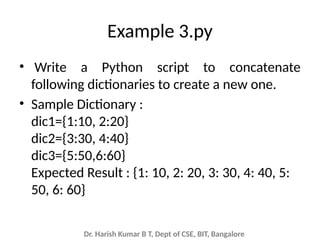
Example 3.py
• Write a Python script to concatenate
following dictionaries to create a new one.
• Sample Dictionary :
dic1={1:10, 2:20}
dic2={3:30, 4:40}
dic3={5:50,6:60}
Expected Result : {1: 10, 2: 20, 3: 30, 4: 40, 5:
50, 6: 60}
Dr. Harish Kumar B T, Dept of CSE, BIT, Bangalore
3.py
• dic1={1:10, 2:20}
• dic2={3:30, 4:40}
• dic3={5:50,6:60}
• dic4 = {}
• for d in (dic1, dic2, dic3):
dic4.update(d)
• print(dic4)
Dr. Harish Kumar B T, Dept of CSE, BIT, Bangalore
Example 4.py
• Write a Python program to check if a given key
already exists in a dictionary.
Dr. Harish Kumar B T, Dept of CSE, BIT, Bangalore
4.py
d = {1: 10, 2: 20, 3: 30, 4: 40, 5: 50, 6: 60}
def is_key_present(x):
if x in d:
print('Key %s is present in the dictionary' % x)
else:
print('Key %s is not present in the dictionary' % x)
is_key_present(5)
is_key_present(9)
Dr. Harish Kumar B T, Dept of CSE, BIT, Bangalore
Example 5.y
• Write a Python program to remove a key from
a dictionary.
Dr. Harish Kumar B T, Dept of CSE, BIT, Bangalore
5.py
• myDict = {'a':1,'b':2,'c':3,'d':4}
• print(myDict)
• if 'a' in myDict:
• del myDict['a']
• print(myDict)
Dr. Harish Kumar B T, Dept of CSE, BIT, Bangalore
Example 6.py
• Write a python program to register
participants to events. The program should
use functions addparticipants() and
viewparticipants() functions defined and
included as module in main program. If a
participant has already registered the program
should say already registered.
Dr. Harish Kumar B T, Dept of CSE, BIT, Bangalore
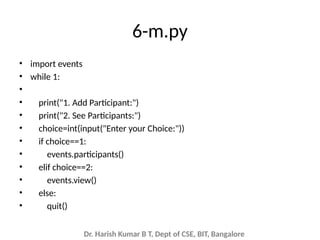
6-m.py
• import events
• while 1:
•
• print("1. Add Participant:")
• print("2. See Participants:")
• choice=int(input("Enter your Choice:"))
• if choice==1:
• events.participants()
• elif choice==2:
• events.view()
• else:
• quit()
Dr. Harish Kumar B T, Dept of CSE, BIT, Bangalore
• events.py
• import csv
• from tabulate import tabulate
• dict={}
• def participants():
• print("Enter Participant Details:")
• name=input("Enter Name of the Participant")
• eventname=input("Enter Event name:")
• with open("data.csv","a", newline="") as myfile:
• wr=csv.writer(myfile,dialect="excel")
• if name not in dict.keys():
• dict[name]={'event':eventname}
• print(dict)
• wr.writerow([name,eventname])
• else:
• print("Already Registered")
•
•
•
• def view():
• print("Participant Details")
• with open("data.csv","r") as myfile: #
• #wr=csv.writer(myfile,dialect="excel")
• #wr.writerow([name,gender,email])
• reader=csv.reader(myfile)
• for row in reader:
• # print(row[0], row[1])
• print(tabulate(reader,tablefmt="simple"))
Dr. Harish Kumar B T, Dept of CSE, BIT, Bangalore
Dictionary as a set of counters
• word = 'brontosaurus'
• d=dict()
• for c in word:
• if c not in d:
• d[c] = 1
• else:
• d[c] = d[c] + 1
• print(d)
Here’s the output of the program:
{'a': 1, 'b': 1, 'o': 2, 'n': 1, 's': 2, 'r': 2, 'u': 2, 't': 1}
Dr. Harish Kumar B T, Dept of CSE, BIT, Bangalore
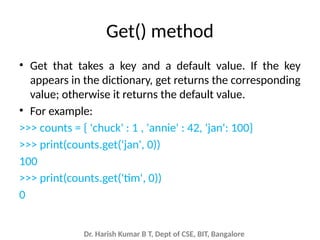
Get() method
• Get that takes a key and a default value. If the key
appears in the dictionary, get returns the corresponding
value; otherwise it returns the default value.
• For example:
>>> counts = { 'chuck' : 1 , 'annie' : 42, 'jan': 100}
>>> print(counts.get('jan', 0))
100
>>> print(counts.get('tim', 0))
0
Dr. Harish Kumar B T, Dept of CSE, BIT, Bangalore
• word = 'brontosaurus'
• d = dict()
• for c in word:
d[c] = d.get(c,0) + 1
• print(d)
Dr. Harish Kumar B T, Dept of CSE, BIT, Bangalore
Example 7.py
• fname = input('Enter the file name: ')
• try:
• fhand = open(fname)
• except:
• print('File cannot be opened:', fname)
• exit()
• counts = dict()
• for line in fhand:
• words = line.split()
• for word in words:
• if word not in counts:
• counts[word] = 1
• else:
• counts[word] += 1
• print(counts)
Dr. Harish Kumar B T, Dept of CSE, BIT, Bangalore
Looping and dictionaries
• For loop traverses the keys of the dictionary. This
loop prints each key and the corresponding value:
• counts = { 'chuck' : 1 , 'annie' : 42, 'jan': 100}
• for key in counts:
print(key, counts[key])
• Here’s what the output looks like:
• jan 100
• chuck 1
• annie 42
Dr. Harish Kumar B T, Dept of CSE, BIT, Bangalore
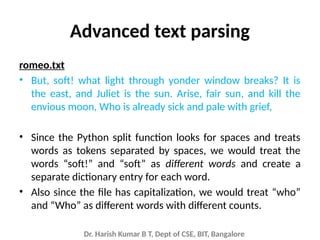
Advanced text parsing
romeo.txt
• But, soft! what light through yonder window breaks? It is
the east, and Juliet is the sun. Arise, fair sun, and kill the
envious moon, Who is already sick and pale with grief,
• Since the Python split function looks for spaces and treats
words as tokens separated by spaces, we would treat the
words “soft!” and “soft” as different words and create a
separate dictionary entry for each word.
• Also since the file has capitalization, we would treat “who”
and “Who” as different words with different counts.
Dr. Harish Kumar B T, Dept of CSE, BIT, Bangalore
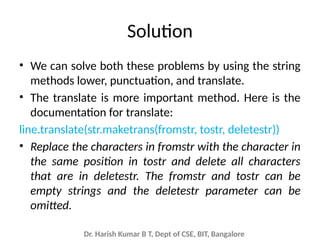
Solution
• We can solve both these problems by using the string
methods lower, punctuation, and translate.
• The translate is more important method. Here is the
documentation for translate:
line.translate(str.maketrans(fromstr, tostr, deletestr))
• Replace the characters in fromstr with the character in
the same position in tostr and delete all characters
that are in deletestr. The fromstr and tostr can be
empty strings and the deletestr parameter can be
omitted.
Dr. Harish Kumar B T, Dept of CSE, BIT, Bangalore
Example
# first string
firstString = "abc"
secondString = "ghi"
thirdString = "ab"
string = "abcdef"
print("Original string:", string)
translation = string.maketrans(firstString, secondString, thirdString)
# translate string
print("Translated string:", string.translate(translation))
Output
Original string: abcdef
Translated string: idef
Dr. Harish Kumar B T, Dept of CSE, BIT, Bangalore
• Python tell us the list of characters that it
considers as “punctuation”:
>>> import string
>>> string.punctuation
'!"#$%&'()*+,-./:;<=>?@[]^_`{|}~'
Dr. Harish Kumar B T, Dept of CSE, BIT, Bangalore
Updated Program
• import string
• fname = input('Enter the file name: ')
• try:
• fhand = open(fname)
• except:
• print('File cannot be opened:', fname)
• exit()
• counts = dict()
• for line in fhand:
• line = line.rstrip()
• line = line.translate(line.maketrans('', '', string.punctuation))
• line = line.lower()
• words = line.split()
• for word in words:
• if word not in counts:
• counts[word] = 1
• else:
• counts[word] += 1
• print(counts)

DictionariesPython Programming.One of the datatypes of Python which explains the dictionary methods and examples.pptx

  • 1.
    Dr. Harish KumarB T, Dept of CSE, BIT, Bangalore Chapter 9 Dictionaries
  • 2.
    Dr. Harish KumarB T, Dept of CSE, BIT, Bangalore Dictionaries • A dictionary is like a list, but more general. In a list, the index positions have to be integers; in a dictionary, the indices can be (almost) any type. • You can think of a dictionary as a mapping between a set of indices (which are called keys) and a set of values. Each key maps to a value. • The association of a key and a value is called a key-value pair or sometimes an item. • As an example, we’ll build a dictionary that maps from English to Spanish words, so the keys and the values are all strings. • The function dict creates a new dictionary with no items. Because dict is the name of a built-in function, you should avoid using it as a variable name.
  • 3.
    Dr. Harish KumarB T, Dept of CSE, BIT, Bangalore >>> eng2sp = dict() >>> print(eng2sp) {} • The curly brackets, {}, represent an empty dictionary. To add items to the dictionary, you can use square brackets: >>> eng2sp['one'] = 'uno' • This line creates an item that maps from the key ’one’ to the value “uno”. If we print the dictionary again, we see a key-value pair with a colon between the key and value: >>> print(eng2sp) {'one': 'uno'}
  • 4.
    Dr. Harish KumarB T, Dept of CSE, BIT, Bangalore • The above output format is also an input format. • For example, you can create a new dictionary with three items. >>> eng2sp = {'one': 'uno', 'two': 'dos', 'three': 'tres'} • But if you print eng2sp, you might be surprised: >>> print(eng2sp) {'one': 'uno', 'three': 'tres', 'two': 'dos'} • The order of the key-value pairs is not the same. In fact, if you type the same example on your computer, you might get a different result. • In general, the order of items in a dictionary is unpredictable.
  • 5.
    Dr. Harish KumarB T, Dept of CSE, BIT, Bangalore • You use the keys to look up the corresponding values: >>> print(eng2sp['two']) 'dos’ • The key ’two’ always maps to the value “dos” so the order of the items doesn’t matter. • If the key isn’t in the dictionary, you get an exception: >>> print(eng2sp['four']) KeyError: 'four'
  • 6.
    Dr. Harish KumarB T, Dept of CSE, BIT, Bangalore • The len function works on dictionaries; it returns the number of key-value pairs: >>> len(eng2sp) 3 • The in operator works on dictionaries; by default it tells you whether something appears as a key in the dictionary (appearing as a value is not by default). >>> 'one' in eng2sp True >>> 'uno' in eng2sp False
  • 7.
    Dr. Harish KumarB T, Dept of CSE, BIT, Bangalore • To see whether something appears as a value in a dictionary, you can use the method values, which returns the values as a list, and then use the in operator: >>> vals = list(eng2sp.values()) >>> 'uno' in vals True
  • 8.
    Dr. Harish KumarB T, Dept of CSE, BIT, Bangalore In operator • The in operator uses different algorithms for lists and dictionaries. • For lists, it uses a linear search algorithm. As the list gets longer, the search time gets longer in direct proportion to the length of the list. • For dictionaries, Python uses an algorithm called a hash table that has a remarkable property: the in operator takes about the same amount of time no matter how many items there are in a dictionary.
  • 9.
    Dr. Harish KumarB T, Dept of CSE, BIT, Bangalore sorted() function • sorted(iterable, key, reverse) • sorted() takes two three parameters: • iterable - sequence (string, tuple, list) or collection (set, dictionary, frozen set) or any iterator • reverse (Optional) - If true, the sorted list is reversed (or sorted in ASC order) • key (Optional) - function that serves as a key for the sort comparison. pyList = ['e', 'a', 'u', 'o', 'i'] print(sorted(pyList)) ['a', 'e', 'i', 'o', 'u'] print(sorted(pyList,reverse=True)) ['u', 'o', 'i', 'e', 'a']
  • 10.
    Dr. Harish KumarB T, Dept of CSE, BIT, Bangalore • dictionary pyDict = {'e': 1, 'a': 2, 'u': 3, 'o': 4, 'i': 5} print(sorted(pyDict, reverse=True))
  • 11.
    Dr. Harish KumarB T, Dept of CSE, BIT, Bangalore Custom Sorting using the key parameter • sorted() function has an optional parameter called ‘key’ which takes a function as its value. This key function transforms each element before sorting, it takes the value and returns 1 value which is then used within sort instead of the original value.
  • 12.
    Dr. Harish KumarB T, Dept of CSE, BIT, Bangalore Example • For example, if we pass a list of strings in sorted(), it gets sorted alphabetically . • But if we specify key = len, i.e. give len function as key, then the strings would be passed to len, and the value it returns, i.e. the length of strings will be sorted. • Which means that the strings would be sorted based on their lengths instead
  • 13.
    Dr. Harish KumarB T, Dept of CSE, BIT, Bangalore L = ["cccc", "b", "dd", "aaa"] Print(“Normal sort :", sorted(L)) print ("Sort with len :", sorted(L, key = len)) Output : Normal sort : ['aaa', 'b', 'cccc', 'dd'] Sort with len : ['b', 'dd', 'aaa', 'cccc']
  • 14.
    Dr. Harish KumarB T, Dept of CSE, BIT, Bangalore • Key also takes user-defined functions as its value for the basis of sorting. # Sort a list of integers based on # their remainder on dividing from 7 def func(x): return x % 7 L = [15, 3, 11, 7] print "Normal sort :", sorted(L) print "Sorted with key:", sorted(L, key = func) Output : Normal sort : [3, 7, 11, 15] Sorted with key: [7, 15, 3, 11]
  • 15.
    Dr. Harish KumarB T, Dept of CSE, BIT, Bangalore Example: Sorting based on more than one value. a = [] def fun(v): return (v[1],v[2]) # create the table (name, age, job) a.append(["Nick", 30, "Doctor"]) a.append(["John", 8, "Student"]) a.append(["Paul", 8,"Car Dealer"]) a.append(["Mark", 66, "Retired"]) a.sort(key=fun) print(a) Output: [['Paul', 8, 'Car Dealer'], ['John', 8, 'Student'], ['Nick', 30, 'Doctor'], ['Mark', 66, 'Retired']]
  • 16.
    Dr. Harish KumarB T, Dept of CSE, BIT, Bangalore Sort() vs sorted() • sorted() returns a new sorted list, leaving the original list unaffected. • sort() sorts the list in-place, mutating the list indices, and returns None (like all in-place operations). • Sort() works only with the lists. • sorted() works on any iterable, not just lists. Works on Strings, tuples, dictionaries etc and returns a list containing all elements, sorted. • Use list.sort() when you want to mutate the list, sorted() when you want a new sorted object back and iterable is not list. • For lists, list.sort() is faster than sorted() because it doesn't have to create a copy. For any other iterable, you have no choice. • You cannot retrieve the original positions. Once you called list.sort() the original order is gone. • You can retrieve the original positions after the call to sorted() using the original object.
  • 17.
    Dr. Harish KumarB T, Dept of CSE, BIT, Bangalore Operator module • Operator is a built-in module providing a set of convenient operators. • The function operator.itemgetter(n) constructs a callable that assumes an iterable object (e.g. list, tuple, set) as input, and fetches the n-th element out of it.
  • 18.
    Dr. Harish KumarB T, Dept of CSE, BIT, Bangalore Example: a = [] # create the table (name, age, job) a.append(["Nick", 30, "Doctor"]) a.append(["John", 8, "Student"]) a.append(["Paul", 22, "Car Dealer"]) a.append(["Mark", 66, "Retired"]) # sort the table by age import operator a.sort(key=operator.itemgetter(1)) # print the table print(a) Output: [['John', 8, 'Student'], ['Paul', 22, 'Car Dealer'], ['Nick', 30, 'Doctor'], ['Mark', 66, 'Retired']]
  • 19.
    Dr. Harish KumarB T, Dept of CSE, BIT, Bangalore Example 1.py • Write a Python program to sort (ascending and descending) a dictionary by value.
  • 20.
    Dr. Harish KumarB T, Dept of CSE, BIT, Bangalore 1.py import operator d = {'1': 2, '3': 4, '4': 3, '2': 1, '0': 0} print('Original dictionary : ',d) sorted_d = sorted(d.items(), key=operator.itemgetter(1)) print('Dictionary in ascending order by value : ',sorted_d) sorted_d = sorted(d.items(), key=operator.itemgetter(1),reverse=True) print('Dictionary in descending order by value : ',sorted_d)
  • 21.
    Dr. Harish KumarB T, Dept of CSE, BIT, Bangalore Dictionary Methods • Update() • Keys() • Values() • Items() • Has_key() • Clear() • Copy()
  • 22.
    Dr. Harish KumarB T, Dept of CSE, BIT, Bangalore Update() • The update() method updates the dictionary with the elements from the another dictionary object or from an iterable of key/value pairs. • The update() method adds element(s) to the dictionary if the key is not in the dictionary. If the key is in the dictionary, it updates the key with the new value. The syntax of update() is: dict.update([other])
  • 23.
    Dr. Harish KumarB T, Dept of CSE, BIT, Bangalore update() Parameters • The update() method takes either a dictionary or an iterable object of key/value pairs (generally tuples). • If update() is called without passing parameters, the dictionary remains unchanged.
  • 24.
    Dr. Harish KumarB T, Dept of CSE, BIT, Bangalore Return Value from update() • The update() method updates the dictionary with elements from a dictionary object or an iterable object of key/value pairs. • It doesn't return any value (returns None).
  • 25.
    Dr. Harish KumarB T, Dept of CSE, BIT, Bangalore Example-1 d = {1: "one", 3: "three"} d1 = {2: "two"} # updates the value of key 2 d.update(d1) print(d) d1 = {3: "three"} # adds element with key 3 d.update(d1) print(d) OutPut: {1: 'one', 2: 'two'} {1: 'one', 2: 'two', 3: 'three'}
  • 26.
    Dr. Harish KumarB T, Dept of CSE, BIT, Bangalore Example-2 d = {'x': 2} d.update(y = 3, z = 0) print(d) Output: {'x': 2, 'y': 3, 'z': 0}
  • 27.
    Dr. Harish KumarB T, Dept of CSE, BIT, Bangalore Keys() • keys method takes a dictionary and returns a list of the keys that appear, but instead of the function syntax keys(eng2sp), we use the method syntax eng2sp.keys(). keys() Parameters • The keys() doesn't take any parameters. >>> eng2sp.keys() ['one', 'three', 'two'] • A method call is called an invocation; in this case, we say that we are invoking methods keys on the object eng2sp.
  • 28.
    Dr. Harish KumarB T, Dept of CSE, BIT, Bangalore Keys(): Example-1 person = {'name': 'Phill', 'age': 22, 'salary': 3500.0} print(person.keys()) empty_dict = {} print(empty_dict.keys()) Output: dict_keys(['name', 'age', 'salary']) dict_keys([])
  • 29.
    Dr. Harish KumarB T, Dept of CSE, BIT, Bangalore Keys(): Example-2 How keys() works when dictionary is updated? person = {'name': 'Phill', 'age': 22, } print('Before dictionary is updated') keys = person.keys() print(keys) # adding an element to the dictionary person.update({'salary': 3500.0}) print('nAfter dictionary is updated') print(keys) Output: Before dictionary is updated dict_keys(['name', 'age']) After dictionary is updated dict_keys(['name', 'age', 'salary'])
  • 30.
    Dr. Harish KumarB T, Dept of CSE, BIT, Bangalore Values() • The values method is similar; it returns a list of the values in the dictionary: >>> eng2sp.values() ['uno', 'tres', 'dos'] values() Parameters • The values() method doesn't take any parameters. Return value from values() • The values() method returns a view object that displays a list of all values in a given dictionary.
  • 31.
    Dr. Harish KumarB T, Dept of CSE, BIT, Bangalore Example 1: Get all values from the dictionary # random sales dictionary sales = { 'apple': 2, 'orange': 3, 'grapes': 4 } print(sales.values()) Output: dict_values([2, 3, 4])
  • 32.
    Dr. Harish KumarB T, Dept of CSE, BIT, Bangalore Example 2: How values() works when dictionary is modified? # random sales dictionary sales = { 'apple': 2, 'orange': 3, 'grapes': 4 } values = sales.values() print('Original items:', values) # delete an item from dictionary del[sales['apple']] print('Updated items:', values) Output: Original items: dict_values([2, 3, 4]) Updated items: dict_values([3, 4])
  • 33.
    Dr. Harish KumarB T, Dept of CSE, BIT, Bangalore Items() • The items() method returns a view object that displays a list of dictionary's (key, value) tuple pairs. • The items() method is similar to dictionary's viewitems() method in Python 2.7 items() Parameters • The items() method doesn't take any parameters. Return value from items() • The items() method returns a view object that displays a list of a given dictionary's (key, value) tuple pair. >>> eng2sp.items() [('one','uno'), ('three', 'tres'), ('two', 'dos')]
  • 34.
    Dr. Harish KumarB T, Dept of CSE, BIT, Bangalore Example 1: Get all items of a dictionary with items() # random sales dictionary sales = { 'apple': 2, 'orange': 3, 'grapes': 4 } print(sales.items()) Output: dict_items([('apple', 2), ('orange', 3), ('grapes', 4)])
  • 35.
    Dr. Harish KumarB T, Dept of CSE, BIT, Bangalore Example 2: How items() works when a dictionary is modified? # random sales dictionary sales = { 'apple': 2, 'orange': 3, 'grapes': 4 } items = sales.items() print('Original items:', items) # delete an item from dictionary del[sales['apple']] print('Updated items:', items) Output: Original items: dict_items([('apple', 2), ('orange', 3), ('grapes', 4)]) Updated items: dict_items([('orange', 3), ('grapes', 4)])
  • 36.
    Dr. Harish KumarB T, Dept of CSE, BIT, Bangalore has_key() • The method has_key() returns true if a given key is available in the dictionary, otherwise it returns a false. Syntax • Following is the syntax for has_key() method − dict.has_key(key) Parameters • key − This is the Key to be searched in the dictionary. Return Value • This method return true if a given key is available in the dictionary, otherwise it returns a false. NOTE: has_key is removed in python 3.x and was present in python versions earlier than 2.3
  • 37.
    Dr. Harish KumarB T, Dept of CSE, BIT, Bangalore has_key(): Example dict = {'Name': 'Zara', 'Age': 7} print("Value : ",dict.has_key('Age')) print("Value : ",dict.has_key(‘Gender'))
  • 38.
    Dr. Harish KumarB T, Dept of CSE, BIT, Bangalore Clear() • The clear() method removes all items from the dictionary. The syntax of clear() is: dict.clear() • clear() Parameters The clear() method doesn't take any parameters. • Return Value from clear() The clear() method doesn't return any value (returns None).
  • 39.
    Dr. Harish KumarB T, Dept of CSE, BIT, Bangalore Example 1: How clear() method works for dictionaries? d = {1: "one", 2: "two"} d.clear() print('d =', d) Output: d = {}
  • 40.
    Dr. Harish KumarB T, Dept of CSE, BIT, Bangalore Example 2: Another way for clearing the items of the dictionary • You can also remove all elements from the dictionary by assigning empty dictionary {}. • However, there is a difference between calling clear() and assigning {} if there is another variable referencing the dictionary.
  • 41.
    Dr. Harish KumarB T, Dept of CSE, BIT, Bangalore d = {1: "one", 2: "two"} d1 = d d.clear() print('Removing items using clear()') print('d =', d) print('d1 =', d1) d = {1: "one", 2: "two"} d1 = d d = {} print('Removing items by assigning {}') print('d =', d) print('d1 =', d1) Output: Removing items using clear() d = {} d1 = {} Removing items by assigning {} d = {} d1 = {1: 'one', 2: 'two'} Example 2: Another way for clearing the items of the dictionary
  • 42.
    Dr. Harish KumarB T, Dept of CSE, BIT, Bangalore Copy() • The copy() method returns a shallow copy of the dictionary. The syntax of copy() is: dict.copy() copy() Parameters • The copy() method doesn't take any parameters. Return Value from copy() • This method returns a shallow copy of the dictionary. It doesn't modify the original dictionary.
  • 43.
    Dr. Harish KumarB T, Dept of CSE, BIT, Bangalore Example 1: How copy works for dictionaries? original = {1:'one', 2:'two'} new = original.copy() print('Orignal: ', original) print('New: ', new) Output: Original: {1: 'one', 2: 'two'} New: {1: 'one', 2: 'two'}
  • 44.
    Dr. Harish KumarB T, Dept of CSE, BIT, Bangalore Difference in Using copy() method, and = Operator to Copy Dictionaries • When copy() method is used, a new dictionary is created which is filled with a copy of the references from the original dictionary. • When = operator is used, a new reference to the original dictionary is created.
  • 45.
    Dr. Harish KumarB T, Dept of CSE, BIT, Bangalore Example 2: Using = Operator to Copy Dictionaries original = {1:'one', 2:'two'} new = original # removing all elements from the list new.clear() print('new: ', new) print('original: ', original) Output: new: {} original: {} Note: Here, when the new dictionary is cleared, the original dictionary is also cleared.
  • 46.
    Dr. Harish KumarB T, Dept of CSE, BIT, Bangalore Example 3: Using copy() to Copy Dictionaries original = {1:'one', 2:'two'} new = original.copy() # removing all elements from the list new.clear() print('new: ', new) print('original: ', original) Output: new: {} original: {1: 'one', 2: 'two'}
  • 47.
    Dr. Harish KumarB T, Dept of CSE, BIT, Bangalore Copy() and deepcopy() in copy module • copy()  shallow copy • deepcopy() deep copy
  • 48.
    Dr. Harish KumarB T, Dept of CSE, BIT, Bangalore Copy an Object in Python • In Python, we use = operator to create a copy of an object. You may think that this creates a new object; it doesn't. It only creates a new variable that shares the reference of the original object. • Let's take an example where we create a list named old_list and pass an object reference to new_list using = operator.
  • 49.
    Dr. Harish KumarB T, Dept of CSE, BIT, Bangalore Example 1: Copy using = operator old_list = [[1, 2, 3], [4, 5, 6], [7, 8, 'a']] new_list = old_list new_list[2][2] = 9 print('Old List:', old_list) print('ID of Old List:', id(old_list)) print('New List:', new_list) print('ID of New List:', id(new_list)) Output: Old List: [[1, 2, 3], [4, 5, 6], [7, 8, 9]] ID of Old List: 983119760520 New List: [[1, 2, 3], [4, 5, 6], [7, 8, 9]] ID of New List: 983119760520
  • 50.
    Dr. Harish KumarB T, Dept of CSE, BIT, Bangalore Copy Module • Essentially, sometimes you may want to have the original values unchanged and only modify the new values or vice versa. In Python, there are two ways to create copies: • Shallow Copy • Deep Copy • To make these copy work, we use the copy module.
  • 51.
    Dr. Harish KumarB T, Dept of CSE, BIT, Bangalore Shallow Copy • A shallow copy creates a new object which stores the reference of the original elements. • So, a shallow copy doesn't create a copy of nested objects, instead it just copies the reference of nested objects. This means, a copy process does not recurse or create copies of nested objects itself.
  • 52.
    Dr. Harish KumarB T, Dept of CSE, BIT, Bangalore Example 2: Create a copy using shallow copy import copy old_list = [[1, 2, 3], [4, 5, 6], [7, 8, 9]] new_list = copy.copy(old_list) print("Old list:", old_list) print("New list:", new_list) Output: Old list: [[1, 2, 3], [4, 5, 6], [7, 8, 9]] New list: [[1, 2, 3], [4, 5, 6], [7, 8, 9]]
  • 53.
    Dr. Harish KumarB T, Dept of CSE, BIT, Bangalore Example 3: Adding [4, 4, 4] to old_list, using shallow copy import copy old_list = [[1, 1, 1], [2, 2, 2], [3, 3, 3]] new_list = copy.copy(old_list) old_list.append([4, 4, 4]) print("Old list:", old_list) print("New list:", new_list) Output: Old list: [[1, 1, 1], [2, 2, 2], [3, 3, 3], [4, 4, 4]] New list: [[1, 1, 1], [2, 2, 2], [3, 3, 3]]
  • 54.
    Dr. Harish KumarB T, Dept of CSE, BIT, Bangalore Example 4: Adding new nested object using Shallow copy import copy old_list = [[1, 1, 1], [2, 2, 2], [3, 3, 3]] new_list = copy.copy(old_list) old_list[1][1] = 'AA' print("Old list:", old_list) print("New list:", new_list) Output: Old list: [[1, 1, 1], [2, 'AA', 2], [3, 3, 3]] New list: [[1, 1, 1], [2, 'AA', 2], [3, 3, 3]]
  • 55.
    Dr. Harish KumarB T, Dept of CSE, BIT, Bangalore Deep Copy • A deep copy creates a new object and recursively adds the copies of nested objects present in the orig • The deep copy creates independent copy of original object and all its nested objects.
  • 56.
    Dr. Harish KumarB T, Dept of CSE, BIT, Bangalore Example 5: Copying a list using deepcopy() import copy old_list = [[1, 1, 1], [2, 2, 2], [3, 3, 3]] new_list = copy.deepcopy(old_list) print("Old list:", old_list) print("New list:", new_list) Output: Old list: [[1, 1, 1], [2, 2, 2], [3, 3, 3]] New list: [[1, 1, 1], [2, 2, 2], [3, 3, 3]]
  • 57.
    Dr. Harish KumarB T, Dept of CSE, BIT, Bangalore Example 6: Adding a new nested object in the list using Deep copy import copy old_list = [[1, 1, 1], [2, 2, 2], [3, 3, 3]] new_list = copy.deepcopy(old_list) old_list[1][0] = 'BB' print("Old list:", old_list) print("New list:", new_list) Output: Old list: [[1, 1, 1], ['BB', 2, 2], [3, 3, 3]] New list: [[1, 1, 1], [2, 2, 2], [3, 3, 3]]
  • 58.
    Dr. Harish KumarB T, Dept of CSE, BIT, Bangalore Example 2.py • Write a Python program to add a new (key, value) pair to an existing dictionary. Sample Dictionary : {0: 10, 1: 20} Expected Result : {0: 10, 1: 20, 2: 30}
  • 59.
    Dr. Harish KumarB T, Dept of CSE, BIT, Bangalore 2.py • d = {0:10, 1:20} • print(d) • d.update({2:30}) • print(d)
  • 60.
    Dr. Harish KumarB T, Dept of CSE, BIT, Bangalore Example 3.py • Write a Python script to concatenate following dictionaries to create a new one. • Sample Dictionary : dic1={1:10, 2:20} dic2={3:30, 4:40} dic3={5:50,6:60} Expected Result : {1: 10, 2: 20, 3: 30, 4: 40, 5: 50, 6: 60}
  • 61.
    Dr. Harish KumarB T, Dept of CSE, BIT, Bangalore 3.py • dic1={1:10, 2:20} • dic2={3:30, 4:40} • dic3={5:50,6:60} • dic4 = {} • for d in (dic1, dic2, dic3): dic4.update(d) • print(dic4)
  • 62.
    Dr. Harish KumarB T, Dept of CSE, BIT, Bangalore Example 4.py • Write a Python program to check if a given key already exists in a dictionary.
  • 63.
    Dr. Harish KumarB T, Dept of CSE, BIT, Bangalore 4.py d = {1: 10, 2: 20, 3: 30, 4: 40, 5: 50, 6: 60} def is_key_present(x): if x in d: print('Key %s is present in the dictionary' % x) else: print('Key %s is not present in the dictionary' % x) is_key_present(5) is_key_present(9)
  • 64.
    Dr. Harish KumarB T, Dept of CSE, BIT, Bangalore Example 5.y • Write a Python program to remove a key from a dictionary.
  • 65.
    Dr. Harish KumarB T, Dept of CSE, BIT, Bangalore 5.py • myDict = {'a':1,'b':2,'c':3,'d':4} • print(myDict) • if 'a' in myDict: • del myDict['a'] • print(myDict)
  • 66.
    Dr. Harish KumarB T, Dept of CSE, BIT, Bangalore Example 6.py • Write a python program to register participants to events. The program should use functions addparticipants() and viewparticipants() functions defined and included as module in main program. If a participant has already registered the program should say already registered.
  • 67.
    Dr. Harish KumarB T, Dept of CSE, BIT, Bangalore 6-m.py • import events • while 1: • • print("1. Add Participant:") • print("2. See Participants:") • choice=int(input("Enter your Choice:")) • if choice==1: • events.participants() • elif choice==2: • events.view() • else: • quit()
  • 68.
    Dr. Harish KumarB T, Dept of CSE, BIT, Bangalore • events.py • import csv • from tabulate import tabulate • dict={} • def participants(): • print("Enter Participant Details:") • name=input("Enter Name of the Participant") • eventname=input("Enter Event name:") • with open("data.csv","a", newline="") as myfile: • wr=csv.writer(myfile,dialect="excel") • if name not in dict.keys(): • dict[name]={'event':eventname} • print(dict) • wr.writerow([name,eventname]) • else: • print("Already Registered") • • • • def view(): • print("Participant Details") • with open("data.csv","r") as myfile: # • #wr=csv.writer(myfile,dialect="excel") • #wr.writerow([name,gender,email]) • reader=csv.reader(myfile) • for row in reader: • # print(row[0], row[1]) • print(tabulate(reader,tablefmt="simple"))
  • 69.
    Dr. Harish KumarB T, Dept of CSE, BIT, Bangalore Dictionary as a set of counters • word = 'brontosaurus' • d=dict() • for c in word: • if c not in d: • d[c] = 1 • else: • d[c] = d[c] + 1 • print(d) Here’s the output of the program: {'a': 1, 'b': 1, 'o': 2, 'n': 1, 's': 2, 'r': 2, 'u': 2, 't': 1}
  • 70.
    Dr. Harish KumarB T, Dept of CSE, BIT, Bangalore Get() method • Get that takes a key and a default value. If the key appears in the dictionary, get returns the corresponding value; otherwise it returns the default value. • For example: >>> counts = { 'chuck' : 1 , 'annie' : 42, 'jan': 100} >>> print(counts.get('jan', 0)) 100 >>> print(counts.get('tim', 0)) 0
  • 71.
    Dr. Harish KumarB T, Dept of CSE, BIT, Bangalore • word = 'brontosaurus' • d = dict() • for c in word: d[c] = d.get(c,0) + 1 • print(d)
  • 72.
    Dr. Harish KumarB T, Dept of CSE, BIT, Bangalore Example 7.py • fname = input('Enter the file name: ') • try: • fhand = open(fname) • except: • print('File cannot be opened:', fname) • exit() • counts = dict() • for line in fhand: • words = line.split() • for word in words: • if word not in counts: • counts[word] = 1 • else: • counts[word] += 1 • print(counts)
  • 73.
    Dr. Harish KumarB T, Dept of CSE, BIT, Bangalore Looping and dictionaries • For loop traverses the keys of the dictionary. This loop prints each key and the corresponding value: • counts = { 'chuck' : 1 , 'annie' : 42, 'jan': 100} • for key in counts: print(key, counts[key]) • Here’s what the output looks like: • jan 100 • chuck 1 • annie 42
  • 74.
    Dr. Harish KumarB T, Dept of CSE, BIT, Bangalore Advanced text parsing romeo.txt • But, soft! what light through yonder window breaks? It is the east, and Juliet is the sun. Arise, fair sun, and kill the envious moon, Who is already sick and pale with grief, • Since the Python split function looks for spaces and treats words as tokens separated by spaces, we would treat the words “soft!” and “soft” as different words and create a separate dictionary entry for each word. • Also since the file has capitalization, we would treat “who” and “Who” as different words with different counts.
  • 75.
    Dr. Harish KumarB T, Dept of CSE, BIT, Bangalore Solution • We can solve both these problems by using the string methods lower, punctuation, and translate. • The translate is more important method. Here is the documentation for translate: line.translate(str.maketrans(fromstr, tostr, deletestr)) • Replace the characters in fromstr with the character in the same position in tostr and delete all characters that are in deletestr. The fromstr and tostr can be empty strings and the deletestr parameter can be omitted.
  • 76.
    Dr. Harish KumarB T, Dept of CSE, BIT, Bangalore Example # first string firstString = "abc" secondString = "ghi" thirdString = "ab" string = "abcdef" print("Original string:", string) translation = string.maketrans(firstString, secondString, thirdString) # translate string print("Translated string:", string.translate(translation)) Output Original string: abcdef Translated string: idef
  • 77.
    Dr. Harish KumarB T, Dept of CSE, BIT, Bangalore • Python tell us the list of characters that it considers as “punctuation”: >>> import string >>> string.punctuation '!"#$%&'()*+,-./:;<=>?@[]^_`{|}~'
  • 78.
    Dr. Harish KumarB T, Dept of CSE, BIT, Bangalore Updated Program • import string • fname = input('Enter the file name: ') • try: • fhand = open(fname) • except: • print('File cannot be opened:', fname) • exit() • counts = dict() • for line in fhand: • line = line.rstrip() • line = line.translate(line.maketrans('', '', string.punctuation)) • line = line.lower() • words = line.split() • for word in words: • if word not in counts: • counts[word] = 1 • else: • counts[word] += 1 • print(counts)