Understanding DevOps Core Concepts
Nitin Bhide
http://thinkingcraftsman.in
nitinbhide@thinkingcraftsman.in
Aug 2017
Some basic guidelines
 This is a ‘Learning Program’ and not a ‘training
program’.
◦ Hence your Active Participation is needed.
◦ Participate in discussions
◦ Ask questions/doubts.
◦ If you have not understood some point/concept, Raise your
hand and ASK
 Avoid side conversations
 Avoid phone calls/emails.
8/21/2017 Commercial in confidence. (C) Nitin Bhide 2
Some basic guidelines
 Understand that there are no 'absolute truths' in
software development. Hence We may disagree with
some points/ ideas. And THAT IS OK.
 In dealing with disagreements, focus on the technical
merits.
◦ And not on who said it. (Somebody’s guidelines, some
books etc etc)
8/21/2017 Commercial in confidence. (C) Nitin Bhide 3
WHAT IS DEVOPS ?
Some History
 DevOps movement really started with a Session in
Velocity Conference in 2009
 Session was
“10+ Deploys Per Day: Dev and Ops Cooperation
at Flickr”
by John Allspaw and Paul Hammand
 Video
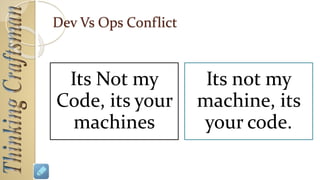
Dev Vs Ops Conflict
Its Not my
Code, its your
machines
Its not my
machine, its
your code.
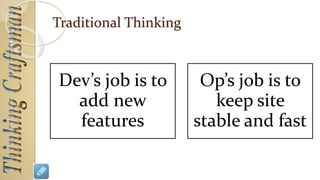
Traditional Thinking
Dev’s job is to
add new
features
Op’s job is to
keep site
stable and fast
But something’s wrong here.
Ops Job is to ‘Enable’ business
That’s Dev’s Job too.
But
Business Requires CHANGE
But Change is root cause of most outages
Discourage change in the interest of stability
OR
Allow change to happen as often as it needs to
Is there way to achieve stability and still
allow change ?
Choice !!!
Enter ‘DevOps’
DevOps
is a way to lower the risk of ‘Change’
with TOOLS and CULTURE
DEVOPS – KEY PRACTICES AND
CULTURE
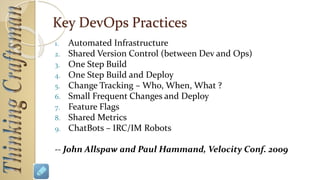
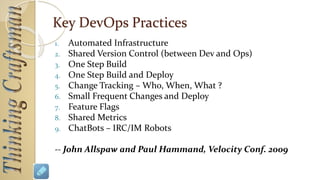
Key DevOps Practices
1. Automated Infrastructure
2. Shared Version Control (between Dev and Ops)
3. One Step Build
4. One Step Build and Deploy
5. Change Tracking – Who, When, What ?
6. Small Frequent Changes and Deploy
7. Feature Flags
8. Shared Metrics
9. ChatBots – IRC/IM Robots
-- John Allspaw and Paul Hammand, Velocity Conf. 2009
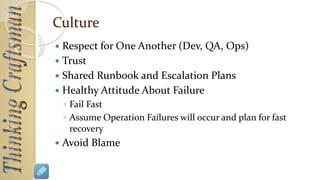
Culture
 Respect for One Another (Dev, QA, Ops)
 Trust
 Shared Runbook and Escalation Plans
 Healthy Attitude About Failure
◦ Fail Fast
◦ Assume Operation Failures will occur and plan for fast
recovery
 Avoid Blame
DevOps is NOT EASY
Its easier to continue shouting at each other
However, DevOps is much more rewarding
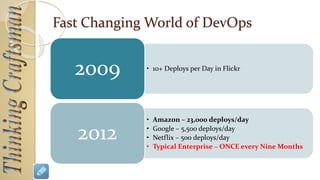
Fast Changing World of DevOps
• 10+ Deploys per Day in Flickr
2009
• Amazon – 23,000 deploys/day
• Google – 5,500 deploys/day
• Netflix – 500 deploys/day
• Typical Enterprise – ONCE every Nine Months
2012
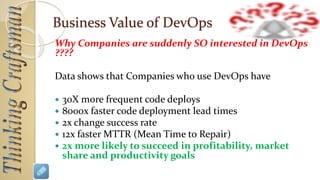
Business Value of DevOps
Why Companies are suddenly SO interested in DevOps
????
Data shows that Companies who use DevOps have
 30X more frequent code deploys
 8000x faster code deployment lead times
 2x change success rate
 12x faster MTTR (Mean Time to Repair)
 2x more likely to succeed in profitability, market
share and productivity goals
Let me ask you a Question
How long it takes for your team to
deploy a change
that involves one single line of code
??
(rephrasing the quote from Mary Poppendiek, Lean
Software Deveopment Guru)
DEVOPS - CONFUSIONS
Projects
We are doing ‘project’, our customer’s operations team
(or another vendor) does a deploy. Now
 Customer wants all vendors to do DevOps
 We claim that we are doing DevOps.
Are we ??
Desktop Applications
We develop a desktop app and release it to our
Customers/End Users.
 So we are the ‘Devs’ but then who is our ‘Ops’ ?
 How do we do DevOps then ?
TWO KEY DEVOPS INSIGHTS
DevOps Insight -1
SDLC is slightly different
from DevOps perspective
Traditional SDLC
Design Code Build
Test
Deploy
(?)
DevOps Perspective of SDLC
Design Code Build Test
Deploy
Monitor/Track
in Operation
AnalyzeFeedback
Dev
Ops
What are you doing to ‘lower the risk of change’ ?
Are your tools practices ‘lowering the risk of change’
DevOps Insight - 2
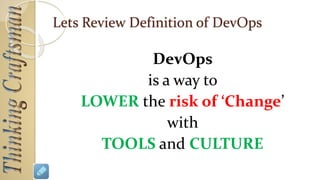
DevOps
is a way to
LOWER the risk of ‘Change’
with
TOOLS and CULTURE
TIP - How to lower the ‘risk’ of change ?
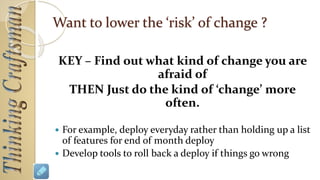
KEY – Find out what kind of change you are
afraid of
THEN Just do the kind of ‘change’ more
often.
 For example, deploy everyday rather than holding up a list
of features for end of month deploy
 Develop tools to roll back a deploy if things go wrong
Key DevOps Practices
1. Automated Infrastructure
2. Shared Version Control (between Dev and Ops)
3. One Step Build
4. One Step Build and Deploy
5. Change Tracking – Who, When, What ?
6. Small Frequent Changes and Deploy
7. Feature Flags
8. Shared Metrics
9. ChatBots – IRC/IM Robots
-- John Allspaw and Paul Hammand, Velocity Conf. 2009
What are you doing to ‘Lower the Risk of Change’ ??
 If you are , then you are following ‘spirit’ of DevOps
 Lets list some of these practices/tools that you are
using ?
BEING AGILE
BY FOLLOWING DEVOPS
Agile/DevOps/Kanban/LEAN
Agile/DevOps are applying Concepts of ‘FLOW’ from
Toyota Production System /TQM /LEAN to Software
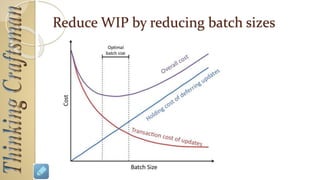
 Reduce Batchsize to reduce WIP
 ‘Push’ vs ‘Pull’ production systems
 Left to Right Flow
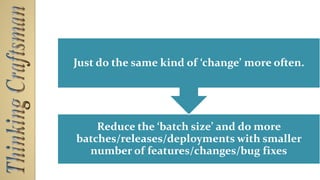
Reduce the ‘batch size’ and do more
batches/releases/deployments with smaller
number of features/changes/bug fixes
Just do the same kind of ‘change’ more
often.
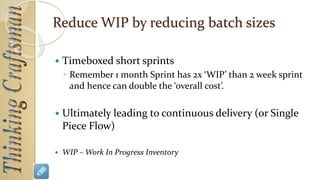
Reduce WIP by reducing batch sizes
 Timeboxed short sprints
◦ Remember 1 month Sprint has 2x ‘WIP’ than 2 week sprint
and hence can double the ‘overall cost’.
 Ultimately leading to continuous delivery (or Single
Piece Flow)
 WIP – Work In Progress Inventory
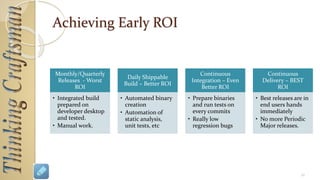
Achieving Early ROI
Monthly/Quarterly
Releases - Worst
ROI
• Integrated build
prepared on
developer desktop
and tested.
• Manual work.
Daily Shippable
Build – Better ROI
• Automated binary
creation
• Automation of
static analysis,
unit tests, etc
Continuous
Integration – Even
Better ROI
• Prepare binaries
and run tests on
every commits
• Really low
regression bugs
Continuous
Delivery – BEST
ROI
• Best releases are in
end users hands
immediately
• No more Periodic
Major releases.
36
Visual Control
 Current status of Project is Visible to EVERYONE
 HOW ?
◦ Burndown charts
◦ Daily Build Status
◦ Status of Automated Tests (Success/Failures)
Continuous Improvements and Automation
 Always Ask
◦ What can I automate ?
◦ What can be improved (in quality, in speed/performance,
etc etc)
◦ What mistakes can be prevented by automation ?
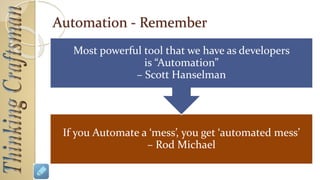
Automation - Remember
If you Automate a ‘mess’, you get ‘automated mess’
– Rod Michael
Most powerful tool that we have as developers
is “Automation”
– Scott Hanselman
Mistakes WILL Happen – Hence Fail Fast
 Same as Toyota’s Principle of “Anyone Can Stop Assembly
Line”.
 Mistakes WILL Happen
◦ How to reduce the impact of mistakes ?
◦ How to detect mistakes early ?
 How ??
◦ Static Code Analysis
◦ Zero Warnings Code
◦ QA Picks up installable ONLY after all Automated Tests Pass
PRACTICES FOR LOWERING RISK
OF CHANGE IN PROJECTS
Few Key Practices in DevOps
There are few key practices you have to have.
 Excellent Configuration Management Practices
◦ This is more than just I know ‘commit/update’ and Hence I am an expert of ‘version control’
 A Build Server
◦ A Build Server is a ‘center of the universe’ for software development team.
◦ Daily Build, Continuous Integrations, Automated Tests, static analysis, build packaging etc
etc. ALL happens on Build Server
 Continuously Develop tools/features to Help Ops
◦ Add Monitoring and Tracking from Day 1 (e.g. centralized logging, crash monitoring etc)
 Automate the Deploy
Excellent Configuration Management
Practices
 Do you have separate branches for baseline, release, bug fixes in
past releases ?
 Do you have ‘documented/defined’ branching strategy ? Is every
member of the team know this document ‘by heart’ ?
 Do you merge code bases regularly across branches using ‘svn
merge’ or other version control merge tools and NOT WinMerge
or Araxis Merge ?
 Do you tag every release sent to customer ?
 Do you have ‘defined’ tagging convention ?
 Do you regularly review and delete ‘dead branches’ ?
 Do you take ‘update’ and ‘commit’ at least twice a day ?
Build Server
 Do you have a ‘build server’ ?
 Does your QA Engineer Pickup Build ONLY from Build Server ?
 Every release package sent to customer is ‘compiled/prepared’ on build server and
NOT on developer machine.
 Do you have a ‘one click’ build (and a scheduled daily build)
 Do you have automated tests running on the build ?
 Can you prepare a ‘complete’ release package in one click ?
◦ Checkout and compile
◦ Release tagging
◦ Installer creation
◦ Deploy/upload to FTP etc
◦ Notify to users that a new build is available
◦ Fully or partially auto generated ‘release notes’
 Does developers give HIGHEST priority to ‘build break’ ?
◦ Do team check every day for Build Success And Target 99.9% build success rate ?
Tools for monitoring
1. Do you have centralized ‘crash logging’ ?
2. Do you have centralized event logging ?
1. Do you use operating system logging facilities like syslog
or windows event log ?
3. Do you have a way of collecting operational metrics ?
4. Do you have a way of visualizing operational metrics
?
5. Do your Ops regularly use your monitoring and
analysis tools ?
Automatic Deploy
 Can you do a ‘one click’ deploy ?
 What is your deploy strategy ?
◦ You push the deploy to server/user OR
◦ User/Server pulls a new update when available?
 Can you deploy multiple times a day if required?
 Can you deploy without user being aware of it ?
PRACTICES FOR LOWERING RISK
OF CHANGE IN DESKTOP APPS
DEVOPS FOR PLM (AND OTHER
ENTERPRISE APPS)
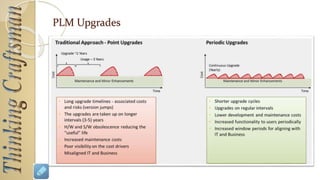
PLM Upgrades
THANK YOU !!!
REFERENCES
References
 Slides of 10+ Deploys Per Day: Dev and Ops
Cooperation at Flickr
 Practical Science of Batch size
(https://yow.eventer.com/yow-2012-1012/the-practical-science-
of-batch-size-by-don-reinertsen-1269)
 http://www.innolution.com/blog/agile-
documentation-and-the-economics-of-batch-size
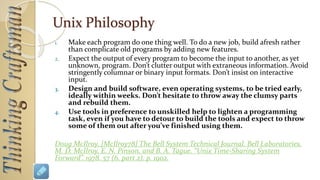
Unix Philosophy
1. Make each program do one thing well. To do a new job, build afresh rather
than complicate old programs by adding new features.
2. Expect the output of every program to become the input to another, as yet
unknown, program. Don’t clutter output with extraneous information. Avoid
stringently columnar or binary input formats. Don’t insist on interactive
input.
3. Design and build software, even operating systems, to be tried early,
ideally within weeks. Don’t hesitate to throw away the clumsy parts
and rebuild them.
4. Use tools in preference to unskilled help to lighten a programming
task, even if you have to detour to build the tools and expect to throw
some of them out after you’ve finished using them.
Doug McIlroy, [McIlroy78] The Bell System Technical Journal. Bell Laboratories.
M. D. McIlroy, E. N. Pinson, and B. A. Tague. “Unix Time-Sharing System
Forward”. 1978. 57 (6, part 2). p. 1902.

DevOps - Understanding Core Concepts (Old)

  • 1.
    Understanding DevOps CoreConcepts Nitin Bhide http://thinkingcraftsman.in nitinbhide@thinkingcraftsman.in Aug 2017
  • 2.
    Some basic guidelines This is a ‘Learning Program’ and not a ‘training program’. ◦ Hence your Active Participation is needed. ◦ Participate in discussions ◦ Ask questions/doubts. ◦ If you have not understood some point/concept, Raise your hand and ASK  Avoid side conversations  Avoid phone calls/emails. 8/21/2017 Commercial in confidence. (C) Nitin Bhide 2
  • 3.
    Some basic guidelines Understand that there are no 'absolute truths' in software development. Hence We may disagree with some points/ ideas. And THAT IS OK.  In dealing with disagreements, focus on the technical merits. ◦ And not on who said it. (Somebody’s guidelines, some books etc etc) 8/21/2017 Commercial in confidence. (C) Nitin Bhide 3
  • 4.
  • 5.
    Some History  DevOpsmovement really started with a Session in Velocity Conference in 2009  Session was “10+ Deploys Per Day: Dev and Ops Cooperation at Flickr” by John Allspaw and Paul Hammand  Video
  • 6.
    Dev Vs OpsConflict Its Not my Code, its your machines Its not my machine, its your code.
  • 7.
    Traditional Thinking Dev’s jobis to add new features Op’s job is to keep site stable and fast
  • 8.
    But something’s wronghere. Ops Job is to ‘Enable’ business That’s Dev’s Job too.
  • 9.
    But Business Requires CHANGE ButChange is root cause of most outages
  • 10.
    Discourage change inthe interest of stability OR Allow change to happen as often as it needs to Is there way to achieve stability and still allow change ? Choice !!!
  • 11.
    Enter ‘DevOps’ DevOps is away to lower the risk of ‘Change’ with TOOLS and CULTURE
  • 12.
    DEVOPS – KEYPRACTICES AND CULTURE
  • 13.
    Key DevOps Practices 1.Automated Infrastructure 2. Shared Version Control (between Dev and Ops) 3. One Step Build 4. One Step Build and Deploy 5. Change Tracking – Who, When, What ? 6. Small Frequent Changes and Deploy 7. Feature Flags 8. Shared Metrics 9. ChatBots – IRC/IM Robots -- John Allspaw and Paul Hammand, Velocity Conf. 2009
  • 14.
    Culture  Respect forOne Another (Dev, QA, Ops)  Trust  Shared Runbook and Escalation Plans  Healthy Attitude About Failure ◦ Fail Fast ◦ Assume Operation Failures will occur and plan for fast recovery  Avoid Blame
  • 15.
    DevOps is NOTEASY Its easier to continue shouting at each other However, DevOps is much more rewarding
  • 16.
    Fast Changing Worldof DevOps • 10+ Deploys per Day in Flickr 2009 • Amazon – 23,000 deploys/day • Google – 5,500 deploys/day • Netflix – 500 deploys/day • Typical Enterprise – ONCE every Nine Months 2012
  • 17.
    Business Value ofDevOps Why Companies are suddenly SO interested in DevOps ???? Data shows that Companies who use DevOps have  30X more frequent code deploys  8000x faster code deployment lead times  2x change success rate  12x faster MTTR (Mean Time to Repair)  2x more likely to succeed in profitability, market share and productivity goals
  • 18.
    Let me askyou a Question How long it takes for your team to deploy a change that involves one single line of code ?? (rephrasing the quote from Mary Poppendiek, Lean Software Deveopment Guru)
  • 19.
  • 20.
    Projects We are doing‘project’, our customer’s operations team (or another vendor) does a deploy. Now  Customer wants all vendors to do DevOps  We claim that we are doing DevOps. Are we ??
  • 21.
    Desktop Applications We developa desktop app and release it to our Customers/End Users.  So we are the ‘Devs’ but then who is our ‘Ops’ ?  How do we do DevOps then ?
  • 22.
  • 23.
    DevOps Insight -1 SDLCis slightly different from DevOps perspective
  • 24.
    Traditional SDLC Design CodeBuild Test Deploy (?)
  • 25.
    DevOps Perspective ofSDLC Design Code Build Test Deploy Monitor/Track in Operation AnalyzeFeedback Dev Ops
  • 26.
    What are youdoing to ‘lower the risk of change’ ? Are your tools practices ‘lowering the risk of change’ DevOps Insight - 2 DevOps is a way to LOWER the risk of ‘Change’ with TOOLS and CULTURE
  • 27.
    TIP - Howto lower the ‘risk’ of change ? KEY – Find out what kind of change you are afraid of THEN Just do the kind of ‘change’ more often.  For example, deploy everyday rather than holding up a list of features for end of month deploy  Develop tools to roll back a deploy if things go wrong
  • 28.
    Key DevOps Practices 1.Automated Infrastructure 2. Shared Version Control (between Dev and Ops) 3. One Step Build 4. One Step Build and Deploy 5. Change Tracking – Who, When, What ? 6. Small Frequent Changes and Deploy 7. Feature Flags 8. Shared Metrics 9. ChatBots – IRC/IM Robots -- John Allspaw and Paul Hammand, Velocity Conf. 2009
  • 29.
    What are youdoing to ‘Lower the Risk of Change’ ??  If you are , then you are following ‘spirit’ of DevOps  Lets list some of these practices/tools that you are using ?
  • 30.
  • 31.
    Agile/DevOps/Kanban/LEAN Agile/DevOps are applyingConcepts of ‘FLOW’ from Toyota Production System /TQM /LEAN to Software  Reduce Batchsize to reduce WIP  ‘Push’ vs ‘Pull’ production systems  Left to Right Flow
  • 32.
    Reduce the ‘batchsize’ and do more batches/releases/deployments with smaller number of features/changes/bug fixes Just do the same kind of ‘change’ more often.
  • 33.
    Reduce WIP byreducing batch sizes
  • 34.
    Reduce WIP byreducing batch sizes  Timeboxed short sprints ◦ Remember 1 month Sprint has 2x ‘WIP’ than 2 week sprint and hence can double the ‘overall cost’.  Ultimately leading to continuous delivery (or Single Piece Flow)  WIP – Work In Progress Inventory
  • 35.
    Achieving Early ROI Monthly/Quarterly Releases- Worst ROI • Integrated build prepared on developer desktop and tested. • Manual work. Daily Shippable Build – Better ROI • Automated binary creation • Automation of static analysis, unit tests, etc Continuous Integration – Even Better ROI • Prepare binaries and run tests on every commits • Really low regression bugs Continuous Delivery – BEST ROI • Best releases are in end users hands immediately • No more Periodic Major releases. 36
  • 36.
    Visual Control  Currentstatus of Project is Visible to EVERYONE  HOW ? ◦ Burndown charts ◦ Daily Build Status ◦ Status of Automated Tests (Success/Failures)
  • 37.
    Continuous Improvements andAutomation  Always Ask ◦ What can I automate ? ◦ What can be improved (in quality, in speed/performance, etc etc) ◦ What mistakes can be prevented by automation ?
  • 38.
    Automation - Remember Ifyou Automate a ‘mess’, you get ‘automated mess’ – Rod Michael Most powerful tool that we have as developers is “Automation” – Scott Hanselman
  • 39.
    Mistakes WILL Happen– Hence Fail Fast  Same as Toyota’s Principle of “Anyone Can Stop Assembly Line”.  Mistakes WILL Happen ◦ How to reduce the impact of mistakes ? ◦ How to detect mistakes early ?  How ?? ◦ Static Code Analysis ◦ Zero Warnings Code ◦ QA Picks up installable ONLY after all Automated Tests Pass
  • 40.
    PRACTICES FOR LOWERINGRISK OF CHANGE IN PROJECTS
  • 41.
    Few Key Practicesin DevOps There are few key practices you have to have.  Excellent Configuration Management Practices ◦ This is more than just I know ‘commit/update’ and Hence I am an expert of ‘version control’  A Build Server ◦ A Build Server is a ‘center of the universe’ for software development team. ◦ Daily Build, Continuous Integrations, Automated Tests, static analysis, build packaging etc etc. ALL happens on Build Server  Continuously Develop tools/features to Help Ops ◦ Add Monitoring and Tracking from Day 1 (e.g. centralized logging, crash monitoring etc)  Automate the Deploy
  • 42.
    Excellent Configuration Management Practices Do you have separate branches for baseline, release, bug fixes in past releases ?  Do you have ‘documented/defined’ branching strategy ? Is every member of the team know this document ‘by heart’ ?  Do you merge code bases regularly across branches using ‘svn merge’ or other version control merge tools and NOT WinMerge or Araxis Merge ?  Do you tag every release sent to customer ?  Do you have ‘defined’ tagging convention ?  Do you regularly review and delete ‘dead branches’ ?  Do you take ‘update’ and ‘commit’ at least twice a day ?
  • 43.
    Build Server  Doyou have a ‘build server’ ?  Does your QA Engineer Pickup Build ONLY from Build Server ?  Every release package sent to customer is ‘compiled/prepared’ on build server and NOT on developer machine.  Do you have a ‘one click’ build (and a scheduled daily build)  Do you have automated tests running on the build ?  Can you prepare a ‘complete’ release package in one click ? ◦ Checkout and compile ◦ Release tagging ◦ Installer creation ◦ Deploy/upload to FTP etc ◦ Notify to users that a new build is available ◦ Fully or partially auto generated ‘release notes’  Does developers give HIGHEST priority to ‘build break’ ? ◦ Do team check every day for Build Success And Target 99.9% build success rate ?
  • 44.
    Tools for monitoring 1.Do you have centralized ‘crash logging’ ? 2. Do you have centralized event logging ? 1. Do you use operating system logging facilities like syslog or windows event log ? 3. Do you have a way of collecting operational metrics ? 4. Do you have a way of visualizing operational metrics ? 5. Do your Ops regularly use your monitoring and analysis tools ?
  • 45.
    Automatic Deploy  Canyou do a ‘one click’ deploy ?  What is your deploy strategy ? ◦ You push the deploy to server/user OR ◦ User/Server pulls a new update when available?  Can you deploy multiple times a day if required?  Can you deploy without user being aware of it ?
  • 46.
    PRACTICES FOR LOWERINGRISK OF CHANGE IN DESKTOP APPS
  • 47.
    DEVOPS FOR PLM(AND OTHER ENTERPRISE APPS)
  • 48.
  • 49.
  • 51.
  • 52.
    References  Slides of10+ Deploys Per Day: Dev and Ops Cooperation at Flickr  Practical Science of Batch size (https://yow.eventer.com/yow-2012-1012/the-practical-science- of-batch-size-by-don-reinertsen-1269)  http://www.innolution.com/blog/agile- documentation-and-the-economics-of-batch-size
  • 53.
    Unix Philosophy 1. Makeeach program do one thing well. To do a new job, build afresh rather than complicate old programs by adding new features. 2. Expect the output of every program to become the input to another, as yet unknown, program. Don’t clutter output with extraneous information. Avoid stringently columnar or binary input formats. Don’t insist on interactive input. 3. Design and build software, even operating systems, to be tried early, ideally within weeks. Don’t hesitate to throw away the clumsy parts and rebuild them. 4. Use tools in preference to unskilled help to lighten a programming task, even if you have to detour to build the tools and expect to throw some of them out after you’ve finished using them. Doug McIlroy, [McIlroy78] The Bell System Technical Journal. Bell Laboratories. M. D. McIlroy, E. N. Pinson, and B. A. Tague. “Unix Time-Sharing System Forward”. 1978. 57 (6, part 2). p. 1902.