WHAT IS COMPUTER
Computeris an electronic machine that can store, find and
arrange information,
calculate amounts and control other machines]
(मशीन जो सूचनाओं को संग्रहीत, खोज और व्यवस्थित कर सकती है,
राशियों की गणना कर सकती है और अन्य मशीनों को नियंत्रित कर
सकती है)
2.
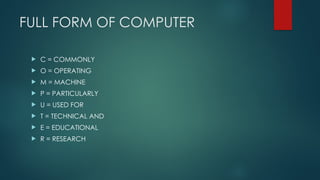
FULL FORM OFCOMPUTER
C = COMMONLY
O = OPERATING
M = MACHINE
P = PARTICULARLY
U = USED FOR
T = TECHNICAL AND
E = EDUCATIONAL
R = RESEARCH
3.
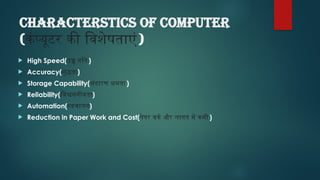
CHARACTERSTICS of computer
(कंप्यूटरकी विशेषताएं)
High Speed(उच्च गति)
Accuracy(शुद्धता)
Storage Capability(भंडारण क्षमता)
Reliability(विश्वसनीयता)
Automation(स्वचालन)
Reduction in Paper Work and Cost(पेपर वर्क और लागत में कमी )
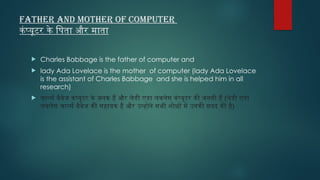
Father and Motherof Computer
कंप्यूटर के पिता और माता
Charles Babbage is the father of computer and
lady Ada Lovelace is the mother of computer (lady Ada Lovelace
is the assistant of Charles Babbage and she is helped him in all
research)
चार्ल्स बैबेज कंप्यूटर के जनक हैं और लेडी एडा लवलेस कंप्यूटर की जननी हैं (लेडी एडा
लवलेस चार्ल्स बैबेज की सहायक हैं और उन्होंने सभी शोधों में उनकी मदद की है)
VACCUM TUBE
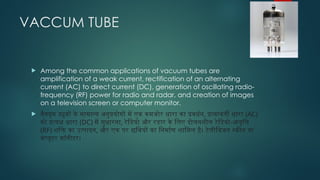
Amongthe common applications of vacuum tubes are
amplification of a weak current, rectification of an alternating
current (AC) to direct current (DC), generation of oscillating radio-
frequency (RF) power for radio and radar, and creation of images
on a television screen or computer monitor.
वैक्यूम ट्यूबों के सामान्य अनुप्रयोगों में एक कमजोर धारा का प्रवर्धन, प्रत्यावर्ती धारा (AC)
को प्रत्यक्ष धारा (DC) में सुधारना, रेडियो और रडार के लिए दोलनशील रेडियो-आवृत्ति
(RF) शक्ति का उत्पादन, और एक पर छवियों का निर्माण शामिल है। टेलीविजन स्क्रीन या
कंप्यूटर मॉनीटर।
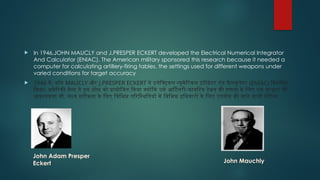
In 1946,JOHNMAUCLY and J.PRESPER ECKERT developed the Electrical Numerical Integrator
And Calculator (ENIAC). The American military sponsored this research because it needed a
computer for calculating artillery-firing tables, the settings used for different weapons under
varied conditions for target accuracy
1946 में, जॉन MAUCLY और J.PRESPER ECKERT ने इलेक्ट्रिकल न्यूमेरिकल इंटीग्रेटर एंड कैलकुलेटर (ENIAC) विकसित
किया। अमेरिकी सेना ने इस शोध को प्रायोजित किया क्योंकि उसे आर्टिलरी-फायरिंग टेबल की गणना के लिए एक कंप्यूटर की
आवश्यकता थी, लक्ष्य सटीकता के लिए विभिन्न परिस्थितियों में विभिन्न हथियारों के लिए उपयोग की जाने वाली सेटिंग्स
John Adam Presper
Eckert John Mauchly
10.
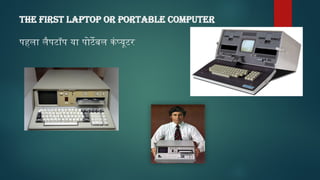
THE FIRST LAPTOPOR PORTABLE COMPUTER
पहला लैपटॉप या पोर्टेबल कंप्यूटर
11.
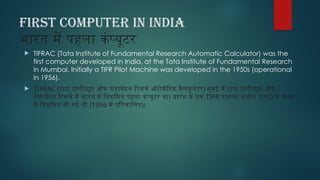
FIRST COMPUTER iNINDIA
भारत में पहला कंप्यूटर
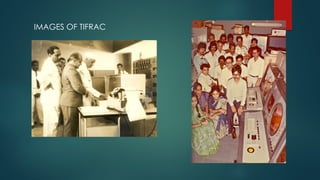
TIFRAC (Tata Institute of Fundamental Research Automatic Calculator) was the
first computer developed in India, at the Tata Institute of Fundamental Research
in Mumbai. Initially a TIFR Pilot Machine was developed in the 1950s (operational
in 1956).
TIFRAC (टाटा इंस्टीट्यूट ऑफ फं डामेंटल रिसर्च ऑटोमैटिक कैलकुलेटर) मुंबई में टाटा इंस्टीट्यूट ऑफ
फं डामेंटल रिसर्च में भारत में विकसित पहला कंप्यूटर था। प्रारंभ में एक TIFR पायलट मशीन 1950 के दशक
में विकसित की गई थी (1956 में परिचालित)।
GENERATIONS OF COMPUTER
कंप्यूटरकी पीढ़ी
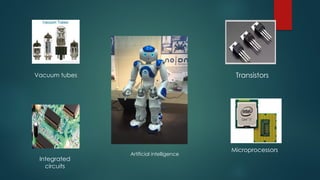
First Generation Computers (1940-1956) Using vacuum tubes
Second Generation Computers (1956-1963) Using transistors
Third Generation Computers (1964-1971) Using integrated circuits
Fourth Generation Computers (1971-Present) Using microprocessors
Fifth Generation Computers (Present and Beyond) Using artificial intelligence
MEMORY UNIT
स्मृति इकाई
Memory unit is a component of a computer
system. It is used to store data, instructions and
information. It is actually a work area of
computer, where the CPU stores the data and
instruction.
मेमोरी यूनिट एक कंप्यूटर सिस्टम का एक घटक है। इसका
उपयोग डेटा, निर्देशों और सूचनाओं को संग्रहीत करने के लिए
किया जाता है। यह वास्तव में कंप्यूटर का एक कार्य क्षेत्र है, जहां
सीपीयू डेटा और निर्देश को स्टोर करता है।
16.
TYPES OF MEMORY
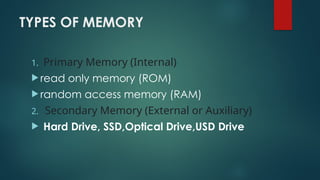
1.Primary Memory (Internal)
read only memory (ROM)
random access memory (RAM)
2. Secondary Memory (External or Auxiliary)
Hard Drive, SSD,Optical Drive,USD Drive
17.
Input device
An inputdevice is used to bring data into the
system. Some input device are
(सिस्टम में डेटा लाने के लिए एक इनपुट डिवाइस का उपयोग किया
जाता है। कुछ इनपुट डिवाइस हैं)
Keyboard
Mouse
Microphone
Bar code reader
Graphics tablet
18.
Output device
An outputdevice is used to send data out of the
system. Some output devices are:
(सिस्टम से डेटा भेजने के लिए एक आउटपुट डिवाइस का उपयोग
किया जाता है। कुछ आउटपुट डिवाइस हैं)
Monitor
Printer
Speaker
Headphones
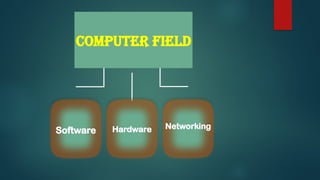
SOFTWARE
• We cansee but can not touch
(हम देख सकते हैं लेकिन छू नहीं सकते)
• An example of software is MS- Excel ,ms-word,ms-power-point.
(सॉफ्टवेयर का एक उदाहरण एमएस-एक्सेल, एमएस-वर्ड, एमएस-पावर-प्वाइंट है)
21.
TYPES OF SOFTWARE
•System Software
Those software without which a system
can not work. we can say it is the
back-bone of the computer.
(वे सॉफ्टवेयर जिनके बिना कोई सिस्टम काम नहीं कर
सकता। हम कह सकते हैं कि यह कंप्यूटर की रीढ़ की हड्डी
है। )
Eg: Operating system (Windows, Linux, Unix)
Software can be broadly divided into two categories:
Application software
Those software which are used for
performing specific tasks.
(वे सॉफ्टवेयर जिनका उपयोग विशिष्ट कार्यों
को करने के लिए किया जाता है)
eg: like spreadsheet,word etc.
22.
HARDWARE
Hardware refers tothe physical elements of a
computer.
हार्डवेयर कंप्यूटर के भौतिक तत्वों को संदर्भित करता है।
Examples of hardware in a computer are the
keyboard, the monitor, the mouse and the central
processing unit
23.
NETWORKING
• A computernetworking is a process of connecting two or more than
two computers with the purpose to share data, provide technical support, and to
communicate.
• (कंप्यूटर नेटवर्किंग डेटा साझा करने, तकनीकी सहायता प्रदान करने और संचार करने के उद्देश्य से दो से अधिक
कंप्यूटरों को जोड़ने की एक प्रक्रिया है।)
Types:
1. Local Area Network (LAN)
2. Metropolitan Area Network (MAN)
3. Wide area network (WAN)
24.
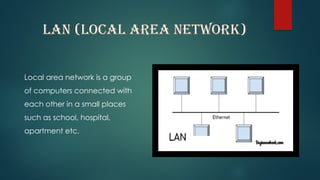
LAN (LOCAL AREANETWORK)
Local area network is a group
of computers connected with
each other in a small places
such as school, hospital,
apartment etc.
25.
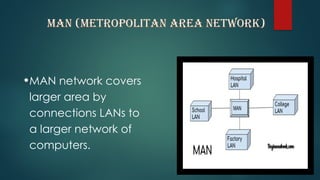
MAN (METROPOLITAN AREANETWORK)
•MAN network covers
larger area by
connections LANs to
a larger network of
computers.
26.
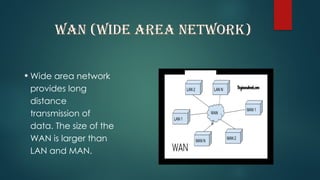
WAN (WIDE AREANETWORK)
• Wide area network
provides long
distance
transmission of
data. The size of the
WAN is larger than
LAN and MAN.
![WHAT IS COMPUTER
Computer is an electronic machine that can store, find and
arrange information,
calculate amounts and control other machines]
(मशीन जो सूचनाओं को संग्रहीत, खोज और व्यवस्थित कर सकती है,
राशियों की गणना कर सकती है और अन्य मशीनों को नियंत्रित कर
सकती है)](https://image.slidesharecdn.com/computerfundamentaltheory-250212213407-303776b5/85/DETAILED-COMPUTER-FUNDAMENTAL-THEORY-pptx-1-320.jpg)
![WHAT IS COMPUTER
Computer is an electronic machine that can store, find and
arrange information,
calculate amounts and control other machines]
(मशीन जो सूचनाओं को संग्रहीत, खोज और व्यवस्थित कर सकती है,
राशियों की गणना कर सकती है और अन्य मशीनों को नियंत्रित कर
सकती है)](https://image.slidesharecdn.com/computerfundamentaltheory-250212213407-303776b5/75/DETAILED-COMPUTER-FUNDAMENTAL-THEORY-pptx-1-2048.jpg)