Deploying Rails app on Amazon EC2 By: Manik Juneja Akhil Bansal
Introduction Manik Juneja [email_address] http://fromdelhi.com Akhil Bansal [email_address] http://webonrails.com
Intended audience We assume that you are aware of: Amazon Simple Storage System(S3) Basic Ruby and Rails  Deployment tool “Capistrano” Rails deployment with Apache and Mongrel Clusters
What is Amazon EC2? EC2 stands for Elastic Compute Cloud A Beta web service from Amazon Provides resizable compute capacity in the cloud Makes on-demand web computing easier
What Amazon Gives? Hardware CPU capacity of 1.0-1.2 GHz 2007 Opteron Instances with 1.7, 7.5 and 15 GB memory. Internet & Intranet  Power Public Amazon Machine Images(AMIs)
No Backup and Restore Services But
Deploying Rails app on EC2
Deploying Rails app on EC2 Run your instance and: Install Ruby and Rubygems  Install Rails and other required gems Install Webserver Install DBMS and create DB Write Capistrano Script
OR
Use a rubyforge project “ec2onrails”
Deploying Rails app on EC2 We'll use ruby gem “EC2 on Rails” Developed by a Canadian developer Paul Dowman http://pauldowman.com/ EC2 on Rails's AMI
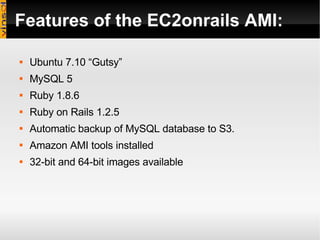
Features of the EC2onrails AMI: Ubuntu 7.10 “Gutsy”  MySQL 5 Ruby 1.8.6 Ruby on Rails 1.2.5 Automatic backup of MySQL database to S3. Amazon AMI tools installed 32-bit and 64-bit images available
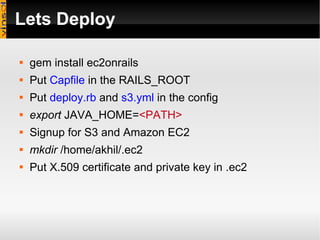
Lets Deploy  gem install ec2onrails Put  Capfile  in the RAILS_ROOT Put  deploy.rb  and  s3.yml  in the config  export  JAVA_HOME= <PATH> Signup for S3 and Amazon EC2 mkdir  /home/akhil/.ec2 Put X.509 certificate and private key in .ec2
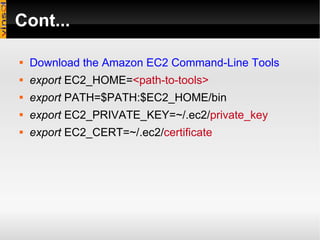
Cont... Download the Amazon EC2 Command-Line Tools export  EC2_HOME= <path-to-tools>   export  PATH=$PATH:$EC2_HOME/bin export  EC2_PRIVATE_KEY=~/.ec2/ private_key export  EC2_CERT=~/.ec2/ certificate
Cont... Generate a Keypair:  ec2-add-keypair gsg-keypair The private key returned needs to be saved in a local file so that you can use it later
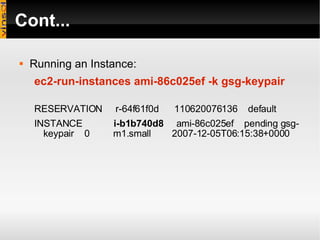
Cont... Running an Instance: ec2-run-instances ami-86c025ef -k gsg-keypair RESERVATION  r-64f61f0d  110620076136  default INSTANCE  i-b1b740d8   ami-86c025ef  pending gsg-keypair  0  m1.small  2007-12-05T06:15:38+0000
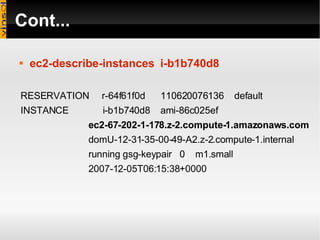
Cont... ec2-describe-instances   i-b1b740d8 RESERVATION  r-64f61f0d  110620076136  default INSTANCE  i-b1b740d8  ami-86c025ef  ec2-67-202-1-178.z-2.compute-1.amazonaws.com   domU-12-31-35-00-49-A2.z-2.compute-1.internal  running gsg-keypair  0  m1.small  2007-12-05T06:15:38+0000
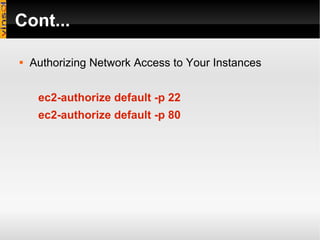
Cont... Authorizing Network Access to Your Instances ec2-authorize default -p 22 ec2-authorize default -p 80
Cont... Connecting to your Instance ssh -i id_rsa-gsg-keypair  [email_address] passwd admin passwd app
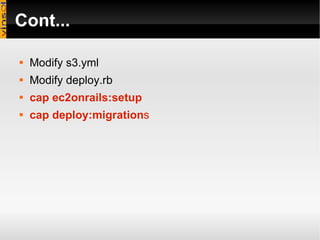
Cont... Modify s3.yml Modify deploy.rb cap ec2onrails:setup cap deploy:migration s
Cont... Other capistrano tasks ec2onrails:db:archive ec2onrails:db:restore ec2onrails:db:create ec2onrails:db:drop ec2onrails:db:recreate ec2onrails:db:set_root_password ec2onrails:ami_ids - Shows the AMI id’s of the images that match the current version of the gem. ec2onrails:setup - This is a convenience task to get a new instance completely set up in one step, everything except deploying the app. ec2onrails:restore_db_and_deploy - Another convenience task to recreate the db, restore data to it from an s3 bucket and deploy the app, useful to set up a staging server.
Public IP Your Instances wget  http://169.254.169.254/latest/meta-data/public-ipv4  from your Instance
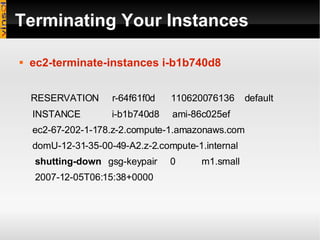
Terminating Your Instances ec2-terminate-instances i-b1b740d8 RESERVATION  r-64f61f0d  110620076136  default INSTANCE  i-b1b740d8  ami-86c025ef  ec2-67-202-1-178.z-2.compute-1.amazonaws.com  domU-12-31-35-00-49-A2.z-2.compute-1.internal  shutting-down   gsg-keypair  0  m1.small  2007-12-05T06:15:38+0000
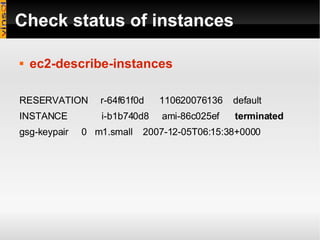
Check status of instances ec2-describe-instances RESERVATION  r-64f61f0d  110620076136  default INSTANCE  i-b1b740d8  ami-86c025ef  terminated   gsg-keypair  0  m1.small  2007-12-05T06:15:38+0000
Run and Manage Instances online We know this one service which let us mange instances online: RightScale.com
Benefits Ability to Start, terminate, and monitor instances, using the web service APIs. Free Data transferred within the Amazon EC2 environment, or between Amazon EC2 and Amazon S3 Pay for the instance-hours and bandwidth that you actually consume.
Points to consider: Data loss when instance is terminated Instance gets a new public IP when started again Need to use third party Dynamic DNS service, like “easydns.com”.
Thanks

Deploying Rails App On Ec2

  • 1.
    Deploying Rails appon Amazon EC2 By: Manik Juneja Akhil Bansal
  • 2.
    Introduction Manik Juneja[email_address] http://fromdelhi.com Akhil Bansal [email_address] http://webonrails.com
  • 3.
    Intended audience Weassume that you are aware of: Amazon Simple Storage System(S3) Basic Ruby and Rails Deployment tool “Capistrano” Rails deployment with Apache and Mongrel Clusters
  • 4.
    What is AmazonEC2? EC2 stands for Elastic Compute Cloud A Beta web service from Amazon Provides resizable compute capacity in the cloud Makes on-demand web computing easier
  • 5.
    What Amazon Gives?Hardware CPU capacity of 1.0-1.2 GHz 2007 Opteron Instances with 1.7, 7.5 and 15 GB memory. Internet & Intranet Power Public Amazon Machine Images(AMIs)
  • 6.
    No Backup andRestore Services But
  • 7.
  • 8.
    Deploying Rails appon EC2 Run your instance and: Install Ruby and Rubygems Install Rails and other required gems Install Webserver Install DBMS and create DB Write Capistrano Script
  • 9.
  • 10.
    Use a rubyforgeproject “ec2onrails”
  • 11.
    Deploying Rails appon EC2 We'll use ruby gem “EC2 on Rails” Developed by a Canadian developer Paul Dowman http://pauldowman.com/ EC2 on Rails's AMI
  • 12.
    Features of theEC2onrails AMI: Ubuntu 7.10 “Gutsy” MySQL 5 Ruby 1.8.6 Ruby on Rails 1.2.5 Automatic backup of MySQL database to S3. Amazon AMI tools installed 32-bit and 64-bit images available
  • 13.
    Lets Deploy gem install ec2onrails Put Capfile in the RAILS_ROOT Put deploy.rb and s3.yml in the config export JAVA_HOME= <PATH> Signup for S3 and Amazon EC2 mkdir /home/akhil/.ec2 Put X.509 certificate and private key in .ec2
  • 14.
    Cont... Download theAmazon EC2 Command-Line Tools export EC2_HOME= <path-to-tools> export PATH=$PATH:$EC2_HOME/bin export EC2_PRIVATE_KEY=~/.ec2/ private_key export EC2_CERT=~/.ec2/ certificate
  • 15.
    Cont... Generate aKeypair: ec2-add-keypair gsg-keypair The private key returned needs to be saved in a local file so that you can use it later
  • 16.
    Cont... Running anInstance: ec2-run-instances ami-86c025ef -k gsg-keypair RESERVATION r-64f61f0d 110620076136 default INSTANCE i-b1b740d8 ami-86c025ef pending gsg-keypair 0 m1.small 2007-12-05T06:15:38+0000
  • 17.
    Cont... ec2-describe-instances i-b1b740d8 RESERVATION r-64f61f0d 110620076136 default INSTANCE i-b1b740d8 ami-86c025ef ec2-67-202-1-178.z-2.compute-1.amazonaws.com domU-12-31-35-00-49-A2.z-2.compute-1.internal running gsg-keypair 0 m1.small 2007-12-05T06:15:38+0000
  • 18.
    Cont... Authorizing NetworkAccess to Your Instances ec2-authorize default -p 22 ec2-authorize default -p 80
  • 19.
    Cont... Connecting toyour Instance ssh -i id_rsa-gsg-keypair [email_address] passwd admin passwd app
  • 20.
    Cont... Modify s3.ymlModify deploy.rb cap ec2onrails:setup cap deploy:migration s
  • 21.
    Cont... Other capistranotasks ec2onrails:db:archive ec2onrails:db:restore ec2onrails:db:create ec2onrails:db:drop ec2onrails:db:recreate ec2onrails:db:set_root_password ec2onrails:ami_ids - Shows the AMI id’s of the images that match the current version of the gem. ec2onrails:setup - This is a convenience task to get a new instance completely set up in one step, everything except deploying the app. ec2onrails:restore_db_and_deploy - Another convenience task to recreate the db, restore data to it from an s3 bucket and deploy the app, useful to set up a staging server.
  • 22.
    Public IP YourInstances wget http://169.254.169.254/latest/meta-data/public-ipv4 from your Instance
  • 23.
    Terminating Your Instancesec2-terminate-instances i-b1b740d8 RESERVATION r-64f61f0d 110620076136 default INSTANCE i-b1b740d8 ami-86c025ef ec2-67-202-1-178.z-2.compute-1.amazonaws.com domU-12-31-35-00-49-A2.z-2.compute-1.internal shutting-down gsg-keypair 0 m1.small 2007-12-05T06:15:38+0000
  • 24.
    Check status ofinstances ec2-describe-instances RESERVATION r-64f61f0d 110620076136 default INSTANCE i-b1b740d8 ami-86c025ef terminated gsg-keypair 0 m1.small 2007-12-05T06:15:38+0000
  • 25.
    Run and ManageInstances online We know this one service which let us mange instances online: RightScale.com
  • 26.
    Benefits Ability toStart, terminate, and monitor instances, using the web service APIs. Free Data transferred within the Amazon EC2 environment, or between Amazon EC2 and Amazon S3 Pay for the instance-hours and bandwidth that you actually consume.
  • 27.
    Points to consider:Data loss when instance is terminated Instance gets a new public IP when started again Need to use third party Dynamic DNS service, like “easydns.com”.
  • 28.