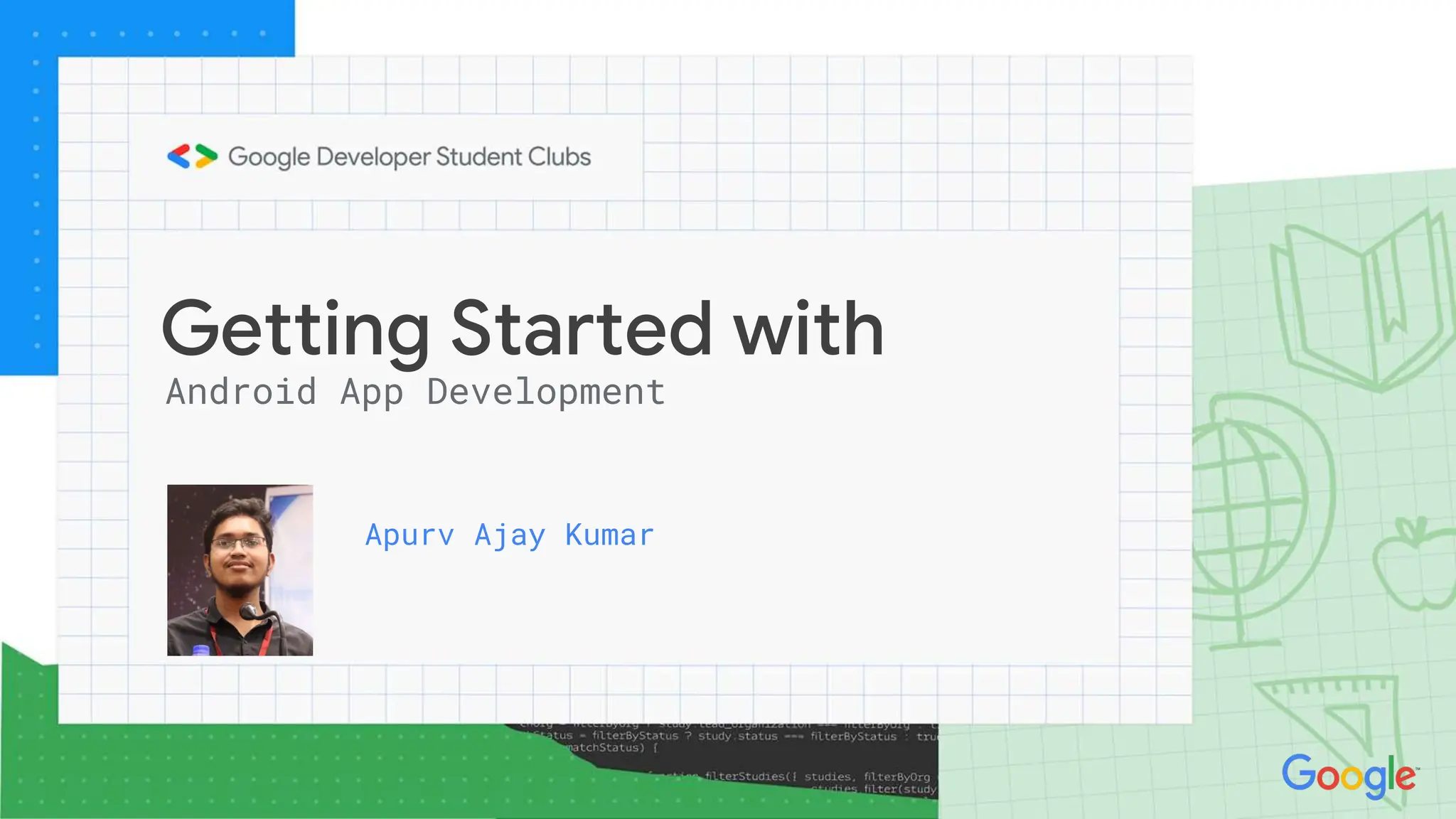
Getting Started with
Android App Development
Apurv Ajay Kumar
Setting up the Environment
Downloading Android Studio
http://bit.ly/3tEcRPO
Installing Android Studio
Setting up the Environment
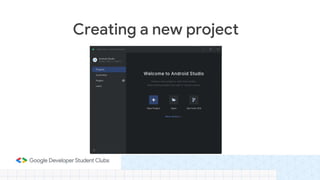
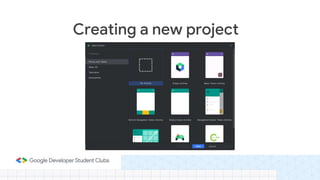
Creating a new project.
We are going to create a hello world from an empty
project.
Building a Hello World App
Creating a new project
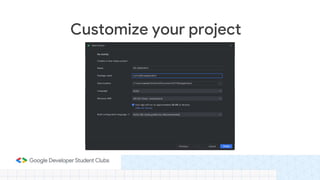
Customize your project
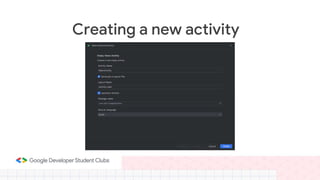
Creating a new activity
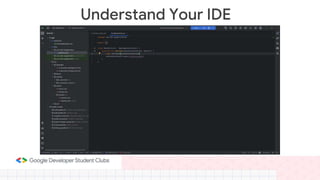
Understand Your IDE
You can do more with less. Express your ideas and reduce the amount of boilerplate
code.
Kotlin has many language features to help you avoid common programming mistakes
such as null pointer exceptions. Android apps that contain Kotlin code are 20% less
likely to crash.
Call Java-based code from Kotlin, or call Kotlin from Java-based code. Kotlin is 100%
interoperable with the Java programming language, so you can have as little or as
much of Kotlin in your project as you want.
Kotlin coroutines make asynchronous code as easy to work with as blocking code.
Coroutines dramatically simplify background task management for everything from
network calls to accessing local data.
Why Kotlin?
• Variables
• For-Loops
• While Loops
• When ( Switch Case)
Basic of Kotlin
• An activity is a fundamental component of an app that represents a single,
focused screen with a user interface. Activities are used to interact with the
user and typically correspond to the various screens or windows the user
can interact with in an app.
• Activities can communicate with each other by passing data through intents.
Intents are a mechanism for sending messages between activities, which can
be used to start new activities or pass information between them.
Activities and Intents
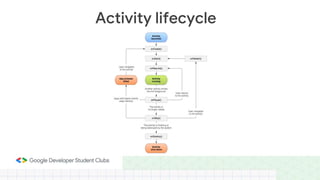
Activity lifecycle
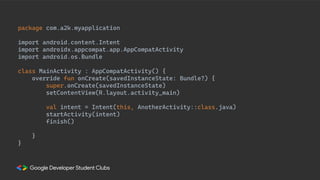
package com.a2k.myapplication
import android.content.Intent
import androidx.appcompat.app.AppCompatActivity
import android.os.Bundle
class MainActivity : AppCompatActivity() {
override fun onCreate(savedInstanceState: Bundle?) {
super.onCreate(savedInstanceState)
setContentView(R.layout.activity_main)
val intent = Intent(this, AnotherActivity::class.java)
startActivity(intent)
finish()
}
}
• Android views are the basic building blocks of the user interface (UI). They
are small rectangular boxes that respond to user inputs. Examples of views
include Text View, Edit Text, Button, Check Box, etc.
• View Group is an invisible container of other views and other View Groups.
Some of the view groups are Linear Layout, Constraint Layout, Relative
Layout, etc.
Android Views
• To share data between activities in Android, you can use an Intent. An
Intent is a messaging object that can launch a new Activity by passing it to
the startActivity() method. Intent can also carry data with various putExtra()
methods, in key-value pairs.
Sharing Data b/w Activities
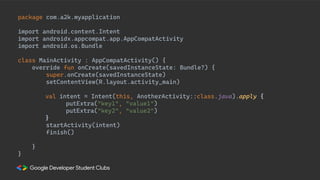
package com.a2k.myapplication
import android.content.Intent
import androidx.appcompat.app.AppCompatActivity
import android.os.Bundle
class MainActivity : AppCompatActivity() {
override fun onCreate(savedInstanceState: Bundle?) {
super.onCreate(savedInstanceState)
setContentView(R.layout.activity_main)
val intent = Intent(this, AnotherActivity::class.java).apply {
putExtra("key1", "value1")
putExtra("key2", "value2")
}
startActivity(intent)
finish()
}
}
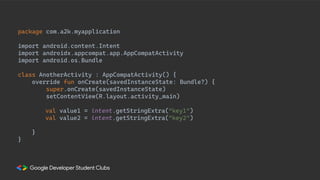
package com.a2k.myapplication
import android.content.Intent
import androidx.appcompat.app.AppCompatActivity
import android.os.Bundle
class AnotherActivity : AppCompatActivity() {
override fun onCreate(savedInstanceState: Bundle?) {
super.onCreate(savedInstanceState)
setContentView(R.layout.activity_main)
val value1 = intent.getStringExtra("key1")
val value2 = intent.getStringExtra("key2")
}
}
Getting Started with
Android App Development
Thank You

DAY1.pptx

  • 1.
    Getting Started with AndroidApp Development Apurv Ajay Kumar
  • 2.
    Setting up theEnvironment Downloading Android Studio http://bit.ly/3tEcRPO
  • 3.
  • 4.
    Creating a newproject. We are going to create a hello world from an empty project. Building a Hello World App
  • 5.
  • 6.
  • 7.
  • 8.
  • 9.
  • 10.
    You can domore with less. Express your ideas and reduce the amount of boilerplate code. Kotlin has many language features to help you avoid common programming mistakes such as null pointer exceptions. Android apps that contain Kotlin code are 20% less likely to crash. Call Java-based code from Kotlin, or call Kotlin from Java-based code. Kotlin is 100% interoperable with the Java programming language, so you can have as little or as much of Kotlin in your project as you want. Kotlin coroutines make asynchronous code as easy to work with as blocking code. Coroutines dramatically simplify background task management for everything from network calls to accessing local data. Why Kotlin?
  • 11.
    • Variables • For-Loops •While Loops • When ( Switch Case) Basic of Kotlin
  • 12.
    • An activityis a fundamental component of an app that represents a single, focused screen with a user interface. Activities are used to interact with the user and typically correspond to the various screens or windows the user can interact with in an app. • Activities can communicate with each other by passing data through intents. Intents are a mechanism for sending messages between activities, which can be used to start new activities or pass information between them. Activities and Intents
  • 13.
  • 14.
    package com.a2k.myapplication import android.content.Intent importandroidx.appcompat.app.AppCompatActivity import android.os.Bundle class MainActivity : AppCompatActivity() { override fun onCreate(savedInstanceState: Bundle?) { super.onCreate(savedInstanceState) setContentView(R.layout.activity_main) val intent = Intent(this, AnotherActivity::class.java) startActivity(intent) finish() } }
  • 15.
    • Android viewsare the basic building blocks of the user interface (UI). They are small rectangular boxes that respond to user inputs. Examples of views include Text View, Edit Text, Button, Check Box, etc. • View Group is an invisible container of other views and other View Groups. Some of the view groups are Linear Layout, Constraint Layout, Relative Layout, etc. Android Views
  • 16.
    • To sharedata between activities in Android, you can use an Intent. An Intent is a messaging object that can launch a new Activity by passing it to the startActivity() method. Intent can also carry data with various putExtra() methods, in key-value pairs. Sharing Data b/w Activities
  • 17.
    package com.a2k.myapplication import android.content.Intent importandroidx.appcompat.app.AppCompatActivity import android.os.Bundle class MainActivity : AppCompatActivity() { override fun onCreate(savedInstanceState: Bundle?) { super.onCreate(savedInstanceState) setContentView(R.layout.activity_main) val intent = Intent(this, AnotherActivity::class.java).apply { putExtra("key1", "value1") putExtra("key2", "value2") } startActivity(intent) finish() } }
  • 18.
    package com.a2k.myapplication import android.content.Intent importandroidx.appcompat.app.AppCompatActivity import android.os.Bundle class AnotherActivity : AppCompatActivity() { override fun onCreate(savedInstanceState: Bundle?) { super.onCreate(savedInstanceState) setContentView(R.layout.activity_main) val value1 = intent.getStringExtra("key1") val value2 = intent.getStringExtra("key2") } }
  • 19.
    Getting Started with AndroidApp Development Thank You