Program – IF Class – IF4I
Course – Database ManagementCode – 22416
Chapter No 5
Database Security and Transaction Processing (08)
Database security encompasses a range of
security controls designed to protect the
Database Management System (DBMS). The
types of database security measures your
business should use include protecting the
underlying infrastructure that houses the
database such as the network and servers),
securely configuring the DBMS, and the access
to the data itself.
Goals
• The goal of database security is to prevent
unauthorized or accidental access to
data.
• Because the database environment has
become more complex and more
decentralized, management of data security
and integrity has become a more complex and
time consuming job for data administrators.
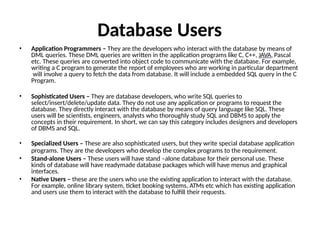
Database Users
• Application Programmers – They are the developers who interact with the database by means of
DML queries. These DML queries are written in the application programs like C, C++, JAVA, Pascal
etc. These queries are converted into object code to communicate with the database. For example,
writing a C program to generate the report of employees who are working in particular department
will involve a query to fetch the data from database. It will include a embedded SQL query in the C
Program.
• Sophisticated Users – They are database developers, who write SQL queries to
select/insert/delete/update data. They do not use any application or programs to request the
database. They directly interact with the database by means of query language like SQL. These
users will be scientists, engineers, analysts who thoroughly study SQL and DBMS to apply the
concepts in their requirement. In short, we can say this category includes designers and developers
of DBMS and SQL.
• Specialized Users – These are also sophisticated users, but they write special database application
programs. They are the developers who develop the complex programs to the requirement.
• Stand-alone Users – These users will have stand –alone database for their personal use. These
kinds of database will have readymade database packages which will have menus and graphical
interfaces.
• Native Users – these are the users who use the existing application to interact with the database.
For example, online library system, ticket booking systems, ATMs etc which has existing application
and users use them to interact with the database to fulfill their requests.
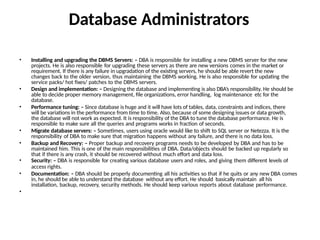
Database Administrators
• Installing and upgrading the DBMS Servers: – DBA is responsible for installing a new DBMS server for the new
projects. He is also responsible for upgrading these servers as there are new versions comes in the market or
requirement. If there is any failure in upgradation of the existing servers, he should be able revert the new
changes back to the older version, thus maintaining the DBMS working. He is also responsible for updating the
service packs/ hot fixes/ patches to the DBMS servers.
• Design and implementation: – Designing the database and implementing is also DBA’s responsibility. He should be
able to decide proper memory management, file organizations, error handling, log maintenance etc for the
database.
• Performance tuning: – Since database is huge and it will have lots of tables, data, constraints and indices, there
will be variations in the performance from time to time. Also, because of some designing issues or data growth,
the database will not work as expected. It is responsibility of the DBA to tune the database performance. He is
responsible to make sure all the queries and programs works in fraction of seconds.
• Migrate database servers: – Sometimes, users using oracle would like to shift to SQL server or Netezza. It is the
responsibility of DBA to make sure that migration happens without any failure, and there is no data loss.
• Backup and Recovery: – Proper backup and recovery programs needs to be developed by DBA and has to be
maintained him. This is one of the main responsibilities of DBA. Data/objects should be backed up regularly so
that if there is any crash, it should be recovered without much effort and data loss.
• Security: – DBA is responsible for creating various database users and roles, and giving them different levels of
access rights.
• Documentation: – DBA should be properly documenting all his activities so that if he quits or any new DBA comes
in, he should be able to understand the database without any effort. He should basically maintain all his
installation, backup, recovery, security methods. He should keep various reports about database performance.
•
• Create user user_name identified by
externally;
• Create user user_name identified by
password;
• alter user user_name identified by
password;
• DROP user user_name;
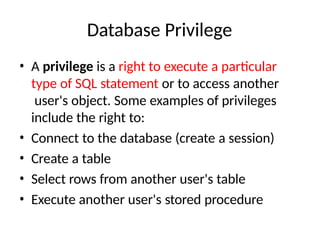
Database Privilege
• A privilege is a right to execute a particular
type of SQL statement or to access another
user's object. Some examples of privileges
include the right to:
• Connect to the database (create a session)
• Create a table
• Select rows from another user's table
• Execute another user's stored procedure
• You grant privileges to users so these users can
accomplish tasks required for their job. You
should grant a privilege only to a user who
absolutely requires the privilege to accomplish
necessary work. Excessive granting of
unnecessary privileges can compromise security.
A user can receive a privilege in two different
ways:
• System privileges
• Schema object privileges
System Privileges
• A system privilege is the right to perform a
particular action, or to perform an action on any
schema objects of a particular type. For example,
the privileges to create tables and to delete the
rows of any table in a database are system
privileges. There are over 60 distinct system
privileges.
• Grant and Revoke System Privileges
• You can grant or revoke system privileges to users
and roles
Grant/
Revoke
• Grant – Assign permission to user.
Grant privilege_name on table_name to user;
Example:
Grant select on student to user1;
Revoke : Cancel assign permission from user;
Revoke select on student from user1;
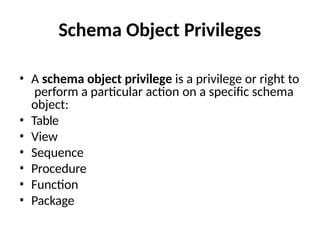
Schema Object Privileges
• A schema object privilege is a privilege or right to
perform a particular action on a specific schema
object:
• Table
• View
• Sequence
• Procedure
• Function
• Package
Transaction
• A transaction can be defined as a group of tasks.
• A single task is the minimum processing unit which cannot be
divided further.
• Let’s take an example of a simple transaction. Suppose a bank
employee transfers Rs 500 from A's account to B's account. This
very simple and small transaction involves several low-level tasks.
• A’s Account
• Open_Account(A) ;
• Old_Balance = A.balance New_Balance = Old_Balance - 500
A.balance = New_Balance Close_Account(A)
• B’s Account
• Open_Account(B);
• Old_Balance = B.balance New_Balance = Old_Balance +
500
B.balance = New_Balance Close_Account(B)
Types of Transaction
• Read
• Write
Transaction Property(ACID)
• Atomicity − This property states that a transaction must be treated as an atomic
unit, that is, either all of its operations are executed or none. There must be no
state in a database where a transaction is left partially completed.
• Consistency − The database must remain in a consistent state after any transaction
If the database was in a consistent state before the execution of a transaction, it
must remain consistent after the execution of the transaction as well.
• Durability − The database should be durable enough to hold all its latest updates
even if the system fails or restarts. If a transaction updates a chunk of data in a
database and commits, then the database will hold the modified data. If a
transaction commits but the system fails before the data could be written on to
the disk, then that data will be updated once the system brings back into action.
• Isolation − In a database system where more than one transaction are being
executed simultaneously and in parallel, the property of isolation states that all the
transactions will be carried out and executed as if it is the only transaction in the
system. No transaction will affect the existence of any other transaction.
•
States of Transactions
• Active − In this state, the transaction is being executed. This is the initial state of
every transaction.
• Partially Committed − When a transaction executes its final operation, it is said to
be in a partially committed state.
• Failed − A transaction is said to be in a failed state if any of the checks made by
the
database recovery system fails. A failed transaction can no longer proceed further.
• Aborted − If any of the checks fails and the transaction has reached a failed state,
then the recovery manager rolls back all its write operations on the database to
bring the database back to its original state where it was prior to the execution of
the transaction. Transactions in this state are called aborted. The database
recovery module can select one of the two operations after a transaction aborts −
– Re-start the transaction
– Kill the transaction
• Committed − If a transaction executes all its operations successfully, it is said to be
committed. All its effects are now permanently established on the database
system.
•
Serializability
• When multiple transactions are being executed by the
operating system in a multiprogramming environment,
there are possibilities that instructions of one transactions
are interleaved with some other transaction.
• Schedule − A execution sequence of a transaction is
called a schedule. A schedule can have many transactions
in it, each comprising of a number of instructions/tasks.
• Serial Schedule − It is a schedule in which transactions are
aligned in such a way that one transaction is executed first.
When the first transaction completes its cycle, then the
next transaction is executed. Transactions are ordered one
after the other. This type of schedule is called a serial
schedule, as transactions are executed in a serial manner.
Concurrent Execution
• In a multi-user system, multiple users can access
and use the same database at one time, which
is known as the concurrent execution of the
database. It means that the same database is
executed simultaneously on a multi-user system
by different users.
• While working on the database transactions,
there occurs the requirement of using the
database by multiple users for performing
different operations, and in that case, concurrent
execution of the database is performed.
Advantages of concurrency
• This is good to serve many users.
• provides better throughput by sharing resources.
• Reduced waiting time , response time or turn around time.
• Increased throughput or resource utilization
• If we run only one transaction at a time than the ACID
property is sufficient but it is possible that when multiple
transactions are executed concurrently than database may
become inconsistent.
• Overlapping with the input-output activity with CPU also
makes the response time better.
• But interleaving of instruction between transaction may
also lead to many problems due to which concurrency
control is required.
Problems of Concurrency Control :
• When concurrent transactions are executed in
an uncontrolled manner, several problems can
occur.
The concurrency control has the following
three main problems:
• Lost updates.
• Dirty read (or uncommitted data).
• Unrepeatable read (or inconsistent
retrievals).
Concurrency Control
• Concurrency Control is the working concept
that is required for controlling and managing
the concurrent execution of database
operations and thus avoiding the
inconsistencies in the database. Thus, for
maintaining the concurrency of the database,
we have the concurrency control protocols.
Concurrency Control Protocols
• Lock Based Concurrency Control Protocol
• Time Stamp Concurrency Control Protocol
• Validation Based Concurrency Control Protocol
Lock-Based Protocol
• Shared lock:
• It is also known as a Read-only lock. In a shared
lock, the data item can only read by the transaction.
• It can be shared between the transactions because
when the transaction holds a lock, then it can't update
the data on the data item.
• 2. Exclusive lock:
• In the exclusive lock, the data item can be both reads
as well as written by the transaction.
• This lock is exclusive, and in this lock, multiple
transactions do not modify the same data
simultaneously.
Timestamp Ordering Protocol
• he Timestamp Ordering Protocol is used to order the
transactions based on their Timestamps. The order of
transaction is nothing but the ascending order of the
transaction creation.
• The priority of the older transaction is higher that's
why it executes first. To determine the timestamp of
the transaction, this protocol uses system time or
logical counter.
• The lock-based protocol is used to manage the order
between conflicting pairs among transactions at the
execution time. But Timestamp based protocols start
working as soon as a transaction is created.
Validation Based Protocol
• Validation phase is also known as optimistic concurrency control
technique. In the validation based protocol, the transaction is
executed in the following three phases:
• Read phase: In this phase, the transaction T is read and executed. It
is used to read the value of various data items and stores them in
temporary local variables. It can perform all the write operations on
temporary variables without an update to the actual database.
• Validation phase: In this phase, the temporary variable value will
be validated against the actual data to see if it violates the
serializability.
• Write phase: If the validation of the transaction is validated, then
the temporary results are written to the database or system
otherwise the transaction is rolled back.
Types of Database System Failures
• There are many types of failures that can affect database
processing. Some failures affect the main memory only, while
others involve secondary storage. Following are the types of failure:
• Hardware failures: Hardware failures may include memory errors,
disk crashes, bad disk sectors, disk full errors and so on. Hardware
failures can also be attributed to design errors, inadequate (poor)
quality control during fabrication, overloading (use of under-
capacity components) and wearout of mechanical parts.
• Software failures: Software failures may include failures related to
softwares such as, operating system, DBMS software, application
programs and so on.
• System crashes: System crashes are due to hardware or
software ...
•
• Media Failures
• Network Failures
• Transaction Failures
• Logical Error
• System error
• Application software error
Database Backup
• It is imperative to have a backup of the database
in case the original is corrupted or lost because of
any reason. Using this backup, the database can
be recovered as it was before the failure.
• Database backup basically means that a duplicate
of the database information and data is created
and stored in backup server just to be on the safe
side. Transaction logs are also stored in the
backup along with the database data because
without them, the data would be useless.
Methods of Backup
• The different methods of backup in a database are:
• Full Backup - This method takes a lot of time as the full copy of the
database is made including the data and the transaction records.
• Transaction Log - Only the transaction logs are saved as the backup
in this method. To keep the backup file as small as possible, the
previous transaction log details are deleted once a new backup
record is made.
• Differential Backup - This is similar to full backup in that it
stores both the data and the transaction records. However only
that information is saved in the backup that has changed since
the last full backup. Because of this, differential backup leads to
smaller files
Database Recovery
• Database Recovery
• There are two methods that are primarily used for
database recovery. These are:
• Log based recovery - In log based recovery, logs of all
database transactions are stored in a secure area so that in
case of a system failure, the database can recover the data.
All log information, such as the time of the transaction, its
data etc. should be stored before the transaction is
executed.
• Shadow paging - In shadow paging, after the
transaction is completed its data is automatically stored for
safekeeping. So, if the system crashes in the middle of a
transaction, changes made by it will not be reflected in the
database.
Database management system normalization

  • 1.
    Program – IFClass – IF4I Course – Database ManagementCode – 22416
  • 2.
    Chapter No 5 DatabaseSecurity and Transaction Processing (08) Database security encompasses a range of security controls designed to protect the Database Management System (DBMS). The types of database security measures your business should use include protecting the underlying infrastructure that houses the database such as the network and servers), securely configuring the DBMS, and the access to the data itself.
  • 3.
    Goals • The goalof database security is to prevent unauthorized or accidental access to data. • Because the database environment has become more complex and more decentralized, management of data security and integrity has become a more complex and time consuming job for data administrators.
  • 4.
    Database Users • ApplicationProgrammers – They are the developers who interact with the database by means of DML queries. These DML queries are written in the application programs like C, C++, JAVA, Pascal etc. These queries are converted into object code to communicate with the database. For example, writing a C program to generate the report of employees who are working in particular department will involve a query to fetch the data from database. It will include a embedded SQL query in the C Program. • Sophisticated Users – They are database developers, who write SQL queries to select/insert/delete/update data. They do not use any application or programs to request the database. They directly interact with the database by means of query language like SQL. These users will be scientists, engineers, analysts who thoroughly study SQL and DBMS to apply the concepts in their requirement. In short, we can say this category includes designers and developers of DBMS and SQL. • Specialized Users – These are also sophisticated users, but they write special database application programs. They are the developers who develop the complex programs to the requirement. • Stand-alone Users – These users will have stand –alone database for their personal use. These kinds of database will have readymade database packages which will have menus and graphical interfaces. • Native Users – these are the users who use the existing application to interact with the database. For example, online library system, ticket booking systems, ATMs etc which has existing application and users use them to interact with the database to fulfill their requests.
  • 5.
    Database Administrators • Installingand upgrading the DBMS Servers: – DBA is responsible for installing a new DBMS server for the new projects. He is also responsible for upgrading these servers as there are new versions comes in the market or requirement. If there is any failure in upgradation of the existing servers, he should be able revert the new changes back to the older version, thus maintaining the DBMS working. He is also responsible for updating the service packs/ hot fixes/ patches to the DBMS servers. • Design and implementation: – Designing the database and implementing is also DBA’s responsibility. He should be able to decide proper memory management, file organizations, error handling, log maintenance etc for the database. • Performance tuning: – Since database is huge and it will have lots of tables, data, constraints and indices, there will be variations in the performance from time to time. Also, because of some designing issues or data growth, the database will not work as expected. It is responsibility of the DBA to tune the database performance. He is responsible to make sure all the queries and programs works in fraction of seconds. • Migrate database servers: – Sometimes, users using oracle would like to shift to SQL server or Netezza. It is the responsibility of DBA to make sure that migration happens without any failure, and there is no data loss. • Backup and Recovery: – Proper backup and recovery programs needs to be developed by DBA and has to be maintained him. This is one of the main responsibilities of DBA. Data/objects should be backed up regularly so that if there is any crash, it should be recovered without much effort and data loss. • Security: – DBA is responsible for creating various database users and roles, and giving them different levels of access rights. • Documentation: – DBA should be properly documenting all his activities so that if he quits or any new DBA comes in, he should be able to understand the database without any effort. He should basically maintain all his installation, backup, recovery, security methods. He should keep various reports about database performance. •
  • 6.
    • Create useruser_name identified by externally; • Create user user_name identified by password; • alter user user_name identified by password; • DROP user user_name;
  • 7.
    Database Privilege • Aprivilege is a right to execute a particular type of SQL statement or to access another user's object. Some examples of privileges include the right to: • Connect to the database (create a session) • Create a table • Select rows from another user's table • Execute another user's stored procedure
  • 8.
    • You grantprivileges to users so these users can accomplish tasks required for their job. You should grant a privilege only to a user who absolutely requires the privilege to accomplish necessary work. Excessive granting of unnecessary privileges can compromise security. A user can receive a privilege in two different ways: • System privileges • Schema object privileges
  • 9.
    System Privileges • Asystem privilege is the right to perform a particular action, or to perform an action on any schema objects of a particular type. For example, the privileges to create tables and to delete the rows of any table in a database are system privileges. There are over 60 distinct system privileges. • Grant and Revoke System Privileges • You can grant or revoke system privileges to users and roles
  • 10.
    Grant/ Revoke • Grant –Assign permission to user. Grant privilege_name on table_name to user; Example: Grant select on student to user1; Revoke : Cancel assign permission from user; Revoke select on student from user1;
  • 11.
    Schema Object Privileges •A schema object privilege is a privilege or right to perform a particular action on a specific schema object: • Table • View • Sequence • Procedure • Function • Package
  • 12.
    Transaction • A transactioncan be defined as a group of tasks. • A single task is the minimum processing unit which cannot be divided further. • Let’s take an example of a simple transaction. Suppose a bank employee transfers Rs 500 from A's account to B's account. This very simple and small transaction involves several low-level tasks. • A’s Account • Open_Account(A) ; • Old_Balance = A.balance New_Balance = Old_Balance - 500 A.balance = New_Balance Close_Account(A) • B’s Account • Open_Account(B); • Old_Balance = B.balance New_Balance = Old_Balance + 500 B.balance = New_Balance Close_Account(B)
  • 13.
  • 14.
    Transaction Property(ACID) • Atomicity− This property states that a transaction must be treated as an atomic unit, that is, either all of its operations are executed or none. There must be no state in a database where a transaction is left partially completed. • Consistency − The database must remain in a consistent state after any transaction If the database was in a consistent state before the execution of a transaction, it must remain consistent after the execution of the transaction as well. • Durability − The database should be durable enough to hold all its latest updates even if the system fails or restarts. If a transaction updates a chunk of data in a database and commits, then the database will hold the modified data. If a transaction commits but the system fails before the data could be written on to the disk, then that data will be updated once the system brings back into action. • Isolation − In a database system where more than one transaction are being executed simultaneously and in parallel, the property of isolation states that all the transactions will be carried out and executed as if it is the only transaction in the system. No transaction will affect the existence of any other transaction. •
  • 15.
  • 16.
    • Active −In this state, the transaction is being executed. This is the initial state of every transaction. • Partially Committed − When a transaction executes its final operation, it is said to be in a partially committed state. • Failed − A transaction is said to be in a failed state if any of the checks made by the database recovery system fails. A failed transaction can no longer proceed further. • Aborted − If any of the checks fails and the transaction has reached a failed state, then the recovery manager rolls back all its write operations on the database to bring the database back to its original state where it was prior to the execution of the transaction. Transactions in this state are called aborted. The database recovery module can select one of the two operations after a transaction aborts − – Re-start the transaction – Kill the transaction • Committed − If a transaction executes all its operations successfully, it is said to be committed. All its effects are now permanently established on the database system. •
  • 17.
    Serializability • When multipletransactions are being executed by the operating system in a multiprogramming environment, there are possibilities that instructions of one transactions are interleaved with some other transaction. • Schedule − A execution sequence of a transaction is called a schedule. A schedule can have many transactions in it, each comprising of a number of instructions/tasks. • Serial Schedule − It is a schedule in which transactions are aligned in such a way that one transaction is executed first. When the first transaction completes its cycle, then the next transaction is executed. Transactions are ordered one after the other. This type of schedule is called a serial schedule, as transactions are executed in a serial manner.
  • 18.
    Concurrent Execution • Ina multi-user system, multiple users can access and use the same database at one time, which is known as the concurrent execution of the database. It means that the same database is executed simultaneously on a multi-user system by different users. • While working on the database transactions, there occurs the requirement of using the database by multiple users for performing different operations, and in that case, concurrent execution of the database is performed.
  • 19.
    Advantages of concurrency •This is good to serve many users. • provides better throughput by sharing resources. • Reduced waiting time , response time or turn around time. • Increased throughput or resource utilization • If we run only one transaction at a time than the ACID property is sufficient but it is possible that when multiple transactions are executed concurrently than database may become inconsistent. • Overlapping with the input-output activity with CPU also makes the response time better. • But interleaving of instruction between transaction may also lead to many problems due to which concurrency control is required.
  • 20.
    Problems of ConcurrencyControl : • When concurrent transactions are executed in an uncontrolled manner, several problems can occur. The concurrency control has the following three main problems: • Lost updates. • Dirty read (or uncommitted data). • Unrepeatable read (or inconsistent retrievals).
  • 21.
    Concurrency Control • ConcurrencyControl is the working concept that is required for controlling and managing the concurrent execution of database operations and thus avoiding the inconsistencies in the database. Thus, for maintaining the concurrency of the database, we have the concurrency control protocols.
  • 22.
    Concurrency Control Protocols •Lock Based Concurrency Control Protocol • Time Stamp Concurrency Control Protocol • Validation Based Concurrency Control Protocol
  • 23.
    Lock-Based Protocol • Sharedlock: • It is also known as a Read-only lock. In a shared lock, the data item can only read by the transaction. • It can be shared between the transactions because when the transaction holds a lock, then it can't update the data on the data item. • 2. Exclusive lock: • In the exclusive lock, the data item can be both reads as well as written by the transaction. • This lock is exclusive, and in this lock, multiple transactions do not modify the same data simultaneously.
  • 24.
    Timestamp Ordering Protocol •he Timestamp Ordering Protocol is used to order the transactions based on their Timestamps. The order of transaction is nothing but the ascending order of the transaction creation. • The priority of the older transaction is higher that's why it executes first. To determine the timestamp of the transaction, this protocol uses system time or logical counter. • The lock-based protocol is used to manage the order between conflicting pairs among transactions at the execution time. But Timestamp based protocols start working as soon as a transaction is created.
  • 25.
    Validation Based Protocol •Validation phase is also known as optimistic concurrency control technique. In the validation based protocol, the transaction is executed in the following three phases: • Read phase: In this phase, the transaction T is read and executed. It is used to read the value of various data items and stores them in temporary local variables. It can perform all the write operations on temporary variables without an update to the actual database. • Validation phase: In this phase, the temporary variable value will be validated against the actual data to see if it violates the serializability. • Write phase: If the validation of the transaction is validated, then the temporary results are written to the database or system otherwise the transaction is rolled back.
  • 26.
    Types of DatabaseSystem Failures • There are many types of failures that can affect database processing. Some failures affect the main memory only, while others involve secondary storage. Following are the types of failure: • Hardware failures: Hardware failures may include memory errors, disk crashes, bad disk sectors, disk full errors and so on. Hardware failures can also be attributed to design errors, inadequate (poor) quality control during fabrication, overloading (use of under- capacity components) and wearout of mechanical parts. • Software failures: Software failures may include failures related to softwares such as, operating system, DBMS software, application programs and so on. • System crashes: System crashes are due to hardware or software ... •
  • 27.
    • Media Failures •Network Failures • Transaction Failures • Logical Error • System error • Application software error
  • 28.
    Database Backup • Itis imperative to have a backup of the database in case the original is corrupted or lost because of any reason. Using this backup, the database can be recovered as it was before the failure. • Database backup basically means that a duplicate of the database information and data is created and stored in backup server just to be on the safe side. Transaction logs are also stored in the backup along with the database data because without them, the data would be useless.
  • 29.
    Methods of Backup •The different methods of backup in a database are: • Full Backup - This method takes a lot of time as the full copy of the database is made including the data and the transaction records. • Transaction Log - Only the transaction logs are saved as the backup in this method. To keep the backup file as small as possible, the previous transaction log details are deleted once a new backup record is made. • Differential Backup - This is similar to full backup in that it stores both the data and the transaction records. However only that information is saved in the backup that has changed since the last full backup. Because of this, differential backup leads to smaller files
  • 30.
    Database Recovery • DatabaseRecovery • There are two methods that are primarily used for database recovery. These are: • Log based recovery - In log based recovery, logs of all database transactions are stored in a secure area so that in case of a system failure, the database can recover the data. All log information, such as the time of the transaction, its data etc. should be stored before the transaction is executed. • Shadow paging - In shadow paging, after the transaction is completed its data is automatically stored for safekeeping. So, if the system crashes in the middle of a transaction, changes made by it will not be reflected in the database.