Normalization
• A method for organizing data elements into tables.
• Done in order to avoid
• Duplication of data
• Insert anomaly
• Delete anomaly
• Update anomaly
We will look at
• First Normal Form
• Second Normal Form
• Third Normal Form
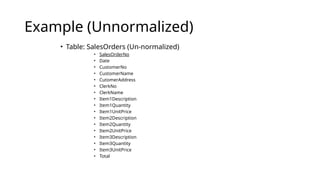
Example (Unnormalized)
• Table: SalesOrders (Un-normalized)
• SalesOrderNo
• Date
• CustomerNo
• CustomerName
• CutomerAddress
• ClerkNo
• ClerkName
• Item1Description
• Item1Quantity
• Item1UnitPrice
• Item2Description
• Item2Quantity
• Item2UnitPrice
• Item3Description
• Item3Quantity
• Item3UnitPrice
• Total
Normalize into 1NF
• Separate repeating groups into new tables.
• Start a new table for the repeating data.
• The primary key for the repeating group is usually a
composite key.
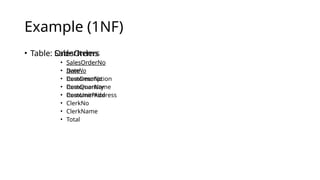
Example (1NF)
• Table: SalesOrders
• SalesOrderNo
• Date
• CustomerNo
• CustomerName
• CustomerAddress
• ClerkNo
• ClerkName
• Total
• Table: OrderItems
• SalesOrderNo
• ItemNo
• ItemDescription
• ItemQuantity
• ItemUnitPrice
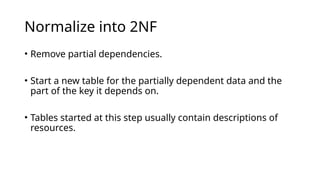
Normalize into 2NF
• Remove partial dependencies.
• Start a new table for the partially dependent data and the
part of the key it depends on.
• Tables started at this step usually contain descriptions of
resources.
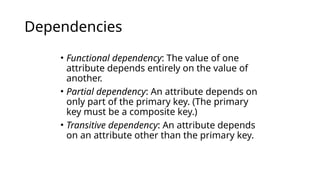
Dependencies
• Functional dependency: The value of one
attribute depends entirely on the value of
another.
• Partial dependency: An attribute depends on
only part of the primary key. (The primary
key must be a composite key.)
• Transitive dependency: An attribute depends
on an attribute other than the primary key.
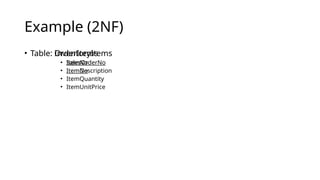
Example (2NF)
• Table: OrderItems
• SalesOrderNo
• ItemNo
• ItemQuantity
• ItemUnitPrice
• Table: InventoryItems
• ItemNo
• ItemDescription
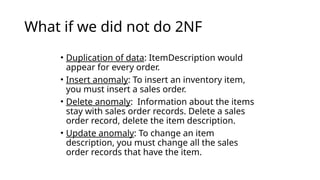
What if we did not do 2NF
• Duplication of data: ItemDescription would
appear for every order.
• Insert anomaly: To insert an inventory item,
you must insert a sales order.
• Delete anomaly: Information about the items
stay with sales order records. Delete a sales
order record, delete the item description.
• Update anomaly: To change an item
description, you must change all the sales
order records that have the item.
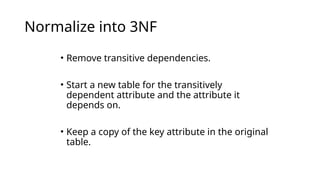
Normalize into 3NF
• Remove transitive dependencies.
• Start a new table for the transitively
dependent attribute and the attribute it
depends on.
• Keep a copy of the key attribute in the original
table.
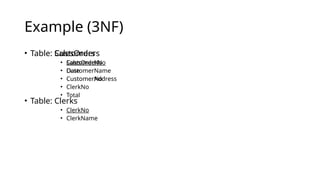
Example (3NF)
• Table: SalesOrders
• SalesOrderNo
• Date
• CustomerNo
• ClerkNo
• Total
• Table: Customers
• CustomerNo
• CustomerName
• CustomerAddress
• Table: Clerks
• ClerkNo
• ClerkName
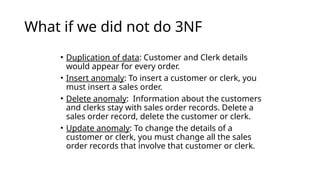
What if we did not do 3NF
• Duplication of data: Customer and Clerk details
would appear for every order.
• Insert anomaly: To insert a customer or clerk, you
must insert a sales order.
• Delete anomaly: Information about the customers
and clerks stay with sales order records. Delete a
sales order record, delete the customer or clerk.
• Update anomaly: To change the details of a
customer or clerk, you must change all the sales
order records that involve that customer or clerk.
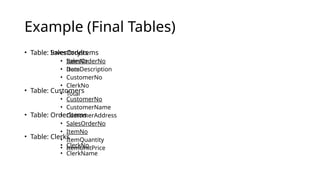
Example (Final Tables)
• Table: SalesOrders
• SalesOrderNo
• Date
• CustomerNo
• ClerkNo
• Total
• Table: OrderItems
• SalesOrderNo
• ItemNo
• ItemQuantity
• ItemUnitPrice
• Table: InventoryItems
• ItemNo
• ItemDescription
• Table: Customers
• CustomerNo
• CustomerName
• CustomerAddress
• Table: Clerks
• ClerkNo
• ClerkName

Database Management System Normalization

  • 1.
    Normalization • A methodfor organizing data elements into tables. • Done in order to avoid • Duplication of data • Insert anomaly • Delete anomaly • Update anomaly
  • 2.
    We will lookat • First Normal Form • Second Normal Form • Third Normal Form
  • 3.
    Example (Unnormalized) • Table:SalesOrders (Un-normalized) • SalesOrderNo • Date • CustomerNo • CustomerName • CutomerAddress • ClerkNo • ClerkName • Item1Description • Item1Quantity • Item1UnitPrice • Item2Description • Item2Quantity • Item2UnitPrice • Item3Description • Item3Quantity • Item3UnitPrice • Total
  • 4.
    Normalize into 1NF •Separate repeating groups into new tables. • Start a new table for the repeating data. • The primary key for the repeating group is usually a composite key.
  • 5.
    Example (1NF) • Table:SalesOrders • SalesOrderNo • Date • CustomerNo • CustomerName • CustomerAddress • ClerkNo • ClerkName • Total • Table: OrderItems • SalesOrderNo • ItemNo • ItemDescription • ItemQuantity • ItemUnitPrice
  • 6.
    Normalize into 2NF •Remove partial dependencies. • Start a new table for the partially dependent data and the part of the key it depends on. • Tables started at this step usually contain descriptions of resources.
  • 7.
    Dependencies • Functional dependency:The value of one attribute depends entirely on the value of another. • Partial dependency: An attribute depends on only part of the primary key. (The primary key must be a composite key.) • Transitive dependency: An attribute depends on an attribute other than the primary key.
  • 8.
    Example (2NF) • Table:OrderItems • SalesOrderNo • ItemNo • ItemQuantity • ItemUnitPrice • Table: InventoryItems • ItemNo • ItemDescription
  • 9.
    What if wedid not do 2NF • Duplication of data: ItemDescription would appear for every order. • Insert anomaly: To insert an inventory item, you must insert a sales order. • Delete anomaly: Information about the items stay with sales order records. Delete a sales order record, delete the item description. • Update anomaly: To change an item description, you must change all the sales order records that have the item.
  • 10.
    Normalize into 3NF •Remove transitive dependencies. • Start a new table for the transitively dependent attribute and the attribute it depends on. • Keep a copy of the key attribute in the original table.
  • 11.
    Example (3NF) • Table:SalesOrders • SalesOrderNo • Date • CustomerNo • ClerkNo • Total • Table: Customers • CustomerNo • CustomerName • CustomerAddress • Table: Clerks • ClerkNo • ClerkName
  • 12.
    What if wedid not do 3NF • Duplication of data: Customer and Clerk details would appear for every order. • Insert anomaly: To insert a customer or clerk, you must insert a sales order. • Delete anomaly: Information about the customers and clerks stay with sales order records. Delete a sales order record, delete the customer or clerk. • Update anomaly: To change the details of a customer or clerk, you must change all the sales order records that involve that customer or clerk.
  • 13.
    Example (Final Tables) •Table: SalesOrders • SalesOrderNo • Date • CustomerNo • ClerkNo • Total • Table: OrderItems • SalesOrderNo • ItemNo • ItemQuantity • ItemUnitPrice • Table: InventoryItems • ItemNo • ItemDescription • Table: Customers • CustomerNo • CustomerName • CustomerAddress • Table: Clerks • ClerkNo • ClerkName