Proteomics Bioinformatics
WTAC
13-17 December 2010
Rafael Jimenez
rafael@ebi.ac.uk
EnCORE
presentation
DAS
Distributed Annotation System
Table of contents
• DAS
 What is it?
 Commands and queries
 Why should I use it?
 Documentation
 Clients and servers
What is it?
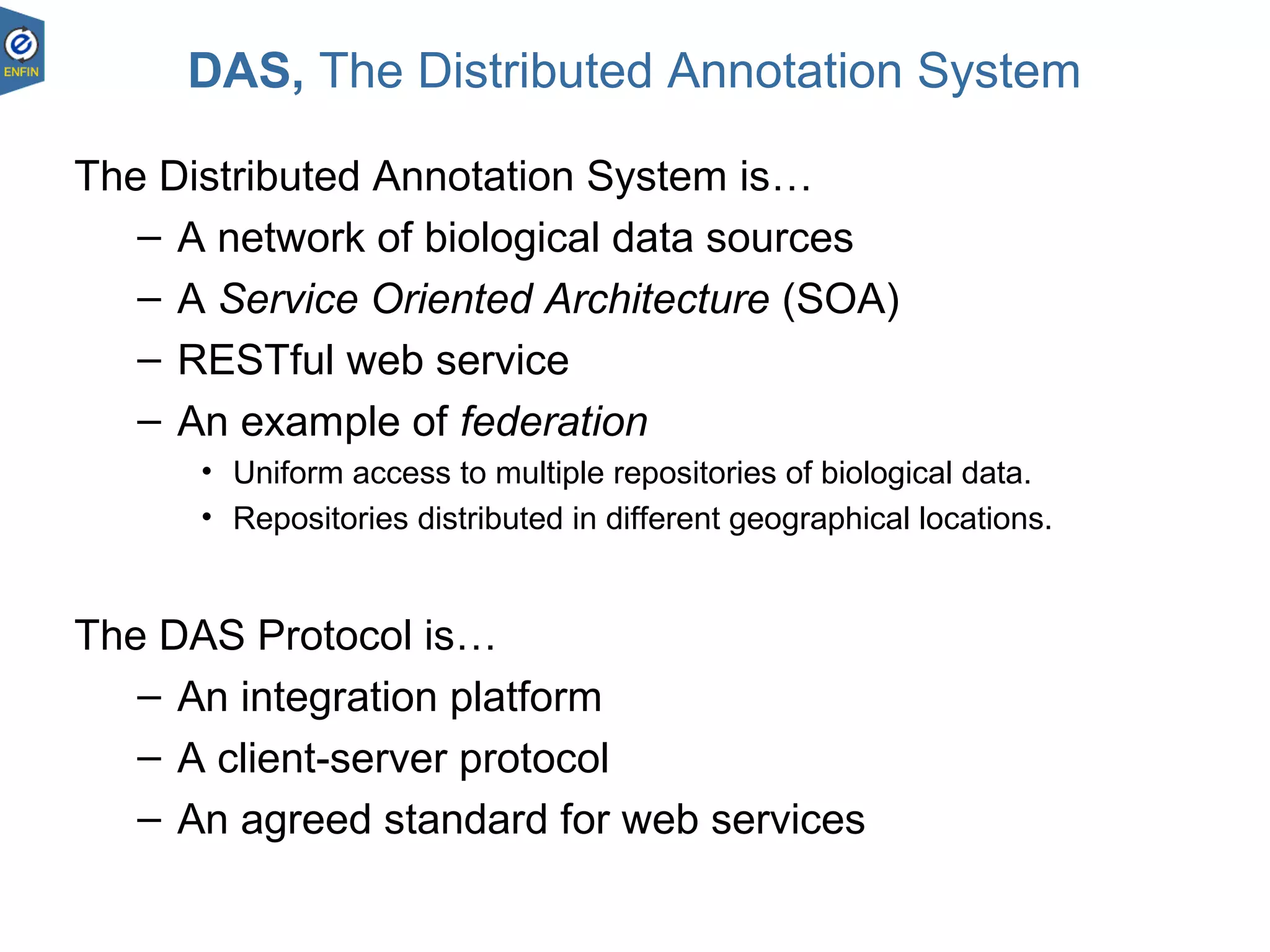
DAS, The Distributed Annotation System
The Distributed Annotation System is…
– A network of biological data sources
– A Service Oriented Architecture (SOA)
– RESTful web service
– An example of federation
• Uniform access to multiple repositories of biological data.
• Repositories distributed in different geographical locations.
The DAS Protocol is…
– An integration platform
– A client-server protocol
– An agreed standard for web services
23.08.18 5
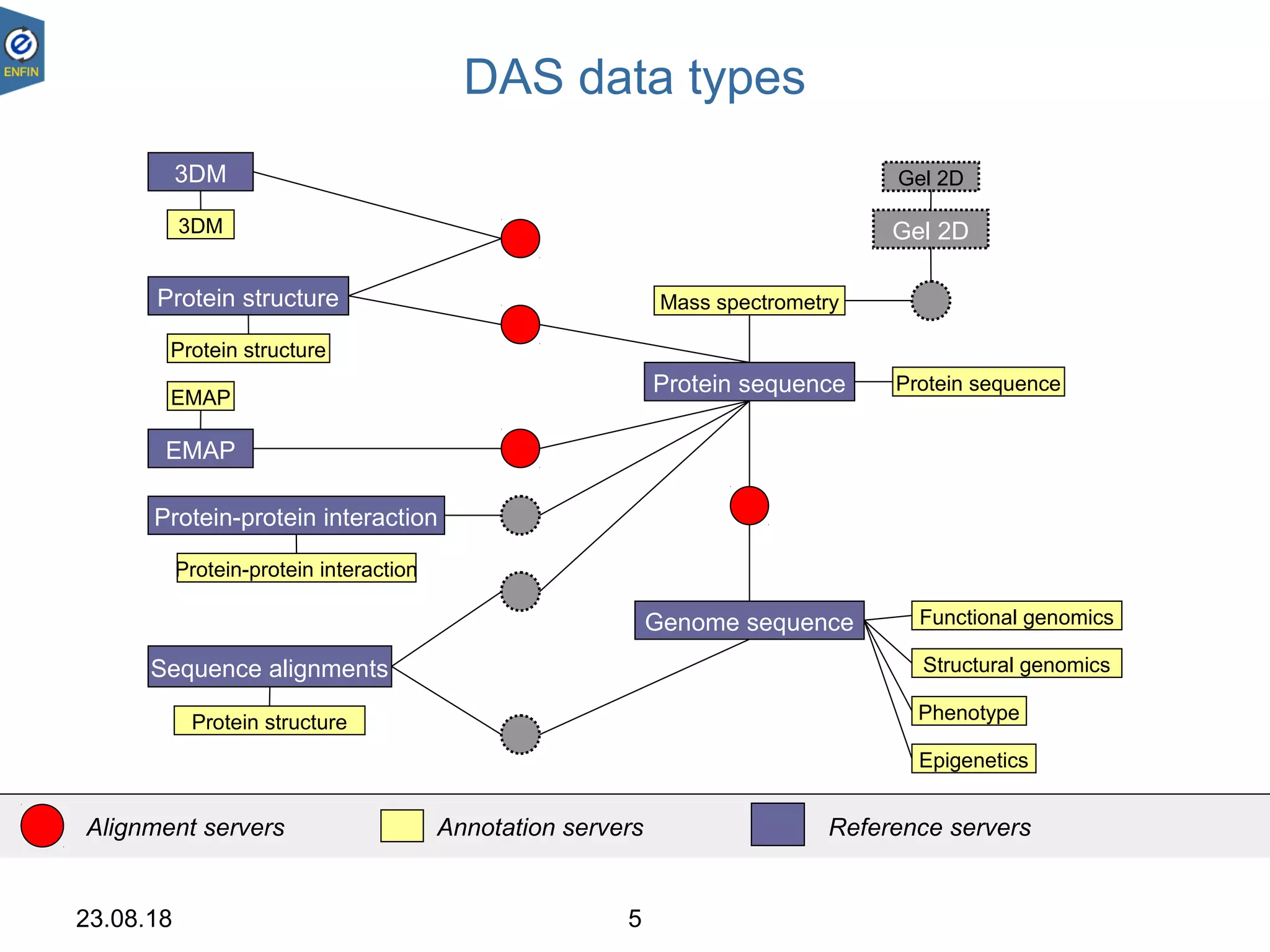
DAS data types
Genome sequence
Sequence alignments
Protein sequence
Protein-protein interaction
Gel 2D
EMAP
3DM
Protein structure
Protein structure
EMAP
3DM
Protein-protein interaction
Protein structure
Gel 2D
Mass spectrometry
Epigenetics
Phenotype
Functional genomics
Structural genomics
Protein sequence
Alignment servers Annotation servers Reference servers
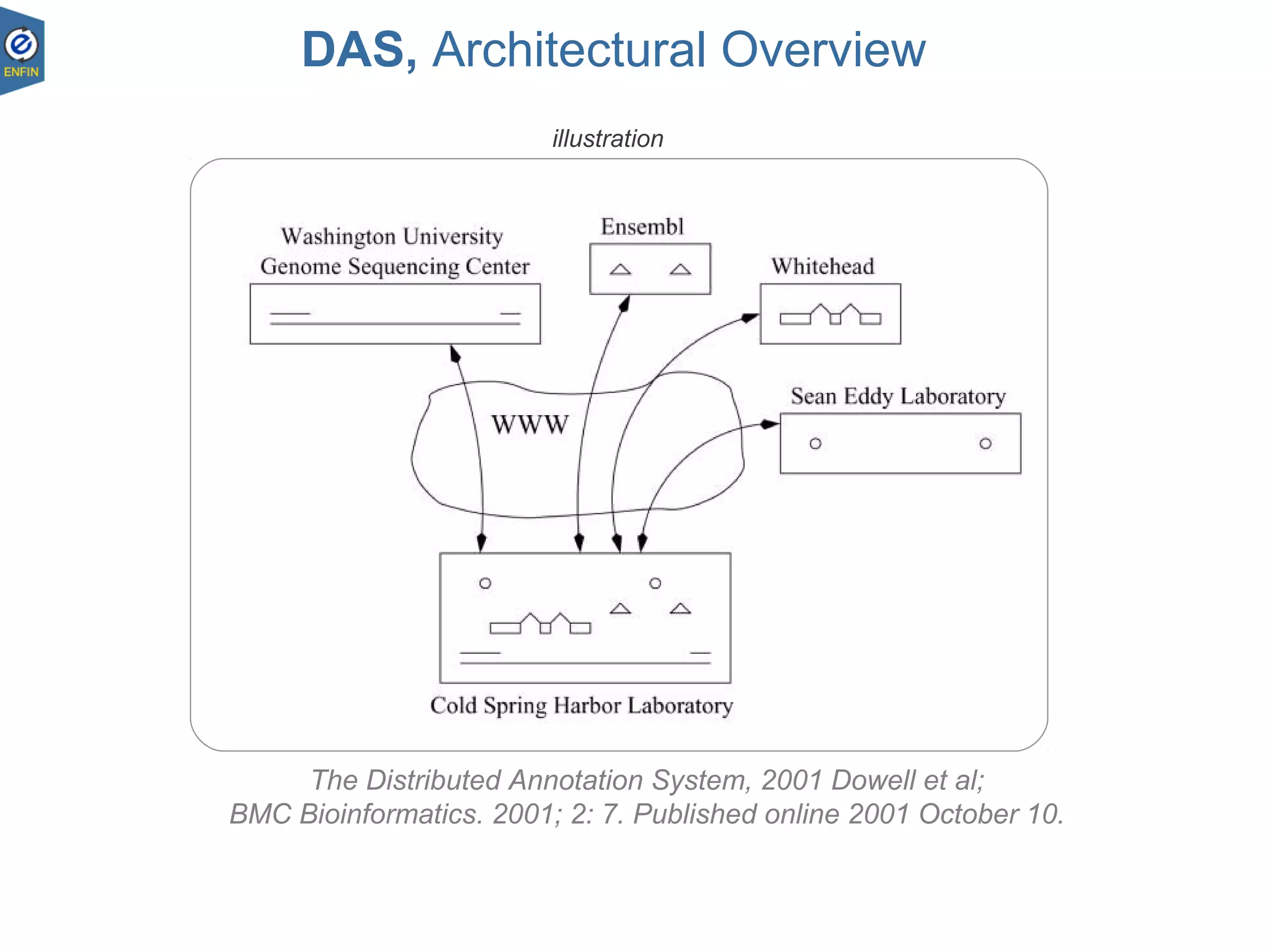
The Distributed Annotation System, 2001 Dowell et al;
BMC Bioinformatics. 2001; 2: 7. Published online 2001 October 10.
DAS, Architectural Overview
illustration
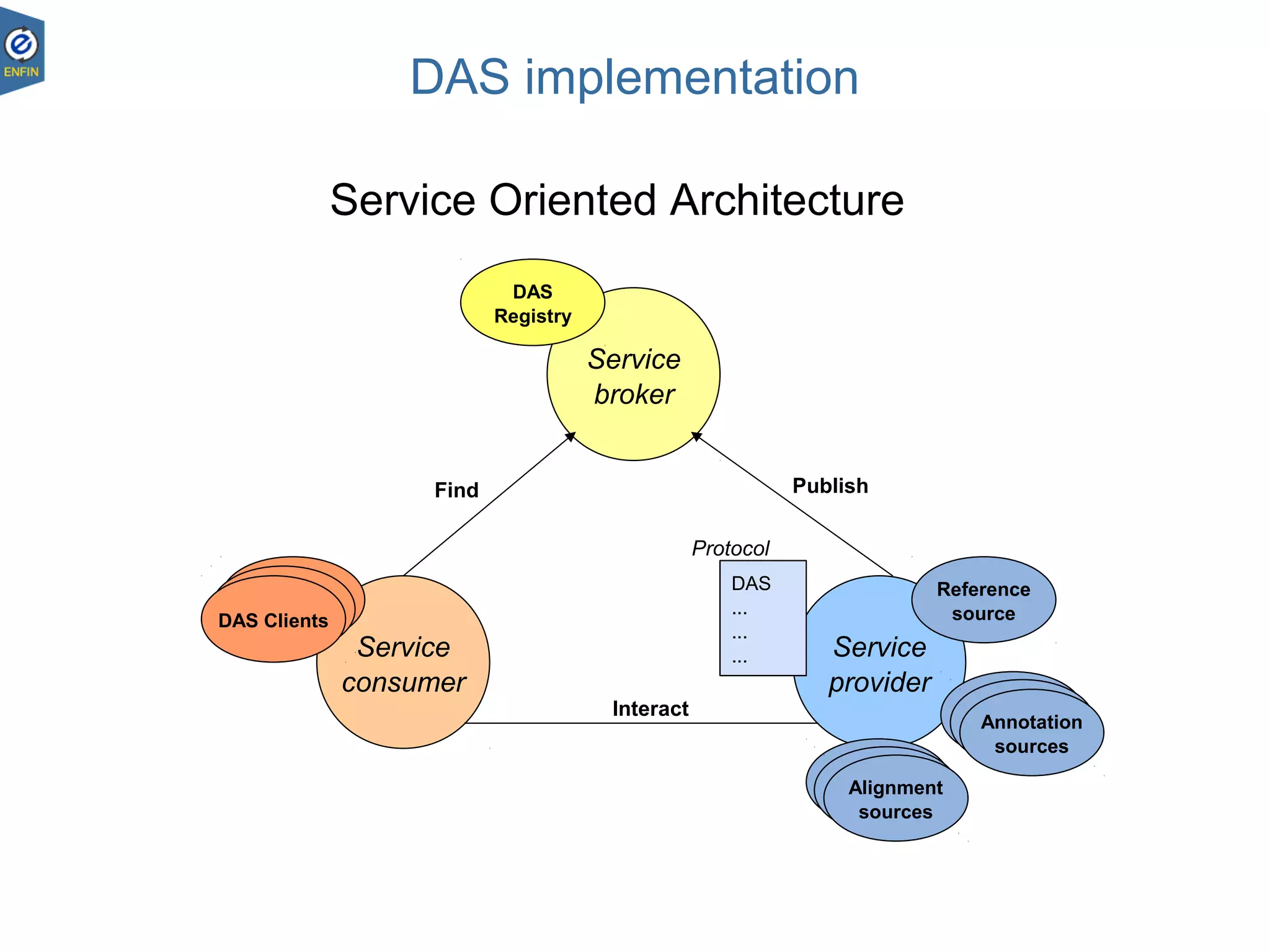
Service
broker
Service
consumer
Service
provider
Service
Contract
...
...
Interact
PublishFind
Service Oriented Architecture
DAS implementation
DAS
...
...
...
DAS
Registry
DAS Clients
Annotation
sources
Reference
source
Alignment
sources
Alignment
sources
Alignment
sources
Annotation
sources
Annotation
sources
DAS Clients
DAS Clients
Protocol
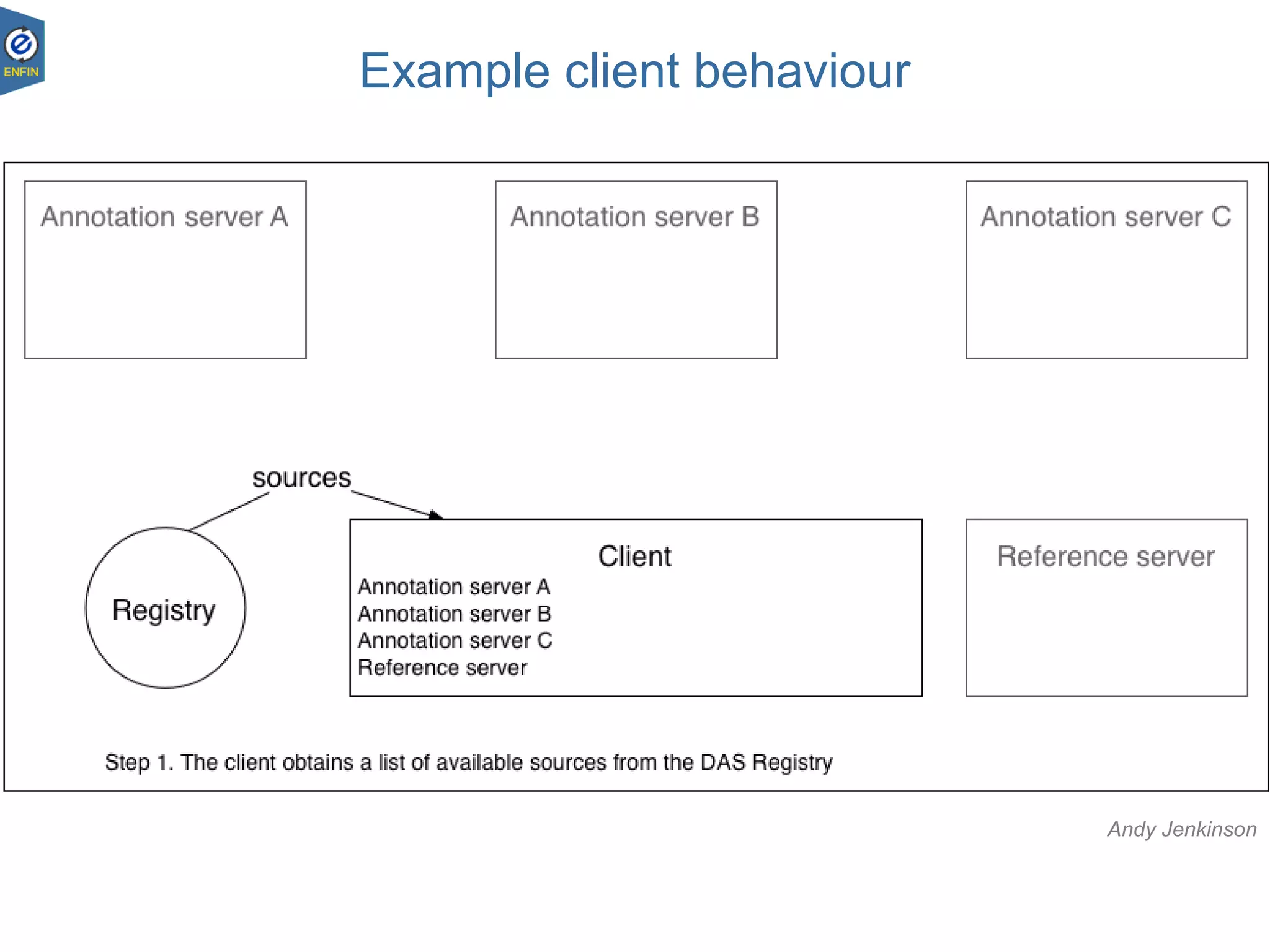
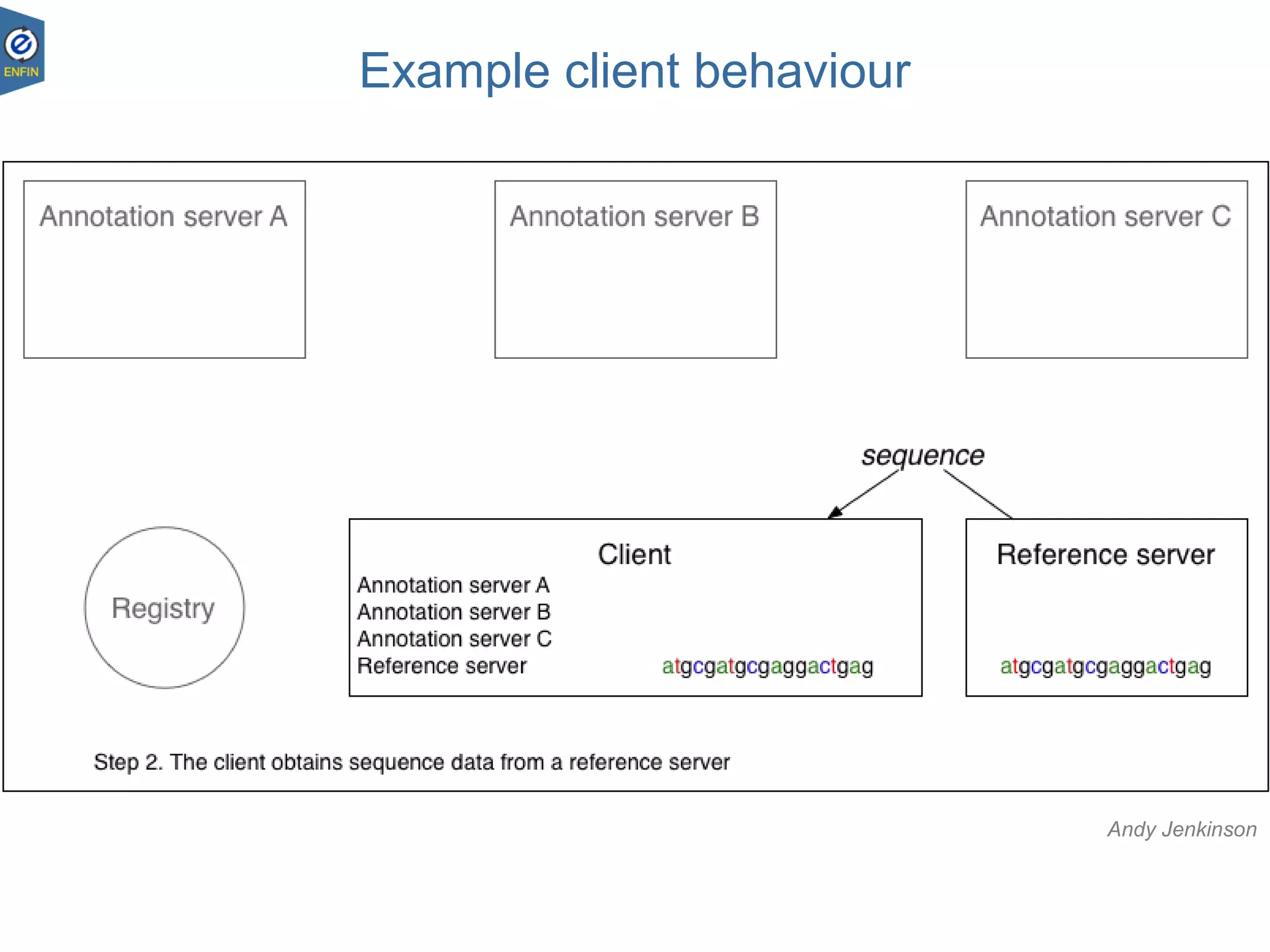
Example client behaviour
Andy Jenkinson
Example client behaviour
Andy Jenkinson
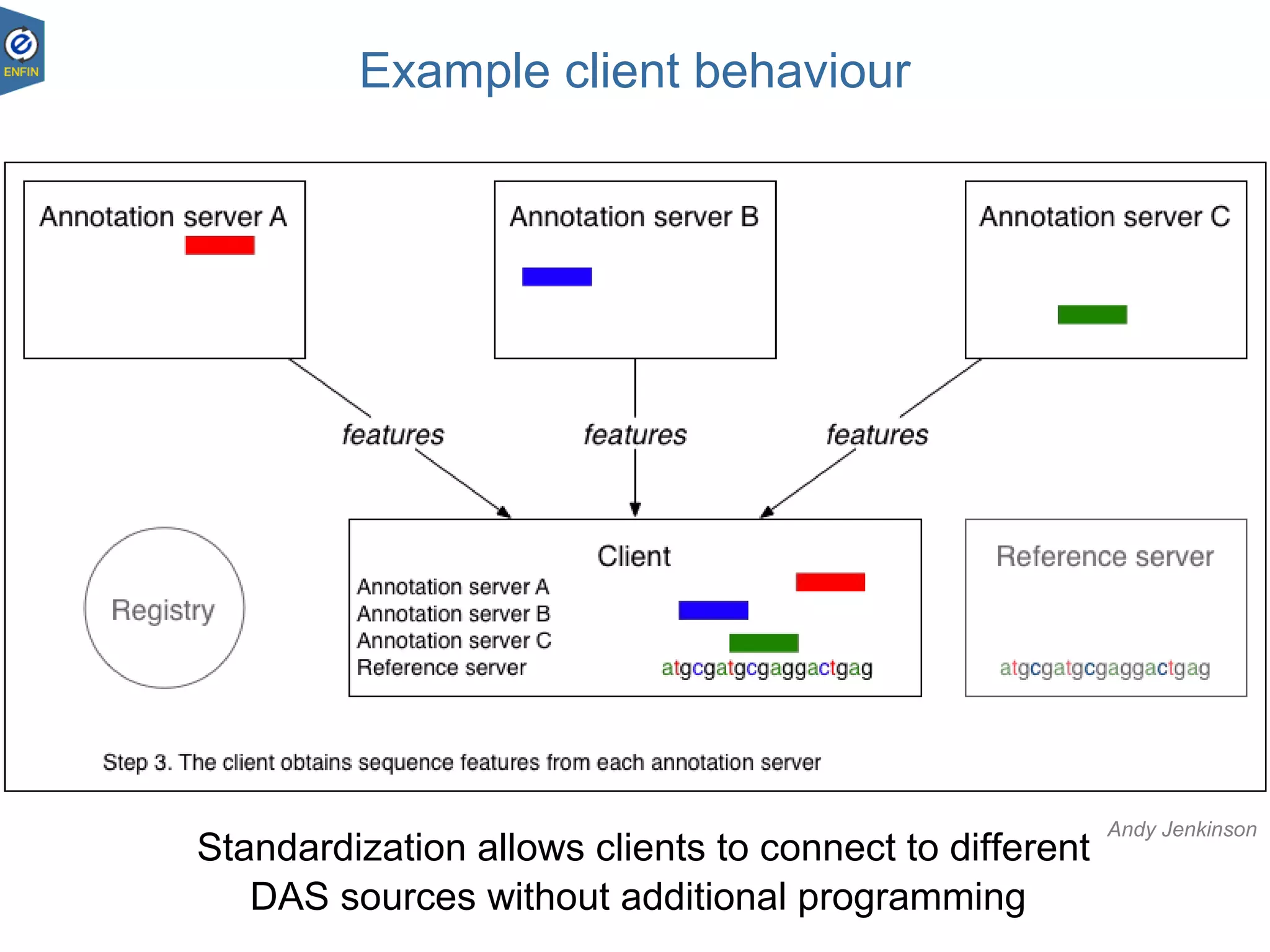
Example client behaviour
Standardization allows clients to connect to different
DAS sources without additional programming
Andy Jenkinson
Commands and queries
DAS – Andy Jenkinson
23.08.1812
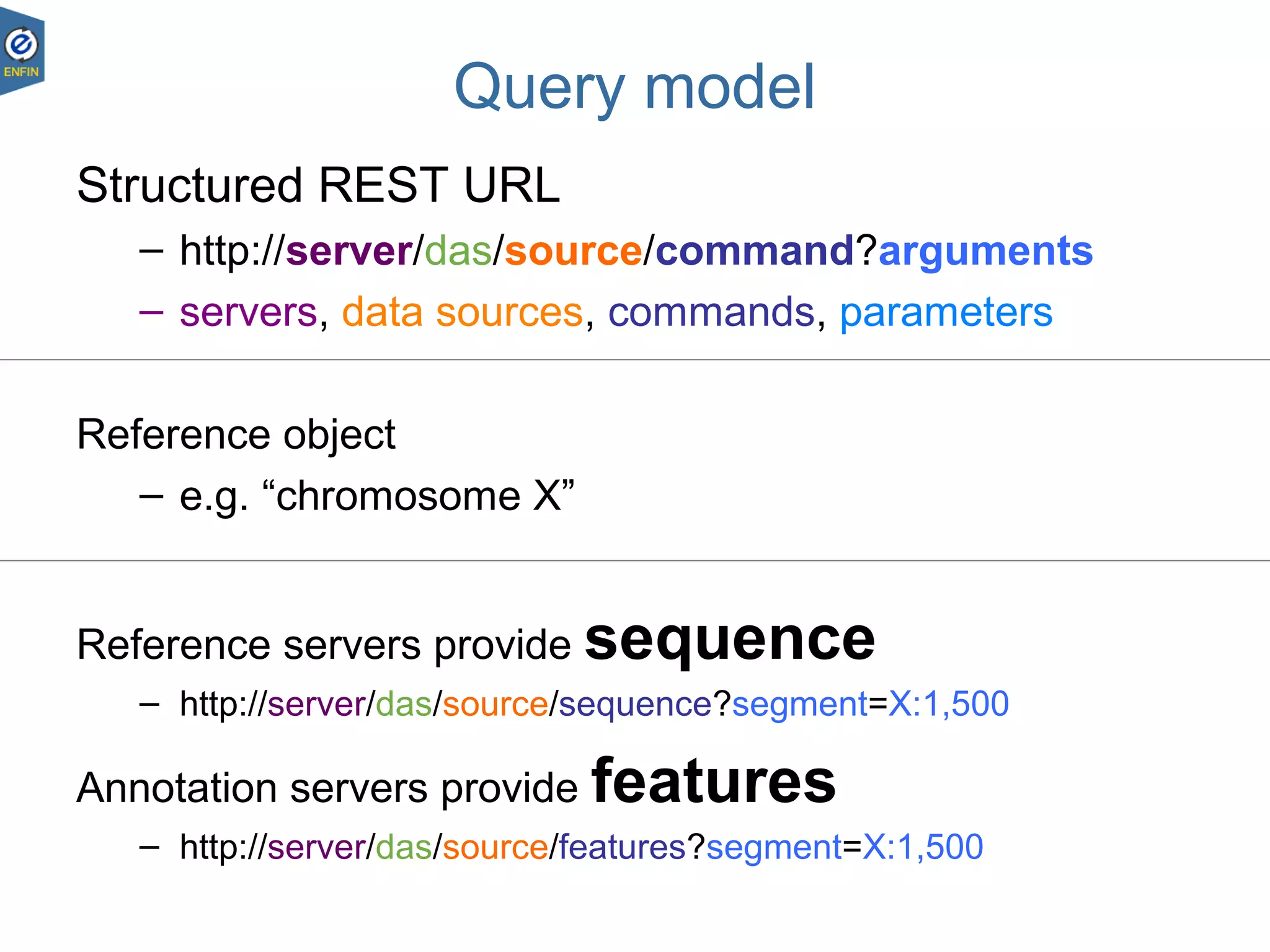
Query model
Structured REST URL
– http://server/das/source/command?arguments
– servers, data sources, commands, parameters
Reference object
– e.g. “chromosome X”
Reference servers provide sequence
– http://server/das/source/sequence?segment=X:1,500
Annotation servers provide features
– http://server/das/source/features?segment=X:1,500
DAS – Andy Jenkinson
23.08.1813
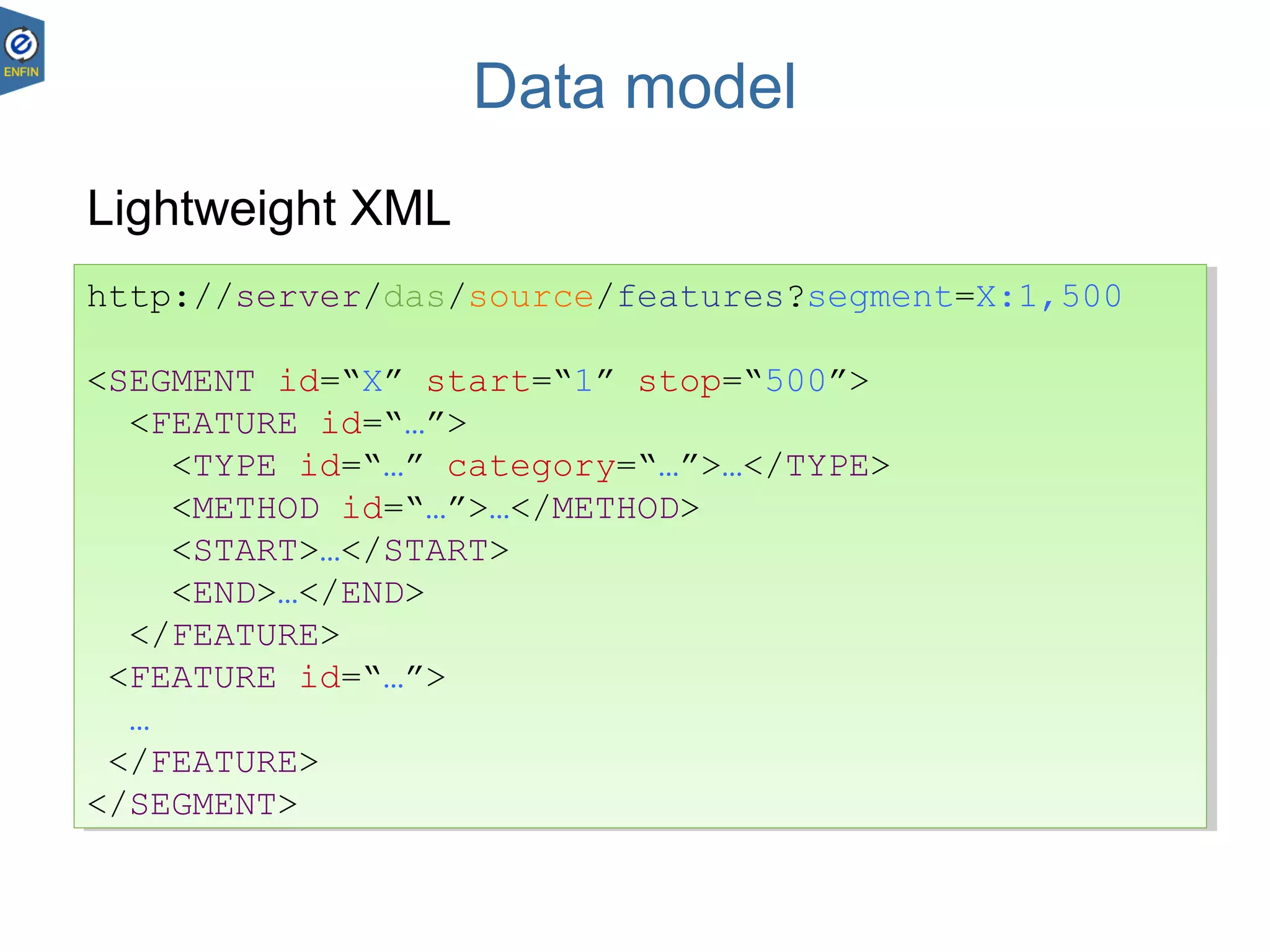
Data model
Lightweight XML
http://server/das/source/features?segment=X:1,500
<SEGMENT id=“X” start=“1” stop=“500”>
<FEATURE id=“…”>
<TYPE id=“…” category=“…”>…</TYPE>
<METHOD id=“…”>…</METHOD>
<START>…</START>
<END>…</END>
</FEATURE>
<FEATURE id=“…”>
…
</FEATURE>
</SEGMENT>
http://server/das/source/features?segment=X:1,500
<SEGMENT id=“X” start=“1” stop=“500”>
<FEATURE id=“…”>
<TYPE id=“…” category=“…”>…</TYPE>
<METHOD id=“…”>…</METHOD>
<START>…</START>
<END>…</END>
</FEATURE>
<FEATURE id=“…”>
…
</FEATURE>
</SEGMENT>
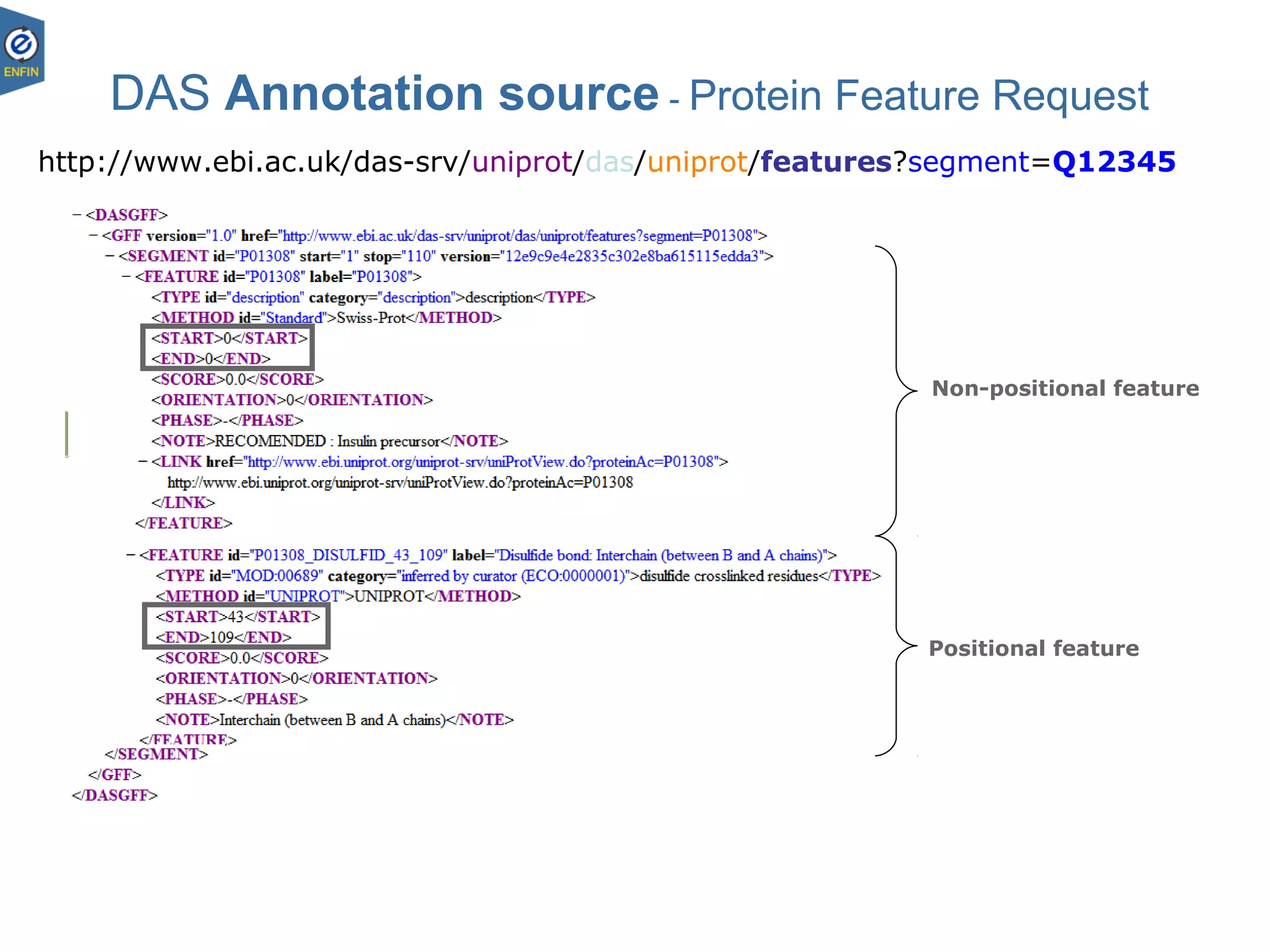
DAS Annotation source - Protein Feature Request
Non-positional feature
Positional feature
http://www.ebi.ac.uk/das-srv/uniprot/das/uniprot/features?segment=Q12345
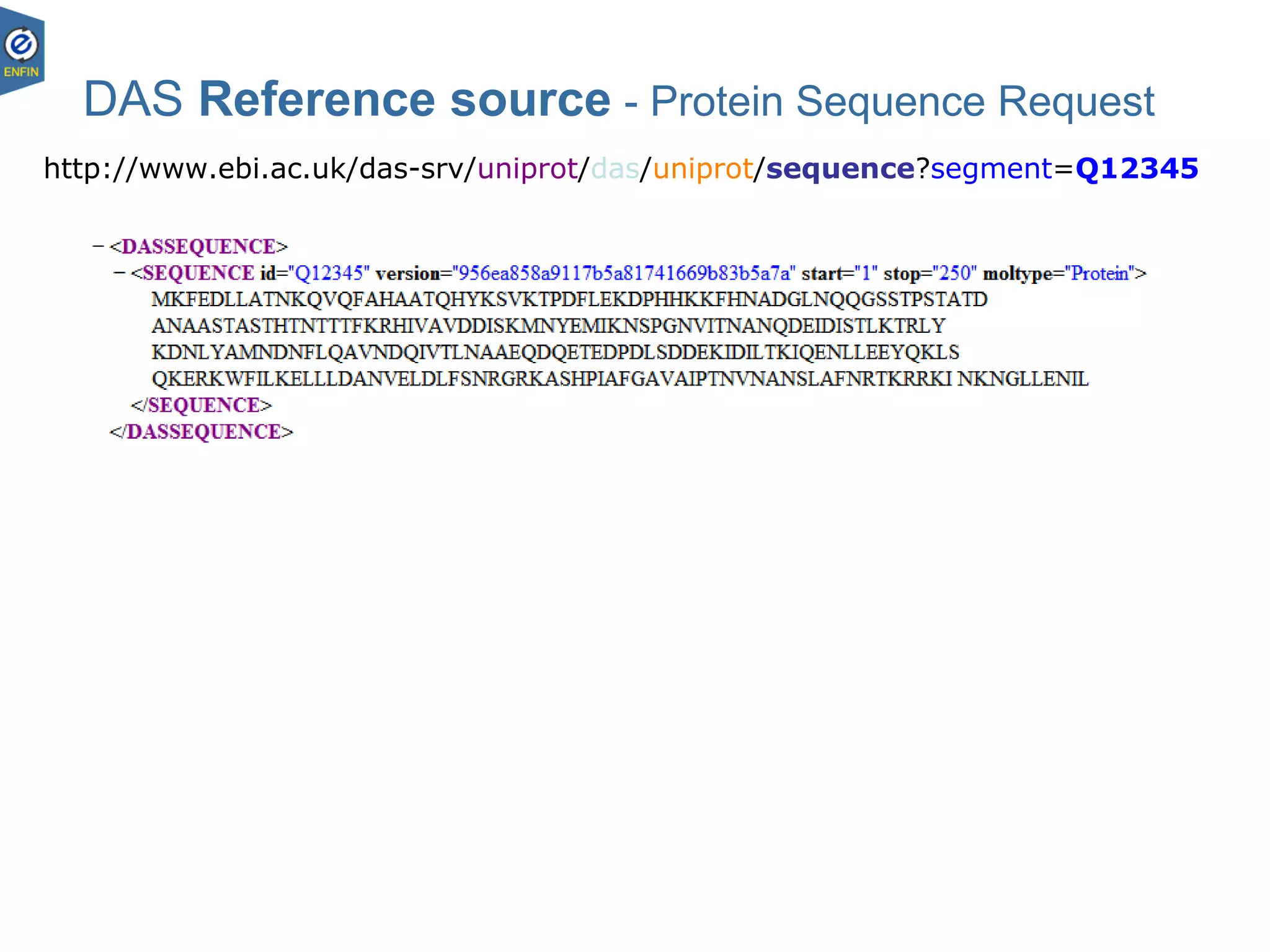
DAS Reference source - Protein Sequence Request
http://www.ebi.ac.uk/das-srv/uniprot/das/uniprot/sequence?segment=Q12345
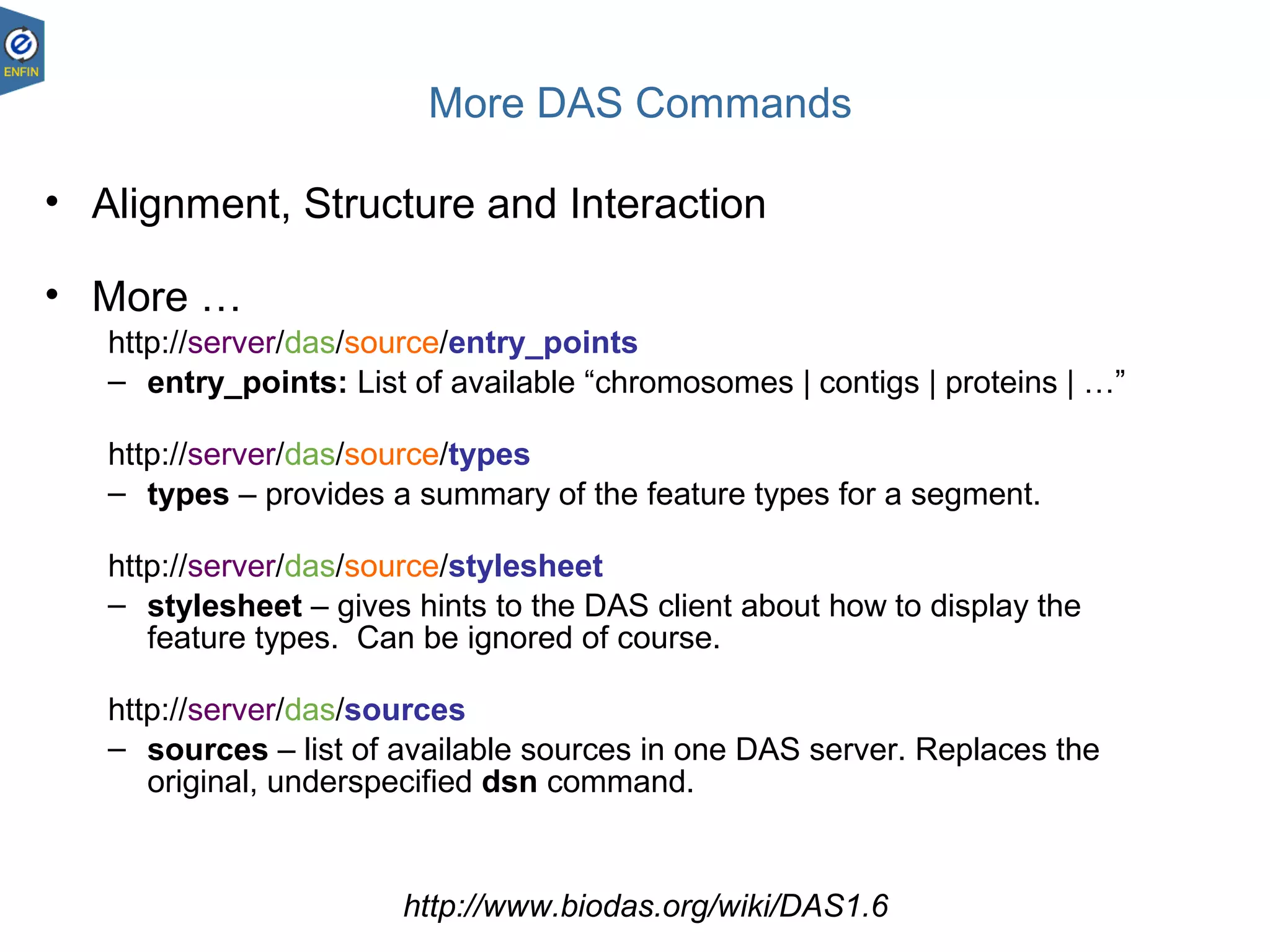
More DAS Commands
• Alignment, Structure and Interaction
• More …
http://server/das/source/entry_points
– entry_points: List of available “chromosomes | contigs | proteins | …”
http://server/das/source/types
– types – provides a summary of the feature types for a segment.
http://server/das/source/stylesheet
– stylesheet – gives hints to the DAS client about how to display the
feature types. Can be ignored of course.
http://server/das/sources
– sources – list of available sources in one DAS server. Replaces the
original, underspecified dsn command.
http://www.biodas.org/wiki/DAS1.6
Why should I use it?
DAS – Andy Jenkinson
23.08.1818
DAS Design Principles
Data remains distributed
• “live” data
• data providers retain responsibility
• good for changing data
• spreads resources
Easy for data providers to implement
• simple protocol
• lots of data providers
DAS – Andy Jenkinson
23.08.1819
DAS Design Principles
Principally for display
• should be responsive (fast)
• region-targeted queries
• lightweight infrastructure
Downsides
• Rigid data model
• Weak semantics
Documentation
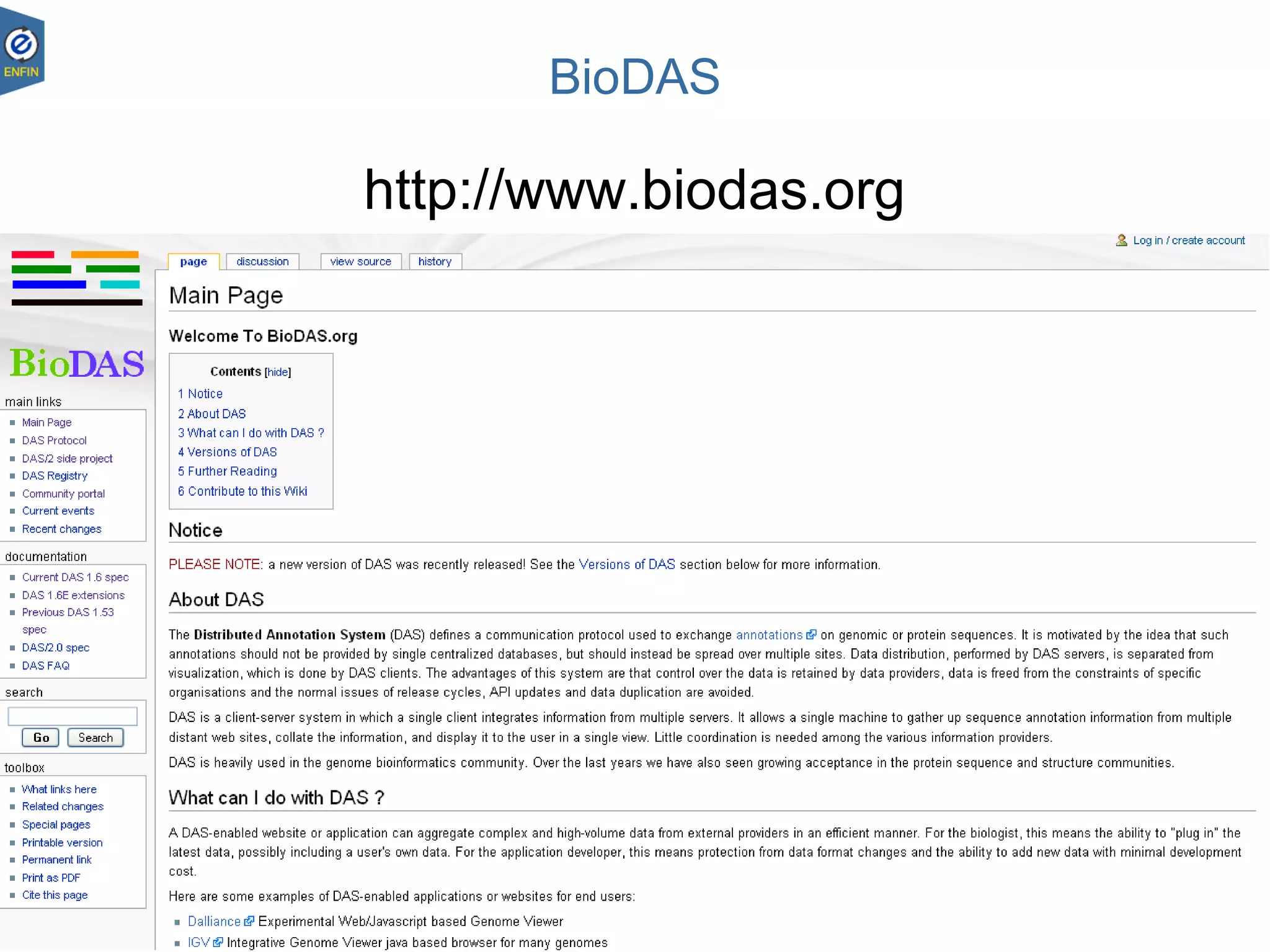
BioDAS
http://www.biodas.org
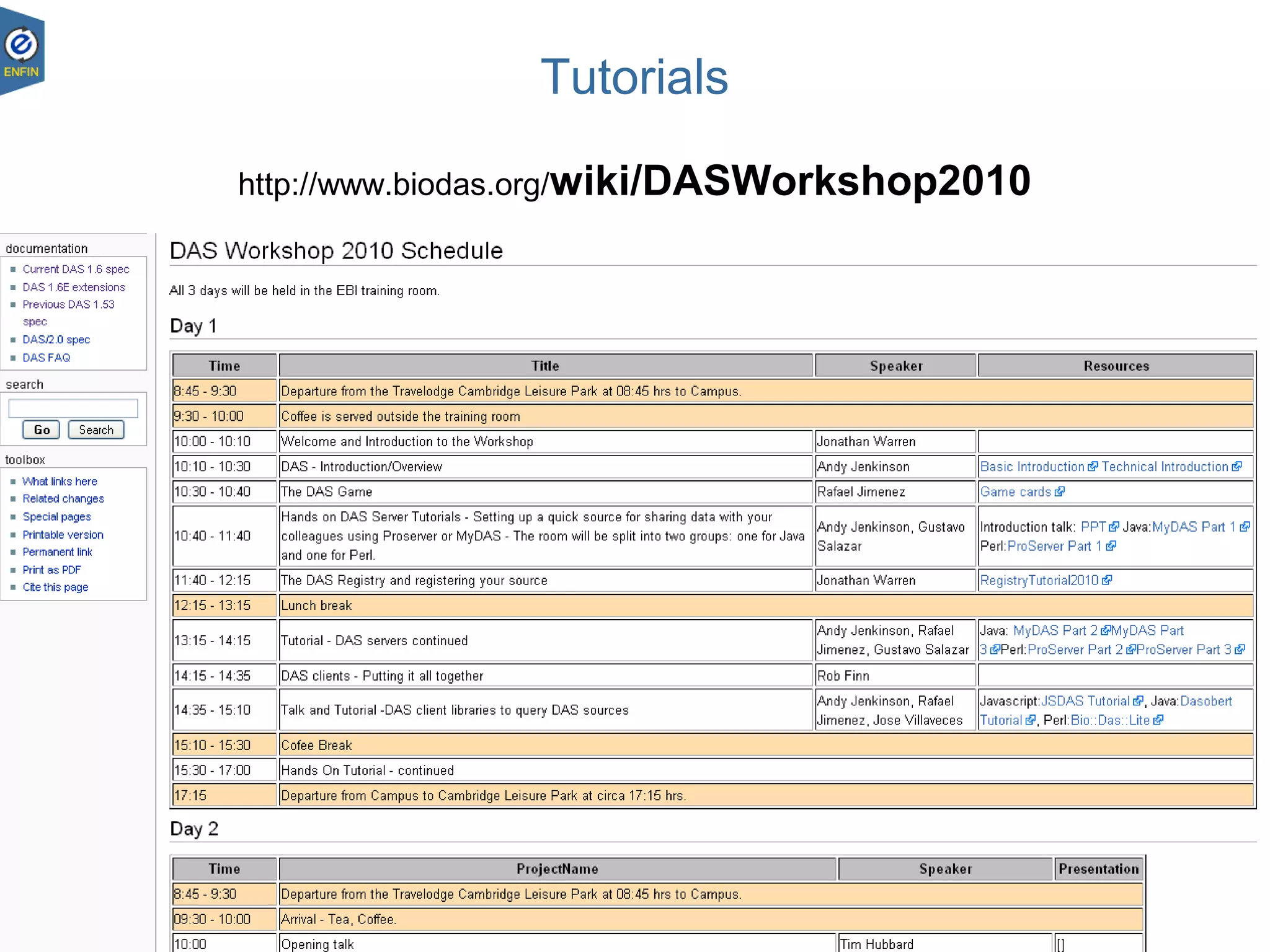
Tutorials
http://www.biodas.org/wiki/DASWorkshop2010
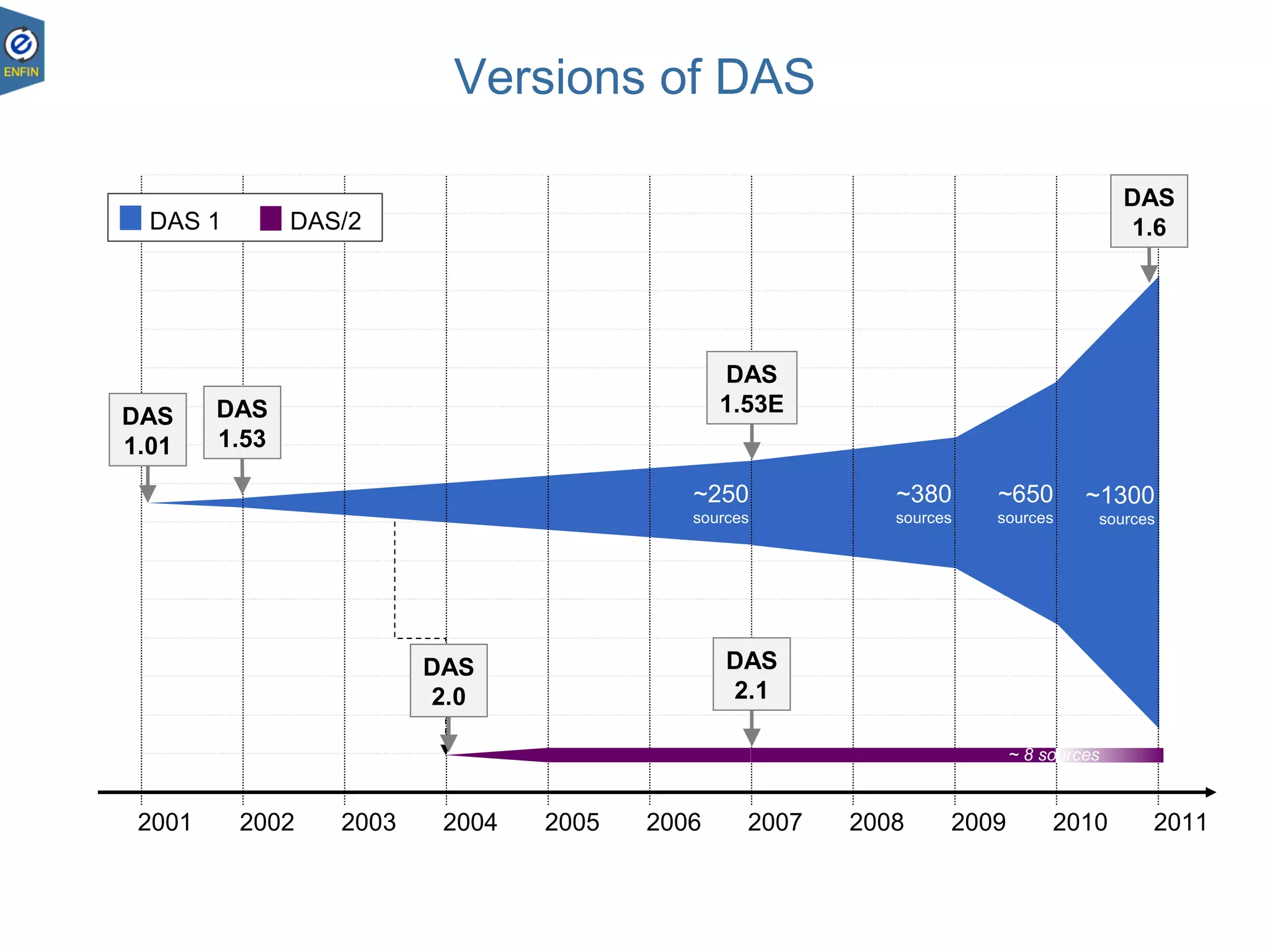
Versions of DAS
2001 2002 2003 2004 2005 2006 2007 2008 2009 2010 2011
~250
sources
~380
sources
~650
sources
~ 8 sources
DAS
1.01
~1300
sources
DAS
1.53
DAS
2.0
DAS
2.1
DAS
1.53E
DAS
1.6DAS 1 DAS/2
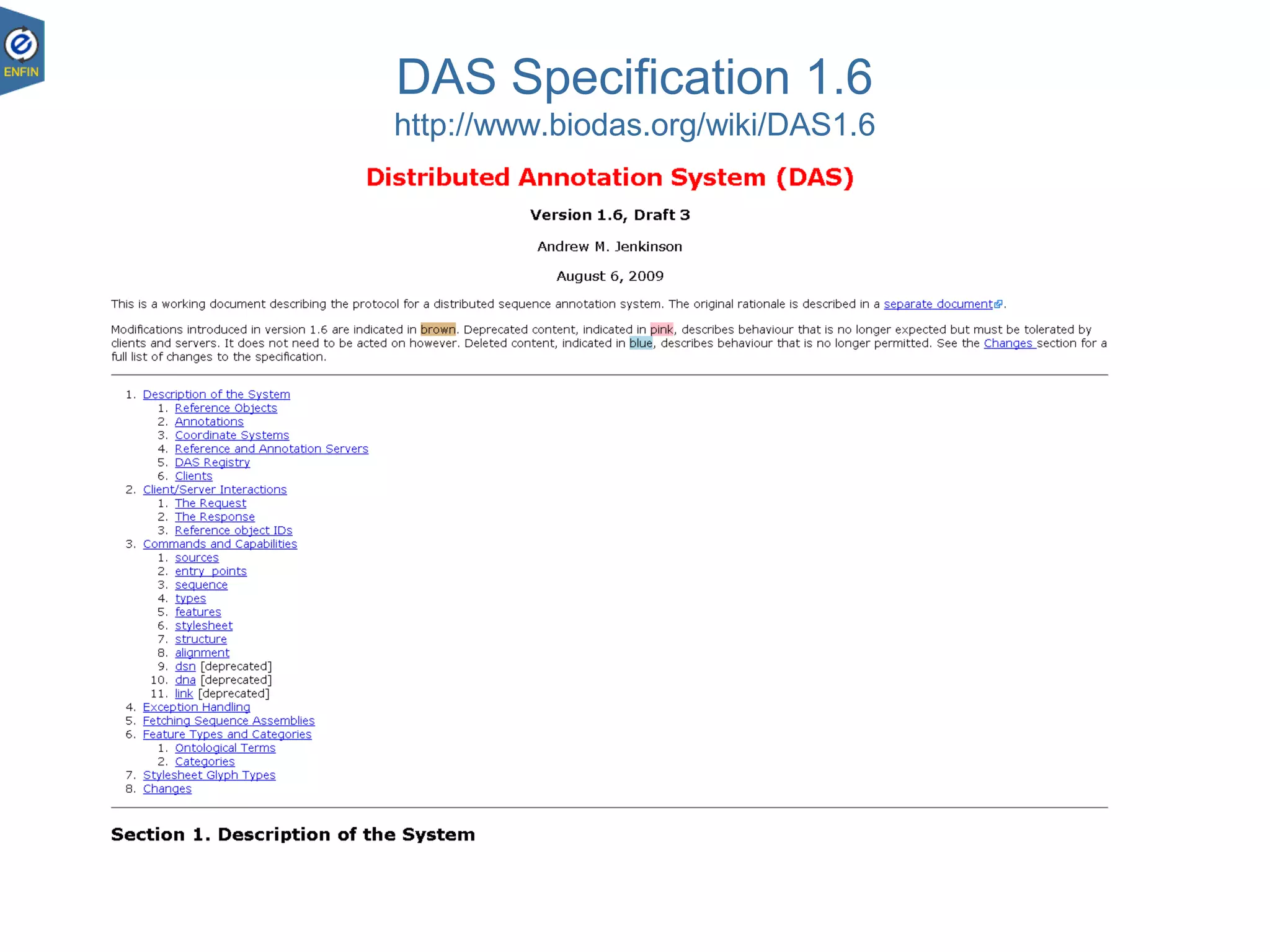
DAS Specification 1.6
http://www.biodas.org/wiki/DAS1.6
Clients and servers
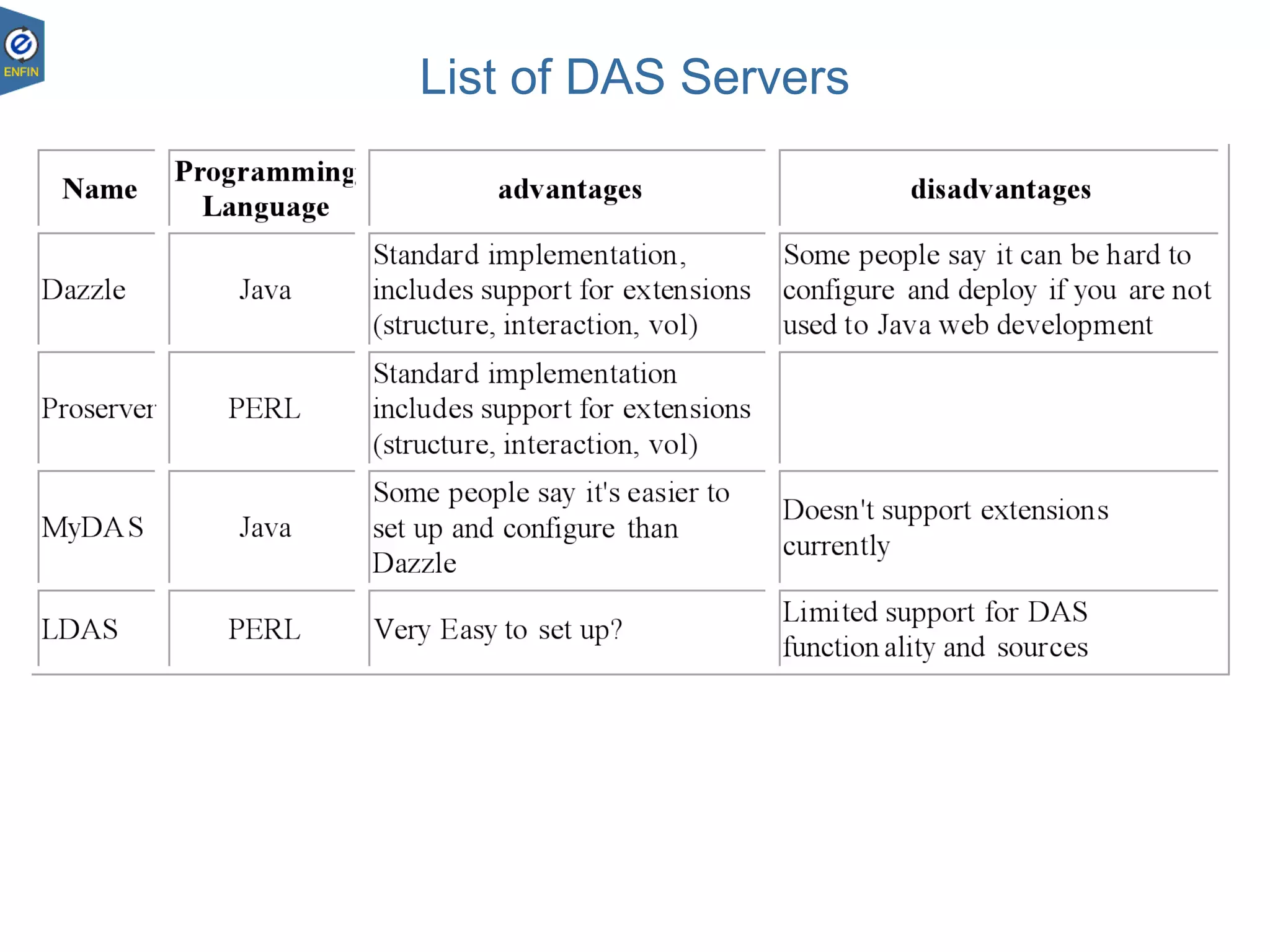
List of DAS Servers
23.08.1826
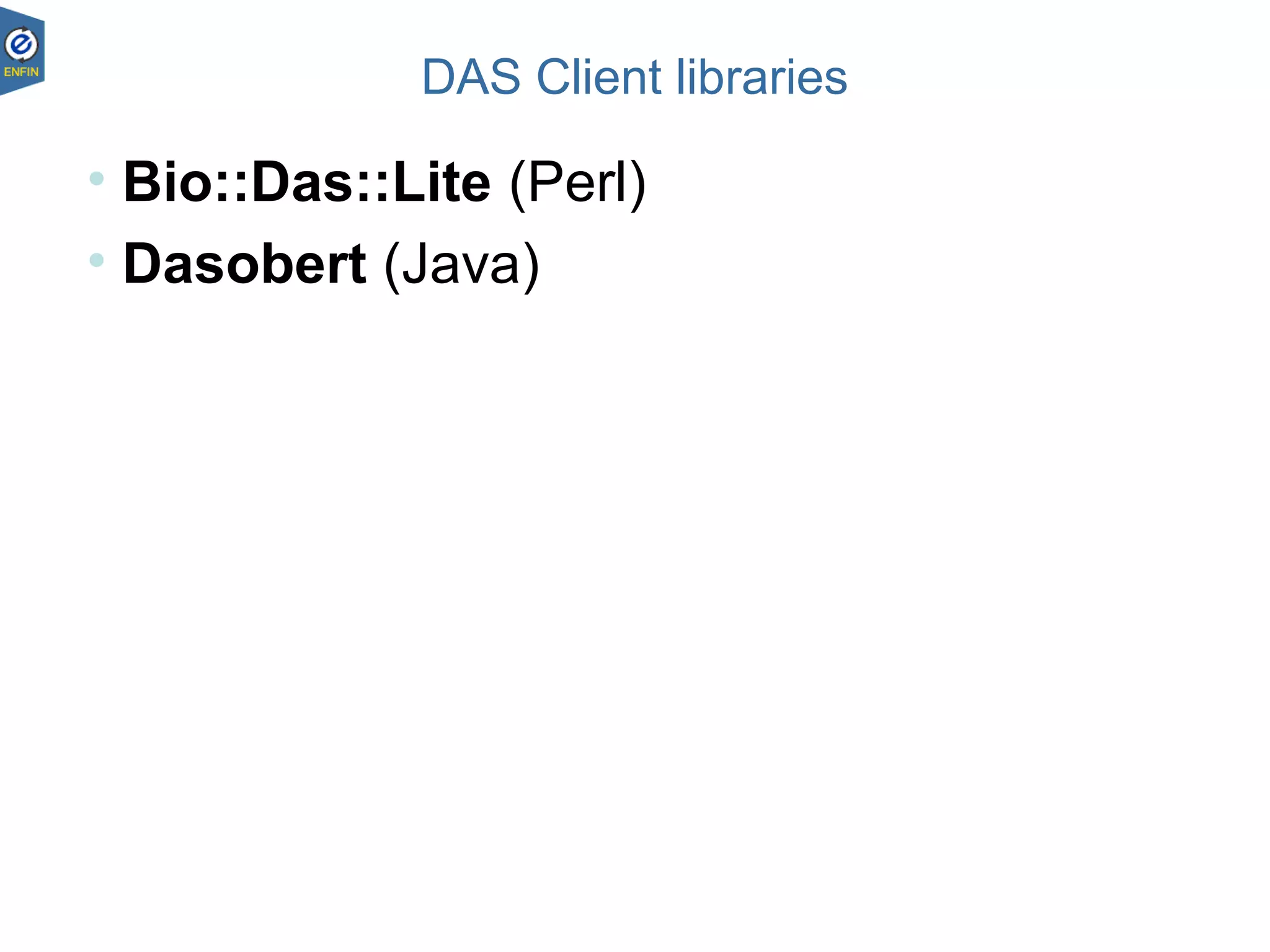
DAS Client libraries
23.08.1827
• Bio::Das::Lite (Perl)
• Dasobert (Java)
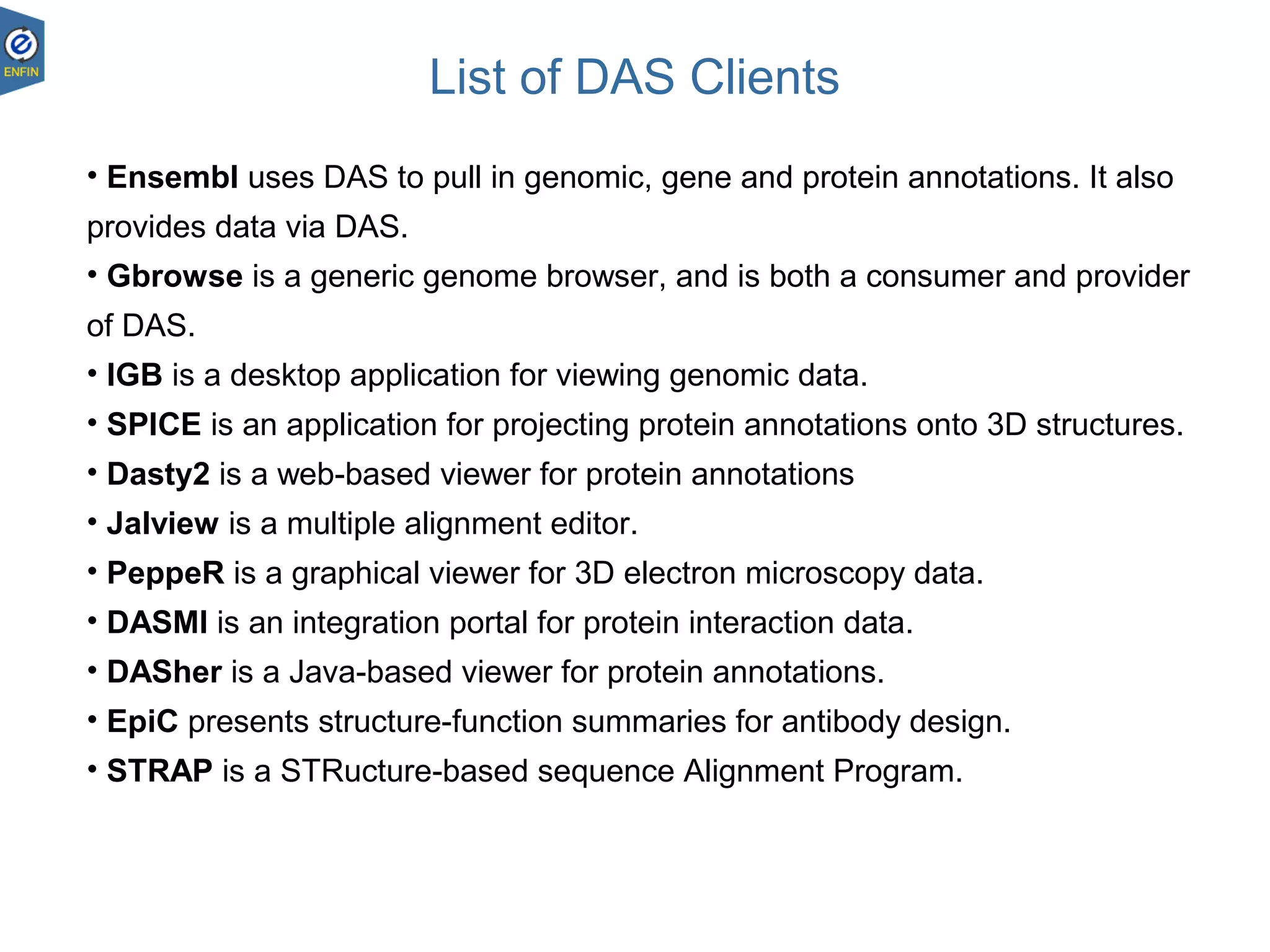
List of DAS Clients
23.08.1828
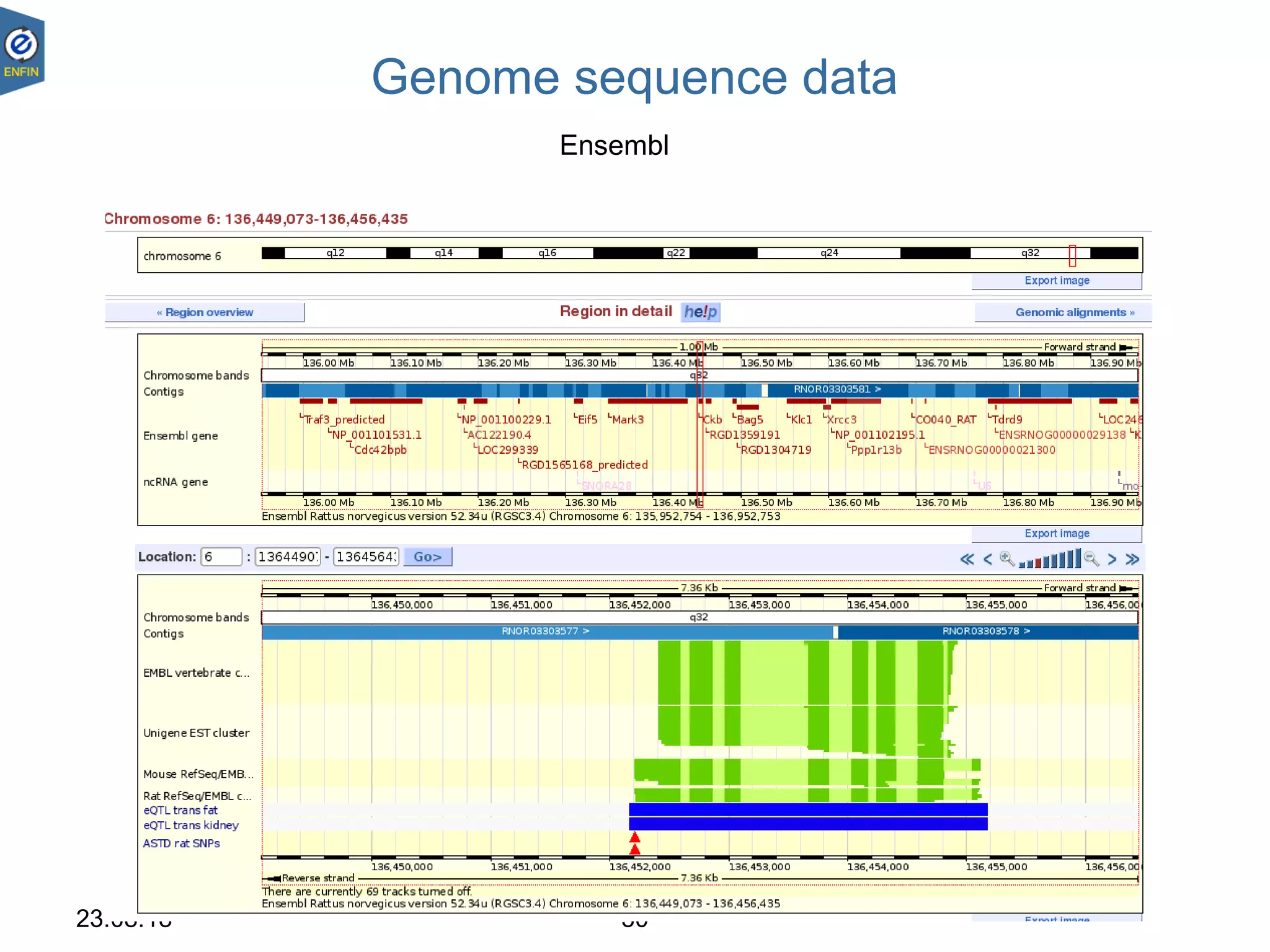
• Ensembl uses DAS to pull in genomic, gene and protein annotations. It also
provides data via DAS.
• Gbrowse is a generic genome browser, and is both a consumer and provider
of DAS.
• IGB is a desktop application for viewing genomic data.
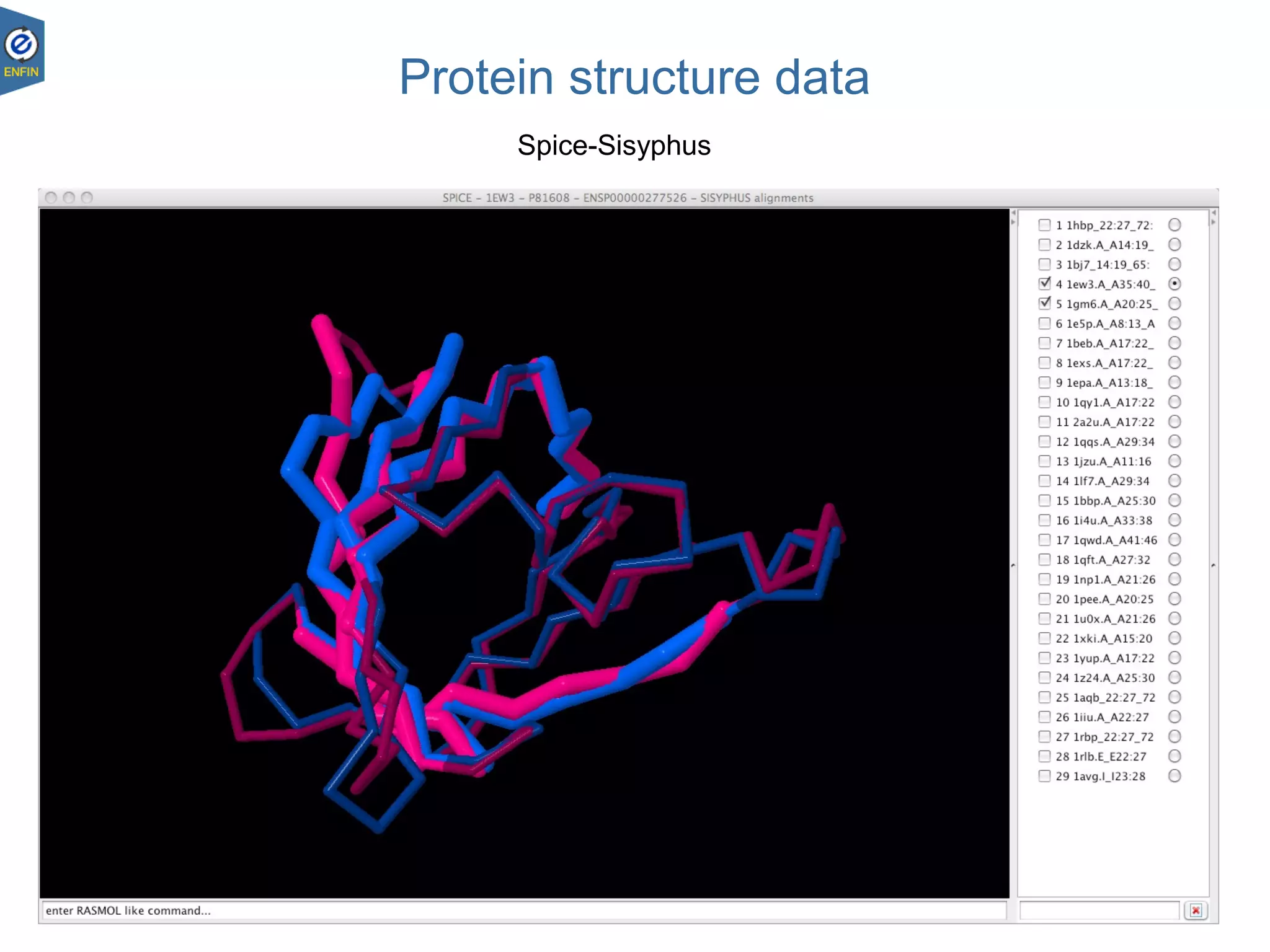
• SPICE is an application for projecting protein annotations onto 3D structures.
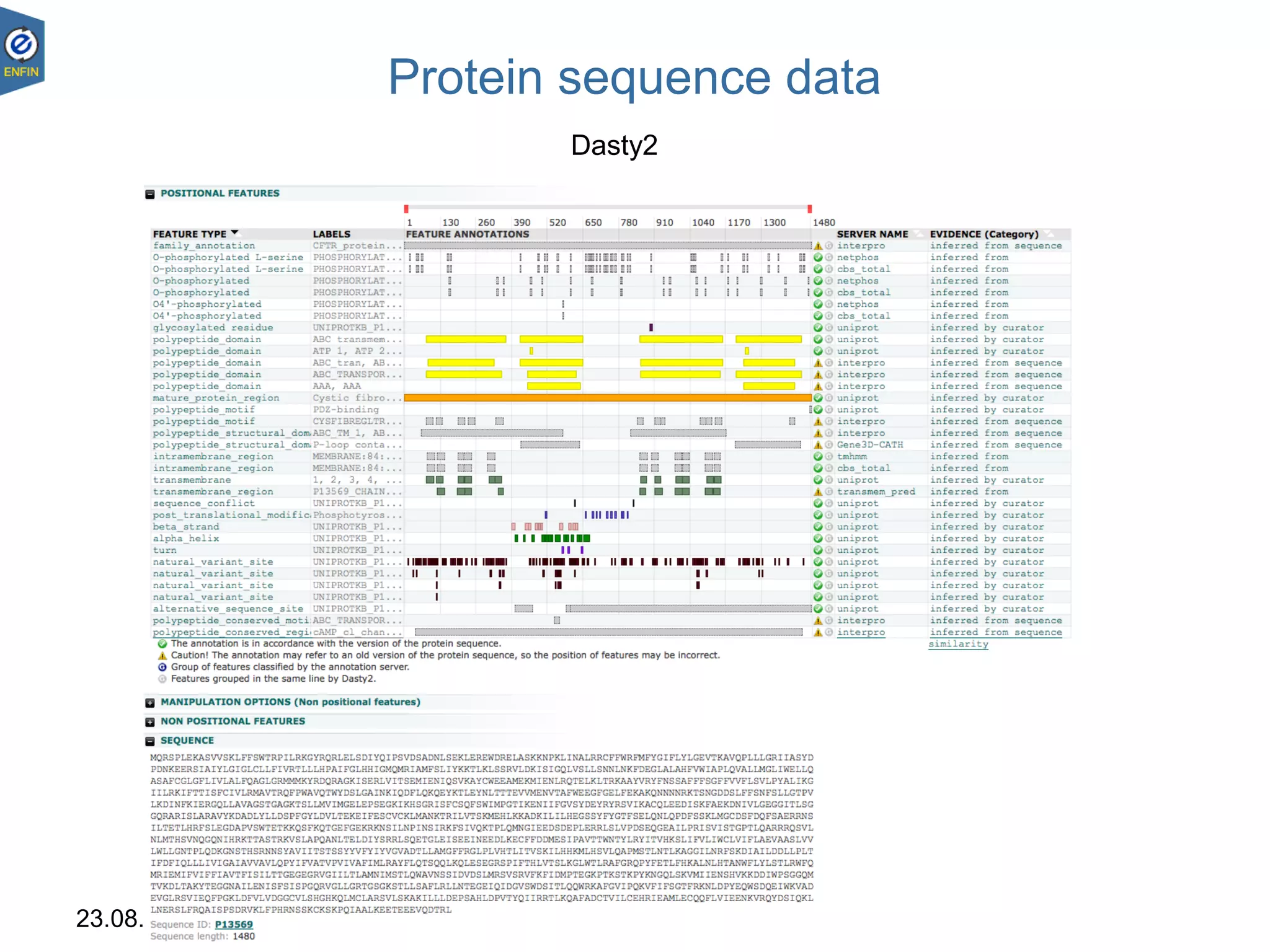
• Dasty2 is a web-based viewer for protein annotations
• Jalview is a multiple alignment editor.
• PeppeR is a graphical viewer for 3D electron microscopy data.
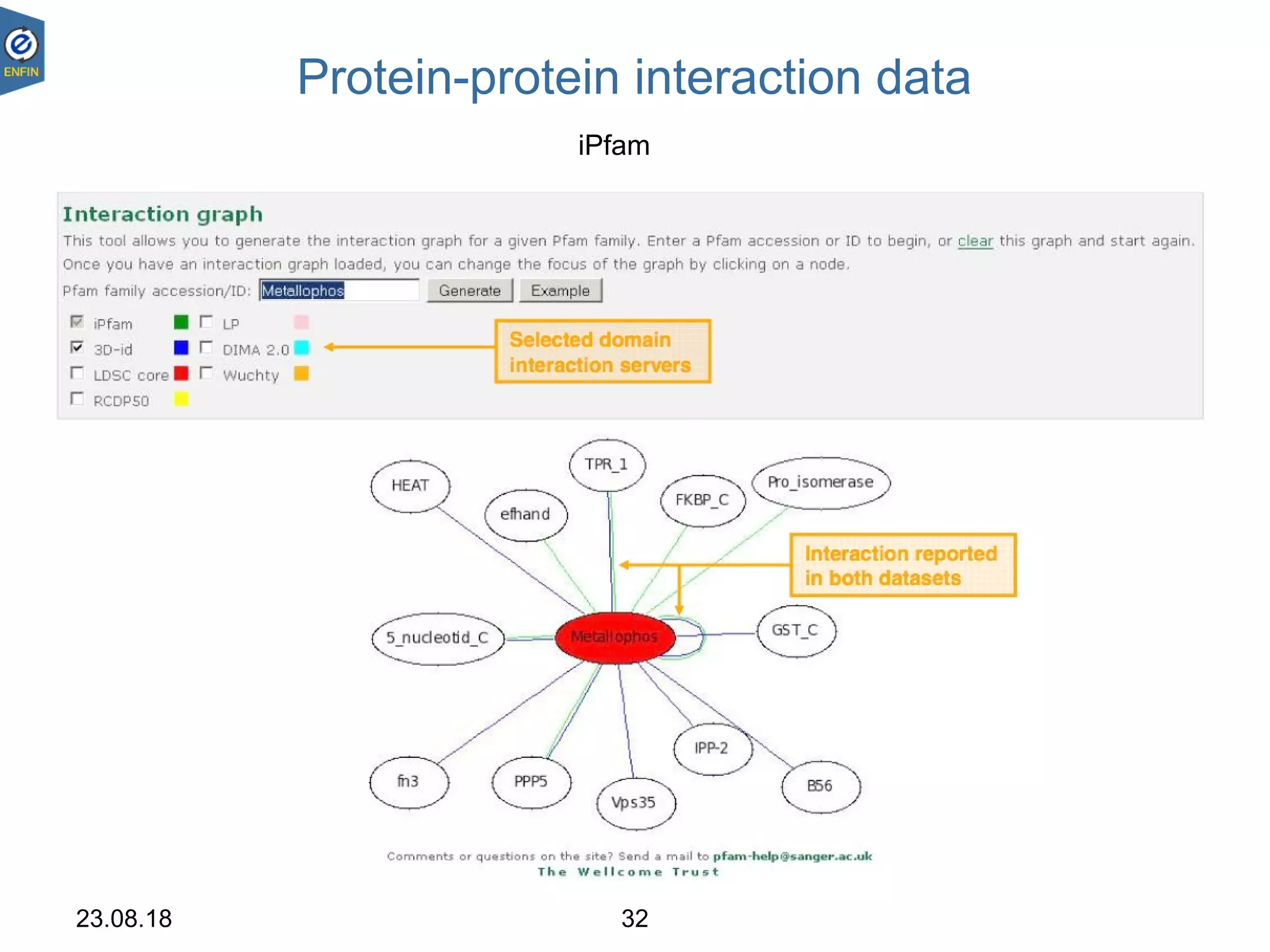
• DASMI is an integration portal for protein interaction data.
• DASher is a Java-based viewer for protein annotations.
• EpiC presents structure-function summaries for antibody design.
• STRAP is a STRucture-based sequence Alignment Program.
23.08.18 29
Protein sequence data
Dasty2
23.08.18 30
Genome sequence data
Ensembl
23.08.18 31
Protein structure data
Spice-Sisyphus
23.08.18 32
Protein-protein interaction data
iPfam
23.08.18 33
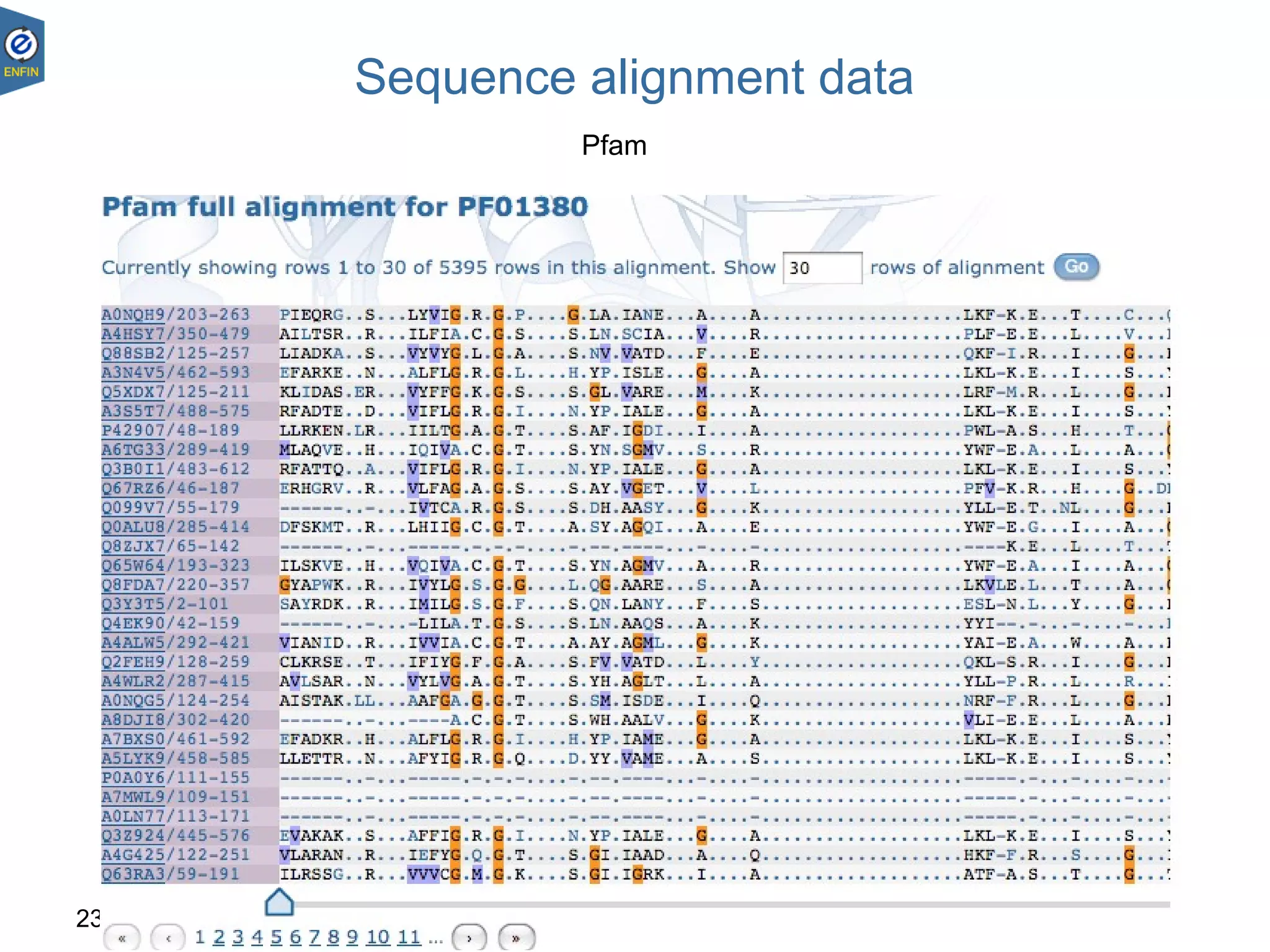
Sequence alignment data
Pfam
23.08.18 34
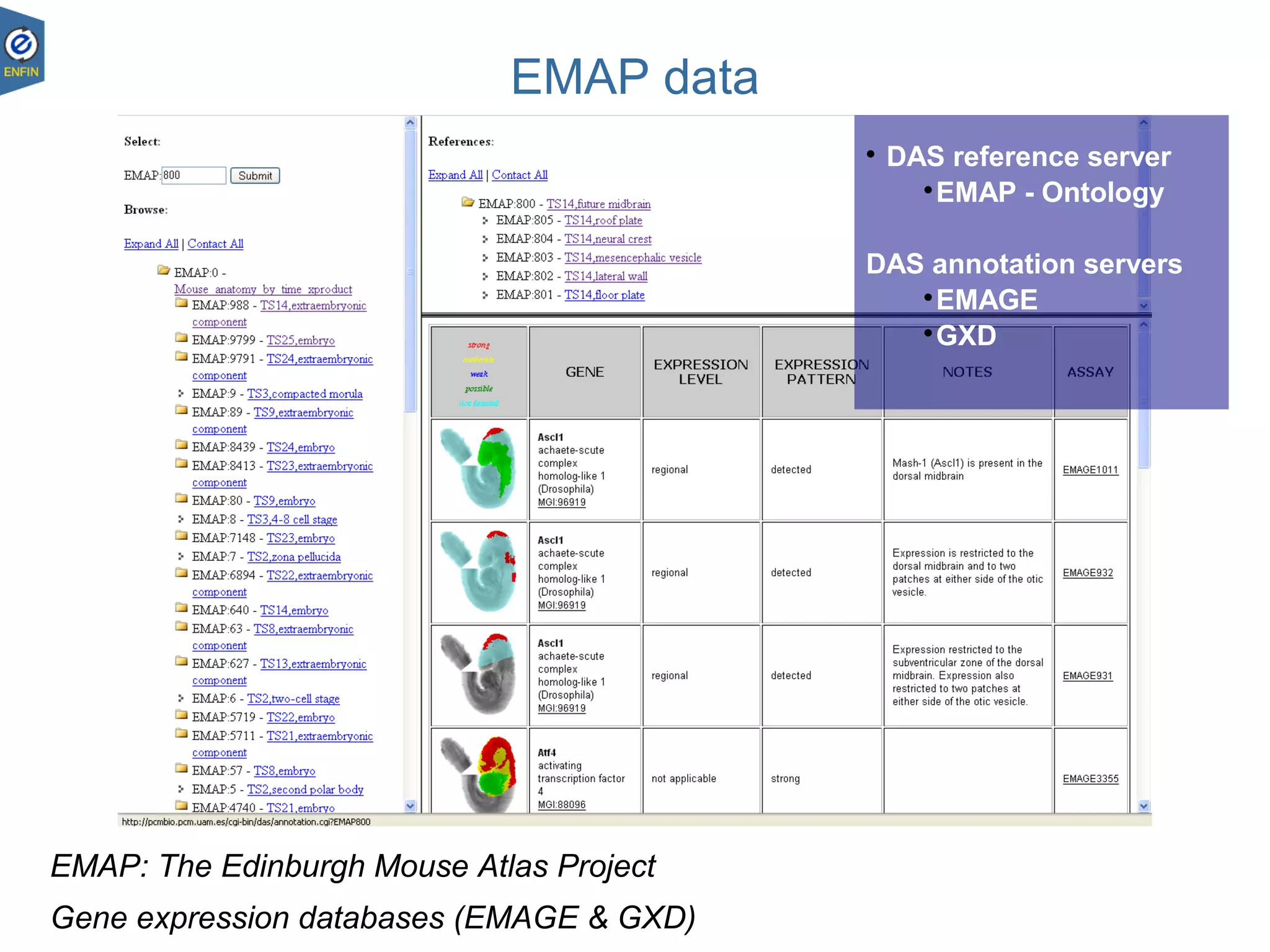
EMAP data
EMAP: The Edinburgh Mouse Atlas Project
Gene expression databases (EMAGE & GXD)

DAS reference server

EMAP - Ontology
DAS annotation servers

EMAGE

GXD
Thank you!
Questions?
ProteomicsServicesTeam

DAS, the Distributed Annotation System

  • 1.
    Proteomics Bioinformatics WTAC 13-17 December2010 Rafael Jimenez rafael@ebi.ac.uk EnCORE presentation DAS Distributed Annotation System
  • 2.
    Table of contents •DAS  What is it?  Commands and queries  Why should I use it?  Documentation  Clients and servers
  • 3.
  • 4.
    DAS, The DistributedAnnotation System The Distributed Annotation System is… – A network of biological data sources – A Service Oriented Architecture (SOA) – RESTful web service – An example of federation • Uniform access to multiple repositories of biological data. • Repositories distributed in different geographical locations. The DAS Protocol is… – An integration platform – A client-server protocol – An agreed standard for web services
  • 5.
    23.08.18 5 DAS datatypes Genome sequence Sequence alignments Protein sequence Protein-protein interaction Gel 2D EMAP 3DM Protein structure Protein structure EMAP 3DM Protein-protein interaction Protein structure Gel 2D Mass spectrometry Epigenetics Phenotype Functional genomics Structural genomics Protein sequence Alignment servers Annotation servers Reference servers
  • 6.
    The Distributed AnnotationSystem, 2001 Dowell et al; BMC Bioinformatics. 2001; 2: 7. Published online 2001 October 10. DAS, Architectural Overview illustration
  • 7.
    Service broker Service consumer Service provider Service Contract ... ... Interact PublishFind Service Oriented Architecture DASimplementation DAS ... ... ... DAS Registry DAS Clients Annotation sources Reference source Alignment sources Alignment sources Alignment sources Annotation sources Annotation sources DAS Clients DAS Clients Protocol
  • 8.
  • 9.
  • 10.
    Example client behaviour Standardizationallows clients to connect to different DAS sources without additional programming Andy Jenkinson
  • 11.
  • 12.
    DAS – AndyJenkinson 23.08.1812 Query model Structured REST URL – http://server/das/source/command?arguments – servers, data sources, commands, parameters Reference object – e.g. “chromosome X” Reference servers provide sequence – http://server/das/source/sequence?segment=X:1,500 Annotation servers provide features – http://server/das/source/features?segment=X:1,500
  • 13.
    DAS – AndyJenkinson 23.08.1813 Data model Lightweight XML http://server/das/source/features?segment=X:1,500 <SEGMENT id=“X” start=“1” stop=“500”> <FEATURE id=“…”> <TYPE id=“…” category=“…”>…</TYPE> <METHOD id=“…”>…</METHOD> <START>…</START> <END>…</END> </FEATURE> <FEATURE id=“…”> … </FEATURE> </SEGMENT> http://server/das/source/features?segment=X:1,500 <SEGMENT id=“X” start=“1” stop=“500”> <FEATURE id=“…”> <TYPE id=“…” category=“…”>…</TYPE> <METHOD id=“…”>…</METHOD> <START>…</START> <END>…</END> </FEATURE> <FEATURE id=“…”> … </FEATURE> </SEGMENT>
  • 14.
    DAS Annotation source- Protein Feature Request Non-positional feature Positional feature http://www.ebi.ac.uk/das-srv/uniprot/das/uniprot/features?segment=Q12345
  • 15.
    DAS Reference source- Protein Sequence Request http://www.ebi.ac.uk/das-srv/uniprot/das/uniprot/sequence?segment=Q12345
  • 16.
    More DAS Commands •Alignment, Structure and Interaction • More … http://server/das/source/entry_points – entry_points: List of available “chromosomes | contigs | proteins | …” http://server/das/source/types – types – provides a summary of the feature types for a segment. http://server/das/source/stylesheet – stylesheet – gives hints to the DAS client about how to display the feature types. Can be ignored of course. http://server/das/sources – sources – list of available sources in one DAS server. Replaces the original, underspecified dsn command. http://www.biodas.org/wiki/DAS1.6
  • 17.
    Why should Iuse it?
  • 18.
    DAS – AndyJenkinson 23.08.1818 DAS Design Principles Data remains distributed • “live” data • data providers retain responsibility • good for changing data • spreads resources Easy for data providers to implement • simple protocol • lots of data providers
  • 19.
    DAS – AndyJenkinson 23.08.1819 DAS Design Principles Principally for display • should be responsive (fast) • region-targeted queries • lightweight infrastructure Downsides • Rigid data model • Weak semantics
  • 20.
  • 21.
  • 22.
  • 23.
    Versions of DAS 20012002 2003 2004 2005 2006 2007 2008 2009 2010 2011 ~250 sources ~380 sources ~650 sources ~ 8 sources DAS 1.01 ~1300 sources DAS 1.53 DAS 2.0 DAS 2.1 DAS 1.53E DAS 1.6DAS 1 DAS/2
  • 24.
  • 25.
  • 26.
    List of DASServers 23.08.1826
  • 27.
    DAS Client libraries 23.08.1827 •Bio::Das::Lite (Perl) • Dasobert (Java)
  • 28.
    List of DASClients 23.08.1828 • Ensembl uses DAS to pull in genomic, gene and protein annotations. It also provides data via DAS. • Gbrowse is a generic genome browser, and is both a consumer and provider of DAS. • IGB is a desktop application for viewing genomic data. • SPICE is an application for projecting protein annotations onto 3D structures. • Dasty2 is a web-based viewer for protein annotations • Jalview is a multiple alignment editor. • PeppeR is a graphical viewer for 3D electron microscopy data. • DASMI is an integration portal for protein interaction data. • DASher is a Java-based viewer for protein annotations. • EpiC presents structure-function summaries for antibody design. • STRAP is a STRucture-based sequence Alignment Program.
  • 29.
  • 30.
  • 31.
    23.08.18 31 Protein structuredata Spice-Sisyphus
  • 32.
  • 33.
  • 34.
    23.08.18 34 EMAP data EMAP:The Edinburgh Mouse Atlas Project Gene expression databases (EMAGE & GXD)  DAS reference server  EMAP - Ontology DAS annotation servers  EMAGE  GXD
  • 35.

Editor's Notes

  • #5 An integration platform for biological data a way of bringing together data from different providers federation unifies data sources that are different to each other
  • #9 The annotations are stored locally in a database or on file and are served to a DAS client from a DAS server. The real power of DAS comes from the fact that a DAS client can request information from many DAS servers about the same molecule and integrate this information into a single view or analysis.
  • #11 The communication between the DAS client and the DAS server is done using standard HTTP requests that return simple XML responses The DAS client pulls annotations from data sources on one or several DAS annotation servers and displays them on sequence obtained from a common reference server that is considered to be the &amp;apos;authority&amp;apos; for the sequence.
  • #13 well-formed hierarchical URL, each server has one or more sources, and each source implements one or more commands sequence command provides sequence, and features command provides sequence annotations stylesheet command allows the server to govern how the feature will be rendered by the client. it works by specifying the type and colour of glyph to use for each type of feature. So for instance the COSMIC cancer mutation database DAS server specifies that substitutions should be drawn as crosses, whereas insertions are drawn as triangles.
  • #19 live – warehouses allow fast access but data is often not in sync with source database providers are responsible for data, and clients are shielded from database changes rapidly changing data e.g. ENCODE, c.f. warehouses. makes a lot of sense to spread resources given the topology of the network intrinsically simple protocol, and: dumb server – all it has to do is access its adapt the data medium to XML, and existing implementations make that easy clever client –presentation of the data
  • #20 fast – user-driven applications have to be fast, as users are only prepared to wait a couple of seconds for content rigid data model means data providers don’t have freedom to put all the data in, but this ensures the system is generic meaning clients get additional data for zero cost weak semantics, though this is being addressed with the ontology
  • #24 Graphic representation of the evolution of &amp;quot;Versions of DAS&amp;quot;. It gives a rough idea of when the different specifications were adopted and when DAS/2 started a as independent specification. It also shows an estimation of available DAS sources per year for DAS 1 and DAS/2.
  • #36 Integration of biological data of various types and development of adapted bioinformatics tools represent critical objectives to enable research at the systems level. The European Network of Excellence ENFIN is engaged in developing an adapted infrastructure to connect databases, and platforms to enable both generation of new bioinformatics tools and experimental validation of computational predictions. Beyond the use of common standards to format individual datasets, there is a need for sophisticated informatics platforms to enable mining data across various domains, sources, formats and types. The aim of the EnCORE project is to integrate across different disciplines an extensive list of database resources and analysis tools in a computationally accessible and extensible manner, facilitating automated data retrieval and processing with a special focus on systems biology. The EnCORE platform is available as a collection of webservices with a common standard format easy to integrate in Workflow management software such as Taverna. Additionally EnCORE services are also accessible thought EnVISION, a web graphical user interface providing elaborated information such as molecular interaction, biological pathways and computational models of pathways.