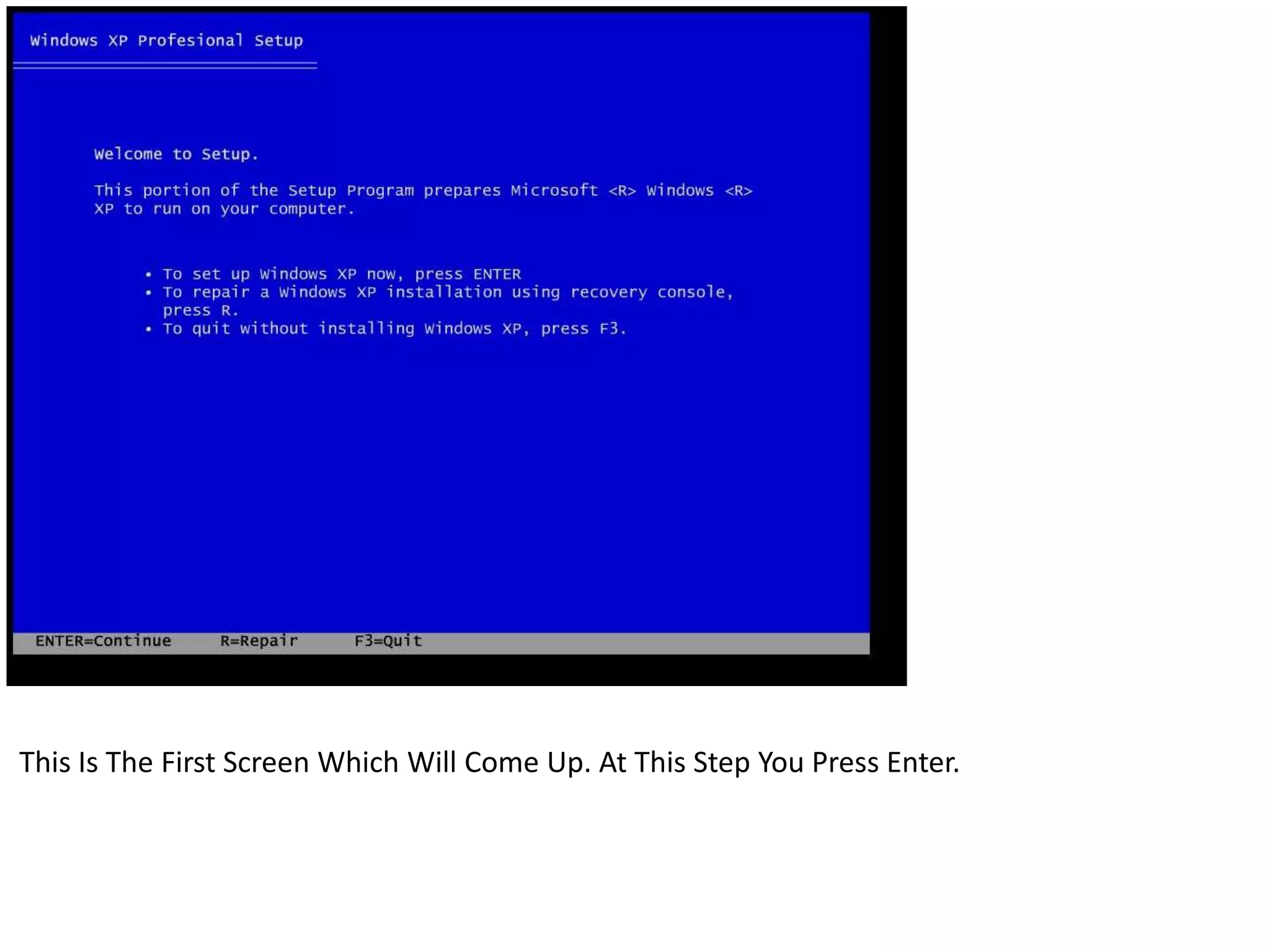
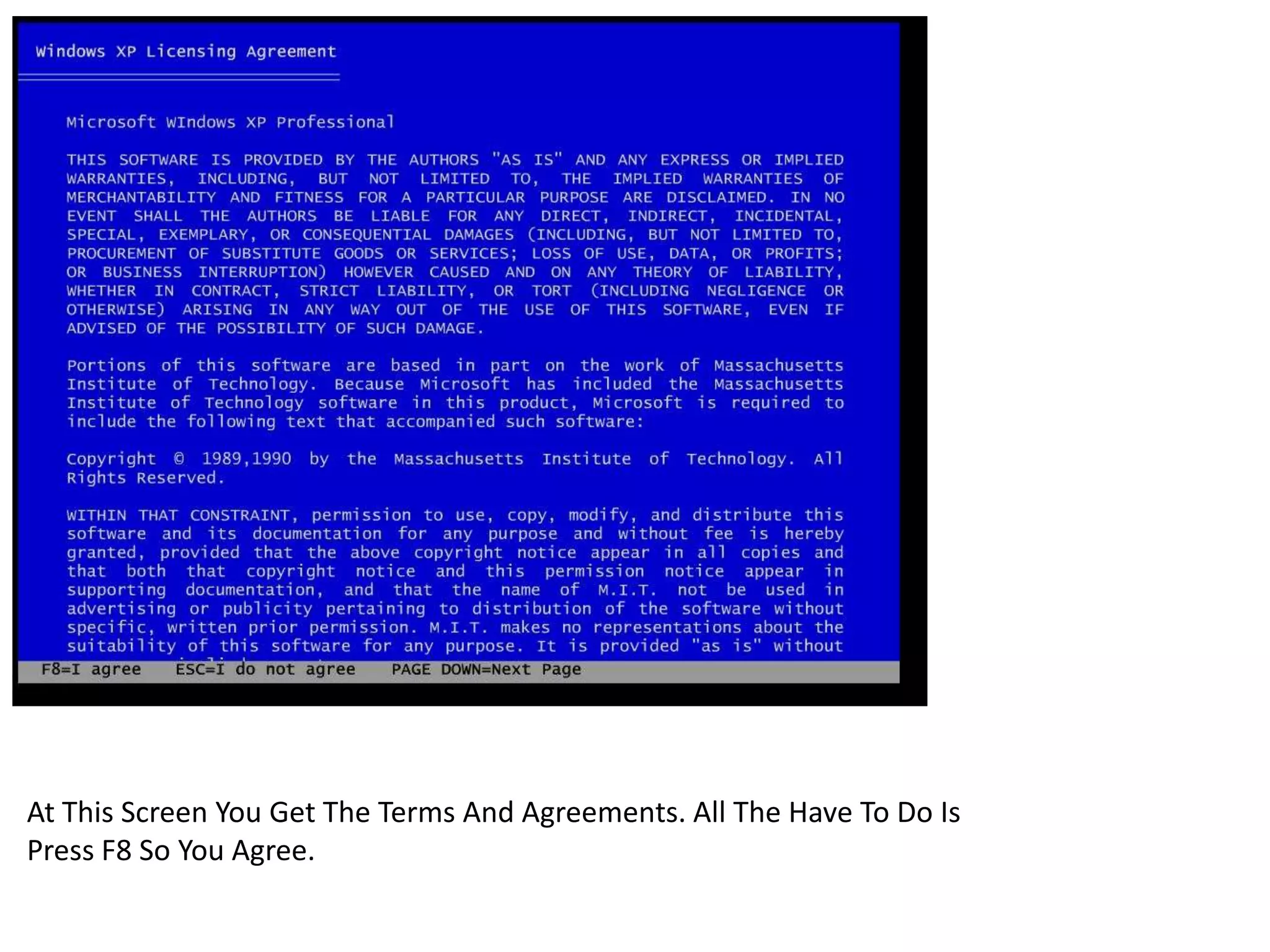
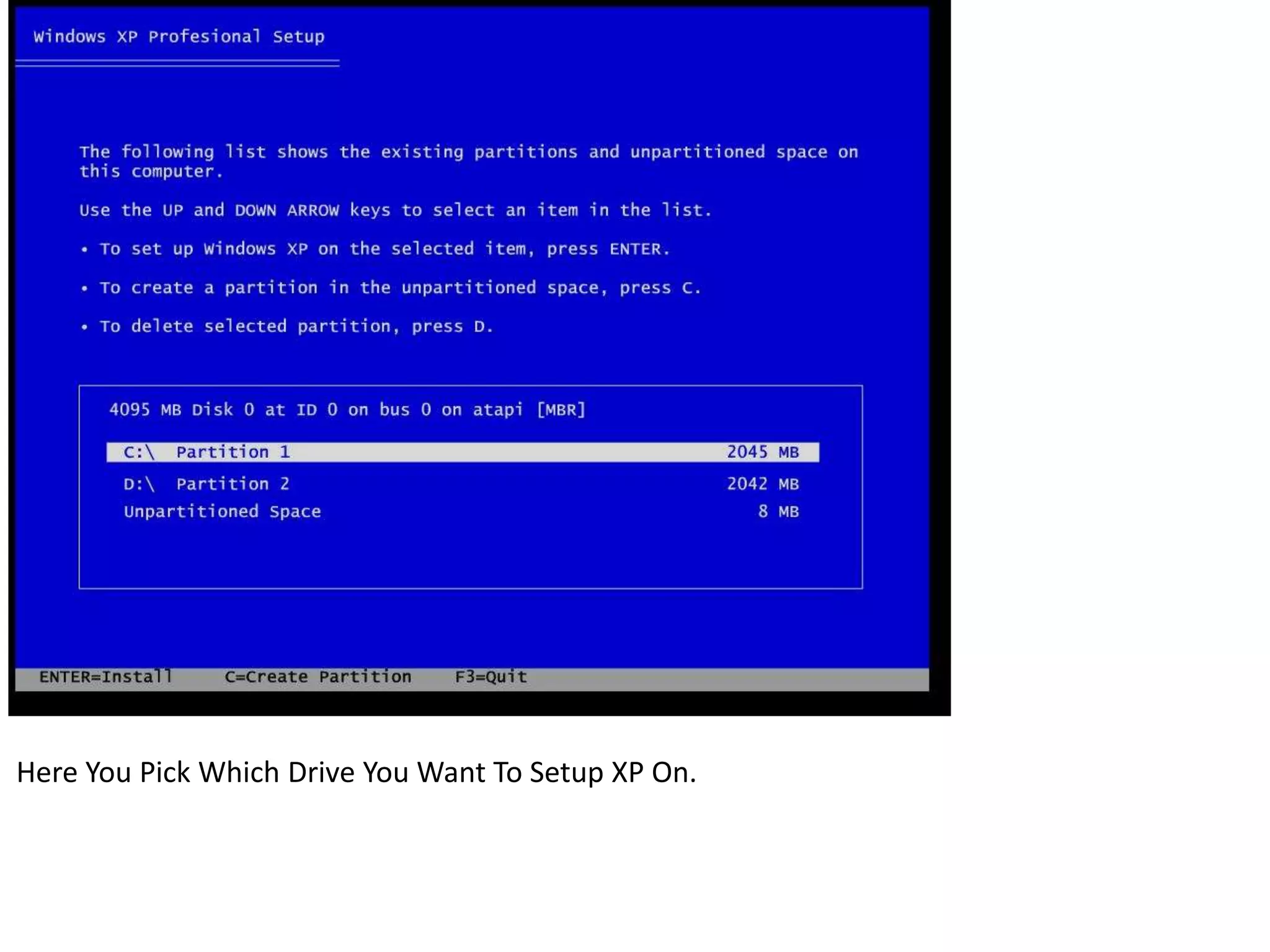
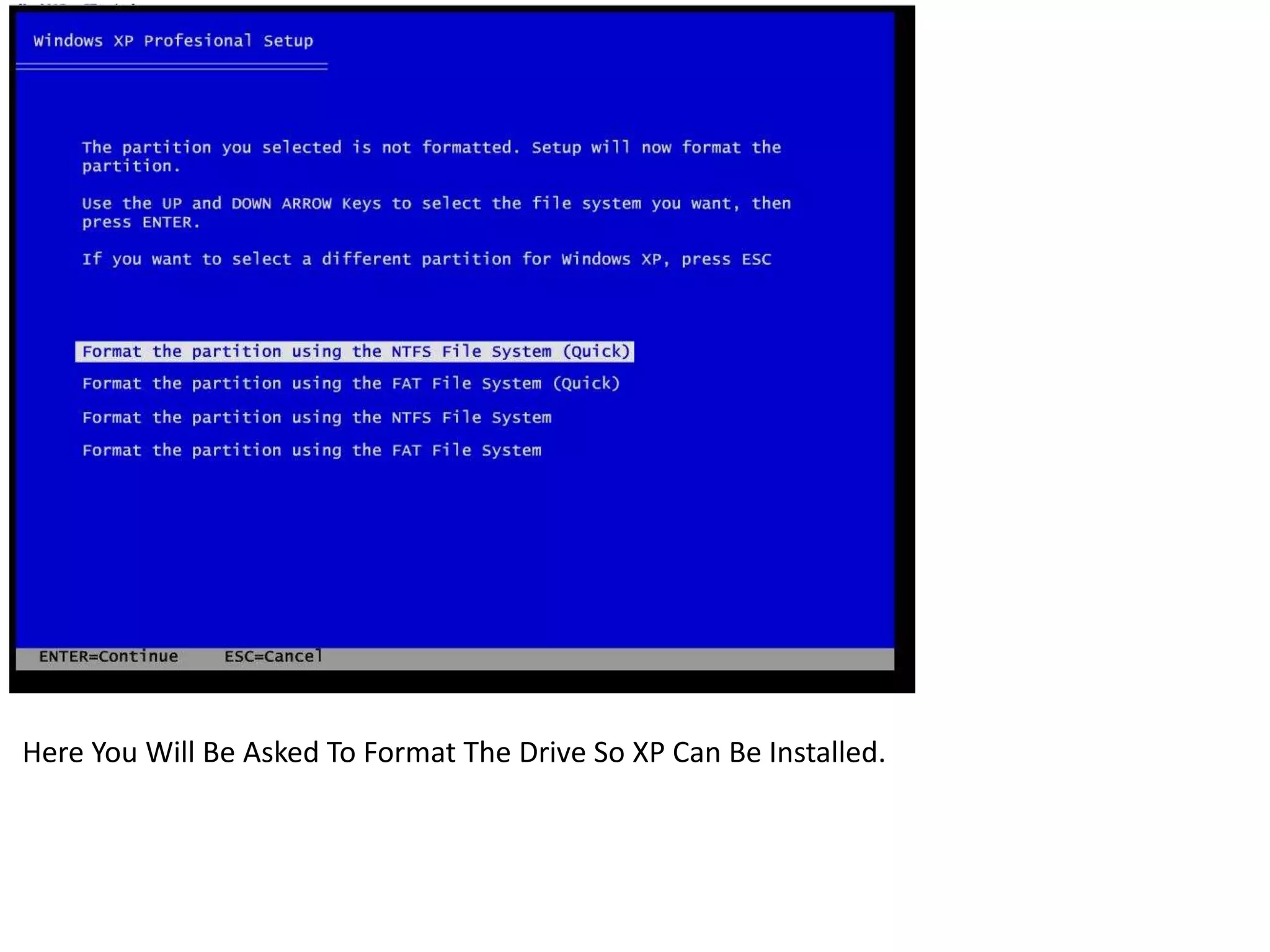
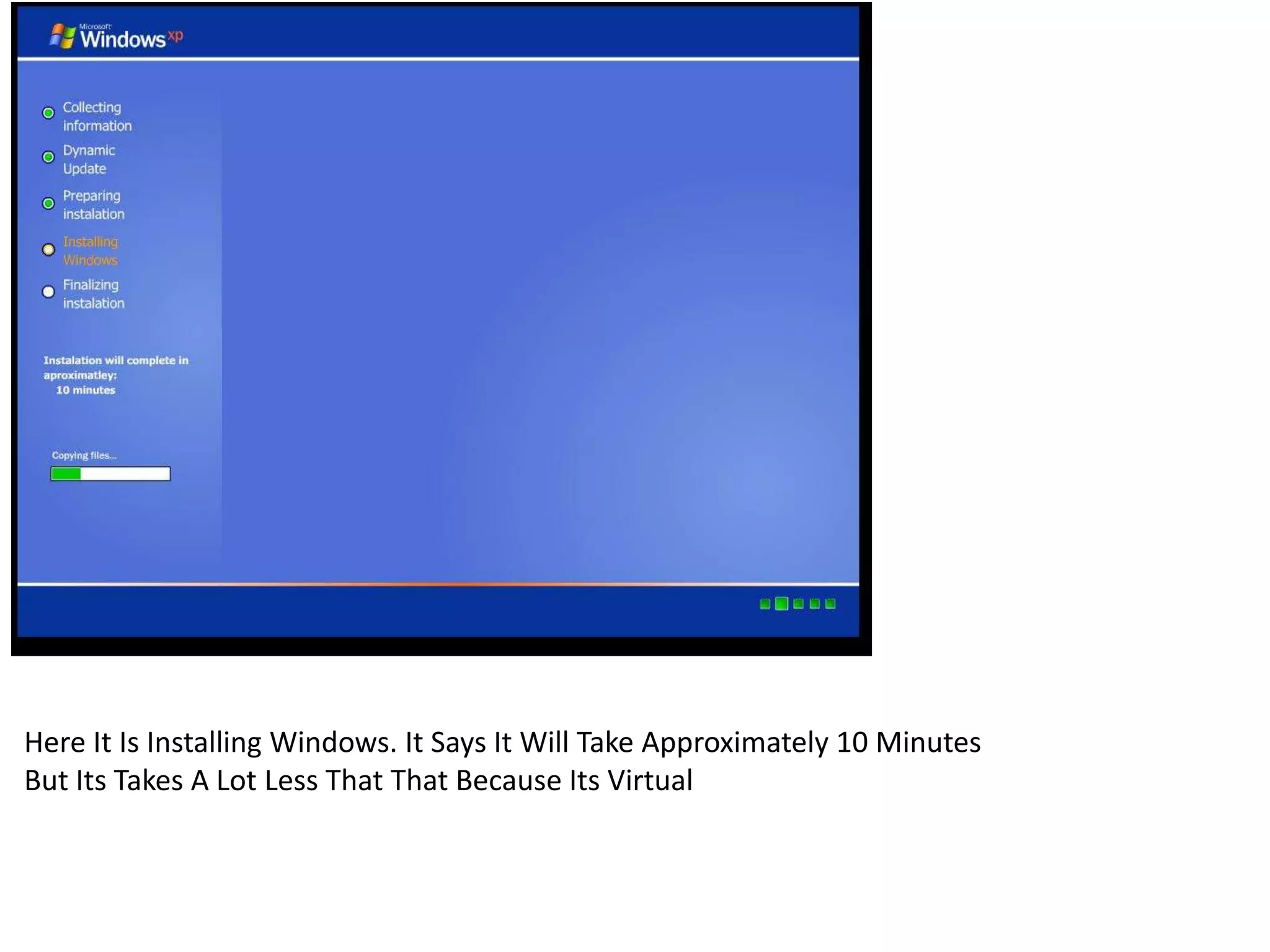
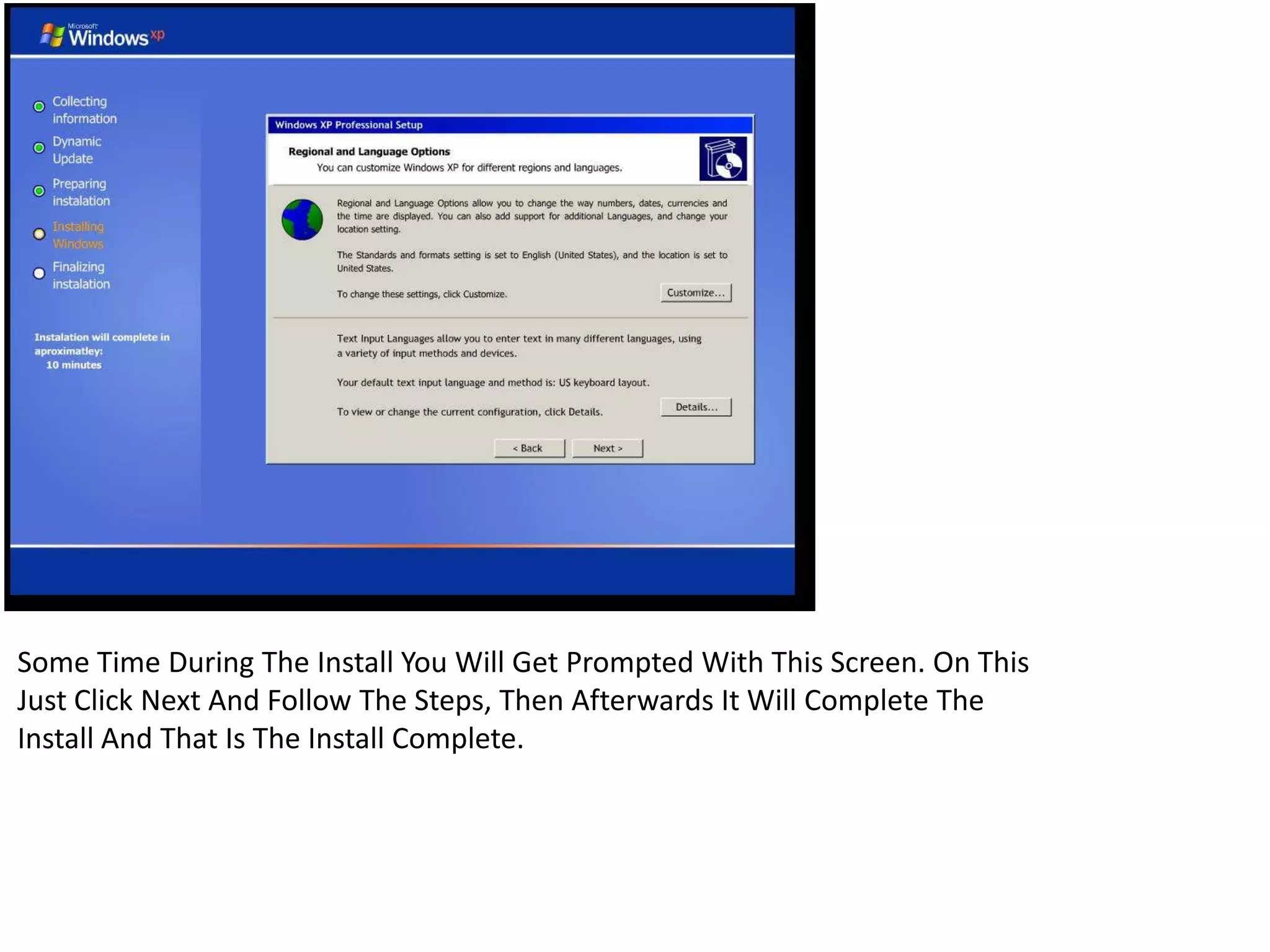
This document provides instructions for installing Windows XP in a virtual environment. It outlines the key steps which include: pressing Enter on the initial screen, pressing F8 to agree to terms and agreements, selecting the drive to install Windows XP on, formatting the drive, installing Windows XP which takes less than the estimated 10 minutes as it is virtual, and clicking Next when prompted during installation before it completes.


![[AzureCamp 24 Juin 2014] Azure Media Services par Xavier Pouyat](https://cdn.slidesharecdn.com/ss_thumbnails/1330xpouyatazuremediaservices-140716110547-phpapp02-thumbnail.jpg?width=640&height=640&fit=bounds)


