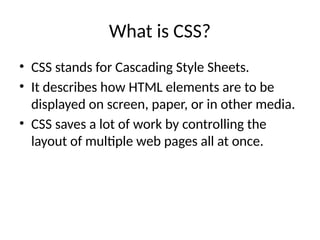
What is CSS?
•CSS stands for Cascading Style Sheets.
• It describes how HTML elements are to be
displayed on screen, paper, or in other media.
• CSS saves a lot of work by controlling the
layout of multiple web pages all at once.
3.
Types of CSS
•1. Inline CSS: Used within an HTML element
using the style attribute.
• 2. Internal CSS: Defined within a <style>
element in the <head> section.
• 3. External CSS: Written in a separate .css file
linked to the HTML document.
4.
CSS Syntax
• ACSS rule-set consists of a selector and a
declaration block.
• Example:
• h1 {
• color: blue;
• font-size: 20px;
• }
5.
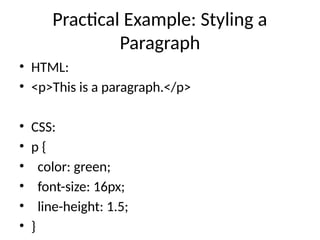
Practical Example: Stylinga
Paragraph
• HTML:
• <p>This is a paragraph.</p>
• CSS:
• p {
• color: green;
• font-size: 16px;
• line-height: 1.5;
• }
6.
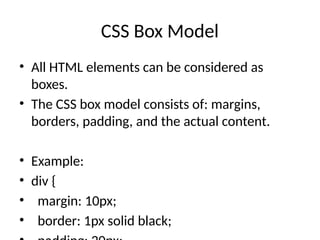
CSS Box Model
•All HTML elements can be considered as
boxes.
• The CSS box model consists of: margins,
borders, padding, and the actual content.
• Example:
• div {
• margin: 10px;
• border: 1px solid black;
7.
Conclusion and Resources
•CSS is essential for styling and laying out web
pages.
• Practice using different CSS properties to
understand how they affect HTML elements.
• Resources:
• - https://www.w3schools.com/css/
• -
https://developer.mozilla.org/en-US/docs/We
b/CSS




![Cascading style sheet (css)]](https://cdn.slidesharecdn.com/ss_thumbnails/cascadingstylesheetcss-130819011155-phpapp02-thumbnail.jpg?width=640&height=640&fit=bounds)


![5G Explained! A High Level Overview [Introduction]](https://cdn.slidesharecdn.com/ss_thumbnails/5gexplainedahighleveloverview-260119165306-cc137a3e-thumbnail.jpg?width=640&height=640&fit=bounds)


