CSS
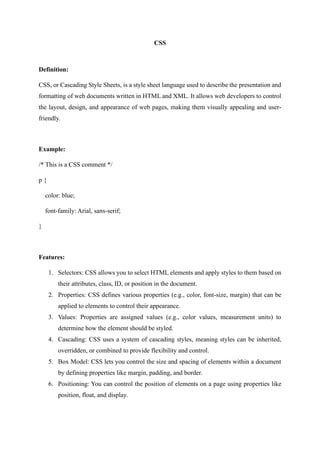
Definition:
CSS, or Cascading Style Sheets, is a style sheet language used to describe the presentation and
formatting of web documents written in HTML and XML. It allows web developers to control
the layout, design, and appearance of web pages, making them visually appealing and user-
friendly.
Example:
/* This is a CSS comment */
p {
color: blue;
font-family: Arial, sans-serif;
}
Features:
1. Selectors: CSS allows you to select HTML elements and apply styles to them based on
their attributes, class, ID, or position in the document.
2. Properties: CSS defines various properties (e.g., color, font-size, margin) that can be
applied to elements to control their appearance.
3. Values: Properties are assigned values (e.g., color values, measurement units) to
determine how the element should be styled.
4. Cascading: CSS uses a system of cascading styles, meaning styles can be inherited,
overridden, or combined to provide flexibility and control.
5. Box Model: CSS lets you control the size and spacing of elements within a document
by defining properties like margin, padding, and border.
6. Positioning: You can control the position of elements on a page using properties like
position, float, and display.
7. Flexibility: CSS is highly adaptable and can be used for simple styling or complex
layouts.
8. Media Queries: Media queries allow responsive design by adapting styles based on the
characteristics of the user's device, such as screen size or orientation.
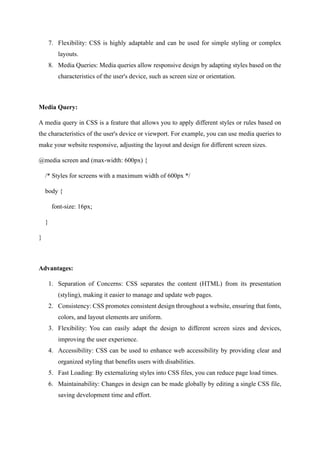
Media Query:
A media query in CSS is a feature that allows you to apply different styles or rules based on
the characteristics of the user's device or viewport. For example, you can use media queries to
make your website responsive, adjusting the layout and design for different screen sizes.
@media screen and (max-width: 600px) {
/* Styles for screens with a maximum width of 600px */
body {
font-size: 16px;
}
}
Advantages:
1. Separation of Concerns: CSS separates the content (HTML) from its presentation
(styling), making it easier to manage and update web pages.
2. Consistency: CSS promotes consistent design throughout a website, ensuring that fonts,
colors, and layout elements are uniform.
3. Flexibility: You can easily adapt the design to different screen sizes and devices,
improving the user experience.
4. Accessibility: CSS can be used to enhance web accessibility by providing clear and
organized styling that benefits users with disabilities.
5. Fast Loading: By externalizing styles into CSS files, you can reduce page load times.
6. Maintainability: Changes in design can be made globally by editing a single CSS file,
saving development time and effort.
History:
1. CSS was proposed in the mid-1990s as a solution to the limited styling options available
with HTML.
2. CSS1 was introduced in 1996, providing basic styling capabilities.
3. CSS2 followed in 1998, adding more complex layouts and positioning features.
4. CSS3, a set of separate modules, introduced features like animations, transitions, and
advanced styling options. CSS3 is the latest.

CSS Overview

  • 1.
    CSS Definition: CSS, or CascadingStyle Sheets, is a style sheet language used to describe the presentation and formatting of web documents written in HTML and XML. It allows web developers to control the layout, design, and appearance of web pages, making them visually appealing and user- friendly. Example: /* This is a CSS comment */ p { color: blue; font-family: Arial, sans-serif; } Features: 1. Selectors: CSS allows you to select HTML elements and apply styles to them based on their attributes, class, ID, or position in the document. 2. Properties: CSS defines various properties (e.g., color, font-size, margin) that can be applied to elements to control their appearance. 3. Values: Properties are assigned values (e.g., color values, measurement units) to determine how the element should be styled. 4. Cascading: CSS uses a system of cascading styles, meaning styles can be inherited, overridden, or combined to provide flexibility and control. 5. Box Model: CSS lets you control the size and spacing of elements within a document by defining properties like margin, padding, and border. 6. Positioning: You can control the position of elements on a page using properties like position, float, and display.
  • 2.
    7. Flexibility: CSSis highly adaptable and can be used for simple styling or complex layouts. 8. Media Queries: Media queries allow responsive design by adapting styles based on the characteristics of the user's device, such as screen size or orientation. Media Query: A media query in CSS is a feature that allows you to apply different styles or rules based on the characteristics of the user's device or viewport. For example, you can use media queries to make your website responsive, adjusting the layout and design for different screen sizes. @media screen and (max-width: 600px) { /* Styles for screens with a maximum width of 600px */ body { font-size: 16px; } } Advantages: 1. Separation of Concerns: CSS separates the content (HTML) from its presentation (styling), making it easier to manage and update web pages. 2. Consistency: CSS promotes consistent design throughout a website, ensuring that fonts, colors, and layout elements are uniform. 3. Flexibility: You can easily adapt the design to different screen sizes and devices, improving the user experience. 4. Accessibility: CSS can be used to enhance web accessibility by providing clear and organized styling that benefits users with disabilities. 5. Fast Loading: By externalizing styles into CSS files, you can reduce page load times. 6. Maintainability: Changes in design can be made globally by editing a single CSS file, saving development time and effort.
  • 3.
    History: 1. CSS wasproposed in the mid-1990s as a solution to the limited styling options available with HTML. 2. CSS1 was introduced in 1996, providing basic styling capabilities. 3. CSS2 followed in 1998, adding more complex layouts and positioning features. 4. CSS3, a set of separate modules, introduced features like animations, transitions, and advanced styling options. CSS3 is the latest.