More Related Content

PPTX

PDF

PDF
HTML5のCanvas入門 - Img画像を編集してみよう - 
PDF
jQueryでiTunes Store風スライドショーを作ってみる 
PDF

PDF
JavaScript + CSS3を活用して スマートフォンサイト/アプリに 動きを付けてみよう 
PDF

KEY
Similar to Css3でキャラクターアニメーションに挑戦してみた

PDF

PDF

PDF
Hello css animation_public 
PDF
さらに一歩踏み込んだCSS3の使い方!コツとポイントを理解して 楽しくサイトを彩る方法 
PDF

PDF

PDF

PDF
Flashじゃなくて HTML5で ビュンビュン動くサイトを 作ってと言われたら 
PPTX

PDF
Native x Webでいいとこどり開発 ~ピグトーク~ 
KEY

PDF

PPTX

PDF
jQueryを自分で書いてみよう!@第5回福岡マークアップ勉強会 
PDF

PDF
jQuery Performance Tips – jQueryにおける高速化 - 
PDF
「現場のプロが教えるWebデザイン新・スタンダードテクニック37」に載っているテクニックでLP作ってみた話 
PPTX

PPTX
第3回 HTML5飯 少ない工数で豊かな表現!これが私のCSSアニメーション 
PPTX
パララックスでレスポンシブでJ query mobileなサイトのつくりかた Css3でキャラクターアニメーションに挑戦してみた
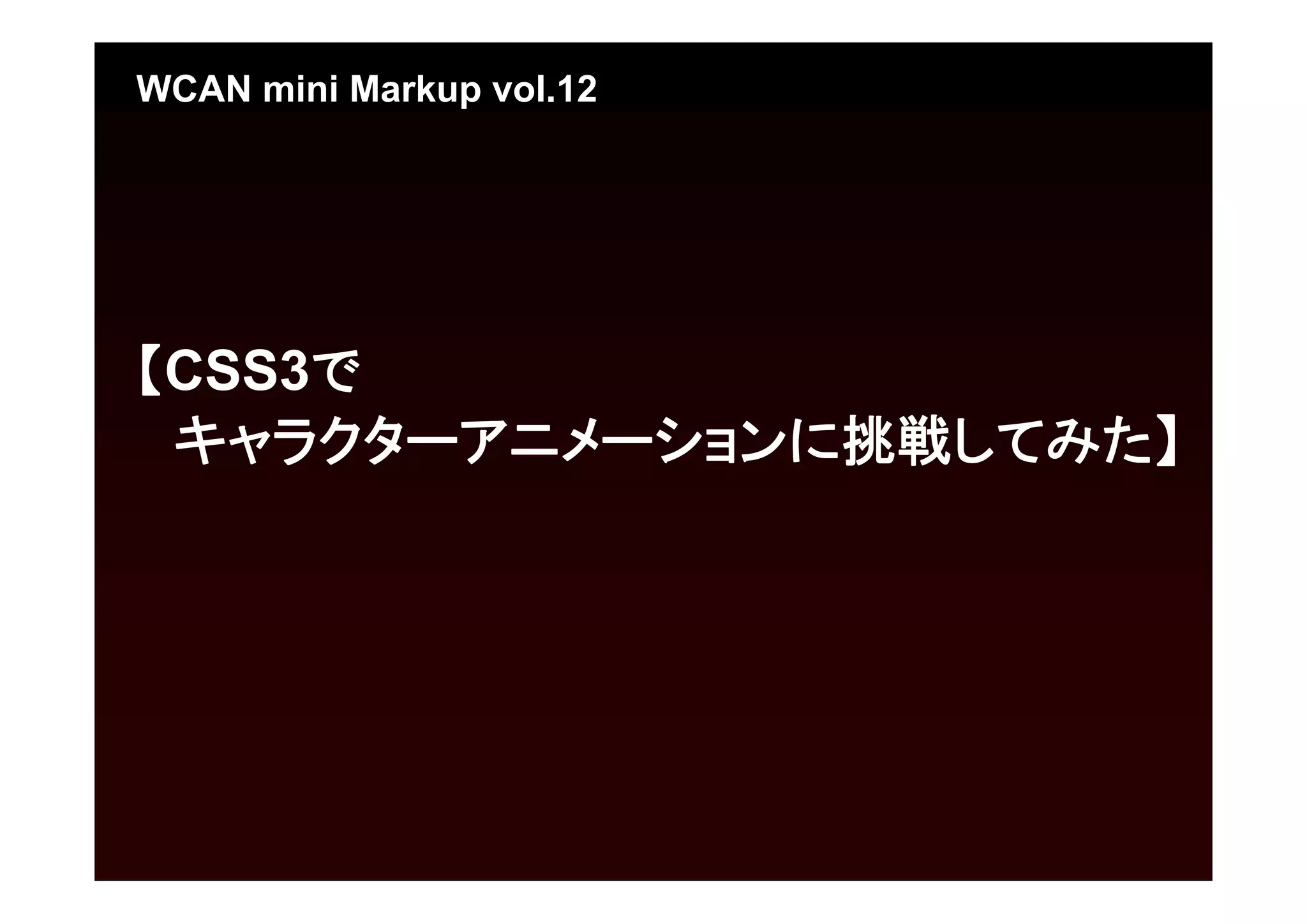
- 1.
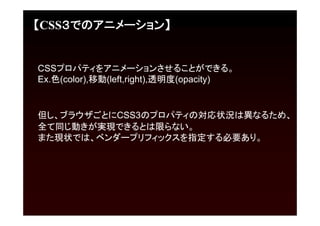
- 2.
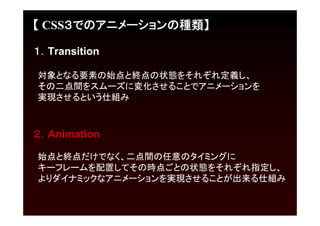
- 3.
- 4.
- 5.
- 6.
- 7.
- 8.
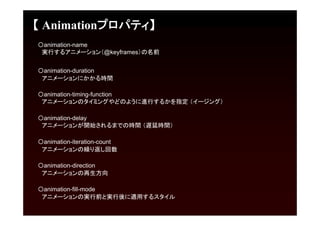
【 Animationプロパティ】
[記述例]
animation: myAnimarion1s ease 0s 1 normal none;
/*[myAnimarion] という@keyframesのアニメーションを 1秒間イージングをeaseで、遅延無し(0秒
後)に繰り返し回数1回、再生方向はデフォルトで開始する*/
@keyframesは、要素に対してどのようなアニメーションをするのかということを定義したもので、
プログラミングでいう関数に扱いが似たもの。
アニメーションの始点をfrom(もしくは0%)で指定し、終点をto(もしくは100%)で指定。
0%と100%の間に25%、50%、80%と細かくキーフレームを配置して、
それぞれに要素の状態を定義することができる。
[記述例]
@keyframes myAnimation {
0% { background-color: #ff0000; }
25% { background-color: #00ff00; width: 100%}
50% { background-color: #0000ff; height: 50%;}
100% { background-color: #000000; }
}
/*0秒後に背景色:#ff0000、0.25秒後に背景色:#00ff00+幅100%、
0.5秒後に背景色:#0000ff+高さ50%、1秒後に背景色#000000にするアニメーション指定 */
- 9.
- 10.
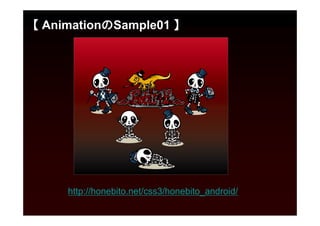
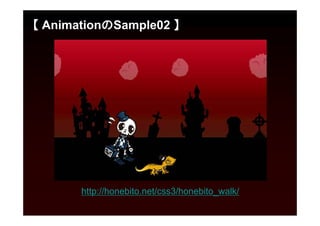
【 AnimationのSample01 】
[HTML]
<divclass="container">
<div id="honebito_walk01"></div>
<div id="honebito_walk02"></div>
<div id="honebito_sit01"></div>
<div id="honebito_sit02"></div>
<div id="honebito_sleep01"></div>
<div id="rebirth_logo"></div>
<div id="honekage01"></div>
<a id="site_link" href="http://honebito.net/"></a>
</div>
- 11.
【 AnimationのSample01 】 [CSS]
#honebito_walk01 {
background-image: url(../images/honebito_walk01.png);
width: 321px;
height: 300px;
z-index: 3;
position: absolute;
top: 25px;
left: 15px;
overflow: visible;
-webkit-animation:honebito-walk-l 2s 2s 1 ease-out, display-animation 2.5s 1 ease-out;
-moz-animation: honebito-walk-l 2s 2s 1 ease-out, display-animation 2.5s 1 ease-out;
-o-animation: honebito-walk-l 2s 2s 1 ease-out, display-animation 2.5s 1 ease-out;
-ms-animation: honebito-walk-l 2s 2s 1 ease-out, display-animation 2.5s 1 ease-out;
animation: honebito-walk-l 2s 2s 1 ease-out, display-animation 2.5s 1 ease-out;
}
@-moz-keyframes honebito-walk-l {
0% {left: 1000px; opacity: 0; -moz-transform:rotate(45deg);}
40% {left: 1000px; opacity: 0; -moz-transform:rotate(45deg);}
80% {left: 15px; opacity: 1; -moz-transform:rotate(0deg);}
85% {left: 5px; -moz-transform:rotate(-15deg);}
90% {left: 15px; -moz-transform:rotate(0deg);}
100% {left: 15px; -moz-transform:rotate(0deg);}
}
- 12.
- 13.
【参考サイト・参考書籍】
○HTML5 × CSS3× jQueryを真面目に勉強
http://dev.classmethod.jp/ria/html5/html5-x-css3-x-jquery-9-css3transition/
http://dev.classmethod.jp/ria/html5/html5-x-css3-x-jquery-9-1-css3animation/
○アニメーションするバナーをCSS3で作るチュートリアル(DL可能)
http://tympanus.net/codrops/2012/01/10/animated-web-banners-with-css3/
[参考書籍] CSS3アニメーション・ブック for iPhone & Android
http://dothtml5.com/archives/20110425_book_4899772890.html


![【 Transitonプロパティ】
〇transition-duration
アニメーションにかかる時間
〇transition-property
アニメーションをどのプロパティに対して行うか
〇transition-timing-function
アニメーションのタイミングやどのように進行するかを指定 (イージング)
〇transition-delay
アニメーションが開始されるまでの時間 (遅延時間)
[記述例]
transition: 3s background ease 0.5s;
/*3秒間のbakcgroundプロパティのアニメーションをeaseで、0.5秒間の遅延後に開始する*/](https://image.slidesharecdn.com/css-121230063227-phpapp02/85/Css-5-320.jpg)
![【 Transitonプロパティ】
〇ベンダープレフィックス(接頭辞)
ブラウザベンダーが独自の拡張機能を実装したり、
草案段階の仕様を先行実装する場合に、
それが拡張機能であることを明示するために付ける識別子のこと
[記述例]
-webkit-transition: .3s background ease .5s; /*Google Chrome、Safari*/
-moz-transition: .3s background ease .5s; /*Firefox*/
-o-transition: .3s background ease .5s; /*Opera*/
-ms-transition: .3s background ease .5s; /*Internet Explorer*/
transition: .3s background ease .5s;](https://image.slidesharecdn.com/css-121230063227-phpapp02/85/Css-6-320.jpg)
![【 Animationプロパティ】
[記述例]
animation: myAnimarion 1s ease 0s 1 normal none;
/*[myAnimarion] という@keyframesのアニメーションを 1秒間イージングをeaseで、遅延無し(0秒
後)に繰り返し回数1回、再生方向はデフォルトで開始する*/
@keyframesは、要素に対してどのようなアニメーションをするのかということを定義したもので、
プログラミングでいう関数に扱いが似たもの。
アニメーションの始点をfrom(もしくは0%)で指定し、終点をto(もしくは100%)で指定。
0%と100%の間に25%、50%、80%と細かくキーフレームを配置して、
それぞれに要素の状態を定義することができる。
[記述例]
@keyframes myAnimation {
0% { background-color: #ff0000; }
25% { background-color: #00ff00; width: 100%}
50% { background-color: #0000ff; height: 50%;}
100% { background-color: #000000; }
}
/*0秒後に背景色:#ff0000、0.25秒後に背景色:#00ff00+幅100%、
0.5秒後に背景色:#0000ff+高さ50%、1秒後に背景色#000000にするアニメーション指定 */](https://image.slidesharecdn.com/css-121230063227-phpapp02/85/Css-8-320.jpg)
![【 AnimationのSample01 】
[HTML]
<div class="container">
<div id="honebito_walk01"></div>
<div id="honebito_walk02"></div>
<div id="honebito_sit01"></div>
<div id="honebito_sit02"></div>
<div id="honebito_sleep01"></div>
<div id="rebirth_logo"></div>
<div id="honekage01"></div>
<a id="site_link" href="http://honebito.net/"></a>
</div>](https://image.slidesharecdn.com/css-121230063227-phpapp02/85/Css-10-320.jpg)
![【 AnimationのSample01 】 [CSS]
#honebito_walk01 {
background-image: url(../images/honebito_walk01.png);
width: 321px;
height: 300px;
z-index: 3;
position: absolute;
top: 25px;
left: 15px;
overflow: visible;
-webkit-animation:honebito-walk-l 2s 2s 1 ease-out, display-animation 2.5s 1 ease-out;
-moz-animation: honebito-walk-l 2s 2s 1 ease-out, display-animation 2.5s 1 ease-out;
-o-animation: honebito-walk-l 2s 2s 1 ease-out, display-animation 2.5s 1 ease-out;
-ms-animation: honebito-walk-l 2s 2s 1 ease-out, display-animation 2.5s 1 ease-out;
animation: honebito-walk-l 2s 2s 1 ease-out, display-animation 2.5s 1 ease-out;
}
@-moz-keyframes honebito-walk-l {
0% {left: 1000px; opacity: 0; -moz-transform:rotate(45deg);}
40% {left: 1000px; opacity: 0; -moz-transform:rotate(45deg);}
80% {left: 15px; opacity: 1; -moz-transform:rotate(0deg);}
85% {left: 5px; -moz-transform:rotate(-15deg);}
90% {left: 15px; -moz-transform:rotate(0deg);}
100% {left: 15px; -moz-transform:rotate(0deg);}
}](https://image.slidesharecdn.com/css-121230063227-phpapp02/85/Css-11-320.jpg)
![【参考サイト・参考書籍】
○HTML5 × CSS3 × jQueryを真面目に勉強
http://dev.classmethod.jp/ria/html5/html5-x-css3-x-jquery-9-css3transition/
http://dev.classmethod.jp/ria/html5/html5-x-css3-x-jquery-9-1-css3animation/
○アニメーションするバナーをCSS3で作るチュートリアル(DL可能)
http://tympanus.net/codrops/2012/01/10/animated-web-banners-with-css3/
[参考書籍] CSS3アニメーション・ブック for iPhone & Android
http://dothtml5.com/archives/20110425_book_4899772890.html](https://image.slidesharecdn.com/css-121230063227-phpapp02/85/Css-13-320.jpg)