These slides and screenshots cover creating and
Ending Outcomes/Objectives and Measures in
Weave. A few things before you start:
• If possible, end your Measures BEFORE ending
your Outcomes/Objectives (if applicable).
• You are NOT deleting information in this process,
but rather ‘ending’ the measures in a previous
cycle of Weave.
• Creating Outcomes/Objectives and Measures or
copying over Outcomes/Objectives and Measures
from a previous cycle is a fairly quick and easy
process.
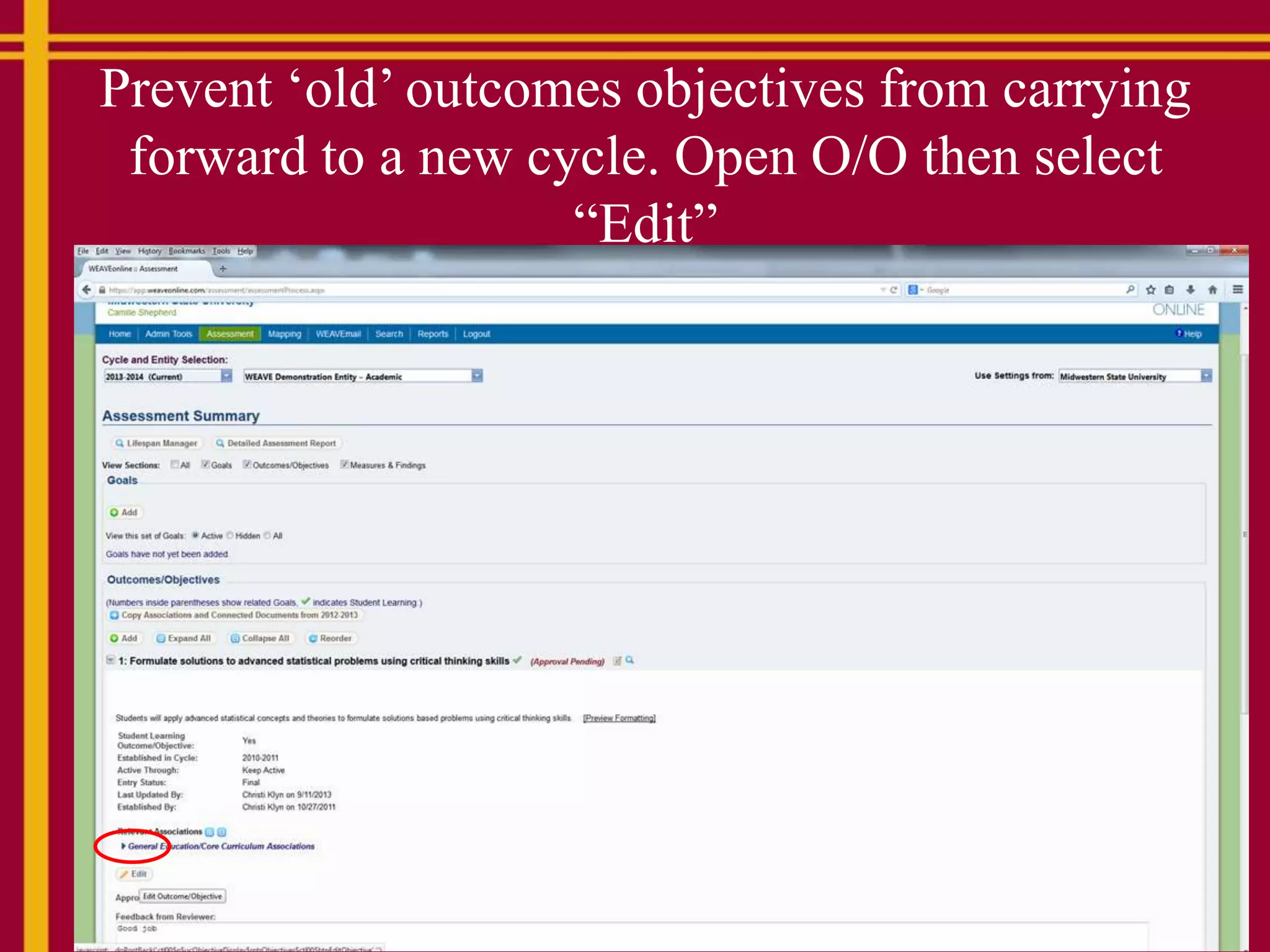
Prevent ‘old’ outcomes objectives from carrying
forward to a new cycle. Open O/O then select
“Edit”
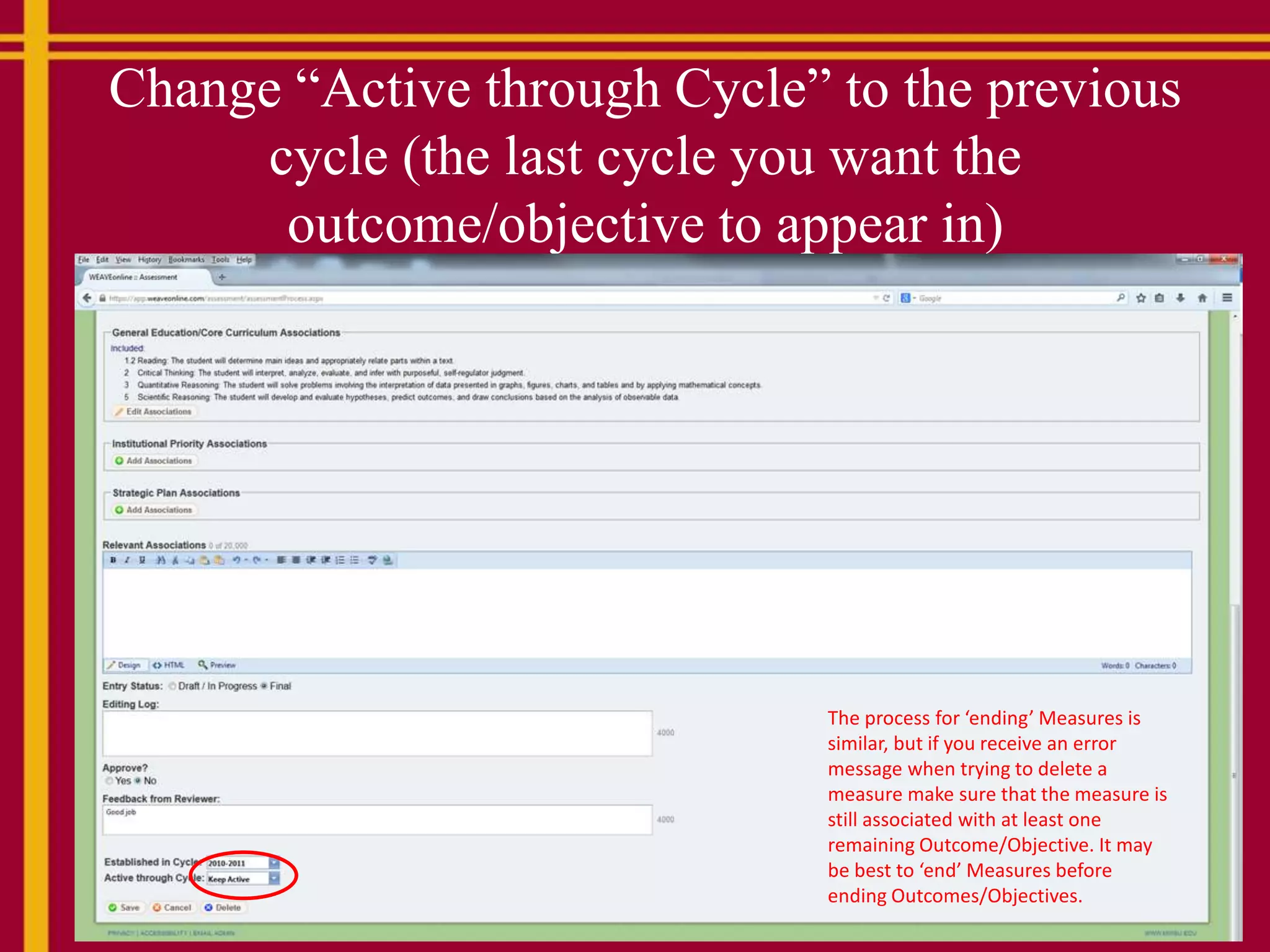
Change “Active through Cycle” to the previous
cycle (the last cycle you want the
outcome/objective to appear in)
The process for ‘ending’ Measures is
similar, but if you receive an error
message when trying to delete a
measure make sure that the measure is
still associated with at least one
remaining Outcome/Objective. It may
be best to ‘end’ Measures before
ending Outcomes/Objectives.
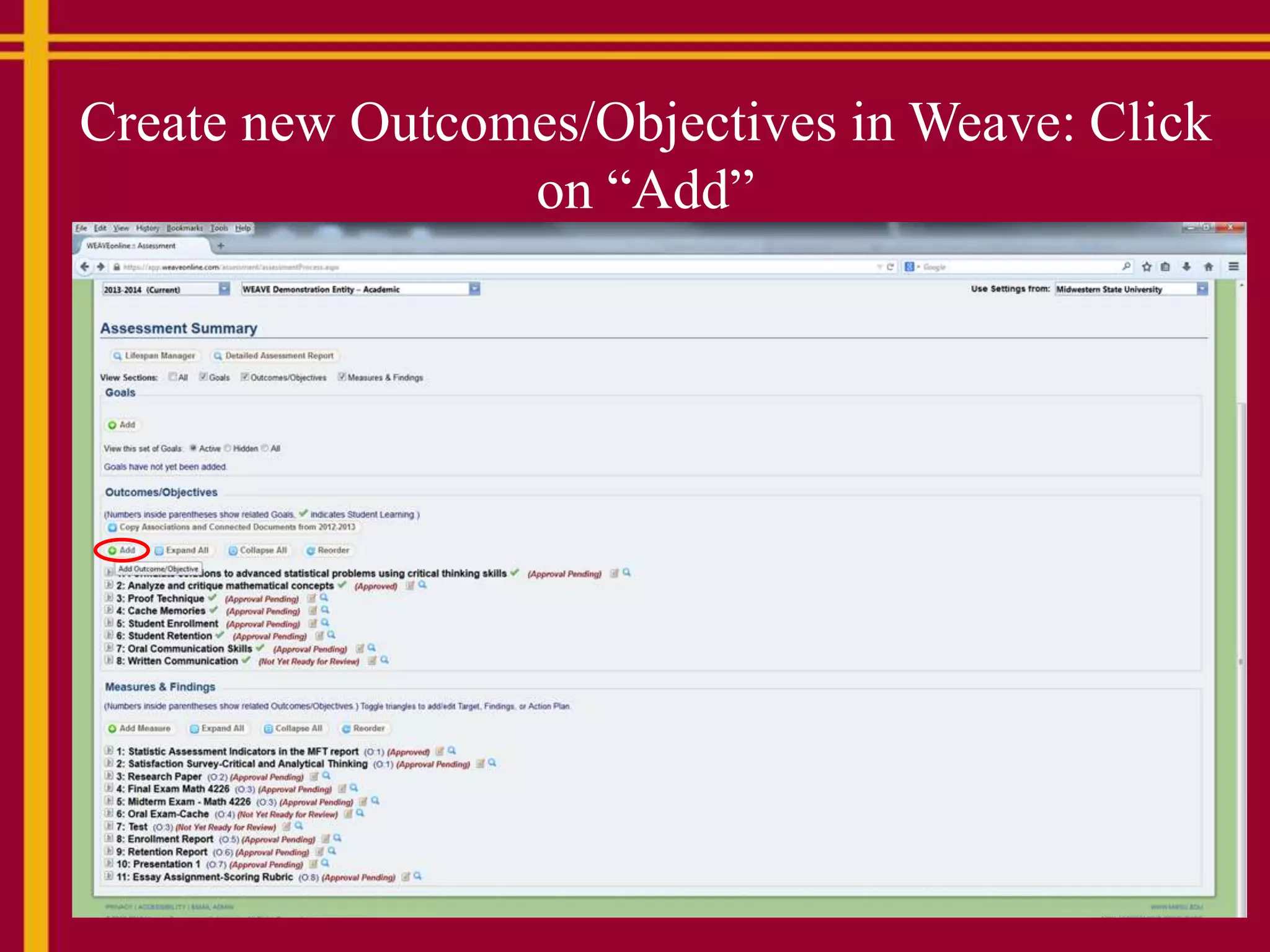
Create new Outcomes/Objectives in Weave: Click
on “Add”
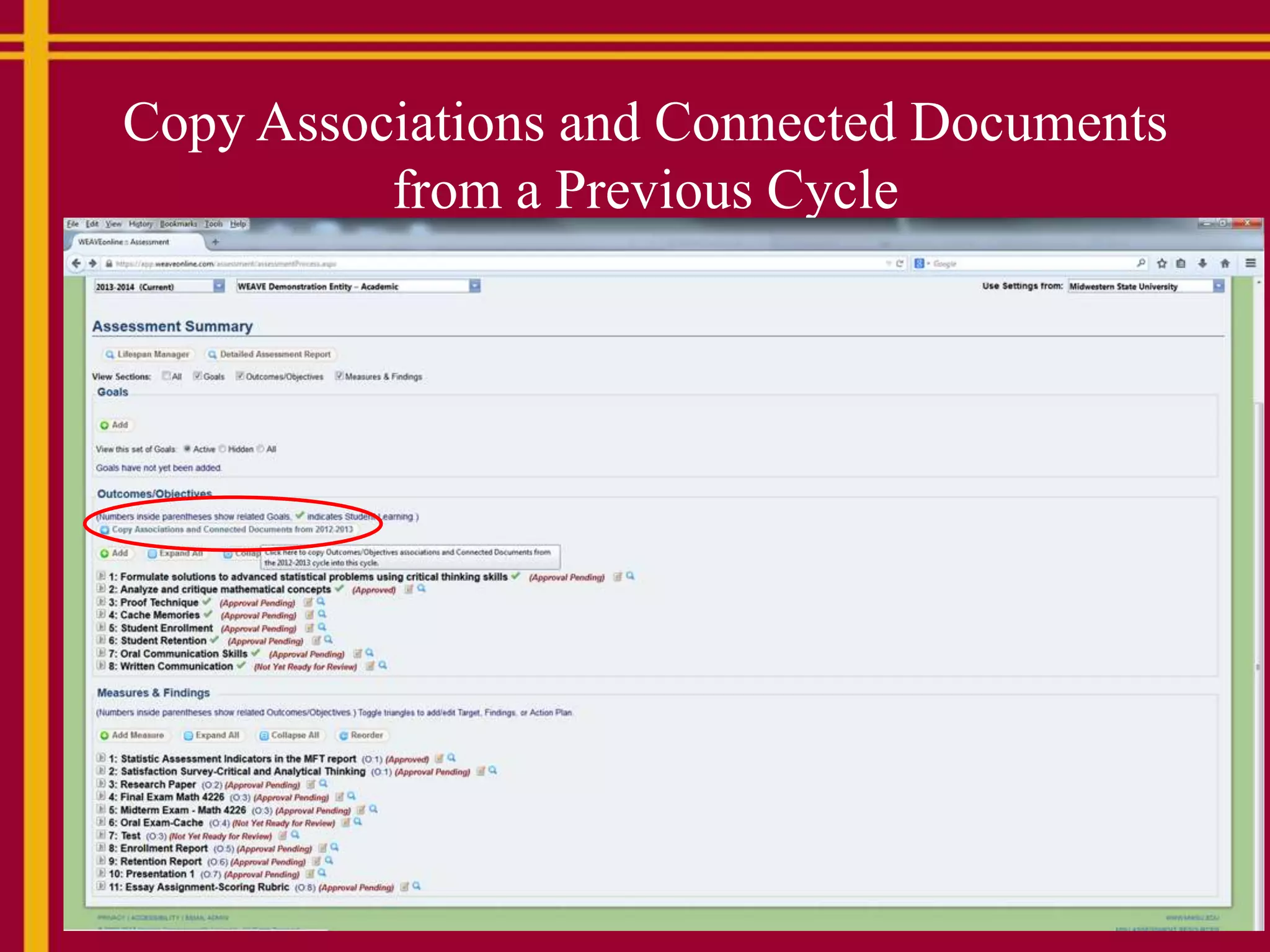
Copy Associations and Connected Documents
from a Previous Cycle
Creating and deleting objectives and measures in weave instructions.docx

Creating and deleting objectives and measures in weave instructions.docx

  • 1.
    These slides andscreenshots cover creating and Ending Outcomes/Objectives and Measures in Weave. A few things before you start: • If possible, end your Measures BEFORE ending your Outcomes/Objectives (if applicable). • You are NOT deleting information in this process, but rather ‘ending’ the measures in a previous cycle of Weave. • Creating Outcomes/Objectives and Measures or copying over Outcomes/Objectives and Measures from a previous cycle is a fairly quick and easy process.
  • 2.
    Prevent ‘old’ outcomesobjectives from carrying forward to a new cycle. Open O/O then select “Edit”
  • 3.
    Change “Active throughCycle” to the previous cycle (the last cycle you want the outcome/objective to appear in) The process for ‘ending’ Measures is similar, but if you receive an error message when trying to delete a measure make sure that the measure is still associated with at least one remaining Outcome/Objective. It may be best to ‘end’ Measures before ending Outcomes/Objectives.
  • 4.
    Create new Outcomes/Objectivesin Weave: Click on “Add”
  • 5.
    Copy Associations andConnected Documents from a Previous Cycle