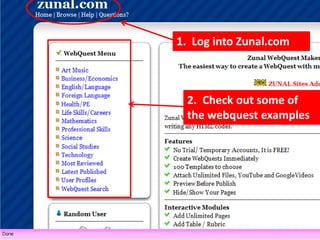
1.  Log into Zunal.com2.  Check out some of the webquest examples
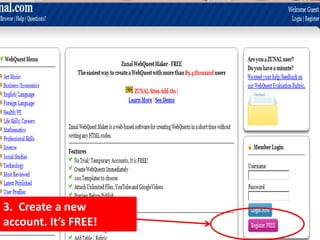
3.  Create a new account. It’s FREE!
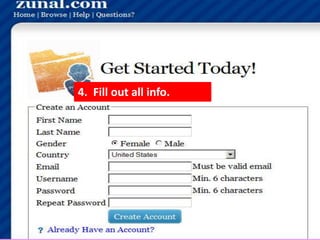
4.  Fill out all info.
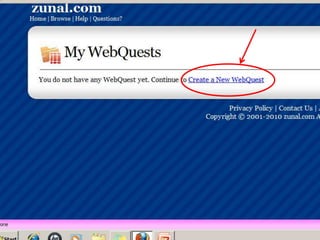
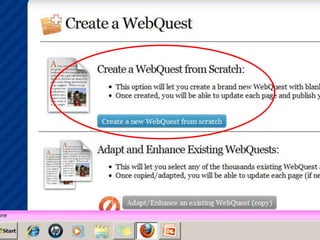
5.  You should see this screen
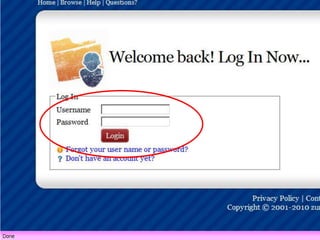
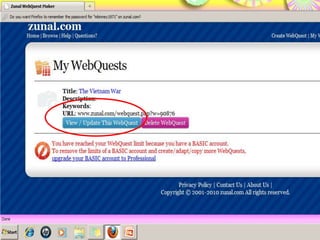
6.  If you see this screen, log in again.
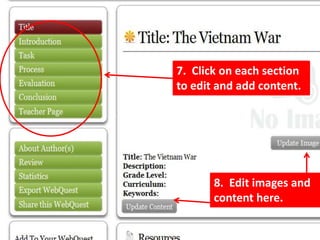
7.  Click on each section to edit and add content.8.  Edit images and content here.
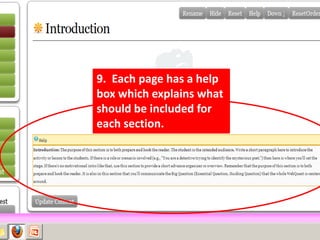
9.  Each page has a help box which explains what should be included for each section.
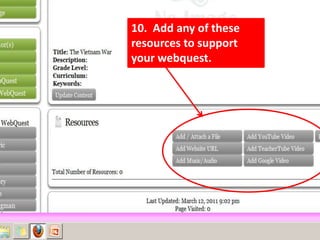
10.  Add any of these resources to support your webquest.
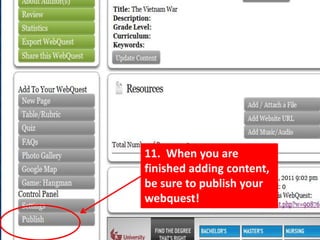
11.  When you are finished adding content, be sure to publish your webquest!

Creating a Zunal Webquest

  • 1.
    1. Loginto Zunal.com2. Check out some of the webquest examples
  • 2.
    3. Createa new account. It’s FREE!
  • 3.
    4. Fillout all info.
  • 4.
    5. Youshould see this screen
  • 9.
    6. Ifyou see this screen, log in again.
  • 11.
    7. Clickon each section to edit and add content.8. Edit images and content here.
  • 12.
    9. Eachpage has a help box which explains what should be included for each section.
  • 13.
    10. Addany of these resources to support your webquest.
  • 14.
    11. Whenyou are finished adding content, be sure to publish your webquest!