Download to read offline
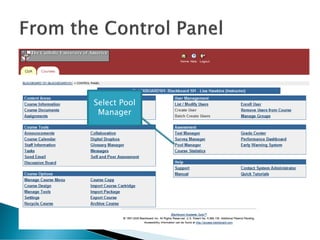


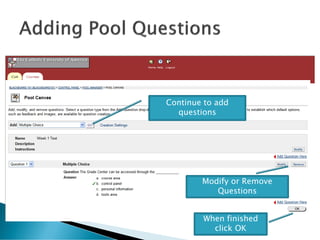
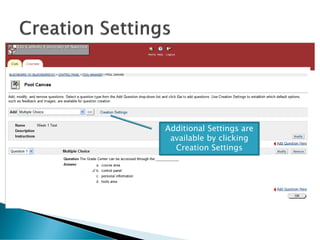


To create a test pool in Blackboard, select Add Pool from the Pool Manager page. Name and describe the pool, then choose a question type like multiple choice or true/false from the dropdown and click Go to begin adding questions. Questions can be modified or removed, and additional settings like the number of choices are available. When finished, click OK to save the completed pool to the Pool Manager for use in creating tests. Test pools from publishers may also be uploaded if compatible with Blackboard 6 or higher.


