Organise Work in an Advertising Agency
Dayna Lawlor - 13128108
Ciara Beresford - 13127764
Aisling O’Shea - 13160109
CSCW Presentation
1
Group 7
Outline
Tool Overview
Scenario
Situations that occurred
Reflection
Conclusion
2
Tool Overview
Red Pen is a cooperative design
tool.
Slack is a communication tool
TeamViewer is a collaborative
editing tool
3
Scenario
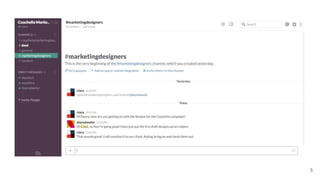
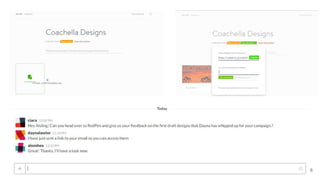
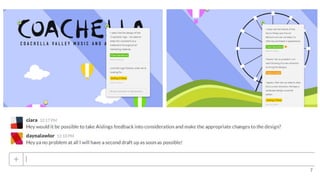
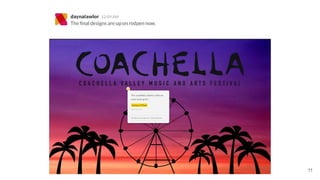
➔ We created a scenario for organising work in an advertising agency and
utilised each tool to it’s full potential.
➔ The scenario involved…
◆ Dayna - Graphic Designer
◆ Ciara - Manager
◆ Aisling - Client
4
5
6
7
8
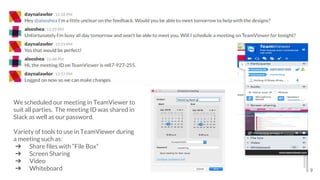
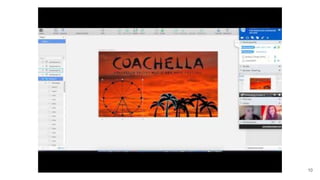
We scheduled our meeting in TeamViewer to
suit all parties. The meeting ID was shared in
Slack as well as our password.
Variety of tools to use in TeamViewer during
a meeting such as:
➔ Share files with “File Box”
➔ Screen Sharing
➔ Video
➔ Whiteboard 9
10
11
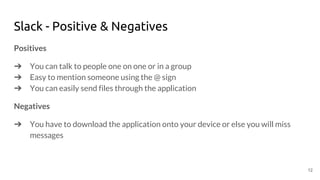
Slack - Positive & Negatives
Positives
➔ You can talk to people one on one or in a group
➔ Easy to mention someone using the @ sign
➔ You can easily send files through the application
Negatives
➔ You have to download the application onto your device or else you will miss
messages
12
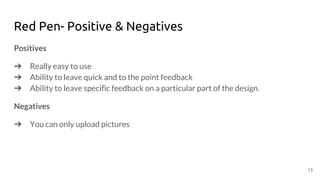
Red Pen- Positive & Negatives
Positives
➔ Really easy to use
➔ Ability to leave quick and to the point feedback
➔ Ability to leave specific feedback on a particular part of the design.
Negatives
➔ You can only upload pictures
13
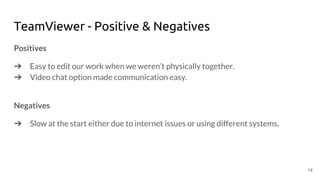
TeamViewer - Positive & Negatives
Positives
➔ Easy to edit our work when we weren’t physically together.
➔ Video chat option made communication easy.
Negatives
➔ Slow at the start either due to internet issues or using different systems.
14
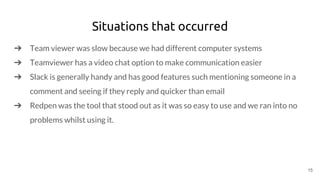
Situations that occurred
➔ Team viewer was slow because we had different computer systems
➔ Teamviewer has a video chat option to make communication easier
➔ Slack is generally handy and has good features such mentioning someone in a
comment and seeing if they reply and quicker than email
➔ Redpen was the tool that stood out as it was so easy to use and we ran into no
problems whilst using it.
15
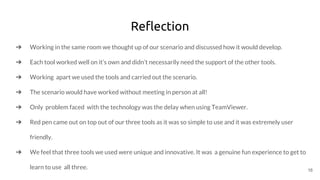
Reflection
➔ Working in the same room we thought up of our scenario and discussed how it would develop.
➔ Each tool worked well on it’s own and didn’t necessarily need the support of the other tools.
➔ Working apart we used the tools and carried out the scenario.
➔ The scenario would have worked without meeting in person at all!
➔ Only problem faced with the technology was the delay when using TeamViewer.
➔ Red pen came out on top out of our three tools as it was so simple to use and it was extremely user
friendly.
➔ We feel that three tools we used were unique and innovative. It was a genuine fun experience to get to
learn to use all three. 16
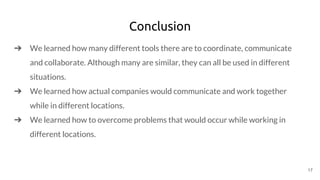
Conclusion
➔ We learned how many different tools there are to coordinate, communicate
and collaborate. Although many are similar, they can all be used in different
situations.
➔ We learned how actual companies would communicate and work together
while in different locations.
➔ We learned how to overcome problems that would occur while working in
different locations.
17

Computer Supported Co-Operative Work

  • 1.
    Organise Work inan Advertising Agency Dayna Lawlor - 13128108 Ciara Beresford - 13127764 Aisling O’Shea - 13160109 CSCW Presentation 1 Group 7
  • 2.
    Outline Tool Overview Scenario Situations thatoccurred Reflection Conclusion 2
  • 3.
    Tool Overview Red Penis a cooperative design tool. Slack is a communication tool TeamViewer is a collaborative editing tool 3
  • 4.
    Scenario ➔ We createda scenario for organising work in an advertising agency and utilised each tool to it’s full potential. ➔ The scenario involved… ◆ Dayna - Graphic Designer ◆ Ciara - Manager ◆ Aisling - Client 4
  • 5.
  • 6.
  • 7.
  • 8.
  • 9.
    We scheduled ourmeeting in TeamViewer to suit all parties. The meeting ID was shared in Slack as well as our password. Variety of tools to use in TeamViewer during a meeting such as: ➔ Share files with “File Box” ➔ Screen Sharing ➔ Video ➔ Whiteboard 9
  • 10.
  • 11.
  • 12.
    Slack - Positive& Negatives Positives ➔ You can talk to people one on one or in a group ➔ Easy to mention someone using the @ sign ➔ You can easily send files through the application Negatives ➔ You have to download the application onto your device or else you will miss messages 12
  • 13.
    Red Pen- Positive& Negatives Positives ➔ Really easy to use ➔ Ability to leave quick and to the point feedback ➔ Ability to leave specific feedback on a particular part of the design. Negatives ➔ You can only upload pictures 13
  • 14.
    TeamViewer - Positive& Negatives Positives ➔ Easy to edit our work when we weren’t physically together. ➔ Video chat option made communication easy. Negatives ➔ Slow at the start either due to internet issues or using different systems. 14
  • 15.
    Situations that occurred ➔Team viewer was slow because we had different computer systems ➔ Teamviewer has a video chat option to make communication easier ➔ Slack is generally handy and has good features such mentioning someone in a comment and seeing if they reply and quicker than email ➔ Redpen was the tool that stood out as it was so easy to use and we ran into no problems whilst using it. 15
  • 16.
    Reflection ➔ Working inthe same room we thought up of our scenario and discussed how it would develop. ➔ Each tool worked well on it’s own and didn’t necessarily need the support of the other tools. ➔ Working apart we used the tools and carried out the scenario. ➔ The scenario would have worked without meeting in person at all! ➔ Only problem faced with the technology was the delay when using TeamViewer. ➔ Red pen came out on top out of our three tools as it was so simple to use and it was extremely user friendly. ➔ We feel that three tools we used were unique and innovative. It was a genuine fun experience to get to learn to use all three. 16
  • 17.
    Conclusion ➔ We learnedhow many different tools there are to coordinate, communicate and collaborate. Although many are similar, they can all be used in different situations. ➔ We learned how actual companies would communicate and work together while in different locations. ➔ We learned how to overcome problems that would occur while working in different locations. 17