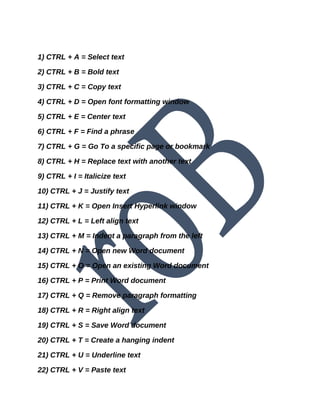
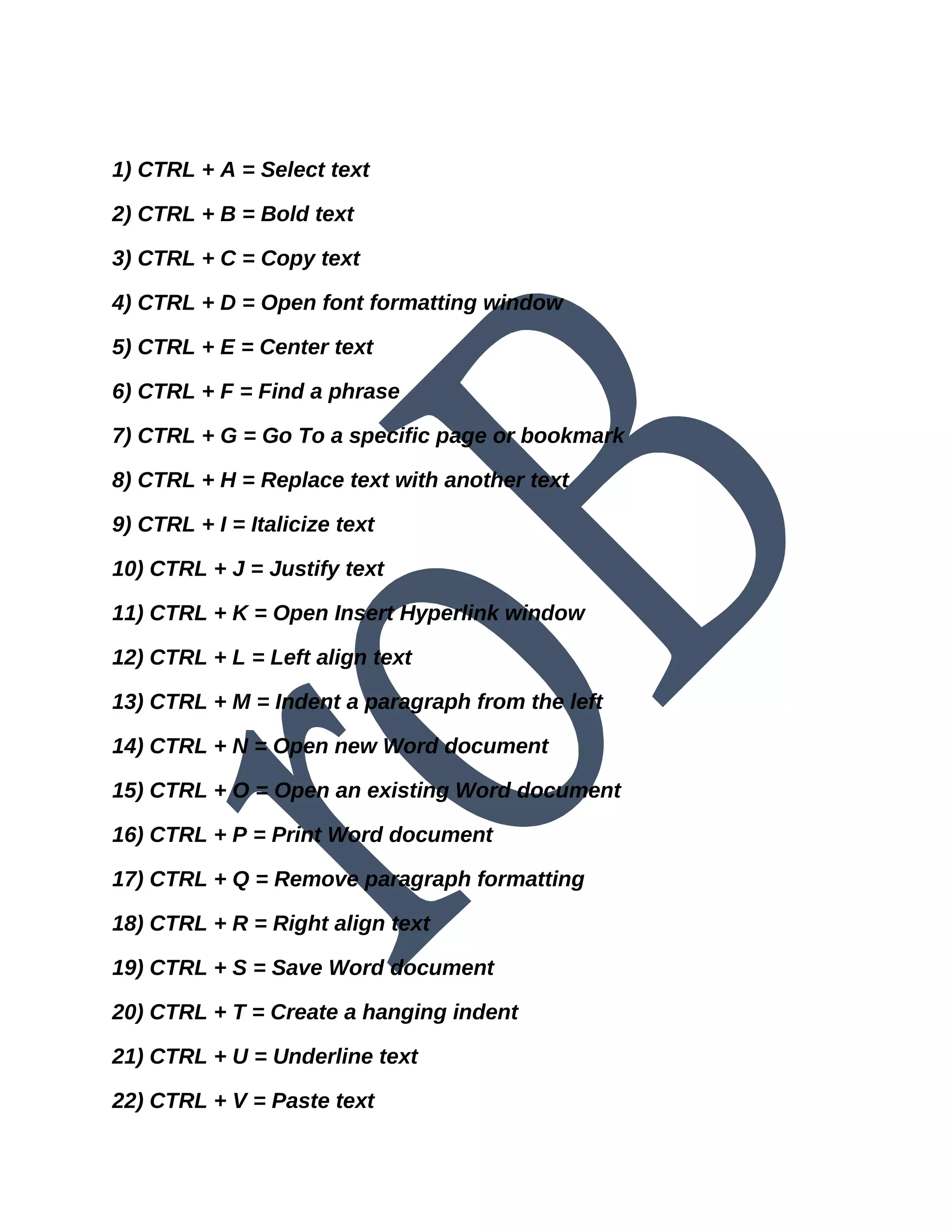
1) CTRL + A = Select text
2) CTRL + B = Bold text
3) CTRL + C = Copy text
4) CTRL + D = Open font formatting window
5) CTRL + E = Center text
6) CTRL + F = Find a phrase
7) CTRL + G = Go To a specific page or bookmark
8) CTRL + H = Replace text with another text
9) CTRL + I = Italicize text
10) CTRL + J = Justify text
11) CTRL + K = Open Insert Hyperlink window
12) CTRL + L = Left align text
13) CTRL + M = Indent a paragraph from the left
14) CTRL + N = Open new Word document
15) CTRL + O = Open an existing Word document
16) CTRL + P = Print Word document
17) CTRL + Q = Remove paragraph formatting
18) CTRL + R = Right align text
19) CTRL + S = Save Word document
20) CTRL + T = Create a hanging indent
21) CTRL + U = Underline text
22) CTRL + V = Paste text
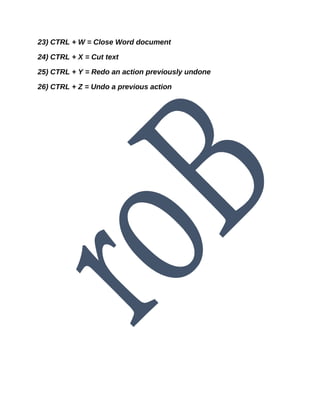
23) CTRL + W = Close Word document
24) CTRL + X = Cut text
25) CTRL + Y = Redo an action previously undone
26) CTRL + Z = Undo a previous action

computer full forms

  • 1.
    1) CTRL +A = Select text 2) CTRL + B = Bold text 3) CTRL + C = Copy text 4) CTRL + D = Open font formatting window 5) CTRL + E = Center text 6) CTRL + F = Find a phrase 7) CTRL + G = Go To a specific page or bookmark 8) CTRL + H = Replace text with another text 9) CTRL + I = Italicize text 10) CTRL + J = Justify text 11) CTRL + K = Open Insert Hyperlink window 12) CTRL + L = Left align text 13) CTRL + M = Indent a paragraph from the left 14) CTRL + N = Open new Word document 15) CTRL + O = Open an existing Word document 16) CTRL + P = Print Word document 17) CTRL + Q = Remove paragraph formatting 18) CTRL + R = Right align text 19) CTRL + S = Save Word document 20) CTRL + T = Create a hanging indent 21) CTRL + U = Underline text 22) CTRL + V = Paste text
  • 2.
    23) CTRL +W = Close Word document 24) CTRL + X = Cut text 25) CTRL + Y = Redo an action previously undone 26) CTRL + Z = Undo a previous action