Complete Guide For Revit Software 2025
Revit is a powerful tool in the world of architecture and construction. It is a
Building Information Modeling (BIM) software developed by Autodesk.
This is a must-have software among architects, engineers and other
construction experts. It includes a complete set of feature design and
building projects management.
Revit enables the users to design 3D models in detail and use its capabilities
to control its project data. It is versatile in that it covers structural
engineering and MEP design.
The software facilitates teamwork by work-sharing via clouds, which
increases the efficiency of the projects. Revit is easy to use by a novice and
can be modified to suit the expert because of its user-friendly interface and
available tools.
The knowledge of Revit is of great importance to any one who is engaged in
current construction and design. This guide will present an insightful
explanation of its features as well as advantages.
What is Revit? An Overview
Revit is not a design tool it is a BIM solution. It is a construction industry game
changer made by Autodesk. It unites architecture, engineering, and
construction and puts them under a digital roof.
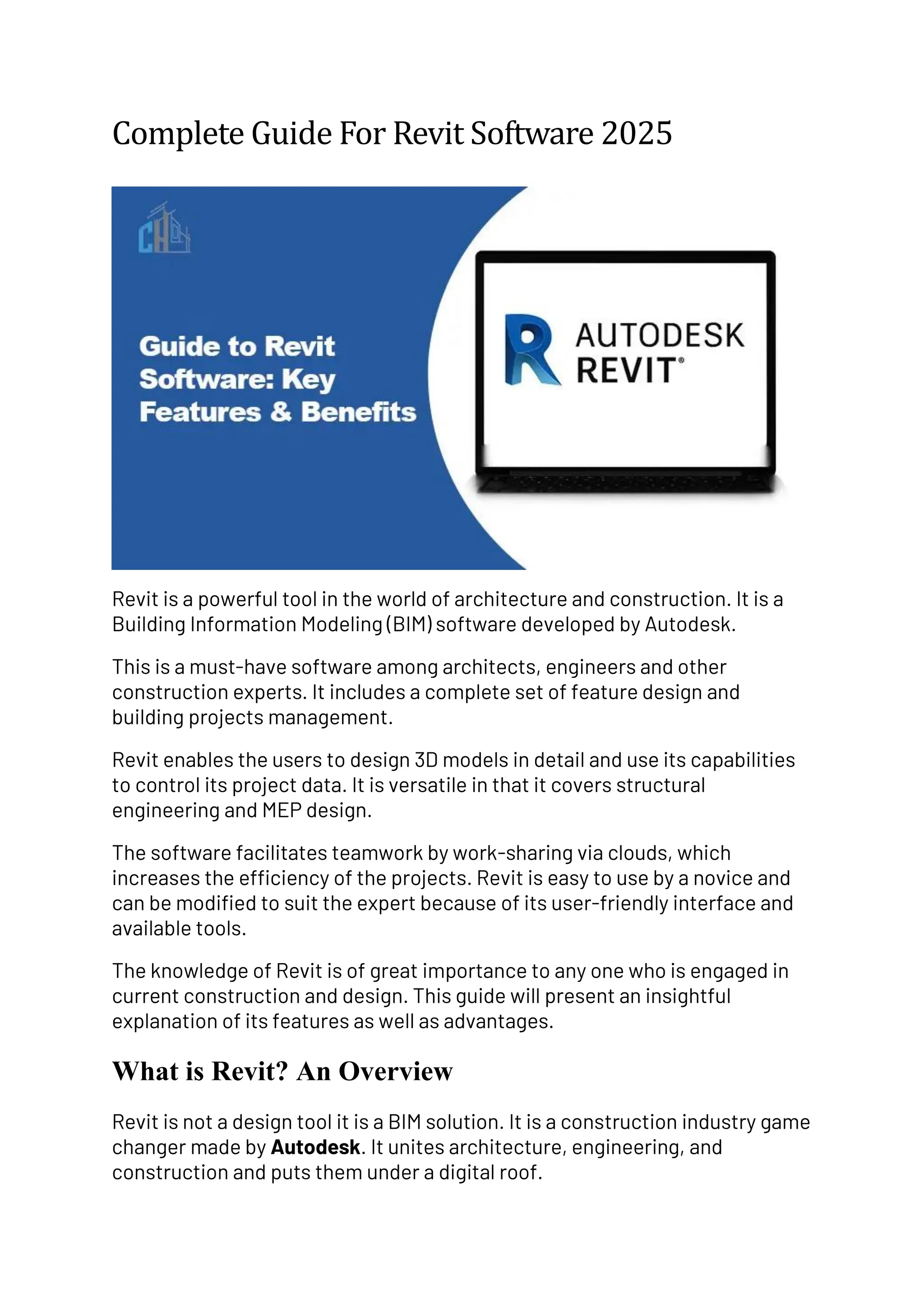
Revit offers a platform of 3D Modeling which allows documentation and
design with accuracy. It has parametric modeling features which enable
change of the whole model easily. It is in this flexibility that Revit becomes a
multipurpose alternative.
Key Aspects of Revit:
• 3D Modeling: Visualize buildings in three dimensions.
• Multi-discipline Integration: Harmonize architectural, structural, and
MEP designs.
• Parametric Components: Easy modifications that update
automatically.
Understanding these features is crucial for effective use of Revit.
Revit offers a platform of 3D Modeling which allows documentation and
design with accuracy. It has parametric modeling features which enable
change of the whole model easily. It is in this flexibility that Revit becomes a
multipurpose alternative.
Key Features of Revit Software
The large capability of Revit provides full solutions in designing buildings.
This software is distinguished by well-designed modeling and documentation
facilities. It automates complicated procedures of design making it more
effective in the project.
One of the most compelling functions of Revit is that it has the capacity to
carry out parametric modeling. This enables them to make adjustments of
components and keep consistency throughout the model. Any changes
experienced in one component of a project automatically apply to the other
component.
Essential Features of Revit:
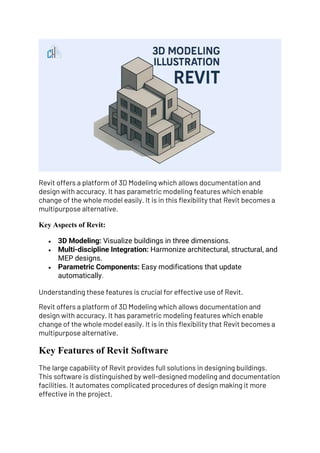
• Rendering Tools: Create realistic visualizations and animations.
• Phasing: Manage different stages in project timelines.
• Interoperability: Seamlessly exchange data with other software.
Revit facilitates elaborate documentation of construction. Its note taking
options would guarantee precise and well described detailing, and it would
help in communication to the project stakeholders. This characteristic is
essential when it comes to accuracy of a complicated architectural plan.
There is also this design options feature on Revit which allows users to
access other possible design cases. This enables architects to deliberate
various solutions after which they select a concept. These essential
characteristics make Revit a powerful software with attributes that promote
creativity and precision at the same time.
What is Revit Used For?
Revit can be used in different aspects of architecture, engineering and
construction. It is a very important device in designing fine detailed 3D
models and accuracy in the designs. It is flexible, thereby applicable to
various kinds of projects.
Revit has applications in other fields other than conventional design. The
software can help in tasks such as the structural analysis and the design
using energy efficient facilities. It helps architects and engineers to control
complicated building systems.
Common Uses for Revit:
• Architectural design and visualization
• Structural engineering analysis
• MEP (mechanical, electrical, plumbing) system design
Revit is especially useful in creating complex paperwork. It has the capacity
to liaise with different subjects of design thus facilitating the smooth project
flows. The flexibility in the software to administer various facets of the
project improves the speeds and minimizes failures.
Benefits of Using Revit
There are many benefits of Revit to architectural and engineering
professionals. Among its main advantages is that it enhances the efficiency
of the project. The results are acceleration of projects and saving costs.
The other major advantage is that of cooperation among team members. The
cloud-based functionalities of Revit will enable easy communication and
coordination and limit the occurrence of misunderstandings. This aspect
comes in handy particularly in teams that are geographically dispersed.
Notable Benefits of Revit:
• Enhanced project accuracy and detail
• Streamlined communication and collaboration
• Improved cost management and budgeting
Revit lowers errors, as well, which are a result of manual design techniques
and processes. This increases accuracy of the end result. Revit allows the
users to assure quality standards all through the project life cycle.
Revit Basics: Getting Started
Learning the Revit may be thrilling but daunting at the same time. The first
step is learning the fundamentals in order to have command of this useful
tool. Begin by getting accustomed with the user interface.
Discover the necessary modules and capabilities that Revit can provide. Due
special attention to the modeling environment and the navigation
techniques. These play a key role in effective management of working flow.
Essential Steps to Get Started:
• Familiarize with the user interface
• Learn basic modeling techniques
• Explore project templates and libraries
When you are getting along, train up with easy models and gain more
confidence. Avail tutorials and any resources to improve your learning. Be
patient because you are not able to master Revit overnight.
Collaboration and Workflow in Revit
An important feature of the Revit functionality is collaboration. The software
can give various team members an opportunity to collaborate on a given
project at the same time. This aspect increases productivity and simplifies
project development.
The Revit can provide a working platform with its cloud-based working
capacity. Teams are able to have access to modify models in real time and
minimize waiting times and duplication. This integration leads to easy
interconnection in the project components.
Effective Collaboration Tips:
• Utilize cloud work-sharing features
• Communicate through shared comments
• Regularly synchronize models
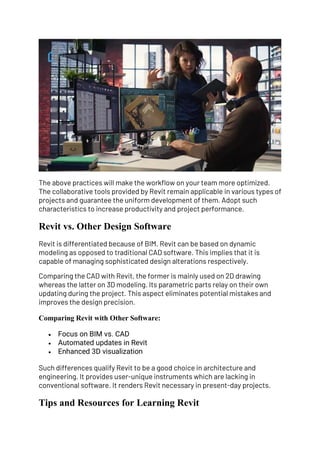
The above practices will make the workflow on your team more optimized.
The collaborative tools provided by Revit remain applicable in various types of
projects and guarantee the uniform development of them. Adopt such
characteristics to increase productivity and project performance.
Revit vs. Other Design Software
Revit is differentiated because of BIM. Revit can be based on dynamic
modeling as opposed to traditional CAD software. This implies that it is
capable of managing sophisticated design alterations respectively.
Comparing the CAD with Revit, the former is mainly used on 2D drawing
whereas the latter on 3D modeling. Its parametric parts relay on their own
updating during the project. This aspect eliminates potential mistakes and
improves the design precision.
Comparing Revit with Other Software:
• Focus on BIM vs. CAD
• Automated updates in Revit
• Enhanced 3D visualization
Such differences qualify Revit to be a good choice in architecture and
engineering. It provides user-unique instruments which are lacking in
conventional software. It renders Revit necessary in present-day projects.
Tips and Resources for Learning Revit
The result of studying Revit can be satisfying. Beginners tutorials should form
a solid foundation. Practice makes everything perfect and builds confidence.
Visit various sources to get more knowledge. There is helpful information and
assistance on online classes and community forums.
Recommended Learning Resources:
• Autodesk’s official tutorials
• Online courses like Udemy and LinkedIn Learning
• Revit user forums and community groups
These resources can help you become proficient in Revit. With dedication,
you’ll master the software in no time.
Conclusion
Revit is useful and an effective architecture/construction software. Its wide
scaled characteristics and advantages make it inseparable in modern
designing assignments. Working with Revit you accelerate, make tasks,
collaborate and have high efficiency.
You can master Revit and understand it, which makes you successful. Revit
will grow your projects and your processes to deepen and enhance your
projects with each subsequent learning and exploration of what it can do.

Complete Guide For Revit Software 2025..

  • 1.
    Complete Guide ForRevit Software 2025 Revit is a powerful tool in the world of architecture and construction. It is a Building Information Modeling (BIM) software developed by Autodesk. This is a must-have software among architects, engineers and other construction experts. It includes a complete set of feature design and building projects management. Revit enables the users to design 3D models in detail and use its capabilities to control its project data. It is versatile in that it covers structural engineering and MEP design. The software facilitates teamwork by work-sharing via clouds, which increases the efficiency of the projects. Revit is easy to use by a novice and can be modified to suit the expert because of its user-friendly interface and available tools. The knowledge of Revit is of great importance to any one who is engaged in current construction and design. This guide will present an insightful explanation of its features as well as advantages. What is Revit? An Overview Revit is not a design tool it is a BIM solution. It is a construction industry game changer made by Autodesk. It unites architecture, engineering, and construction and puts them under a digital roof.
  • 2.
    Revit offers aplatform of 3D Modeling which allows documentation and design with accuracy. It has parametric modeling features which enable change of the whole model easily. It is in this flexibility that Revit becomes a multipurpose alternative. Key Aspects of Revit: • 3D Modeling: Visualize buildings in three dimensions. • Multi-discipline Integration: Harmonize architectural, structural, and MEP designs. • Parametric Components: Easy modifications that update automatically. Understanding these features is crucial for effective use of Revit. Revit offers a platform of 3D Modeling which allows documentation and design with accuracy. It has parametric modeling features which enable change of the whole model easily. It is in this flexibility that Revit becomes a multipurpose alternative. Key Features of Revit Software The large capability of Revit provides full solutions in designing buildings. This software is distinguished by well-designed modeling and documentation facilities. It automates complicated procedures of design making it more effective in the project.
  • 3.
    One of themost compelling functions of Revit is that it has the capacity to carry out parametric modeling. This enables them to make adjustments of components and keep consistency throughout the model. Any changes experienced in one component of a project automatically apply to the other component. Essential Features of Revit: • Rendering Tools: Create realistic visualizations and animations. • Phasing: Manage different stages in project timelines. • Interoperability: Seamlessly exchange data with other software. Revit facilitates elaborate documentation of construction. Its note taking options would guarantee precise and well described detailing, and it would help in communication to the project stakeholders. This characteristic is essential when it comes to accuracy of a complicated architectural plan. There is also this design options feature on Revit which allows users to access other possible design cases. This enables architects to deliberate various solutions after which they select a concept. These essential characteristics make Revit a powerful software with attributes that promote creativity and precision at the same time. What is Revit Used For? Revit can be used in different aspects of architecture, engineering and construction. It is a very important device in designing fine detailed 3D
  • 4.
    models and accuracyin the designs. It is flexible, thereby applicable to various kinds of projects. Revit has applications in other fields other than conventional design. The software can help in tasks such as the structural analysis and the design using energy efficient facilities. It helps architects and engineers to control complicated building systems. Common Uses for Revit: • Architectural design and visualization • Structural engineering analysis • MEP (mechanical, electrical, plumbing) system design Revit is especially useful in creating complex paperwork. It has the capacity to liaise with different subjects of design thus facilitating the smooth project flows. The flexibility in the software to administer various facets of the project improves the speeds and minimizes failures. Benefits of Using Revit There are many benefits of Revit to architectural and engineering professionals. Among its main advantages is that it enhances the efficiency of the project. The results are acceleration of projects and saving costs. The other major advantage is that of cooperation among team members. The cloud-based functionalities of Revit will enable easy communication and coordination and limit the occurrence of misunderstandings. This aspect comes in handy particularly in teams that are geographically dispersed. Notable Benefits of Revit: • Enhanced project accuracy and detail • Streamlined communication and collaboration • Improved cost management and budgeting Revit lowers errors, as well, which are a result of manual design techniques and processes. This increases accuracy of the end result. Revit allows the users to assure quality standards all through the project life cycle. Revit Basics: Getting Started
  • 5.
    Learning the Revitmay be thrilling but daunting at the same time. The first step is learning the fundamentals in order to have command of this useful tool. Begin by getting accustomed with the user interface. Discover the necessary modules and capabilities that Revit can provide. Due special attention to the modeling environment and the navigation techniques. These play a key role in effective management of working flow. Essential Steps to Get Started: • Familiarize with the user interface • Learn basic modeling techniques • Explore project templates and libraries When you are getting along, train up with easy models and gain more confidence. Avail tutorials and any resources to improve your learning. Be patient because you are not able to master Revit overnight. Collaboration and Workflow in Revit An important feature of the Revit functionality is collaboration. The software can give various team members an opportunity to collaborate on a given project at the same time. This aspect increases productivity and simplifies project development. The Revit can provide a working platform with its cloud-based working capacity. Teams are able to have access to modify models in real time and minimize waiting times and duplication. This integration leads to easy interconnection in the project components. Effective Collaboration Tips: • Utilize cloud work-sharing features • Communicate through shared comments • Regularly synchronize models
  • 6.
    The above practiceswill make the workflow on your team more optimized. The collaborative tools provided by Revit remain applicable in various types of projects and guarantee the uniform development of them. Adopt such characteristics to increase productivity and project performance. Revit vs. Other Design Software Revit is differentiated because of BIM. Revit can be based on dynamic modeling as opposed to traditional CAD software. This implies that it is capable of managing sophisticated design alterations respectively. Comparing the CAD with Revit, the former is mainly used on 2D drawing whereas the latter on 3D modeling. Its parametric parts relay on their own updating during the project. This aspect eliminates potential mistakes and improves the design precision. Comparing Revit with Other Software: • Focus on BIM vs. CAD • Automated updates in Revit • Enhanced 3D visualization Such differences qualify Revit to be a good choice in architecture and engineering. It provides user-unique instruments which are lacking in conventional software. It renders Revit necessary in present-day projects. Tips and Resources for Learning Revit
  • 7.
    The result ofstudying Revit can be satisfying. Beginners tutorials should form a solid foundation. Practice makes everything perfect and builds confidence. Visit various sources to get more knowledge. There is helpful information and assistance on online classes and community forums. Recommended Learning Resources: • Autodesk’s official tutorials • Online courses like Udemy and LinkedIn Learning • Revit user forums and community groups These resources can help you become proficient in Revit. With dedication, you’ll master the software in no time. Conclusion Revit is useful and an effective architecture/construction software. Its wide scaled characteristics and advantages make it inseparable in modern designing assignments. Working with Revit you accelerate, make tasks, collaborate and have high efficiency. You can master Revit and understand it, which makes you successful. Revit will grow your projects and your processes to deepen and enhance your projects with each subsequent learning and exploration of what it can do.