Coding Chinese
Dragons

in Processing 3
@stevebattle
steve.battle@uwe.ac.uk
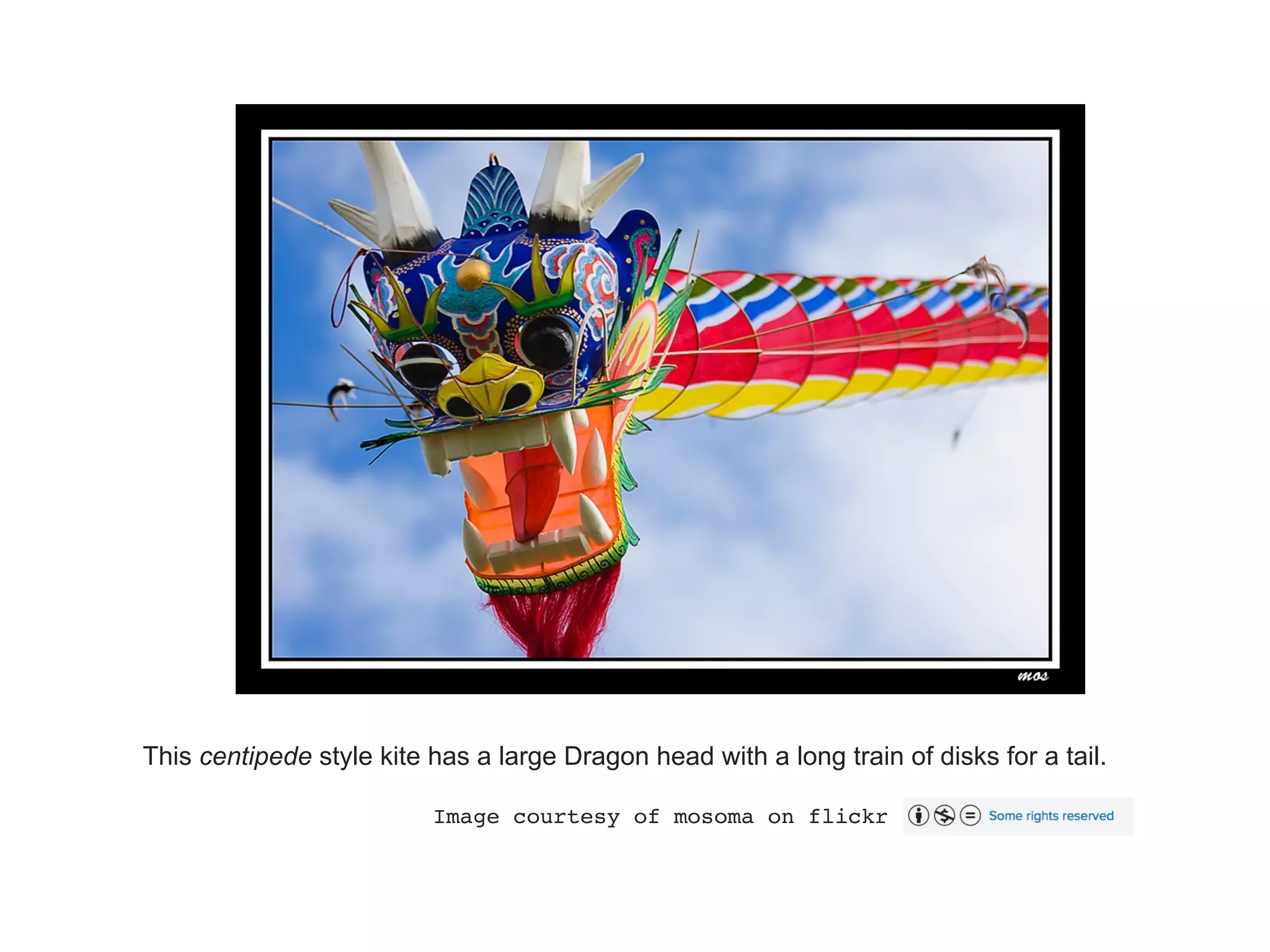
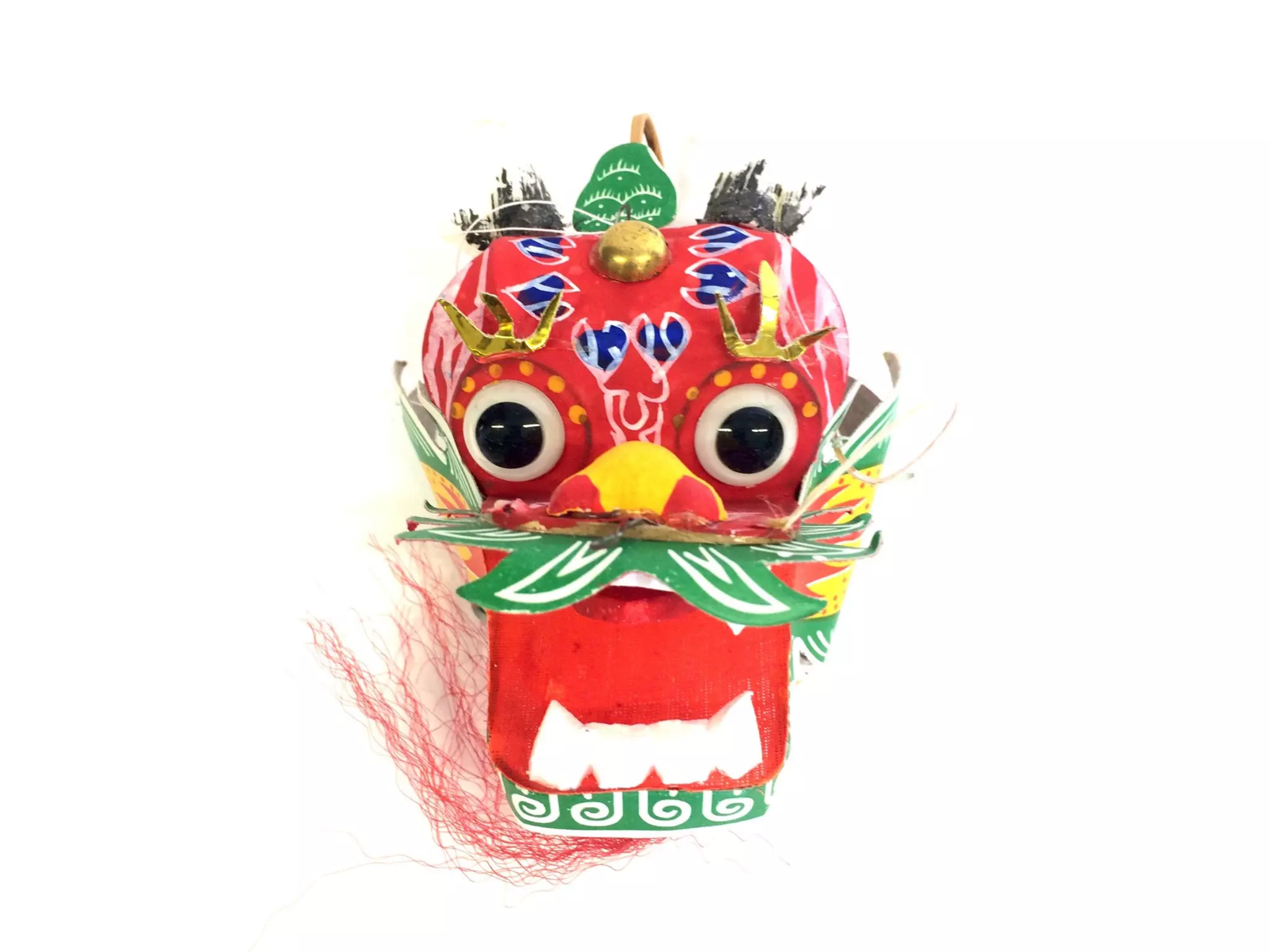
This centipede style kite has a large Dragon head with a long train of disks for a tail.
Image courtesy of mosoma on flickr
Workshop goal
• The ‘Processing’
language is
about coding for
the visual arts.
In this workshop
you will learn
how to create an
animated Chinese
Dragon 'kite'.
Getting started
• Download Processing: 

http://www.processing.org
• Start Processing
• Create a new project: 

File > New
• Save the project as ‘dragon’: 

File > Save
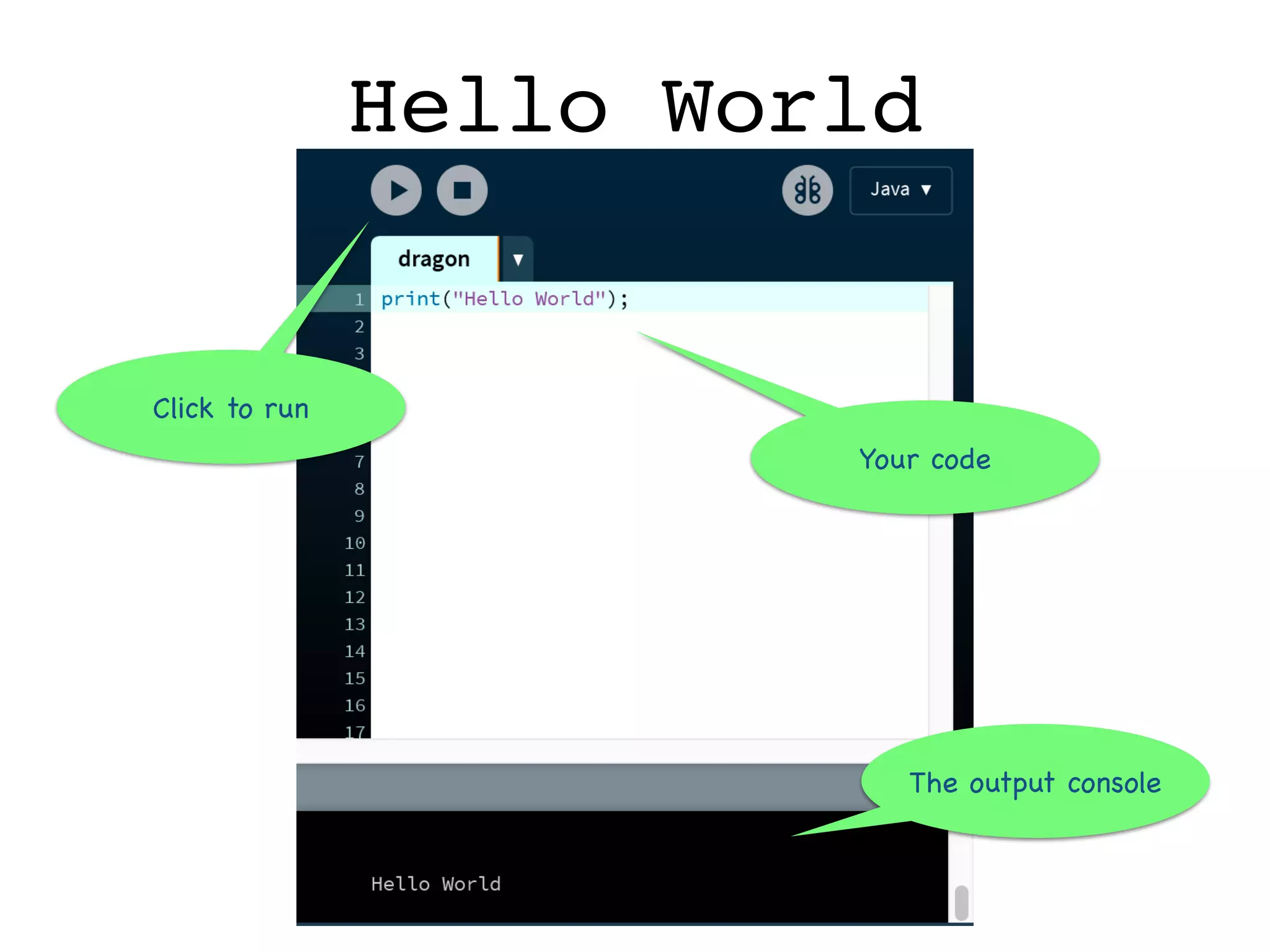
Hello World
The output console
Your code
Click to run
Computer Graphics
The display window
Blue Sky
•Tools >
•Color selector…
Don’t type this
value…
Select a nice blue sky
colour, Copy then paste it into
your code
The Dragon’s Head
• The image for the Dragon’s head is at: 

http://stevebattle.github.io/dragon/head.gif
• Save image to “Downloads”
• Go back to Processing and select your code window.
• Sketch > Add File..
• Navigate to ‘head.gif’ in Downloads and Open.
• Confirm you have the image in your project:
• Sketch > Show Sketch Folder
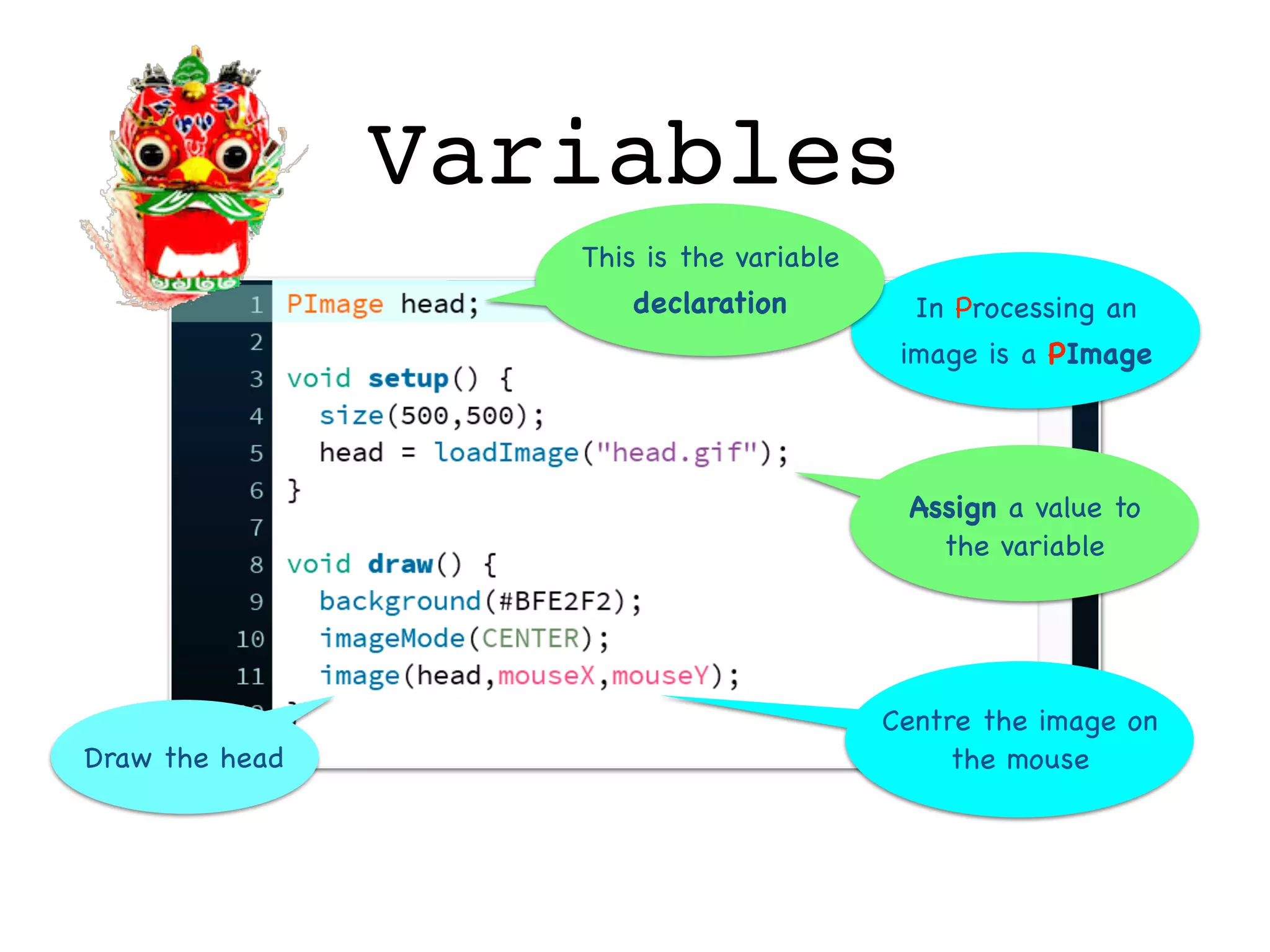
Variables
Draw the head
Assign a value to
the variable
Centre the image on
the mouse
In Processing an
image is a PImage
This is the variable
declaration
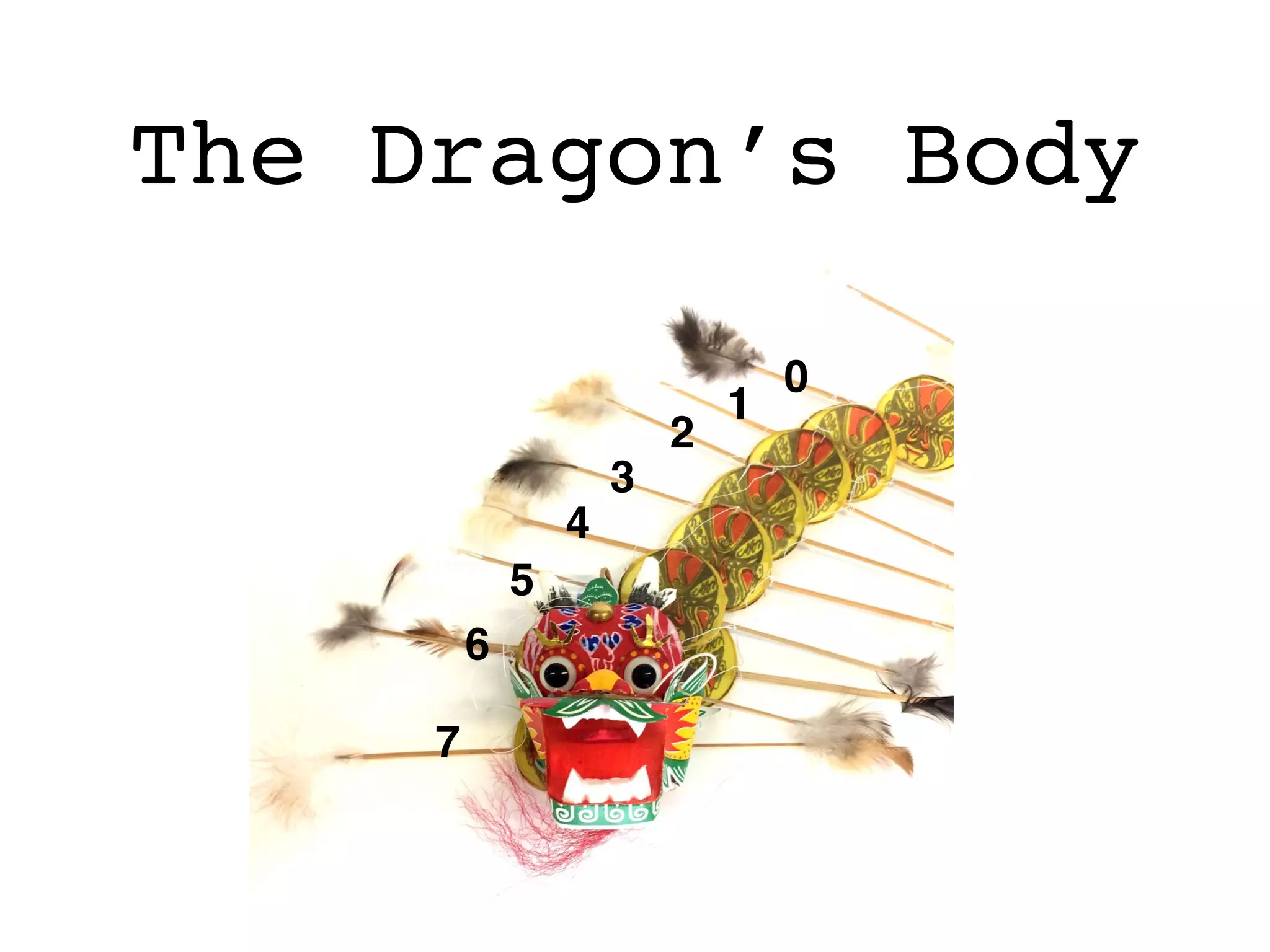
The Dragon’s Body
1
2
3
4
5
0
6
7
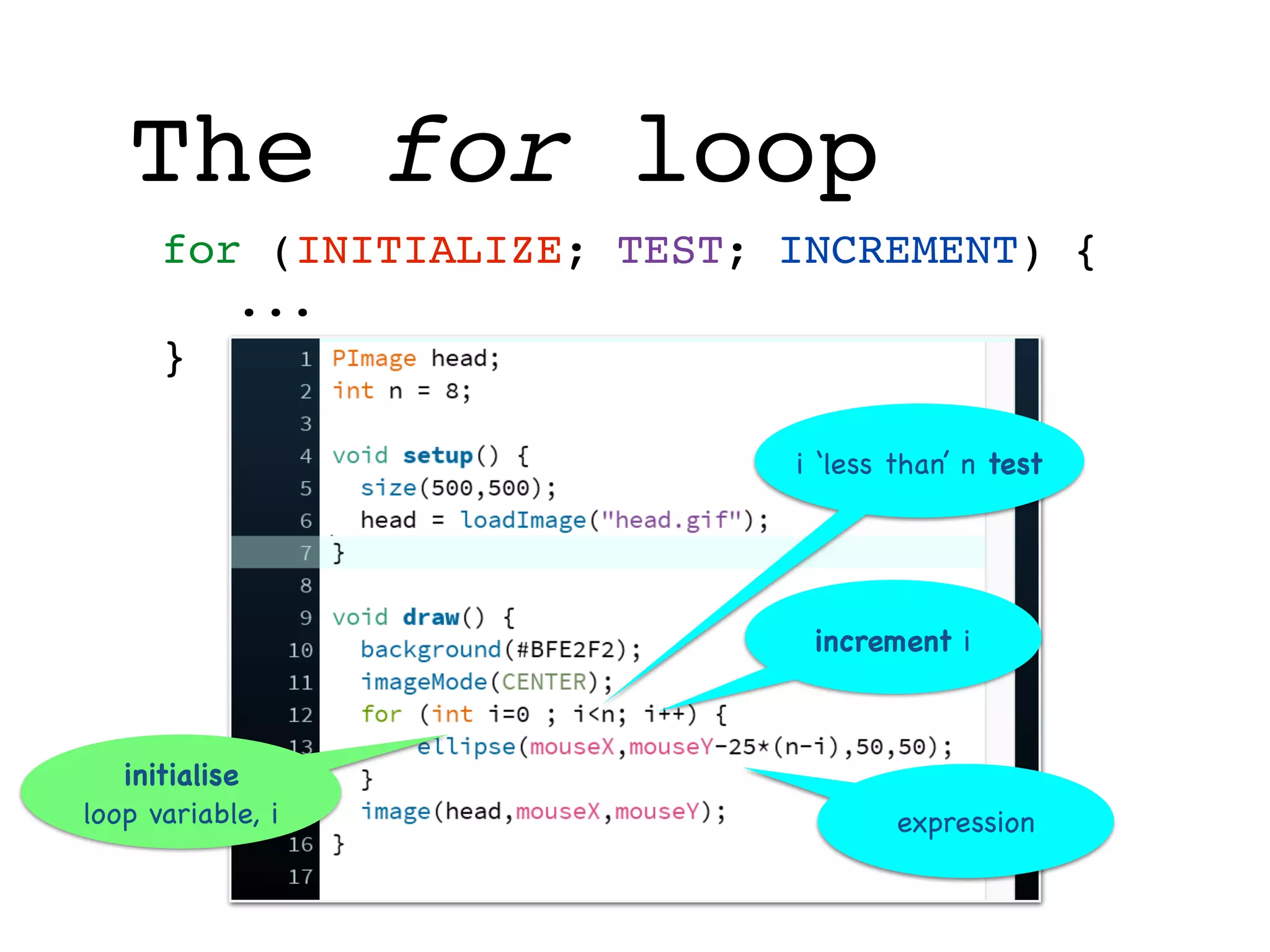
The for loop
for (INITIALIZE; TEST; INCREMENT) {
...
}
initialise
loop variable, i
i ‘less than’ n test
increment i
expression
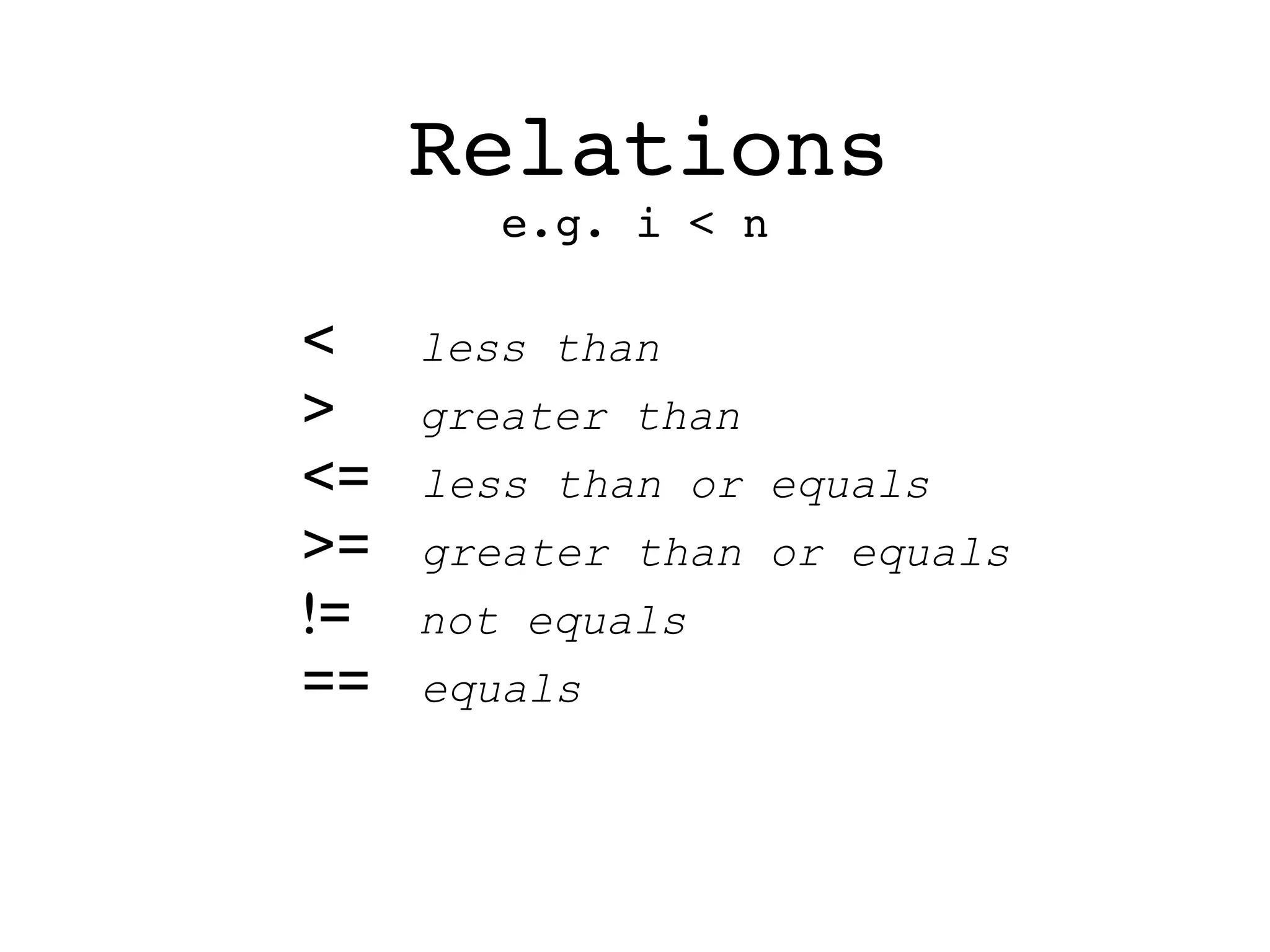
Relations
< less than
> greater than
<= less than or equals
>= greater than or equals
!= not equals
== equals
e.g. i < n
low precedence
high precedence
Expressions
* times
/ divide
%
modulo

(remainder)
+ add
- subtract
multiplicative
operators come first
multiplicative
operators come first
multiplicative
operators come first
additive
operators come second
additive
operators come second
e.g. mouseY-25*(n-i)
Use brackets to
override precedence
Co-ordinates
x coordinate
ycoordinate
y increases
as you move down the
window
origin
In Processing it’s
called a PVector
An x,y coordinate is
called a vector
Arrays
ERROR!
p is empty
Declare the array
Initialise the array
store mouse
vector in array
get
earlier mouse vectors
from array
if (CONDITION) …
else …
if statement
if
statement checks that
p is not empty
Slow the frame-rate
The Dragon’s Body
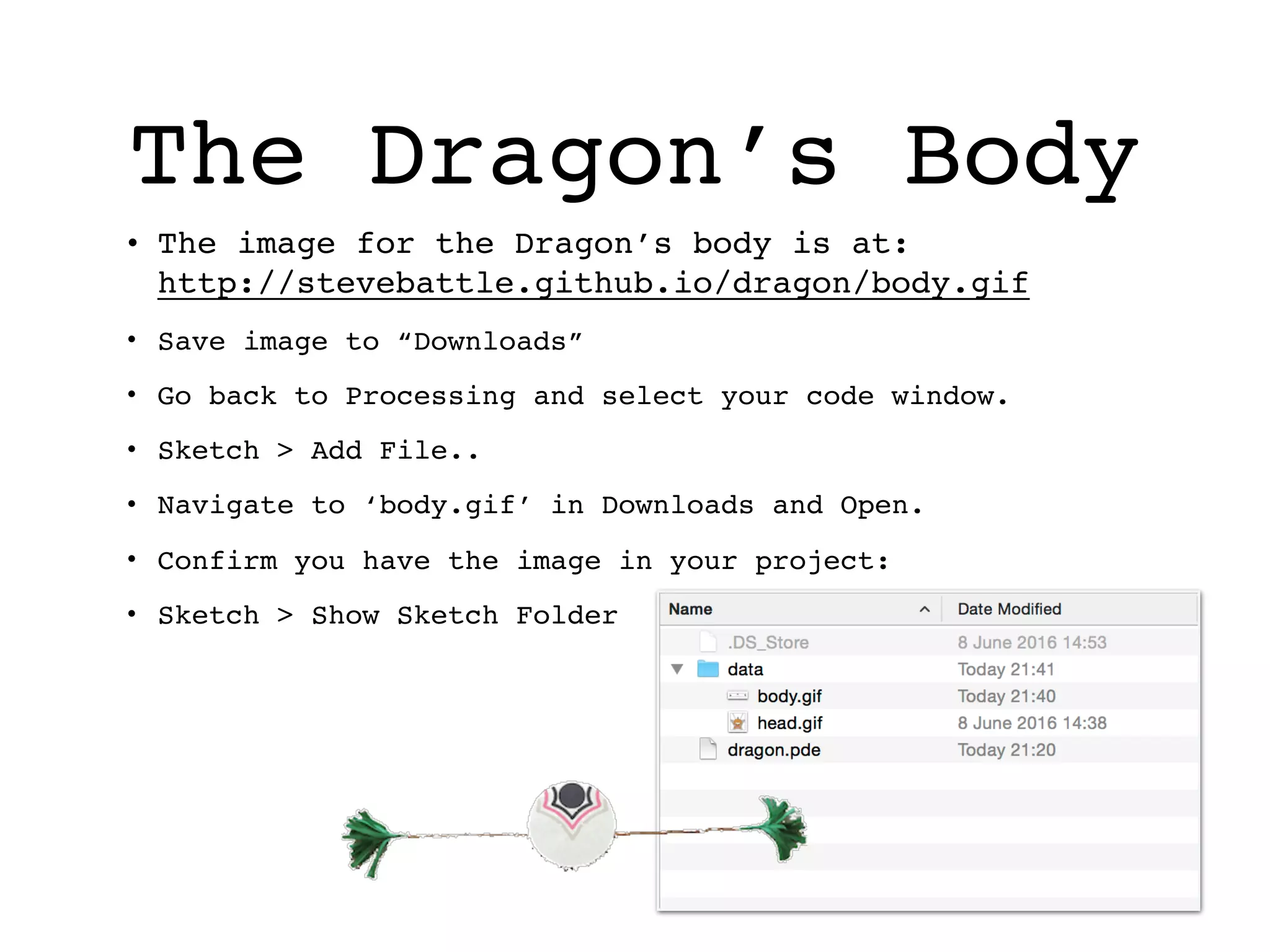
• The image for the Dragon’s body is at: 

http://stevebattle.github.io/dragon/body.gif
• Save image to “Downloads”
• Go back to Processing and select your code window.
• Sketch > Add File..
• Navigate to ‘body.gif’ in Downloads and Open.
• Confirm you have the image in your project:
• Sketch > Show Sketch Folder
Declare new variable
load image
display
image
Translate
Rotate
Coding Chinese Dragons

Coding Chinese Dragons

  • 1.
    Coding Chinese Dragons
 in Processing3 @stevebattle steve.battle@uwe.ac.uk
  • 2.
    This centipede stylekite has a large Dragon head with a long train of disks for a tail. Image courtesy of mosoma on flickr
  • 3.
    Workshop goal • The‘Processing’ language is about coding for the visual arts. In this workshop you will learn how to create an animated Chinese Dragon 'kite'.
  • 4.
    Getting started • DownloadProcessing: 
 http://www.processing.org • Start Processing • Create a new project: 
 File > New • Save the project as ‘dragon’: 
 File > Save
  • 5.
    Hello World The outputconsole Your code Click to run
  • 6.
  • 7.
    Blue Sky •Tools > •Colorselector… Don’t type this value… Select a nice blue sky colour, Copy then paste it into your code
  • 8.
    The Dragon’s Head •The image for the Dragon’s head is at: 
 http://stevebattle.github.io/dragon/head.gif • Save image to “Downloads” • Go back to Processing and select your code window. • Sketch > Add File.. • Navigate to ‘head.gif’ in Downloads and Open. • Confirm you have the image in your project: • Sketch > Show Sketch Folder
  • 9.
    Variables Draw the head Assigna value to the variable Centre the image on the mouse In Processing an image is a PImage This is the variable declaration
  • 10.
  • 11.
    The for loop for(INITIALIZE; TEST; INCREMENT) { ... } initialise loop variable, i i ‘less than’ n test increment i expression
  • 12.
    Relations < less than >greater than <= less than or equals >= greater than or equals != not equals == equals e.g. i < n
  • 13.
    low precedence high precedence Expressions *times / divide % modulo
 (remainder) + add - subtract multiplicative operators come first multiplicative operators come first multiplicative operators come first additive operators come second additive operators come second e.g. mouseY-25*(n-i) Use brackets to override precedence
  • 14.
    Co-ordinates x coordinate ycoordinate y increases asyou move down the window origin In Processing it’s called a PVector An x,y coordinate is called a vector
  • 15.
    Arrays ERROR! p is empty Declarethe array Initialise the array store mouse vector in array get earlier mouse vectors from array
  • 16.
    if (CONDITION) … else… if statement if statement checks that p is not empty Slow the frame-rate
  • 17.
    The Dragon’s Body •The image for the Dragon’s body is at: 
 http://stevebattle.github.io/dragon/body.gif • Save image to “Downloads” • Go back to Processing and select your code window. • Sketch > Add File.. • Navigate to ‘body.gif’ in Downloads and Open. • Confirm you have the image in your project: • Sketch > Show Sketch Folder
  • 18.
    Declare new variable loadimage display image
  • 19.