fG! @ CodeBlue 2014
BadXNU
Who am I?
!  Ex-legendary white hat hero (© Dr.
Quynh).
Rootkits?
!  How to load kernel rootkits.
!  Bypassing:
!  Code signing.
!  Kernel extensions interface(s).
Backdoors?
!  Design and implementation flaws.
!  Unpatched kernel vulnerabilities.
!  OS X features.
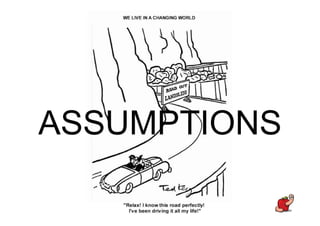
ASSUMPTIONS
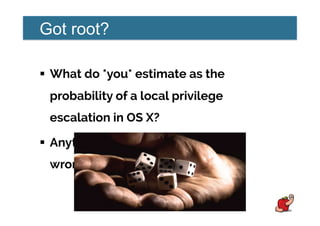
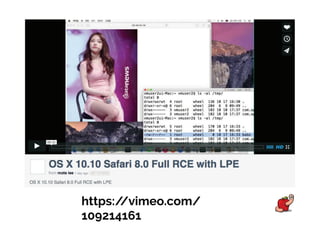
Got root?
!  What do *you* estimate as the
probability of a local privilege
escalation in OS X?
!  Anything below HIGH is probably
wrong.
https://vimeo.com/
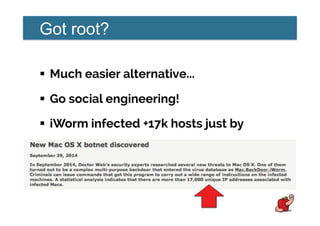
Got root?
!  Much easier alternative...
!  Go social engineering!
!  iWorm infected +17k hosts just by
asking.
Got root?
!  Installers and updates over HTTP
asking for admin privileges.
!  Etc...
!  The attack surface is big ☺☺.
Problem?
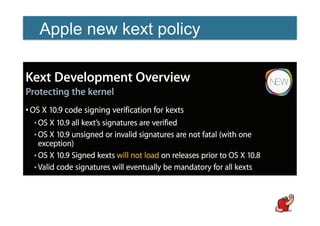
Apple new kext policy
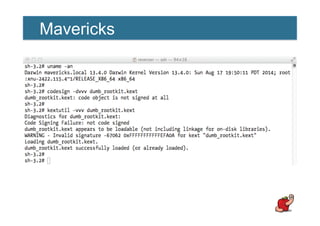
Mavericks
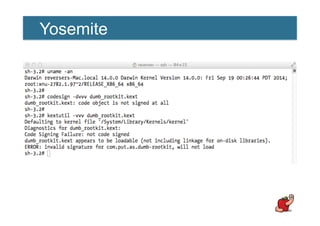
Yosemite
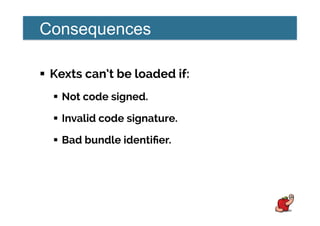
Consequences
!  Kexts can’t be loaded if:
!  Not code signed.
!  Invalid code signature.
!  Bad bundle identifier.
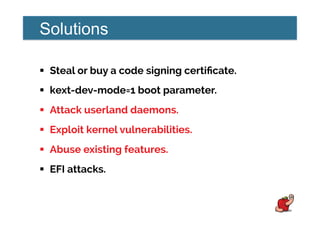
Solutions
!  Steal or buy a code signing certificate.
!  kext-dev-mode=1 boot parameter.
!  Attack userland daemons.
!  Exploit kernel vulnerabilities.
!  Abuse existing features.
!  EFI attacks.
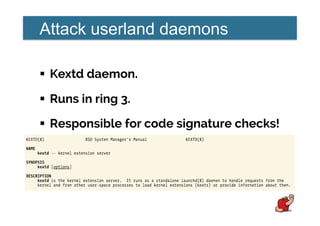
Attack userland daemons
!  Kextd daemon.
!  Runs in ring 3.
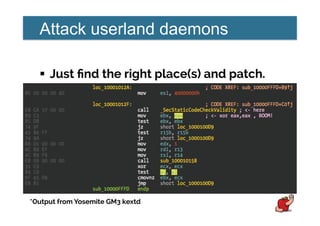
!  Responsible for code signature checks!
Attack userland daemons
!  Just find the right place(s) and patch.
*Output from Yosemite GM3 kextd
Attack userland daemons
!  Two bytes patch and that’s it!
!  Wrote about this in November, 2013.
!  http://reverse.put.as/2013/11/23/
breaking-os-x-signed-kernel-
extensions-with-a-nop/
Apple Security...
Kernel vulnerabilities
!  Interested in any of:
!  Write anywhere.
!  Kernel task port.
!  Host privileged port.
Kernel vulnerabilities
!  Every process is represented by a task.
!  Kernel is also a task.
!  Think about it as PID zero.
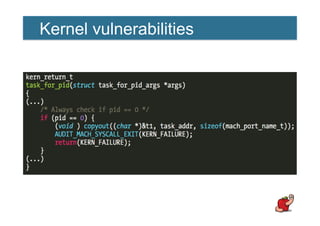
Kernel vulnerabilities
!  Before Snow Leopard we could access
that port.
!  Using task_for_pid(0).
!  http://phrack.org/issues/66/16.html
Kernel vulnerabilities
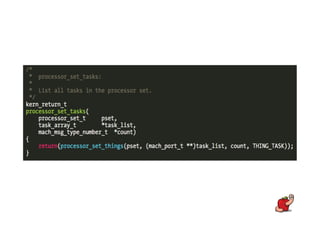
!  The processor_set_tasks() vulnerability.
!  Presented by Ming-chieh Pan & Sung-ting
Tsai at BlackHat Asia 2014.
!  Also described at Mac OS X and iOS
Internals book by Jonathan Levin.
Kernel vulnerabilities
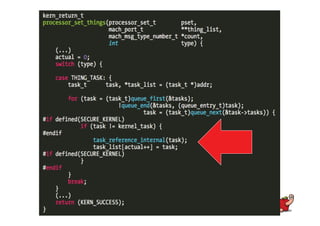
!  Allows access to kernel task.
!  Same result as task_for_pid(0).
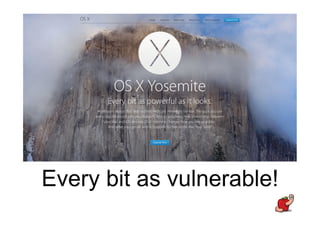
Every bit as vulnerable!
Kernel vulnerabilities
!  Apple definitely knows this bug.
!  It is patched in iOS!
!  That’s what SECURE_KERNEL is for.
!  No visible side-effects if patched!
How to exploit
this?
We can
!  Allocate kernel memory.
!  Read kernel memory.
!  Write/modify writable memory.
We can’t
!  Change memory protections of:
!  Kernel code.
!  Some read-only data sections.
!  Directly execute code.
Kernel obstacles
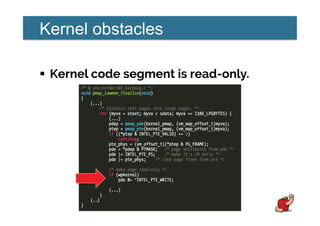
!  Kernel code segment is read-only.
Kernel obstacles
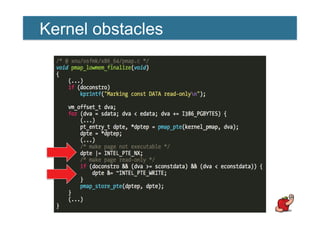
!  Some data sections are also read only.
!  Direct modification of syscall and mach
traps tables not possible anymore.
!  Introduced in Mountain Lion.
Kernel obstacles
Kernel obstacles
!  Kernel ASLR.
!  Not really an obstacle in a rootkit scenario.
!  Use kas_info syscall to retrieve slide.
!  Or info leaks.
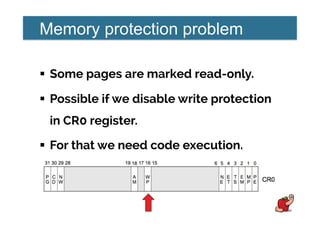
Memory protection problem
!  Some pages are marked read-only.
!  Possible if we disable write protection
in CR0 register.
!  For that we need code execution.
Code execution problem
!  We can’t (directly) modify kernel code.
!  We can’t leverage syscalls or mach
traps to start code.
Code execution problem
!  Kernel extensions are also protected.
!  When loaded from kernelcache.
!  Which is the default case anyway.
DKOM!
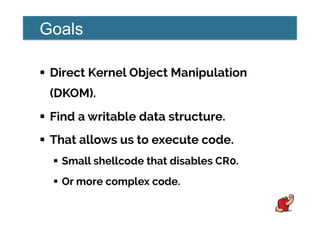
Goals
!  Direct Kernel Object Manipulation
(DKOM).
!  Find a writable data structure.
!  That allows us to execute code.
!  Small shellcode that disables CR0.
!  Or more complex code.
TrustedBSD
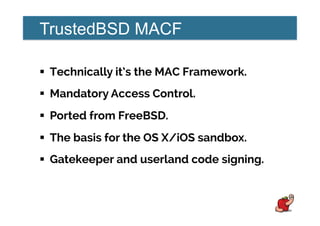
TrustedBSD MACF
!  Technically it’s the MAC Framework.
!  Mandatory Access Control.
!  Ported from FreeBSD.
!  The basis for the OS X/iOS sandbox.
!  Gatekeeper and userland code signing.
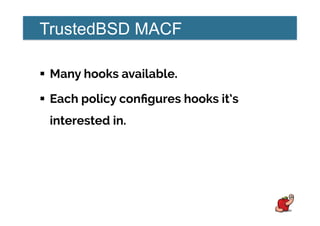
TrustedBSD MACF
!  Many hooks available.
!  Each policy configures hooks it’s
interested in.
TrustedBSD MACF
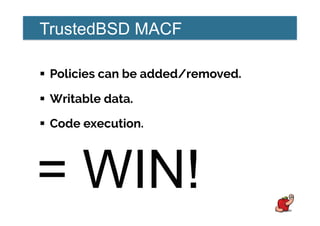
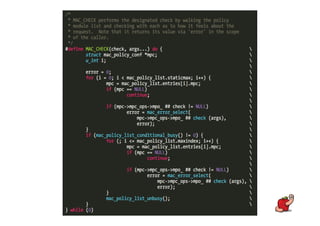
!  Policies can be added/removed.
!  Writable data.
!  Code execution.
= WIN!
HOW?
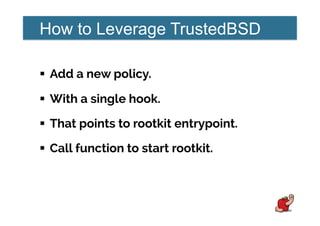
How to Leverage TrustedBSD
!  Add a new policy.
!  With a single hook.
!  That points to rootkit entrypoint.
!  Call function to start rootkit.
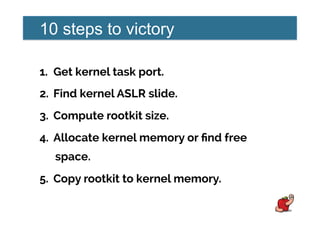
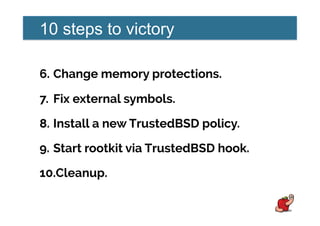
10 steps to victory
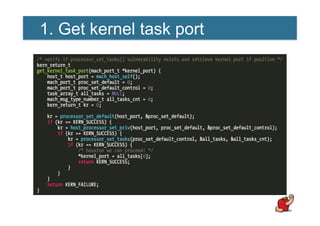
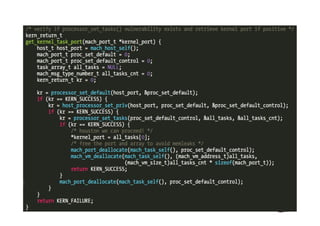
1.  Get kernel task port.
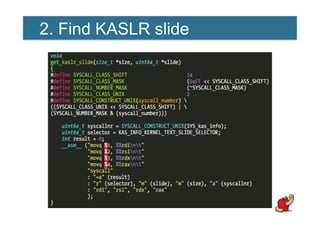
2.  Find kernel ASLR slide.
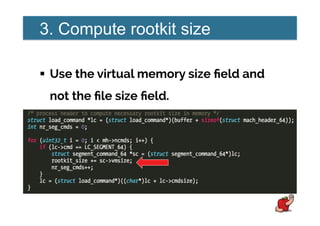
3.  Compute rootkit size.
4.  Allocate kernel memory or find free
space.
5.  Copy rootkit to kernel memory.
10 steps to victory
6.  Change memory protections.
7.  Fix external symbols.
8.  Install a new TrustedBSD policy.
9.  Start rootkit via TrustedBSD hook.
10. Cleanup.
1. Get kernel task port
2. Find KASLR slide
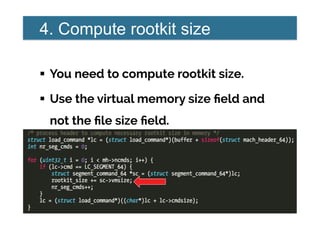
3. Compute rootkit size
!  Use the virtual memory size field and
not the file size field.
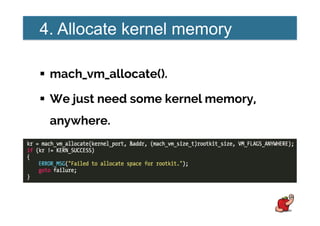
4. Allocate kernel memory
!  mach_vm_allocate().
!  We just need some kernel memory,
anywhere.
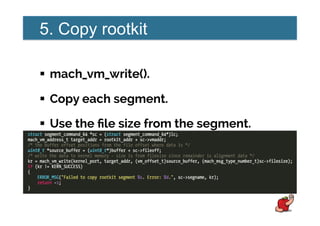
5. Copy rootkit
!  mach_vm_write().
!  Copy each segment.
!  Use the file size from the segment.
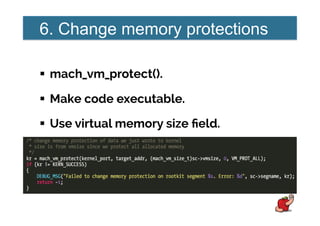
6. Change memory protections
!  mach_vm_protect().
!  Make code executable.
!  Use virtual memory size field.
Problems
!  This memory is not wired.
!  Not everything will be paged in when
copied.
Problems
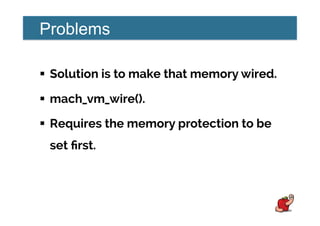
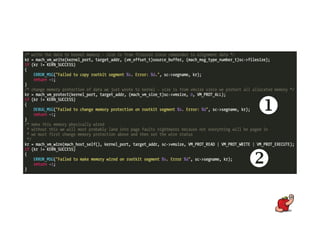
!  Solution is to make that memory wired.
!  mach_vm_wire().
!  Requires the memory protection to be
set first.
!
"
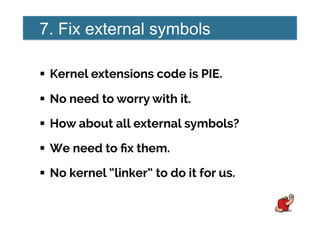
7. Fix external symbols
!  Kernel extensions code is PIE.
!  No need to worry with it.
!  How about all external symbols?
!  We need to fix them.
!  No kernel “linker” to do it for us.
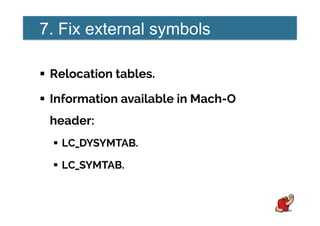
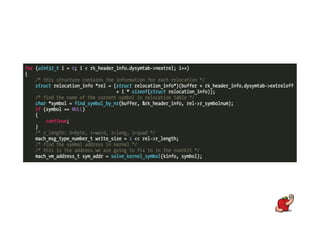
7. Fix external symbols
!  Relocation tables.
!  Information available in Mach-O
header:
!  LC_DYSYMTAB.
!  LC_SYMTAB.
7. Fix external symbols
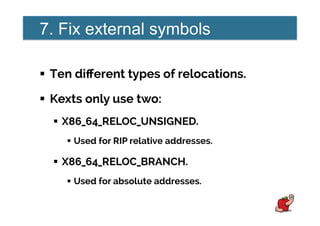
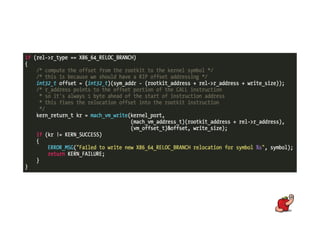
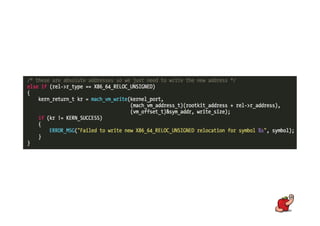
!  Ten different types of relocations.
!  Kexts only use two:
!  X86_64_RELOC_UNSIGNED.
!  Used for RIP relative addresses.
!  X86_64_RELOC_BRANCH.
!  Used for absolute addresses.
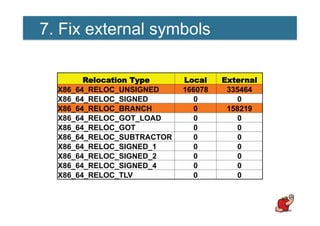
7. Fix external symbols
RReellooccaattiioonn TTyyppee LLooccaall EExxtteerrnnaall
X86_64_RELOC_UNSIGNED 166078 335464
X86_64_RELOC_SIGNED 0 0
X86_64_RELOC_BRANCH 0 158219
X86_64_RELOC_GOT_LOAD 0 0
X86_64_RELOC_GOT 0 0
X86_64_RELOC_SUBTRACTOR 0 0
X86_64_RELOC_SIGNED_1 0 0
X86_64_RELOC_SIGNED_2 0 0
X86_64_RELOC_SIGNED_4 0 0
X86_64_RELOC_TLV 0 0
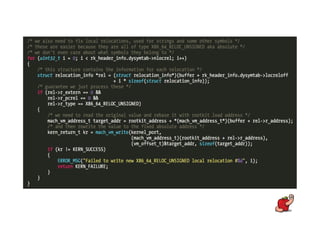
7. Fix external symbols
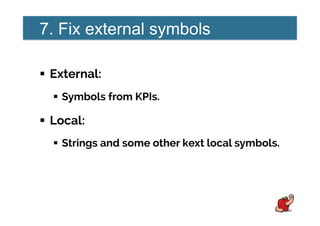
!  External:
!  Symbols from KPIs.
!  Local:
!  Strings and some other kext local symbols.
8. Install a TrustedBSD policy
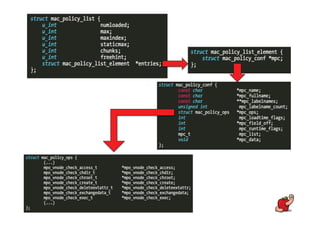
!  Important data structures:
!  mac_policy_list.
!  mac_policy_conf.
!  mac_policy_ops.
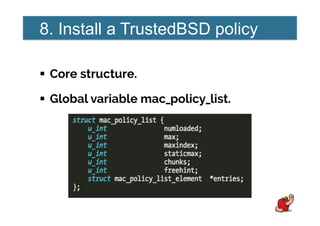
8. Install a TrustedBSD policy
!  Core structure.
!  Global variable mac_policy_list.
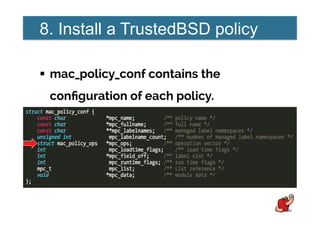
8. Install a TrustedBSD policy
!  mac_policy_conf contains the
configuration of each policy.
8. Install a TrustedBSD policy
!  mac_policy_ops holds the function
pointers for each hook.
!  Where we set the rootkit entrypoint or
shellcode.
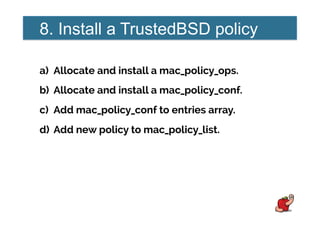
8. Install a TrustedBSD policy
a)  Allocate and install a mac_policy_ops.
b)  Allocate and install a mac_policy_conf.
c)  Add mac_policy_conf to entries array.
d)  Add new policy to mac_policy_list.
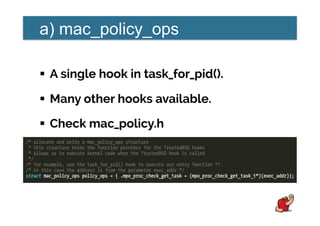
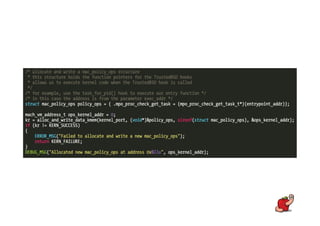
a) mac_policy_ops
!  A single hook in task_for_pid().
!  Many other hooks available.
!  Check mac_policy.h
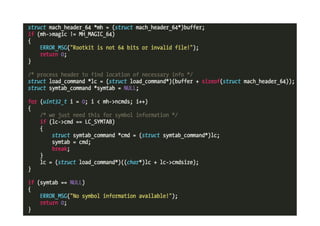
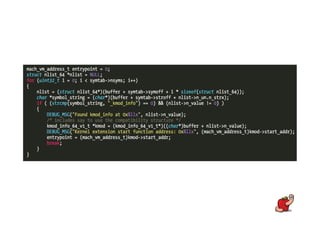
Rootkit entrypoint
!  Process the rootkit symbols table.
!  Locate the kmod_info symbol.
!  The entrypoint is the start_addr field.
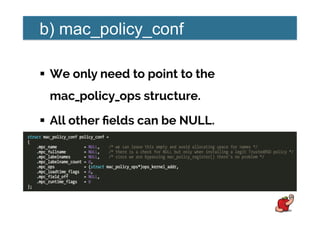
b) mac_policy_conf
!  We only need to point to the
mac_policy_ops structure.
!  All other fields can be NULL.
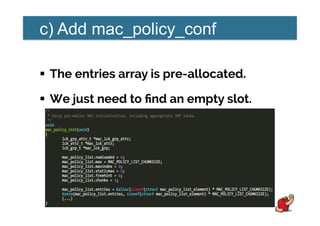
c) Add mac_policy_conf
!  The entries array is pre-allocated.
!  We just need to find an empty slot.
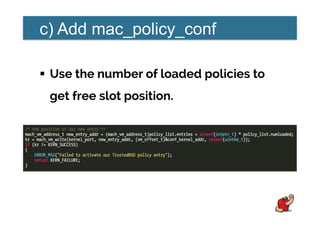
c) Add mac_policy_conf
!  Use the number of loaded policies to
get free slot position.
d) Add new policy
!  To add a new policy, increase:
!  numloaded
!  Number of policies loaded.
!  maxindex
!  Used to iterate over policies.
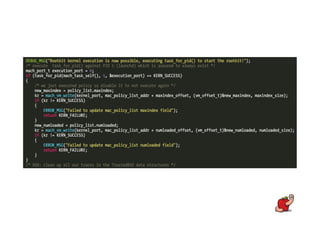
9. Start rootkit
!  Just call task_for_pid(1).
!  PID 1 is launchd and always exists.
!  Add a “fuse” to the rootkit code to
avoid further executions.
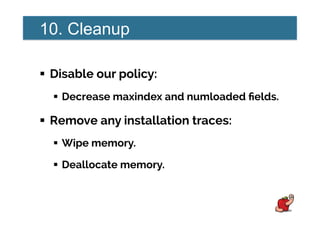
10. Cleanup
!  Disable our policy:
!  Decrease maxindex and numloaded fields.
!  Remove any installation traces:
!  Wipe memory.
!  Deallocate memory.
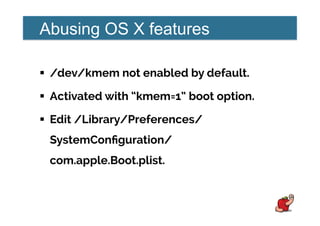
Abusing OS X features
!  /dev/kmem not enabled by default.
!  Activated with “kmem=1” boot option.
!  Edit /Library/Preferences/
SystemConfiguration/
com.apple.Boot.plist.
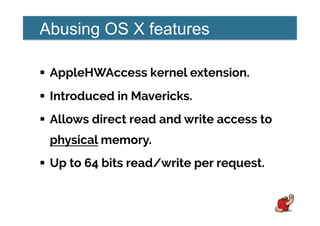
Abusing OS X features
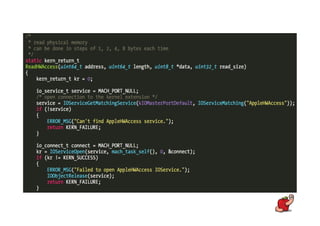
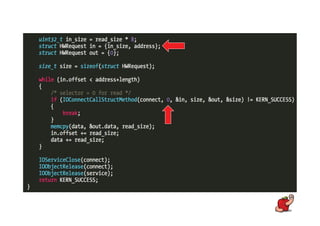
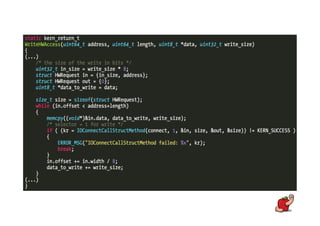
!  AppleHWAccess kernel extension.
!  Introduced in Mavericks.
!  Allows direct read and write access to
physical memory.
!  Up to 64 bits read/write per request.
Abusing OS X features
!  Found out by SJ_UnderWater.
!  http://www.tonymacx86.com/apple-
news-rumors/112304-applehwaccess-
random-memory-read-write.html
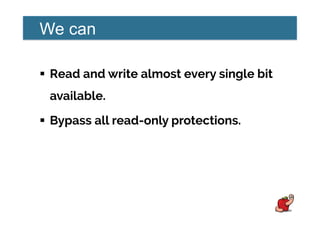
We can
!  Read and write almost every single bit
available.
!  Bypass all read-only protections.
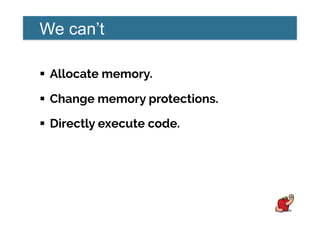
We can’t
!  Allocate memory.
!  Change memory protections.
!  Directly execute code.
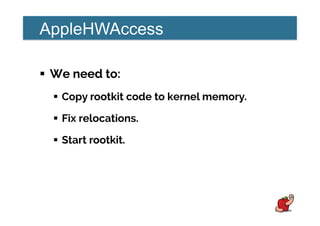
AppleHWAccess
!  We need to:
!  Copy rootkit code to kernel memory.
!  Fix relocations.
!  Start rootkit.
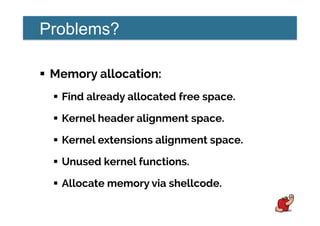
Problems?
!  Memory allocation:
!  Find already allocated free space.
!  Kernel header alignment space.
!  Kernel extensions alignment space.
!  Unused kernel functions.
!  Allocate memory via shellcode.
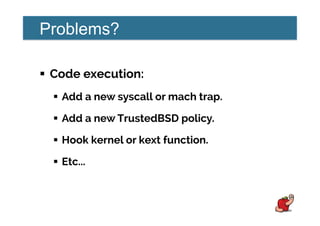
Problems?
!  Code execution:
!  Add a new syscall or mach trap.
!  Add a new TrustedBSD policy.
!  Hook kernel or kext function.
!  Etc...
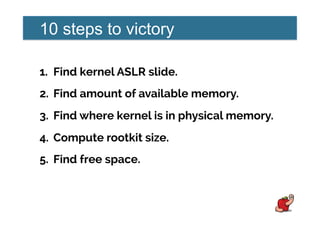
10 steps to victory
1.  Find kernel ASLR slide.
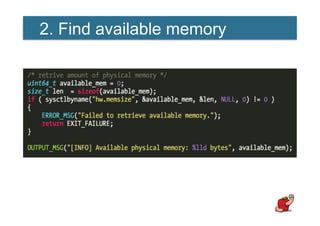
2.  Find amount of available memory.
3.  Find where kernel is in physical memory.
4.  Compute rootkit size.
5.  Find free space.
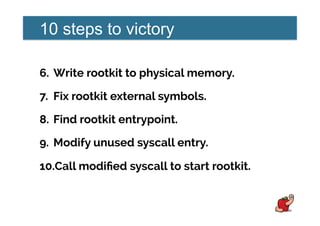
10 steps to victory
6.  Write rootkit to physical memory.
7.  Fix rootkit external symbols.
8.  Find rootkit entrypoint.
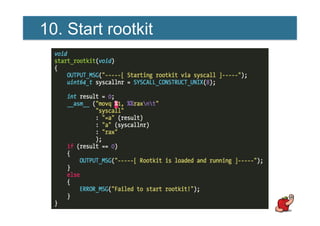
9.  Modify unused syscall entry.
10. Call modified syscall to start rootkit.
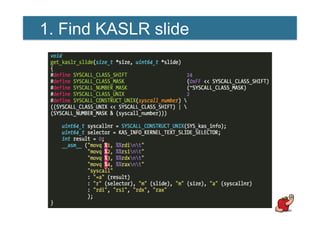
1. Find KASLR slide
2. Find available memory
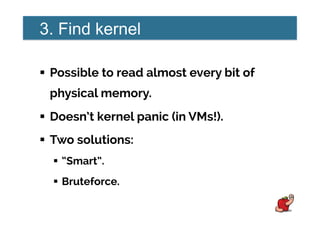
3. Find kernel
!  Possible to read almost every bit of
physical memory.
!  Doesn’t kernel panic (in VMs!).
!  Two solutions:
!  “Smart”.
!  Bruteforce.
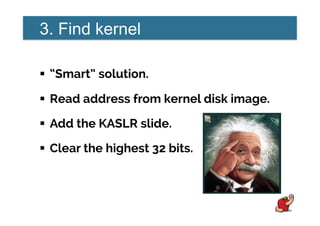
3. Find kernel
!  “Smart” solution.
!  Read address from kernel disk image.
!  Add the KASLR slide.
!  Clear the highest 32 bits.
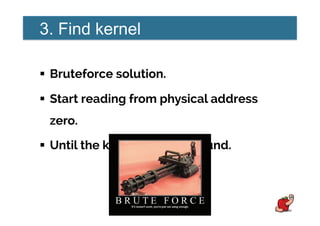
3. Find kernel
!  Bruteforce solution.
!  Start reading from physical address
zero.
!  Until the kernel image is found.
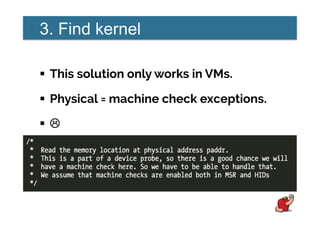
3. Find kernel
!  This solution only works in VMs.
!  Physical = machine check exceptions.
!  ""
3. Find kernel
!  How to identify the right location?
!  The magic Mach-O value can be found
in many locations.
!  At least two for kernel image.
!  And every other loaded binary.
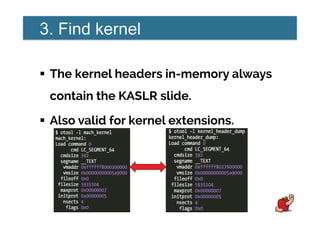
3. Find kernel
!  The kernel headers in-memory always
contain the KASLR slide.
!  Also valid for kernel extensions.
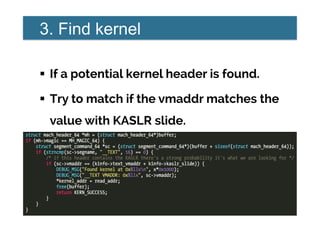
3. Find kernel
!  If a potential kernel header is found.
!  Try to match if the vmaddr matches the
value with KASLR slide.
4. Compute rootkit size
!  You need to compute rootkit size.
!  Use the virtual memory size field and
not the file size field.
5. Find free space
!  Alignment space between __TEXT and
__DATA segments.
!  Usually big enough.
!  Enough for a complete rootkit in
10.10.0.
!  Not enough in 10.9.5.
5. Find free space
!  WARNING!
!  Kernel extensions headers aren’t wired.
!  Not suitable for this trick.
5. Find free space
!  Write small shellcode to allocate
memory.
!  Use the header space or unused
function to upload and execute it.
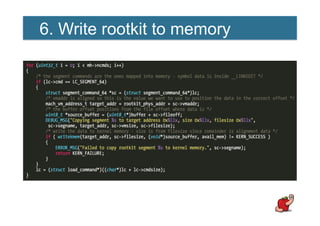
6. Write rootkit to memory
!  Copy each segment.
!  No need to worry with wired memory
issues.
6. Write rootkit to memory
7. Fix rootkit symbols
!  Same as in the first technique.
!  Just changes the way you write to
kernel memory.
8. Find rootkit entrypoint
!  Same as in the first technique.
9. Modify unused syscall entry
!  Locate the sysent table.
!  Bruteforce the kernel memory space.
!  Looking for the address of known syscall
pointers.
!  Use unused sysent slot (there are many).
9. Modify unused syscall entry
!  The unused slots usually points to
“enosys” or “nosys” functions.
!  Mavericks uses nosys.
!  Yosemite uses enosys.
!  Just update pointer to rootkit
entrypoint.
10. Start rootkit
Problems
!  Kernel header is part of non-writable
segment.
!  We can’t change memory protection.
!  If rootkit needs to write to its own data
segments it will crash.
Problems
!  We must disable CR0 protection.
!  Either with a small shellcode stub.
!  Or first thing in rootkit entrypoint.
Problems
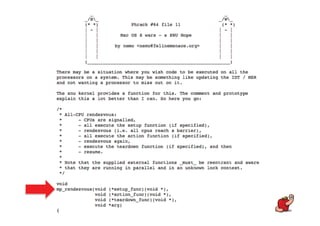
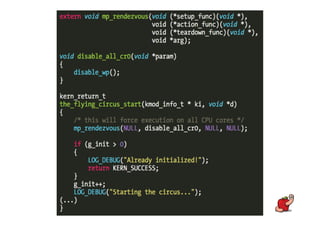
!  CR0 register is per CPU core.
!  How can we run code in all cores?
OS X
security
is...
CRAP!
TOTAL
CRAP!
Conclusions
!  Kext code signing is mostly useless.
!  Don’t trust it as a security measure.
!  Apple doesn’t seem to care about
patching all vulnerabilities.
Conclusions
!  Afaik there’s no official products end of
life (EOL) policy.
!  It’s either upgrade or be vulnerable.
!  And that still leaves you with
unpatched vulnerabilities...
Conclusions
!  Apple product security strategy is
reactive not proactive.
!  If they have any strategy at all...
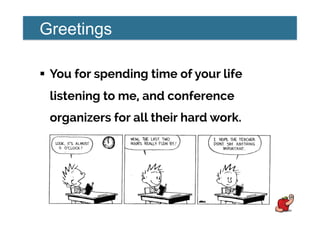
Greetings
!  You for spending time of your life
listening to me, and conference
organizers for all their hard work.
http://reverse.put.as
http://github.com/gdbinit
reverser@put.as
@osxreverser
#osxre @ irc.freenode.net
PGP key:
http://reverse.put.as/wp-content/uploads/2008/06/
publickey.txt
PGP Fingerprint:
7B05 44D1 A1D5 3078 7F4C  E745 9BB7 2A44 ED41 BF05
A day full of
possibilities!
Let's go exploring!
References
!  Images from images.google.com. Credit due to all their
authors.

CODE BLUE 2014 : BadXNU, A rotten apple! by PEDRO VILAÇA

  • 1.
    fG! @ CodeBlue2014 BadXNU
  • 2.
    Who am I? ! Ex-legendary white hat hero (© Dr. Quynh).
  • 4.
    Rootkits? !  How toload kernel rootkits. !  Bypassing: !  Code signing. !  Kernel extensions interface(s).
  • 5.
    Backdoors? !  Design andimplementation flaws. !  Unpatched kernel vulnerabilities. !  OS X features.
  • 6.
  • 8.
    Got root? !  Whatdo *you* estimate as the probability of a local privilege escalation in OS X? !  Anything below HIGH is probably wrong.
  • 12.
  • 13.
    Got root? !  Mucheasier alternative... !  Go social engineering! !  iWorm infected +17k hosts just by asking.
  • 14.
    Got root? !  Installersand updates over HTTP asking for admin privileges. !  Etc... !  The attack surface is big ☺☺.
  • 16.
  • 17.
  • 18.
  • 19.
  • 20.
    Consequences !  Kexts can’tbe loaded if: !  Not code signed. !  Invalid code signature. !  Bad bundle identifier.
  • 21.
    Solutions !  Steal orbuy a code signing certificate. !  kext-dev-mode=1 boot parameter. !  Attack userland daemons. !  Exploit kernel vulnerabilities. !  Abuse existing features. !  EFI attacks.
  • 24.
    Attack userland daemons ! Kextd daemon. !  Runs in ring 3. !  Responsible for code signature checks!
  • 26.
    Attack userland daemons ! Just find the right place(s) and patch. *Output from Yosemite GM3 kextd
  • 27.
    Attack userland daemons ! Two bytes patch and that’s it! !  Wrote about this in November, 2013. !  http://reverse.put.as/2013/11/23/ breaking-os-x-signed-kernel- extensions-with-a-nop/
  • 28.
  • 30.
    Kernel vulnerabilities !  Interestedin any of: !  Write anywhere. !  Kernel task port. !  Host privileged port.
  • 31.
    Kernel vulnerabilities !  Everyprocess is represented by a task. !  Kernel is also a task. !  Think about it as PID zero.
  • 32.
    Kernel vulnerabilities !  BeforeSnow Leopard we could access that port. !  Using task_for_pid(0). !  http://phrack.org/issues/66/16.html
  • 33.
  • 34.
    Kernel vulnerabilities !  Theprocessor_set_tasks() vulnerability. !  Presented by Ming-chieh Pan & Sung-ting Tsai at BlackHat Asia 2014. !  Also described at Mac OS X and iOS Internals book by Jonathan Levin.
  • 35.
    Kernel vulnerabilities !  Allowsaccess to kernel task. !  Same result as task_for_pid(0).
  • 40.
    Every bit asvulnerable!
  • 41.
    Kernel vulnerabilities !  Appledefinitely knows this bug. !  It is patched in iOS! !  That’s what SECURE_KERNEL is for. !  No visible side-effects if patched!
  • 42.
  • 43.
    We can !  Allocatekernel memory. !  Read kernel memory. !  Write/modify writable memory.
  • 44.
    We can’t !  Changememory protections of: !  Kernel code. !  Some read-only data sections. !  Directly execute code.
  • 46.
    Kernel obstacles !  Kernelcode segment is read-only.
  • 47.
    Kernel obstacles !  Somedata sections are also read only. !  Direct modification of syscall and mach traps tables not possible anymore. !  Introduced in Mountain Lion.
  • 48.
  • 49.
    Kernel obstacles !  KernelASLR. !  Not really an obstacle in a rootkit scenario. !  Use kas_info syscall to retrieve slide. !  Or info leaks.
  • 51.
    Memory protection problem ! Some pages are marked read-only. !  Possible if we disable write protection in CR0 register. !  For that we need code execution.
  • 52.
    Code execution problem ! We can’t (directly) modify kernel code. !  We can’t leverage syscalls or mach traps to start code.
  • 53.
    Code execution problem ! Kernel extensions are also protected. !  When loaded from kernelcache. !  Which is the default case anyway.
  • 55.
  • 56.
    Goals !  Direct KernelObject Manipulation (DKOM). !  Find a writable data structure. !  That allows us to execute code. !  Small shellcode that disables CR0. !  Or more complex code.
  • 57.
  • 58.
    TrustedBSD MACF !  Technicallyit’s the MAC Framework. !  Mandatory Access Control. !  Ported from FreeBSD. !  The basis for the OS X/iOS sandbox. !  Gatekeeper and userland code signing.
  • 59.
    TrustedBSD MACF !  Manyhooks available. !  Each policy configures hooks it’s interested in.
  • 60.
    TrustedBSD MACF !  Policiescan be added/removed. !  Writable data. !  Code execution. = WIN!
  • 61.
  • 62.
    How to LeverageTrustedBSD !  Add a new policy. !  With a single hook. !  That points to rootkit entrypoint. !  Call function to start rootkit.
  • 64.
    10 steps tovictory 1.  Get kernel task port. 2.  Find kernel ASLR slide. 3.  Compute rootkit size. 4.  Allocate kernel memory or find free space. 5.  Copy rootkit to kernel memory.
  • 65.
    10 steps tovictory 6.  Change memory protections. 7.  Fix external symbols. 8.  Install a new TrustedBSD policy. 9.  Start rootkit via TrustedBSD hook. 10. Cleanup.
  • 66.
    1. Get kerneltask port
  • 67.
  • 68.
    3. Compute rootkitsize !  Use the virtual memory size field and not the file size field.
  • 69.
    4. Allocate kernelmemory !  mach_vm_allocate(). !  We just need some kernel memory, anywhere.
  • 70.
    5. Copy rootkit ! mach_vm_write(). !  Copy each segment. !  Use the file size from the segment.
  • 71.
    6. Change memoryprotections !  mach_vm_protect(). !  Make code executable. !  Use virtual memory size field.
  • 73.
    Problems !  This memoryis not wired. !  Not everything will be paged in when copied.
  • 75.
    Problems !  Solution isto make that memory wired. !  mach_vm_wire(). !  Requires the memory protection to be set first.
  • 76.
  • 77.
    7. Fix externalsymbols !  Kernel extensions code is PIE. !  No need to worry with it. !  How about all external symbols? !  We need to fix them. !  No kernel “linker” to do it for us.
  • 78.
    7. Fix externalsymbols !  Relocation tables. !  Information available in Mach-O header: !  LC_DYSYMTAB. !  LC_SYMTAB.
  • 79.
    7. Fix externalsymbols !  Ten different types of relocations. !  Kexts only use two: !  X86_64_RELOC_UNSIGNED. !  Used for RIP relative addresses. !  X86_64_RELOC_BRANCH. !  Used for absolute addresses.
  • 80.
    7. Fix externalsymbols RReellooccaattiioonn TTyyppee LLooccaall EExxtteerrnnaall X86_64_RELOC_UNSIGNED 166078 335464 X86_64_RELOC_SIGNED 0 0 X86_64_RELOC_BRANCH 0 158219 X86_64_RELOC_GOT_LOAD 0 0 X86_64_RELOC_GOT 0 0 X86_64_RELOC_SUBTRACTOR 0 0 X86_64_RELOC_SIGNED_1 0 0 X86_64_RELOC_SIGNED_2 0 0 X86_64_RELOC_SIGNED_4 0 0 X86_64_RELOC_TLV 0 0
  • 81.
    7. Fix externalsymbols !  External: !  Symbols from KPIs. !  Local: !  Strings and some other kext local symbols.
  • 86.
    8. Install aTrustedBSD policy !  Important data structures: !  mac_policy_list. !  mac_policy_conf. !  mac_policy_ops.
  • 88.
    8. Install aTrustedBSD policy !  Core structure. !  Global variable mac_policy_list.
  • 90.
    8. Install aTrustedBSD policy !  mac_policy_conf contains the configuration of each policy.
  • 91.
    8. Install aTrustedBSD policy !  mac_policy_ops holds the function pointers for each hook. !  Where we set the rootkit entrypoint or shellcode.
  • 92.
    8. Install aTrustedBSD policy a)  Allocate and install a mac_policy_ops. b)  Allocate and install a mac_policy_conf. c)  Add mac_policy_conf to entries array. d)  Add new policy to mac_policy_list.
  • 93.
    a) mac_policy_ops !  Asingle hook in task_for_pid(). !  Many other hooks available. !  Check mac_policy.h
  • 95.
    Rootkit entrypoint !  Processthe rootkit symbols table. !  Locate the kmod_info symbol. !  The entrypoint is the start_addr field.
  • 98.
    b) mac_policy_conf !  Weonly need to point to the mac_policy_ops structure. !  All other fields can be NULL.
  • 99.
    c) Add mac_policy_conf ! The entries array is pre-allocated. !  We just need to find an empty slot.
  • 100.
    c) Add mac_policy_conf ! Use the number of loaded policies to get free slot position.
  • 101.
    d) Add newpolicy !  To add a new policy, increase: !  numloaded !  Number of policies loaded. !  maxindex !  Used to iterate over policies.
  • 102.
    9. Start rootkit ! Just call task_for_pid(1). !  PID 1 is launchd and always exists. !  Add a “fuse” to the rootkit code to avoid further executions.
  • 104.
    10. Cleanup !  Disableour policy: !  Decrease maxindex and numloaded fields. !  Remove any installation traces: !  Wipe memory. !  Deallocate memory.
  • 107.
    Abusing OS Xfeatures !  /dev/kmem not enabled by default. !  Activated with “kmem=1” boot option. !  Edit /Library/Preferences/ SystemConfiguration/ com.apple.Boot.plist.
  • 108.
    Abusing OS Xfeatures !  AppleHWAccess kernel extension. !  Introduced in Mavericks. !  Allows direct read and write access to physical memory. !  Up to 64 bits read/write per request.
  • 111.
    Abusing OS Xfeatures !  Found out by SJ_UnderWater. !  http://www.tonymacx86.com/apple- news-rumors/112304-applehwaccess- random-memory-read-write.html
  • 112.
    We can !  Readand write almost every single bit available. !  Bypass all read-only protections.
  • 113.
    We can’t !  Allocatememory. !  Change memory protections. !  Directly execute code.
  • 118.
    AppleHWAccess !  We needto: !  Copy rootkit code to kernel memory. !  Fix relocations. !  Start rootkit.
  • 120.
    Problems? !  Memory allocation: ! Find already allocated free space. !  Kernel header alignment space. !  Kernel extensions alignment space. !  Unused kernel functions. !  Allocate memory via shellcode.
  • 121.
    Problems? !  Code execution: ! Add a new syscall or mach trap. !  Add a new TrustedBSD policy. !  Hook kernel or kext function. !  Etc...
  • 123.
    10 steps tovictory 1.  Find kernel ASLR slide. 2.  Find amount of available memory. 3.  Find where kernel is in physical memory. 4.  Compute rootkit size. 5.  Find free space.
  • 124.
    10 steps tovictory 6.  Write rootkit to physical memory. 7.  Fix rootkit external symbols. 8.  Find rootkit entrypoint. 9.  Modify unused syscall entry. 10. Call modified syscall to start rootkit.
  • 125.
  • 126.
  • 127.
    3. Find kernel ! Possible to read almost every bit of physical memory. !  Doesn’t kernel panic (in VMs!). !  Two solutions: !  “Smart”. !  Bruteforce.
  • 128.
    3. Find kernel ! “Smart” solution. !  Read address from kernel disk image. !  Add the KASLR slide. !  Clear the highest 32 bits.
  • 129.
    3. Find kernel ! Bruteforce solution. !  Start reading from physical address zero. !  Until the kernel image is found.
  • 130.
    3. Find kernel ! This solution only works in VMs. !  Physical = machine check exceptions. !  ""
  • 131.
    3. Find kernel ! How to identify the right location? !  The magic Mach-O value can be found in many locations. !  At least two for kernel image. !  And every other loaded binary.
  • 132.
    3. Find kernel ! The kernel headers in-memory always contain the KASLR slide. !  Also valid for kernel extensions.
  • 133.
    3. Find kernel ! If a potential kernel header is found. !  Try to match if the vmaddr matches the value with KASLR slide.
  • 134.
    4. Compute rootkitsize !  You need to compute rootkit size. !  Use the virtual memory size field and not the file size field.
  • 135.
    5. Find freespace !  Alignment space between __TEXT and __DATA segments. !  Usually big enough. !  Enough for a complete rootkit in 10.10.0. !  Not enough in 10.9.5.
  • 136.
    5. Find freespace !  WARNING! !  Kernel extensions headers aren’t wired. !  Not suitable for this trick.
  • 137.
    5. Find freespace !  Write small shellcode to allocate memory. !  Use the header space or unused function to upload and execute it.
  • 138.
    6. Write rootkitto memory !  Copy each segment. !  No need to worry with wired memory issues.
  • 139.
  • 140.
    7. Fix rootkitsymbols !  Same as in the first technique. !  Just changes the way you write to kernel memory.
  • 141.
    8. Find rootkitentrypoint !  Same as in the first technique.
  • 142.
    9. Modify unusedsyscall entry !  Locate the sysent table. !  Bruteforce the kernel memory space. !  Looking for the address of known syscall pointers. !  Use unused sysent slot (there are many).
  • 143.
    9. Modify unusedsyscall entry !  The unused slots usually points to “enosys” or “nosys” functions. !  Mavericks uses nosys. !  Yosemite uses enosys. !  Just update pointer to rootkit entrypoint.
  • 144.
  • 146.
    Problems !  Kernel headeris part of non-writable segment. !  We can’t change memory protection. !  If rootkit needs to write to its own data segments it will crash.
  • 147.
    Problems !  We mustdisable CR0 protection. !  Either with a small shellcode stub. !  Or first thing in rootkit entrypoint.
  • 148.
    Problems !  CR0 registeris per CPU core. !  How can we run code in all cores?
  • 154.
  • 156.
  • 157.
  • 159.
    Conclusions !  Kext codesigning is mostly useless. !  Don’t trust it as a security measure. !  Apple doesn’t seem to care about patching all vulnerabilities.
  • 160.
    Conclusions !  Afaik there’sno official products end of life (EOL) policy. !  It’s either upgrade or be vulnerable. !  And that still leaves you with unpatched vulnerabilities...
  • 161.
    Conclusions !  Apple productsecurity strategy is reactive not proactive. !  If they have any strategy at all...
  • 163.
    Greetings !  You forspending time of your life listening to me, and conference organizers for all their hard work.
  • 164.
    http://reverse.put.as http://github.com/gdbinit reverser@put.as @osxreverser #osxre @ irc.freenode.net PGPkey: http://reverse.put.as/wp-content/uploads/2008/06/ publickey.txt PGP Fingerprint: 7B05 44D1 A1D5 3078 7F4C  E745 9BB7 2A44 ED41 BF05
  • 165.
    A day fullof possibilities! Let's go exploring!
  • 166.
    References !  Images fromimages.google.com. Credit due to all their authors.