Club Competition
Opportunities
Since our club does not have competition between
members, we do belong to organizations that have
competition our members can enter if they choose.
Organizations that
sponsor competition
PSA Nature Club
PSA PID Club (Projected Image Division)
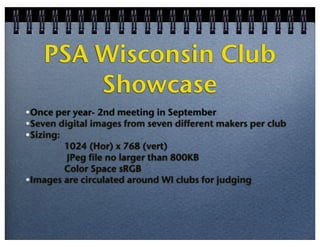
PSA Wisconsin Club Showcase
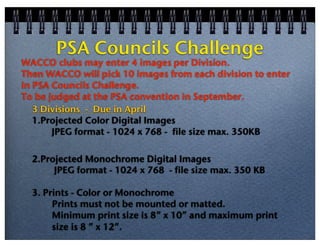
PSA Councils Challenge ?
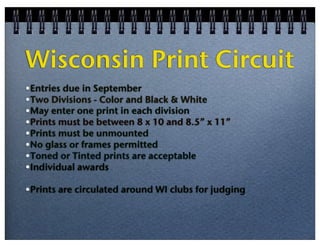
Wisconsin Print Circuit
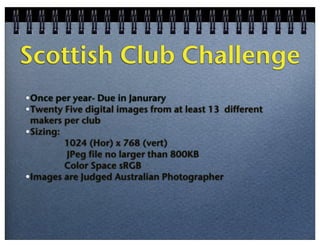
Scottish Club Challenge
Wisconsin Area Camera Clubs Organization ( WACCO )
PSA Nature Club
•Competition 3 time per year - October, January, April
•6 images per competition from at least 4 different makers
•Sizing:

Max dimension is 1024 wide x 768 high pixels
JPEG format no larger than 1.7 MB
Color space sRGB
•Club and Individual awards
PSA PID Club open
•Competition 4 times per year - November, January, March, May
•6 images per competition from 6 different makers
•Sizing:
Horizontal image no more than 1024 pixels wide
Vertical image no more than 768 pixels tall
JPEG file size - no limit
Color Space sRGB
•Club and Individual awards
PSA Wisconsin Club
Showcase
•Once per year- 2nd meeting in September
•Seven digital images from seven different makers per club
•Sizing:
1024 (Hor) x 768 (vert)
JPeg file no larger than 800KB
Color Space sRGB
•Images are circulated around WI clubs for judging
PSA Councils Challenge

WACCO clubs may enter 4 images per Division.
Then WACCO will pick 10 images from each division to enter
in PSA Councils Challenge.
To be judged at the PSA convention in September.
3 Divisions - Due in April
1.Projected Color Digital Images
JPEG format - 1024 x 768 - file size max. 350KB
2.Projected Monochrome Digital Images
JPEG format - 1024 x 768 - file size max. 350 KB
3. Prints - Color or Monochrome
Prints must not be mounted or matted.
Minimum print size is 8” x 10” and maximum print
size is 8 ” x 12”.
Wisconsin Print Circuit
•Entries due in September
•Two Divisions - Color and Black & White
•May enter one print in each division
•Prints must be between 8 x 10 and 8.5” x 11”
•Prints must be unmounted
•No glass or frames permitted
•Toned or Tinted prints are acceptable
•Individual awards
•Prints are circulated around WI clubs for judging
Scottish Club Challenge
•Once per year- Due in Janurary
•Twenty Five digital images from at least 13 different
makers per club
•Sizing:
1024 (Hor) x 768 (vert)
JPeg file no larger than 800KB
Color Space sRGB
•Images are Judged Australian Photographer
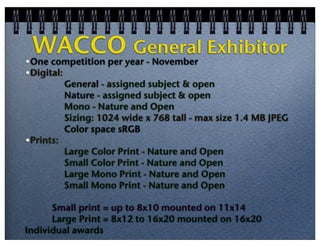
WACCO General Exhibitor
•

One competition per year - November
•Digital:
General - assigned subject & open
Nature - assigned subject & open
Mono - Nature and Open
Sizing: 1024 wide x 768 tall - max size 1.4 MB JPEG
Color space sRGB
•Prints:
Large Color Print - Nature and Open
Small Color Print - Nature and Open
Large Mono Print - Nature and Open
Small Mono Print - Nature and Open
Small print = up to 8x10 mounted on 11x14
Large Print = 8x12 to 16x20 mounted on 16x20
Individual awards
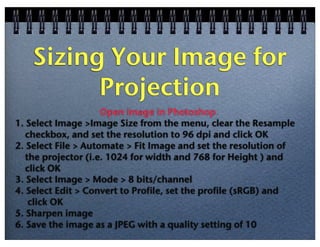
Sizing Your Image for
Projection
Open image in Photoshop
1. Select Image >Image Size from the menu, clear the Resample
checkbox, and set the resolution to 96 dpi and click OK
2. Select File > Automate > Fit Image and set the resolution of
the projector (i.e. 1024 for width and 768 for Height ) and
click OK
3. Select Image > Mode > 8 bits/channel
4. Select Edit > Convert to Profile, set the profile (sRGB) and
click OK
5. Sharpen image
6. Save the image as a JPEG with a quality setting of 10
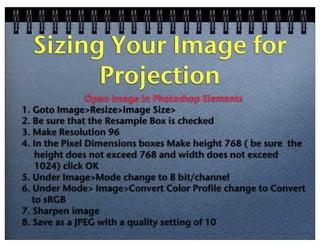
Sizing Your Image for
Projection
Open image in Photoshop Elements
1. Goto Image>Resize>Image Size>
2. Be sure that the Resample Box is checked
3. Make Resolution 96
4. In the Pixel Dimensions boxes Make height 768 ( be sure the
height does not exceed 768 and width does not exceed
1024) click OK
5. Under Image>Mode change to 8 bit/channel
6. Under Mode> Image>Convert Color Profile change to Convert
to sRGB
7. Sharpen image
8. Save as a JPEG with a quality setting of 10

Club Competition Opportunities

  • 1.
    Club Competition Opportunities Since ourclub does not have competition between members, we do belong to organizations that have competition our members can enter if they choose.
  • 2.
    Organizations that sponsor competition PSANature Club PSA PID Club (Projected Image Division) PSA Wisconsin Club Showcase PSA Councils Challenge ? Wisconsin Print Circuit Scottish Club Challenge Wisconsin Area Camera Clubs Organization ( WACCO )
  • 3.
    PSA Nature Club •Competition3 time per year - October, January, April •6 images per competition from at least 4 different makers •Sizing: Max dimension is 1024 wide x 768 high pixels JPEG format no larger than 1.7 MB Color space sRGB •Club and Individual awards
  • 4.
    PSA PID Clubopen •Competition 4 times per year - November, January, March, May •6 images per competition from 6 different makers •Sizing: Horizontal image no more than 1024 pixels wide Vertical image no more than 768 pixels tall JPEG file size - no limit Color Space sRGB •Club and Individual awards
  • 5.
    PSA Wisconsin Club Showcase •Onceper year- 2nd meeting in September •Seven digital images from seven different makers per club •Sizing: 1024 (Hor) x 768 (vert) JPeg file no larger than 800KB Color Space sRGB •Images are circulated around WI clubs for judging
  • 6.
    PSA Councils Challenge WACCOclubs may enter 4 images per Division. Then WACCO will pick 10 images from each division to enter in PSA Councils Challenge. To be judged at the PSA convention in September. 3 Divisions - Due in April 1.Projected Color Digital Images JPEG format - 1024 x 768 - file size max. 350KB 2.Projected Monochrome Digital Images JPEG format - 1024 x 768 - file size max. 350 KB 3. Prints - Color or Monochrome Prints must not be mounted or matted. Minimum print size is 8” x 10” and maximum print size is 8 ” x 12”.
  • 7.
    Wisconsin Print Circuit •Entriesdue in September •Two Divisions - Color and Black & White •May enter one print in each division •Prints must be between 8 x 10 and 8.5” x 11” •Prints must be unmounted •No glass or frames permitted •Toned or Tinted prints are acceptable •Individual awards •Prints are circulated around WI clubs for judging
  • 8.
    Scottish Club Challenge •Onceper year- Due in Janurary •Twenty Five digital images from at least 13 different makers per club •Sizing: 1024 (Hor) x 768 (vert) JPeg file no larger than 800KB Color Space sRGB •Images are Judged Australian Photographer
  • 9.
    WACCO General Exhibitor • Onecompetition per year - November •Digital: General - assigned subject & open Nature - assigned subject & open Mono - Nature and Open Sizing: 1024 wide x 768 tall - max size 1.4 MB JPEG Color space sRGB •Prints: Large Color Print - Nature and Open Small Color Print - Nature and Open Large Mono Print - Nature and Open Small Mono Print - Nature and Open Small print = up to 8x10 mounted on 11x14 Large Print = 8x12 to 16x20 mounted on 16x20 Individual awards
  • 10.
    Sizing Your Imagefor Projection Open image in Photoshop 1. Select Image >Image Size from the menu, clear the Resample checkbox, and set the resolution to 96 dpi and click OK 2. Select File > Automate > Fit Image and set the resolution of the projector (i.e. 1024 for width and 768 for Height ) and click OK 3. Select Image > Mode > 8 bits/channel 4. Select Edit > Convert to Profile, set the profile (sRGB) and click OK 5. Sharpen image 6. Save the image as a JPEG with a quality setting of 10
  • 11.
    Sizing Your Imagefor Projection Open image in Photoshop Elements 1. Goto Image>Resize>Image Size> 2. Be sure that the Resample Box is checked 3. Make Resolution 96 4. In the Pixel Dimensions boxes Make height 768 ( be sure the height does not exceed 768 and width does not exceed 1024) click OK 5. Under Image>Mode change to 8 bit/channel 6. Under Mode> Image>Convert Color Profile change to Convert to sRGB 7. Sharpen image 8. Save as a JPEG with a quality setting of 10