Interop Clouds with OCCI
Thijs Metsch - Platform Computing, an IBM Company
Andrew Edmonds - Intel Corporation

Cloud Plugfest – February/March 2012, Düsseldorf Germany
Starring

   In Order of apprerances
         OCCI As the cool kid in town
    OpenStack As the „Cloud“
           ISF As the Platform Cloud
Andy Edmonds As the Developer
  Thijs Metsch As the Integrator
THE OCCI SOFTWARE PACKAGE
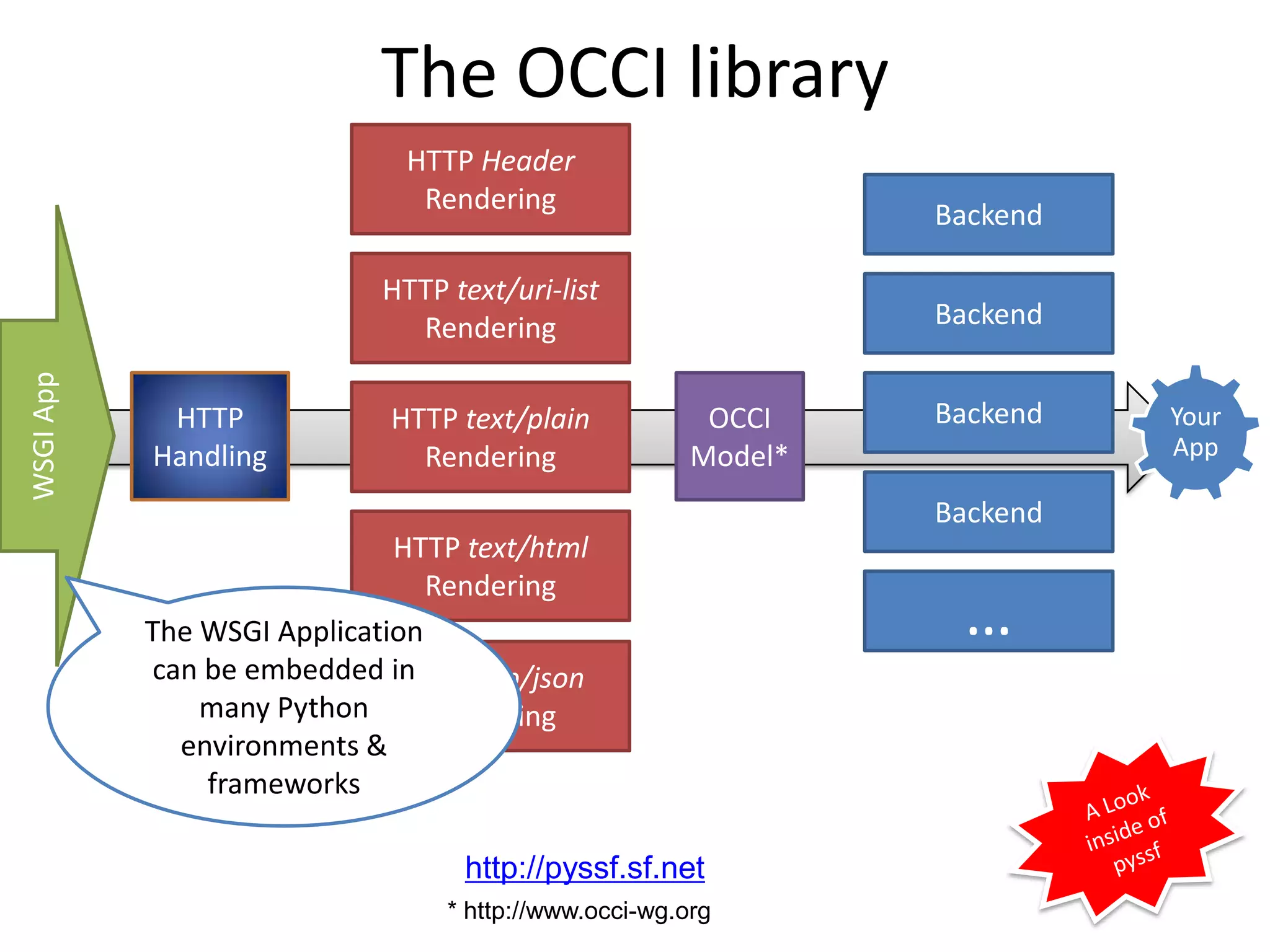
The OCCI library
                              HTTP Header
                               Rendering
                                                                Backend

                            HTTP text/uri-list
                              Rendering                         Backend
WSGI App


            HTTP            HTTP text/plain             OCCI    Backend   Your
           Handling           Rendering                Model*             App

                                                                Backend
                             HTTP text/html
                                Rendering
           The WSGI Application                                  …
           can be embedded inHTTP app/json
               many Python      Rendering
             environments &
               frameworks

                                  http://pyssf.sf.net
                                 * http://www.occi-wg.org
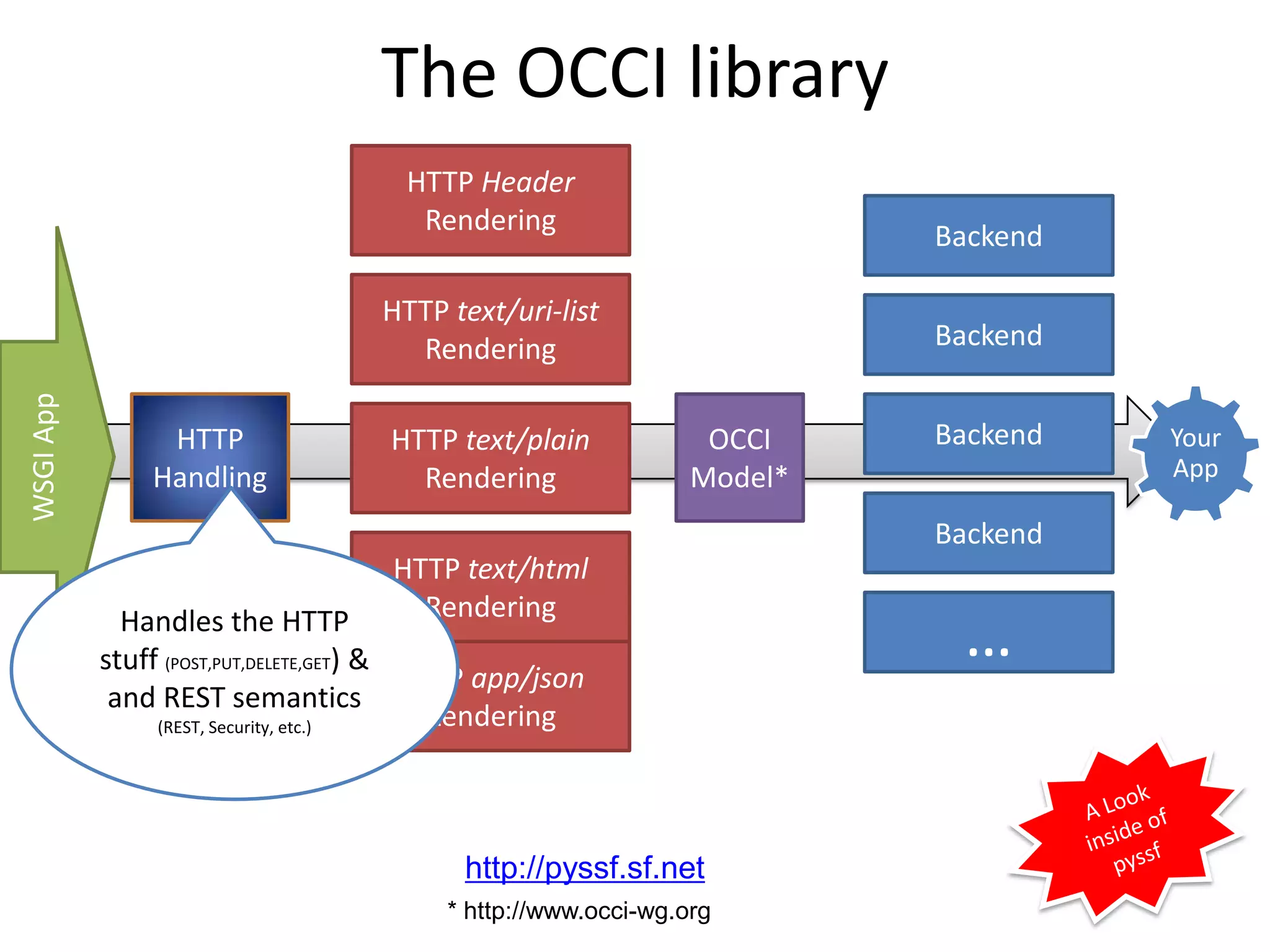
The OCCI library
                                      HTTP Header
                                       Rendering
                                                                        Backend

                                    HTTP text/uri-list
                                      Rendering                         Backend
WSGI App


                HTTP                HTTP text/plain             OCCI    Backend   Your
               Handling               Rendering                Model*             App

                                                                        Backend
                                     HTTP text/html
                                       Rendering
             Handles the HTTP
           stuff (POST,PUT,DELETE,GET) &
                                         HTTP app/json
                                                                         …
            and REST semantics
                (REST, Security, etc.)     Rendering


                                           http://pyssf.sf.net
                                         * http://www.occi-wg.org
The OCCI library
                         HTTP Header
                          Rendering
                                                           Backend

                       HTTP text/uri-list
                         Rendering                         Backend
WSGI App


            HTTP        HTTP text/plain            OCCI    Backend   Your
           Handling       Rendering               Model*             App

                                                           Backend
                        HTTP text/html
                          Rendering
                                                            …
                        HTTP app/json
                          Rendering

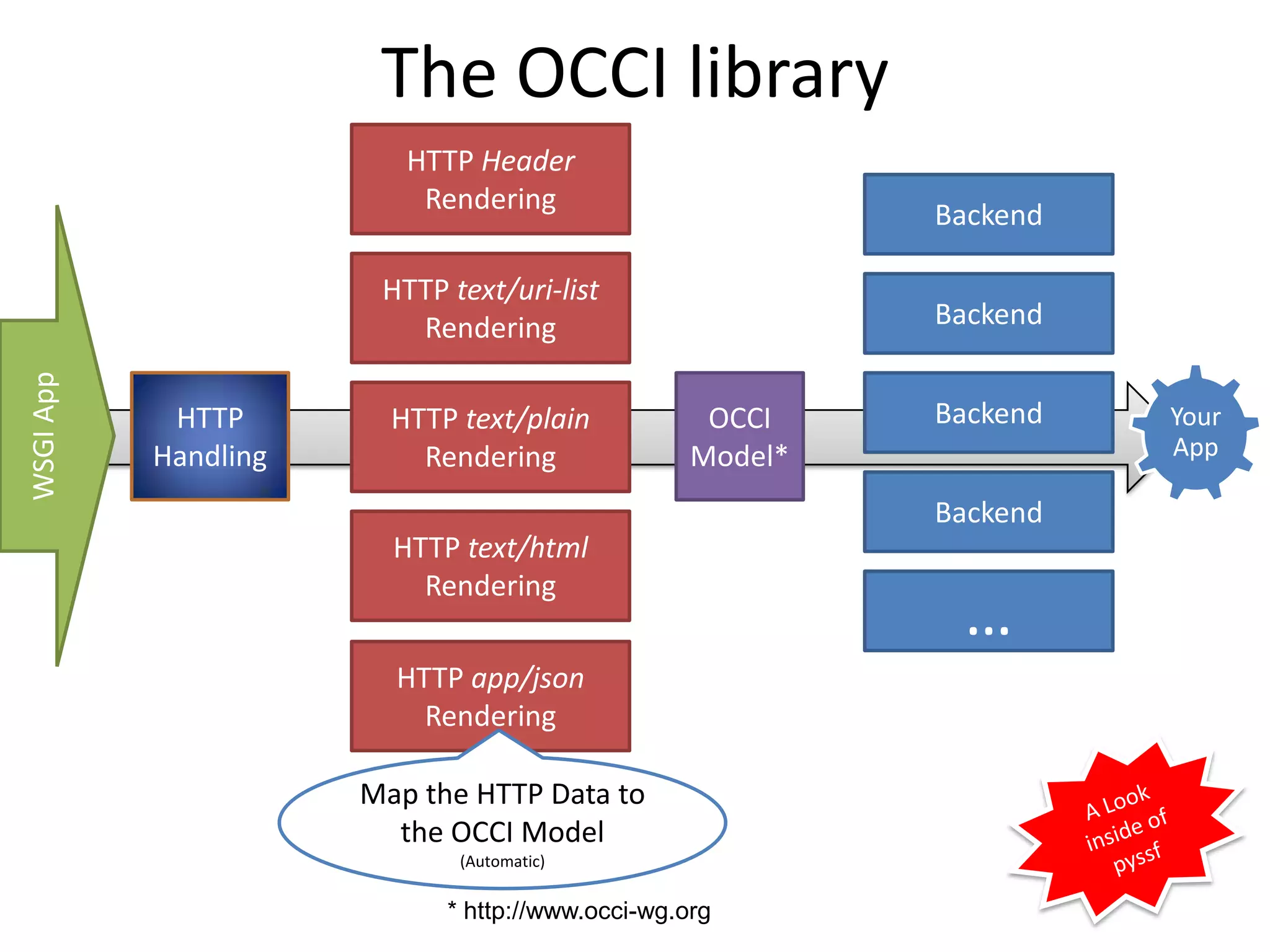
                      Map the HTTP Data to
                        the OCCI Model
                             (Automatic)

                            * http://www.occi-wg.org
The OCCI library
                        HTTP Header
                         Rendering
                                                                         Backend

                      HTTP text/uri-list
                        Rendering                                        Backend
WSGI App


            HTTP      HTTP text/plain             OCCI                   Backend   Your
           Handling     Rendering                Model*                            App

                                                                         Backend
                      HTTP text/html
                        Rendering

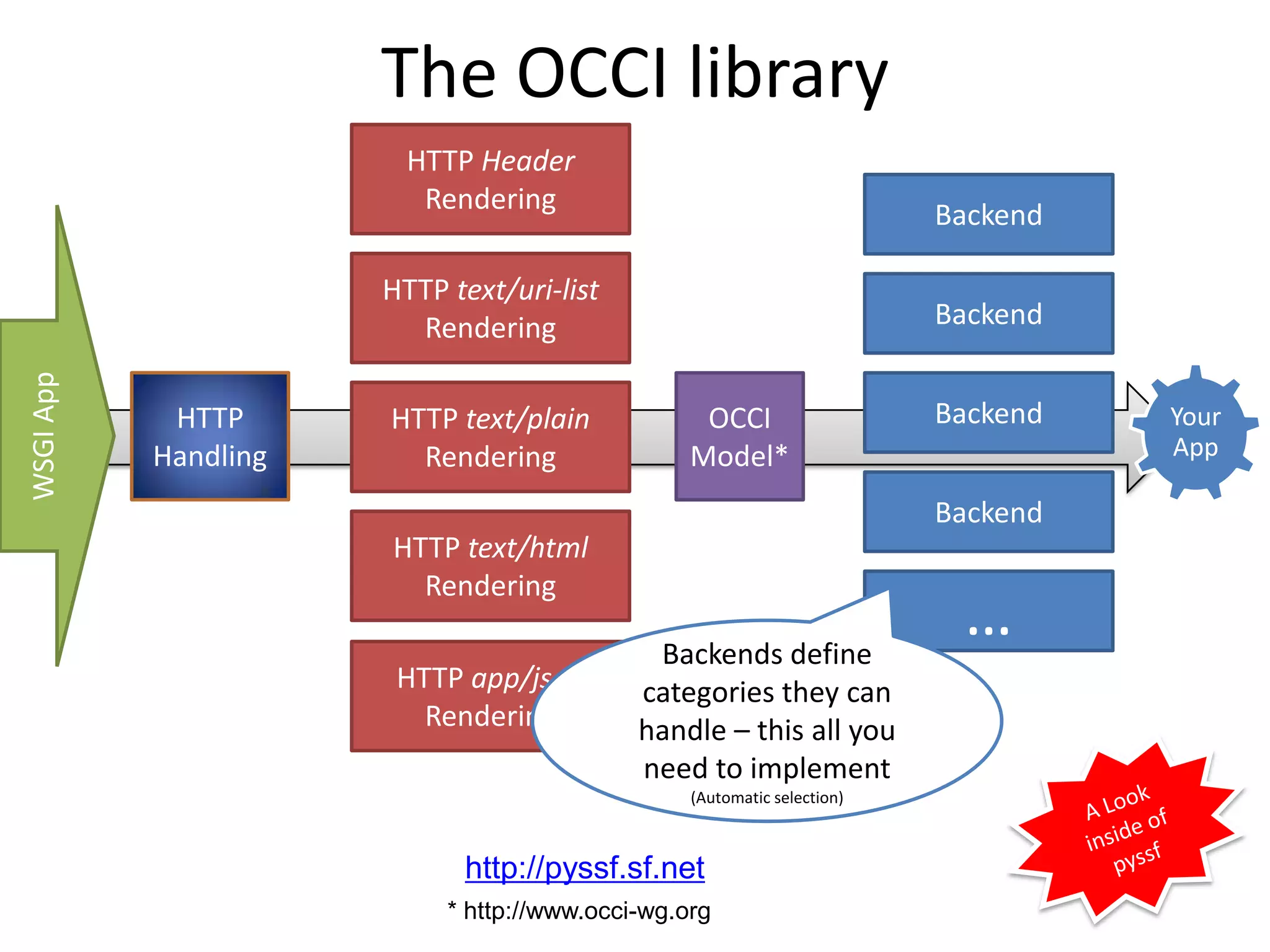
                                             Backends define
                                                                          …
                       HTTP app/json        categories they can
                         Rendering          handle – this all you
                                            need to implement
                                                 (Automatic selection)


                            http://pyssf.sf.net
                           * http://www.occi-wg.org
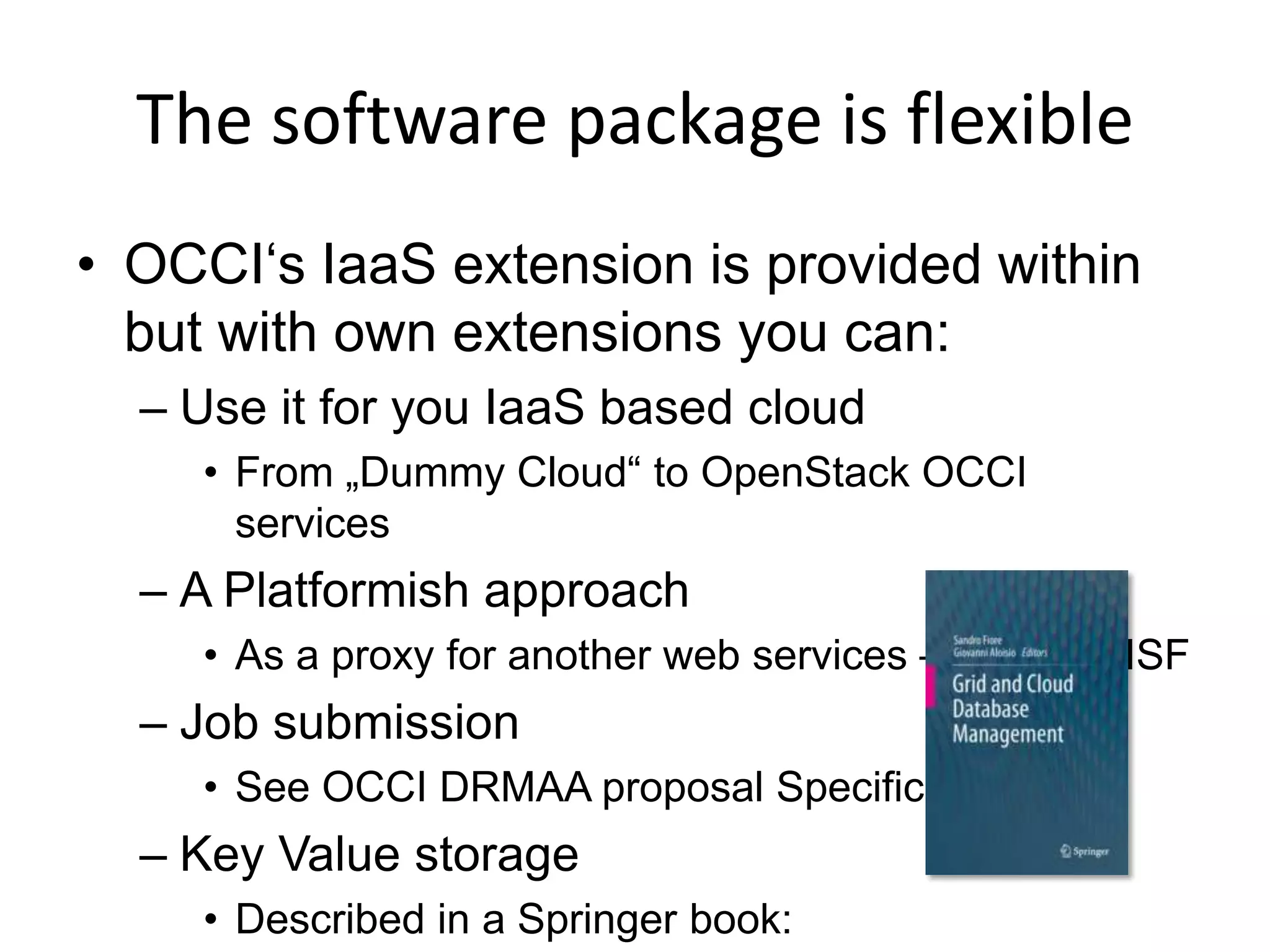
The software package is flexible
• OCCI‘s IaaS extension is provided within
  but with own extensions you can:
  – Use it for you IaaS based cloud
     • From „Dummy Cloud“ to OpenStack OCCI
       services
  – A Platformish approach
     • As a proxy for another web services – Platform ISF
  – Job submission
     • See OCCI DRMAA proposal Specification
  – Key Value storage
     • Described in a Springer book:
OCCI‘s default rendering
               text/plain*
> GET /-/ HTTP/1.1
> User-Agent: curl/7.24.0 (i386-pc-solaris2.10) libcurl/7.24.0
   OpenSSL/0.9.7d zlib/1.1.4
> Host: fjjutraa.joyent.us:8888
> Accept: text/plain
>
< HTTP/1.1 200 OK
< Content-Length: 4323
< Etag: "7b77faa1ad14fd15fc44090e6f245de9f096ccb9"
< Content-Type: text/plain
< Server: pyssf OCCI/1.1
<

Category: network; scheme="http://schemas.ogf.org/occi/infrastructure#";
[...]


   * Might be renamed to text/occi+plain
OCCI‘s lightweight rendering
               text/occi
> GET /-/ HTTP/1.1
> User-Agent: curl/7.24.0 (i386-pc-solaris2.10) libcurl/7.24.0
   OpenSSL/0.9.7d zlib/1.1.4
> Host: fjjutraa.joyent.us:8888
> Accept: text/occi
>
< HTTP/1.1 200 OK
< Category: network;
   scheme="http://schemas.ogf.org/occi/infrastructure#";
< [...]
OK
OCCI‘s uri-list rendering
                text/uri-list
> GET / HTTP/1.1
> User-Agent: curl/7.24.0 (i386-pc-solaris2.10) libcurl/7.24.0
   OpenSSL/0.9.7d zlib/1.1.4
> Host: fjjutraa.joyent.us:8888
> Accept: text/uri-list
>
< HTTP/1.1 200 OK
< Content-Length: 84
< Etag: "b76b8c36b40cfbfbeac66779ceb8334aadeb5462"
< Content-Type: text/uri-list
< Server: pyssf OCCI/1.1
<
# uri:/
http://fjjutraa.joyent.us:8888/compute/09ce8c50-ada0-4f71-bfc8-
   afce2324c6e5
[...]
OCCI‘s upcoming JSON rendering
       application/occi+json
> GET /-/ HTTP/1.1
> User-Agent: curl/7.24.0 (i386-pc-solaris2.10) libcurl/7.24.0
    OpenSSL/0.9.7d zlib/1.1.4
> Host: 10.0.2.2:8888
> Accept: application/occi+json
>
< HTTP/1.0 200 OK
< Content-length: 5567
< Content-Type: application/occi+json
< Server: pyssf OCCI/1.1
<
[
  {
     "scheme": "http://schemas.ogf.org/occi/infrastructure/ [...]
     "term": "online",
     "title": "Bring storage online"
  }, [...]
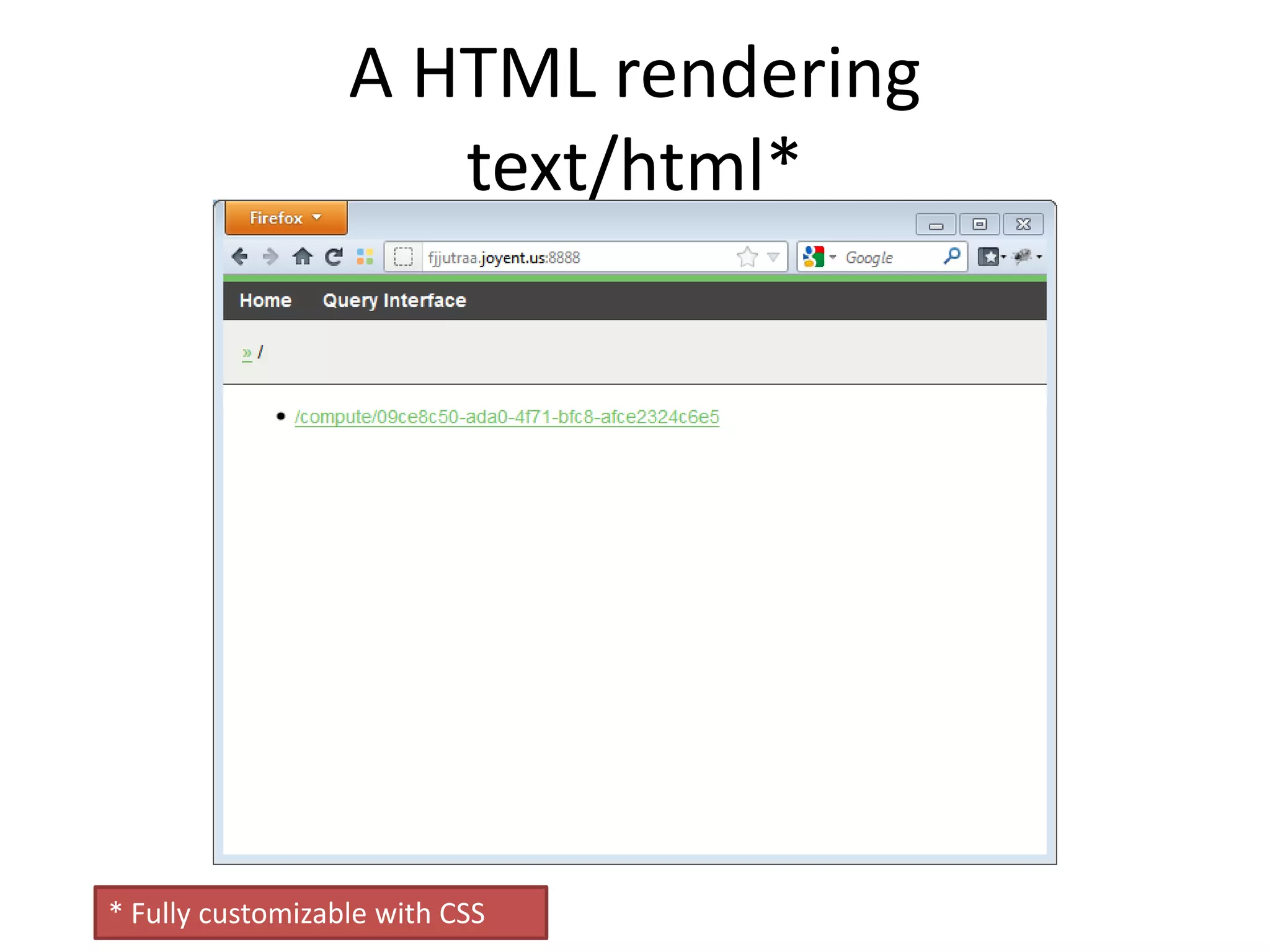
A HTML rendering
                     text/html*


* Fully customizable with CSS
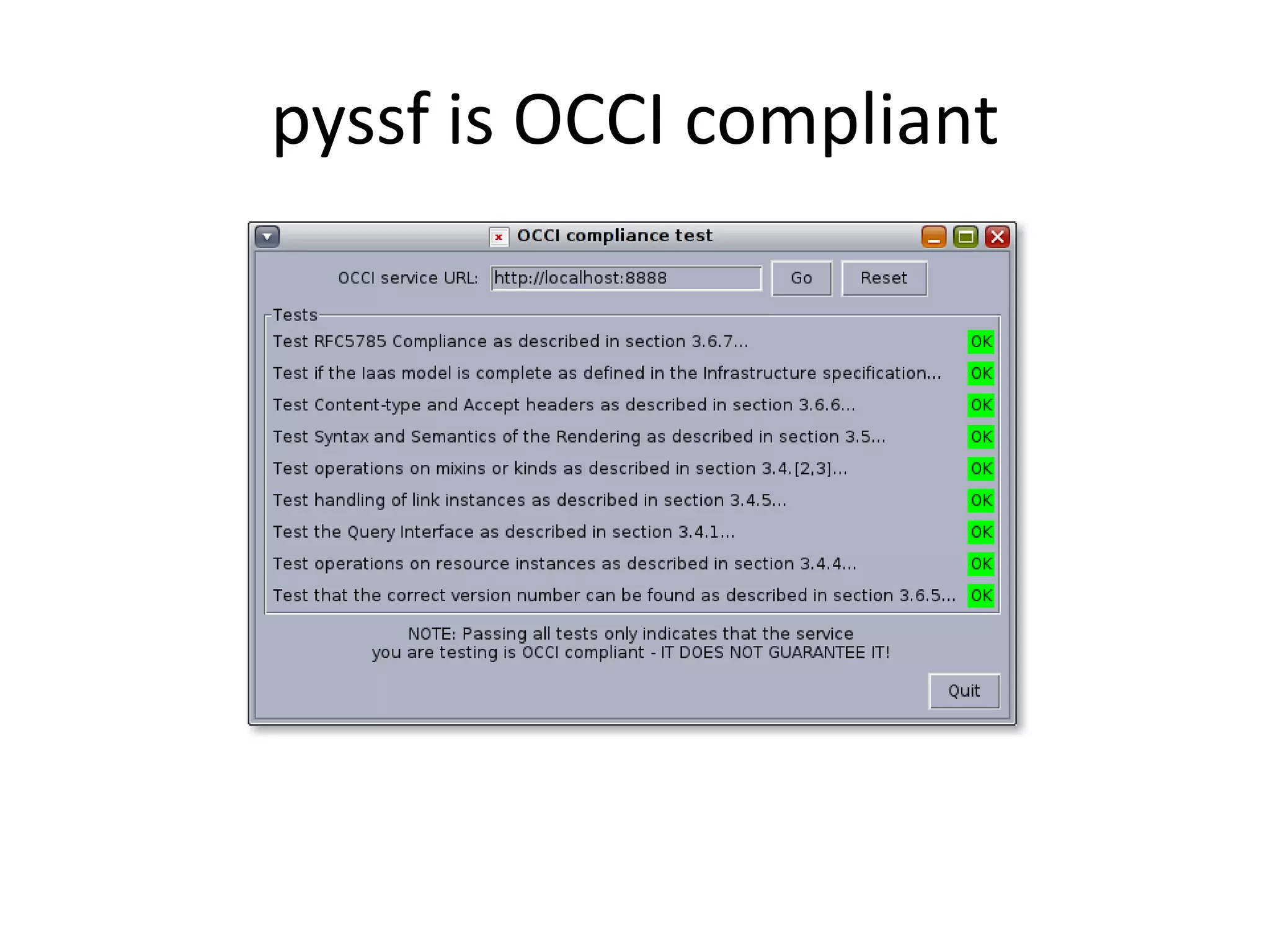
pyssf is OCCI compliant
OCCI & OPENSTACK
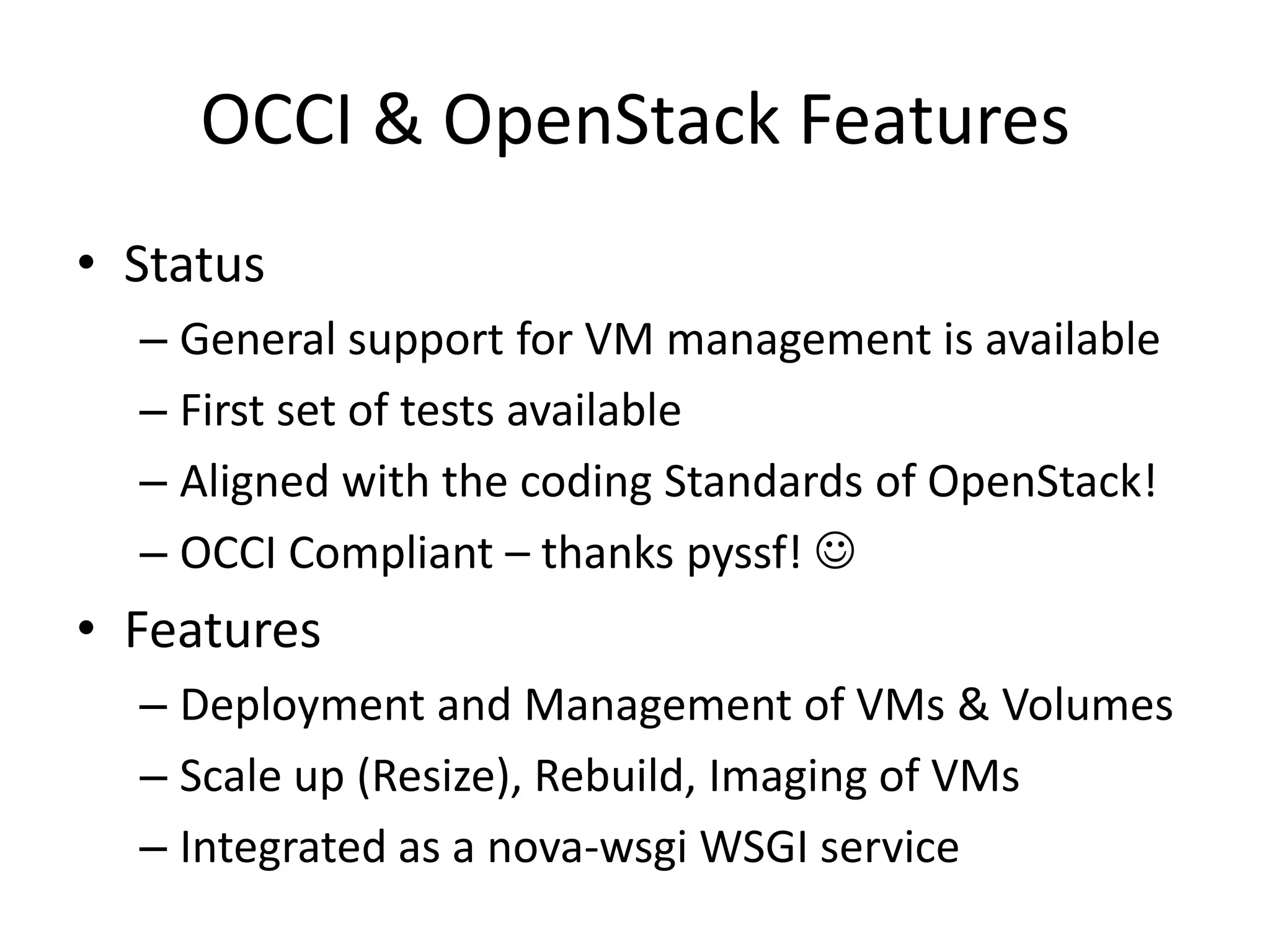
OCCI & OpenStack Features
• Status
  – General support for VM management is available
  – First set of tests available
  – Aligned with the coding Standards of OpenStack!
  – OCCI Compliant – thanks pyssf! 
• Features
  – Deployment and Management of VMs & Volumes
  – Scale up (Resize), Rebuild, Imaging of VMs
  – Integrated as a nova-wsgi WSGI service
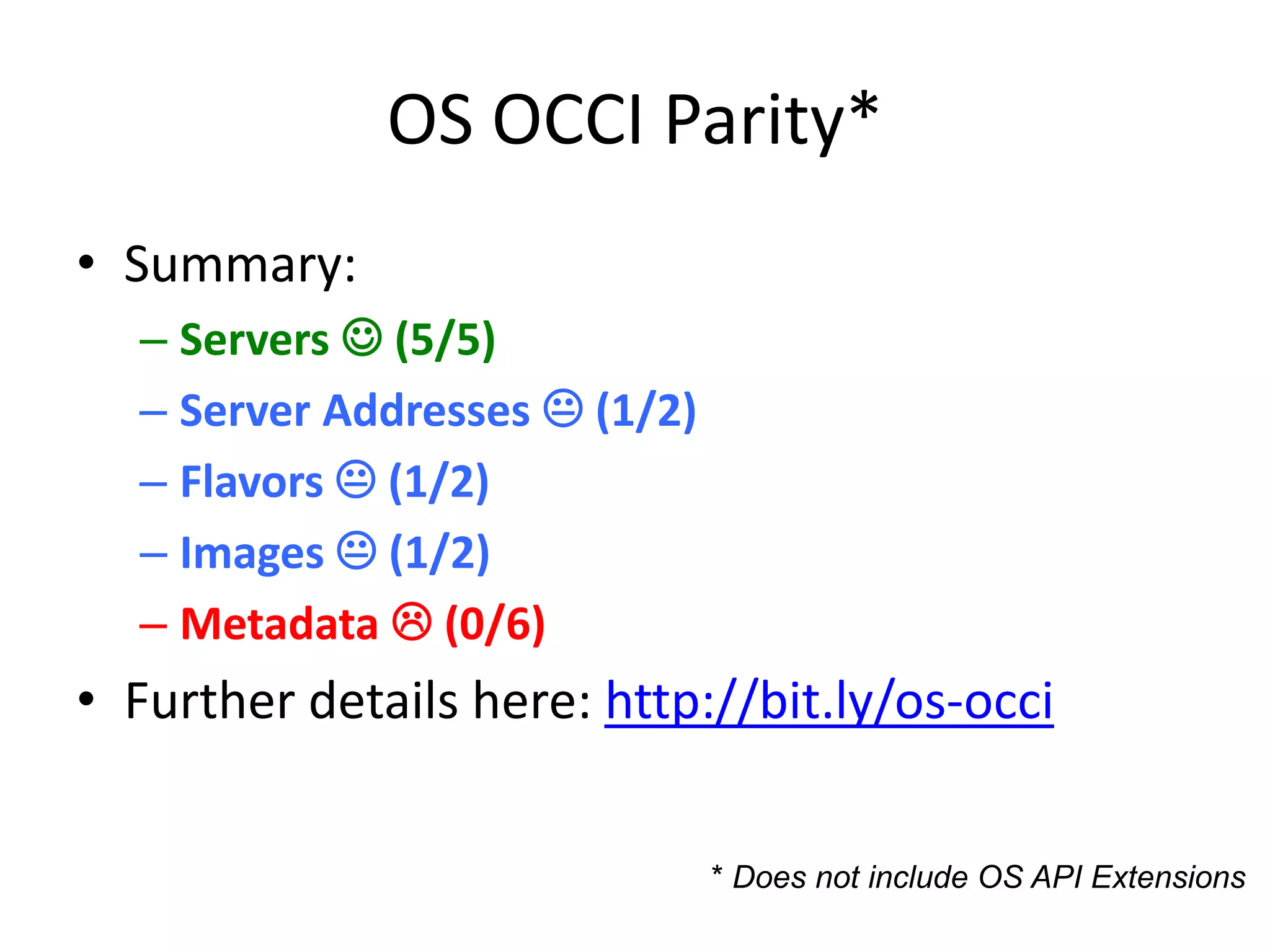
OS OCCI Parity*
• Summary:
  – Servers  (5/5)
  – Server Addresses  (1/2)
  – Flavors  (1/2)
  – Images  (1/2)
  – Metadata  (0/6)
• Further details here: http://bit.ly/os-occi


                               * Does not include OS API Extensions
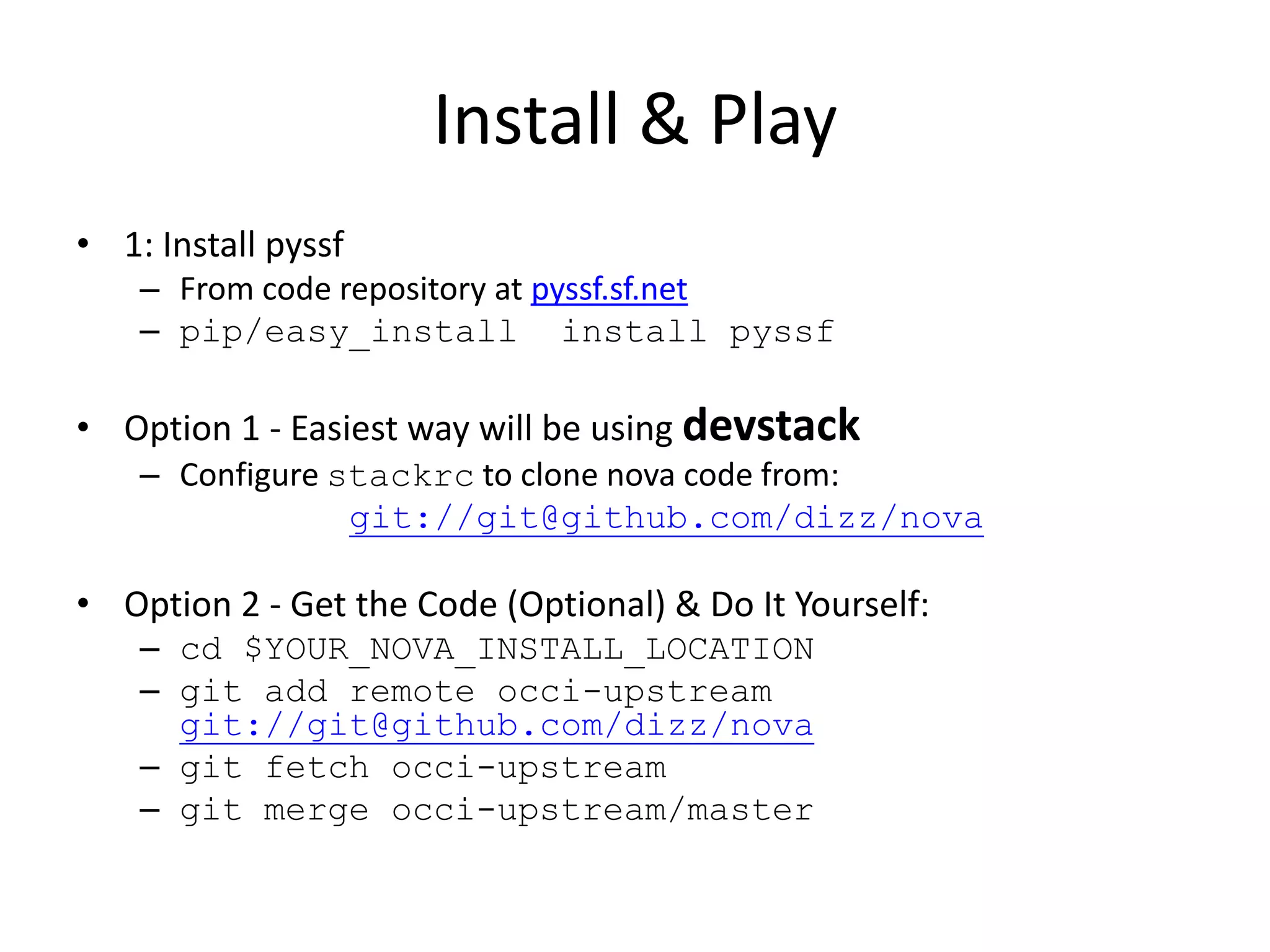
Install & Play
• 1: Install pyssf
    – From code repository at pyssf.sf.net
    – pip/easy_install install pyssf

• Option 1 - Easiest way will be using devstack
    – Configure stackrc to clone nova code from:
                 git://git@github.com/dizz/nova

• Option 2 - Get the Code (Optional) & Do It Yourself:
    – cd $YOUR_NOVA_INSTALL_LOCATION
    – git add remote occi-upstream
      git://git@github.com/dizz/nova
    – git fetch occi-upstream
    – git merge occi-upstream/master
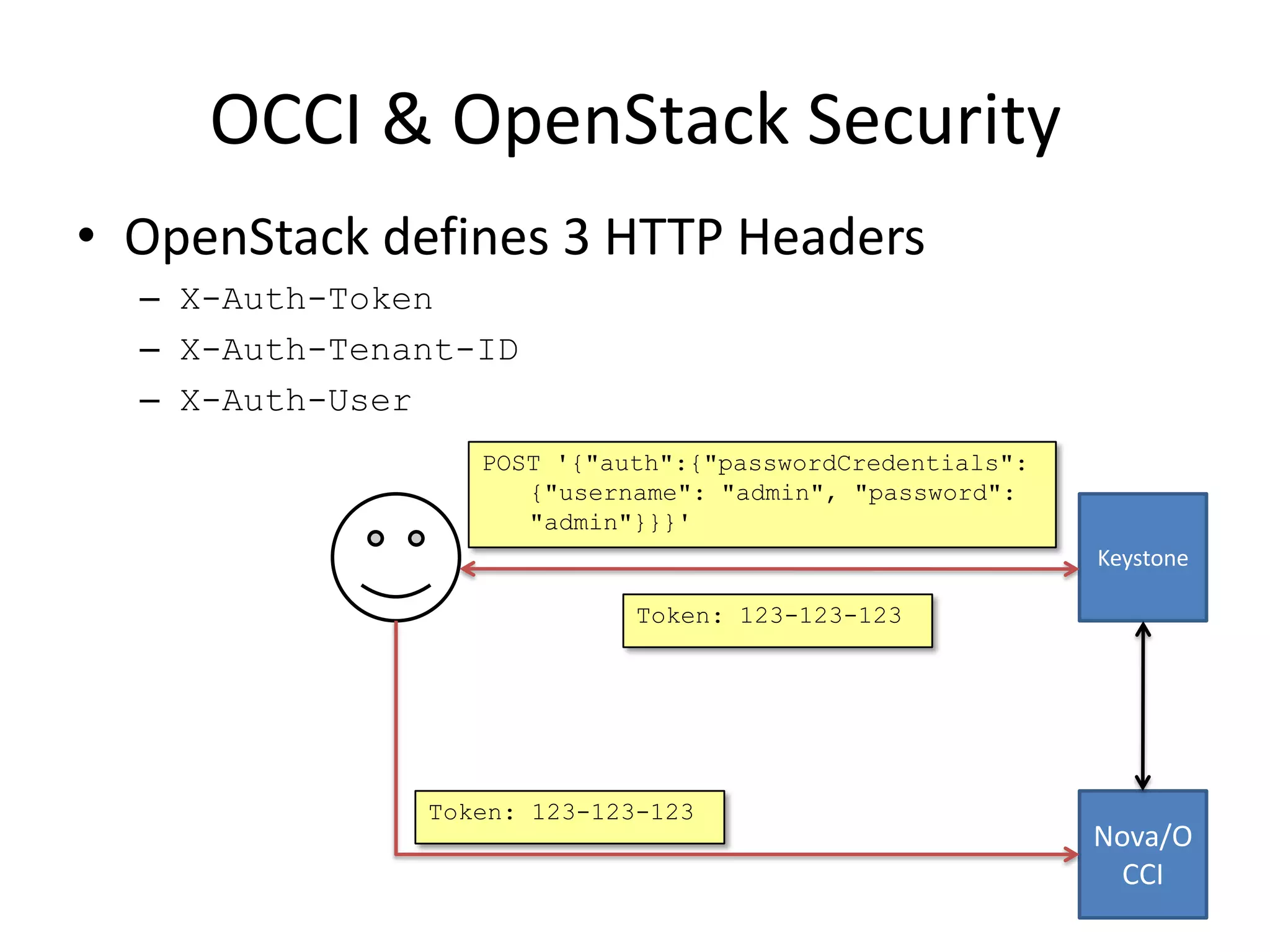
OCCI & OpenStack Security
• OpenStack defines 3 HTTP Headers
  – X-Auth-Token
  – X-Auth-Tenant-ID
  – X-Auth-User
                  POST '{"auth":{"passwordCredentials":
                     {"username": "admin", "password":
                     "admin"}}}'
                                                          Keystone

                             Token: 123-123-123


               Token: 123-123-123
                                                          Nova/O
                                                            CCI
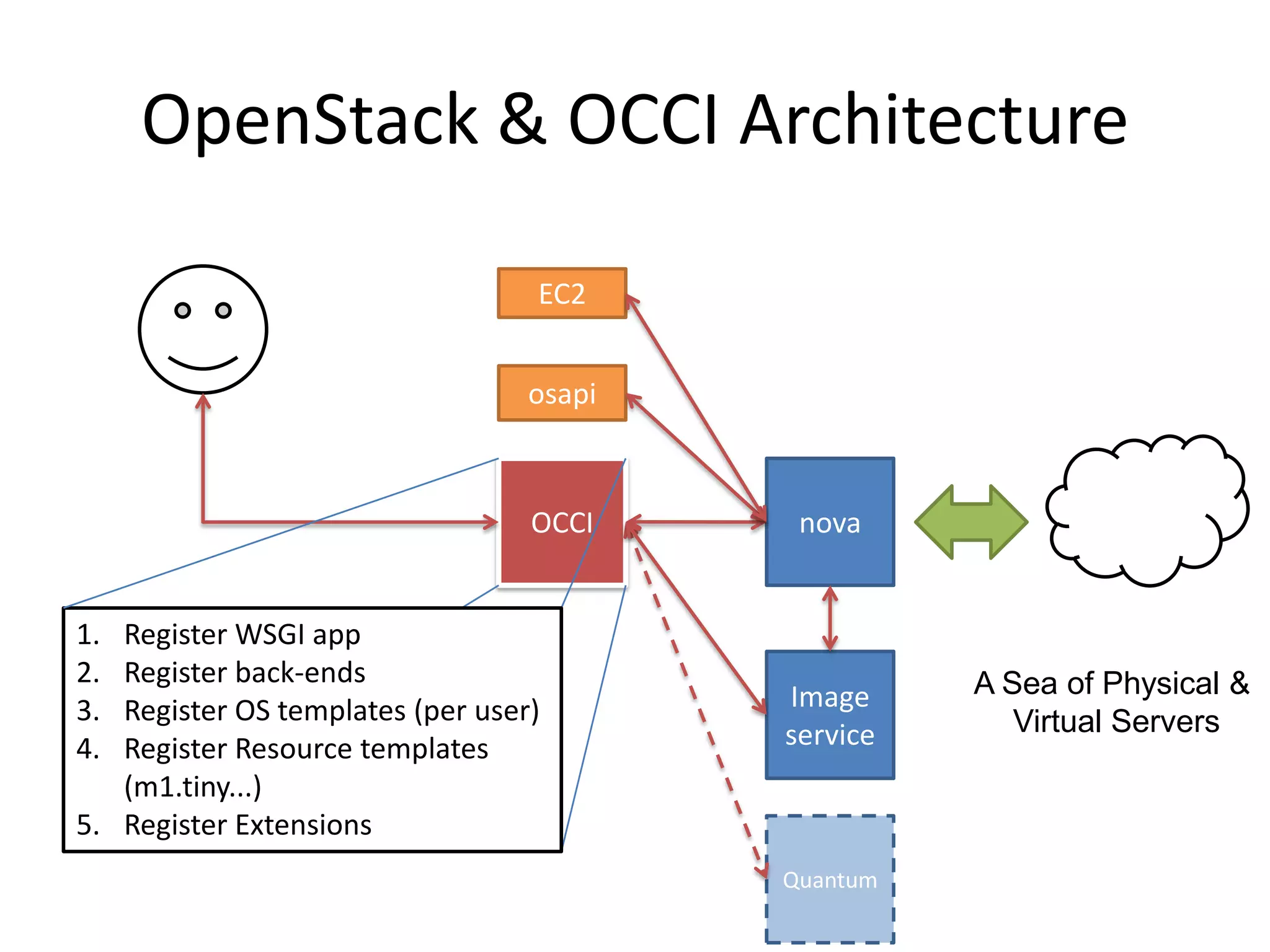
OpenStack & OCCI Architecture

                                  EC2


                                  osapi


                                  OCCI     nova


1. Register WSGI app
2. Register back-ends                               A Sea of Physical &
3. Register OS templates (per user)       Image
                                          service      Virtual Servers
4. Register Resource templates
   (m1.tiny...)
5. Register Extensions
                                          Quantum
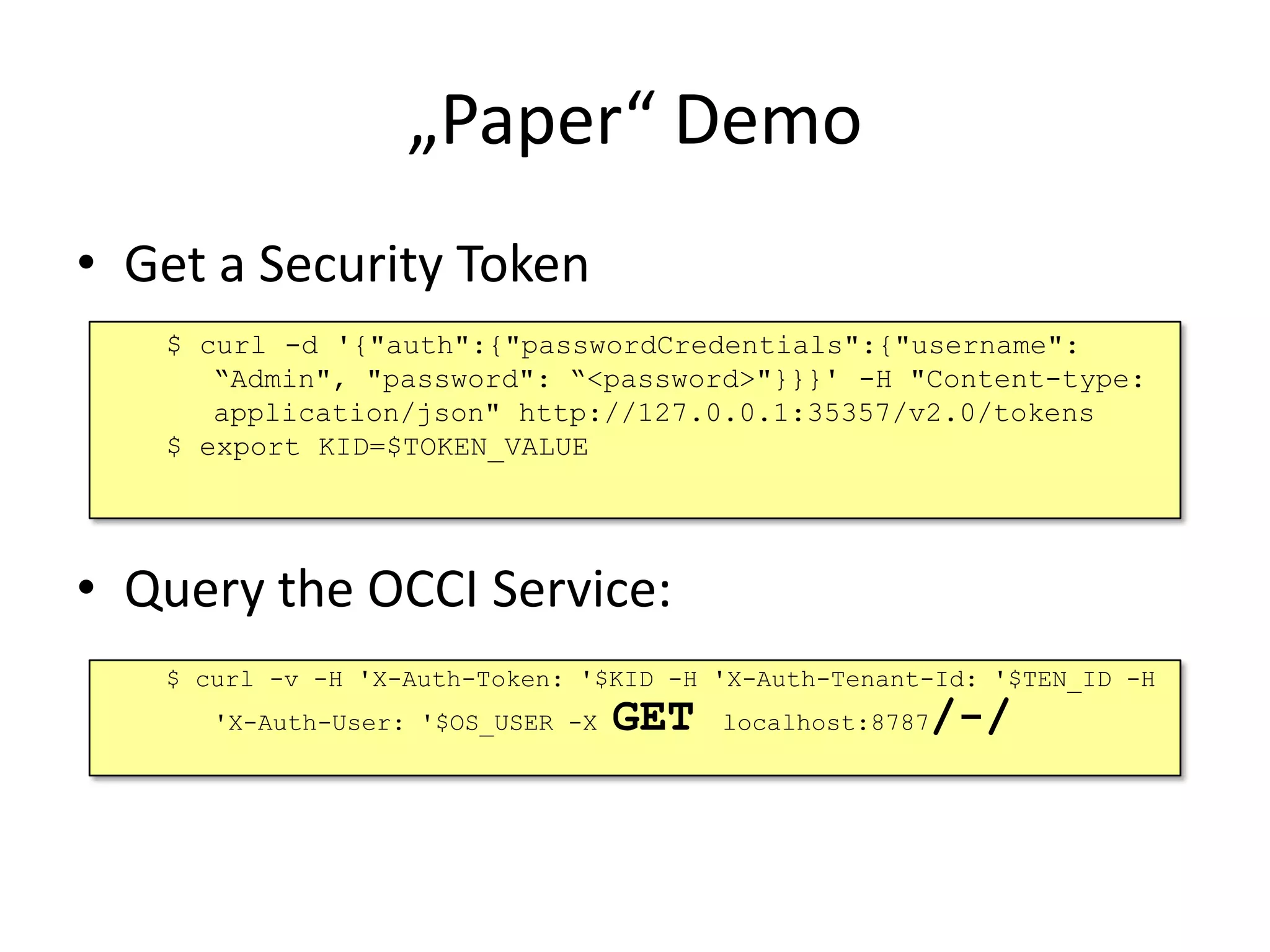
„Paper“ Demo
• Get a Security Token
   $ curl -d '{"auth":{"passwordCredentials":{"username":
      “Admin", "password": “<password>"}}}' -H "Content-type:
      application/json" http://127.0.0.1:35357/v2.0/tokens
   $ export KID=$TOKEN_VALUE


• Query the OCCI Service:
   $ curl -v -H 'X-Auth-Token: '$KID -H 'X-Auth-Tenant-Id: '$TEN_ID -H
      'X-Auth-User: '$OS_USER -X   GET                /-/
                                         localhost:8787
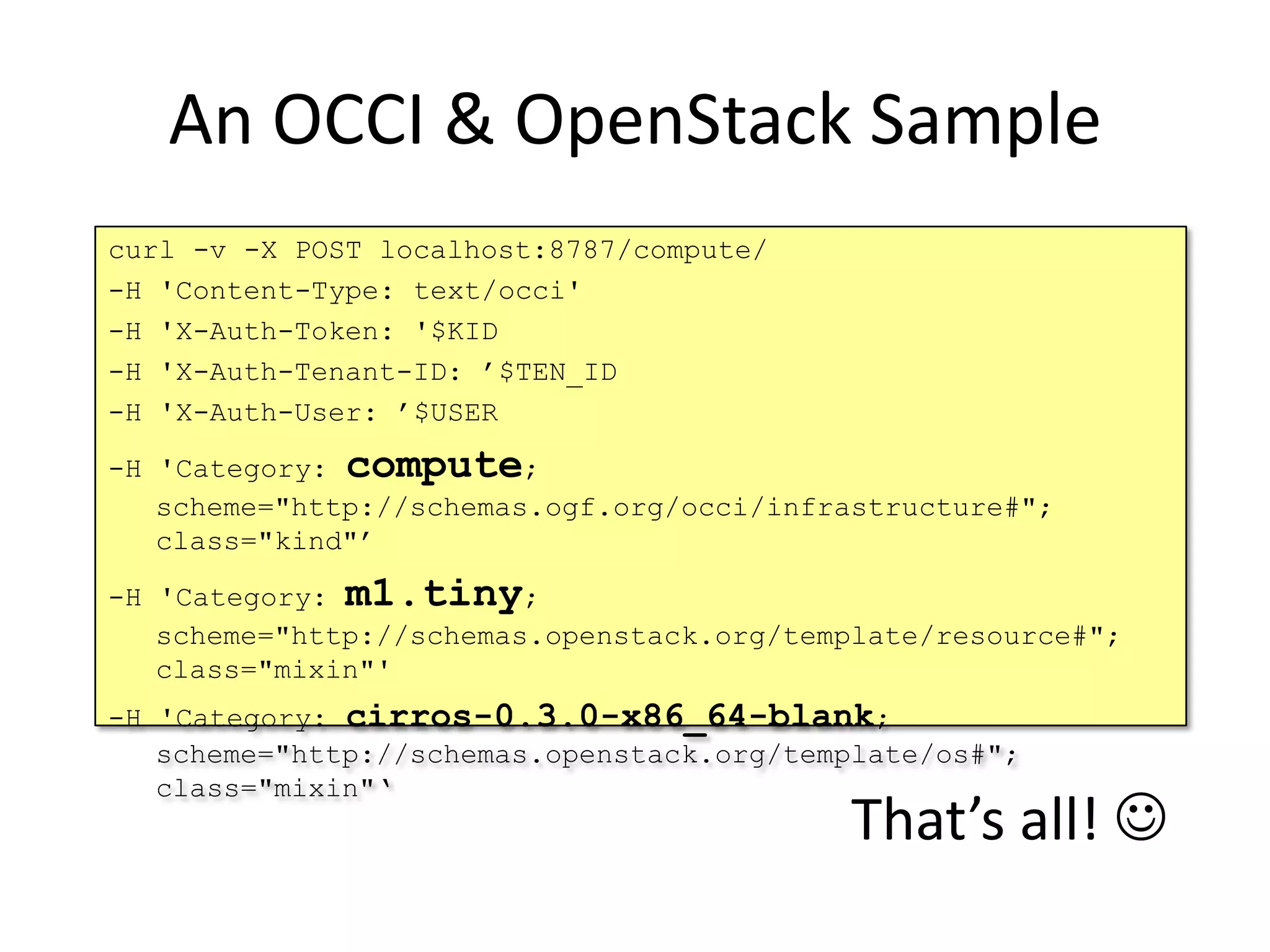
An OCCI & OpenStack Sample
curl -v -X POST localhost:8787/compute/
-H 'Content-Type: text/occi'
-H 'X-Auth-Token: '$KID
-H 'X-Auth-Tenant-ID: ’$TEN_ID
-H 'X-Auth-User: ’$USER

-H 'Category: compute;
   scheme="http://schemas.ogf.org/occi/infrastructure#";
   class="kind"’

-H 'Category: m1.tiny;
   scheme="http://schemas.openstack.org/template/resource#";
   class="mixin"'
-H 'Category: cirros-0.3.0-x86_64-blank;
   scheme="http://schemas.openstack.org/template/os#";
   class="mixin"‘
                                           That’s all! 
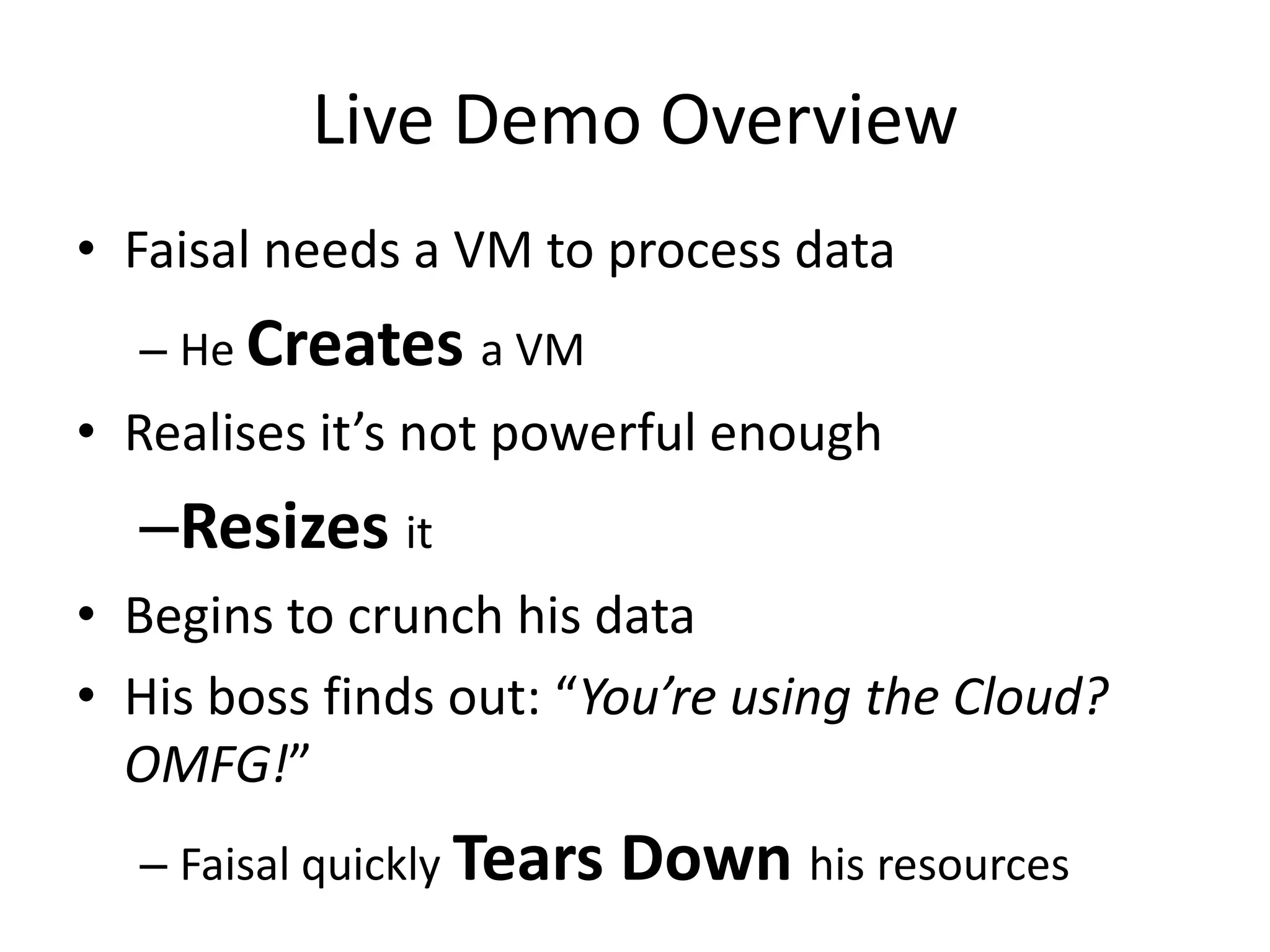
Live Demo Overview
• Faisal needs a VM to process data
  – He Creates a VM
• Realises it’s not powerful enough
  –Resizes it
• Begins to crunch his data
• His boss finds out: “You’re using the Cloud?
  OMFG!”
  – Faisal quickly Tears   Down his resources
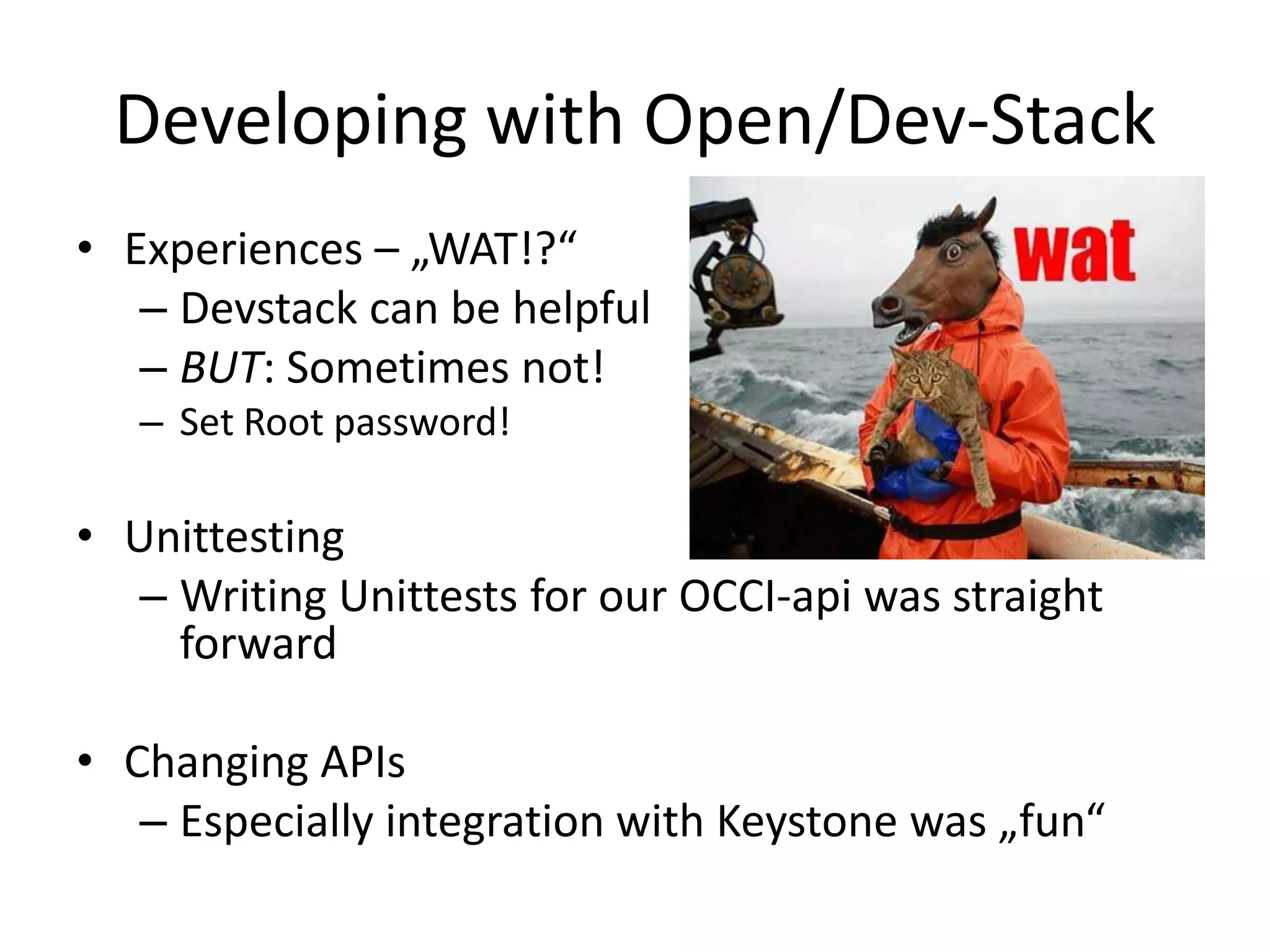
Developing with Open/Dev-Stack
• Experiences – „WAT!?“
   – Devstack can be helpful
   – BUT: Sometimes not!
   – Set Root password!

• Unittesting
   – Writing Unittests for our OCCI-api was straight
     forward

• Changing APIs
   – Especially integration with Keystone was „fun“
OCCI-OpenStack Roadmap
• Submit to OpenStack review process

• Add features:
    1.   Documentation
    2.   OCCI registry backend - OS Nova DB
    3.   OCCI on OS to parity
    4.   CDMI volume management e.g. rOCCI
    5.   Quantum

•   Use it as a proving ground of OCCI awesome sauce!
OUTLOOK
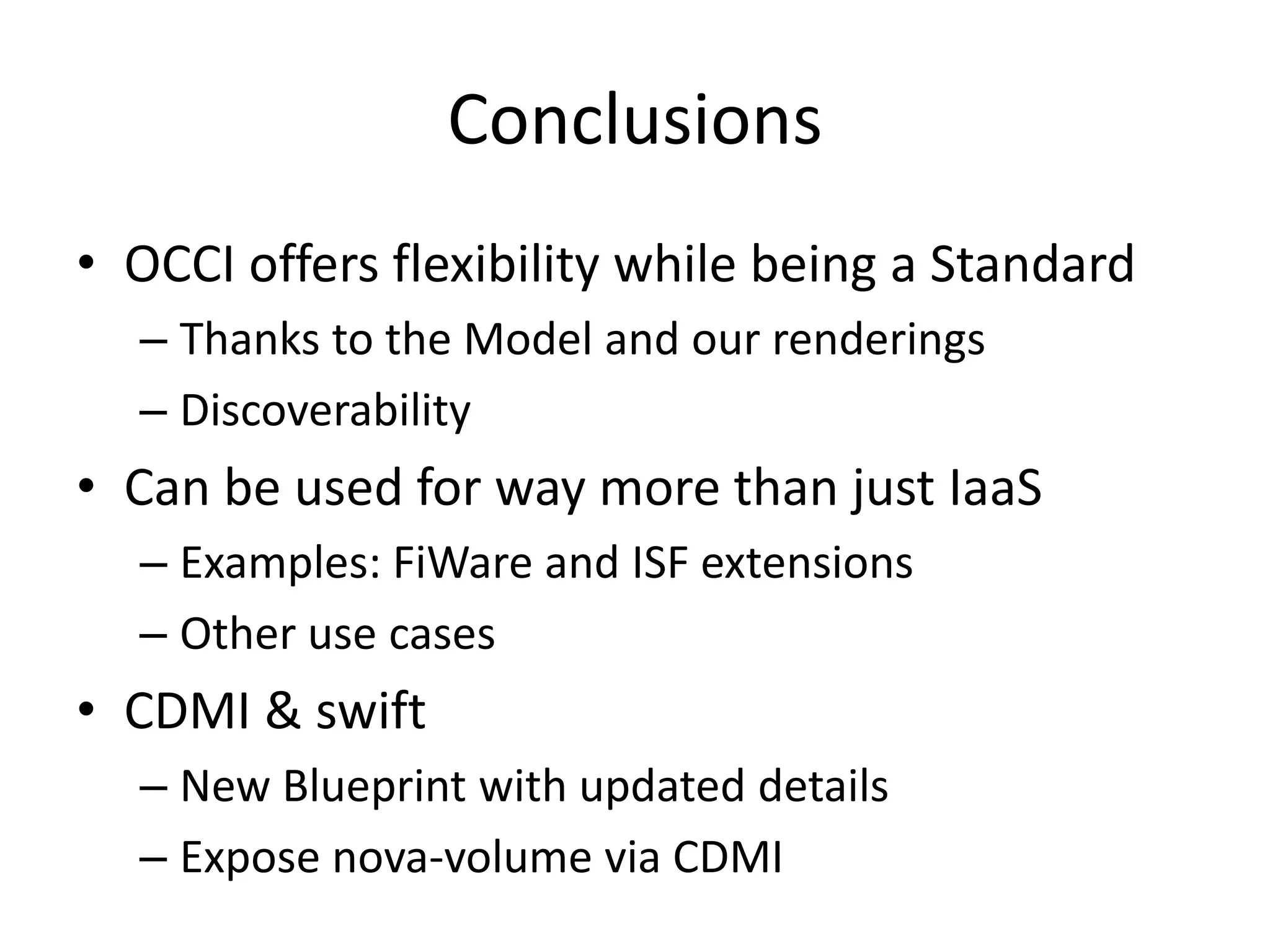
Conclusions
• OCCI offers flexibility while being a Standard
  – Thanks to the Model and our renderings
  – Discoverability
• Can be used for way more than just IaaS
  – Examples: FiWare and ISF extensions
  – Other use cases
• CDMI & swift
  – New Blueprint with updated details
  – Expose nova-volume via CDMI
Closing remarks
• This work was partly funded by the projects:


     http://dgsi.d-grid.de        http://fi-ware.eu

Cloud Plugfest OCCI, pyssf and OpenStack

  • 1.
    Interop Clouds withOCCI Thijs Metsch - Platform Computing, an IBM Company Andrew Edmonds - Intel Corporation Cloud Plugfest – February/March 2012, Düsseldorf Germany
  • 2.
    Starring In Order of apprerances OCCI As the cool kid in town OpenStack As the „Cloud“ ISF As the Platform Cloud Andy Edmonds As the Developer Thijs Metsch As the Integrator
  • 3.
  • 4.
    The OCCI library HTTP Header Rendering Backend HTTP text/uri-list Rendering Backend WSGI App HTTP HTTP text/plain OCCI Backend Your Handling Rendering Model* App Backend HTTP text/html Rendering The WSGI Application … can be embedded inHTTP app/json many Python Rendering environments & frameworks http://pyssf.sf.net * http://www.occi-wg.org
  • 5.
    The OCCI library HTTP Header Rendering Backend HTTP text/uri-list Rendering Backend WSGI App HTTP HTTP text/plain OCCI Backend Your Handling Rendering Model* App Backend HTTP text/html Rendering Handles the HTTP stuff (POST,PUT,DELETE,GET) & HTTP app/json … and REST semantics (REST, Security, etc.) Rendering http://pyssf.sf.net * http://www.occi-wg.org
  • 6.
    The OCCI library HTTP Header Rendering Backend HTTP text/uri-list Rendering Backend WSGI App HTTP HTTP text/plain OCCI Backend Your Handling Rendering Model* App Backend HTTP text/html Rendering … HTTP app/json Rendering Map the HTTP Data to the OCCI Model (Automatic) * http://www.occi-wg.org
  • 7.
    The OCCI library HTTP Header Rendering Backend HTTP text/uri-list Rendering Backend WSGI App HTTP HTTP text/plain OCCI Backend Your Handling Rendering Model* App Backend HTTP text/html Rendering Backends define … HTTP app/json categories they can Rendering handle – this all you need to implement (Automatic selection) http://pyssf.sf.net * http://www.occi-wg.org
  • 8.
    The software packageis flexible • OCCI‘s IaaS extension is provided within but with own extensions you can: – Use it for you IaaS based cloud • From „Dummy Cloud“ to OpenStack OCCI services – A Platformish approach • As a proxy for another web services – Platform ISF – Job submission • See OCCI DRMAA proposal Specification – Key Value storage • Described in a Springer book:
  • 9.
    OCCI‘s default rendering text/plain* > GET /-/ HTTP/1.1 > User-Agent: curl/7.24.0 (i386-pc-solaris2.10) libcurl/7.24.0 OpenSSL/0.9.7d zlib/1.1.4 > Host: fjjutraa.joyent.us:8888 > Accept: text/plain > < HTTP/1.1 200 OK < Content-Length: 4323 < Etag: "7b77faa1ad14fd15fc44090e6f245de9f096ccb9" < Content-Type: text/plain < Server: pyssf OCCI/1.1 < Category: network; scheme="http://schemas.ogf.org/occi/infrastructure#"; [...] * Might be renamed to text/occi+plain
  • 10.
    OCCI‘s lightweight rendering text/occi > GET /-/ HTTP/1.1 > User-Agent: curl/7.24.0 (i386-pc-solaris2.10) libcurl/7.24.0 OpenSSL/0.9.7d zlib/1.1.4 > Host: fjjutraa.joyent.us:8888 > Accept: text/occi > < HTTP/1.1 200 OK < Category: network; scheme="http://schemas.ogf.org/occi/infrastructure#"; < [...] OK
  • 11.
    OCCI‘s uri-list rendering text/uri-list > GET / HTTP/1.1 > User-Agent: curl/7.24.0 (i386-pc-solaris2.10) libcurl/7.24.0 OpenSSL/0.9.7d zlib/1.1.4 > Host: fjjutraa.joyent.us:8888 > Accept: text/uri-list > < HTTP/1.1 200 OK < Content-Length: 84 < Etag: "b76b8c36b40cfbfbeac66779ceb8334aadeb5462" < Content-Type: text/uri-list < Server: pyssf OCCI/1.1 < # uri:/ http://fjjutraa.joyent.us:8888/compute/09ce8c50-ada0-4f71-bfc8- afce2324c6e5 [...]
  • 12.
    OCCI‘s upcoming JSONrendering application/occi+json > GET /-/ HTTP/1.1 > User-Agent: curl/7.24.0 (i386-pc-solaris2.10) libcurl/7.24.0 OpenSSL/0.9.7d zlib/1.1.4 > Host: 10.0.2.2:8888 > Accept: application/occi+json > < HTTP/1.0 200 OK < Content-length: 5567 < Content-Type: application/occi+json < Server: pyssf OCCI/1.1 < [ { "scheme": "http://schemas.ogf.org/occi/infrastructure/ [...] "term": "online", "title": "Bring storage online" }, [...]
  • 13.
    A HTML rendering text/html* * Fully customizable with CSS
  • 14.
    pyssf is OCCIcompliant
  • 15.
  • 16.
    OCCI & OpenStackFeatures • Status – General support for VM management is available – First set of tests available – Aligned with the coding Standards of OpenStack! – OCCI Compliant – thanks pyssf!  • Features – Deployment and Management of VMs & Volumes – Scale up (Resize), Rebuild, Imaging of VMs – Integrated as a nova-wsgi WSGI service
  • 17.
    OS OCCI Parity* •Summary: – Servers  (5/5) – Server Addresses  (1/2) – Flavors  (1/2) – Images  (1/2) – Metadata  (0/6) • Further details here: http://bit.ly/os-occi * Does not include OS API Extensions
  • 18.
    Install & Play •1: Install pyssf – From code repository at pyssf.sf.net – pip/easy_install install pyssf • Option 1 - Easiest way will be using devstack – Configure stackrc to clone nova code from: git://git@github.com/dizz/nova • Option 2 - Get the Code (Optional) & Do It Yourself: – cd $YOUR_NOVA_INSTALL_LOCATION – git add remote occi-upstream git://git@github.com/dizz/nova – git fetch occi-upstream – git merge occi-upstream/master
  • 19.
    OCCI & OpenStackSecurity • OpenStack defines 3 HTTP Headers – X-Auth-Token – X-Auth-Tenant-ID – X-Auth-User POST '{"auth":{"passwordCredentials": {"username": "admin", "password": "admin"}}}' Keystone Token: 123-123-123 Token: 123-123-123 Nova/O CCI
  • 20.
    OpenStack & OCCIArchitecture EC2 osapi OCCI nova 1. Register WSGI app 2. Register back-ends A Sea of Physical & 3. Register OS templates (per user) Image service Virtual Servers 4. Register Resource templates (m1.tiny...) 5. Register Extensions Quantum
  • 21.
    „Paper“ Demo • Geta Security Token $ curl -d '{"auth":{"passwordCredentials":{"username": “Admin", "password": “<password>"}}}' -H "Content-type: application/json" http://127.0.0.1:35357/v2.0/tokens $ export KID=$TOKEN_VALUE • Query the OCCI Service: $ curl -v -H 'X-Auth-Token: '$KID -H 'X-Auth-Tenant-Id: '$TEN_ID -H 'X-Auth-User: '$OS_USER -X GET /-/ localhost:8787
  • 22.
    An OCCI &OpenStack Sample curl -v -X POST localhost:8787/compute/ -H 'Content-Type: text/occi' -H 'X-Auth-Token: '$KID -H 'X-Auth-Tenant-ID: ’$TEN_ID -H 'X-Auth-User: ’$USER -H 'Category: compute; scheme="http://schemas.ogf.org/occi/infrastructure#"; class="kind"’ -H 'Category: m1.tiny; scheme="http://schemas.openstack.org/template/resource#"; class="mixin"' -H 'Category: cirros-0.3.0-x86_64-blank; scheme="http://schemas.openstack.org/template/os#"; class="mixin"‘ That’s all! 
  • 23.
    Live Demo Overview •Faisal needs a VM to process data – He Creates a VM • Realises it’s not powerful enough –Resizes it • Begins to crunch his data • His boss finds out: “You’re using the Cloud? OMFG!” – Faisal quickly Tears Down his resources
  • 24.
    Developing with Open/Dev-Stack •Experiences – „WAT!?“ – Devstack can be helpful – BUT: Sometimes not! – Set Root password! • Unittesting – Writing Unittests for our OCCI-api was straight forward • Changing APIs – Especially integration with Keystone was „fun“
  • 25.
    OCCI-OpenStack Roadmap • Submitto OpenStack review process • Add features: 1. Documentation 2. OCCI registry backend - OS Nova DB 3. OCCI on OS to parity 4. CDMI volume management e.g. rOCCI 5. Quantum • Use it as a proving ground of OCCI awesome sauce!
  • 26.
  • 27.
    Conclusions • OCCI offersflexibility while being a Standard – Thanks to the Model and our renderings – Discoverability • Can be used for way more than just IaaS – Examples: FiWare and ISF extensions – Other use cases • CDMI & swift – New Blueprint with updated details – Expose nova-volume via CDMI
  • 28.
    Closing remarks • Thiswork was partly funded by the projects: http://dgsi.d-grid.de http://fi-ware.eu

Editor's Notes

  • #18 Flavour and image is a ML discussion – note there is limited support for details in QIMetadata is a ML discussion
  • #20 This is through the default keystone middleware. OS nova authmiddlware or an OCCI specific middleware could be implemented to reduce the requirements just to X-Auth-Token
  • #21 Logically and at the code level