(続) はじめてのCloud Foundry
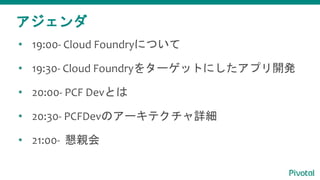
• 19:00- Cloud Foundryについて
• 19:30- Cloud Foundryをターゲットにしたアプリ開発
• 20:00- PCF Devとは
• 20:30- PCFDevのアーキテクチャ詳細
• 21:00- 懇親会
アジェンダ
PCF Devとは
agenda
• PCF Devのインストール
• PCF Devとは
• PCF Devのアーキテクチャ詳細
agenda
• PCF Devのインストール
• PCF Devとは
• PCF Devのアーキテクチャ詳細
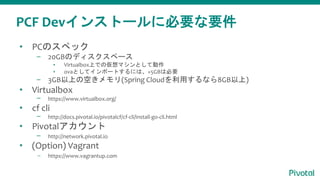
PCF Devインストールに必要な要件
• PCのスペック
– 20GBのディスクスペース
▪ Virtualbox上での仮想マシンとして動作
▪ ovaとしてインポートするには、+5GBは必要
– 3GB以上の空きメモリ(Spring Cloudを利用するなら8GB以上)
• Virtualbox
– https://www.virtualbox.org/
• cf cli
– http://docs.pivotal.io/pivotalcf/cf-cli/install-go-cli.html
• Pivotalアカウント
– http://network.pivotal.io
• (Option) Vagrant
– https://www.vagrantup.com
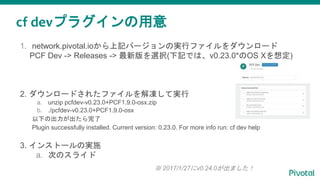
cf devプラグインの用意
1. network.pivotal.ioから上記バージョンの実行ファイルをダウンロード
PCF Dev -> Releases -> 最新版を選択(下記では、v0.23.0*のOS Xを想定)
2. ダウンロードされたファイルを解凍して実行
a. unzip pcfdev-v0.23.0+PCF1.9.0-osx.zip
b. ./pcfdev-v0.23.0+PCF1.9.0-osx
以下の出力が出たら完了
Plugin successfully installed. Current version: 0.23.0. For more info run: cf dev help
3. インストールの実施
a. 次のスライド
※ 2017/1/27にv0.24.0が出ました!
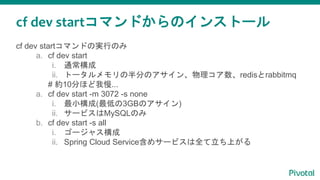
cf dev startコマンドからのインストール
cf dev startコマンドの実行のみ
a. cf dev start
i. 通常構成
ii. トータルメモリの半分のアサイン、物理コア数、redisとrabbitmq
# 約10分ほど我慢...
a. cf dev start -m 3072 -s none
i. 最小構成(最低の3GBのアサイン)
ii. サービスはMySQLのみ
b. cf dev start -s all
i. ゴージャス構成
ii. Spring Cloud Service含めサービスは全て立ち上がる
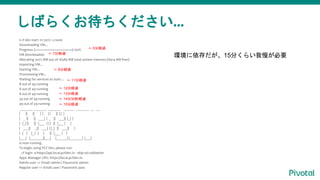
しばらくお待ちください...
$ cf dev start -m 3072 -s none
Downloading VM...
Progress: |====================>| 100%
VM downloaded.
Allocating 3072 MB out of 16384 MB total system memory (6414 MB free).
Importing VM…
Starting VM...
Provisioning VM...
Waiting for services to start…
8 out of 49 running
8 out of 49 running
8 out of 49 running
34 out of 49 running
49 out of 49 running
_______ _______ _______ ______ _______ __ __
| || || | | | | || | | |
| _ || || ___| | _ || ___|| |_| |
| |_| || || |___ | | | || |___ | |
| ___|| _|| ___| | |_| || ___|| |
| | | |_ | | | || |___ | |
|___| |_______||___| |______| |_______| |___|
is now running.
To begin using PCF Dev, please run:
cf login -a https://api.local.pcfdev.io --skip-ssl-validation
Apps Manager URL: https://local.pcfdev.io
Admin user => Email: admin / Password: admin
Regular user => Email: user / Password: pass
<- 5分経過
<- 7分経過
<- 8分経過
<- 11分経過
<- 12分経過
<- 13分経過
<- 14分30秒経過
<- 15分経過
環境に依存だが、15分くらい我慢が必要
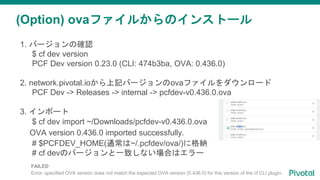
(Option) ovaファイルからのインストール
1. バージョンの確認
$ cf dev version
PCF Dev version 0.23.0 (CLI: 474b3ba, OVA: 0.436.0)
2. network.pivotal.ioから上記バージョンのovaファイルをダウンロード
PCF Dev -> Releases -> internal -> pcfdev-v0.436.0.ova
3. インポート
$ cf dev import ~/Downloads/pcfdev-v0.436.0.ova
OVA version 0.436.0 imported successfully.
# $PCFDEV_HOME(通常は~/.pcfdev/ova/)に格納
# cf devのバージョンと一致しない場合はエラー
FAILED
Error: specified OVA version does not match the expected OVA version (0.436.0) for this version of the cf CLI plugin.
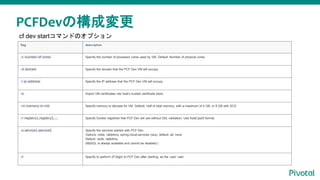
PCFDevの構成変更
cf dev startコマンドにて構成変更flag description
-c number-of-cores Specify the number of processor cores used by VM. Default: Number of physical cores.
-d domain Specify the domain that the PCF Dev VM will occupy.
-i ip-address Specify the IP address that the PCF Dev VM will occupy.
-k Import VM certificates into host’s trusted certificate store.
-m memory-in-mb Specify memory to allocate for VM. Default: Half of total memory, with a maximum of 4 GB, or 8 GB with SCS.
-r registry1,registry2,... Specify Docker registries that PCF Dev will use without SSL validation. Use host:port format.
-s service1,service2 Specify the services started with PCF Dev.
Options: redis, rabbitmq, spring-cloud-services (scs), default, all, none
Default: redis, rabbitmq
(MySQL is always available and cannot be disabled.)
-t Specify to perform cf login to PCF Dev after starting, as the ‘user’ user.
cf dev startコマンドのオプション
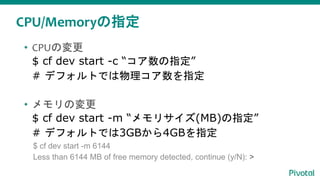
CPU/Memoryの指定
• CPUの変更
$ cf dev start -c “コア数の指定”
# デフォルトでは物理コア数を指定
• メモリの変更
$ cf dev start -m “メモリサイズ(MB)の指定”
# デフォルトでは3GBから4GBを指定
$ cf dev start -m 6144
Less than 6144 MB of free memory detected, continue (y/N): >
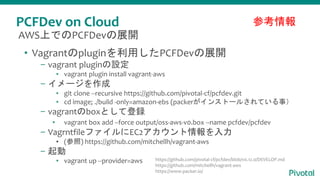
PCFDev on Cloud
• Vagrantのpluginを利用したPCFDevの展開
– vagrant pluginの設定
▪ vagrant plugin install vagrant-aws
– イメージを作成
▪ git clone --recursive https://github.com/pivotal-cf/pcfdev.git
▪ cd image; ./build -only=amazon-ebs (packerがインストールされている事)
– vagrantのboxとして登録
▪ vagrant box add --force output/oss-aws-v0.box --name pcfdev/pcfdev
– VagrntfileファイルにEC2アカウント情報を入力
▪ (参照) https://github.com/mitchellh/vagrant-aws
– 起動
▪ vagrant up --provider=aws
参考情報
AWS上でのPCFDevの展開
https://github.com/pivotal-cf/pcfdev/blob/v0.12.0/DEVELOP.md
https://github.com/mitchellh/vagrant-aws
https://www.packer.io/
PCF Devの使い方
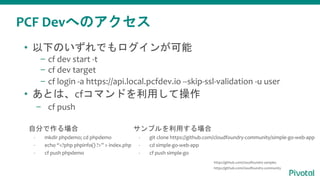
PCF Devへのアクセス
• 以下のいずれでもログインが可能
– cf dev start -t
– cf dev target
– cf login -a https://api.local.pcfdev.io --skip-ssl-validation -u user
• あとは、cfコマンドを利用して操作
– cf push
自分で作る場合
- mkdir phpdemo; cd phpdemo
- echo “<?php phpinfo() ?>” > index.php
- cf push phpdemo
サンプルを利用する場合
- git clone https://github.com/cloudfoundry-community/simple-go-web-app
- cd simple-go-web-app
- cf push simple-go
https://github.com/cloudfoundry-samples
https://github.com/cloudfoundry-community
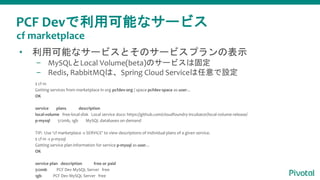
PCF Devで利用可能なサービス
• 利用可能なサービスとそのサービスプランの表示
– MySQLとLocal Volume(beta)のサービスは固定
– Redis, RabbitMQは、Spring Cloud Serviceは任意で設定
$ cf m
Getting services from marketplace in org pcfdev-org / space pcfdev-space as user...
OK
service plans description
local-volume free-local-disk Local service docs: https://github.com/cloudfoundry-incubator/local-volume-release/
p-mysql 512mb, 1gb MySQL databases on demand
TIP: Use 'cf marketplace -s SERVICE' to view descriptions of individual plans of a given service.
$ cf m -s p-mysql
Getting service plan information for service p-mysql as user...
OK
service plan description free or paid
512mb PCF Dev MySQL Server free
1gb PCF Dev MySQL Server free
cf marketplace
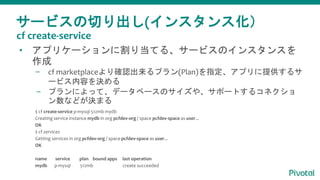
サービスの切り出し(インスタンス化)
• アプリケーションに割り当てる、サービスのインスタンスを
作成
– cf marketplaceより確認出来るプラン(Plan)を指定、アプリに提供するサ
ービス内容を決める
– プランによって、データベースのサイズや、サポートするコネクショ
ン数などが決まる
$ cf create-service p-mysql 512mb mydb
Creating service instance mydb in org pcfdev-org / space pcfdev-space as user...
OK
$ cf services
Getting services in org pcfdev-org / space pcfdev-space as user...
OK
name service plan bound apps last operation
mydb p-mysql 512mb create succeeded
cf create-service
サービス(インスタンス)の割り当て
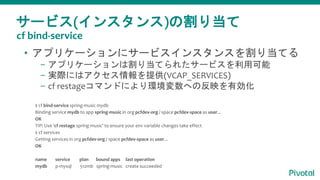
• アプリケーションにサービスインスタンスを割り当てる
– アプリケーションは割り当てられたサービスを利用可能
– 実際にはアクセス情報を提供(VCAP_SERVICES)
– cf restageコマンドにより環境変数への反映を有効化
$ cf bind-service spring-music mydb
Binding service mydb to app spring-music in org pcfdev-org / space pcfdev-space as user...
OK
TIP: Use 'cf restage spring-music' to ensure your env variable changes take effect
$ cf services
Getting services in org pcfdev-org / space pcfdev-space as user...
OK
name service plan bound apps last operation
mydb p-mysql 512mb spring-music create succeeded
cf bind-service
カスタムサービスのインスタンス作成
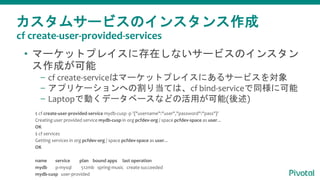
• マーケットプレイスに存在しないサービスのインスタン
ス作成が可能
– cf create-serviceはマーケットプレイスにあるサービスを対象
– アプリケーションへの割り当ては、cf bind-serviceで同様に可能
– Laptopで動くデータベースなどの活用が可能(後述)
$ cf create-user-provided-service mydb-cusp -p '{"username":"user","password":"pass"}'
Creating user provided service mydb-cusp in org pcfdev-org / space pcfdev-space as user...
OK
$ cf services
Getting services in org pcfdev-org / space pcfdev-space as user...
OK
name service plan bound apps last operation
mydb p-mysql 512mb spring-music create succeeded
mydb-cusp user-provided
cf create-user-provided-services
Laptop上のサービスの利用
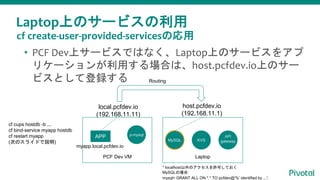
• PCF Dev上サービスではなく、Laptop上のサービスをアプ
リケーションが利用する場合は、host.pcfdev.io上のサー
ビスとして登録する
local.pcfdev.io
(192.168.11.11)
host.pcfdev.io
(192.168.11.1)
PCF Dev VM Laptop
MySQL
API
gatewayKVS
APP
myapp.local.pcfdev.io
cf cups hostdb -b ...
cf bind-service myapp hostdb
cf restart myapp
(次のスライドで説明)
p-mysql
Routing
cf create-user-provided-servicesの応用
* localhost以外のアクセスを許可しておく
MySQLの場合:
mysql> GRANT ALL ON *.* TO pcfdev@'%' identified by ...';
Laptop上のサービスの利用
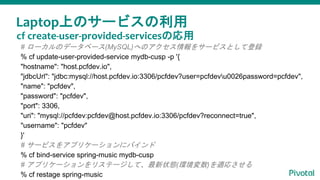
# ローカルのデータベース(MySQL)へのアクセス情報をサービスとして登録
% cf update-user-provided-service mydb-cusp -p '{
"hostname": "host.pcfdev.io",
"jdbcUrl": "jdbc:mysql://host.pcfdev.io:3306/pcfdev?user=pcfdevu0026password=pcfdev",
"name": "pcfdev",
"password": "pcfdev",
"port": 3306,
"uri": "mysql://pcfdev:pcfdev@host.pcfdev.io:3306/pcfdev?reconnect=true",
"username": "pcfdev"
}'
# サービスをアプリケーションにバインド
% cf bind-service spring-music mydb-cusp
# アプリケーションをリステージして、最新状態(環境変数)を適応させる
% cf restage spring-music
cf create-user-provided-servicesの応用
PCF Devのアーキテクチャ概要
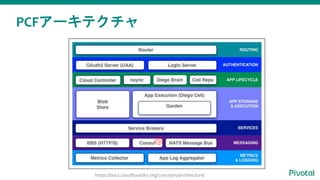
PCFアーキテクチャ
https://docs.cloudfoundry.org/concepts/architecture/
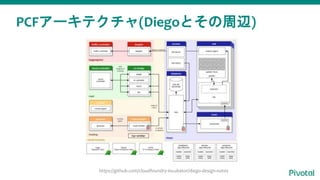
PCFアーキテクチャ(Diegoとその周辺)
https://github.com/cloudfoundry-incubator/diego-design-notes
tcp−emitter
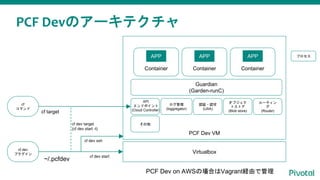
PCF Dev VM
ログ管理
(loggregator)
API
エンドポイント
(Cloud Controller)
PCF Devのアーキテクチャ
Virtualbox
Container
APP
Container
APP
Container
APP
Guardian
(Garden-runC)
認証・認可
(UAA)
オブジェク
トストア
(Blob store)
ルーティン
グ
(Router)
cf dev
プラグイン
cf
コマンド
~/.pcfdev
cf target
cf dev target
(cf dev start -t)
cf dev ssh
PCF Dev on AWSの場合はVagrant経由で管理
その他
プロセス
cf dev start
PCF Devのプロセス
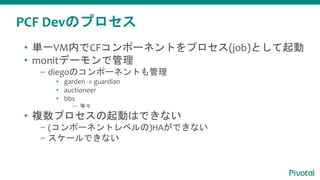
• 単一VM内でCFコンポーネントをプロセス(job)として起動
• monitデーモンで管理
– diegoのコンポーネントも管理
▪ garden -> guardian
▪ auctioneer
▪ bbs
— 等々
• 複数プロセスの起動はできない
– (コンポーネントレベルの)HAができない
– スケールできない
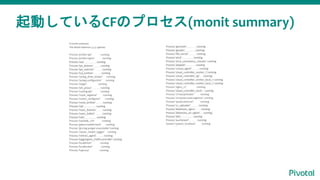
起動しているCFのプロセス(monit summary)
Process 'gorouter' running
Process 'garden' running
Process 'file_server' running
Process 'etcd' running
Process 'etcd_consistency_checker' running
Process 'doppler' running
Process 'consul_agent' running
Process 'cloud_controller_worker_1' running
Process 'cloud_controller_ng' running
Process 'cloud_controller_worker_local_1' running
Process 'cloud_controller_worker_local_2' running
Process 'nginx_cc' running
Process 'cloud_controller_clock' running
Process 'cf-mysql-broker' running
Process 'cf-mysql-route-registrar' running
Process 'quota-enforcer' running
Process 'cc_uploader' running
Process 'blobstore_nginx' running
Process 'blobstore_url_signer' running
Process 'bbs' running
Process 'auctioneer' running
System 'system_localhost' running
# monit summary
The Monit daemon 5.2.5 uptime:
Process 'pcfdev-api' running
Process 'pcfdev-nginx' running
Process 'uaa' running
Process 'tps_listener' running
Process 'tps_watcher' running
Process 'tcp_emitter' running
Process 'syslog_drain_binder' running
Process 'syslog-configurator' running
Process 'stager' running
Process 'ssh_proxy' running
Process 'routing-api' running
Process 'route_registrar' running
Process 'router_configurer' running
Process 'route_emitter' running
Process 'rep' running
Process 'nsync_listener' running
Process 'nsync_bulker' running
Process 'nats' running
Process 'mariadb_ctrl' running
Process 'galera-healthcheck' running
Process 'gra-log-purger-executable' running
Process 'cluster_health_logger' running
Process 'metron_agent' running
Process 'loggregator_trafficcontroller' running
Process 'localdriver' running
Process 'localbroker' running
Process 'haproxy' running
Appendix: Garden, Guardian, runC
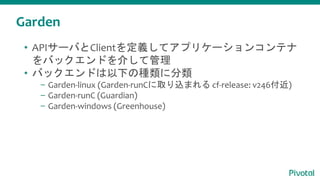
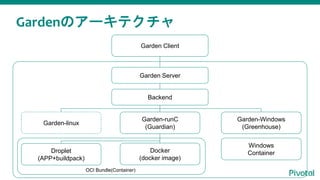
Garden
• APIサーバとClientを定義してアプリケーションコンテナ
をバックエンドを介して管理
• バックエンドは以下の種類に分類
– Garden-linux (Garden-runCに取り込まれる cf-release: v246付近)
– Garden-runC (Guardian)
– Garden-windows (Greenhouse)
Gardenのアーキテクチャ
Backend
Garden-linux
Garden-runC
(Guardian)
Garden-Windows
(Greenhouse)
Docker
(docker image)
Droplet
(APP+buildpack)
Windows
Container
Garden Server
OCI Bundle(Container)
Garden Client
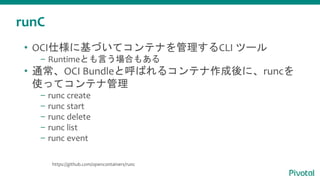
runC
• OCI仕様に基づいてコンテナを管理するCLI ツール
– Runtimeとも言う場合もある
• 通常、OCI Bundleと呼ばれるコンテナ作成後に、runcを
使ってコンテナ管理
– runc create
– runc start
– runc delete
– runc list
– runc event
https://github.com/opencontainers/runc
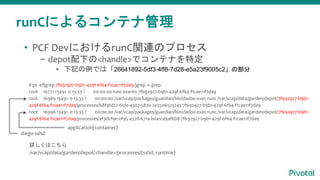
runCによるコンテナ管理
# ps -ef|grep 7f692927-b9b1-429f-6f64-f1cae11f7da9 |grep -v grep
root 16771 13491 0 13:33 ? 00:00:00 runc events 7f692927-b9b1-429f-6f64-f1cae11f7da9
root 16989 13491 0 13:33 ? 00:00:00 /var/vcap/packages/guardian/bin/dadoo exec runc /var/vcap/data/garden/depot/7f692927-b9b1-
429f-6f64-f1cae11f7da9/processes/68f9fd72-65fe-4307-5870-2e3506573245 7f692927-b9b1-429f-6f64-f1cae11f7da9
root 16996 13491 0 13:33 ? 00:00:00 /var/vcap/packages/guardian/bin/dadoo exec runc /var/vcap/data/garden/depot/7f692927-b9b1-
429f-6f64-f1cae11f7da9/processes/af3dcf9e-0f95-4528-671a-b0a1cd3af6b8 7f692927-b9b1-429f-6f64-f1cae11f7da9
• PCF DevにおけるrunC関連のプロセス
– depot配下の<handle>でコンテナを特定
▪ 下記の例では「26641892-5df3-4ff8-7d28-e5a23f9005c2」の部分
詳しくはこちら
/var/vcap/data/garden/depot/<handle>/processes/(sshd, runtime)
diego-sshd
application(container)
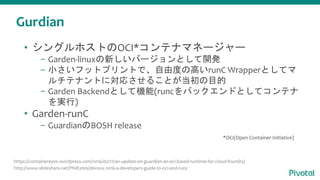
Gurdian
• シングルホストのOCI*コンテナマネージャー
– Garden-linuxの新しいバージョンとして開発
– 小さいフットプリントで、自由度の高いrunC Wrapperとしてマ
ルチテナントに対応させることが当初の目的
– Garden Backendとして機能(runcをバックエンドとしてコンテナ
を実行)
• Garden-runC
– GuardianのBOSH release
https://containereyes.wordpress.com/2016/02/17/an-update-on-guardian-an-oci-based-runtime-for-cloud-foundry/
http://www.slideshare.net/PhilEstes/devoxx-2016-a-developers-guide-to-oci-and-runc
*OCI(Open Container Initiative)
Gurdian
• Garden-linuxから以下を継承
– コンテナの安定稼働
– root filesystemの管理
– Cloud Foundryネットワーキングとの連携
– APIサーバとしての機能
• runCから以下を継承
– コンテナエンジンとしての機能
– Garden APIの対応
– OCI準拠のバンドルをコンテナごとに作成
https://containereyes.wordpress.com/2016/02/17/an-update-on-guardian-an-oci-based-runtime-for-cloud-foundry/
今後の予定
• 2017/2/6: クラウドネイティブな人材を育成する「Pivotal
認定トレーニング」のご紹介セミナー
– 会場: カサレアル泉岳寺トレーニングセンター
• 2017/2/9: はじめてシリーズ(第3回)
– 会場: Pivotalジャパン
• 2017/2/22: Wagby & Cloud Foundry on Azure
– 会場: Pivotalジャパン
CF Meetup, Concourse Meetupも近々開催予定!
(続) はじめてのCloud Foundry

(続) はじめてのCloud Foundry

  • 1.
  • 2.
    • 19:00- CloudFoundryについて • 19:30- Cloud Foundryをターゲットにしたアプリ開発 • 20:00- PCF Devとは • 20:30- PCFDevのアーキテクチャ詳細 • 21:00- 懇親会 アジェンダ
  • 3.
  • 4.
    agenda • PCF Devのインストール •PCF Devとは • PCF Devのアーキテクチャ詳細
  • 5.
    agenda • PCF Devのインストール •PCF Devとは • PCF Devのアーキテクチャ詳細
  • 6.
    PCF Devインストールに必要な要件 • PCのスペック –20GBのディスクスペース ▪ Virtualbox上での仮想マシンとして動作 ▪ ovaとしてインポートするには、+5GBは必要 – 3GB以上の空きメモリ(Spring Cloudを利用するなら8GB以上) • Virtualbox – https://www.virtualbox.org/ • cf cli – http://docs.pivotal.io/pivotalcf/cf-cli/install-go-cli.html • Pivotalアカウント – http://network.pivotal.io • (Option) Vagrant – https://www.vagrantup.com
  • 7.
    cf devプラグインの用意 1. network.pivotal.ioから上記バージョンの実行ファイルをダウンロード PCFDev -> Releases -> 最新版を選択(下記では、v0.23.0*のOS Xを想定) 2. ダウンロードされたファイルを解凍して実行 a. unzip pcfdev-v0.23.0+PCF1.9.0-osx.zip b. ./pcfdev-v0.23.0+PCF1.9.0-osx 以下の出力が出たら完了 Plugin successfully installed. Current version: 0.23.0. For more info run: cf dev help 3. インストールの実施 a. 次のスライド ※ 2017/1/27にv0.24.0が出ました!
  • 8.
    cf dev startコマンドからのインストール cfdev startコマンドの実行のみ a. cf dev start i. 通常構成 ii. トータルメモリの半分のアサイン、物理コア数、redisとrabbitmq # 約10分ほど我慢... a. cf dev start -m 3072 -s none i. 最小構成(最低の3GBのアサイン) ii. サービスはMySQLのみ b. cf dev start -s all i. ゴージャス構成 ii. Spring Cloud Service含めサービスは全て立ち上がる
  • 9.
    しばらくお待ちください... $ cf devstart -m 3072 -s none Downloading VM... Progress: |====================>| 100% VM downloaded. Allocating 3072 MB out of 16384 MB total system memory (6414 MB free). Importing VM… Starting VM... Provisioning VM... Waiting for services to start… 8 out of 49 running 8 out of 49 running 8 out of 49 running 34 out of 49 running 49 out of 49 running _______ _______ _______ ______ _______ __ __ | || || | | | | || | | | | _ || || ___| | _ || ___|| |_| | | |_| || || |___ | | | || |___ | | | ___|| _|| ___| | |_| || ___|| | | | | |_ | | | || |___ | | |___| |_______||___| |______| |_______| |___| is now running. To begin using PCF Dev, please run: cf login -a https://api.local.pcfdev.io --skip-ssl-validation Apps Manager URL: https://local.pcfdev.io Admin user => Email: admin / Password: admin Regular user => Email: user / Password: pass <- 5分経過 <- 7分経過 <- 8分経過 <- 11分経過 <- 12分経過 <- 13分経過 <- 14分30秒経過 <- 15分経過 環境に依存だが、15分くらい我慢が必要
  • 10.
    (Option) ovaファイルからのインストール 1. バージョンの確認 $cf dev version PCF Dev version 0.23.0 (CLI: 474b3ba, OVA: 0.436.0) 2. network.pivotal.ioから上記バージョンのovaファイルをダウンロード PCF Dev -> Releases -> internal -> pcfdev-v0.436.0.ova 3. インポート $ cf dev import ~/Downloads/pcfdev-v0.436.0.ova OVA version 0.436.0 imported successfully. # $PCFDEV_HOME(通常は~/.pcfdev/ova/)に格納 # cf devのバージョンと一致しない場合はエラー FAILED Error: specified OVA version does not match the expected OVA version (0.436.0) for this version of the cf CLI plugin.
  • 11.
    PCFDevの構成変更 cf dev startコマンドにて構成変更flagdescription -c number-of-cores Specify the number of processor cores used by VM. Default: Number of physical cores. -d domain Specify the domain that the PCF Dev VM will occupy. -i ip-address Specify the IP address that the PCF Dev VM will occupy. -k Import VM certificates into host’s trusted certificate store. -m memory-in-mb Specify memory to allocate for VM. Default: Half of total memory, with a maximum of 4 GB, or 8 GB with SCS. -r registry1,registry2,... Specify Docker registries that PCF Dev will use without SSL validation. Use host:port format. -s service1,service2 Specify the services started with PCF Dev. Options: redis, rabbitmq, spring-cloud-services (scs), default, all, none Default: redis, rabbitmq (MySQL is always available and cannot be disabled.) -t Specify to perform cf login to PCF Dev after starting, as the ‘user’ user. cf dev startコマンドのオプション
  • 12.
    CPU/Memoryの指定 • CPUの変更 $ cfdev start -c “コア数の指定” # デフォルトでは物理コア数を指定 • メモリの変更 $ cf dev start -m “メモリサイズ(MB)の指定” # デフォルトでは3GBから4GBを指定 $ cf dev start -m 6144 Less than 6144 MB of free memory detected, continue (y/N): >
  • 13.
    PCFDev on Cloud •Vagrantのpluginを利用したPCFDevの展開 – vagrant pluginの設定 ▪ vagrant plugin install vagrant-aws – イメージを作成 ▪ git clone --recursive https://github.com/pivotal-cf/pcfdev.git ▪ cd image; ./build -only=amazon-ebs (packerがインストールされている事) – vagrantのboxとして登録 ▪ vagrant box add --force output/oss-aws-v0.box --name pcfdev/pcfdev – VagrntfileファイルにEC2アカウント情報を入力 ▪ (参照) https://github.com/mitchellh/vagrant-aws – 起動 ▪ vagrant up --provider=aws 参考情報 AWS上でのPCFDevの展開 https://github.com/pivotal-cf/pcfdev/blob/v0.12.0/DEVELOP.md https://github.com/mitchellh/vagrant-aws https://www.packer.io/
  • 14.
  • 15.
    PCF Devへのアクセス • 以下のいずれでもログインが可能 –cf dev start -t – cf dev target – cf login -a https://api.local.pcfdev.io --skip-ssl-validation -u user • あとは、cfコマンドを利用して操作 – cf push 自分で作る場合 - mkdir phpdemo; cd phpdemo - echo “<?php phpinfo() ?>” > index.php - cf push phpdemo サンプルを利用する場合 - git clone https://github.com/cloudfoundry-community/simple-go-web-app - cd simple-go-web-app - cf push simple-go https://github.com/cloudfoundry-samples https://github.com/cloudfoundry-community
  • 16.
    PCF Devで利用可能なサービス • 利用可能なサービスとそのサービスプランの表示 –MySQLとLocal Volume(beta)のサービスは固定 – Redis, RabbitMQは、Spring Cloud Serviceは任意で設定 $ cf m Getting services from marketplace in org pcfdev-org / space pcfdev-space as user... OK service plans description local-volume free-local-disk Local service docs: https://github.com/cloudfoundry-incubator/local-volume-release/ p-mysql 512mb, 1gb MySQL databases on demand TIP: Use 'cf marketplace -s SERVICE' to view descriptions of individual plans of a given service. $ cf m -s p-mysql Getting service plan information for service p-mysql as user... OK service plan description free or paid 512mb PCF Dev MySQL Server free 1gb PCF Dev MySQL Server free cf marketplace
  • 17.
    サービスの切り出し(インスタンス化) • アプリケーションに割り当てる、サービスのインスタンスを 作成 – cfmarketplaceより確認出来るプラン(Plan)を指定、アプリに提供するサ ービス内容を決める – プランによって、データベースのサイズや、サポートするコネクショ ン数などが決まる $ cf create-service p-mysql 512mb mydb Creating service instance mydb in org pcfdev-org / space pcfdev-space as user... OK $ cf services Getting services in org pcfdev-org / space pcfdev-space as user... OK name service plan bound apps last operation mydb p-mysql 512mb create succeeded cf create-service
  • 18.
    サービス(インスタンス)の割り当て • アプリケーションにサービスインスタンスを割り当てる – アプリケーションは割り当てられたサービスを利用可能 –実際にはアクセス情報を提供(VCAP_SERVICES) – cf restageコマンドにより環境変数への反映を有効化 $ cf bind-service spring-music mydb Binding service mydb to app spring-music in org pcfdev-org / space pcfdev-space as user... OK TIP: Use 'cf restage spring-music' to ensure your env variable changes take effect $ cf services Getting services in org pcfdev-org / space pcfdev-space as user... OK name service plan bound apps last operation mydb p-mysql 512mb spring-music create succeeded cf bind-service
  • 19.
    カスタムサービスのインスタンス作成 • マーケットプレイスに存在しないサービスのインスタン ス作成が可能 – cfcreate-serviceはマーケットプレイスにあるサービスを対象 – アプリケーションへの割り当ては、cf bind-serviceで同様に可能 – Laptopで動くデータベースなどの活用が可能(後述) $ cf create-user-provided-service mydb-cusp -p '{"username":"user","password":"pass"}' Creating user provided service mydb-cusp in org pcfdev-org / space pcfdev-space as user... OK $ cf services Getting services in org pcfdev-org / space pcfdev-space as user... OK name service plan bound apps last operation mydb p-mysql 512mb spring-music create succeeded mydb-cusp user-provided cf create-user-provided-services
  • 20.
    Laptop上のサービスの利用 • PCF Dev上サービスではなく、Laptop上のサービスをアプ リケーションが利用する場合は、host.pcfdev.io上のサー ビスとして登録する local.pcfdev.io (192.168.11.11) host.pcfdev.io (192.168.11.1) PCFDev VM Laptop MySQL API gatewayKVS APP myapp.local.pcfdev.io cf cups hostdb -b ... cf bind-service myapp hostdb cf restart myapp (次のスライドで説明) p-mysql Routing cf create-user-provided-servicesの応用 * localhost以外のアクセスを許可しておく MySQLの場合: mysql> GRANT ALL ON *.* TO pcfdev@'%' identified by ...';
  • 21.
    Laptop上のサービスの利用 # ローカルのデータベース(MySQL)へのアクセス情報をサービスとして登録 % cfupdate-user-provided-service mydb-cusp -p '{ "hostname": "host.pcfdev.io", "jdbcUrl": "jdbc:mysql://host.pcfdev.io:3306/pcfdev?user=pcfdevu0026password=pcfdev", "name": "pcfdev", "password": "pcfdev", "port": 3306, "uri": "mysql://pcfdev:pcfdev@host.pcfdev.io:3306/pcfdev?reconnect=true", "username": "pcfdev" }' # サービスをアプリケーションにバインド % cf bind-service spring-music mydb-cusp # アプリケーションをリステージして、最新状態(環境変数)を適応させる % cf restage spring-music cf create-user-provided-servicesの応用
  • 22.
  • 23.
  • 24.
  • 25.
    PCF Dev VM ログ管理 (loggregator) API エンドポイント (CloudController) PCF Devのアーキテクチャ Virtualbox Container APP Container APP Container APP Guardian (Garden-runC) 認証・認可 (UAA) オブジェク トストア (Blob store) ルーティン グ (Router) cf dev プラグイン cf コマンド ~/.pcfdev cf target cf dev target (cf dev start -t) cf dev ssh PCF Dev on AWSの場合はVagrant経由で管理 その他 プロセス cf dev start
  • 26.
    PCF Devのプロセス • 単一VM内でCFコンポーネントをプロセス(job)として起動 •monitデーモンで管理 – diegoのコンポーネントも管理 ▪ garden -> guardian ▪ auctioneer ▪ bbs — 等々 • 複数プロセスの起動はできない – (コンポーネントレベルの)HAができない – スケールできない
  • 27.
    起動しているCFのプロセス(monit summary) Process 'gorouter'running Process 'garden' running Process 'file_server' running Process 'etcd' running Process 'etcd_consistency_checker' running Process 'doppler' running Process 'consul_agent' running Process 'cloud_controller_worker_1' running Process 'cloud_controller_ng' running Process 'cloud_controller_worker_local_1' running Process 'cloud_controller_worker_local_2' running Process 'nginx_cc' running Process 'cloud_controller_clock' running Process 'cf-mysql-broker' running Process 'cf-mysql-route-registrar' running Process 'quota-enforcer' running Process 'cc_uploader' running Process 'blobstore_nginx' running Process 'blobstore_url_signer' running Process 'bbs' running Process 'auctioneer' running System 'system_localhost' running # monit summary The Monit daemon 5.2.5 uptime: Process 'pcfdev-api' running Process 'pcfdev-nginx' running Process 'uaa' running Process 'tps_listener' running Process 'tps_watcher' running Process 'tcp_emitter' running Process 'syslog_drain_binder' running Process 'syslog-configurator' running Process 'stager' running Process 'ssh_proxy' running Process 'routing-api' running Process 'route_registrar' running Process 'router_configurer' running Process 'route_emitter' running Process 'rep' running Process 'nsync_listener' running Process 'nsync_bulker' running Process 'nats' running Process 'mariadb_ctrl' running Process 'galera-healthcheck' running Process 'gra-log-purger-executable' running Process 'cluster_health_logger' running Process 'metron_agent' running Process 'loggregator_trafficcontroller' running Process 'localdriver' running Process 'localbroker' running Process 'haproxy' running
  • 28.
  • 29.
    Garden • APIサーバとClientを定義してアプリケーションコンテナ をバックエンドを介して管理 • バックエンドは以下の種類に分類 –Garden-linux (Garden-runCに取り込まれる cf-release: v246付近) – Garden-runC (Guardian) – Garden-windows (Greenhouse)
  • 30.
  • 31.
    runC • OCI仕様に基づいてコンテナを管理するCLI ツール –Runtimeとも言う場合もある • 通常、OCI Bundleと呼ばれるコンテナ作成後に、runcを 使ってコンテナ管理 – runc create – runc start – runc delete – runc list – runc event https://github.com/opencontainers/runc
  • 32.
    runCによるコンテナ管理 # ps -ef|grep7f692927-b9b1-429f-6f64-f1cae11f7da9 |grep -v grep root 16771 13491 0 13:33 ? 00:00:00 runc events 7f692927-b9b1-429f-6f64-f1cae11f7da9 root 16989 13491 0 13:33 ? 00:00:00 /var/vcap/packages/guardian/bin/dadoo exec runc /var/vcap/data/garden/depot/7f692927-b9b1- 429f-6f64-f1cae11f7da9/processes/68f9fd72-65fe-4307-5870-2e3506573245 7f692927-b9b1-429f-6f64-f1cae11f7da9 root 16996 13491 0 13:33 ? 00:00:00 /var/vcap/packages/guardian/bin/dadoo exec runc /var/vcap/data/garden/depot/7f692927-b9b1- 429f-6f64-f1cae11f7da9/processes/af3dcf9e-0f95-4528-671a-b0a1cd3af6b8 7f692927-b9b1-429f-6f64-f1cae11f7da9 • PCF DevにおけるrunC関連のプロセス – depot配下の<handle>でコンテナを特定 ▪ 下記の例では「26641892-5df3-4ff8-7d28-e5a23f9005c2」の部分 詳しくはこちら /var/vcap/data/garden/depot/<handle>/processes/(sshd, runtime) diego-sshd application(container)
  • 33.
    Gurdian • シングルホストのOCI*コンテナマネージャー – Garden-linuxの新しいバージョンとして開発 –小さいフットプリントで、自由度の高いrunC Wrapperとしてマ ルチテナントに対応させることが当初の目的 – Garden Backendとして機能(runcをバックエンドとしてコンテナ を実行) • Garden-runC – GuardianのBOSH release https://containereyes.wordpress.com/2016/02/17/an-update-on-guardian-an-oci-based-runtime-for-cloud-foundry/ http://www.slideshare.net/PhilEstes/devoxx-2016-a-developers-guide-to-oci-and-runc *OCI(Open Container Initiative)
  • 34.
    Gurdian • Garden-linuxから以下を継承 – コンテナの安定稼働 –root filesystemの管理 – Cloud Foundryネットワーキングとの連携 – APIサーバとしての機能 • runCから以下を継承 – コンテナエンジンとしての機能 – Garden APIの対応 – OCI準拠のバンドルをコンテナごとに作成 https://containereyes.wordpress.com/2016/02/17/an-update-on-guardian-an-oci-based-runtime-for-cloud-foundry/
  • 35.
    今後の予定 • 2017/2/6: クラウドネイティブな人材を育成する「Pivotal 認定トレーニング」のご紹介セミナー –会場: カサレアル泉岳寺トレーニングセンター • 2017/2/9: はじめてシリーズ(第3回) – 会場: Pivotalジャパン • 2017/2/22: Wagby & Cloud Foundry on Azure – 会場: Pivotalジャパン CF Meetup, Concourse Meetupも近々開催予定!