Cloud Computing
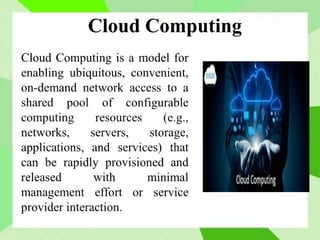
Cloud Computing
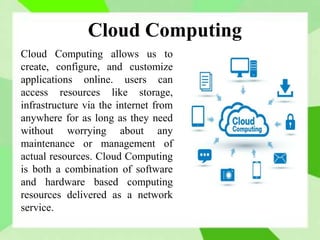
Cloud Computing allows us to
create, configure, and customize
applications online. users can
access resources like storage,
infrastructure via the internet from
anywhere for as long as they need
without worrying about any
maintenance or management of
actual resources. Cloud Computing
is both a combination of software
and hardware based computing
resources delivered as a network
service.
Vision of Cloud Computing
 Cloud computing provides the facility to provision
virtual hardware, runtime environment and services to
customers.
 These all things can be used to as long as they are
needed by the user, there is no requirement for upfront
commitment.
 The whole collection of computing system is
transformed into utilities, which can be provisioned and
composed together to deploy systems in hours rather
than days with no maintenance costs.
 The long term vision of a cloud computing is that IT
services are traded as utilities in an open market without
technological and legal barriers.
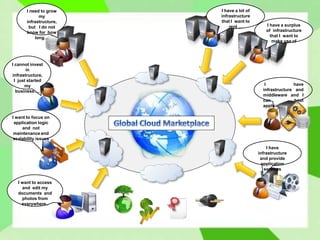
I need to grow
my
infrastructure,
but I do not
know for how
long…
I cannot invest
in
infrastructure,
I just started
my
business….
I want to focus on
application logic
and not
maintenance and
scalability issues
I want to access
and edit my
documents and
photos from
everywhere..
I have a surplus
of infrastructure
that I want to
make use of
I have a lot of
infrastructure
that I want to
rent …
I have
infrastructure and
middleware and I
can host
applications
I have
infrastructure
and provide
application
services
Basic Concepts
There are certain services and models working
behind the scene making the cloud computing
feasible and accessible to end users. Following
are the working models for cloud computing:
1. Deployment Models
2. Service Models
Deployment Models
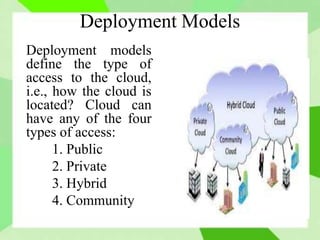
Deployment models
define the type of
access to the cloud,
i.e., how the cloud is
located? Cloud can
have any of the four
types of access:
1. Public
2. Private
3. Hybrid
4. Community
Deployment Models
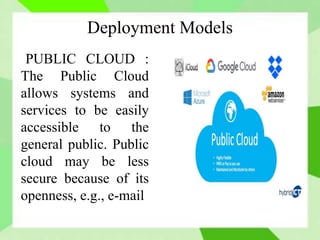
PUBLIC CLOUD :
The Public Cloud
allows systems and
services to be easily
accessible to the
general public. Public
cloud may be less
secure because of its
openness, e.g., e-mail.
Deployment Models
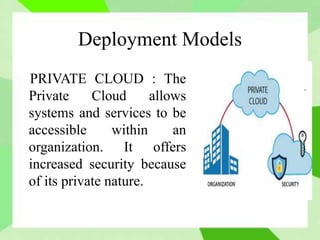
PRIVATE CLOUD : The
Private Cloud allows
systems and services to be
accessible within an
organization. It offers
increased security because
of its private nature.
Deployment Models
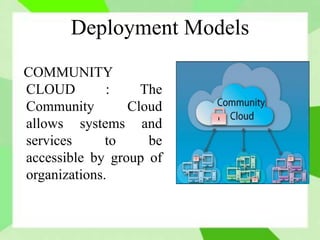
COMMUNITY
CLOUD : The
Community Cloud
allows systems and
services to be
accessible by group of
organizations.
Deployment Models
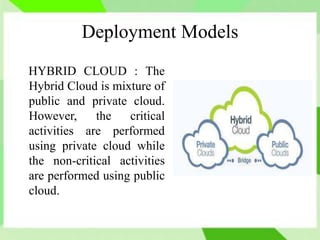
HYBRID CLOUD : The
Hybrid Cloud is mixture of
public and private cloud.
However, the critical
activities are performed
using private cloud while
the non-critical activities
are performed using public
cloud.
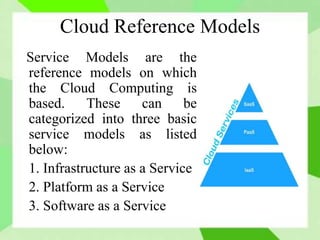
Cloud Reference Models
Service Models are the
reference models on which
the Cloud Computing is
based. These can be
categorized into three basic
service models as listed
below:
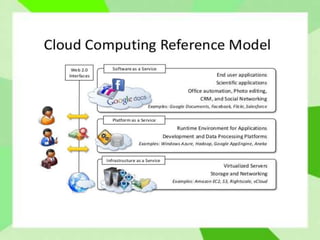
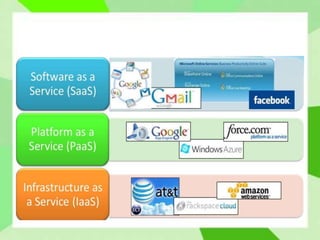
1. Infrastructure as a Service
2. Platform as a Service
3. Software as a Service
Infrastructure as a Service
 Infrastructure as a Service (IaaS) solutions
deliver infrastructure on demand in the form of
virtual Hardware, Storage and Networking.
 The consumer does not manage or control the
underlying cloud infrastructure but has control
over operating systems, storage, deployed
applications, and possibly limited control of
select networking components.
Platform as a Service
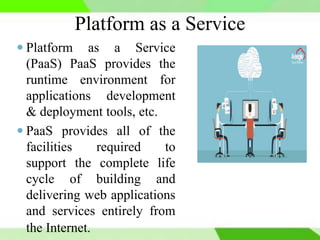
 Platform as a Service
(PaaS) PaaS provides the
runtime environment for
applications development
& deployment tools, etc.
 PaaS provides all of the
facilities required to
support the complete life
cycle of building and
delivering web applications
and services entirely from
the Internet.
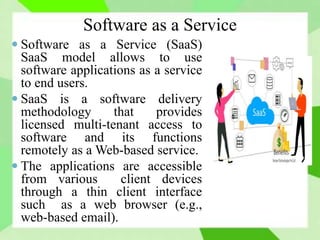
Software as a Service
 Software as a Service (SaaS)
SaaS model allows to use
software applications as a service
to end users.
 SaaS is a software delivery
methodology that provides
licensed multi-tenant access to
software and its functions
remotely as a Web-based service.
 The applications are accessible
from various client devices
through a thin client interface
such as a web browser (e.g.,
web-based email).
Cloud Reference Models
Advantages
 No Upfront Commitments
 On demand access
 Nice pricing
 Simplified application acceleration and
scalability
 Efficient resource allocation
 Energy efficiency and seamless creation and
use third-party services.
Challenges
 Dynamic Provisioning of Cloud Computing
Services
 Security and Privacy
 Legal issues
 Performance and Bandwidth Cost
 Reliability and Availability
Cloud Computing

Cloud Computing

  • 2.
  • 3.
    Cloud Computing Cloud Computingallows us to create, configure, and customize applications online. users can access resources like storage, infrastructure via the internet from anywhere for as long as they need without worrying about any maintenance or management of actual resources. Cloud Computing is both a combination of software and hardware based computing resources delivered as a network service.
  • 4.
    Vision of CloudComputing  Cloud computing provides the facility to provision virtual hardware, runtime environment and services to customers.  These all things can be used to as long as they are needed by the user, there is no requirement for upfront commitment.  The whole collection of computing system is transformed into utilities, which can be provisioned and composed together to deploy systems in hours rather than days with no maintenance costs.  The long term vision of a cloud computing is that IT services are traded as utilities in an open market without technological and legal barriers.
  • 5.
    I need togrow my infrastructure, but I do not know for how long… I cannot invest in infrastructure, I just started my business…. I want to focus on application logic and not maintenance and scalability issues I want to access and edit my documents and photos from everywhere.. I have a surplus of infrastructure that I want to make use of I have a lot of infrastructure that I want to rent … I have infrastructure and middleware and I can host applications I have infrastructure and provide application services
  • 6.
    Basic Concepts There arecertain services and models working behind the scene making the cloud computing feasible and accessible to end users. Following are the working models for cloud computing: 1. Deployment Models 2. Service Models
  • 7.
    Deployment Models Deployment models definethe type of access to the cloud, i.e., how the cloud is located? Cloud can have any of the four types of access: 1. Public 2. Private 3. Hybrid 4. Community
  • 8.
    Deployment Models PUBLIC CLOUD: The Public Cloud allows systems and services to be easily accessible to the general public. Public cloud may be less secure because of its openness, e.g., e-mail.
  • 9.
    Deployment Models PRIVATE CLOUD: The Private Cloud allows systems and services to be accessible within an organization. It offers increased security because of its private nature.
  • 10.
    Deployment Models COMMUNITY CLOUD :The Community Cloud allows systems and services to be accessible by group of organizations.
  • 11.
    Deployment Models HYBRID CLOUD: The Hybrid Cloud is mixture of public and private cloud. However, the critical activities are performed using private cloud while the non-critical activities are performed using public cloud.
  • 12.
    Cloud Reference Models ServiceModels are the reference models on which the Cloud Computing is based. These can be categorized into three basic service models as listed below: 1. Infrastructure as a Service 2. Platform as a Service 3. Software as a Service
  • 14.
    Infrastructure as aService  Infrastructure as a Service (IaaS) solutions deliver infrastructure on demand in the form of virtual Hardware, Storage and Networking.  The consumer does not manage or control the underlying cloud infrastructure but has control over operating systems, storage, deployed applications, and possibly limited control of select networking components.
  • 15.
    Platform as aService  Platform as a Service (PaaS) PaaS provides the runtime environment for applications development & deployment tools, etc.  PaaS provides all of the facilities required to support the complete life cycle of building and delivering web applications and services entirely from the Internet.
  • 16.
    Software as aService  Software as a Service (SaaS) SaaS model allows to use software applications as a service to end users.  SaaS is a software delivery methodology that provides licensed multi-tenant access to software and its functions remotely as a Web-based service.  The applications are accessible from various client devices through a thin client interface such as a web browser (e.g., web-based email).
  • 17.
  • 18.
    Advantages  No UpfrontCommitments  On demand access  Nice pricing  Simplified application acceleration and scalability  Efficient resource allocation  Energy efficiency and seamless creation and use third-party services.
  • 19.
    Challenges  Dynamic Provisioningof Cloud Computing Services  Security and Privacy  Legal issues  Performance and Bandwidth Cost  Reliability and Availability