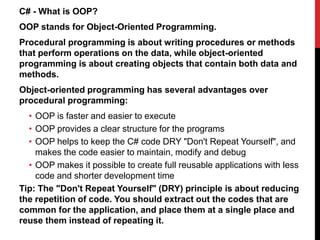
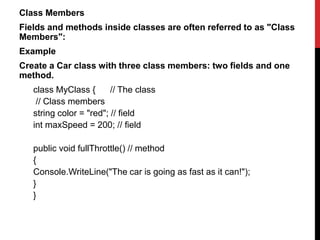
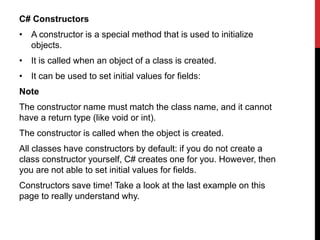
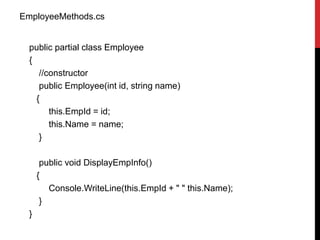
OOP stands for Object-Oriented Programming. It involves creating objects that contain both data and methods. Classes act as templates for objects and define their attributes and behaviors. Some advantages of OOP include reusability, organization, and reduced repetition of code. Classes contain fields to store data and methods to perform actions on that data. Objects are instances of classes that inherit all fields and methods. Constructors initialize objects and can set initial field values. Arrays can store multiple objects. Dynamic arrays allow adding elements at runtime. Partial classes allow splitting a class definition across multiple files.



![Create an Object
An object is created from a class. We have already created the
class named Car, so now we can use this to create objects.
To create an object of Car, specify the class name, followed by the
object name, and use the keyword new:
Example
class Car
{
string color = "red";
static void Main(string[] args)
{
Car myObj = new Car();
Console.WriteLine(myObj.color);
}
}](https://image.slidesharecdn.com/classesobjectoop-231227165411-8ef3f13f/85/classes-object-fgfhdfgfdgfgfgfgfdoop-pptx-6-320.jpg)
![Multiple Objects
class Car
{
string color = "red";
static void Main(string[] args)
{
Car myObj1 = new Car();
Car myObj2 = new Car(); Console.WriteLine(myObj1.color);
Console.WriteLine(myObj2.color);
}
}](https://image.slidesharecdn.com/classesobjectoop-231227165411-8ef3f13f/85/classes-object-fgfhdfgfdgfgfgfgfdoop-pptx-7-320.jpg)
![Using Multiple Classes
using System;
class Car
{
public string color = "red";
}
class Program
{
static void Main(string[] args)
{
Car myObj = new Car();
Console.WriteLine(myObj.color);
}
}](https://image.slidesharecdn.com/classesobjectoop-231227165411-8ef3f13f/85/classes-object-fgfhdfgfdgfgfgfgfdoop-pptx-8-320.jpg)
![Fields
The variables inside a class are called fields, and that you can
access them by creating an object of the class, and by using the
dot syntax (.).
class Car
{
string color = "red";
int maxSpeed = 200;
static void Main(string[] args)
{
Car myObj = new Car();
Console.WriteLine(myObj.color);
Console.WriteLine(myObj.maxSpeed);
}
}](https://image.slidesharecdn.com/classesobjectoop-231227165411-8ef3f13f/85/classes-object-fgfhdfgfdgfgfgfgfdoop-pptx-10-320.jpg)
![Object Methods
class Car
{
string color = "red";
int maxSpeed = 200;
public void fullThrottle() // method
{
Console.WriteLine("The car is going as fast as it can!");
}
static void Main(string[] args)
{
Car myObj = new Car();
Console.WriteLine(myObj.color);
Console.WriteLine(myObj.maxSpeed);
myObj.fullThrottle(); // Call the method
}
}](https://image.slidesharecdn.com/classesobjectoop-231227165411-8ef3f13f/85/classes-object-fgfhdfgfdgfgfgfgfdoop-pptx-11-320.jpg)
![Example :Create a constructor:
// Create a Car class
class Car
{
public string model; // Create a field
// Create a class constructor for the Car class
public Car()
{
model = “Audi; // Set the initial value for model
}
static void Main(string[] args)
{
Car Ford = new Car();
// Create an object of the Car Class (this will call the constructor)
Console.WriteLine(Ford.model); // Print the value of model
}
}
// Outputs “Audi"](https://image.slidesharecdn.com/classesobjectoop-231227165411-8ef3f13f/85/classes-object-fgfhdfgfdgfgfgfgfdoop-pptx-13-320.jpg)
![Constructor Parameters
class Car
{
public string model;
// Create a class constructor with a parameter
public Car(string modelName)
{
model = modelName;
}
static void Main(string[] args)
{
Car Ford = new Car(“BMW");
Console.WriteLine(Ford.model);
}
}
// Outputs “BMW"](https://image.slidesharecdn.com/classesobjectoop-231227165411-8ef3f13f/85/classes-object-fgfhdfgfdgfgfgfgfdoop-pptx-14-320.jpg)
![Without constructor:
prog.cs
class Program
{
static void Main(string[] args)
{
Car Ford = new Car();
Ford.model = "Mustang";
Ford.color = "red";
Ford.year = 1969;
Car Opel = new Car();
Opel.model = "Astra";
Opel.color = "white";
Opel.year = 2005;
Console.WriteLine(Ford.model);
Console.WriteLine(Opel.model);
}
}
With constructor:
prog.cs
class Program
{
static void Main(string[] args)
{
Car Ford = new Car("Mustang", "Red", 1969);
Car Opel = new Car("Astra", "White", 2005);
Console.WriteLine(Ford.model);
Console.WriteLine(Opel.model);
}
}](https://image.slidesharecdn.com/classesobjectoop-231227165411-8ef3f13f/85/classes-object-fgfhdfgfdgfgfgfgfdoop-pptx-15-320.jpg)

![public Student(int id, String name, int age, String subject) {
this.id = id;
this.name = name;
this.subject = subject;
this.age = age;
}
public void showInfo() {
Console.WriteLine(id + " " + name+" "+age+ " "+subject);
}
}
class StudentDetails {
public static void Main(string[] args) {
Student std1 = new Student(001, "Jack", 23, "Maths");
Student std2 = new Student(002, "Harry", 27, "Science");
Student std3 = new Student(003, "Steve", 23, "Programming");
Student std4 = new Student(004, "David", 27, "English");
std1.showInfo();
std2.showInfo();
std3.showInfo();
std4.showInfo();
}
}](https://image.slidesharecdn.com/classesobjectoop-231227165411-8ef3f13f/85/classes-object-fgfhdfgfdgfgfgfgfdoop-pptx-17-320.jpg)
![Object Arrays: An object array is versatile. They can store an
element of various types in a single collection.
Example: An example that shows how to store an element of a
different type in a single array is as in the following:
using System;
namespace ObjectArray
{
class Program
{
static void Main(string[] args)
{
object[] array=new object[5]{1,1.1111,"Sharad",'c',2.79769};
foreach (var value in array)
{
Console.WriteLine(value);
}
}
}
}](https://image.slidesharecdn.com/classesobjectoop-231227165411-8ef3f13f/85/classes-object-fgfhdfgfdgfgfgfgfdoop-pptx-18-320.jpg)

![using System;
using System.Collections.Generic;
using System.Linq;
using System.Text;
namespace DynamicArray
{
class Program
{
static void Main(string[] args)
{
Console.WriteLine("Welcome to C-sharpcorner");
List<int> list=new List<int>();
list.Add(1);
list.Add(10);
list.Add(4);
list.Add(0);
int size = list.Count;
for (int i = 0; i < list.Count; i++)
Console.WriteLine(list[i]);
list.Sort();
Console.WriteLine("Sorted list values");
for (int i = 0; i < list.Count; i++)
Console.WriteLine(list[i]);
Console.ReadKey();
}
}
}](https://image.slidesharecdn.com/classesobjectoop-231227165411-8ef3f13f/85/classes-object-fgfhdfgfdgfgfgfgfdoop-pptx-20-320.jpg)




![C# Static Class
using System;
public static class Calculator
{
private static int _resultStorage = 0;
public static string Type = "Arithmetic";
public static int Sum(int num1, int num2)
{
return num1 + num2;
}
public static void Store(int result)
{
_resultStorage = result;
Console.WriteLine(_resultStorage);
}
}
class Program
{
static void Main(string[] args)
{
var result = Calculator.Sum(10, 25); // calling static method
Calculator.Store(result);
Console.WriteLine(result);
var calcType = Calculator.Type; // accessing static variable
Console.WriteLine(calcType);
Calculator.Type = "Scientific"; // assign value to static variable
Console.WriteLine( Calculator.Type);
}
}](https://image.slidesharecdn.com/classesobjectoop-231227165411-8ef3f13f/85/classes-object-fgfhdfgfdgfgfgfgfdoop-pptx-30-320.jpg)


![Now we can use the Name property to access and update the
private field of the Person class:
class Person
{
private string name; // field
public string Name // property
{
get { return name; }
set { name = value; }
}
}
class Program
{
static void Main(string[] args)
{
Person myObj = new Person();
myObj.Name = “Kumar";
Console.WriteLine(myObj.Name);
}
}](https://image.slidesharecdn.com/classesobjectoop-231227165411-8ef3f13f/85/classes-object-fgfhdfgfdgfgfgfgfdoop-pptx-33-320.jpg)
![Automatic Properties (Short Hand)
C# also provides a way to use short-hand / automatic properties,
where you do not have to define the field for the property, and you
only have to write get; and set; inside the property.
class Person
{
public string Name // property
{ get; set; }
}
class Program
{
static void Main(string[] args)
{
Person myObj = new Person();
myObj.Name = "Liam";
Console.WriteLine(myObj.Name);
}
}](https://image.slidesharecdn.com/classesobjectoop-231227165411-8ef3f13f/85/classes-object-fgfhdfgfdgfgfgfgfdoop-pptx-34-320.jpg)
![C# Indexers
An indexer is a special type of property that allows a class or a
structure to be accessed like an array for its internal collection. C#
allows us to define custom indexers, generic indexers, and also
overload indexers.
An indexer can be defined the same way as property with this
keyword and square brackets [].
Syntax
<return type> this[<parameter type> index]
{
get{
// return the value from the specified index of an internal
collection
}
set{
// set values at the specified index in an internal collection
}
}](https://image.slidesharecdn.com/classesobjectoop-231227165411-8ef3f13f/85/classes-object-fgfhdfgfdgfgfgfgfdoop-pptx-35-320.jpg)
![using System;
public class Program
{
public static void Main()
{
StringDataStore strStore = new StringDataStore();
strStore[0] = "One";
strStore[1] = "Two";
strStore[2] = "Three";
strStore[3] = "Four";
for (int i = 0; i < 10; i++)
Console.WriteLine(strStore[i]);
}
}
class StringDataStore
{
private string[] strArr = new string[10]; // internal data storage
public string this[int index]
{
get => strArr[index];
set => strArr[index] = value;
}
}](https://image.slidesharecdn.com/classesobjectoop-231227165411-8ef3f13f/85/classes-object-fgfhdfgfdgfgfgfgfdoop-pptx-36-320.jpg)


