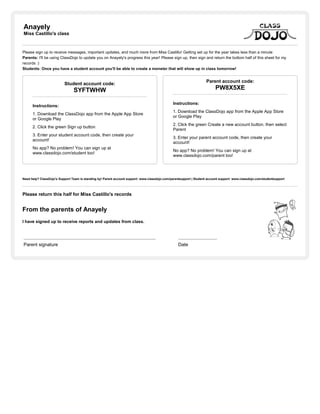
Anayely
Miss Castillo's class
Please sign up to receive messages, important updates, and much more from Miss Castillo! Getting set up for the year takes less than a minute
Parents: I'll be using ClassDojo to update you on Anayely's progress this year! Please sign up, then sign and return the bottom half of this sheet for my
records :)
Students: Once you have a student account you'll be able to create a monster that will show up in class tomorrow!
Student account code:
SYFTWHW
Instructions:
1. Download the ClassDojo app from the Apple App Store
or Google Play
2. Click the green Sign up button
3. Enter your student account code, then create your
account!
No app? No problem! You can sign up at
www.classdojo.com/student too!
Parent account code:
PW8X5XE
Instructions:
1. Download the ClassDojo app from the Apple App Store
or Google Play
2. Click the green Create a new account button, then select
Parent
3. Enter your parent account code, then create your
account!
No app? No problem! You can sign up at
www.classdojo.com/parent too!
Need help? ClassDojo's Support Team is standing by! Parent account support: www.classdojo.com/parentsupport | Student account support: www.classdojo.com/studentsupport
Please return this half for Miss Castillo's records
From the parents of Anayely
I have signed up to receive reports and updates from class.
Parent signature Date
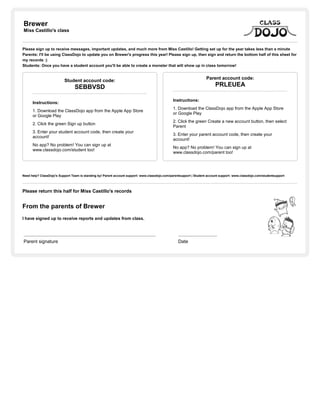
Brewer
Miss Castillo's class
Please sign up to receive messages, important updates, and much more from Miss Castillo! Getting set up for the year takes less than a minute
Parents: I'll be using ClassDojo to update you on Brewer's progress this year! Please sign up, then sign and return the bottom half of this sheet for
my records :)
Students: Once you have a student account you'll be able to create a monster that will show up in class tomorrow!
Student account code:
SEBBVSD
Instructions:
1. Download the ClassDojo app from the Apple App Store
or Google Play
2. Click the green Sign up button
3. Enter your student account code, then create your
account!
No app? No problem! You can sign up at
www.classdojo.com/student too!
Parent account code:
PRLEUEA
Instructions:
1. Download the ClassDojo app from the Apple App Store
or Google Play
2. Click the green Create a new account button, then select
Parent
3. Enter your parent account code, then create your
account!
No app? No problem! You can sign up at
www.classdojo.com/parent too!
Need help? ClassDojo's Support Team is standing by! Parent account support: www.classdojo.com/parentsupport | Student account support: www.classdojo.com/studentsupport
Please return this half for Miss Castillo's records
From the parents of Brewer
I have signed up to receive reports and updates from class.
Parent signature Date
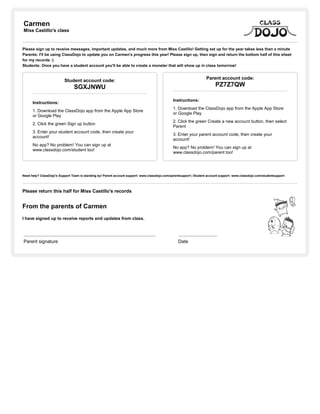
Carmen
Miss Castillo's class
Please sign up to receive messages, important updates, and much more from Miss Castillo! Getting set up for the year takes less than a minute
Parents: I'll be using ClassDojo to update you on Carmen's progress this year! Please sign up, then sign and return the bottom half of this sheet
for my records :)
Students: Once you have a student account you'll be able to create a monster that will show up in class tomorrow!
Student account code:
SGXJNWU
Instructions:
1. Download the ClassDojo app from the Apple App Store
or Google Play
2. Click the green Sign up button
3. Enter your student account code, then create your
account!
No app? No problem! You can sign up at
www.classdojo.com/student too!
Parent account code:
PZ7Z7QW
Instructions:
1. Download the ClassDojo app from the Apple App Store
or Google Play
2. Click the green Create a new account button, then select
Parent
3. Enter your parent account code, then create your
account!
No app? No problem! You can sign up at
www.classdojo.com/parent too!
Need help? ClassDojo's Support Team is standing by! Parent account support: www.classdojo.com/parentsupport | Student account support: www.classdojo.com/studentsupport
Please return this half for Miss Castillo's records
From the parents of Carmen
I have signed up to receive reports and updates from class.
Parent signature Date
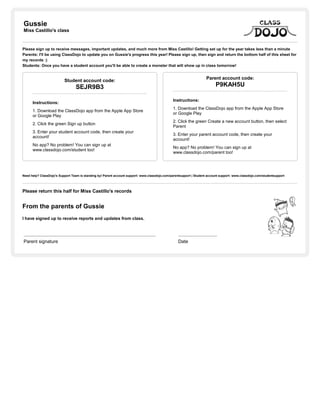
Gussie
Miss Castillo's class
Please sign up to receive messages, important updates, and much more from Miss Castillo! Getting set up for the year takes less than a minute
Parents: I'll be using ClassDojo to update you on Gussie's progress this year! Please sign up, then sign and return the bottom half of this sheet for
my records :)
Students: Once you have a student account you'll be able to create a monster that will show up in class tomorrow!
Student account code:
SEJR9B3
Instructions:
1. Download the ClassDojo app from the Apple App Store
or Google Play
2. Click the green Sign up button
3. Enter your student account code, then create your
account!
No app? No problem! You can sign up at
www.classdojo.com/student too!
Parent account code:
P9KAH5U
Instructions:
1. Download the ClassDojo app from the Apple App Store
or Google Play
2. Click the green Create a new account button, then select
Parent
3. Enter your parent account code, then create your
account!
No app? No problem! You can sign up at
www.classdojo.com/parent too!
Need help? ClassDojo's Support Team is standing by! Parent account support: www.classdojo.com/parentsupport | Student account support: www.classdojo.com/studentsupport
Please return this half for Miss Castillo's records
From the parents of Gussie
I have signed up to receive reports and updates from class.
Parent signature Date
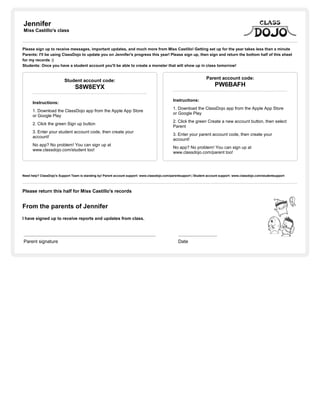
Jennifer
Miss Castillo's class
Please sign up to receive messages, important updates, and much more from Miss Castillo! Getting set up for the year takes less than a minute
Parents: I'll be using ClassDojo to update you on Jennifer's progress this year! Please sign up, then sign and return the bottom half of this sheet
for my records :)
Students: Once you have a student account you'll be able to create a monster that will show up in class tomorrow!
Student account code:
S8W8EYX
Instructions:
1. Download the ClassDojo app from the Apple App Store
or Google Play
2. Click the green Sign up button
3. Enter your student account code, then create your
account!
No app? No problem! You can sign up at
www.classdojo.com/student too!
Parent account code:
PW6BAFH
Instructions:
1. Download the ClassDojo app from the Apple App Store
or Google Play
2. Click the green Create a new account button, then select
Parent
3. Enter your parent account code, then create your
account!
No app? No problem! You can sign up at
www.classdojo.com/parent too!
Need help? ClassDojo's Support Team is standing by! Parent account support: www.classdojo.com/parentsupport | Student account support: www.classdojo.com/studentsupport
Please return this half for Miss Castillo's records
From the parents of Jennifer
I have signed up to receive reports and updates from class.
Parent signature Date
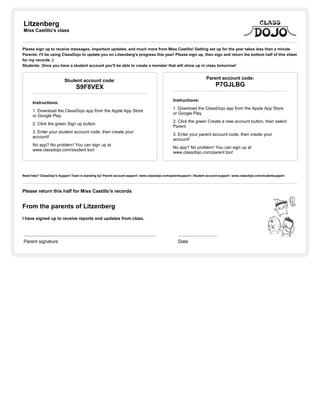
Litzenberg
Miss Castillo's class
Please sign up to receive messages, important updates, and much more from Miss Castillo! Getting set up for the year takes less than a minute
Parents: I'll be using ClassDojo to update you on Litzenberg's progress this year! Please sign up, then sign and return the bottom half of this sheet
for my records :)
Students: Once you have a student account you'll be able to create a monster that will show up in class tomorrow!
Student account code:
S9F8VEX
Instructions:
1. Download the ClassDojo app from the Apple App Store
or Google Play
2. Click the green Sign up button
3. Enter your student account code, then create your
account!
No app? No problem! You can sign up at
www.classdojo.com/student too!
Parent account code:
P7GJLBG
Instructions:
1. Download the ClassDojo app from the Apple App Store
or Google Play
2. Click the green Create a new account button, then select
Parent
3. Enter your parent account code, then create your
account!
No app? No problem! You can sign up at
www.classdojo.com/parent too!
Need help? ClassDojo's Support Team is standing by! Parent account support: www.classdojo.com/parentsupport | Student account support: www.classdojo.com/studentsupport
Please return this half for Miss Castillo's records
From the parents of Litzenberg
I have signed up to receive reports and updates from class.
Parent signature Date
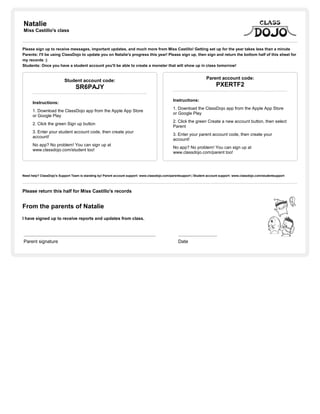
Natalie
Miss Castillo's class
Please sign up to receive messages, important updates, and much more from Miss Castillo! Getting set up for the year takes less than a minute
Parents: I'll be using ClassDojo to update you on Natalie's progress this year! Please sign up, then sign and return the bottom half of this sheet for
my records :)
Students: Once you have a student account you'll be able to create a monster that will show up in class tomorrow!
Student account code:
SR6PAJY
Instructions:
1. Download the ClassDojo app from the Apple App Store
or Google Play
2. Click the green Sign up button
3. Enter your student account code, then create your
account!
No app? No problem! You can sign up at
www.classdojo.com/student too!
Parent account code:
PXERTF2
Instructions:
1. Download the ClassDojo app from the Apple App Store
or Google Play
2. Click the green Create a new account button, then select
Parent
3. Enter your parent account code, then create your
account!
No app? No problem! You can sign up at
www.classdojo.com/parent too!
Need help? ClassDojo's Support Team is standing by! Parent account support: www.classdojo.com/parentsupport | Student account support: www.classdojo.com/studentsupport
Please return this half for Miss Castillo's records
From the parents of Natalie
I have signed up to receive reports and updates from class.
Parent signature Date
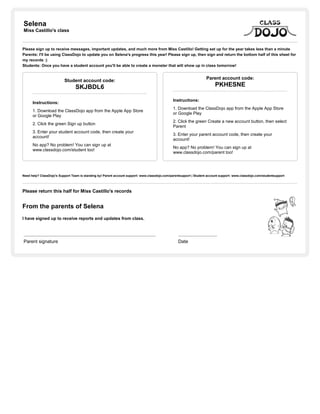
Selena
Miss Castillo's class
Please sign up to receive messages, important updates, and much more from Miss Castillo! Getting set up for the year takes less than a minute
Parents: I'll be using ClassDojo to update you on Selena's progress this year! Please sign up, then sign and return the bottom half of this sheet for
my records :)
Students: Once you have a student account you'll be able to create a monster that will show up in class tomorrow!
Student account code:
SKJBDL6
Instructions:
1. Download the ClassDojo app from the Apple App Store
or Google Play
2. Click the green Sign up button
3. Enter your student account code, then create your
account!
No app? No problem! You can sign up at
www.classdojo.com/student too!
Parent account code:
PKHESNE
Instructions:
1. Download the ClassDojo app from the Apple App Store
or Google Play
2. Click the green Create a new account button, then select
Parent
3. Enter your parent account code, then create your
account!
No app? No problem! You can sign up at
www.classdojo.com/parent too!
Need help? ClassDojo's Support Team is standing by! Parent account support: www.classdojo.com/parentsupport | Student account support: www.classdojo.com/studentsupport
Please return this half for Miss Castillo's records
From the parents of Selena
I have signed up to receive reports and updates from class.
Parent signature Date
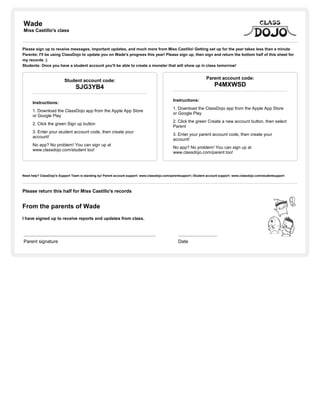
Wade
Miss Castillo's class
Please sign up to receive messages, important updates, and much more from Miss Castillo! Getting set up for the year takes less than a minute
Parents: I'll be using ClassDojo to update you on Wade's progress this year! Please sign up, then sign and return the bottom half of this sheet for
my records :)
Students: Once you have a student account you'll be able to create a monster that will show up in class tomorrow!
Student account code:
SJG3YB4
Instructions:
1. Download the ClassDojo app from the Apple App Store
or Google Play
2. Click the green Sign up button
3. Enter your student account code, then create your
account!
No app? No problem! You can sign up at
www.classdojo.com/student too!
Parent account code:
P4MXWSD
Instructions:
1. Download the ClassDojo app from the Apple App Store
or Google Play
2. Click the green Create a new account button, then select
Parent
3. Enter your parent account code, then create your
account!
No app? No problem! You can sign up at
www.classdojo.com/parent too!
Need help? ClassDojo's Support Team is standing by! Parent account support: www.classdojo.com/parentsupport | Student account support: www.classdojo.com/studentsupport
Please return this half for Miss Castillo's records
From the parents of Wade
I have signed up to receive reports and updates from class.
Parent signature Date
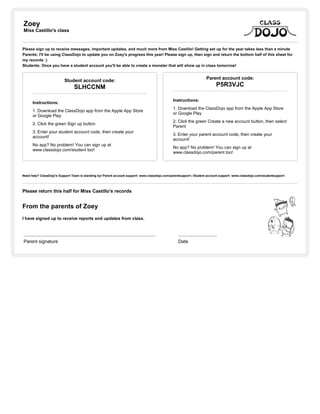
Zoey
Miss Castillo's class
Please sign up to receive messages, important updates, and much more from Miss Castillo! Getting set up for the year takes less than a minute
Parents: I'll be using ClassDojo to update you on Zoey's progress this year! Please sign up, then sign and return the bottom half of this sheet for
my records :)
Students: Once you have a student account you'll be able to create a monster that will show up in class tomorrow!
Student account code:
SLHCCNM
Instructions:
1. Download the ClassDojo app from the Apple App Store
or Google Play
2. Click the green Sign up button
3. Enter your student account code, then create your
account!
No app? No problem! You can sign up at
www.classdojo.com/student too!
Parent account code:
P5R3VJC
Instructions:
1. Download the ClassDojo app from the Apple App Store
or Google Play
2. Click the green Create a new account button, then select
Parent
3. Enter your parent account code, then create your
account!
No app? No problem! You can sign up at
www.classdojo.com/parent too!
Need help? ClassDojo's Support Team is standing by! Parent account support: www.classdojo.com/parentsupport | Student account support: www.classdojo.com/studentsupport
Please return this half for Miss Castillo's records
From the parents of Zoey
I have signed up to receive reports and updates from class.
Parent signature Date

Class dojo parent and student invites for math (1)

  • 1.
    Anayely Miss Castillo's class Pleasesign up to receive messages, important updates, and much more from Miss Castillo! Getting set up for the year takes less than a minute Parents: I'll be using ClassDojo to update you on Anayely's progress this year! Please sign up, then sign and return the bottom half of this sheet for my records :) Students: Once you have a student account you'll be able to create a monster that will show up in class tomorrow! Student account code: SYFTWHW Instructions: 1. Download the ClassDojo app from the Apple App Store or Google Play 2. Click the green Sign up button 3. Enter your student account code, then create your account! No app? No problem! You can sign up at www.classdojo.com/student too! Parent account code: PW8X5XE Instructions: 1. Download the ClassDojo app from the Apple App Store or Google Play 2. Click the green Create a new account button, then select Parent 3. Enter your parent account code, then create your account! No app? No problem! You can sign up at www.classdojo.com/parent too! Need help? ClassDojo's Support Team is standing by! Parent account support: www.classdojo.com/parentsupport | Student account support: www.classdojo.com/studentsupport Please return this half for Miss Castillo's records From the parents of Anayely I have signed up to receive reports and updates from class. Parent signature Date
  • 2.
    Brewer Miss Castillo's class Pleasesign up to receive messages, important updates, and much more from Miss Castillo! Getting set up for the year takes less than a minute Parents: I'll be using ClassDojo to update you on Brewer's progress this year! Please sign up, then sign and return the bottom half of this sheet for my records :) Students: Once you have a student account you'll be able to create a monster that will show up in class tomorrow! Student account code: SEBBVSD Instructions: 1. Download the ClassDojo app from the Apple App Store or Google Play 2. Click the green Sign up button 3. Enter your student account code, then create your account! No app? No problem! You can sign up at www.classdojo.com/student too! Parent account code: PRLEUEA Instructions: 1. Download the ClassDojo app from the Apple App Store or Google Play 2. Click the green Create a new account button, then select Parent 3. Enter your parent account code, then create your account! No app? No problem! You can sign up at www.classdojo.com/parent too! Need help? ClassDojo's Support Team is standing by! Parent account support: www.classdojo.com/parentsupport | Student account support: www.classdojo.com/studentsupport Please return this half for Miss Castillo's records From the parents of Brewer I have signed up to receive reports and updates from class. Parent signature Date
  • 3.
    Carmen Miss Castillo's class Pleasesign up to receive messages, important updates, and much more from Miss Castillo! Getting set up for the year takes less than a minute Parents: I'll be using ClassDojo to update you on Carmen's progress this year! Please sign up, then sign and return the bottom half of this sheet for my records :) Students: Once you have a student account you'll be able to create a monster that will show up in class tomorrow! Student account code: SGXJNWU Instructions: 1. Download the ClassDojo app from the Apple App Store or Google Play 2. Click the green Sign up button 3. Enter your student account code, then create your account! No app? No problem! You can sign up at www.classdojo.com/student too! Parent account code: PZ7Z7QW Instructions: 1. Download the ClassDojo app from the Apple App Store or Google Play 2. Click the green Create a new account button, then select Parent 3. Enter your parent account code, then create your account! No app? No problem! You can sign up at www.classdojo.com/parent too! Need help? ClassDojo's Support Team is standing by! Parent account support: www.classdojo.com/parentsupport | Student account support: www.classdojo.com/studentsupport Please return this half for Miss Castillo's records From the parents of Carmen I have signed up to receive reports and updates from class. Parent signature Date
  • 4.
    Gussie Miss Castillo's class Pleasesign up to receive messages, important updates, and much more from Miss Castillo! Getting set up for the year takes less than a minute Parents: I'll be using ClassDojo to update you on Gussie's progress this year! Please sign up, then sign and return the bottom half of this sheet for my records :) Students: Once you have a student account you'll be able to create a monster that will show up in class tomorrow! Student account code: SEJR9B3 Instructions: 1. Download the ClassDojo app from the Apple App Store or Google Play 2. Click the green Sign up button 3. Enter your student account code, then create your account! No app? No problem! You can sign up at www.classdojo.com/student too! Parent account code: P9KAH5U Instructions: 1. Download the ClassDojo app from the Apple App Store or Google Play 2. Click the green Create a new account button, then select Parent 3. Enter your parent account code, then create your account! No app? No problem! You can sign up at www.classdojo.com/parent too! Need help? ClassDojo's Support Team is standing by! Parent account support: www.classdojo.com/parentsupport | Student account support: www.classdojo.com/studentsupport Please return this half for Miss Castillo's records From the parents of Gussie I have signed up to receive reports and updates from class. Parent signature Date
  • 5.
    Jennifer Miss Castillo's class Pleasesign up to receive messages, important updates, and much more from Miss Castillo! Getting set up for the year takes less than a minute Parents: I'll be using ClassDojo to update you on Jennifer's progress this year! Please sign up, then sign and return the bottom half of this sheet for my records :) Students: Once you have a student account you'll be able to create a monster that will show up in class tomorrow! Student account code: S8W8EYX Instructions: 1. Download the ClassDojo app from the Apple App Store or Google Play 2. Click the green Sign up button 3. Enter your student account code, then create your account! No app? No problem! You can sign up at www.classdojo.com/student too! Parent account code: PW6BAFH Instructions: 1. Download the ClassDojo app from the Apple App Store or Google Play 2. Click the green Create a new account button, then select Parent 3. Enter your parent account code, then create your account! No app? No problem! You can sign up at www.classdojo.com/parent too! Need help? ClassDojo's Support Team is standing by! Parent account support: www.classdojo.com/parentsupport | Student account support: www.classdojo.com/studentsupport Please return this half for Miss Castillo's records From the parents of Jennifer I have signed up to receive reports and updates from class. Parent signature Date
  • 6.
    Litzenberg Miss Castillo's class Pleasesign up to receive messages, important updates, and much more from Miss Castillo! Getting set up for the year takes less than a minute Parents: I'll be using ClassDojo to update you on Litzenberg's progress this year! Please sign up, then sign and return the bottom half of this sheet for my records :) Students: Once you have a student account you'll be able to create a monster that will show up in class tomorrow! Student account code: S9F8VEX Instructions: 1. Download the ClassDojo app from the Apple App Store or Google Play 2. Click the green Sign up button 3. Enter your student account code, then create your account! No app? No problem! You can sign up at www.classdojo.com/student too! Parent account code: P7GJLBG Instructions: 1. Download the ClassDojo app from the Apple App Store or Google Play 2. Click the green Create a new account button, then select Parent 3. Enter your parent account code, then create your account! No app? No problem! You can sign up at www.classdojo.com/parent too! Need help? ClassDojo's Support Team is standing by! Parent account support: www.classdojo.com/parentsupport | Student account support: www.classdojo.com/studentsupport Please return this half for Miss Castillo's records From the parents of Litzenberg I have signed up to receive reports and updates from class. Parent signature Date
  • 7.
    Natalie Miss Castillo's class Pleasesign up to receive messages, important updates, and much more from Miss Castillo! Getting set up for the year takes less than a minute Parents: I'll be using ClassDojo to update you on Natalie's progress this year! Please sign up, then sign and return the bottom half of this sheet for my records :) Students: Once you have a student account you'll be able to create a monster that will show up in class tomorrow! Student account code: SR6PAJY Instructions: 1. Download the ClassDojo app from the Apple App Store or Google Play 2. Click the green Sign up button 3. Enter your student account code, then create your account! No app? No problem! You can sign up at www.classdojo.com/student too! Parent account code: PXERTF2 Instructions: 1. Download the ClassDojo app from the Apple App Store or Google Play 2. Click the green Create a new account button, then select Parent 3. Enter your parent account code, then create your account! No app? No problem! You can sign up at www.classdojo.com/parent too! Need help? ClassDojo's Support Team is standing by! Parent account support: www.classdojo.com/parentsupport | Student account support: www.classdojo.com/studentsupport Please return this half for Miss Castillo's records From the parents of Natalie I have signed up to receive reports and updates from class. Parent signature Date
  • 8.
    Selena Miss Castillo's class Pleasesign up to receive messages, important updates, and much more from Miss Castillo! Getting set up for the year takes less than a minute Parents: I'll be using ClassDojo to update you on Selena's progress this year! Please sign up, then sign and return the bottom half of this sheet for my records :) Students: Once you have a student account you'll be able to create a monster that will show up in class tomorrow! Student account code: SKJBDL6 Instructions: 1. Download the ClassDojo app from the Apple App Store or Google Play 2. Click the green Sign up button 3. Enter your student account code, then create your account! No app? No problem! You can sign up at www.classdojo.com/student too! Parent account code: PKHESNE Instructions: 1. Download the ClassDojo app from the Apple App Store or Google Play 2. Click the green Create a new account button, then select Parent 3. Enter your parent account code, then create your account! No app? No problem! You can sign up at www.classdojo.com/parent too! Need help? ClassDojo's Support Team is standing by! Parent account support: www.classdojo.com/parentsupport | Student account support: www.classdojo.com/studentsupport Please return this half for Miss Castillo's records From the parents of Selena I have signed up to receive reports and updates from class. Parent signature Date
  • 9.
    Wade Miss Castillo's class Pleasesign up to receive messages, important updates, and much more from Miss Castillo! Getting set up for the year takes less than a minute Parents: I'll be using ClassDojo to update you on Wade's progress this year! Please sign up, then sign and return the bottom half of this sheet for my records :) Students: Once you have a student account you'll be able to create a monster that will show up in class tomorrow! Student account code: SJG3YB4 Instructions: 1. Download the ClassDojo app from the Apple App Store or Google Play 2. Click the green Sign up button 3. Enter your student account code, then create your account! No app? No problem! You can sign up at www.classdojo.com/student too! Parent account code: P4MXWSD Instructions: 1. Download the ClassDojo app from the Apple App Store or Google Play 2. Click the green Create a new account button, then select Parent 3. Enter your parent account code, then create your account! No app? No problem! You can sign up at www.classdojo.com/parent too! Need help? ClassDojo's Support Team is standing by! Parent account support: www.classdojo.com/parentsupport | Student account support: www.classdojo.com/studentsupport Please return this half for Miss Castillo's records From the parents of Wade I have signed up to receive reports and updates from class. Parent signature Date
  • 10.
    Zoey Miss Castillo's class Pleasesign up to receive messages, important updates, and much more from Miss Castillo! Getting set up for the year takes less than a minute Parents: I'll be using ClassDojo to update you on Zoey's progress this year! Please sign up, then sign and return the bottom half of this sheet for my records :) Students: Once you have a student account you'll be able to create a monster that will show up in class tomorrow! Student account code: SLHCCNM Instructions: 1. Download the ClassDojo app from the Apple App Store or Google Play 2. Click the green Sign up button 3. Enter your student account code, then create your account! No app? No problem! You can sign up at www.classdojo.com/student too! Parent account code: P5R3VJC Instructions: 1. Download the ClassDojo app from the Apple App Store or Google Play 2. Click the green Create a new account button, then select Parent 3. Enter your parent account code, then create your account! No app? No problem! You can sign up at www.classdojo.com/parent too! Need help? ClassDojo's Support Team is standing by! Parent account support: www.classdojo.com/parentsupport | Student account support: www.classdojo.com/studentsupport Please return this half for Miss Castillo's records From the parents of Zoey I have signed up to receive reports and updates from class. Parent signature Date