CiDA
Certificate in Digital
Applications
Unit 1 (Examination 7 – 11 January 2019)
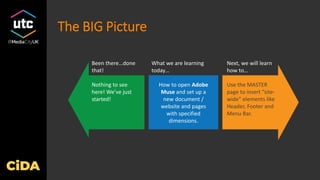
The BIG Picture
How to open Adobe
Muse and set up a
new document /
website and pages
with specified
dimensions.
Use the MASTER
page to insert “site-
wide” elements like
Header, Footer and
Menu Bar.
Been there…done
that!
What we are learning
today…
Next, we will learn
how to…
Nothing to see
here! We’ve just
started!
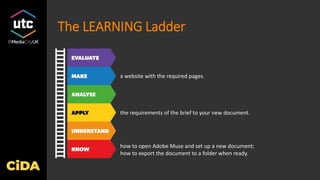
The LEARNING Ladder
how to open Adobe Muse and set up a new document;
how to export the document to a folder when ready.
the requirements of the brief to your new document.
a website with the required pages.
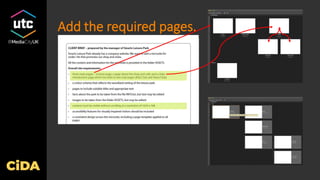
Add the required pages.
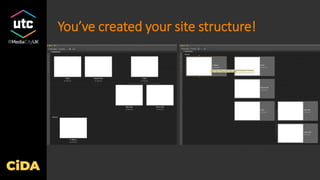
You’ve created your site structure!
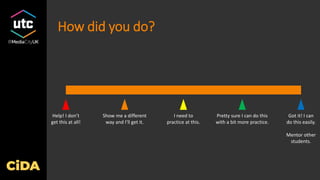
How did you do?
Got it! I can
do this easily.
Mentor other
students.
Help! I don’t
get this at all!
I need to
practice at this.
Pretty sure I can do this
with a bit more practice.
Show me a different
way and I’ll get it.

Cida practicals-01d

  • 1.
    CiDA Certificate in Digital Applications Unit1 (Examination 7 – 11 January 2019)
  • 2.
    The BIG Picture Howto open Adobe Muse and set up a new document / website and pages with specified dimensions. Use the MASTER page to insert “site- wide” elements like Header, Footer and Menu Bar. Been there…done that! What we are learning today… Next, we will learn how to… Nothing to see here! We’ve just started!
  • 3.
    The LEARNING Ladder howto open Adobe Muse and set up a new document; how to export the document to a folder when ready. the requirements of the brief to your new document. a website with the required pages.
  • 5.
  • 6.
    You’ve created yoursite structure!
  • 7.
    How did youdo? Got it! I can do this easily. Mentor other students. Help! I don’t get this at all! I need to practice at this. Pretty sure I can do this with a bit more practice. Show me a different way and I’ll get it.