© 2007 Cisco Systems, Inc. All rights reserved. Cisco Public 1
Version 4.0
Personal Computers
and Applications
Networking for Home and Small Businesses – Chapter 1
2
© 2007 Cisco Systems, Inc. All rights reserved. Cisco Public
Objectives
 Identify the purpose and uses of personal computers
and describe local and network applications.
 Compare and contrast different types of computing
devices.
 Explain the binary representation of data.
 Determine appropriate components and peripheral
devices to meet requirements.
 Install, verify, and upgrade computer components and
peripherals.
3
© 2007 Cisco Systems, Inc. All rights reserved. Cisco Public
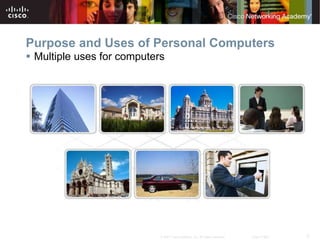
Purpose and Uses of Personal Computers
 Multiple uses for computers
4
© 2007 Cisco Systems, Inc. All rights reserved. Cisco Public
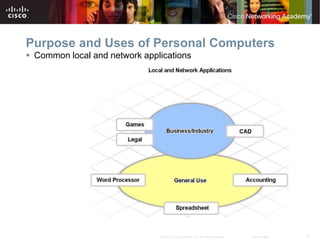
Purpose and Uses of Personal Computers
 Common local and network applications
5
© 2007 Cisco Systems, Inc. All rights reserved. Cisco Public
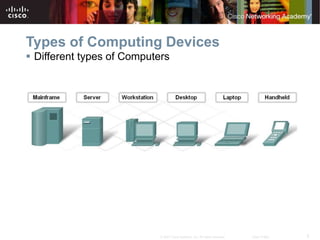
Types of Computing Devices
 Different types of Computers
6
© 2007 Cisco Systems, Inc. All rights reserved. Cisco Public
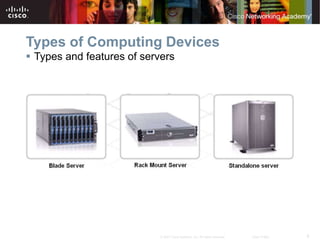
Types of Computing Devices
 Types and features of servers
7
© 2007 Cisco Systems, Inc. All rights reserved. Cisco Public
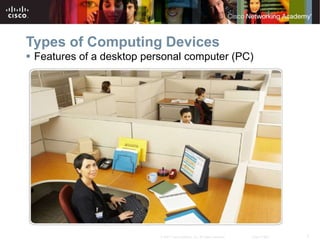
Types of Computing Devices
 Features of a desktop personal computer (PC)
8
© 2007 Cisco Systems, Inc. All rights reserved. Cisco Public
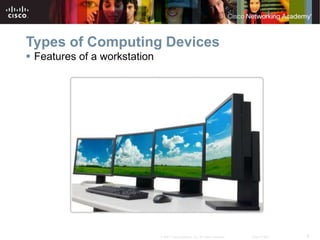
Types of Computing Devices
 Features of a workstation
9
© 2007 Cisco Systems, Inc. All rights reserved. Cisco Public
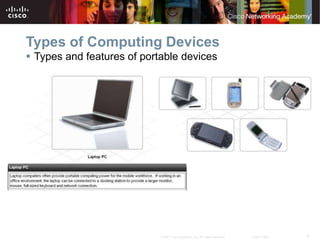
Types of Computing Devices
 Types and features of portable devices
10
© 2007 Cisco Systems, Inc. All rights reserved. Cisco Public
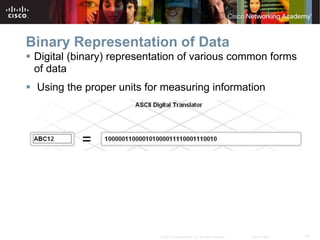
Binary Representation of Data
 Digital (binary) representation of various common forms
of data
 Using the proper units for measuring information
11
© 2007 Cisco Systems, Inc. All rights reserved. Cisco Public
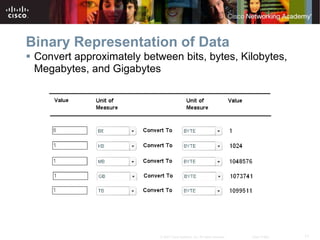
Binary Representation of Data
 Convert approximately between bits, bytes, Kilobytes,
Megabytes, and Gigabytes
12
© 2007 Cisco Systems, Inc. All rights reserved. Cisco Public
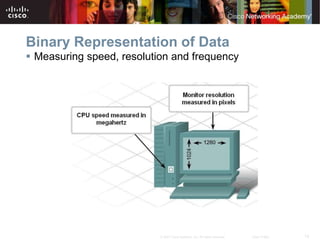
Binary Representation of Data
 Measuring speed, resolution and frequency
13
© 2007 Cisco Systems, Inc. All rights reserved. Cisco Public
Determining Appropriate Components and
Peripheral Devices
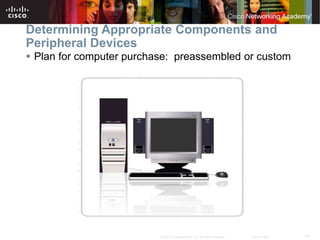
 Plan for computer purchase: preassembled or custom
14
© 2007 Cisco Systems, Inc. All rights reserved. Cisco Public
Determining Appropriate Components and
Peripheral Devices
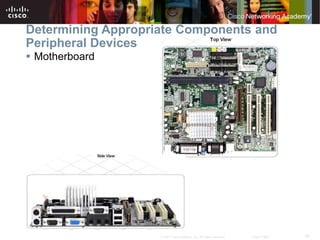
 Motherboard
15
© 2007 Cisco Systems, Inc. All rights reserved. Cisco Public
Determining Appropriate Components and
Peripheral Devices
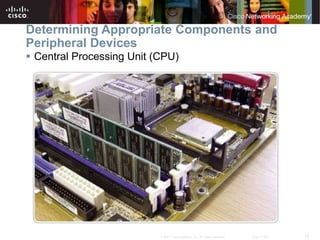
 Central Processing Unit (CPU)
16
© 2007 Cisco Systems, Inc. All rights reserved. Cisco Public
Determining Appropriate Components and
Peripheral Devices
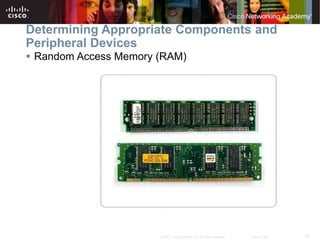
 Random Access Memory (RAM)
17
© 2007 Cisco Systems, Inc. All rights reserved. Cisco Public
Determining Appropriate Components and
Peripheral Devices
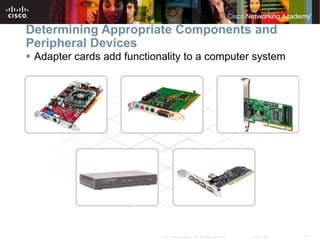
 Adapter cards add functionality to a computer system
18
© 2007 Cisco Systems, Inc. All rights reserved. Cisco Public
Determining Appropriate Components and
Peripheral Devices
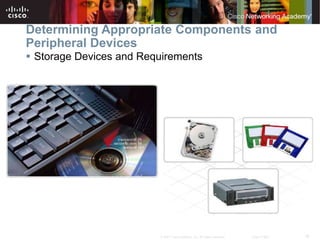
 Storage Devices and Requirements
19
© 2007 Cisco Systems, Inc. All rights reserved. Cisco Public
Determining Appropriate Components and
Peripheral Devices
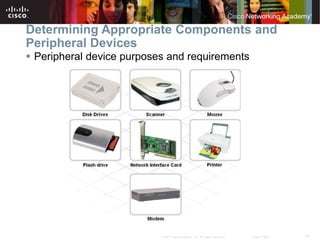
 Peripheral device purposes and requirements
20
© 2007 Cisco Systems, Inc. All rights reserved. Cisco Public
Determining Appropriate Components and
Peripheral Devices
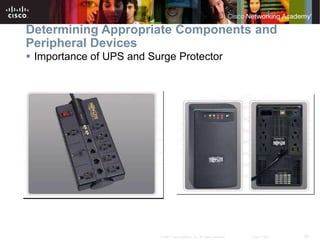
 Importance of UPS and Surge Protector
21
© 2007 Cisco Systems, Inc. All rights reserved. Cisco Public
Install, Verify and Upgrade Components and
Peripherals
 Computer Repair Best Practices
22
© 2007 Cisco Systems, Inc. All rights reserved. Cisco Public
Install, Verify and Upgrade Components and
Peripherals
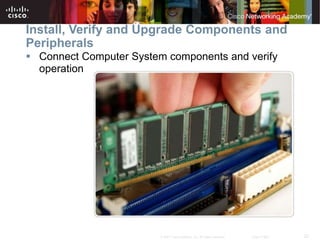
 Connect Computer System components and verify
operation
23
© 2007 Cisco Systems, Inc. All rights reserved. Cisco Public
Install, Verify and Upgrade Components and
Peripherals
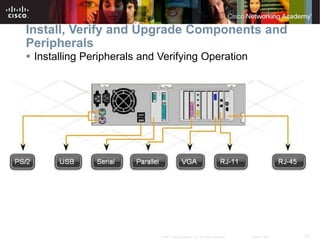
 Installing Peripherals and Verifying Operation
24
© 2007 Cisco Systems, Inc. All rights reserved. Cisco Public
Summary
 Computers are used all over the world and in all types of
environments including: government, medical, education,
manufacturing, legal and leisure.
 There are many different types of computers available including:
Mainframes, Servers, Desktop PCs, Workstations, Laptops and
Hand-held portable devices.
 Data is represented by binary digits (bits) organized into bytes (B),
kilobytes (kB ), megabytes (MB), gigabytes (GB), and terabytes
(TB). Data transfer rates are measured by bits per second.
Computer screen resolution is measured in pixels. Analog
frequencies, wireless transmissions and radio frequencies are
measured in Hertz.
 Things to consider when purchasing a computer: Motherboard,
CPU, RAM, Adapter Cards, Storage, Peripherals, UPS, Surge
Suppressors
 Computers are a collection of very complex components and
peripherals. Safety procedures must be followed when working
inside a computer, both to protect the equipment and prevent harm
to the technician.
25
© 2007 Cisco Systems, Inc. All rights reserved. Cisco Public

Chapter_1_Overview.ppt

  • 1.
    © 2007 CiscoSystems, Inc. All rights reserved. Cisco Public 1 Version 4.0 Personal Computers and Applications Networking for Home and Small Businesses – Chapter 1
  • 2.
    2 © 2007 CiscoSystems, Inc. All rights reserved. Cisco Public Objectives  Identify the purpose and uses of personal computers and describe local and network applications.  Compare and contrast different types of computing devices.  Explain the binary representation of data.  Determine appropriate components and peripheral devices to meet requirements.  Install, verify, and upgrade computer components and peripherals.
  • 3.
    3 © 2007 CiscoSystems, Inc. All rights reserved. Cisco Public Purpose and Uses of Personal Computers  Multiple uses for computers
  • 4.
    4 © 2007 CiscoSystems, Inc. All rights reserved. Cisco Public Purpose and Uses of Personal Computers  Common local and network applications
  • 5.
    5 © 2007 CiscoSystems, Inc. All rights reserved. Cisco Public Types of Computing Devices  Different types of Computers
  • 6.
    6 © 2007 CiscoSystems, Inc. All rights reserved. Cisco Public Types of Computing Devices  Types and features of servers
  • 7.
    7 © 2007 CiscoSystems, Inc. All rights reserved. Cisco Public Types of Computing Devices  Features of a desktop personal computer (PC)
  • 8.
    8 © 2007 CiscoSystems, Inc. All rights reserved. Cisco Public Types of Computing Devices  Features of a workstation
  • 9.
    9 © 2007 CiscoSystems, Inc. All rights reserved. Cisco Public Types of Computing Devices  Types and features of portable devices
  • 10.
    10 © 2007 CiscoSystems, Inc. All rights reserved. Cisco Public Binary Representation of Data  Digital (binary) representation of various common forms of data  Using the proper units for measuring information
  • 11.
    11 © 2007 CiscoSystems, Inc. All rights reserved. Cisco Public Binary Representation of Data  Convert approximately between bits, bytes, Kilobytes, Megabytes, and Gigabytes
  • 12.
    12 © 2007 CiscoSystems, Inc. All rights reserved. Cisco Public Binary Representation of Data  Measuring speed, resolution and frequency
  • 13.
    13 © 2007 CiscoSystems, Inc. All rights reserved. Cisco Public Determining Appropriate Components and Peripheral Devices  Plan for computer purchase: preassembled or custom
  • 14.
    14 © 2007 CiscoSystems, Inc. All rights reserved. Cisco Public Determining Appropriate Components and Peripheral Devices  Motherboard
  • 15.
    15 © 2007 CiscoSystems, Inc. All rights reserved. Cisco Public Determining Appropriate Components and Peripheral Devices  Central Processing Unit (CPU)
  • 16.
    16 © 2007 CiscoSystems, Inc. All rights reserved. Cisco Public Determining Appropriate Components and Peripheral Devices  Random Access Memory (RAM)
  • 17.
    17 © 2007 CiscoSystems, Inc. All rights reserved. Cisco Public Determining Appropriate Components and Peripheral Devices  Adapter cards add functionality to a computer system
  • 18.
    18 © 2007 CiscoSystems, Inc. All rights reserved. Cisco Public Determining Appropriate Components and Peripheral Devices  Storage Devices and Requirements
  • 19.
    19 © 2007 CiscoSystems, Inc. All rights reserved. Cisco Public Determining Appropriate Components and Peripheral Devices  Peripheral device purposes and requirements
  • 20.
    20 © 2007 CiscoSystems, Inc. All rights reserved. Cisco Public Determining Appropriate Components and Peripheral Devices  Importance of UPS and Surge Protector
  • 21.
    21 © 2007 CiscoSystems, Inc. All rights reserved. Cisco Public Install, Verify and Upgrade Components and Peripherals  Computer Repair Best Practices
  • 22.
    22 © 2007 CiscoSystems, Inc. All rights reserved. Cisco Public Install, Verify and Upgrade Components and Peripherals  Connect Computer System components and verify operation
  • 23.
    23 © 2007 CiscoSystems, Inc. All rights reserved. Cisco Public Install, Verify and Upgrade Components and Peripherals  Installing Peripherals and Verifying Operation
  • 24.
    24 © 2007 CiscoSystems, Inc. All rights reserved. Cisco Public Summary  Computers are used all over the world and in all types of environments including: government, medical, education, manufacturing, legal and leisure.  There are many different types of computers available including: Mainframes, Servers, Desktop PCs, Workstations, Laptops and Hand-held portable devices.  Data is represented by binary digits (bits) organized into bytes (B), kilobytes (kB ), megabytes (MB), gigabytes (GB), and terabytes (TB). Data transfer rates are measured by bits per second. Computer screen resolution is measured in pixels. Analog frequencies, wireless transmissions and radio frequencies are measured in Hertz.  Things to consider when purchasing a computer: Motherboard, CPU, RAM, Adapter Cards, Storage, Peripherals, UPS, Surge Suppressors  Computers are a collection of very complex components and peripherals. Safety procedures must be followed when working inside a computer, both to protect the equipment and prevent harm to the technician.
  • 25.
    25 © 2007 CiscoSystems, Inc. All rights reserved. Cisco Public