Download free for 30 days
Sign in
Upload
Language (EN)
Support
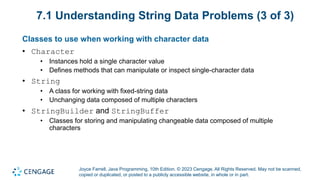
Business
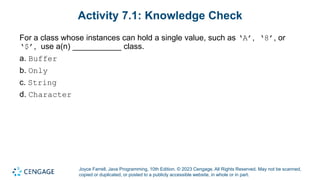
Mobile
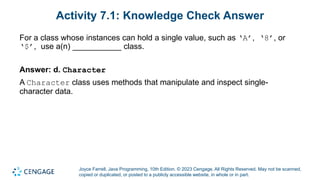
Social Media
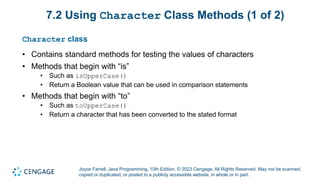
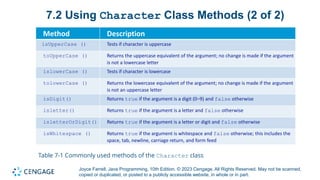
Marketing
Technology
Art & Photos
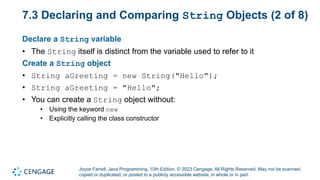
Career
Design
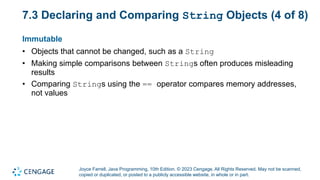
Education
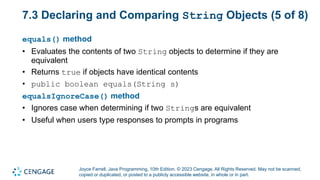
Presentations & Public Speaking
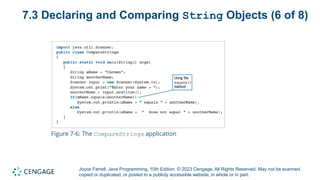
Government & Nonprofit
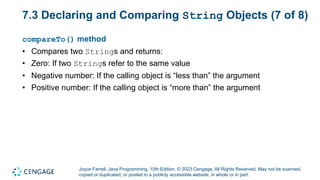
Healthcare
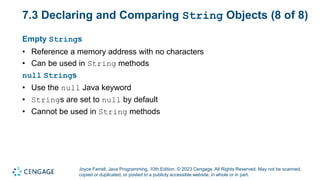
Internet
Law
Leadership & Management
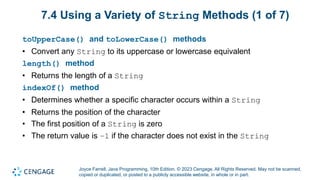
Automotive
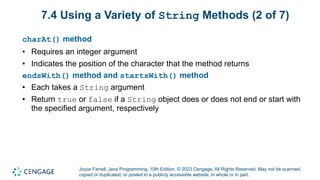
Engineering
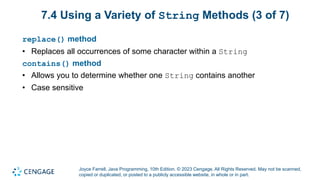
Software
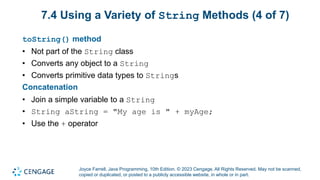
Recruiting & HR
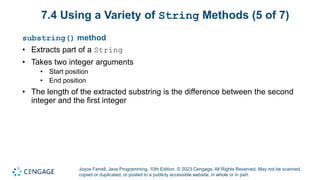
Retail
Sales
Services
Science
Small Business & Entrepreneurship
Food
Environment
Economy & Finance
Data & Analytics
Investor Relations
Sports
Spiritual
News & Politics
Travel
Self Improvement
Real Estate
Entertainment & Humor
Health & Medicine
Devices & Hardware
Lifestyle
Change Language
Language
English
Español
Português
Français
Deutsche
Cancel
Save
Submit search
EN
Uploaded by
AlexanderKun5
11 views
Chapter 7_Comprog12.pdf12323232323232323232
Comprog12
Education
◦
Read more
0
Save
Share
Embed
Embed presentation
Download
Download to read offline
1
/ 38
2
/ 38
3
/ 38
4
/ 38
5
/ 38
6
/ 38
7
/ 38
8
/ 38
9
/ 38
10
/ 38
11
/ 38
12
/ 38
13
/ 38
14
/ 38
15
/ 38
16
/ 38
17
/ 38
18
/ 38
19
/ 38
20
/ 38
21
/ 38
22
/ 38
23
/ 38
24
/ 38
25
/ 38
26
/ 38
27
/ 38
28
/ 38
29
/ 38
30
/ 38
31
/ 38
32
/ 38
33
/ 38
34
/ 38
35
/ 38
36
/ 38
37
/ 38
38
/ 38
More Related Content
PDF
Java Programming 9th Edition Farrell Solutions Manual
by
zrtppmkeyu2180
PPT
Cso gaddis java_chapter10
by
mlrbrown
PPT
LiangChapter4 Unicode , ASCII Code .ppt
by
zainiiqbal761
PPTX
Lecture 3 Characters and Strings class.pptx
by
Amir Bukhari
PDF
11-ch04-3-strings.pdf
by
AndreaBatholomeo
PPT
Java căn bản - Chapter9
by
Vince Vo
PPT
Chapter 9 - Characters and Strings
by
Eduardo Bergavera
PPTX
String Method.pptx
by
Dreime Estandarte
Java Programming 9th Edition Farrell Solutions Manual
by
zrtppmkeyu2180
Cso gaddis java_chapter10
by
mlrbrown
LiangChapter4 Unicode , ASCII Code .ppt
by
zainiiqbal761
Lecture 3 Characters and Strings class.pptx
by
Amir Bukhari
11-ch04-3-strings.pdf
by
AndreaBatholomeo
Java căn bản - Chapter9
by
Vince Vo
Chapter 9 - Characters and Strings
by
Eduardo Bergavera
String Method.pptx
by
Dreime Estandarte
Similar to Chapter 7_Comprog12.pdf12323232323232323232
PPT
Java™ (OOP) - Chapter 9: "Strings and Text I/O"
by
Gouda Mando
PPT
CSC128_Part_1_WrapperClassesAndStrings_CenBNcj.ppt
by
AlnoorIbrahim1
PPT
CSC128_Part_1_WrapperClassesAndStrings_CenBNcj.ppt
by
AlnoorIbrahim1
PPT
CSC128_Part_1_JavaWrapperClassesAndStrings_CenBNcj.ppt
by
AlnoorIbrahim1
PPT
Eo gaddis java_chapter_08_5e
by
Gina Bullock
PPT
Eo gaddis java_chapter_08_5e
by
Gina Bullock
PPT
CSC128_Part_1_WrapperClassesAndStrings_CenBNcj.ppt
by
rani marri
PDF
Airoli_Grade 10_CompApp_PP000000000000000000000000000000000000000000T_Charact...
by
shettyprarthana058
PPTX
Java Object Orientend Programming 1.pptx
by
OmarBinkasimSefat
PPT
string class, method, object, array, var
by
Shraddha jain
PPTX
Introduction to Java Strings, By Kavita Ganesan
by
Kavita Ganesan
PPT
Strings in javamnjn ijnjun oinoin oinoi .ppt
by
ShahidSultan24
PPTX
Java string handling
by
GaneshKumarKanthiah
PDF
M251_Meeting 2_updated_2.pdf(M251_Meeting 2_updated_2.pdf)
by
hossamghareb681
PPTX
OCA Java SE 8 Exam Chapter 3 Core Java APIs
by
İbrahim Kürce
PPSX
Java String class
by
DrRajeshreeKhande
PPTX
arrays.pptx
by
SachinBhosale73
PPTX
dsgfdfdhfdhdfhdfhdfhdfhhhgfhhhhdfhfgfsjwshgkhgk
by
solomonrajuprimedtal
PPTX
Java Strings.pptxJava Strings.pptxJava Strings.pptx
by
Shivam287777
PPTX
Day_5.1.pptx
by
ishasharma835109
Java™ (OOP) - Chapter 9: "Strings and Text I/O"
by
Gouda Mando
CSC128_Part_1_WrapperClassesAndStrings_CenBNcj.ppt
by
AlnoorIbrahim1
CSC128_Part_1_WrapperClassesAndStrings_CenBNcj.ppt
by
AlnoorIbrahim1
CSC128_Part_1_JavaWrapperClassesAndStrings_CenBNcj.ppt
by
AlnoorIbrahim1
Eo gaddis java_chapter_08_5e
by
Gina Bullock
Eo gaddis java_chapter_08_5e
by
Gina Bullock
CSC128_Part_1_WrapperClassesAndStrings_CenBNcj.ppt
by
rani marri
Airoli_Grade 10_CompApp_PP000000000000000000000000000000000000000000T_Charact...
by
shettyprarthana058
Java Object Orientend Programming 1.pptx
by
OmarBinkasimSefat
string class, method, object, array, var
by
Shraddha jain
Introduction to Java Strings, By Kavita Ganesan
by
Kavita Ganesan
Strings in javamnjn ijnjun oinoin oinoi .ppt
by
ShahidSultan24
Java string handling
by
GaneshKumarKanthiah
M251_Meeting 2_updated_2.pdf(M251_Meeting 2_updated_2.pdf)
by
hossamghareb681
OCA Java SE 8 Exam Chapter 3 Core Java APIs
by
İbrahim Kürce
Java String class
by
DrRajeshreeKhande
arrays.pptx
by
SachinBhosale73
dsgfdfdhfdhdfhdfhdfhdfhhhgfhhhhdfhfgfsjwshgkhgk
by
solomonrajuprimedtal
Java Strings.pptxJava Strings.pptxJava Strings.pptx
by
Shivam287777
Day_5.1.pptx
by
ishasharma835109
Recently uploaded
PDF
NCA New Family Orientation 2026 Dosemagen.pdf
by
timdosemagen1
PDF
Risks and opportunities of artificial intelligence in education: A critical view
by
Yannis
PPTX
Poster Based Ethical Reflection - Dharma and Values Poster.pptx
by
RajshreeBeneymadoo
PPTX
christal dinesha (1).ppt seminar topic..
by
christaldinesha
PPTX
Ultrasound .pptx by Nagmani ojha (paramedical department)(Radiation technolog...
by
nagmaniojha8
PPTX
LEGAL AND RIGHTS ASPECTS OF FAMILY PLANNING.pptx
by
sonia
PPTX
2026SlideShare.pptx welcome talk 2026 for peace harmony
by
BryanGan8
PPTX
Statistical Data Analysis using R Programming.pptx
by
VETRISELVIP1
PDF
Infrared Spectroscopy (IR spectroscopy).ppt
by
Life sciences
PPTX
28 January 2026 Rebecca Frankum Are high-stakes exams and assessments still r...
by
EduSkills OECD
PPTX
COMMUNICATION ITS PROCESS ELEMENTS & BARRIER .pptx
by
PoojaSen20
PPTX
Central Line Associated Bloodstream Infection
by
nabinabhaila40
PPTX
Day 2 ppt english.powerpoint presentation ppt
by
JeahMaeMedez
PDF
U.S. Departments of Education and Treasury fact sheet
by
Mebane Rash
PPTX
Alma Šuto - From Tradition to Innovation: Creative AI in Education
by
bvtricks
PPTX
Appreciations - Jan 26 01.pptxkkkmmkmkmkmkm
by
preetheshparmar
PPTX
MENTAL STATUS EXAMINATION Part-1.Shilpa hotakar.pptx
by
SHILPA HOTAKAR
PPTX
ALL London Event, January 17th 2026, at the British Film Institite, South Bank.
by
Steve Smith
PDF
VIVA or SHORT ANSWER QUESTIONS or 2 MARKS QUESTIONS CHILD HEALTH NURSING.pdf
by
PRADEEP ABOTHU
PPTX
HABIT. Cognitive process. I Semester Shilpa Hotakar pptx
by
SHILPA HOTAKAR
NCA New Family Orientation 2026 Dosemagen.pdf
by
timdosemagen1
Risks and opportunities of artificial intelligence in education: A critical view
by
Yannis
Poster Based Ethical Reflection - Dharma and Values Poster.pptx
by
RajshreeBeneymadoo
christal dinesha (1).ppt seminar topic..
by
christaldinesha
Ultrasound .pptx by Nagmani ojha (paramedical department)(Radiation technolog...
by
nagmaniojha8
LEGAL AND RIGHTS ASPECTS OF FAMILY PLANNING.pptx
by
sonia
2026SlideShare.pptx welcome talk 2026 for peace harmony
by
BryanGan8
Statistical Data Analysis using R Programming.pptx
by
VETRISELVIP1
Infrared Spectroscopy (IR spectroscopy).ppt
by
Life sciences
28 January 2026 Rebecca Frankum Are high-stakes exams and assessments still r...
by
EduSkills OECD
COMMUNICATION ITS PROCESS ELEMENTS & BARRIER .pptx
by
PoojaSen20
Central Line Associated Bloodstream Infection
by
nabinabhaila40
Day 2 ppt english.powerpoint presentation ppt
by
JeahMaeMedez
U.S. Departments of Education and Treasury fact sheet
by
Mebane Rash
Alma Šuto - From Tradition to Innovation: Creative AI in Education
by
bvtricks
Appreciations - Jan 26 01.pptxkkkmmkmkmkmkm
by
preetheshparmar
MENTAL STATUS EXAMINATION Part-1.Shilpa hotakar.pptx
by
SHILPA HOTAKAR
ALL London Event, January 17th 2026, at the British Film Institite, South Bank.
by
Steve Smith
VIVA or SHORT ANSWER QUESTIONS or 2 MARKS QUESTIONS CHILD HEALTH NURSING.pdf
by
PRADEEP ABOTHU
HABIT. Cognitive process. I Semester Shilpa Hotakar pptx
by
SHILPA HOTAKAR
Chapter 7_Comprog12.pdf12323232323232323232
1.
1 Java Programming Chapter 07:
Characters, Strings, and the StringBuilder
2.
Joyce Farrell, Java
Programming, 10th Edition. © 2023 Cengage. All Rights Reserved. May not be scanned, copied or duplicated, or posted to a publicly accessible website, in whole or in part. Chapter Objectives By the end of this chapter, you should be able to: 07.01 Identify string data problems 07.02 Use Character class methods 07.03 Declare and compare String objects 07.04 Use a variety of String methods 07.05 Use the StringBuilder and StringBuffer classes
3.
Joyce Farrell, Java
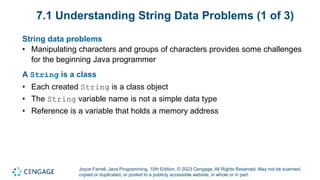
Programming, 10th Edition. © 2023 Cengage. All Rights Reserved. May not be scanned, copied or duplicated, or posted to a publicly accessible website, in whole or in part. 7.1 Understanding String Data Problems (1 of 3) String data problems • Manipulating characters and groups of characters provides some challenges for the beginning Java programmer A String is a class • Each created String is a class object • The String variable name is not a simple data type • Reference is a variable that holds a memory address
4.
Joyce Farrell, Java
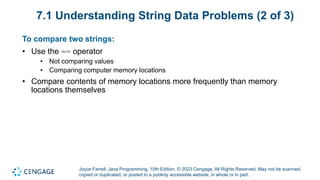
Programming, 10th Edition. © 2023 Cengage. All Rights Reserved. May not be scanned, copied or duplicated, or posted to a publicly accessible website, in whole or in part. 7.1 Understanding String Data Problems (2 of 3) To compare two strings: • Use the == operator • Not comparing values • Comparing computer memory locations • Compare contents of memory locations more frequently than memory locations themselves
5.
Joyce Farrell, Java
Programming, 10th Edition. © 2023 Cengage. All Rights Reserved. May not be scanned, copied or duplicated, or posted to a publicly accessible website, in whole or in part. 7.1 Understanding String Data Problems (3 of 3) Classes to use when working with character data • Character • Instances hold a single character value • Defines methods that can manipulate or inspect single-character data • String • A class for working with fixed-string data • Unchanging data composed of multiple characters • StringBuilder and StringBuffer • Classes for storing and manipulating changeable data composed of multiple characters
6.
Joyce Farrell, Java
Programming, 10th Edition. © 2023 Cengage. All Rights Reserved. May not be scanned, copied or duplicated, or posted to a publicly accessible website, in whole or in part. Activity 7.1: Knowledge Check For a class whose instances can hold a single value, such as ‘A’, ‘8’, or ‘$’, use a(n) ___________ class. a. Buffer b. Only c. String d. Character
7.
Joyce Farrell, Java
Programming, 10th Edition. © 2023 Cengage. All Rights Reserved. May not be scanned, copied or duplicated, or posted to a publicly accessible website, in whole or in part. Activity 7.1: Knowledge Check Answer For a class whose instances can hold a single value, such as ‘A’, ‘8’, or ‘$’, use a(n) ___________ class. Answer: d. Character A Character class uses methods that manipulate and inspect single- character data.
8.
Joyce Farrell, Java
Programming, 10th Edition. © 2023 Cengage. All Rights Reserved. May not be scanned, copied or duplicated, or posted to a publicly accessible website, in whole or in part. 7.2 Using Character Class Methods (1 of 2) Character class • Contains standard methods for testing the values of characters • Methods that begin with “is” • Such as isUpperCase() • Return a Boolean value that can be used in comparison statements • Methods that begin with “to” • Such as toUpperCase() • Return a character that has been converted to the stated format
9.
Joyce Farrell, Java
Programming, 10th Edition. © 2023 Cengage. All Rights Reserved. May not be scanned, copied or duplicated, or posted to a publicly accessible website, in whole or in part. 7.2 Using Character Class Methods (2 of 2) Table 7-1 Commonly used methods of the Character class Method Description isUpperCase () Tests if character is uppercase toUpperCase () Returns the uppercase equivalent of the argument; no change is made if the argument is not a lowercase letter islowerCase () Tests if character is lowercase tolowerCase () Returns the lowercase equivalent of the argument; no change is made if the argument is not an uppercase letter isDigit() Returns true if the argument is a digit (0–9) and false otherwise isletter() Returns true if the argument is a letter and false otherwise isletterOrDigit() Returns true if the argument is a letter or digit and false otherwise isWhitespace () Returns true if the argument is whitespace and false otherwise; this includes the space, tab, newline, carriage return, and form feed Table 7-1 Commonly used methods of the Character class
10.
Joyce Farrell, Java
Programming, 10th Edition. © 2023 Cengage. All Rights Reserved. May not be scanned, copied or duplicated, or posted to a publicly accessible website, in whole or in part. 7.3 Declaring and Comparing String Objects (1 of 8) Literal string • A sequence of characters enclosed within double quotation marks • An unnamed object, or anonymous object, of the String class String variable • A named object of the String class Class String • Defined in java.lang.String • Automatically imported into every program
11.
Joyce Farrell, Java
Programming, 10th Edition. © 2023 Cengage. All Rights Reserved. May not be scanned, copied or duplicated, or posted to a publicly accessible website, in whole or in part. 7.3 Declaring and Comparing String Objects (2 of 8) Declare a String variable • The String itself is distinct from the variable used to refer to it Create a String object • String aGreeting = new String("Hello"); • String aGreeting = "Hello"; • You can create a String object without: • Using the keyword new • Explicitly calling the class constructor
12.
Joyce Farrell, Java
Programming, 10th Edition. © 2023 Cengage. All Rights Reserved. May not be scanned, copied or duplicated, or posted to a publicly accessible website, in whole or in part. 7.3 Declaring and Comparing String Objects (3 of 8) String is a class • Each created String is a class object String variable name • A reference variable • Refers to a location in memory rather than to a particular value Assign a new value to a String • The address held by the String is altered
13.
Joyce Farrell, Java
Programming, 10th Edition. © 2023 Cengage. All Rights Reserved. May not be scanned, copied or duplicated, or posted to a publicly accessible website, in whole or in part. 7.3 Declaring and Comparing String Objects (4 of 8) Immutable • Objects that cannot be changed, such as a String • Making simple comparisons between Strings often produces misleading results • Comparing Strings using the == operator compares memory addresses, not values
14.
Joyce Farrell, Java
Programming, 10th Edition. © 2023 Cengage. All Rights Reserved. May not be scanned, copied or duplicated, or posted to a publicly accessible website, in whole or in part. 7.3 Declaring and Comparing String Objects (5 of 8) equals() method • Evaluates the contents of two String objects to determine if they are equivalent • Returns true if objects have identical contents • public boolean equals(String s) equalsIgnoreCase() method • Ignores case when determining if two Strings are equivalent • Useful when users type responses to prompts in programs
15.
Joyce Farrell, Java
Programming, 10th Edition. © 2023 Cengage. All Rights Reserved. May not be scanned, copied or duplicated, or posted to a publicly accessible website, in whole or in part. 7.3 Declaring and Comparing String Objects (6 of 8) Figure 7-6: The CompareStrings application
16.
Joyce Farrell, Java
Programming, 10th Edition. © 2023 Cengage. All Rights Reserved. May not be scanned, copied or duplicated, or posted to a publicly accessible website, in whole or in part. 7.3 Declaring and Comparing String Objects (7 of 8) compareTo() method • Compares two Strings and returns: • Zero: If two Strings refer to the same value • Negative number: If the calling object is “less than” the argument • Positive number: If the calling object is “more than” the argument
17.
Joyce Farrell, Java
Programming, 10th Edition. © 2023 Cengage. All Rights Reserved. May not be scanned, copied or duplicated, or posted to a publicly accessible website, in whole or in part. 7.3 Declaring and Comparing String Objects (8 of 8) Empty Strings • Reference a memory address with no characters • Can be used in String methods null Strings • Use the null Java keyword • Strings are set to null by default • Cannot be used in String methods
18.
Joyce Farrell, Java
Programming, 10th Edition. © 2023 Cengage. All Rights Reserved. May not be scanned, copied or duplicated, or posted to a publicly accessible website, in whole or in part. Activity 7.2: Discussion 1. Explain the difference between what is returned when the Character methods isUpperCase() and toUpperCase() are used. 2. What does it mean to say that a String is immutable?
19.
Joyce Farrell, Java
Programming, 10th Edition. © 2023 Cengage. All Rights Reserved. May not be scanned, copied or duplicated, or posted to a publicly accessible website, in whole or in part. Activity 7.2: Discussion Debrief 1. A method that begins with is returns a Boolean value that can be used in comparison statements. A method that begins with to returns a character that has been converted to the requested format. 2. Strings are never actually changed. Instead, new Strings are created and String references hold the new addresses.
20.
Joyce Farrell, Java
Programming, 10th Edition. © 2023 Cengage. All Rights Reserved. May not be scanned, copied or duplicated, or posted to a publicly accessible website, in whole or in part. 7.4 Using a Variety of String Methods (1 of 7) toUpperCase() and toLowerCase() methods • Convert any String to its uppercase or lowercase equivalent length() method • Returns the length of a String indexOf() method • Determines whether a specific character occurs within a String • Returns the position of the character • The first position of a String is zero • The return value is –1 if the character does not exist in the String
21.
Joyce Farrell, Java
Programming, 10th Edition. © 2023 Cengage. All Rights Reserved. May not be scanned, copied or duplicated, or posted to a publicly accessible website, in whole or in part. 7.4 Using a Variety of String Methods (2 of 7) charAt() method • Requires an integer argument • Indicates the position of the character that the method returns endsWith() method and startsWith() method • Each takes a String argument • Return true or false if a String object does or does not end or start with the specified argument, respectively
22.
Joyce Farrell, Java
Programming, 10th Edition. © 2023 Cengage. All Rights Reserved. May not be scanned, copied or duplicated, or posted to a publicly accessible website, in whole or in part. 7.4 Using a Variety of String Methods (3 of 7) replace() method • Replaces all occurrences of some character within a String contains() method • Allows you to determine whether one String contains another • Case sensitive
23.
Joyce Farrell, Java
Programming, 10th Edition. © 2023 Cengage. All Rights Reserved. May not be scanned, copied or duplicated, or posted to a publicly accessible website, in whole or in part. 7.4 Using a Variety of String Methods (4 of 7) toString() method • Not part of the String class • Converts any object to a String • Converts primitive data types to Strings Concatenation • Join a simple variable to a String • String aString = "My age is " + myAge; • Use the + operator
24.
Joyce Farrell, Java
Programming, 10th Edition. © 2023 Cengage. All Rights Reserved. May not be scanned, copied or duplicated, or posted to a publicly accessible website, in whole or in part. 7.4 Using a Variety of String Methods (5 of 7) substring() method • Extracts part of a String • Takes two integer arguments • Start position • End position • The length of the extracted substring is the difference between the second integer and the first integer
25.
Joyce Farrell, Java
Programming, 10th Edition. © 2023 Cengage. All Rights Reserved. May not be scanned, copied or duplicated, or posted to a publicly accessible website, in whole or in part. 7.4 Using a Variety of String Methods (6 of 7) regionMatches() method • Two variants that can be used to test if two String regions are equal • In one, a substring of the specified String object is compared to a substring of the other • If the substrings contain the same character sequence, then the expression is true • Otherwise, the expression is false • A second version uses an additional boolean argument • Determines whether case is ignored when comparing characters
26.
Joyce Farrell, Java
Programming, 10th Edition. © 2023 Cengage. All Rights Reserved. May not be scanned, copied or duplicated, or posted to a publicly accessible website, in whole or in part. 7.4 Using a Variety of String Methods (7 of 7) Comparing String Objects to Numbers • Integer class • Part of java.lang • Automatically imported into programs • parseInt() method • Takes a String argument • Returns its integer value • Wrapper • A class or an object “wrapped around” a simpler element • Double class • Converts a String object to a double value
27.
Joyce Farrell, Java
Programming, 10th Edition. © 2023 Cengage. All Rights Reserved. May not be scanned, copied or duplicated, or posted to a publicly accessible website, in whole or in part. 7.5 Learning About the StringBuilder and StringBuffer Classes (1 of 7) The value of a String is fixed • After a String is created, it is immutable StringBuilder and StringBuffer classes • An alternative to the String class • Used when a String will be modified • Can use anywhere you would use a String • Part of the java.lang package • Automatically imported into every program
28.
Joyce Farrell, Java
Programming, 10th Edition. © 2023 Cengage. All Rights Reserved. May not be scanned, copied or duplicated, or posted to a publicly accessible website, in whole or in part. 7.5 Learning About the StringBuilder and StringBuffer Classes (2 of 7) StringBuilder • More efficient StringBuffer • Thread safe • Use in multithreaded programs
29.
Joyce Farrell, Java
Programming, 10th Edition. © 2023 Cengage. All Rights Reserved. May not be scanned, copied or duplicated, or posted to a publicly accessible website, in whole or in part. 7.5 Learning About the StringBuilder and StringBuffer Classes (3 of 7) Creating a StringBuilder or StringBuffer object • The keyword new • The constructor name (i.e. StringBuilder) • An initializing value between the constructor’s parentheses
30.
Joyce Farrell, Java
Programming, 10th Edition. © 2023 Cengage. All Rights Reserved. May not be scanned, copied or duplicated, or posted to a publicly accessible website, in whole or in part. 7.5 Learning About the StringBuilder and StringBuffer Classes (4 of 7) Buffer • A memory block • Might or might not contain a String • The String might not occupy the entire buffer • The length of a String can be different from the length of the buffer Capacity • The actual length of the buffer
31.
Joyce Farrell, Java
Programming, 10th Edition. © 2023 Cengage. All Rights Reserved. May not be scanned, copied or duplicated, or posted to a publicly accessible website, in whole or in part. 7.5 Learning About the StringBuilder and StringBuffer Classes (5 of 7) setLength() method • Changes the length of a String in a StringBuilder object length property • An attribute of the StringBuilder class • Identifies the number of characters in the String contained in the StringBuilder capacity() method • Finds the capacity of a StringBuilder object
32.
Joyce Farrell, Java
Programming, 10th Edition. © 2023 Cengage. All Rights Reserved. May not be scanned, copied or duplicated, or posted to a publicly accessible website, in whole or in part. 7.5 Learning About the StringBuilder and StringBuffer Classes (6 of 7) Using StringBuilder objects • Provides improved computer performance over String objects • Can insert or append new contents into StringBuilder append() method • Adds characters to the end of a StringBuilder object insert() method • Adds characters at a specific location within a StringBuilder object
33.
Joyce Farrell, Java
Programming, 10th Edition. © 2023 Cengage. All Rights Reserved. May not be scanned, copied or duplicated, or posted to a publicly accessible website, in whole or in part. 7.5 Learning About the StringBuilder and StringBuffer Classes (7 of 7) SetCharAt() method • Changes a character at a specified position within a StringBuilder object charAt() method • Accepts an argument that is the offset of the character position from the beginning of a String • Returns the character at that position
34.
Joyce Farrell, Java
Programming, 10th Edition. © 2023 Cengage. All Rights Reserved. May not be scanned, copied or duplicated, or posted to a publicly accessible website, in whole or in part. Activity 7.3: Case Study You have been tasked with writing a program that uses a variety of String methods. • For what purpose would you use the length() method? Give an example. • What is the advantage to using a dialog box to accept a String by default? • What is the best use of StringBuffer? What general differences are there when creating StringBuilder versus a StringBuffer?
35.
Joyce Farrell, Java
Programming, 10th Edition. © 2023 Cengage. All Rights Reserved. May not be scanned, copied or duplicated, or posted to a publicly accessible website, in whole or in part. Activity 7.3: Case Study Debrief • The length() method is an accessor method that returns the length of a String. For example, the following statement results in the variable len that holds the value 5. String greeting = “Hello” int len = greeting.length • When you use a dialog box to accept a String by default when converting String objects to numbers, no error is generated if the user enters a nonnumeric value. • StringBuilder is used in applications that run multiple threads of execution. There generally is no difference in the creation of StringBuilder and StringBuffer.
36.
Joyce Farrell, Java
Programming, 10th Edition. © 2023 Cengage. All Rights Reserved. May not be scanned, copied or duplicated, or posted to a publicly accessible website, in whole or in part. Don’t Do It • Don’t attempt to compare String objects using the standard comparison operators • Don’t forget that startsWith(), endsWith(), replace(), and contains() are case sensitive • Don’t forget to use the new operator and the constructor when declaring initialized StringBuilder or StringBuffer objects • Don’t use StringBuilder or StringBuffer objects unless you have a good reason
37.
Joyce Farrell, Java
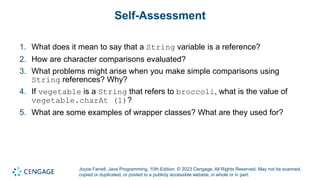
Programming, 10th Edition. © 2023 Cengage. All Rights Reserved. May not be scanned, copied or duplicated, or posted to a publicly accessible website, in whole or in part. Self-Assessment 1. What does it mean to say that a String variable is a reference? 2. How are character comparisons evaluated? 3. What problems might arise when you make simple comparisons using String references? Why? 4. If vegetable is a String that refers to broccoli, what is the value of vegetable.charAt (1)? 5. What are some examples of wrapper classes? What are they used for?
38.
Joyce Farrell, Java
Programming, 10th Edition. © 2023 Cengage. All Rights Reserved. May not be scanned, copied or duplicated, or posted to a publicly accessible website, in whole or in part. Summary Click the link to review the objectives for this presentation. Link to Objectives
Download