Starting Out with C++
Early Objects
Seventh Edition
by Tony Gaddis, Judy Walters,
and Godfrey Muganda
Chapter 5: Looping
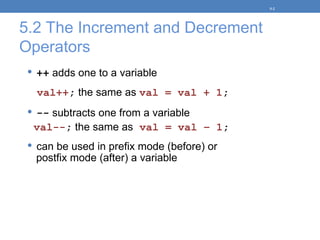
5.2 The Increment and Decrement
Operators
 ++ adds one to a variable
val++; the same as val = val + 1;
 -- subtracts one from a variable
val--; the same as val = val – 1;
 can be used in prefix mode (before) or
postfix mode (after) a variable
5-2
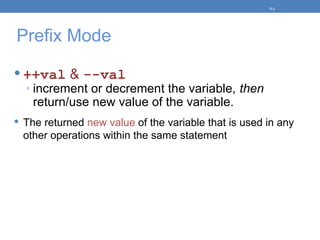
Prefix Mode
 ++val & --val
◦ increment or decrement the variable, then
return/use new value of the variable.
 The returned new value of the variable that is used in any
other operations within the same statement
5-3
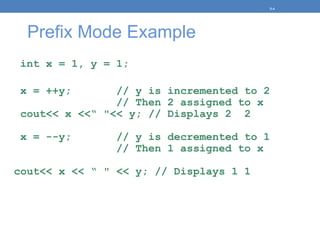
Prefix Mode Example
int x = 1, y = 1;
x = ++y; // y is incremented to 2
// Then 2 assigned to x
cout<< x <<“ "<< y; // Displays 2 2
x = --y; // y is decremented to 1
// Then 1 assigned to x
cout<< x << “ " << y; // Displays 1 1
5-4
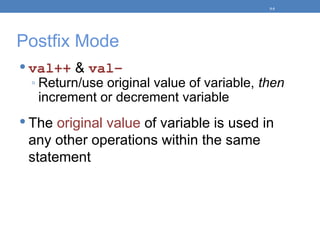
Postfix Mode
 val++ & val–
◦ Return/use original value of variable, then
increment or decrement variable
 The original value of variable is used in
any other operations within the same
statement
5-5
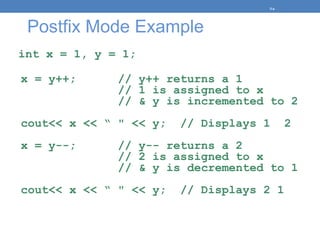
Postfix Mode Example
int x = 1, y = 1;
x = y++; // y++ returns a 1
// 1 is assigned to x
// & y is incremented to 2
cout<< x << “ " << y; // Displays 1 2
x = y--; // y-- returns a 2
// 2 is assigned to x
// & y is decremented to 1
cout<< x << “ " << y; // Displays 2 1
5-6
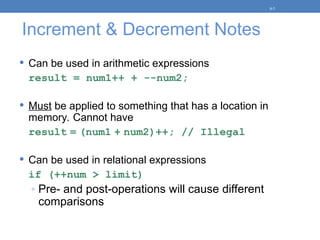
Increment & Decrement Notes
 Can be used in arithmetic expressions
result = num1++ + --num2;
 Must be applied to something that has a location in
memory. Cannot have
result = (num1 + num2)++; // Illegal
 Can be used in relational expressions
if (++num > limit)
◦ Pre- and post-operations will cause different
comparisons
5-7
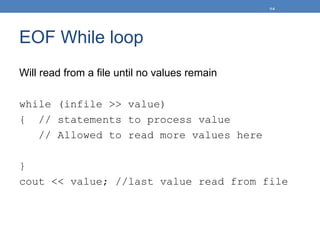
EOF While loop
Will read from a file until no values remain
while (infile >> value)
{ // statements to process value
// Allowed to read more values here
}
cout << value; //last value read from file
5-8
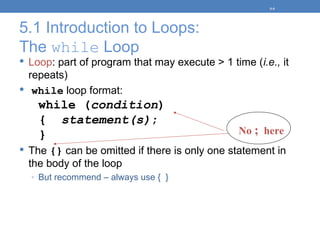
5.1 Introduction to Loops:
The while Loop
 Loop: part of program that may execute > 1 time (i.e., it
repeats)
 while loop format:
while (condition)
{ statement(s);
}
 The {} can be omitted if there is only one statement in
the body of the loop
◦ But recommend – always use { }
5-9
No ; here
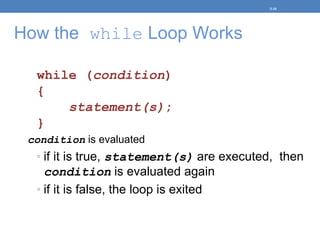
How the while Loop Works
while (condition)
{
statement(s);
}
condition is evaluated
◦ if it is true, statement(s) are executed, then
condition is evaluated again
◦ if it is false, the loop is exited
5-10
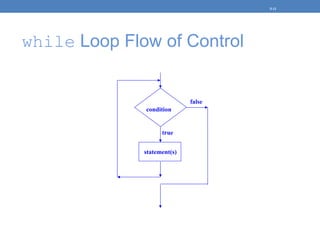
while Loop Flow of Control
5-11
true
statement(s)
false
condition
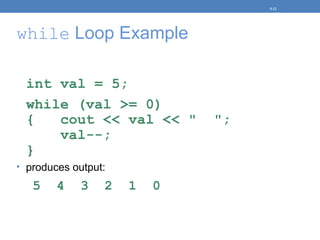
while Loop Example
int val = 5;
while (val >= 0)
{ cout << val << " ";
val--;
}
• produces output:
5 4 3 2 1 0
5-12
while Loop is a Pretest Loop
 while is a pretest loop (condition is evaluated before
loop executes)
 If condition is initially false, statement(s) in body of loop
are never executed
 If condition is initially true, the statement(s) in the body
continue to be executed until the condition becomes false
5-13
Exiting the Loop
• Loop must contain code to allow condition to eventually
become false
• i.e. Condition variable MUST be changed
• Otherwise, infinite loop
• i.e. a loop that does not stop
• Example infinite loop:
x = 5;
while (x > 0) // infinite loop b/c
cout << x; // x is always > 0
5-14
Common Loop Errors
 Don’t forget the { } :
int numEntries = 1;
while (numEntries <=3)
cout << "Still working … ";
numEntries++; // not in the loop body
 Don’t use = when you mean to use ==
while (numEntries = 3) // always true
{
cout << "Still working … ";
numEntries++;
}
5-15
5.2 Using while Loop for Input
Validation
Loops are appropriate for validating user input data
1. Prompt for and read data.
2. Use a while loop to test if data is valid.
3. Enter loop only if data is not valid.
4. Inside loop, display error message & prompt
user to re-enter data.
5. Loop will not be exited until user enters valid
data.
5-16
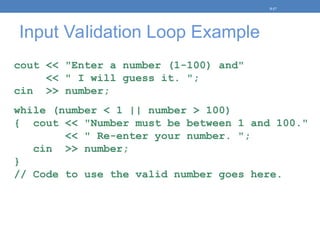
Input Validation Loop Example
cout << "Enter a number (1-100) and"
<< " I will guess it. ";
cin >> number;
while (number < 1 || number > 100)
{ cout << "Number must be between 1 and 100."
<< " Re-enter your number. ";
cin >> number;
}
// Code to use the valid number goes here.
5-17
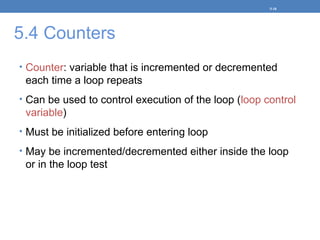
5.4 Counters
• Counter: variable that is incremented or decremented
each time a loop repeats
• Can be used to control execution of the loop (loop control
variable)
• Must be initialized before entering loop
• May be incremented/decremented either inside the loop
or in the loop test
5-18
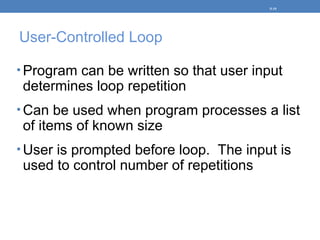
User-Controlled Loop
• Program can be written so that user input
determines loop repetition
• Can be used when program processes a list
of items of known size
• User is prompted before loop. The input is
used to control number of repetitions
5-19
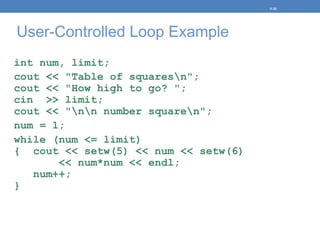
User-Controlled Loop Example
int num, limit;
cout << "Table of squaresn";
cout << "How high to go? ";
cin >> limit;
cout << "nn number squaren";
num = 1;
while (num <= limit)
{ cout << setw(5) << num << setw(6)
<< num*num << endl;
num++;
}
5-20
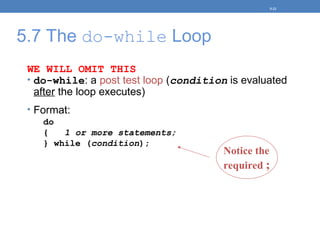
5.7 The do-while Loop
WE WILL OMIT THIS
• do-while: a post test loop (condition is evaluated
after the loop executes)
• Format:
do
{ 1 or more statements;
} while (condition);
5-21
Notice the
required ;
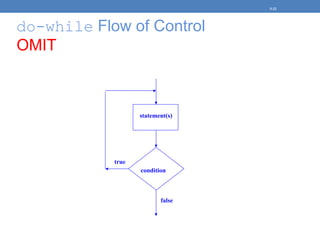
do-while Flow of Control
OMIT
5-22
statement(s)
condition
false
true
do-while Loop Notes
• Loop always executes at least once
• Execution continues as long as condition is true; the
loop is exited when condition becomes false
• Useful in menu-driven programs to bring user back to
menu to make another choice
5-23
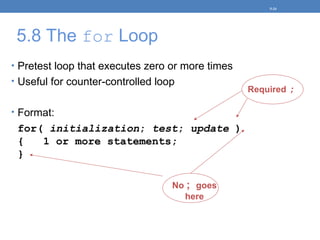
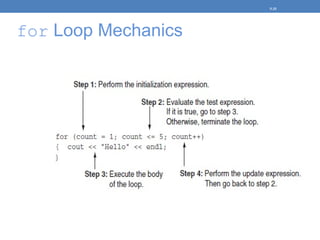
5.8 The for Loop
• Pretest loop that executes zero or more times
• Useful for counter-controlled loop
• Format:
for( initialization; test; update )
{ 1 or more statements;
}
5-24
No ; goes
here
Required ;
for Loop Mechanics
5-25
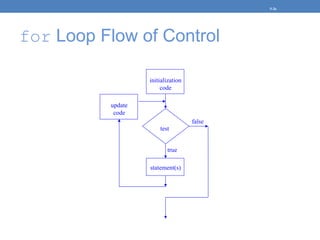
for Loop Flow of Control
5-26
true
statement(s)
false
test
initialization
code
update
code
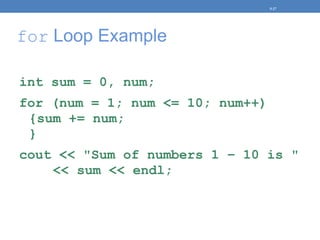
for Loop Example
int sum = 0, num;
for (num = 1; num <= 10; num++)
{sum += num;
}
cout << "Sum of numbers 1 – 10 is "
<< sum << endl;
5-27
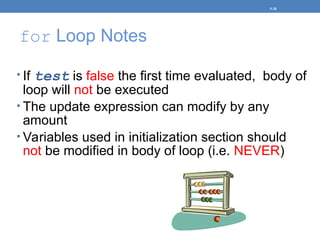
for Loop Notes
• If test is false the first time evaluated, body of
loop will not be executed
• The update expression can modify by any
amount
• Variables used in initialization section should
not be modified in body of loop (i.e. NEVER)
5-28
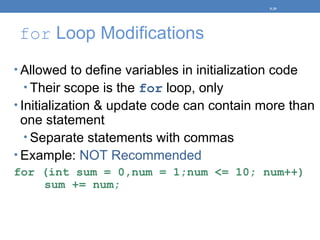
for Loop Modifications
• Allowed to define variables in initialization code
• Their scope is the for loop, only
• Initialization & update code can contain more than
one statement
• Separate statements with commas
• Example: NOT Recommended
for (int sum = 0,num = 1;num <= 10; num++)
sum += num;
5-29
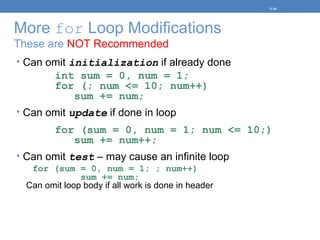
More for Loop Modifications
These are NOT Recommended
• Can omit initialization if already done
int sum = 0, num = 1;
for (; num <= 10; num++)
sum += num;
• Can omit update if done in loop
for (sum = 0, num = 1; num <= 10;)
sum += num++;
• Can omit test – may cause an infinite loop
for (sum = 0, num = 1; ; num++)
sum += num;
Can omit loop body if all work is done in header
5-30
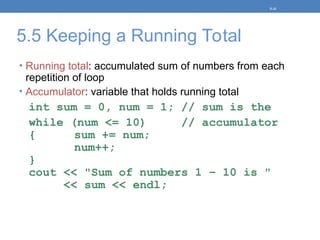
5.5 Keeping a Running Total
• Running total: accumulated sum of numbers from each
repetition of loop
• Accumulator: variable that holds running total
int sum = 0, num = 1; // sum is the
while (num <= 10) // accumulator
{ sum += num;
num++;
}
cout << "Sum of numbers 1 – 10 is "
<< sum << endl;
5-31
5.6 Sentinels
• Sentinel: value in a list of values that indicates end of data
• Special value that cannot be confused with a valid value,
e.g., -999 for a test score
• Used to terminate input when user may not know how
many values will be entered
5-32
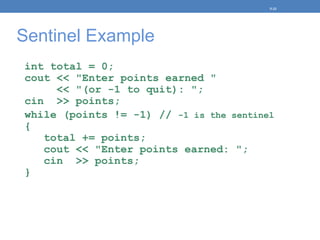
Sentinel Example
int total = 0;
cout << "Enter points earned "
<< "(or -1 to quit): ";
cin >> points;
while (points != -1) // -1 is the sentinel
{
total += points;
cout << "Enter points earned: ";
cin >> points;
}
5-33
5.9 Using a Loop to Read
Data From a File
• A Loop can be used to read in each piece of data from a file
• It is not necessary to know how much data is in the file
• Several methods exist to test for the end of the file
5-34
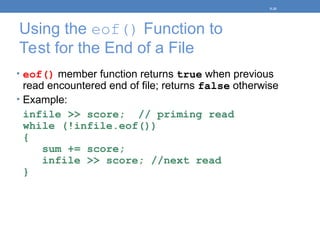
Using the eof() Function to
Test for the End of a File
• eof() member function returns true when previous
read encountered end of file; returns false otherwise
• Example:
infile >> score; // priming read
while (!infile.eof())
{
sum += score;
infile >> score; //next read
}
5-35
Problems Using eof()
• For the eof() function to work correctly using
this method, there must be a whitespace (space,
tab, or [Enter] ) after the last piece of data
• Otherwise end of file will be recognized when
reading final data value & it will not be
processed
• Must read before loop & at end of loop
5-36
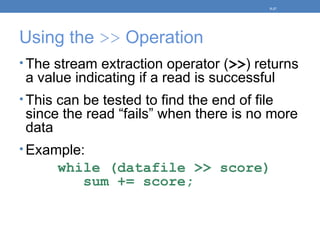
Using the >> Operation
• The stream extraction operator (>>) returns
a value indicating if a read is successful
• This can be tested to find the end of file
since the read “fails” when there is no more
data
• Example:
while (datafile >> score)
sum += score;
5-37
5.9 Deciding Which Loop to Use
• while: pretest loop (loop body may not be
executed at all)
• do-while: post test loop (loop body always
executed at least once)
• for: pretest loop (loop body may not be
executed at all); has initialization & update
code; is useful with counters or if precise
number of repetitions is known
5-38
5.10 Nested Loops
• A nested loop is a loop inside the body of another loop
• Example:
for (row = 1; row <= 3; row++) //outer loop
{
for (col = 1; col <= 3; col++) //inner
{
cout << row << ‘n’;
}
}
row = 1 col = 1, 2, 3
row = 2 col = 1, 2, 3
row = 3 col = 1, 2, 3
5-39
Nested for loops
for (row = 1; row <= 3; row++) //outer loop
{
for (col = 1; col <= 3; col++) //inner
{
cout << row << “ “;
}
}
What is the output??
1 1 1 2 2 2 3 3 3
What is output if ?
cout << row << ‘n’;
5-40
Nested loops
for (row = 1; row <= 3; row++) //outer loop
{
for (col = 1; col <= 3; col++) //inner
{
cout << row + col << “ “;
}
}
2 3 4 3 4 5 4 5 6
5-41
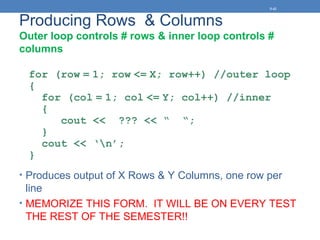
Producing Rows & Columns
Outer loop controls # rows & inner loop controls #
columns
for (row = 1; row <= X; row++) //outer loop
{
for (col = 1; col <= Y; col++) //inner
{
cout << ??? << “ “;
}
cout << ‘n’;
}
• Produces output of X Rows & Y Columns, one row per
line
• MEMORIZE THIS FORM. IT WILL BE ON EVERY TEST
THE REST OF THE SEMESTER!!
5-42
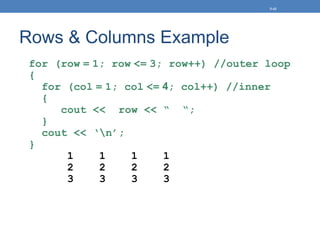
Rows & Columns Example
for (row = 1; row <= 3; row++) //outer loop
{
for (col = 1; col <= 4; col++) //inner
{
cout << row << “ “;
}
cout << ‘n’;
}
1 1 1 1
2 2 2 2
3 3 3 3
5-43
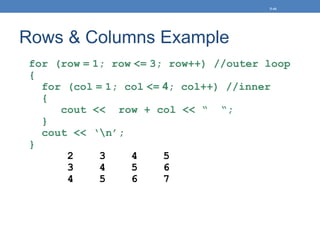
Rows & Columns Example
for (row = 1; row <= 3; row++) //outer loop
{
for (col = 1; col <= 4; col++) //inner
{
cout << row + col << “ “;
}
cout << ‘n’;
}
2 3 4 5
3 4 5 6
4 5 6 7
5-44
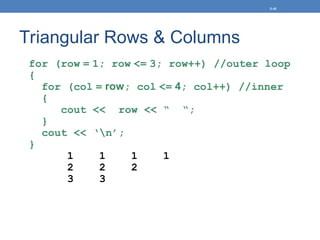
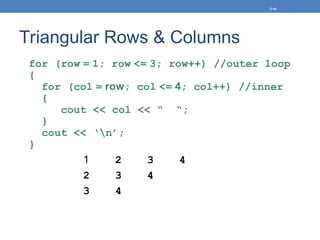
Triangular Rows & Columns
for (row = 1; row <= 3; row++) //outer loop
{
for (col = row; col <= 4; col++) //inner
{
cout << row << “ “;
}
cout << ‘n’;
}
1 1 1 1
2 2 2
3 3
5-45
Triangular Rows & Columns
for (row = 1; row <= 3; row++) //outer loop
{
for (col = row; col <= 4; col++) //inner
{
cout << col << “ “;
}
cout << ‘n’;
}
1 2 3 4
2 3 4
3 4
5-46
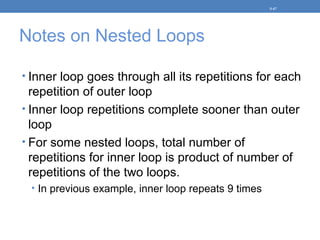
Notes on Nested Loops
• Inner loop goes through all its repetitions for each
repetition of outer loop
• Inner loop repetitions complete sooner than outer
loop
• For some nested loops, total number of
repetitions for inner loop is product of number of
repetitions of the two loops.
• In previous example, inner loop repeats 9 times
5-47
5.13 Creating Good Test Data
• When testing a program, the quality of test
data is more important than quantity.
• Test data should show how different parts
of the program execute
• Test data should evaluate how program
handles:
• normal data
• data that is at the limits the valid range
• invalid data
5-48
Homework
• Handout on Nested For Loops
• Problems at end of Chapter 5
5-49

Chapter 5 Looping

  • 1.
    Starting Out withC++ Early Objects Seventh Edition by Tony Gaddis, Judy Walters, and Godfrey Muganda Chapter 5: Looping
  • 2.
    5.2 The Incrementand Decrement Operators  ++ adds one to a variable val++; the same as val = val + 1;  -- subtracts one from a variable val--; the same as val = val – 1;  can be used in prefix mode (before) or postfix mode (after) a variable 5-2
  • 3.
    Prefix Mode  ++val& --val ◦ increment or decrement the variable, then return/use new value of the variable.  The returned new value of the variable that is used in any other operations within the same statement 5-3
  • 4.
    Prefix Mode Example intx = 1, y = 1; x = ++y; // y is incremented to 2 // Then 2 assigned to x cout<< x <<“ "<< y; // Displays 2 2 x = --y; // y is decremented to 1 // Then 1 assigned to x cout<< x << “ " << y; // Displays 1 1 5-4
  • 5.
    Postfix Mode  val++& val– ◦ Return/use original value of variable, then increment or decrement variable  The original value of variable is used in any other operations within the same statement 5-5
  • 6.
    Postfix Mode Example intx = 1, y = 1; x = y++; // y++ returns a 1 // 1 is assigned to x // & y is incremented to 2 cout<< x << “ " << y; // Displays 1 2 x = y--; // y-- returns a 2 // 2 is assigned to x // & y is decremented to 1 cout<< x << “ " << y; // Displays 2 1 5-6
  • 7.
    Increment & DecrementNotes  Can be used in arithmetic expressions result = num1++ + --num2;  Must be applied to something that has a location in memory. Cannot have result = (num1 + num2)++; // Illegal  Can be used in relational expressions if (++num > limit) ◦ Pre- and post-operations will cause different comparisons 5-7
  • 8.
    EOF While loop Willread from a file until no values remain while (infile >> value) { // statements to process value // Allowed to read more values here } cout << value; //last value read from file 5-8
  • 9.
    5.1 Introduction toLoops: The while Loop  Loop: part of program that may execute > 1 time (i.e., it repeats)  while loop format: while (condition) { statement(s); }  The {} can be omitted if there is only one statement in the body of the loop ◦ But recommend – always use { } 5-9 No ; here
  • 10.
    How the whileLoop Works while (condition) { statement(s); } condition is evaluated ◦ if it is true, statement(s) are executed, then condition is evaluated again ◦ if it is false, the loop is exited 5-10
  • 11.
    while Loop Flowof Control 5-11 true statement(s) false condition
  • 12.
    while Loop Example intval = 5; while (val >= 0) { cout << val << " "; val--; } • produces output: 5 4 3 2 1 0 5-12
  • 13.
    while Loop isa Pretest Loop  while is a pretest loop (condition is evaluated before loop executes)  If condition is initially false, statement(s) in body of loop are never executed  If condition is initially true, the statement(s) in the body continue to be executed until the condition becomes false 5-13
  • 14.
    Exiting the Loop •Loop must contain code to allow condition to eventually become false • i.e. Condition variable MUST be changed • Otherwise, infinite loop • i.e. a loop that does not stop • Example infinite loop: x = 5; while (x > 0) // infinite loop b/c cout << x; // x is always > 0 5-14
  • 15.
    Common Loop Errors Don’t forget the { } : int numEntries = 1; while (numEntries <=3) cout << "Still working … "; numEntries++; // not in the loop body  Don’t use = when you mean to use == while (numEntries = 3) // always true { cout << "Still working … "; numEntries++; } 5-15
  • 16.
    5.2 Using whileLoop for Input Validation Loops are appropriate for validating user input data 1. Prompt for and read data. 2. Use a while loop to test if data is valid. 3. Enter loop only if data is not valid. 4. Inside loop, display error message & prompt user to re-enter data. 5. Loop will not be exited until user enters valid data. 5-16
  • 17.
    Input Validation LoopExample cout << "Enter a number (1-100) and" << " I will guess it. "; cin >> number; while (number < 1 || number > 100) { cout << "Number must be between 1 and 100." << " Re-enter your number. "; cin >> number; } // Code to use the valid number goes here. 5-17
  • 18.
    5.4 Counters • Counter:variable that is incremented or decremented each time a loop repeats • Can be used to control execution of the loop (loop control variable) • Must be initialized before entering loop • May be incremented/decremented either inside the loop or in the loop test 5-18
  • 19.
    User-Controlled Loop • Programcan be written so that user input determines loop repetition • Can be used when program processes a list of items of known size • User is prompted before loop. The input is used to control number of repetitions 5-19
  • 20.
    User-Controlled Loop Example intnum, limit; cout << "Table of squaresn"; cout << "How high to go? "; cin >> limit; cout << "nn number squaren"; num = 1; while (num <= limit) { cout << setw(5) << num << setw(6) << num*num << endl; num++; } 5-20
  • 21.
    5.7 The do-whileLoop WE WILL OMIT THIS • do-while: a post test loop (condition is evaluated after the loop executes) • Format: do { 1 or more statements; } while (condition); 5-21 Notice the required ;
  • 22.
    do-while Flow ofControl OMIT 5-22 statement(s) condition false true
  • 23.
    do-while Loop Notes •Loop always executes at least once • Execution continues as long as condition is true; the loop is exited when condition becomes false • Useful in menu-driven programs to bring user back to menu to make another choice 5-23
  • 24.
    5.8 The forLoop • Pretest loop that executes zero or more times • Useful for counter-controlled loop • Format: for( initialization; test; update ) { 1 or more statements; } 5-24 No ; goes here Required ;
  • 25.
  • 26.
    for Loop Flowof Control 5-26 true statement(s) false test initialization code update code
  • 27.
    for Loop Example intsum = 0, num; for (num = 1; num <= 10; num++) {sum += num; } cout << "Sum of numbers 1 – 10 is " << sum << endl; 5-27
  • 28.
    for Loop Notes •If test is false the first time evaluated, body of loop will not be executed • The update expression can modify by any amount • Variables used in initialization section should not be modified in body of loop (i.e. NEVER) 5-28
  • 29.
    for Loop Modifications •Allowed to define variables in initialization code • Their scope is the for loop, only • Initialization & update code can contain more than one statement • Separate statements with commas • Example: NOT Recommended for (int sum = 0,num = 1;num <= 10; num++) sum += num; 5-29
  • 30.
    More for LoopModifications These are NOT Recommended • Can omit initialization if already done int sum = 0, num = 1; for (; num <= 10; num++) sum += num; • Can omit update if done in loop for (sum = 0, num = 1; num <= 10;) sum += num++; • Can omit test – may cause an infinite loop for (sum = 0, num = 1; ; num++) sum += num; Can omit loop body if all work is done in header 5-30
  • 31.
    5.5 Keeping aRunning Total • Running total: accumulated sum of numbers from each repetition of loop • Accumulator: variable that holds running total int sum = 0, num = 1; // sum is the while (num <= 10) // accumulator { sum += num; num++; } cout << "Sum of numbers 1 – 10 is " << sum << endl; 5-31
  • 32.
    5.6 Sentinels • Sentinel:value in a list of values that indicates end of data • Special value that cannot be confused with a valid value, e.g., -999 for a test score • Used to terminate input when user may not know how many values will be entered 5-32
  • 33.
    Sentinel Example int total= 0; cout << "Enter points earned " << "(or -1 to quit): "; cin >> points; while (points != -1) // -1 is the sentinel { total += points; cout << "Enter points earned: "; cin >> points; } 5-33
  • 34.
    5.9 Using aLoop to Read Data From a File • A Loop can be used to read in each piece of data from a file • It is not necessary to know how much data is in the file • Several methods exist to test for the end of the file 5-34
  • 35.
    Using the eof()Function to Test for the End of a File • eof() member function returns true when previous read encountered end of file; returns false otherwise • Example: infile >> score; // priming read while (!infile.eof()) { sum += score; infile >> score; //next read } 5-35
  • 36.
    Problems Using eof() •For the eof() function to work correctly using this method, there must be a whitespace (space, tab, or [Enter] ) after the last piece of data • Otherwise end of file will be recognized when reading final data value & it will not be processed • Must read before loop & at end of loop 5-36
  • 37.
    Using the >>Operation • The stream extraction operator (>>) returns a value indicating if a read is successful • This can be tested to find the end of file since the read “fails” when there is no more data • Example: while (datafile >> score) sum += score; 5-37
  • 38.
    5.9 Deciding WhichLoop to Use • while: pretest loop (loop body may not be executed at all) • do-while: post test loop (loop body always executed at least once) • for: pretest loop (loop body may not be executed at all); has initialization & update code; is useful with counters or if precise number of repetitions is known 5-38
  • 39.
    5.10 Nested Loops •A nested loop is a loop inside the body of another loop • Example: for (row = 1; row <= 3; row++) //outer loop { for (col = 1; col <= 3; col++) //inner { cout << row << ‘n’; } } row = 1 col = 1, 2, 3 row = 2 col = 1, 2, 3 row = 3 col = 1, 2, 3 5-39
  • 40.
    Nested for loops for(row = 1; row <= 3; row++) //outer loop { for (col = 1; col <= 3; col++) //inner { cout << row << “ “; } } What is the output?? 1 1 1 2 2 2 3 3 3 What is output if ? cout << row << ‘n’; 5-40
  • 41.
    Nested loops for (row= 1; row <= 3; row++) //outer loop { for (col = 1; col <= 3; col++) //inner { cout << row + col << “ “; } } 2 3 4 3 4 5 4 5 6 5-41
  • 42.
    Producing Rows &Columns Outer loop controls # rows & inner loop controls # columns for (row = 1; row <= X; row++) //outer loop { for (col = 1; col <= Y; col++) //inner { cout << ??? << “ “; } cout << ‘n’; } • Produces output of X Rows & Y Columns, one row per line • MEMORIZE THIS FORM. IT WILL BE ON EVERY TEST THE REST OF THE SEMESTER!! 5-42
  • 43.
    Rows & ColumnsExample for (row = 1; row <= 3; row++) //outer loop { for (col = 1; col <= 4; col++) //inner { cout << row << “ “; } cout << ‘n’; } 1 1 1 1 2 2 2 2 3 3 3 3 5-43
  • 44.
    Rows & ColumnsExample for (row = 1; row <= 3; row++) //outer loop { for (col = 1; col <= 4; col++) //inner { cout << row + col << “ “; } cout << ‘n’; } 2 3 4 5 3 4 5 6 4 5 6 7 5-44
  • 45.
    Triangular Rows &Columns for (row = 1; row <= 3; row++) //outer loop { for (col = row; col <= 4; col++) //inner { cout << row << “ “; } cout << ‘n’; } 1 1 1 1 2 2 2 3 3 5-45
  • 46.
    Triangular Rows &Columns for (row = 1; row <= 3; row++) //outer loop { for (col = row; col <= 4; col++) //inner { cout << col << “ “; } cout << ‘n’; } 1 2 3 4 2 3 4 3 4 5-46
  • 47.
    Notes on NestedLoops • Inner loop goes through all its repetitions for each repetition of outer loop • Inner loop repetitions complete sooner than outer loop • For some nested loops, total number of repetitions for inner loop is product of number of repetitions of the two loops. • In previous example, inner loop repeats 9 times 5-47
  • 48.
    5.13 Creating GoodTest Data • When testing a program, the quality of test data is more important than quantity. • Test data should show how different parts of the program execute • Test data should evaluate how program handles: • normal data • data that is at the limits the valid range • invalid data 5-48
  • 49.
    Homework • Handout onNested For Loops • Problems at end of Chapter 5 5-49

Editor's Notes

  • #2 See pr5-01.cpp
  • #6 See pr5-02.cpp
  • #12 See pr5-03.cpp
  • #16  See pr5-04.cpp
  • #18 See pr5-05.cpp
  • #20 See pr5-06.cpp
  • #22 See pr5-07.cpp
  • #23 See pr5-08.cpp
  • #27 See pr5-09.cpp
  • #31 See pr5-10.cpp
  • #33 See pr5-11.cpp
  • #35 See pr5-12.cpp
  • #37 See pr5-13.cpp
  • #39 See pr5-14.cpp
  • #48 File pr5-17.cpp corresponds to program 5-17 on pp. 284-285 in the text. See also file pr5-17B.cpp as a solution to the problems discussed in program 5-17.