1
PHP
 echo, print

 echo (variable
functions)

2
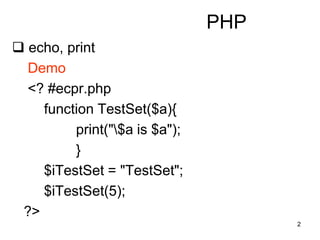
PHP
 echo, print
Demo
<? #ecpr.php
function TestSet($a){
print("$a is $a");
}
$iTestSet = "TestSet";
$iTestSet(5);
?>
3
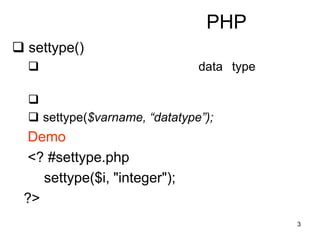
PHP
 settype()
 data type

 settype($varname, “datatype”);
Demo
<? #settype.php
settype($i, "integer");
?>
4
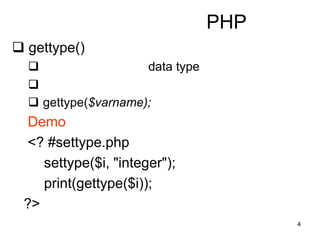
PHP
 gettype()
 data type

 gettype($varname);
Demo
<? #settype.php
settype($i, "integer");
print(gettype($i));
?>
5
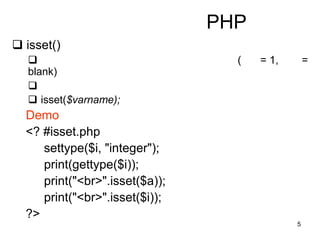
PHP
 isset()
 ( = 1, =
blank)

 isset($varname);
Demo
<? #isset.php
settype($i, "integer");
print(gettype($i));
print("<br>".isset($a));
print("<br>".isset($i));
?>
6
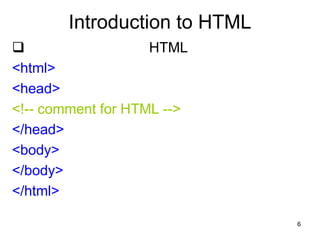
Introduction to HTML
 HTML
<html>
<head>
<!-- comment for HTML -->
</head>
<body>
</body>
</html>
7
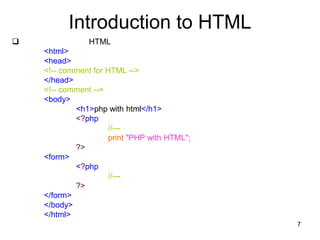
Introduction to HTML
 HTML
<html>
<head>
<!-- comment for HTML -->
</head>
<!-- comment -->
<body>
<h1>php with html</h1>
<?php
//---
print "PHP with HTML";
?>
<form>
<?php
//---
?>
</form>
</body>
</html>
8
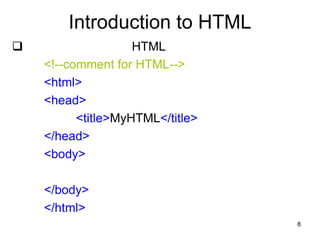
Introduction to HTML
 HTML
<!--comment for HTML-->
<html>
<head>
<title>MyHTML</title>
</head>
<body>
</body>
</html>
9
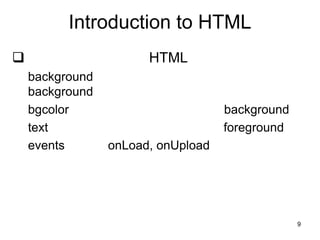
Introduction to HTML
 HTML
background
background
bgcolor background
text foreground
events onLoad, onUpload
10
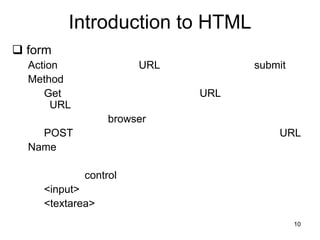
Introduction to HTML
 form
Action URL submit
Method
Get URL
URL
browser
POST URL
Name
control
<input>
<textarea>
11
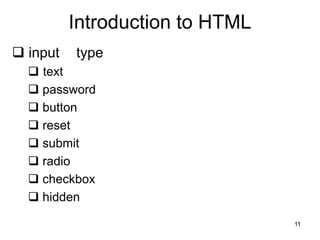
Introduction to HTML
 input type
 text
 password
 button
 reset
 submit
 radio
 checkbox
 hidden
12
Introduction to HTML
 input
type
user
name
Value
13
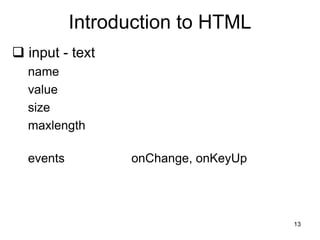
Introduction to HTML
 input - text
name
value
size
maxlength
events onChange, onKeyUp
14
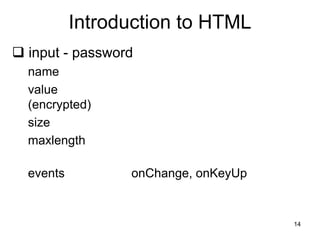
Introduction to HTML
 input - password
name
value
(encrypted)
size
maxlength
events onChange, onKeyUp
15
Introduction to HTML
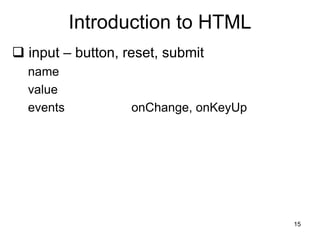
 input – button, reset, submit
name
value
events onChange, onKeyUp
16
Introduction to HTML
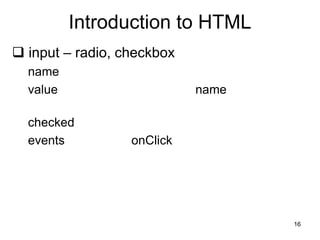
 input – radio, checkbox
name
value name
checked
events onClick
17
Introduction to HTML
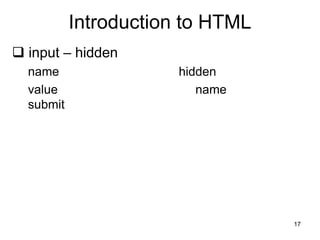
 input – hidden
name hidden
value name
submit
18
Introduction to HTML
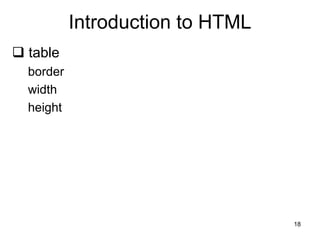
 table
border
width
height
19
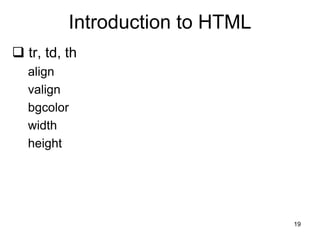
Introduction to HTML
 tr, td, th
align
valign
bgcolor
width
height
20
Introduction to HTML
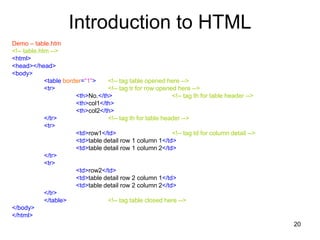
Demo – table.htm
<!-- table.htm -->
<html>
<head></head>
<body>
<table border="1"> <!-- tag table opened here -->
<tr> <!-- tag tr for row opened here -->
<th>No.</th> <!-- tag th for table header -->
<th>col1</th>
<th>col2</th>
</tr> <!-- tag th for table header -->
<tr>
<td>row1</td> <!-- tag td for column detail -->
<td>table detail row 1 column 1</td>
<td>table detail row 1 column 2</td>
</tr>
<tr>
<td>row2</td>
<td>table detail row 2 column 1</td>
<td>table detail row 2 column 2</td>
</tr>
</table> <!-- tag table closed here -->
</body>
</html>
21
Introduction to HTML
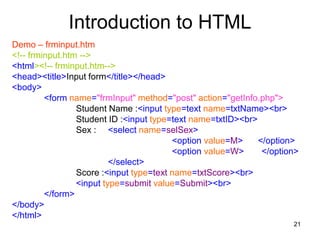
Demo – frminput.htm
<!-- frminput.htm -->
<html><!-- frminput.htm-->
<head><title>Input form</title></head>
<body>
<form name="frmInput" method="post" action="getInfo.php">
Student Name :<input type=text name=txtName><br>
Student ID :<input type=text name=txtID><br>
Sex : <select name=selSex>
<option value=M> </option>
<option value=W> </option>
</select>
Score :<input type=text name=txtScore><br>
<input type=submit value=Submit><br>
</form>
</body>
</html>
22
Introduction to HTML
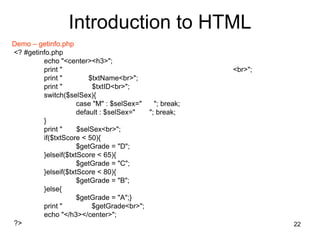
Demo – getinfo.php
<? #getinfo.php
echo "<center><h3>";
print " <br>";
print " $txtName<br>";
print " $txtID<br>";
switch($selSex){
case "M" : $selSex=" "; break;
default : $selSex=" "; break;
}
print " $selSex<br>";
if($txtScore < 50){
$getGrade = "D";
}elseif($txtScore < 65){
$getGrade = "C";
}elseif($txtScore < 80){
$getGrade = "B";
}else{
$getGrade = "A";}
print " $getGrade<br>";
echo "</h3></center>";
?>
23
Introduction to HTML
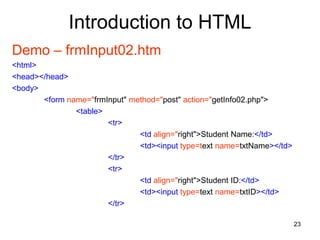
Demo – frmInput02.htm
<html>
<head></head>
<body>
<form name="frmInput" method="post" action="getInfo02.php">
<table>
<tr>
<td align="right">Student Name:</td>
<td><input type=text name=txtName></td>
</tr>
<tr>
<td align="right">Student ID:</td>
<td><input type=text name=txtID></td>
</tr>
24
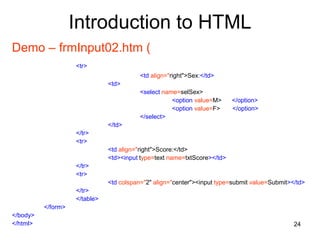
Introduction to HTML
Demo – frmInput02.htm (
<tr>
<td align="right">Sex:</td>
<td>
<select name=selSex>
<option value=M> </option>
<option value=F> </option>
</select>
</td>
</tr>
<tr>
<td align="right">Score:</td>
<td><input type=text name=txtScore></td>
</tr>
<tr>
<td colspan="2" align="center"><input type=submit value=Submit></td>
</tr>
</table>
</form>
</body>
</html>
25
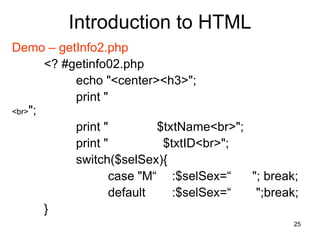
Introduction to HTML
Demo – getInfo2.php
<? #getinfo02.php
echo "<center><h3>";
print "
<br>";
print " $txtName<br>";
print " $txtID<br>";
switch($selSex){
case "M“ :$selSex=“ "; break;
default :$selSex=“ ";break;
}
26
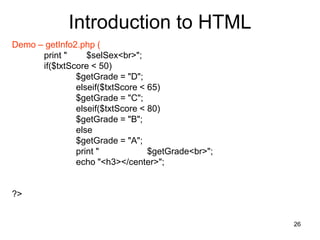
Introduction to HTML
Demo – getInfo2.php (
print " $selSex<br>";
if($txtScore < 50)
$getGrade = "D";
elseif($txtScore < 65)
$getGrade = "C";
elseif($txtScore < 80)
$getGrade = "B";
else
$getGrade = "A";
print " $getGrade<br>";
echo "<h3></center>";
?>
27
PHP
substr()


 substr(string string, int start[, int length]);
 string
 start
0
 length
28
PHP
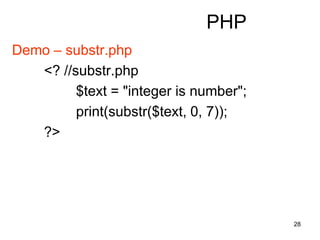
Demo – substr.php
<? //substr.php
$text = "integer is number";
print(substr($text, 0, 7));
?>
29
PHP
substr_replace()


 substr_replace(string string, string replacement,
int start[, int length]);
string
replacement
start
0
30
PHP
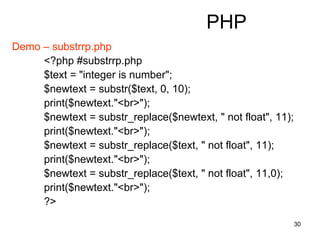
Demo – substrrp.php
<?php #substrrp.php
$text = "integer is number";
$newtext = substr($text, 0, 10);
print($newtext."<br>");
$newtext = substr_replace($newtext, " not float", 11);
print($newtext."<br>");
$newtext = substr_replace($text, " not float", 11);
print($newtext."<br>");
$newtext = substr_replace($text, " not float", 11,0);
print($newtext."<br>");
?>
31
PHP
 str_replace()


 mixed str_replace(mixed search, mixed replace,
mixed subject[, int &count]);
search
replace
subject
count
(pass by reference)
&
32
PHP
str_replace()
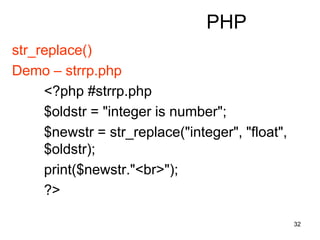
Demo – strrp.php
<?php #strrp.php
$oldstr = "integer is number";
$newstr = str_replace("integer", "float",
$oldstr);
print($newstr."<br>");
?>
33
PHP
 strpos()


 int strpos(string haystack, string needle [, int
offset]);
haystack
needle
offset
optional parameter
34
PHP
strpos()
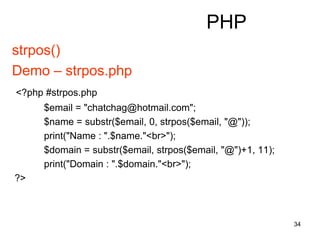
Demo – strpos.php
<?php #strpos.php
$email = "chatchag@hotmail.com";
$name = substr($email, 0, strpos($email, "@"));
print("Name : ".$name."<br>");
$domain = substr($email, strpos($email, "@")+1, 11);
print("Domain : ".$domain."<br>");
?>
35
PHP
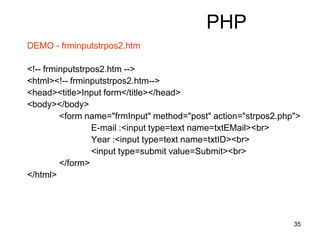
DEMO - frminputstrpos2.htm
<!-- frminputstrpos2.htm -->
<html><!-- frminputstrpos2.htm-->
<head><title>Input form</title></head>
<body></body>
<form name="frmInput" method="post" action="strpos2.php">
E-mail :<input type=text name=txtEMail><br>
Year :<input type=text name=txtID><br>
<input type=submit value=Submit><br>
</form>
</html>
36
PHP
strpos()
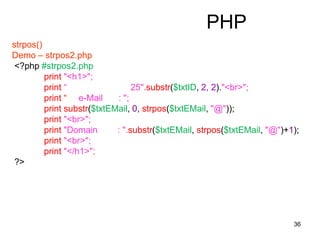
Demo – strpos2.php
<?php #strpos2.php
print "<h1>";
print “ 25".substr($txtID, 2, 2)."<br>";
print “ e-Mail : ";
print substr($txtEMail, 0, strpos($txtEMail, "@"));
print "<br>";
print "Domain : ".substr($txtEMail, strpos($txtEMail, "@")+1);
print "<br>";
print "</h1>";
?>
37
PHP
 strrpos()

strpos()

 int strrpos(string haystack, string needle [, int offset]);
haystack
needle
offset
optional parameter
38
PHP
strrpos()
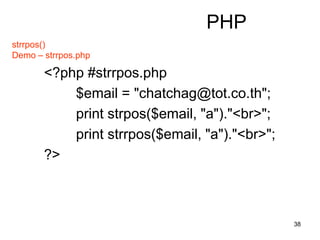
Demo – strrpos.php
<?php #strrpos.php
$email = "chatchag@tot.co.th";
print strpos($email, "a")."<br>";
print strrpos($email, "a")."<br>";
?>
39
PHP
 strlen()
int strlen(string, string);
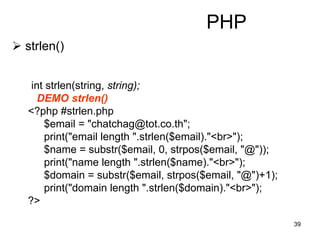
DEMO strlen()
<?php #strlen.php
$email = "chatchag@tot.co.th";
print("email length ".strlen($email)."<br>");
$name = substr($email, 0, strpos($email, "@"));
print("name length ".strlen($name)."<br>");
$domain = substr($email, strpos($email, "@")+1);
print("domain length ".strlen($domain)."<br>");
?>
40
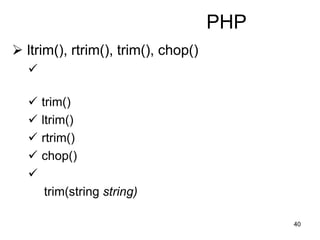
PHP
 ltrim(), rtrim(), trim(), chop()

 trim()
 ltrim()
 rtrim()
 chop()

trim(string string)
41
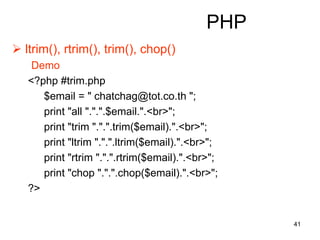
PHP
 ltrim(), rtrim(), trim(), chop()
Demo
<?php #trim.php
$email = " chatchag@tot.co.th ";
print "all ".".".$email.".<br>";
print "trim ".".".trim($email).".<br>";
print "ltrim ".".".ltrim($email).".<br>";
print "rtrim ".".".rtrim($email).".<br>";
print "chop ".".".chop($email).".<br>";
?>
42
PHP
 list()


 list($var1[, $var2, [$var3, …]])
$vari i
43
PHP
 explode()


 array explode(string separator, string [, int limit])

 separator
 string
 limit
44
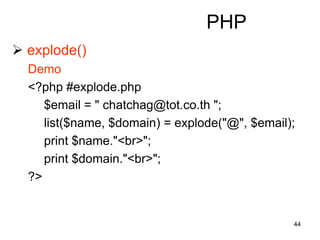
PHP
 explode()
Demo
<?php #explode.php
$email = " chatchag@tot.co.th ";
list($name, $domain) = explode("@", $email);
print $name."<br>";
print $domain."<br>";
?>
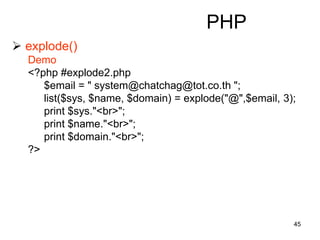
45
PHP
 explode()
Demo
<?php #explode2.php
$email = " system@chatchag@tot.co.th ";
list($sys, $name, $domain) = explode("@",$email, 3);
print $sys."<br>";
print $name."<br>";
print $domain."<br>";
?>
46
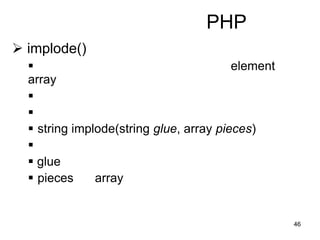
PHP
 implode()
 element
array


 string implode(string glue, array pieces)

 glue
 pieces array
47
PHP
 implode()
Demo
<?php #implode.php
$email = "chatchag@tot.co.th";
list($name[], $domain) = explode("@", $email);
print $name[0]."<br>";
print $domain."<br>";
$name[] = "yahoo.com";
$newemail = implode("@", $name);
print $newemail."<br>";
?>
48
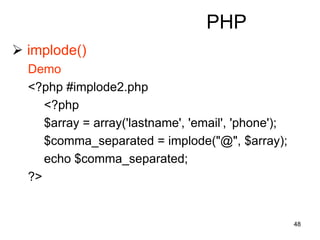
PHP
 implode()
Demo
<?php #implode2.php
<?php
$array = array('lastname', 'email', 'phone');
$comma_separated = implode("@", $array);
echo $comma_separated;
?>
49
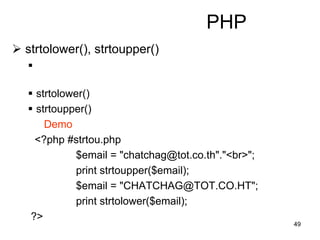
PHP
 strtolower(), strtoupper()

 strtolower()
 strtoupper()
Demo
<?php #strtou.php
$email = "chatchag@tot.co.th"."<br>";
print strtoupper($email);
$email = "CHATCHAG@TOT.CO.HT";
print strtolower($email);
?>
50
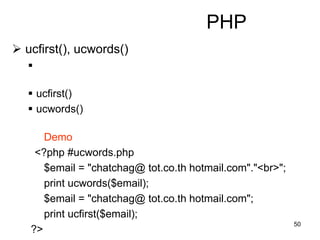
PHP
 ucfirst(), ucwords()

 ucfirst()
 ucwords()
Demo
<?php #ucwords.php
$email = "chatchag@ tot.co.th hotmail.com"."<br>";
print ucwords($email);
$email = "chatchag@ tot.co.th hotmail.com";
print ucfirst($email);
?>
51
PHP
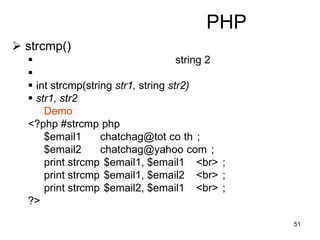
 strcmp()
 string 2

 int strcmp(string str1, string str2)
 str1, str2
Demo
<?php #strcmp php
$email1 chatchag@tot co th ;
$email2 chatchag@yahoo com ;
print strcmp $email1, $email1 <br> ;
print strcmp $email1, $email2 <br> ;
print strcmp $email2, $email1 <br> ;
?>
52
PHP
 printf(), sprintf()
void printf(string format [,mixed args])
string sprintf(string format [,mixed args])
type specifier
%
53
PHP
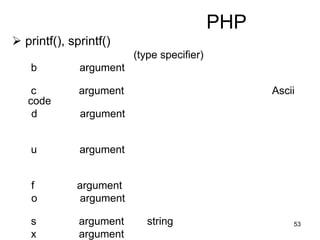
 printf(), sprintf()
(type specifier)
b argument
c argument Ascii
code
d argument
u argument
f argument
o argument
s argument string
x argument
54
PHP
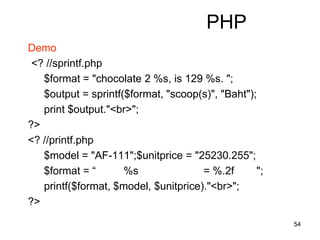
Demo
<? //sprintf.php
$format = "chocolate 2 %s, is 129 %s. ";
$output = sprintf($format, "scoop(s)", "Baht");
print $output."<br>";
?>
<? //printf.php
$model = "AF-111";$unitprice = "25230.255";
$format = “ %s = %.2f ";
printf($format, $model, $unitprice)."<br>";
?>
55
PHP
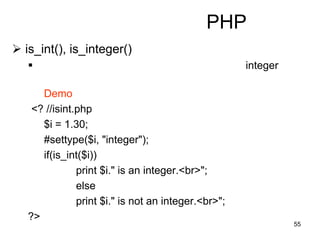
 is_int(), is_integer()
 integer
Demo
<? //isint.php
$i = 1.30;
#settype($i, "integer");
if(is_int($i))
print $i." is an integer.<br>";
else
print $i." is not an integer.<br>";
?>
56
PHP
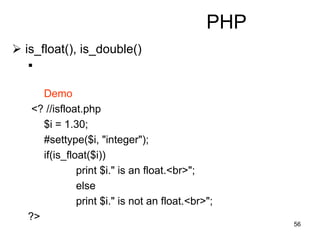
 is_float(), is_double()

Demo
<? //isfloat.php
$i = 1.30;
#settype($i, "integer");
if(is_float($i))
print $i." is an float.<br>";
else
print $i." is not an float.<br>";
?>
57
PHP
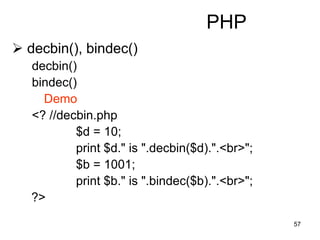
 decbin(), bindec()
decbin()
bindec()
Demo
<? //decbin.php
$d = 10;
print $d." is ".decbin($d).".<br>";
$b = 1001;
print $b." is ".bindec($b).".<br>";
?>
58
PHP
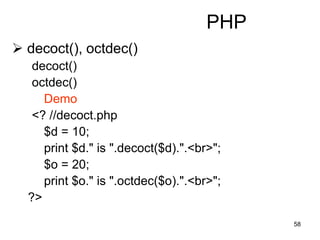
 decoct(), octdec()
decoct()
octdec()
Demo
<? //decoct.php
$d = 10;
print $d." is ".decoct($d).".<br>";
$o = 20;
print $o." is ".octdec($o).".<br>";
?>
59
PHP
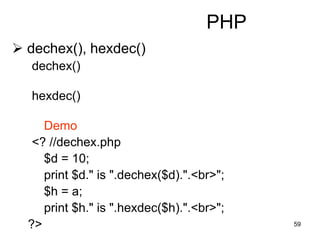
 dechex(), hexdec()
dechex()
hexdec()
Demo
<? //dechex.php
$d = 10;
print $d." is ".dechex($d).".<br>";
$h = a;
print $h." is ".hexdec($h).".<br>";
?>
60
PHP
 floor(), ceil(), round()
floor()
ceil()
round()
float round(float val [, int precision])
val
0 default 0
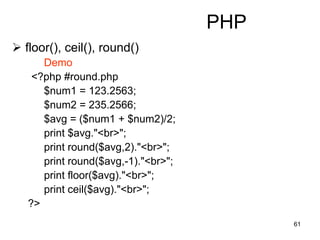
61
PHP
 floor(), ceil(), round()
Demo
<?php #round.php
$num1 = 123.2563;
$num2 = 235.2566;
$avg = ($num1 + $num2)/2;
print $avg."<br>";
print round($avg,2)."<br>";
print round($avg,-1)."<br>";
print floor($avg)."<br>";
print ceil($avg)."<br>";
?>

PHP Tutorial (funtion)

  • 1.
    1 PHP  echo, print  echo (variable functions) 
  • 2.
    2 PHP  echo, print Demo <?#ecpr.php function TestSet($a){ print("$a is $a"); } $iTestSet = "TestSet"; $iTestSet(5); ?>
  • 3.
    3 PHP  settype()  datatype   settype($varname, “datatype”); Demo <? #settype.php settype($i, "integer"); ?>
  • 4.
    4 PHP  gettype()  datatype   gettype($varname); Demo <? #settype.php settype($i, "integer"); print(gettype($i)); ?>
  • 5.
    5 PHP  isset()  (= 1, = blank)   isset($varname); Demo <? #isset.php settype($i, "integer"); print(gettype($i)); print("<br>".isset($a)); print("<br>".isset($i)); ?>
  • 6.
    6 Introduction to HTML HTML <html> <head> <!-- comment for HTML --> </head> <body> </body> </html>
  • 7.
    7 Introduction to HTML HTML <html> <head> <!-- comment for HTML --> </head> <!-- comment --> <body> <h1>php with html</h1> <?php //--- print "PHP with HTML"; ?> <form> <?php //--- ?> </form> </body> </html>
  • 8.
    8 Introduction to HTML HTML <!--comment for HTML--> <html> <head> <title>MyHTML</title> </head> <body> </body> </html>
  • 9.
    9 Introduction to HTML HTML background background bgcolor background text foreground events onLoad, onUpload
  • 10.
    10 Introduction to HTML form Action URL submit Method Get URL URL browser POST URL Name control <input> <textarea>
  • 11.
    11 Introduction to HTML input type  text  password  button  reset  submit  radio  checkbox  hidden
  • 12.
    12 Introduction to HTML input type user name Value
  • 13.
    13 Introduction to HTML input - text name value size maxlength events onChange, onKeyUp
  • 14.
    14 Introduction to HTML input - password name value (encrypted) size maxlength events onChange, onKeyUp
  • 15.
    15 Introduction to HTML input – button, reset, submit name value events onChange, onKeyUp
  • 16.
    16 Introduction to HTML input – radio, checkbox name value name checked events onClick
  • 17.
    17 Introduction to HTML input – hidden name hidden value name submit
  • 18.
    18 Introduction to HTML table border width height
  • 19.
    19 Introduction to HTML tr, td, th align valign bgcolor width height
  • 20.
    20 Introduction to HTML Demo– table.htm <!-- table.htm --> <html> <head></head> <body> <table border="1"> <!-- tag table opened here --> <tr> <!-- tag tr for row opened here --> <th>No.</th> <!-- tag th for table header --> <th>col1</th> <th>col2</th> </tr> <!-- tag th for table header --> <tr> <td>row1</td> <!-- tag td for column detail --> <td>table detail row 1 column 1</td> <td>table detail row 1 column 2</td> </tr> <tr> <td>row2</td> <td>table detail row 2 column 1</td> <td>table detail row 2 column 2</td> </tr> </table> <!-- tag table closed here --> </body> </html>
  • 21.
    21 Introduction to HTML Demo– frminput.htm <!-- frminput.htm --> <html><!-- frminput.htm--> <head><title>Input form</title></head> <body> <form name="frmInput" method="post" action="getInfo.php"> Student Name :<input type=text name=txtName><br> Student ID :<input type=text name=txtID><br> Sex : <select name=selSex> <option value=M> </option> <option value=W> </option> </select> Score :<input type=text name=txtScore><br> <input type=submit value=Submit><br> </form> </body> </html>
  • 22.
    22 Introduction to HTML Demo– getinfo.php <? #getinfo.php echo "<center><h3>"; print " <br>"; print " $txtName<br>"; print " $txtID<br>"; switch($selSex){ case "M" : $selSex=" "; break; default : $selSex=" "; break; } print " $selSex<br>"; if($txtScore < 50){ $getGrade = "D"; }elseif($txtScore < 65){ $getGrade = "C"; }elseif($txtScore < 80){ $getGrade = "B"; }else{ $getGrade = "A";} print " $getGrade<br>"; echo "</h3></center>"; ?>
  • 23.
    23 Introduction to HTML Demo– frmInput02.htm <html> <head></head> <body> <form name="frmInput" method="post" action="getInfo02.php"> <table> <tr> <td align="right">Student Name:</td> <td><input type=text name=txtName></td> </tr> <tr> <td align="right">Student ID:</td> <td><input type=text name=txtID></td> </tr>
  • 24.
    24 Introduction to HTML Demo– frmInput02.htm ( <tr> <td align="right">Sex:</td> <td> <select name=selSex> <option value=M> </option> <option value=F> </option> </select> </td> </tr> <tr> <td align="right">Score:</td> <td><input type=text name=txtScore></td> </tr> <tr> <td colspan="2" align="center"><input type=submit value=Submit></td> </tr> </table> </form> </body> </html>
  • 25.
    25 Introduction to HTML Demo– getInfo2.php <? #getinfo02.php echo "<center><h3>"; print " <br>"; print " $txtName<br>"; print " $txtID<br>"; switch($selSex){ case "M“ :$selSex=“ "; break; default :$selSex=“ ";break; }
  • 26.
    26 Introduction to HTML Demo– getInfo2.php ( print " $selSex<br>"; if($txtScore < 50) $getGrade = "D"; elseif($txtScore < 65) $getGrade = "C"; elseif($txtScore < 80) $getGrade = "B"; else $getGrade = "A"; print " $getGrade<br>"; echo "<h3></center>"; ?>
  • 27.
    27 PHP substr()    substr(string string,int start[, int length]);  string  start 0  length
  • 28.
    28 PHP Demo – substr.php <?//substr.php $text = "integer is number"; print(substr($text, 0, 7)); ?>
  • 29.
    29 PHP substr_replace()    substr_replace(string string,string replacement, int start[, int length]); string replacement start 0
  • 30.
    30 PHP Demo – substrrp.php <?php#substrrp.php $text = "integer is number"; $newtext = substr($text, 0, 10); print($newtext."<br>"); $newtext = substr_replace($newtext, " not float", 11); print($newtext."<br>"); $newtext = substr_replace($text, " not float", 11); print($newtext."<br>"); $newtext = substr_replace($text, " not float", 11,0); print($newtext."<br>"); ?>
  • 31.
    31 PHP  str_replace()    mixedstr_replace(mixed search, mixed replace, mixed subject[, int &count]); search replace subject count (pass by reference) &
  • 32.
    32 PHP str_replace() Demo – strrp.php <?php#strrp.php $oldstr = "integer is number"; $newstr = str_replace("integer", "float", $oldstr); print($newstr."<br>"); ?>
  • 33.
    33 PHP  strpos()    intstrpos(string haystack, string needle [, int offset]); haystack needle offset optional parameter
  • 34.
    34 PHP strpos() Demo – strpos.php <?php#strpos.php $email = "chatchag@hotmail.com"; $name = substr($email, 0, strpos($email, "@")); print("Name : ".$name."<br>"); $domain = substr($email, strpos($email, "@")+1, 11); print("Domain : ".$domain."<br>"); ?>
  • 35.
    35 PHP DEMO - frminputstrpos2.htm <!--frminputstrpos2.htm --> <html><!-- frminputstrpos2.htm--> <head><title>Input form</title></head> <body></body> <form name="frmInput" method="post" action="strpos2.php"> E-mail :<input type=text name=txtEMail><br> Year :<input type=text name=txtID><br> <input type=submit value=Submit><br> </form> </html>
  • 36.
    36 PHP strpos() Demo – strpos2.php <?php#strpos2.php print "<h1>"; print “ 25".substr($txtID, 2, 2)."<br>"; print “ e-Mail : "; print substr($txtEMail, 0, strpos($txtEMail, "@")); print "<br>"; print "Domain : ".substr($txtEMail, strpos($txtEMail, "@")+1); print "<br>"; print "</h1>"; ?>
  • 37.
    37 PHP  strrpos()  strpos()   intstrrpos(string haystack, string needle [, int offset]); haystack needle offset optional parameter
  • 38.
    38 PHP strrpos() Demo – strrpos.php <?php#strrpos.php $email = "chatchag@tot.co.th"; print strpos($email, "a")."<br>"; print strrpos($email, "a")."<br>"; ?>
  • 39.
    39 PHP  strlen() int strlen(string,string); DEMO strlen() <?php #strlen.php $email = "chatchag@tot.co.th"; print("email length ".strlen($email)."<br>"); $name = substr($email, 0, strpos($email, "@")); print("name length ".strlen($name)."<br>"); $domain = substr($email, strpos($email, "@")+1); print("domain length ".strlen($domain)."<br>"); ?>
  • 40.
    40 PHP  ltrim(), rtrim(),trim(), chop()   trim()  ltrim()  rtrim()  chop()  trim(string string)
  • 41.
    41 PHP  ltrim(), rtrim(),trim(), chop() Demo <?php #trim.php $email = " chatchag@tot.co.th "; print "all ".".".$email.".<br>"; print "trim ".".".trim($email).".<br>"; print "ltrim ".".".ltrim($email).".<br>"; print "rtrim ".".".rtrim($email).".<br>"; print "chop ".".".chop($email).".<br>"; ?>
  • 42.
    42 PHP  list()    list($var1[,$var2, [$var3, …]]) $vari i
  • 43.
    43 PHP  explode()    arrayexplode(string separator, string [, int limit])   separator  string  limit
  • 44.
    44 PHP  explode() Demo <?php #explode.php $email= " chatchag@tot.co.th "; list($name, $domain) = explode("@", $email); print $name."<br>"; print $domain."<br>"; ?>
  • 45.
    45 PHP  explode() Demo <?php #explode2.php $email= " system@chatchag@tot.co.th "; list($sys, $name, $domain) = explode("@",$email, 3); print $sys."<br>"; print $name."<br>"; print $domain."<br>"; ?>
  • 46.
    46 PHP  implode()  element array   string implode(string glue, array pieces)   glue  pieces array
  • 47.
    47 PHP  implode() Demo <?php #implode.php $email= "chatchag@tot.co.th"; list($name[], $domain) = explode("@", $email); print $name[0]."<br>"; print $domain."<br>"; $name[] = "yahoo.com"; $newemail = implode("@", $name); print $newemail."<br>"; ?>
  • 48.
    48 PHP  implode() Demo <?php #implode2.php <?php $array= array('lastname', 'email', 'phone'); $comma_separated = implode("@", $array); echo $comma_separated; ?>
  • 49.
    49 PHP  strtolower(), strtoupper()  strtolower()  strtoupper() Demo <?php #strtou.php $email = "chatchag@tot.co.th"."<br>"; print strtoupper($email); $email = "CHATCHAG@TOT.CO.HT"; print strtolower($email); ?>
  • 50.
    50 PHP  ucfirst(), ucwords()  ucfirst()  ucwords() Demo <?php #ucwords.php $email = "chatchag@ tot.co.th hotmail.com"."<br>"; print ucwords($email); $email = "chatchag@ tot.co.th hotmail.com"; print ucfirst($email); ?>
  • 51.
    51 PHP  strcmp()  string2   int strcmp(string str1, string str2)  str1, str2 Demo <?php #strcmp php $email1 chatchag@tot co th ; $email2 chatchag@yahoo com ; print strcmp $email1, $email1 <br> ; print strcmp $email1, $email2 <br> ; print strcmp $email2, $email1 <br> ; ?>
  • 52.
    52 PHP  printf(), sprintf() voidprintf(string format [,mixed args]) string sprintf(string format [,mixed args]) type specifier %
  • 53.
    53 PHP  printf(), sprintf() (typespecifier) b argument c argument Ascii code d argument u argument f argument o argument s argument string x argument
  • 54.
    54 PHP Demo <? //sprintf.php $format ="chocolate 2 %s, is 129 %s. "; $output = sprintf($format, "scoop(s)", "Baht"); print $output."<br>"; ?> <? //printf.php $model = "AF-111";$unitprice = "25230.255"; $format = “ %s = %.2f "; printf($format, $model, $unitprice)."<br>"; ?>
  • 55.
    55 PHP  is_int(), is_integer() integer Demo <? //isint.php $i = 1.30; #settype($i, "integer"); if(is_int($i)) print $i." is an integer.<br>"; else print $i." is not an integer.<br>"; ?>
  • 56.
    56 PHP  is_float(), is_double()  Demo <?//isfloat.php $i = 1.30; #settype($i, "integer"); if(is_float($i)) print $i." is an float.<br>"; else print $i." is not an float.<br>"; ?>
  • 57.
    57 PHP  decbin(), bindec() decbin() bindec() Demo <?//decbin.php $d = 10; print $d." is ".decbin($d).".<br>"; $b = 1001; print $b." is ".bindec($b).".<br>"; ?>
  • 58.
    58 PHP  decoct(), octdec() decoct() octdec() Demo <?//decoct.php $d = 10; print $d." is ".decoct($d).".<br>"; $o = 20; print $o." is ".octdec($o).".<br>"; ?>
  • 59.
    59 PHP  dechex(), hexdec() dechex() hexdec() Demo <?//dechex.php $d = 10; print $d." is ".dechex($d).".<br>"; $h = a; print $h." is ".hexdec($h).".<br>"; ?>
  • 60.
    60 PHP  floor(), ceil(),round() floor() ceil() round() float round(float val [, int precision]) val 0 default 0
  • 61.
    61 PHP  floor(), ceil(),round() Demo <?php #round.php $num1 = 123.2563; $num2 = 235.2566; $avg = ($num1 + $num2)/2; print $avg."<br>"; print round($avg,2)."<br>"; print round($avg,-1)."<br>"; print floor($avg)."<br>"; print ceil($avg)."<br>"; ?>