





(Ab)Using the
MetaCPAN API for
 Fun and Profit
  Olaf Alders (OALDERS)
     @wundercounter
Architecture


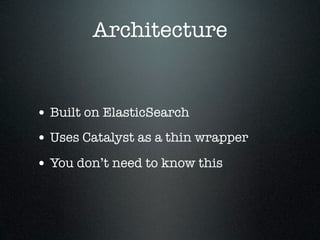
• Built on ElasticSearch
• Uses Catalyst as a thin wrapper
• You don’t need to know this
Real life examples
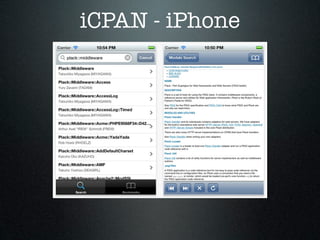
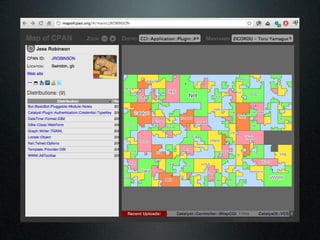
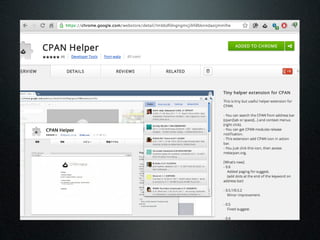
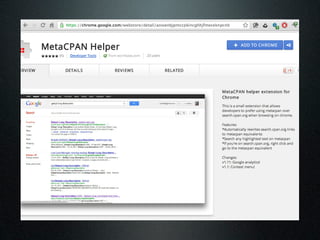
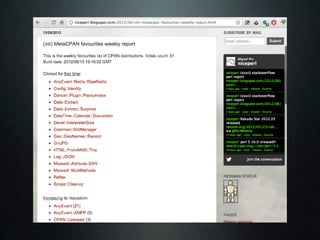
iCPAN - iPhone
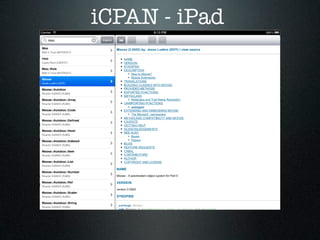
iCPAN - iPad
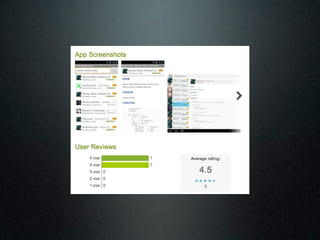
Android
What can we build?
What can we build?


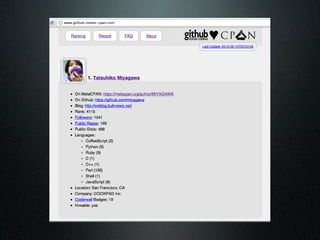
• Do something with Github
What can we build?


• Do something with Github
• Get a list of all CPAN authors who
  have enabled the “hireable” flag in
  their Github profiles
Let’s Get Started
Let’s Get Started


• We want to fetch some data
Let’s Get Started


• We want to fetch some data
• We’ll use Sawyer’s MetaCPAN::API
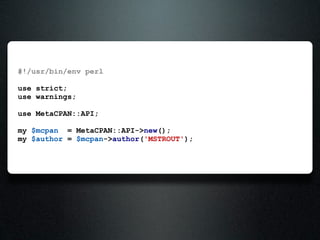
#!/usr/bin/env perl

use strict;
use warnings;

use MetaCPAN::API;

my $mcpan = MetaCPAN::API->new();
my $author = $mcpan->author('MSTROUT');
{
    dir            =>   "id/M/MS/MSTROUT",
    email          =>   ["perl-stuff@trout.me.uk"],
    gravatar_url   =>   "https://secure.gravatar.com/avatar/...",
    name           =>   "Matt S Trout",
    pauseid        =>   "MSTROUT",
    website        =>   ["http://www.trout.me.uk/"],
}
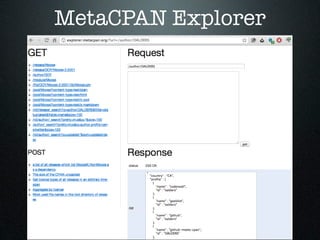
MetaCPAN Explorer
my $author = $mcpan->author('MSTROUT');
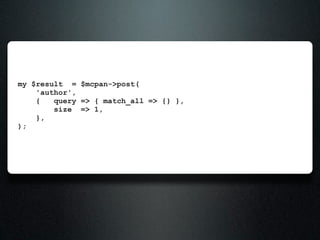
my $result = $mcpan->post(
    'author',
    {   query => { match_all => {} },
        size => 1,
    },
);
{
    _shards => { failed => 0, successful => 5, total => 5 },
    hits => {
       hits => [
          {
             _id     => "KHAMPTON",
             _index => "cpan_v1",
             _score => 1,
             _source => {
                           city         => "Los Angeles",
                           country      => "US",
                           dir          => "id/K/KH/KHAMPTON",
                           email        => ["khampton@totalcinema.com", "kip.hampton@tamarou.com"],
                           gravatar_url => "http://www.gravatar.com/avatar/...",
                           name         => "Kip Hampton",
                           pauseid      => "KHAMPTON",
                           profile      => [
                                              { id => "ubu", name => "coderwall" },
                                              { id => "ubu", name => "github" },
                                              { id => "kiphampton", name => "twitter" },
                                           ],
                           region       => "CA",
                           updated      => "2011-07-22T20:42:06",
                           website      => ["http://totalcinema.com/"],
                        },
             _type   => "author",
          },
       ],
       max_score => 1,
       total => 9780,
    },
    timed_out => bless(do{(my $o = 0)}, "JSON::XS::Boolean"),
    took => 1,
}
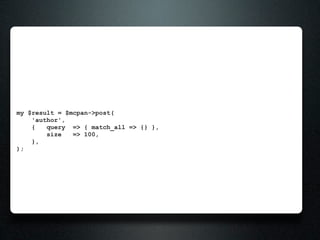
my $result = $mcpan->post(
    'author',
    {   query => { match_all => {} },
        size => 1,
    },
);

# dump $result->{hits}->{hits}->[0]->{_source};
{
  city         =>   "Los Angeles",
  country      =>   "US",
  dir          =>   "id/K/KH/KHAMPTON",
  email        =>   ["khampton@totalcinema.com", "kip.hampton
@tamarou.com"],
  gravatar_url => "http://www.gravatar.com/avatar/...",
  name         => "Kip Hampton",
  pauseid      => "KHAMPTON",
  profile      => [
                     { id => "ubu", name => "coderwall" },
                     { id => "ubu", name => "github" },
                     { id => "kiphampton", name => "twitter" },
                  ],
    region     => "CA",
    updated    => "2011-07-22T20:42:06",
    website    => ["http://totalcinema.com/"],
}
my $result = $mcpan->post(
    'author',
    {   query => { match_all => {} },
        size   => 100,
    },
);
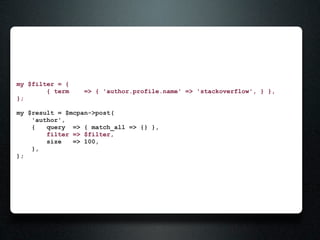
my $filter = {
        { term   => { 'author.profile.name' => 'stackoverflow', } },
};

my $result = $mcpan->post(
    'author',
    {   query => { match_all => {} },
        filter => $filter,
        size   => 100,
    },
);
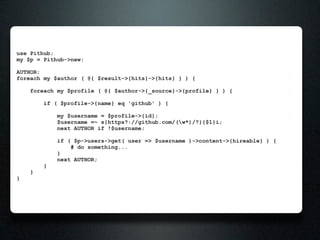
use Pithub;
my $p = Pithub->new;

AUTHOR:
foreach my $author ( @{ $result->{hits}->{hits} } ) {

    foreach my $profile ( @{ $author->{_source}->{profile} } ) {

        if ( $profile->{name} eq 'github' ) {

            my $username = $profile->{id};
            $username =~ s{https?://github.com/(w*)/?}{$1}i;
            next AUTHOR if !$username;

            if ( $p->users->get( user => $username )->content->{hireable} ) {
                # do something...
            }
            next AUTHOR;
        }
    }
}
Getting fancy
my $filter = {
    and => [
        { term   => { 'author.profile.name' => 'github', } },
        { term   => { 'author.country'      => 'US', } }
    ]
};

my $result = $mcpan->post(
    'author',
    {   query => { match_all => {} },
        filter => $filter,
        size   => 100,
    },
);
my $filter = {
    and => [
        { term     => { 'author.profile.name' => 'github', } },
        { term     => { 'author.country'      => 'US', } },
        { exists   => { 'field'               => 'author.region' } },
    ]
};

my $result = $mcpan->post(
    'author',
    {   query => { match_all => {} },
        filter => $filter,
        size   => 100,
    },
);
my $filter = {
    and => [
        { term      =>   {   'author.profile.name'   =>   'github', } },
        { term      =>   {   'author.country'        =>   'US', } },
        { exists    =>   {   'field'                 =>   'author.region' } },
        { missing   =>   {   'field'                 =>   'author.location' } },
    ]
};

my $result = $mcpan->post(
    'author',
    {   query => { match_all => {} },
        filter => $filter,
        size   => 100,
    },
);

# “missing” isn’t really helpful in this search
# just an example of how you might use it
my $filter = {
    or => [
        { term      =>   {   'author.profile.name'   =>   'github', } },
        { term      =>   {   'author.country'        =>   'US', } },
        { exists    =>   {   'field'                 =>   'author.region' } },
        { missing   =>   {   'field'                 =>   'author.location' } },
    ]
};

my $result = $mcpan->post(
    'author',
    {   query => { match_all => {} },
        filter => $filter,
        size   => 100,
    },
);
my $filter = {
    or => [
        { term      =>   {   'author.profile.name'   =>   'github', } },
        { term      =>   {   'author.country'        =>   'US', } },
        { exists    =>   {   'field'                 =>   'author.region' } },
        { missing   =>   {   'field'                 =>   'author.location' } },
    ]
};

my $result = $mcpan->post(
    'author',
    {   query => { match_all => {} },
        filter => $filter,
        size   => 100,
        fields => [ 'pauseid', 'country' ],
    },
);
my $filter = {
    or => [
        { term      =>   {   'author.profile.name'   =>   'github', } },
        { term      =>   {   'author.country'        =>   'US', } },
        { exists    =>   {   'field'                 =>   'author.region' } },
        { missing   =>   {   'field'                 =>   'author.location' } },
    ]
};

my $result = $mcpan->post(
    'author',
    {   query => { match_all => {} },
        filter => $filter,
        size   => 100,
        sort   => [ { 'author.pauseid' => 'ASC' } ],
    },
);
Getting Help


• #metacpan or irc.perl.org
• https://metacpan.org/about/resources
Resources


• https://github.com/CPAN-API/cpan-
  api/wiki/Beta-API-docs
• http://www.slideshare.net/
  clintongormley/terms-of-endearment-
  the-elasticsearch-query-dsl-explained
Bonus Slides
Base URL


• http://api.metacpan.org/v0
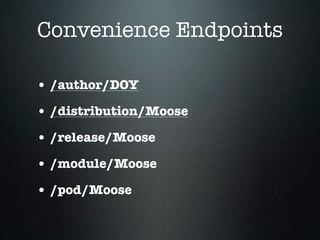
Convenience Endpoints

• /author/DOY
• /distribution/Moose
• /release/Moose
• /module/Moose
• /pod/Moose
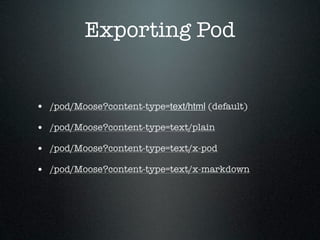
Exporting Pod


• /pod/Moose?content-type=text/html (default)
• /pod/Moose?content-type=text/plain
• /pod/Moose?content-type=text/x-pod
• /pod/Moose?content-type=text/x-markdown
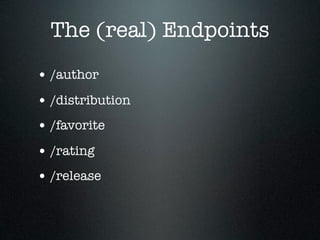
The (real) Endpoints
• /author
The (real) Endpoints
• /author
• /distribution
The (real) Endpoints
• /author
• /distribution
• /favorite
The (real) Endpoints
• /author
• /distribution
• /favorite
• /rating
The (real) Endpoints
• /author
• /distribution
• /favorite
• /rating
• /release
The (real) Endpoints
• /author
• /distribution
• /favorite
• /rating
• /release
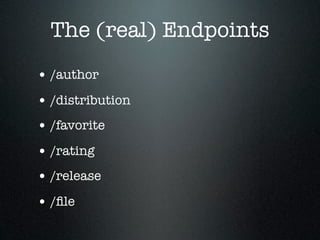
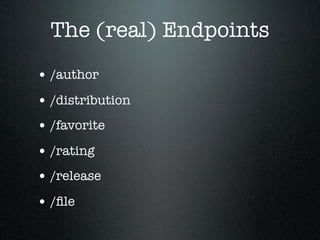
• /file
The (real) Endpoints
• /author
• /distribution
• /favorite
• /rating
• /release
• /file
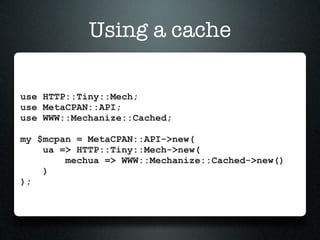
Using a cache

use HTTP::Tiny::Mech;
use MetaCPAN::API;
use WWW::Mechanize::Cached;

my $mcpan = MetaCPAN::API->new(
    ua => HTTP::Tiny::Mech->new(
        mechua => WWW::Mechanize::Cached->new()
    )
);
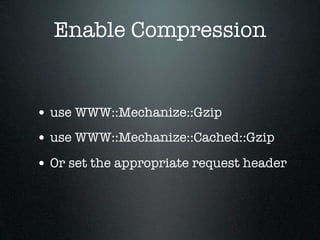
Enable Compression


• use WWW::Mechanize::Gzip
• use WWW::Mechanize::Cached::Gzip
• Or set the appropriate request header
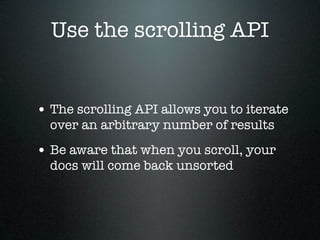
Use the scrolling API


• The scrolling API allows you to iterate
  over an arbitrary number of results
• Be aware that when you scroll, your
  docs will come back unsorted

(Ab)Using the MetaCPAN API for Fun and Profit

  • 1.
    (Ab)Using the MetaCPAN APIfor Fun and Profit Olaf Alders (OALDERS) @wundercounter
  • 2.
    Architecture • Built onElasticSearch • Uses Catalyst as a thin wrapper • You don’t need to know this
  • 3.
  • 4.
  • 5.
  • 6.
  • 17.
  • 18.
    What can webuild? • Do something with Github
  • 19.
    What can webuild? • Do something with Github • Get a list of all CPAN authors who have enabled the “hireable” flag in their Github profiles
  • 20.
  • 21.
    Let’s Get Started •We want to fetch some data
  • 22.
    Let’s Get Started •We want to fetch some data • We’ll use Sawyer’s MetaCPAN::API
  • 23.
    #!/usr/bin/env perl use strict; usewarnings; use MetaCPAN::API; my $mcpan = MetaCPAN::API->new(); my $author = $mcpan->author('MSTROUT');
  • 24.
    { dir => "id/M/MS/MSTROUT", email => ["perl-stuff@trout.me.uk"], gravatar_url => "https://secure.gravatar.com/avatar/...", name => "Matt S Trout", pauseid => "MSTROUT", website => ["http://www.trout.me.uk/"], }
  • 27.
  • 28.
    my $author =$mcpan->author('MSTROUT');
  • 29.
    my $result =$mcpan->post( 'author', { query => { match_all => {} }, size => 1, }, );
  • 30.
    { _shards => { failed => 0, successful => 5, total => 5 }, hits => { hits => [ { _id => "KHAMPTON", _index => "cpan_v1", _score => 1, _source => { city => "Los Angeles", country => "US", dir => "id/K/KH/KHAMPTON", email => ["khampton@totalcinema.com", "kip.hampton@tamarou.com"], gravatar_url => "http://www.gravatar.com/avatar/...", name => "Kip Hampton", pauseid => "KHAMPTON", profile => [ { id => "ubu", name => "coderwall" }, { id => "ubu", name => "github" }, { id => "kiphampton", name => "twitter" }, ], region => "CA", updated => "2011-07-22T20:42:06", website => ["http://totalcinema.com/"], }, _type => "author", }, ], max_score => 1, total => 9780, }, timed_out => bless(do{(my $o = 0)}, "JSON::XS::Boolean"), took => 1, }
  • 31.
    my $result =$mcpan->post( 'author', { query => { match_all => {} }, size => 1, }, ); # dump $result->{hits}->{hits}->[0]->{_source};
  • 32.
    { city => "Los Angeles", country => "US", dir => "id/K/KH/KHAMPTON", email => ["khampton@totalcinema.com", "kip.hampton @tamarou.com"], gravatar_url => "http://www.gravatar.com/avatar/...", name => "Kip Hampton", pauseid => "KHAMPTON", profile => [ { id => "ubu", name => "coderwall" }, { id => "ubu", name => "github" }, { id => "kiphampton", name => "twitter" }, ], region => "CA", updated => "2011-07-22T20:42:06", website => ["http://totalcinema.com/"], }
  • 33.
    my $result =$mcpan->post( 'author', { query => { match_all => {} }, size => 100, }, );
  • 34.
    my $filter ={ { term => { 'author.profile.name' => 'stackoverflow', } }, }; my $result = $mcpan->post( 'author', { query => { match_all => {} }, filter => $filter, size => 100, }, );
  • 35.
    use Pithub; my $p= Pithub->new; AUTHOR: foreach my $author ( @{ $result->{hits}->{hits} } ) { foreach my $profile ( @{ $author->{_source}->{profile} } ) { if ( $profile->{name} eq 'github' ) { my $username = $profile->{id}; $username =~ s{https?://github.com/(w*)/?}{$1}i; next AUTHOR if !$username; if ( $p->users->get( user => $username )->content->{hireable} ) { # do something... } next AUTHOR; } } }
  • 36.
  • 37.
    my $filter ={ and => [ { term => { 'author.profile.name' => 'github', } }, { term => { 'author.country' => 'US', } } ] }; my $result = $mcpan->post( 'author', { query => { match_all => {} }, filter => $filter, size => 100, }, );
  • 38.
    my $filter ={ and => [ { term => { 'author.profile.name' => 'github', } }, { term => { 'author.country' => 'US', } }, { exists => { 'field' => 'author.region' } }, ] }; my $result = $mcpan->post( 'author', { query => { match_all => {} }, filter => $filter, size => 100, }, );
  • 39.
    my $filter ={ and => [ { term => { 'author.profile.name' => 'github', } }, { term => { 'author.country' => 'US', } }, { exists => { 'field' => 'author.region' } }, { missing => { 'field' => 'author.location' } }, ] }; my $result = $mcpan->post( 'author', { query => { match_all => {} }, filter => $filter, size => 100, }, ); # “missing” isn’t really helpful in this search # just an example of how you might use it
  • 40.
    my $filter ={ or => [ { term => { 'author.profile.name' => 'github', } }, { term => { 'author.country' => 'US', } }, { exists => { 'field' => 'author.region' } }, { missing => { 'field' => 'author.location' } }, ] }; my $result = $mcpan->post( 'author', { query => { match_all => {} }, filter => $filter, size => 100, }, );
  • 41.
    my $filter ={ or => [ { term => { 'author.profile.name' => 'github', } }, { term => { 'author.country' => 'US', } }, { exists => { 'field' => 'author.region' } }, { missing => { 'field' => 'author.location' } }, ] }; my $result = $mcpan->post( 'author', { query => { match_all => {} }, filter => $filter, size => 100, fields => [ 'pauseid', 'country' ], }, );
  • 42.
    my $filter ={ or => [ { term => { 'author.profile.name' => 'github', } }, { term => { 'author.country' => 'US', } }, { exists => { 'field' => 'author.region' } }, { missing => { 'field' => 'author.location' } }, ] }; my $result = $mcpan->post( 'author', { query => { match_all => {} }, filter => $filter, size => 100, sort => [ { 'author.pauseid' => 'ASC' } ], }, );
  • 43.
    Getting Help • #metacpanor irc.perl.org • https://metacpan.org/about/resources
  • 44.
    Resources • https://github.com/CPAN-API/cpan- api/wiki/Beta-API-docs • http://www.slideshare.net/ clintongormley/terms-of-endearment- the-elasticsearch-query-dsl-explained
  • 45.
  • 46.
  • 47.
  • 48.
    Convenience Endpoints • /author/DOY •/distribution/Moose • /release/Moose • /module/Moose • /pod/Moose
  • 50.
    Exporting Pod • /pod/Moose?content-type=text/html(default) • /pod/Moose?content-type=text/plain • /pod/Moose?content-type=text/x-pod • /pod/Moose?content-type=text/x-markdown
  • 51.
  • 52.
  • 53.
    The (real) Endpoints •/author • /distribution
  • 54.
    The (real) Endpoints •/author • /distribution • /favorite
  • 55.
    The (real) Endpoints •/author • /distribution • /favorite • /rating
  • 56.
    The (real) Endpoints •/author • /distribution • /favorite • /rating • /release
  • 57.
    The (real) Endpoints •/author • /distribution • /favorite • /rating • /release • /file
  • 58.
    The (real) Endpoints •/author • /distribution • /favorite • /rating • /release • /file
  • 60.
    Using a cache useHTTP::Tiny::Mech; use MetaCPAN::API; use WWW::Mechanize::Cached; my $mcpan = MetaCPAN::API->new( ua => HTTP::Tiny::Mech->new( mechua => WWW::Mechanize::Cached->new() ) );
  • 62.
    Enable Compression • useWWW::Mechanize::Gzip • use WWW::Mechanize::Cached::Gzip • Or set the appropriate request header
  • 63.
    Use the scrollingAPI • The scrolling API allows you to iterate over an arbitrary number of results • Be aware that when you scroll, your docs will come back unsorted

Editor's Notes

  • #2 show of hands: \n1) have used the metacpan search site \n2) use it as their default search site \n3) have worked with the API\n
  • #3 \n
  • #4 \n
  • #5 \n
  • #6 \n
  • #7 \n
  • #8 \n
  • #9 \n
  • #10 \n
  • #11 CPAN visualization tool\n
  • #12 \n
  • #13 \n
  • #14 \n
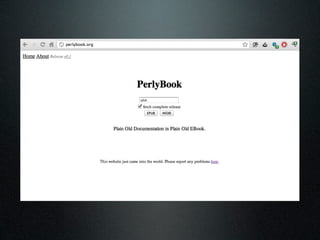
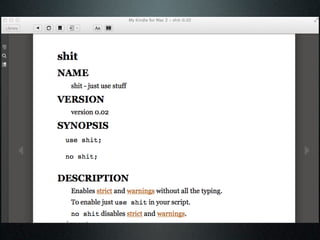
  • #15 Exports Pod into a format you can import right into your Kindle app.\n
  • #16 \n
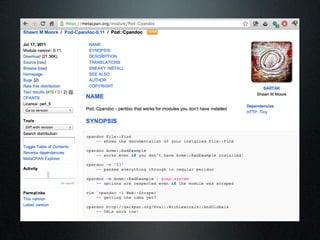
  • #17 Drop-in replacement for Perldoc. Read documentation for modules which you haven’t even installed. Genius.\n
  • #18 \n
  • #19 \n
  • #20 \n
  • #21 \n
  • #22 \n
  • #23 You can see that for the email and website fields, we allow you to provide a list rather than a single value. Now, for our example we need an author’s Github profile. Matt Trout does not provide this, so he’s a bad test case for our script.\n
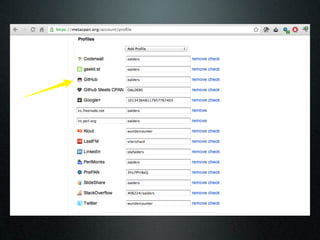
  • #24 Things like StackOverflow, Twitter and Github usernames are all provided by authors voluntarily after logging in to MetaCPAN. In order to see what the profiles look like in a data structure, we need to find an author who has filled these fields.\n
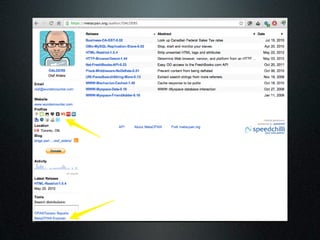
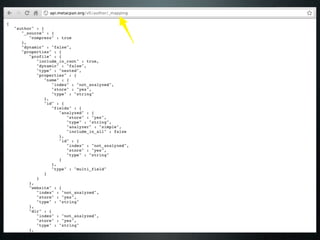
  • #25 You can see from Mo’s example here that he has filled out some of his profile information. He’s a good test case. Note the MetaCPAN explorer link on the bottom left corner. These links can also be found on the module and release pages.\n
  • #26 This is a great way to explore the various endpoints of the API and practice crafting queries by hand. However, today we’re just concerned with the /author endpoint.\n
  • #27 \n
  • #28 \n
  • #29 You can see here that since we’re no longer using a convenience endpoint, the output is a little busier. What we generally care about here is the list provided inside of hits->{hits}. In each list item, we care about _source and _source->{profile} in particular.\n
  • #30 \n
  • #31 \n
  • #32 \n
  • #33 \n
  • #34 \n
  • #35 \n
  • #36 \n
  • #37 \n
  • #38 \n
  • #39 \n
  • #40 \n
  • #41 \n
  • #42 \n
  • #43 \n
  • #44 \n
  • #45 \n
  • #46 \n
  • #47 \n
  • #48 \n
  • #49 \n
  • #50 \n
  • #51 \n
  • #52 \n
  • #53 \n
  • #54 \n
  • #55 \n
  • #56 \n
  • #57 \n
  • #58 \n
  • #59 \n
  • #60 \n