2.1. INTRODUCTION
TheJava Input/Output (I/O) is a part of java.io package.
The classes in the package are primarily abstract classes and
stream-oriented that define methods and subclasses which allow bytes
to be read from and written to files or other input and output sources.
In Java, I/O classes are differentiated according to the type of
data being read or written
Byte oriented and numeric data is written with output streams
and read with input streams.
Character data,that is text,is written with writers and read with
readers.
3.
INTRODUCTION
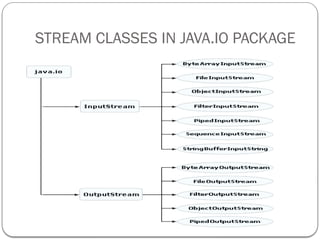
The twomain stream classes are
java.io.InputStream
java.io.OutputStream
The two main reader and writer classes are
java.io.Reader
java.io.Writer
The InputStream and OutputStream are central
classes in the package which are used for reading
from and writing to byte streams, respectively.
4.
WHAT IS ASTREAM?
A stream is a sequence of data of undetermined length.There's no
definite end to it.
In Java a stream is composed of discrete bytes.The bytes may
represent chars or other kinds of data.
The key to processing the stream is a while loop that processes
each piece of data,until you encounter the end-of-stream character
or some other exceptional condition occurs.
INPUTSTREAM
Is usedfor reading the data such as a byte and array of bytes from an
input source.
An input source can be a file, a string, or memory that
may contain the data.
It is an abstract class that defines the programming interface
for all input streams that are inherited from it.
OUTPUTSTREAM
Is usedfor writing byte and array of bytes to an output
source.
Similar to input sources, an output source can be anything
such as a file, a string, or memory containing the
data.
HOW FILES ANDSTREAMS WORK:
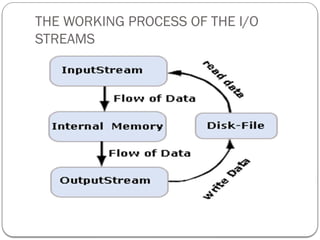
Java uses streams to handle I/O operations through
which the data is flowed from one location to another.
For example, an InputStream can flow the data from a
disk file to the internal memory and an OutputStream
can flow the data from the internal memory to a disk
file.
The disk-file may be a text file or a binary file.
For text file, we use a character stream where one character
is treated as per byte on disk.
For binary file, we use a binary stream.
READING TEXT FROMSTANDARD IO
Standard streams: are a feature provided by many operating
systems. By default, they read input from the keyboard
and write output to the display.
Java also supports three Standard Streams:
Standard Input:Accessed through System.in which
is used to read input from the keyboard.
Standard Output:Accessed through System.out
which is used to write output to be display.
Standard Error:Accessed through System.err which
is used to write error output to be display.
13.
STANDARD STREAMS
Theseobjects are defined automatically and do not need to be opened
explicitly.
Standard Output and Standard Error, both are used to
write output.
System.in is a byte stream that has no character stream
features.
To use Standard Input as a character stream, wrap System.in
within the InputStreamReader as an argument.
InputStreamReader inp = new InputStreamReader(System.in);
14.
Working with Readerclasses
The java.io.Reader class is used for reading text from
either the file or the keyboard on the command
line.
It acts as an abstract class for reading character streams.
The only methods that a subclass must implement are
read(char[], int, int) and close().
The Reader class is further categorized into the subclasses.
INPUTSTREAMREADER
Is abridge from byte streams to character streams
i.e. it reads bytes and decodes them into Unicode characters
according to a particular platform.
Thus, this class reads characters from a byte input stream.
When you create an InputStreamReader, you specify an
InputStream from which, the InputStreamReader reads
the bytes.
InputStreamReader <var_name>= new
InputStreamReader(System.in);
17.
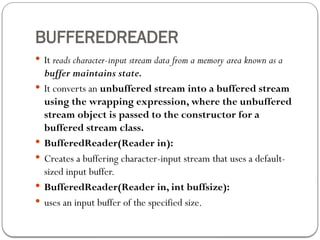
BUFFEREDREADER
It readscharacter-input stream data from a memory area known as a
buffer maintains state.
It converts an unbuffered stream into a buffered stream
using the wrapping expression, where the unbuffered
stream object is passed to the constructor for a
buffered stream class.
BufferedReader(Reader in):
Creates a buffering character-input stream that uses a default-
sized input buffer.
BufferedReader(Reader in, int buffsize):
uses an input buffer of the specified size.
18.
METHODS: BUFFEREDREADER
read(): int
Reads a single character
read(char[] cbuf, int off, int len) : int
Read characters into a portion of an array.
readLine( ) : String
Read a line of text terminated by ('n').
close( ) : void
Closes the opened stream.
Note:All methods throws an IOException, if an I/O
error occurs.
19.
EXAMPLE: READ INPUTFROM KEYBOARD
import java.io.*;
public class ReadStandardIO{
public static void main(String[] args) throws IOException{
InputStreamReader inp = new InputStreamReader(System.in) ;
BufferedReader br = new BufferedReader(inp);
System.out.println("Enter text : "); String str = in.readLine();
System.out.println("You entered String : ");
System.out.println(str);
}
}
20.
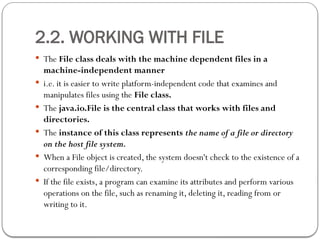
2.2. WORKING WITHFILE
The File class deals with the machine dependent files in a
machine-independent manner
i.e. it is easier to write platform-independent code that examines and
manipulates files using the File class.
The java.io.File is the central class that works with files and
directories.
The instance of this class represents the name of a file or directory
on the host file system.
When a File object is created, the system doesn't check to the existence of a
corresponding file/directory.
If the file exists, a program can examine its attributes and perform various
operations on the file, such as renaming it, deleting it, reading from or
writing to it.
21.
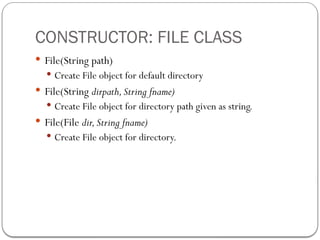
CONSTRUCTOR: FILE CLASS
File(String path)
Create File object for default directory
File(String dirpath,String fname)
Create File object for directory path given as string.
File(File dir,String fname)
Create File object for directory.
22.
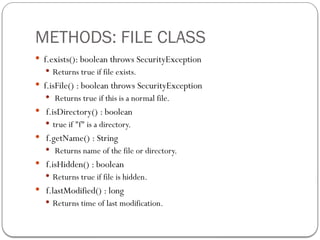
METHODS: FILE CLASS
f.exists(): boolean throws SecurityException
Returns true if file exists.
f.isFile() : boolean throws SecurityException
Returns true if this is a normal file.
f.isDirectory() : boolean
true if "f" is a directory.
f.getName() : String
Returns name of the file or directory.
f.isHidden() : boolean
Returns true if file is hidden.
f.lastModified() : long
Returns time of last modification.
23.
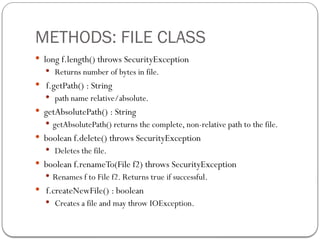
METHODS: FILE CLASS
long f.length() throws SecurityException
Returns number of bytes in file.
f.getPath() : String
path name relative/absolute.
getAbsolutePath() : String
getAbsolutePath() returns the complete, non-relative path to the file.
boolean f.delete() throws SecurityException
Deletes the file.
boolean f.renameTo(File f2) throws SecurityException
Renames f to File f2. Returns true if successful.
f.createNewFile() : boolean
Creates a file and may throw IOException.
24.
METHODS: FILE CLASS
String getParent()
getParent() returns a String that contains the name of the single
directory which contains this file in the hierarchy
boolean canWrite() throws SecurityException
indicates whether you have write access to this file.
boolean canRead() throws SecurityException
indicates whether you have read access to this file.
boolean mkdir()
create a directory with the given name. If the directory is
created, the method returns true. Otherwise it returns false.
25.
METHODS: FILE CLASS
boolean isAbsolute()
isAbsolute() returns true if the file name is an absolute path and false if
it's a relative path
boolean mkdirs() throws SecurityException
creates not just one but every directory in the path as necessary,
permissions permitting. mkdirs() returns true if all directories in this
path are created, and false if only some or none of them are created.
String[] list() throws SecurityException
returns a String array initialized to the names of each file in directory f.
String[] list(FilenameFilter filter) throws SecurityException
This is the same as the previous method except you can use a
FilenameFilter object to restrict which files are added to the list.
26.
EXAMPLE: CREATE NEWFILE
import java.io.*;
public class CreateFile1{
public static void main(String[] args) throws IOException
{
File f;
f=new File("myfile.txt");
if(!f.exists())
{
f.createNewFile();
System.out.println(
"New file "myfile.txt" has been created ” +
“to the current directory");
}
}
}
27.
CONSTRUCTING FILE NAMEPATH
In Java, it is possible to set dynamic path, which is helpful for
mapping local file name with the actual path of the file
The static constant File.separator or File.separatorChar
to specify the file name in a platform-independent
way.
If we are usingWindows platform then the value of this
separator is ' '
28.
EXAMPLE: FILE PATHSEPARATOR
import java.io.*;
public class PathFile
{
public static void main(String[] args) throws IOException
{
File f;
f=new File("example" + File.separator + "myfile.txt");
f.createNewFile();
System.out.println("New file "myfile.txt" has been created ” +
“to the specified location");
System.out.println("The absolute path of the file is: " +
f.getAbsolutePath());
}
}
29.
READING FILE LINEBY LINE
Java supports the following I/O file streams that are used to
perform reading and writing operation in a file.
FileInputstream
FileOutputStream
30.
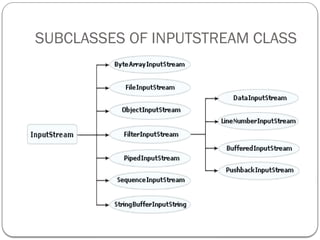
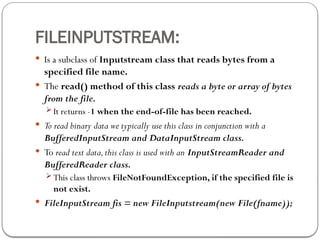
FILEINPUTSTREAM:
Is asubclass of Inputstream class that reads bytes from a
specified file name.
The read() method of this class reads a byte or array of bytes
from the file.
It returns -1 when the end-of-file has been reached.
To read binary data we typically use this class in conjunction with a
BufferedInputStream and DataInputStream class.
To read text data,this class is used with an InputStreamReader and
BufferedReader class.
This class throws FileNotFoundException, if the specified file is
not exist.
FileInputStream fis = new FileInputstream(new File(fname));
31.
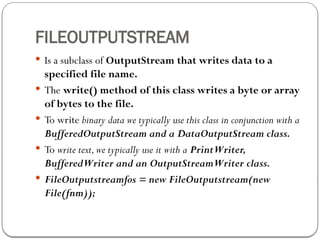
FILEOUTPUTSTREAM
Is asubclass of OutputStream that writes data to a
specified file name.
The write() method of this class writes a byte or array
of bytes to the file.
To write binary data we typically use this class in conjunction with a
BufferedOutputStream and a DataOutputStream class.
To write text,we typically use it with a PrintWriter,
BufferedWriter and an OutputStreamWriter class.
FileOutputstreamfos = new FileOutputstream(new
File(fnm));
32.
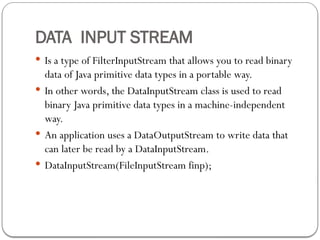
DATA INPUT STREAM
Is a type of FilterInputStream that allows you to read binary
data of Java primitive data types in a portable way.
In other words, the DataInputStream class is used to read
binary Java primitive data types in a machine-independent
way.
An application uses a DataOutputStream to write data that
can later be read by a DataInputStream.
DataInputStream(FileInputStream finp);
33.
EXAMPLE: READING FILECONTENT
import java.io.*;
public class ReadFile
{
public static void main(String[] args) throws IOException
{
File f;
f=new File("myfile.txt");
if(!f.exists()&& f.length()<0)
System.out.println("The specified file is not exist"); else
{
FileInputStream finp=new FileInputStream(f); byte b;
do
{
b=(byte)finp.read(); System.out.print((char)b);
}while(b!=-1);
finp.close();
}
}
}
34.
EXAMPLE: READING FILE2
import java.io.*;
class FileRead {
public static void main(String args[])
{
try
{ // Open the file
FileInputStream fstream=new FileInputStream("txtfile.txt"); // Get //the object of DataInputStream
DataInputStream in = new DataInputStream(fstream);
BufferedReader br = new BufferedReader(
new InputStreamReader(in));
String strLine; //Read File Line By Line
while ((strLine = br.readLine()) != null)
{
System.out.println (strLine);
} //Close the input stream
in.close();
}catch (Exception e)
{//Catch exception if any
System.err.println("Error: " + e.getMessage());
}
}
}
35.
EXAMPLE: WRITE TOFILE
import java.io.*;
public classWriteFile{
public static void main(String[] args) throws IOException
{
File f=new File("textfile1.txt");
FileOutputStream fop=new FileOutputStream(f);
if(f.exists())
{
String str="This data is written through the program"; fop.write(str.getBytes());
fop.flush();
fop.close();
System.out.println("The data has been written");
}
else
{
System.out.println("This file is not exist");
}
}
36.
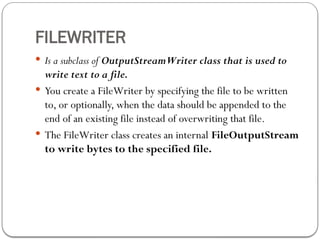
FILEWRITER
Is asubclass of OutputStreamWriter class that is used to
write text to a file.
You create a FileWriter by specifying the file to be written
to, or optionally, when the data should be appended to the
end of an existing file instead of overwriting that file.
The FileWriter class creates an internal FileOutputStream
to write bytes to the specified file.
37.
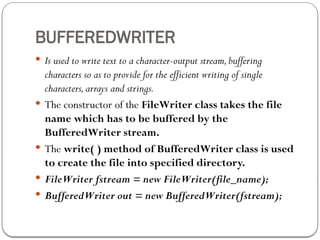
BUFFEREDWRITER
Is usedto write text to a character-output stream,buffering
characters so as to provide for the efficient writing of single
characters,arrays and strings.
The constructor of the FileWriter class takes the file
name which has to be buffered by the
BufferedWriter stream.
The write( ) method of BufferedWriter class is used
to create the file into specified directory.
FileWriter fstream = new FileWriter(file_name);
BufferedWriter out = new BufferedWriter(fstream);
38.
EXAMPLE: WRITING TEXTFILE
import java.io.*;
public classWriterFile
{
public static void main(String[] args) throws IOException
{
BufferedReader in = new BufferedReader(
new InputStreamReader(System.in));
System.out.print("Please enter the file name to create : ");
String file_name = in.readLine();
File file = new File(file_name);
boolean exist = file.createNewFile();
if (!exist)
{
System.out.println("File already exists."); System.exit(0);
}
Else
{
FileWriter fstream = new FileWriter(file_name);
BufferedWriter out = new BufferedWriter(fstream);
out.write(in.readLine());
out.close();
System.out.println("File created successfully.");
}
}
}
39.
EXAMPLE: APPEND TOFILE:
import java.io.*;
class FileWrite {
public static void main(String args[])
{
try
{
FileWriter fstream = new FileWriter("out.txt",true);
BufferedWriter out = new BufferedWriter(fstream);
out.write("Hello Java"); //Close the output stream out.close();
}
catch (Exception e)
{//Catch exception if any
System.err.println("Error: " + e.getMessage());
}
}
}
40.
CREATE DIRECTORY
import java.io.*;
classCreateDirectory
{
public static void main(String args[])
{
try
{
String strDirectoy ="test";
String strManyDirectories="dir1/dir2/dir3"; // Create one directory
boolean success = (new File(strDirectoy)).mkdir();
if (success)
{
System.out.println("Directory: " + strDirectoy + " created");
} // Create multiple directories
success = (new File(strManyDirectories)).mkdirs();
if (success)
{
System.out.println("Directories:" + strManyDirectories + " created");
}
}
catch (Exception e)
{//Catch exception if any
System.err.println("Error: " + e.getMessage());
}
}
}
41.
GETTING THE CURRENTWORKING
DIRECTORY
The current working directory that means where your program run.
// String currentdir = System.getProperty("user.dir");
import java.io.*;
public class GetCurrentDir
{
private static void dirlist(String fname)
{
File dir = new File(fname);
System.out.println("CurrentWorking Directory : "+ dir);
}
public static void main(String[] args)
{
String currentdir = System.getProperty("user.dir");
dirlist(currentdir);
}
}
42.
3. INTRODUCTION TOFILTER I/O STREAMS
Like I/O streams, Filter streams are also used to manipulate
data reading from an underlying stream.
Apart from this, it allows the user to make a chain using multiple
input stream so that, the operations that are to be applied on this
chain, may create a combine effects on several filters.
By using these streams, there is no need to convert the data from
byte to char while writing to a file.These are the more
powerful streams than the other streams of Java.
There are two streams, that are derived from the I/O stream class:
FilterInputStream
FilterOutputstream
FILTERINPUTSTREAM
Is thebase class for all the input stream filters and is
obtained from the InputStream class.
It simply overrides all the methods of the InputStream class
required to filter data.
These methods perform some sort of filtering operations on
the data and cannot be instantiated directly.
It provides the additional and chaining functionality for the
multiple input streams to be filtered.
FilterInputStream(Inputstream in)
45.
FILTEROUTPUTSTREAM
FilterOutputStream isthe super class of all the output stream
filters and is obtained from the OutputStream class.
It simply overrides all the methods of the OutputStream class
required to filter the data that is written to the output
stream.
FilterIntputStream and FilterOutputStream do not perform
any filtering themselves; this is done by their subclasses.
To improve the performance of these I/O streams, their
subclasses BufferedInputStream and BufferedOutputStream
are used.
46.
BUFFEREDINPUTSTREAM
Is asubclass of the FilterInputstream class that lets you read large
amount of data from a stream and store it in an internal buffer.
When data is requested, it is usually read from the buffer.
This has the effect for improving the performance of some
input streams, especially for those, that are bounded to
slower sources like a file or network connection.
BufferedInputStream (InputStream in);
47.
BUFFEREDINPUTSTREAM
Is asubclass of the FilterInputstream class that lets you read large
amount of data from a stream and store it in an internal buffer.
When data is requested, it is usually read from the buffer.
This has the effect for improving the performance of some
input streams, especially for those, that are bounded to
slower sources like a file or network connection.
BufferedInputStream (InputStream in);
48.
BUFFEREDOUTPUTSTREAM
Is asubclass of the FilterOutputStream and a buffered
output stream that lets you write characters to a stream.
It adds functionality to another output stream.The data is
first written into a buffer.
When the BufferedOutputStream is created, an internal
buffer array is also created, in which the bytes are stored.
BufferedOutputStream (OutputStream out);
49.
EXAMPLE: WRITE TOFILE
import java.io.*;
classWriteFilter
{
public static void main(String args[])
{
String str="Hello Java";
try
{
FileOutputStream fos = new FileOutputStream("Filterfile.txt");BufferedOutputStream bos = new
BufferedOutputStream(fos);// //Now write to the buffered stream.
bos.write(str.getBytes());
bos.flush();
System.out.print("the data has been written");
}
catch (Exception e)
{
System.err.println("Error writing to a file:" + e);
}
}
}
50.
EXAMPLE: READ FILE
importjava.io.*;
class ReadFilter
{
public static void main(String args[])
{
try
{
FileInputStream fin = new FileInputStream("Filterfile.txt"); BufferedInputStream bis = new
BufferedInputStream(fin);
// Now read the buffered stream. while (bis.available() > 0)
{
System.out.print( (char)bis.read() );
}
} catch (Exception e)
{
System.err.println("Error reading file: " + e);
}
}
}
51.
EXAMPLE: FILTER FILESIN JAVA
import java.io.*;
class OnlyExt implements FilenameFilter
{
String ext; public OnlyExt(String ext){ this.ext="." + ext;
}
public boolean accept(File dir,String name){ return name.endsWith(ext);
}
}
public class FilterFiles{ public static void main(String args[]) throws IOException
{
BufferedReader in = new BufferedReader( new InputStreamReader(System.in));
System.out.println("Please enter the directory name : "); String dir = in.readLine(); System.out.println("Please enter file type : ");
String extn = in.readLine();
File f = new File(dir); FilenameFilter ff = new OnlyExt(extn);
String s[] = f.list(ff);
for (int i = 0; i < s.length; i++)
{ System.out.println(s[i]);
}
}
}
52.
OVERVIEW OF I/ODATA STREAMS
Data streams are filtered streams that perform binary I/O
operation on primitive data type values ( boolean, char, byte,
short, int, long, etc.) as well as on String values.
If you need to work with data that is not represented as bytes
or characters then you can use Data Streams.
These streams filter an existing byte stream so that each
primitive data types can be read from or written to the stream
directly.
These Data Streams are as follows:
DataInputStream
DataOutputStream
53.
DATAINPUTSTREAM
Is aclass derived from FilterInputStream class that allows you to read
binary represented data of Java primitive data types from an
underlying input stream in a machine-independent way.
It reads only Java primitive data types and doesn't read the object values.
DataInputStream (InputStream in);
The specified argument that is to be filtered within the constructor should
be an existing input stream (such as a buffered input stream or a file
input stream).
The read() method is used to read the data according to its
types.
For example, the readInt( ) method reads the int type of value
while the readFloat() method reads the fraction value.The
readLine( ) Methods reads the string per line from a file.
54.
DATA OUTPUT STREAM
Is a class derived from FilterOutputStream class that allows you to write
binary represented data of Java primitive data types reading from an
underlying output stream in a machine-independent way.
It writes only Java primitive data types and doesn't write the object values.
DataOutputStream (OutputStream out);
The specified argument that is to be filtered within the constructor should be
an existing output stream (such as a buffered output stream or a file
output stream).
The write( ) method is used to write the data according to its
types.
For example, the writeInt( ) method writes the int type of value while
the writeFloat() method writes the fraction value.The writeUTF( )
method writes the string per line to a file.
55.
public static voidmain(String args[])
{
int ch=0; int[] numbers = { 12, 8, 13, 29, 50 };
try
{
System.out.println("1. write Data");
System.out.println("2. Read Data");
System.out.println("Enter your choice ");
BufferedReader br=new BufferedReader(new InputStreamReader(System.in));
ch = Integer.parseInt(br.readLine());
switch(ch)
{
case 1:
FileOutputStream fos = new FileOutputStream("datafile.txt");
BufferedOutputStream bos = new BufferedOutputStream(fos);
DataOutputStream out =new DataOutputStream (bos);
for (int i = 0; i < numbers.length; i ++)
{
out.writeInt(numbers[i]);
}
System.out.print("write successfully");
out.close();
break; case 2: FileInputStream fis = new FileInputStream("datafile.txt");
BufferedInputStream bis=new BufferedInputStream(fis);
DataInputStream in =new DataInputStream (bis);
while (true){ System.out.print(in.readInt());
}
default: System.out.println("Invalid choice");
} } catch (Exception e)
{System.err.println("Error in read/write data to a file: " + e);
}
}
}
56.
WORKING WITH PRINTSTREAM
Is obtained from the FilterOutputstream class that implements a
number of methods for displaying textual representations of Java
primitive data types.
It adds the functionality to another output streams that has the ability to
print various data values conveniently.
other output streams, a PrintStream never throws an IOException
and the data is flushed to a file automatically i.e. the flush
method is automatically invoked after a byte array is written.
PrintStream (OutputStream out);
The print( ) and Println( ) methods of this class give the same
functionality as the method of standard output stream and
follow the representations with newline.
57.
EXAMPLE: PRINTSTREAM: WRITETO FILE
import java.io.*;
class PrintStreamDemo
{
public static void main(String args[])
{
FileOutputStream out;
PrintStream ps;// declare a print stream object
try
{ // Create a new file output stream
out = new FileOutputStream("myfile.txt");// Connect print stream to the output stream
ps = new PrintStream(out);ps.println ("This data is written to a file:");
System.err.println ("Write successfully");
ps.close();} catch (Exception e)
{
System.err.println ("Error in writing to file");
}
}
}
58.
USING A RANDOMACCESS FILE
RandomAccessFile:class allows you to read and write arbitrary bytes,text,and
primitive Java data types from or to any specified location in a file.
As the name suggests, random means it is not sequential and the data
can be read from and written to any specified position in the file.
Mostly, Users use the input stream or output stream in a sequential but
Unlike the input and output streams java.io. RandomAccessFile is
used for both reading and writing files.
A random access file treats with a large array of bytes stored in the file
system and uses the file pointer to deal with the indexes of that
array.
This file pointer points the positions in the file where the reading or writing
operation has to be done.
59.
RANDOM ACCESS FILE
Random AccessFile implements the same interfaces
as the DataInputStream and the DataOutputStream.
Thus it defines the same methods for reading and writing
data to a file.
Constructor:
RandomAccessFile(File file,String mode)
RandomAccessFile(String fname,String mode)
mode =“r”(read) or“w”(Write) or“rw”(Read/Write)
60.
METHODS: RANDOM ACESSFILE
public void seek(long pos) throws IOException
Sets the file-pointer offset, measured from the beginning of this file, at which the next read
or write occurs.
Parameters: pos - the offset position, measured in bytes from the beginning of
the file, at which to set the file pointer.
public long getFilePointer() throws IOException
Returns the current offset in this file.
Returns: the offset from the beginning of the file, in bytes, at which the next
read or write occurs.
public void close() throws IOException
Closes this random access file stream and releases any system resources associated with the
stream.
public long length() :Returns the length of this file.
public void writeBytes(String str) ,writeInt(),writeUTF()…
public int read() ,readBytes,readUTF,readBoolean,…
61.
EXAMPLE: APPEND ENDOF THE FILE
public static void main(String[] args) throws IOException
{
String str = ”file.dat”;
File file = new File(str);
if(!file.exists())
{
System.out.println("File does not exist.");
System.exit(0);
} try{ //Open the file for both reading and writing
RandomAccessFile rand = new RandomAccessFile(file,"rw");
rand.seek(file.length());//Seek to end of file
rand.writeBytes("Hello students!");//Write end of file
rand.close();
System.out.println("Write Successfully");
} catch(IOException e)
{
System.out.println(e.getMessage());
}
}
62.
EXAMPLE: READING FILEFOR START POINT
public static void main(String[] args) throws IOException
{
String str = ”file.dat”; File file = new File(str);
if(!file.exists())
{
System.out.println("File does not exist.");
System.exit(0);
}
Try
{ //Open the file for both reading and writing
RandomAccessFile rand = new RandomAccessFile(file,"rw");
int i=(int)rand.length();
System.out.println(“File Length:" + i);
rand.seek(0);//Seek to start point of file
for(int ct = 0;ct < i;ct++)
{
byte b = rand.readByte();// read byte from the file
System.out.print((char)b);//convert byte into char
}
rand.close();
} catch(IOException e)
{
System.out.println(e.getMessage());
}
}
63.
MAKING TOKENS OFA JAVA SOURCE CODE
In Java, the StreamTokenizer class is used for simple
parsing of a Java source file into tokens.
This class takes an input stream, breaks up the ASCII text in a
file and parses it into "tokens", allowing the tokens to be
read one at a time.
The parsing process is controlled by a table and a number of
flags that can be set to various states.
This class is extended from the java.io and java.util
package.
public String nextToken():It gives the next token.
64.
EXAMPLE: STREAMTOKENIZER
public staticvoid main(String[] args) throws IOException
{
BufferedReader in = new BufferedReader(new InputStreamReader(System.in));
System.out.print("Please enter a java file name: ");
String filename = in.readLine();
if(!filename.endsWith(".java"))
{ System.out.println("This is not a java file.");
System.exit(0);
}
File javaFile = new File(filename);
if(javaFile.exists()){ FileReader file = new FileReader(filename);
StreamTokenizer streamTokenizer = new StreamTokenizer(file);
// It will go through the file and gives the number of tokens in the file
int i=0;
int numberOfTokensGenerated = 0;
while(i != StreamTokenizer.TT_EOF)
{
i = streamTokenizer.nextToken();
numberOfTokensGenerated++;
}
System.out.println("Number of tokens = " + numberOfTokensGenerated);
} else
{ System.out.println
("File does not exist!");
System.exit(0);
}
}
}




![Working with Reader classes
The java.io.Reader class is used for reading text from
either the file or the keyboard on the command
line.
It acts as an abstract class for reading character streams.
The only methods that a subclass must implement are
read(char[], int, int) and close().
The Reader class is further categorized into the subclasses.](https://image.slidesharecdn.com/chapter2fileioinjava-250829061037-1ff2ac0f/85/Chapter-2-File-I-O-in-Java-pptx-for-computer-science-14-320.jpg)


![METHODS: BUFFEREDREADER
read( ): int
Reads a single character
read(char[] cbuf, int off, int len) : int
Read characters into a portion of an array.
readLine( ) : String
Read a line of text terminated by ('n').
close( ) : void
Closes the opened stream.
Note:All methods throws an IOException, if an I/O
error occurs.](https://image.slidesharecdn.com/chapter2fileioinjava-250829061037-1ff2ac0f/85/Chapter-2-File-I-O-in-Java-pptx-for-computer-science-18-320.jpg)
![EXAMPLE: READ INPUT FROM KEYBOARD
import java.io.*;
public class ReadStandardIO{
public static void main(String[] args) throws IOException{
InputStreamReader inp = new InputStreamReader(System.in) ;
BufferedReader br = new BufferedReader(inp);
System.out.println("Enter text : "); String str = in.readLine();
System.out.println("You entered String : ");
System.out.println(str);
}
}](https://image.slidesharecdn.com/chapter2fileioinjava-250829061037-1ff2ac0f/85/Chapter-2-File-I-O-in-Java-pptx-for-computer-science-19-320.jpg)

![METHODS: FILE CLASS
boolean isAbsolute()
isAbsolute() returns true if the file name is an absolute path and false if
it's a relative path
boolean mkdirs() throws SecurityException
creates not just one but every directory in the path as necessary,
permissions permitting. mkdirs() returns true if all directories in this
path are created, and false if only some or none of them are created.
String[] list() throws SecurityException
returns a String array initialized to the names of each file in directory f.
String[] list(FilenameFilter filter) throws SecurityException
This is the same as the previous method except you can use a
FilenameFilter object to restrict which files are added to the list.](https://image.slidesharecdn.com/chapter2fileioinjava-250829061037-1ff2ac0f/85/Chapter-2-File-I-O-in-Java-pptx-for-computer-science-25-320.jpg)
![EXAMPLE: CREATE NEW FILE
import java.io.*;
public class CreateFile1{
public static void main(String[] args) throws IOException
{
File f;
f=new File("myfile.txt");
if(!f.exists())
{
f.createNewFile();
System.out.println(
"New file "myfile.txt" has been created ” +
“to the current directory");
}
}
}](https://image.slidesharecdn.com/chapter2fileioinjava-250829061037-1ff2ac0f/85/Chapter-2-File-I-O-in-Java-pptx-for-computer-science-26-320.jpg)

![EXAMPLE: FILE PATH SEPARATOR
import java.io.*;
public class PathFile
{
public static void main(String[] args) throws IOException
{
File f;
f=new File("example" + File.separator + "myfile.txt");
f.createNewFile();
System.out.println("New file "myfile.txt" has been created ” +
“to the specified location");
System.out.println("The absolute path of the file is: " +
f.getAbsolutePath());
}
}](https://image.slidesharecdn.com/chapter2fileioinjava-250829061037-1ff2ac0f/85/Chapter-2-File-I-O-in-Java-pptx-for-computer-science-28-320.jpg)
![EXAMPLE: READING FILE CONTENT
import java.io.*;
public class ReadFile
{
public static void main(String[] args) throws IOException
{
File f;
f=new File("myfile.txt");
if(!f.exists()&& f.length()<0)
System.out.println("The specified file is not exist"); else
{
FileInputStream finp=new FileInputStream(f); byte b;
do
{
b=(byte)finp.read(); System.out.print((char)b);
}while(b!=-1);
finp.close();
}
}
}](https://image.slidesharecdn.com/chapter2fileioinjava-250829061037-1ff2ac0f/85/Chapter-2-File-I-O-in-Java-pptx-for-computer-science-33-320.jpg)
![EXAMPLE: READING FILE 2
import java.io.*;
class FileRead {
public static void main(String args[])
{
try
{ // Open the file
FileInputStream fstream=new FileInputStream("txtfile.txt"); // Get //the object of DataInputStream
DataInputStream in = new DataInputStream(fstream);
BufferedReader br = new BufferedReader(
new InputStreamReader(in));
String strLine; //Read File Line By Line
while ((strLine = br.readLine()) != null)
{
System.out.println (strLine);
} //Close the input stream
in.close();
}catch (Exception e)
{//Catch exception if any
System.err.println("Error: " + e.getMessage());
}
}
}](https://image.slidesharecdn.com/chapter2fileioinjava-250829061037-1ff2ac0f/85/Chapter-2-File-I-O-in-Java-pptx-for-computer-science-34-320.jpg)
![EXAMPLE: WRITE TO FILE
import java.io.*;
public classWriteFile{
public static void main(String[] args) throws IOException
{
File f=new File("textfile1.txt");
FileOutputStream fop=new FileOutputStream(f);
if(f.exists())
{
String str="This data is written through the program"; fop.write(str.getBytes());
fop.flush();
fop.close();
System.out.println("The data has been written");
}
else
{
System.out.println("This file is not exist");
}
}](https://image.slidesharecdn.com/chapter2fileioinjava-250829061037-1ff2ac0f/85/Chapter-2-File-I-O-in-Java-pptx-for-computer-science-35-320.jpg)
![EXAMPLE: WRITING TEXT FILE
import java.io.*;
public classWriterFile
{
public static void main(String[] args) throws IOException
{
BufferedReader in = new BufferedReader(
new InputStreamReader(System.in));
System.out.print("Please enter the file name to create : ");
String file_name = in.readLine();
File file = new File(file_name);
boolean exist = file.createNewFile();
if (!exist)
{
System.out.println("File already exists."); System.exit(0);
}
Else
{
FileWriter fstream = new FileWriter(file_name);
BufferedWriter out = new BufferedWriter(fstream);
out.write(in.readLine());
out.close();
System.out.println("File created successfully.");
}
}
}](https://image.slidesharecdn.com/chapter2fileioinjava-250829061037-1ff2ac0f/85/Chapter-2-File-I-O-in-Java-pptx-for-computer-science-38-320.jpg)
![EXAMPLE: APPEND TO FILE:
import java.io.*;
class FileWrite {
public static void main(String args[])
{
try
{
FileWriter fstream = new FileWriter("out.txt",true);
BufferedWriter out = new BufferedWriter(fstream);
out.write("Hello Java"); //Close the output stream out.close();
}
catch (Exception e)
{//Catch exception if any
System.err.println("Error: " + e.getMessage());
}
}
}](https://image.slidesharecdn.com/chapter2fileioinjava-250829061037-1ff2ac0f/85/Chapter-2-File-I-O-in-Java-pptx-for-computer-science-39-320.jpg)
![CREATE DIRECTORY
import java.io.*;
class CreateDirectory
{
public static void main(String args[])
{
try
{
String strDirectoy ="test";
String strManyDirectories="dir1/dir2/dir3"; // Create one directory
boolean success = (new File(strDirectoy)).mkdir();
if (success)
{
System.out.println("Directory: " + strDirectoy + " created");
} // Create multiple directories
success = (new File(strManyDirectories)).mkdirs();
if (success)
{
System.out.println("Directories:" + strManyDirectories + " created");
}
}
catch (Exception e)
{//Catch exception if any
System.err.println("Error: " + e.getMessage());
}
}
}](https://image.slidesharecdn.com/chapter2fileioinjava-250829061037-1ff2ac0f/85/Chapter-2-File-I-O-in-Java-pptx-for-computer-science-40-320.jpg)
![GETTING THE CURRENT WORKING
DIRECTORY
The current working directory that means where your program run.
// String currentdir = System.getProperty("user.dir");
import java.io.*;
public class GetCurrentDir
{
private static void dirlist(String fname)
{
File dir = new File(fname);
System.out.println("CurrentWorking Directory : "+ dir);
}
public static void main(String[] args)
{
String currentdir = System.getProperty("user.dir");
dirlist(currentdir);
}
}](https://image.slidesharecdn.com/chapter2fileioinjava-250829061037-1ff2ac0f/85/Chapter-2-File-I-O-in-Java-pptx-for-computer-science-41-320.jpg)



![EXAMPLE: WRITE TO FILE
import java.io.*;
classWriteFilter
{
public static void main(String args[])
{
String str="Hello Java";
try
{
FileOutputStream fos = new FileOutputStream("Filterfile.txt");BufferedOutputStream bos = new
BufferedOutputStream(fos);// //Now write to the buffered stream.
bos.write(str.getBytes());
bos.flush();
System.out.print("the data has been written");
}
catch (Exception e)
{
System.err.println("Error writing to a file:" + e);
}
}
}](https://image.slidesharecdn.com/chapter2fileioinjava-250829061037-1ff2ac0f/85/Chapter-2-File-I-O-in-Java-pptx-for-computer-science-49-320.jpg)
![EXAMPLE: READ FILE
import java.io.*;
class ReadFilter
{
public static void main(String args[])
{
try
{
FileInputStream fin = new FileInputStream("Filterfile.txt"); BufferedInputStream bis = new
BufferedInputStream(fin);
// Now read the buffered stream. while (bis.available() > 0)
{
System.out.print( (char)bis.read() );
}
} catch (Exception e)
{
System.err.println("Error reading file: " + e);
}
}
}](https://image.slidesharecdn.com/chapter2fileioinjava-250829061037-1ff2ac0f/85/Chapter-2-File-I-O-in-Java-pptx-for-computer-science-50-320.jpg)
![EXAMPLE: FILTER FILES IN JAVA
import java.io.*;
class OnlyExt implements FilenameFilter
{
String ext; public OnlyExt(String ext){ this.ext="." + ext;
}
public boolean accept(File dir,String name){ return name.endsWith(ext);
}
}
public class FilterFiles{ public static void main(String args[]) throws IOException
{
BufferedReader in = new BufferedReader( new InputStreamReader(System.in));
System.out.println("Please enter the directory name : "); String dir = in.readLine(); System.out.println("Please enter file type : ");
String extn = in.readLine();
File f = new File(dir); FilenameFilter ff = new OnlyExt(extn);
String s[] = f.list(ff);
for (int i = 0; i < s.length; i++)
{ System.out.println(s[i]);
}
}
}](https://image.slidesharecdn.com/chapter2fileioinjava-250829061037-1ff2ac0f/85/Chapter-2-File-I-O-in-Java-pptx-for-computer-science-51-320.jpg)
![public static void main(String args[])
{
int ch=0; int[] numbers = { 12, 8, 13, 29, 50 };
try
{
System.out.println("1. write Data");
System.out.println("2. Read Data");
System.out.println("Enter your choice ");
BufferedReader br=new BufferedReader(new InputStreamReader(System.in));
ch = Integer.parseInt(br.readLine());
switch(ch)
{
case 1:
FileOutputStream fos = new FileOutputStream("datafile.txt");
BufferedOutputStream bos = new BufferedOutputStream(fos);
DataOutputStream out =new DataOutputStream (bos);
for (int i = 0; i < numbers.length; i ++)
{
out.writeInt(numbers[i]);
}
System.out.print("write successfully");
out.close();
break; case 2: FileInputStream fis = new FileInputStream("datafile.txt");
BufferedInputStream bis=new BufferedInputStream(fis);
DataInputStream in =new DataInputStream (bis);
while (true){ System.out.print(in.readInt());
}
default: System.out.println("Invalid choice");
} } catch (Exception e)
{System.err.println("Error in read/write data to a file: " + e);
}
}
}](https://image.slidesharecdn.com/chapter2fileioinjava-250829061037-1ff2ac0f/85/Chapter-2-File-I-O-in-Java-pptx-for-computer-science-55-320.jpg)
![EXAMPLE: PRINTSTREAM: WRITE TO FILE
import java.io.*;
class PrintStreamDemo
{
public static void main(String args[])
{
FileOutputStream out;
PrintStream ps;// declare a print stream object
try
{ // Create a new file output stream
out = new FileOutputStream("myfile.txt");// Connect print stream to the output stream
ps = new PrintStream(out);ps.println ("This data is written to a file:");
System.err.println ("Write successfully");
ps.close();} catch (Exception e)
{
System.err.println ("Error in writing to file");
}
}
}](https://image.slidesharecdn.com/chapter2fileioinjava-250829061037-1ff2ac0f/85/Chapter-2-File-I-O-in-Java-pptx-for-computer-science-57-320.jpg)
![EXAMPLE: APPEND END OF THE FILE
public static void main(String[] args) throws IOException
{
String str = ”file.dat”;
File file = new File(str);
if(!file.exists())
{
System.out.println("File does not exist.");
System.exit(0);
} try{ //Open the file for both reading and writing
RandomAccessFile rand = new RandomAccessFile(file,"rw");
rand.seek(file.length());//Seek to end of file
rand.writeBytes("Hello students!");//Write end of file
rand.close();
System.out.println("Write Successfully");
} catch(IOException e)
{
System.out.println(e.getMessage());
}
}](https://image.slidesharecdn.com/chapter2fileioinjava-250829061037-1ff2ac0f/85/Chapter-2-File-I-O-in-Java-pptx-for-computer-science-61-320.jpg)
![EXAMPLE: READING FILE FOR START POINT
public static void main(String[] args) throws IOException
{
String str = ”file.dat”; File file = new File(str);
if(!file.exists())
{
System.out.println("File does not exist.");
System.exit(0);
}
Try
{ //Open the file for both reading and writing
RandomAccessFile rand = new RandomAccessFile(file,"rw");
int i=(int)rand.length();
System.out.println(“File Length:" + i);
rand.seek(0);//Seek to start point of file
for(int ct = 0;ct < i;ct++)
{
byte b = rand.readByte();// read byte from the file
System.out.print((char)b);//convert byte into char
}
rand.close();
} catch(IOException e)
{
System.out.println(e.getMessage());
}
}](https://image.slidesharecdn.com/chapter2fileioinjava-250829061037-1ff2ac0f/85/Chapter-2-File-I-O-in-Java-pptx-for-computer-science-62-320.jpg)
![EXAMPLE: STREAMTOKENIZER
public static void main(String[] args) throws IOException
{
BufferedReader in = new BufferedReader(new InputStreamReader(System.in));
System.out.print("Please enter a java file name: ");
String filename = in.readLine();
if(!filename.endsWith(".java"))
{ System.out.println("This is not a java file.");
System.exit(0);
}
File javaFile = new File(filename);
if(javaFile.exists()){ FileReader file = new FileReader(filename);
StreamTokenizer streamTokenizer = new StreamTokenizer(file);
// It will go through the file and gives the number of tokens in the file
int i=0;
int numberOfTokensGenerated = 0;
while(i != StreamTokenizer.TT_EOF)
{
i = streamTokenizer.nextToken();
numberOfTokensGenerated++;
}
System.out.println("Number of tokens = " + numberOfTokensGenerated);
} else
{ System.out.println
("File does not exist!");
System.exit(0);
}
}
}](https://image.slidesharecdn.com/chapter2fileioinjava-250829061037-1ff2ac0f/85/Chapter-2-File-I-O-in-Java-pptx-for-computer-science-64-320.jpg)


