Copyright © Terry Felke-Morris
WEB DEVELOPMENT & DESIGN
FOUNDATIONS WITH HTML5
Chapter 12
Key Concepts
1Copyright © Terry Felke-Morris
Copyright © Terry Felke-Morris
LEARNING OUTCOMES
 In this chapter, you will learn how to
 define e-commerce
 identify benefits and risks of e-commerce
 describe e-commerce business models
 describe e-commerce security and encryption
 define Electronic Data Interchange (EDI)
 identify trends and projections for e-commerce
 describe issues related to e-commerce
 describe options for order and payment processing
2
Copyright © Terry Felke-Morris
WHAT IS E-COMMERCE?
The integration of communications, data
management, and security technologies to
allow individuals and organizations to
exchange information related to the sale of
goods and services.
Major functions of E-Commerce include:
◦ the buying of goods,
◦ the selling of goods, and
◦ performance of financial transactions on the
Internet.
3
Copyright © Terry Felke-Morris
E-COMMERCE ADVANTAGES FOR BUSINESSES
 Reduced Costs
 Increased Customer Satisfaction
 More Effective Data Management
 Potentially Higher Sales
4
Copyright © Terry Felke-Morris
E-COMMERCE ADVANTAGES FOR CONSUMERS
 Convenience
 Easier Comparison Shopping
 Wider Selection of Goods
5
Copyright © Terry Felke-Morris
E-COMMERCE RISKS FOR BUSINESSES
 Need for a robust, reliable web site
 Fraudulent transactions
 Customer reluctance to purchase
online
 Increased competition
6
Copyright © Terry Felke-Morris
E-COMMERCE RISKS FOR CONSUMERS
 Possible Security Issues
 Possible Privacy Issues
 Purchasing from photos & descriptions
 Possible difficulty with returns
7
Copyright © Terry Felke-Morris
E-COMMERCE
BUSINESS MODELS
 B2C – Business-to-Consumer
 B2B – Business-to-Business
 C2C – Consumer-to-Consumer
 B2G – Business-to-Government
8
Copyright © Terry Felke-Morris
ELECTRONIC DATA INTERCHANGE (EDI)
 The transfer of data between different companies using networks.
 Facilitates the exchange of standard business documents including
purchase orders and invoices
 EDI is not new
 In existence since the 1960s
 Trading Partners
 Organizations that exchange EDI transmissions
 Newer technologies
 XML andWeb Services are replacing traditional EDI
 Provide opportunities to customize secure information exchange over the
Internet
9
Copyright © Terry Felke-Morris
E-COMMERCE U.S. RETAIL SALES
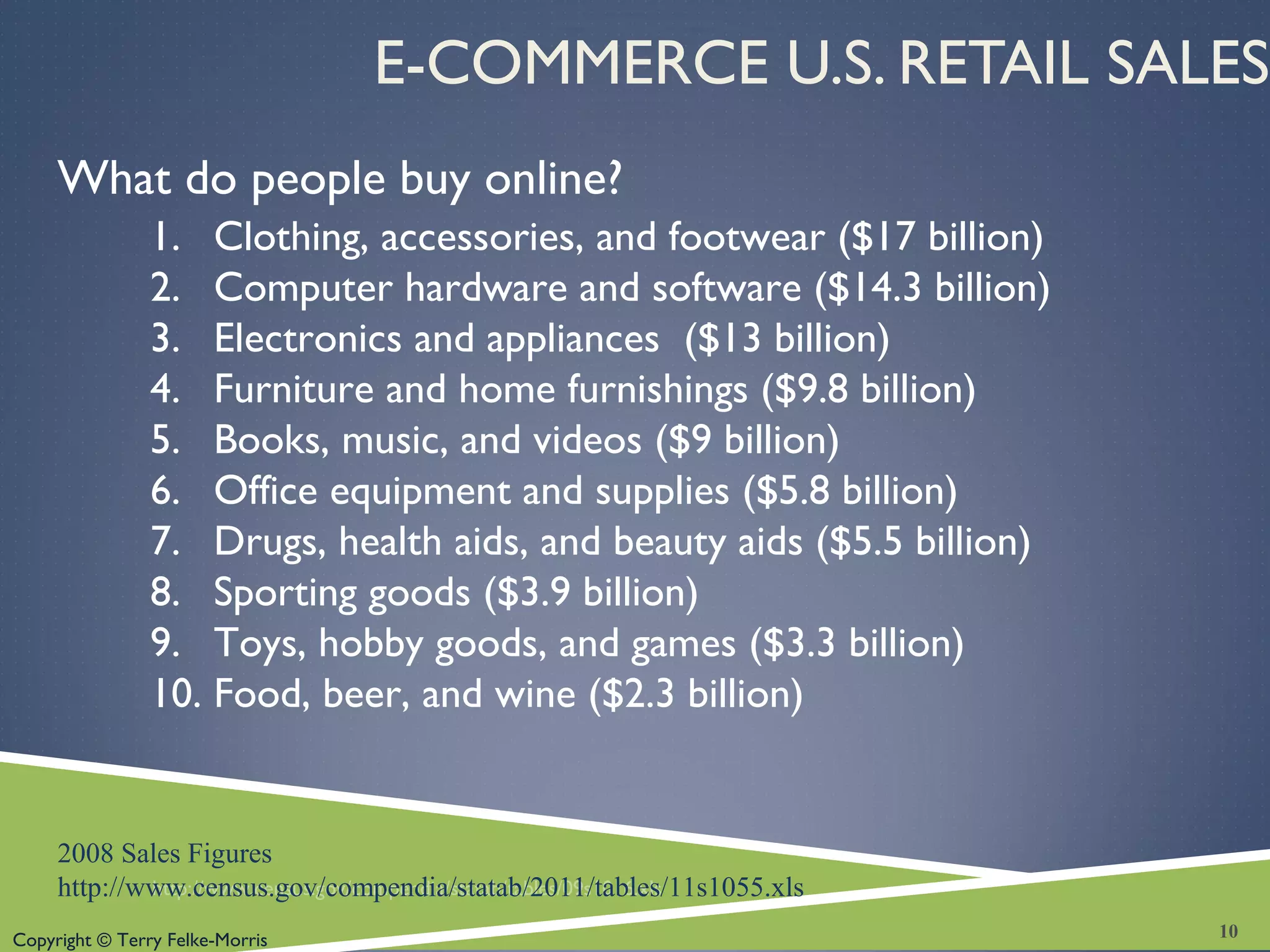
What do people buy online?
http://www.census.gov/compendia/statab/tables/09s1016.xls
10
1. Clothing, accessories, and footwear ($17 billion)
2. Computer hardware and software ($14.3 billion)
3. Electronics and appliances ($13 billion)
4. Furniture and home furnishings ($9.8 billion)
5. Books, music, and videos ($9 billion)
6. Office equipment and supplies ($5.8 billion)
7. Drugs, health aids, and beauty aids ($5.5 billion)
8. Sporting goods ($3.9 billion)
9. Toys, hobby goods, and games ($3.3 billion)
10. Food, beer, and wine ($2.3 billion)
2008 Sales Figures
http://www.census.gov/compendia/statab/2011/tables/11s1055.xls
Copyright © Terry Felke-Morris
WHO’S ON
THE INTERNET?
 Source:
http://www.pewinternet.org/
Static-Pages/Trend-
Data/Whos-Online.aspx
 Other Demographics:
◦ http://www.pewinternet.org/
◦ http://www.clickz.com
◦ http://www.census.gov/eos/ww
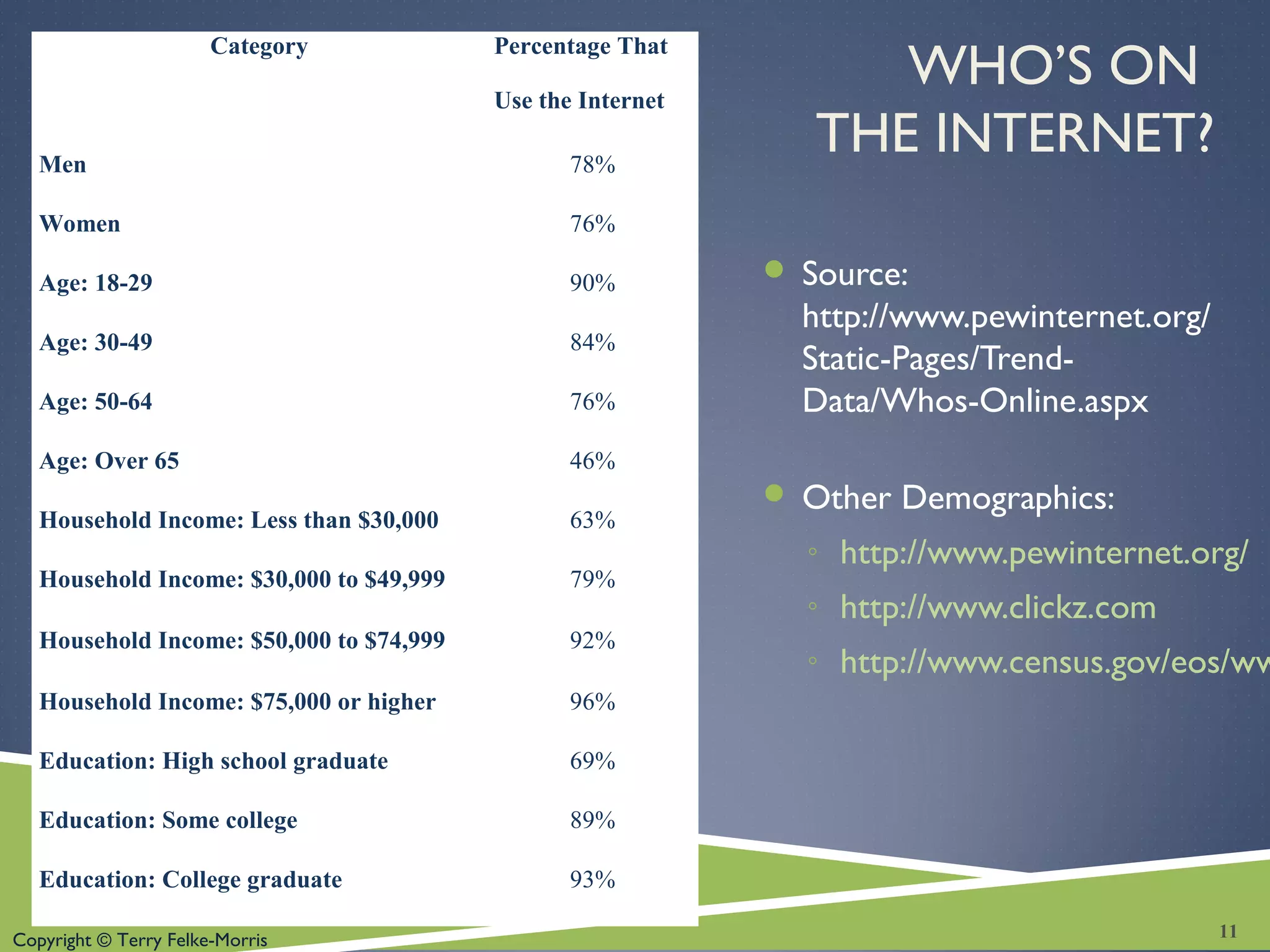
Category Percentage That
Use the Internet
Men 78%
Women 76%
Age: 18-29 90%
Age: 30-49 84%
Age: 50-64 76%
Age: Over 65 46%
Household Income: Less than $30,000 63%
Household Income: $30,000 to $49,999 79%
Household Income: $50,000 to $74,999 92%
Household Income: $75,000 or higher 96%
Education: High school graduate 69%
Education: Some college 89%
Education: College graduate 93%
11
Copyright © Terry Felke-Morris
E-COMMERCE ISSUES
 Intellectual Property
 Security
 Fraud
 Taxation
 International Commerce
12
Copyright © Terry Felke-Morris
E-COMMERCE SECURITY
Encryption
◦ Ensures privacy within an organization and on the Internet.
◦ The conversion of data into an unreadable form, called a
ciphertext.
Decryption
◦ The process of converting the ciphertext back into its
original form, called plaintext or cleartext, so it can be
understood.
The encryption/decryption process requires an
algorithm and a key.
13
Copyright © Terry Felke-Morris
E-COMMERCE SECURITY
ENCRYPTION TYPES
Secure E-Commerce transactions use the
encryption technologies below:
 Symmetric-key Encryption
 Asymmetric-key Encryption
 Hash Encryption
SSL (Secure Sockets Layer)
 Utilizes these encryption technologies
 Provides for secure transmission of data on the
Internet.
14
Copyright © Terry Felke-Morris
E-COMMERCE SECURITY: SYMMETRIC-KEY
Symmetric-Key Encryption
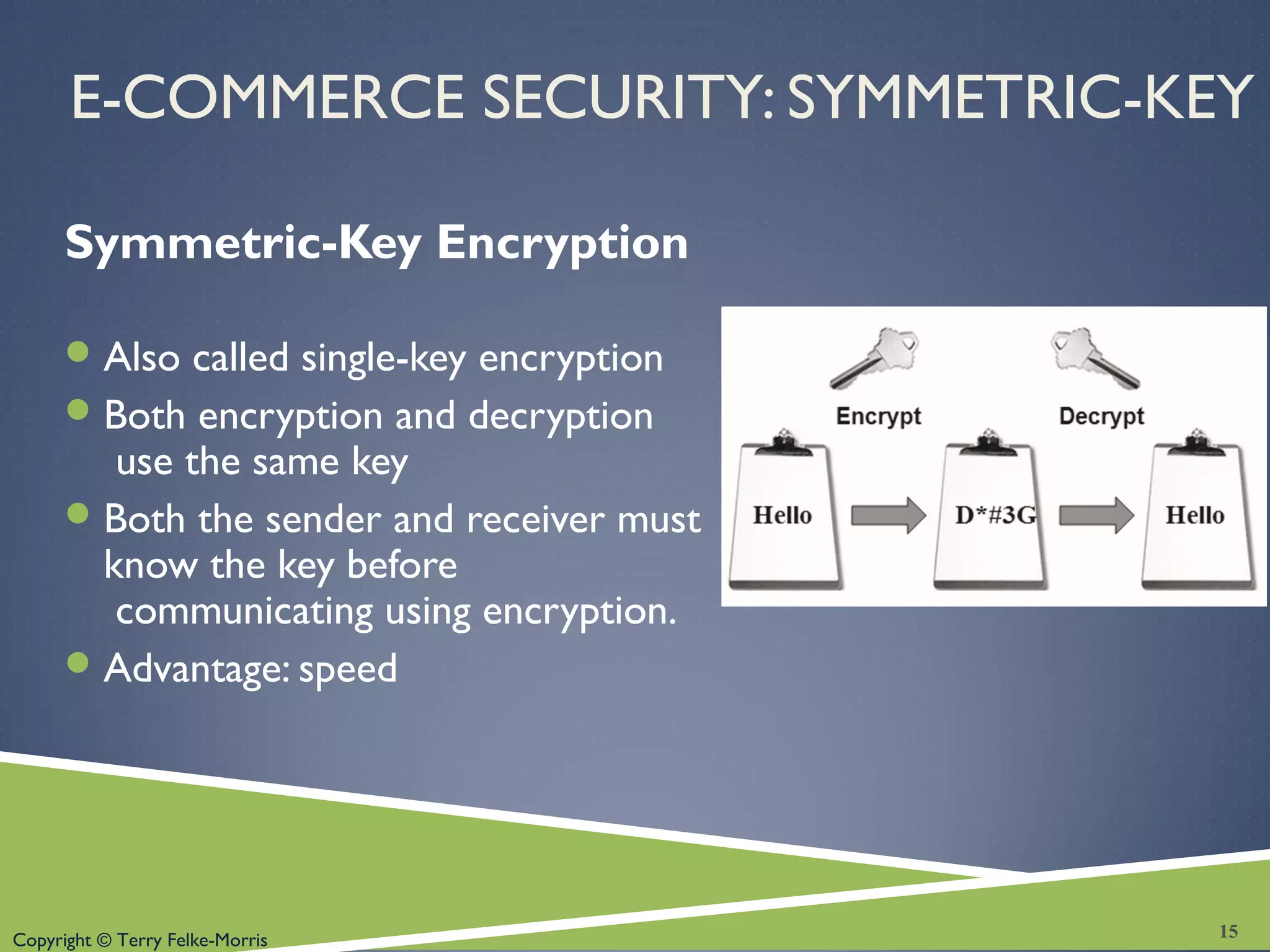
Also called single-key encryption
Both encryption and decryption
use the same key
Both the sender and receiver must
know the key before
communicating using encryption.
Advantage: speed
15
Copyright © Terry Felke-Morris
E-COMMERCE SECURITY: ASYMMETRIC-KEY
Asymmetric-Key Encryption
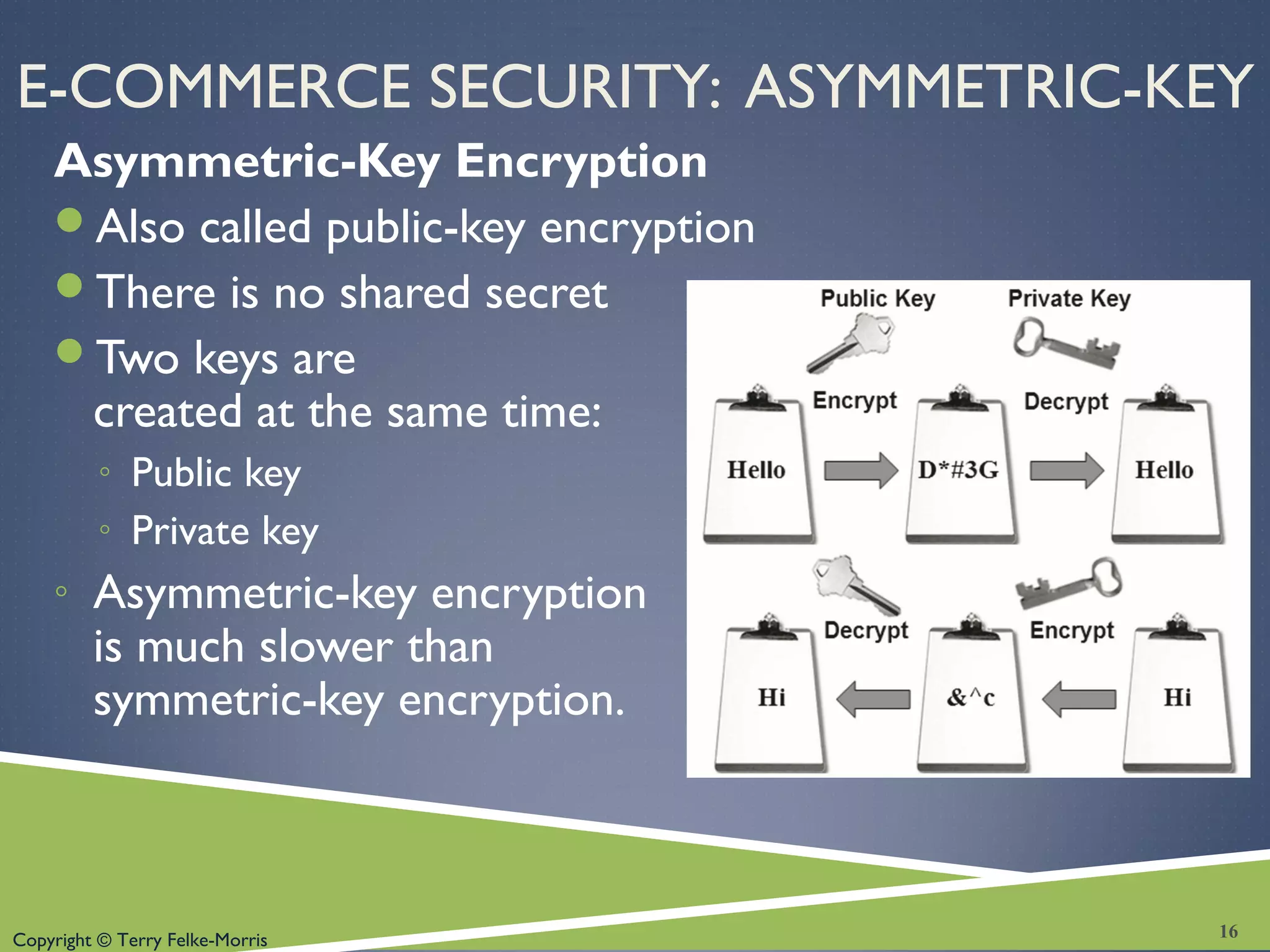
Also called public-key encryption
There is no shared secret
Two keys are
created at the same time:
◦ Public key
◦ Private key
◦ Asymmetric-key encryption
is much slower than
symmetric-key encryption.
16
Copyright © Terry Felke-Morris
E-COMMERCE SECURITY: HASH
Hash Encryption
 A hash algorithm transforms a string of characters into a
“digest”
 A shorter fixed-length value or key that represents the original
string
 One-way encryption
 Used for information that will not be read or decrypted
 Purpose: verify the integrity of information
17
Copyright © Terry Felke-Morris
SECURE SOCKETS LAYER (SSL)
 A protocol that allows data to be privately exchanged over
public networks
 Developed by Netscape
 Encrypts data sent between a client (usually a Web browser)
and a Web server.
 Utilizes both symmetric and asymmetric keys.
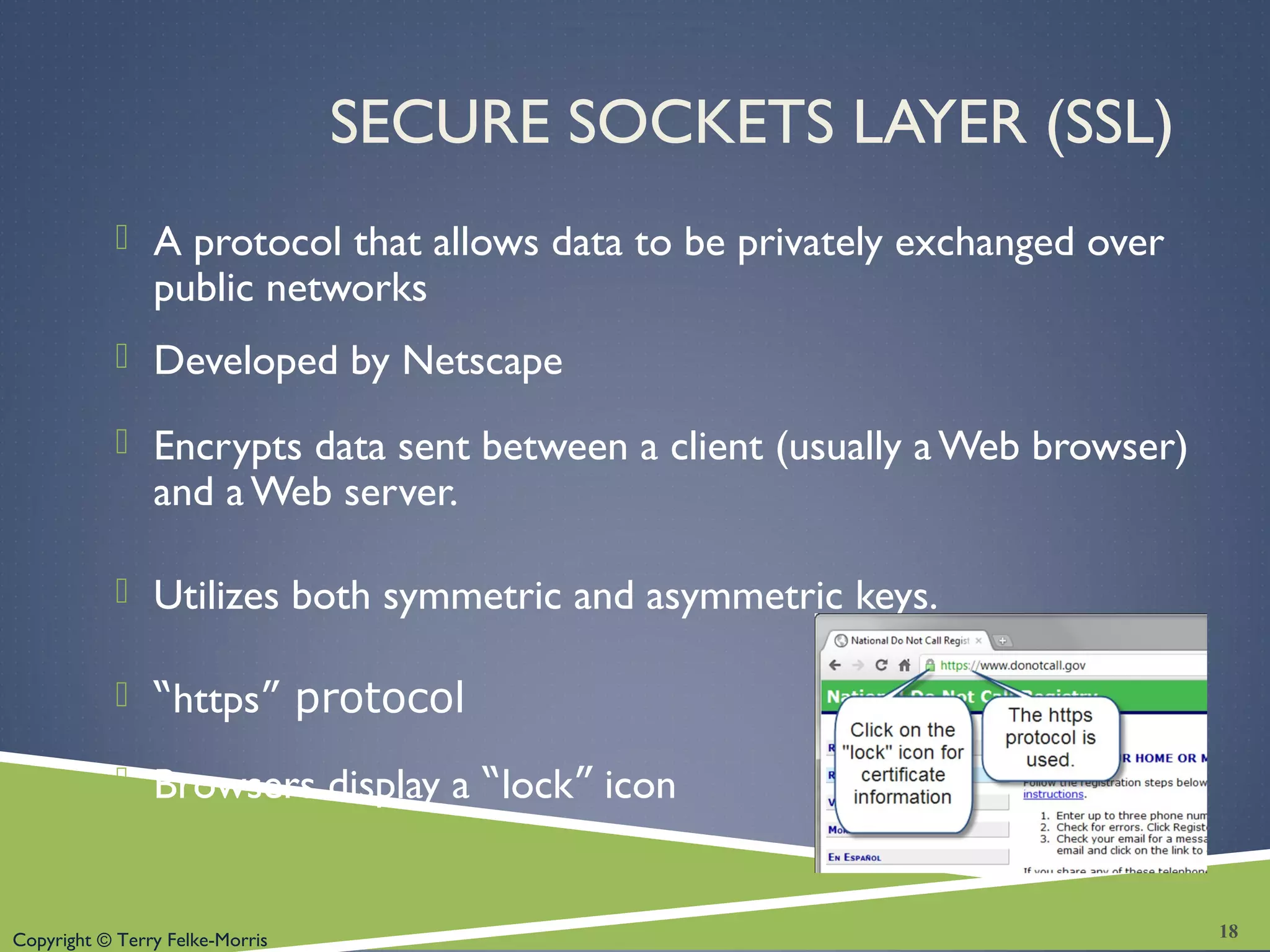
 “https” protocol
 Browsers display a “lock” icon
18
Copyright © Terry Felke-Morris
SECURE SOCKETS LAYER (SSL)
 SSL provides secure communication between a client and
server by using:
 Server and (optionally) client digital certificates for authentication
 Symmetric-key cryptography using a "session key" for bulk encryption
 Public-key cryptography for transfer of the session key
 Message Digests (hash encryption) to verify the integrity of the
transmission
19
Copyright © Terry Felke-Morris
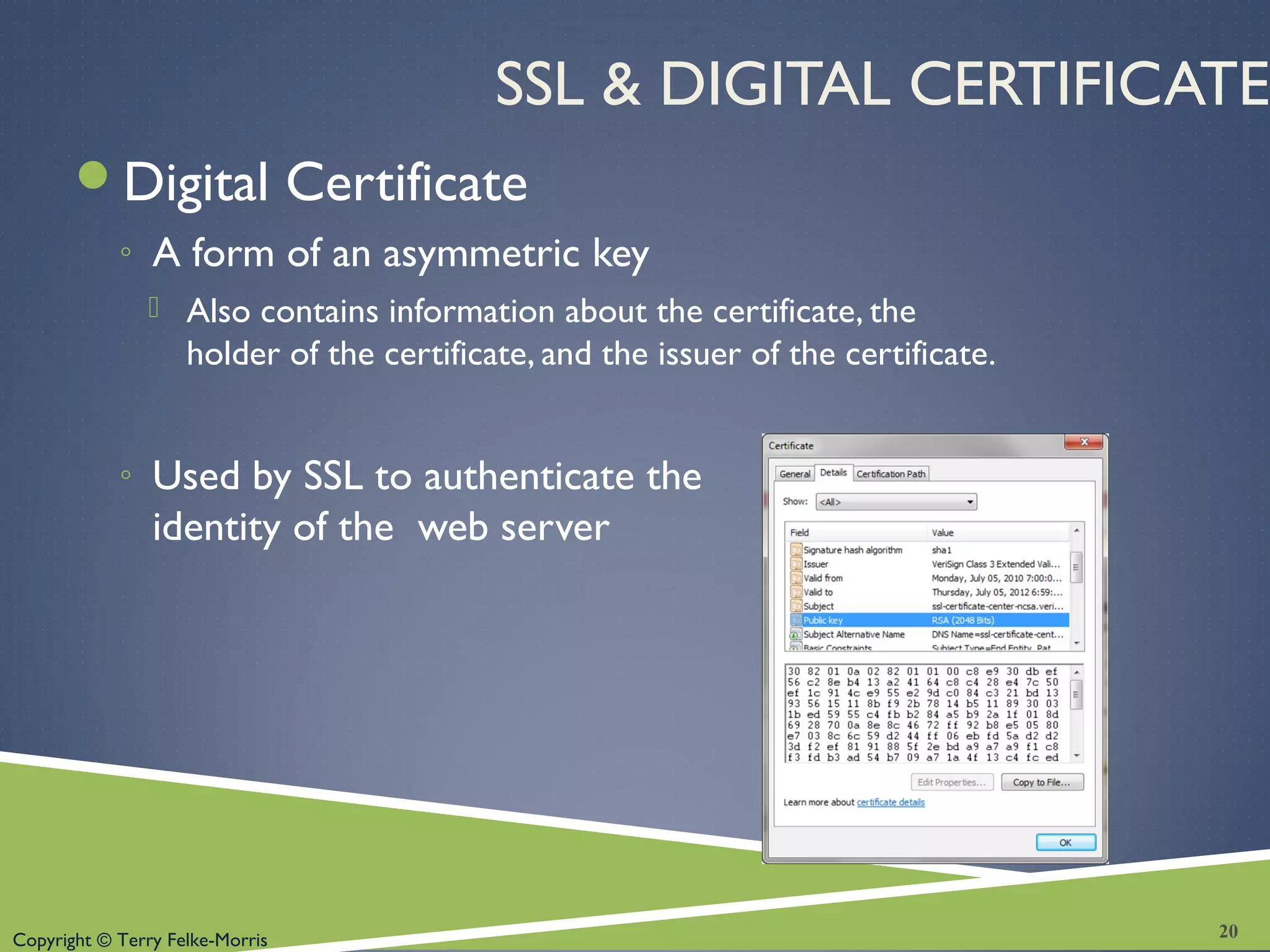
SSL & DIGITAL CERTIFICATE
Digital Certificate
◦ A form of an asymmetric key
 Also contains information about the certificate, the
holder of the certificate, and the issuer of the certificate.
◦ Used by SSL to authenticate the
identity of the web server
20
Copyright © Terry Felke-Morris
DIGITAL CERTIFICATE
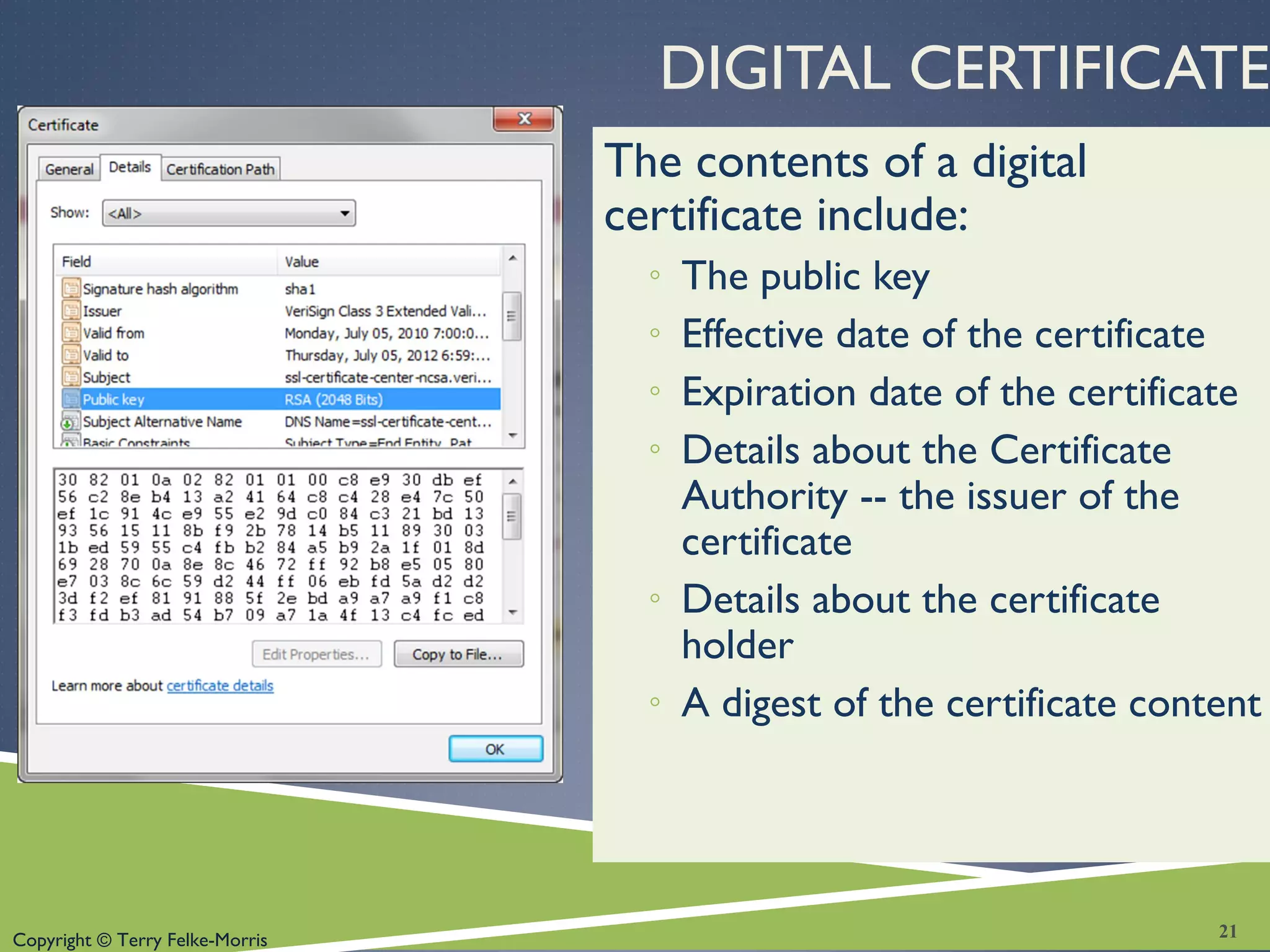
The contents of a digital
certificate include:
◦ The public key
◦ Effective date of the certificate
◦ Expiration date of the certificate
◦ Details about the Certificate
Authority -- the issuer of the
certificate
◦ Details about the certificate
holder
◦ A digest of the certificate content
21
Copyright © Terry Felke-Morris
CERTIFICATE AUTHORITY
A trusted third-party organization or company
that issued digital certificates.
Well-known Certificate Authorities:
Verisign
http://www.verisign.com
Thawte
http://www.thawte.com
22
Copyright © Terry Felke-Morris
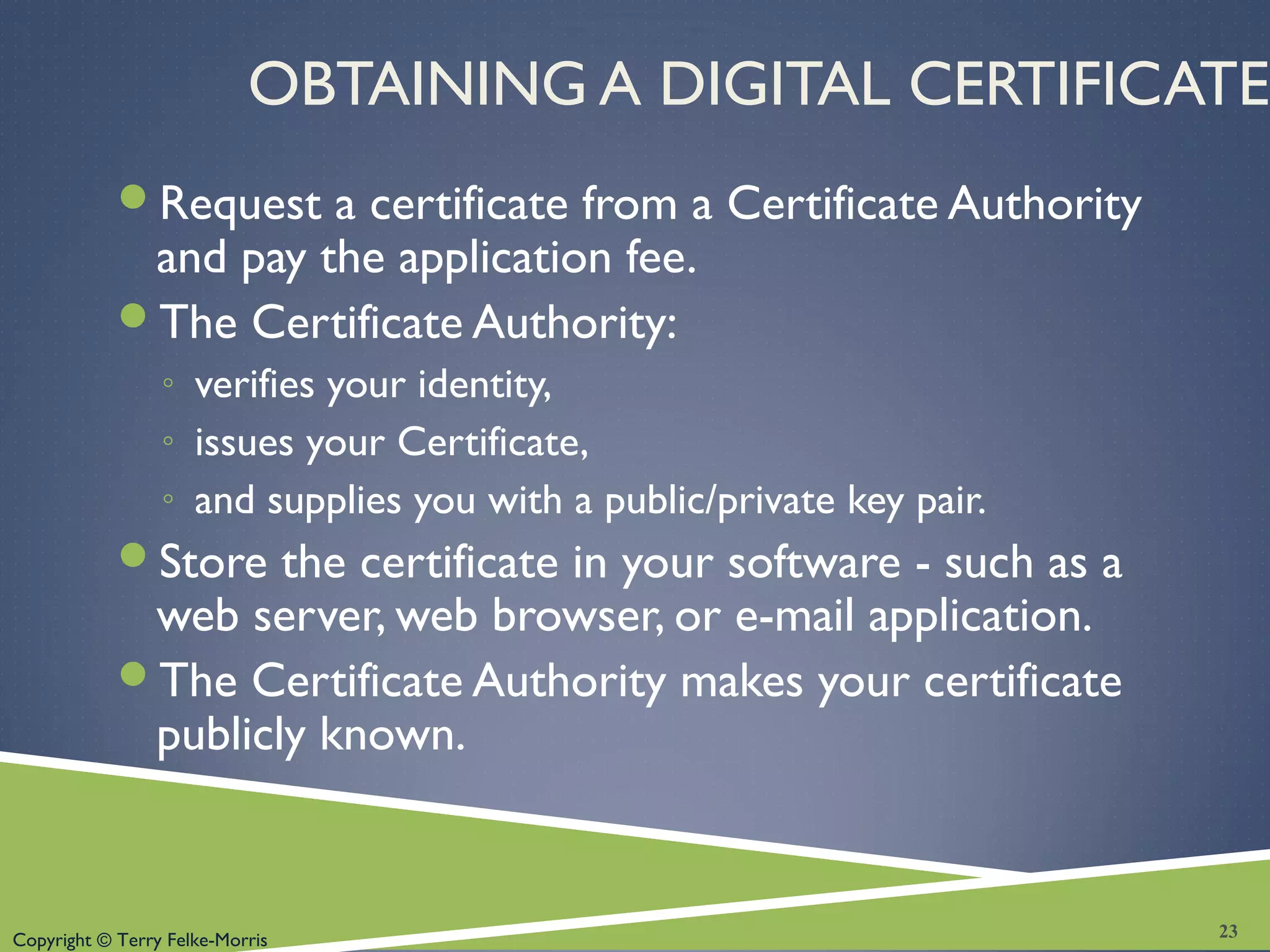
OBTAINING A DIGITAL CERTIFICATE
Request a certificate from a Certificate Authority
and pay the application fee.
The Certificate Authority:
◦ verifies your identity,
◦ issues your Certificate,
◦ and supplies you with a public/private key pair.
Store the certificate in your software - such as a
web server, web browser, or e-mail application.
The Certificate Authority makes your certificate
publicly known.
23
Copyright © Terry Felke-Morris
CHECKPOINT
1. Describe three advantages of e-commerce
for an entrepreneur just starting a business.
2. Describe three risks that businesses face
when engaging in e-commerce.
3. Define SSL. Describe how an online
shopper can tell that an e-commerce site is
using SSL.
24
Copyright © Terry Felke-Morris
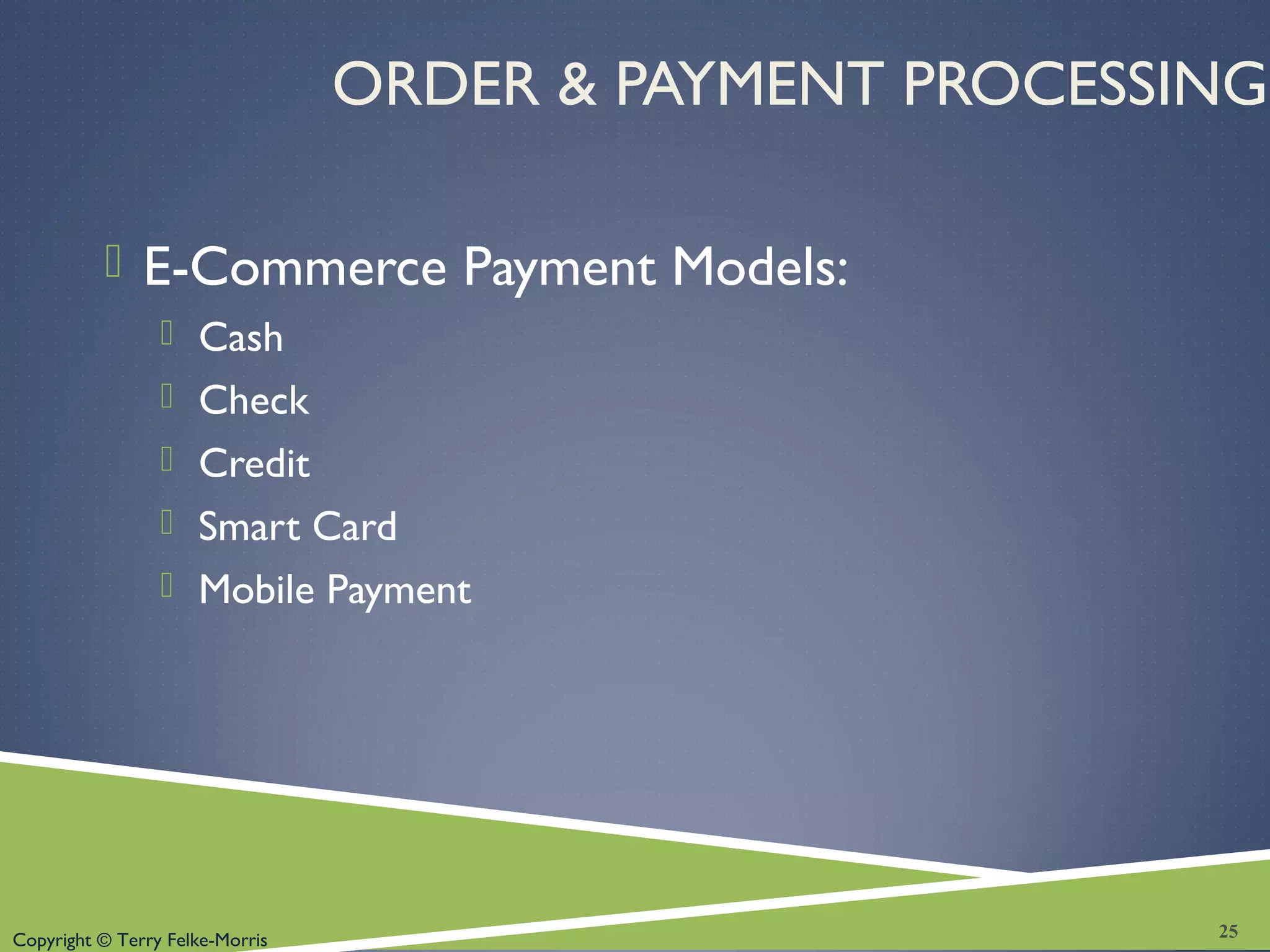
ORDER & PAYMENT PROCESSING
 E-Commerce Payment Models:
 Cash
 Check
 Credit
 Smart Card
 Mobile Payment
25
Copyright © Terry Felke-Morris
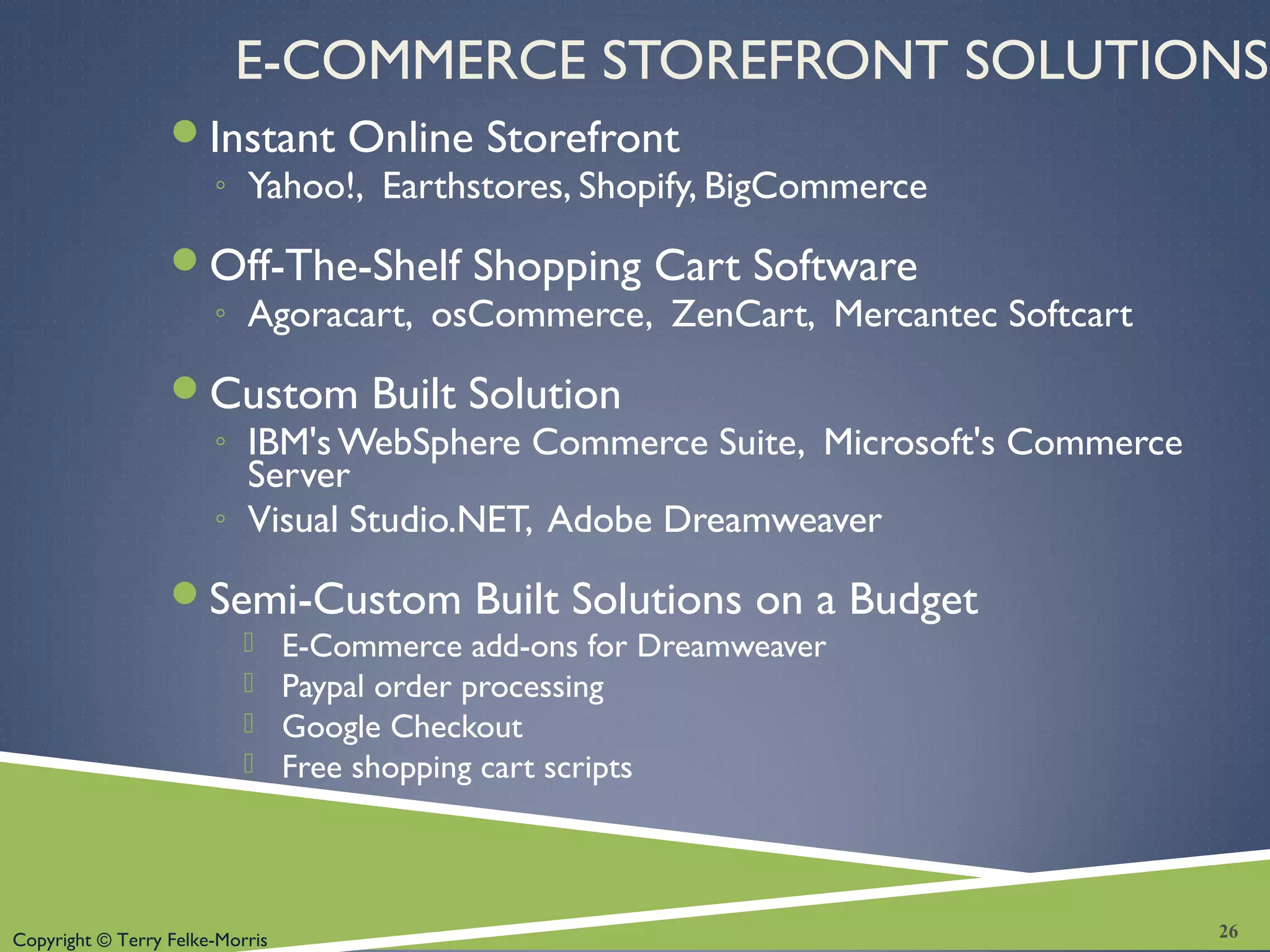
E-COMMERCE STOREFRONT SOLUTIONS
Instant Online Storefront
◦ Yahoo!, Earthstores, Shopify, BigCommerce
Off-The-Shelf Shopping Cart Software
◦ Agoracart, osCommerce, ZenCart, Mercantec Softcart
Custom Built Solution
◦ IBM's WebSphere Commerce Suite, Microsoft's Commerce
Server
◦ Visual Studio.NET, Adobe Dreamweaver
Semi-Custom Built Solutions on a Budget
 E-Commerce add-ons for Dreamweaver
 Paypal order processing
 Google Checkout
 Free shopping cart scripts
26
Copyright © Terry Felke-Morris
CHECKPOINT
1. List three payment models commonly used on the Web.
Which one is the most popular, why?
2. Have you purchased online? If so, think of the last item
that you purchased.
a. Why did you purchase it online instead of at a store?
b. Did you check to see if the transaction was secure? Why or why
not?
c. How will your shopping habits be different in the future?
3. Describe three types of e-commerce solutions available.
Which provides the easiest entry to e-commerce? Explain.4.
27
Copyright © Terry Felke-Morris
SUMMARY
This chapter introduced you to basic e-
commerce concepts and implementations.
Consider taking an E-Commerce course in
the future to continue your study of this
dynamic and growing area of web
development.
28

Chapter 12 - Web Design

  • 1.
    Copyright © TerryFelke-Morris WEB DEVELOPMENT & DESIGN FOUNDATIONS WITH HTML5 Chapter 12 Key Concepts 1Copyright © Terry Felke-Morris
  • 2.
    Copyright © TerryFelke-Morris LEARNING OUTCOMES  In this chapter, you will learn how to  define e-commerce  identify benefits and risks of e-commerce  describe e-commerce business models  describe e-commerce security and encryption  define Electronic Data Interchange (EDI)  identify trends and projections for e-commerce  describe issues related to e-commerce  describe options for order and payment processing 2
  • 3.
    Copyright © TerryFelke-Morris WHAT IS E-COMMERCE? The integration of communications, data management, and security technologies to allow individuals and organizations to exchange information related to the sale of goods and services. Major functions of E-Commerce include: ◦ the buying of goods, ◦ the selling of goods, and ◦ performance of financial transactions on the Internet. 3
  • 4.
    Copyright © TerryFelke-Morris E-COMMERCE ADVANTAGES FOR BUSINESSES  Reduced Costs  Increased Customer Satisfaction  More Effective Data Management  Potentially Higher Sales 4
  • 5.
    Copyright © TerryFelke-Morris E-COMMERCE ADVANTAGES FOR CONSUMERS  Convenience  Easier Comparison Shopping  Wider Selection of Goods 5
  • 6.
    Copyright © TerryFelke-Morris E-COMMERCE RISKS FOR BUSINESSES  Need for a robust, reliable web site  Fraudulent transactions  Customer reluctance to purchase online  Increased competition 6
  • 7.
    Copyright © TerryFelke-Morris E-COMMERCE RISKS FOR CONSUMERS  Possible Security Issues  Possible Privacy Issues  Purchasing from photos & descriptions  Possible difficulty with returns 7
  • 8.
    Copyright © TerryFelke-Morris E-COMMERCE BUSINESS MODELS  B2C – Business-to-Consumer  B2B – Business-to-Business  C2C – Consumer-to-Consumer  B2G – Business-to-Government 8
  • 9.
    Copyright © TerryFelke-Morris ELECTRONIC DATA INTERCHANGE (EDI)  The transfer of data between different companies using networks.  Facilitates the exchange of standard business documents including purchase orders and invoices  EDI is not new  In existence since the 1960s  Trading Partners  Organizations that exchange EDI transmissions  Newer technologies  XML andWeb Services are replacing traditional EDI  Provide opportunities to customize secure information exchange over the Internet 9
  • 10.
    Copyright © TerryFelke-Morris E-COMMERCE U.S. RETAIL SALES What do people buy online? http://www.census.gov/compendia/statab/tables/09s1016.xls 10 1. Clothing, accessories, and footwear ($17 billion) 2. Computer hardware and software ($14.3 billion) 3. Electronics and appliances ($13 billion) 4. Furniture and home furnishings ($9.8 billion) 5. Books, music, and videos ($9 billion) 6. Office equipment and supplies ($5.8 billion) 7. Drugs, health aids, and beauty aids ($5.5 billion) 8. Sporting goods ($3.9 billion) 9. Toys, hobby goods, and games ($3.3 billion) 10. Food, beer, and wine ($2.3 billion) 2008 Sales Figures http://www.census.gov/compendia/statab/2011/tables/11s1055.xls
  • 11.
    Copyright © TerryFelke-Morris WHO’S ON THE INTERNET?  Source: http://www.pewinternet.org/ Static-Pages/Trend- Data/Whos-Online.aspx  Other Demographics: ◦ http://www.pewinternet.org/ ◦ http://www.clickz.com ◦ http://www.census.gov/eos/ww Category Percentage That Use the Internet Men 78% Women 76% Age: 18-29 90% Age: 30-49 84% Age: 50-64 76% Age: Over 65 46% Household Income: Less than $30,000 63% Household Income: $30,000 to $49,999 79% Household Income: $50,000 to $74,999 92% Household Income: $75,000 or higher 96% Education: High school graduate 69% Education: Some college 89% Education: College graduate 93% 11
  • 12.
    Copyright © TerryFelke-Morris E-COMMERCE ISSUES  Intellectual Property  Security  Fraud  Taxation  International Commerce 12
  • 13.
    Copyright © TerryFelke-Morris E-COMMERCE SECURITY Encryption ◦ Ensures privacy within an organization and on the Internet. ◦ The conversion of data into an unreadable form, called a ciphertext. Decryption ◦ The process of converting the ciphertext back into its original form, called plaintext or cleartext, so it can be understood. The encryption/decryption process requires an algorithm and a key. 13
  • 14.
    Copyright © TerryFelke-Morris E-COMMERCE SECURITY ENCRYPTION TYPES Secure E-Commerce transactions use the encryption technologies below:  Symmetric-key Encryption  Asymmetric-key Encryption  Hash Encryption SSL (Secure Sockets Layer)  Utilizes these encryption technologies  Provides for secure transmission of data on the Internet. 14
  • 15.
    Copyright © TerryFelke-Morris E-COMMERCE SECURITY: SYMMETRIC-KEY Symmetric-Key Encryption Also called single-key encryption Both encryption and decryption use the same key Both the sender and receiver must know the key before communicating using encryption. Advantage: speed 15
  • 16.
    Copyright © TerryFelke-Morris E-COMMERCE SECURITY: ASYMMETRIC-KEY Asymmetric-Key Encryption Also called public-key encryption There is no shared secret Two keys are created at the same time: ◦ Public key ◦ Private key ◦ Asymmetric-key encryption is much slower than symmetric-key encryption. 16
  • 17.
    Copyright © TerryFelke-Morris E-COMMERCE SECURITY: HASH Hash Encryption  A hash algorithm transforms a string of characters into a “digest”  A shorter fixed-length value or key that represents the original string  One-way encryption  Used for information that will not be read or decrypted  Purpose: verify the integrity of information 17
  • 18.
    Copyright © TerryFelke-Morris SECURE SOCKETS LAYER (SSL)  A protocol that allows data to be privately exchanged over public networks  Developed by Netscape  Encrypts data sent between a client (usually a Web browser) and a Web server.  Utilizes both symmetric and asymmetric keys.  “https” protocol  Browsers display a “lock” icon 18
  • 19.
    Copyright © TerryFelke-Morris SECURE SOCKETS LAYER (SSL)  SSL provides secure communication between a client and server by using:  Server and (optionally) client digital certificates for authentication  Symmetric-key cryptography using a "session key" for bulk encryption  Public-key cryptography for transfer of the session key  Message Digests (hash encryption) to verify the integrity of the transmission 19
  • 20.
    Copyright © TerryFelke-Morris SSL & DIGITAL CERTIFICATE Digital Certificate ◦ A form of an asymmetric key  Also contains information about the certificate, the holder of the certificate, and the issuer of the certificate. ◦ Used by SSL to authenticate the identity of the web server 20
  • 21.
    Copyright © TerryFelke-Morris DIGITAL CERTIFICATE The contents of a digital certificate include: ◦ The public key ◦ Effective date of the certificate ◦ Expiration date of the certificate ◦ Details about the Certificate Authority -- the issuer of the certificate ◦ Details about the certificate holder ◦ A digest of the certificate content 21
  • 22.
    Copyright © TerryFelke-Morris CERTIFICATE AUTHORITY A trusted third-party organization or company that issued digital certificates. Well-known Certificate Authorities: Verisign http://www.verisign.com Thawte http://www.thawte.com 22
  • 23.
    Copyright © TerryFelke-Morris OBTAINING A DIGITAL CERTIFICATE Request a certificate from a Certificate Authority and pay the application fee. The Certificate Authority: ◦ verifies your identity, ◦ issues your Certificate, ◦ and supplies you with a public/private key pair. Store the certificate in your software - such as a web server, web browser, or e-mail application. The Certificate Authority makes your certificate publicly known. 23
  • 24.
    Copyright © TerryFelke-Morris CHECKPOINT 1. Describe three advantages of e-commerce for an entrepreneur just starting a business. 2. Describe three risks that businesses face when engaging in e-commerce. 3. Define SSL. Describe how an online shopper can tell that an e-commerce site is using SSL. 24
  • 25.
    Copyright © TerryFelke-Morris ORDER & PAYMENT PROCESSING  E-Commerce Payment Models:  Cash  Check  Credit  Smart Card  Mobile Payment 25
  • 26.
    Copyright © TerryFelke-Morris E-COMMERCE STOREFRONT SOLUTIONS Instant Online Storefront ◦ Yahoo!, Earthstores, Shopify, BigCommerce Off-The-Shelf Shopping Cart Software ◦ Agoracart, osCommerce, ZenCart, Mercantec Softcart Custom Built Solution ◦ IBM's WebSphere Commerce Suite, Microsoft's Commerce Server ◦ Visual Studio.NET, Adobe Dreamweaver Semi-Custom Built Solutions on a Budget  E-Commerce add-ons for Dreamweaver  Paypal order processing  Google Checkout  Free shopping cart scripts 26
  • 27.
    Copyright © TerryFelke-Morris CHECKPOINT 1. List three payment models commonly used on the Web. Which one is the most popular, why? 2. Have you purchased online? If so, think of the last item that you purchased. a. Why did you purchase it online instead of at a store? b. Did you check to see if the transaction was secure? Why or why not? c. How will your shopping habits be different in the future? 3. Describe three types of e-commerce solutions available. Which provides the easiest entry to e-commerce? Explain.4. 27
  • 28.
    Copyright © TerryFelke-Morris SUMMARY This chapter introduced you to basic e- commerce concepts and implementations. Consider taking an E-Commerce course in the future to continue your study of this dynamic and growing area of web development. 28