Copyright © Terry Felke-Morris
WEB DEVELOPMENT & DESIGN
FOUNDATIONS WITH HTML5
Chapter 11
Key Concepts
1Copyright © Terry Felke-Morris
Copyright © Terry Felke-Morris
LEARNING OUTCOMES
 In this chapter, you will learn how to ...
 Describe the purpose of plug-ins, helper applications, media containers, and codecs
 Describe types of multimedia files used on the Web
 Configure hyperlinks to multimedia files
 Apply the object element to display audio files, video files, and Flash multimedia
 Configure audio and video on a web page with HTML5 elements
 Describe features and common uses of Adobe Flash, JavaScript, Java applets, and Ajax
 Configure a Flash animation on a web page
 Configure a Java applet on a web page
 Create an interactive image gallery with CSS
 Configure the CSS3 transform and transition properties
 Describe the purpose of the HTML5 canvas element
2
Copyright © Terry Felke-Morris
HELPER APPLICATIONS & PLUG-INS
 Helper Application
 A program that can be designated to handle a particular file
type (such as .wav or.mpg) to allow the user to view or
otherwise utilize the special file.
 The helper application runs in a separate window from the
browser.
 Plug-In
 A newer and more common method
 Plug-ins run right in the browser window so that media objects
can be integrated directly into the web page.
3
Copyright © Terry Felke-Morris
CONTAINERS & CODECS
 Container
 Designated by the file extension – contains the media and
metadata
 Codec
 The algorithm used to compress the media
 HTML5 audio & video
 Native to the browser
 Browsers do not support the same codecs
4
Copyright © Terry Felke-Morris
COMMONLY USED PLUG-INS
 Adobe Flash Player
 Adobe Reader
 Windows Media Player
 Apple Quicktime
5
Copyright © Terry Felke-Morris
COMMON AUDIO FILE TYPES
.wav Wave File
.aiff Audio Interchange File Format
.mid Musical Instrument Digital Interface (MIDI)
.au Sun UNIX sound file
.mp3 MPEG-1 Audio Layer-3
.ogg OggVorbis (open-source)
. m4a MPEG 4 Audio.
This audio-only MPEG-4 format is
supported by Quicktime, iTunes, and iPods.
6
Copyright © Terry Felke-Morris
COMMONVIDEO FILE TYPES
 .mov Quicktime
 .avi Microsoft AudioVideo Interleaved
 .wmv Windows Media File
 .flv FlashVideo File
 .mpg MPEG (Motion Picture Experts Group)
 .m4v .mp4 (MPEG-4)
 .ogv Ogg Theora (open-source)
 .webm VP8 codec (open video format, free)
7
Copyright © Terry Felke-Morris
COPYRIGHT ISSUES
 Only publish web pages, images, and other media that you
have personally created or have obtained the rights or license
to use.
 Ask permission to use media created by another person
instead of simply “grabbing” it.
 All work (including web pages) are automatically copyrighted
even if there is not copyright mark or date.
 Fair Use Clause of the Copyright Act
 Creative Commons – A new approach to copyright
8
Copyright © Terry Felke-Morris
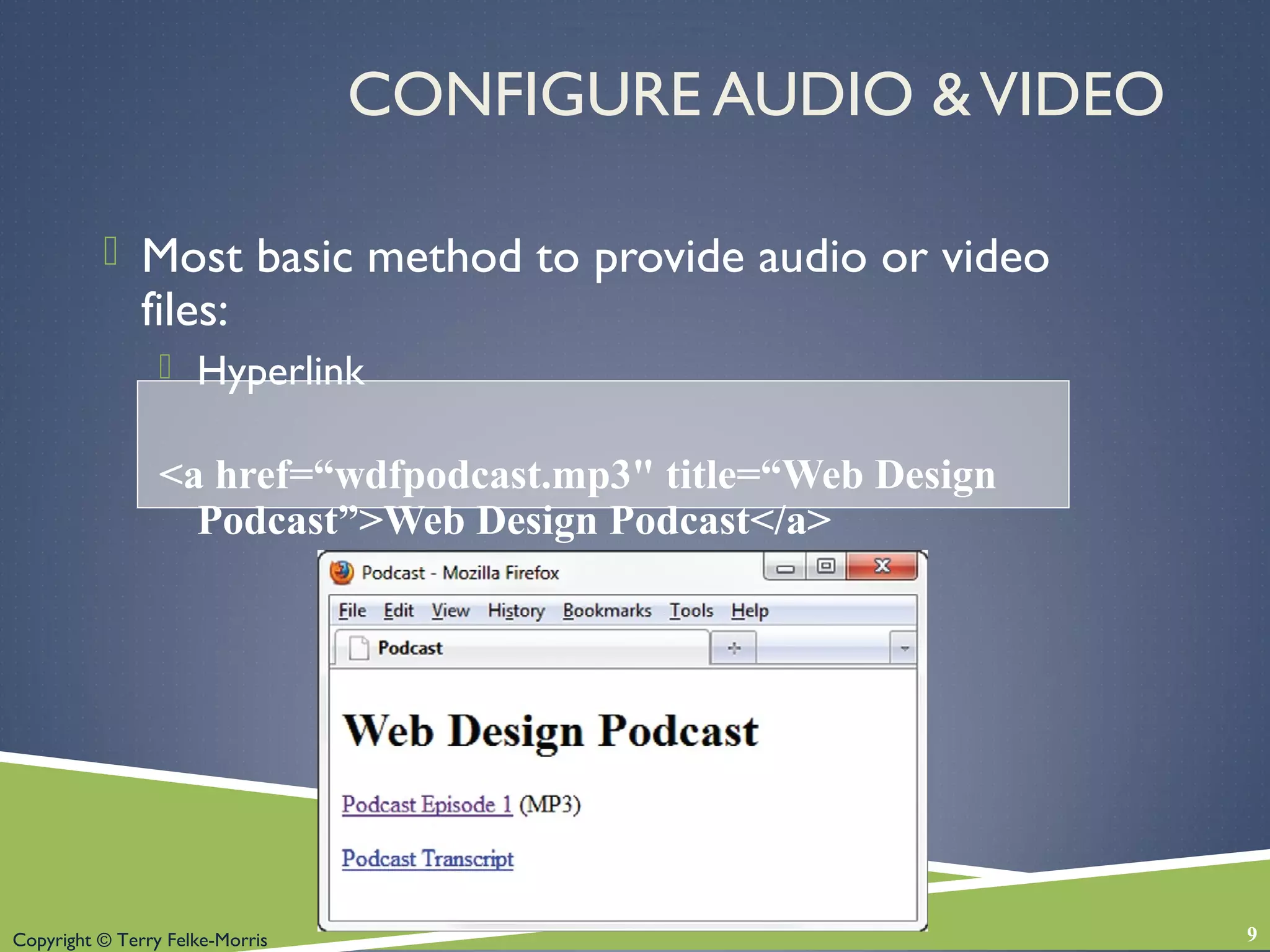
CONFIGURE AUDIO &VIDEO
 Most basic method to provide audio or video
files:
 Hyperlink
<a href=“wdfpodcast.mp3" title=“Web Design
Podcast”>Web Design Podcast</a>
9
Copyright © Terry Felke-Morris
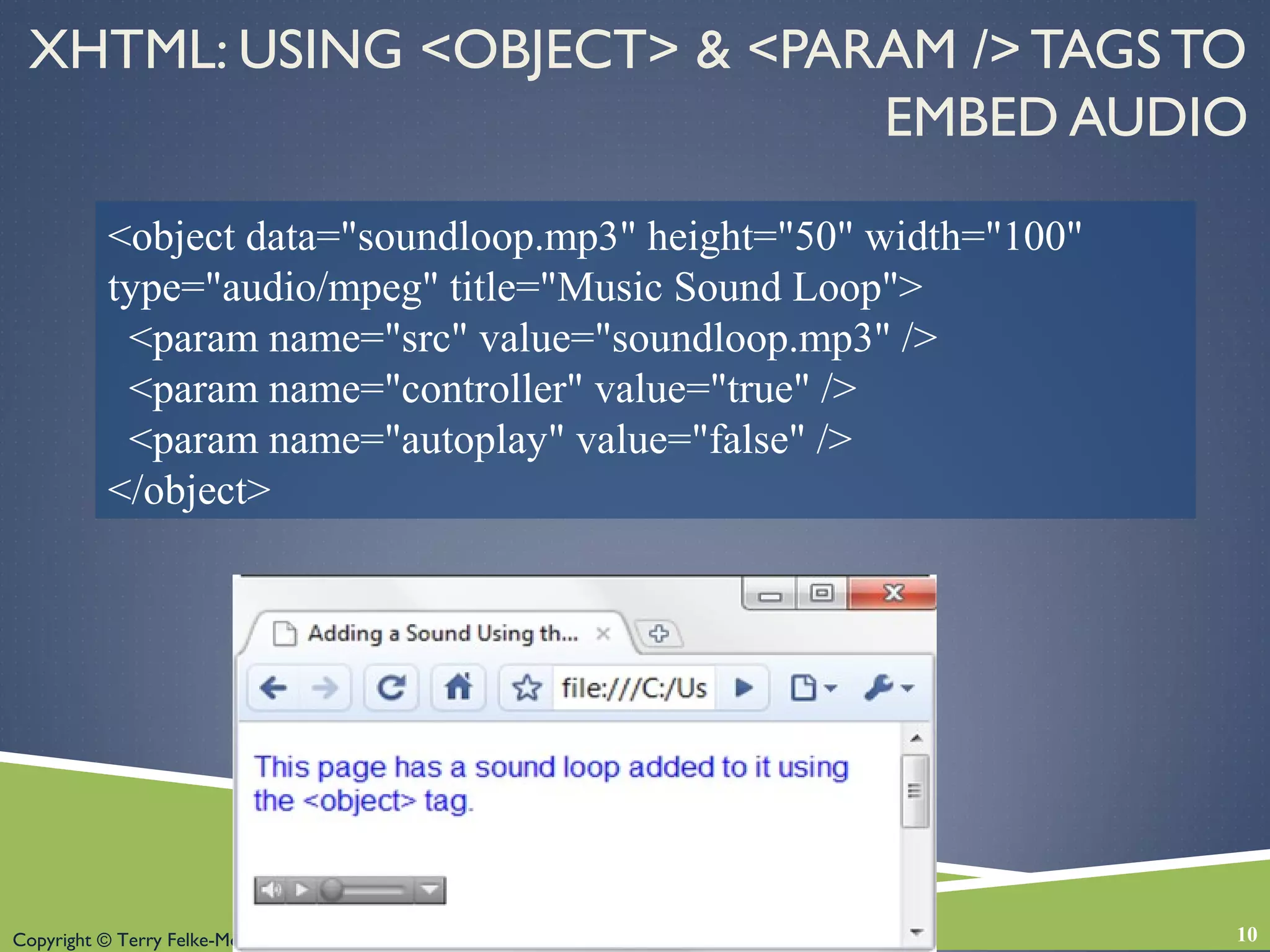
XHTML: USING <OBJECT> & <PARAM /> TAGS TO
EMBED AUDIO
10
<object data="soundloop.mp3" height="50" width="100"
type="audio/mpeg" title="Music Sound Loop">
<param name="src" value="soundloop.mp3" />
<param name="controller" value="true" />
<param name="autoplay" value="false" />
</object>
Copyright © Terry Felke-Morris
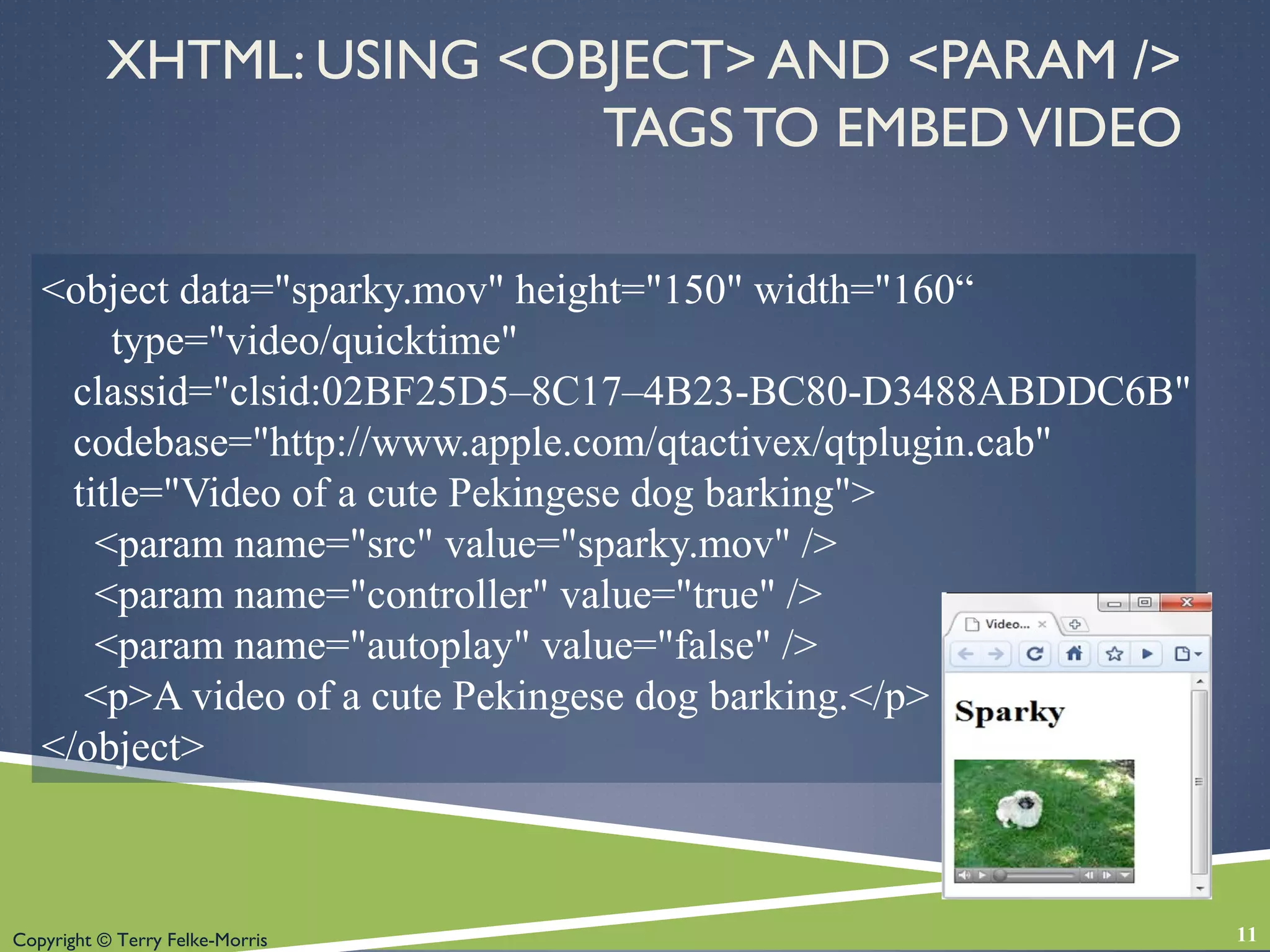
<object data="sparky.mov" height="150" width="160“
type="video/quicktime"
classid="clsid:02BF25D5–8C17–4B23-BC80-D3488ABDDC6B"
codebase="http://www.apple.com/qtactivex/qtplugin.cab"
title="Video of a cute Pekingese dog barking">
<param name="src" value="sparky.mov" />
<param name="controller" value="true" />
<param name="autoplay" value="false" />
<p>A video of a cute Pekingese dog barking.</p>
</object>
XHTML: USING <OBJECT> AND <PARAM />
TAGS TO EMBEDVIDEO
11
Copyright © Terry Felke-Morris
MULTIMEDIA & ACCESSIBILITY
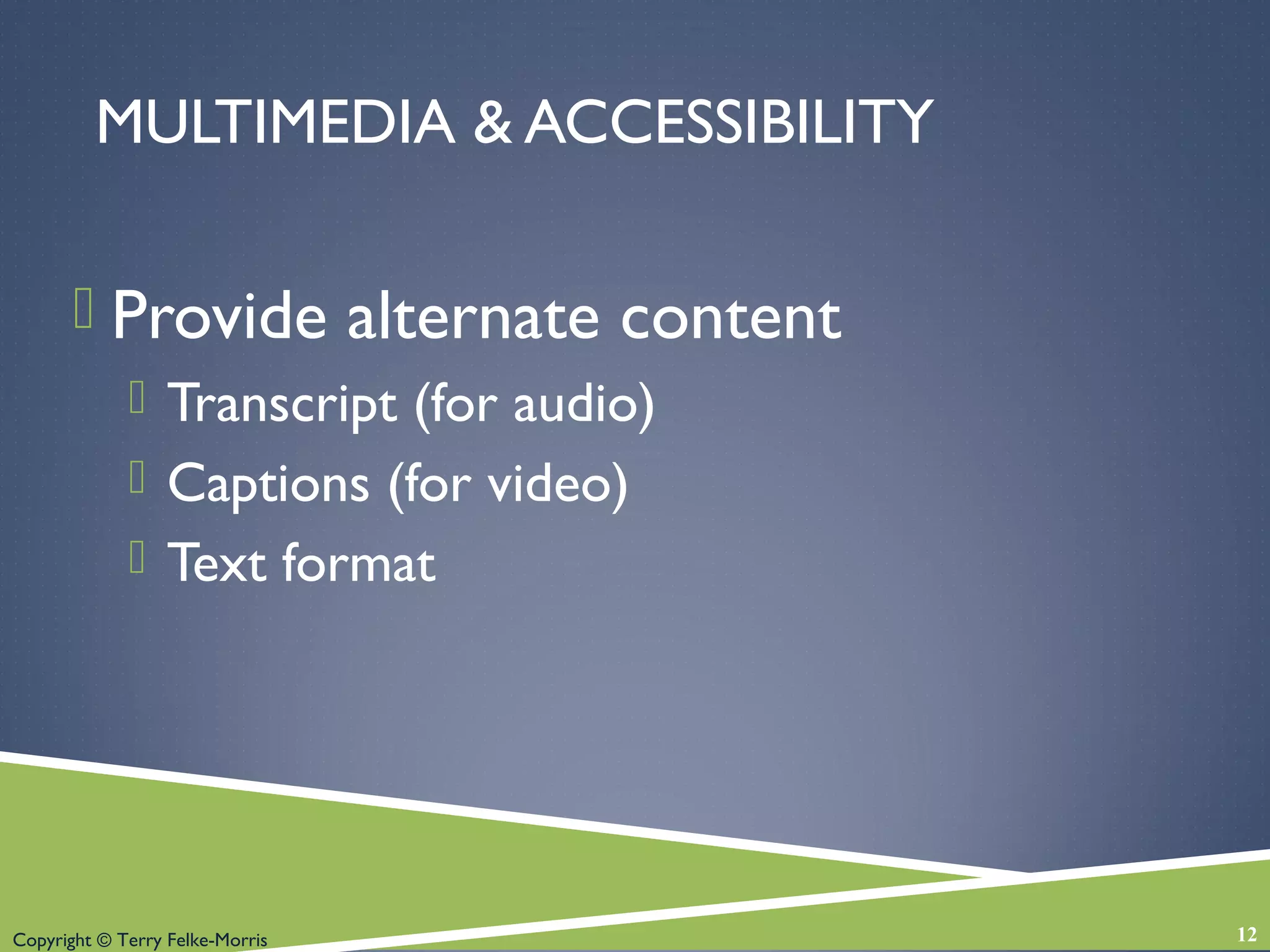
 Provide alternate content
 Transcript (for audio)
 Captions (for video)
 Text format
12
Copyright © Terry Felke-Morris
WHAT IS ADOBE FLASH?
 A popular multimedia application
 Create multimedia which adds visual interest and
interactivity to web pages
 Flash movies are saved in “.swf” files
 Perception of speedy display
 .swf files play as they download
 Flash Player
 Free browser plug-in
 Widely installed on browsers
13
Copyright © Terry Felke-Morris
ADDING FLASH TO A WEB PAGE
<OBJECT> & <PARAM /> TAGS
<object … object attributes go here….
<param name="movie" …value attribute goes here… />
<param name="quality" …value attribute goes here… />
<param name="bgcolor" …value attribute goes here… />
… a brief description of the Flash media can go here along with a link to
alternate text content if appropriate…
</object>
14
Copyright © Terry Felke-Morris
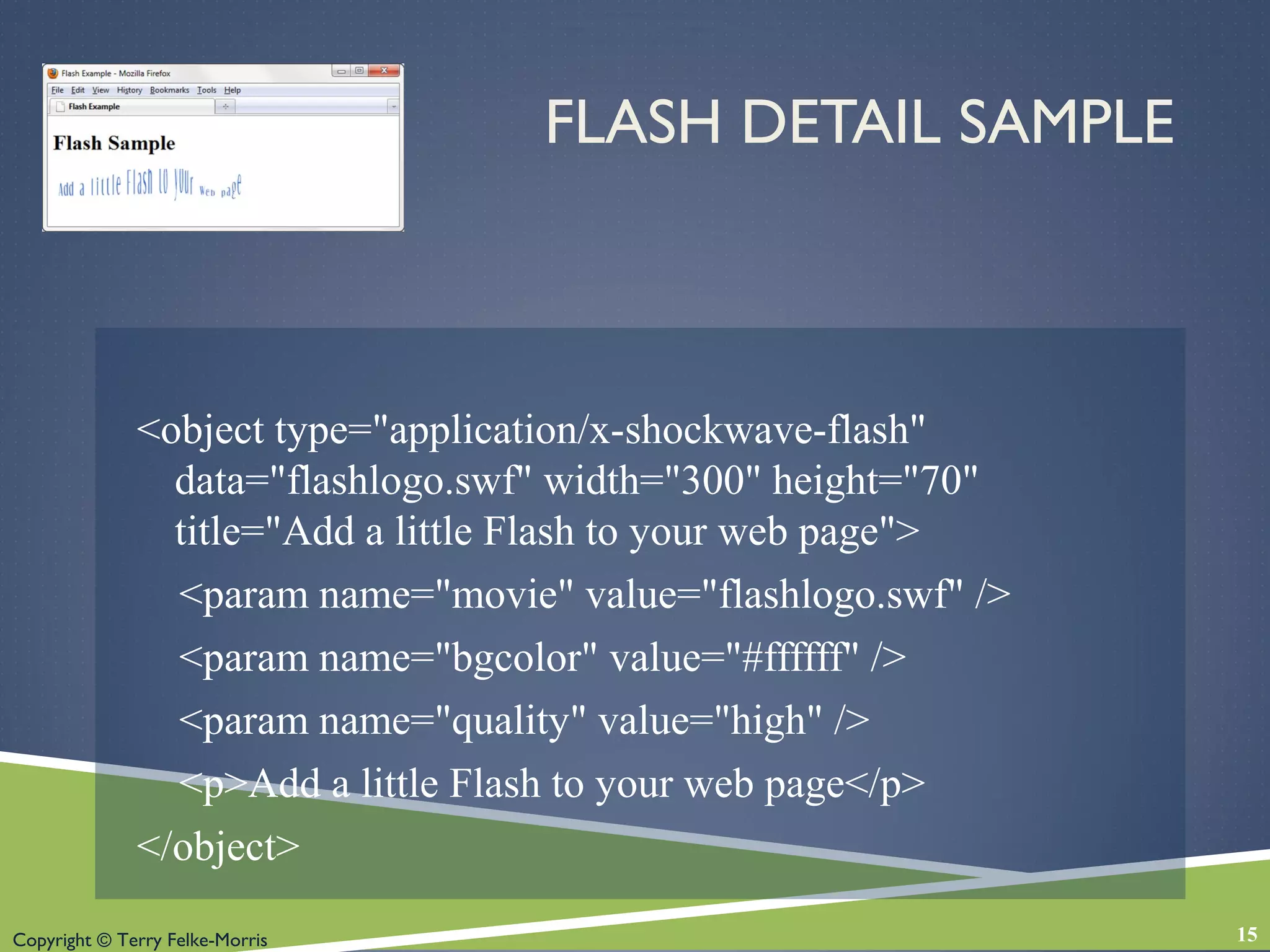
FLASH DETAIL SAMPLE
<object type="application/x-shockwave-flash"
data="flashlogo.swf" width="300" height="70"
title="Add a little Flash to your web page">
<param name="movie" value="flashlogo.swf" />
<param name="bgcolor" value="#ffffff" />
<param name="quality" value="high" />
<p>Add a little Flash to your web page</p>
</object>
15
Copyright © Terry Felke-Morris
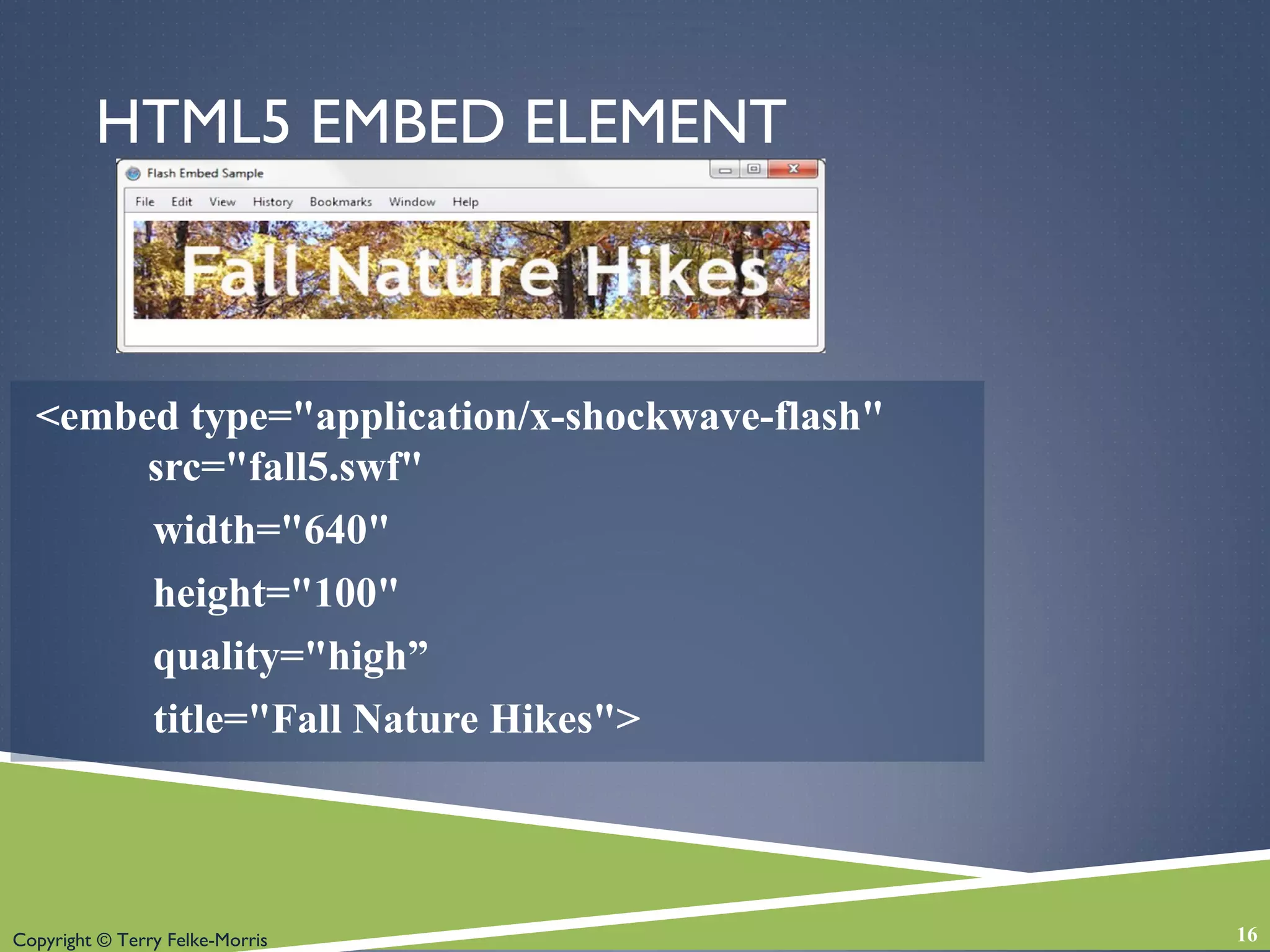
HTML5 EMBED ELEMENT
<embed type="application/x-shockwave-flash"
src="fall5.swf"
width="640"
height="100"
quality="high”
title="Fall Nature Hikes">
16
Copyright © Terry Felke-Morris
CHECKPOINT
1. List three common web browser plug-ins and
describe their use.
2. Describe issues involved with adding media such
as audio or video to a web page.
3. Describe a disadvantage of using Flash on a web
page.
17
Copyright © Terry Felke-Morris
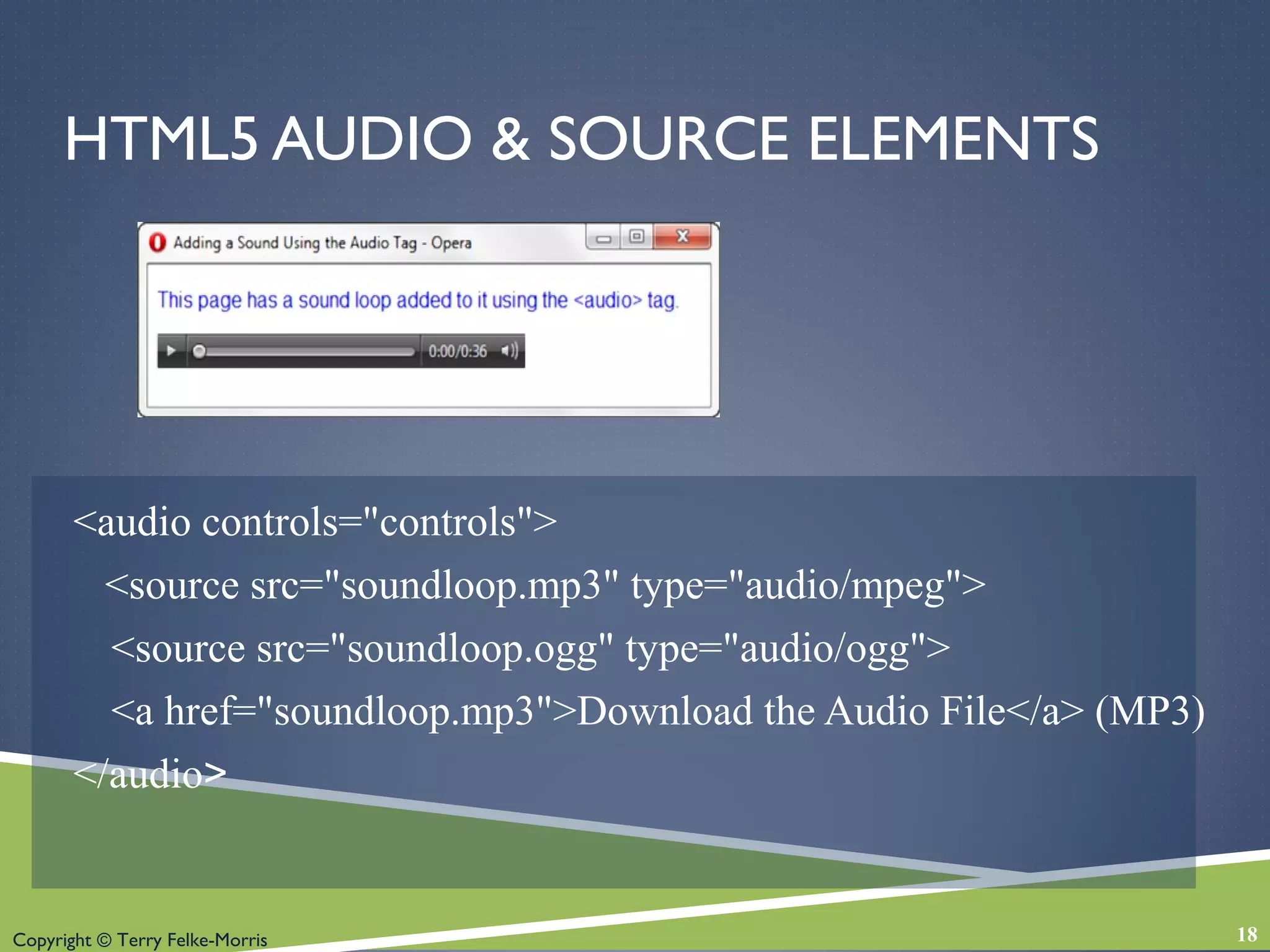
HTML5 AUDIO & SOURCE ELEMENTS
<audio controls="controls">
<source src="soundloop.mp3" type="audio/mpeg">
<source src="soundloop.ogg" type="audio/ogg">
<a href="soundloop.mp3">Download the Audio File</a> (MP3)
</audio>
18
Copyright © Terry Felke-Morris
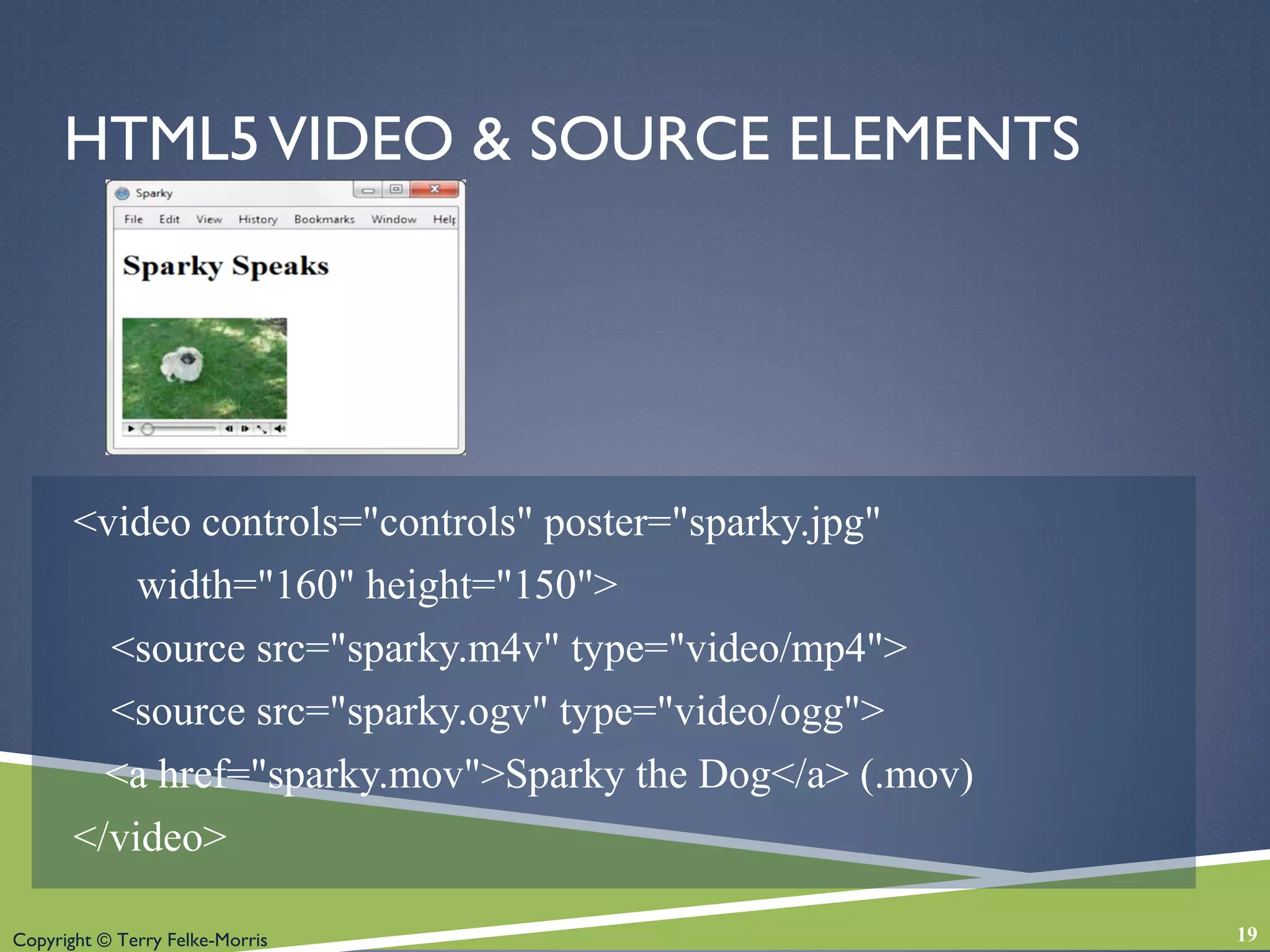
HTML5VIDEO & SOURCE ELEMENTS
<video controls="controls" poster="sparky.jpg"
width="160" height="150">
<source src="sparky.m4v" type="video/mp4">
<source src="sparky.ogv" type="video/ogg">
<a href="sparky.mov">Sparky the Dog</a> (.mov)
</video>
19
Copyright © Terry Felke-Morris
WHAT IS JAVA?
 Object Oriented Programming (OOP)
 Developed by Sun Microsystems
 Java is not the same language as JavaScript.
 Java is more powerful and much more flexible
than JavaScript.
 Java can be used to:
 develop stand-alone executable applications
 applets that are invoked by Web pages.
20
Copyright © Terry Felke-Morris
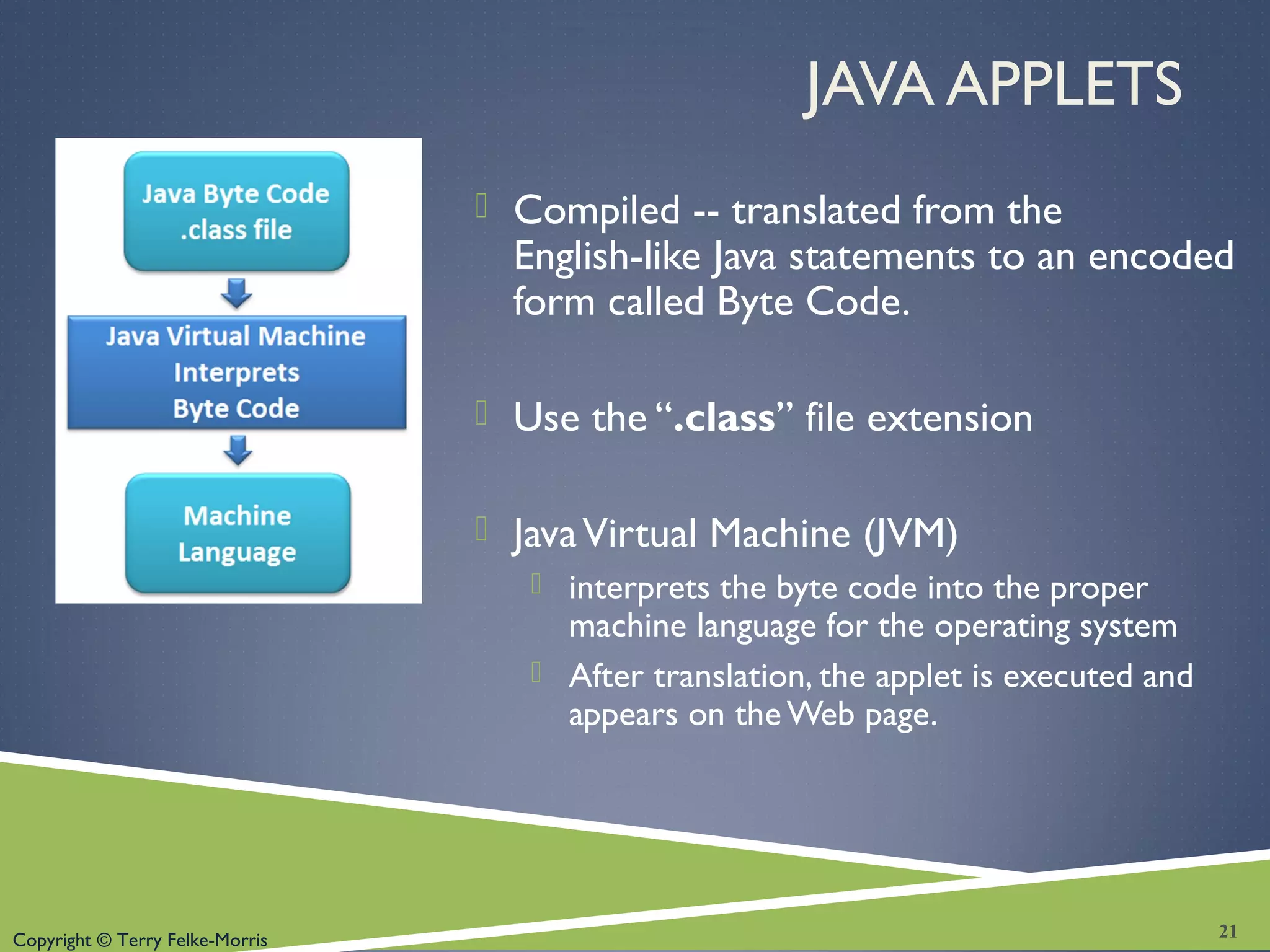
JAVA APPLETS
 Compiled -- translated from the
English-like Java statements to an encoded
form called Byte Code.
 Use the “.class” file extension
 JavaVirtual Machine (JVM)
 interprets the byte code into the proper
machine language for the operating system
 After translation, the applet is executed and
appears on theWeb page.
21
Copyright © Terry Felke-Morris
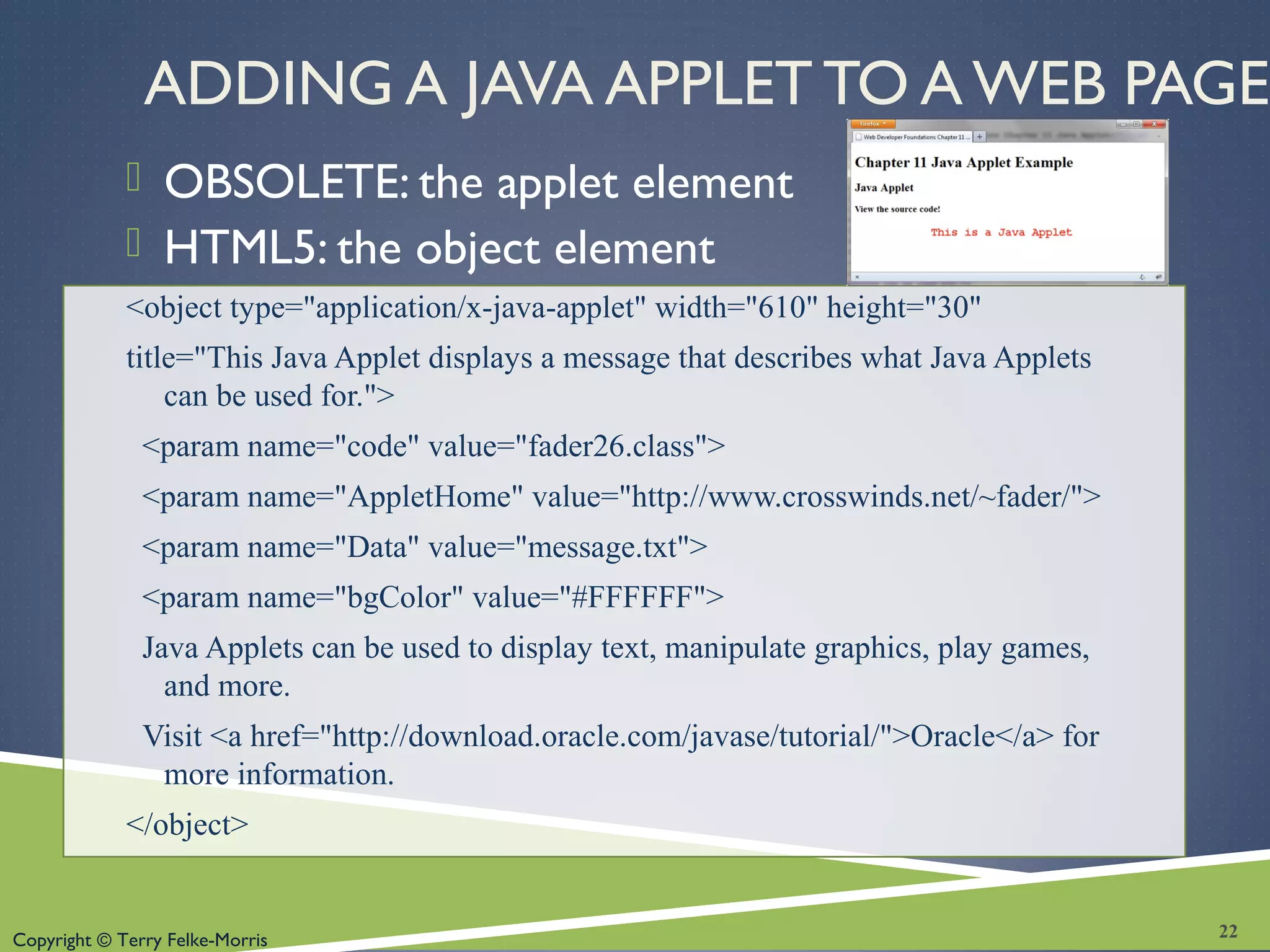
ADDING A JAVA APPLET TO A WEB PAGE
 OBSOLETE: the applet element
 HTML5: the object element
<object type="application/x-java-applet" width="610" height="30"
title="This Java Applet displays a message that describes what Java Applets
can be used for.">
<param name="code" value="fader26.class">
<param name="AppletHome" value="http://www.crosswinds.net/~fader/">
<param name="Data" value="message.txt">
<param name="bgColor" value="#FFFFFF">
Java Applets can be used to display text, manipulate graphics, play games,
and more.
Visit <a href="http://download.oracle.com/javase/tutorial/">Oracle</a> for
more information.
</object>
22
Copyright © Terry Felke-Morris
CHECKPOINT
1. Describe a benefit of using the new
HTML5 video and audio elements.
2. Describe the purpose of the transform
property.
3. Describe a disadvantage of using Java
applets on web pages.
23
Copyright © Terry Felke-Morris
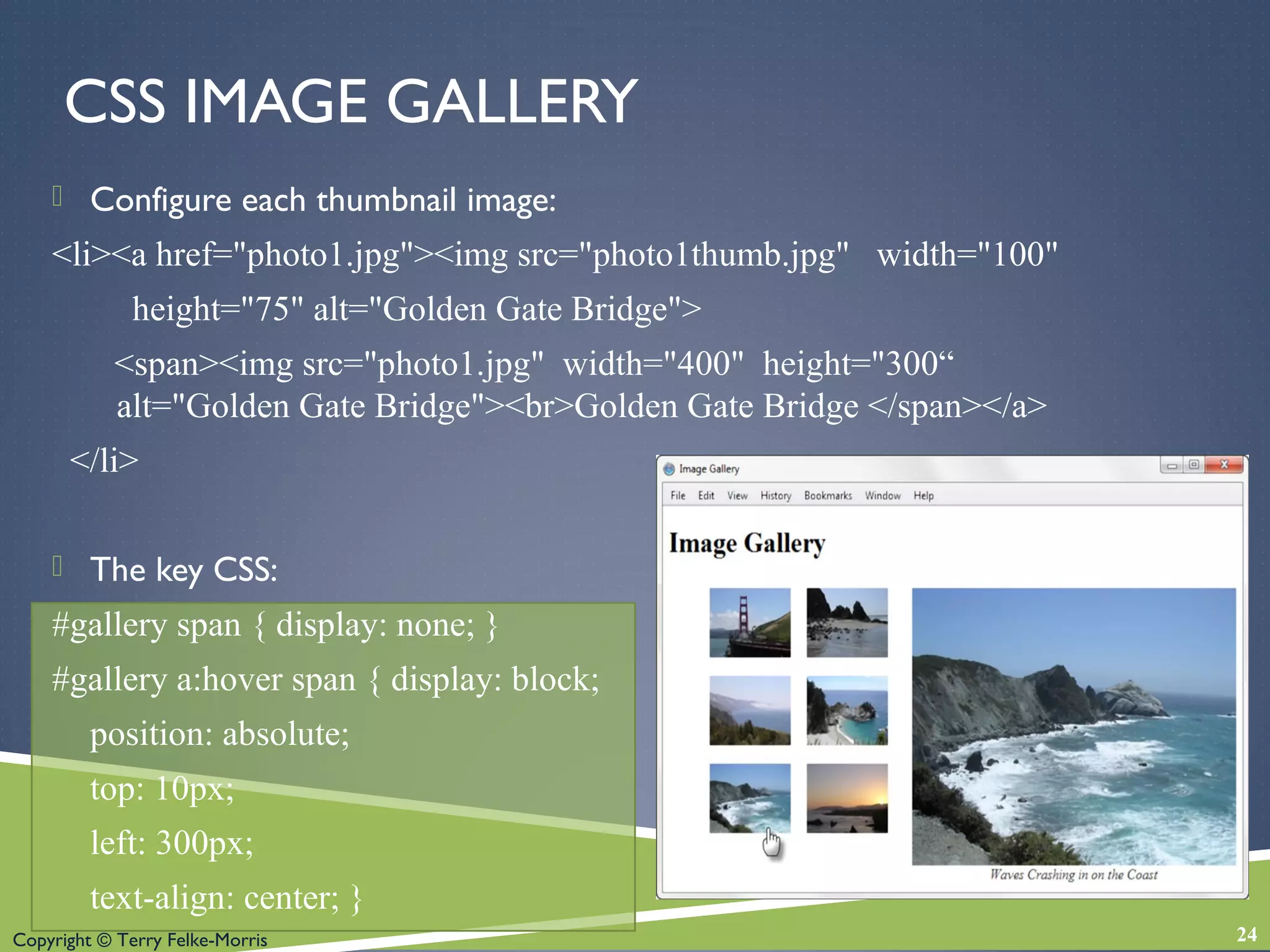
CSS IMAGE GALLERY
 Configure each thumbnail image:
<li><a href="photo1.jpg"><img src="photo1thumb.jpg" width="100"
height="75" alt="Golden Gate Bridge">
<span><img src="photo1.jpg" width="400" height="300“
alt="Golden Gate Bridge"><br>Golden Gate Bridge </span></a>
</li>
 The key CSS:
#gallery span { display: none; }
#gallery a:hover span { display: block;
position: absolute;
top: 10px;
left: 300px;
text-align: center; }
24
Copyright © Terry Felke-Morris
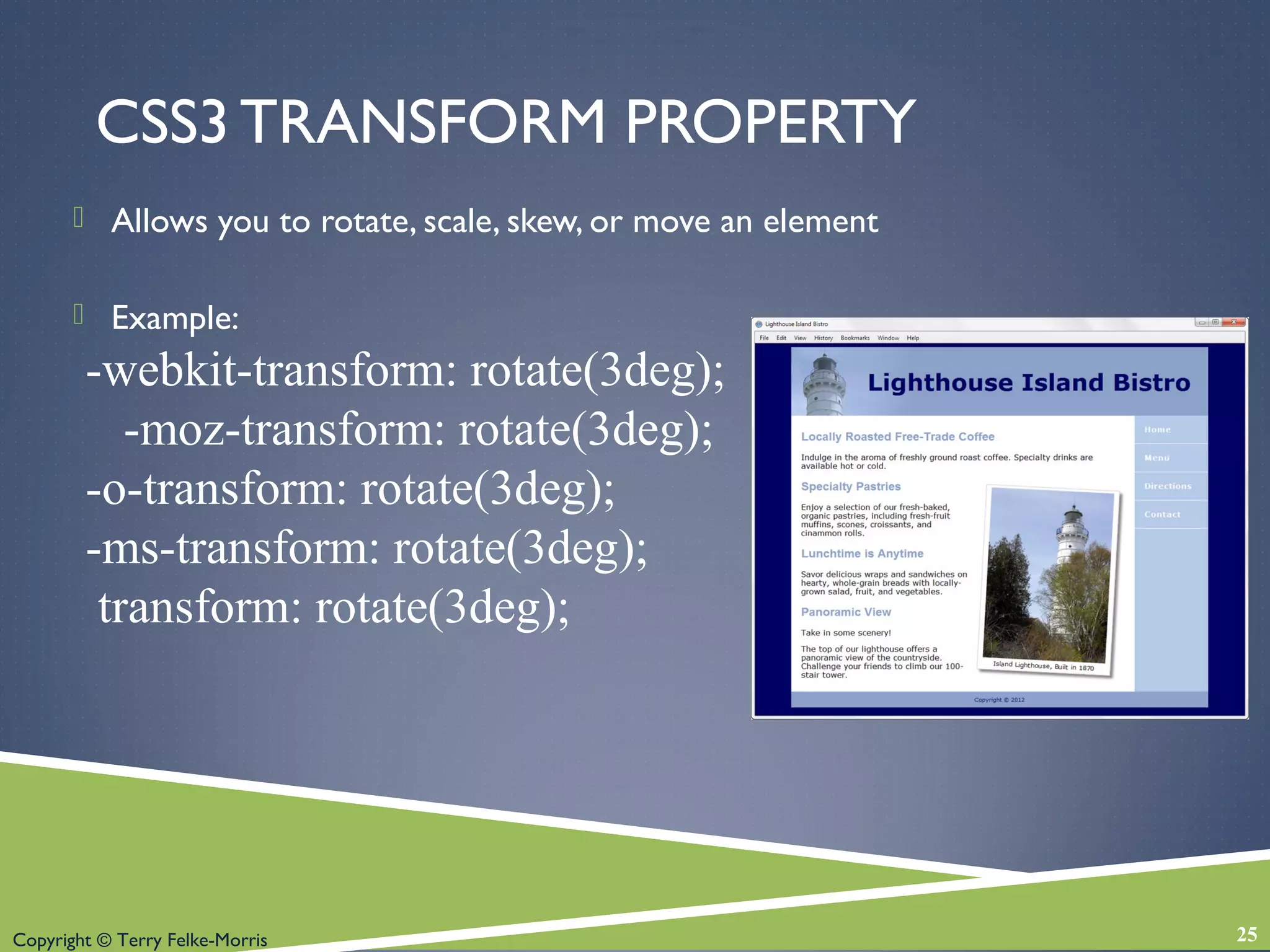
CSS3 TRANSFORM PROPERTY
 Allows you to rotate, scale, skew, or move an element
 Example:
-webkit-transform: rotate(3deg);
-moz-transform: rotate(3deg);
-o-transform: rotate(3deg);
-ms-transform: rotate(3deg);
transform: rotate(3deg);
25
Copyright © Terry Felke-Morris
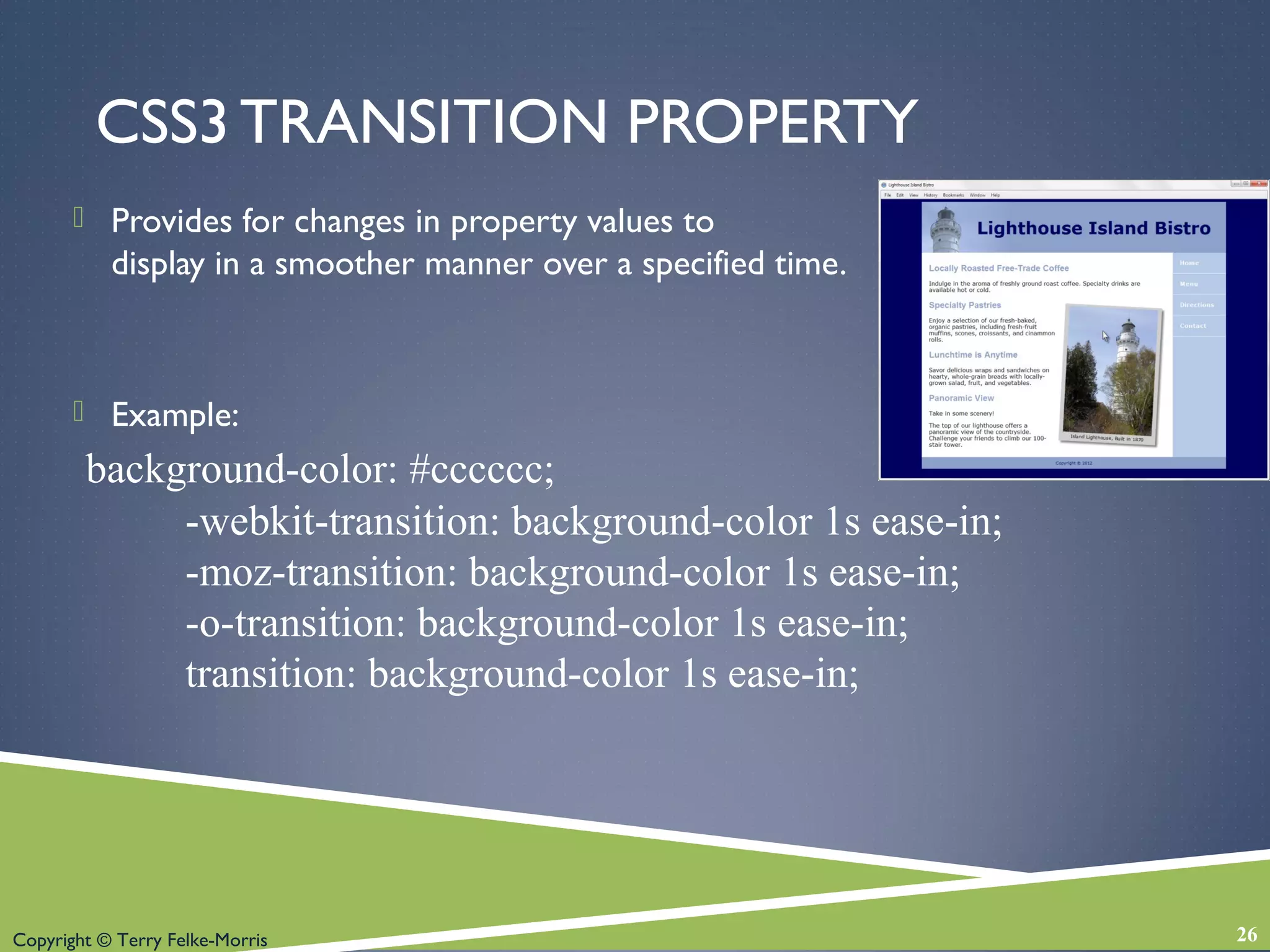
CSS3 TRANSITION PROPERTY
 Provides for changes in property values to
display in a smoother manner over a specified time.
 Example:
background-color: #cccccc;
-webkit-transition: background-color 1s ease-in;
-moz-transition: background-color 1s ease-in;
-o-transition: background-color 1s ease-in;
transition: background-color 1s ease-in;
26
Copyright © Terry Felke-Morris
CHECKPOINT 11.2
1. Describe two uses of Flash on web
pages.
2. Describe two uses of Java applets on
web pages.
3. Describe two disadvantages of using
interactive technologies such as Flash
and Java applets on web pages.
27
Copyright © Terry Felke-Morris
WHAT IS JAVASCRIPT?
 Object-based scripting language
 Manipulates the objects associated with
a Web page document:
 the window
 the document
 the elements such as forms, images, hyperlinks,
and so on
28
Copyright © Terry Felke-Morris
WHAT IS JAVASCRIPT? (2)
 Originally developed by Netscape and
called LiveScript
 Renamed JavaScript after Netscape
collaborated with Sun Microsystems on
modifications to the language
 JavaScript is NOT Java
29
Copyright © Terry Felke-Morris
COMMON USES OF JAVASCRIPT
 Display a message box
 Select list navigation
 Edit and validate form information
 Create a new window with a specified size
and screen position
 Image Rollovers
 Status Messages
 Display Current Date
 Calculations
30
Copyright © Terry Felke-Morris
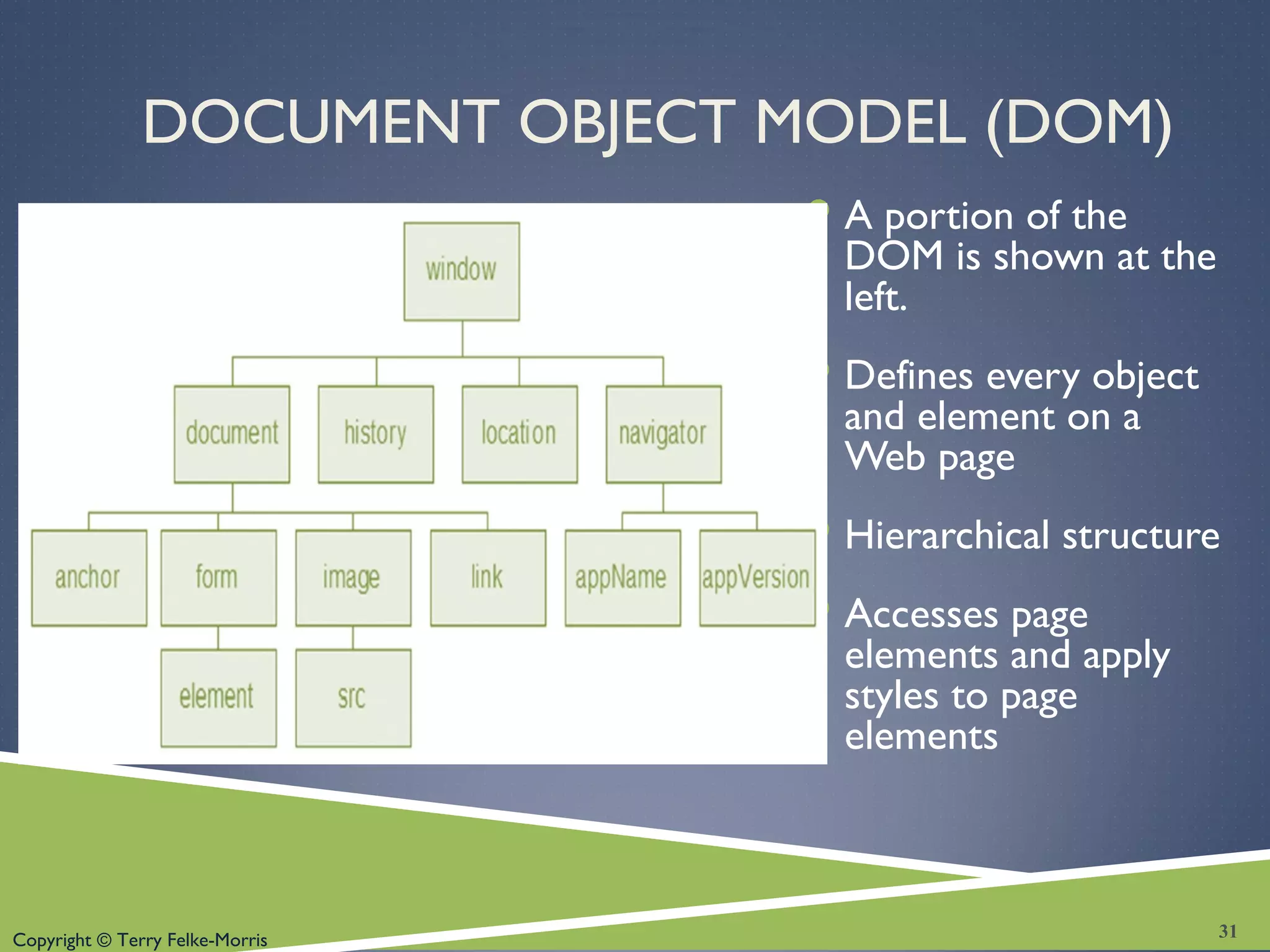
DOCUMENT OBJECT MODEL (DOM)
A portion of the
DOM is shown at the
left.
Defines every object
and element on a
Web page
Hierarchical structure
Accesses page
elements and apply
styles to page
elements
31
Copyright © Terry Felke-Morris
WHAT IS AJAX?
Asynchronous JavaScript and XML
“Ajax” – Jesse James Garrett at Adaptive Path
Existing technologies used in a new way
 Standards-based XHTML and CSS
 Document Object Model
 XML (and the related XSLT technology)
 Asynchronous data retrieval using XMLHttpRequest
 JavaScript
Very Basic Example:
◦ http://webdevfoundations.net/css
32
Copyright © Terry Felke-Morris
WHERE IS AJAX USED?
 Flickr
 http://www.flickr.com
 Del.icio.us
 http://del.icio.us
 Google e-mail
 http:/google.com/gmail
33
Copyright © Terry Felke-Morris
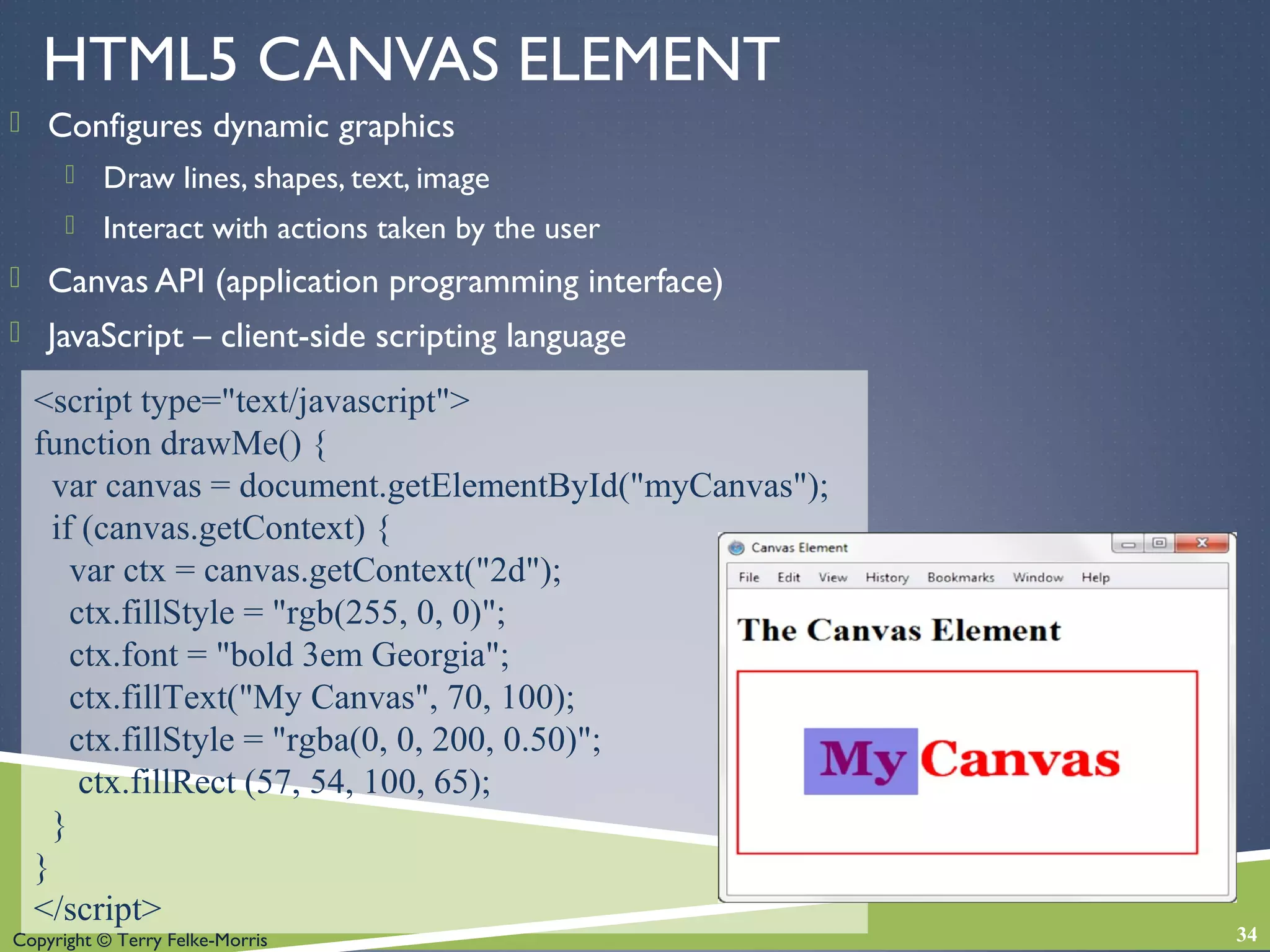
HTML5 CANVAS ELEMENT
 Configures dynamic graphics
 Draw lines, shapes, text, image
 Interact with actions taken by the user
 Canvas API (application programming interface)
 JavaScript – client-side scripting language
34
<script type="text/javascript">
function drawMe() {
var canvas = document.getElementById("myCanvas");
if (canvas.getContext) {
var ctx = canvas.getContext("2d");
ctx.fillStyle = "rgb(255, 0, 0)";
ctx.font = "bold 3em Georgia";
ctx.fillText("My Canvas", 70, 100);
ctx.fillStyle = "rgba(0, 0, 200, 0.50)";
ctx.fillRect (57, 54, 100, 65);
}
}
</script>
Copyright © Terry Felke-Morris
CHECKPOINT
1. Describe two uses of JavaScript.
2. Describe two technologies used in Ajax.
3. Describe the purpose of the HTML5
canvas element.
35
Copyright © Terry Felke-Morris
MULTIMEDIA & ACCESSIBILITY
 Provide links to plug-ins
 Provide text descriptions and captions
 Verify keyboard access
 Check for screen flickering
 Verify functionality if JavaScript is disabled
 If media is used for main navigation, provide plain text links
36
Copyright © Terry Felke-Morris
SUMMARY
 This chapter introduced the HTML & CSS
techniques and technologies used to configure
sound, video, and interactivity on web pages.
 Issues related to accessibility and copyright
were also discussed.
 The number one reason for visitors to leave
web pages is too long of a download time.
When using multimedia, be careful to minimize
this issue.
37

Chapter 11 - Web Design

  • 1.
    Copyright © TerryFelke-Morris WEB DEVELOPMENT & DESIGN FOUNDATIONS WITH HTML5 Chapter 11 Key Concepts 1Copyright © Terry Felke-Morris
  • 2.
    Copyright © TerryFelke-Morris LEARNING OUTCOMES  In this chapter, you will learn how to ...  Describe the purpose of plug-ins, helper applications, media containers, and codecs  Describe types of multimedia files used on the Web  Configure hyperlinks to multimedia files  Apply the object element to display audio files, video files, and Flash multimedia  Configure audio and video on a web page with HTML5 elements  Describe features and common uses of Adobe Flash, JavaScript, Java applets, and Ajax  Configure a Flash animation on a web page  Configure a Java applet on a web page  Create an interactive image gallery with CSS  Configure the CSS3 transform and transition properties  Describe the purpose of the HTML5 canvas element 2
  • 3.
    Copyright © TerryFelke-Morris HELPER APPLICATIONS & PLUG-INS  Helper Application  A program that can be designated to handle a particular file type (such as .wav or.mpg) to allow the user to view or otherwise utilize the special file.  The helper application runs in a separate window from the browser.  Plug-In  A newer and more common method  Plug-ins run right in the browser window so that media objects can be integrated directly into the web page. 3
  • 4.
    Copyright © TerryFelke-Morris CONTAINERS & CODECS  Container  Designated by the file extension – contains the media and metadata  Codec  The algorithm used to compress the media  HTML5 audio & video  Native to the browser  Browsers do not support the same codecs 4
  • 5.
    Copyright © TerryFelke-Morris COMMONLY USED PLUG-INS  Adobe Flash Player  Adobe Reader  Windows Media Player  Apple Quicktime 5
  • 6.
    Copyright © TerryFelke-Morris COMMON AUDIO FILE TYPES .wav Wave File .aiff Audio Interchange File Format .mid Musical Instrument Digital Interface (MIDI) .au Sun UNIX sound file .mp3 MPEG-1 Audio Layer-3 .ogg OggVorbis (open-source) . m4a MPEG 4 Audio. This audio-only MPEG-4 format is supported by Quicktime, iTunes, and iPods. 6
  • 7.
    Copyright © TerryFelke-Morris COMMONVIDEO FILE TYPES  .mov Quicktime  .avi Microsoft AudioVideo Interleaved  .wmv Windows Media File  .flv FlashVideo File  .mpg MPEG (Motion Picture Experts Group)  .m4v .mp4 (MPEG-4)  .ogv Ogg Theora (open-source)  .webm VP8 codec (open video format, free) 7
  • 8.
    Copyright © TerryFelke-Morris COPYRIGHT ISSUES  Only publish web pages, images, and other media that you have personally created or have obtained the rights or license to use.  Ask permission to use media created by another person instead of simply “grabbing” it.  All work (including web pages) are automatically copyrighted even if there is not copyright mark or date.  Fair Use Clause of the Copyright Act  Creative Commons – A new approach to copyright 8
  • 9.
    Copyright © TerryFelke-Morris CONFIGURE AUDIO &VIDEO  Most basic method to provide audio or video files:  Hyperlink <a href=“wdfpodcast.mp3" title=“Web Design Podcast”>Web Design Podcast</a> 9
  • 10.
    Copyright © TerryFelke-Morris XHTML: USING <OBJECT> & <PARAM /> TAGS TO EMBED AUDIO 10 <object data="soundloop.mp3" height="50" width="100" type="audio/mpeg" title="Music Sound Loop"> <param name="src" value="soundloop.mp3" /> <param name="controller" value="true" /> <param name="autoplay" value="false" /> </object>
  • 11.
    Copyright © TerryFelke-Morris <object data="sparky.mov" height="150" width="160“ type="video/quicktime" classid="clsid:02BF25D5–8C17–4B23-BC80-D3488ABDDC6B" codebase="http://www.apple.com/qtactivex/qtplugin.cab" title="Video of a cute Pekingese dog barking"> <param name="src" value="sparky.mov" /> <param name="controller" value="true" /> <param name="autoplay" value="false" /> <p>A video of a cute Pekingese dog barking.</p> </object> XHTML: USING <OBJECT> AND <PARAM /> TAGS TO EMBEDVIDEO 11
  • 12.
    Copyright © TerryFelke-Morris MULTIMEDIA & ACCESSIBILITY  Provide alternate content  Transcript (for audio)  Captions (for video)  Text format 12
  • 13.
    Copyright © TerryFelke-Morris WHAT IS ADOBE FLASH?  A popular multimedia application  Create multimedia which adds visual interest and interactivity to web pages  Flash movies are saved in “.swf” files  Perception of speedy display  .swf files play as they download  Flash Player  Free browser plug-in  Widely installed on browsers 13
  • 14.
    Copyright © TerryFelke-Morris ADDING FLASH TO A WEB PAGE <OBJECT> & <PARAM /> TAGS <object … object attributes go here…. <param name="movie" …value attribute goes here… /> <param name="quality" …value attribute goes here… /> <param name="bgcolor" …value attribute goes here… /> … a brief description of the Flash media can go here along with a link to alternate text content if appropriate… </object> 14
  • 15.
    Copyright © TerryFelke-Morris FLASH DETAIL SAMPLE <object type="application/x-shockwave-flash" data="flashlogo.swf" width="300" height="70" title="Add a little Flash to your web page"> <param name="movie" value="flashlogo.swf" /> <param name="bgcolor" value="#ffffff" /> <param name="quality" value="high" /> <p>Add a little Flash to your web page</p> </object> 15
  • 16.
    Copyright © TerryFelke-Morris HTML5 EMBED ELEMENT <embed type="application/x-shockwave-flash" src="fall5.swf" width="640" height="100" quality="high” title="Fall Nature Hikes"> 16
  • 17.
    Copyright © TerryFelke-Morris CHECKPOINT 1. List three common web browser plug-ins and describe their use. 2. Describe issues involved with adding media such as audio or video to a web page. 3. Describe a disadvantage of using Flash on a web page. 17
  • 18.
    Copyright © TerryFelke-Morris HTML5 AUDIO & SOURCE ELEMENTS <audio controls="controls"> <source src="soundloop.mp3" type="audio/mpeg"> <source src="soundloop.ogg" type="audio/ogg"> <a href="soundloop.mp3">Download the Audio File</a> (MP3) </audio> 18
  • 19.
    Copyright © TerryFelke-Morris HTML5VIDEO & SOURCE ELEMENTS <video controls="controls" poster="sparky.jpg" width="160" height="150"> <source src="sparky.m4v" type="video/mp4"> <source src="sparky.ogv" type="video/ogg"> <a href="sparky.mov">Sparky the Dog</a> (.mov) </video> 19
  • 20.
    Copyright © TerryFelke-Morris WHAT IS JAVA?  Object Oriented Programming (OOP)  Developed by Sun Microsystems  Java is not the same language as JavaScript.  Java is more powerful and much more flexible than JavaScript.  Java can be used to:  develop stand-alone executable applications  applets that are invoked by Web pages. 20
  • 21.
    Copyright © TerryFelke-Morris JAVA APPLETS  Compiled -- translated from the English-like Java statements to an encoded form called Byte Code.  Use the “.class” file extension  JavaVirtual Machine (JVM)  interprets the byte code into the proper machine language for the operating system  After translation, the applet is executed and appears on theWeb page. 21
  • 22.
    Copyright © TerryFelke-Morris ADDING A JAVA APPLET TO A WEB PAGE  OBSOLETE: the applet element  HTML5: the object element <object type="application/x-java-applet" width="610" height="30" title="This Java Applet displays a message that describes what Java Applets can be used for."> <param name="code" value="fader26.class"> <param name="AppletHome" value="http://www.crosswinds.net/~fader/"> <param name="Data" value="message.txt"> <param name="bgColor" value="#FFFFFF"> Java Applets can be used to display text, manipulate graphics, play games, and more. Visit <a href="http://download.oracle.com/javase/tutorial/">Oracle</a> for more information. </object> 22
  • 23.
    Copyright © TerryFelke-Morris CHECKPOINT 1. Describe a benefit of using the new HTML5 video and audio elements. 2. Describe the purpose of the transform property. 3. Describe a disadvantage of using Java applets on web pages. 23
  • 24.
    Copyright © TerryFelke-Morris CSS IMAGE GALLERY  Configure each thumbnail image: <li><a href="photo1.jpg"><img src="photo1thumb.jpg" width="100" height="75" alt="Golden Gate Bridge"> <span><img src="photo1.jpg" width="400" height="300“ alt="Golden Gate Bridge"><br>Golden Gate Bridge </span></a> </li>  The key CSS: #gallery span { display: none; } #gallery a:hover span { display: block; position: absolute; top: 10px; left: 300px; text-align: center; } 24
  • 25.
    Copyright © TerryFelke-Morris CSS3 TRANSFORM PROPERTY  Allows you to rotate, scale, skew, or move an element  Example: -webkit-transform: rotate(3deg); -moz-transform: rotate(3deg); -o-transform: rotate(3deg); -ms-transform: rotate(3deg); transform: rotate(3deg); 25
  • 26.
    Copyright © TerryFelke-Morris CSS3 TRANSITION PROPERTY  Provides for changes in property values to display in a smoother manner over a specified time.  Example: background-color: #cccccc; -webkit-transition: background-color 1s ease-in; -moz-transition: background-color 1s ease-in; -o-transition: background-color 1s ease-in; transition: background-color 1s ease-in; 26
  • 27.
    Copyright © TerryFelke-Morris CHECKPOINT 11.2 1. Describe two uses of Flash on web pages. 2. Describe two uses of Java applets on web pages. 3. Describe two disadvantages of using interactive technologies such as Flash and Java applets on web pages. 27
  • 28.
    Copyright © TerryFelke-Morris WHAT IS JAVASCRIPT?  Object-based scripting language  Manipulates the objects associated with a Web page document:  the window  the document  the elements such as forms, images, hyperlinks, and so on 28
  • 29.
    Copyright © TerryFelke-Morris WHAT IS JAVASCRIPT? (2)  Originally developed by Netscape and called LiveScript  Renamed JavaScript after Netscape collaborated with Sun Microsystems on modifications to the language  JavaScript is NOT Java 29
  • 30.
    Copyright © TerryFelke-Morris COMMON USES OF JAVASCRIPT  Display a message box  Select list navigation  Edit and validate form information  Create a new window with a specified size and screen position  Image Rollovers  Status Messages  Display Current Date  Calculations 30
  • 31.
    Copyright © TerryFelke-Morris DOCUMENT OBJECT MODEL (DOM) A portion of the DOM is shown at the left. Defines every object and element on a Web page Hierarchical structure Accesses page elements and apply styles to page elements 31
  • 32.
    Copyright © TerryFelke-Morris WHAT IS AJAX? Asynchronous JavaScript and XML “Ajax” – Jesse James Garrett at Adaptive Path Existing technologies used in a new way  Standards-based XHTML and CSS  Document Object Model  XML (and the related XSLT technology)  Asynchronous data retrieval using XMLHttpRequest  JavaScript Very Basic Example: ◦ http://webdevfoundations.net/css 32
  • 33.
    Copyright © TerryFelke-Morris WHERE IS AJAX USED?  Flickr  http://www.flickr.com  Del.icio.us  http://del.icio.us  Google e-mail  http:/google.com/gmail 33
  • 34.
    Copyright © TerryFelke-Morris HTML5 CANVAS ELEMENT  Configures dynamic graphics  Draw lines, shapes, text, image  Interact with actions taken by the user  Canvas API (application programming interface)  JavaScript – client-side scripting language 34 <script type="text/javascript"> function drawMe() { var canvas = document.getElementById("myCanvas"); if (canvas.getContext) { var ctx = canvas.getContext("2d"); ctx.fillStyle = "rgb(255, 0, 0)"; ctx.font = "bold 3em Georgia"; ctx.fillText("My Canvas", 70, 100); ctx.fillStyle = "rgba(0, 0, 200, 0.50)"; ctx.fillRect (57, 54, 100, 65); } } </script>
  • 35.
    Copyright © TerryFelke-Morris CHECKPOINT 1. Describe two uses of JavaScript. 2. Describe two technologies used in Ajax. 3. Describe the purpose of the HTML5 canvas element. 35
  • 36.
    Copyright © TerryFelke-Morris MULTIMEDIA & ACCESSIBILITY  Provide links to plug-ins  Provide text descriptions and captions  Verify keyboard access  Check for screen flickering  Verify functionality if JavaScript is disabled  If media is used for main navigation, provide plain text links 36
  • 37.
    Copyright © TerryFelke-Morris SUMMARY  This chapter introduced the HTML & CSS techniques and technologies used to configure sound, video, and interactivity on web pages.  Issues related to accessibility and copyright were also discussed.  The number one reason for visitors to leave web pages is too long of a download time. When using multimedia, be careful to minimize this issue. 37