1
By Hagos Tesfahun
Computing Faculty
Bahir Dar Institute of Technology
Bahir Dar University
Object Oriented Programming -Java
2
Chapter One
Introduction to Computers, Programs, and Java
3
To review computer basics and programs
To understand what programming paradigm is?
To distinguish the terms API, IDE, and JDK.
To write a simple Java program .
To display output on the console .
To explain the basic syntax of a Java program .
To create, compile, and run Java programs .
Objectives
4
What is a Computer?
 A computer is an electronic device that takes an
input, process it under a set of instructions called
program and produce an output in the need format.
It has different components which help it to accept
input, to store the input, to process the input and to
display the output to the user.
5
Computer programs, known as software, are
instructions to the computer.
You tell a computer what to do through programs.
Without programs, a computer is an empty machine.
 Computers do not understand human languages, so
you need to use computer languages to communicate
with them.
Programs are written using programming languages.
Computer programs are instructions that tell a
computer what to do.
What is Computer Program?
6
Programming languages are languages that
programmers use to write code/program to instruct a
computer.
They are languages designed for programming a
computer.
Computers do not understand human languages, so
programs must be written in a language a computer
can use.
There are hundreds of programming languages, and
they were developed to make the programming
process easier for people.
Programming languages are classified into three
categories. Machine, Assembly and High-Level Language
What is Programming Languages?
7
What is Programming Languages?
Machine Language
Machine language is a set of primitive instructions
built into every computer.
The instructions are in the form of binary code, so
you have to enter binary codes for various instructions.
Program with native machine language is a tedious
process.
Moreover the programs are highly difficult to read
and modify.
For example, to add two numbers, you might write an
instruction in binary like this:
1101101010011010
8
What is Programming Languages?
Assembly Language
Programming in machine language is a tedious process.
Moreover, programs written in machine language are very
difficult to read and modify.
For this reason, assembly language was created in the early
days of computing as an alternative to machine languages.
 Assembly language uses a short descriptive word, known as a
mnemonic, to represent each of the machine-language
instructions.
For example, the mnemonic ADD typically means to add
numbers and SUB means to subtract numbers.
To add the numbers 2 and 3 and get the result, you might
write an instruction in assembly code like this: add 2, 3, result
9
What is Programming Languages?
Assembly Language
Assembly languages were developed to make programming
easy.
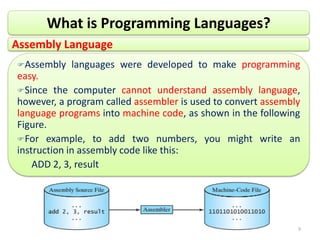
Since the computer cannot understand assembly language,
however, a program called assembler is used to convert assembly
language programs into machine code, as shown in the following
Figure.
For example, to add two numbers, you might write an
instruction in assembly code like this:
ADD 2, 3, result
10
What is Programming Languages?
Assembly Language
Writing code in assembly language is easier than in machine
language.
However, it is still tedious to write code in assembly language.
Writing in assembly requires that you know how the CPU
works.
Assembly language is referred to as a low-level language,
because assembly language is close in nature to machine
language and is machine dependent.
11
What is Programming Languages?
High-Level Language
They are platform-independent, which means that
you can write a program in a high level language and
run it in different types of machines.
The high-level languages are English-like and easy to
learn and program.
The instructions in a high-level programming
language are called statements.
For example, the following is a high-level language
statement that computes the area of a circle with
radius 5: area = 5 * 5 * 3.1415;
12
What is Programming Languages?
High-Level Language
There are many high-level programming languages,
and each was designed for a specific purpose.
Some popular ones are C, C++, C#, VIB and Java.
But for this course Java is our focus.
A program written in a high-level language is called a
source program or source code.
Because a computer cannot understand a source
program, a source program must be translated into
machine code for execution.
13
What is Programming Languages?
High-Level Language
The translation can be done using another
programming tool called an interpreter or a compiler.
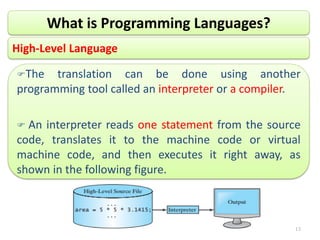
 An interpreter reads one statement from the source
code, translates it to the machine code or virtual
machine code, and then executes it right away, as
shown in the following figure.
14
What is Programming Languages?
High-Level Language
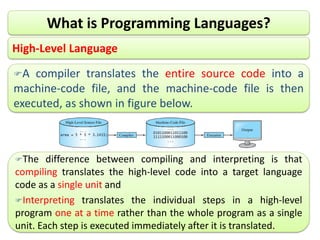
A compiler translates the entire source code into a
machine-code file, and the machine-code file is then
executed, as shown in figure below.
The difference between compiling and interpreting is that
compiling translates the high-level code into a target language
code as a single unit and
Interpreting translates the individual steps in a high-level
program one at a time rather than the whole program as a single
unit. Each step is executed immediately after it is translated.
15
What is Programming Paradigm?
Solving a programming problem requires choosing
the right concepts.
All but the smallest toy problems require different
sets of concepts for different parts.
This is why programming languages should support
many paradigms.
A paradigm is a way of doing something (like
programming).
A programming paradigm is a style or “way” of
programming. or
Programming Paradigms is a way to classify,
programming languages, according to styles of
computer programming.
16
What is Programming Paradigm?
Features of various programming languages
determine which programming paradigms they belong
to.
Some programming languages fall into only one
paradigm, while others fall into multiple paradigms.
Each paradigm supports a set of concepts that makes
it the best for a certain kind of problem.
For example, object-oriented programming is best for
problems with a large number of related data
abstractions organized in a hierarchy.
17
Some Major Types of Programming Paradigms
1. Imperative or procedural
2. Declarative
3. Logical or Rule based
4. Functional
5. Object-Oriented
It is based on commands that
update variables in storage.
Control flow is an explicit
sequence of commands.
 Commands show how the
computation takes place, step by
step.
Each step affects the global state
of the computation.
Some programming Languages
used in this paradigm are Fortran,
Pascal, Basic, C etc
18
Some Major Types of Programming Paradigms
1. Imperative or procedural
2. Declarative
3. Logical or Rule based
4. Functional
5. Object-Oriented
Control flow in declarative
programming is implicit: the
programmer states only what the
result should look like, not how to
obtain it.
Programs state the result you
want, not how to get it.
19
Some Major Types of Programming Paradigms
1. Imperative or procedural
2. Declarative
3. Logical or Rule based
4. Functional
5. Object-Oriented
Logic Programming is a
programming paradigm based on
formal logic.
It is a set of sentences in logical
form, expressing facts and rules
about some problem domain.
Major logic programming
language families include PROLOG,
ASP and DATALOG.
20
Some Major Types of Programming Paradigms
1. Imperative or procedural
2. Declarative
3. Logical or Rule based
4. Functional
5. Object-Oriented
In this paradigm we express
computations as the evaluation of
mathematical functions.
The reason is that the paradigm
originates from a purely mathematical
discipline: the theory of functions.
In functional programming control
flow is expressed by combining
function calls, rather than by assigning
values to variables.
21
Some Major Types of Programming Paradigms
1. Imperative or procedural
2. Declarative
3. Logical or Rule based
4. Functional
5. Object-Oriented
The object-oriented paradigm has
got great popularity in the recent
years.
Object-Oriented Programming is a
programming paradigm based on the
concept of “Objects”, which may
contain data, in the form of fields,
often known as Attributes; and code,
in the form of Methods.
These properties are very important
when programs become larger and
larger.
Java, C++, C#, python are some
examples of object-oriented
programming languages
22
What is Java Programming Language?
Java is a powerful and versatile programming
language for developing software running on mobile
devices, desktop computers, and servers.
Java programming language is an Object-Oriented
general purpose programming language that has a
syntax similar to that of C/C++.
It is designed to be powerful and simple by
avoiding the overly complex features that have
bogged down other OOLs, such as C++.
As the result, the java language has proved very
much popular with programmers.
23
What is Java Programming Language?
Java enables users to develop and deploy
applications on the Internet for servers, desktop
computers, and small hand-held devices.
The future of computing is being profoundly
influenced by the Internet, and Java promises to
remain a big part of that future.
Hence, Java is the Internet programming language.
24
Java can be used to develop:
a) Applications
Some Uses of Java Programming Language
An application is a program
that runs on your computer,
under the operating system of
that computer. An application
created by Java is more or less
like one created using any other
type of computer language,
such as Visual Basic or C++.
Java applications do
have the main() as
member of their class
 Java is a general purpose
programming language.
You can use it to develop
applications on your desktop and on
the server.
You can also use it to develop
applications for small hand-held
devices, such as personal digital
assistants (PDA) and cell phones.
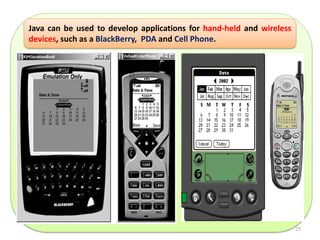
E.g., The following pictures shows a Java
program that displays the calendar on a
BlackBerry® and on a cell phone.
25
Java can be used to develop applications for hand-held and wireless
devices, such as a BlackBerry, PDA and Cell Phone.
26
b) Server-side applications
Java server pages (JSP)
Java Servlets
Java Server Face (JSF)
Java Beans, etc.
c) Multimedia application
Java Graphics, Java Graphics 2D, etc.
d) Etc…
Some Uses of Java …
27
Key Features of Java Technology
Java Is Simple
Java Is Object-Oriented
Java Is Distributed
Java Is Interpreted
Java Is Robust
Java Is Secure
Java Is Architecture-Neutral
Java Is Portable
Java is Performance
Java Is Multithreaded
Java Is Dynamic
No language is simple, but Java is
a bit easier than the popular
object-oriented programming
language C++, which was the
dominant software-development
language before Java.
Java is partially modeled on C++,
but greatly simplified and
improved.
28
Key Features of Java …
Java Is Simple
Java Is Object-Oriented
Java Is Distributed
Java Is Interpreted
Java Is Robust
Java Is Secure
Java Is Architecture-Neutral
Java Is Portable
Java is Performance
Java Is Multithreaded
Java Is Dynamic
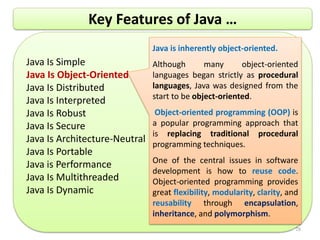
Java is inherently object-oriented.
Although many object-oriented
languages began strictly as procedural
languages, Java was designed from the
start to be object-oriented.
Object-oriented programming (OOP) is
a popular programming approach that
is replacing traditional procedural
programming techniques.
One of the central issues in software
development is how to reuse code.
Object-oriented programming provides
great flexibility, modularity, clarity, and
reusability through encapsulation,
inheritance, and polymorphism.
29
Key Features of Java …
Java Is Simple
Java Is Object-Oriented
Java Is Distributed
Java Is Interpreted
Java Is Robust
Java Is Secure
Java Is Architecture-Neutral
Java Is Portable
Java is Performance
Java Is Multithreaded
Java Is Dynamic
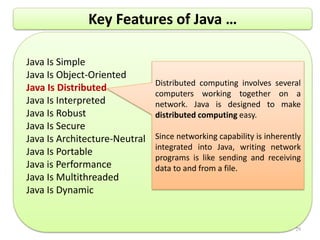
Distributed computing involves several
computers working together on a
network. Java is designed to make
distributed computing easy.
Since networking capability is inherently
integrated into Java, writing network
programs is like sending and receiving
data to and from a file.
30
Key Features of Java …
Java Is Simple
Java Is Object-Oriented
Java Is Distributed
Java Is Interpreted
Java Is Robust
Java Is Secure
Java Is Architecture-Neutral
Java Is Portable
Java is Performance
Java Is Multithreaded
Java Is Dynamic
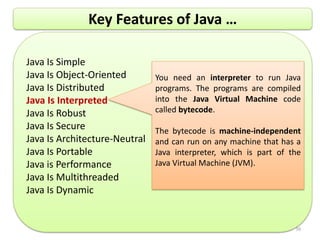
You need an interpreter to run Java
programs. The programs are compiled
into the Java Virtual Machine code
called bytecode.
The bytecode is machine-independent
and can run on any machine that has a
Java interpreter, which is part of the
Java Virtual Machine (JVM).
31
Key Features of Java …
Java Is Simple
Java Is Object-Oriented
Java Is Distributed
Java Is Interpreted
Java Is Robust
Java Is Secure
Java Is Architecture-Neutral
Java Is Portable
Java is Performance
Java Is Multithreaded
Java Is Dynamic
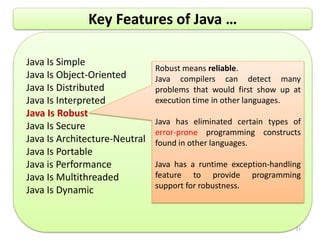
Robust means reliable.
Java compilers can detect many
problems that would first show up at
execution time in other languages.
Java has eliminated certain types of
error-prone programming constructs
found in other languages.
Java has a runtime exception-handling
feature to provide programming
support for robustness.
32
Key Features of Java …
Java Is Simple
Java Is Object-Oriented
Java Is Distributed
Java Is Interpreted
Java Is Robust
Java Is Secure
Java Is Architecture-Neutral
Java Is Portable
Java is Performance
Java Is Multithreaded
Java Is Dynamic
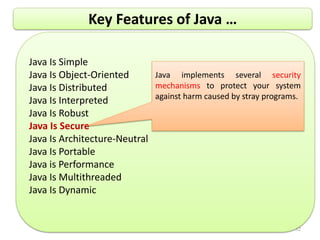
Java implements several security
mechanisms to protect your system
against harm caused by stray programs.
33
Key Features of Java …
Java Is Simple
Java Is Object-Oriented
Java Is Distributed
Java Is Interpreted
Java Is Robust
Java Is Secure
Java Is Architecture-Neutral
Java Is Portable
Java is Performance
Java Is Multithreaded
Java Is Dynamic
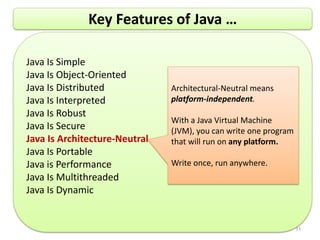
Architectural-Neutral means
platform-independent.
With a Java Virtual Machine
(JVM), you can write one program
that will run on any platform.
Write once, run anywhere.
34
Key Features of Java …
Java Is Simple
Java Is Object-Oriented
Java Is Distributed
Java Is Interpreted
Java Is Robust
Java Is Secure
Java Is Architecture-Neutral
Java Is Portable
Java is Performance
Java Is Multithreaded
Java Is Dynamic
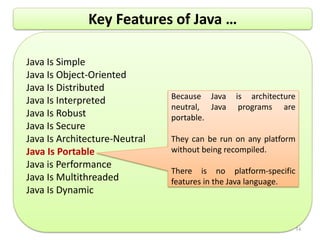
Because Java is architecture
neutral, Java programs are
portable.
They can be run on any platform
without being recompiled.
There is no platform-specific
features in the Java language.
35
Key Features of Java …
Java Is Simple
Java Is Object-Oriented
Java Is Distributed
Java Is Interpreted
Java Is Robust
Java Is Secure
Java Is Architecture-Neutral
Java Is Portable
Java is Performance
Java Is Multithreaded
Java Is Dynamic
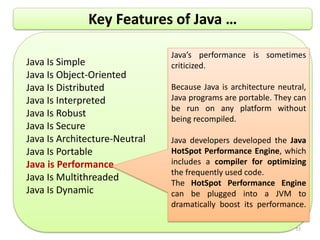
Java’s performance is sometimes
criticized.
Because Java is architecture neutral,
Java programs are portable. They can
be run on any platform without
being recompiled.
Java developers developed the Java
HotSpot Performance Engine, which
includes a compiler for optimizing
the frequently used code.
The HotSpot Performance Engine
can be plugged into a JVM to
dramatically boost its performance.
36
Key Features of Java …
Java Is Simple
Java Is Object-Oriented
Java Is Distributed
Java Is Interpreted
Java Is Robust
Java Is Secure
Java Is Architecture-Neutral
Java Is Portable
Java is Performance
Java Is Multithreaded
Java Is Dynamic
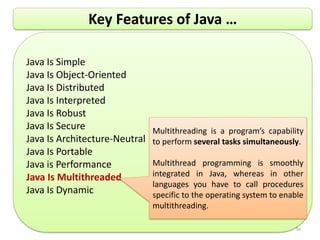
Multithreading is a program’s capability
to perform several tasks simultaneously.
Multithread programming is smoothly
integrated in Java, whereas in other
languages you have to call procedures
specific to the operating system to enable
multithreading.
37
Key Features of Java …
Java Is Simple
Java Is Object-Oriented
Java Is Distributed
Java Is Interpreted
Java Is Robust
Java Is Secure
Java Is Architecture-Neutral
Java Is Portable
Java is Performance
Java Is Multithreaded
Java Is Dynamic
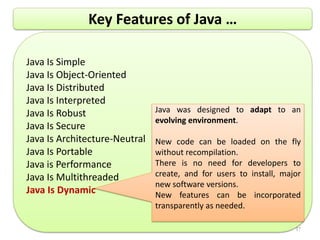
Java was designed to adapt to an
evolving environment.
New code can be loaded on the fly
without recompilation.
There is no need for developers to
create, and for users to install, major
new software versions.
New features can be incorporated
transparently as needed.
38
The Java Language Specification, API, JDK, and IDE
Computer languages have strict rules of usage. If you do not
follow the rules when writing a program, the computer will be
unable to understand it.
 Sun Microsystems, the originator of Java, intends to retain
control the language from losing its unified standards:
The Java language specification and Java API define the
Java standard.
oThe Java language specification is a technical
definition of the language that includes the syntax and
semantics of the Java programming language.
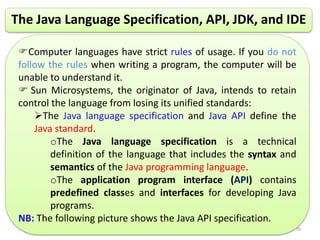
oThe application program interface (API) contains
predefined classes and interfaces for developing Java
programs.
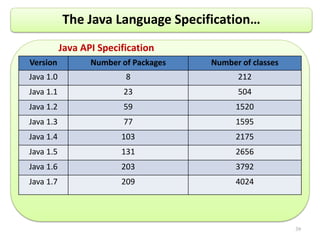
NB: The following picture shows the Java API specification.
Java API Specification
Version Number of Packages Number of classes
Java 1.0 8 212
Java 1.1 23 504
Java 1.2 59 1520
Java 1.3 77 1595
Java 1.4 103 2175
Java 1.5 131 2656
Java 1.6 203 3792
Java 1.7 209 4024
39
The Java Language Specification…
40
The Java Language Specification…
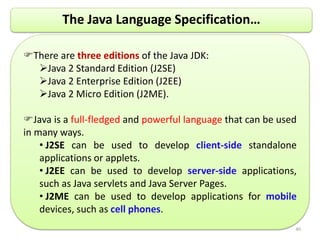
There are three editions of the Java JDK:
Java 2 Standard Edition (J2SE)
Java 2 Enterprise Edition (J2EE)
Java 2 Micro Edition (J2ME).
Java is a full-fledged and powerful language that can be used
in many ways.
• J2SE can be used to develop client-side standalone
applications or applets.
• J2EE can be used to develop server-side applications,
such as Java servlets and Java Server Pages.
• J2ME can be used to develop applications for mobile
devices, such as cell phones.
41
The Java Language Specification…
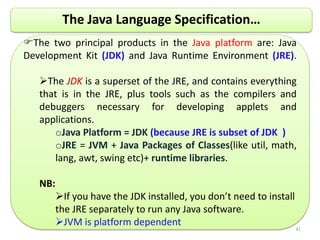
The two principal products in the Java platform are: Java
Development Kit (JDK) and Java Runtime Environment (JRE).
The JDK is a superset of the JRE, and contains everything
that is in the JRE, plus tools such as the compilers and
debuggers necessary for developing applets and
applications.
oJava Platform = JDK (because JRE is subset of JDK )
oJRE = JVM + Java Packages of Classes(like util, math,
lang, awt, swing etc)+ runtime libraries.
NB:
If you have the JDK installed, you don’t need to install
the JRE separately to run any Java software.
JVM is platform dependent
42
The Java Language Specification…
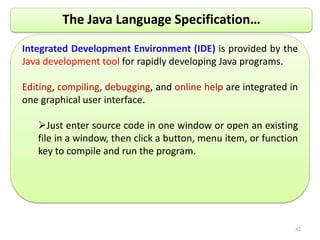
Integrated Development Environment (IDE) is provided by the
Java development tool for rapidly developing Java programs.
Editing, compiling, debugging, and online help are integrated in
one graphical user interface.
Just enter source code in one window or open an existing
file in a window, then click a button, menu item, or function
key to compile and run the program.
43
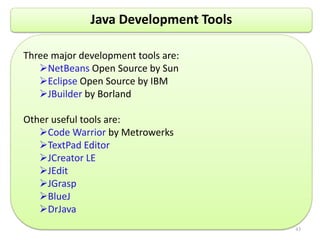
Java Development Tools
Three major development tools are:
NetBeans Open Source by Sun
Eclipse Open Source by IBM
JBuilder by Borland
Other useful tools are:
Code Warrior by Metrowerks
TextPad Editor
JCreator LE
JEdit
JGrasp
BlueJ
DrJava
44
A Simple Java Program
A class is a template used to create an object.
Class is a named template or descriptor for a set of objects
that share the same attributes(data Field), behaviors(methods),
and relationships.
Every Java program must have at least one class.
A class is a construct that defines data and methods.
Each class has a name.
By convention, class names start with an uppercase letter.
//This program prints Welcome to Java!
public class Welcome {
public static void main(String[] args) {
System.out.println("Welcome to Java!");
}
}
45
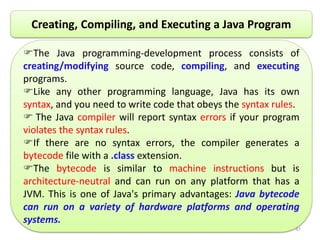
Creating, Compiling, and Executing a Java Program
The Java programming-development process consists of
creating/modifying source code, compiling, and executing
programs.
Like any other programming language, Java has its own
syntax, and you need to write code that obeys the syntax rules.
 The Java compiler will report syntax errors if your program
violates the syntax rules.
If there are no syntax errors, the compiler generates a
bytecode file with a .class extension.
The bytecode is similar to machine instructions but is
architecture-neutral and can run on any platform that has a
JVM. This is one of Java's primary advantages: Java bytecode
can run on a variety of hardware platforms and operating
systems.
46
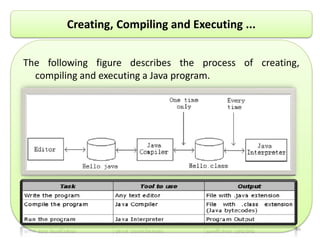
Creating, Compiling and Executing ...
The following figure describes the process of creating,
compiling and executing a Java program.
47
Creating, Compiling, and Executing ...
Source Code
Create/Modify Source Code
Compile Source Code
i.e., javac Welcome.java
Bytecode
Run Byteode
i.e., java Welcome
Result
If compilation errors
If runtime errors or incorrect result
public class Welcome {
public static void main(String[] args) {
System.out.println("Welcome to Java!");
}
}
…
Method Welcome()
0 aload_0
…
Method void main(java.lang.String[])
0 getstatic #2 …
3 ldc #3 <String "Welcome to
Java!">
5 invokevirtual #4 …
8 return
Saved on the disk
stored on the disk
Source code (developed by the programmer)
Byte code (generated by the compiler for JVM
to read and interpret, not for you to understand)
Java
Bytecodes
move locally
or through
network
Java
Source
(.java)
Java
Compiler
Java
Bytecode
(.class )
Java
Interpreter
Just in
Time
Compiler
Runtime System
Class
Loader
Bytecode
Verifier
Java
Class
Libraries
Operating System
Hardware
Java
Virtual
machine
Runtime
Environment
Compile-time
Environment
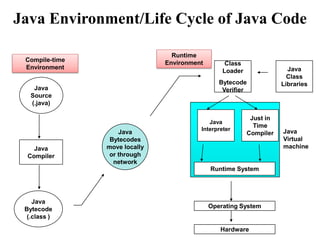
Java Environment/Life Cycle of Java Code
49
Question Answer

Chapter-1-1 object oriented programing pdf.pdf

  • 1.
    1 By Hagos Tesfahun ComputingFaculty Bahir Dar Institute of Technology Bahir Dar University Object Oriented Programming -Java
  • 2.
    2 Chapter One Introduction toComputers, Programs, and Java
  • 3.
    3 To review computerbasics and programs To understand what programming paradigm is? To distinguish the terms API, IDE, and JDK. To write a simple Java program . To display output on the console . To explain the basic syntax of a Java program . To create, compile, and run Java programs . Objectives
  • 4.
    4 What is aComputer?  A computer is an electronic device that takes an input, process it under a set of instructions called program and produce an output in the need format. It has different components which help it to accept input, to store the input, to process the input and to display the output to the user.
  • 5.
    5 Computer programs, knownas software, are instructions to the computer. You tell a computer what to do through programs. Without programs, a computer is an empty machine.  Computers do not understand human languages, so you need to use computer languages to communicate with them. Programs are written using programming languages. Computer programs are instructions that tell a computer what to do. What is Computer Program?
  • 6.
    6 Programming languages arelanguages that programmers use to write code/program to instruct a computer. They are languages designed for programming a computer. Computers do not understand human languages, so programs must be written in a language a computer can use. There are hundreds of programming languages, and they were developed to make the programming process easier for people. Programming languages are classified into three categories. Machine, Assembly and High-Level Language What is Programming Languages?
  • 7.
    7 What is ProgrammingLanguages? Machine Language Machine language is a set of primitive instructions built into every computer. The instructions are in the form of binary code, so you have to enter binary codes for various instructions. Program with native machine language is a tedious process. Moreover the programs are highly difficult to read and modify. For example, to add two numbers, you might write an instruction in binary like this: 1101101010011010
  • 8.
    8 What is ProgrammingLanguages? Assembly Language Programming in machine language is a tedious process. Moreover, programs written in machine language are very difficult to read and modify. For this reason, assembly language was created in the early days of computing as an alternative to machine languages.  Assembly language uses a short descriptive word, known as a mnemonic, to represent each of the machine-language instructions. For example, the mnemonic ADD typically means to add numbers and SUB means to subtract numbers. To add the numbers 2 and 3 and get the result, you might write an instruction in assembly code like this: add 2, 3, result
  • 9.
    9 What is ProgrammingLanguages? Assembly Language Assembly languages were developed to make programming easy. Since the computer cannot understand assembly language, however, a program called assembler is used to convert assembly language programs into machine code, as shown in the following Figure. For example, to add two numbers, you might write an instruction in assembly code like this: ADD 2, 3, result
  • 10.
    10 What is ProgrammingLanguages? Assembly Language Writing code in assembly language is easier than in machine language. However, it is still tedious to write code in assembly language. Writing in assembly requires that you know how the CPU works. Assembly language is referred to as a low-level language, because assembly language is close in nature to machine language and is machine dependent.
  • 11.
    11 What is ProgrammingLanguages? High-Level Language They are platform-independent, which means that you can write a program in a high level language and run it in different types of machines. The high-level languages are English-like and easy to learn and program. The instructions in a high-level programming language are called statements. For example, the following is a high-level language statement that computes the area of a circle with radius 5: area = 5 * 5 * 3.1415;
  • 12.
    12 What is ProgrammingLanguages? High-Level Language There are many high-level programming languages, and each was designed for a specific purpose. Some popular ones are C, C++, C#, VIB and Java. But for this course Java is our focus. A program written in a high-level language is called a source program or source code. Because a computer cannot understand a source program, a source program must be translated into machine code for execution.
  • 13.
    13 What is ProgrammingLanguages? High-Level Language The translation can be done using another programming tool called an interpreter or a compiler.  An interpreter reads one statement from the source code, translates it to the machine code or virtual machine code, and then executes it right away, as shown in the following figure.
  • 14.
    14 What is ProgrammingLanguages? High-Level Language A compiler translates the entire source code into a machine-code file, and the machine-code file is then executed, as shown in figure below. The difference between compiling and interpreting is that compiling translates the high-level code into a target language code as a single unit and Interpreting translates the individual steps in a high-level program one at a time rather than the whole program as a single unit. Each step is executed immediately after it is translated.
  • 15.
    15 What is ProgrammingParadigm? Solving a programming problem requires choosing the right concepts. All but the smallest toy problems require different sets of concepts for different parts. This is why programming languages should support many paradigms. A paradigm is a way of doing something (like programming). A programming paradigm is a style or “way” of programming. or Programming Paradigms is a way to classify, programming languages, according to styles of computer programming.
  • 16.
    16 What is ProgrammingParadigm? Features of various programming languages determine which programming paradigms they belong to. Some programming languages fall into only one paradigm, while others fall into multiple paradigms. Each paradigm supports a set of concepts that makes it the best for a certain kind of problem. For example, object-oriented programming is best for problems with a large number of related data abstractions organized in a hierarchy.
  • 17.
    17 Some Major Typesof Programming Paradigms 1. Imperative or procedural 2. Declarative 3. Logical or Rule based 4. Functional 5. Object-Oriented It is based on commands that update variables in storage. Control flow is an explicit sequence of commands.  Commands show how the computation takes place, step by step. Each step affects the global state of the computation. Some programming Languages used in this paradigm are Fortran, Pascal, Basic, C etc
  • 18.
    18 Some Major Typesof Programming Paradigms 1. Imperative or procedural 2. Declarative 3. Logical or Rule based 4. Functional 5. Object-Oriented Control flow in declarative programming is implicit: the programmer states only what the result should look like, not how to obtain it. Programs state the result you want, not how to get it.
  • 19.
    19 Some Major Typesof Programming Paradigms 1. Imperative or procedural 2. Declarative 3. Logical or Rule based 4. Functional 5. Object-Oriented Logic Programming is a programming paradigm based on formal logic. It is a set of sentences in logical form, expressing facts and rules about some problem domain. Major logic programming language families include PROLOG, ASP and DATALOG.
  • 20.
    20 Some Major Typesof Programming Paradigms 1. Imperative or procedural 2. Declarative 3. Logical or Rule based 4. Functional 5. Object-Oriented In this paradigm we express computations as the evaluation of mathematical functions. The reason is that the paradigm originates from a purely mathematical discipline: the theory of functions. In functional programming control flow is expressed by combining function calls, rather than by assigning values to variables.
  • 21.
    21 Some Major Typesof Programming Paradigms 1. Imperative or procedural 2. Declarative 3. Logical or Rule based 4. Functional 5. Object-Oriented The object-oriented paradigm has got great popularity in the recent years. Object-Oriented Programming is a programming paradigm based on the concept of “Objects”, which may contain data, in the form of fields, often known as Attributes; and code, in the form of Methods. These properties are very important when programs become larger and larger. Java, C++, C#, python are some examples of object-oriented programming languages
  • 22.
    22 What is JavaProgramming Language? Java is a powerful and versatile programming language for developing software running on mobile devices, desktop computers, and servers. Java programming language is an Object-Oriented general purpose programming language that has a syntax similar to that of C/C++. It is designed to be powerful and simple by avoiding the overly complex features that have bogged down other OOLs, such as C++. As the result, the java language has proved very much popular with programmers.
  • 23.
    23 What is JavaProgramming Language? Java enables users to develop and deploy applications on the Internet for servers, desktop computers, and small hand-held devices. The future of computing is being profoundly influenced by the Internet, and Java promises to remain a big part of that future. Hence, Java is the Internet programming language.
  • 24.
    24 Java can beused to develop: a) Applications Some Uses of Java Programming Language An application is a program that runs on your computer, under the operating system of that computer. An application created by Java is more or less like one created using any other type of computer language, such as Visual Basic or C++. Java applications do have the main() as member of their class  Java is a general purpose programming language. You can use it to develop applications on your desktop and on the server. You can also use it to develop applications for small hand-held devices, such as personal digital assistants (PDA) and cell phones. E.g., The following pictures shows a Java program that displays the calendar on a BlackBerry® and on a cell phone.
  • 25.
    25 Java can beused to develop applications for hand-held and wireless devices, such as a BlackBerry, PDA and Cell Phone.
  • 26.
    26 b) Server-side applications Javaserver pages (JSP) Java Servlets Java Server Face (JSF) Java Beans, etc. c) Multimedia application Java Graphics, Java Graphics 2D, etc. d) Etc… Some Uses of Java …
  • 27.
    27 Key Features ofJava Technology Java Is Simple Java Is Object-Oriented Java Is Distributed Java Is Interpreted Java Is Robust Java Is Secure Java Is Architecture-Neutral Java Is Portable Java is Performance Java Is Multithreaded Java Is Dynamic No language is simple, but Java is a bit easier than the popular object-oriented programming language C++, which was the dominant software-development language before Java. Java is partially modeled on C++, but greatly simplified and improved.
  • 28.
    28 Key Features ofJava … Java Is Simple Java Is Object-Oriented Java Is Distributed Java Is Interpreted Java Is Robust Java Is Secure Java Is Architecture-Neutral Java Is Portable Java is Performance Java Is Multithreaded Java Is Dynamic Java is inherently object-oriented. Although many object-oriented languages began strictly as procedural languages, Java was designed from the start to be object-oriented. Object-oriented programming (OOP) is a popular programming approach that is replacing traditional procedural programming techniques. One of the central issues in software development is how to reuse code. Object-oriented programming provides great flexibility, modularity, clarity, and reusability through encapsulation, inheritance, and polymorphism.
  • 29.
    29 Key Features ofJava … Java Is Simple Java Is Object-Oriented Java Is Distributed Java Is Interpreted Java Is Robust Java Is Secure Java Is Architecture-Neutral Java Is Portable Java is Performance Java Is Multithreaded Java Is Dynamic Distributed computing involves several computers working together on a network. Java is designed to make distributed computing easy. Since networking capability is inherently integrated into Java, writing network programs is like sending and receiving data to and from a file.
  • 30.
    30 Key Features ofJava … Java Is Simple Java Is Object-Oriented Java Is Distributed Java Is Interpreted Java Is Robust Java Is Secure Java Is Architecture-Neutral Java Is Portable Java is Performance Java Is Multithreaded Java Is Dynamic You need an interpreter to run Java programs. The programs are compiled into the Java Virtual Machine code called bytecode. The bytecode is machine-independent and can run on any machine that has a Java interpreter, which is part of the Java Virtual Machine (JVM).
  • 31.
    31 Key Features ofJava … Java Is Simple Java Is Object-Oriented Java Is Distributed Java Is Interpreted Java Is Robust Java Is Secure Java Is Architecture-Neutral Java Is Portable Java is Performance Java Is Multithreaded Java Is Dynamic Robust means reliable. Java compilers can detect many problems that would first show up at execution time in other languages. Java has eliminated certain types of error-prone programming constructs found in other languages. Java has a runtime exception-handling feature to provide programming support for robustness.
  • 32.
    32 Key Features ofJava … Java Is Simple Java Is Object-Oriented Java Is Distributed Java Is Interpreted Java Is Robust Java Is Secure Java Is Architecture-Neutral Java Is Portable Java is Performance Java Is Multithreaded Java Is Dynamic Java implements several security mechanisms to protect your system against harm caused by stray programs.
  • 33.
    33 Key Features ofJava … Java Is Simple Java Is Object-Oriented Java Is Distributed Java Is Interpreted Java Is Robust Java Is Secure Java Is Architecture-Neutral Java Is Portable Java is Performance Java Is Multithreaded Java Is Dynamic Architectural-Neutral means platform-independent. With a Java Virtual Machine (JVM), you can write one program that will run on any platform. Write once, run anywhere.
  • 34.
    34 Key Features ofJava … Java Is Simple Java Is Object-Oriented Java Is Distributed Java Is Interpreted Java Is Robust Java Is Secure Java Is Architecture-Neutral Java Is Portable Java is Performance Java Is Multithreaded Java Is Dynamic Because Java is architecture neutral, Java programs are portable. They can be run on any platform without being recompiled. There is no platform-specific features in the Java language.
  • 35.
    35 Key Features ofJava … Java Is Simple Java Is Object-Oriented Java Is Distributed Java Is Interpreted Java Is Robust Java Is Secure Java Is Architecture-Neutral Java Is Portable Java is Performance Java Is Multithreaded Java Is Dynamic Java’s performance is sometimes criticized. Because Java is architecture neutral, Java programs are portable. They can be run on any platform without being recompiled. Java developers developed the Java HotSpot Performance Engine, which includes a compiler for optimizing the frequently used code. The HotSpot Performance Engine can be plugged into a JVM to dramatically boost its performance.
  • 36.
    36 Key Features ofJava … Java Is Simple Java Is Object-Oriented Java Is Distributed Java Is Interpreted Java Is Robust Java Is Secure Java Is Architecture-Neutral Java Is Portable Java is Performance Java Is Multithreaded Java Is Dynamic Multithreading is a program’s capability to perform several tasks simultaneously. Multithread programming is smoothly integrated in Java, whereas in other languages you have to call procedures specific to the operating system to enable multithreading.
  • 37.
    37 Key Features ofJava … Java Is Simple Java Is Object-Oriented Java Is Distributed Java Is Interpreted Java Is Robust Java Is Secure Java Is Architecture-Neutral Java Is Portable Java is Performance Java Is Multithreaded Java Is Dynamic Java was designed to adapt to an evolving environment. New code can be loaded on the fly without recompilation. There is no need for developers to create, and for users to install, major new software versions. New features can be incorporated transparently as needed.
  • 38.
    38 The Java LanguageSpecification, API, JDK, and IDE Computer languages have strict rules of usage. If you do not follow the rules when writing a program, the computer will be unable to understand it.  Sun Microsystems, the originator of Java, intends to retain control the language from losing its unified standards: The Java language specification and Java API define the Java standard. oThe Java language specification is a technical definition of the language that includes the syntax and semantics of the Java programming language. oThe application program interface (API) contains predefined classes and interfaces for developing Java programs. NB: The following picture shows the Java API specification.
  • 39.
    Java API Specification VersionNumber of Packages Number of classes Java 1.0 8 212 Java 1.1 23 504 Java 1.2 59 1520 Java 1.3 77 1595 Java 1.4 103 2175 Java 1.5 131 2656 Java 1.6 203 3792 Java 1.7 209 4024 39 The Java Language Specification…
  • 40.
    40 The Java LanguageSpecification… There are three editions of the Java JDK: Java 2 Standard Edition (J2SE) Java 2 Enterprise Edition (J2EE) Java 2 Micro Edition (J2ME). Java is a full-fledged and powerful language that can be used in many ways. • J2SE can be used to develop client-side standalone applications or applets. • J2EE can be used to develop server-side applications, such as Java servlets and Java Server Pages. • J2ME can be used to develop applications for mobile devices, such as cell phones.
  • 41.
    41 The Java LanguageSpecification… The two principal products in the Java platform are: Java Development Kit (JDK) and Java Runtime Environment (JRE). The JDK is a superset of the JRE, and contains everything that is in the JRE, plus tools such as the compilers and debuggers necessary for developing applets and applications. oJava Platform = JDK (because JRE is subset of JDK ) oJRE = JVM + Java Packages of Classes(like util, math, lang, awt, swing etc)+ runtime libraries. NB: If you have the JDK installed, you don’t need to install the JRE separately to run any Java software. JVM is platform dependent
  • 42.
    42 The Java LanguageSpecification… Integrated Development Environment (IDE) is provided by the Java development tool for rapidly developing Java programs. Editing, compiling, debugging, and online help are integrated in one graphical user interface. Just enter source code in one window or open an existing file in a window, then click a button, menu item, or function key to compile and run the program.
  • 43.
    43 Java Development Tools Threemajor development tools are: NetBeans Open Source by Sun Eclipse Open Source by IBM JBuilder by Borland Other useful tools are: Code Warrior by Metrowerks TextPad Editor JCreator LE JEdit JGrasp BlueJ DrJava
  • 44.
    44 A Simple JavaProgram A class is a template used to create an object. Class is a named template or descriptor for a set of objects that share the same attributes(data Field), behaviors(methods), and relationships. Every Java program must have at least one class. A class is a construct that defines data and methods. Each class has a name. By convention, class names start with an uppercase letter. //This program prints Welcome to Java! public class Welcome { public static void main(String[] args) { System.out.println("Welcome to Java!"); } }
  • 45.
    45 Creating, Compiling, andExecuting a Java Program The Java programming-development process consists of creating/modifying source code, compiling, and executing programs. Like any other programming language, Java has its own syntax, and you need to write code that obeys the syntax rules.  The Java compiler will report syntax errors if your program violates the syntax rules. If there are no syntax errors, the compiler generates a bytecode file with a .class extension. The bytecode is similar to machine instructions but is architecture-neutral and can run on any platform that has a JVM. This is one of Java's primary advantages: Java bytecode can run on a variety of hardware platforms and operating systems.
  • 46.
    46 Creating, Compiling andExecuting ... The following figure describes the process of creating, compiling and executing a Java program.
  • 47.
    47 Creating, Compiling, andExecuting ... Source Code Create/Modify Source Code Compile Source Code i.e., javac Welcome.java Bytecode Run Byteode i.e., java Welcome Result If compilation errors If runtime errors or incorrect result public class Welcome { public static void main(String[] args) { System.out.println("Welcome to Java!"); } } … Method Welcome() 0 aload_0 … Method void main(java.lang.String[]) 0 getstatic #2 … 3 ldc #3 <String "Welcome to Java!"> 5 invokevirtual #4 … 8 return Saved on the disk stored on the disk Source code (developed by the programmer) Byte code (generated by the compiler for JVM to read and interpret, not for you to understand)
  • 48.
    Java Bytecodes move locally or through network Java Source (.java) Java Compiler Java Bytecode (.class) Java Interpreter Just in Time Compiler Runtime System Class Loader Bytecode Verifier Java Class Libraries Operating System Hardware Java Virtual machine Runtime Environment Compile-time Environment Java Environment/Life Cycle of Java Code
  • 49.