Download to read offline
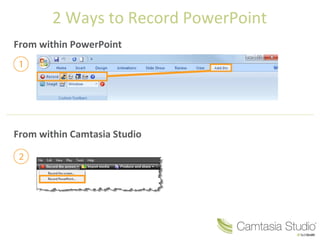
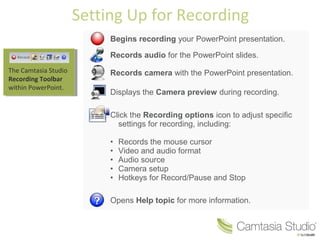
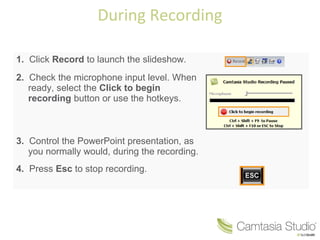
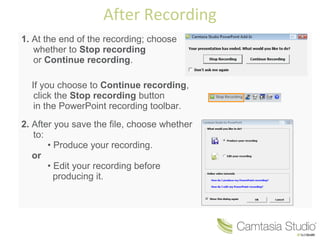
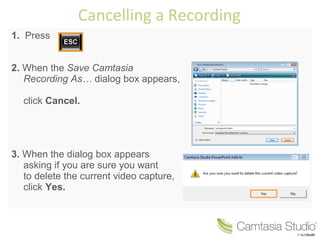
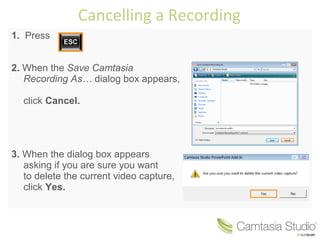

There are two ways to record a PowerPoint presentation: from within PowerPoint using the Camtasia Studio recording toolbar, or using the standalone Camtasia Studio application. The Camtasia Studio toolbar in PowerPoint allows you to record audio, video of yourself, and screen capture of the PowerPoint slides. It provides options to customize the recording settings. During recording, you control the PowerPoint presentation while Camtasia records it. After recording, you can either produce the recording immediately or edit it first before producing the final file.


![Camtasia getting started guide [salvo automaticamente]](https://cdn.slidesharecdn.com/ss_thumbnails/camtasiagettingstartedguidesalvoautomaticamente-110113172239-phpapp02-thumbnail.jpg?width=640&height=640&fit=bounds)
