

FROM C# TO PYTHON
10 THINGS I LEARNED ALONG THE WAY
Tess Ferrandez
TESS
SOFTWARE
ENGINEER
&
DATA
SCIENTIST
at MICROSOFT
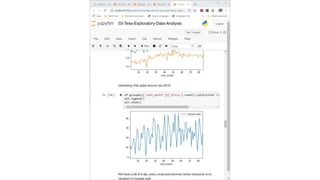
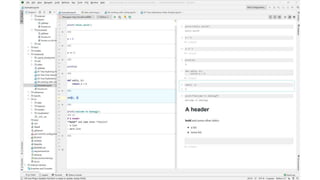
NOTEBOOKS ARE
FOR EXPLORATION
1
REUSE CODE
SOURCE CONTROL
DEBUG
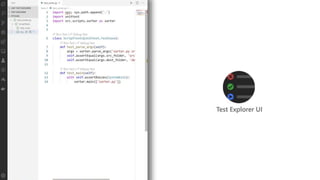
TEST
CI/CD PIPELINE
IF IT’S GOING INTO PROD,
IT’S GOING IN A .PY FILE
PYTHON IS VERY
FLEXIBLE
2
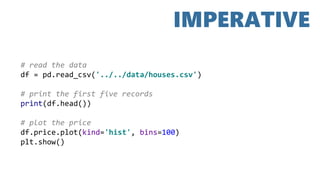
# read the data
df = pd.read_csv('../../data/houses.csv')
# print the first five records
print(df.head())
# plot the price
df.price.plot(kind='hist', bins=100)
plt.show()
IMPERATIVE
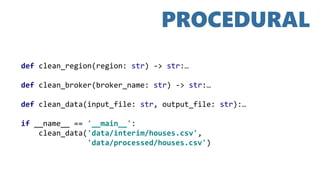
def clean_region(region: str) -> str:…
def clean_broker(broker_name: str) -> str:…
def clean_data(input_file: str, output_file: str):…
if __name__ == '__main__':
clean_data('data/interim/houses.csv',
'data/processed/houses.csv')
PROCEDURAL
FUNCTIONAL
def square(x: int) -> int:
return x * x
numbers = [1, 2, 3, 4, 5]
num_sum = reduce(lambda x, y: x + y, numbers, 0)
squares = map(square, numbers)
OBJECT ORIENTED
class StringOps:
def __init__(self, characters):
self.characters = characters
def stringify(self):
self.string = ''.join(self.characters)
sample_str = StringOps(['p', 'y', 't', 'h', 'o', 'n'])
sample_str.stringify()
print(sample_str.string)
YOU CAN MIX AND MATCH
PARADIGMS AS YOU PLEASE,
BUT KEEP YOUR CODE AND
SOCKS DRY
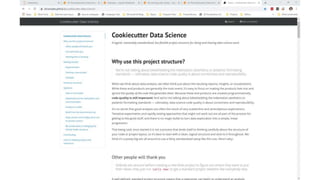
USE A COOKIE CUTTER
PROJECT STRUCTURE
3
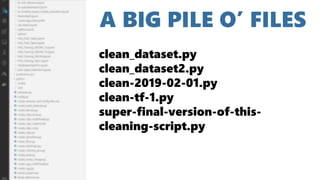
A BIG PILE O’ FILES
clean_dataset.py
clean_dataset2.py
clean-2019-02-01.py
clean-tf-1.py
super-final-version-of-this-
cleaning-script.py
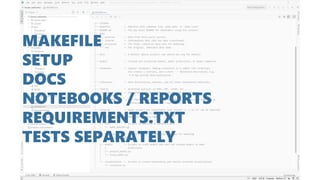
MAKEFILE
SETUP
DOCS
NOTEBOOKS / REPORTS
REQUIREMENTS.TXT
TESTS SEPARATELY
USE A COOKIE CUTTER
PROJECT STRUCTURE
OTHER PEOPLE
WILL THANK YOU
USE A COOKIE CUTTER
PROJECT STRUCTURE
OTHER PEOPLE
I WILL THANK YOU
(PERSONALLY!)
WRITING READABLE
& MAINTAINABLE
CODE
4
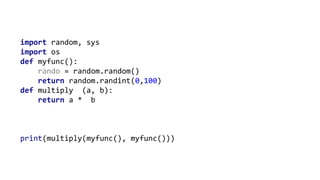
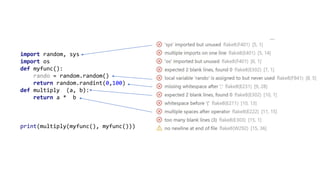
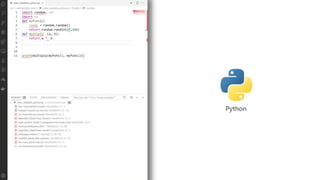
import random, sys
import os
def myfunc():
rando = random.random()
return random.randint(0,100)
def multiply (a, b):
return a * b
print(multiply(myfunc(), myfunc()))
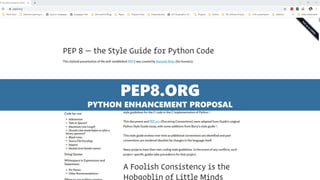
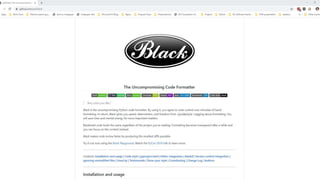
PEP8.ORG
PYTHON ENHANCEMENT PROPOSAL
import random, sys
import os
def myfunc():
rando = random.random()
return random.randint(0,100)
def multiply (a, b):
return a * b
print(multiply(myfunc(), myfunc()))
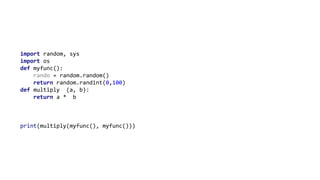
import random, sys
import os
def myfunc():
rando = random.random()
return random.randint(0,100)
def multiply (a, b):
return a * b
print(multiply(myfunc(), myfunc()))
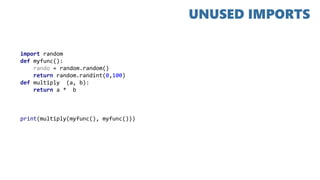
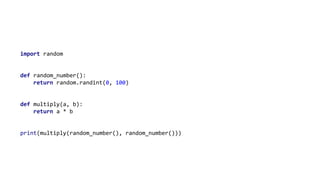
import random
def myfunc():
rando = random.random()
return random.randint(0,100)
def multiply (a, b):
return a * b
print(multiply(myfunc(), myfunc()))
UNUSED IMPORTS
import random
def myfunc():
rando = random.random()
return random.randint(0,100)
def multiply (a, b):
return a * b
print(multiply(myfunc(), myfunc()))
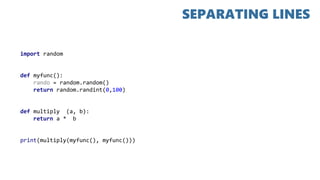
SEPARATING LINES
import random
def myfunc():
rando = random.random()
return random.randint(0, 100)
def multiply(a, b):
return a * b
print(multiply(myfunc(), myfunc()))
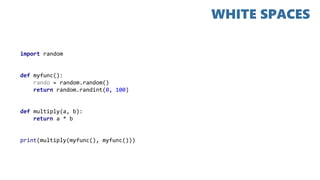
WHITE SPACES
import random
def myfunc():
return random.randint(0, 100)
def multiply(a, b):
return a * b
print(multiply(myfunc(), myfunc()))
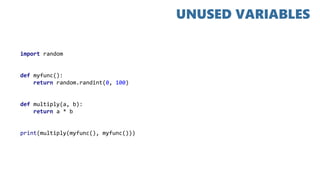
UNUSED VARIABLES
import random
def random_number():
return random.randint(0, 100)
def multiply(a, b):
return a * b
print(multiply(random_number(), random_number()))
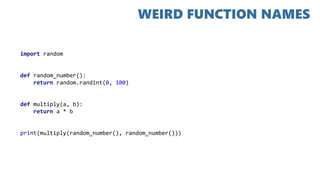
WEIRD FUNCTION NAMES
import random
def random_number():
return random.randint(0, 100)
def multiply(a, b):
return a * b
print(multiply(random_number(), random_number()))
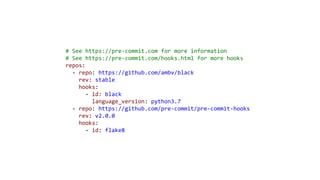
# See https://pre-commit.com for more information
# See https://pre-commit.com/hooks.html for more hooks
repos:
- repo: https://github.com/ambv/black
rev: stable
hooks:
- id: black
language_version: python3.7
- repo: https://github.com/pre-commit/pre-commit-hooks
rev: v2.0.0
hooks:
- id: flake8
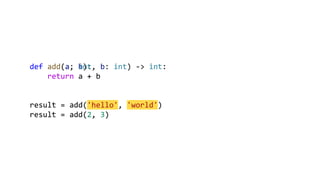
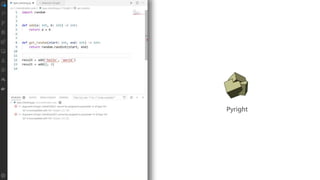
def add(a, b):
return a + b
result = add('hello', 'world')
result = add(2, 3)
def add(a: int, b: int) -> int:
return a + b
result = add('hello', 'world')
result = add(2, 3)
PEP8 ALL THE CODES
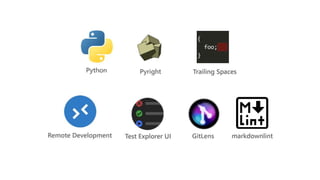
A SWEET
DEV ENVIRONMENT
SETUP
5
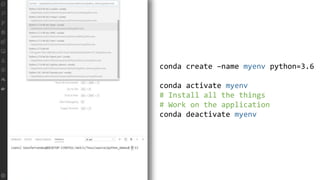
PIP, CONDA AND
VIRTUAL
ENVIRONMENTS
6
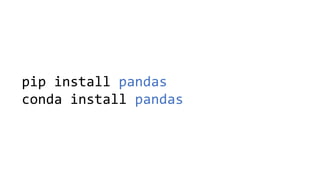
pip install pandas
conda install pandas
conda create –name myenv python=3.6
conda activate myenv
# Install all the things
# Work on the application
conda deactivate myenv
REQUIREMENTS.TXT
KEEP YOUR MACHINE CLEAN
AND YOUR PANDAS
SEPARATED
EMBRACING
PYTHONIC PYTHON
7
SQUARE SOME NUMBERS
nums = [1, 2, 3, 4, 5, 6, 7, 8, 9, 10]
squares = []
i = 0
while i < len(nums):
squares.append(nums[i] * nums[i])
i += 1
squares = []
for i in range(len(nums)):
squares.append(nums[i] * nums[i])
squares = []
for num in nums:
squares.append(num * num)
squares = [num * num for num in nums]
squares = [num * num for num in nums if num % 2 == 0]
fruits = ['apple', 'mango', 'banana', 'cherry’]
fruit_lens = {fruit: len(fruit) for fruit in fruits}
{'apple': 5, 'mango': 5, 'banana': 6, 'cherry': 6}
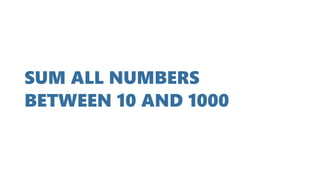
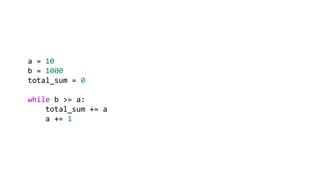
SUM ALL NUMBERS
BETWEEN 10 AND 1000
a = 10
b = 1000
total_sum = 0
while b >= a:
total_sum += a
a += 1
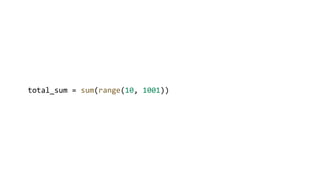
total_sum = sum(range(10, 1001))
IS THIS ITEM IN THE LIST?
fruits = ['apples', 'oranges', 'bananas', 'grapes']
found = False
size = len(fruits)
for i in range(size):
if fruits[i] == 'cherries':
found = True
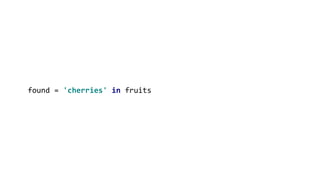
found = 'cherries' in fruits
LIVE ZEN
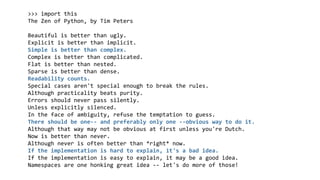
>>> import this
The Zen of Python, by Tim Peters
Beautiful is better than ugly.
Explicit is better than implicit.
Simple is better than complex.
Complex is better than complicated.
Flat is better than nested.
Sparse is better than dense.
Readability counts.
Special cases aren't special enough to break the rules.
Although practicality beats purity.
Errors should never pass silently.
Unless explicitly silenced.
In the face of ambiguity, refuse the temptation to guess.
There should be one-- and preferably only one --obvious way to do it.
Although that way may not be obvious at first unless you're Dutch.
Now is better than never.
Although never is often better than *right* now.
If the implementation is hard to explain, it's a bad idea.
If the implementation is easy to explain, it may be a good idea.
Namespaces are one honking great idea -- let's do more of those!
ARGUMENT PARSING
WITH CLICK
8
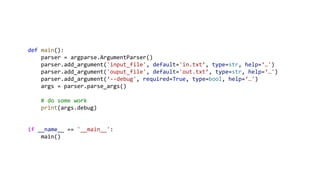
def main():
parser = argparse.ArgumentParser()
parser.add_argument('input_file', default='in.txt’, type=str, help=‘…')
parser.add_argument('ouput_file', default='out.txt’, type=str, help=‘…')
parser.add_argument(‘--debug', required=True, type=bool, help=‘…')
args = parser.parse_args()
# do some work
print(args.debug)
if __name__ == '__main__':
main()
python myscript.py --help
Usage: myscript.py [OPTIONS] [INPUT_FILE]
[OUTPUT_FILE]
Options:
--debug BOOLEAN [required]
--help Show this message and exit.
def main():
parser = argparse.ArgumentParser()
parser.add_argument('input_file', default='in.txt’, type=str, help=‘…')
parser.add_argument('ouput_file', default='out.txt’, type=str, help=‘…')
parser.add_argument(‘--debug', required=True, type=bool, help=‘…')
args = parser.parse_args()
# do some work
print(args.debug)
if __name__ == '__main__':
main()
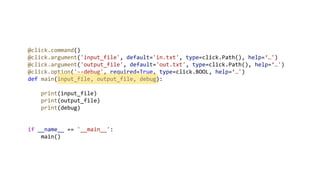
@click.command()
@click.argument('input_file', default='in.txt', type=click.Path(), help=‘…')
@click.argument('output_file', default='out.txt', type=click.Path(), help=‘…')
@click.option('--debug', required=True, type=click.BOOL, help=‘…')
def main(input_file, output_file, debug):
print(input_file)
print(output_file)
print(debug)
if __name__ == '__main__':
main()
CLICK MAKES ARGUMENT
PARSING READABLE AND
TESTABLE
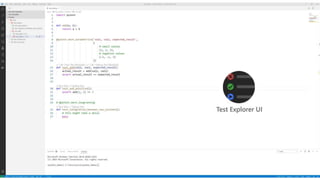
TESTING
WITH PYTEST
9
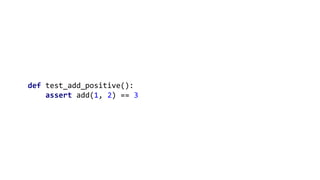
def test_add_positive():
assert add(1, 2) == 3
@pytest.mark.parametrize('val1, val2, expected_result',
[
# small values
(1, 2, 3),
# negative values
(-2, -1, 3)
])
def test_add(val1, val2, expected_result):
actual_result = add(val1, val2)
assert actual_result == expected_result
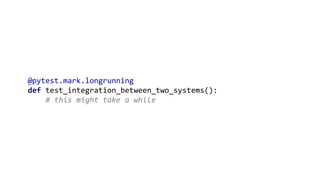
@pytest.mark.longrunning
def test_integration_between_two_systems():
# this might take a while
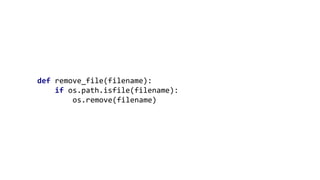
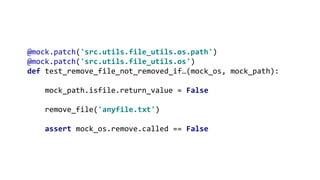
def remove_file(filename):
if os.path.isfile(filename):
os.remove(filename)
@mock.patch('src.utils.file_utils.os.path')
@mock.patch('src.utils.file_utils.os')
def test_remove_file_not_removed_if…(mock_os, mock_path):
mock_path.isfile.return_value = False
remove_file('anyfile.txt')
assert mock_os.remove.called == False
A TEST FOLDER IN THE ROOT
IS PRETTY NICE
THERE IS A PACKAGE
FOR THAT
10
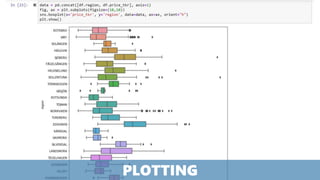
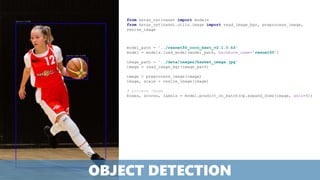
PLOTTING
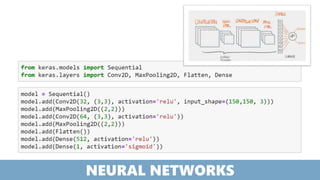
NEURAL NETWORKS
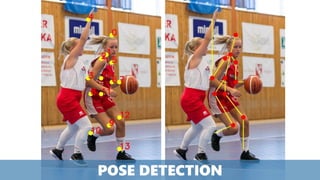
POSE DETECTION
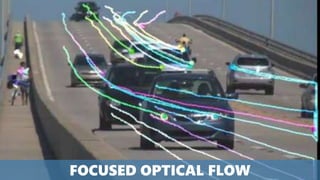
FOCUSED OPTICAL FLOW
model_path = '../resnet50_coco_best_v2.1.0.h5'
model = models.load_model(model_path, backbone_name='resnet50’)
image_path = '../data/images/basket_image.jpg'
image = read_image_bgr(image_path)
image = preprocess_image(image)
image, scale = resize_image(image)
# process image
boxes, scores, labels = model.predict_on_batch(np.expand_dims(image, axis=0))
from keras_retinanet import models
from keras_retinanet.utils.image import read_image_bgr, preprocess_image,
resize_image
OBJECT DETECTION
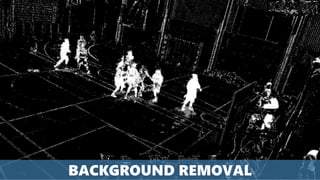
BACKGROUND REMOVAL
THIS IS THE REASON WHY WE
DO ML IN PYTHON
2 3 41
6 7 85
9 10
FROM C# TO PYTHON
10 THINGS I LEARNED ALONG THE WAY
Tess Ferrandez

C# to python

Editor's Notes

  • #3 Software Engineer and Data Scientist – In that order. My main goal is to create software that solves a business need, sometimes that includes Machine Learning, but I’m equally happy if it doesn’t Too often, we walk into the room algorithm first, as if adding AI/ML had it’s own value, and virtually every time we do that, we fail…
  • #4 Intro First entry point for many Many training courses are done exclusively in Notebooks, same with Kaggle The good Great for exploration – unprecedented Great for telling an analysis story – Documentation with Markdown The bad Executing items out of order – what did you even execute? Testing Debugging CI/CD Pipeline Reproducing Adding to Source Control Suggestions for good practices Naming Export reports as HTML Export code as scripts Some alternatives Terminal Jupyter in VS Code and PyCharm Interactive cells in VS Code in PyCharm
  • #10 More like a recipe – great for step by step tasks like exploring or cleaning data
  • #11 Modularizing, putting more common tasks in procedures. As we move to prod, we need this… the imperative style leans a lot on globals, non-dry code with many code smells that you don’t want in prod
  • #12 Every statement can be seen as a mathematical function – state and mutability is avoided Python is not a pure functional language – but this paradigm lends itself extremely well to data manipulation of large datasets as we keep iterating through, only using what we need
  • #13 While python does do Object Oriented programming, it doesn’t do encapsulation, so nothing is private. You can optionally do _myprivate var, but still, it is only convention, not real hiding
  • #14 KEEP YOUR CODE AND SOCKS DRY
  • #19 KEEP YOUR CODE AND SOCKS DRY
  • #20 KEEP YOUR CODE AND SOCKS DRY
  • #46 Pip installs from pypi (only python) Conda from conda cloud (any language) Difference in dependency management
  • #86 Multiple overlapping Small players Have to train guestures Weird angles