Building iOS App
using
MeteorJS
Ashish
@ashish_fagna
Agenda
• Meteor Concepts
• Ionic
• Demo : iOS app using Meteor
What is Meteor …
A reactive ,
data-synchronizing,
Latency-compensating,
time-saving platform.
for building fast, interactive web apps
One codebase,
all platforms
Open and extensible
100% pure
JavaScript
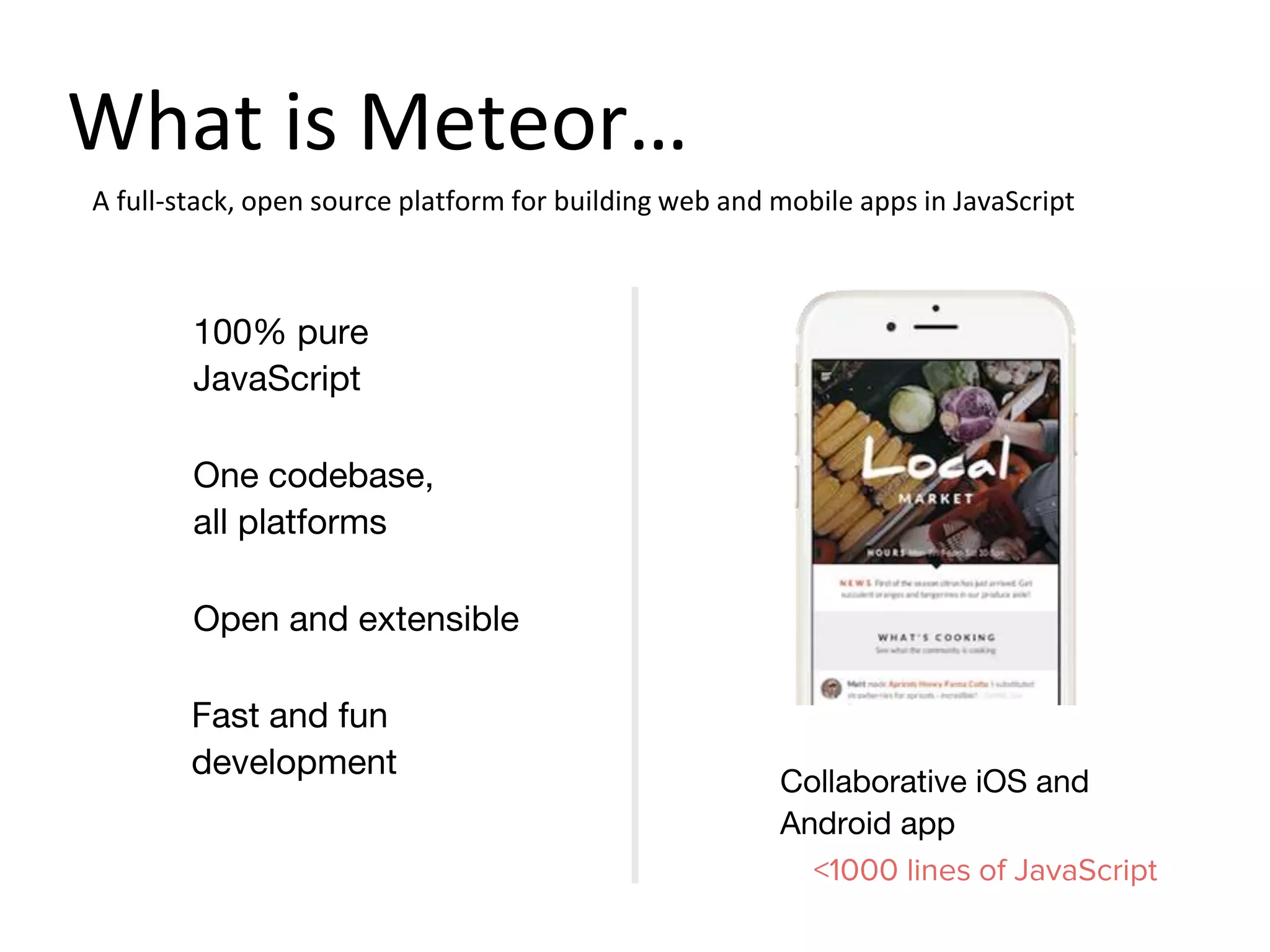
Collaborative iOS and
Android app
<1000 lines of JavaScript
A full-stack, open source platform for building web and mobile apps in JavaScript
Fast and fun
development
What is Meteor…
What's different ?
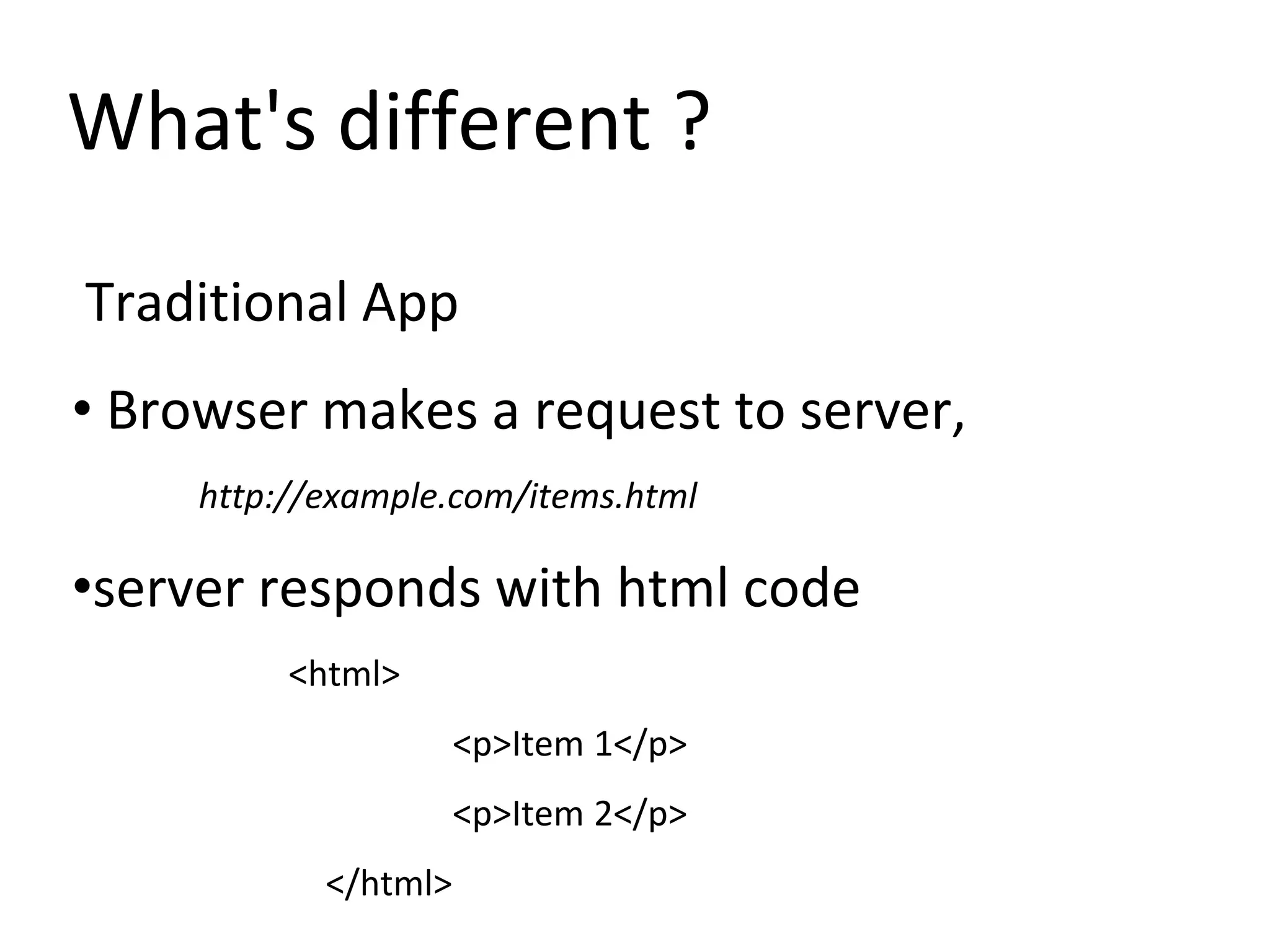
Traditional App
• Browser makes a request to server,
http://example.com/items.html
•server responds with html code
<html>
<p>Item 1</p>
<p>Item 2</p>
</html>
What's different ?
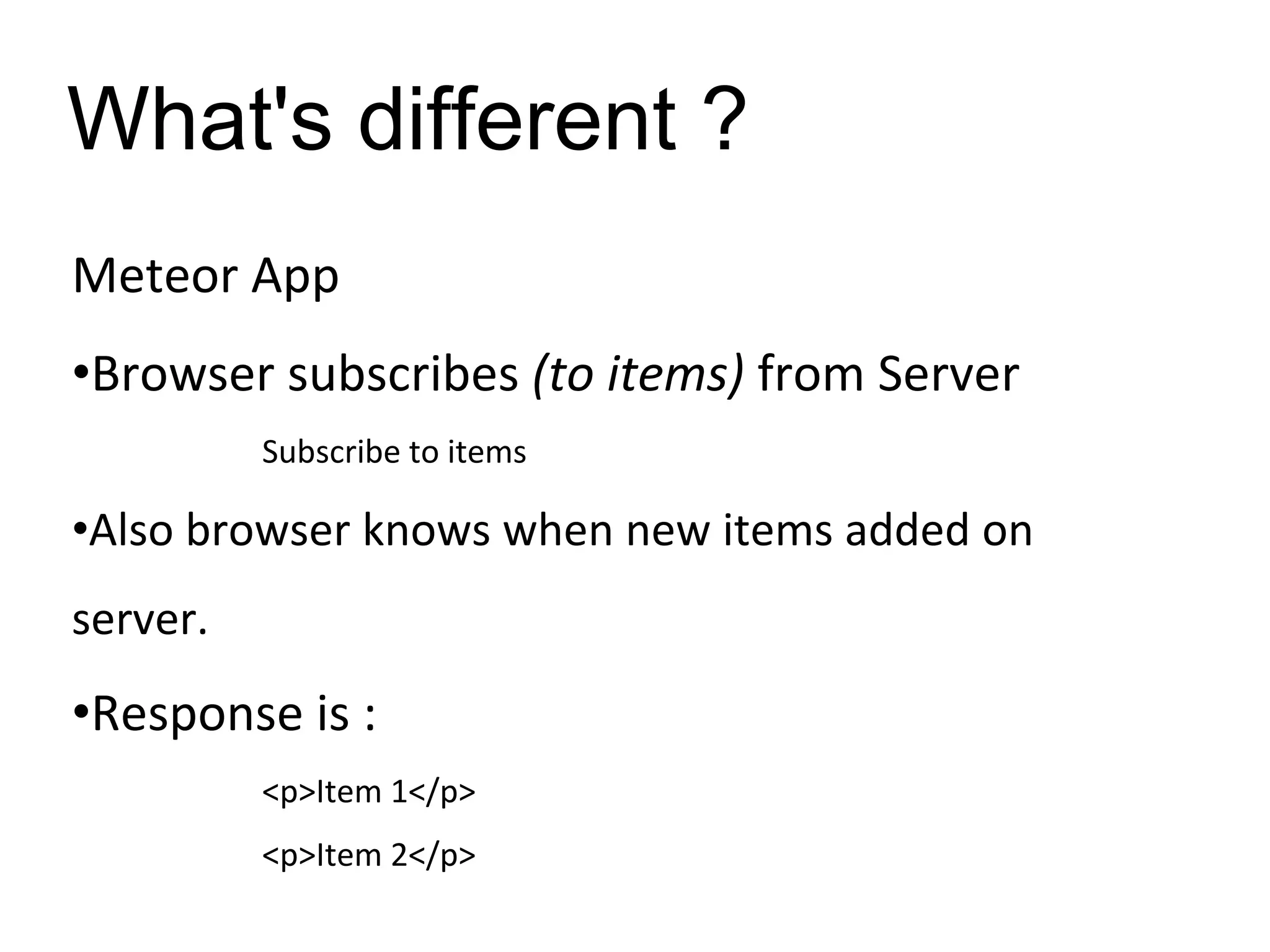
Meteor App
•Browser subscribes (to items) from Server
Subscribe to items
•Also browser knows when new items added on
server.
•Response is :
<p>Item 1</p>
<p>Item 2</p>
What's different ?
Meteor App
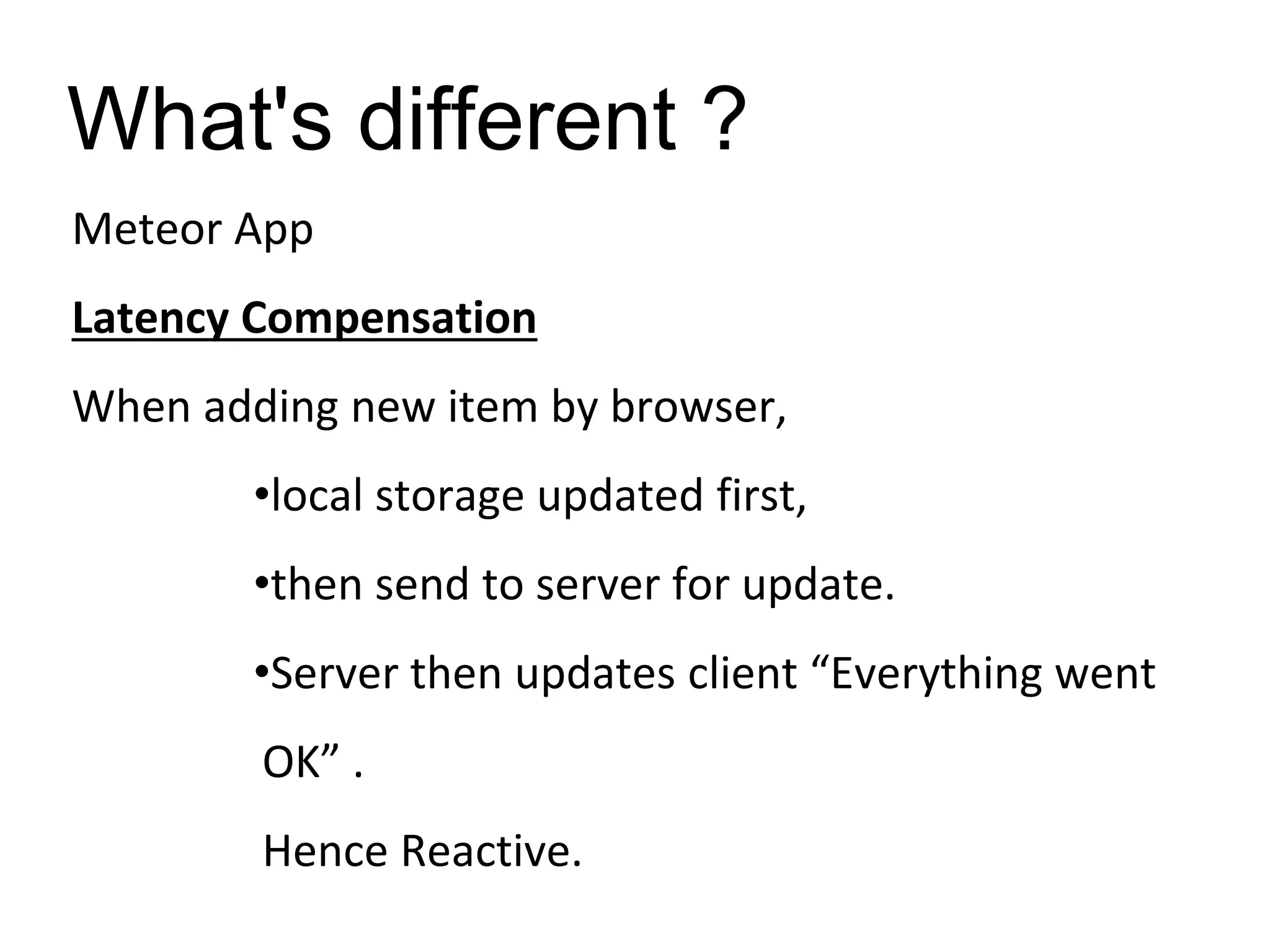
Latency Compensation
When adding new item by browser,
•local storage updated first,
•then send to server for update.
•Server then updates client “Everything went
OK” .
Hence Reactive.
What's different ?
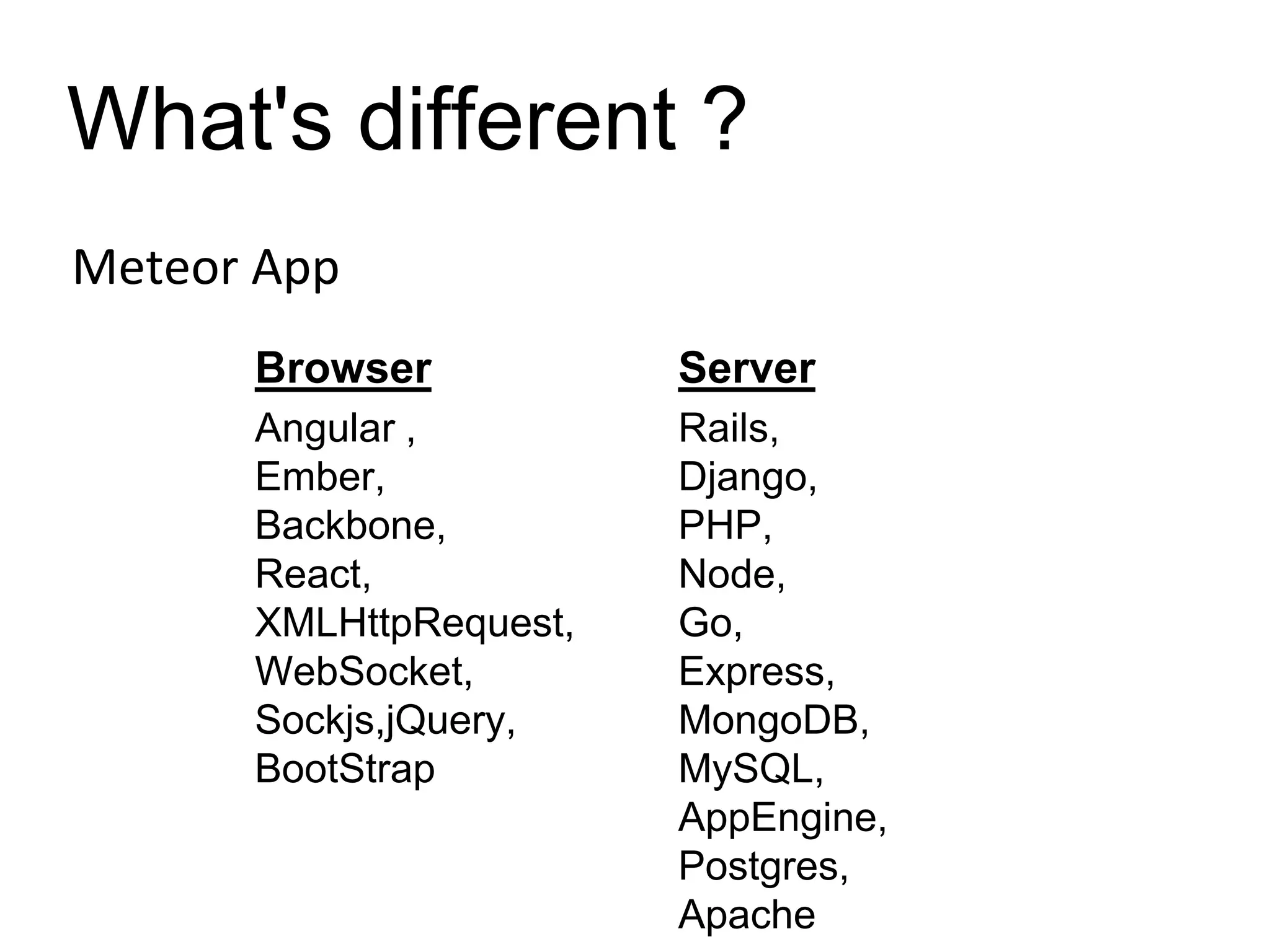
Meteor App
Browser Server
Angular ,
Ember,
Backbone,
React,
XMLHttpRequest,
WebSocket,
Sockjs,jQuery,
BootStrap
Rails,
Django,
PHP,
Node,
Go,
Express,
MongoDB,
MySQL,
AppEngine,
Postgres,
Apache
What's different ?
Meteor App
•Write all JavaScript (if you want to)
•Use the same APIs on client and server.
Meteor components
Command Line Tool
View Layer – Blaze (Angular, React)
Livequery
Full stack package system – atmospherejs.com
Build system
Cordova/Phonegap
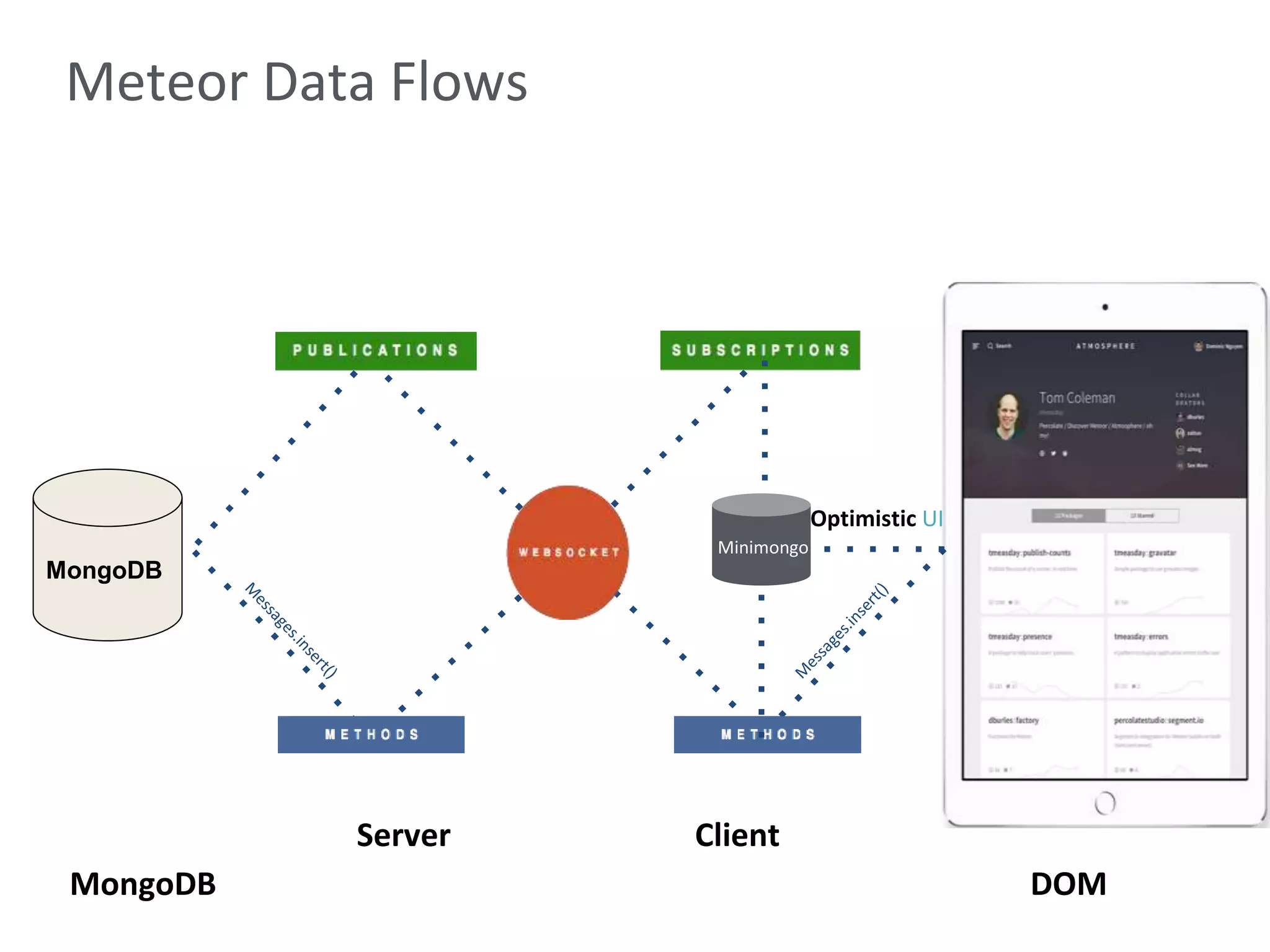
MongoDB DOM
Server Client
Meteor Data Flows
Minimongo
Optimistic UI
MongoDB
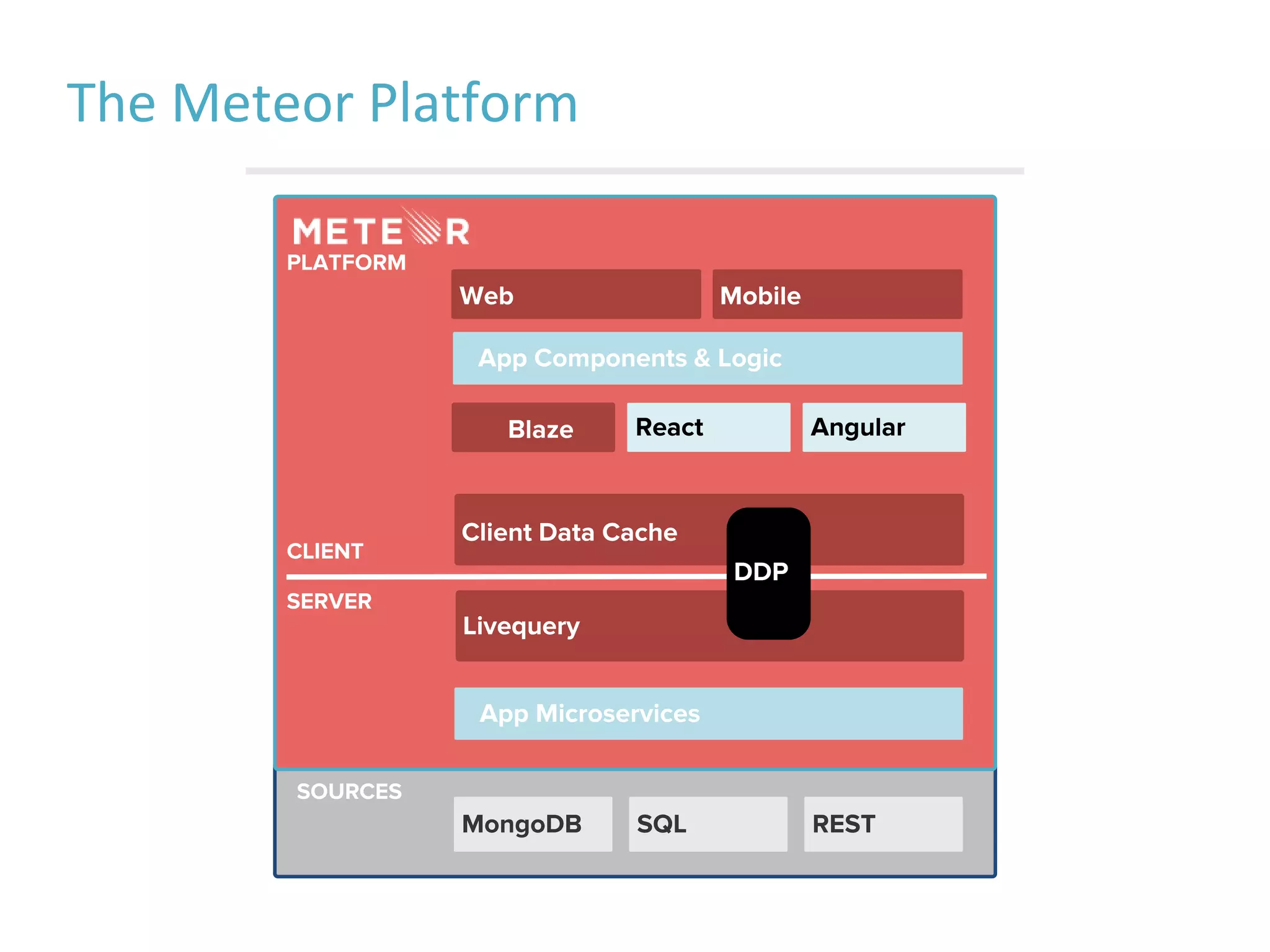
The Meteor Platform
App Microservices
PLATFORM
Blaze
Livequery
Client Data Cache
MongoDB SQL REST
App Components & Logic
React Angular
SERVER
CLIENT
SOURCES
DDP
MobileWeb
Cordova, PhoneGap, & Ionic
• Apache Cordova is community project, letting
you build mobile apps for various mobile
platforms (HTML5, Javascript and CSS3)
• Phonegap is a version of Cordova but it's
Adobe's product.
• Ionic Framework is a set of css classes and a
library of Javascript directives and modules, built
on top of Cordova, with AngularJS.
Cordova v/s Native
• Apache Cordova
–Hybrid Apps
–Web wrapped in
native
–Native APIs
–One code base,
many platforms
• Native SDKs
–Views
–UI Components
–Navigation
–Transitions
–Animations
–Interactions
Downside of Native
• Knowledge of each platform
• Separate code bases
• Expensive
Ionic
Ionic is “Bootstrap for Native”
• Responsive
• UI Components
• Transitions
• Icons
Ionic for AngularJS
• Ionic has been optimised for AngularJS
• AngularJS Features
–Directives
–Services
–Interactions
–Navigation and History
–Animations and Transitions
–Performance
–Much More…
Ionic Sample Code
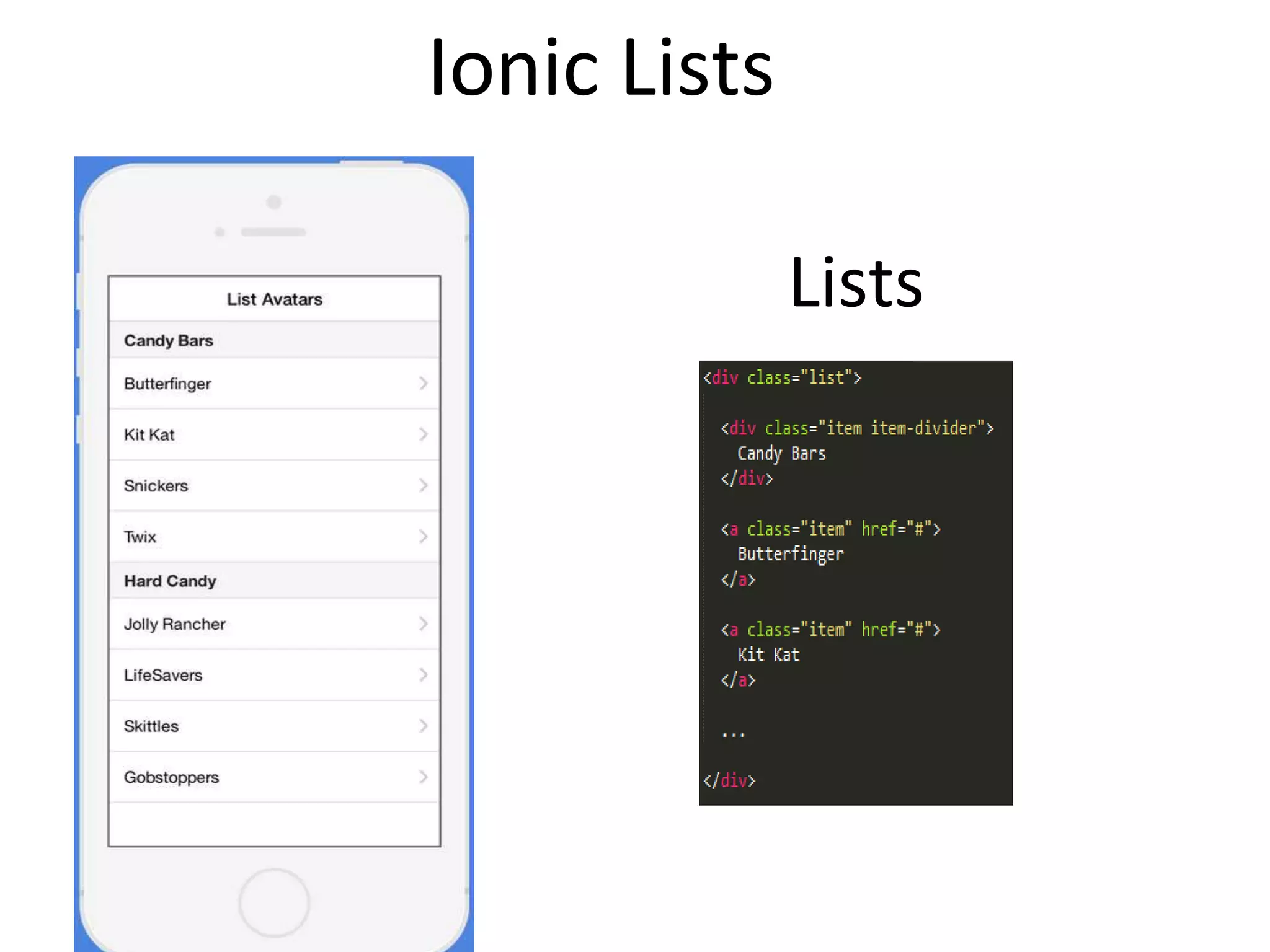
Lists
Ionic Lists
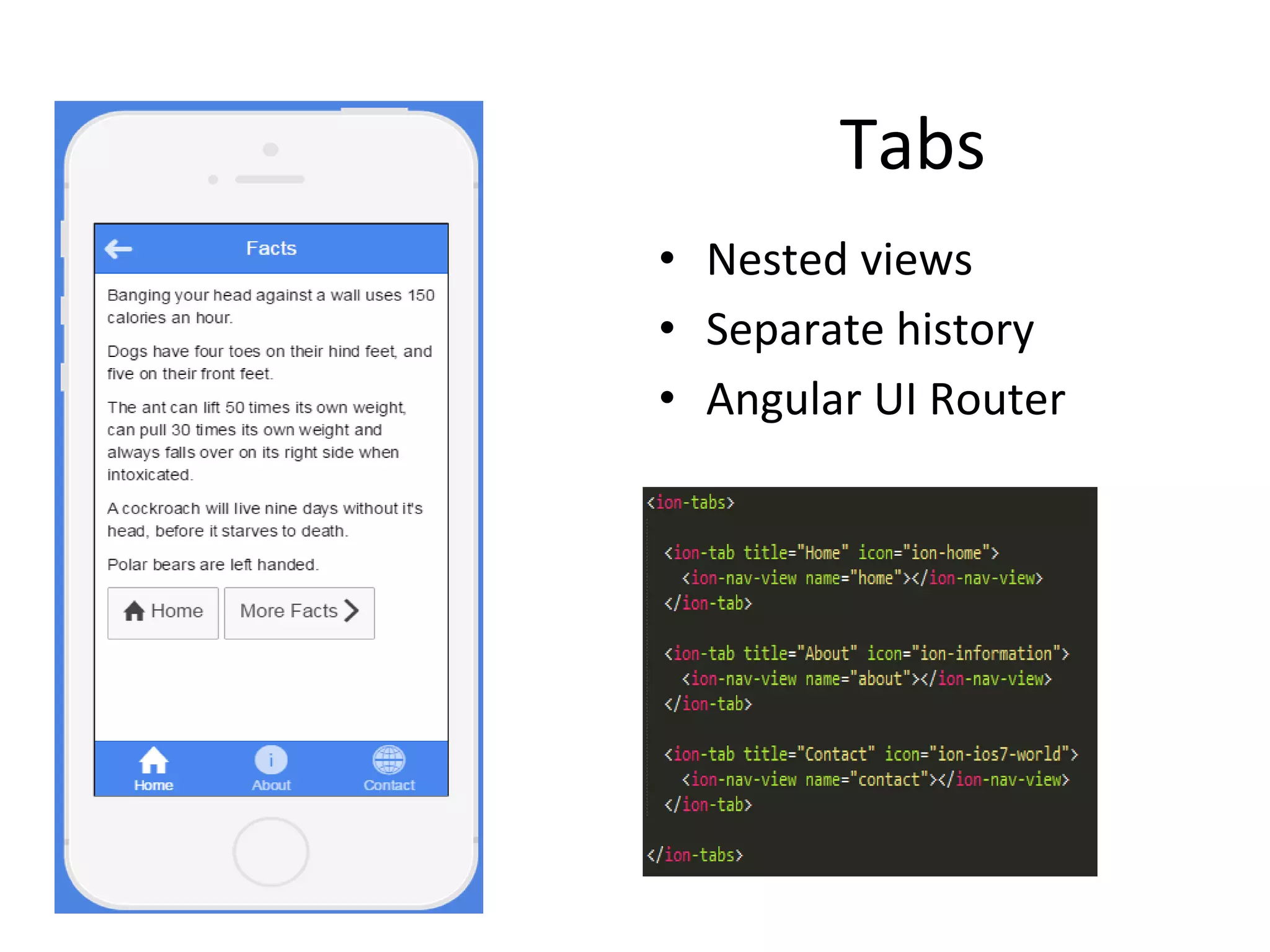
Tabs
• Nested views
• Separate history
• Angular UI Router
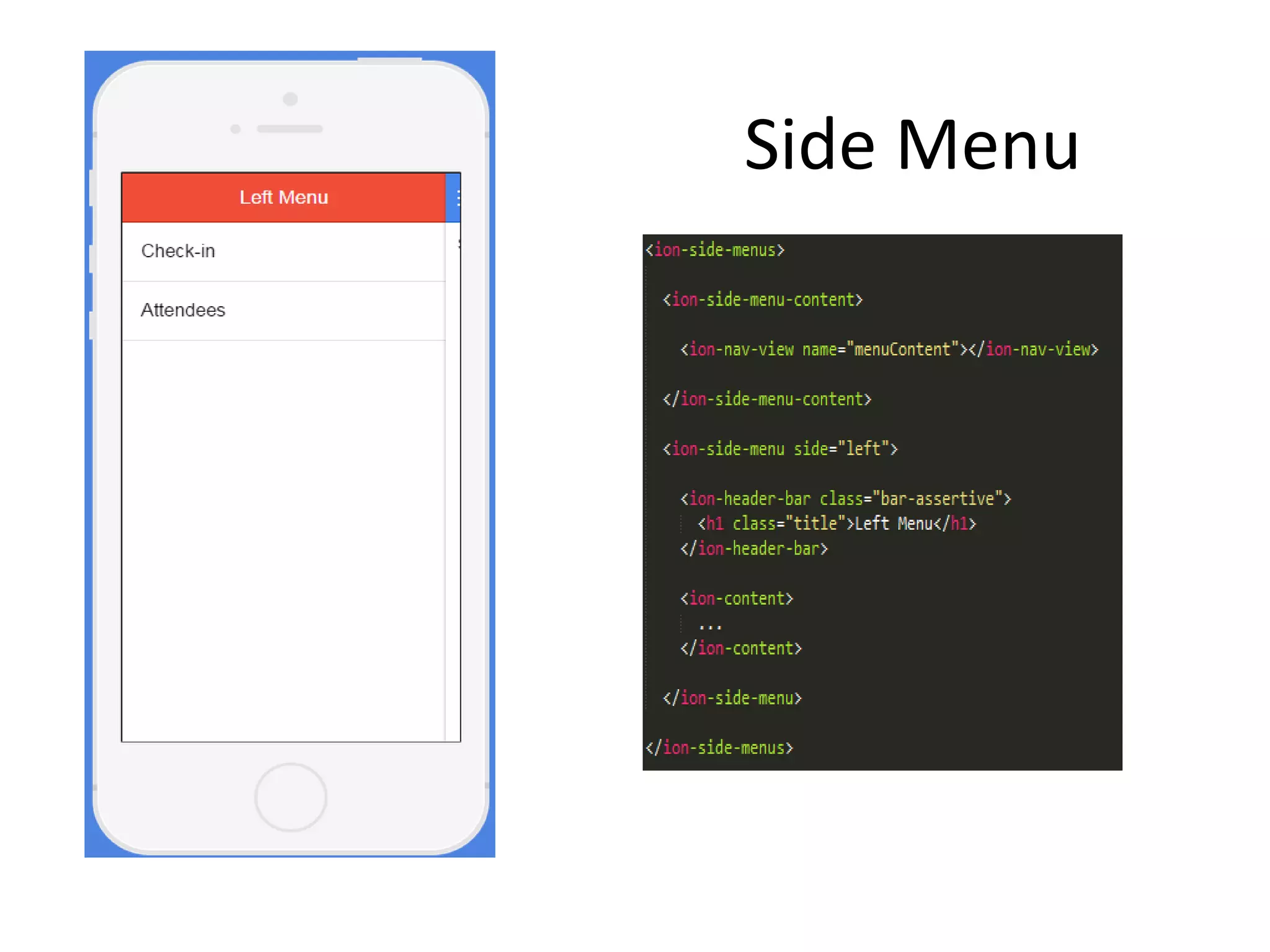
Side Menu
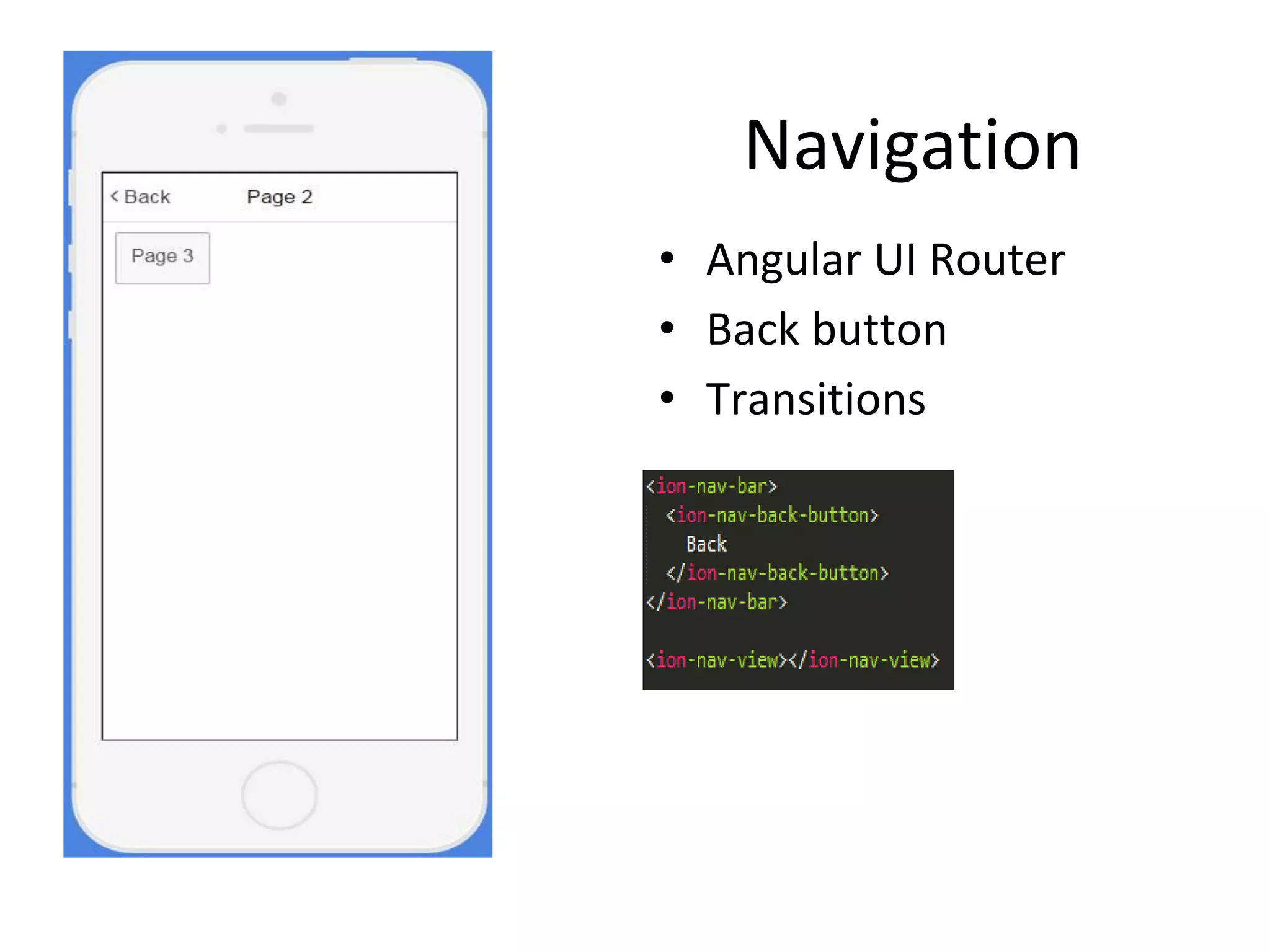
Navigation
• Angular UI Router
• Back button
• Transitions
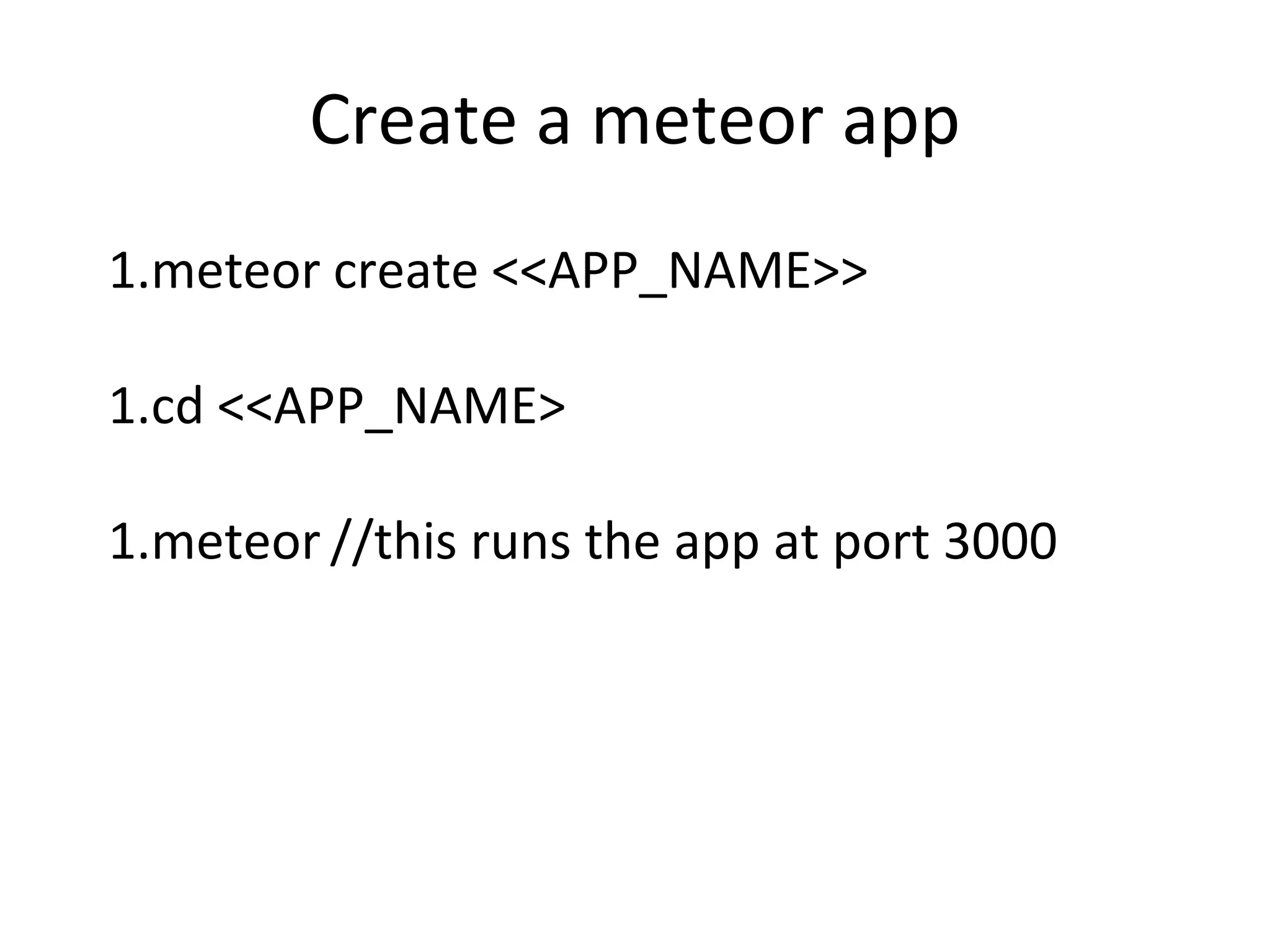
Create a meteor app
1.meteor create <<APP_NAME>>
1.cd <<APP_NAME>
1.meteor //this runs the app at port 3000
Add platform
Add platform to project
• meteor add-platform ios
• meteor add-platform android
• meteor list-platforms
Install mobile specific packages
• meteor add mdg:camera
• meteor add mdg:geolocation
• meteor add mdg:camera
Run App
To run in simulator
• meteor run ios
To run on device
• meteor run ios -p <local port>
Demo App
Thank You

Building iOS app using meteor

  • 1.
  • 2.
    Agenda • Meteor Concepts •Ionic • Demo : iOS app using Meteor
  • 3.
    What is Meteor… A reactive , data-synchronizing, Latency-compensating, time-saving platform. for building fast, interactive web apps
  • 4.
    One codebase, all platforms Openand extensible 100% pure JavaScript Collaborative iOS and Android app <1000 lines of JavaScript A full-stack, open source platform for building web and mobile apps in JavaScript Fast and fun development What is Meteor…
  • 5.
    What's different ? TraditionalApp • Browser makes a request to server, http://example.com/items.html •server responds with html code <html> <p>Item 1</p> <p>Item 2</p> </html>
  • 6.
    What's different ? MeteorApp •Browser subscribes (to items) from Server Subscribe to items •Also browser knows when new items added on server. •Response is : <p>Item 1</p> <p>Item 2</p>
  • 7.
    What's different ? MeteorApp Latency Compensation When adding new item by browser, •local storage updated first, •then send to server for update. •Server then updates client “Everything went OK” . Hence Reactive.
  • 8.
    What's different ? MeteorApp Browser Server Angular , Ember, Backbone, React, XMLHttpRequest, WebSocket, Sockjs,jQuery, BootStrap Rails, Django, PHP, Node, Go, Express, MongoDB, MySQL, AppEngine, Postgres, Apache
  • 9.
    What's different ? MeteorApp •Write all JavaScript (if you want to) •Use the same APIs on client and server.
  • 10.
    Meteor components Command LineTool View Layer – Blaze (Angular, React) Livequery Full stack package system – atmospherejs.com Build system Cordova/Phonegap
  • 11.
    MongoDB DOM Server Client MeteorData Flows Minimongo Optimistic UI MongoDB
  • 12.
    The Meteor Platform AppMicroservices PLATFORM Blaze Livequery Client Data Cache MongoDB SQL REST App Components & Logic React Angular SERVER CLIENT SOURCES DDP MobileWeb
  • 13.
    Cordova, PhoneGap, &Ionic • Apache Cordova is community project, letting you build mobile apps for various mobile platforms (HTML5, Javascript and CSS3) • Phonegap is a version of Cordova but it's Adobe's product. • Ionic Framework is a set of css classes and a library of Javascript directives and modules, built on top of Cordova, with AngularJS.
  • 14.
    Cordova v/s Native •Apache Cordova –Hybrid Apps –Web wrapped in native –Native APIs –One code base, many platforms • Native SDKs –Views –UI Components –Navigation –Transitions –Animations –Interactions
  • 15.
    Downside of Native •Knowledge of each platform • Separate code bases • Expensive
  • 16.
  • 17.
    Ionic is “Bootstrapfor Native” • Responsive • UI Components • Transitions • Icons
  • 18.
    Ionic for AngularJS •Ionic has been optimised for AngularJS • AngularJS Features –Directives –Services –Interactions –Navigation and History –Animations and Transitions –Performance –Much More…
  • 19.
  • 20.
  • 21.
    Tabs • Nested views •Separate history • Angular UI Router
  • 22.
  • 23.
    Navigation • Angular UIRouter • Back button • Transitions
  • 24.
    Create a meteorapp 1.meteor create <<APP_NAME>> 1.cd <<APP_NAME> 1.meteor //this runs the app at port 3000
  • 25.
    Add platform Add platformto project • meteor add-platform ios • meteor add-platform android • meteor list-platforms Install mobile specific packages • meteor add mdg:camera • meteor add mdg:geolocation • meteor add mdg:camera
  • 26.
    Run App To runin simulator • meteor run ios To run on device • meteor run ios -p <local port>
  • 27.
  • 28.